October 15, 2020
Creating Touchless HMIs Using
Computer Vision Gesture Interaction
Germán Leon, Chief Experience Officer, Gestoos
Ryan Hampton, Software Engineer, ICS
About ICS
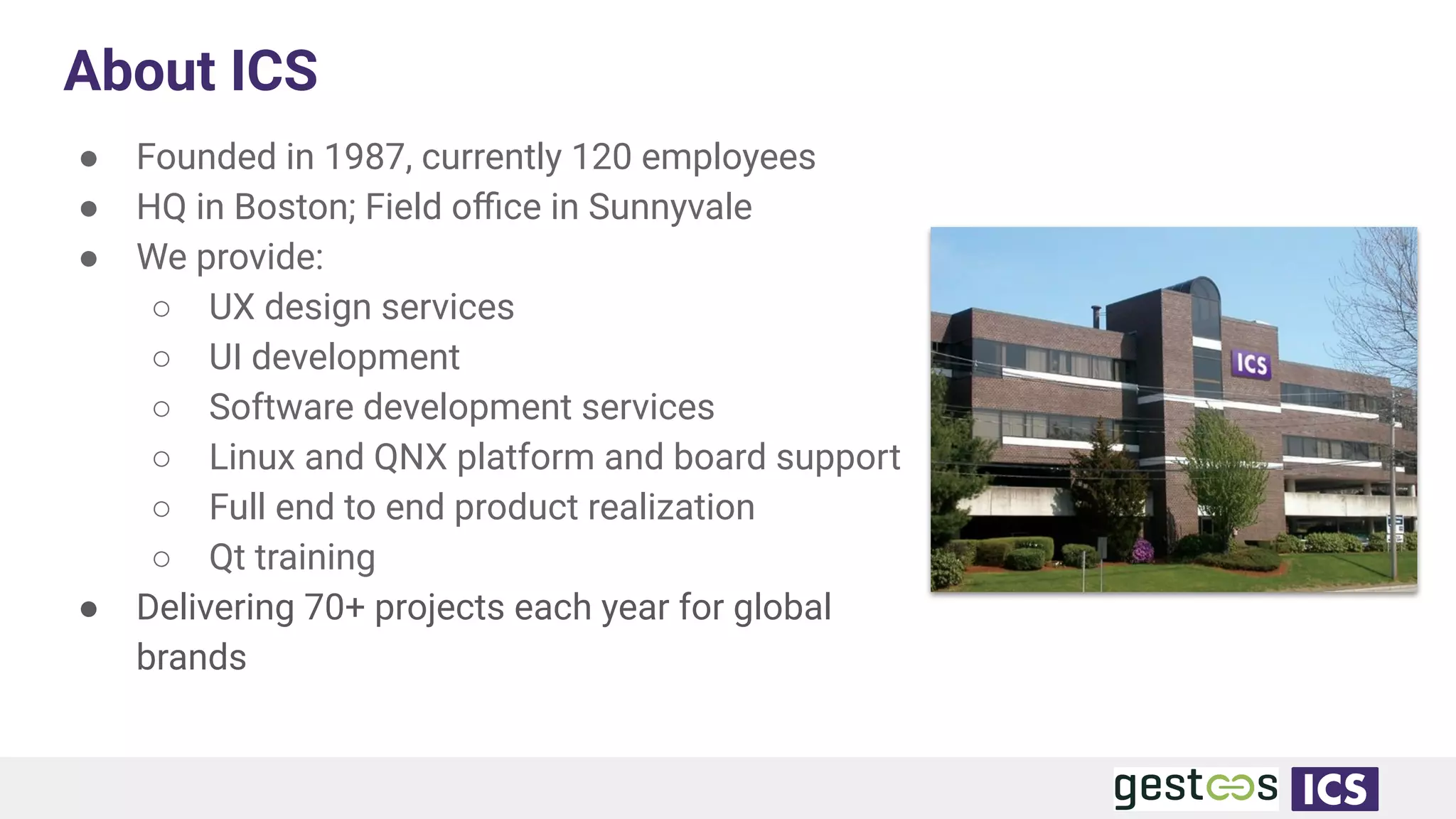
● Founded in 1987, currently 120 employees
● HQ in Boston; Field office in Sunnyvale
● We provide:
○ UX design services
○ UI development
○ Software development services
○ Linux and QNX platform and board support
○ Full end to end product realization
○ Qt training
● Delivering 70+ projects each year for global
brands
Inventing the Future
3
We help companies design,
develop, and productize
touch, gesture, and voice
enabled solutions that
dramatically improve
customer experience
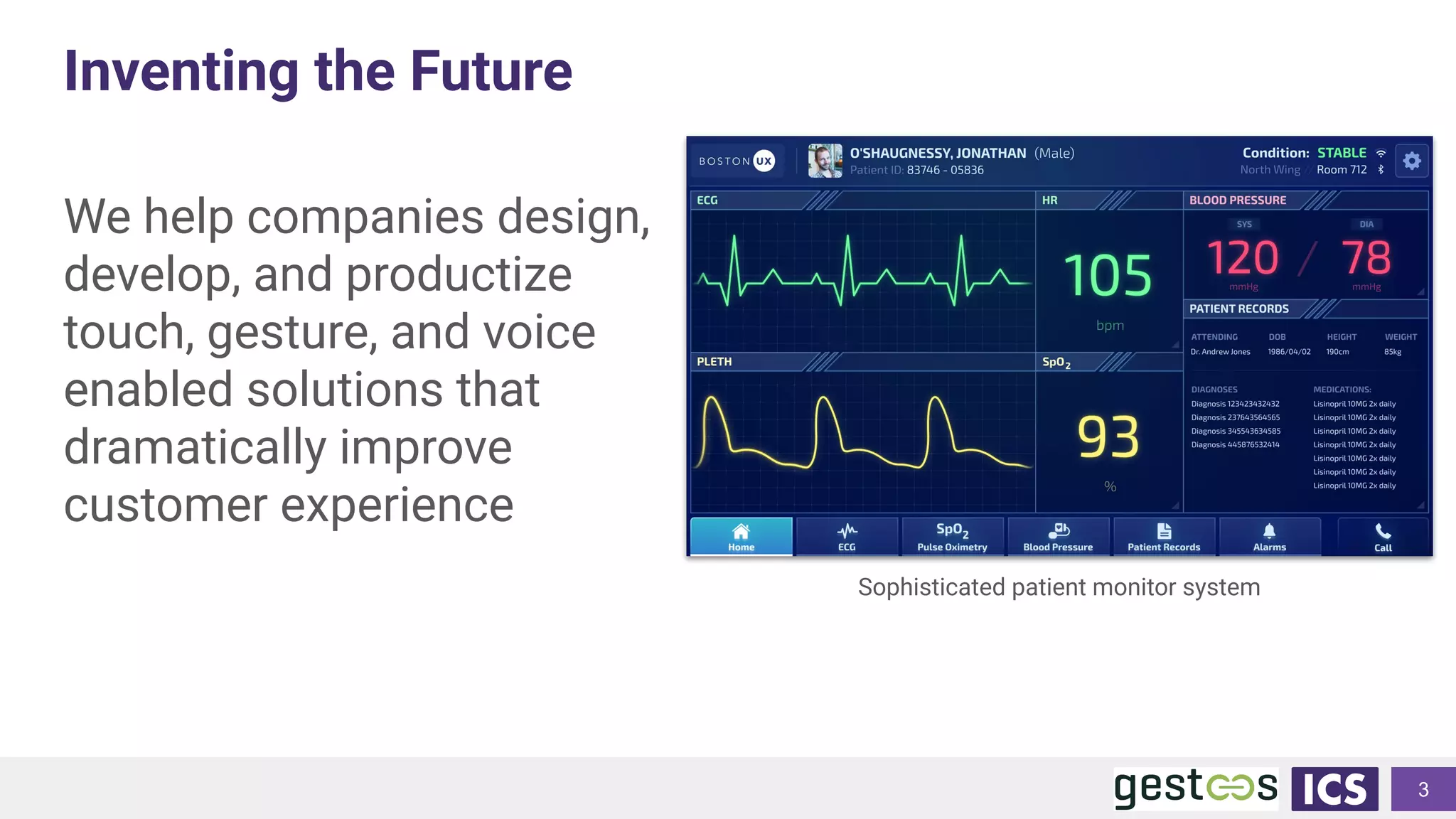
Sophisticated patient monitor system
1
W H A T I S G E S T O O S
2
T Y P E O F I N T E R A C T I O N S
ACTIVE INTERACTIONS
(GESTURE DETECTION)
• Active Interactions
• (Hand Gestures detection and Head
Gaze)
• Gesture for Answering calls
• Gesture for Taking photos
• Gesture for Control devices
• Gesture for Zooming in
• Gesture for Play and Pause
• Grabbing and Dropping
PASSIVE INTERACTIONS (MONITORING)
• Detect Presence
• Detect Violence
• Detect and prevent Accidents
• Smoking detection
• Tired driving and grades of subtle changes detection
• Driver Scoring
• Fault litigation
• Detect Vandalism
• Detect the number of people
• Detect and Classifications of any abnormal behavior
G E S T O O S . C O M / / I N F O @ G E S T O O S . C O M
ACTIVE
INTERACTIONS
4
D E S I G N I N G A C T I V E I N T E R A C T I O N S
Active Interactions
• Presence
• Persistence
• Interactions
• Geometry - Designing with the Z access
• Sentience
• Multimodal interaction
3
5
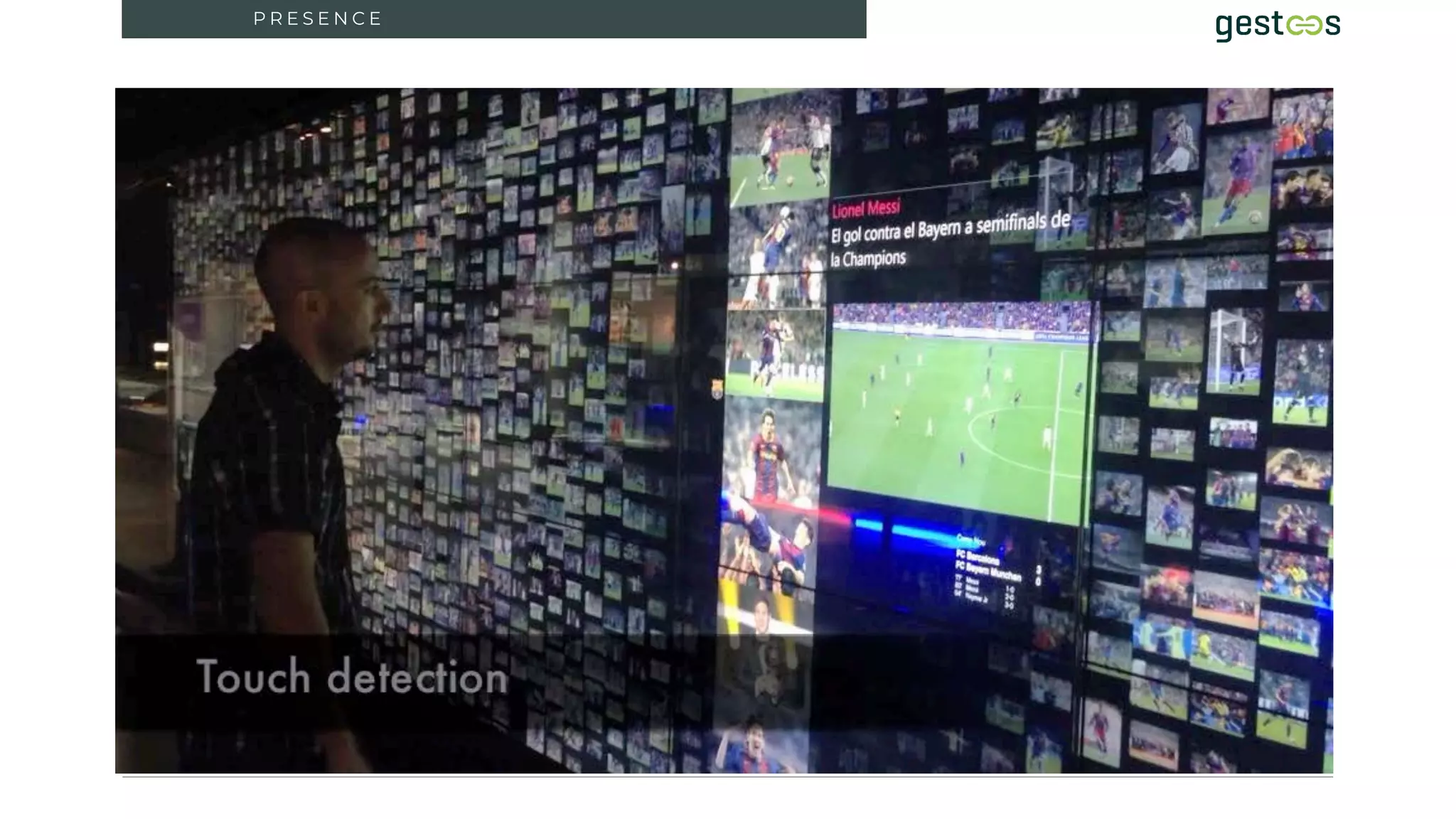
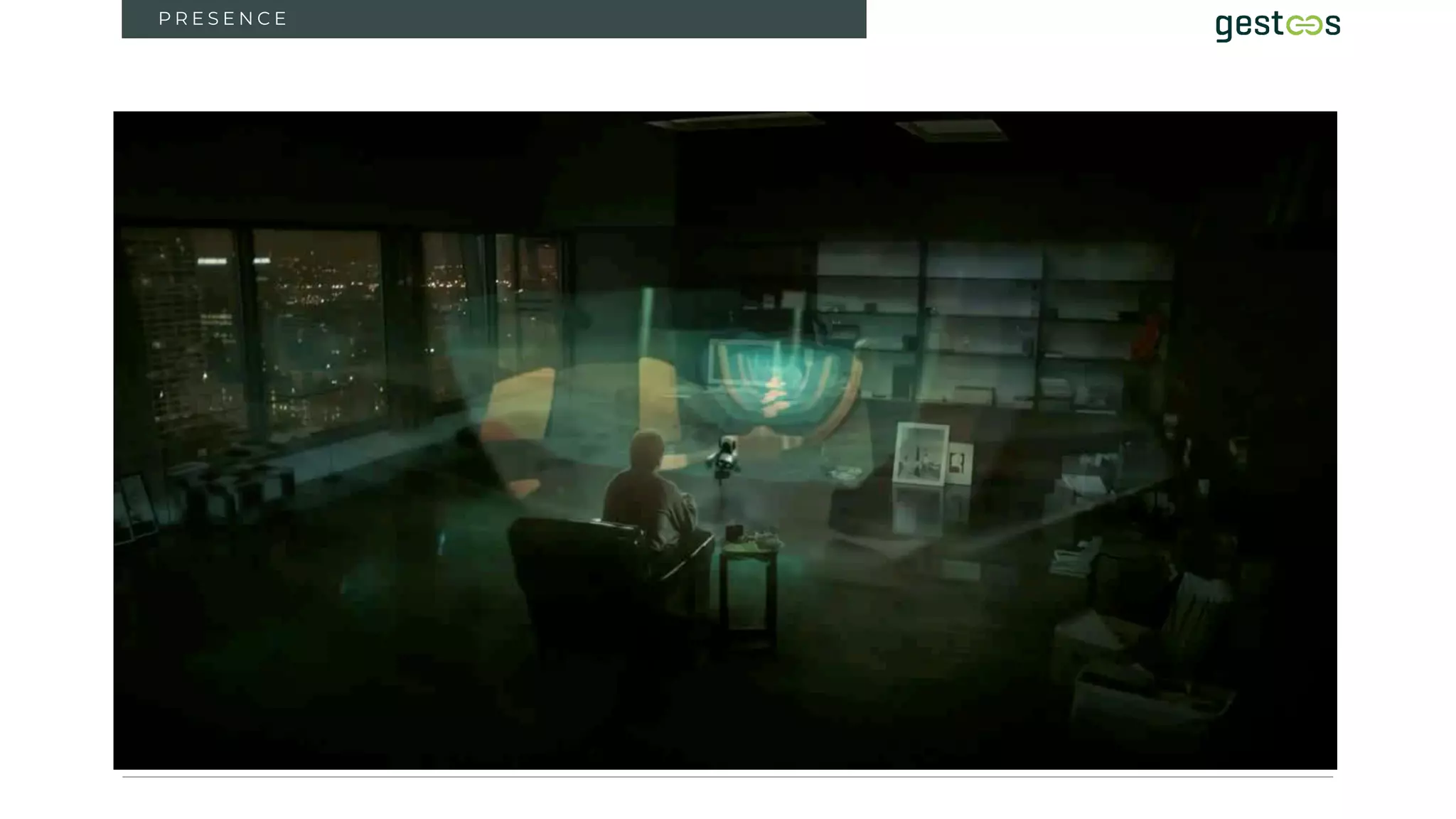
P R E S E N C E
3
6
3
P R E S E N C E
7
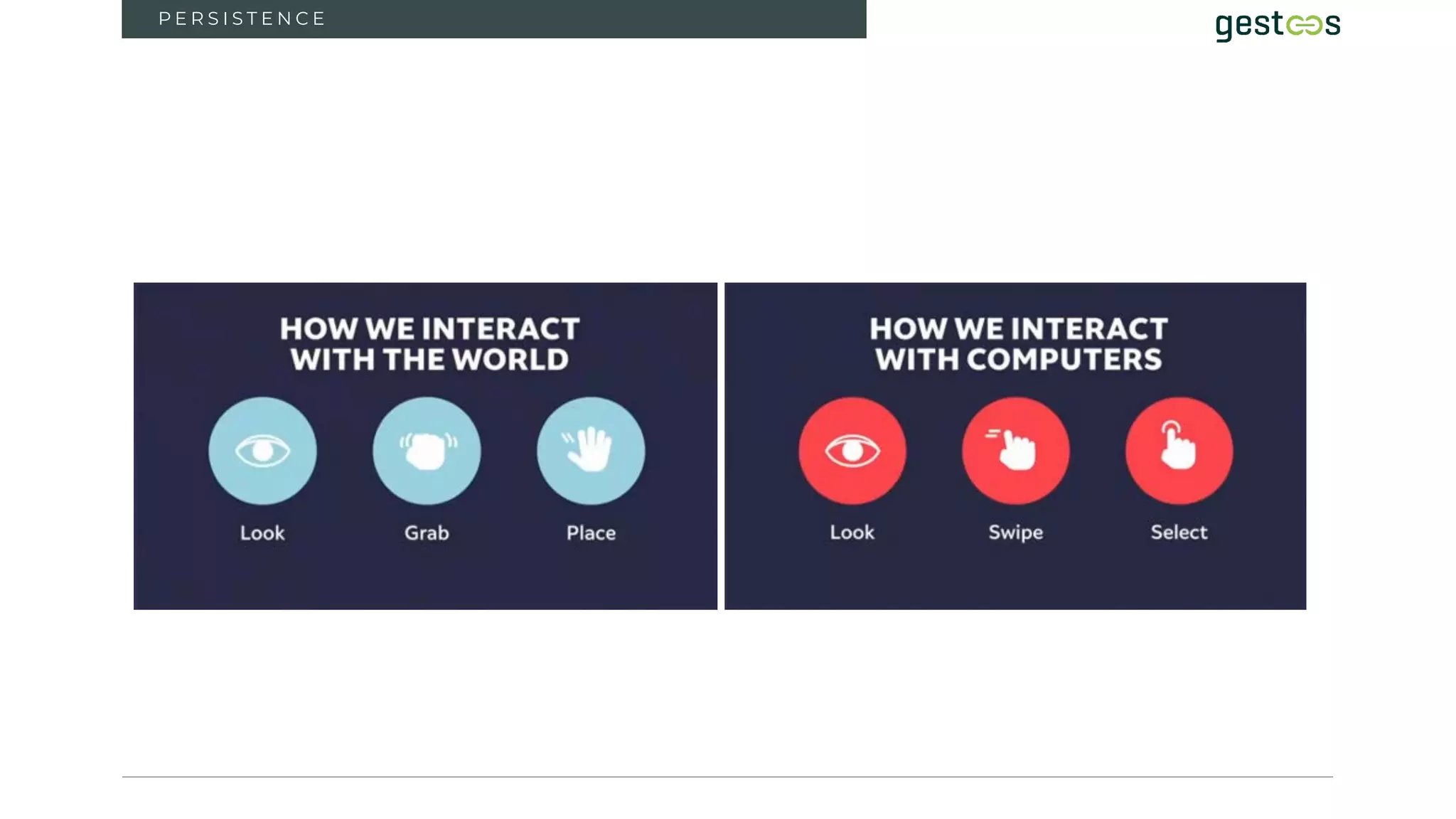
P E R S I S T E N C E
8
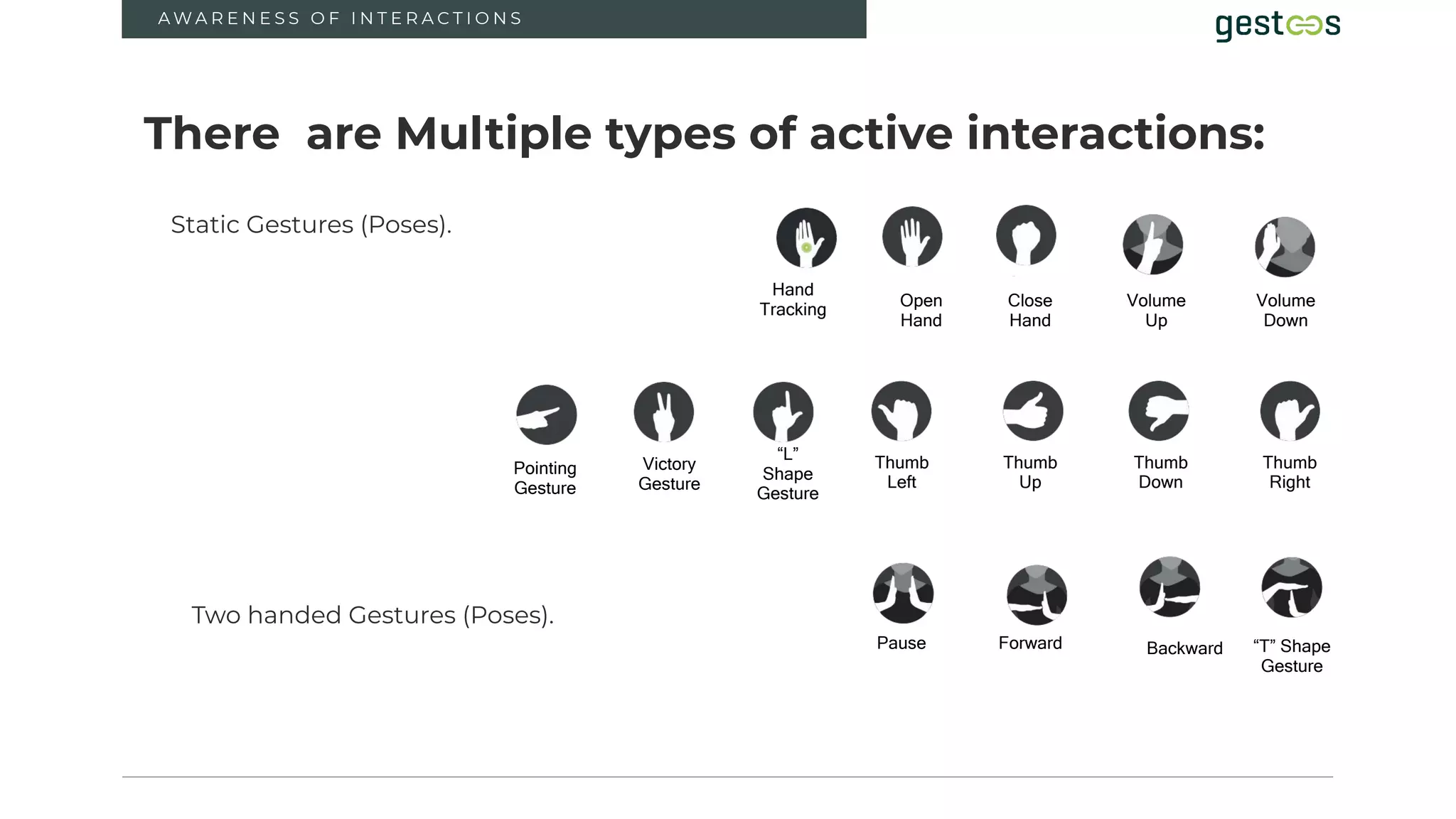
A W A R E N E S S O F I N T E R A C T I O N S
Victory
Gesture
“L”
Shape
Gesture
Volume
Up
Volume
Down
Pause Forward Backward “T” Shape
Gesture
Thumb
Left
Thumb
Up
Thumb
Down
Thumb
Right
Hand
Tracking
Open
Hand
Close
Hand
There are Multiple types of active interactions:
Static Gestures (Poses).
Two handed Gestures (Poses).
Pointing
Gesture
9
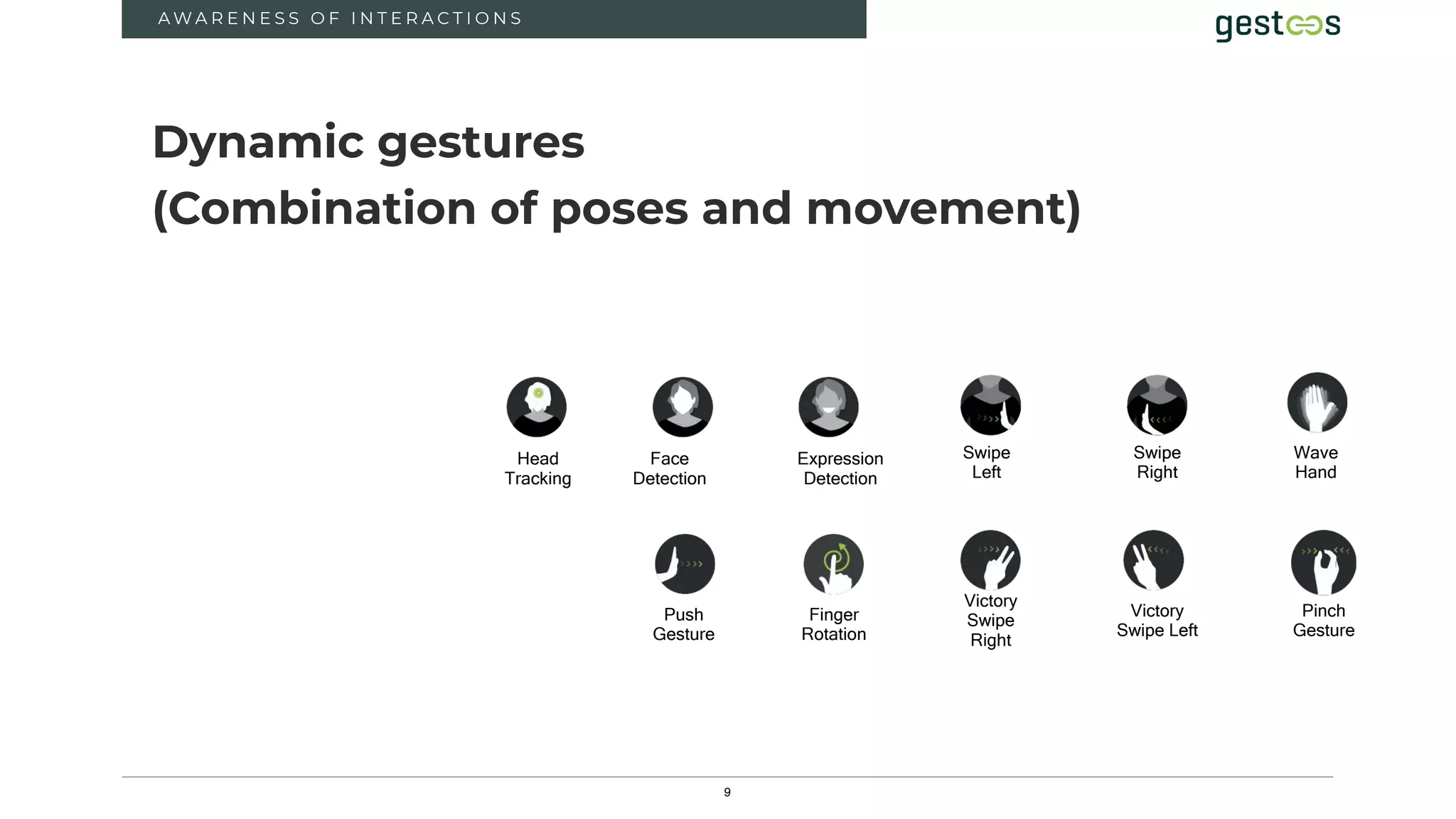
Head
Tracking
Face
Detection
Expression
Detection
Swipe
Right
Swipe
Left
Wave
Hand
Push
Gesture
Finger
Rotation
Victory
Swipe
Right
Victory
Swipe Left
Pinch
Gesture
A W A R E N E S S O F I N T E R A C T I O N S
Dynamic gestures
(Combination of poses and movement)
10
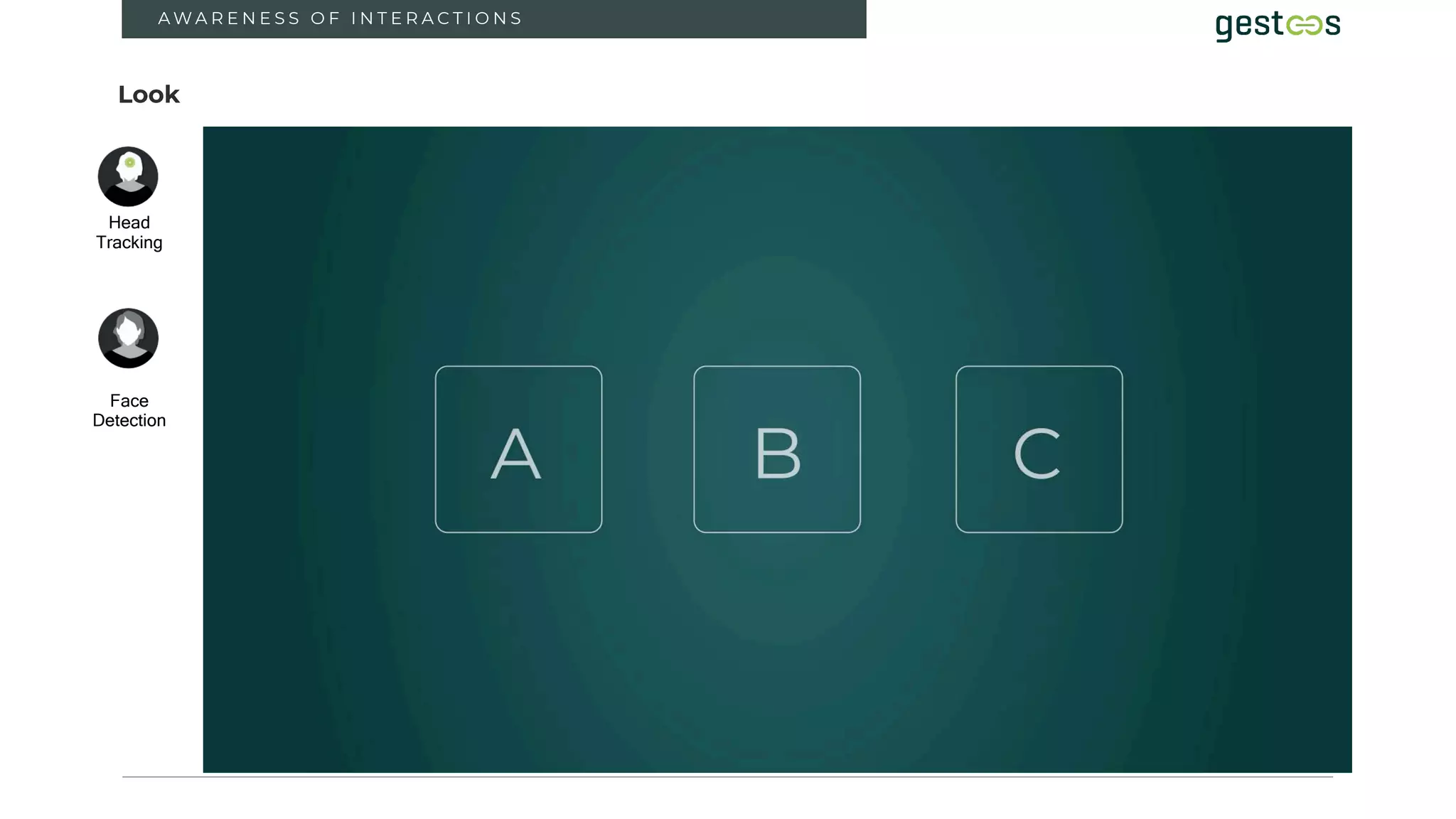
Look
Head
Tracking
Face
Detection
A W A R E N E S S O F I N T E R A C T I O N S
11
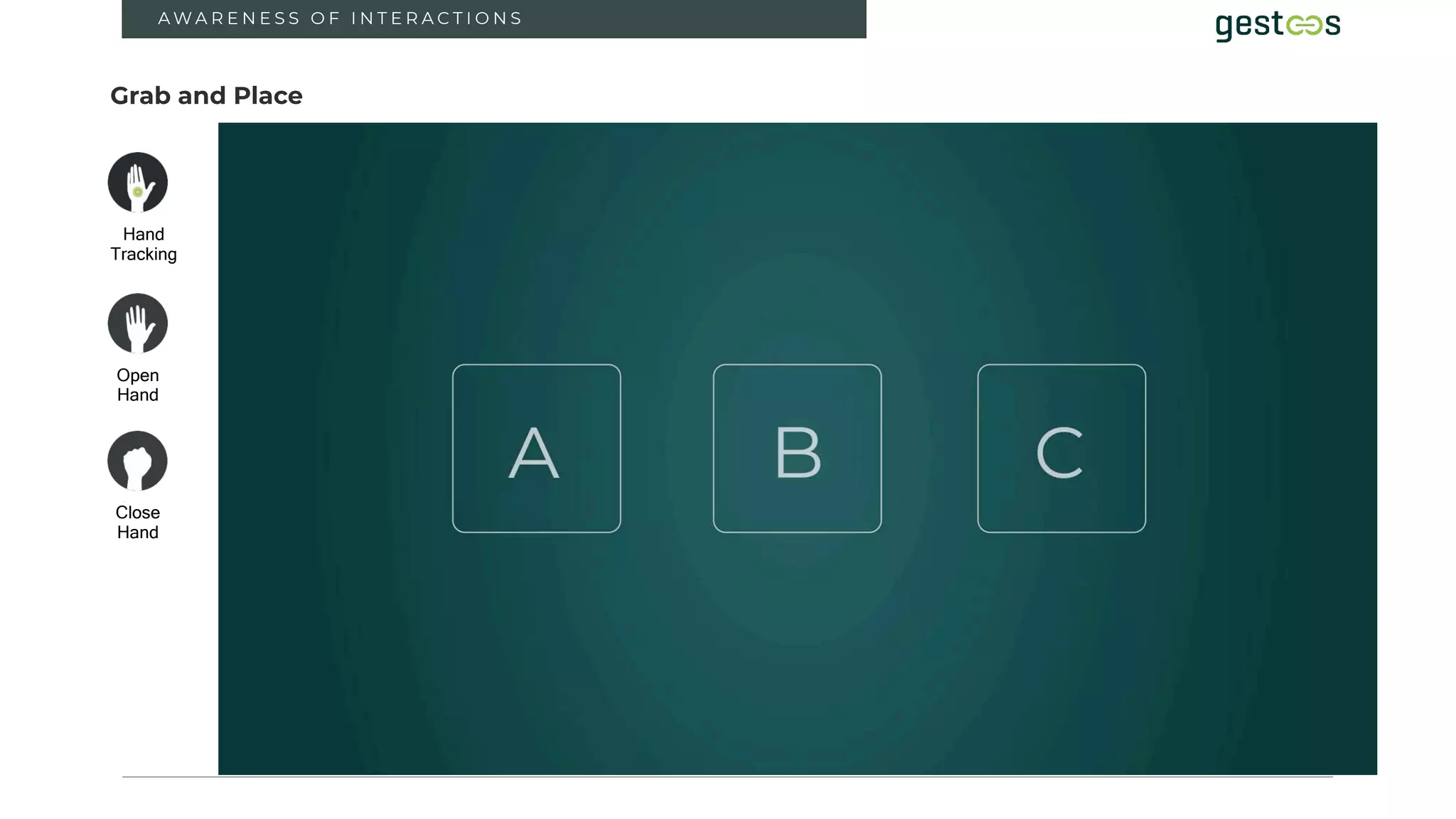
Grab and Place
Hand
Tracking
Open
Hand
Close
Hand
A W A R E N E S S O F I N T E R A C T I O N S
12
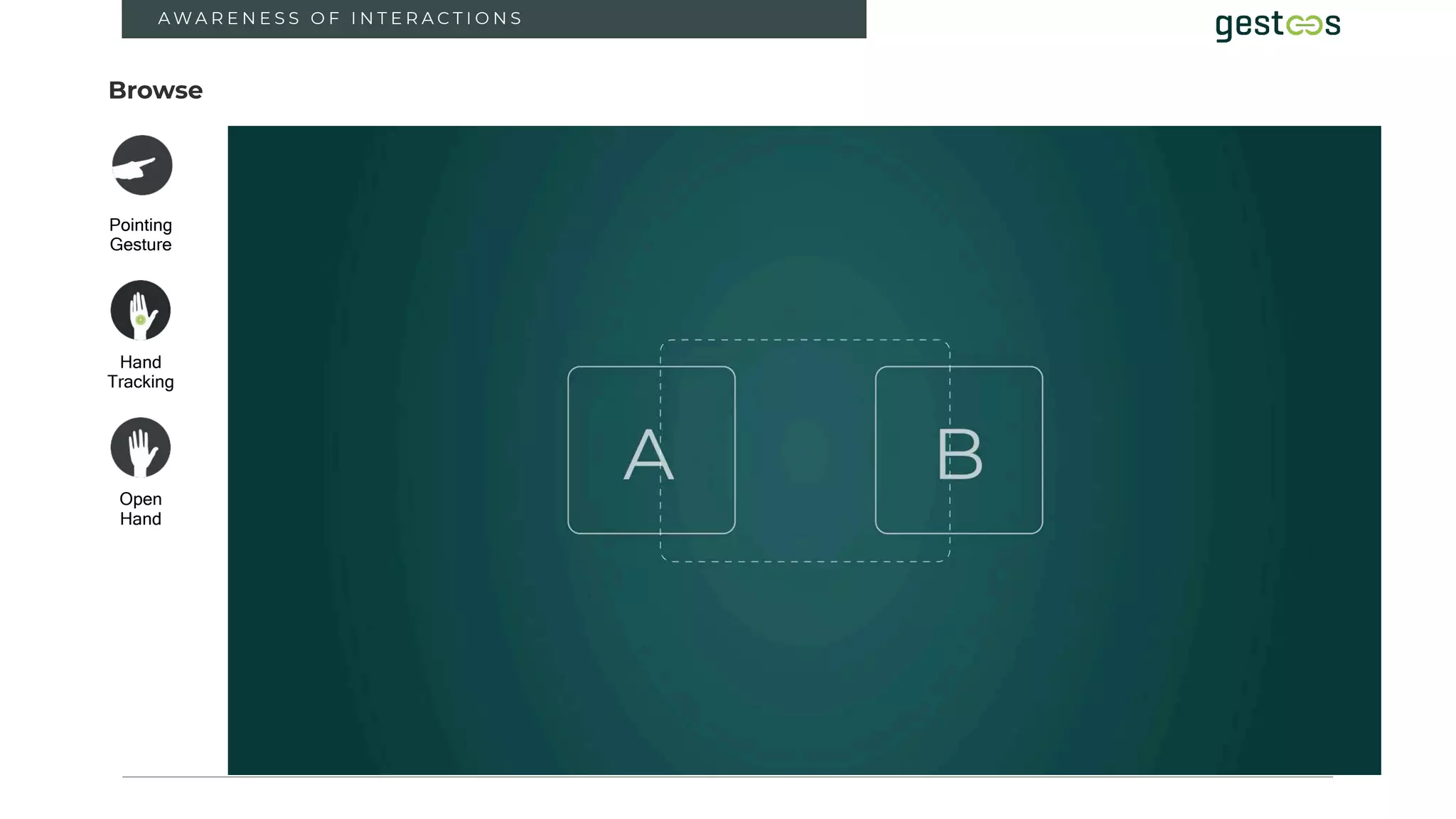
Browse
Hand
Tracking
Open
Hand
Pointing
Gesture
A W A R E N E S S O F I N T E R A C T I O N S
13
A W A R E N E S S O F I N T E R A C T I O N S
14
A W A R E N E S S O F I N T E R A C T I O N S
1 5
A W A R E N E S S O F I N T E R A C T I O N S
16
A W A R E N E S S O F I N T E R A C T I O N S
17
D E P T H
3
18
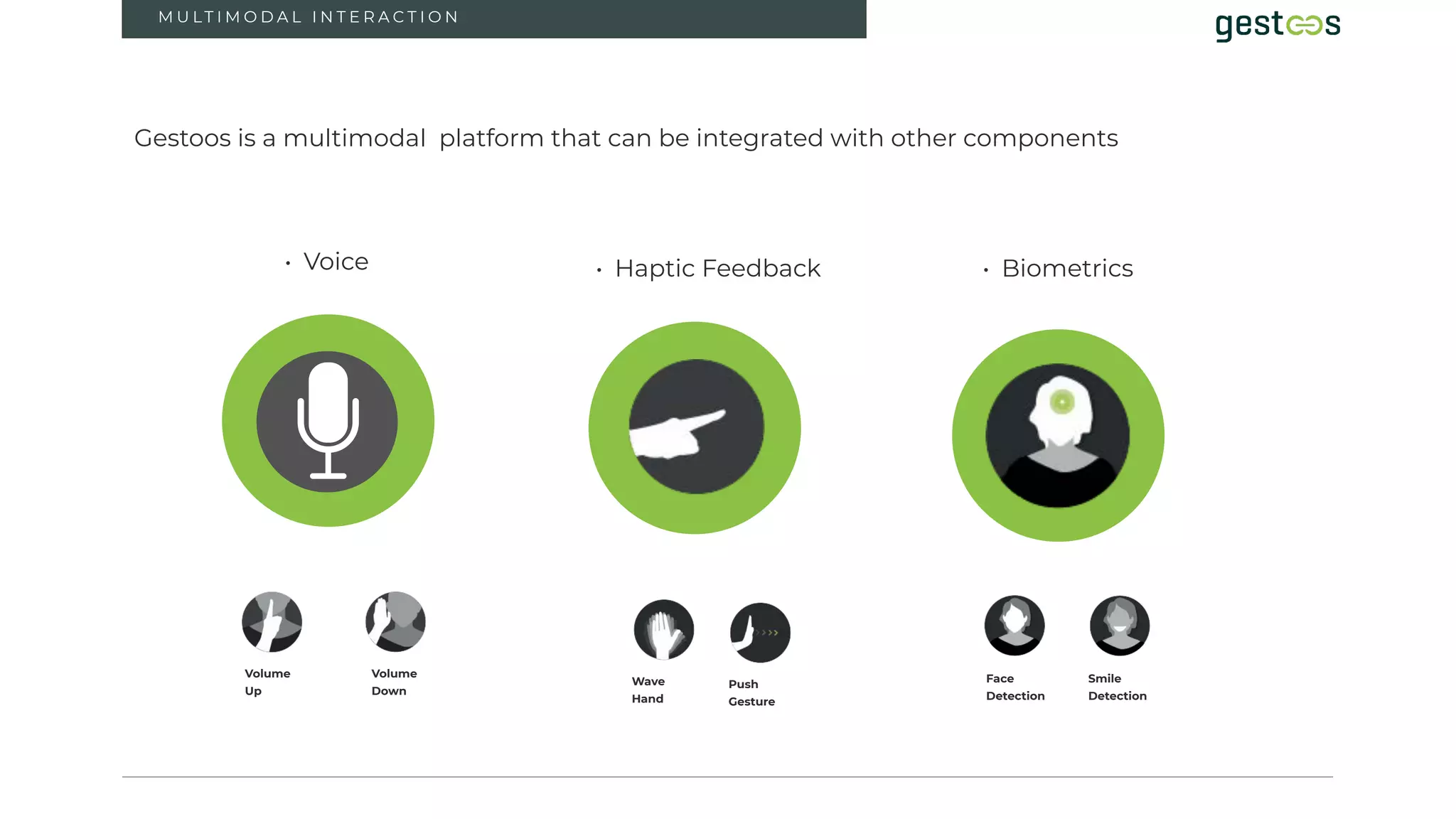
M U LT I M O D A L I N T E R A C T I O N
3
Gestoos is a multimodal platform that can be integrated with other components
Volume
Up
Volume
Down
Wave
Hand
Push
Gesture
• Voice • Haptic Feedback • Biometrics
Face
Detection
Smile
Detection
C O M PA N Y C O N F I D E N T I A L / / G E S T O O S . C O M / / I N F O @ G E S T O O S . C O M
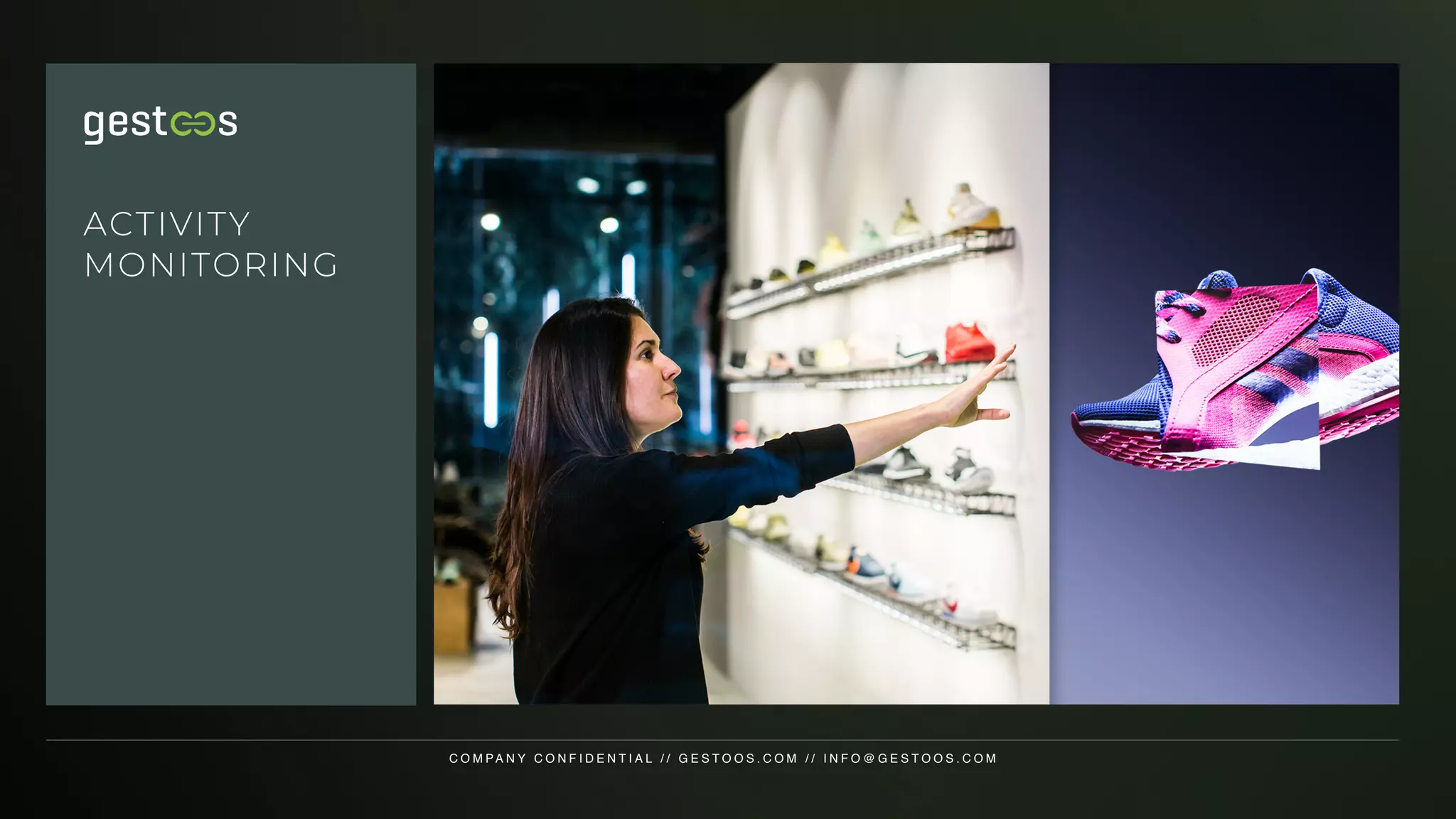
ACTIVITY
MONITORING
2 0
GESTOOS - CREATOR // DESCRIPTION
Creator is a powerful, cutting edge Tool to
train any human activity
Better models developed faster and easier with less data
2 1
GESTOOS - CREATOR // PROBLEM SOLVED AND MARKET SIZE
1. Lack of specialised computer vision and AI knowledge and expertise
in-house to build best in class models
2. Slow and expensive path to deployment due to high data acquisition
and annotation costs as well as a long iterative model development
process
3. Lack of accuracy and robustness despite large amounts of training
data, especially for the long tail of low probability events
4. Inability to modify or update models if outsourced from specialized
third parties, also limits depth of model understanding
Creator solves the main challenges companies
face in obtaining accurate & Robust ai models
2 2
GESTOOS - CREATOR // NVIDIA HW, TOOLS AND INCEPTION PROGRAM
• Model training done in the cloud on Nvidia Tesla K80 GPUs
• Nvidia TensorRT used to optimise trained models for run time
inference engine
• Detection engine runs on systems using Nvidia HW local computing
modules such as Jetson Nano and Tx2
Hardware and tools used in both model
development and detection deployment
2 3
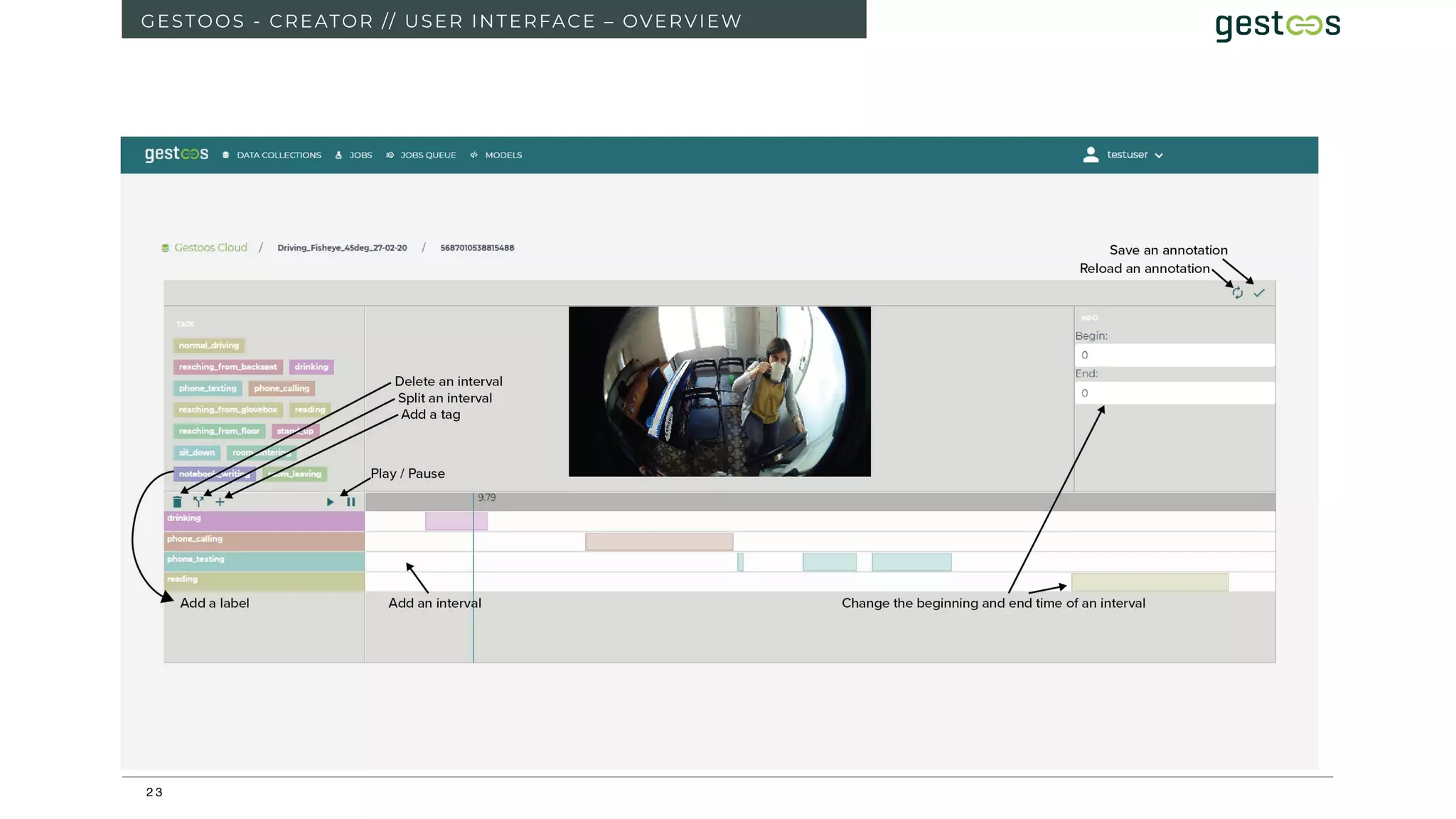
GESTOOS - CREATOR // USER INTERFACE – OVERVIEW
2 4
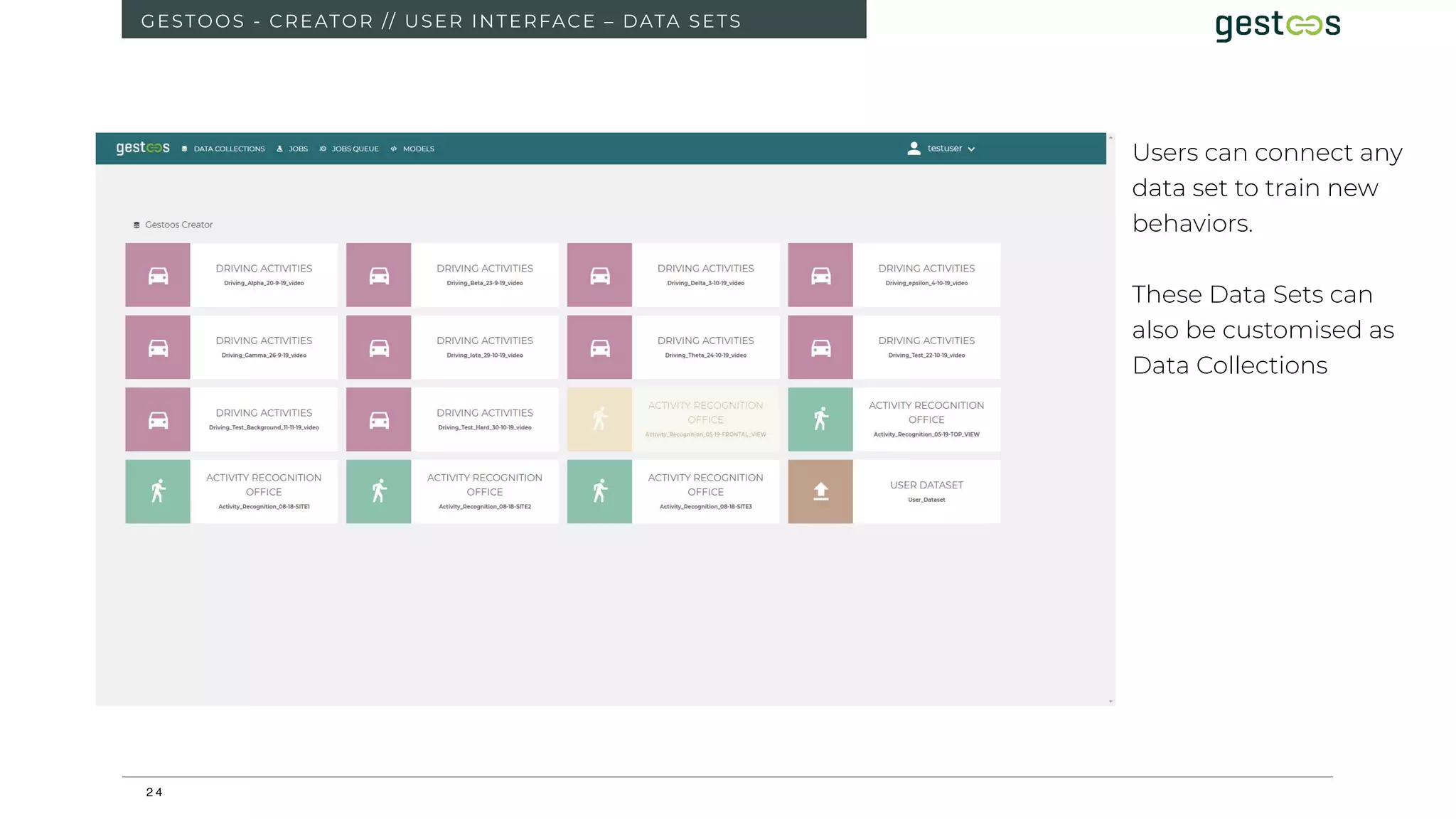
GESTOOS - CREATOR // USER INTERFACE – DATA SETS
Users can connect any
data set to train new
behaviors.
These Data Sets can
also be customised as
Data Collections
2 5
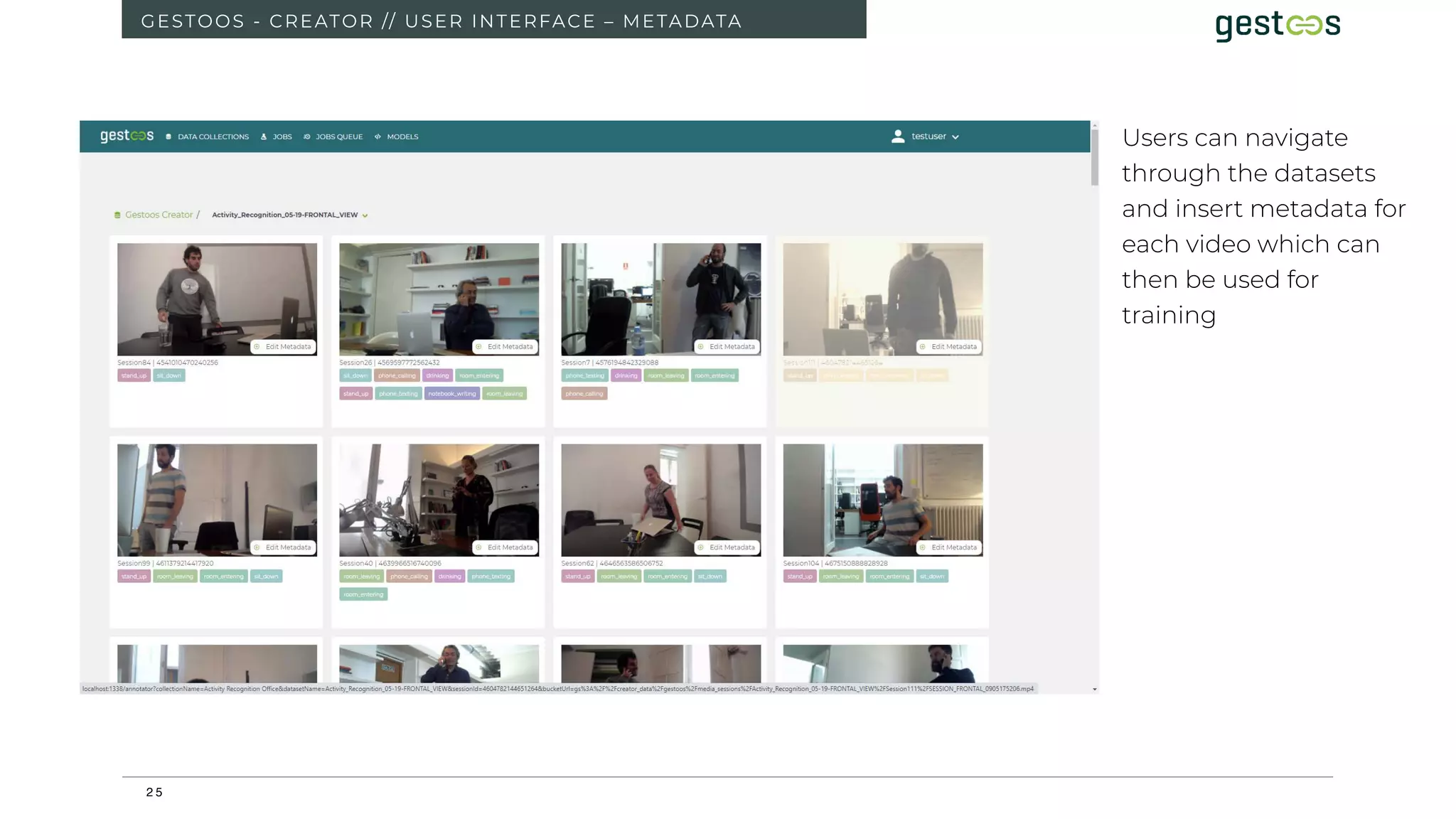
GESTOOS - CREATOR // USER INTERFACE – METADATA
Users can navigate
through the datasets
and insert metadata for
each video which can
then be used for
training
2 6
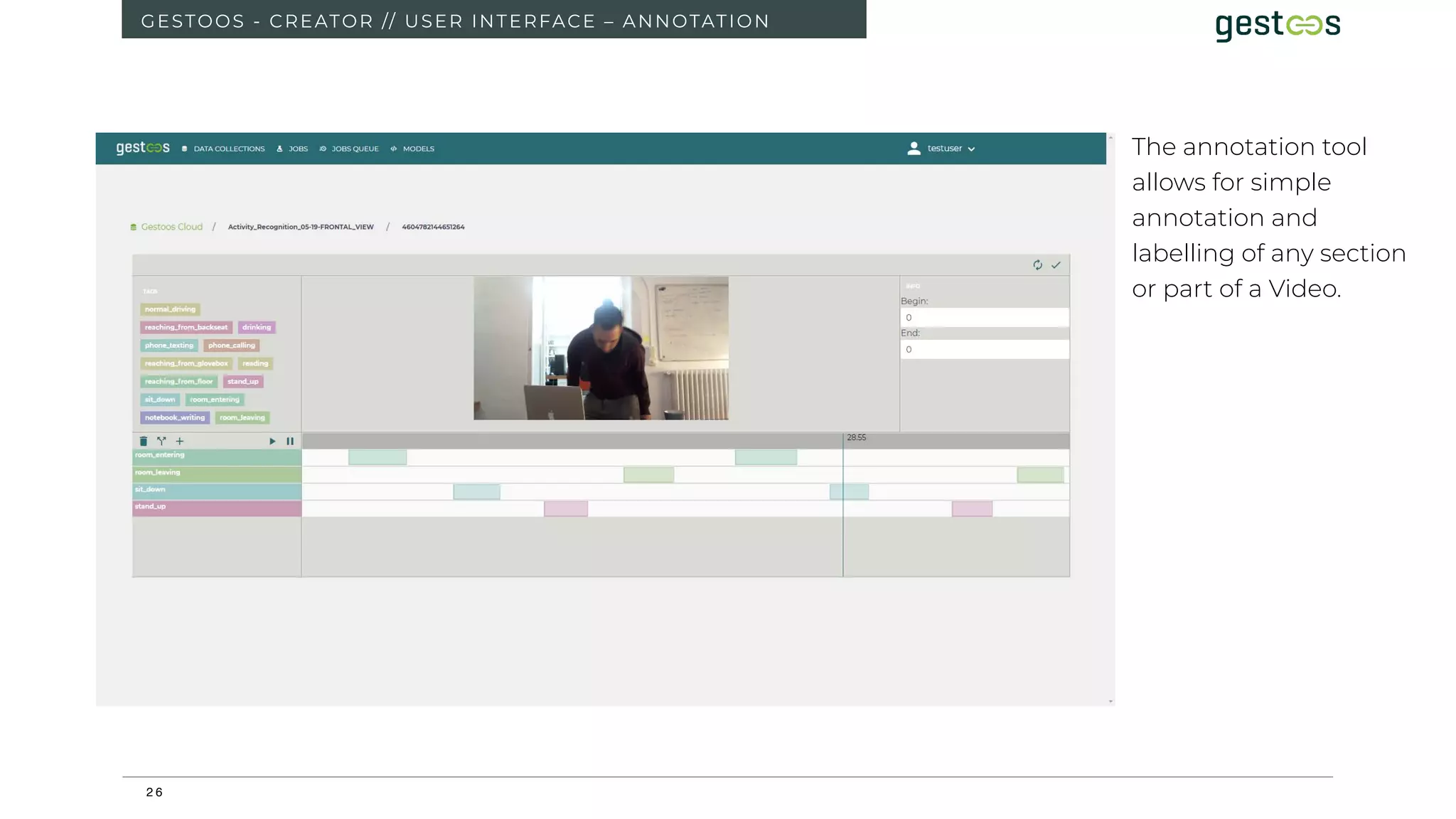
GESTOOS - CREATOR // USER INTERFACE – ANNOTATION
The annotation tool
allows for simple
annotation and
labelling of any section
or part of a Video.
2 7
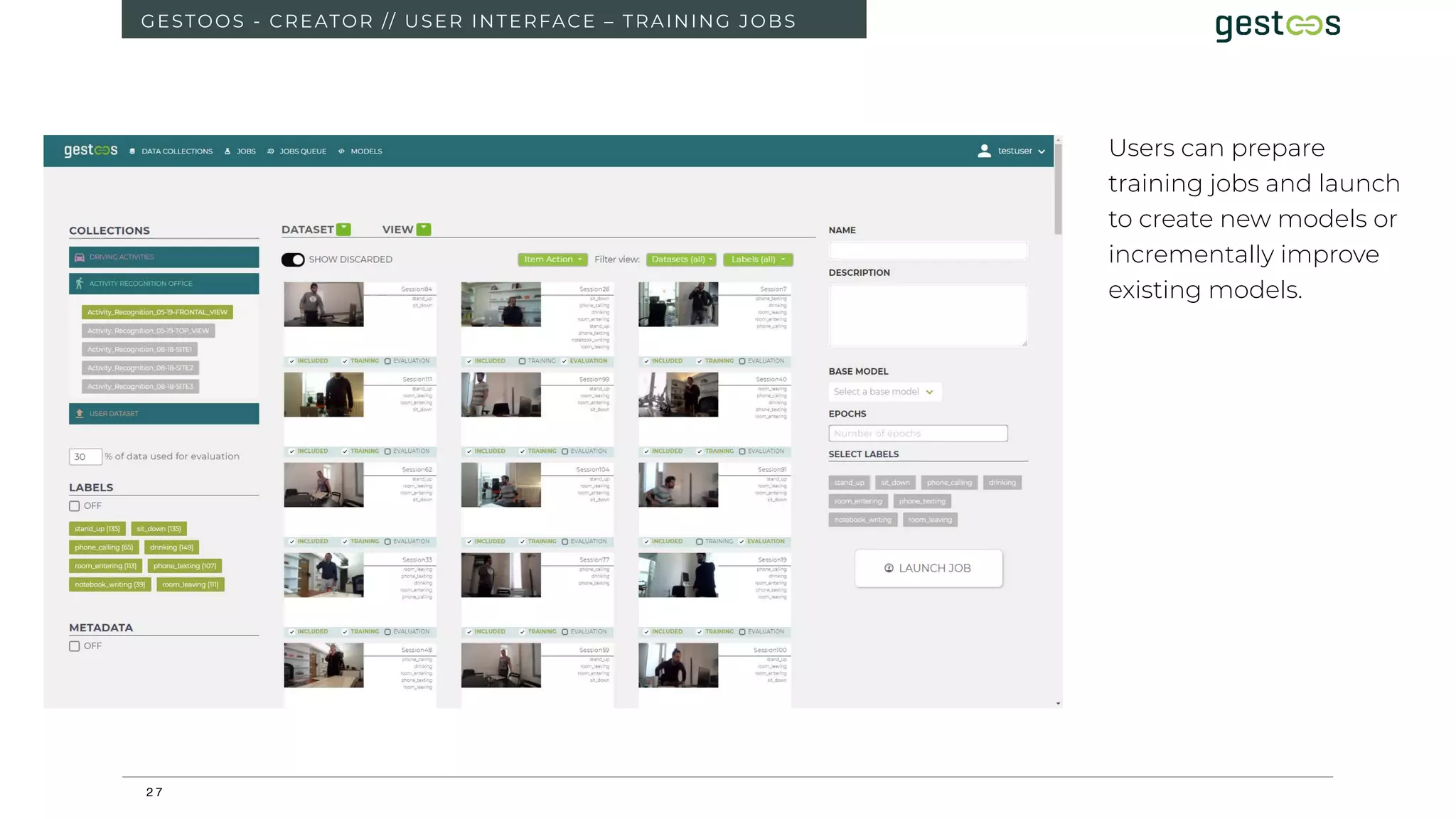
GESTOOS - CREATOR // USER INTERFACE – TRAINING JOBS
Users can prepare
training jobs and launch
to create new models or
incrementally improve
existing models.
2 8
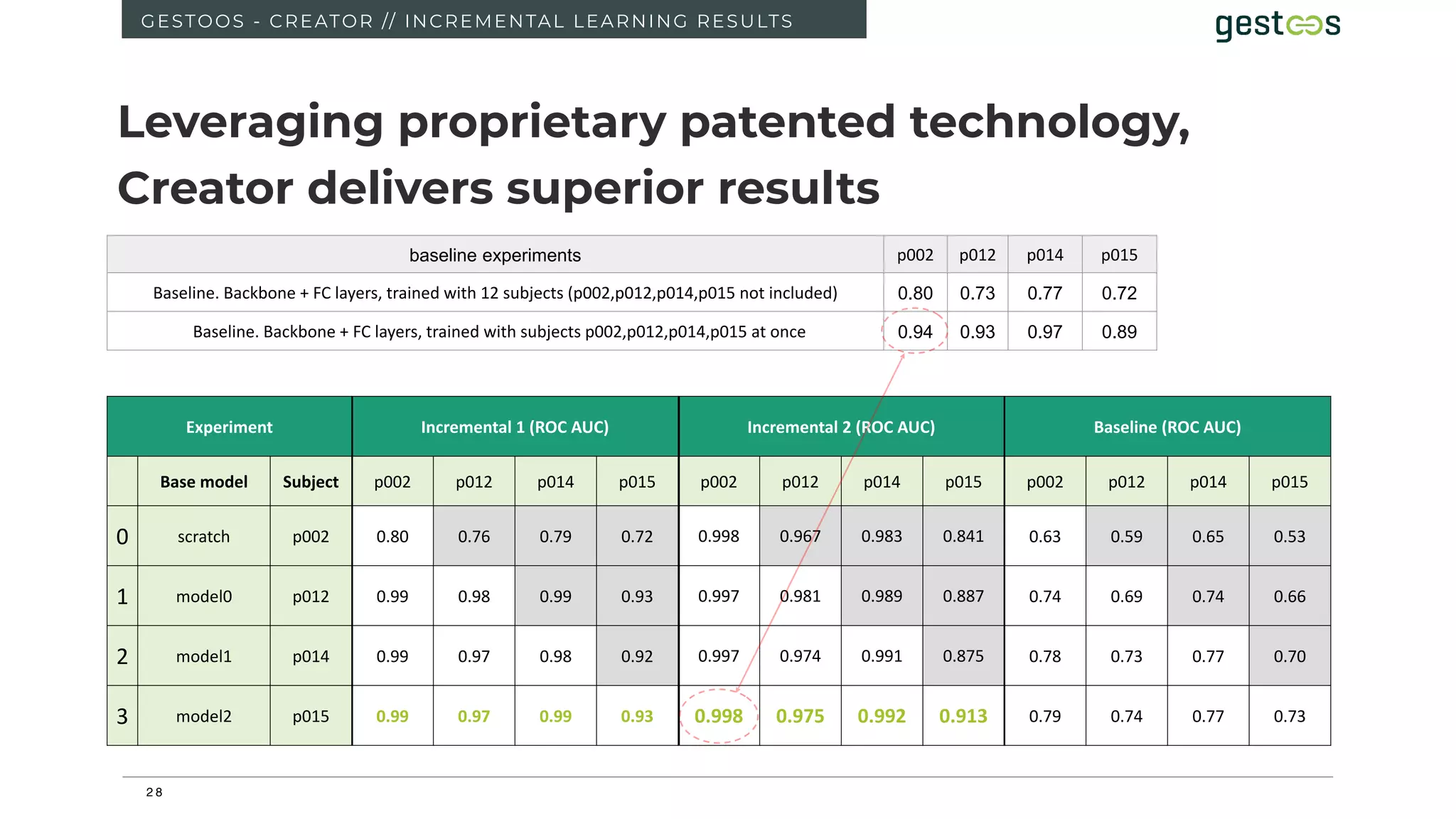
GESTOOS - CREATOR // INCREMENTAL LEARNING RESULTS
Leveraging proprietary patented technology,
Creator delivers superior results
Experiment Incremental 1 (ROC AUC) Incremental 2 (ROC AUC) Baseline (ROC AUC)
Base model Subject p002 p012 p014 p015 p002 p012 p014 p015 p002 p012 p014 p015
0 scratch p002 0.80 0.76 0.79 0.72 0.998 0.967 0.983 0.841 0.63 0.59 0.65 0.53
1 model0 p012 0.99 0.98 0.99 0.93 0.997 0.981 0.989 0.887 0.74 0.69 0.74 0.66
2 model1 p014 0.99 0.97 0.98 0.92 0.997 0.974 0.991 0.875 0.78 0.73 0.77 0.70
3 model2 p015 0.99 0.97 0.99 0.93 0.998 0.975 0.992 0.913 0.79 0.74 0.77 0.73
baseline experiments p002 p012 p014 p015
Baseline. Backbone + FC layers, trained with 12 subjects (p002,p012,p014,p015 not included) 0.80 0.73 0.77 0.72
Baseline. Backbone + FC layers, trained with subjects p002,p012,p014,p015 at once 0.94 0.93 0.97 0.89
2 9
3 0
GESTOOS - CREATOR // DESCRIPTION
DEMO
Better models developed faster and easier with less data
3 1
3 2
3 3
3 4
3 5
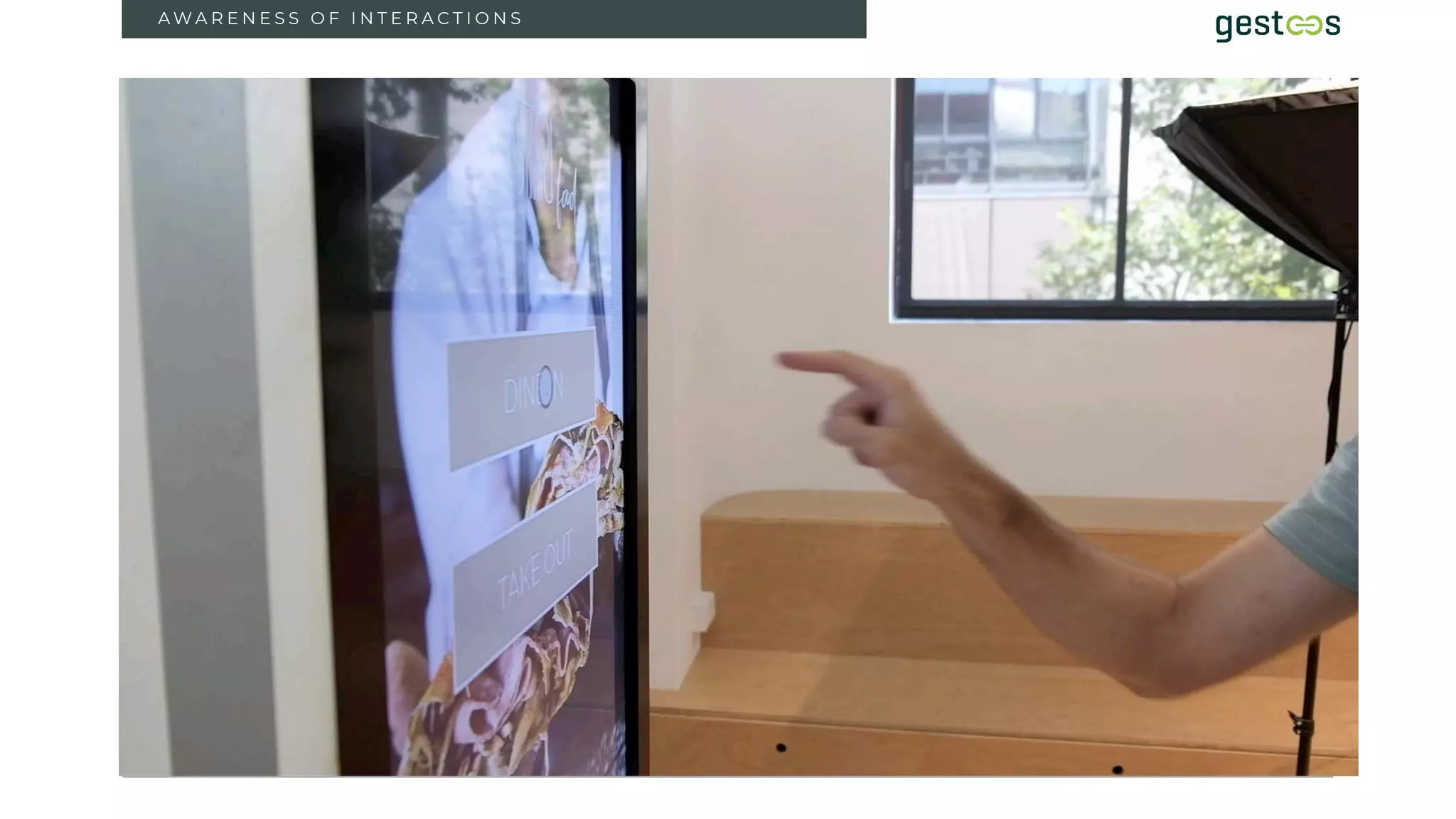
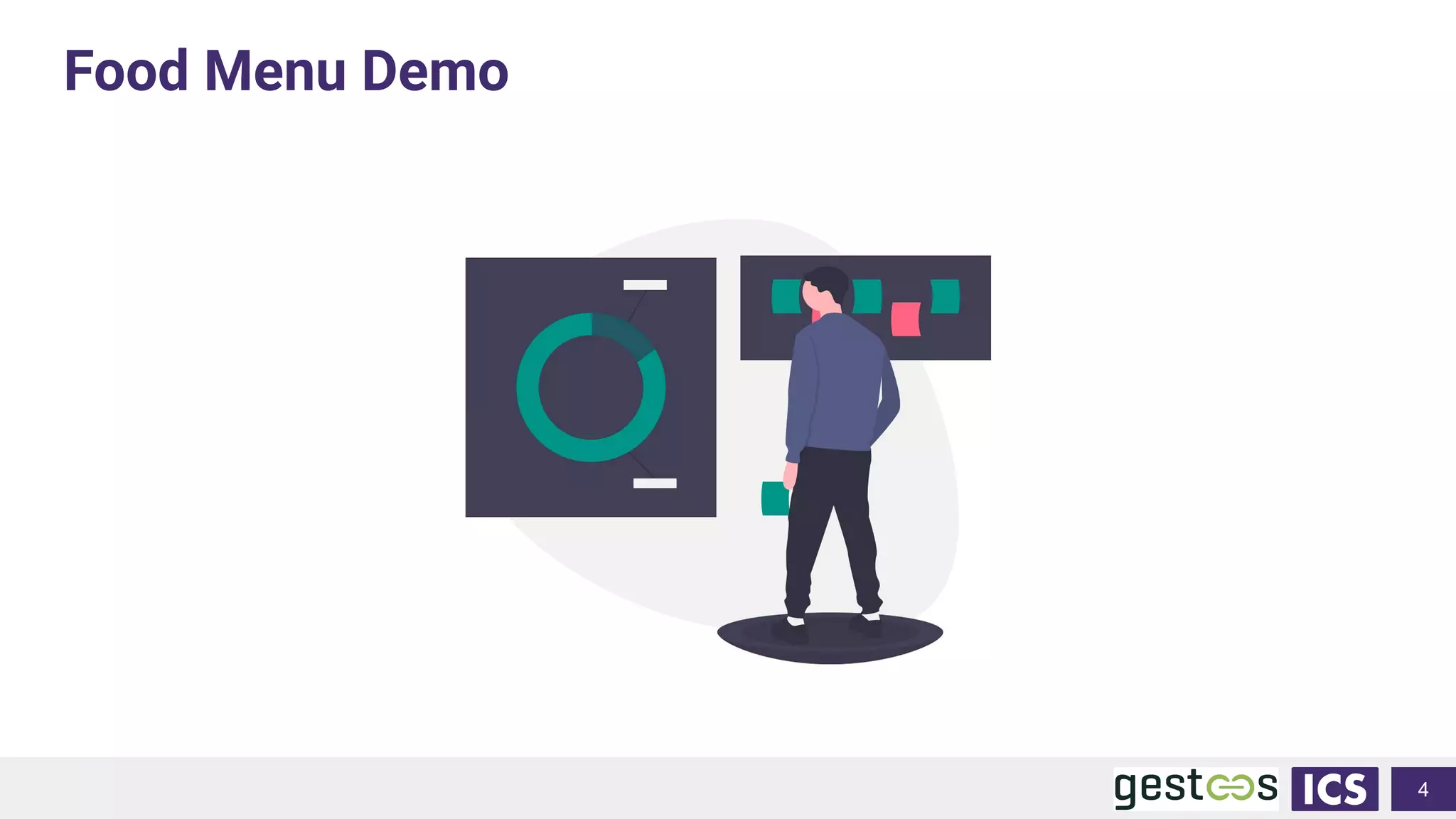
Food Menu Demo
4
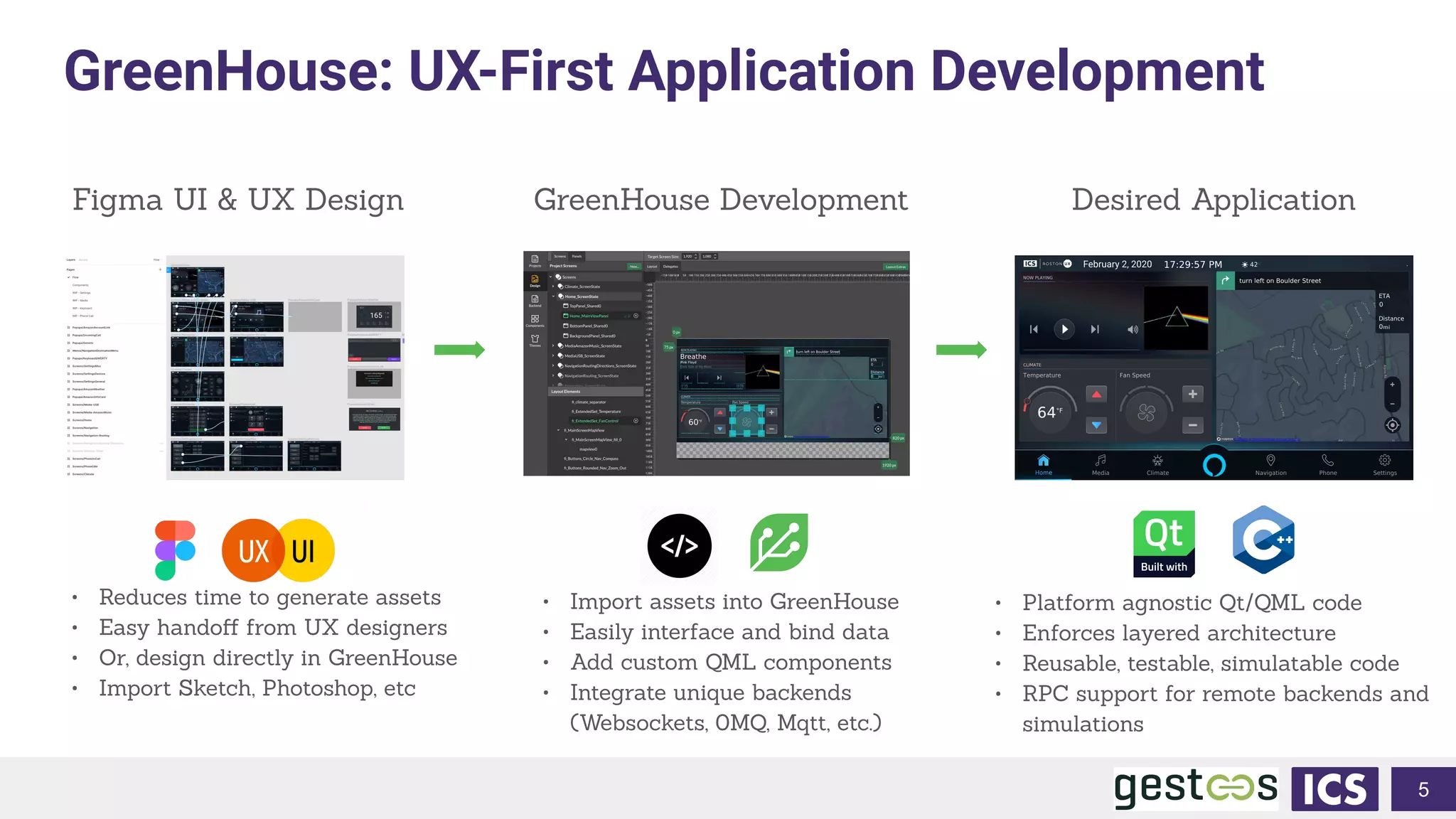
GreenHouse: UX-First Application Development
5
Figma UI & UX Design GreenHouse Development Desired Application
• Reduces time to generate assets
• Easy handoff from UX designers
• Or, design directly in GreenHouse
• Import Sketch, Photoshop, etc
• Platform agnostic Qt/QML code
• Enforces layered architecture
• Reusable, testable, simulatable code
• RPC support for remote backends and
simulations
• Import assets into GreenHouse
• Easily interface and bind data
• Add custom QML components
• Integrate unique backends
(Websockets, 0MQ, Mqtt, etc.)
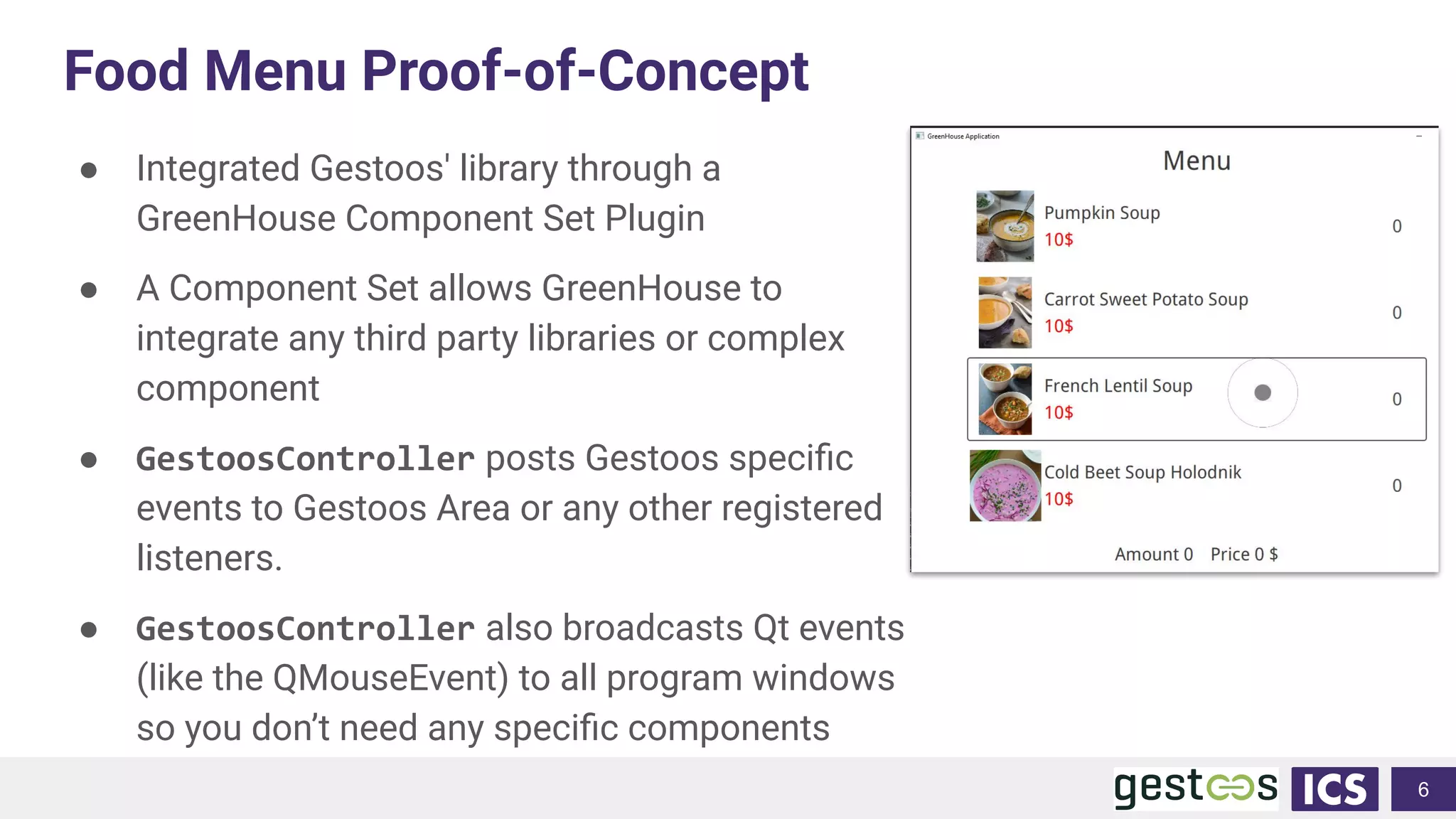
Food Menu Proof-of-Concept
● Integrated Gestoos' library through a
GreenHouse Component Set Plugin
● A Component Set allows GreenHouse to
integrate any third party libraries or complex
component
● GestoosController posts Gestoos specific
events to Gestoos Area or any other registered
listeners.
● GestoosController also broadcasts Qt events
(like the QMouseEvent) to all program windows
so you don’t need any specific components
6
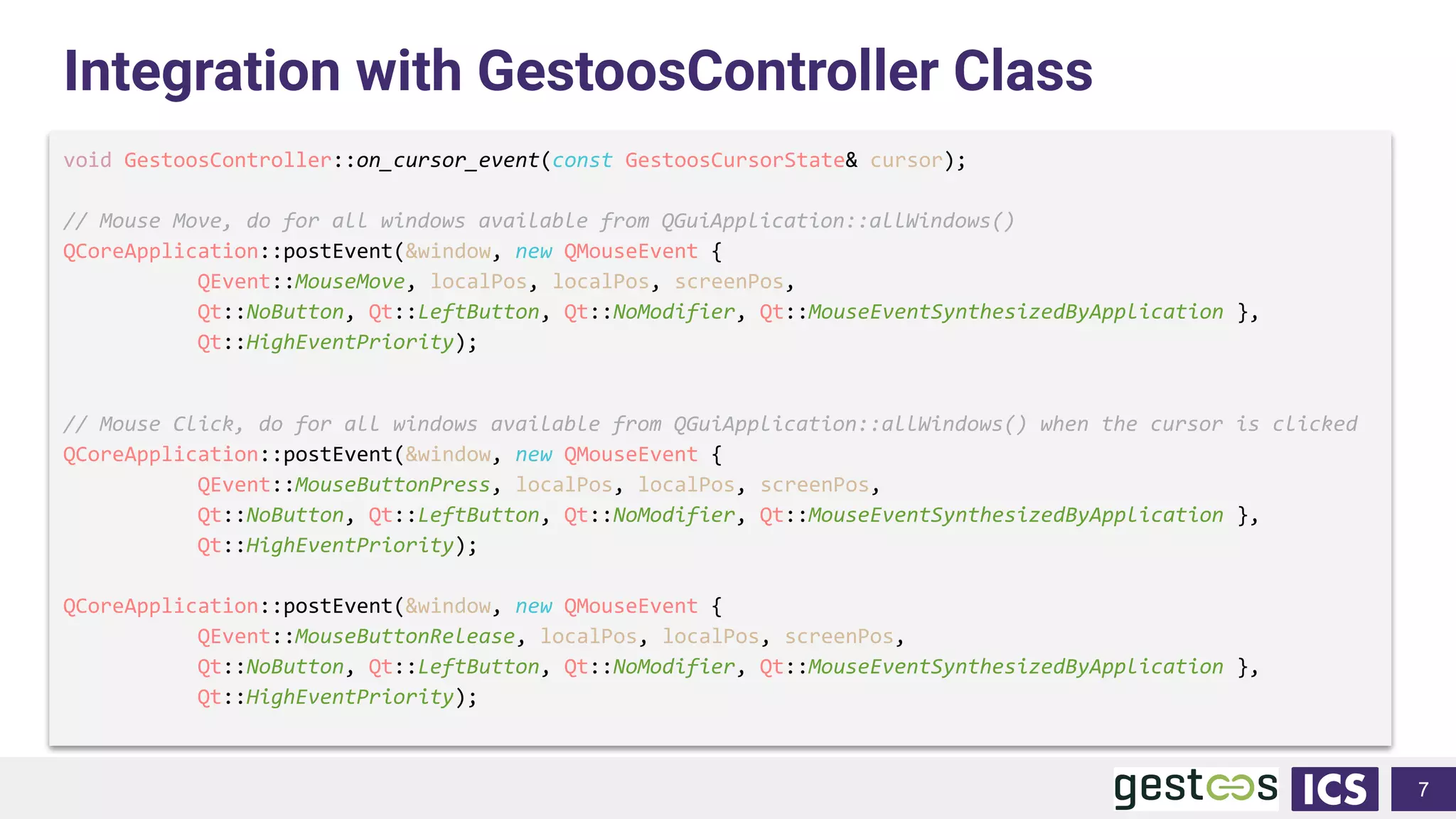
Integration with GestoosController Class
void GestoosController::on_cursor_event(const GestoosCursorState& cursor);
// Mouse Move, do for all windows available from QGuiApplication::allWindows()
QCoreApplication::postEvent(&window, new QMouseEvent {
QEvent::MouseMove, localPos, localPos, screenPos,
Qt::NoButton, Qt::LeftButton, Qt::NoModifier, Qt::MouseEventSynthesizedByApplication },
Qt::HighEventPriority);
// Mouse Click, do for all windows available from QGuiApplication::allWindows() when the cursor is clicked
QCoreApplication::postEvent(&window, new QMouseEvent {
QEvent::MouseButtonPress, localPos, localPos, screenPos,
Qt::NoButton, Qt::LeftButton, Qt::NoModifier, Qt::MouseEventSynthesizedByApplication },
Qt::HighEventPriority);
QCoreApplication::postEvent(&window, new QMouseEvent {
QEvent::MouseButtonRelease, localPos, localPos, screenPos,
Qt::NoButton, Qt::LeftButton, Qt::NoModifier, Qt::MouseEventSynthesizedByApplication },
Qt::HighEventPriority);
7
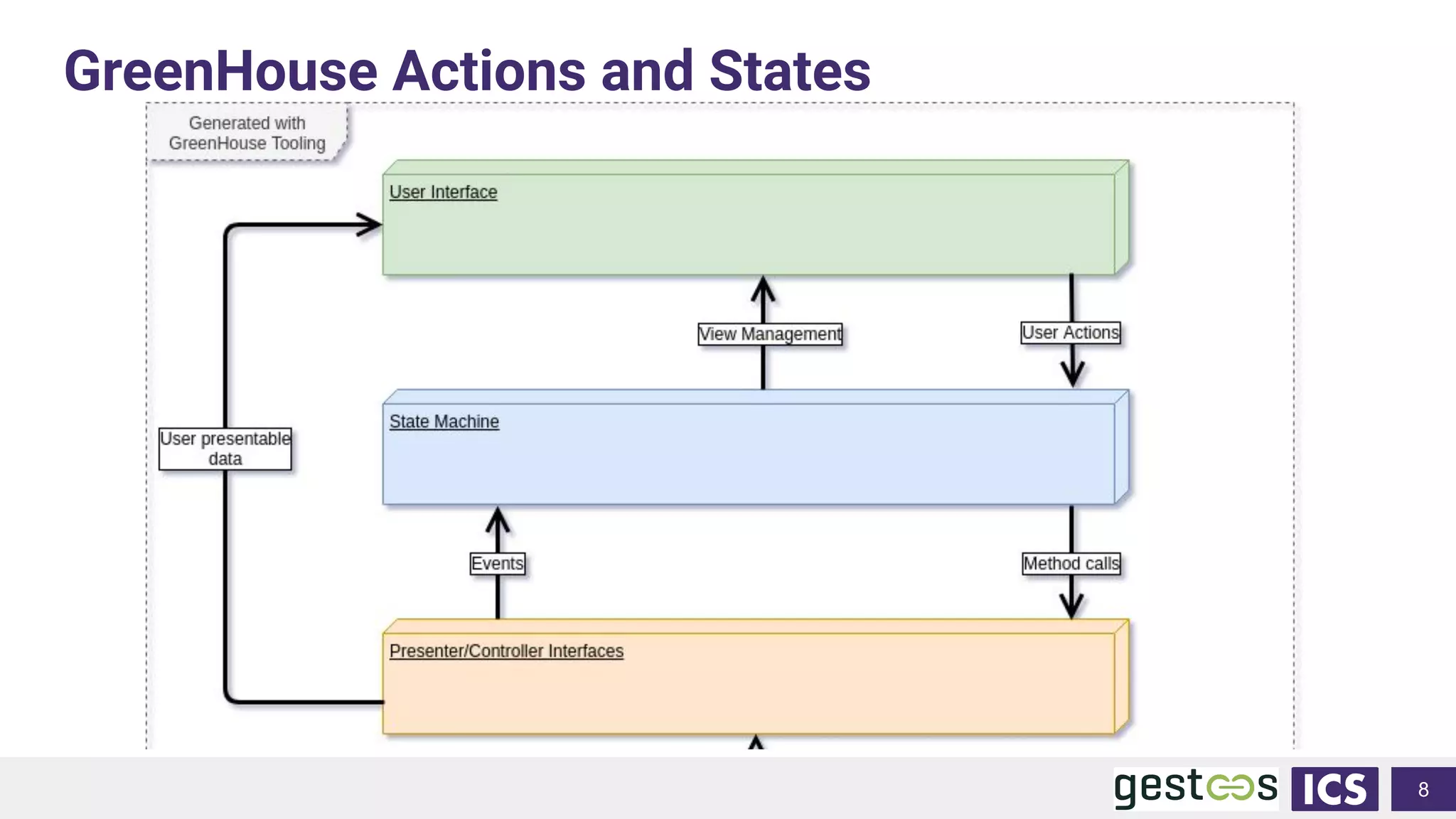
GreenHouse Actions and States
8
Integrated Computer Solutions Inc.
Thank You!
Questions?
9
Creating Touchless HMIs Using Computer
Vision for Gesture Interaction
● GreenHouse by ICS https://www.ics.com/greenhouse
● Try Gestoos SDK https://gestoos.com/developer-center

Creating Touchless HMIs Using Computer Vision for Gesture Interaction

  • 1.
    October 15, 2020 CreatingTouchless HMIs Using Computer Vision Gesture Interaction Germán Leon, Chief Experience Officer, Gestoos Ryan Hampton, Software Engineer, ICS
  • 2.
    About ICS ● Foundedin 1987, currently 120 employees ● HQ in Boston; Field office in Sunnyvale ● We provide: ○ UX design services ○ UI development ○ Software development services ○ Linux and QNX platform and board support ○ Full end to end product realization ○ Qt training ● Delivering 70+ projects each year for global brands
  • 3.
    Inventing the Future 3 Wehelp companies design, develop, and productize touch, gesture, and voice enabled solutions that dramatically improve customer experience Sophisticated patient monitor system
  • 4.
    1 W H AT I S G E S T O O S
  • 5.
    2 T Y PE O F I N T E R A C T I O N S ACTIVE INTERACTIONS (GESTURE DETECTION) • Active Interactions • (Hand Gestures detection and Head Gaze) • Gesture for Answering calls • Gesture for Taking photos • Gesture for Control devices • Gesture for Zooming in • Gesture for Play and Pause • Grabbing and Dropping PASSIVE INTERACTIONS (MONITORING) • Detect Presence • Detect Violence • Detect and prevent Accidents • Smoking detection • Tired driving and grades of subtle changes detection • Driver Scoring • Fault litigation • Detect Vandalism • Detect the number of people • Detect and Classifications of any abnormal behavior
  • 6.
    G E ST O O S . C O M / / I N F O @ G E S T O O S . C O M ACTIVE INTERACTIONS
  • 7.
    4 D E SI G N I N G A C T I V E I N T E R A C T I O N S Active Interactions • Presence • Persistence • Interactions • Geometry - Designing with the Z access • Sentience • Multimodal interaction 3
  • 8.
    5 P R ES E N C E 3
  • 9.
    6 3 P R ES E N C E
  • 10.
    7 P E RS I S T E N C E
  • 11.
    8 A W AR E N E S S O F I N T E R A C T I O N S Victory Gesture “L” Shape Gesture Volume Up Volume Down Pause Forward Backward “T” Shape Gesture Thumb Left Thumb Up Thumb Down Thumb Right Hand Tracking Open Hand Close Hand There are Multiple types of active interactions: Static Gestures (Poses). Two handed Gestures (Poses). Pointing Gesture
  • 12.
  • 13.
    10 Look Head Tracking Face Detection A W AR E N E S S O F I N T E R A C T I O N S
  • 14.
    11 Grab and Place Hand Tracking Open Hand Close Hand AW A R E N E S S O F I N T E R A C T I O N S
  • 15.
    12 Browse Hand Tracking Open Hand Pointing Gesture A W AR E N E S S O F I N T E R A C T I O N S
  • 16.
    13 A W AR E N E S S O F I N T E R A C T I O N S
  • 17.
    14 A W AR E N E S S O F I N T E R A C T I O N S
  • 18.
    1 5 A WA R E N E S S O F I N T E R A C T I O N S
  • 19.
    16 A W AR E N E S S O F I N T E R A C T I O N S
  • 20.
    17 D E PT H 3
  • 21.
    18 M U LTI M O D A L I N T E R A C T I O N 3 Gestoos is a multimodal platform that can be integrated with other components Volume Up Volume Down Wave Hand Push Gesture • Voice • Haptic Feedback • Biometrics Face Detection Smile Detection
  • 22.
    C O MPA N Y C O N F I D E N T I A L / / G E S T O O S . C O M / / I N F O @ G E S T O O S . C O M ACTIVITY MONITORING
  • 23.
    2 0 GESTOOS -CREATOR // DESCRIPTION Creator is a powerful, cutting edge Tool to train any human activity Better models developed faster and easier with less data
  • 24.
    2 1 GESTOOS -CREATOR // PROBLEM SOLVED AND MARKET SIZE 1. Lack of specialised computer vision and AI knowledge and expertise in-house to build best in class models 2. Slow and expensive path to deployment due to high data acquisition and annotation costs as well as a long iterative model development process 3. Lack of accuracy and robustness despite large amounts of training data, especially for the long tail of low probability events 4. Inability to modify or update models if outsourced from specialized third parties, also limits depth of model understanding Creator solves the main challenges companies face in obtaining accurate & Robust ai models
  • 25.
    2 2 GESTOOS -CREATOR // NVIDIA HW, TOOLS AND INCEPTION PROGRAM • Model training done in the cloud on Nvidia Tesla K80 GPUs • Nvidia TensorRT used to optimise trained models for run time inference engine • Detection engine runs on systems using Nvidia HW local computing modules such as Jetson Nano and Tx2 Hardware and tools used in both model development and detection deployment
  • 26.
    2 3 GESTOOS -CREATOR // USER INTERFACE – OVERVIEW
  • 27.
    2 4 GESTOOS -CREATOR // USER INTERFACE – DATA SETS Users can connect any data set to train new behaviors. These Data Sets can also be customised as Data Collections
  • 28.
    2 5 GESTOOS -CREATOR // USER INTERFACE – METADATA Users can navigate through the datasets and insert metadata for each video which can then be used for training
  • 29.
    2 6 GESTOOS -CREATOR // USER INTERFACE – ANNOTATION The annotation tool allows for simple annotation and labelling of any section or part of a Video.
  • 30.
    2 7 GESTOOS -CREATOR // USER INTERFACE – TRAINING JOBS Users can prepare training jobs and launch to create new models or incrementally improve existing models.
  • 31.
    2 8 GESTOOS -CREATOR // INCREMENTAL LEARNING RESULTS Leveraging proprietary patented technology, Creator delivers superior results Experiment Incremental 1 (ROC AUC) Incremental 2 (ROC AUC) Baseline (ROC AUC) Base model Subject p002 p012 p014 p015 p002 p012 p014 p015 p002 p012 p014 p015 0 scratch p002 0.80 0.76 0.79 0.72 0.998 0.967 0.983 0.841 0.63 0.59 0.65 0.53 1 model0 p012 0.99 0.98 0.99 0.93 0.997 0.981 0.989 0.887 0.74 0.69 0.74 0.66 2 model1 p014 0.99 0.97 0.98 0.92 0.997 0.974 0.991 0.875 0.78 0.73 0.77 0.70 3 model2 p015 0.99 0.97 0.99 0.93 0.998 0.975 0.992 0.913 0.79 0.74 0.77 0.73 baseline experiments p002 p012 p014 p015 Baseline. Backbone + FC layers, trained with 12 subjects (p002,p012,p014,p015 not included) 0.80 0.73 0.77 0.72 Baseline. Backbone + FC layers, trained with subjects p002,p012,p014,p015 at once 0.94 0.93 0.97 0.89
  • 32.
  • 33.
    3 0 GESTOOS -CREATOR // DESCRIPTION DEMO Better models developed faster and easier with less data
  • 34.
  • 35.
  • 36.
  • 37.
  • 38.
  • 39.
  • 40.
    GreenHouse: UX-First ApplicationDevelopment 5 Figma UI & UX Design GreenHouse Development Desired Application • Reduces time to generate assets • Easy handoff from UX designers • Or, design directly in GreenHouse • Import Sketch, Photoshop, etc • Platform agnostic Qt/QML code • Enforces layered architecture • Reusable, testable, simulatable code • RPC support for remote backends and simulations • Import assets into GreenHouse • Easily interface and bind data • Add custom QML components • Integrate unique backends (Websockets, 0MQ, Mqtt, etc.)
  • 41.
    Food Menu Proof-of-Concept ●Integrated Gestoos' library through a GreenHouse Component Set Plugin ● A Component Set allows GreenHouse to integrate any third party libraries or complex component ● GestoosController posts Gestoos specific events to Gestoos Area or any other registered listeners. ● GestoosController also broadcasts Qt events (like the QMouseEvent) to all program windows so you don’t need any specific components 6
  • 42.
    Integration with GestoosControllerClass void GestoosController::on_cursor_event(const GestoosCursorState& cursor); // Mouse Move, do for all windows available from QGuiApplication::allWindows() QCoreApplication::postEvent(&window, new QMouseEvent { QEvent::MouseMove, localPos, localPos, screenPos, Qt::NoButton, Qt::LeftButton, Qt::NoModifier, Qt::MouseEventSynthesizedByApplication }, Qt::HighEventPriority); // Mouse Click, do for all windows available from QGuiApplication::allWindows() when the cursor is clicked QCoreApplication::postEvent(&window, new QMouseEvent { QEvent::MouseButtonPress, localPos, localPos, screenPos, Qt::NoButton, Qt::LeftButton, Qt::NoModifier, Qt::MouseEventSynthesizedByApplication }, Qt::HighEventPriority); QCoreApplication::postEvent(&window, new QMouseEvent { QEvent::MouseButtonRelease, localPos, localPos, screenPos, Qt::NoButton, Qt::LeftButton, Qt::NoModifier, Qt::MouseEventSynthesizedByApplication }, Qt::HighEventPriority); 7
  • 43.
  • 44.
    Integrated Computer SolutionsInc. Thank You! Questions? 9 Creating Touchless HMIs Using Computer Vision for Gesture Interaction ● GreenHouse by ICS https://www.ics.com/greenhouse ● Try Gestoos SDK https://gestoos.com/developer-center