Custom Widgets Tutorial
InTouch Machine Edition (ITME)
Confidential Property of Schneider Electric
by Fabio Terezinho
Agenda
 Overview
 Demonstration
Overview
Main Benefits and Architecture
Page 3Confidential Property of Schneider Electric |
Benefits
 Ability to integrate third-party web-based controls into the HMI/SCADA project screens.
 Engineers with HTML/JScript can easily create Custom Widgets and define Properties/Events through
the IDE. Users can use the Custom Widgets on the local Viewer and Thin Clients.
 Ability to create a ecosystem where different users build and share library of controls that can be easily
integrated into applications and accessible through multiple platforms.
Openness and Flexibility
Design and Integration
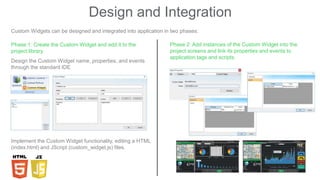
Custom Widgets can be designed and integrated into application in two phases:
Phase 1: Create the Custom Widget and add it to the
project library.
Design the Custom Widget name, properties, and events
through the standard IDE
Implement the Custom Widget functionality, editing a HTML
(index.html) and JScript (custom_widget.js) files.
Phase 2: Add instances of the Custom Widget into the
project screens and link its properties and events to
application tags and scripts.
Demonstration
Tutorial – show time!
Page 6Confidential Property of Schneider Electric |
Page 7Confidential Property of Schneider Electric |
THANK YOU
Custom Widgets Tutorial InTouch Machine Edition (ITME)

Custom Widgets Tutorial InTouch Machine Edition (ITME)

  • 1.
    Custom Widgets Tutorial InTouchMachine Edition (ITME) Confidential Property of Schneider Electric by Fabio Terezinho
  • 2.
  • 3.
    Overview Main Benefits andArchitecture Page 3Confidential Property of Schneider Electric |
  • 4.
    Benefits  Ability tointegrate third-party web-based controls into the HMI/SCADA project screens.  Engineers with HTML/JScript can easily create Custom Widgets and define Properties/Events through the IDE. Users can use the Custom Widgets on the local Viewer and Thin Clients.  Ability to create a ecosystem where different users build and share library of controls that can be easily integrated into applications and accessible through multiple platforms. Openness and Flexibility
  • 5.
    Design and Integration CustomWidgets can be designed and integrated into application in two phases: Phase 1: Create the Custom Widget and add it to the project library. Design the Custom Widget name, properties, and events through the standard IDE Implement the Custom Widget functionality, editing a HTML (index.html) and JScript (custom_widget.js) files. Phase 2: Add instances of the Custom Widget into the project screens and link its properties and events to application tags and scripts.
  • 6.
    Demonstration Tutorial – showtime! Page 6Confidential Property of Schneider Electric |
  • 7.
    Page 7Confidential Propertyof Schneider Electric | THANK YOU