WORKFLOW FOR BUSY
PEOPLE
Stephanie Manley
Twitter: @Copykatrecipes
Email:
Stephanie.manley@gmail.c
om
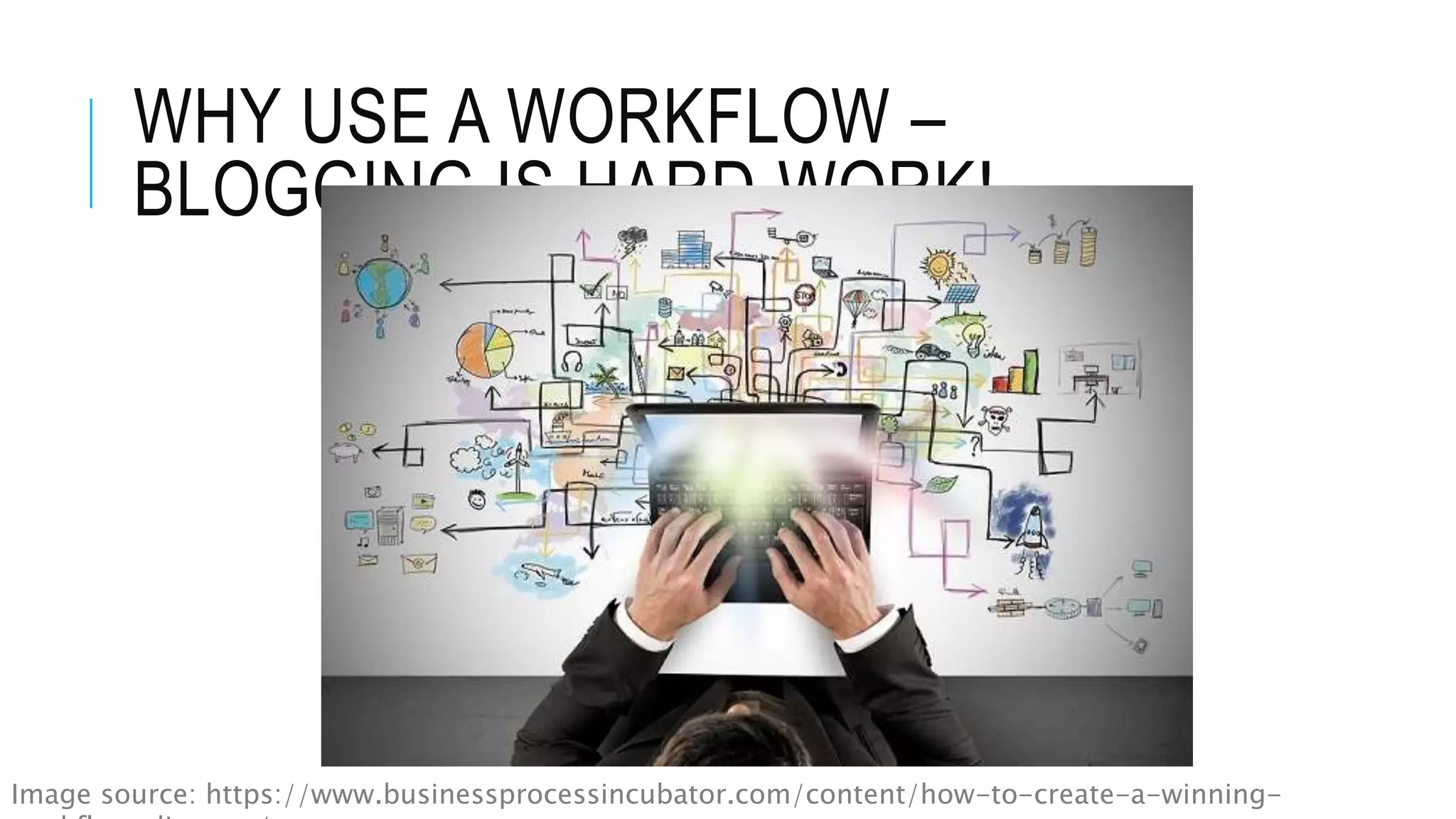
WHY USE A WORKFLOW –
BLOGGING IS HARD WORK!
Image source: https://www.businessprocessincubator.com/content/how-to-create-a-winning-
IF YOU STRUGGLE TO GET
SOMETHING DONE, PUT IT INTO A
WORKFLOW
 Writing a blog post
 How to organize photos
 Scheduling Social Media
 Evaluating Old Content
HOW CAN YOU COME UP WITH
YOUR BEST WORKFLOW
 List out the steps you need to complete from top to
bottom to complete a task
 Locate the roadblocks and problem areas
 Remove the roadblocks you can, and make changes
to streamline your process
 Can you outsource anything ?
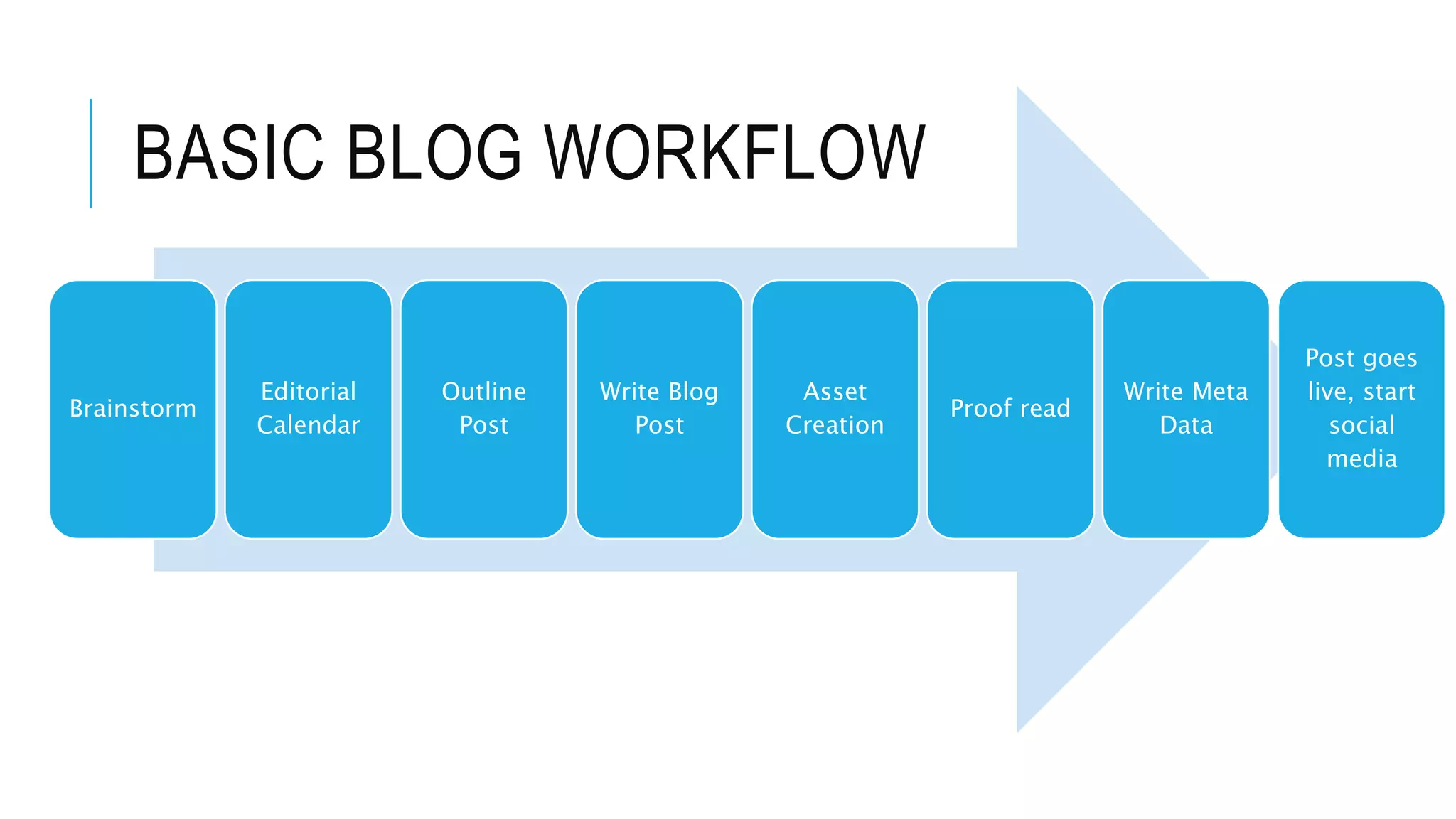
BASIC BLOG WORKFLOW
Brainstorm
Editorial
Calendar
Outline
Post
Write Blog
Post
Asset
Creation
Proof read
Write Meta
Data
Post goes
live, start
social
media
BRAINSTORM IDEAS
 Don’t wait to have a good idea, when you are
inspired write down lots of ideas
 Have a running list of potential blog posts
 Really let the ideas bake in, your brain will process
this subconsciously
EDITORIAL CALENDAR
 Defeat writers block
 Stay current and help you seasonal trends
 More consistency
 Schedule out reports
 Reduce Stress!!
OUTLINE THE POST
 Read similar posts online, see what points
continually come up, make sure you address those
 Where can you link back in your content to help
augment the content
WRITE THE BLOG POST
 Clear an area where you will be free of distractions
 Write without editing initially
 You may want to consider using a template for your
writing
ASSET CREATION
 Do you need to create photos?
 Do you need to create video or anything else to go
with the post
PROOF READ
 You may want write your initial post and come back
to the proof reading later
 Read it out loud
 Run through basic grammar check on the computer
but realize it isn’t always your friend.
 If you can get someone else to read it
WRITE GOOD META DATA
 Write a compelling headline, CoSchedule.com has a headline
ranking tool
 Write your description you want search engine you find you with
 You may want to use a SEO pluggin like Yoast, or SEO All in One,
 Make sure if you have an image that you swap out the Alt_tag
information to be something related to the post
 Some Pinterest plugins use the alt_tag information for the
description so be mindful about the alt_tag
POST GOES LIVE!
 You may want to consider do your posts do better at
a certain time of day/week?
 Now you have posted, be sure to schedule your
social media to support the post
 Sit back and enjoy the traffic
OTHER THINGS TO PUT
INTO WORKFLOW
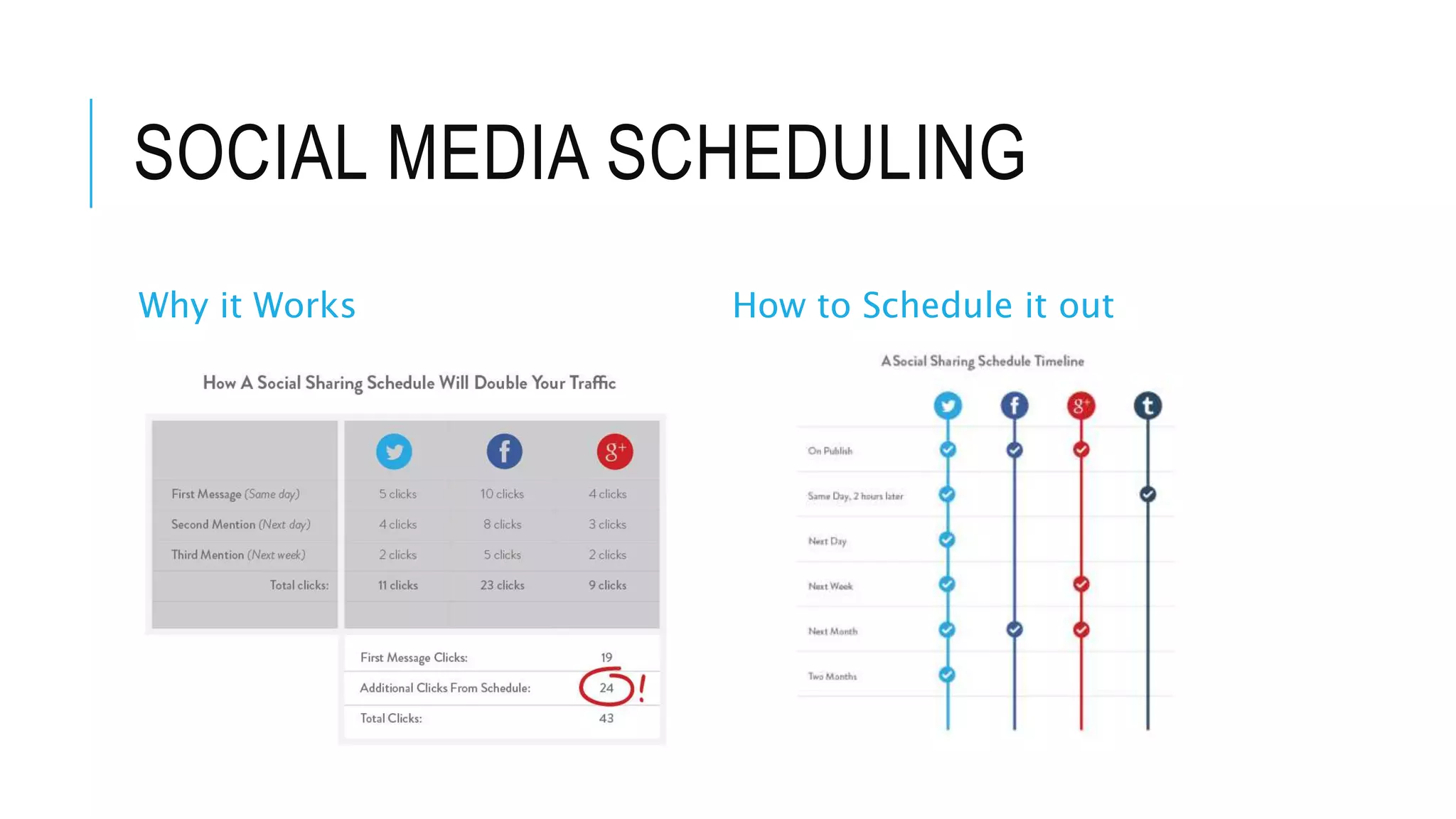
SOCIAL MEDIA SCHEDULING
Why it Works How to Schedule it out
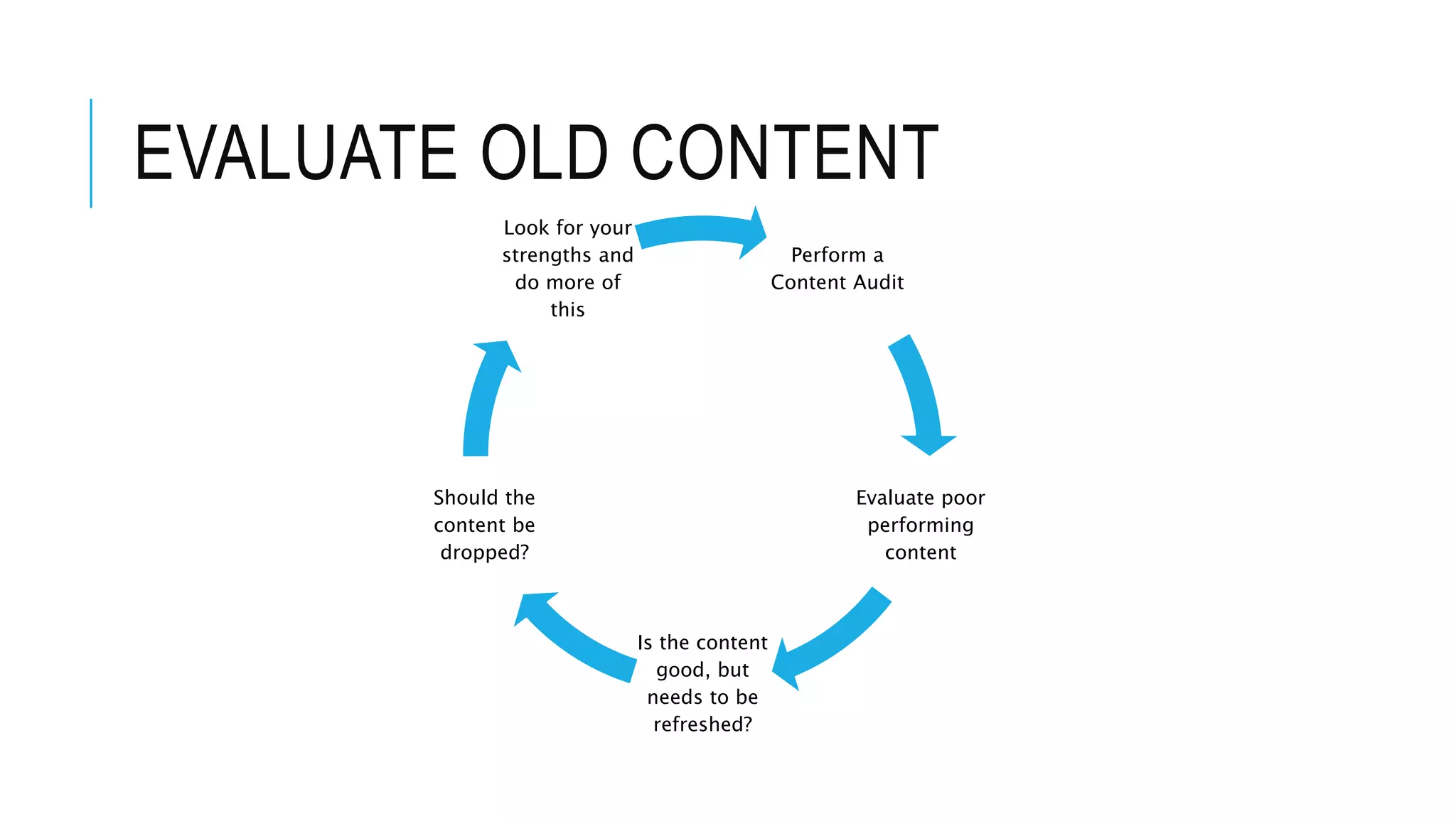
EVALUATE OLD CONTENT
Perform a
Content Audit
Evaluate poor
performing
content
Is the content
good, but
needs to be
refreshed?
Should the
content be
dropped?
Look for your
strengths and
do more of
this
TOOLS I LOVE
Social Media Scheduling
Meet Edgar – load in your content and leave it alone
BufferApp – requires more hand holding
Tailwind – Pinterest only
Email
Feedblitz – I integrate RSS feeds from multiple services, and these go out
automatically
Mailchimp – I liked this service, but it was more hands on
 Wordpress Plugins
Co-Schedule – in WordPress Editorial Calendar
Other Apps
Todoist – it is a to do list app
EverNote
Basecamp

Workflow for busy people

  • 1.
    WORKFLOW FOR BUSY PEOPLE StephanieManley Twitter: @Copykatrecipes Email: Stephanie.manley@gmail.c om
  • 2.
    WHY USE AWORKFLOW – BLOGGING IS HARD WORK! Image source: https://www.businessprocessincubator.com/content/how-to-create-a-winning-
  • 3.
    IF YOU STRUGGLETO GET SOMETHING DONE, PUT IT INTO A WORKFLOW  Writing a blog post  How to organize photos  Scheduling Social Media  Evaluating Old Content
  • 4.
    HOW CAN YOUCOME UP WITH YOUR BEST WORKFLOW  List out the steps you need to complete from top to bottom to complete a task  Locate the roadblocks and problem areas  Remove the roadblocks you can, and make changes to streamline your process  Can you outsource anything ?
  • 5.
    BASIC BLOG WORKFLOW Brainstorm Editorial Calendar Outline Post WriteBlog Post Asset Creation Proof read Write Meta Data Post goes live, start social media
  • 6.
    BRAINSTORM IDEAS  Don’twait to have a good idea, when you are inspired write down lots of ideas  Have a running list of potential blog posts  Really let the ideas bake in, your brain will process this subconsciously
  • 7.
    EDITORIAL CALENDAR  Defeatwriters block  Stay current and help you seasonal trends  More consistency  Schedule out reports  Reduce Stress!!
  • 8.
    OUTLINE THE POST Read similar posts online, see what points continually come up, make sure you address those  Where can you link back in your content to help augment the content
  • 9.
    WRITE THE BLOGPOST  Clear an area where you will be free of distractions  Write without editing initially  You may want to consider using a template for your writing
  • 10.
    ASSET CREATION  Doyou need to create photos?  Do you need to create video or anything else to go with the post
  • 11.
    PROOF READ  Youmay want write your initial post and come back to the proof reading later  Read it out loud  Run through basic grammar check on the computer but realize it isn’t always your friend.  If you can get someone else to read it
  • 12.
    WRITE GOOD METADATA  Write a compelling headline, CoSchedule.com has a headline ranking tool  Write your description you want search engine you find you with  You may want to use a SEO pluggin like Yoast, or SEO All in One,  Make sure if you have an image that you swap out the Alt_tag information to be something related to the post  Some Pinterest plugins use the alt_tag information for the description so be mindful about the alt_tag
  • 13.
    POST GOES LIVE! You may want to consider do your posts do better at a certain time of day/week?  Now you have posted, be sure to schedule your social media to support the post  Sit back and enjoy the traffic
  • 14.
    OTHER THINGS TOPUT INTO WORKFLOW
  • 15.
    SOCIAL MEDIA SCHEDULING Whyit Works How to Schedule it out
  • 16.
    EVALUATE OLD CONTENT Performa Content Audit Evaluate poor performing content Is the content good, but needs to be refreshed? Should the content be dropped? Look for your strengths and do more of this
  • 17.
    TOOLS I LOVE SocialMedia Scheduling Meet Edgar – load in your content and leave it alone BufferApp – requires more hand holding Tailwind – Pinterest only Email Feedblitz – I integrate RSS feeds from multiple services, and these go out automatically Mailchimp – I liked this service, but it was more hands on  Wordpress Plugins Co-Schedule – in WordPress Editorial Calendar Other Apps Todoist – it is a to do list app EverNote Basecamp