CoreOS Introduction
Johann Romefort
http://containera.io
What is CoreOS?
What is CoreOS?
• A minimal Linux distro (~100MB)
• Huge focus on security: CoreOS
mission is “Secure the Internet”
• The best way to run containers
• A read-only rootfs
• Automatic updates
Automatic Updates
• Active / Passive partitions
• Update Partition B while partition A is
running. Reboot to partition B, reverse
to A if any problem found.
• Reboot causes app downtime…
unless…
etcd
• Distributed Key-Value store
• Service discovery
• No local configuration
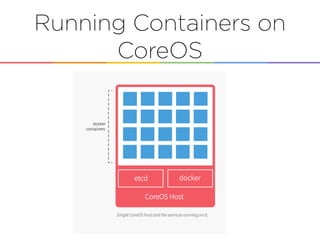
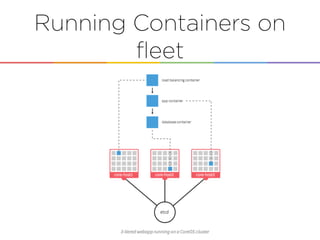
Running Containers on
CoreOS
Fleet
• Distributed init system for cluster
• Uses etcd
• Actually relies on systemd: Submit a
systemd Unit file and handles scheduling
on the cluster
• Enable high-availability services
Running Containers on
fleet
Boot Sequence
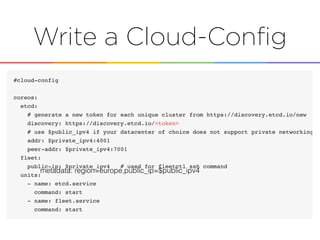
• Look for cloud-config
• Lookup how to join an existing cluster
• Start etcd service
• Start fleet service
Creating a CoreOS
cluster on
Digital Ocean
Pre-requesites
• Make sure you use a SSH key
• Create a DigitalOcean Personal
Access Token (to use the DO API)
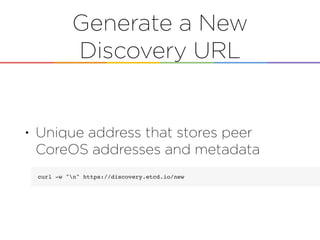
Generate a New
Discovery URL
• Unique address that stores peer
CoreOS addresses and metadata
Write a Cloud-Config
metadata: region=europe,public_ip=$public_ipv4
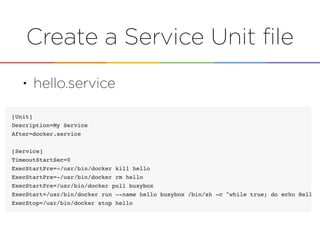
Create a Service Unit file
• hello.service
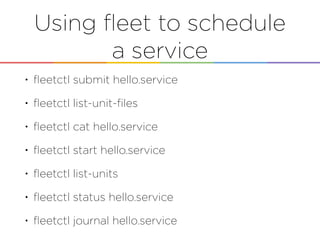
Using fleet to schedule
a service
• fleetctl submit hello.service
• fleetctl list-unit-files
• fleetctl cat hello.service
• fleetctl start hello.service
• fleetctl list-units
• fleetctl status hello.service
• fleetctl journal hello.service
What’s next…
Thank You!
romefort@gmail.com
http://linkedin.com/in/romefort
http://twitter.com/romefort
Ping me here:

CoreOS introduction - Johann Romefort