Docker 101
Intro to Docker
Presented by: Adrian Otto
Prepared for: Austin Tech Talk
Date: May 28, 2015
Adrian Otto
• Principal Architect, Rackspace
• OpenStack Magnum PTL
• Solum PTL
2
3
What is it?
• Docker Engine
– CLI
– Docker Daemon
– Docker Registry
• Docker Hub
– Cloud service
•Share Applications
•Automate workflows
•Assemble apps from components
4
5
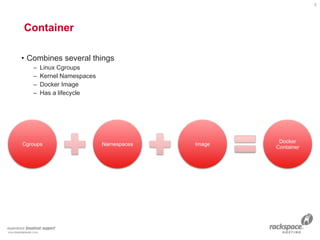
Container

• Combines several things
– Linux Cgroups
– Kernel Namespaces
– Docker Image
– Has a lifecycle
6
Linux Cgroups

• Kernel Feature
• Groups of processes
• Control resource allocations
– CPU
– Memory
– Disk
– I/O
• May be nested
7
Linux Kernel Namespaces

• Kernel Feature
• Restrict your view of the system
– Mounts (CLONE_NEWNS)
– UTS (CLONE_NEWUTS)
• uname() output
– IPC (CLONE_NEWIPC)
– PID (CLONE_NEWPID)
– Networks (CLONE_NEWNET)
– User (CLONE_NEWUSER)
•Not supported in Docker yet
•Has privileged/unprivileged modes today
• May be nested
8
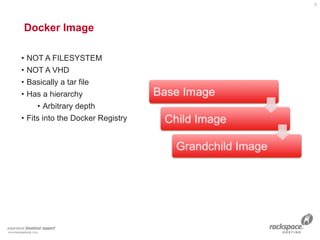
Docker Image
9
• NOT A FILESYSTEM
• NOT A VHD
• Basically a tar file
• Has a hierarchy
• Arbitrary depth
• Fits into the Docker Registry
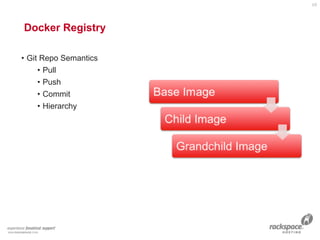
Docker Registry
10
• Git Repo Semantics
• Pull
• Push
• Commit
• Hierarchy
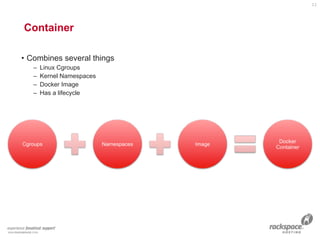
Container

• Combines several things
– Linux Cgroups
– Kernel Namespaces
– Docker Image
– Has a lifecycle
11
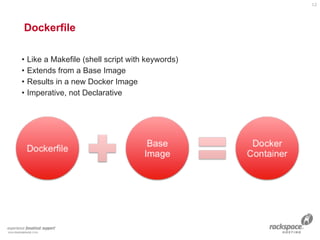
Dockerfile

• Like a Makefile (shell script with keywords)
• Extends from a Base Image
• Results in a new Docker Image
• Imperative, not Declarative
12
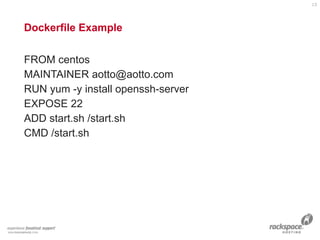
Dockerfile Example
FROM centos
MAINTAINER aotto@aotto.com
RUN yum -y install openssh-server
EXPOSE 22
ADD start.sh /start.sh
CMD /start.sh
13
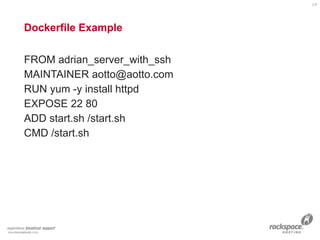
Dockerfile Example
FROM adrian_server_with_ssh
MAINTAINER aotto@aotto.com
RUN yum -y install httpd
EXPOSE 22 80
ADD start.sh /start.sh
CMD /start.sh
14
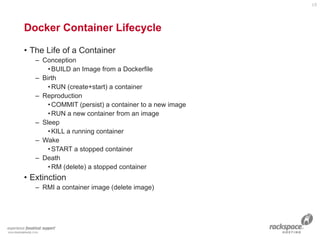
• The Life of a Container
– Conception
•BUILD an Image from a Dockerfile
– Birth
•RUN (create+start) a container
– Reproduction
•COMMIT (persist) a container to a new image
•RUN a new container from an image
– Sleep
•KILL a running container
– Wake
•START a stopped container
– Death
•RM (delete) a stopped container
• Extinction
– RMI a container image (delete image)
Docker Container Lifecycle
15
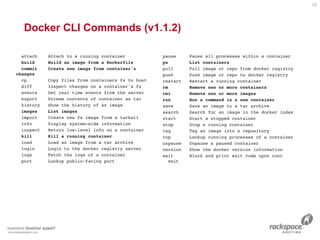
Docker CLI Commands (v1.1.2)
attach Attach to a running container
build Build an image from a Dockerfile
commit Create new image from container's
changes
cp Copy files from containers fs to host
diff Inspect changes on a container's fs
events Get real time events from the server
export Stream contents of container as tar
history Show the history of an image
images List images
import Create new fs image from a tarball
info Display system-wide information
inspect Return low-level info on a container
kill Kill a running container
load Load an image from a tar archive
login Login to the docker registry server
logs Fetch the logs of a container
port Lookup public-facing port
pause Pause all processes within a container
ps List containers
pull Pull image or repo from docker registry
push Push image or repo to docker registry
restart Restart a running container
rm Remove one or more containers
rmi Remove one or more images
run Run a command in a new container
save Save an image to a tar archive
search Search for an image in the docker index
start Start a stopped container
stop Stop a running container
tag Tag an image into a repository
top Lookup running processes of a container
unpause Unpause a paused container
version Show the docker version information
wait Block and print exit code upon cont
exit
16
17
Questions Before Demo?
18
Demo
Demo
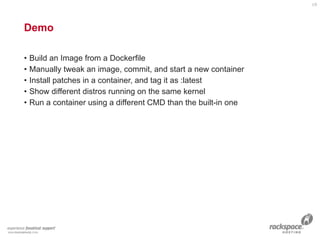
• Build an Image from a Dockerfile
• Manually tweak an image, commit, and start a new container
• Install patches in a container, and tag it as :latest
• Show different distros running on the same kernel
• Run a container using a different CMD than the built-in one
19
20

Docker 101 2015-05-28

  • 1.
    Docker 101 Intro toDocker Presented by: Adrian Otto Prepared for: Austin Tech Talk Date: May 28, 2015
  • 2.
    Adrian Otto • PrincipalArchitect, Rackspace • OpenStack Magnum PTL • Solum PTL 2
  • 3.
  • 4.
    What is it? •Docker Engine – CLI – Docker Daemon – Docker Registry • Docker Hub – Cloud service •Share Applications •Automate workflows •Assemble apps from components 4
  • 5.
  • 6.
    Container
 • Combines severalthings – Linux Cgroups – Kernel Namespaces – Docker Image – Has a lifecycle 6
  • 7.
    Linux Cgroups
 • KernelFeature • Groups of processes • Control resource allocations – CPU – Memory – Disk – I/O • May be nested 7
  • 8.
    Linux Kernel Namespaces
 •Kernel Feature • Restrict your view of the system – Mounts (CLONE_NEWNS) – UTS (CLONE_NEWUTS) • uname() output – IPC (CLONE_NEWIPC) – PID (CLONE_NEWPID) – Networks (CLONE_NEWNET) – User (CLONE_NEWUSER) •Not supported in Docker yet •Has privileged/unprivileged modes today • May be nested 8
  • 9.
    Docker Image 9 • NOTA FILESYSTEM • NOT A VHD • Basically a tar file • Has a hierarchy • Arbitrary depth • Fits into the Docker Registry
  • 10.
    Docker Registry 10 • GitRepo Semantics • Pull • Push • Commit • Hierarchy
  • 11.
    Container
 • Combines severalthings – Linux Cgroups – Kernel Namespaces – Docker Image – Has a lifecycle 11
  • 12.
    Dockerfile
 • Like aMakefile (shell script with keywords) • Extends from a Base Image • Results in a new Docker Image • Imperative, not Declarative 12
  • 13.
    Dockerfile Example FROM centos MAINTAINERaotto@aotto.com RUN yum -y install openssh-server EXPOSE 22 ADD start.sh /start.sh CMD /start.sh 13
  • 14.
    Dockerfile Example FROM adrian_server_with_ssh MAINTAINERaotto@aotto.com RUN yum -y install httpd EXPOSE 22 80 ADD start.sh /start.sh CMD /start.sh 14
  • 15.
    • The Lifeof a Container – Conception •BUILD an Image from a Dockerfile – Birth •RUN (create+start) a container – Reproduction •COMMIT (persist) a container to a new image •RUN a new container from an image – Sleep •KILL a running container – Wake •START a stopped container – Death •RM (delete) a stopped container • Extinction – RMI a container image (delete image) Docker Container Lifecycle 15
  • 16.
    Docker CLI Commands(v1.1.2) attach Attach to a running container build Build an image from a Dockerfile commit Create new image from container's changes cp Copy files from containers fs to host diff Inspect changes on a container's fs events Get real time events from the server export Stream contents of container as tar history Show the history of an image images List images import Create new fs image from a tarball info Display system-wide information inspect Return low-level info on a container kill Kill a running container load Load an image from a tar archive login Login to the docker registry server logs Fetch the logs of a container port Lookup public-facing port pause Pause all processes within a container ps List containers pull Pull image or repo from docker registry push Push image or repo to docker registry restart Restart a running container rm Remove one or more containers rmi Remove one or more images run Run a command in a new container save Save an image to a tar archive search Search for an image in the docker index start Start a stopped container stop Stop a running container tag Tag an image into a repository top Lookup running processes of a container unpause Unpause a paused container version Show the docker version information wait Block and print exit code upon cont exit 16
  • 17.
  • 18.
  • 19.
    Demo • Build anImage from a Dockerfile • Manually tweak an image, commit, and start a new container • Install patches in a container, and tag it as :latest • Show different distros running on the same kernel • Run a container using a different CMD than the built-in one 19
  • 20.