


























Connecting 
with Clients 
By USA Benefits Group 
on Facebook
A QUESTION FOR YOU.
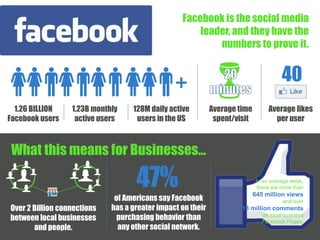
Facebook is the social media 
leader, and they have the 
numbers to prove it. 
1.26 BILLION 
Facebook users 
1.23B monthly 
active users 
128M daily active 
users in the US 
Average time 
spent/visit 
What this means for Businesses… 
40 
Average likes 
per user 
Over 2 Billion connections 
between local businesses 
and people. 
47% In an average week, 
of Americans say Facebook 
has a greater impact on their 
purchasing behavior than 
any other social network. 
there are more than 
645 million views 
and over 
13 million comments 
on local business 
Facebook Pages.
TIME TO GET 
!
Step 
1
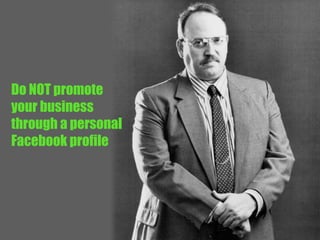
Notice I said…
Do NOT promote 
your business 
through a personal 
Facebook profile
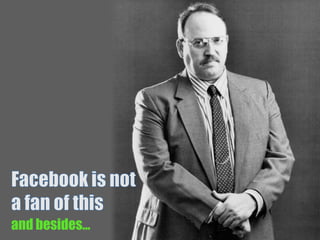
and besides…
Your clients don’t 
want to see this… 
(no matter how adorable 
it is)
And your family 
and friends don’t 
want to see this…
And your family 
and friends don’t 
want to see this… 
BUY 
NOW!
And your family 
and friends don’t 
want to see this… 
BUY 
NOW!
And your family 
and friends don’t 
want to see this… 
BUY 
NOW! 
GREAT 
PRICES! 
HURRY 
IN!
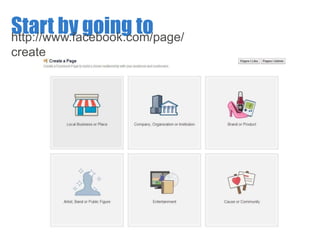
Start by going to 
http://www.facebook.com/page/ 
create
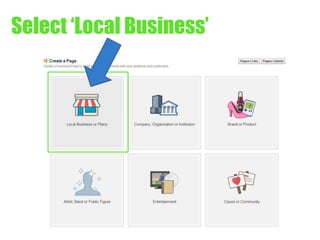
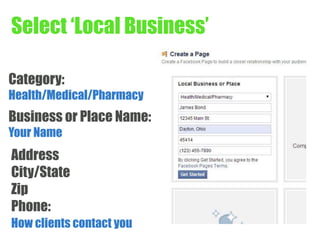
Select ‘Local Business’
Select ‘Local Business’ 
Category: 
Health/Medical/Pharmacy 
Business or Place Name: 
Your Name 
Address 
City/State 
Zip 
Phone: 
How clients contact you
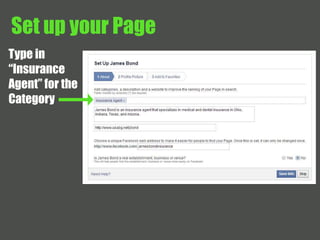
Set up your Page 
Type in 
“Insurance 
Agent” for the 
Category
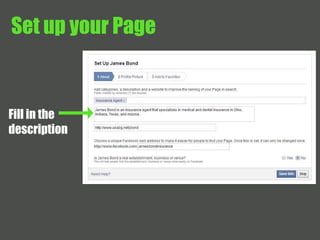
Set up your Page 
Fill in the 
description
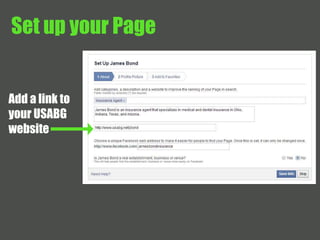
Set up your Page 
Add a link to 
your USABG 
website
Set up your Page 
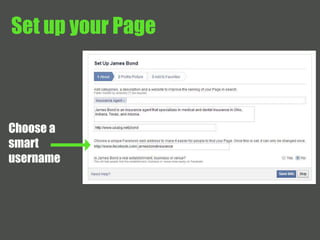
Choose a 
smart 
username
Set up your Page 
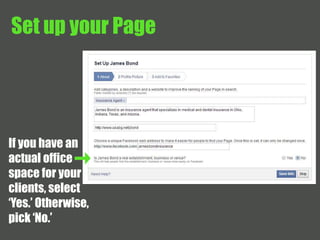
If you have an 
actual office 
space for your 
clients, select 
‘Yes.’ Otherwise, 
pick ‘No.’
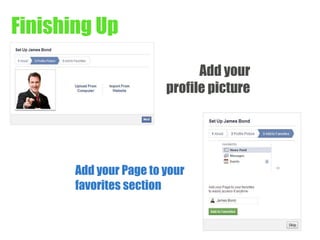
Finishing Up 
Add your 
profile picture 
Add your Page to your 
favorites section
Step 
2
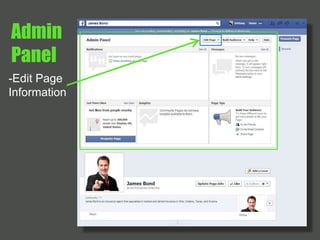
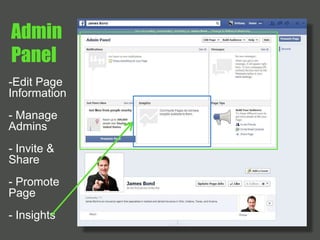
Admin 
Panel 
-Edit Page 
Information
Admin 
Panel 
-Edit Page 
Information 
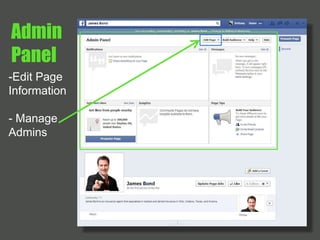
- Manage 
Admins
Admin 
Panel 
-Edit Page 
Information 
- Manage 
Admins 
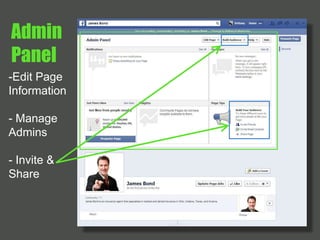
- Invite & 
Share
Admin 
Panel 
-Edit Page 
Information 
- Manage 
Admins 
- Invite & 
Share 
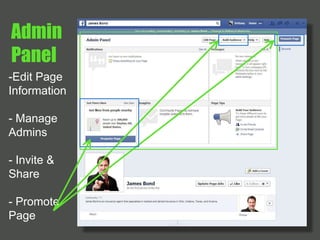
- Promote 
Page
Admin 
Panel 
-Edit Page 
Information 
- Manage 
Admins 
- Invite & 
Share 
- Promote 
Page 
- Insights
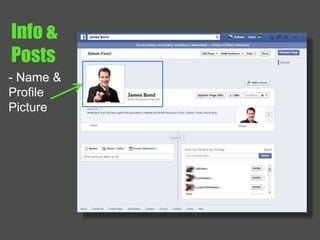
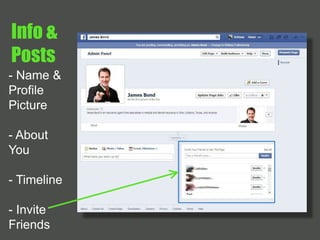
Info & 
Posts 
- Name & 
Profile 
Picture
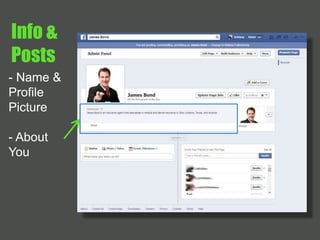
Info & 
Posts 
- Name & 
Profile 
Picture 
- About 
You
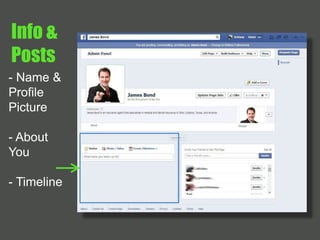
Info & 
Posts 
- Name & 
Profile 
Picture 
- About 
You 
- Timeline
Info & 
Posts 
- Name & 
Profile 
Picture 
- About 
You 
- Timeline 
- Invite 
Friends
Step 
3
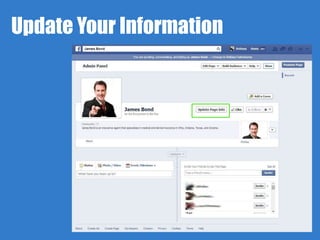
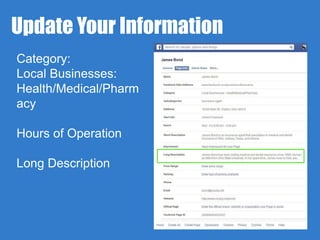
Update Your Information
Update Your Information 
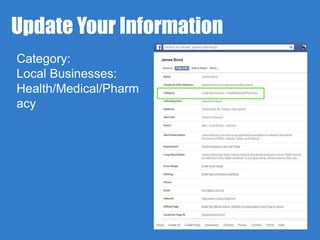
Category: 
Local Businesses: 
Health/Medical/Pharm 
acy
Update Your Information 
Category: 
Local Businesses: 
Health/Medical/Pharm 
acy 
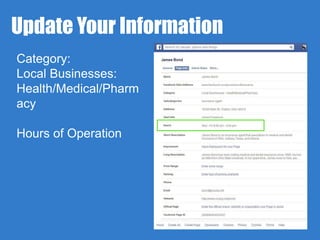
Hours of Operation
Update Your Information 
Category: 
Local Businesses: 
Health/Medical/Pharm 
acy 
Hours of Operation 
Long Description
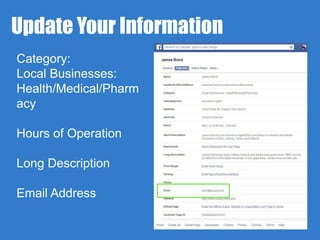
Update Your Information 
Category: 
Local Businesses: 
Health/Medical/Pharm 
acy 
Hours of Operation 
Long Description 
Email Address
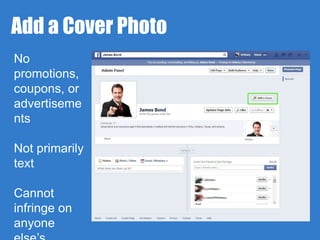
Add a Cover Photo 
No 
promotions, 
coupons, or 
advertiseme 
nts 
Not primarily 
text 
Cannot 
infringe on 
anyone 
else’s
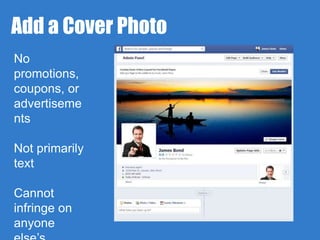
Add a Cover Photo 
No 
promotions, 
coupons, or 
advertiseme 
nts 
Not primarily 
text 
Cannot 
infringe on 
anyone 
else’s
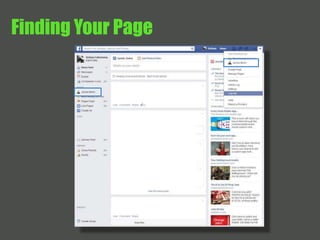
Finding Your Page
Step 
4
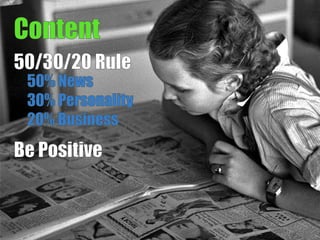
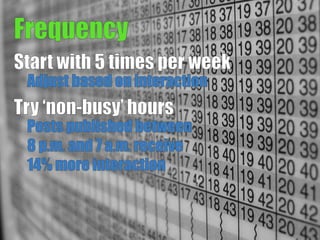
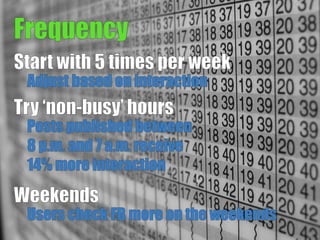
‘What should I 
post and how 
often?’
Step 
5
How do I get 
people to 
follow me?
LET’S RECAP.
BUILDING AND CONNECTING TO YOUR 
CLIENTS THROUGH FACEBOOK.
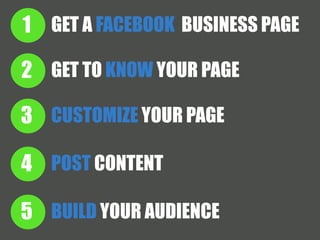
1 GET A FACEBOOK BUSINESS PAGE 
2 
3 
4 
5 
GET TO KNOW YOUR PAGE 
CUSTOMIZE YOUR PAGE 
POST CONTENT 
BUILD YOUR AUDIENCE
QUESTIONS?

Connecting with Clients on Facebook