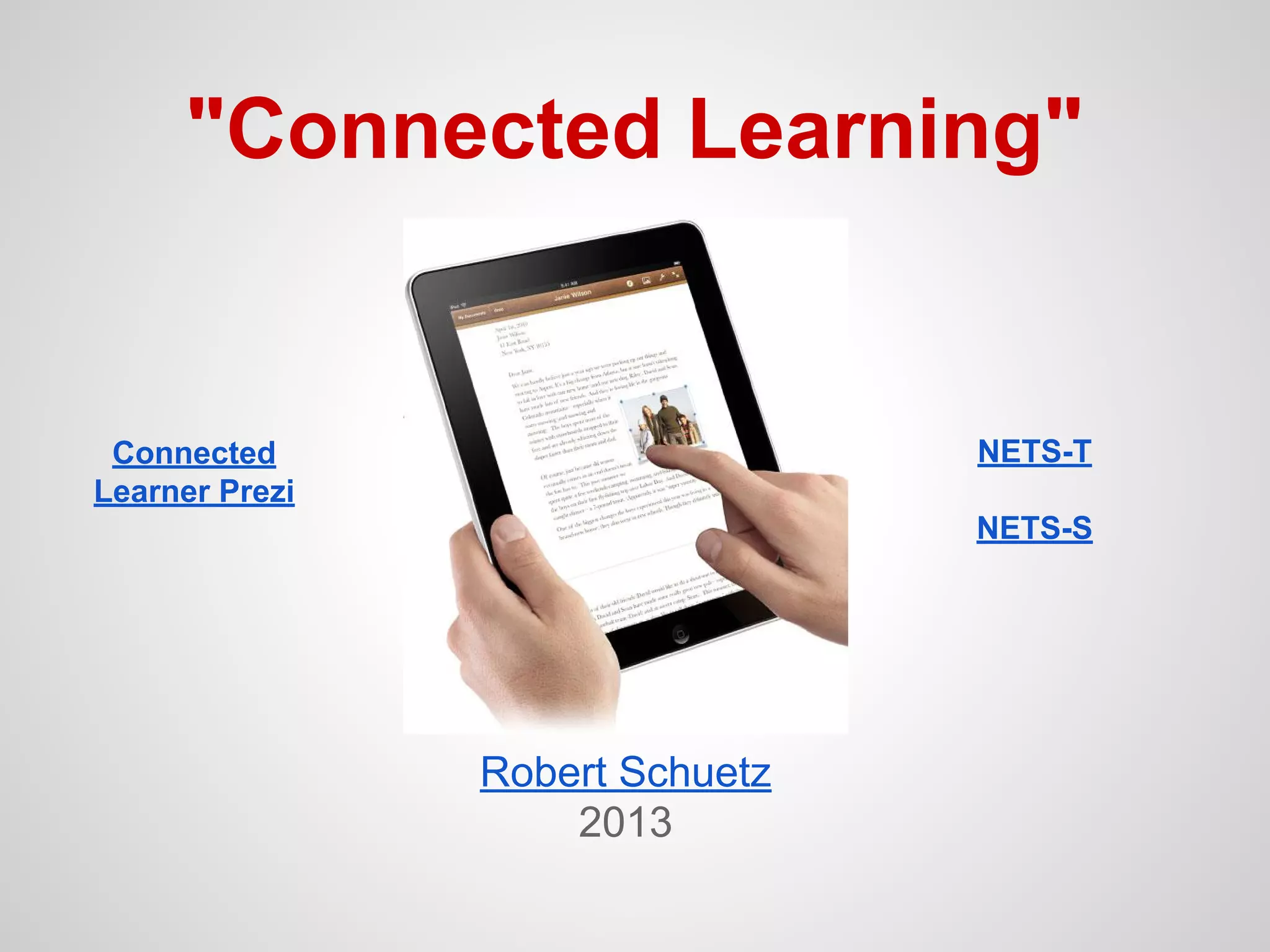
"Connected Learning"

NETS-T

Connected
Learner Prezi

NETS-S

Robert Schuetz
2013
NETS-T #1
● Facilitate and Inspire Student Learning and
Creativity
Key terms: innovation, authentic, exploration,
& collaboration

● Connected Classroom Category
Communication & Collaboration
● Digital Tools
Google Docs, Blogger, Evernote,
Classroom LMS (Schoology)
NETS-T #2
● Design & Develop Digital-Age Learning
Experiences & Assessments
Key terms: personalize, digital resources, varied
assessment, data collection

● Connected Classroom Category
Learning Resources & Digital Content
● Digital Tools
Ted-Ed, Discovery Education, Kahn Academy, Zite,
News360, Learnist, Flipboard, Google Reader
○ (NearPod, iTunes U)
NETS-T #3
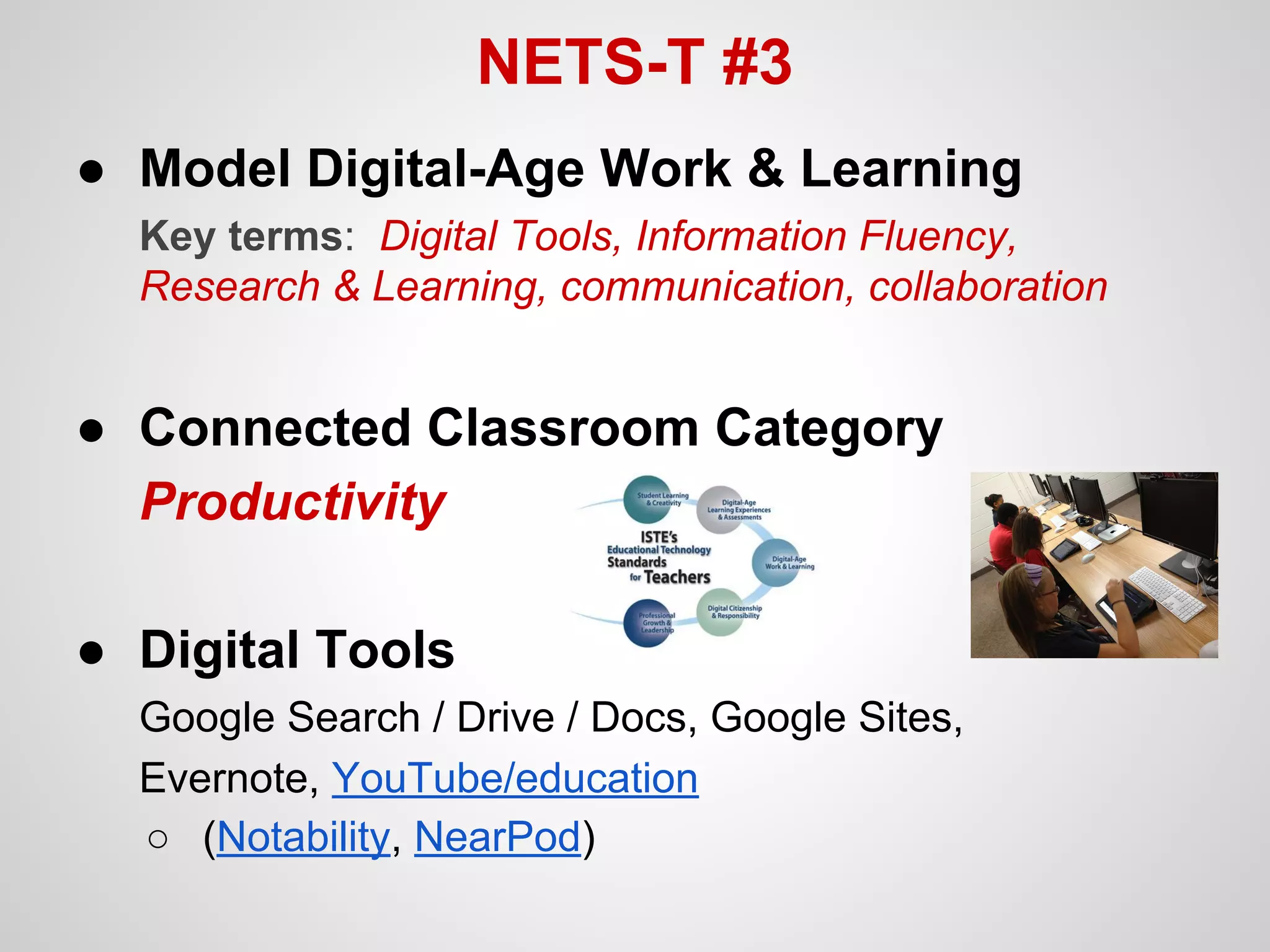
● Model Digital-Age Work & Learning
Key terms: Digital Tools, Information Fluency,
Research & Learning, communication, collaboration

● Connected Classroom Category
Productivity
● Digital Tools
Google Search / Drive / Docs, Google Sites,
Evernote, YouTube/education
○ (Notability, NearPod)
NETS-T #4
● Promote & Model Digital Citizenship and
Responsibility
Key terms: safety, ethical, digital etiquette, equitable
access, cultural awareness

● Connected Classroom Category
Learning Management System
● Digital Tools
Schoology, Edmodo, Moodle, CourseSites
○ Internet Safety - Schoology Group
(iSafe.org, NetSmartz, Google Family Safety Center)
NETS-T #5
● Engage in Professional Growth &
Leadership
Key terms: learning communities, professional
practices, responsibility for learning, collaboration

● Connected Classroom Category
Personal Learning Network (PLN)
● Digital Tools
Twitter, Google+, Google Reader, Blogger, Diigo
○ Edshelf, Learnist, PearlTrees, Knowmia
Others?
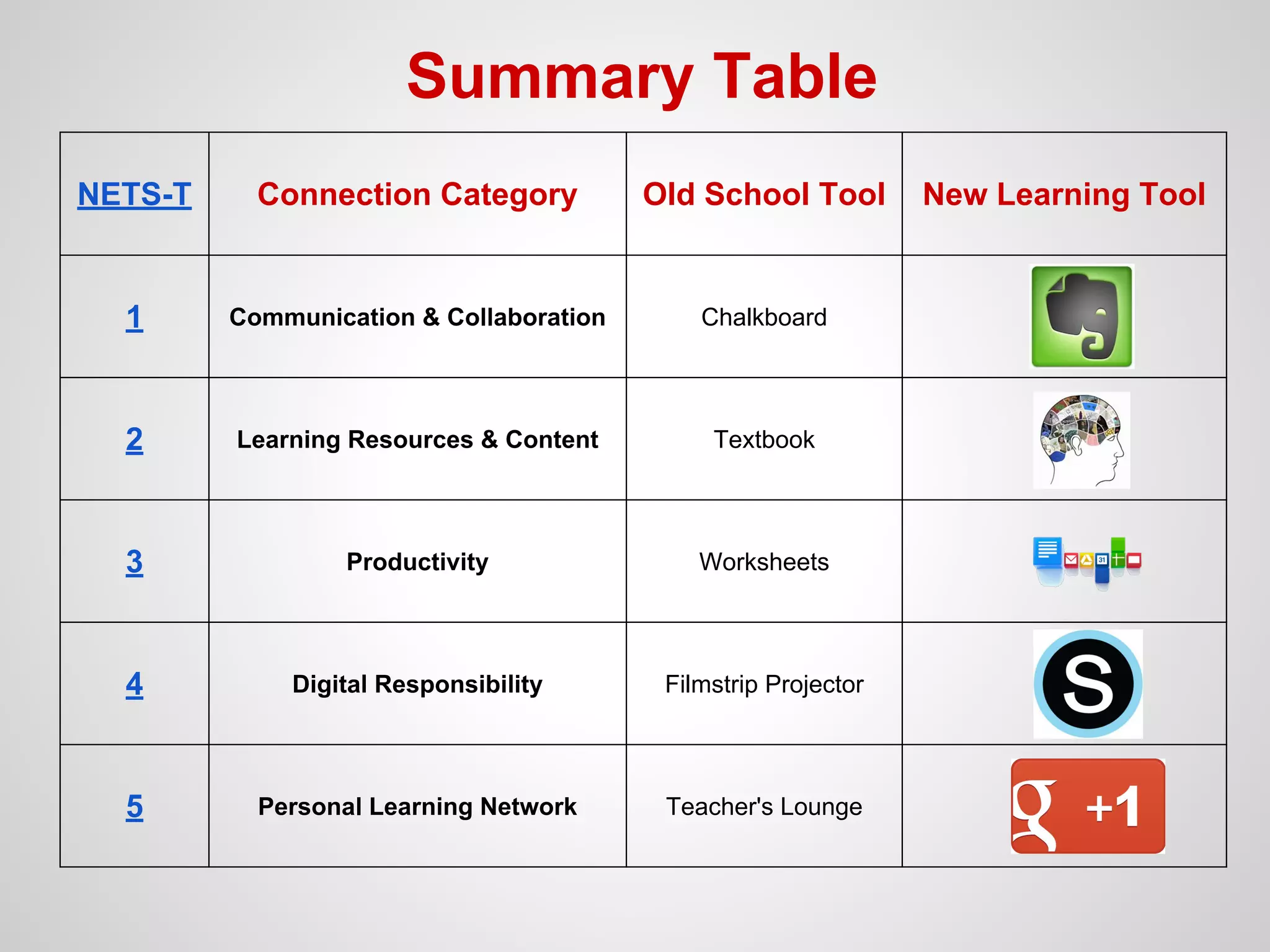
Summary Table
NETS-T

Connection Category

Old School Tool

1

Communication & Collaboration

Chalkboard

2

Learning Resources & Content

Textbook

3

Productivity

Worksheets

4

Digital Responsibility

Filmstrip Projector

5

Personal Learning Network

Teacher's Lounge

New Learning Tool
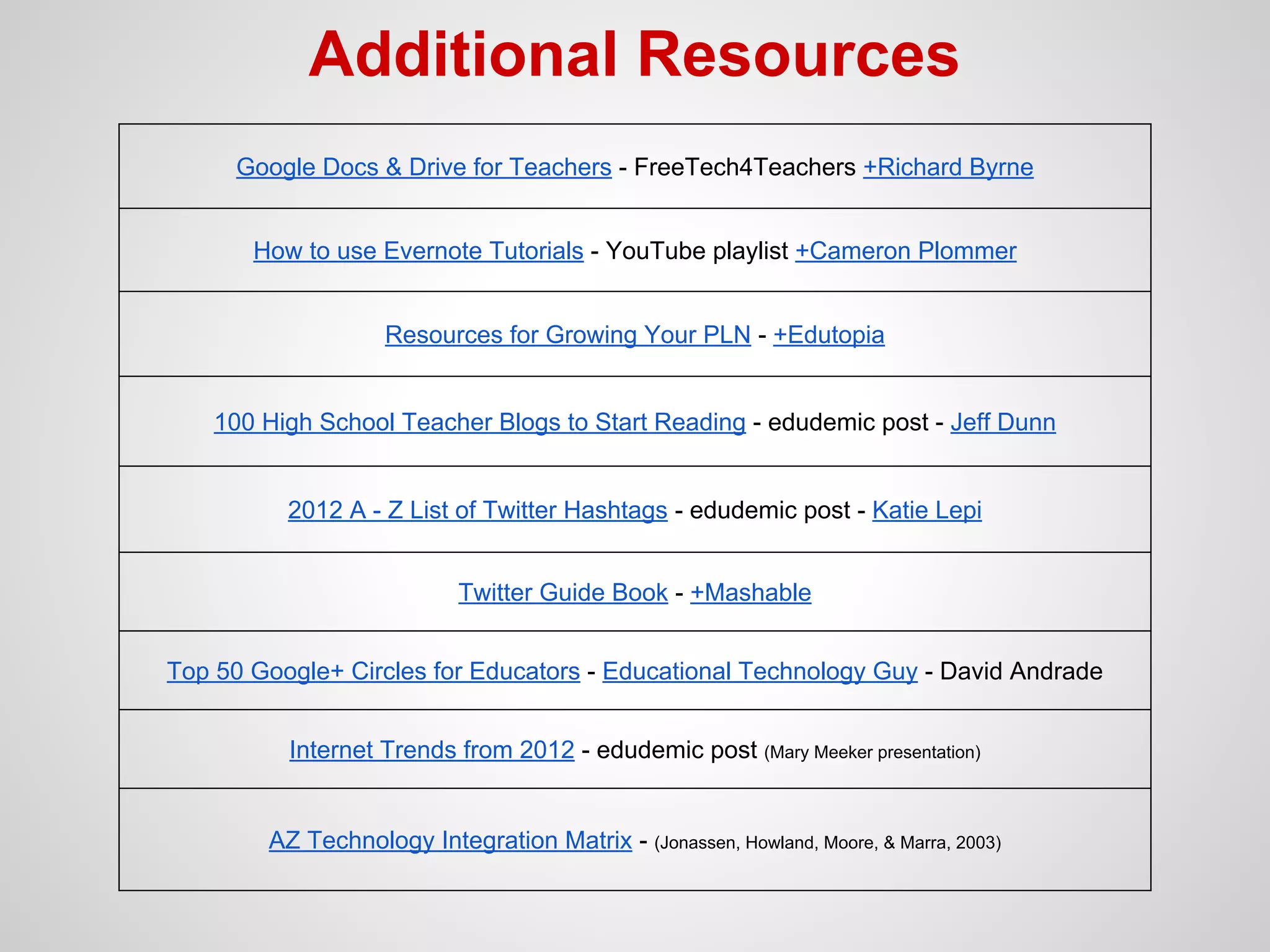
Additional Resources
Google Docs & Drive for Teachers - FreeTech4Teachers +Richard Byrne
How to use Evernote Tutorials - YouTube playlist +Cameron Plommer
Resources for Growing Your PLN - +Edutopia

100 High School Teacher Blogs to Start Reading - edudemic post - Jeff Dunn

2012 A - Z List of Twitter Hashtags - edudemic post - Katie Lepi
Twitter Guide Book - +Mashable
Top 50 Google+ Circles for Educators - Educational Technology Guy - David Andrade
Internet Trends from 2012 - edudemic post (Mary Meeker presentation)

AZ Technology Integration Matrix - (Jonassen, Howland, Moore, & Marra, 2003)

Connected learning

  • 1.
  • 2.
    NETS-T #1 ● Facilitateand Inspire Student Learning and Creativity Key terms: innovation, authentic, exploration, & collaboration ● Connected Classroom Category Communication & Collaboration ● Digital Tools Google Docs, Blogger, Evernote, Classroom LMS (Schoology)
  • 3.
    NETS-T #2 ● Design& Develop Digital-Age Learning Experiences & Assessments Key terms: personalize, digital resources, varied assessment, data collection ● Connected Classroom Category Learning Resources & Digital Content ● Digital Tools Ted-Ed, Discovery Education, Kahn Academy, Zite, News360, Learnist, Flipboard, Google Reader ○ (NearPod, iTunes U)
  • 4.
    NETS-T #3 ● ModelDigital-Age Work & Learning Key terms: Digital Tools, Information Fluency, Research & Learning, communication, collaboration ● Connected Classroom Category Productivity ● Digital Tools Google Search / Drive / Docs, Google Sites, Evernote, YouTube/education ○ (Notability, NearPod)
  • 5.
    NETS-T #4 ● Promote& Model Digital Citizenship and Responsibility Key terms: safety, ethical, digital etiquette, equitable access, cultural awareness ● Connected Classroom Category Learning Management System ● Digital Tools Schoology, Edmodo, Moodle, CourseSites ○ Internet Safety - Schoology Group (iSafe.org, NetSmartz, Google Family Safety Center)
  • 6.
    NETS-T #5 ● Engagein Professional Growth & Leadership Key terms: learning communities, professional practices, responsibility for learning, collaboration ● Connected Classroom Category Personal Learning Network (PLN) ● Digital Tools Twitter, Google+, Google Reader, Blogger, Diigo ○ Edshelf, Learnist, PearlTrees, Knowmia Others?
  • 7.
    Summary Table NETS-T Connection Category OldSchool Tool 1 Communication & Collaboration Chalkboard 2 Learning Resources & Content Textbook 3 Productivity Worksheets 4 Digital Responsibility Filmstrip Projector 5 Personal Learning Network Teacher's Lounge New Learning Tool
  • 8.
    Additional Resources Google Docs& Drive for Teachers - FreeTech4Teachers +Richard Byrne How to use Evernote Tutorials - YouTube playlist +Cameron Plommer Resources for Growing Your PLN - +Edutopia 100 High School Teacher Blogs to Start Reading - edudemic post - Jeff Dunn 2012 A - Z List of Twitter Hashtags - edudemic post - Katie Lepi Twitter Guide Book - +Mashable Top 50 Google+ Circles for Educators - Educational Technology Guy - David Andrade Internet Trends from 2012 - edudemic post (Mary Meeker presentation) AZ Technology Integration Matrix - (Jonassen, Howland, Moore, & Marra, 2003)