BY INGAMULE SIRAJI
BY INGAMULE SIRAJI 1
Computer security is the protection of
computing system and the data that they
store or access. Also known as cyber security
BY INGAMULE SIRAJI 2
 System access control; it ensures that
unauthorized users do not get into the system by
encouraging authorized users to be conscious.
 Data access control; it monitors who can access
what data and for what purpose.
 System and security administration; it performs
offline procedures that make or break computer
security.
 System design; it takes advantage of basic
software and hardware security characteristics.
E.g. using system architecture that is able to
segment memory
BY INGAMULE SIRAJI 3
 Confidentiality; it ensures that data is not
accessed by any unauthorized users.
 Integrity; it ensures that information is not
altered by any unauthorized person in such a
way that is not detectable by the authorized
user.
 Authentication; it ensures that users are the
persons they claim to be.
 Access control; it ensures that users access only
those resources they are allowed to access.
 Non-repudiation; it ensures that senders of
message cannot deny that they sent a message
BY INGAMULE SIRAJI 4
 Availability; it ensures that systems work
promptly and services are not denied for
authorized users.
 Privacy; it ensures that individual has the right
to use information allows another to use the
information.
 Steganography; it is the act of hiding the
existence of a message . It aids in
confidentiality and data integrity.
 Cryptography; it is the science of writing
information in a hidden form. It protects the
data in transmit and also the data stored in the
disk.
BY INGAMULE SIRAJI 5
 Plain text; it is the original message that is an
input.
 Cipher; it is a bit by bit or character by
character transformation without regard to the
meaning of the message.
 Cipher text; it is coded message or the
encrypted data
 Encryption; is the process of converting plain
text to cipher text using an encryption
algorithm.
 Decryption; it is the reverse of encryption i.e.
converting cipher text to plain text
BY INGAMULE SIRAJI 6
 Downloadable files. It includes executable files from
the internet like games, screen savers are best
sources of virus attack.
 Cracked software; some cracked form of illegal files
contain viruses and bugs that are difficult to detect.
 E-mail attachment; these attachments are the most
common sources of viruses.
 Internet; almost all computer users click or download
everything from the internet inviting virus attacks.
 Booting from unknown CD; this happens when the
CD is not removed when the computer system is not
working as it will start to boot from the CD
BY INGAMULE SIRAJI 7
THREATS TO COMPUTER SECURITY
BY INGAMULE SIRAJI 8
 A threat is a potential violation of security
and when a threat gets executed, it becomes
an attack.
 Those who execute such threats are known
as attackers
BY INGAMULE SIRAJI 9
 MALWARE stands for Malicious Software. It is a
broad term that refers to variety of malicious
programs that are used to damage computer
system, gather sensitive information, or gain
access to private computer system.
 Malware is an unwanted software that any
unauthorized person wants to run on your
computer. These are known as computer
security threats. They include virus, worms,
Trojan horses, rootkits, Spyware and adware
BY INGAMULE SIRAJI 10
 Virus stands for vital information under siege.
 Computer viruses are small programs that
negatively affect the computer.
WHICH PARTS DO VIRUSES AFFECT
 The virus can affect any part of the computer
software such as the boot block, operating
system, files and application programs.
BY INGAMULE SIRAJI 11
1. Resident viruses, it fixes themselves in
the system memory and get activated
when ever the operating system runs and
infect all the files that are then opened.
E.g. Randex, meve e.t.c
2. Direct action viruses; it comes into action
when the file containing the virus is
executed, it then infects the files in the
folder . E.g. vienna virus
BY INGAMULE SIRAJI 12
3. Overwrite virus. It deletes the information
contained in the files that it infects rendering
them partially or totally useless. E.g. way, Trj.
Reboot
4. Boot sector virus, also called master boot
sector virus. This type of virus affects the boot
sector of a hard disk. E.g. poly boot.B, Anti
EXE.
5. Macro virus; it infects files that are created
using certain applications or programs that
contain macros like doc.xlss,pps e.t.c.
Examples include: Melissa. A
BY INGAMULE SIRAJI 13
6.File system virus; it is also called cluster virus
or directory virus . It infects the directory of
your computer by changing the patch that
indicates the location of the file. E.g. Dir-2 virus
7. Polymorphic virus it encrypts or encodes itself
in an encrypted way every time it infects the
system. The virus then goes on to create large
number of copies.
E.g. Elkern,Tuareg.
8. FAT Virus, it is used to store all the
information about the location of a files
unusable space. For example link virus
BY INGAMULE SIRAJI 14
9. multipartite virus; it may spread in various
ways such as operating system installed or
existence of certain files. For example flip.
10. Web scripting virus, many websites execute
complex code in order to provide interesting
content. These sites are sometimes created with
purposely infected codes . For example J.S
fornight.
BY INGAMULE SIRAJI 15
 Monitor what you are doing
 Slow down computer performance
 Download illegal files into your computer
without you being able to delete them
 Destroy all data on your local disk
 Affect computer network and the connection to
the internet
 Increase or decrease memory size
 Alter pc settings
 Display annoying adverts
BY INGAMULE SIRAJI 16
 A computer worm is a standalone malware
computer program that replicates itself in order
to spread to other computers.
 It uses computer network to spread itself
 Unlike computer viruses, it does not need to
attach itself on another program
 Worms are hard to detect because they are
invisible files
 E.g. Bagle, I love you, Morris, Nimda etc
BY INGAMULE SIRAJI 17
 A Trojan horse is a non self replicating type of
malware which appears to perform a desirable
function but instead facilitates unauthorized
access to the user computer system.
 Trojans may use drive by downloads or install via
online games or internet driven applications to
reach target computers.
 E.g. Beast, ZeroAcess Rootkit
BY INGAMULE SIRAJI 18
 It is a program which is installed on the
computer system to spy on the system owners
activity and collects all information which is
misused afterwards.
DANGERS OF SPYWARES
 Steal your passwords
 Observe your browsing choices
 Report your personal information to distant
servers
 Affects the computer performance
E.g. Cool Web search, Finfishers, Zango. Zlob
Trojan
BY INGAMULE SIRAJI 19
 Odd messages are displaying on the screen
 Some files are missing
 System runs slower
 Pc crashes and restarts again and again
 Antivirus software will not run or get installed
 Drivers are not accessible
 Unexpected music or sound
 The mouse pointer changes its graphics
 Pc starts performing functions like opening or
closing windows, running programs on its own.
BY INGAMULE SIRAJI 20
 Spoofing ; is a technique to access unauthorized
without concerning the real owner. It access the
information via the network. Also known as
Masquerade.
 Salami technique; it diverts small amount of
money from a large number of accounts
maintained by the system.
 Hacking; it is the act of intruding into someone
else’s computer. A hacker is someone who does
the hacking.
 Cracking; it is the act of breaking into
computers. They include password cracking,
Trojans, viruses.
BY INGAMULE SIRAJI 21
 Phishing; refers to the attempt of acquiring
sensitive information such as passwords, credit
card details through unauthorized ways. Though
sending fake notifications and messages to get
details when clicked on.
 Spam; it is the abuse of messaging systems to
send unsolicited bulk messages inform of E-
mails.
 Rootkits; it is a software that is designed to gain
administrative control of the computer system
without being detected
BY INGAMULE SIRAJI 22
 Anti virus software; these are application
software designed to prevent, search for, detect
and remove viruses. For example Avast, 360 total
security, karpersky, Avira antivirus, Norton AVG
e.t.c
 Digital certificate, is the attachment to an
electronic message used for security purposes.
It provides a means of providing your identity in
electronic transactions.
 Digital signature, it is an electronic form of
signature that can be used to authenticate the
identity of the user.
BY INGAMULE SIRAJI 23
Firewall; a firewall can either be software or hardware
based and is used to help in keeping the network
secure. Hardware firewall is a physical device that
sits between the computer and the internet and
software firewall is installed directly into the
computer system.
Techniques of access control
 Service control, it determines the type of internet services
that can be accessed
 Direction control; it determines the direction in which
particular service request are allowed to flow
 User control; it controls accesses to a user according to
which user is attempting to access it.
 Behaviour control; it controls how particular services are
used.
BY INGAMULE SIRAJI 24
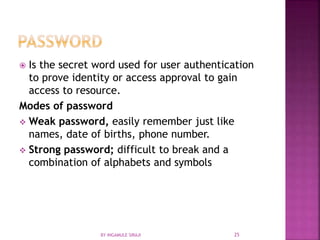
 Is the secret word used for user authentication
to prove identity or access approval to gain
access to resource.
Modes of password
 Weak password, easily remember just like
names, date of births, phone number.
 Strong password; difficult to break and a
combination of alphabets and symbols
BY INGAMULE SIRAJI 25
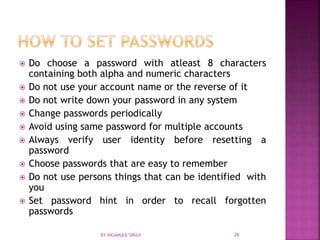
 Do choose a password with atleast 8 characters
containing both alpha and numeric characters
 Do not use your account name or the reverse of it
 Do not write down your password in any system
 Change passwords periodically
 Avoid using same password for multiple accounts
 Always verify user identity before resetting a
password
 Choose passwords that are easy to remember
 Do not use persons things that can be identified with
you
 Set password hint in order to recall forgotten
passwords
BY INGAMULE SIRAJI 26
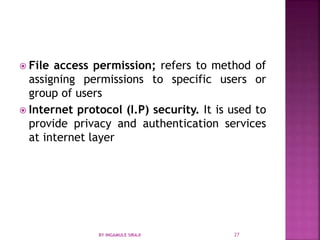
 File access permission; refers to method of
assigning permissions to specific users or
group of users
 Internet protocol (I.P) security. It is used to
provide privacy and authentication services
at internet layer
BY INGAMULE SIRAJI 27

Computer security

  • 1.
    BY INGAMULE SIRAJI BYINGAMULE SIRAJI 1
  • 2.
    Computer security isthe protection of computing system and the data that they store or access. Also known as cyber security BY INGAMULE SIRAJI 2
  • 3.
     System accesscontrol; it ensures that unauthorized users do not get into the system by encouraging authorized users to be conscious.  Data access control; it monitors who can access what data and for what purpose.  System and security administration; it performs offline procedures that make or break computer security.  System design; it takes advantage of basic software and hardware security characteristics. E.g. using system architecture that is able to segment memory BY INGAMULE SIRAJI 3
  • 4.
     Confidentiality; itensures that data is not accessed by any unauthorized users.  Integrity; it ensures that information is not altered by any unauthorized person in such a way that is not detectable by the authorized user.  Authentication; it ensures that users are the persons they claim to be.  Access control; it ensures that users access only those resources they are allowed to access.  Non-repudiation; it ensures that senders of message cannot deny that they sent a message BY INGAMULE SIRAJI 4
  • 5.
     Availability; itensures that systems work promptly and services are not denied for authorized users.  Privacy; it ensures that individual has the right to use information allows another to use the information.  Steganography; it is the act of hiding the existence of a message . It aids in confidentiality and data integrity.  Cryptography; it is the science of writing information in a hidden form. It protects the data in transmit and also the data stored in the disk. BY INGAMULE SIRAJI 5
  • 6.
     Plain text;it is the original message that is an input.  Cipher; it is a bit by bit or character by character transformation without regard to the meaning of the message.  Cipher text; it is coded message or the encrypted data  Encryption; is the process of converting plain text to cipher text using an encryption algorithm.  Decryption; it is the reverse of encryption i.e. converting cipher text to plain text BY INGAMULE SIRAJI 6
  • 7.
     Downloadable files.It includes executable files from the internet like games, screen savers are best sources of virus attack.  Cracked software; some cracked form of illegal files contain viruses and bugs that are difficult to detect.  E-mail attachment; these attachments are the most common sources of viruses.  Internet; almost all computer users click or download everything from the internet inviting virus attacks.  Booting from unknown CD; this happens when the CD is not removed when the computer system is not working as it will start to boot from the CD BY INGAMULE SIRAJI 7
  • 8.
    THREATS TO COMPUTERSECURITY BY INGAMULE SIRAJI 8
  • 9.
     A threatis a potential violation of security and when a threat gets executed, it becomes an attack.  Those who execute such threats are known as attackers BY INGAMULE SIRAJI 9
  • 10.
     MALWARE standsfor Malicious Software. It is a broad term that refers to variety of malicious programs that are used to damage computer system, gather sensitive information, or gain access to private computer system.  Malware is an unwanted software that any unauthorized person wants to run on your computer. These are known as computer security threats. They include virus, worms, Trojan horses, rootkits, Spyware and adware BY INGAMULE SIRAJI 10
  • 11.
     Virus standsfor vital information under siege.  Computer viruses are small programs that negatively affect the computer. WHICH PARTS DO VIRUSES AFFECT  The virus can affect any part of the computer software such as the boot block, operating system, files and application programs. BY INGAMULE SIRAJI 11
  • 12.
    1. Resident viruses,it fixes themselves in the system memory and get activated when ever the operating system runs and infect all the files that are then opened. E.g. Randex, meve e.t.c 2. Direct action viruses; it comes into action when the file containing the virus is executed, it then infects the files in the folder . E.g. vienna virus BY INGAMULE SIRAJI 12
  • 13.
    3. Overwrite virus.It deletes the information contained in the files that it infects rendering them partially or totally useless. E.g. way, Trj. Reboot 4. Boot sector virus, also called master boot sector virus. This type of virus affects the boot sector of a hard disk. E.g. poly boot.B, Anti EXE. 5. Macro virus; it infects files that are created using certain applications or programs that contain macros like doc.xlss,pps e.t.c. Examples include: Melissa. A BY INGAMULE SIRAJI 13
  • 14.
    6.File system virus;it is also called cluster virus or directory virus . It infects the directory of your computer by changing the patch that indicates the location of the file. E.g. Dir-2 virus 7. Polymorphic virus it encrypts or encodes itself in an encrypted way every time it infects the system. The virus then goes on to create large number of copies. E.g. Elkern,Tuareg. 8. FAT Virus, it is used to store all the information about the location of a files unusable space. For example link virus BY INGAMULE SIRAJI 14
  • 15.
    9. multipartite virus;it may spread in various ways such as operating system installed or existence of certain files. For example flip. 10. Web scripting virus, many websites execute complex code in order to provide interesting content. These sites are sometimes created with purposely infected codes . For example J.S fornight. BY INGAMULE SIRAJI 15
  • 16.
     Monitor whatyou are doing  Slow down computer performance  Download illegal files into your computer without you being able to delete them  Destroy all data on your local disk  Affect computer network and the connection to the internet  Increase or decrease memory size  Alter pc settings  Display annoying adverts BY INGAMULE SIRAJI 16
  • 17.
     A computerworm is a standalone malware computer program that replicates itself in order to spread to other computers.  It uses computer network to spread itself  Unlike computer viruses, it does not need to attach itself on another program  Worms are hard to detect because they are invisible files  E.g. Bagle, I love you, Morris, Nimda etc BY INGAMULE SIRAJI 17
  • 18.
     A Trojanhorse is a non self replicating type of malware which appears to perform a desirable function but instead facilitates unauthorized access to the user computer system.  Trojans may use drive by downloads or install via online games or internet driven applications to reach target computers.  E.g. Beast, ZeroAcess Rootkit BY INGAMULE SIRAJI 18
  • 19.
     It isa program which is installed on the computer system to spy on the system owners activity and collects all information which is misused afterwards. DANGERS OF SPYWARES  Steal your passwords  Observe your browsing choices  Report your personal information to distant servers  Affects the computer performance E.g. Cool Web search, Finfishers, Zango. Zlob Trojan BY INGAMULE SIRAJI 19
  • 20.
     Odd messagesare displaying on the screen  Some files are missing  System runs slower  Pc crashes and restarts again and again  Antivirus software will not run or get installed  Drivers are not accessible  Unexpected music or sound  The mouse pointer changes its graphics  Pc starts performing functions like opening or closing windows, running programs on its own. BY INGAMULE SIRAJI 20
  • 21.
     Spoofing ;is a technique to access unauthorized without concerning the real owner. It access the information via the network. Also known as Masquerade.  Salami technique; it diverts small amount of money from a large number of accounts maintained by the system.  Hacking; it is the act of intruding into someone else’s computer. A hacker is someone who does the hacking.  Cracking; it is the act of breaking into computers. They include password cracking, Trojans, viruses. BY INGAMULE SIRAJI 21
  • 22.
     Phishing; refersto the attempt of acquiring sensitive information such as passwords, credit card details through unauthorized ways. Though sending fake notifications and messages to get details when clicked on.  Spam; it is the abuse of messaging systems to send unsolicited bulk messages inform of E- mails.  Rootkits; it is a software that is designed to gain administrative control of the computer system without being detected BY INGAMULE SIRAJI 22
  • 23.
     Anti virussoftware; these are application software designed to prevent, search for, detect and remove viruses. For example Avast, 360 total security, karpersky, Avira antivirus, Norton AVG e.t.c  Digital certificate, is the attachment to an electronic message used for security purposes. It provides a means of providing your identity in electronic transactions.  Digital signature, it is an electronic form of signature that can be used to authenticate the identity of the user. BY INGAMULE SIRAJI 23
  • 24.
    Firewall; a firewallcan either be software or hardware based and is used to help in keeping the network secure. Hardware firewall is a physical device that sits between the computer and the internet and software firewall is installed directly into the computer system. Techniques of access control  Service control, it determines the type of internet services that can be accessed  Direction control; it determines the direction in which particular service request are allowed to flow  User control; it controls accesses to a user according to which user is attempting to access it.  Behaviour control; it controls how particular services are used. BY INGAMULE SIRAJI 24
  • 25.
     Is thesecret word used for user authentication to prove identity or access approval to gain access to resource. Modes of password  Weak password, easily remember just like names, date of births, phone number.  Strong password; difficult to break and a combination of alphabets and symbols BY INGAMULE SIRAJI 25
  • 26.
     Do choosea password with atleast 8 characters containing both alpha and numeric characters  Do not use your account name or the reverse of it  Do not write down your password in any system  Change passwords periodically  Avoid using same password for multiple accounts  Always verify user identity before resetting a password  Choose passwords that are easy to remember  Do not use persons things that can be identified with you  Set password hint in order to recall forgotten passwords BY INGAMULE SIRAJI 26
  • 27.
     File accesspermission; refers to method of assigning permissions to specific users or group of users  Internet protocol (I.P) security. It is used to provide privacy and authentication services at internet layer BY INGAMULE SIRAJI 27