DESIGN BY:
NASREEN AKHTAR
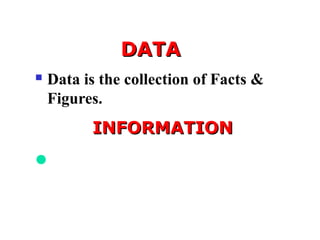
DATADATA
 Data is the collection of Facts &
Figures.
INFORMATIONINFORMATION
Information is the Required Result
after Processing of Data.
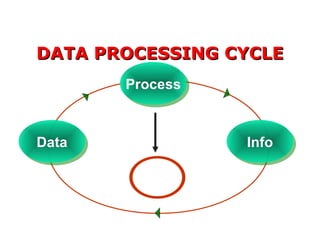
DATA PROCESSING CYCLEDATA PROCESSING CYCLE
DataData
ProcessProcess
InfoInfo
Storage
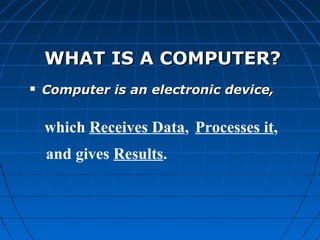
WHAT IS A COMPUTER?WHAT IS A COMPUTER?
 Computer is an electronic device,Computer is an electronic device,
which Receives Data, Processes it,
and gives Results.
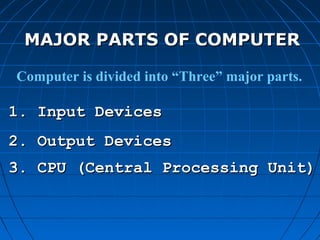
MAJOR PARTS OF COMPUTERMAJOR PARTS OF COMPUTER
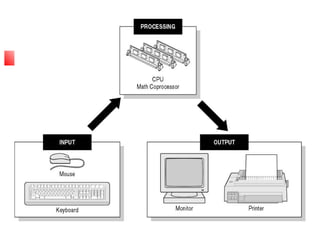
Computer is divided into “Three” major parts.
1. Input Devices1. Input Devices
3. CPU (Central Processing Unit)3. CPU (Central Processing Unit)
2. Output Devices2. Output Devices
INPUT DEVICESINPUT DEVICES
 By help of Input devices we can sendBy help of Input devices we can send
data into the Computerdata into the Computer
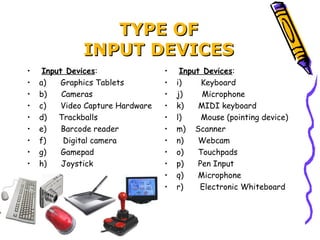
TYPE OFTYPE OF
INPUT DEVICESINPUT DEVICES
•  Input Devices:
• a)      Graphics Tablets
• b)      Cameras
• c)      Video Capture Hardware
• d)     Trackballs
• e)      Barcode reader
• f)       Digital camera
• g)      Gamepad
• h)      Joystick
•  Input Devices:
• i)        Keyboard
• j)        Microphone
• k)      MIDI keyboard
• l)        Mouse (pointing device)
• m)    Scanner
• n)      Webcam
• o)      Touchpads
• p)      Pen Input
• q)      Microphone
• r)       Electronic Whiteboard
OUTPUT DEVICESOUTPUT DEVICES
 Output devices are used to display
some kind of data from Computer
TYPES OFTYPES OF
OUTPUT DEVICESOUTPUT DEVICES
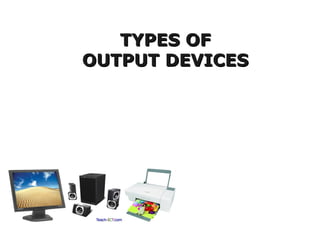
OUTPUT  DEVICES:
Monitor
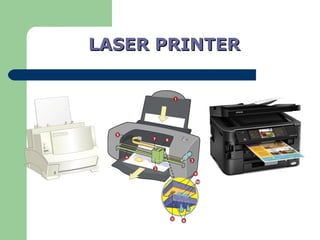
Printers (all types)
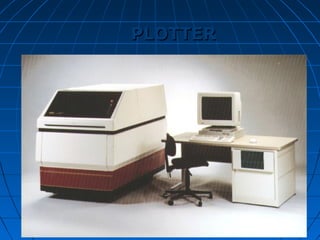
Plotters
Projector
LCD Projection Panels
Computer Output Microfilm
(COM)
Speaker(s)
Both Input-OutPut Devices:
Modems
Network cards
Touch Screen
4. Headsets (Headset consists of
Speakers and Microphone.
Speaker act Output Device and
Microphone act as Input
device)
5. Facsimile (FAX) (It has
scanner to scan the document
and also
have printer to Print the
document)
6.Audio Cards / Sound Card
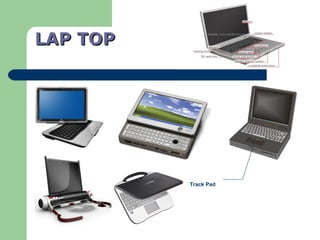
Track Pad
LAP TOPLAP TOP
LASER PRINTERLASER PRINTER
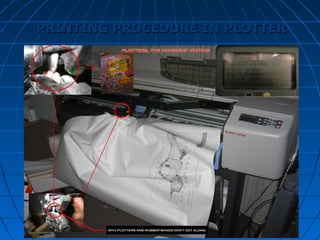
PLOTTERPLOTTER
PRINTING PROCEDURE IN PLOTTERPRINTING PROCEDURE IN PLOTTER
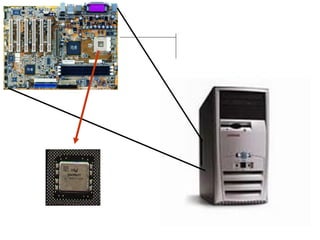
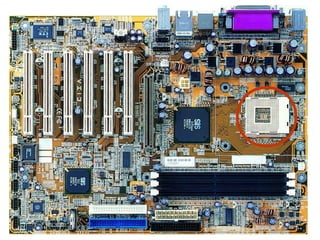
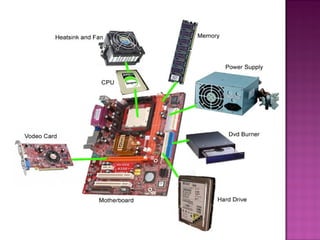
Mother Board
CPU (Central Processing Unit)CPU (Central Processing Unit)
A main part of the Computer where every
process accomplish that we perform
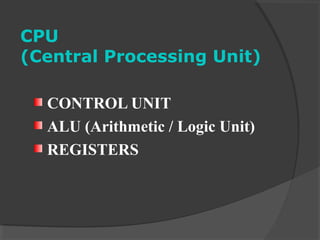
CPU
(Central Processing Unit)
CONTROL UNIT
ALU (Arithmetic / Logic Unit)
REGISTERS
MEMORYMEMORY
Memory is that place in computer where weMemory is that place in computer where we
can store our programs and Data.can store our programs and Data.
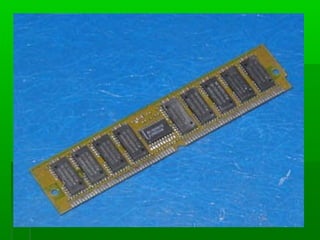
READ ONLY MEMORYREAD ONLY MEMORY
ROM stores data permanently. WhenROM stores data permanently. When
the power in turned off, the instructionsthe power in turned off, the instructions
stored in ROM and not lost.stored in ROM and not lost.
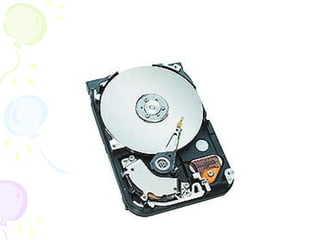
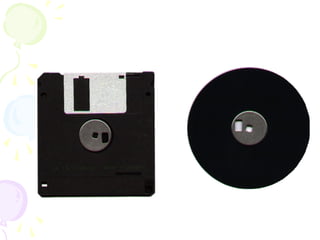
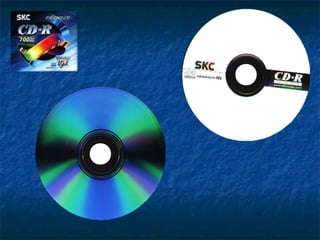
SECONDARY MEMORYSECONDARY MEMORY
It is used to store instructionsIt is used to store instructions
permanently.permanently.
It is also called Secondary storage.
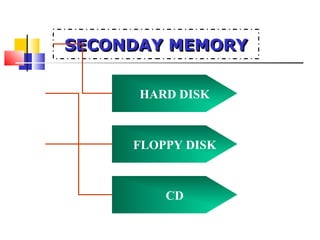
SECONDAY MEMORYSECONDAY MEMORYSECONDAY MEMORYSECONDAY MEMORY
HARD DISK
FLOPPY DISK
CD
HARD DISK DRIVE
FLOPPY DISK
8 Bits =1 byte
1024 Bytes =1 Kilo byte
1024 Kilo bytes =1 Mega byte
1024 Mega bytes =1 Giga byte
1024 Giga bytes =1 Tera byte
ELEMENTS OF COMPUTERELEMENTS OF COMPUTER
Hardware.
Software
TYPES OF SOFTWARETYPES OF SOFTWARE
1. SYSTEM SOFTWARES
2. APPLICATION SOFTWARES
3. LANGUAGE SOFTWARES
SYSTEM SOFTWARESYSTEM SOFTWARE
System software’s are used to operate,
control and extend the processing
capabilities of computers.
SYSTEM SOFTWARESSYSTEM SOFTWARES
♣ Operating SystemsOperating Systems
♣ DriverDriver
♣ VirusVirus
♣ Anti-VirusAnti-Virus
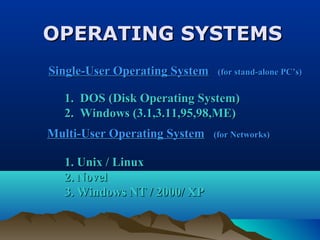
OPERATING SYSTEMSOPERATING SYSTEMS
1. Unix / Linux1. Unix / Linux
2. Novel2. Novel
3. Windows NT / 2000/ XP3. Windows NT / 2000/ XP
Single-User Operating SystemSingle-User Operating System (for stand-alone PC’s)(for stand-alone PC’s)
1. DOS (Disk Operating System)1. DOS (Disk Operating System)
2. Windows (3.1,3.11,95,98,ME)2. Windows (3.1,3.11,95,98,ME)
Multi-User Operating SystemMulti-User Operating System (for Networks)(for Networks)
APPLICATION SOFTWAREAPPLICATION SOFTWARE
Application Software is software that is designed
for a specific purpose or use.
They can solve only one type of problem.
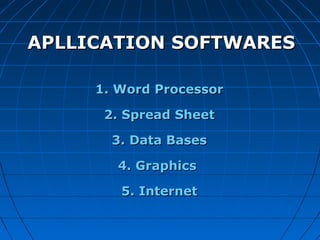
1.1. Word ProcessorWord Processor
2. Spread Sheet2. Spread Sheet
3. Data Bases3. Data Bases
4. Graphics4. Graphics
5. Internet5. Internet
APLLICATION SOFTWARESAPLLICATION SOFTWARES
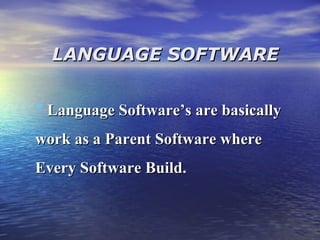
LANGUAGE SOFTWARELANGUAGE SOFTWARE
* Language Software’s are basicallyLanguage Software’s are basically
work as a Parent Software wherework as a Parent Software where
Every Software Build.Every Software Build.
LANGUAGE SOFTWARELANGUAGE SOFTWARE
* C++C++
* Visual BasicVisual Basic
* FortranFortran
* JavaJava

Computer conceptsok

  • 1.
  • 2.
    DATADATA  Data isthe collection of Facts & Figures. INFORMATIONINFORMATION Information is the Required Result after Processing of Data.
  • 3.
    DATA PROCESSING CYCLEDATAPROCESSING CYCLE DataData ProcessProcess InfoInfo Storage
  • 4.
    WHAT IS ACOMPUTER?WHAT IS A COMPUTER?  Computer is an electronic device,Computer is an electronic device, which Receives Data, Processes it, and gives Results.
  • 5.
    MAJOR PARTS OFCOMPUTERMAJOR PARTS OF COMPUTER Computer is divided into “Three” major parts. 1. Input Devices1. Input Devices 3. CPU (Central Processing Unit)3. CPU (Central Processing Unit) 2. Output Devices2. Output Devices
  • 6.
    INPUT DEVICESINPUT DEVICES By help of Input devices we can sendBy help of Input devices we can send data into the Computerdata into the Computer
  • 7.
    TYPE OFTYPE OF INPUTDEVICESINPUT DEVICES •  Input Devices: • a)      Graphics Tablets • b)      Cameras • c)      Video Capture Hardware • d)     Trackballs • e)      Barcode reader • f)       Digital camera • g)      Gamepad • h)      Joystick •  Input Devices: • i)        Keyboard • j)        Microphone • k)      MIDI keyboard • l)        Mouse (pointing device) • m)    Scanner • n)      Webcam • o)      Touchpads • p)      Pen Input • q)      Microphone • r)       Electronic Whiteboard
  • 8.
    OUTPUT DEVICESOUTPUT DEVICES Output devices are used to display some kind of data from Computer
  • 9.
    TYPES OFTYPES OF OUTPUTDEVICESOUTPUT DEVICES OUTPUT  DEVICES: Monitor Printers (all types) Plotters Projector LCD Projection Panels Computer Output Microfilm (COM) Speaker(s) Both Input-OutPut Devices: Modems Network cards Touch Screen 4. Headsets (Headset consists of Speakers and Microphone. Speaker act Output Device and Microphone act as Input device) 5. Facsimile (FAX) (It has scanner to scan the document and also have printer to Print the document) 6.Audio Cards / Sound Card
  • 10.
  • 11.
  • 12.
  • 13.
    PRINTING PROCEDURE INPLOTTERPRINTING PROCEDURE IN PLOTTER
  • 15.
  • 18.
    CPU (Central ProcessingUnit)CPU (Central Processing Unit) A main part of the Computer where every process accomplish that we perform
  • 19.
    CPU (Central Processing Unit) CONTROLUNIT ALU (Arithmetic / Logic Unit) REGISTERS
  • 20.
    MEMORYMEMORY Memory is thatplace in computer where weMemory is that place in computer where we can store our programs and Data.can store our programs and Data.
  • 21.
    READ ONLY MEMORYREADONLY MEMORY ROM stores data permanently. WhenROM stores data permanently. When the power in turned off, the instructionsthe power in turned off, the instructions stored in ROM and not lost.stored in ROM and not lost.
  • 23.
    SECONDARY MEMORYSECONDARY MEMORY Itis used to store instructionsIt is used to store instructions permanently.permanently. It is also called Secondary storage.
  • 24.
    SECONDAY MEMORYSECONDAY MEMORYSECONDAYMEMORYSECONDAY MEMORY HARD DISK FLOPPY DISK CD
  • 25.
  • 26.
  • 28.
    8 Bits =1byte 1024 Bytes =1 Kilo byte 1024 Kilo bytes =1 Mega byte 1024 Mega bytes =1 Giga byte 1024 Giga bytes =1 Tera byte
  • 29.
    ELEMENTS OF COMPUTERELEMENTSOF COMPUTER Hardware. Software
  • 30.
    TYPES OF SOFTWARETYPESOF SOFTWARE 1. SYSTEM SOFTWARES 2. APPLICATION SOFTWARES 3. LANGUAGE SOFTWARES
  • 31.
    SYSTEM SOFTWARESYSTEM SOFTWARE Systemsoftware’s are used to operate, control and extend the processing capabilities of computers.
  • 32.
    SYSTEM SOFTWARESSYSTEM SOFTWARES ♣Operating SystemsOperating Systems ♣ DriverDriver ♣ VirusVirus ♣ Anti-VirusAnti-Virus
  • 33.
    OPERATING SYSTEMSOPERATING SYSTEMS 1.Unix / Linux1. Unix / Linux 2. Novel2. Novel 3. Windows NT / 2000/ XP3. Windows NT / 2000/ XP Single-User Operating SystemSingle-User Operating System (for stand-alone PC’s)(for stand-alone PC’s) 1. DOS (Disk Operating System)1. DOS (Disk Operating System) 2. Windows (3.1,3.11,95,98,ME)2. Windows (3.1,3.11,95,98,ME) Multi-User Operating SystemMulti-User Operating System (for Networks)(for Networks)
  • 34.
    APPLICATION SOFTWAREAPPLICATION SOFTWARE ApplicationSoftware is software that is designed for a specific purpose or use. They can solve only one type of problem.
  • 35.
    1.1. Word ProcessorWordProcessor 2. Spread Sheet2. Spread Sheet 3. Data Bases3. Data Bases 4. Graphics4. Graphics 5. Internet5. Internet APLLICATION SOFTWARESAPLLICATION SOFTWARES
  • 36.
    LANGUAGE SOFTWARELANGUAGE SOFTWARE *Language Software’s are basicallyLanguage Software’s are basically work as a Parent Software wherework as a Parent Software where Every Software Build.Every Software Build.
  • 37.
    LANGUAGE SOFTWARELANGUAGE SOFTWARE *C++C++ * Visual BasicVisual Basic * FortranFortran * JavaJava