COMP PROJECT
SNBP INTERNATIONAL SCHOOL, CHIKHALI
• Name – Varad Rajiv Pandare
• Grade – 10
• Division – Diamond
• Roll No. - 31
OPERATING SYSTEM
What is Computer Operating
System?
• The first program that loads
on a computer when you
switch it on is called its
operating system. It is a
program that acts as an
interface between the
software and computer
hardware. It is a specialized
set of programs that
manages the overall
functioning and its
resources.
Functions Of An
Operating System
Processor Management Memory Management Device Management File Management
Security Error Detection Job scheduling
Types Of Operating System
• SINGLE USER OPERATING SYSTEM
These operating systems could only support only one user to do
one thing at a time. The most popular single user operation
systems were:
Microsoft Windows 3.1, Microsoft Windows 95, and Microsoft DOS.
GRAPHICAL USER
INTERFACE
• This operating system is graphic
based and interactive in nature.
In it, menus and icons are
available to perform all
operations, just by clicking on
them. Now, a user does not
need to remember the lengthy
commands or their syntax as
they had to do in Command-
Line Interface
• Examples: Windows Operating
System, MacOS, Linux.
MULTI-USER OPERATING
SYSTEM
• Multi-user operating systems
allow more than one user to use
the same computer at the same
time. Some of the operating
systems that fall in this category
are: Linux, Unix and Microsoft
Windows.
• Windows 2000 was the first
version of windows, which
allowed the users to create
several user accounts on
a single machine.
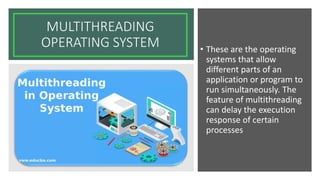
MULTITHREADING
OPERATING SYSTEM • These are the operating
systems that allow
different parts of an
application or program to
run simultaneously. The
feature of multithreading
can delay the execution
response of certain
processes
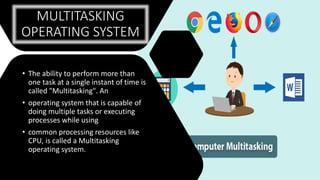
MULTITASKING
OPERATING SYSTEM
• The ability to perform more than
one task at a single instant of time is
called "Multitasking". An
• operating system that is capable of
doing multiple tasks or executing
processes while using
• common processing resources like
CPU, is called a Multitasking
operating system.
REAL TIME OPERATING SYSTEM
(RTOS)
• RTOS is designed to handle real-life
scenarios and problems. Such operating
systems have the
• capability to prioritise the processes,
minimise execution time, and work
independently.
• Whenever you book an air ticket online,
you are actually communicating with a
real-time
• machine, which is handling your data
independently, giving you instant response,
and securing
DISTRIBUTED
OPERATING
SYSTEM
• Distributed operating system runs on
computers that are located in different
geographical areas, interconnected through a
network. It controls these interconnected
systems and makes themappear to be a single
computer.
• It allows all the linked machines to access the
data, software, andprocess tasks over a
network of geographically dispersed computers.
Hope you liked it!

Comp Project (V).pptx

  • 1.
    COMP PROJECT SNBP INTERNATIONALSCHOOL, CHIKHALI • Name – Varad Rajiv Pandare • Grade – 10 • Division – Diamond • Roll No. - 31
  • 2.
  • 3.
    What is ComputerOperating System? • The first program that loads on a computer when you switch it on is called its operating system. It is a program that acts as an interface between the software and computer hardware. It is a specialized set of programs that manages the overall functioning and its resources.
  • 4.
    Functions Of An OperatingSystem Processor Management Memory Management Device Management File Management Security Error Detection Job scheduling
  • 5.
    Types Of OperatingSystem • SINGLE USER OPERATING SYSTEM These operating systems could only support only one user to do one thing at a time. The most popular single user operation systems were: Microsoft Windows 3.1, Microsoft Windows 95, and Microsoft DOS.
  • 6.
    GRAPHICAL USER INTERFACE • Thisoperating system is graphic based and interactive in nature. In it, menus and icons are available to perform all operations, just by clicking on them. Now, a user does not need to remember the lengthy commands or their syntax as they had to do in Command- Line Interface • Examples: Windows Operating System, MacOS, Linux.
  • 7.
    MULTI-USER OPERATING SYSTEM • Multi-useroperating systems allow more than one user to use the same computer at the same time. Some of the operating systems that fall in this category are: Linux, Unix and Microsoft Windows. • Windows 2000 was the first version of windows, which allowed the users to create several user accounts on a single machine.
  • 8.
    MULTITHREADING OPERATING SYSTEM •These are the operating systems that allow different parts of an application or program to run simultaneously. The feature of multithreading can delay the execution response of certain processes
  • 9.
    MULTITASKING OPERATING SYSTEM • Theability to perform more than one task at a single instant of time is called "Multitasking". An • operating system that is capable of doing multiple tasks or executing processes while using • common processing resources like CPU, is called a Multitasking operating system.
  • 10.
    REAL TIME OPERATINGSYSTEM (RTOS) • RTOS is designed to handle real-life scenarios and problems. Such operating systems have the • capability to prioritise the processes, minimise execution time, and work independently. • Whenever you book an air ticket online, you are actually communicating with a real-time • machine, which is handling your data independently, giving you instant response, and securing
  • 11.
    DISTRIBUTED OPERATING SYSTEM • Distributed operatingsystem runs on computers that are located in different geographical areas, interconnected through a network. It controls these interconnected systems and makes themappear to be a single computer. • It allows all the linked machines to access the data, software, andprocess tasks over a network of geographically dispersed computers.
  • 12.