S U B T I T L E : A N O V E R V I E W
Operating Systems :
Definition, History and
Purpose
By :- Shah Vansh h.
Enrol:- 2404030100220
What is an Operating System?
 Operating systems are essential software that manages
and controls the hardware of a computer, facilitating
communication between applications and hardware.
 It is essential for the functioning of computer systems,
enabling user interaction and efficient resource
management.
 Examples: Windows, macOS, Linux, Android, iOS.
INTRODUCTION
KEY FUNCTIONS OF AN
OPERATING SYSTEM
 Operating systems perform numerous vital functions, enabling
computers to run smoothly and efficiently. These core functions
include memory management, process management, and
input/output operations.
• Memory Management : Allocates and manages
computer memory for various applications and processes.
• Process Management : Controls and coordinates the
execution of programs and processes.
• Input/Output Operations : Handles communication
between the computer and peripherals such as keyboards,
printers, and hard drives.
• File System Management : Organizes and manages files and
directories on storage
devices.
The histor y of operating systems is inter twined with the evolution of
computer technology, star ting with simple batch systems and
progressing to complex, multi-user systems.
• 1. Early Batch Systems (1940s-1950s)
• These systems processed jobs in batches, one after the other, with
limited interaction from users .
• 2. Multiprogramming and Time-Sharing (1960s-1970s)
• These systems allowed multiple programs to run concurrently on the same
computer, improving efficiency by utilizing the CPU more effectively.
• 3.Personal Computers (1980s-Present)
• The development of personal computers led to the creation of
user-friendly operating
systems, such as MS-DOS and Apple’s
Mac OS, which were designed for individual use.
History of Operating
System
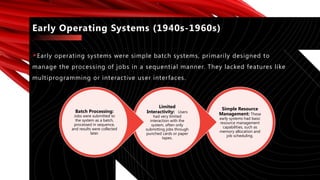
Early operating systems were simple batch systems, primarily designed to
manage the processing of jobs in a sequential manner. They lacked features like
multiprogramming or interactive user interfaces.
Early Operating Systems (1940s-1960s)
Simple Resource
Management: These
early systems had basic
resource management
capabilities, such as
memory allocation and
job scheduling.
Limited
Interactivity: Users
had very limited
interaction with the
system, often only
submitting jobs through
punched cards or paper
tapes.
Batch Processing:
Jobs were submitted to
the system as a batch,
processed in sequence,
and results were collected
later.
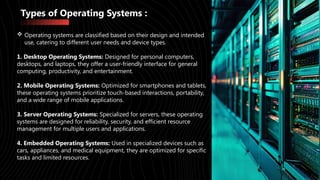
Types of Operating Systems :
 Operating systems are classified based on their design and intended
use, catering to different user needs and device types.
1. Desktop Operating Systems: Designed for personal computers,
desktops, and laptops, they offer a user-friendly interface for general
computing, productivity, and entertainment.
2. Mobile Operating Systems: Optimized for smartphones and tablets,
these operating systems prioritize touch-based interactions, portability,
and a wide range of mobile applications.
3. Server Operating Systems: Specialized for servers, these operating
systems are designed for reliability, security, and efficient resource
management for multiple users and applications.
4. Embedded Operating Systems: Used in specialized devices such as
cars, appliances, and medical equipment, they are optimized for specific
tasks and limited resources.
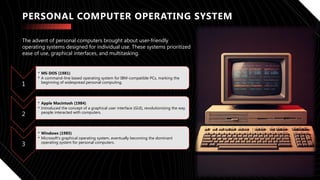
PERSONAL COMPUTER OPERATING SYSTEM
1
• MS-DOS (1981)
• A command-line based operating system for IBM-compatible PCs, marking the
beginning of widespread personal computing.
2
• Apple Macintosh (1984)
• Introduced the concept of a graphical user interface (GUI), revolutionizing the way
people interacted with computers.
3
• Windows (1985)
• Microsoft's graphical operating system, eventually becoming the dominant
operating system for personal computers.
The advent of personal computers brought about user-friendly
operating systems designed for individual use. These systems prioritized
ease of use, graphical interfaces, and multitasking.
MULTIPROCESSING AND DISTRIBUTED
OPERATION SYSTEMS
Multiprocessing and distributed operating systems are designed to manage systems with multiple
processors or multiple computers working together, allowing for high performance and scalability.
Multiprocessing
A single computer with multiple processors working together to execute tasks simultaneously,
increasing computing power.
Distributed Operating Systems
A system where multiple computers are interconnected and work as a single unit, sharing resources
and data across the network.
Cloud Computing
A model of computing where resources are accessed over the internet, leveraging distributed systems
and virtualization to provide on-demand services.
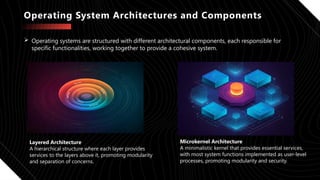
Operating System Architectures and Components
 Operating systems are structured with different architectural components, each responsible for
specific functionalities, working together to provide a cohesive system.
Layered Architecture
A hierarchical structure where each layer provides
services to the layers above it, promoting modularity
and separation of concerns.
Microkernel Architecture
A minimalistic kernel that provides essential services,
with most system functions implemented as user-level
processes, promoting modularity and security.
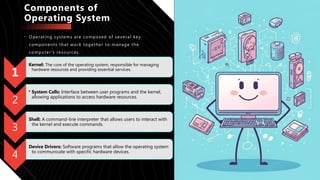
Components of
Operating System
• Operating systems are composed of several key
components that work together to manage the
computer's resources.
1
Kernel: The core of the operating system, responsible for managing
hardware resources and providing essential services.
2
• System Calls: Interface between user programs and the kernel,
allowing applications to access hardware resources.
3
Shell: A command-line interpreter that allows users to interact with
the kernel and execute commands.
4
Device Drivers: Software programs that allow the operating system
to communicate with specific hardware devices.
FUTURE TRENDS AND DEVELOPMENT
The future of operating systems will likely see advancements in areas such as artificial intelligence,
cloud computing, security, and user experience.
• AI-Powered Operating Systems: Integrating AI into operating systems to provide more personalized
and intelligent features, such as automated task management, predictive maintenance, and
personalized recommendations.
• Edge Computing and IoT: Development of operating systems optimized for edge devices, enabling
seamless interaction and data processing at the edge of the network.
• Enhanced Security: Focus on enhancing security features in operating systems to protect against
evolving threats, such as malware, ransomware, and data breaches.
• User Experience: Improving user experience with intuitive interfaces, personalized settings, and
seamless integration with various devices and platforms.
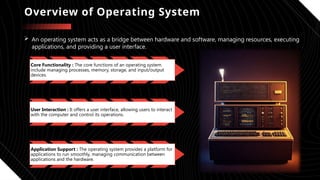
Overview of Operating System
 An operating system acts as a bridge between hardware and software, managing resources, executing
applications, and providing a user interface.
Core Functionality : The core functions of an operating system
include managing processes, memory, storage, and input/output
devices.
User Interaction : It offers a user interface, allowing users to interact
with the computer and control its operations.
Application Support : The operating system provides a platform for
applications to run smoothly, managing communication between
applications and the hardware.
The Brain Behind Your Device: A Deep Dive into Operating Systems

The Brain Behind Your Device: A Deep Dive into Operating Systems

  • 1.
    S U BT I T L E : A N O V E R V I E W Operating Systems : Definition, History and Purpose By :- Shah Vansh h. Enrol:- 2404030100220
  • 2.
    What is anOperating System?  Operating systems are essential software that manages and controls the hardware of a computer, facilitating communication between applications and hardware.  It is essential for the functioning of computer systems, enabling user interaction and efficient resource management.  Examples: Windows, macOS, Linux, Android, iOS. INTRODUCTION
  • 3.
    KEY FUNCTIONS OFAN OPERATING SYSTEM  Operating systems perform numerous vital functions, enabling computers to run smoothly and efficiently. These core functions include memory management, process management, and input/output operations. • Memory Management : Allocates and manages computer memory for various applications and processes. • Process Management : Controls and coordinates the execution of programs and processes. • Input/Output Operations : Handles communication between the computer and peripherals such as keyboards, printers, and hard drives. • File System Management : Organizes and manages files and directories on storage devices.
  • 4.
    The histor yof operating systems is inter twined with the evolution of computer technology, star ting with simple batch systems and progressing to complex, multi-user systems. • 1. Early Batch Systems (1940s-1950s) • These systems processed jobs in batches, one after the other, with limited interaction from users . • 2. Multiprogramming and Time-Sharing (1960s-1970s) • These systems allowed multiple programs to run concurrently on the same computer, improving efficiency by utilizing the CPU more effectively. • 3.Personal Computers (1980s-Present) • The development of personal computers led to the creation of user-friendly operating systems, such as MS-DOS and Apple’s Mac OS, which were designed for individual use. History of Operating System
  • 5.
    Early operating systemswere simple batch systems, primarily designed to manage the processing of jobs in a sequential manner. They lacked features like multiprogramming or interactive user interfaces. Early Operating Systems (1940s-1960s) Simple Resource Management: These early systems had basic resource management capabilities, such as memory allocation and job scheduling. Limited Interactivity: Users had very limited interaction with the system, often only submitting jobs through punched cards or paper tapes. Batch Processing: Jobs were submitted to the system as a batch, processed in sequence, and results were collected later.
  • 6.
    Types of OperatingSystems :  Operating systems are classified based on their design and intended use, catering to different user needs and device types. 1. Desktop Operating Systems: Designed for personal computers, desktops, and laptops, they offer a user-friendly interface for general computing, productivity, and entertainment. 2. Mobile Operating Systems: Optimized for smartphones and tablets, these operating systems prioritize touch-based interactions, portability, and a wide range of mobile applications. 3. Server Operating Systems: Specialized for servers, these operating systems are designed for reliability, security, and efficient resource management for multiple users and applications. 4. Embedded Operating Systems: Used in specialized devices such as cars, appliances, and medical equipment, they are optimized for specific tasks and limited resources.
  • 7.
    PERSONAL COMPUTER OPERATINGSYSTEM 1 • MS-DOS (1981) • A command-line based operating system for IBM-compatible PCs, marking the beginning of widespread personal computing. 2 • Apple Macintosh (1984) • Introduced the concept of a graphical user interface (GUI), revolutionizing the way people interacted with computers. 3 • Windows (1985) • Microsoft's graphical operating system, eventually becoming the dominant operating system for personal computers. The advent of personal computers brought about user-friendly operating systems designed for individual use. These systems prioritized ease of use, graphical interfaces, and multitasking.
  • 8.
    MULTIPROCESSING AND DISTRIBUTED OPERATIONSYSTEMS Multiprocessing and distributed operating systems are designed to manage systems with multiple processors or multiple computers working together, allowing for high performance and scalability. Multiprocessing A single computer with multiple processors working together to execute tasks simultaneously, increasing computing power. Distributed Operating Systems A system where multiple computers are interconnected and work as a single unit, sharing resources and data across the network. Cloud Computing A model of computing where resources are accessed over the internet, leveraging distributed systems and virtualization to provide on-demand services.
  • 9.
    Operating System Architecturesand Components  Operating systems are structured with different architectural components, each responsible for specific functionalities, working together to provide a cohesive system. Layered Architecture A hierarchical structure where each layer provides services to the layers above it, promoting modularity and separation of concerns. Microkernel Architecture A minimalistic kernel that provides essential services, with most system functions implemented as user-level processes, promoting modularity and security.
  • 10.
    Components of Operating System •Operating systems are composed of several key components that work together to manage the computer's resources. 1 Kernel: The core of the operating system, responsible for managing hardware resources and providing essential services. 2 • System Calls: Interface between user programs and the kernel, allowing applications to access hardware resources. 3 Shell: A command-line interpreter that allows users to interact with the kernel and execute commands. 4 Device Drivers: Software programs that allow the operating system to communicate with specific hardware devices.
  • 11.
    FUTURE TRENDS ANDDEVELOPMENT The future of operating systems will likely see advancements in areas such as artificial intelligence, cloud computing, security, and user experience. • AI-Powered Operating Systems: Integrating AI into operating systems to provide more personalized and intelligent features, such as automated task management, predictive maintenance, and personalized recommendations. • Edge Computing and IoT: Development of operating systems optimized for edge devices, enabling seamless interaction and data processing at the edge of the network. • Enhanced Security: Focus on enhancing security features in operating systems to protect against evolving threats, such as malware, ransomware, and data breaches. • User Experience: Improving user experience with intuitive interfaces, personalized settings, and seamless integration with various devices and platforms.
  • 12.
    Overview of OperatingSystem  An operating system acts as a bridge between hardware and software, managing resources, executing applications, and providing a user interface. Core Functionality : The core functions of an operating system include managing processes, memory, storage, and input/output devices. User Interaction : It offers a user interface, allowing users to interact with the computer and control its operations. Application Support : The operating system provides a platform for applications to run smoothly, managing communication between applications and the hardware.