DR R DKumbhar
DR R D Kumbhar
KBPIMSR Varye
KBPIMSR Varye
SATARA
SATARA
Subject: Operating Systems (For MBA I)
2.
Contents
Today's Topic:Introduction to Operating Systems
We will learn
We will learn
1.
1. What is Operating System?
What is Operating System?
2.
2. What OS does?
What OS does?
3.
3. Structure of OS
Structure of OS
4.
4. Evolution of OS
Evolution of OS
Batch Processing, Multiprogramming, Time
Batch Processing, Multiprogramming, Time
sharing systems
sharing systems
5.
5. Operating System Functions
Operating System Functions
6.
6. Main Funtions of OS
Main Funtions of OS
7.
7. Types of OS
Types of OS
Single User, Multi User systems
Single User, Multi User systems
What is OS?
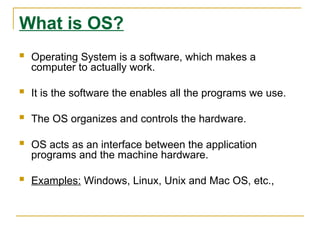
Operating System is a software, which makes a
computer to actually work.
It is the software the enables all the programs we use.
The OS organizes and controls the hardware.
OS acts as an interface between the application
programs and the machine hardware.
Examples: Windows, Linux, Unix and Mac OS, etc.,
5.
What OS does?
Anoperating system performs basic tasks such as,
controlling and allocating memory,
prioritizing system requests,
controlling input and output devices,
facilitating networking and
managing file systems.
6.
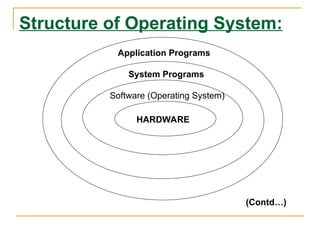
Structure of OperatingSystem:
Application Programs
System Programs
Software (Operating System)
HARDWARE
(Contd…)
7.
Structure of OperatingSystem
(Contd…):
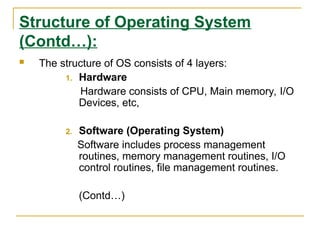
The structure of OS consists of 4 layers:
1. Hardware
Hardware consists of CPU, Main memory, I/O
Devices, etc,
2. Software (Operating System)
Software includes process management
routines, memory management routines, I/O
control routines, file management routines.
(Contd…)
8.
Structure of OperatingSystem
(Contd…):
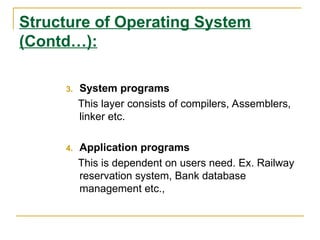
3. System programs
This layer consists of compilers, Assemblers,
linker etc.
4. Application programs
This is dependent on users need. Ex. Railway
reservation system, Bank database
management etc.,
9.
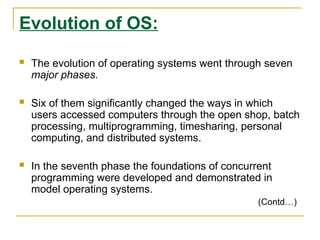
Evolution of OS:
The evolution of operating systems went through seven
major phases.
Six of them significantly changed the ways in which
users accessed computers through the open shop, batch
processing, multiprogramming, timesharing, personal
computing, and distributed systems.
In the seventh phase the foundations of concurrent
programming were developed and demonstrated in
model operating systems.
(Contd…)
10.
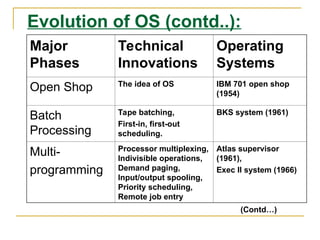
Evolution of OS(contd..):
Major
Phases
Technical
Innovations
Operating
Systems
Open Shop The idea of OS IBM 701 open shop
(1954)
Batch
Processing
Tape batching,
First-in, first-out
scheduling.
BKS system (1961)
Multi-
programming
Processor multiplexing,
Indivisible operations,
Demand paging,
Input/output spooling,
Priority scheduling,
Remote job entry
Atlas supervisor
(1961),
Exec II system (1966)
(Contd…)
11.
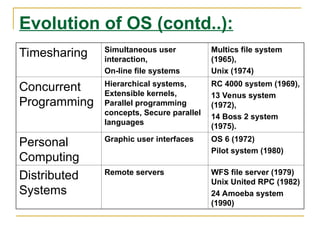
Evolution of OS(contd..):
Timesharing Simultaneous user
interaction,
On-line file systems
Multics file system
(1965),
Unix (1974)
Concurrent
Programming
Hierarchical systems,
Extensible kernels,
Parallel programming
concepts, Secure parallel
languages
RC 4000 system (1969),
13 Venus system
(1972),
14 Boss 2 system
(1975).
Personal
Computing
Graphic user interfaces OS 6 (1972)
Pilot system (1980)
Distributed
Systems
Remote servers WFS file server (1979)
Unix United RPC (1982)
24 Amoeba system
(1990)
12.
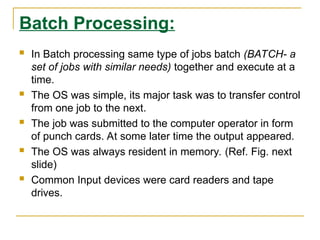
Batch Processing:
InBatch processing same type of jobs batch (BATCH- a
set of jobs with similar needs) together and execute at a
time.
The OS was simple, its major task was to transfer control
from one job to the next.
The job was submitted to the computer operator in form
of punch cards. At some later time the output appeared.
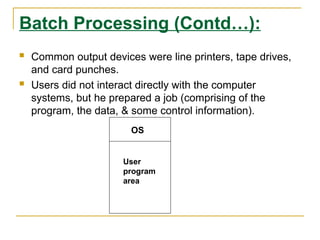
The OS was always resident in memory. (Ref. Fig. next
slide)
Common Input devices were card readers and tape
drives.
13.
Batch Processing (Contd…):
Common output devices were line printers, tape drives,
and card punches.
Users did not interact directly with the computer
systems, but he prepared a job (comprising of the
program, the data, & some control information).
OS
User
program
area
14.
Multiprogramming:
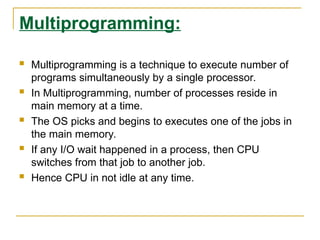
Multiprogramming isa technique to execute number of
programs simultaneously by a single processor.
In Multiprogramming, number of processes reside in
main memory at a time.
The OS picks and begins to executes one of the jobs in
the main memory.
If any I/O wait happened in a process, then CPU
switches from that job to another job.
Hence CPU in not idle at any time.
15.
Multiprogramming (Contd…):
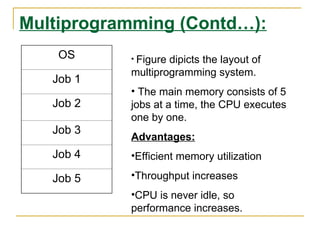
OS
Job 1
Job2
Job 3
Job 4
Job 5
• Figure dipicts the layout of
multiprogramming system.
• The main memory consists of 5
jobs at a time, the CPU executes
one by one.
Advantages:
•Efficient memory utilization
•Throughput increases
•CPU is never idle, so
performance increases.
16.
Time Sharing Systems:
Time sharing, or multitasking, is a logical extension of
multiprogramming.
Multiple jobs are executed by switching the CPU
between them.
In this, the CPU time is shared by different processes, so
it is called as “Time sharing Systems”.
Time slice is defined by the OS, for sharing CPU time
between processes.
Examples: Multics, Unix, etc.,
17.
Operating Systems functions:
The main functions of operating systems are:
1. Program creation
2. Program execution
3. Input/Output operations
4. Error detection
5. Resource allocation
6. Accounting
7. protection
18.
Types of OS:
OperatingSystem can also be classified as,-
Single User Systems
Multi User Systems
19.
Single User Systems:
Provides a platform for only one user at a
time.
They are popularly associated with Desk Top
operating system which run on standalone
systems where no user accounts are
required.
Example: DOS
20.
Multi-User Systems:
Providesregulated access for a number of users by
maintaining a database of known users.
Refers to computer systems that support two or more
simultaneous users.
Another term for multi-user is time sharing.
Ex: All mainframes and are multi-user systems.
Example: Unix
21.
Functions ofOperating System
Operating systems perform the following important functions:
i) Processor Management: It means assigning processor to different tasks which has to be performed by the computer
system.
ii) Memory Management: It means allocation of main memory and secondary storage areas to the system programmes,
as well as user programmes and data.
iii) Input and Output Management: It means co-ordination and assignment of the different output and input devices while
one or more programmes are being executed.
iv) File System Management: Operating system is also responsible for maintenance of a file system, in which the users
are allowed to create, delete and move files.
v) Establishment and Enforcement of a Priority System: It means the operating system determines and maintains the
order in which jobs are to be executed in the computer system.
vi) Assignment of system resources, both software and hardware to the various users of the system.
VI) Security
22.
An operating systemhas three main responsibilities:
1. Perform basic tasks, such as recognizing input from the keyboard, sending
output to the display screen, keeping track of files and directories on the disk
and controlling peripheral devices such as disk drives and printers.
2. Ensure that different programs and users running at the same time do not
interfere with each other.
3. Provide a software platform on top of which other programs (i.e., application
software) can run.
The first two responsibilities address the need for managing the computer
hardware and the application programs that use the hardware. The third
responsibility focuses on providing an interface between application software
and hardware so that application software can be efficiently developed. Since
the operating system is already responsible for managing the hardware, it
should provide a programming interface for application developers.



![OperatingSystem_UNIT_1_Introduction[1][1]](https://cdn.slidesharecdn.com/ss_thumbnails/osunit1introduction1-250820120255-fd2eb8b9-thumbnail.jpg?width=640&height=640&fit=bounds)


