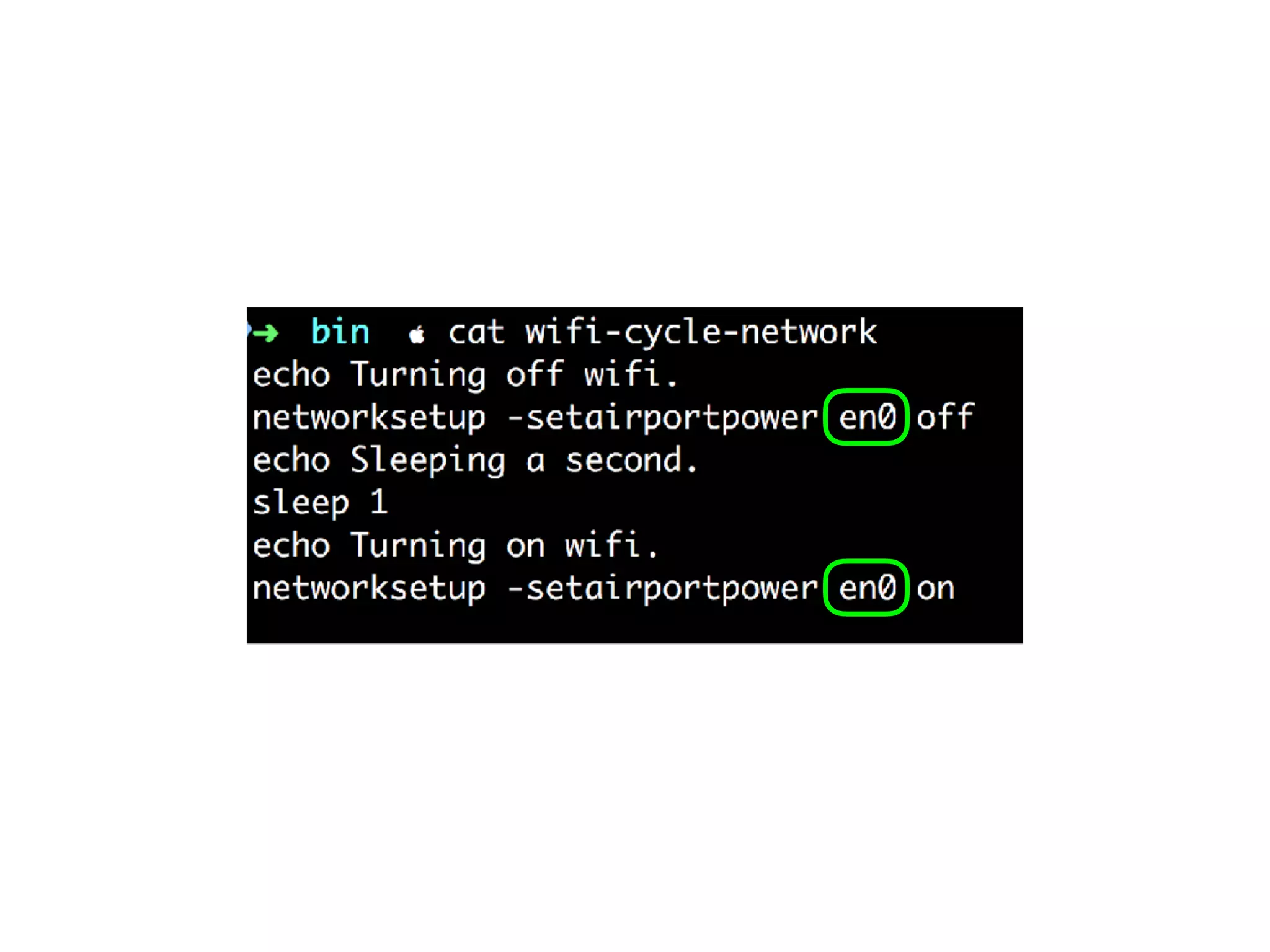
Command Line
Applications
in Ruby
Keith Bennett
@keithrbennett
Chapter 1
Why A Command Line
Application?
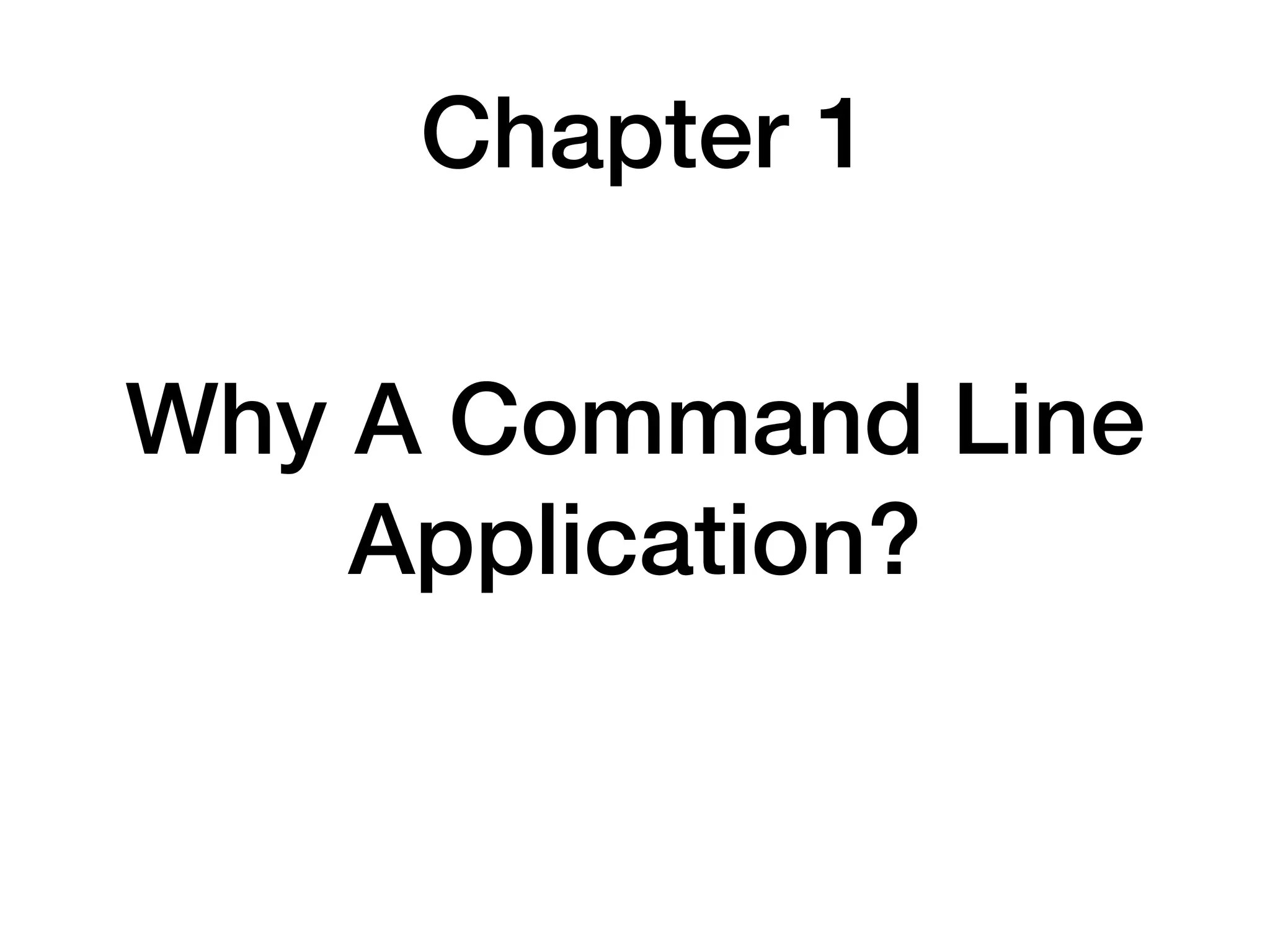
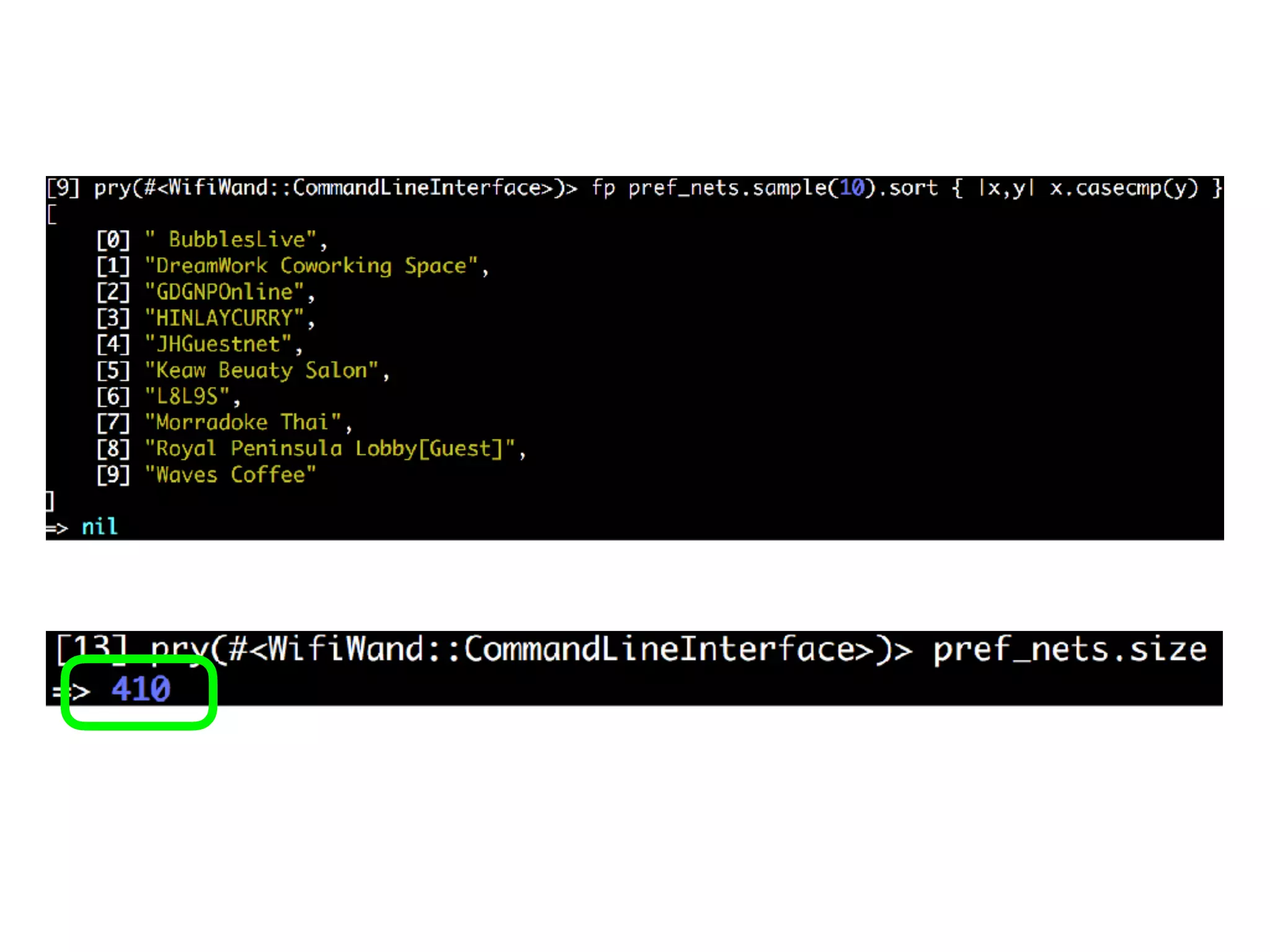
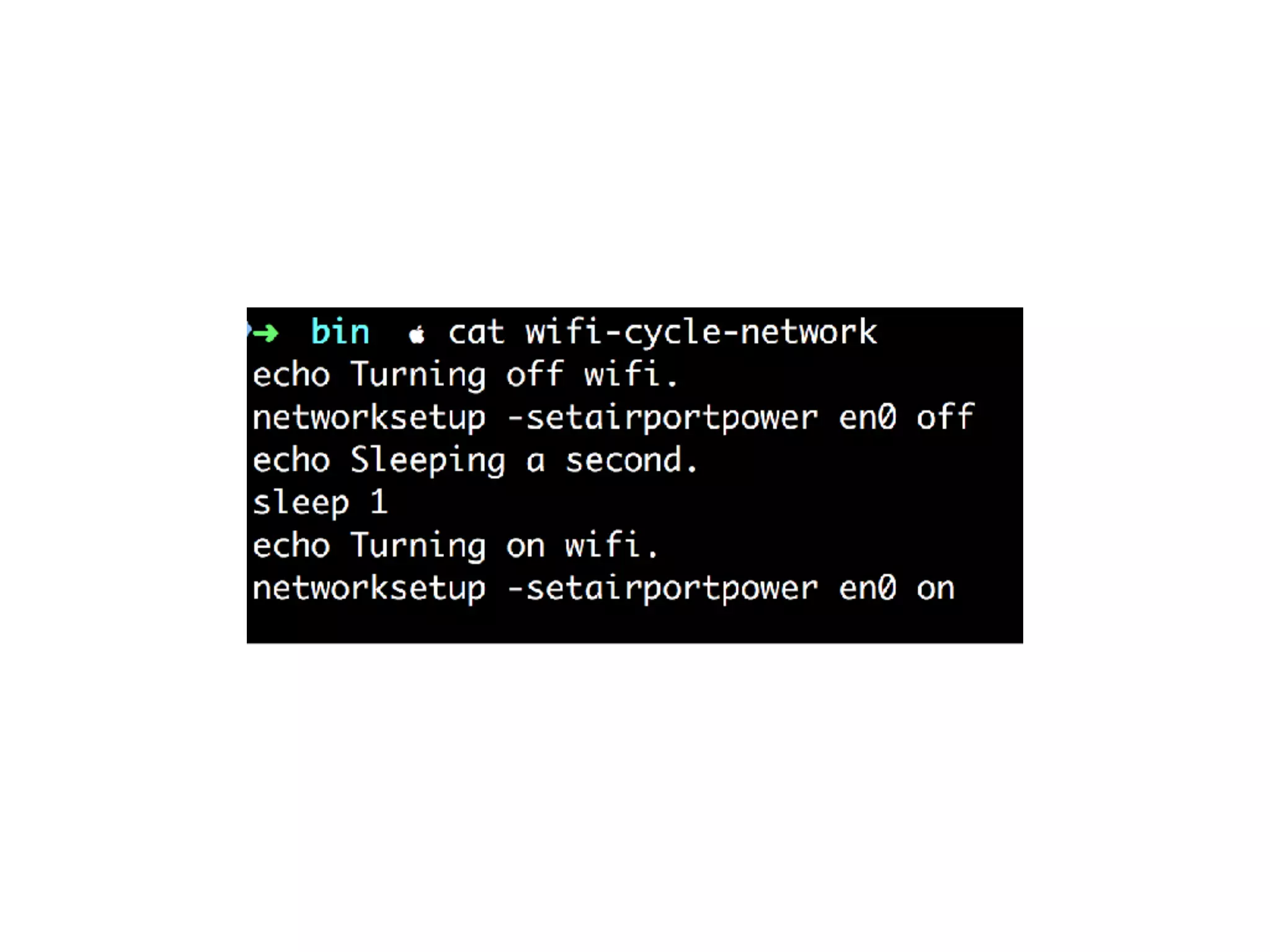
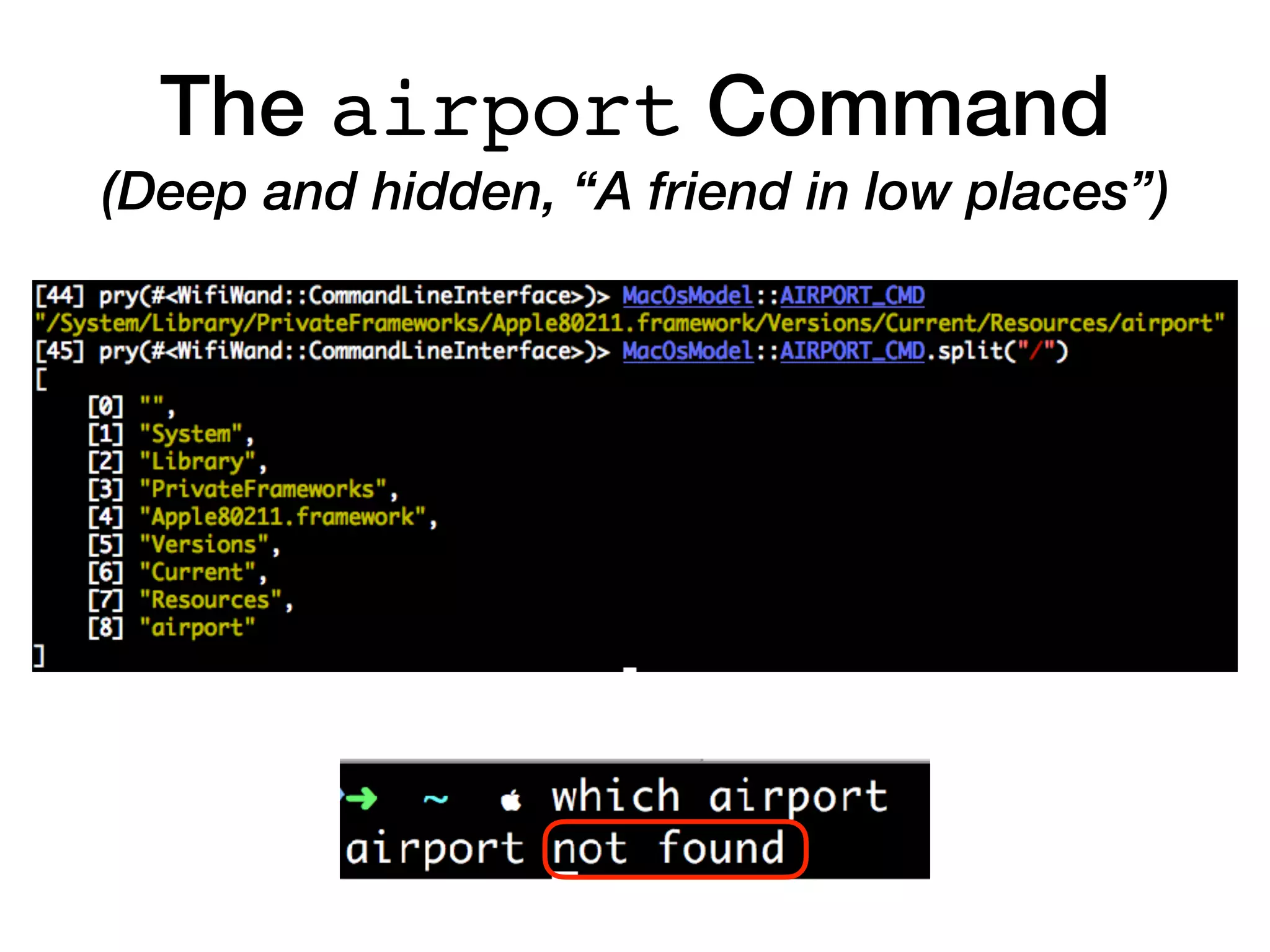
The airport Command
(Deep and hidden, “A friend in low places”)
A Little Ruby Love
There comes a time,
When you find you need a tool,
When a GUI's more trouble than it's worth,
The command line is waiting there for you,
All it takes is a little Ruby love,
Movin' the mouse
And then clickin'
And then typin'
All of that to do just one little thing...
Automation
We do it for the world,
So why don't we do it for ourselves?
A CLA (Command Line Application)
will solve the problem,
No need to fumble or stumble with a mouse
And then you will come to find,
A whole new peace of mind,
As you use your newfound productivity.
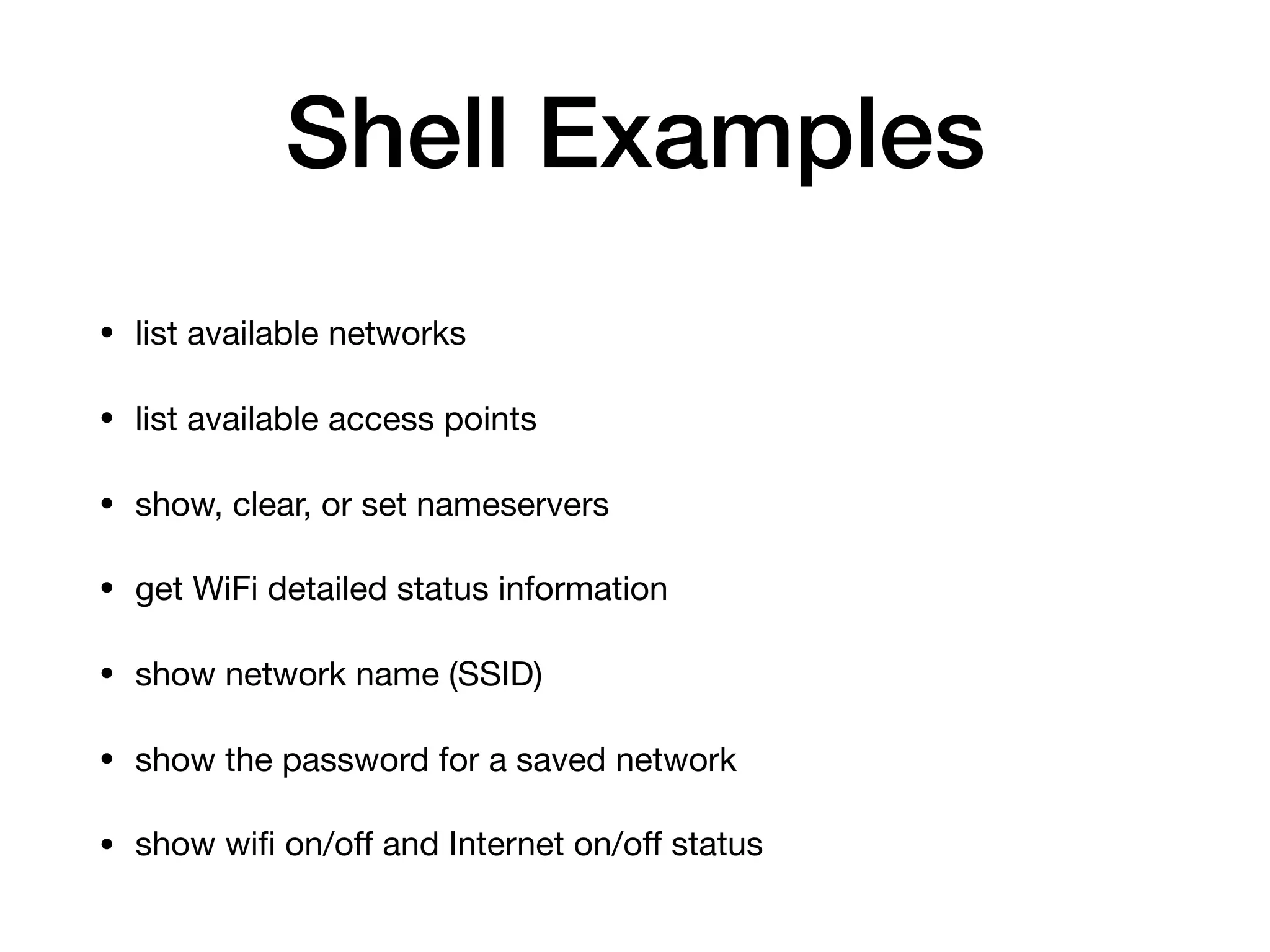
Shell Examples
• list available networks

• list available access points

• show, clear, or set nameservers

• get WiFi detailed status information

• show network name (SSID)

• show the password for a saved network

• show wifi on/off and Internet on/off status
Shell Example
Use Case: Remove Saved “AIS” Networks
[4] pry()> ais_nets = pref_nets.grep(/AIS/)
=> [" AIS SMART Login", ".@ AIS SUPER WiFi", "STARBUCKS_AIS"]
[5] pry()> rm_pref_nets(*ais_nets)
Password:
=> [" AIS SMART Login", ".@ AIS SUPER WiFi", “STARBUCKS_AIS"]
[6] pry()> ais_nets = pref_nets.grep(/AIS/)
=> []
# or, using the short command forms, and combining them into one
statement:
rm(*pr.grep(/AIS/))
Chapter 2
The Term

“Command Line
Application”
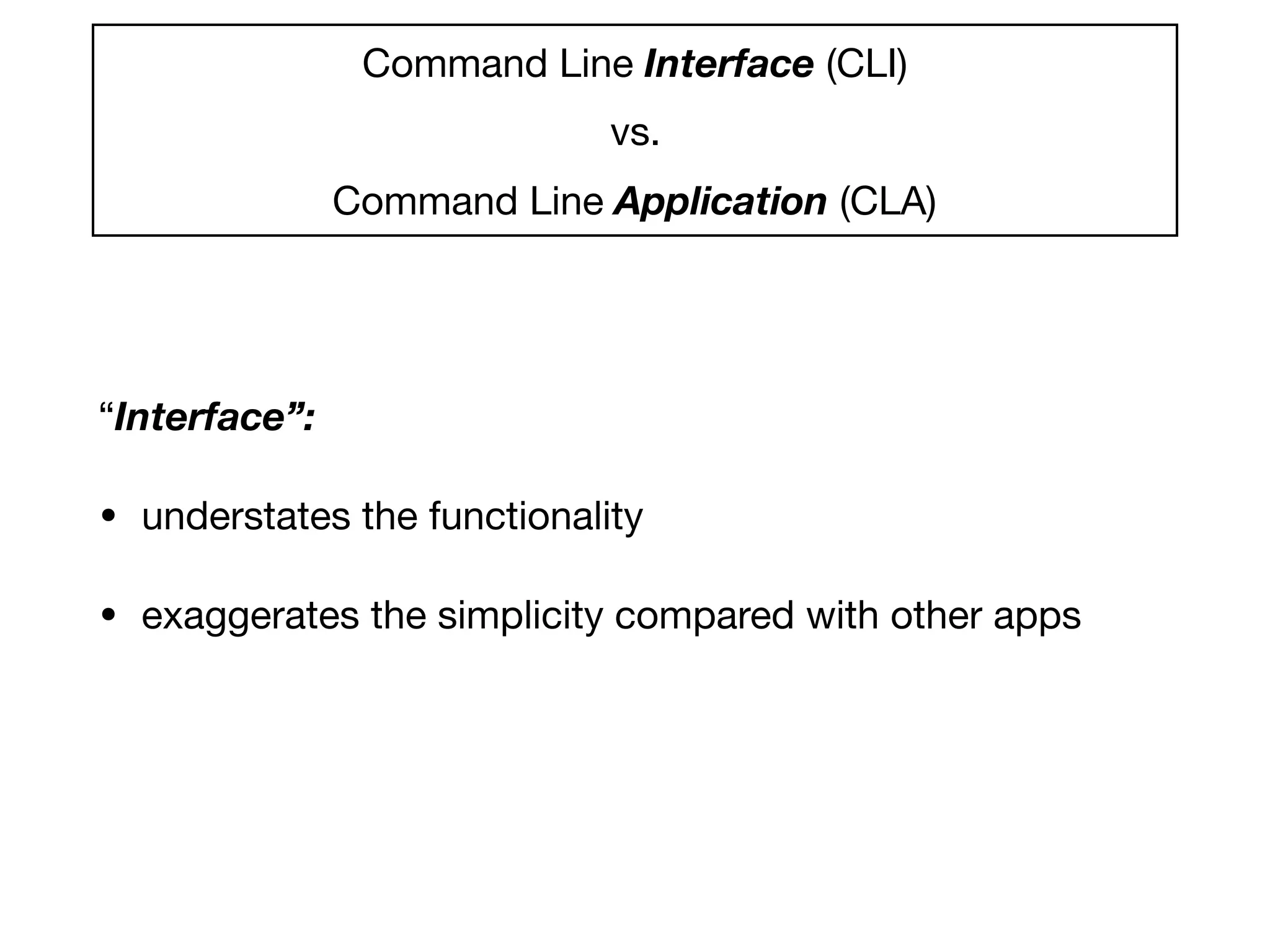
Command Line Interface (CLI) 

vs.

Command Line Application (CLA)

“Interface”:
• understates the functionality

• exaggerates the simplicity compared with other apps
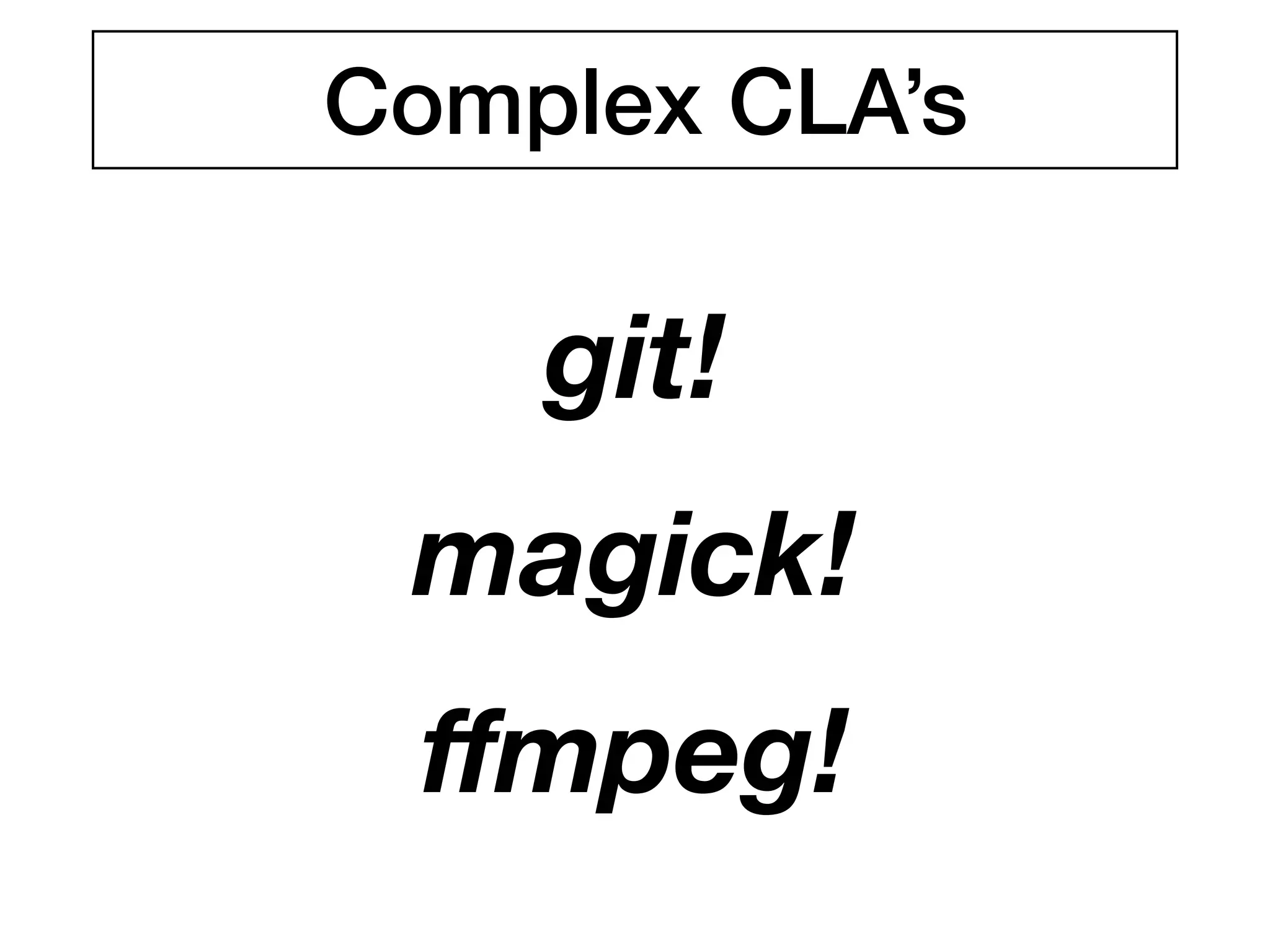
git!
magick!
ffmpeg!
Complex CLA’s
Chapter 3
Decisions, Decisions
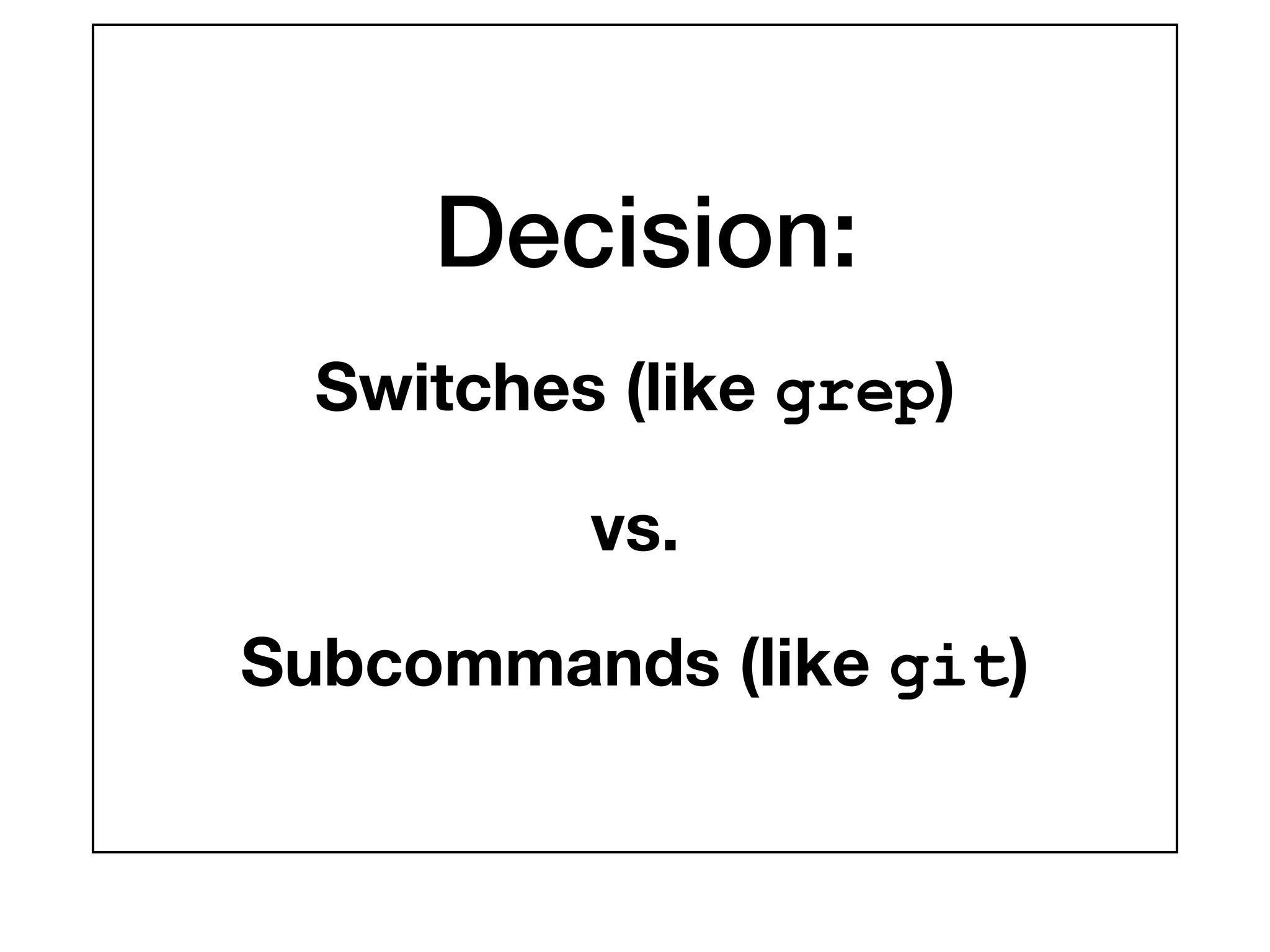
Decision:
Switches (like grep)
vs.
Subcommands (like git)
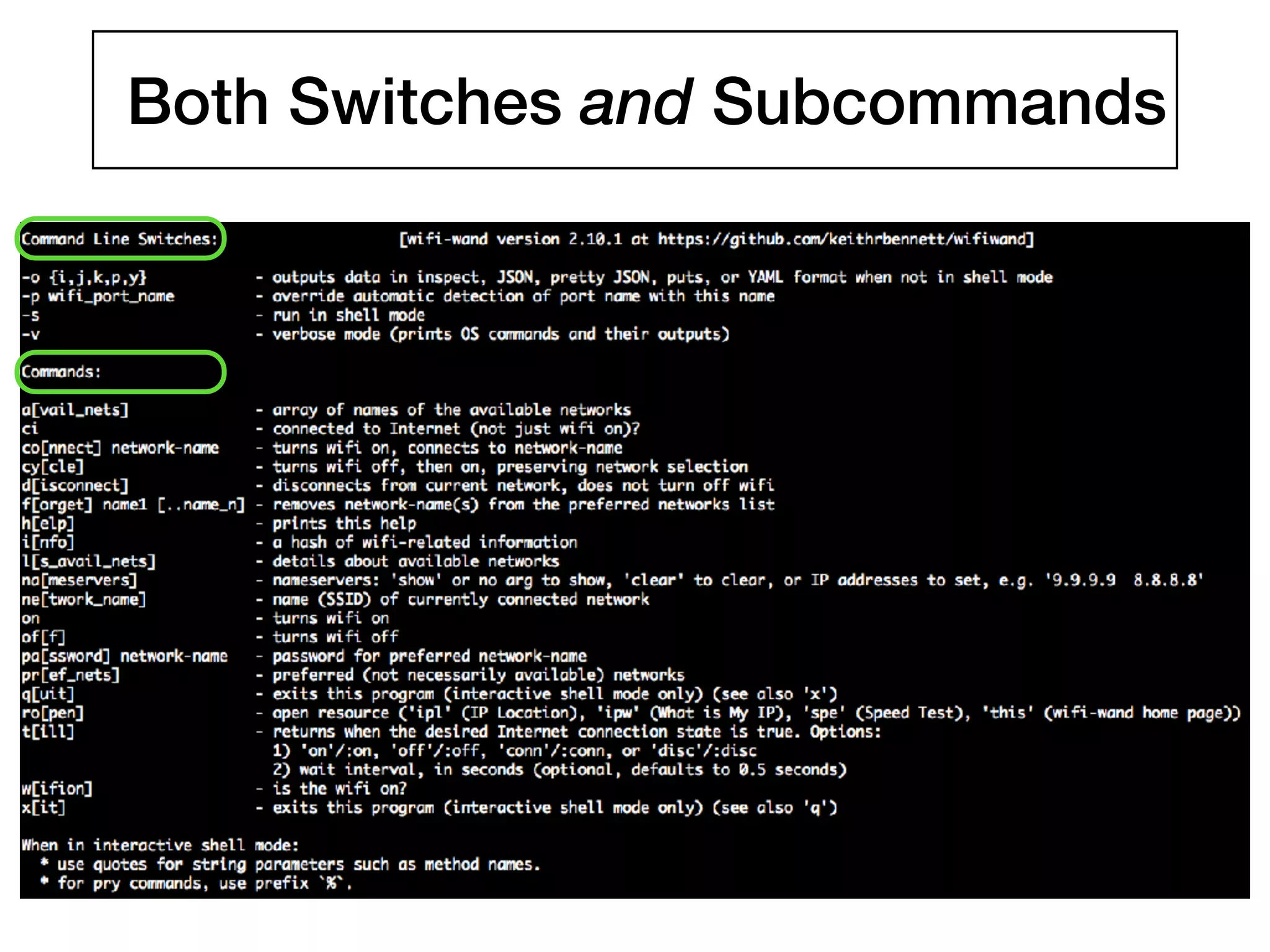
Both Switches and Subcommands
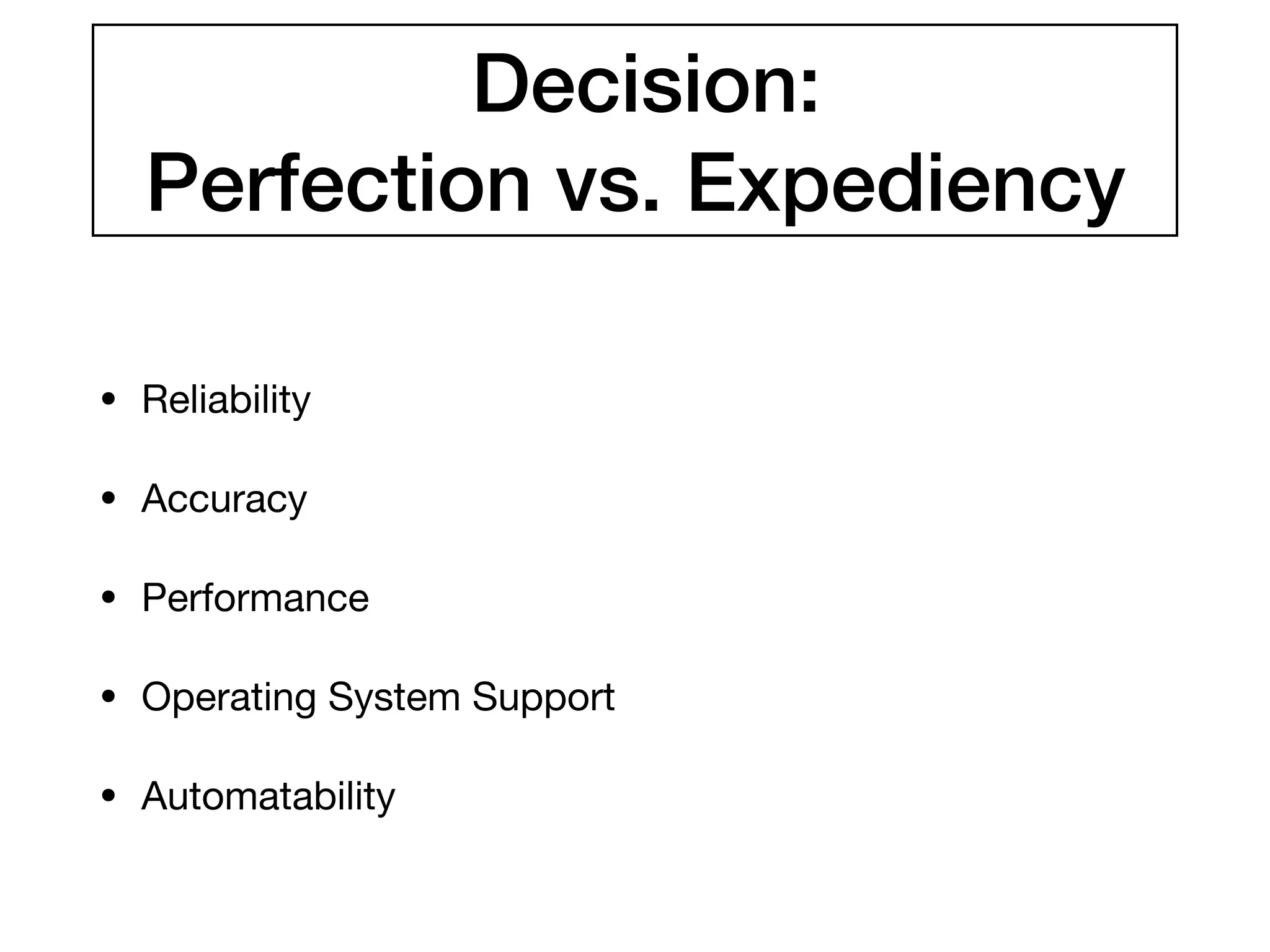
Decision:
Perfection vs. Expediency
• Reliability

• Accuracy

• Performance

• Operating System Support

• Automatability
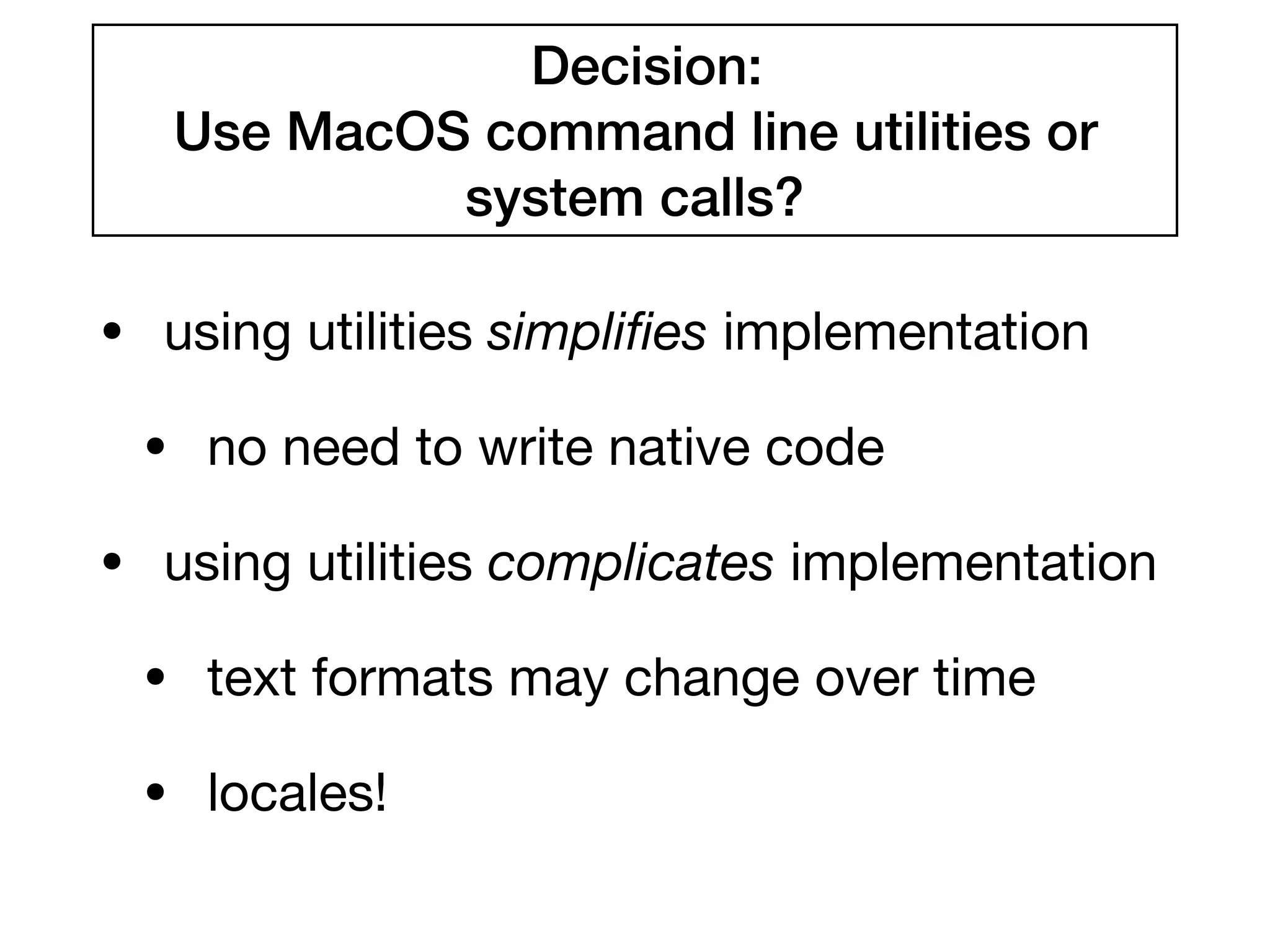
Decision:
Use MacOS command line utilities or
system calls?
• using utilities simplifies implementation

• no need to write native code

• using utilities complicates implementation

• text formats may change over time

• locales!
Output Parsing Example:
Detecting the WiFi Port
# Identifies the (first) wireless network hardware port in the system, e.g. en0 or en1
# This may not detect wifi ports with nonstandard names, such as USB wifi devices.
def detect_wifi_port
lines = run_os_command("networksetup -listallhardwareports").split("n")
# Produces something like this:
# Hardware Port: Wi-Fi
# Device: en0
# Ethernet Address: ac:bc:32:b9:a9:9d
#
# Hardware Port: Bluetooth PAN
# Device: en3
# Ethernet Address: ac:bc:32:b9:a9:9e
wifi_port_line_num = (0...lines.size).detect do |index|
/: Wi-Fi$/.match(lines[index])
end
if wifi_port_line_num.nil?
raise Error.new(%Q{Wifi port (e.g. "en0") not found in output of: } +
"networksetup -listallhardwareports”)
else
lines[wifi_port_line_num + 1].split(': ').last
end
end
Output Parsing Example:
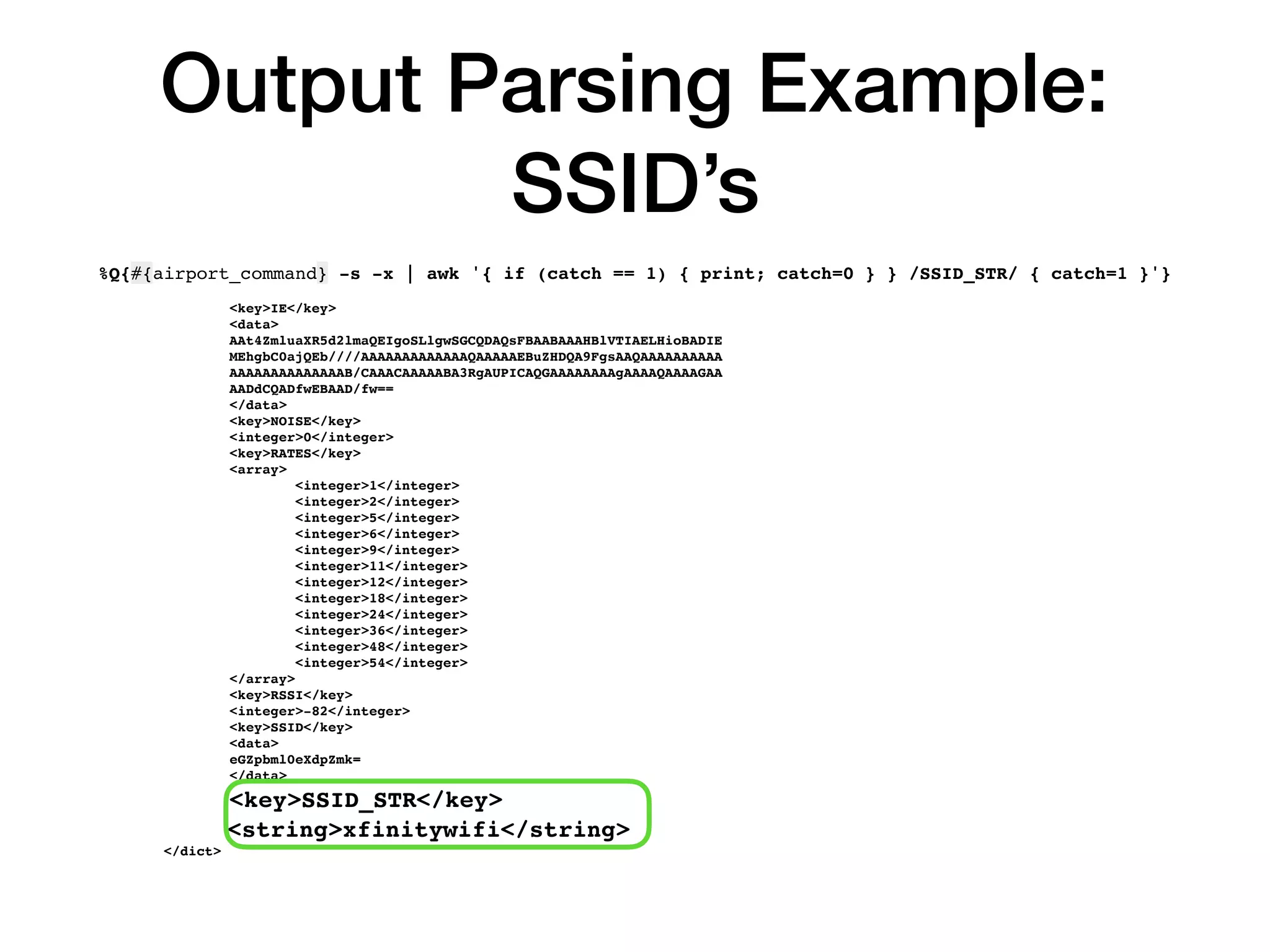
SSID’s
%Q{#{airport_command} -s -x | awk '{ if (catch == 1) { print; catch=0 } } /SSID_STR/ { catch=1 }'}
<key>IE</key>
<data>
AAt4ZmluaXR5d2lmaQEIgoSLlgwSGCQDAQsFBAABAAAHBlVTIAELHioBADIE
MEhgbC0ajQEb////AAAAAAAAAAAAAQAAAAAEBuZHDQA9FgsAAQAAAAAAAAAA
AAAAAAAAAAAAAAB/CAAACAAAAABA3RgAUPICAQGAAAAAAAAgAAAAQAAAAGAA
AADdCQADfwEBAAD/fw==
</data>
<key>NOISE</key>
<integer>0</integer>
<key>RATES</key>
<array>
<integer>1</integer>
<integer>2</integer>
<integer>5</integer>
<integer>6</integer>
<integer>9</integer>
<integer>11</integer>
<integer>12</integer>
<integer>18</integer>
<integer>24</integer>
<integer>36</integer>
<integer>48</integer>
<integer>54</integer>
</array>
<key>RSSI</key>
<integer>-82</integer>
<key>SSID</key>
<data>
eGZpbml0eXdpZmk=
</data>
<key>SSID_STR</key>
<string>xfinitywifi</string>
</dict>
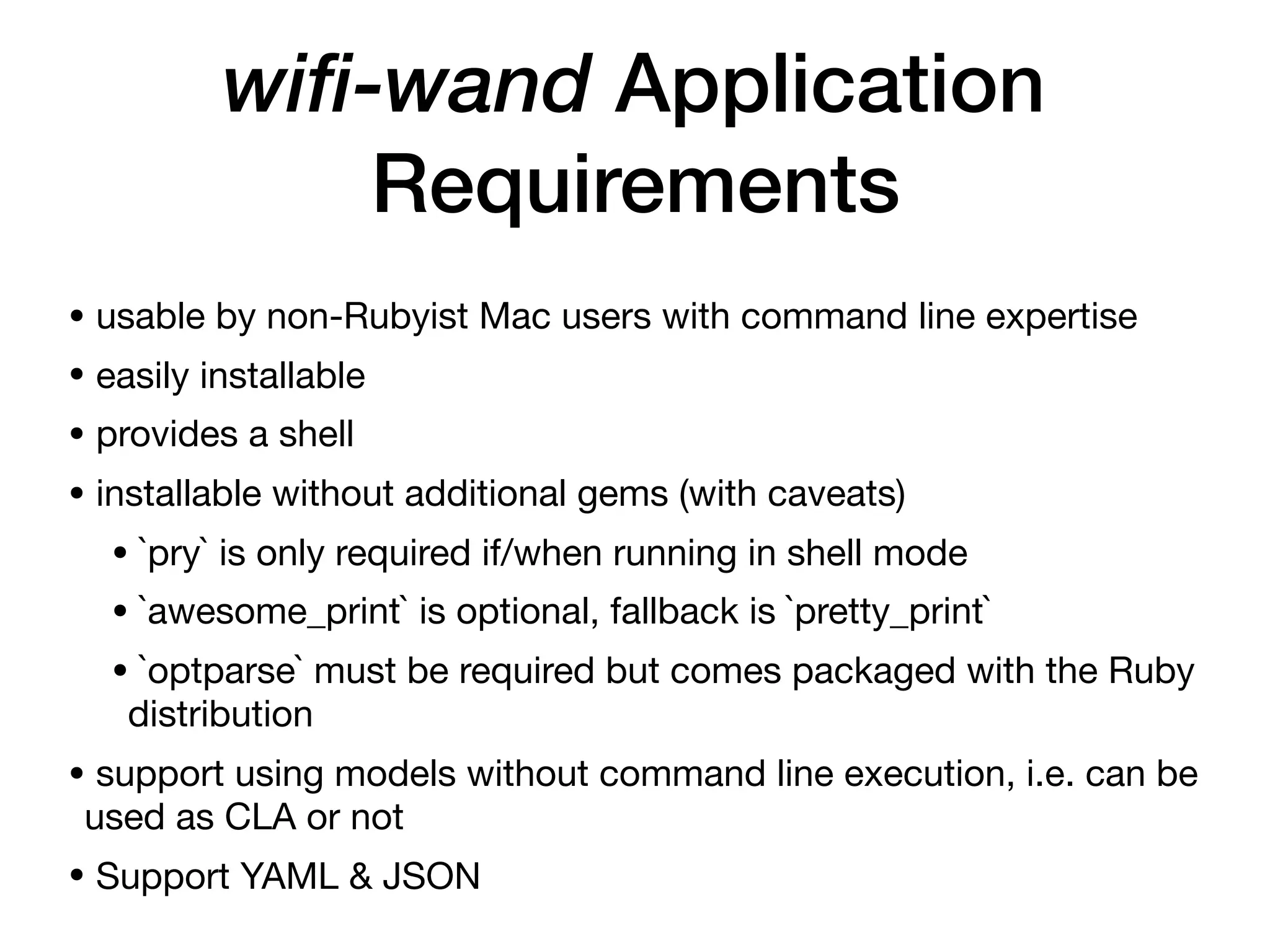
wifi-wand Application
Requirements
• usable by non-Rubyist Mac users with command line expertise

• easily installable

• provides a shell

• installable without additional gems (with caveats)

• `pry` is only required if/when running in shell mode

• `awesome_print` is optional, fallback is `pretty_print`

• `optparse` must be required but comes packaged with the Ruby
distribution

• support using models without command line execution, i.e. can be
used as CLA or not

• Support YAML & JSON
Chapter 4
Features
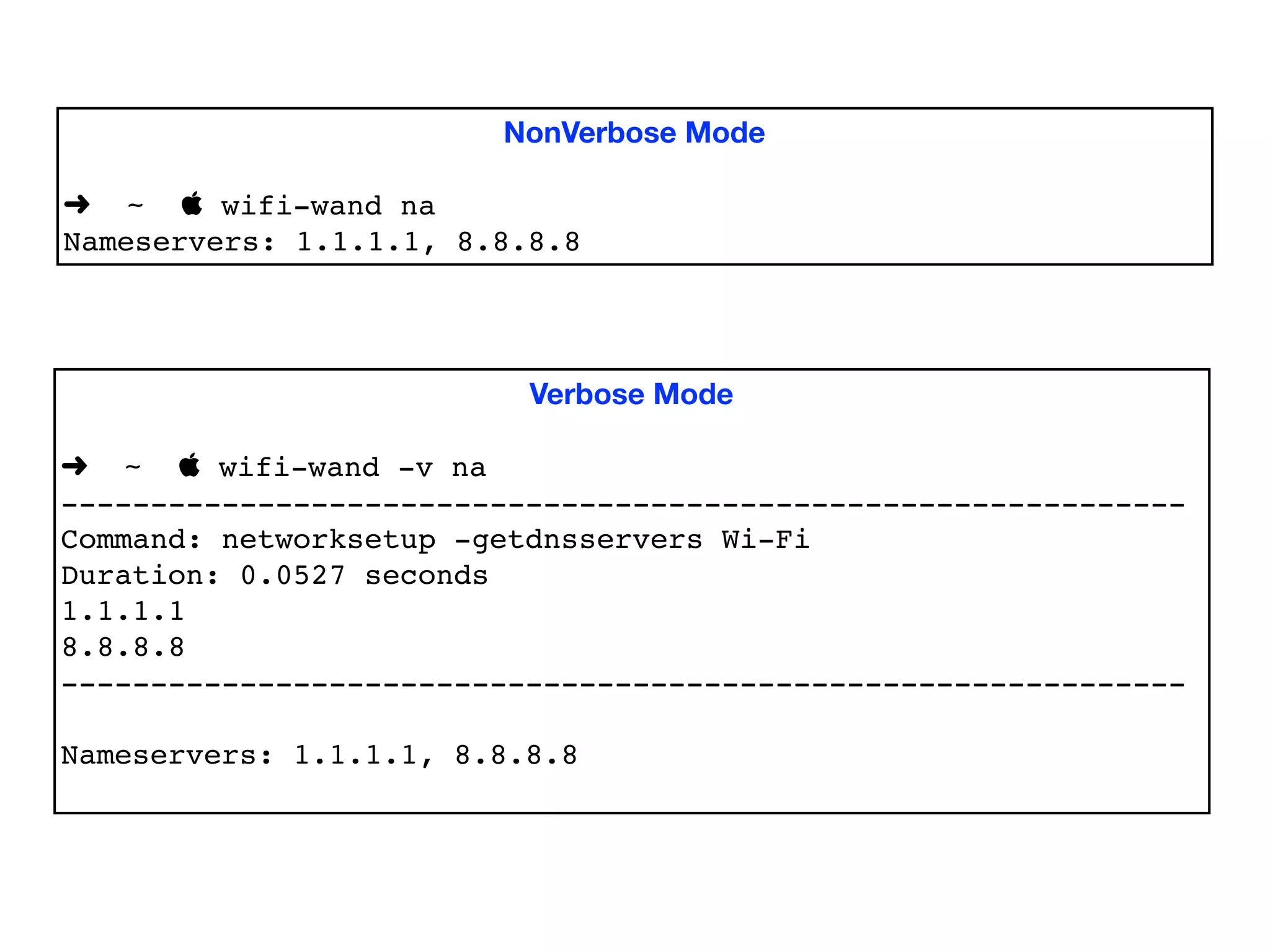
Provide a Verbose Mode
• …to provide more information and/or

• …to educate the user
NonVerbose Mode
➜ ~  wifi-wand na
Nameservers: 1.1.1.1, 8.8.8.8
Verbose Mode
➜ ~  wifi-wand -v na
---------------------------------------------------------------
Command: networksetup -getdnsservers Wi-Fi
Duration: 0.0527 seconds
1.1.1.1
8.8.8.8
---------------------------------------------------------------
Nameservers: 1.1.1.1, 8.8.8.8
Enable Bypassing the CLI
You can use the models in your Ruby code without using the
CommandLineInterface class. Here is a script ‘public_ip’:
#!/usr/bin/env ruby
require 'wifi-wand'
require 'awesome_print'
ap WifiWand::MacOsModel.new.wifi_info['public_ip']
When we run it, we get:
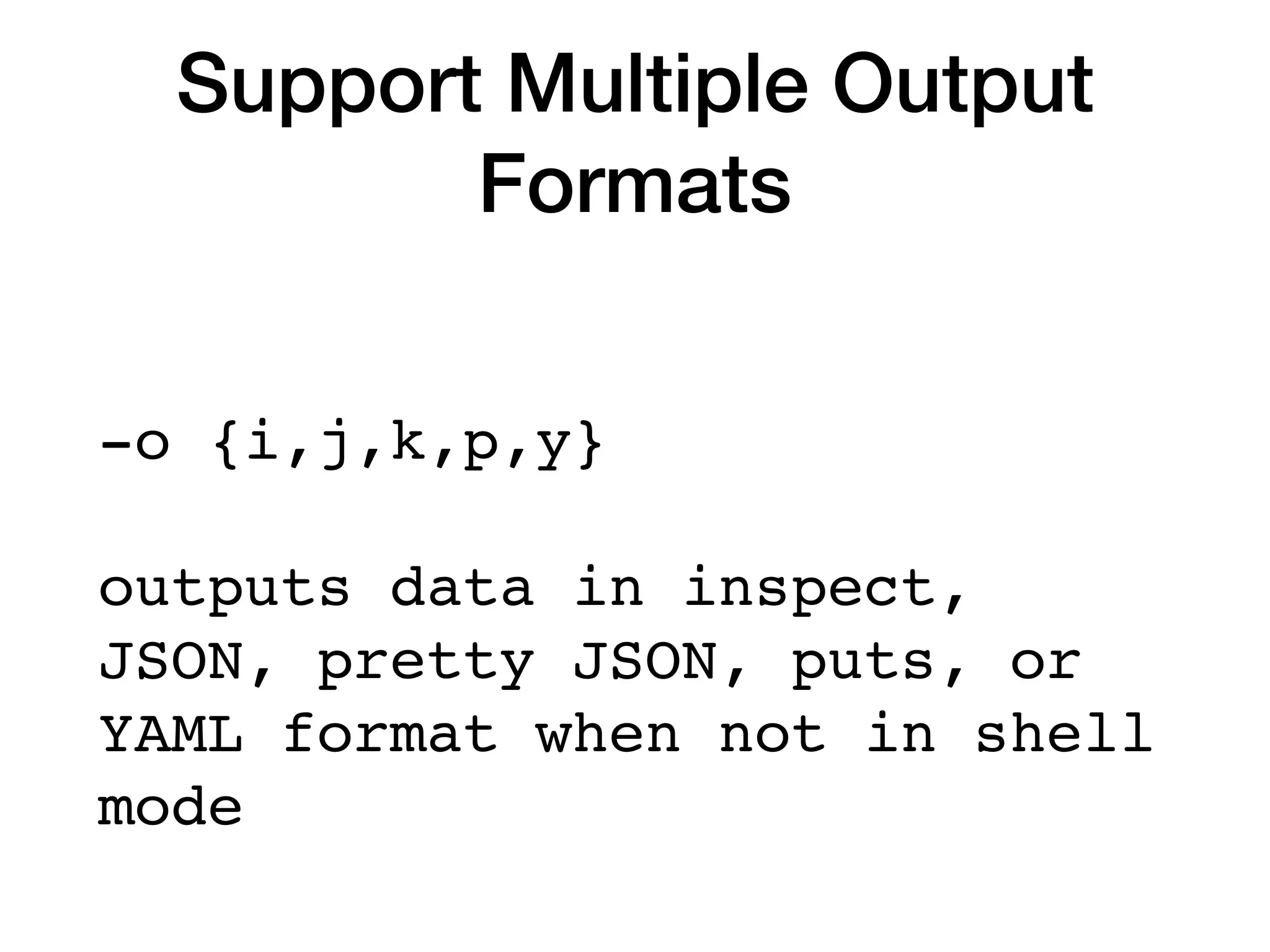
Support Multiple Output
Formats
-o {i,j,k,p,y}
outputs data in inspect,
JSON, pretty JSON, puts, or
YAML format when not in shell
mode
Support Multiple Output
Formats
➜ ~  wifi-wand nameservers # default human readable mode
Nameservers: 1.1.1.1, 8.8.8.8
➜ ~  wifi-wand -oi nameservers # 'inspect' mode
["1.1.1.1", "8.8.8.8"]
➜ ~  wifi-wand -oj nameservers # 'JSON' mode
["1.1.1.1","8.8.8.8"]
➜ ~  wifi-wand -ok nameservers # 'Pretty' JSON mode
[
"1.1.1.1",
"8.8.8.8"
]
➜ ~  wifi-wand -op nameservers # 'puts' mode
1.1.1.1
8.8.8.8
➜ ~  wifi-wand -oy nameservers # 'YAML' mode
---
- 1.1.1.1
- 8.8.8.8
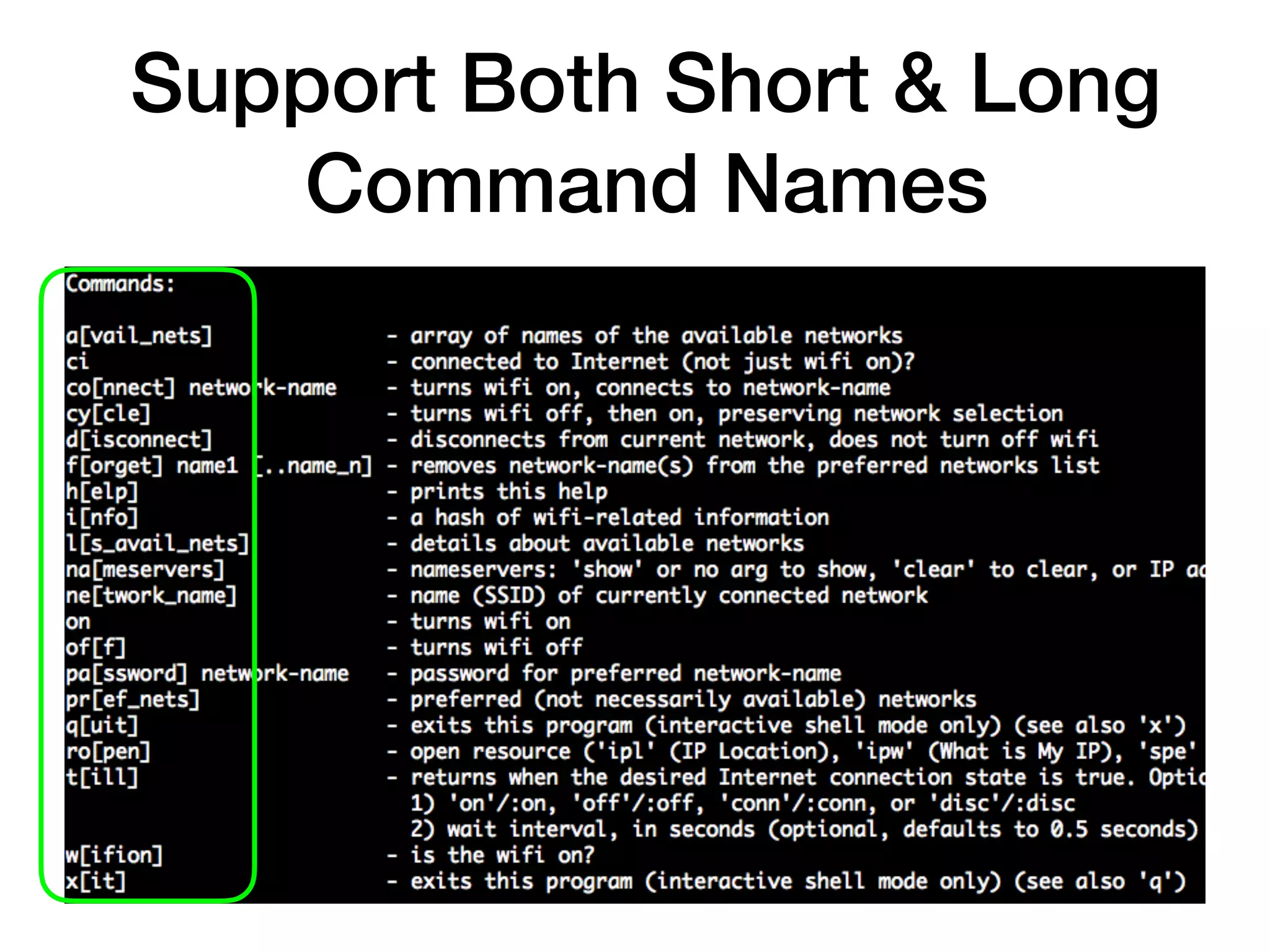
Support Both Short & Long
Command Names
Provide a Shell
• no need to type application name with every command

• returned data as Ruby objects

• enables composite commands for data manipulation,
custom behavior

• can store data in variables/constants for later use
Use ‘pry’ for the shell
• full featured REPL

• one can access other shell commands using the dot
('.') prefix (e.g. ‘.ping google.com’)

• Pry commands such as `ls` can be accessed using '%'
prefix (e.g. ‘%ls')
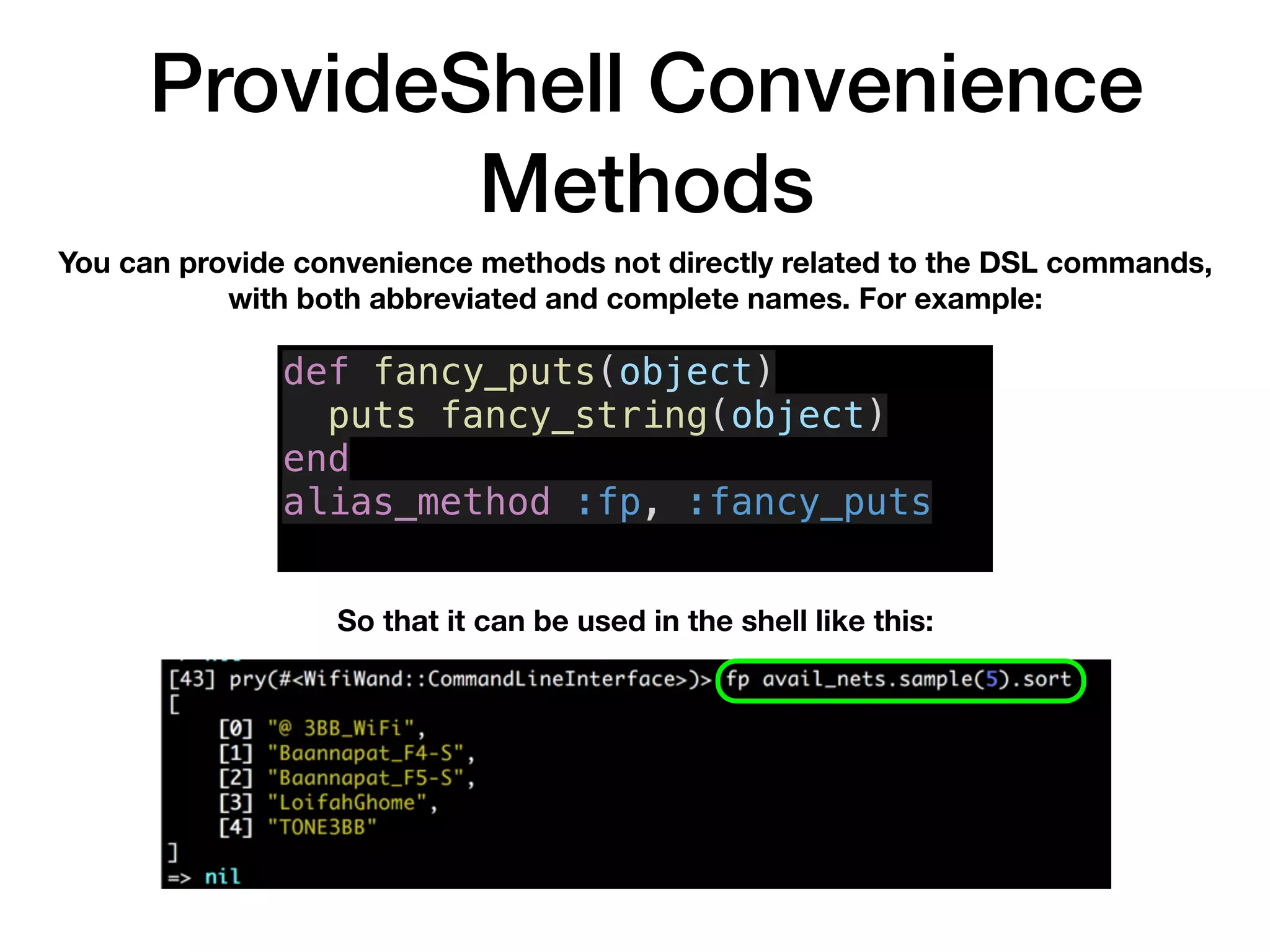
ProvideShell Convenience
Methods
You can provide convenience methods not directly related to the DSL commands,
with both abbreviated and complete names. For example:
So that it can be used in the shell like this:
def fancy_puts(object)
puts fancy_string(object)
end
alias_method :fp, :fancy_puts
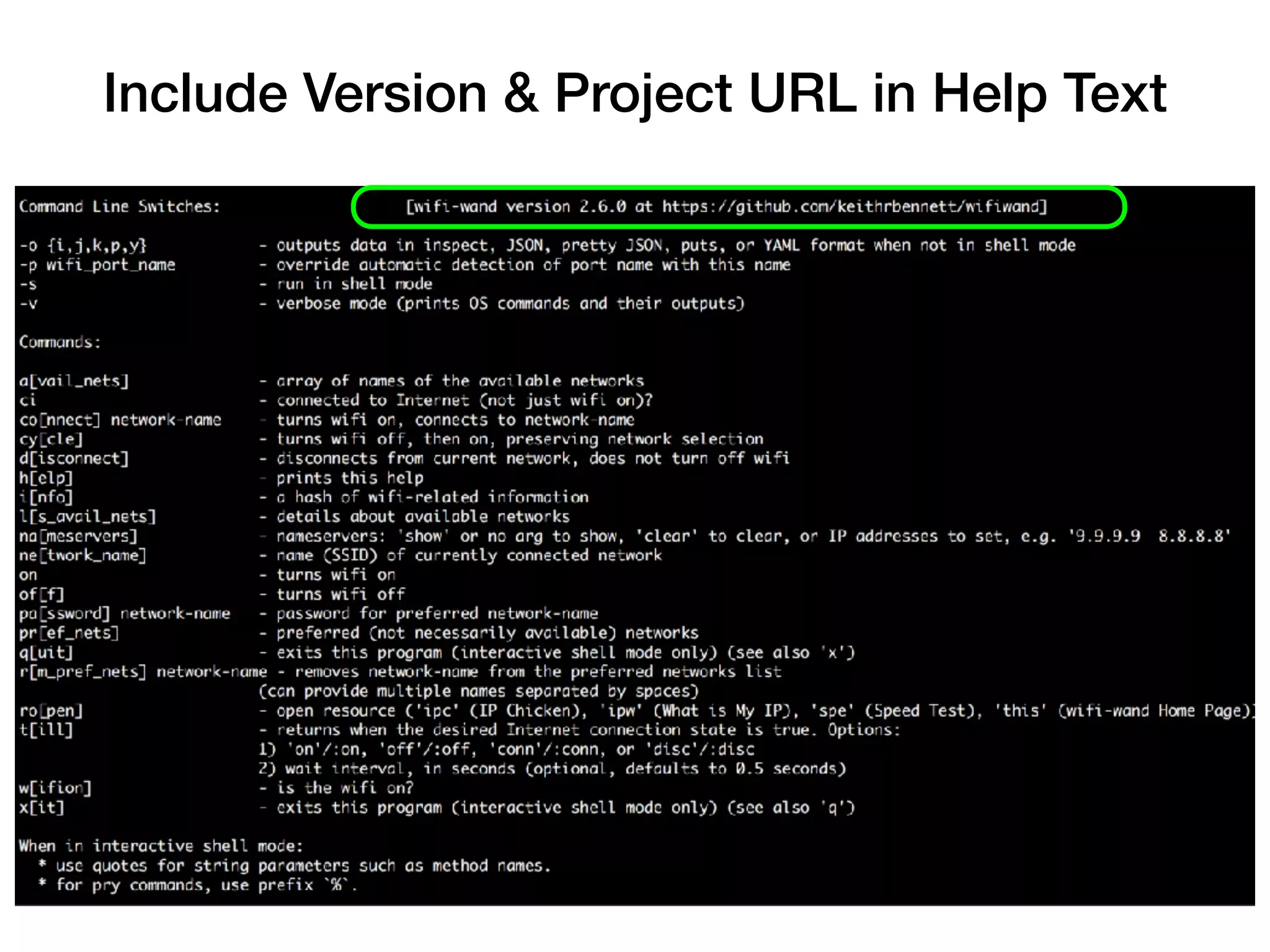
Include Version & Project URL in Help Text
Chapter 5
Implementation
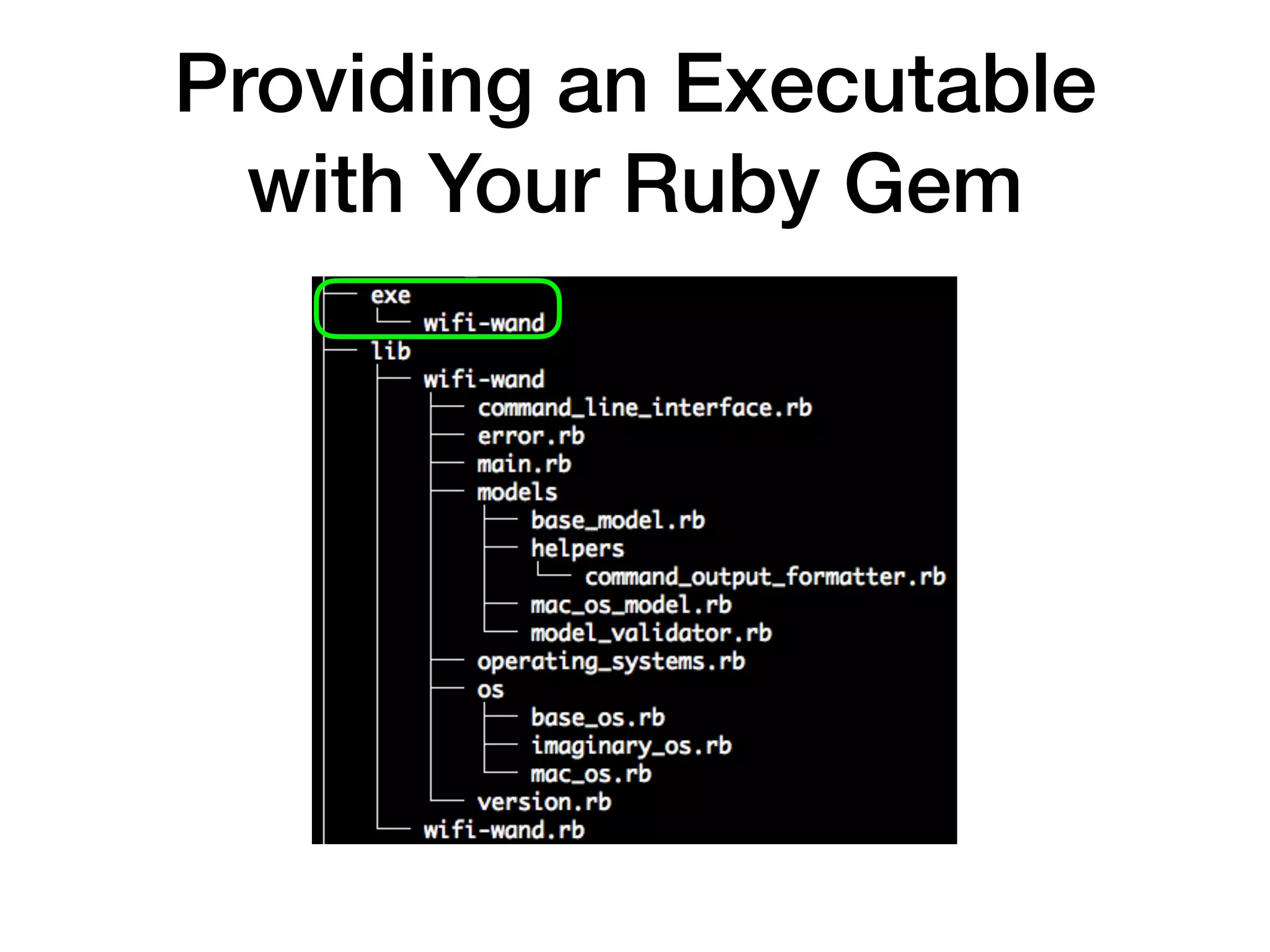
Providing an Executable
with Your Ruby Gem
Providing an Executable
with Your Ruby Gem
• In your gemspec file, you specify the location of your
executable(s):


spec.executables = spec.files.grep(%r{^exe/}) { |f| File.basename(f) }
# or:
spec.executables = [‘wifi-wand’]
• It can be (and probably should be) a simple wrapper
around your other code, e.g.:

#!/usr/bin/env ruby
require_relative '../lib/wifi-wand/main'
WifiWand::Main.new.call
Using Available Tools to
Simplify Implementation
• pry - gem providing richly functional interactive shell
(REPL)

• awesome_print - gem that outputs simple Ruby objects
in a clear, logical, and attractive format

• Ruby’s built-in json and yaml support

• open - Mac OS command to open a resource identifier
with the default application for that resource type, e.g.
`open https://www.whatismyip.com/`
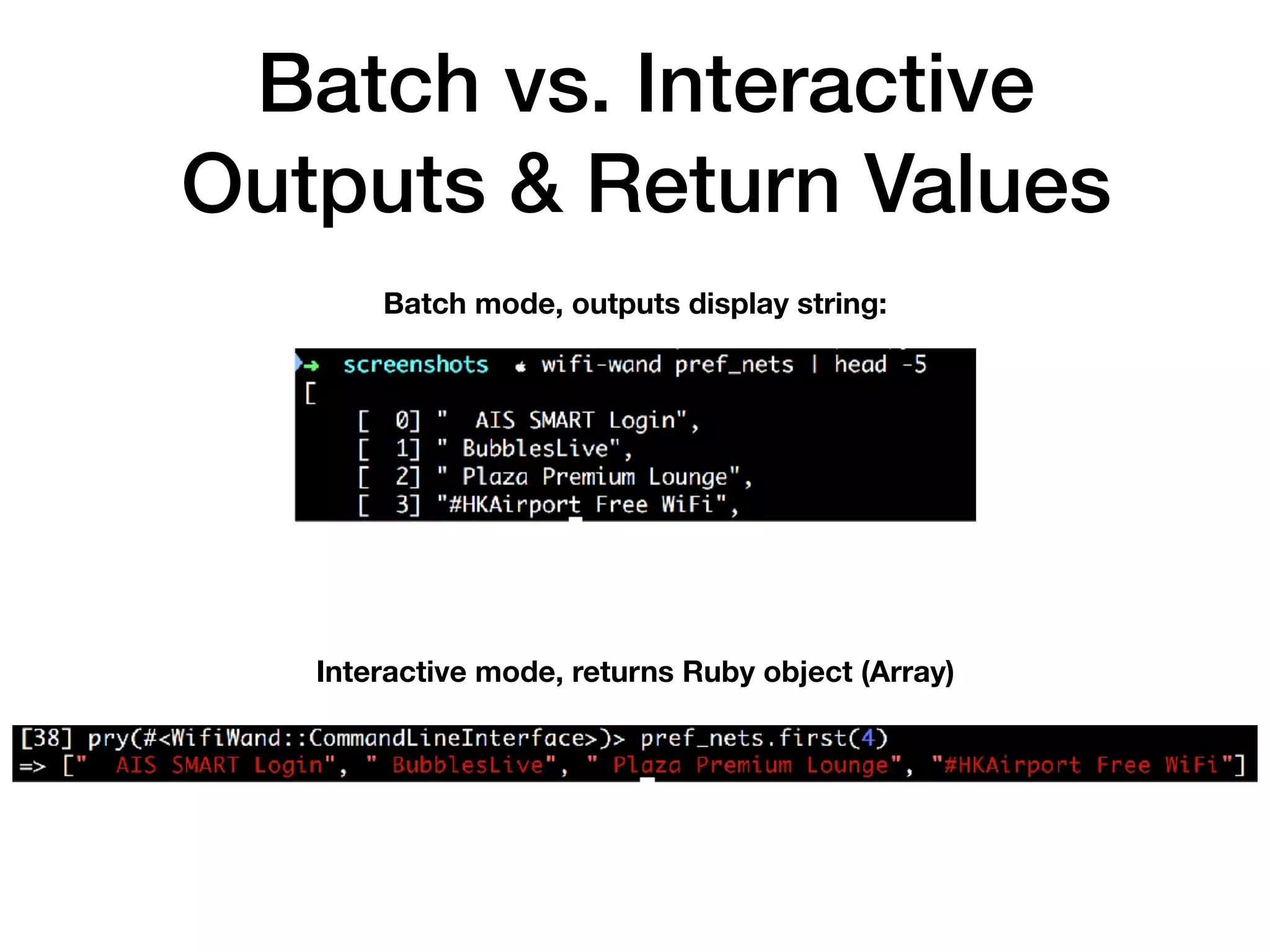
Batch vs. Interactive
Outputs & Return Values
Batch mode, outputs display string:
Interactive mode, returns Ruby object (Array)
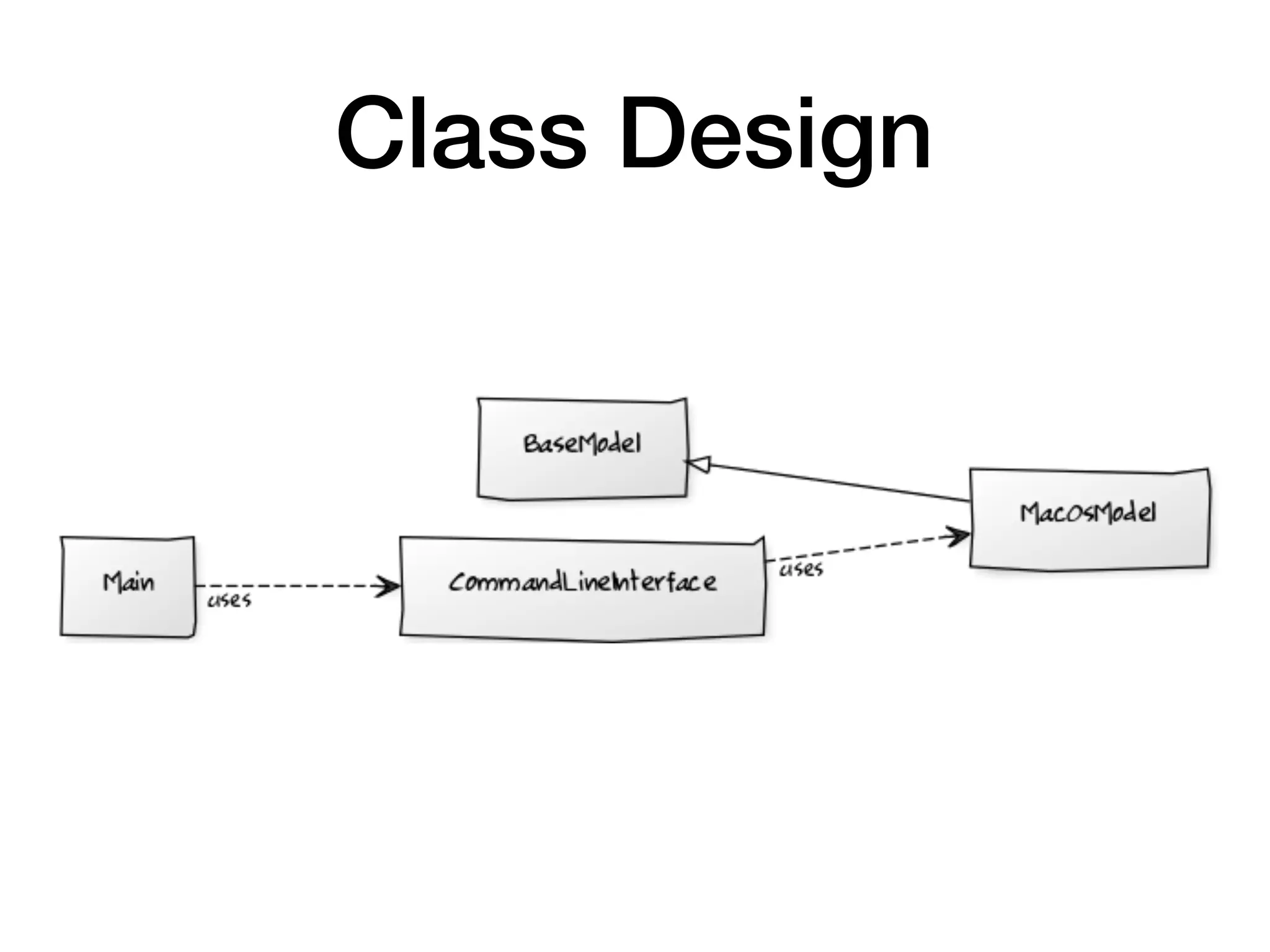
Class Design
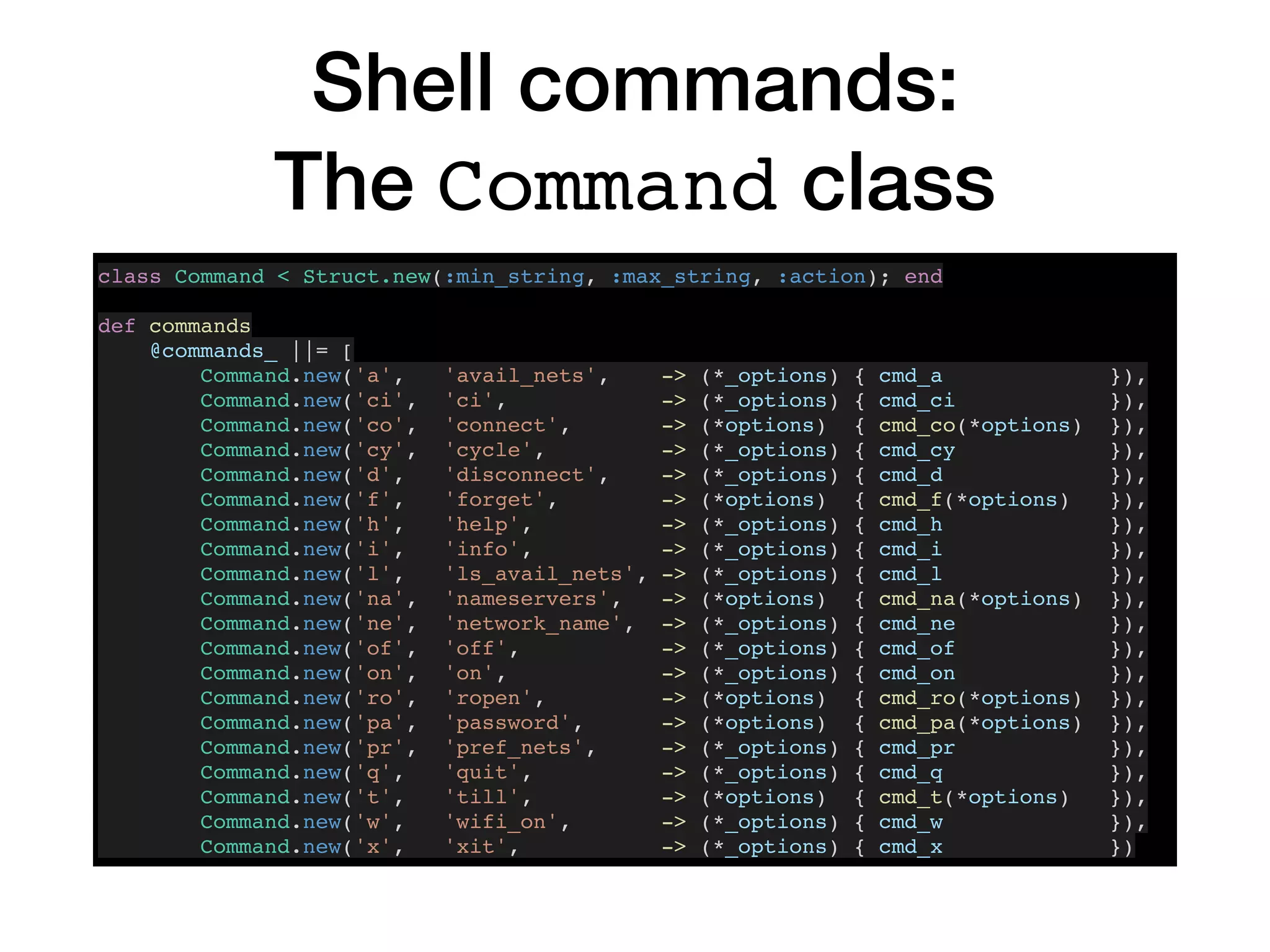
Shell commands:
The Command class
class Command < Struct.new(:min_string, :max_string, :action); end
def commands
@commands_ ||= [
Command.new('a', 'avail_nets', -> (*_options) { cmd_a }),
Command.new('ci', 'ci', -> (*_options) { cmd_ci }),
Command.new('co', 'connect', -> (*options) { cmd_co(*options) }),
Command.new('cy', 'cycle', -> (*_options) { cmd_cy }),
Command.new('d', 'disconnect', -> (*_options) { cmd_d }),
Command.new('f', 'forget', -> (*options) { cmd_f(*options) }),
Command.new('h', 'help', -> (*_options) { cmd_h }),
Command.new('i', 'info', -> (*_options) { cmd_i }),
Command.new('l', 'ls_avail_nets', -> (*_options) { cmd_l }),
Command.new('na', 'nameservers', -> (*options) { cmd_na(*options) }),
Command.new('ne', 'network_name', -> (*_options) { cmd_ne }),
Command.new('of', 'off', -> (*_options) { cmd_of }),
Command.new('on', 'on', -> (*_options) { cmd_on }),
Command.new('ro', 'ropen', -> (*options) { cmd_ro(*options) }),
Command.new('pa', 'password', -> (*options) { cmd_pa(*options) }),
Command.new('pr', 'pref_nets', -> (*_options) { cmd_pr }),
Command.new('q', 'quit', -> (*_options) { cmd_q }),
Command.new('t', 'till', -> (*options) { cmd_t(*options) }),
Command.new('w', 'wifi_on', -> (*_options) { cmd_w }),
Command.new('x', 'xit', -> (*_options) { cmd_x })
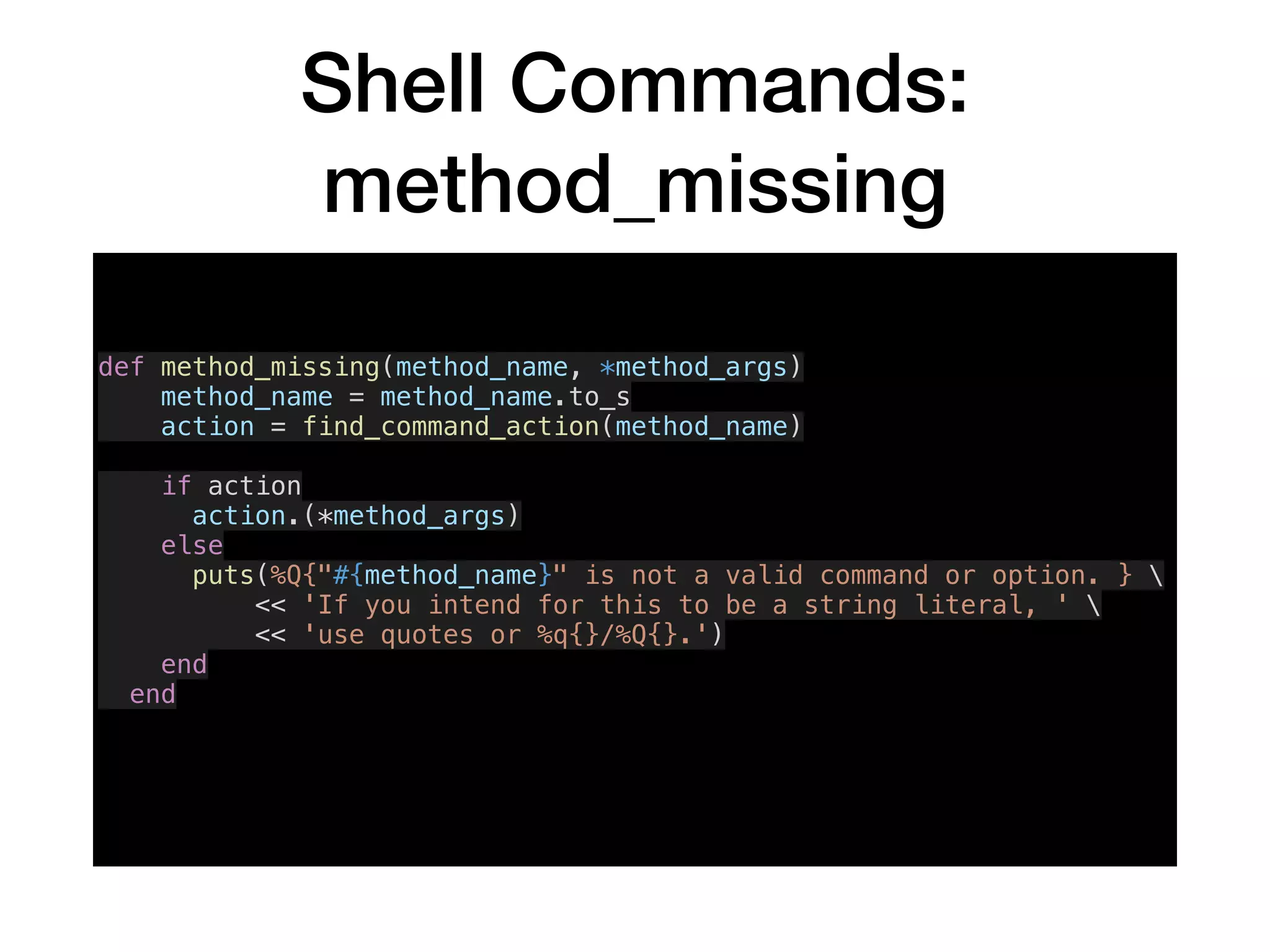
Shell Commands:
method_missing
def method_missing(method_name, *method_args)
method_name = method_name.to_s
action = find_command_action(method_name)
if action
action.(*method_args)
else
puts(%Q{"#{method_name}" is not a valid command or option. } 
<< 'If you intend for this to be a string literal, ' 
<< 'use quotes or %q{}/%Q{}.')
end
end
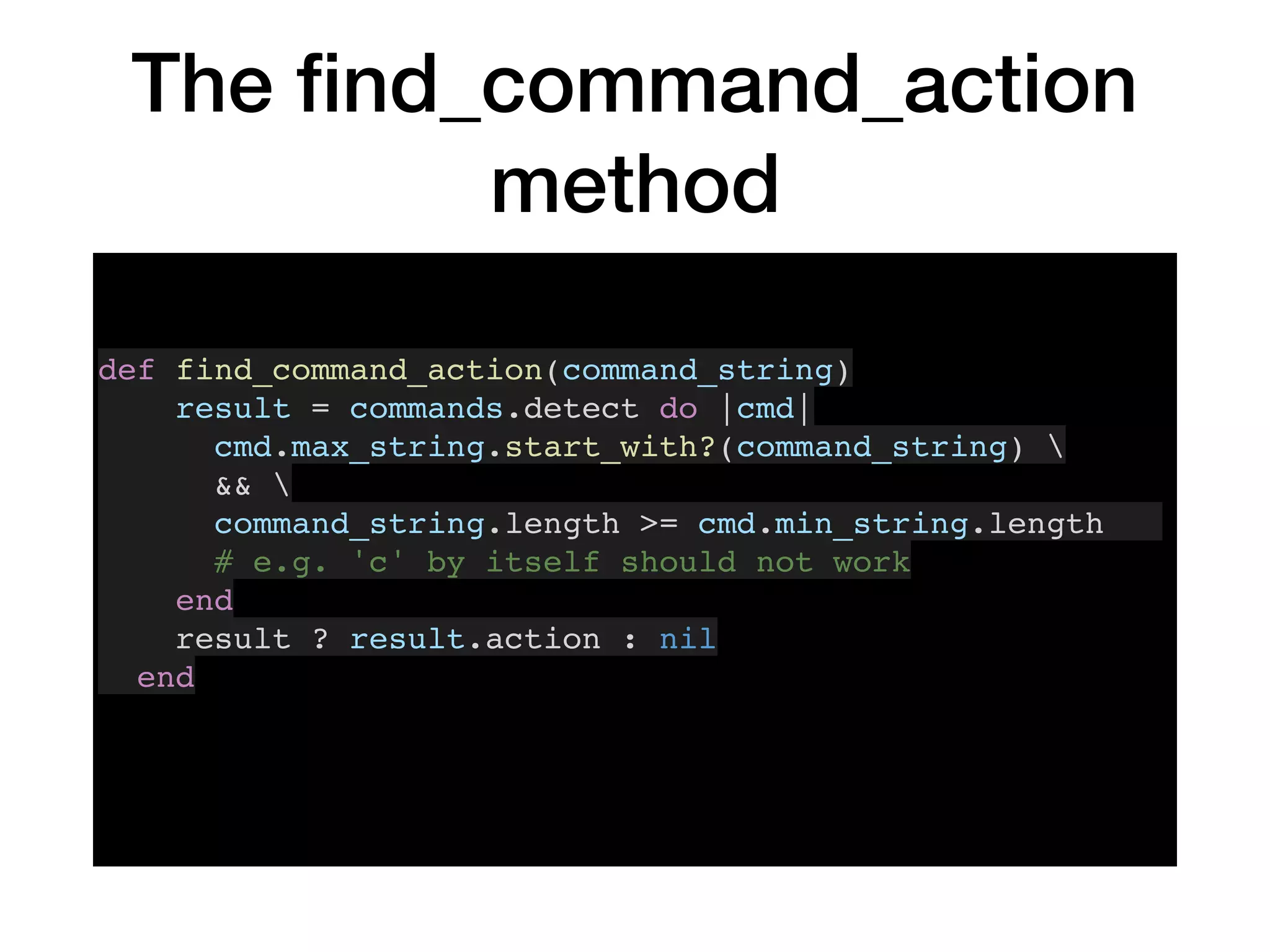
The find_command_action
method
def find_command_action(command_string)
result = commands.detect do |cmd|
cmd.max_string.start_with?(command_string) 
&& 
command_string.length >= cmd.min_string.length
# e.g. 'c' by itself should not work
end
result ? result.action : nil
end
Formatter Lambda Hash
parser.on("-o", "--output_format FORMAT", "Format output data") do |v|
formatters = {
'i' => ->(object) { object.inspect },
'j' => ->(object) { object.to_json },
'k' => ->(object) { JSON.pretty_generate(object) },
'p' => ->(object) { sio = StringIO.new; sio.puts(object); sio.string },
'y' => ->(object) { object.to_yaml }
}
choice = v[0].downcase
unless formatters.keys.include?(choice)
message = %Q{Output format "#{choice}" not in list of available formats} <<
" (#{formatters.keys})."
puts; puts message; puts
raise Error.new(message)
end
options.post_processor = formatters[choice]
end
Tips for Calling Other CLA’s
• Redirect stderr to stdout (command 2>&1)

• Use their exit codes (`$?`, which is threadlocal, not global)

• Provide a way for the user to see the commands and their
output

• Centralize calling the OS in a single method, even if you
think you'll never need it. Here’s mine:
run_os_command
def run_os_command(command, raise_on_error = true)
if @verbose_mode
puts CommandOutputFormatter.command_attempt_as_string(command)
end
start_time = Time.now
output = `#{command} 2>&1` # join stderr with stdout
if @verbose_mode
puts "Duration: #{'%.4f' % [Time.now - start_time]} seconds"
puts CommandOutputFormatter.command_result_as_string(output)
end
if $?.exitstatus != 0 && raise_on_error
raise OsCommandError.new($?.exitstatus, command, output)
end
output
end
Shellwords
[8] pry(main)> `export MY_PASSWORD=a b c; echo $MY_PASSWORD`
=> "an"
[9] pry(main)> `export MY_PASSWORD=a b c; echo $MY_PASSWORD`
=> "a b cn"
[10] pry(main)> `export MY_PASSWORD="a b c"; echo $MY_PASSWORD`
=> "a b cn"
[11] pry(main)> `export MY_PASSWORD='a b c'; echo $MY_PASSWORD`
=> "a b cn"
[12] pry(main)> require 'shellwords'
=> false
[13] pry(main)> `export MY_PASSWORD=#{Shellwords.escape('a b c')}; echo
$MY_PASSWORD`
=> "a b cn"
[14] pry(main)> backslash = ''
=> ""
[15] pry(main)> Shellwords.escape(backslash)
=> ""
[16] pry(main)> Shellwords.escape(‘$')
=> "$"
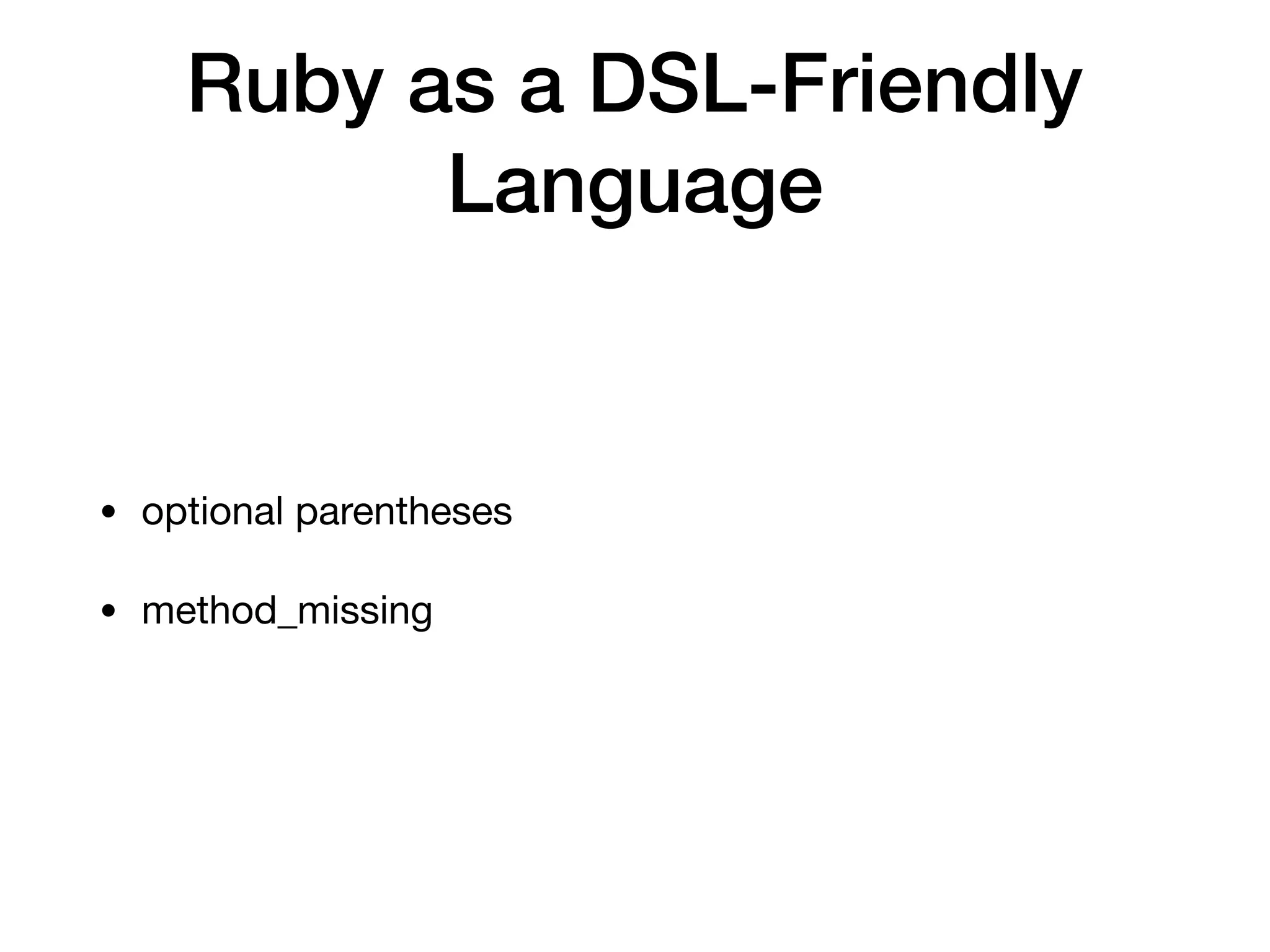
Ruby as a DSL-Friendly
Language
• optional parentheses

• method_missing
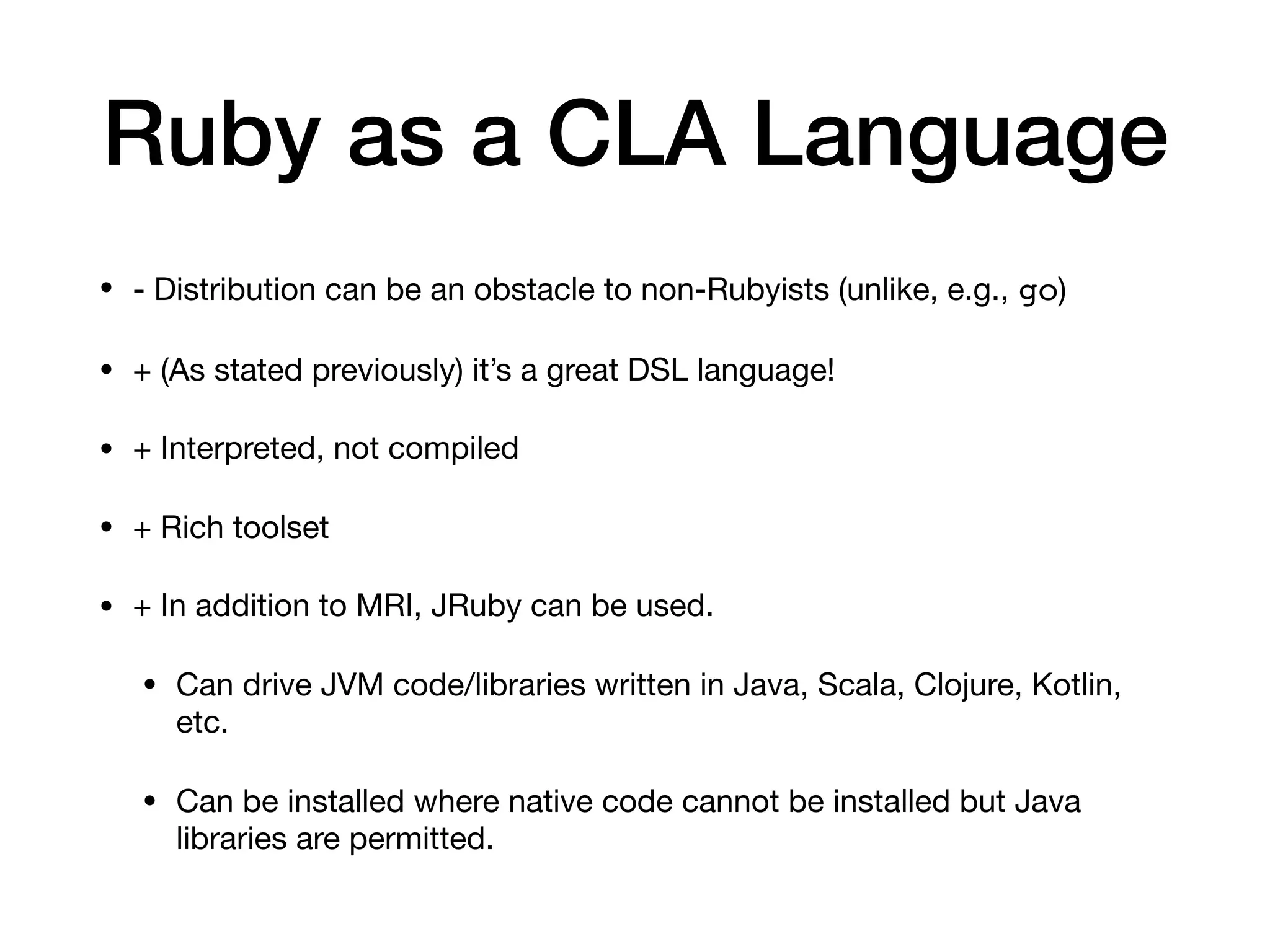
Ruby as a CLA Language
• - Distribution can be an obstacle to non-Rubyists (unlike, e.g., go)

• + (As stated previously) it’s a great DSL language!

• + Interpreted, not compiled

• + Rich toolset

• + In addition to MRI, JRuby can be used.

• Can drive JVM code/libraries written in Java, Scala, Clojure, Kotlin,
etc.

• Can be installed where native code cannot be installed but Java
libraries are permitted.
The End
Feel free to contact me:

Keith Bennett
@keithrbennett on Twitter, Github, …

Fin

Command Line Applications in Ruby, 2018-05-08

  • 1.
  • 2.
    Chapter 1 Why ACommand Line Application?
  • 10.
    The airport Command (Deepand hidden, “A friend in low places”)
  • 12.
    A Little RubyLove There comes a time, When you find you need a tool, When a GUI's more trouble than it's worth, The command line is waiting there for you, All it takes is a little Ruby love, Movin' the mouse And then clickin' And then typin' All of that to do just one little thing... Automation We do it for the world, So why don't we do it for ourselves? A CLA (Command Line Application) will solve the problem, No need to fumble or stumble with a mouse And then you will come to find, A whole new peace of mind, As you use your newfound productivity.
  • 13.
    Shell Examples • listavailable networks • list available access points • show, clear, or set nameservers • get WiFi detailed status information • show network name (SSID) • show the password for a saved network • show wifi on/off and Internet on/off status
  • 14.
    Shell Example Use Case:Remove Saved “AIS” Networks [4] pry()> ais_nets = pref_nets.grep(/AIS/) => [" AIS SMART Login", ".@ AIS SUPER WiFi", "STARBUCKS_AIS"] [5] pry()> rm_pref_nets(*ais_nets) Password: => [" AIS SMART Login", ".@ AIS SUPER WiFi", “STARBUCKS_AIS"] [6] pry()> ais_nets = pref_nets.grep(/AIS/) => [] # or, using the short command forms, and combining them into one statement: rm(*pr.grep(/AIS/))
  • 15.
  • 16.
    Command Line Interface(CLI) vs. Command Line Application (CLA) “Interface”: • understates the functionality • exaggerates the simplicity compared with other apps
  • 17.
  • 18.
  • 19.
  • 20.
    Both Switches andSubcommands
  • 21.
    Decision: Perfection vs. Expediency •Reliability • Accuracy • Performance • Operating System Support • Automatability
  • 22.
    Decision: Use MacOS commandline utilities or system calls? • using utilities simplifies implementation • no need to write native code • using utilities complicates implementation • text formats may change over time • locales!
  • 23.
    Output Parsing Example: Detectingthe WiFi Port # Identifies the (first) wireless network hardware port in the system, e.g. en0 or en1 # This may not detect wifi ports with nonstandard names, such as USB wifi devices. def detect_wifi_port lines = run_os_command("networksetup -listallhardwareports").split("n") # Produces something like this: # Hardware Port: Wi-Fi # Device: en0 # Ethernet Address: ac:bc:32:b9:a9:9d # # Hardware Port: Bluetooth PAN # Device: en3 # Ethernet Address: ac:bc:32:b9:a9:9e wifi_port_line_num = (0...lines.size).detect do |index| /: Wi-Fi$/.match(lines[index]) end if wifi_port_line_num.nil? raise Error.new(%Q{Wifi port (e.g. "en0") not found in output of: } + "networksetup -listallhardwareports”) else lines[wifi_port_line_num + 1].split(': ').last end end
  • 24.
    Output Parsing Example: SSID’s %Q{#{airport_command}-s -x | awk '{ if (catch == 1) { print; catch=0 } } /SSID_STR/ { catch=1 }'} <key>IE</key> <data> AAt4ZmluaXR5d2lmaQEIgoSLlgwSGCQDAQsFBAABAAAHBlVTIAELHioBADIE MEhgbC0ajQEb////AAAAAAAAAAAAAQAAAAAEBuZHDQA9FgsAAQAAAAAAAAAA AAAAAAAAAAAAAAB/CAAACAAAAABA3RgAUPICAQGAAAAAAAAgAAAAQAAAAGAA AADdCQADfwEBAAD/fw== </data> <key>NOISE</key> <integer>0</integer> <key>RATES</key> <array> <integer>1</integer> <integer>2</integer> <integer>5</integer> <integer>6</integer> <integer>9</integer> <integer>11</integer> <integer>12</integer> <integer>18</integer> <integer>24</integer> <integer>36</integer> <integer>48</integer> <integer>54</integer> </array> <key>RSSI</key> <integer>-82</integer> <key>SSID</key> <data> eGZpbml0eXdpZmk= </data> <key>SSID_STR</key> <string>xfinitywifi</string> </dict>
  • 25.
    wifi-wand Application Requirements • usableby non-Rubyist Mac users with command line expertise • easily installable • provides a shell • installable without additional gems (with caveats) • `pry` is only required if/when running in shell mode • `awesome_print` is optional, fallback is `pretty_print` • `optparse` must be required but comes packaged with the Ruby distribution • support using models without command line execution, i.e. can be used as CLA or not • Support YAML & JSON
  • 26.
  • 27.
    Provide a VerboseMode • …to provide more information and/or • …to educate the user
  • 28.
    NonVerbose Mode ➜ ~ wifi-wand na Nameservers: 1.1.1.1, 8.8.8.8 Verbose Mode ➜ ~  wifi-wand -v na --------------------------------------------------------------- Command: networksetup -getdnsservers Wi-Fi Duration: 0.0527 seconds 1.1.1.1 8.8.8.8 --------------------------------------------------------------- Nameservers: 1.1.1.1, 8.8.8.8
  • 29.
    Enable Bypassing theCLI You can use the models in your Ruby code without using the CommandLineInterface class. Here is a script ‘public_ip’: #!/usr/bin/env ruby require 'wifi-wand' require 'awesome_print' ap WifiWand::MacOsModel.new.wifi_info['public_ip'] When we run it, we get:
  • 30.
    Support Multiple Output Formats -o{i,j,k,p,y} outputs data in inspect, JSON, pretty JSON, puts, or YAML format when not in shell mode
  • 31.
    Support Multiple Output Formats ➜~  wifi-wand nameservers # default human readable mode Nameservers: 1.1.1.1, 8.8.8.8 ➜ ~  wifi-wand -oi nameservers # 'inspect' mode ["1.1.1.1", "8.8.8.8"] ➜ ~  wifi-wand -oj nameservers # 'JSON' mode ["1.1.1.1","8.8.8.8"] ➜ ~  wifi-wand -ok nameservers # 'Pretty' JSON mode [ "1.1.1.1", "8.8.8.8" ] ➜ ~  wifi-wand -op nameservers # 'puts' mode 1.1.1.1 8.8.8.8 ➜ ~  wifi-wand -oy nameservers # 'YAML' mode --- - 1.1.1.1 - 8.8.8.8
  • 32.
    Support Both Short& Long Command Names
  • 33.
    Provide a Shell •no need to type application name with every command • returned data as Ruby objects • enables composite commands for data manipulation, custom behavior • can store data in variables/constants for later use
  • 34.
    Use ‘pry’ forthe shell • full featured REPL • one can access other shell commands using the dot ('.') prefix (e.g. ‘.ping google.com’) • Pry commands such as `ls` can be accessed using '%' prefix (e.g. ‘%ls')
  • 35.
    ProvideShell Convenience Methods You canprovide convenience methods not directly related to the DSL commands, with both abbreviated and complete names. For example: So that it can be used in the shell like this: def fancy_puts(object) puts fancy_string(object) end alias_method :fp, :fancy_puts
  • 36.
    Include Version &Project URL in Help Text
  • 37.
  • 38.
  • 39.
    Providing an Executable withYour Ruby Gem • In your gemspec file, you specify the location of your executable(s): spec.executables = spec.files.grep(%r{^exe/}) { |f| File.basename(f) } # or: spec.executables = [‘wifi-wand’] • It can be (and probably should be) a simple wrapper around your other code, e.g.: #!/usr/bin/env ruby require_relative '../lib/wifi-wand/main' WifiWand::Main.new.call
  • 40.
    Using Available Toolsto Simplify Implementation • pry - gem providing richly functional interactive shell (REPL) • awesome_print - gem that outputs simple Ruby objects in a clear, logical, and attractive format • Ruby’s built-in json and yaml support • open - Mac OS command to open a resource identifier with the default application for that resource type, e.g. `open https://www.whatismyip.com/`
  • 41.
    Batch vs. Interactive Outputs& Return Values Batch mode, outputs display string: Interactive mode, returns Ruby object (Array)
  • 42.
  • 43.
    Shell commands: The Commandclass class Command < Struct.new(:min_string, :max_string, :action); end def commands @commands_ ||= [ Command.new('a', 'avail_nets', -> (*_options) { cmd_a }), Command.new('ci', 'ci', -> (*_options) { cmd_ci }), Command.new('co', 'connect', -> (*options) { cmd_co(*options) }), Command.new('cy', 'cycle', -> (*_options) { cmd_cy }), Command.new('d', 'disconnect', -> (*_options) { cmd_d }), Command.new('f', 'forget', -> (*options) { cmd_f(*options) }), Command.new('h', 'help', -> (*_options) { cmd_h }), Command.new('i', 'info', -> (*_options) { cmd_i }), Command.new('l', 'ls_avail_nets', -> (*_options) { cmd_l }), Command.new('na', 'nameservers', -> (*options) { cmd_na(*options) }), Command.new('ne', 'network_name', -> (*_options) { cmd_ne }), Command.new('of', 'off', -> (*_options) { cmd_of }), Command.new('on', 'on', -> (*_options) { cmd_on }), Command.new('ro', 'ropen', -> (*options) { cmd_ro(*options) }), Command.new('pa', 'password', -> (*options) { cmd_pa(*options) }), Command.new('pr', 'pref_nets', -> (*_options) { cmd_pr }), Command.new('q', 'quit', -> (*_options) { cmd_q }), Command.new('t', 'till', -> (*options) { cmd_t(*options) }), Command.new('w', 'wifi_on', -> (*_options) { cmd_w }), Command.new('x', 'xit', -> (*_options) { cmd_x })
  • 44.
    Shell Commands: method_missing def method_missing(method_name,*method_args) method_name = method_name.to_s action = find_command_action(method_name) if action action.(*method_args) else puts(%Q{"#{method_name}" is not a valid command or option. } << 'If you intend for this to be a string literal, ' << 'use quotes or %q{}/%Q{}.') end end
  • 45.
    The find_command_action method def find_command_action(command_string) result= commands.detect do |cmd| cmd.max_string.start_with?(command_string) && command_string.length >= cmd.min_string.length # e.g. 'c' by itself should not work end result ? result.action : nil end
  • 46.
    Formatter Lambda Hash parser.on("-o","--output_format FORMAT", "Format output data") do |v| formatters = { 'i' => ->(object) { object.inspect }, 'j' => ->(object) { object.to_json }, 'k' => ->(object) { JSON.pretty_generate(object) }, 'p' => ->(object) { sio = StringIO.new; sio.puts(object); sio.string }, 'y' => ->(object) { object.to_yaml } } choice = v[0].downcase unless formatters.keys.include?(choice) message = %Q{Output format "#{choice}" not in list of available formats} << " (#{formatters.keys})." puts; puts message; puts raise Error.new(message) end options.post_processor = formatters[choice] end
  • 47.
    Tips for CallingOther CLA’s • Redirect stderr to stdout (command 2>&1) • Use their exit codes (`$?`, which is threadlocal, not global) • Provide a way for the user to see the commands and their output • Centralize calling the OS in a single method, even if you think you'll never need it. Here’s mine:
  • 48.
    run_os_command def run_os_command(command, raise_on_error= true) if @verbose_mode puts CommandOutputFormatter.command_attempt_as_string(command) end start_time = Time.now output = `#{command} 2>&1` # join stderr with stdout if @verbose_mode puts "Duration: #{'%.4f' % [Time.now - start_time]} seconds" puts CommandOutputFormatter.command_result_as_string(output) end if $?.exitstatus != 0 && raise_on_error raise OsCommandError.new($?.exitstatus, command, output) end output end
  • 49.
    Shellwords [8] pry(main)> `exportMY_PASSWORD=a b c; echo $MY_PASSWORD` => "an" [9] pry(main)> `export MY_PASSWORD=a b c; echo $MY_PASSWORD` => "a b cn" [10] pry(main)> `export MY_PASSWORD="a b c"; echo $MY_PASSWORD` => "a b cn" [11] pry(main)> `export MY_PASSWORD='a b c'; echo $MY_PASSWORD` => "a b cn" [12] pry(main)> require 'shellwords' => false [13] pry(main)> `export MY_PASSWORD=#{Shellwords.escape('a b c')}; echo $MY_PASSWORD` => "a b cn" [14] pry(main)> backslash = '' => "" [15] pry(main)> Shellwords.escape(backslash) => "" [16] pry(main)> Shellwords.escape(‘$') => "$"
  • 50.
    Ruby as aDSL-Friendly Language • optional parentheses • method_missing
  • 51.
    Ruby as aCLA Language • - Distribution can be an obstacle to non-Rubyists (unlike, e.g., go) • + (As stated previously) it’s a great DSL language! • + Interpreted, not compiled • + Rich toolset • + In addition to MRI, JRuby can be used. • Can drive JVM code/libraries written in Java, Scala, Clojure, Kotlin, etc. • Can be installed where native code cannot be installed but Java libraries are permitted.
  • 52.
    The End Feel freeto contact me: Keith Bennett @keithrbennett on Twitter, Github, … Fin