
College
Success
Study Skills +
Technology Skills
z
Agenda
 Why?
 Clicker demo/Audience survey
 Learning management systems & other
university technologies
 Productivity Suites & basic software
 Collaboration Tools
 Web-based tools & open software
 Scaffolding technology use
 Universal Design for learning
 Making it personal to YOUR class
z
Why?
 College Expectations
 Non-developmental Education Courses
 Level playing fields
 Equal access
 Non-traditional students
 Prepare students for project-based work
 21st Century Skills
 Employer needs
 Global economy
 Engage today’s learner
 Support teaching & learning
 Differentiation
z
Clickers
Synonyms
 Audience
Response Systems
 Student Response
Systems
Purpose
 Engage students
 Collect
demographics
 Formative
assessment
 Solicit opinions
 Exam Review
 Build Confidence
z
Channel 41
 On your clicker, hit:
 Go
 41
 Go
 If your light flashes green, you should be
good to go! 
z
I currently design my courses
to differentiate…
A. For or cover all learning styles
B. To include multiple intelligences
C. For various cognitive levels of thinking
(Bloom’s)
D. Personal interests
E. Personal learning goals
F. None of the above
G. All of the above
z
I believe embedding
technology into my courses
A. Is the only way to teach
B. Is an awesome idea & I’m ready to get
started
C. sounds great, but I have no idea where to
start
D. Is probably pointless, but I’m trying to keep
an open mind
E. Is ridiculous. I’m here because I am being
forced to sit here and listen to this @#!$%.
z
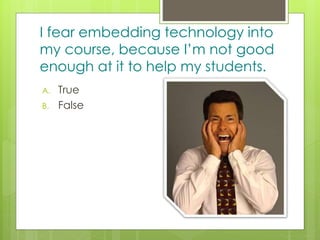
I fear embedding technology into
my course, because I’m not good
enough at it to help my students.
A. True
B. False
z
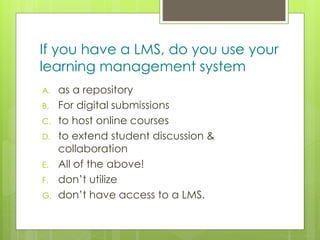
If you have a LMS, do you use your
learning management system
A. as a repository
B. For digital submissions
C. to host online courses
D. to extend student discussion &
collaboration
E. All of the above!
F. don’t utilize
G. don’t have access to a LMS.
z
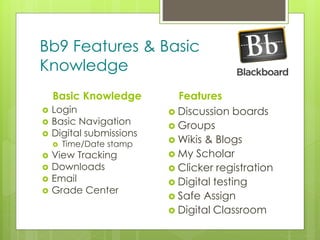
Bb9 Features & Basic
Knowledge
Basic Knowledge
 Login
 Basic Navigation
 Digital submissions
 Time/Date stamp
 View Tracking
 Downloads
 Email
 Grade Center
Features
 Discussion boards
 Groups
 Wikis & Blogs
 My Scholar
 Clicker registration
 Digital testing
 Safe Assign
 Digital Classroom
z
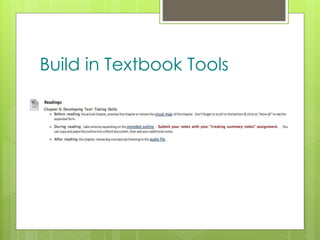
Build in Textbook Tools
z
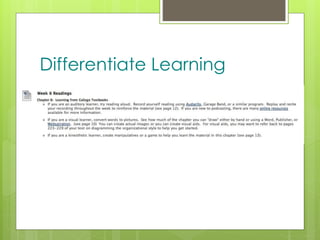
Differentiate Learning
z
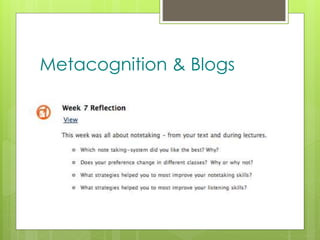
Metacognition & Blogs
z
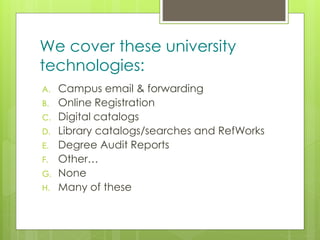
We cover these university
technologies:
A. Campus email & forwarding
B. Online Registration
C. Digital catalogs
D. Library catalogs/searches and RefWorks
E. Degree Audit Reports
F. Other…
G. None
H. Many of these
z
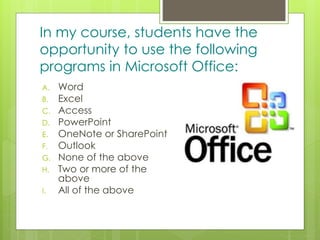
In my course, students have the
opportunity to use the following
programs in Microsoft Office:
A. Word
B. Excel
C. Access
D. PowerPoint
E. OneNote or SharePoint
F. Outlook
G. None of the above
H. Two or more of the
above
I. All of the above
z
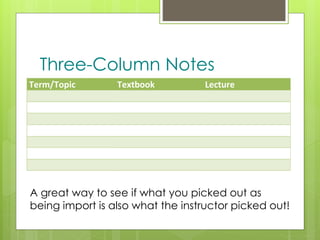
Term/Topic Textbook Lecture
A great way to see if what you picked out as
being import is also what the instructor picked out!
Three-Column Notes
z
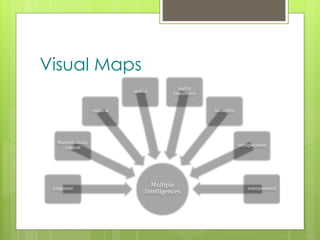
Visual Maps
Multiple
Intelligences
Linguistic
Mathematical/
Logical
musical
spatial
bodily
kinesthetic
naturalist
intrapersonal
interpersonal
z
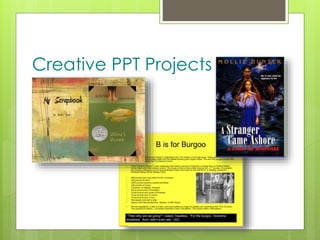
Creative PPT Projects
z
We collaborate regularly using
digital tools such as…
A. Skype
B. Wikis & blogs
C. Google docs, groups, sites
& calendar
D. Dimdim
E. VoiceThread
F. Diigo
G. LinkedIn, Ning, & other
social networking sites
H. Multiple digital tools
I. Huh?
z
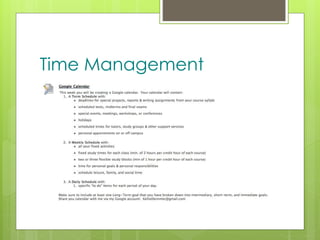
Time Management
z
I make my students aware of
free tools such as…
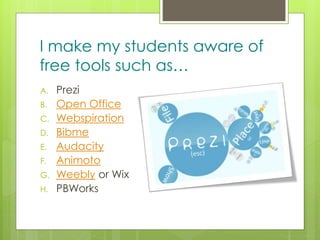
A. Prezi
B. Open Office
C. Webspiration
D. Bibme
E. Audacity
F. Animoto
G. Weebly or Wix
H. PBWorks
z
Wikipedia…
A. Is NOT allowed! Period.
Ever. (Its EVIL!)
B. Can be a great place to
start research
C. Is used regularly for
research
D. Is not for research, but for
writing
E. We don’t really use it, but
address the pros and cons
z
I know where to find “how-to”
info/tutorials to guide my students
when they need extra help.
A. True
B. False
z
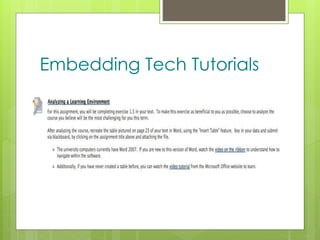
Embedding Tech Tutorials
z
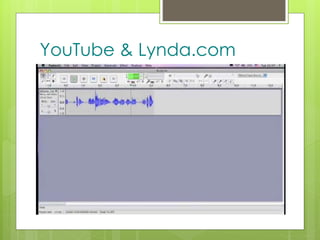
YouTube & Lynda.com
z
I know and understand UDL and
have designed my course to
include universal design principles.
A. True
B. False
z
Universal Design for Learning
 UDL is a set of
principles for
curriculum
development that
give all individuals
equal opportunities
to learn.
z
CAST
 Center for Applied Special Technology
 Learning Tools
 Research
z
How will YOUR course look?
z
Final Note
z
Continue the Discussion
www.TeamUp2010.pbworks.com
z
Kellie Demmler
MITI Education
Chief Intellectual Property Officer
 MITIeducation@gmail.com
Ohio University
Adjunct Professor
 dotyk1@ohio.edu

College success

  • 1.
  • 2.
    z Agenda  Why?  Clickerdemo/Audience survey  Learning management systems & other university technologies  Productivity Suites & basic software  Collaboration Tools  Web-based tools & open software  Scaffolding technology use  Universal Design for learning  Making it personal to YOUR class
  • 3.
    z Why?  College Expectations Non-developmental Education Courses  Level playing fields  Equal access  Non-traditional students  Prepare students for project-based work  21st Century Skills  Employer needs  Global economy  Engage today’s learner  Support teaching & learning  Differentiation
  • 4.
    z Clickers Synonyms  Audience Response Systems Student Response Systems Purpose  Engage students  Collect demographics  Formative assessment  Solicit opinions  Exam Review  Build Confidence
  • 5.
    z Channel 41  Onyour clicker, hit:  Go  41  Go  If your light flashes green, you should be good to go! 
  • 6.
    z I currently designmy courses to differentiate… A. For or cover all learning styles B. To include multiple intelligences C. For various cognitive levels of thinking (Bloom’s) D. Personal interests E. Personal learning goals F. None of the above G. All of the above
  • 7.
    z I believe embedding technologyinto my courses A. Is the only way to teach B. Is an awesome idea & I’m ready to get started C. sounds great, but I have no idea where to start D. Is probably pointless, but I’m trying to keep an open mind E. Is ridiculous. I’m here because I am being forced to sit here and listen to this @#!$%.
  • 8.
    z I fear embeddingtechnology into my course, because I’m not good enough at it to help my students. A. True B. False
  • 9.
    z If you havea LMS, do you use your learning management system A. as a repository B. For digital submissions C. to host online courses D. to extend student discussion & collaboration E. All of the above! F. don’t utilize G. don’t have access to a LMS.
  • 10.
    z Bb9 Features &Basic Knowledge Basic Knowledge  Login  Basic Navigation  Digital submissions  Time/Date stamp  View Tracking  Downloads  Email  Grade Center Features  Discussion boards  Groups  Wikis & Blogs  My Scholar  Clicker registration  Digital testing  Safe Assign  Digital Classroom
  • 11.
  • 12.
  • 13.
  • 14.
    z We cover theseuniversity technologies: A. Campus email & forwarding B. Online Registration C. Digital catalogs D. Library catalogs/searches and RefWorks E. Degree Audit Reports F. Other… G. None H. Many of these
  • 15.
    z In my course,students have the opportunity to use the following programs in Microsoft Office: A. Word B. Excel C. Access D. PowerPoint E. OneNote or SharePoint F. Outlook G. None of the above H. Two or more of the above I. All of the above
  • 16.
    z Term/Topic Textbook Lecture Agreat way to see if what you picked out as being import is also what the instructor picked out! Three-Column Notes
  • 17.
  • 18.
  • 19.
    z We collaborate regularlyusing digital tools such as… A. Skype B. Wikis & blogs C. Google docs, groups, sites & calendar D. Dimdim E. VoiceThread F. Diigo G. LinkedIn, Ning, & other social networking sites H. Multiple digital tools I. Huh?
  • 20.
  • 21.
    z I make mystudents aware of free tools such as… A. Prezi B. Open Office C. Webspiration D. Bibme E. Audacity F. Animoto G. Weebly or Wix H. PBWorks
  • 22.
    z Wikipedia… A. Is NOTallowed! Period. Ever. (Its EVIL!) B. Can be a great place to start research C. Is used regularly for research D. Is not for research, but for writing E. We don’t really use it, but address the pros and cons
  • 23.
    z I know whereto find “how-to” info/tutorials to guide my students when they need extra help. A. True B. False
  • 24.
  • 25.
  • 26.
    z I know andunderstand UDL and have designed my course to include universal design principles. A. True B. False
  • 27.
    z Universal Design forLearning  UDL is a set of principles for curriculum development that give all individuals equal opportunities to learn.
  • 28.
    z CAST  Center forApplied Special Technology  Learning Tools  Research
  • 29.
    z How will YOURcourse look?
  • 30.
  • 31.
  • 32.
    z Kellie Demmler MITI Education ChiefIntellectual Property Officer  MITIeducation@gmail.com Ohio University Adjunct Professor  dotyk1@ohio.edu

Editor's Notes

  • #4 In today’s world, study skills alone don’t equal student success. Students must be prepared to navigate course management systems; be productive in office suites; digitally collaborate; conduct research online; and create innovative projects. Success courses typically focus on helping students build study skills. Unfortunately, they often ignore modern technologies. Therefore, our goal today is to look at how we can embed technology proficiency into success courses to provide students with additional success skills.
  • #5 Research at The Ohio State University physics department showed the use of clickers brought female scores in line with men’s and increased test scores across the board.
  • #9 When we think about constructivisim and exploratory learning, this is the perfect way to implement! Also consider letting students demo technologies to build their confidence & presentation skills
  • #11 Wikis – collaborative writing. Teaches group work etiquette. Emotional Intelligence – how does it feel when someone edits your work. Also great for peer reviews. Communication. Blogs – great way to add that metacognitive piece to your class. Podcasts – educause research shows 5 min. mini lectures are highly effective at reinforcing key points. Digital testing – do students know how to respond to different types of test questions, the pros and cons of digital tests, practicing test-taking strategies (#6, 8,9, 11, 12 Safe Assign – great for your lectures on documenting sources / plagiarism
  • #16 Word – Cornell notes, 2 & 3 column notes, research papers, gap analysis, create flyers for student organizations, business cards for networking PowerPoint – reinforce material from readings, class presentations, online jigsaw, creative projects for literature/personalize learning (multi-genre projects, literature ladders (thinking like a teacher/Bloom’s Taxonomy – Essential study skills Linda Wong) Excel – track grades if instructor doesn’t use a digital grade book Access – database of great sites to use for technology/major SharePoint – study groups/collaborative work
  • #17 Reinforcing the importance of reading the text – especially BEFORE class! Looking at being able to distinguish importance in readings. Learning about how to read their teachers Created a study guide Learned a new skill in Word – change orientation; create & format a table
  • #19 Especially great if you have a course reader. Can be used to extend vocabulary, look for details, practice thinking like a teacher.
  • #20 Google docs – created online assessments with Google forms – embedded into BB9 & had a spreadsheet of all student results for sorting, differentiating assignments, creating groups, etc.
  • #23 A great way to start research – get ideas, narrow or broaden topics, key terms to use in searches, bibliography Also a great way to practice research writing & documenting sources.