* Health Science 101
* Stephen Johnson


                       1
*Frequently Asked Questions
• Self-motivated and self-starters

• Have good organizational skills

• Have good time-management
  skills

• Are familiar with computers and
  the Internet

• Are resourceful and actively seek
  answers and solutions to
  questions and problems.
• Identify yourself by name in each
  email or postings.

• Be supportive and constructive in
  your comments to each other.

• Everyone will benefit from a
  positive online learning
  environment.

• Read information on Online
  Etiquette (use the back button to
  come back and finish the
  presentation).
• Course objectives

• Course expectations

• Assignments
    How to submit assignments
    How to label files

• How to address your e-mails to
  the instructor

• Grading Policies

• Other course issues
It is a violation of college policy to plagiarize or
to recycle work.


 You must not:

 • Take others’ thoughts or words without appropriate
     acknowledgment.
 •   Submit work that has been written or revised in part or in whole by
     another person.
 •   Submit work that you have submitted for another class.
Answer: NO
• Most online classes are NOT self-paced.

• Usually homework, other activities, and
  online class participation must be
  completed by deadline.

• Many Instructors set the deadline for
  midnight on Saturday to assist those who
  work Monday-Friday.

• Use a calendar for deadlines.

• Set aside time each week to login.
Answer: That it is up to you.
                     • You should plan to spend at least the
                       same amount of time you would spend
                       on a face-to-face class.

                     • For a one unit class - you'll spend a
                       minimum of one hour a week looking at
                       some of the class resources, checking
                       on assignments, contributing to
                       discussions, and posting homework.

                     • You’ll probably spend another 3 hours
                       on reading, practice activities and
                       homework. 
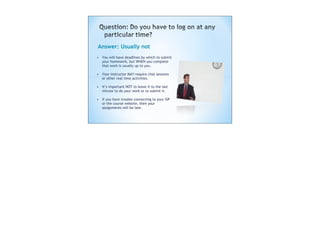
Answer: Usually not
• You will have deadlines by which to submit
  your homework, but WHEN you complete
  that work is usually up to you.

• Your instructor MAY require chat sessions
  or other real time activities.

• It’s important NOT to leave it to the last
  minute to do your work or to submit it.

• If you have trouble connecting to your ISP
  or the course website, then your
  assignments will be late.
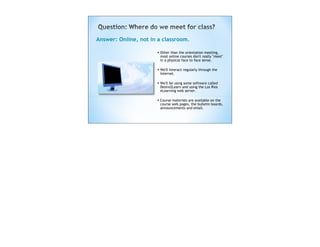
Answer: Online, not in a classroom.

                      • Other than the orientation meeting,
                       most online courses don't really "meet"
                       in a physical face to face sense.

                      • We'll interact regularly through the
                       Internet.

                      • We'll be using some software called
                       Desire2Learn and using the Los Rios
                       eLearning web server.  

                      • Course materials are available on the
                       course web pages, the bulletin boards,
                       announcements and email.
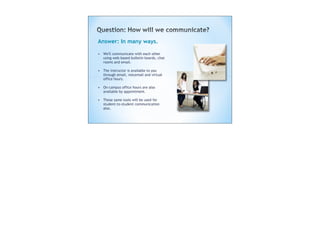
Answer: In many ways.

• We'll communicate with each other
  using web-based bulletin boards, chat
  rooms and email.

• The instructor is available to you
  through email, voicemail and virtual
  office hours.

• On-campus office hours are also
  available by appointment.

• These same tools will be used for
  student-to-student communication
  also.
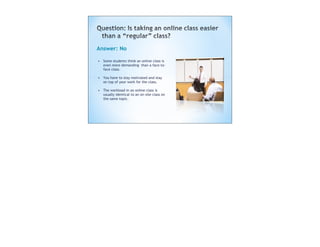
Answer: No

• Some students think an online class is
  even more demanding than a face-to-
  face class.

• You have to stay motivated and stay
  on top of your work for the class.

• The workload in an online class is
  usually identical to an on-site class on
  the same topic.
Answer: No
             • Access to a computer at home makes it
                 easier, but you do NOT have to own a
                 computer for an online class.

             •    Students can access computers on the
                 campus in several locations (the
                 Learning Resource Center, and the
                 Business Computer lab, for example) or
                 at other district colleges.

             • Some students complete online classes
                 from work (with permission from their
                 employer, of course). 
Answer:
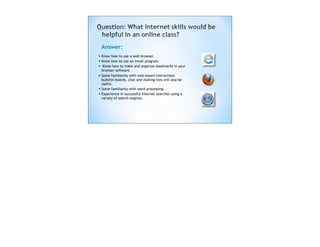
• Know how to use a web browser.
• Know how to use an email program.
• Know how to make and organize bookmarks in your
    browser software.
• Some familiarity with web-based interactions
    bulletin boards, chat and mailing lists will also be
    useful.
•   Some familiarity with word processing.
•   Experience in successful Internet searches using a
    variety of search engines.
Answer:   • As in a regular face-to-face class, your
           instructor expects that you will adhere to
           standards of:
              Courtesy
              Professionalism
              Academic honesty
          • Participate with appropriate consideration
           for each other and for the instructor.

          • Your emails and web postings should:
              On the topic at hand
              Be appropriate
               Should reflect a professional demeanor
• Online links
    GCCCD Online Tutorials
        http://www.gcccd.net/online/tutorials/
           tutorials.htm
    GCCCD Online Orientation
        http://www.gcccd.net/online/orientation.htm
    Login to Blackboard at GCCCD
        http://bb.gcccd.edu

Faq onlinestudents fa10-compressed

  • 1.
    * Health Science101 * Stephen Johnson 1
  • 2.
  • 3.
    • Self-motivated andself-starters • Have good organizational skills • Have good time-management skills • Are familiar with computers and the Internet • Are resourceful and actively seek answers and solutions to questions and problems.
  • 4.
    • Identify yourselfby name in each email or postings. • Be supportive and constructive in your comments to each other. • Everyone will benefit from a positive online learning environment. • Read information on Online Etiquette (use the back button to come back and finish the presentation).
  • 5.
    • Course objectives •Course expectations • Assignments  How to submit assignments  How to label files • How to address your e-mails to the instructor • Grading Policies • Other course issues
  • 6.
    It is aviolation of college policy to plagiarize or to recycle work. You must not: • Take others’ thoughts or words without appropriate acknowledgment. • Submit work that has been written or revised in part or in whole by another person. • Submit work that you have submitted for another class.
  • 7.
    Answer: NO • Mostonline classes are NOT self-paced. • Usually homework, other activities, and online class participation must be completed by deadline. • Many Instructors set the deadline for midnight on Saturday to assist those who work Monday-Friday. • Use a calendar for deadlines. • Set aside time each week to login.
  • 8.
    Answer: That itis up to you. • You should plan to spend at least the same amount of time you would spend on a face-to-face class. • For a one unit class - you'll spend a minimum of one hour a week looking at some of the class resources, checking on assignments, contributing to discussions, and posting homework. • You’ll probably spend another 3 hours on reading, practice activities and homework. 
  • 9.
    Answer: Usually not •You will have deadlines by which to submit your homework, but WHEN you complete that work is usually up to you. • Your instructor MAY require chat sessions or other real time activities. • It’s important NOT to leave it to the last minute to do your work or to submit it. • If you have trouble connecting to your ISP or the course website, then your assignments will be late.
  • 10.
    Answer: Online, notin a classroom. • Other than the orientation meeting, most online courses don't really "meet" in a physical face to face sense. • We'll interact regularly through the Internet. • We'll be using some software called Desire2Learn and using the Los Rios eLearning web server.   • Course materials are available on the course web pages, the bulletin boards, announcements and email.
  • 11.
    Answer: In manyways. • We'll communicate with each other using web-based bulletin boards, chat rooms and email. • The instructor is available to you through email, voicemail and virtual office hours. • On-campus office hours are also available by appointment. • These same tools will be used for student-to-student communication also.
  • 12.
    Answer: No • Somestudents think an online class is even more demanding than a face-to- face class. • You have to stay motivated and stay on top of your work for the class. • The workload in an online class is usually identical to an on-site class on the same topic.
  • 13.
    Answer: No • Access to a computer at home makes it easier, but you do NOT have to own a computer for an online class. • Students can access computers on the campus in several locations (the Learning Resource Center, and the Business Computer lab, for example) or at other district colleges. • Some students complete online classes from work (with permission from their employer, of course). 
  • 14.
    Answer: • Know howto use a web browser. • Know how to use an email program. • Know how to make and organize bookmarks in your browser software. • Some familiarity with web-based interactions bulletin boards, chat and mailing lists will also be useful. • Some familiarity with word processing. • Experience in successful Internet searches using a variety of search engines.
  • 15.
    Answer: • As in a regular face-to-face class, your instructor expects that you will adhere to standards of: Courtesy Professionalism Academic honesty • Participate with appropriate consideration for each other and for the instructor. • Your emails and web postings should: On the topic at hand Be appropriate  Should reflect a professional demeanor
  • 16.
    • Online links  GCCCD Online Tutorials  http://www.gcccd.net/online/tutorials/ tutorials.htm  GCCCD Online Orientation  http://www.gcccd.net/online/orientation.htm  Login to Blackboard at GCCCD  http://bb.gcccd.edu