COBOL PROGRAMMING LANGUAGE
COMMON
BUSINESS
ORIENTED
LANGUAGE
What is it all about?
 It is a compiled English-like computer programming
language designed for business use.
 While the language has been updated over the years,
COBOL programs are generally viewed as being
outdated. Today, however, a majority of payroll,
accounting and other business application programs
still use COBOL
More About
 It is Procedural, imperative, object-oriented
 Designed by Howard Bromberg, Howard
Discount, Vernon Reeves, Jean E.Sammet
, William Selden, Gertrude Tierney
 Developed by CODASYL
 File Extensions are .cbl, .cob, .cpy
Quick History
 Developed in 1959 by CODASYL (Conference on Data Systems
Languages) to provide common business language for
business applications
 It was created as part of a US Department of Defense effort to
create a portable programming language for data processing.
 It was standardized in 1968 and has since been revised four
times.
 The current standard is ISO/IEC 1989:2014.
Uses of cobol
 COBOL is primarily used in business, finance, and
administrative systems for companies and governments.
 COBOL is still widely used in legacy applications deployed on
mainframe computers, such as large-scale batch and
transaction processing jobs.
 But due to its declining popularity and the retirement of
experienced COBOL programmers, programs are being
migrated to new platforms, rewritten in modern languages or
replaced with software packages.
Developing Environments
 Open Cobol
 Tiny Cobol
 Z Cobol
 Cobol for GCC
 GCC
 Cevela MX
 Wildcat
 Cobol 12
 Cobol 650
Syntax
 COBOL has an English-like syntax, which was designed to
be self-documenting and highly readable.
Example: y = x; is rather represented with: MOVE x TO y
 Lacking a large standard library, the standard specifies 43
statements, 87 functions and just one class.
 COBOL is not case sensitive
Syntax – Code Format
 A condition in COBOL can be expressed as:
 IS x GREATER THAN y
 More complex conditions can be "abbreviated" by removing
repeated conditions and variables. For example:
 IS a GREATER THAN b AND a GREATER THAN c OR a EQUALS
TO d
Divisions of Cobol
COBOL code is split into four divisions
 Identification
 Environment
 Data
 Procedure
(containing of sections, paragraphs and sentences)
Identification Division
 This is the primary section that gives an identity to the
program
 COBOL is not case sensitive – we can write code in uppercase
or lowercase letters
 PROGRAM-ID is the main phrase in this section that gives a
unique name to programs.
 DATE-WRITTEN and DATE-COMPILED are used to denote
documenting part of the program
 AUTHOR is the clause to specify the name of the programmer.
Margins
 The program lines are restricted to 80 column width
 In this also, there are column boundaries that play major role
 Columns 1 to 6 are meant for line numbers
 Column 7 is meant for comment. A star mark in this column, denotes that
line is a comment
 Column 8 is called A margin. Columns 8 to 11 is called A area
 Column 12 is called B margin. Columns 12 to 80 is called B area
 Some statements must start from A area, and some other must start from
B area.
 If margin rules are not followed, the compiler will issue a syntax error
Environment Division
 This is used to specify the computer types, special symbols and files related
data.
 This can have CONFIGURATION SECTION and INPUT-OUTPUT SECTION.
 Configuration section can have the following.
 SOURCE-COMPUTER. TDM180.
 OBJECT-COMPUTER. TDM180.
 SEPCIAL-NAMES.
 - DECIMAL POINT IS COMMA, CURRENCY SIGN IS “$”.
 In some countries the decimal points is not a dot and the currency signs keep
varying.
 Input-output section is mainly for file specifications. This is given at the end of
the presentation.
Data Division
 This is used to declare variables, screens, parameters to other programs
and file record descriptions.
 This can have file section, working-storage section, linkage section, screen
section.
 If sections are not used, they can be omitted as well. But usually every
program will have at least one variable declaration.
 Unlike other languages, ALL VARIABLES DECLARED IN A PROGRAM ARE
GLOBAL VARIABLES.
Procedure Division
 This is the place where the program logic is coded.
 This can have user defined sections. Usually, this is segmented as multiple
paragraphs.
 Each paragraph is a set of statements that can act as a function or procedure
as used in other languages
 Since all variables are global, every variable is accessible from every paragraph
within that program.
 Statement delimiter is dot.
 Procedure division para names must start in A area
 Procedure division statements must start in B area
 The program starts from the very first line of the procedure division till the
statement STOP RUN is reached.
Variables
 Variables are to be declared in working-storage section
 Variables can be scalar, arrays, records, file descriptor records
 The name of variable can have alphanumeric, with first character as alphabet, and can have only dash
(hyphen) in it. Hypen must be embedded
 The type of variable is determined by the picture clause
 77 level variables are scalar variables; arrays and records are explained later in this presentation
 77 var-1 picture 999.
 9 stands for a single digit number. This is a 3 digit number
 77 var-2 picture xxx.
 X stands for alphanumeric. This is a 3 character alphanumeric
 77 var-3 picture S99.99
 S sign for numeric variable stands for sign + or -. A dot in picture clause with trailing 9s will indicate the
number of decimals. Dot stands for explicit decimal point
Simple User Input
 Accept is the verb to get values from user
 Accep1 n1. – This will get the values from user, from the cursor position
 Accept n1 from date. – This will give you the current system date into
variable
 Accept n1 from time. – This will give you the current system time into
variable
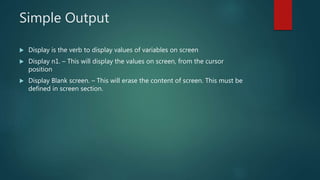
Simple Output
 Display is the verb to display values of variables on screen
 Display n1. – This will display the values on screen, from the cursor
position
 Display Blank screen. – This will erase the content of screen. This must be
defined in screen section.
Conditions
 The relational operators as well as spelt out phrases can be used
 If a < b – this can be written as if a is less than b
 >, <, =, >=, <= are the available relational operators
 NOT, AND, OR are the logical operators
 Less than, greater than, equal to are the spelt out phrases
 If a is less than b then
 Do some thing
 Else
 Do the other way
 End-if.
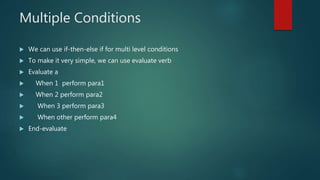
Multiple Conditions
 We can use if-then-else if for multi level conditions
 To make it very simple, we can use evaluate verb
 Evaluate a
 When 1 perform para1
 When 2 perform para2
 When 3 perform para3
 When other perform para4
 End-evaluate
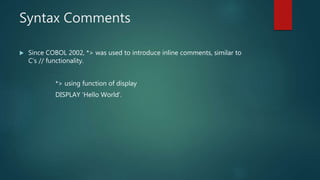
Syntax Comments
 Since COBOL 2002, *> was used to introduce inline comments, similar to
C’s // functionality.
*> using function of display
DISPLAY 'Hello World'.
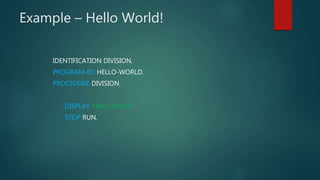
Example – Hello World!
IDENTIFICATION DIVISION.
PROGRAM-ID. HELLO-WORLD.
PROCEDURE DIVISION.
DISPLAY 'Hello, World'.
STOP RUN.

Cobol programming language

  • 1.
  • 2.
    What is itall about?  It is a compiled English-like computer programming language designed for business use.  While the language has been updated over the years, COBOL programs are generally viewed as being outdated. Today, however, a majority of payroll, accounting and other business application programs still use COBOL
  • 3.
    More About  Itis Procedural, imperative, object-oriented  Designed by Howard Bromberg, Howard Discount, Vernon Reeves, Jean E.Sammet , William Selden, Gertrude Tierney  Developed by CODASYL  File Extensions are .cbl, .cob, .cpy
  • 4.
    Quick History  Developedin 1959 by CODASYL (Conference on Data Systems Languages) to provide common business language for business applications  It was created as part of a US Department of Defense effort to create a portable programming language for data processing.  It was standardized in 1968 and has since been revised four times.  The current standard is ISO/IEC 1989:2014.
  • 5.
    Uses of cobol COBOL is primarily used in business, finance, and administrative systems for companies and governments.  COBOL is still widely used in legacy applications deployed on mainframe computers, such as large-scale batch and transaction processing jobs.  But due to its declining popularity and the retirement of experienced COBOL programmers, programs are being migrated to new platforms, rewritten in modern languages or replaced with software packages.
  • 6.
    Developing Environments  OpenCobol  Tiny Cobol  Z Cobol  Cobol for GCC  GCC  Cevela MX  Wildcat  Cobol 12  Cobol 650
  • 7.
    Syntax  COBOL hasan English-like syntax, which was designed to be self-documenting and highly readable. Example: y = x; is rather represented with: MOVE x TO y  Lacking a large standard library, the standard specifies 43 statements, 87 functions and just one class.  COBOL is not case sensitive
  • 8.
    Syntax – CodeFormat  A condition in COBOL can be expressed as:  IS x GREATER THAN y  More complex conditions can be "abbreviated" by removing repeated conditions and variables. For example:  IS a GREATER THAN b AND a GREATER THAN c OR a EQUALS TO d
  • 9.
    Divisions of Cobol COBOLcode is split into four divisions  Identification  Environment  Data  Procedure (containing of sections, paragraphs and sentences)
  • 10.
    Identification Division  Thisis the primary section that gives an identity to the program  COBOL is not case sensitive – we can write code in uppercase or lowercase letters  PROGRAM-ID is the main phrase in this section that gives a unique name to programs.  DATE-WRITTEN and DATE-COMPILED are used to denote documenting part of the program  AUTHOR is the clause to specify the name of the programmer.
  • 11.
    Margins  The programlines are restricted to 80 column width  In this also, there are column boundaries that play major role  Columns 1 to 6 are meant for line numbers  Column 7 is meant for comment. A star mark in this column, denotes that line is a comment  Column 8 is called A margin. Columns 8 to 11 is called A area  Column 12 is called B margin. Columns 12 to 80 is called B area  Some statements must start from A area, and some other must start from B area.  If margin rules are not followed, the compiler will issue a syntax error
  • 12.
    Environment Division  Thisis used to specify the computer types, special symbols and files related data.  This can have CONFIGURATION SECTION and INPUT-OUTPUT SECTION.  Configuration section can have the following.  SOURCE-COMPUTER. TDM180.  OBJECT-COMPUTER. TDM180.  SEPCIAL-NAMES.  - DECIMAL POINT IS COMMA, CURRENCY SIGN IS “$”.  In some countries the decimal points is not a dot and the currency signs keep varying.  Input-output section is mainly for file specifications. This is given at the end of the presentation.
  • 13.
    Data Division  Thisis used to declare variables, screens, parameters to other programs and file record descriptions.  This can have file section, working-storage section, linkage section, screen section.  If sections are not used, they can be omitted as well. But usually every program will have at least one variable declaration.  Unlike other languages, ALL VARIABLES DECLARED IN A PROGRAM ARE GLOBAL VARIABLES.
  • 14.
    Procedure Division  Thisis the place where the program logic is coded.  This can have user defined sections. Usually, this is segmented as multiple paragraphs.  Each paragraph is a set of statements that can act as a function or procedure as used in other languages  Since all variables are global, every variable is accessible from every paragraph within that program.  Statement delimiter is dot.  Procedure division para names must start in A area  Procedure division statements must start in B area  The program starts from the very first line of the procedure division till the statement STOP RUN is reached.
  • 15.
    Variables  Variables areto be declared in working-storage section  Variables can be scalar, arrays, records, file descriptor records  The name of variable can have alphanumeric, with first character as alphabet, and can have only dash (hyphen) in it. Hypen must be embedded  The type of variable is determined by the picture clause  77 level variables are scalar variables; arrays and records are explained later in this presentation  77 var-1 picture 999.  9 stands for a single digit number. This is a 3 digit number  77 var-2 picture xxx.  X stands for alphanumeric. This is a 3 character alphanumeric  77 var-3 picture S99.99  S sign for numeric variable stands for sign + or -. A dot in picture clause with trailing 9s will indicate the number of decimals. Dot stands for explicit decimal point
  • 16.
    Simple User Input Accept is the verb to get values from user  Accep1 n1. – This will get the values from user, from the cursor position  Accept n1 from date. – This will give you the current system date into variable  Accept n1 from time. – This will give you the current system time into variable
  • 17.
    Simple Output  Displayis the verb to display values of variables on screen  Display n1. – This will display the values on screen, from the cursor position  Display Blank screen. – This will erase the content of screen. This must be defined in screen section.
  • 18.
    Conditions  The relationaloperators as well as spelt out phrases can be used  If a < b – this can be written as if a is less than b  >, <, =, >=, <= are the available relational operators  NOT, AND, OR are the logical operators  Less than, greater than, equal to are the spelt out phrases  If a is less than b then  Do some thing  Else  Do the other way  End-if.
  • 19.
    Multiple Conditions  Wecan use if-then-else if for multi level conditions  To make it very simple, we can use evaluate verb  Evaluate a  When 1 perform para1  When 2 perform para2  When 3 perform para3  When other perform para4  End-evaluate
  • 20.
    Syntax Comments  SinceCOBOL 2002, *> was used to introduce inline comments, similar to C’s // functionality. *> using function of display DISPLAY 'Hello World'.
  • 21.
    Example – HelloWorld! IDENTIFICATION DIVISION. PROGRAM-ID. HELLO-WORLD. PROCEDURE DIVISION. DISPLAY 'Hello, World'. STOP RUN.