What You Need to Know
        About
     Social Media
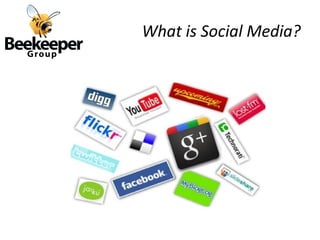
What is Social Media?
Why Use Social Media?

•   Brand management
•   Crisis Management
•   Media Relations
•   Thought Leadership
•   Search Engine Optimization
•   Low cost / ROI
•   Building community
•   Humanizing
Who is Listening?

•   Journalists
•   Bloggers
•   Amplifiers
•   Customers
•   Stakeholders
•   Policymakers
Define Success!

• Set goals:
   • Web page clicks
   • Newsletter sign ups
   • Fundraising dollars
   • Event attendance
• Quality over quantity
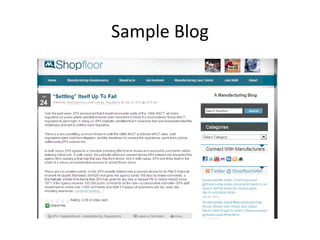
Sample Blog
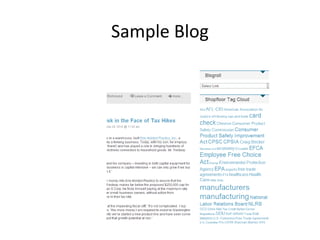
Sample Blog
Writing for Social Web
Blogger Relations

•   Create lists via search and blogroll
•   Consider authority of blog
•   Build relationships before the crisis
•   Don’t send press releases
•   Do share exclusives!
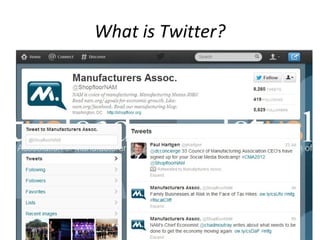
What is Twitter?
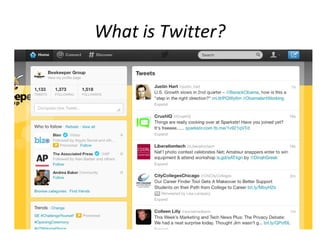
What is Twitter?
What Industries is Twitter
                       Impacting?

•   Journalism – Miracle on the Hudson
•   Entertainment – Opening Night
•   Education – Collaboration
•   Government – Twitter Townhall, CDC
•   PR – Weinergate
•   Politics – Arab Spring
Twitter Terms

•Tweet - A short update of what you are doing in 140 characters.
•Followers - People who are subscribed of your updates or fondly known as
Tweets.
•Following - People you are interested for following by subscribing to their
updates or tweets.
•Direct Message (DM) - Sending a Direct Message to your followers.
•At (@) - You can use this when you are referring him/her in your updates.
You can prefix their username with @ to display his/her Twitter account in the
update.
•Re-Tweet (RT) - You can relay a tweet or update by a Twitterer or Tweeter
to everyone who are following you.
•Hashtag (#) - When you want to tell something specific about some issue or
subject, you can prefix your subject with #.
•Tweet - Up - When a group of Twitterers or Tweeters arranges a meeting
for a social interaction or for some bloggers meet and so on.
•Source: http://www.hellboundbloggers.com/reviews/websites-reviews/twitter-definitions-for-newbies
Why Use Twitter?


•   Share news and information
•   Get feedback
•   Connect with others (humanizing)
•   Network from your desk!
•   Mobilize around issues/legislation
•   Shorter and faster than blogging
•   Build presence in case of crisis
Things to Consider


•   Who owns your tweets?
•   What if you switch jobs?
•   What disclaimers do you need?
•   Can you humanize your work account?
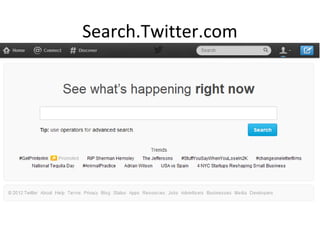
Search.Twitter.com
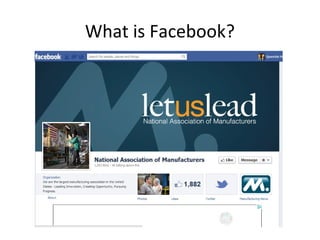
What is Facebook?
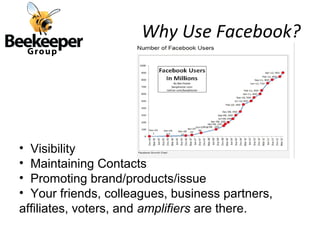
Why Use Facebook?


• Visibility
• Maintaining Contacts
• Promoting brand/products/issue
• Your friends, colleagues, business partners,
affiliates, voters, and amplifiers are there.
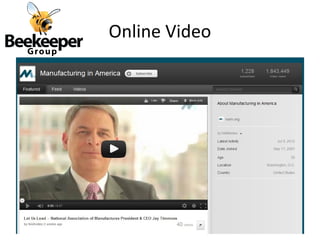
Online Video
The 5 W’s of Online Video


Who? - YOU!
What? - Keep it simple. Bio’s, events,
interviews.
Where? - YouTube, your homepage, your
newsletter
When? - Viewers can watch whenever. Always
catch media moments!
Why? - Powerful, inexpensive, engaging.
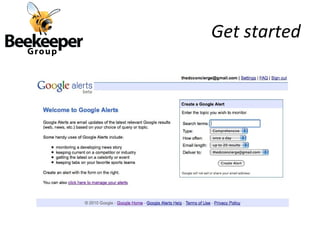
Get started
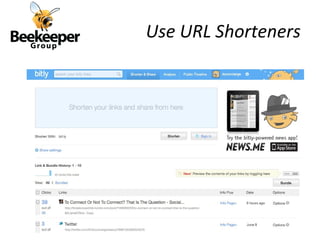
Use URL Shorteners
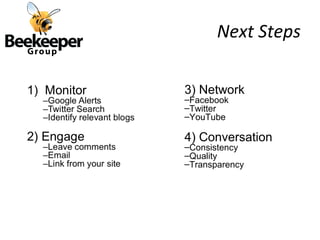
Next Steps

3) Network
–Facebook
–Twitter
–YouTube

4) Conversation
–Consistency
–Quality
–Transparency
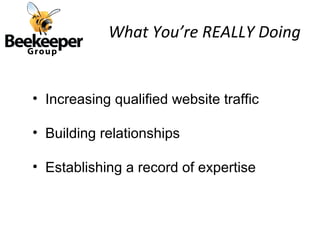
What You’re REALLY Doing


• Increasing qualified website traffic

• Building relationships

• Establishing a record of expertise
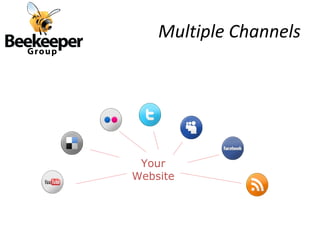
Multiple Channels


 Your
Website
Questions?


Shana Glickfield
ShanaG@BeekeeperGroup.com
@DCconcierge OR @BeekeeperGroup
202-540-8787 ext.201

CMA2012: Social Media Bootcamp

  • 1.
    What You Needto Know About Social Media
  • 2.
  • 3.
    Why Use SocialMedia? • Brand management • Crisis Management • Media Relations • Thought Leadership • Search Engine Optimization • Low cost / ROI • Building community • Humanizing
  • 4.
    Who is Listening? • Journalists • Bloggers • Amplifiers • Customers • Stakeholders • Policymakers
  • 5.
    Define Success! • Setgoals: • Web page clicks • Newsletter sign ups • Fundraising dollars • Event attendance • Quality over quantity
  • 6.
  • 7.
  • 8.
  • 9.
    Blogger Relations • Create lists via search and blogroll • Consider authority of blog • Build relationships before the crisis • Don’t send press releases • Do share exclusives!
  • 10.
  • 11.
  • 12.
    What Industries isTwitter Impacting? • Journalism – Miracle on the Hudson • Entertainment – Opening Night • Education – Collaboration • Government – Twitter Townhall, CDC • PR – Weinergate • Politics – Arab Spring
  • 13.
    Twitter Terms •Tweet -A short update of what you are doing in 140 characters. •Followers - People who are subscribed of your updates or fondly known as Tweets. •Following - People you are interested for following by subscribing to their updates or tweets. •Direct Message (DM) - Sending a Direct Message to your followers. •At (@) - You can use this when you are referring him/her in your updates. You can prefix their username with @ to display his/her Twitter account in the update. •Re-Tweet (RT) - You can relay a tweet or update by a Twitterer or Tweeter to everyone who are following you. •Hashtag (#) - When you want to tell something specific about some issue or subject, you can prefix your subject with #. •Tweet - Up - When a group of Twitterers or Tweeters arranges a meeting for a social interaction or for some bloggers meet and so on. •Source: http://www.hellboundbloggers.com/reviews/websites-reviews/twitter-definitions-for-newbies
  • 14.
    Why Use Twitter? • Share news and information • Get feedback • Connect with others (humanizing) • Network from your desk! • Mobilize around issues/legislation • Shorter and faster than blogging • Build presence in case of crisis
  • 15.
    Things to Consider • Who owns your tweets? • What if you switch jobs? • What disclaimers do you need? • Can you humanize your work account?
  • 16.
  • 17.
  • 18.
    Why Use Facebook? •Visibility • Maintaining Contacts • Promoting brand/products/issue • Your friends, colleagues, business partners, affiliates, voters, and amplifiers are there.
  • 19.
  • 20.
    The 5 W’sof Online Video Who? - YOU! What? - Keep it simple. Bio’s, events, interviews. Where? - YouTube, your homepage, your newsletter When? - Viewers can watch whenever. Always catch media moments! Why? - Powerful, inexpensive, engaging.
  • 21.
  • 22.
  • 23.
    Next Steps 3) Network –Facebook –Twitter –YouTube 4)Conversation –Consistency –Quality –Transparency
  • 24.
    What You’re REALLYDoing • Increasing qualified website traffic • Building relationships • Establishing a record of expertise
  • 25.
  • 26.

Editor's Notes

  • #14 Source - Source: http://www.hellboundbloggers.com/reviews/websites-reviews/twitter-definitions-for-newbies