Google Drive & Dropbox – Stepping onto the Cloud
DIGITAL LITERACY & PROFESSIONALISM
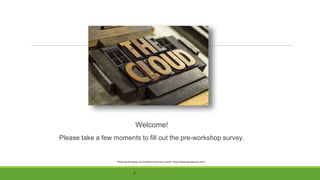
Welcome!
Please take a few moments to fill out the pre-workshop survey.
Photo by Perspecys via Creative Commons License: http://www.perspecsys.com/
https://www.flickr.com/photos/mckaysavage/2225262197/
Digital Literacy & Professionalism
This workshop is one of a series from BTC Library made by possible by a Digital Literacy &
Professionalism grant from the Washington State Library through the Institute of Museum
and Library Services.
What is Digital Literacy?
“Digital literacy is the ability to find, evaluate, utilize, share, and create
content using information technologies and the Internet.”
Cornell University. "Digital Literacy Resource - Introduction." Digital Literacy Resource - Introduction. Retrieved from
http://digitalliteracy.cornell.edu/welcome/dpl0000.html
Stepping Onto the Cloud
• What is the Cloud?
• What is Google drive?
• What is Dropbox?
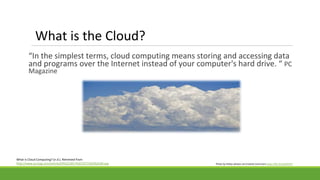
What is the Cloud?
“In the simplest terms, cloud computing means storing and accessing data
and programs over the Internet instead of your computer's hard drive. “ PC
Magazine
What Is Cloud Computing? (n.d.). Retrieved from
http://www.pcmag.com/article2/0%2C2817%2C2372163%2C00.asp Photo by Pattys-photos via Creative Commons https://flic.kr/p/abA2T4
What is Google Drive?
● Cloud-based storage platform
● Released in 2012 to replace Google Docs and to compete with
similar products-- such as Dropbox.
● Create and edit documents, images and other files.
● Collaborate and share
Lots of stuff!
• Store files, documents, images (15 gb free)
• Create and edit stuff
• Real-time collaboration
• Share folders, files, & other items
• Use add-ons and extensions to make your life easier
What Can You Do With Google Drive?
Photo by Derek Bruff via Creative Commons License
https://www.flickr.com/photos/derekbruff/5583561290/
Let’s Take a Look at Google Drive
Digital Literacy Team Drive
Explore Google Drive
• Go to https://drive.google.com
• Create free account/sign in
Pathway Into the Woods by David Grimes via flickr Creative Commons license: https://flic.kr/p/fgpiSG
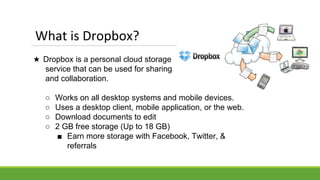
★ Dropbox is a personal cloud storage
service that can be used for sharing
and collaboration.
○ Works on all desktop systems and mobile devices.
○ Uses a desktop client, mobile application, or the web.
○ Download documents to edit
○ 2 GB free storage (Up to 18 GB)
■ Earn more storage with Facebook, Twitter, &
referrals
What is Dropbox?
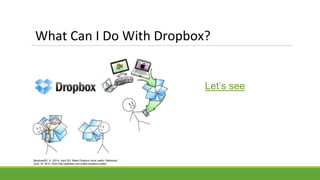
What Can I Do With Dropbox?
DEMO?
Let’s see
Baranwal20, A. (2014, April 20). Make Dropbox more useful. Retrieved
June 18, 2014, from http://goideaz.com/make-dropbox-useful/
Your Turn with Dropbox
■Go to https://dropbox.com
■Create free account/sign in
■ Or I will email you an invitation to
sign in
Practice Session by Dan Mills via flickr Creative Commons license: https://www.flickr.com/photos/thunder/150914881
Where to get more information and help?
•Workshop presentations: http://btc.ctc.libguides.com/
•Dropbox help: https://dropbox.com/help
•Google Drive help:
https://support.google.com/drive/#topic=14940
•Contact the library: library@btc.ctc.edu
•Contact eLearning: elearninghelp@btc.ctc.edu
Photo by Steev Hise via Creative Commons License https://flic.kr/p/4HKJE1
Questions?
Please complete the post-workshop survey before you go.
Photo by David Feng via Creative Commons License https://www.flickr.com/photos/fenng/4134953185/

Cloud - Google Drive & Dropbox

  • 1.
    Google Drive &Dropbox – Stepping onto the Cloud DIGITAL LITERACY & PROFESSIONALISM
  • 2.
    Welcome! Please take afew moments to fill out the pre-workshop survey. Photo by Perspecys via Creative Commons License: http://www.perspecsys.com/ https://www.flickr.com/photos/mckaysavage/2225262197/
  • 3.
    Digital Literacy &Professionalism This workshop is one of a series from BTC Library made by possible by a Digital Literacy & Professionalism grant from the Washington State Library through the Institute of Museum and Library Services.
  • 4.
    What is DigitalLiteracy? “Digital literacy is the ability to find, evaluate, utilize, share, and create content using information technologies and the Internet.” Cornell University. "Digital Literacy Resource - Introduction." Digital Literacy Resource - Introduction. Retrieved from http://digitalliteracy.cornell.edu/welcome/dpl0000.html
  • 5.
    Stepping Onto theCloud • What is the Cloud? • What is Google drive? • What is Dropbox?
  • 6.
    What is theCloud? “In the simplest terms, cloud computing means storing and accessing data and programs over the Internet instead of your computer's hard drive. “ PC Magazine What Is Cloud Computing? (n.d.). Retrieved from http://www.pcmag.com/article2/0%2C2817%2C2372163%2C00.asp Photo by Pattys-photos via Creative Commons https://flic.kr/p/abA2T4
  • 7.
    What is GoogleDrive? ● Cloud-based storage platform ● Released in 2012 to replace Google Docs and to compete with similar products-- such as Dropbox. ● Create and edit documents, images and other files. ● Collaborate and share
  • 8.
    Lots of stuff! •Store files, documents, images (15 gb free) • Create and edit stuff • Real-time collaboration • Share folders, files, & other items • Use add-ons and extensions to make your life easier What Can You Do With Google Drive? Photo by Derek Bruff via Creative Commons License https://www.flickr.com/photos/derekbruff/5583561290/
  • 9.
    Let’s Take aLook at Google Drive Digital Literacy Team Drive
  • 10.
    Explore Google Drive •Go to https://drive.google.com • Create free account/sign in Pathway Into the Woods by David Grimes via flickr Creative Commons license: https://flic.kr/p/fgpiSG
  • 11.
    ★ Dropbox isa personal cloud storage service that can be used for sharing and collaboration. ○ Works on all desktop systems and mobile devices. ○ Uses a desktop client, mobile application, or the web. ○ Download documents to edit ○ 2 GB free storage (Up to 18 GB) ■ Earn more storage with Facebook, Twitter, & referrals What is Dropbox?
  • 12.
    What Can IDo With Dropbox? DEMO? Let’s see Baranwal20, A. (2014, April 20). Make Dropbox more useful. Retrieved June 18, 2014, from http://goideaz.com/make-dropbox-useful/
  • 13.
    Your Turn withDropbox ■Go to https://dropbox.com ■Create free account/sign in ■ Or I will email you an invitation to sign in Practice Session by Dan Mills via flickr Creative Commons license: https://www.flickr.com/photos/thunder/150914881
  • 14.
    Where to getmore information and help? •Workshop presentations: http://btc.ctc.libguides.com/ •Dropbox help: https://dropbox.com/help •Google Drive help: https://support.google.com/drive/#topic=14940 •Contact the library: library@btc.ctc.edu •Contact eLearning: elearninghelp@btc.ctc.edu Photo by Steev Hise via Creative Commons License https://flic.kr/p/4HKJE1
  • 15.
  • 16.
    Please complete thepost-workshop survey before you go. Photo by David Feng via Creative Commons License https://www.flickr.com/photos/fenng/4134953185/