
Google Reserach Support Tools
Hamzah Sendut Library, Universiti Sains Malaysia, Penang, Malaysia
Mohd Ikhwan
Ismail
We lead
• GOOGLE DRIVE is a product of GOOGLE brand which is officially
released on April 24, 2012.
• Its upgraded stable version was released on June 19,2012.
• Google started to work on this project on 2006
• Website: https://drive.google.com/
INTRODUCTION
We lead
• To overcome the limitations of file format for sharing and storing
them on other Google product like Google document, YouTube and
Picasa.
• To provide online backup services.
WHAT IS NEED OF GOOGLE DRIVE?
We lead
INTRODUCTION
All your files, ready where you are
We lead
INTRODUCTION
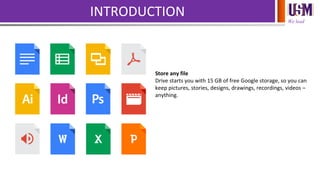
Store any file
Drive starts you with 15 GB of free Google storage, so you can
keep pictures, stories, designs, drawings, recordings, videos –
anything.
We lead
INTRODUCTION
See your stuff anywhere
Your files in Drive can be reached from any smartphone,
tablet, or computer. So wherever you go, your files follow.
We lead
INTRODUCTION
Share files and folders
You can quickly invite others to view, download, and
collaborate on all the files you want–no email
attachment needed.
We lead
Features
Powerful search
Google Drive helps you get to your files faster by recognizing
objects in your images and text in scanned documents.
We lead
Features
View anything
View over 30 file types right in your browser—including HD
video, Adobe Illustrator and Photoshop—even if you don’t
have the program installed on your computer.
We lead
Features
Get stuff done offline
If you use Chrome, you can turn on Drive offline to create, edit,
and comment on Docs, Slides, and Drawings and view Sheets
when there’s no network connection.
We lead
Features
Chat, discuss & mentions
Connect with others by chatting right inside Docs, Sheets, and
Slides, or leave comments on files and images. Add a + in front
of an email address in a comment and Drive will send them an
email so they know to follow up.
We lead
Features
Go back in time with revision history
Google Docs, Sheets, and Slides automatically save and track
every change you make, forever. You can also look back as far
as 30 days on other file types, making it easy to see who has
made changes and restore previous versions.
We lead
Your stuff, your way
Your storage works with Drive, Gmail and Google+ Photos, so
you can keep files, save email attachments and back-up photos
directly to Drive. You can also purchase a storage plan for even
more space.
15GB as you please
Your free storage is shared across Drive, Gmail, and Google+
Photos, and you can use it however you’d like.
Store files up to 10 GB in Drive. Stuff you create with Drive
apps don’t use storage.
Emails and attachments in Gmail use your storage.
Pictures you keep in Google+ photos smaller than 2048 pixels
are free.
We lead
Your stuff, your way
Keep any file
Photos, videos, presentations, PDFs – even Microsoft Office
files. No matter what type of file it is, everything can be stored
safely in Drive.
We lead
Your stuff, your way
Share how you want
Files in Drive are for your eyes only, until you decide to share
them. You can quickly invite others to view, comment, and edit
any file or folder you choose.
We lead
Your stuff, your way
Safe and secure
Every file in Drive stays safe no matter what happens to your
smartphone, tablet or computer. Drive is encrypted using SSL,
the same security protocol used on Gmail and other
Google services.
We lead
Work smarter with apps
Docs, Sheets, Slides
Create and collaborate with others. Share documents, build
out spreadsheets and make a presentation on the fly with our
Docs, Sheets and Slides apps.
We lead
Work smarter with apps
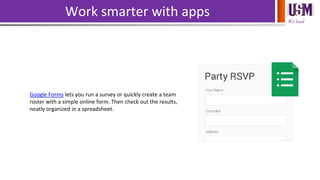
Google Forms lets you run a survey or quickly create a team
roster with a simple online form. Then check out the results,
neatly organized in a spreadsheet.
We lead
Work smarter with apps
Google Drawings
Lay out diagrams, create flow charts, and then easily add them
to other documents or embed them on a website with Google
Drawings.
We lead
Work smarter with apps
More Apps
Edit your profile photo, do some landscaping, create a mind
map and more. Over 100 Drive apps can help you do more
with your stuff. Try them by installing one from the Drive
collection in the Chrome Web Store.
We lead
Take Drive even further
Scan Documents
Scan all your paper documents with Drive for Android. Just
snap a photo of documents like receipts, letters and
statements – and Drive will store them instantly as PDFs.
We lead
Take Drive even further
Work Offline
Make files available offline so you can view them when your
phone or tablet loses service, like on a plane or in a building
with a bad connection.
We lead
Take Drive even further
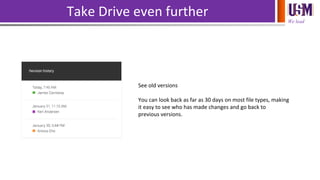
See old versions
You can look back as far as 30 days on most file types, making
it easy to see who has made changes and go back to
previous versions.
We lead
Google Drive
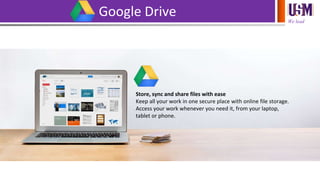
Store, sync and share files with ease
Keep all your work in one secure place with online file storage.
Access your work whenever you need it, from your laptop,
tablet or phone.
We lead
Google Drive
Sync files with your computer automatically
Sync all or some of your files to a designated folder on your
computer. Any changes you make locally are automatically
mirrored in Drive, and vice versa.
We lead
Google Drive
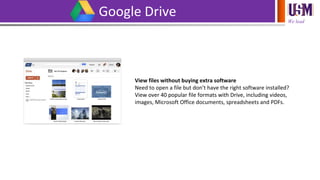
View files without buying extra software
Need to open a file but don’t have the right software installed?
View over 40 popular file formats with Drive, including videos,
images, Microsoft Office documents, spreadsheets and PDFs.
We lead
Google Drive
Google-powered search
Stop the frantic hunt for crucial documents buried in folders.
Simply enter some keywords to pull up the right file in
seconds, even if it’s an image or PDF of handwritten notes.
Easy-to-manage sharing controls
Keep files private, until you decide to share them. Grant
permission to download, edit, comment or view, avoiding
multiple versions and file merging.
We lead
Google Docs
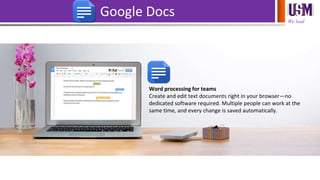
Word processing for teams
Create and edit text documents right in your browser—no
dedicated software required. Multiple people can work at the
same time, and every change is saved automatically.
We lead
Google Docs
Commenting, chat and real-time editing
Work in a single document with teammates or people outside
your company. See edits as others type, communicate through
built-in chat and ask questions through including comments.
We lead
Google Docs
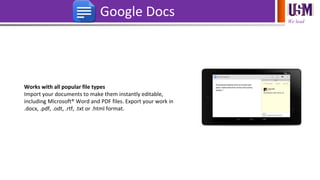
Works with all popular file types
Import your documents to make them instantly editable,
including Microsoft® Word and PDF files. Export your work in
.docx, .pdf, .odt, .rtf, .txt or .html format.
We lead
Google Docs
Unlimited revision history
Track changes made to your documents and undo anything
you choose. Previous versions are kept indefinitely and they
don't count toward your storage.
We lead
Google Sheets
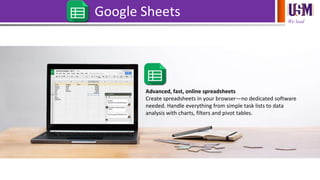
Advanced, fast, online spreadsheets
Create spreadsheets in your browser—no dedicated software
needed. Handle everything from simple task lists to data
analysis with charts, filters and pivot tables.
We lead
Google Sheets
Crunching data made simple
Perform calculations with powerful functions and formulas in
spreadsheets. You can also add sophisticated charts, generate
pivot table reports, add filters and more.
We lead
Google Sheets
Works with all popular file types
Import and convert existing spreadsheets to make them
instantly editable, including Microsoft Excel® files. Export
Sheets in .xlsx, .csv, .html, .ods, .pdf or .txt form.
We lead
Google Sheets
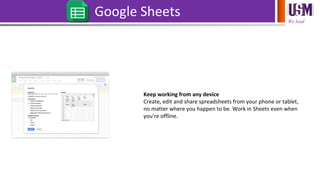
Keep working from any device
Create, edit and share spreadsheets from your phone or tablet,
no matter where you happen to be. Work in Sheets even when
you’re offline.
We lead
Google Sheets
Commenting, chat and real-time editing
Give individuals or groups permission to edit, view or add
comments to spreadsheets. Work simultaneously and even see
changes as people type. No files to send back and forth.
Easy to use forms integrated with spreadsheets
Create and embed a survey on your website or send around a
questionnaire at work. The results of your form flow straight
into Google Sheets for review and analysis.
We lead
Google Forms
Easy to create surveys and forms for everyone
Create custom forms for surveys and questionnaires at no
extra cost. Gather everything in a spreadsheet and analyze
data right in Google Sheets.
We lead
Google Forms
Create a form as easily as creating a document
Select from multiple question types, drag-and-drop to reorder
questions and customize values as easily as pasting a list.
We lead
Google Forms
Send professional looking surveys to customers
Great looking surveys help you connect with customers to gain
valuable insights. Add images, videos, and custom logic to give
people who respond a great survey experience.
We lead
Google Forms
Analyze responses with automatic summaries
Watch responses appear in real time. You can also access the
raw data and analyze it with Google Sheets or other software.
We lead
Google Forms
Share forms with an email, a link or a website
It's easy to share forms to specific people or to a broad
audience by embeding forms on your website or sharing via
Google+, Facebook or Twitter.
Make smarter forms
Data validation rules can make sure email addresses are
properly formatted, dates are correct and that people get the
right questions based on their previous answers.
Create questions and analyze results together
Real-time collaboration helps you create your form faster and
let's you analyze results together without having to send
around multiple versions of the file.
We lead
Google Slides
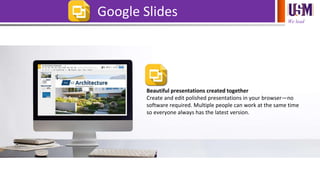
Beautiful presentations created together
Create and edit polished presentations in your browser—no
software required. Multiple people can work at the same time
so everyone always has the latest version.
We lead
Google Slides
Commenting, chat and real-time editing
Work on a single presentation online with your business
partner, your whole team or external contacts. You control
who gets permission to edit, view or just add comments.
We lead
Google Slides
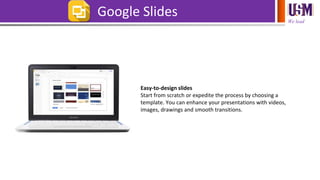
Easy-to-design slides
Start from scratch or expedite the process by choosing a
template. You can enhance your presentations with videos,
images, drawings and smooth transitions.
We lead
Google Slides
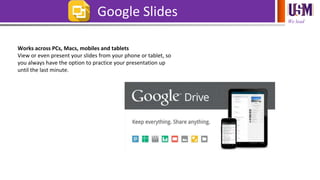
Works across PCs, Macs, mobiles and tablets
View or even present your slides from your phone or tablet, so
you always have the option to practice your presentation up
until the last minute.
We lead
Google Sheets – Excel - SPSS
Bringing data from an online survey or spreadsheet into SPSS
Damien Raftery, Department of Business, Institute of
Technology Carlow
http://goo.gl/wRhDc6
We lead
• Google Drive provides an easy solution for online back-up of data to
the users. Especially, in emergency situations like hard drive crash or
data corruption, Google drive provides great help to the users
because of the availability of all time data back-up for the users.
CONCLUSION
Mohd Ikhwan Ismail
ikhwanismail@usm.my
04-6536317

Google Drive

  • 1.
    Google Reserach SupportTools Hamzah Sendut Library, Universiti Sains Malaysia, Penang, Malaysia Mohd Ikhwan Ismail
  • 2.
    We lead • GOOGLEDRIVE is a product of GOOGLE brand which is officially released on April 24, 2012. • Its upgraded stable version was released on June 19,2012. • Google started to work on this project on 2006 • Website: https://drive.google.com/ INTRODUCTION
  • 3.
    We lead • Toovercome the limitations of file format for sharing and storing them on other Google product like Google document, YouTube and Picasa. • To provide online backup services. WHAT IS NEED OF GOOGLE DRIVE?
  • 4.
    We lead INTRODUCTION All yourfiles, ready where you are
  • 5.
    We lead INTRODUCTION Store anyfile Drive starts you with 15 GB of free Google storage, so you can keep pictures, stories, designs, drawings, recordings, videos – anything.
  • 6.
    We lead INTRODUCTION See yourstuff anywhere Your files in Drive can be reached from any smartphone, tablet, or computer. So wherever you go, your files follow.
  • 7.
    We lead INTRODUCTION Share filesand folders You can quickly invite others to view, download, and collaborate on all the files you want–no email attachment needed.
  • 8.
    We lead Features Powerful search GoogleDrive helps you get to your files faster by recognizing objects in your images and text in scanned documents.
  • 9.
    We lead Features View anything Viewover 30 file types right in your browser—including HD video, Adobe Illustrator and Photoshop—even if you don’t have the program installed on your computer.
  • 10.
    We lead Features Get stuffdone offline If you use Chrome, you can turn on Drive offline to create, edit, and comment on Docs, Slides, and Drawings and view Sheets when there’s no network connection.
  • 11.
    We lead Features Chat, discuss& mentions Connect with others by chatting right inside Docs, Sheets, and Slides, or leave comments on files and images. Add a + in front of an email address in a comment and Drive will send them an email so they know to follow up.
  • 12.
    We lead Features Go backin time with revision history Google Docs, Sheets, and Slides automatically save and track every change you make, forever. You can also look back as far as 30 days on other file types, making it easy to see who has made changes and restore previous versions.
  • 13.
    We lead Your stuff,your way Your storage works with Drive, Gmail and Google+ Photos, so you can keep files, save email attachments and back-up photos directly to Drive. You can also purchase a storage plan for even more space. 15GB as you please Your free storage is shared across Drive, Gmail, and Google+ Photos, and you can use it however you’d like. Store files up to 10 GB in Drive. Stuff you create with Drive apps don’t use storage. Emails and attachments in Gmail use your storage. Pictures you keep in Google+ photos smaller than 2048 pixels are free.
  • 14.
    We lead Your stuff,your way Keep any file Photos, videos, presentations, PDFs – even Microsoft Office files. No matter what type of file it is, everything can be stored safely in Drive.
  • 15.
    We lead Your stuff,your way Share how you want Files in Drive are for your eyes only, until you decide to share them. You can quickly invite others to view, comment, and edit any file or folder you choose.
  • 16.
    We lead Your stuff,your way Safe and secure Every file in Drive stays safe no matter what happens to your smartphone, tablet or computer. Drive is encrypted using SSL, the same security protocol used on Gmail and other Google services.
  • 17.
    We lead Work smarterwith apps Docs, Sheets, Slides Create and collaborate with others. Share documents, build out spreadsheets and make a presentation on the fly with our Docs, Sheets and Slides apps.
  • 18.
    We lead Work smarterwith apps Google Forms lets you run a survey or quickly create a team roster with a simple online form. Then check out the results, neatly organized in a spreadsheet.
  • 19.
    We lead Work smarterwith apps Google Drawings Lay out diagrams, create flow charts, and then easily add them to other documents or embed them on a website with Google Drawings.
  • 20.
    We lead Work smarterwith apps More Apps Edit your profile photo, do some landscaping, create a mind map and more. Over 100 Drive apps can help you do more with your stuff. Try them by installing one from the Drive collection in the Chrome Web Store.
  • 21.
    We lead Take Driveeven further Scan Documents Scan all your paper documents with Drive for Android. Just snap a photo of documents like receipts, letters and statements – and Drive will store them instantly as PDFs.
  • 22.
    We lead Take Driveeven further Work Offline Make files available offline so you can view them when your phone or tablet loses service, like on a plane or in a building with a bad connection.
  • 23.
    We lead Take Driveeven further See old versions You can look back as far as 30 days on most file types, making it easy to see who has made changes and go back to previous versions.
  • 24.
    We lead Google Drive Store,sync and share files with ease Keep all your work in one secure place with online file storage. Access your work whenever you need it, from your laptop, tablet or phone.
  • 25.
    We lead Google Drive Syncfiles with your computer automatically Sync all or some of your files to a designated folder on your computer. Any changes you make locally are automatically mirrored in Drive, and vice versa.
  • 26.
    We lead Google Drive Viewfiles without buying extra software Need to open a file but don’t have the right software installed? View over 40 popular file formats with Drive, including videos, images, Microsoft Office documents, spreadsheets and PDFs.
  • 27.
    We lead Google Drive Google-poweredsearch Stop the frantic hunt for crucial documents buried in folders. Simply enter some keywords to pull up the right file in seconds, even if it’s an image or PDF of handwritten notes. Easy-to-manage sharing controls Keep files private, until you decide to share them. Grant permission to download, edit, comment or view, avoiding multiple versions and file merging.
  • 28.
    We lead Google Docs Wordprocessing for teams Create and edit text documents right in your browser—no dedicated software required. Multiple people can work at the same time, and every change is saved automatically.
  • 29.
    We lead Google Docs Commenting,chat and real-time editing Work in a single document with teammates or people outside your company. See edits as others type, communicate through built-in chat and ask questions through including comments.
  • 30.
    We lead Google Docs Workswith all popular file types Import your documents to make them instantly editable, including Microsoft® Word and PDF files. Export your work in .docx, .pdf, .odt, .rtf, .txt or .html format.
  • 31.
    We lead Google Docs Unlimitedrevision history Track changes made to your documents and undo anything you choose. Previous versions are kept indefinitely and they don't count toward your storage.
  • 32.
    We lead Google Sheets Advanced,fast, online spreadsheets Create spreadsheets in your browser—no dedicated software needed. Handle everything from simple task lists to data analysis with charts, filters and pivot tables.
  • 33.
    We lead Google Sheets Crunchingdata made simple Perform calculations with powerful functions and formulas in spreadsheets. You can also add sophisticated charts, generate pivot table reports, add filters and more.
  • 34.
    We lead Google Sheets Workswith all popular file types Import and convert existing spreadsheets to make them instantly editable, including Microsoft Excel® files. Export Sheets in .xlsx, .csv, .html, .ods, .pdf or .txt form.
  • 35.
    We lead Google Sheets Keepworking from any device Create, edit and share spreadsheets from your phone or tablet, no matter where you happen to be. Work in Sheets even when you’re offline.
  • 36.
    We lead Google Sheets Commenting,chat and real-time editing Give individuals or groups permission to edit, view or add comments to spreadsheets. Work simultaneously and even see changes as people type. No files to send back and forth. Easy to use forms integrated with spreadsheets Create and embed a survey on your website or send around a questionnaire at work. The results of your form flow straight into Google Sheets for review and analysis.
  • 37.
    We lead Google Forms Easyto create surveys and forms for everyone Create custom forms for surveys and questionnaires at no extra cost. Gather everything in a spreadsheet and analyze data right in Google Sheets.
  • 38.
    We lead Google Forms Createa form as easily as creating a document Select from multiple question types, drag-and-drop to reorder questions and customize values as easily as pasting a list.
  • 39.
    We lead Google Forms Sendprofessional looking surveys to customers Great looking surveys help you connect with customers to gain valuable insights. Add images, videos, and custom logic to give people who respond a great survey experience.
  • 40.
    We lead Google Forms Analyzeresponses with automatic summaries Watch responses appear in real time. You can also access the raw data and analyze it with Google Sheets or other software.
  • 41.
    We lead Google Forms Shareforms with an email, a link or a website It's easy to share forms to specific people or to a broad audience by embeding forms on your website or sharing via Google+, Facebook or Twitter. Make smarter forms Data validation rules can make sure email addresses are properly formatted, dates are correct and that people get the right questions based on their previous answers. Create questions and analyze results together Real-time collaboration helps you create your form faster and let's you analyze results together without having to send around multiple versions of the file.
  • 42.
    We lead Google Slides Beautifulpresentations created together Create and edit polished presentations in your browser—no software required. Multiple people can work at the same time so everyone always has the latest version.
  • 43.
    We lead Google Slides Commenting,chat and real-time editing Work on a single presentation online with your business partner, your whole team or external contacts. You control who gets permission to edit, view or just add comments.
  • 44.
    We lead Google Slides Easy-to-designslides Start from scratch or expedite the process by choosing a template. You can enhance your presentations with videos, images, drawings and smooth transitions.
  • 45.
    We lead Google Slides Worksacross PCs, Macs, mobiles and tablets View or even present your slides from your phone or tablet, so you always have the option to practice your presentation up until the last minute.
  • 46.
    We lead Google Sheets– Excel - SPSS Bringing data from an online survey or spreadsheet into SPSS Damien Raftery, Department of Business, Institute of Technology Carlow http://goo.gl/wRhDc6
  • 47.
    We lead • GoogleDrive provides an easy solution for online back-up of data to the users. Especially, in emergency situations like hard drive crash or data corruption, Google drive provides great help to the users because of the availability of all time data back-up for the users. CONCLUSION
  • 48.