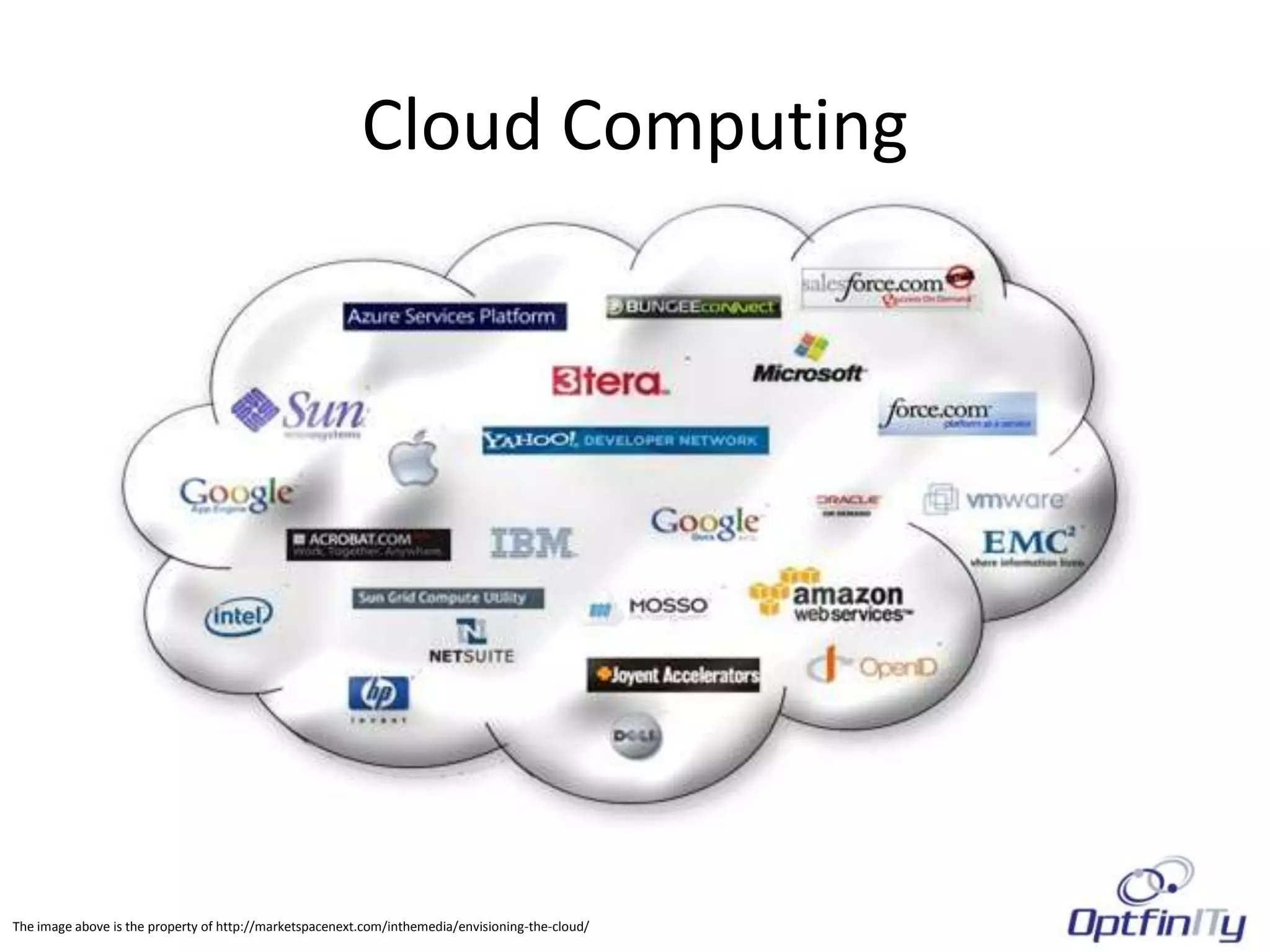
Cloud Computing


The image above is the property of http://marketspacenext.com/inthemedia/envisioning-the-cloud/
What is Cloud Computing
• Cloud computing is the delivery of computing
  as a service rather than a product.
• In cloud computing, you do not purchase the
  server or software but rather use shared
  resources, hardware, software, and
  information and pay on an as-needed or per
  use basis.
Why Cloud Computing?
• It is sold on Demand         • Increased Collaboration
• It is elastic – allowing a   • Easy to Setup and Get
  user to have as much or        Running
  as little service as they    • Consolidation of
  want at any given time.        numerous servers
• Centralizing Updates for     • Upgrades to hardware
  Software as a Service          can be done virtually,
• Reliable AND Accessible        eliminating down time
Different Types of Cloud Computing
• The Public Cloud               • The Private Cloud
   – A Network Infrastructure       – A Network Infrastructure
     accessible by the public         that is developed solely
     (anyone on the internet).        for a single organization.
   – The infrastructure is          – It may be managed by
     owned by the                     the organization or a
     organization selling             third party.
     cloud services.                – It may exist on site or in
                                      a data center.
Who uses cloud computing? We all Do!

•   Gmail / Hotmail
•   Skype
•   YouTube
•   Vimeo
•   Sound Cloud
•   Dropbox
Advantages of Cloud Computing for
         Small Organizations
• Lower Initial Investment      • Scalability
   – No Equipment Needed           – Cloud computing can be
     Beyond what you have            scaled to match the
• Easier to Manage                   demand
   – No Power Requirements or   • Deploy Faster
     Space Considerations          – It is much quicker to be up
• Pay as you Go                      and running (minutes
                                     versus days)
   – There are typically no
     major capital expenses     • Device Independent
     involved                      – Web based software does
                                     not require a PC or a
                                     MAC, just a browser.
Disadvantages of Cloud Computing for
        Small Organizations
• Downtime is Not Controllable             • Speed and Performance
    – You are at the mercy of the data         – Applications which are not
      center and their issues                    optimized for the web or web
    – Scheduled Downtime                         based may result in slower
      (upgrades, routine maintenance)            performance.
    – Unscheduled Downtime                 • Lack of Features
      (outages do occur)                       – Although improving, there are still
• Security Issues                                somethings that cannot be done
    – You are turning your data about            on a web based platform (i.e.
      your business to a third party and         autocad, LOB apps)
      entrusting them to keep it safe.     • Customization
• Data Loss                                    – Most web based applications are
    – Hardware                                   not customized to your needs, they
      failures, outages, improper backup         are a one size fits all.
      procedures, hackers, and rogue
      employees exist.
Most Common Cloud Computing
    Options for Small Organizations
• Collaboration Software   • Email
   – Content Management       – Benefit: No Server
   – CRM                        Maintenance
• Spam Filtering           • Simplified Office
   – Offsite Benefits        Applications
• Accounting and Project   • Virtual Private Servers
  Management                  – File Storage
   – Quickbooks Online        – SharePoint
   – Harvest
• Cloud Backup (not
  necessarily Cloud
  Storage)
Contact Us for more info
                Michael H. Drobnis
                President, OptfinITy
Email:      michael.drobnis@optfinITy.com
Web:        www.optfinITy.com
Phone:      1-866-OPTFINITY
Linkedin:   www.linkedin.com/in/mikedrobnis
Twitter:    www.twitter.com/optfinITy
Facebook:   www.facebook.com/optfinITy
Skype:      OptfinITy

Cloud computing seminar mar 2012

  • 1.
    Cloud Computing The imageabove is the property of http://marketspacenext.com/inthemedia/envisioning-the-cloud/
  • 2.
    What is CloudComputing • Cloud computing is the delivery of computing as a service rather than a product. • In cloud computing, you do not purchase the server or software but rather use shared resources, hardware, software, and information and pay on an as-needed or per use basis.
  • 3.
    Why Cloud Computing? •It is sold on Demand • Increased Collaboration • It is elastic – allowing a • Easy to Setup and Get user to have as much or Running as little service as they • Consolidation of want at any given time. numerous servers • Centralizing Updates for • Upgrades to hardware Software as a Service can be done virtually, • Reliable AND Accessible eliminating down time
  • 4.
    Different Types ofCloud Computing • The Public Cloud • The Private Cloud – A Network Infrastructure – A Network Infrastructure accessible by the public that is developed solely (anyone on the internet). for a single organization. – The infrastructure is – It may be managed by owned by the the organization or a organization selling third party. cloud services. – It may exist on site or in a data center.
  • 5.
    Who uses cloudcomputing? We all Do! • Gmail / Hotmail • Skype • YouTube • Vimeo • Sound Cloud • Dropbox
  • 6.
    Advantages of CloudComputing for Small Organizations • Lower Initial Investment • Scalability – No Equipment Needed – Cloud computing can be Beyond what you have scaled to match the • Easier to Manage demand – No Power Requirements or • Deploy Faster Space Considerations – It is much quicker to be up • Pay as you Go and running (minutes versus days) – There are typically no major capital expenses • Device Independent involved – Web based software does not require a PC or a MAC, just a browser.
  • 7.
    Disadvantages of CloudComputing for Small Organizations • Downtime is Not Controllable • Speed and Performance – You are at the mercy of the data – Applications which are not center and their issues optimized for the web or web – Scheduled Downtime based may result in slower (upgrades, routine maintenance) performance. – Unscheduled Downtime • Lack of Features (outages do occur) – Although improving, there are still • Security Issues somethings that cannot be done – You are turning your data about on a web based platform (i.e. your business to a third party and autocad, LOB apps) entrusting them to keep it safe. • Customization • Data Loss – Most web based applications are – Hardware not customized to your needs, they failures, outages, improper backup are a one size fits all. procedures, hackers, and rogue employees exist.
  • 8.
    Most Common CloudComputing Options for Small Organizations • Collaboration Software • Email – Content Management – Benefit: No Server – CRM Maintenance • Spam Filtering • Simplified Office – Offsite Benefits Applications • Accounting and Project • Virtual Private Servers Management – File Storage – Quickbooks Online – SharePoint – Harvest • Cloud Backup (not necessarily Cloud Storage)
  • 9.
    Contact Us formore info Michael H. Drobnis President, OptfinITy Email: michael.drobnis@optfinITy.com Web: www.optfinITy.com Phone: 1-866-OPTFINITY Linkedin: www.linkedin.com/in/mikedrobnis Twitter: www.twitter.com/optfinITy Facebook: www.facebook.com/optfinITy Skype: OptfinITy