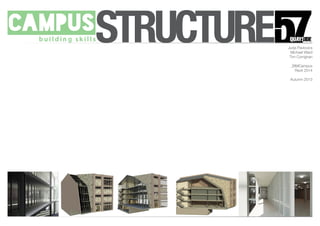
STRUCTURE Jurijs Pavlovics
Michael Ward
Tim Corrighan
_BIMCampus
Revit 2014
Autumn 2013
Introduction
Brief
Our team has been appointed to design a new office
specifically tailored to legal firms and legal training. The building
must incorporate space for multiple companies.
Schedule of Accommodation:
Office spaces (both open plan and cellular)
Meeting/board rooms (varying sizes for specific uses, eg. 1 to
1, groups, etc.)
Achieve storage room
General storage rooms
Moot court (legal training court)
Break-out spaces throughout the building
Kitchenette/coffee points
Toilets (male,female, accessible WC’s, shower room, etc.)
Accessible lift
Cleaners store
Central reception with guest waiting area
STRUCTURE
Site
Proposed Site
The proposed site is located on the North bank of the River
Tyne, Newcastle upon Tyne.
57 Quayside
Newcastle upon Tyne
NE1 2BJ
Currently housing a ‘Pocket Park’, an initiative promoted by NE1
STRUCTURE
Site Constraints
Site Boundaries
The site is restricted on two sides by neighbouring buildings:
Flynn’s Bar
Law Building
To the front, the site is restricted by the street front and public
footpath
To the rear, the site is slight more open with room for car
parking
All buildings are limited to roughly the same height and number
of levels
Observations
Busy street to the South
Access needed to property along the East boundary
Access to car park from Broad Chare to the North East
STRUCTURE
Inspiration
Presidents
Stone + Brick
Facades
Quayside History
Glass with hard materials
Infill Architecture
Modern Architecture sitting with Classical
STRUCTURE
Using the 3D City
Model
City Model
Throughout this project and the last we have used a 3D city
model of Newcastle to create the context for our Revit model.
Used to better understand the site boundaries.
We have used the 3D city model to create more professional
external renders.
The 3D model was used to align the point cloud data to one of
the neighbouring buildings so a Revit model for these buildings
could be modelled in place.
STRUCTURE
Data Acquisition
Laser Scanning
Tutorial in laser scanning with Paul from Leica Geosystems.
Scanned the full site from several different locations
We headed straight back to the computer suit to load the point
cloud into Revit
STRUCTURE
Laser Scanning and
Modelling from the
Point Cloud Data
Modelling from Point Cloud Data
The point cloud data was opened in a new revit project and
was used to begin building a model of the adjoining buildings to
the site.
Using walls, extrusions and windows we created the facades of
the buildings.
We created custom texture to apply to these surfaces.
We then added roofs and further details to complete the
context models.
We worked individually on each of the buildings and the
models were linked together before being imported and aligned
to the site model.
STRUCTURE
DN
By Department Legend
Lift
Offices
Private
Public
WC
Drawn
Dwg. No.
Scale at A1
Project No.
Drawing
Project
Status
Rev.
Date
this drawing is copyright - check all dimensions on site - inform architect / so of any discrepancies - work to figured dimensions only - do not scale
Rev. Amendment Date
Checked1 : 100
1234 A(00)GAP900
MW
Departmental Plans
1234 - BCT2 - 57 Quayside
Preliminary
09/11/13Checker
1 : 100
Departmental Level 00
1
1 : 100
Departmental Level 0
2
1 : 100
Departmental Level 1
3
1 : 100
Departmental Level 2
4
1 : 100
Departmental Level 3
5
The Design
STRUCTURE
Architectural Model
Modelling in Revit
We all began modelling the architecture model to create a com-
prehensive mass made up of architectural elements:
Walls (with materials)
Floors
Doors
Windows and other glazing
This is the base for the BIM
STRUCTURE
Structural Model
Structural Grid
8x5 grid
Horizontal Spacing - 3000/2000/4200/2000/3000
Vertical Spacing - 4000/2000/2000/6000/6000/5000/2500
Base of steel frame
Primary Structure
Steel Frame
In-situe cast concrete floor
Concrete pile foundations
STRUCTURE
What is Next?
Structural Model
The next stage now for us is to complete the structural model,
creating a fully comprehensive Level 2 BIM.
MEP Model
We will then create a mechanical and electrical model
concentrating on one floor. This will give us three co-ordiated
models which we can then process in Navisworks.
Navisworks
We will then import a central model into Autodesk’s Navisworks.
Here we will run a series of clash detections between the
architectural and structural models, architecture and MEP and
structure with MEP.
In Navisworks we will also create a series of construction
animations and renders using the cloud.
We welcome any questions?
STRUCTURE

Ck21 presentation team 2

  • 1.
    STRUCTURE Jurijs Pavlovics MichaelWard Tim Corrighan _BIMCampus Revit 2014 Autumn 2013
  • 2.
    Introduction Brief Our team hasbeen appointed to design a new office specifically tailored to legal firms and legal training. The building must incorporate space for multiple companies. Schedule of Accommodation: Office spaces (both open plan and cellular) Meeting/board rooms (varying sizes for specific uses, eg. 1 to 1, groups, etc.) Achieve storage room General storage rooms Moot court (legal training court) Break-out spaces throughout the building Kitchenette/coffee points Toilets (male,female, accessible WC’s, shower room, etc.) Accessible lift Cleaners store Central reception with guest waiting area STRUCTURE
  • 3.
    Site Proposed Site The proposedsite is located on the North bank of the River Tyne, Newcastle upon Tyne. 57 Quayside Newcastle upon Tyne NE1 2BJ Currently housing a ‘Pocket Park’, an initiative promoted by NE1 STRUCTURE
  • 4.
    Site Constraints Site Boundaries Thesite is restricted on two sides by neighbouring buildings: Flynn’s Bar Law Building To the front, the site is restricted by the street front and public footpath To the rear, the site is slight more open with room for car parking All buildings are limited to roughly the same height and number of levels Observations Busy street to the South Access needed to property along the East boundary Access to car park from Broad Chare to the North East STRUCTURE
  • 5.
    Inspiration Presidents Stone + Brick Facades QuaysideHistory Glass with hard materials Infill Architecture Modern Architecture sitting with Classical STRUCTURE
  • 6.
    Using the 3DCity Model City Model Throughout this project and the last we have used a 3D city model of Newcastle to create the context for our Revit model. Used to better understand the site boundaries. We have used the 3D city model to create more professional external renders. The 3D model was used to align the point cloud data to one of the neighbouring buildings so a Revit model for these buildings could be modelled in place. STRUCTURE
  • 7.
    Data Acquisition Laser Scanning Tutorialin laser scanning with Paul from Leica Geosystems. Scanned the full site from several different locations We headed straight back to the computer suit to load the point cloud into Revit STRUCTURE
  • 8.
    Laser Scanning and Modellingfrom the Point Cloud Data Modelling from Point Cloud Data The point cloud data was opened in a new revit project and was used to begin building a model of the adjoining buildings to the site. Using walls, extrusions and windows we created the facades of the buildings. We created custom texture to apply to these surfaces. We then added roofs and further details to complete the context models. We worked individually on each of the buildings and the models were linked together before being imported and aligned to the site model. STRUCTURE
  • 9.
    DN By Department Legend Lift Offices Private Public WC Drawn Dwg.No. Scale at A1 Project No. Drawing Project Status Rev. Date this drawing is copyright - check all dimensions on site - inform architect / so of any discrepancies - work to figured dimensions only - do not scale Rev. Amendment Date Checked1 : 100 1234 A(00)GAP900 MW Departmental Plans 1234 - BCT2 - 57 Quayside Preliminary 09/11/13Checker 1 : 100 Departmental Level 00 1 1 : 100 Departmental Level 0 2 1 : 100 Departmental Level 1 3 1 : 100 Departmental Level 2 4 1 : 100 Departmental Level 3 5 The Design STRUCTURE
  • 10.
    Architectural Model Modelling inRevit We all began modelling the architecture model to create a com- prehensive mass made up of architectural elements: Walls (with materials) Floors Doors Windows and other glazing This is the base for the BIM STRUCTURE
  • 11.
    Structural Model Structural Grid 8x5grid Horizontal Spacing - 3000/2000/4200/2000/3000 Vertical Spacing - 4000/2000/2000/6000/6000/5000/2500 Base of steel frame Primary Structure Steel Frame In-situe cast concrete floor Concrete pile foundations STRUCTURE
  • 12.
    What is Next? StructuralModel The next stage now for us is to complete the structural model, creating a fully comprehensive Level 2 BIM. MEP Model We will then create a mechanical and electrical model concentrating on one floor. This will give us three co-ordiated models which we can then process in Navisworks. Navisworks We will then import a central model into Autodesk’s Navisworks. Here we will run a series of clash detections between the architectural and structural models, architecture and MEP and structure with MEP. In Navisworks we will also create a series of construction animations and renders using the cloud. We welcome any questions? STRUCTURE