Citrix Group Policy Troubleshooting for
XenApp and XenDesktop
Rick Berry, Senior Escalation Engineer
Citrix Synergy, May 2014
SYN406
© 2014 Citrix. Confidential.2
Tweet about this session with hashtag #syn406 and
#citrixsynergy
Citrix Group Policy Architecture
Overview of Citrix Group Policy and Components
© 2014 Citrix. Confidential.4
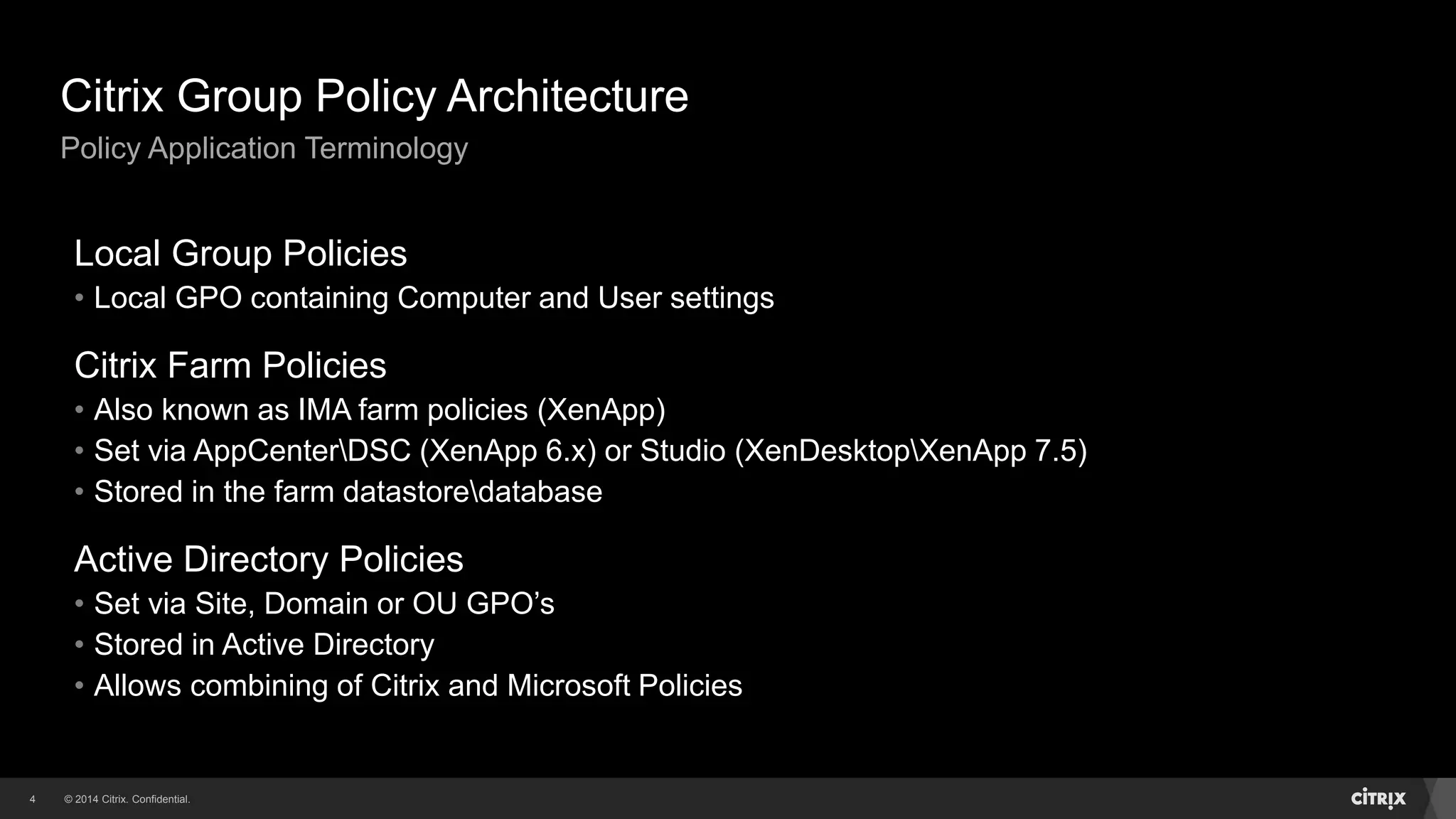
Citrix Group Policy Architecture
Policy Application Terminology
Local Group Policies
• Local GPO containing Computer and User settings
Citrix Farm Policies
• Also known as IMA farm policies (XenApp)
• Set via AppCenterDSC (XenApp 6.x) or Studio (XenDesktopXenApp 7.5)
• Stored in the farm datastoredatabase
Active Directory Policies
• Set via Site, Domain or OU GPO’s
• Stored in Active Directory
• Allows combining of Citrix and Microsoft Policies
© 2014 Citrix. Confidential.5
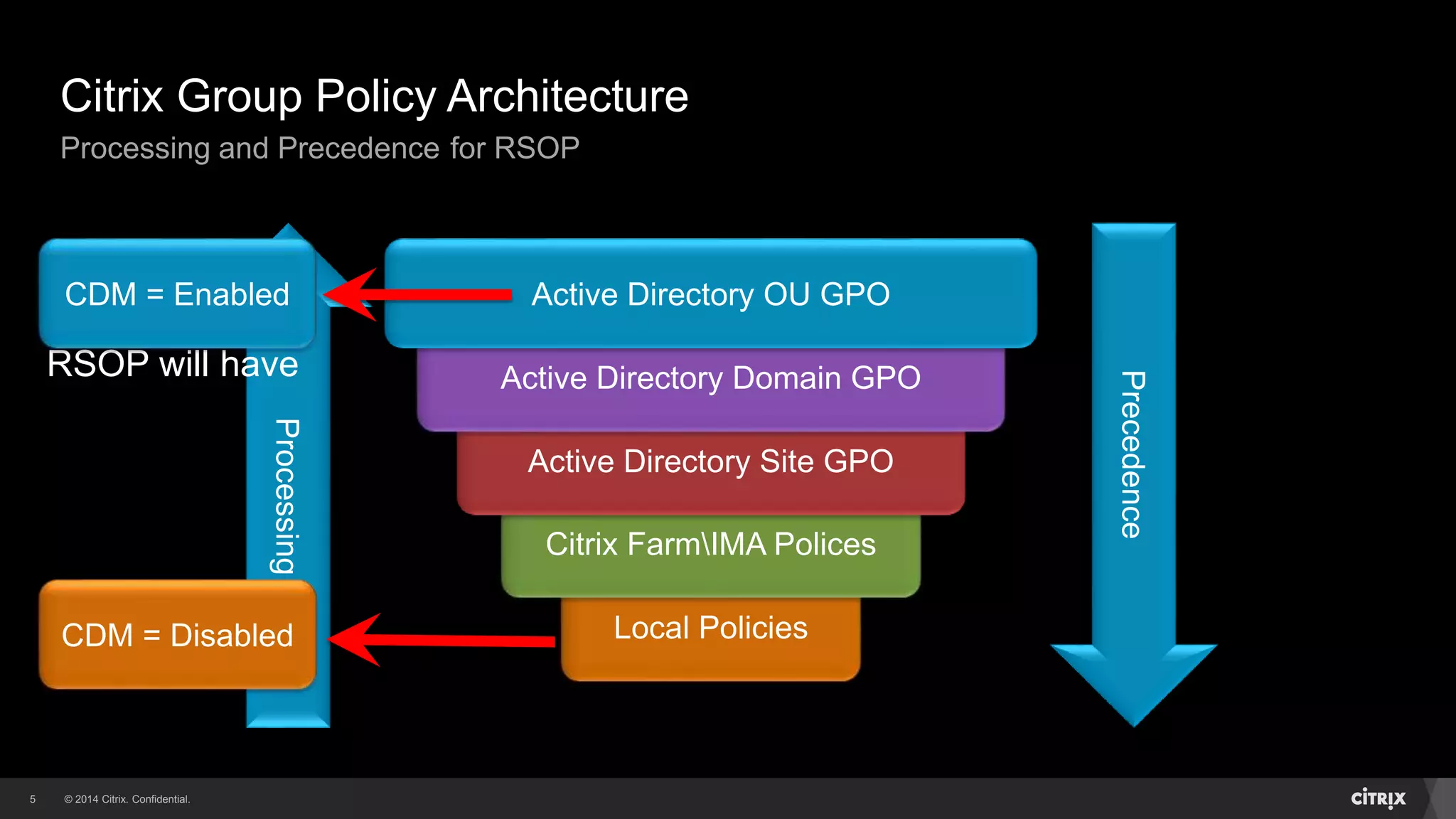
Local Policies
Citrix FarmIMA Polices
Active Directory Site GPO
Active Directory Domain GPO
Active Directory OU GPO
Citrix Group Policy Architecture
Processing and Precedence for RSOP
Processing
Precedence
RSOP will have
CDM = Enabled
CDM = Disabled
© 2014 Citrix. Confidential.6
Citrix Group Policy Architecture
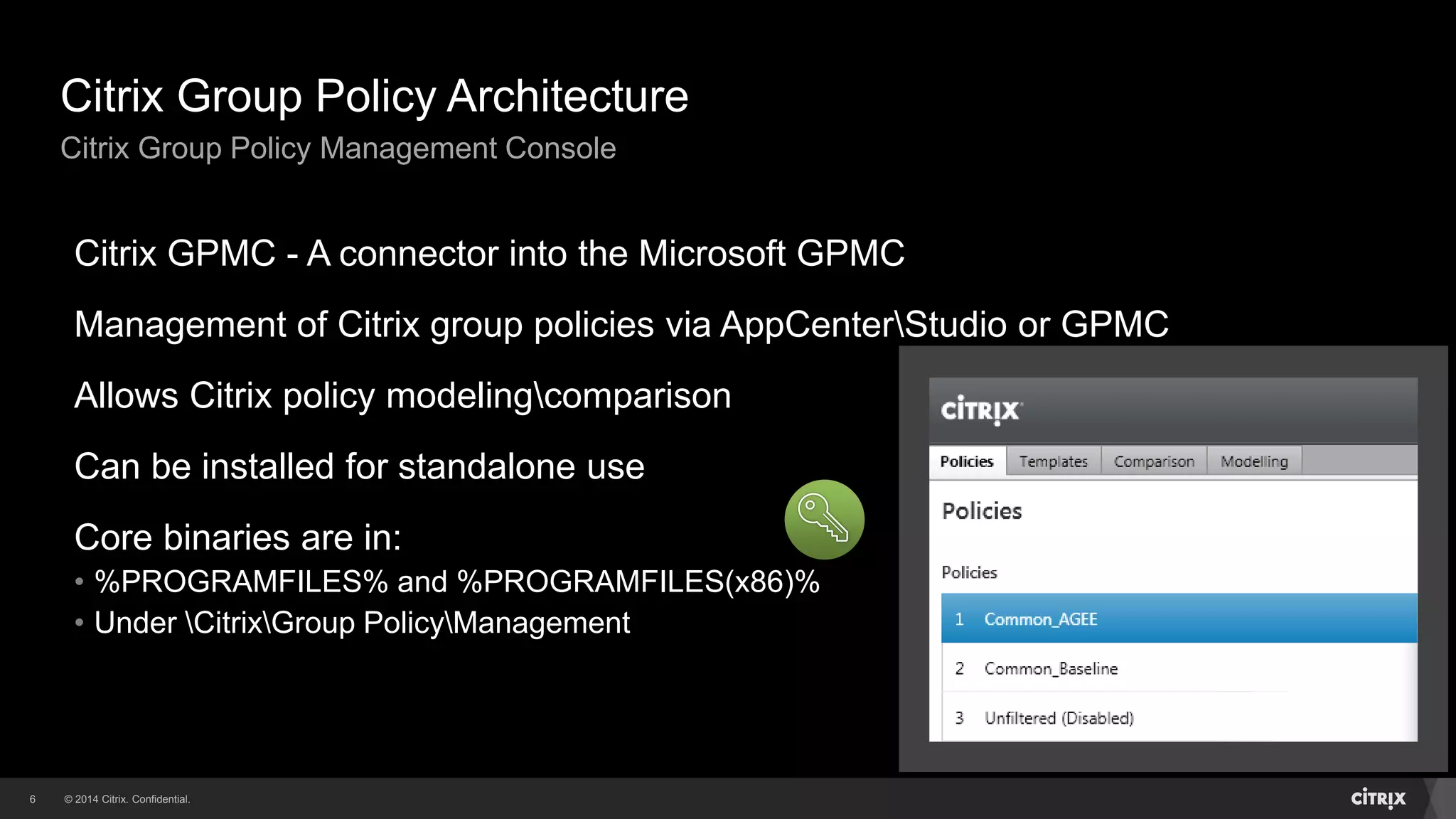
Citrix Group Policy Management Console
Citrix GPMC - A connector into the Microsoft GPMC
Management of Citrix group policies via AppCenterStudio or GPMC
Allows Citrix policy modelingcomparison
Can be installed for standalone use
Core binaries are in:
• %PROGRAMFILES% and %PROGRAMFILES(x86)%
• Under CitrixGroup PolicyManagement
© 2014 Citrix. Confidential.7
Citrix Group Policy Architecture
Citrix Group Policy Client Side Extension
Also known as Citrix CSE (CitrixCseClient.dll)
Loaded via Microsoft Winlogon process
Generates policy requests (ComputerUser)
Retrieves values to determine policy filter calculation
Forwards policy requests to Citrix Caching Service
Core binaries are in:
• %PROGRAMFILES% and %PROGRAMFILES(x86)%
• Under CitrixGroup PolicyClient-Side Extension
© 2014 Citrix. Confidential.8
Citrix Group Policy Architecture
Citrix Group Policy Caching Service
Citrix Group Policy Engine service (CitrixCseEngine), part of Citrix CSE
Performs the Citrix policy calculation and writes settings to the registry
Caches Group Policy files between calculations to avoid excessive network traffic
GPO (ADFarm) Local Cache:
• %PROGRAMDATA%CitrixCseCache
Also caches per-computer and per-user data files
© 2014 Citrix. Confidential.9
Citrix Group Policy Architecture
Data Files - Resultant Set of Policy (RSOP)
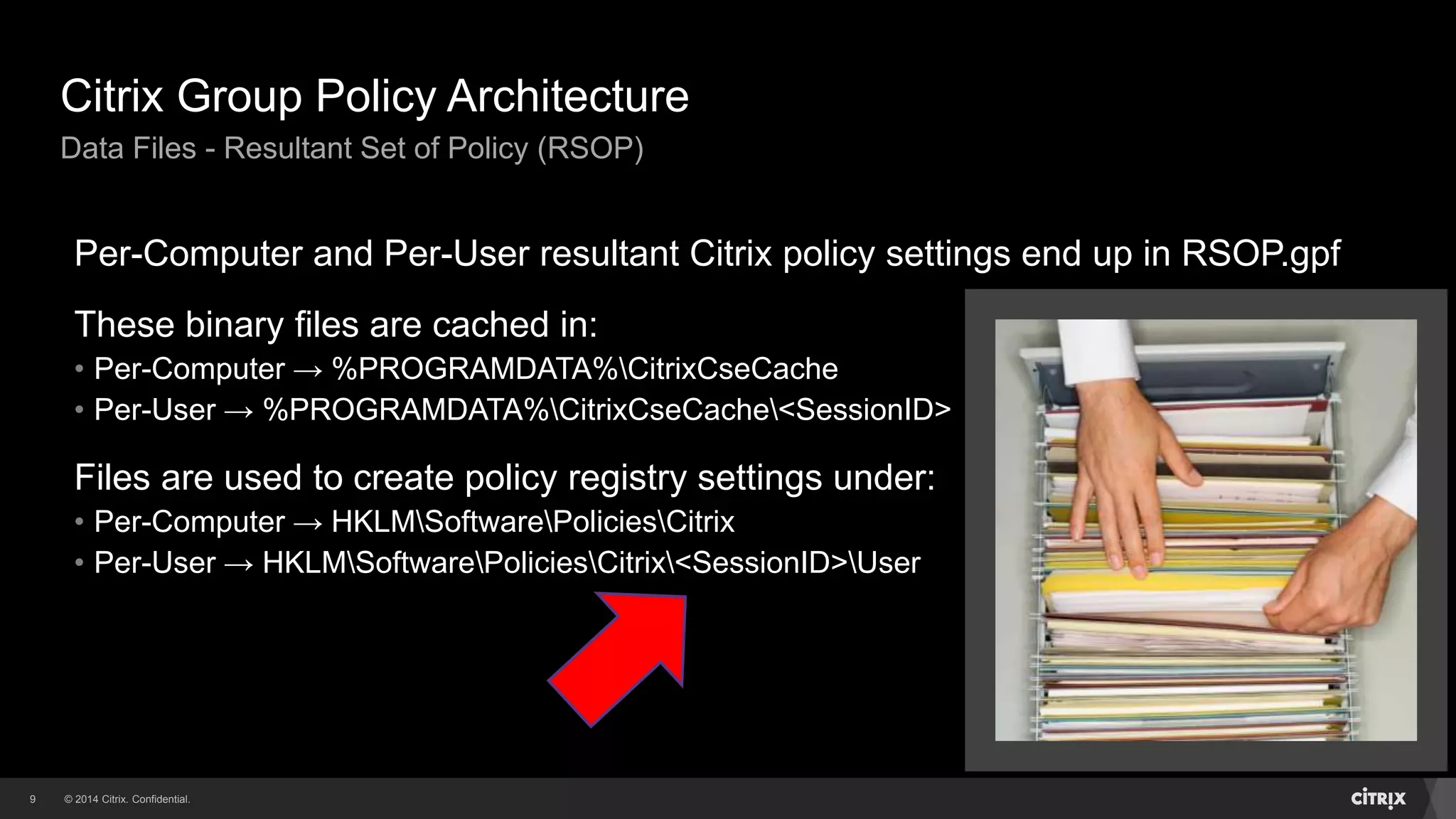
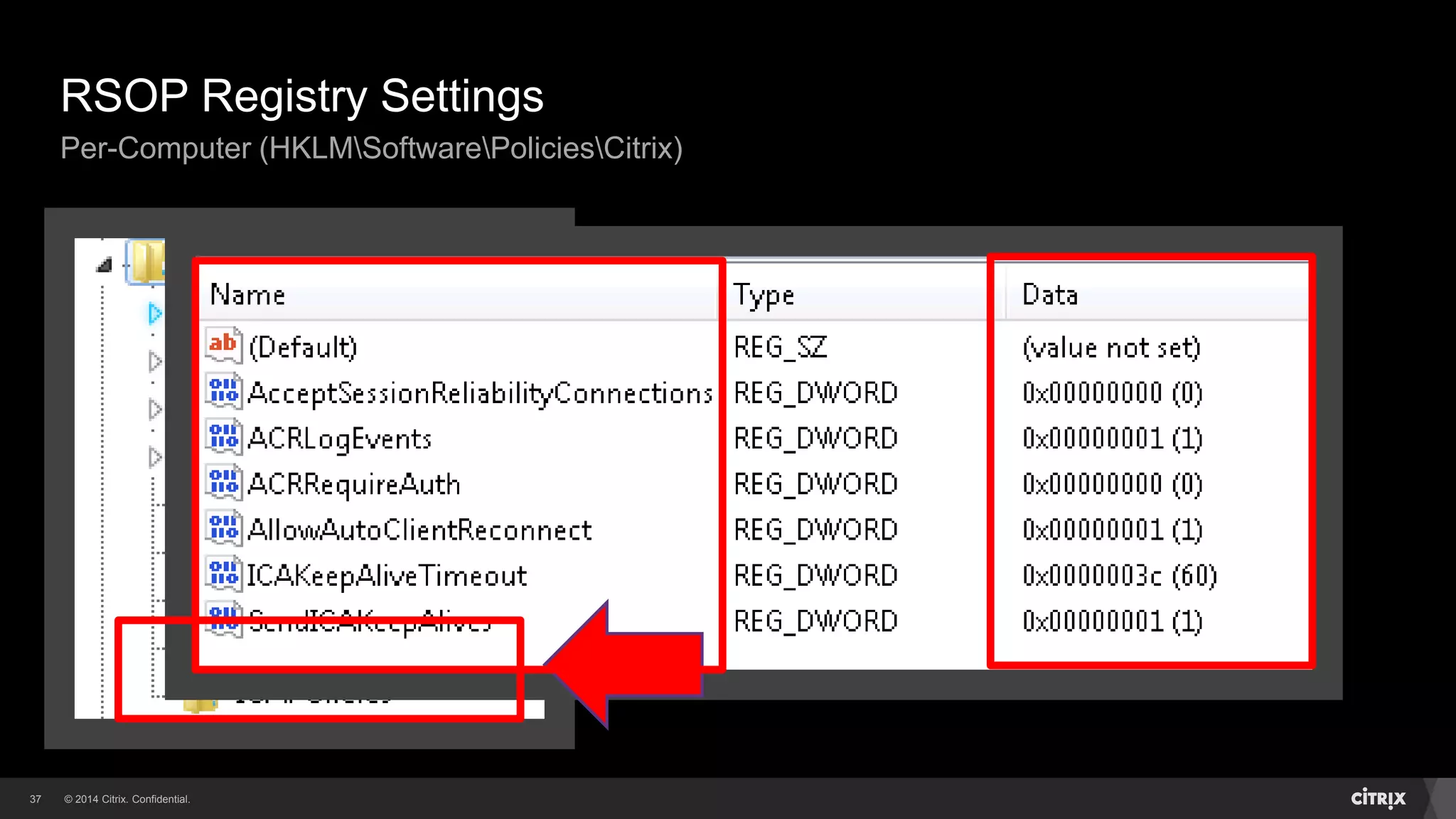
Per-Computer and Per-User resultant Citrix policy settings end up in RSOP.gpf
These binary files are cached in:
• Per-Computer → %PROGRAMDATA%CitrixCseCache
• Per-User → %PROGRAMDATA%CitrixCseCache<SessionID>
Files are used to create policy registry settings under:
• Per-Computer → HKLMSoftwarePoliciesCitrix
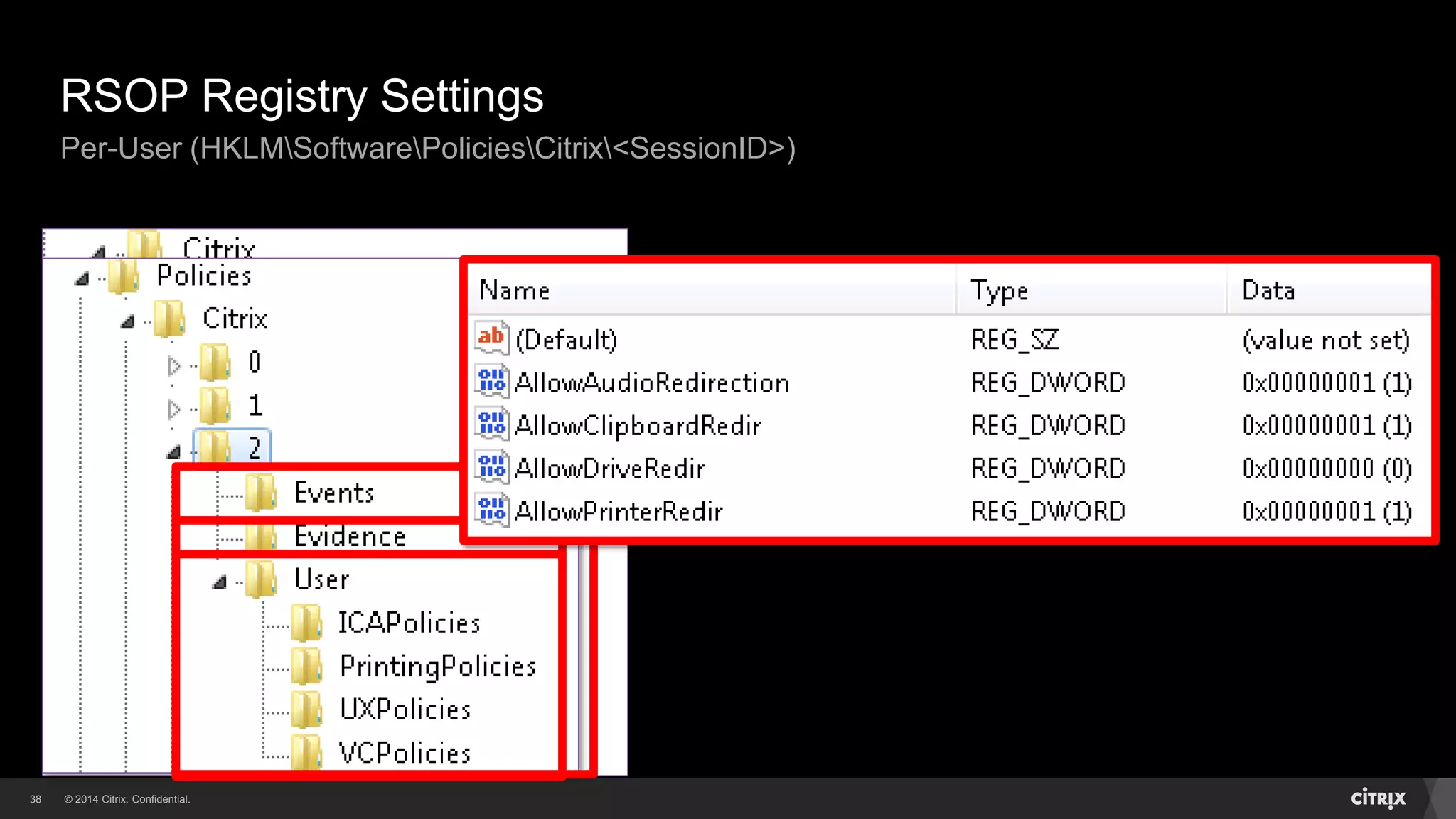
• Per-User → HKLMSoftwarePoliciesCitrix<SessionID>User
© 2014 Citrix. Confidential.10
Citrix Group Policy Architecture
Data Files – Rollback
We needed a way to remove RSOP settings
Mechanism creates a Rollback.gpf file
Contains instructions to remove existing RSOP settings
These binary files are cached in:
• Per-Computer → %PROGRAMDATA%CitrixCseCache
• Per-User → %PROGRAMDATA%CitrixCseCache<SessionID>
© 2014 Citrix. Confidential.11
Citrix Group Policy Architecture
Citrix Policy Filters
Allows granular control of Citrix policies
Filters policy settings based on certain criteria
Different options based on the policy category
Can’t be applied to the default Unfiltered policy
© 2014 Citrix. Confidential.12
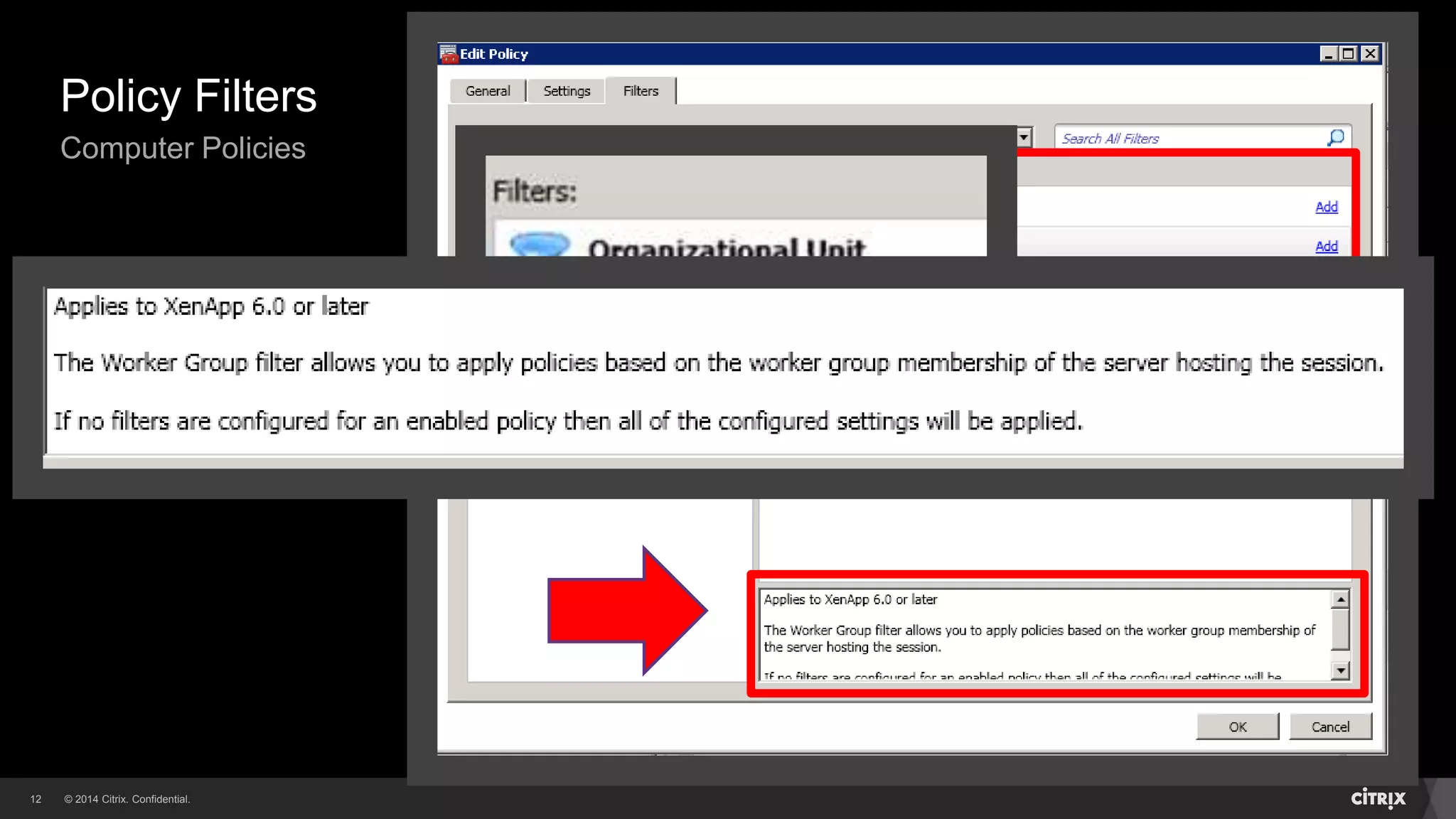
Policy Filters
Computer Policies
© 2014 Citrix. Confidential.13
Policy Filters
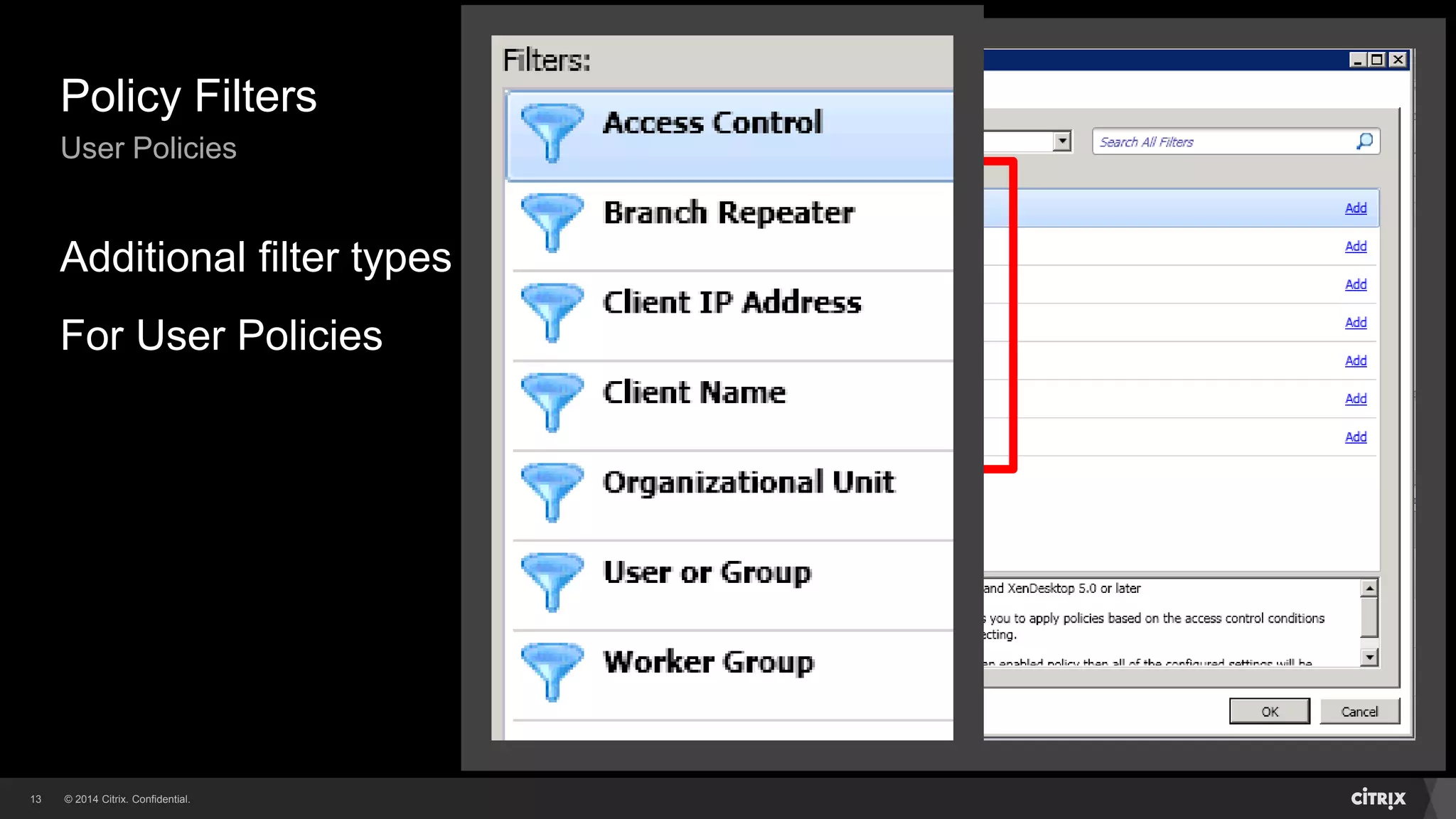
User Policies
Additional filter types
For User Policies
© 2014 Citrix. Confidential.14
Citrix Group Policy Architecture
Unfiltered Policy and Templates
There’s a default Unfiltered policy (contains no settings)
Unfiltered policy settings apply to all objects
Can be disabled if not needed (set to lowest priority)
There are pre-configured policy Templates in place
Templates grouped by end user connectivity (WAN, LAN)
Policies created can be saved as templates
© 2014 Citrix. Confidential.15
Policy Management
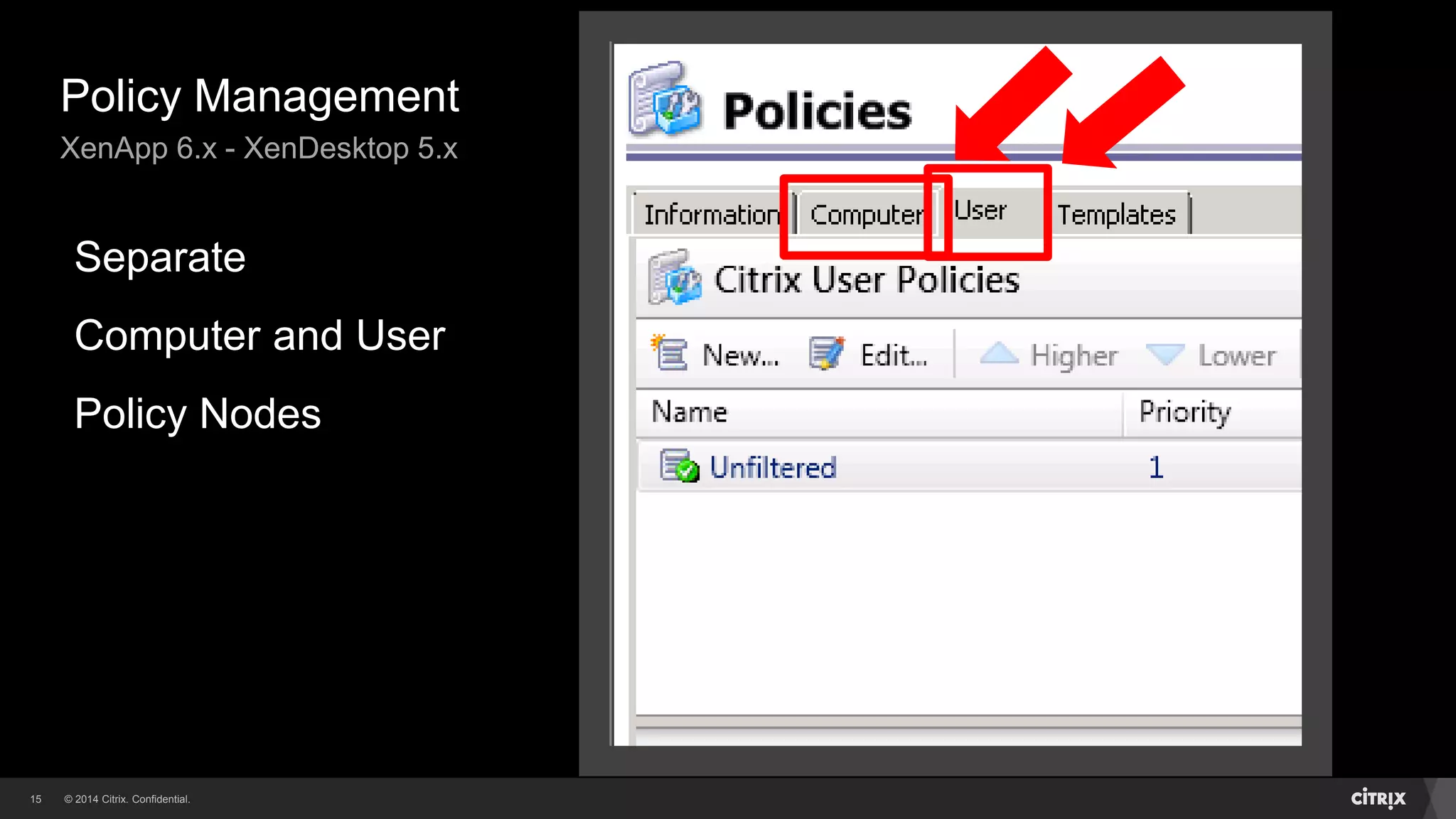
XenApp 6.x - XenDesktop 5.x
Separate
Computer and User
Policy Nodes
© 2014 Citrix. Confidential.16
Policy Management
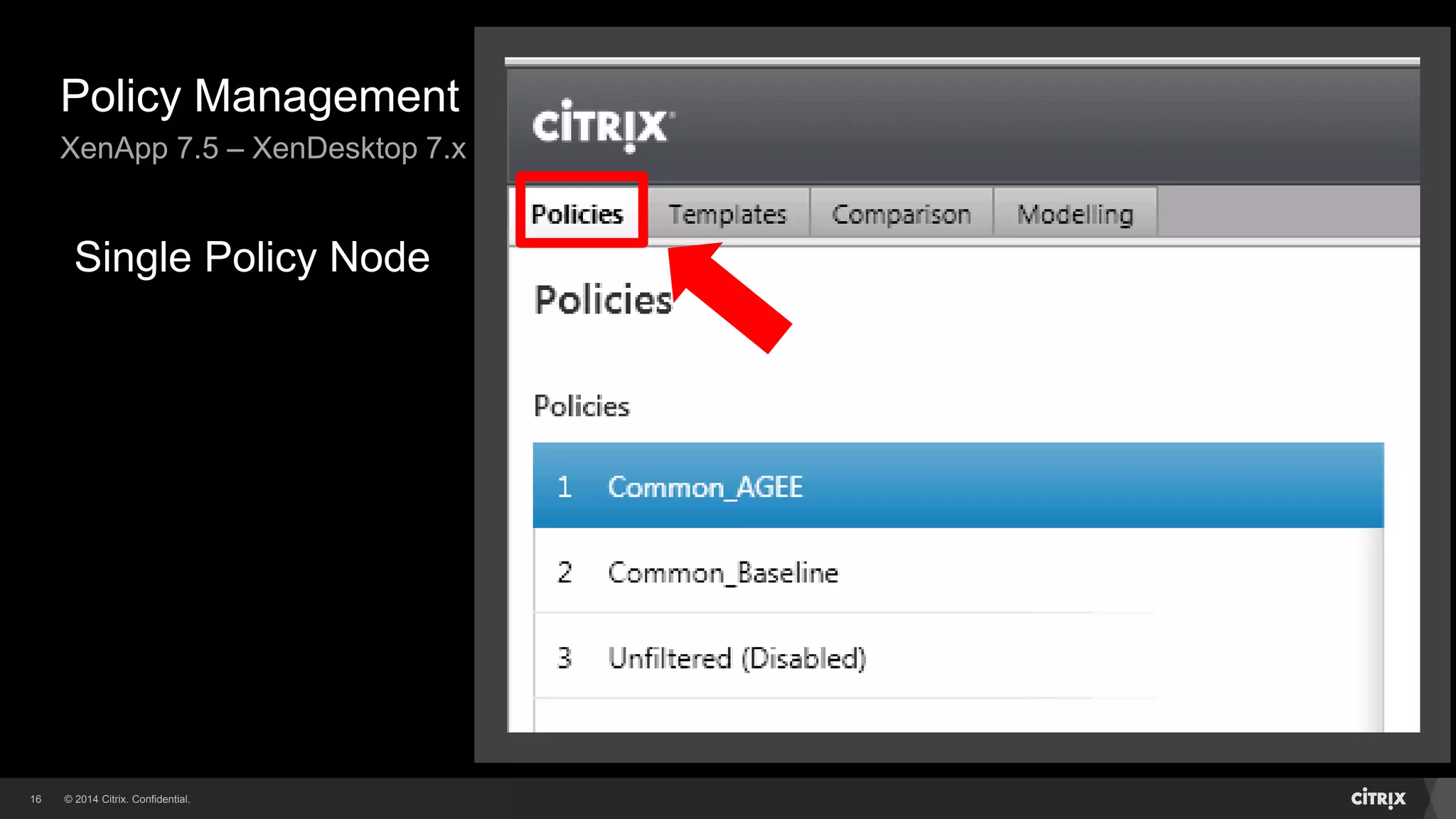
XenApp 7.5 – XenDesktop 7.x
Single Policy Node
© 2014 Citrix. Confidential.17
Citrix Group Policy Architecture
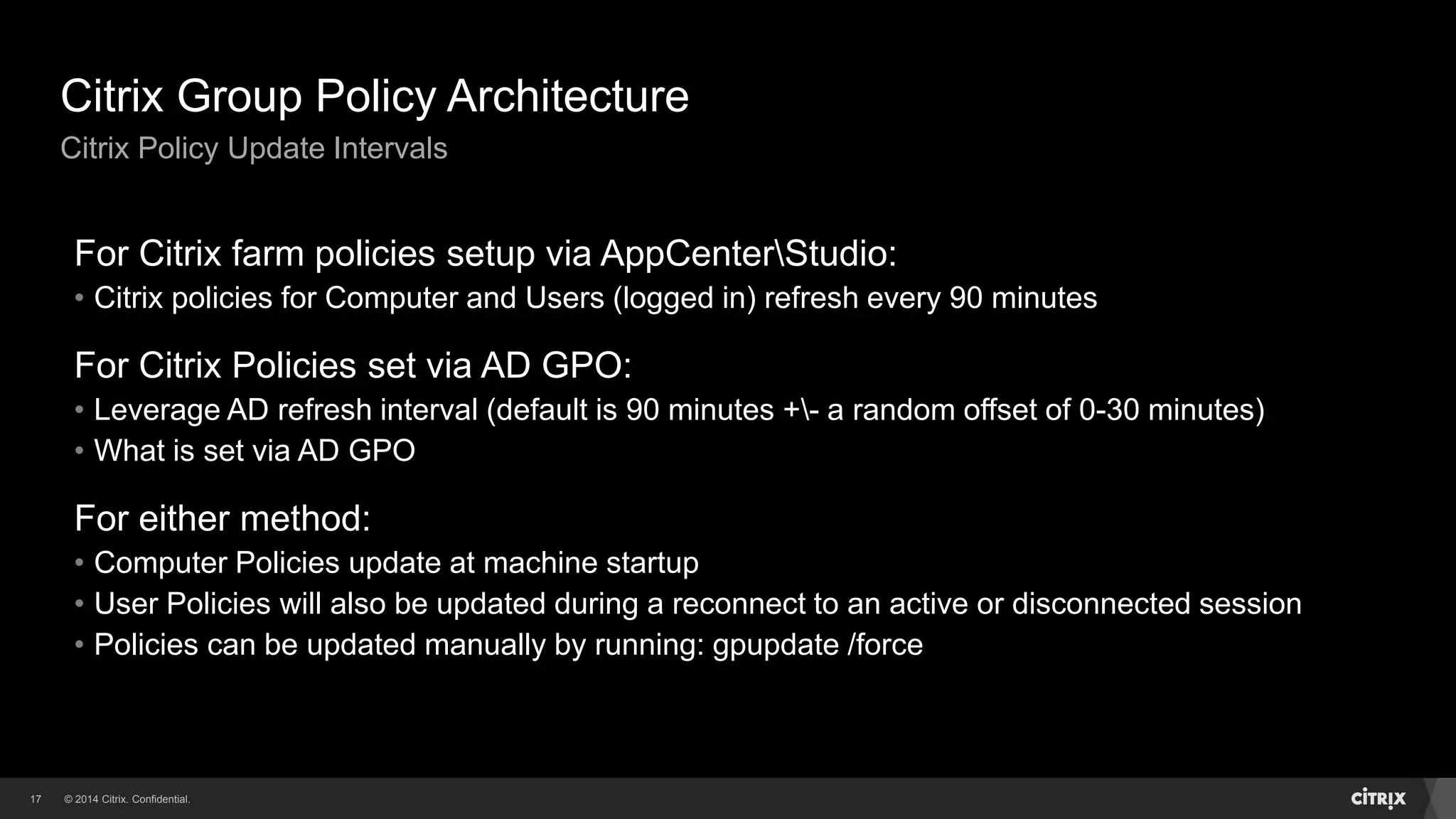
Citrix Policy Update Intervals
For Citrix farm policies setup via AppCenterStudio:
• Citrix policies for Computer and Users (logged in) refresh every 90 minutes
For Citrix Policies set via AD GPO:
• Leverage AD refresh interval (default is 90 minutes +- a random offset of 0-30 minutes)
• What is set via AD GPO
For either method:
• Computer Policies update at machine startup
• User Policies will also be updated during a reconnect to an active or disconnected session
• Policies can be updated manually by running: gpupdate /force
© 2014 Citrix. Confidential.18
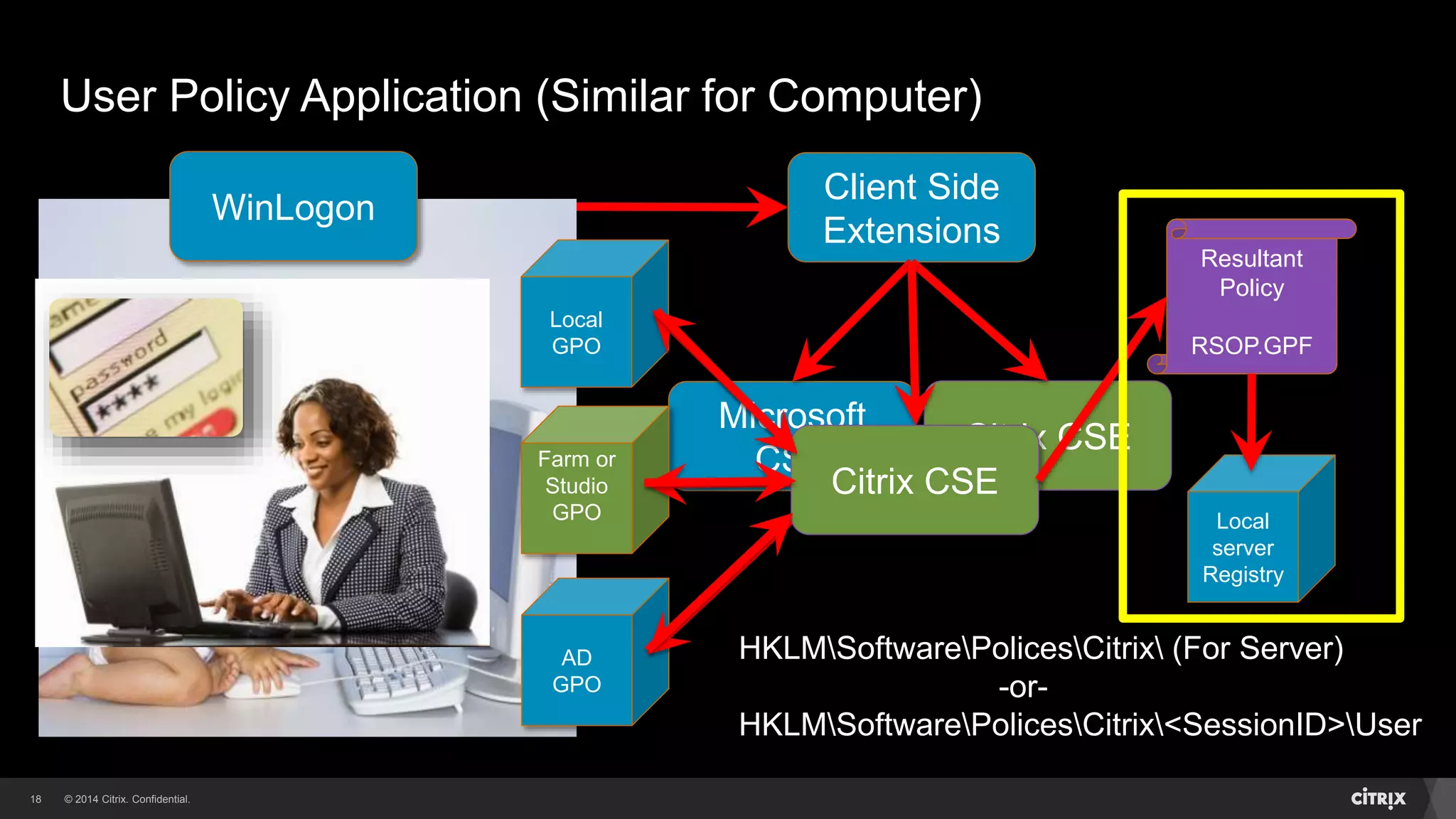
User Policy Application (Similar for Computer)
WinLogon
Client Side
Extensions
Microsoft
CSE
Citrix CSE
AD
GPO
Local
GPO
Resultant
Policy
RSOP.GPF
Local
server
Registry
Farm or
Studio
GPO
Citrix CSE
HKLMSoftwarePolicesCitrix (For Server)
-or-
HKLMSoftwarePolicesCitrix<SessionID>User
© 2014 Citrix. Confidential.19
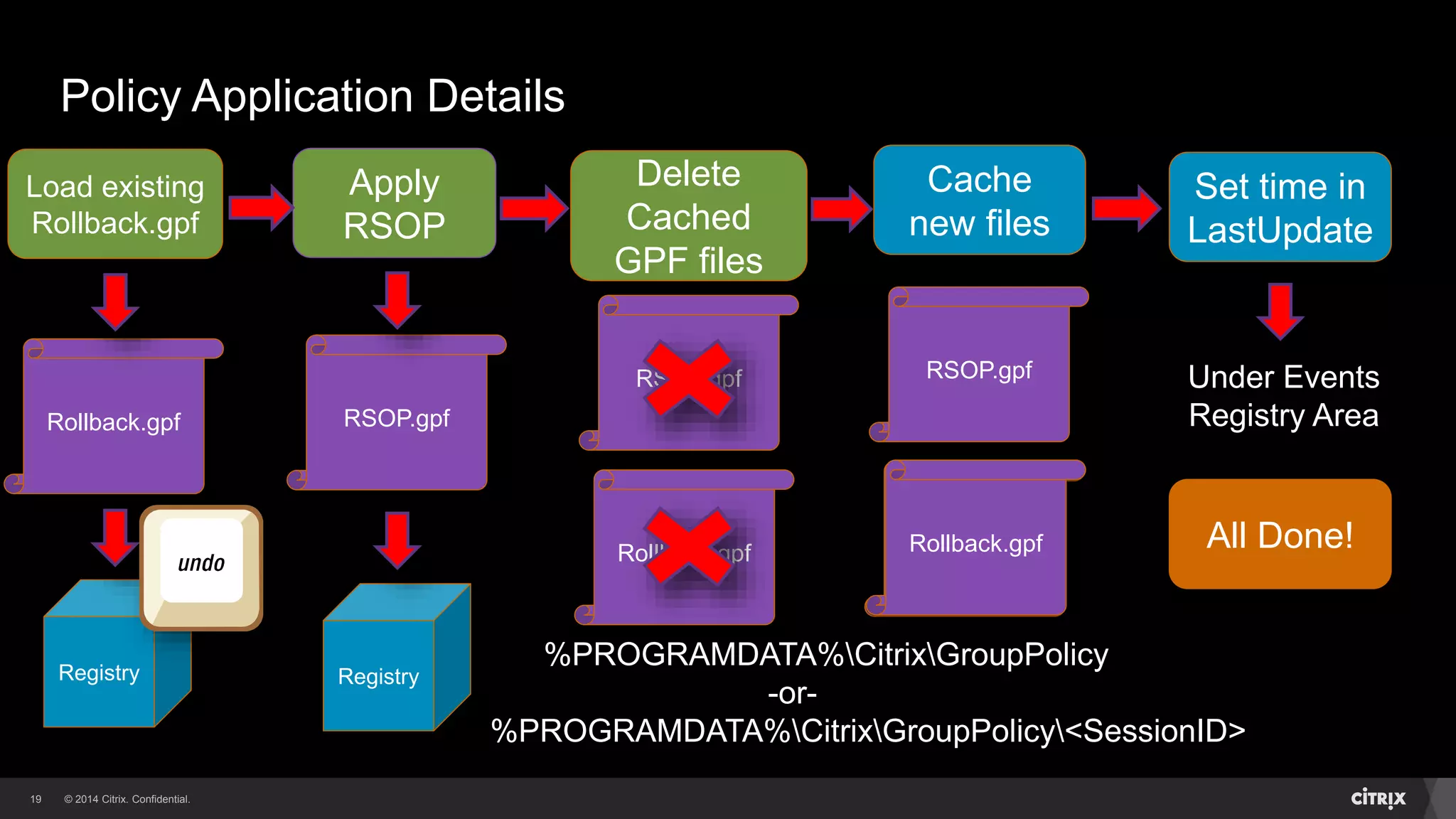
Policy Application Details
Load existing
Rollback.gpf
Rollback.gpf
Registry
%PROGRAMDATA%CitrixGroupPolicy
-or-
%PROGRAMDATA%CitrixGroupPolicy<SessionID>
Apply
RSOP
RSOP.gpf
Delete
Cached
GPF files
RSOP.gpf
Rollback.gpf
Registry
Cache
new files
RSOP.gpf
Rollback.gpf
Set time in
LastUpdate
Under Events
Registry Area
All Done!Rollback.gpf
Recommended Practices - Tips
Based on Citrix Support cases
20
© 2014 Citrix. Confidential.21
Recommended Practices
Architecture
While supported, using both AD and FarmStudio
Citrix policies may cause confusion when
troubleshooting issues
• Try to use one type or the other depending upon requirements
Using WMI filters on AD GPO’s containing Citrix
policies may cause issues during reconnects (due to
WMIAD timeouts)
• Use WMI filters sparingly
• Possible mitigation: using DisableGPCalculation setting
© 2014 Citrix. Confidential.22
Recommended Practices
Document Policies
For Farm (AppCenterStudio) applied policies:
• Written documentspreadsheet (Scout can provide as well)
For Active Directory applied policies:
• Use the GPMC Save Report option on your AD GPO
For either of the above:
• CtxCseUtil – RSOP reporting tool
• Export using Citrix Group Policy PowerShell module
© 2014 Citrix. Confidential.23
Recommended Practices
What Not To Do!
To prevent Citrix Group Policy consistency issues,
don’t manually manipulateremove any of the Citrix
Group Policy data files on your own
This includes filesfolders or reg entries under:
• %PROGRAMDATA%CitrixGroupPolicy<SessionID>
• %PROGRAMDATA%CitrixGroupPolicy
• HKLMSoftwarePoliciesCitrix<SessionID>
• HKLMSoftwarePoliciesCitrix
Might be needed for certain fixes (LA5051)
Troubleshooting Citrix Group Policy
© 2014 Citrix. Confidential.25
Troubleshooting Citrix Group Policy
Recommended Approach
Know your BaselineCollect the Details
Determine Versions
Policy Cache
GPF Files
RSOP Registry Settings
Connection Information
Additional Data Points
© 2014 Citrix. Confidential.26
Troubleshooting Citrix Group Policy
Baseline and Collect Details – The Four W’s
Make sure you can answer the following:
Who is seeing the issue?
What issue are they seeing?
Tokyo
Chicago
Miami
© 2014 Citrix. Confidential.27
Troubleshooting Citrix Group Policy
Baseline and Collect Details – The Four W’s
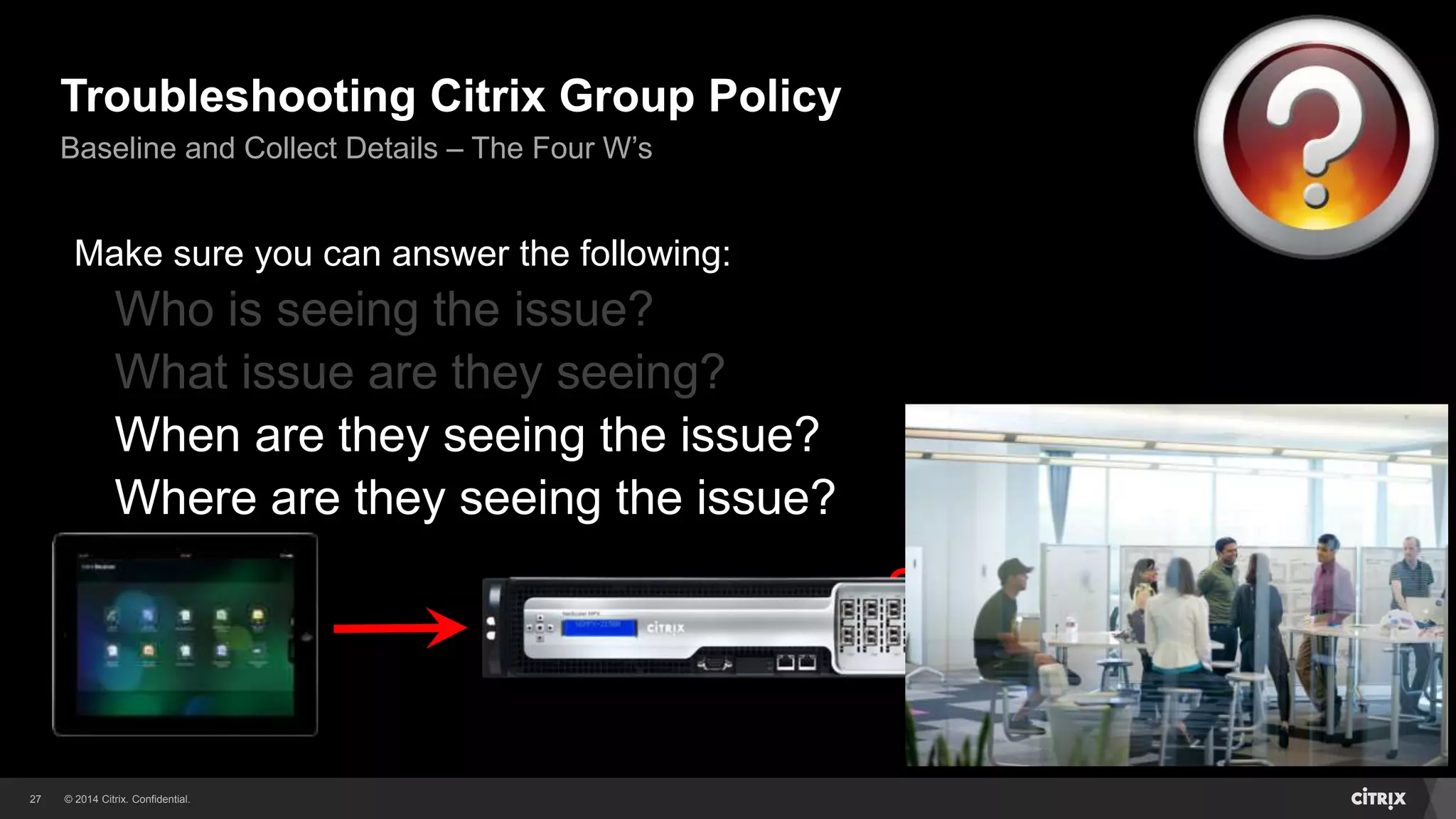
Make sure you can answer the following:
Who is seeing the issue?
What issue are they seeing?
When are they seeing the issue?
Where are they seeing the issue?
New Session?
Reconnecting?
Smooth Roaming?
All of the Above?
© 2014 Citrix. Confidential.28
Troubleshooting Citrix Group Policy
Determine Versions
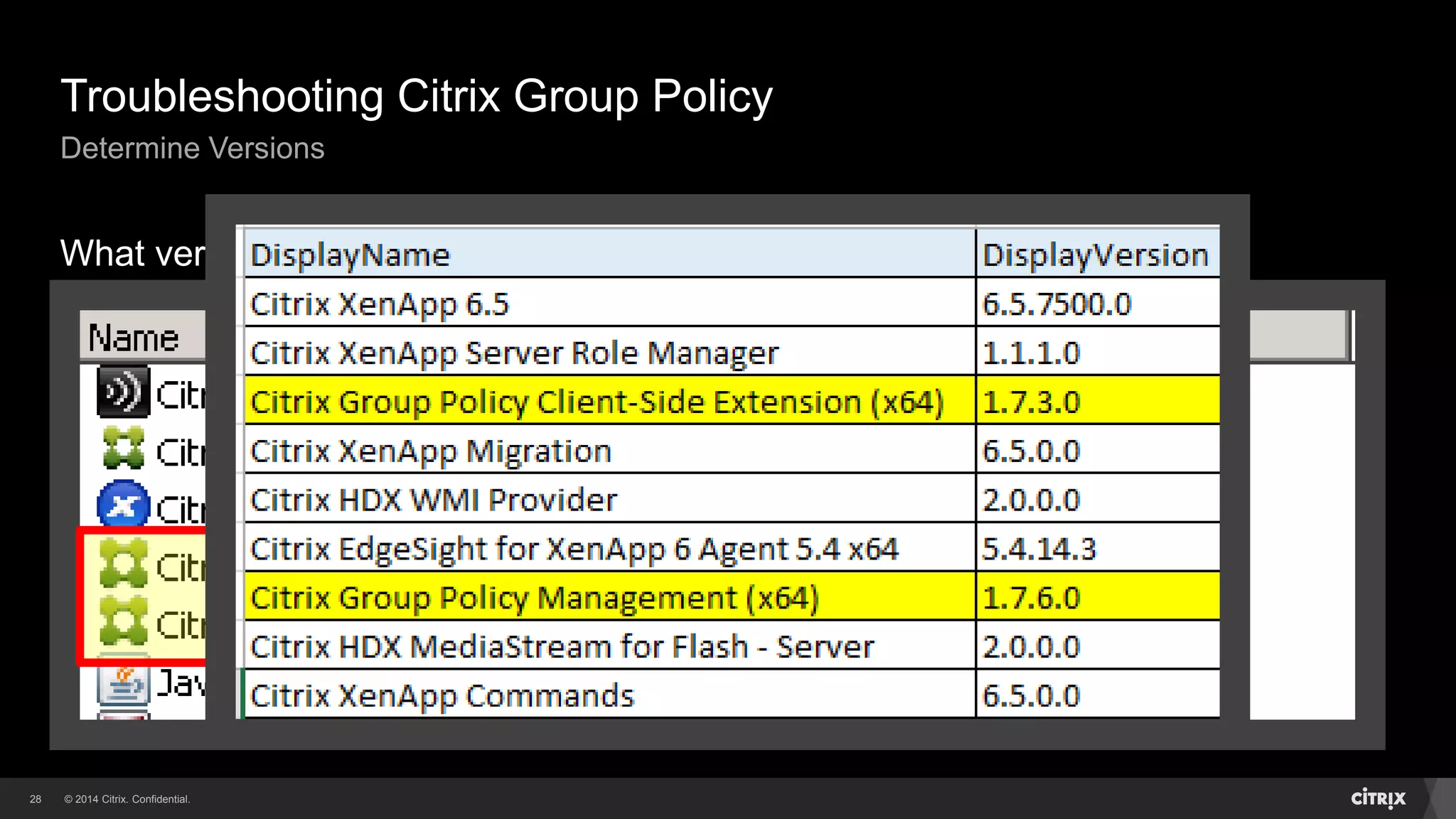
What version am I at??
© 2014 Citrix. Confidential.29
Troubleshooting Citrix Group Policy
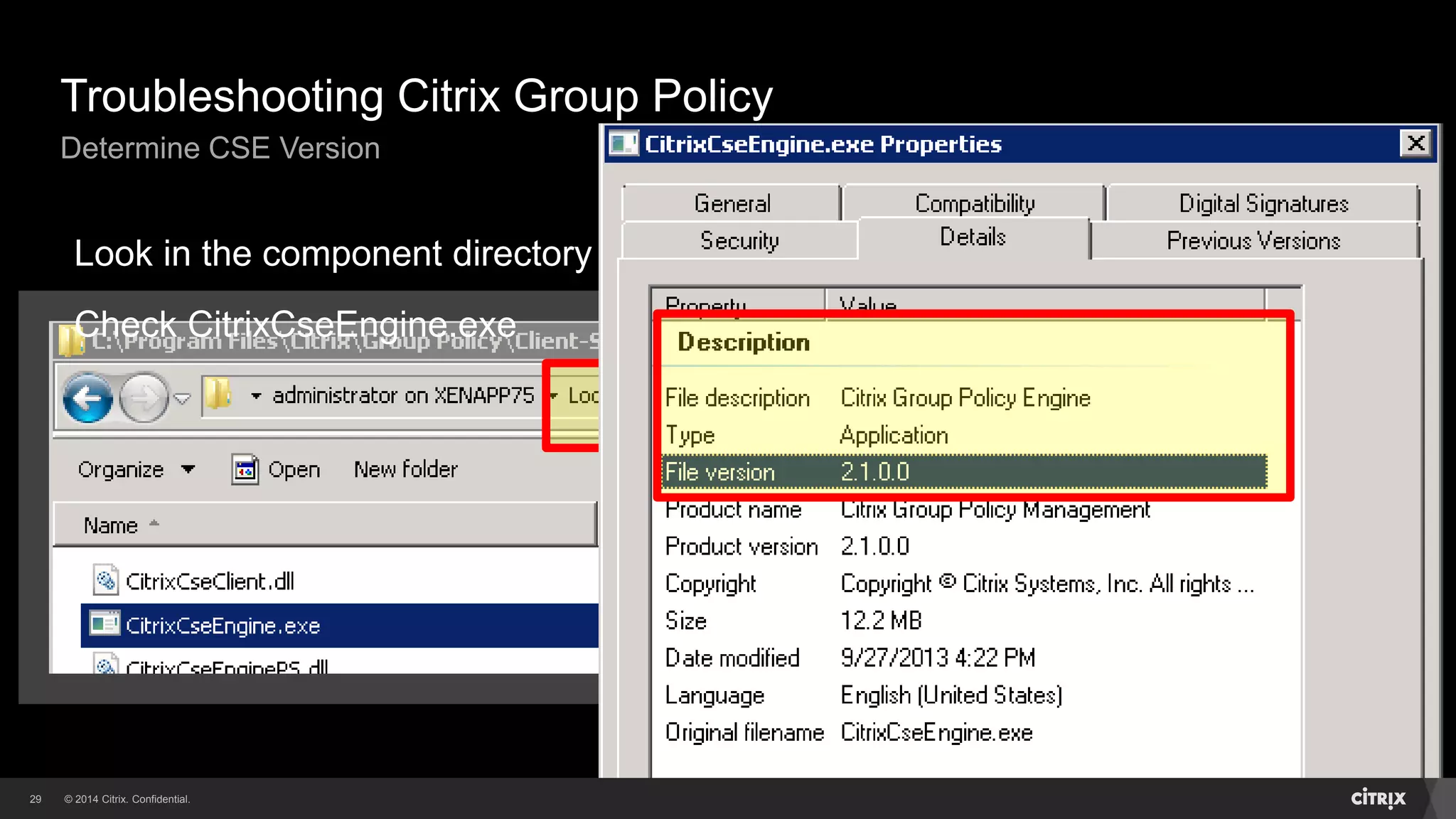
Determine CSE Version
Look in the component directory
Check CitrixCseEngine.exe
© 2014 Citrix. Confidential.30
Troubleshooting Citrix Group Policy
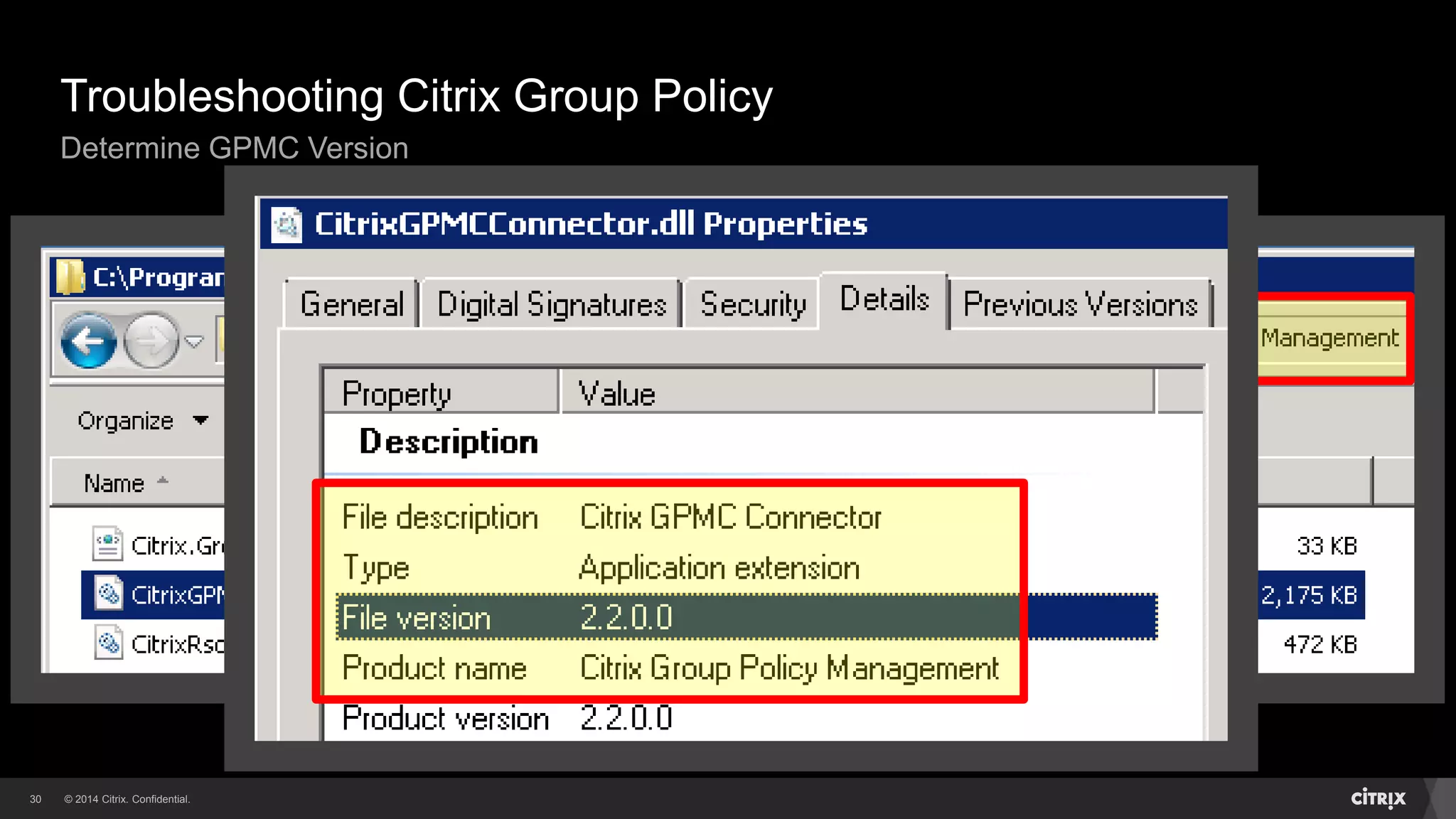
Determine GPMC Version
© 2014 Citrix. Confidential.31
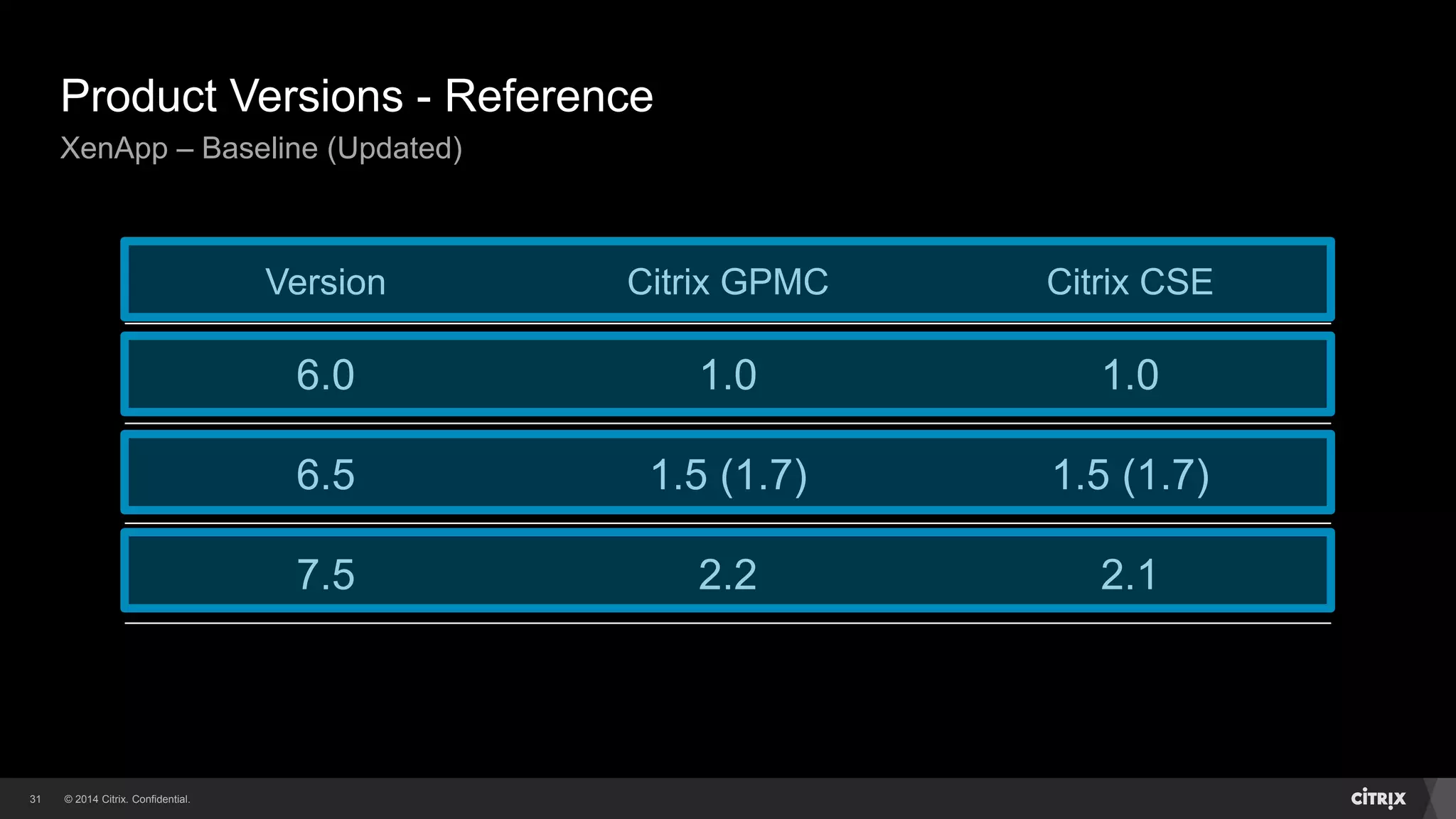
Product Versions - Reference
XenApp – Baseline (Updated)
Version Citrix GPMC Citrix CSE
6.0 1.0 1.0
6.5 1.5 (1.7) 1.5 (1.7)
7.5 2.2 2.1
© 2014 Citrix. Confidential.32
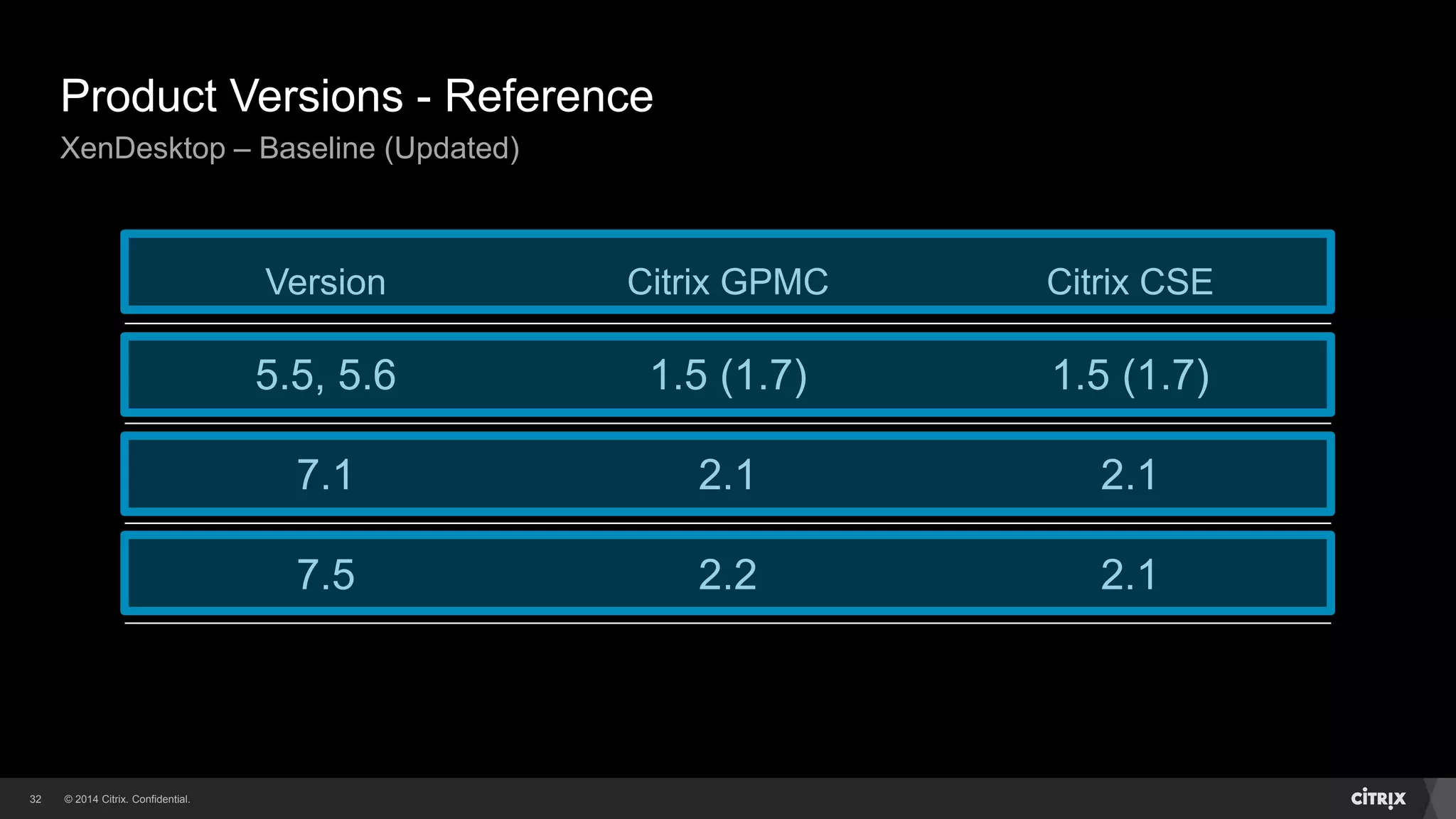
Product Versions - Reference
XenDesktop – Baseline (Updated)
Version Citrix GPMC Citrix CSE
5.5, 5.6 1.5 (1.7) 1.5 (1.7)
7.1 2.1 2.1
7.5 2.2 2.1
© 2014 Citrix. Confidential.33
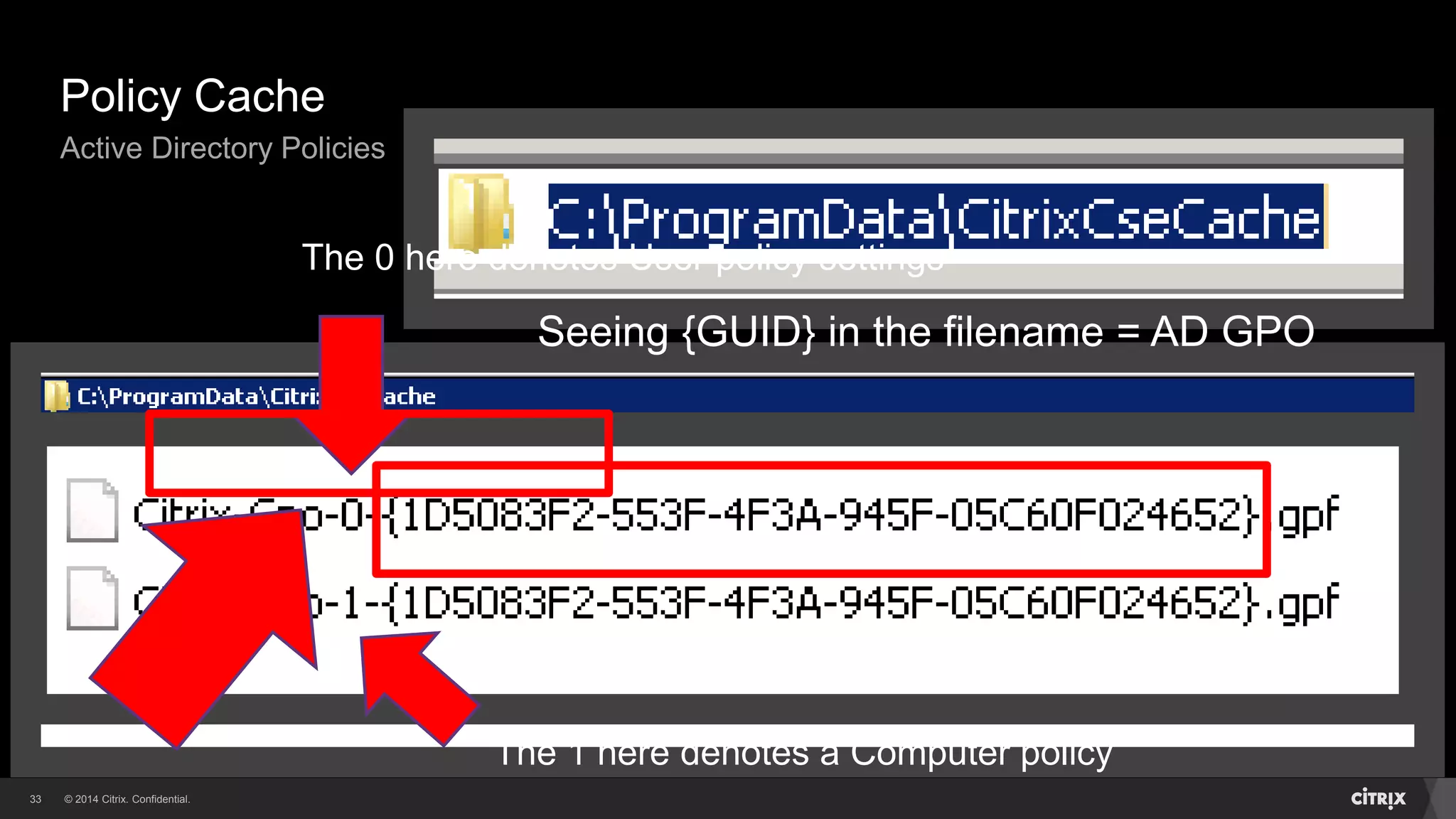
Policy Cache
Active Directory Policies
Seeing {GUID} in the filename = AD GPO
The 0 here denotes User policy settings
The 1 here denotes a Computer policy
© 2014 Citrix. Confidential.34
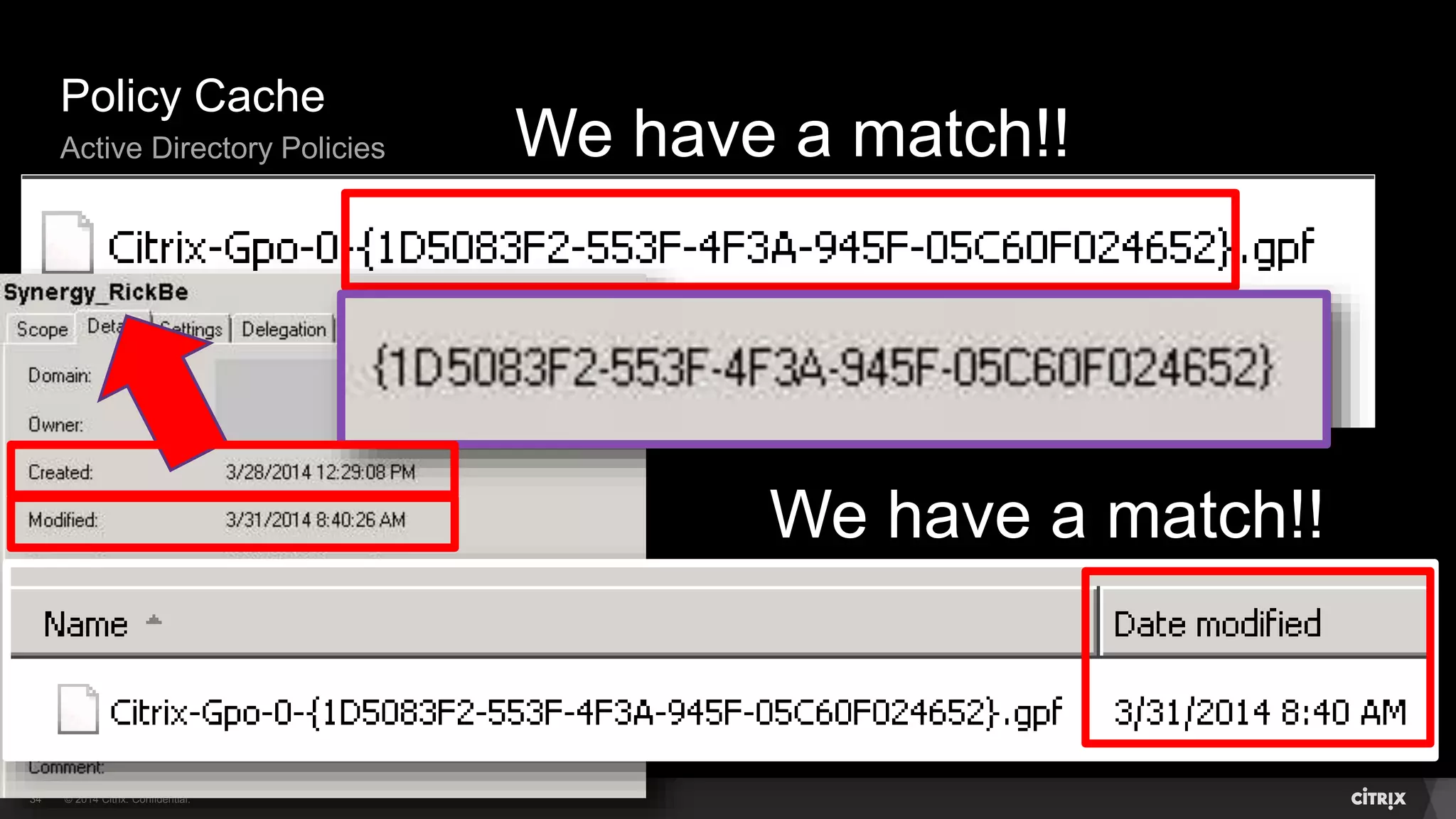
Policy Cache
Active Directory Policies We have a match!!
We have a match!!
© 2014 Citrix. Confidential.35
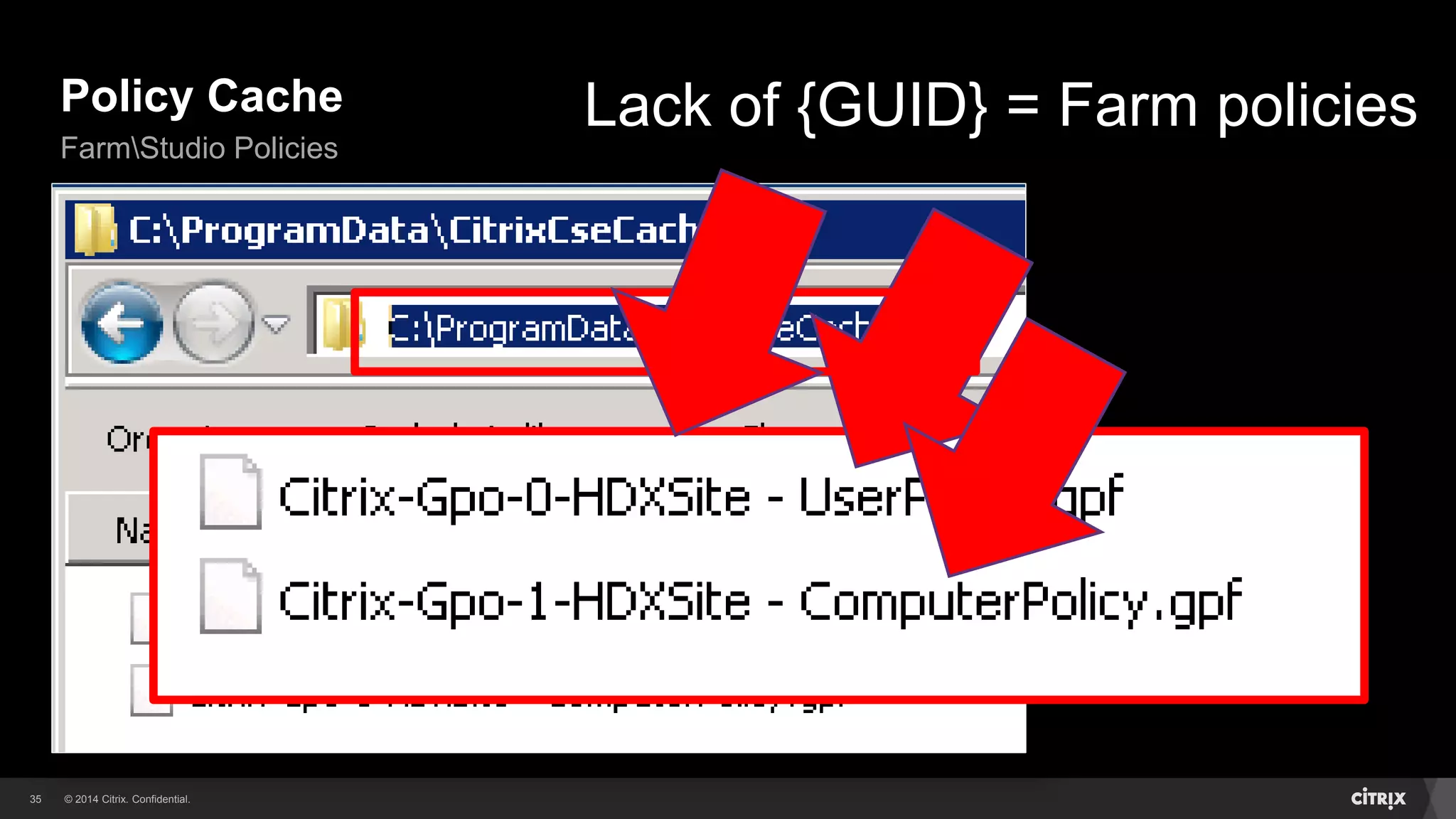
Policy Cache
FarmStudio Policies
Lack of {GUID} = Farm policies
© 2014 Citrix. Confidential.36
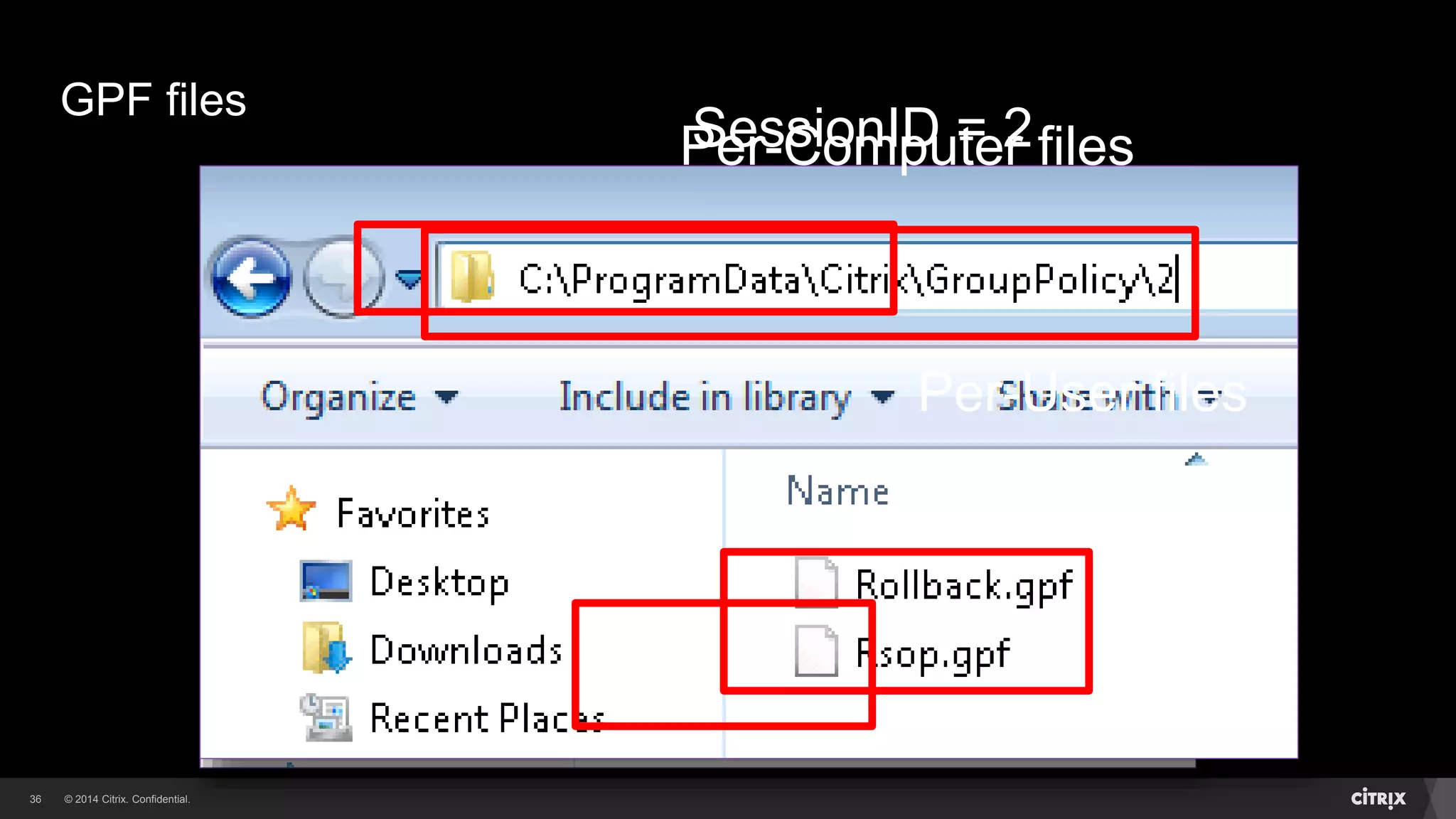
GPF files
Per-Computer files
Per-User files
SessionID = 2
© 2014 Citrix. Confidential.37
RSOP Registry Settings
Per-Computer (HKLMSoftwarePoliciesCitrix)
© 2014 Citrix. Confidential.38
RSOP Registry Settings
Per-User (HKLMSoftwarePoliciesCitrix<SessionID>)
© 2014 Citrix. Confidential.39
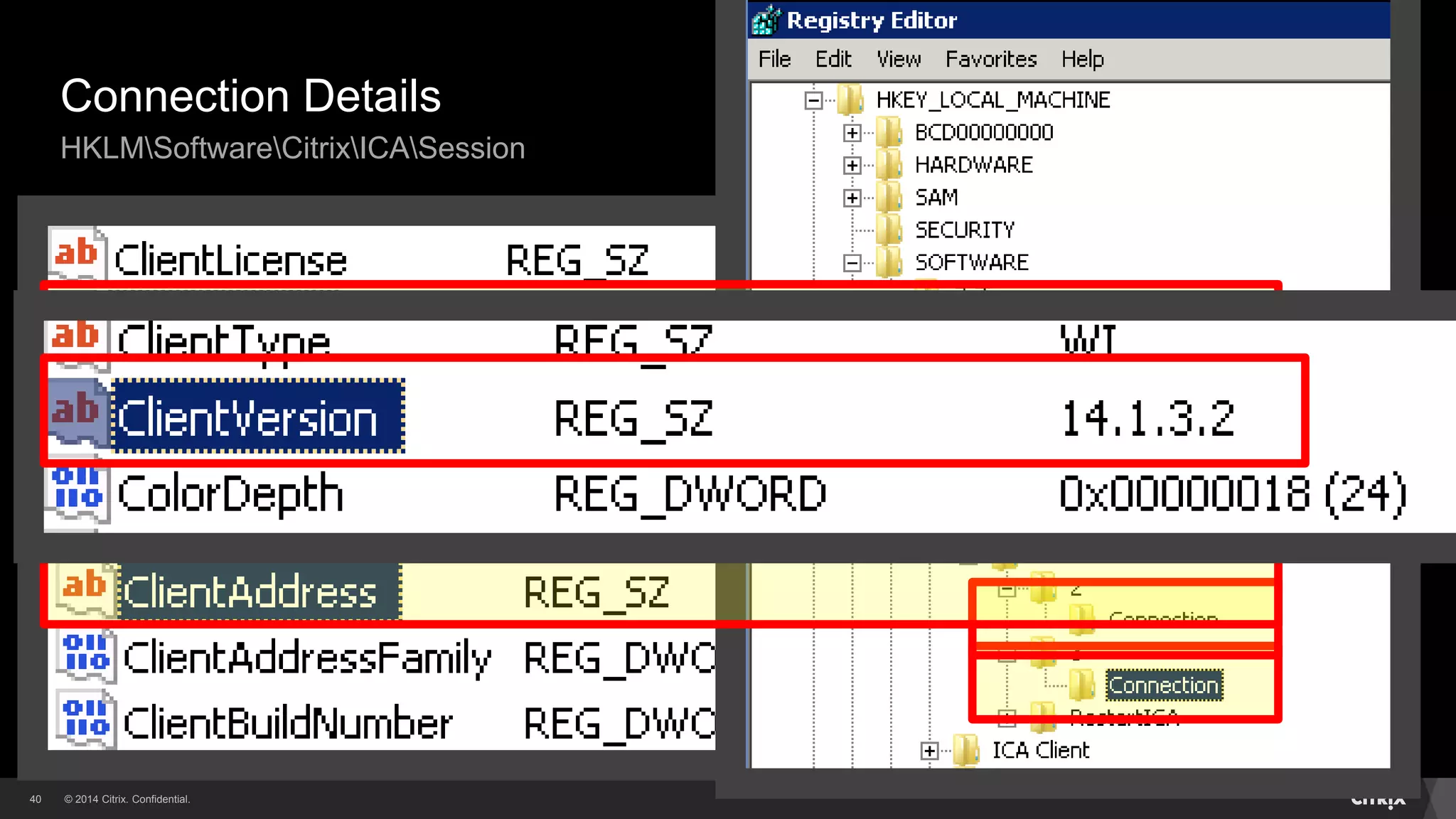
Connection Information
© 2014 Citrix. Confidential.40
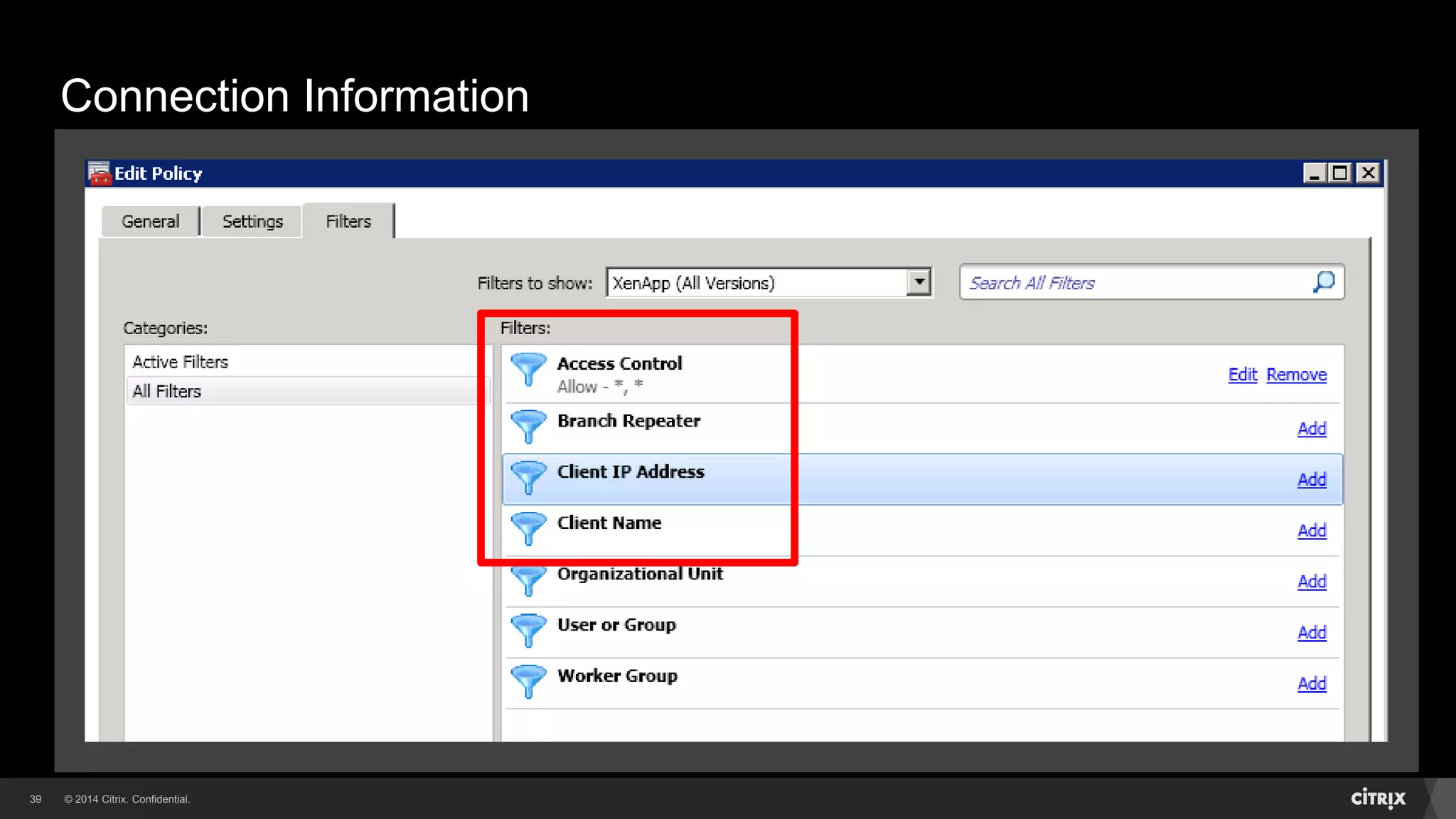
Connection Details
HKLMSoftwareCitrixICASession
© 2014 Citrix. Confidential.41
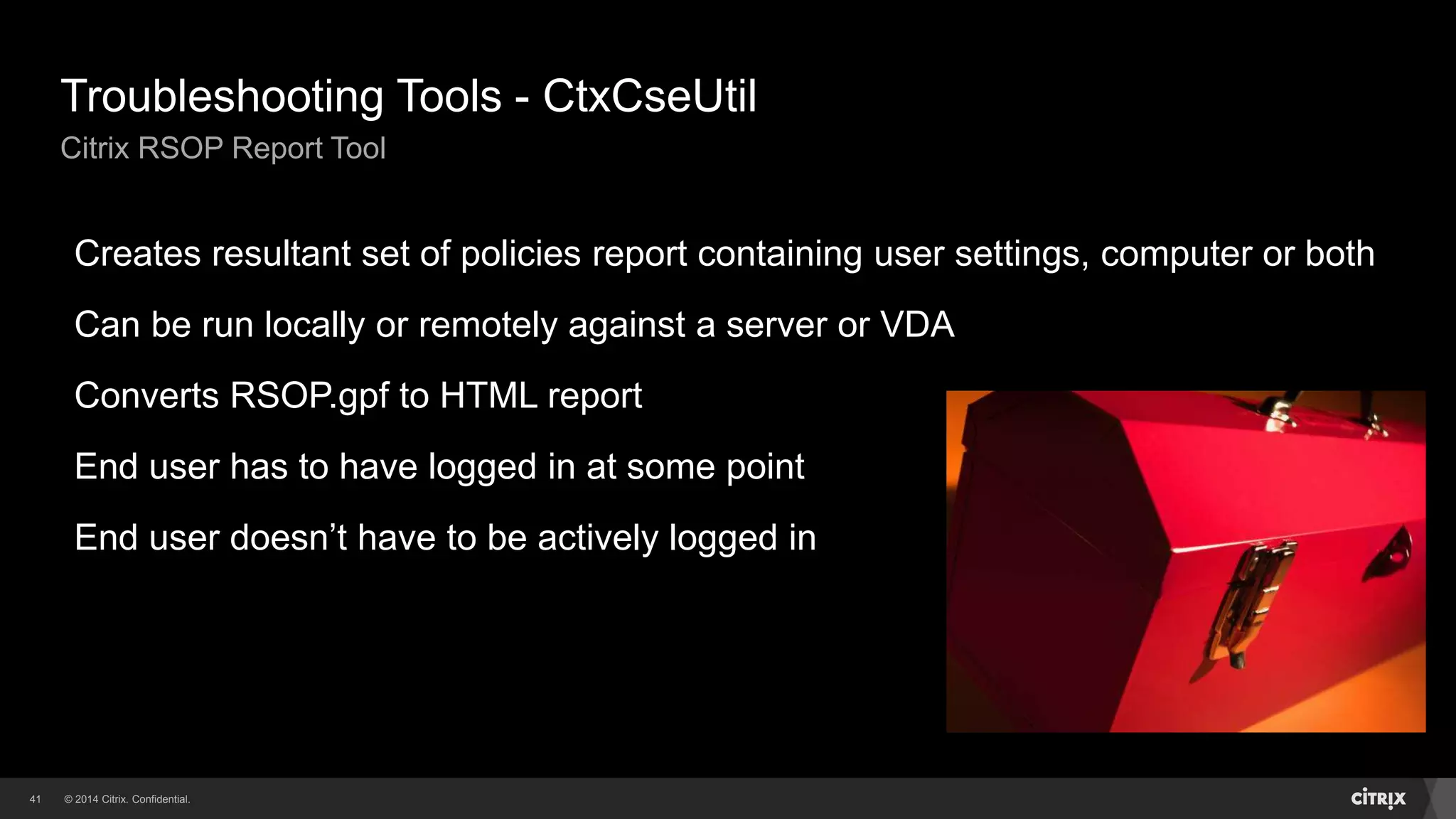
Troubleshooting Tools - CtxCseUtil
Citrix RSOP Report Tool
Creates resultant set of policies report containing user settings, computer or both
Can be run locally or remotely against a server or VDA
Converts RSOP.gpf to HTML report
End user has to have logged in at some point
End user doesn’t have to be actively logged in
© 2014 Citrix. Confidential.42
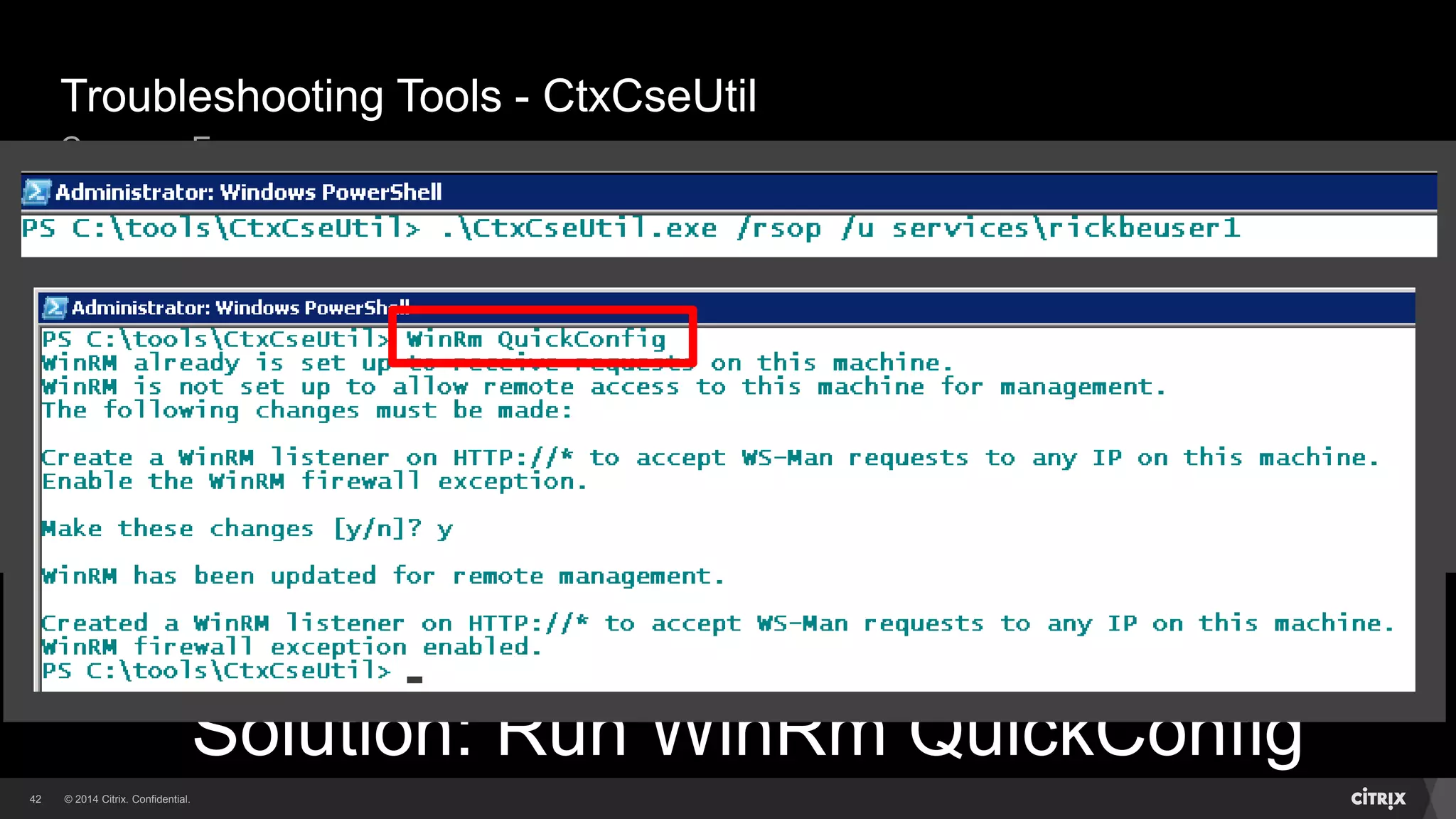
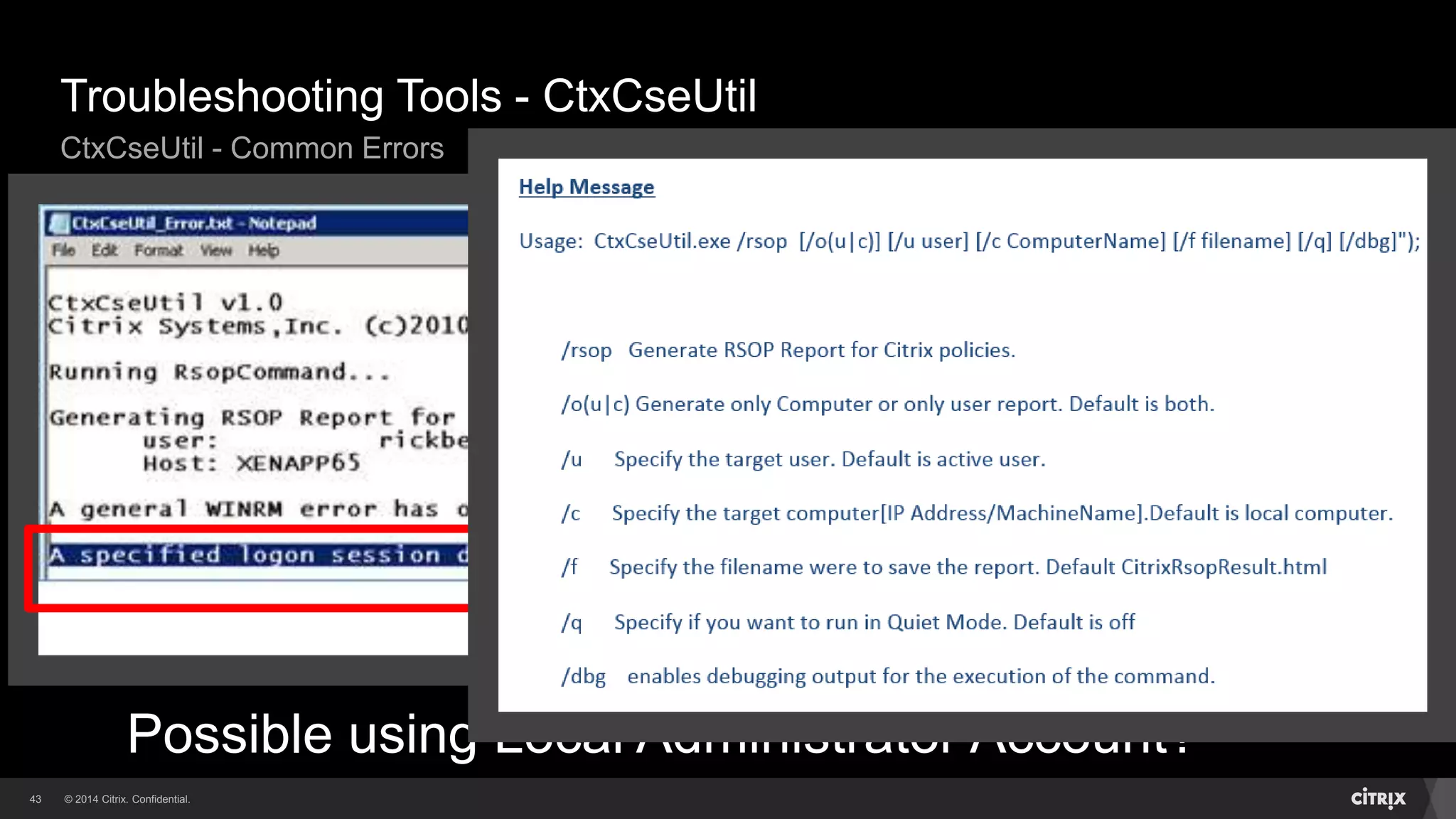
Troubleshooting Tools - CtxCseUtil
Common Errors
Solution: Run WinRm QuickConfig
Typical error when first run…
© 2014 Citrix. Confidential.43
Troubleshooting Tools - CtxCseUtil
CtxCseUtil - Common Errors
Help Message.docx
Possible using Local Administrator Account?
© 2014 Citrix. Confidential.44
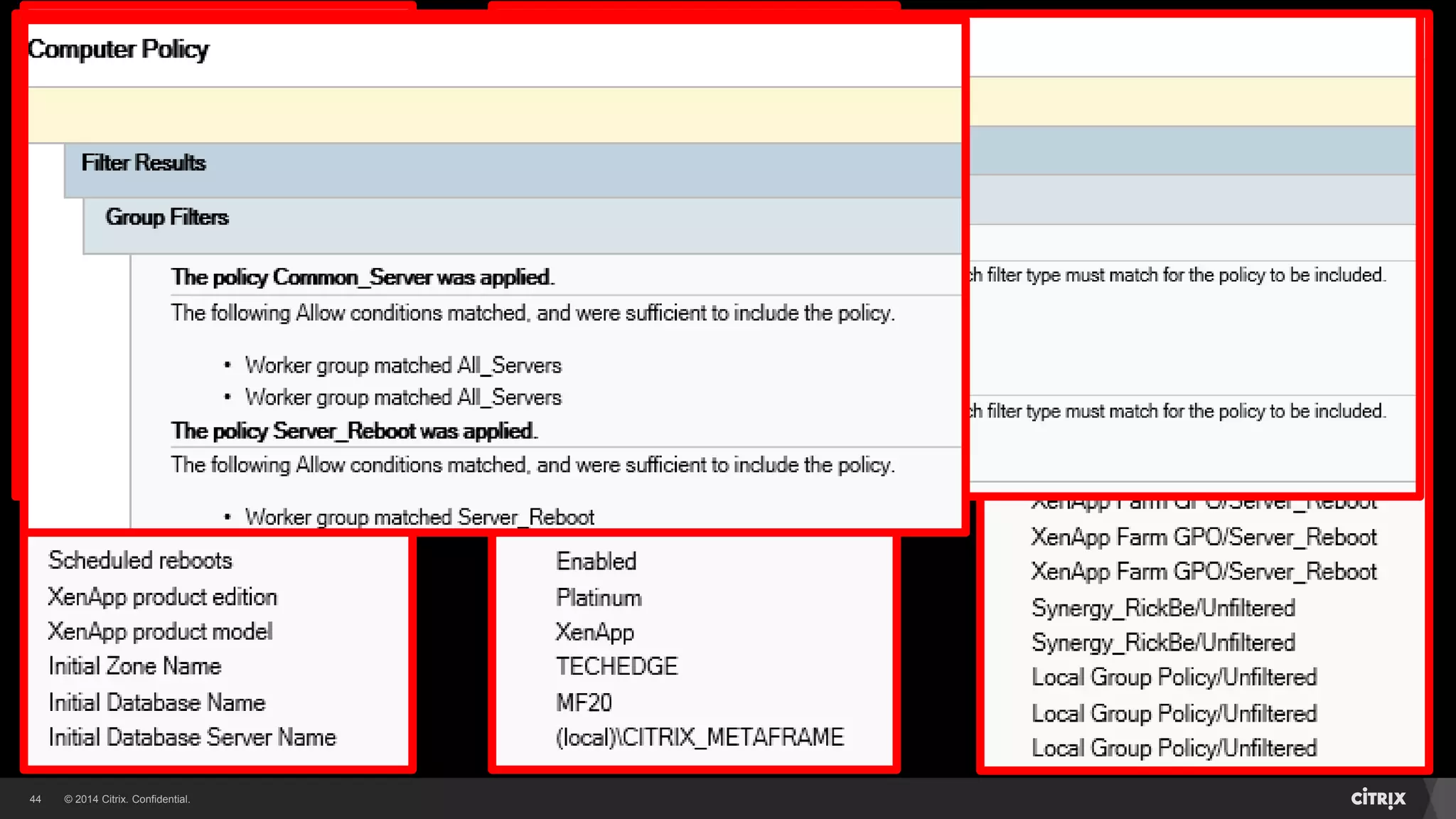
Once run, resultant report is: CitrixRsopResult.html
Resultant Report - CitrixRsopResult.html
Troubleshooting Tools - CtxCseUtil
© 2014 Citrix. Confidential.45
Citrix Group Policy PowerShell Module
Citrix.GroupPolicy.Commands.psm1
Module containing cmdlets for Citrix Policies
• Local, Farm or Active Directory
Needs to be imported via PowerShell prompt
Contains cmdlets to:
• Set or Get Citrix policy settings
• Export or Import Citrix policy objects
Policy Details ImportedExported:
• Policy Settings
• Configuration Details
• Filters
© 2014 Citrix. Confidential.46
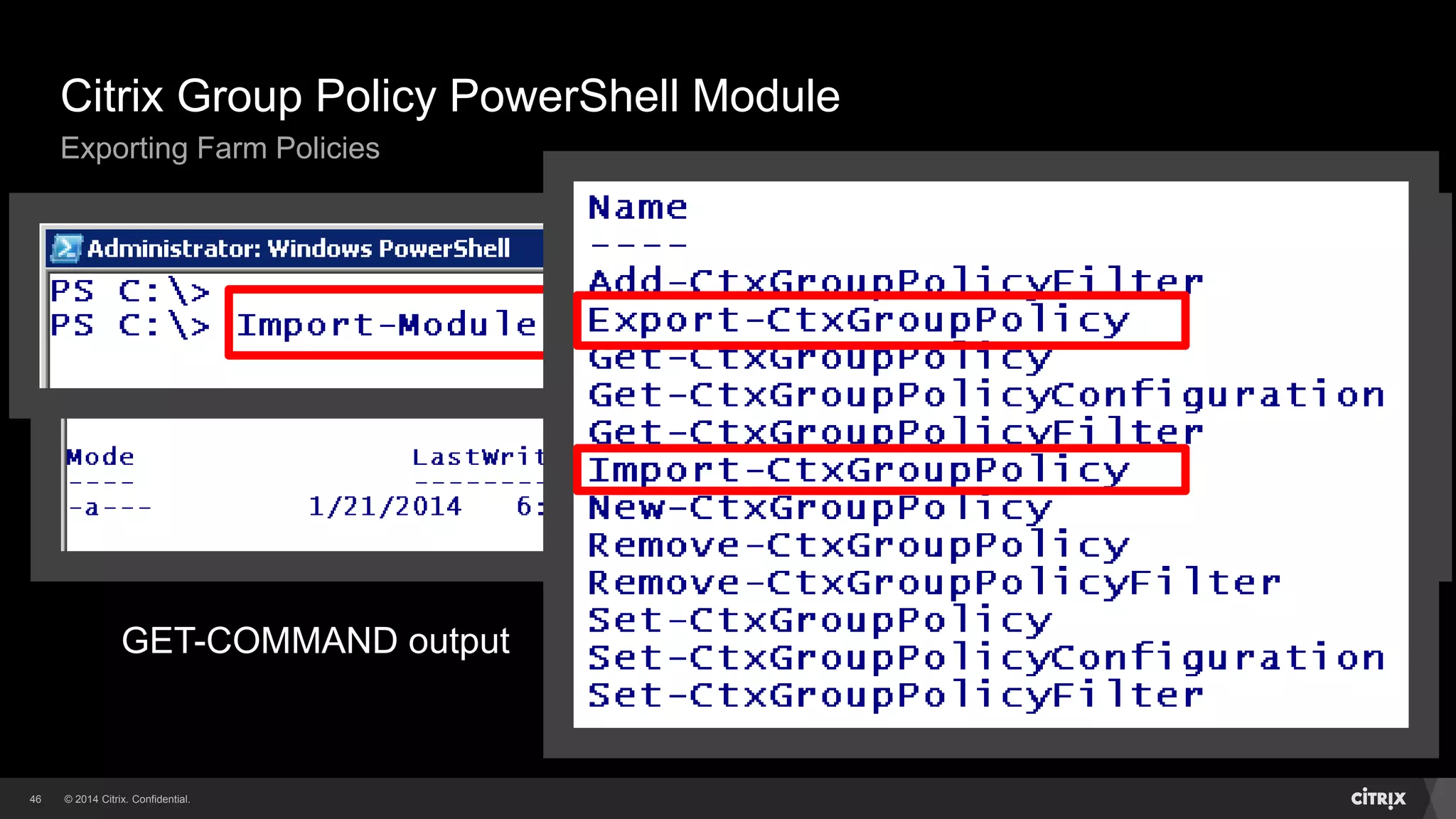
Citrix Group Policy PowerShell Module
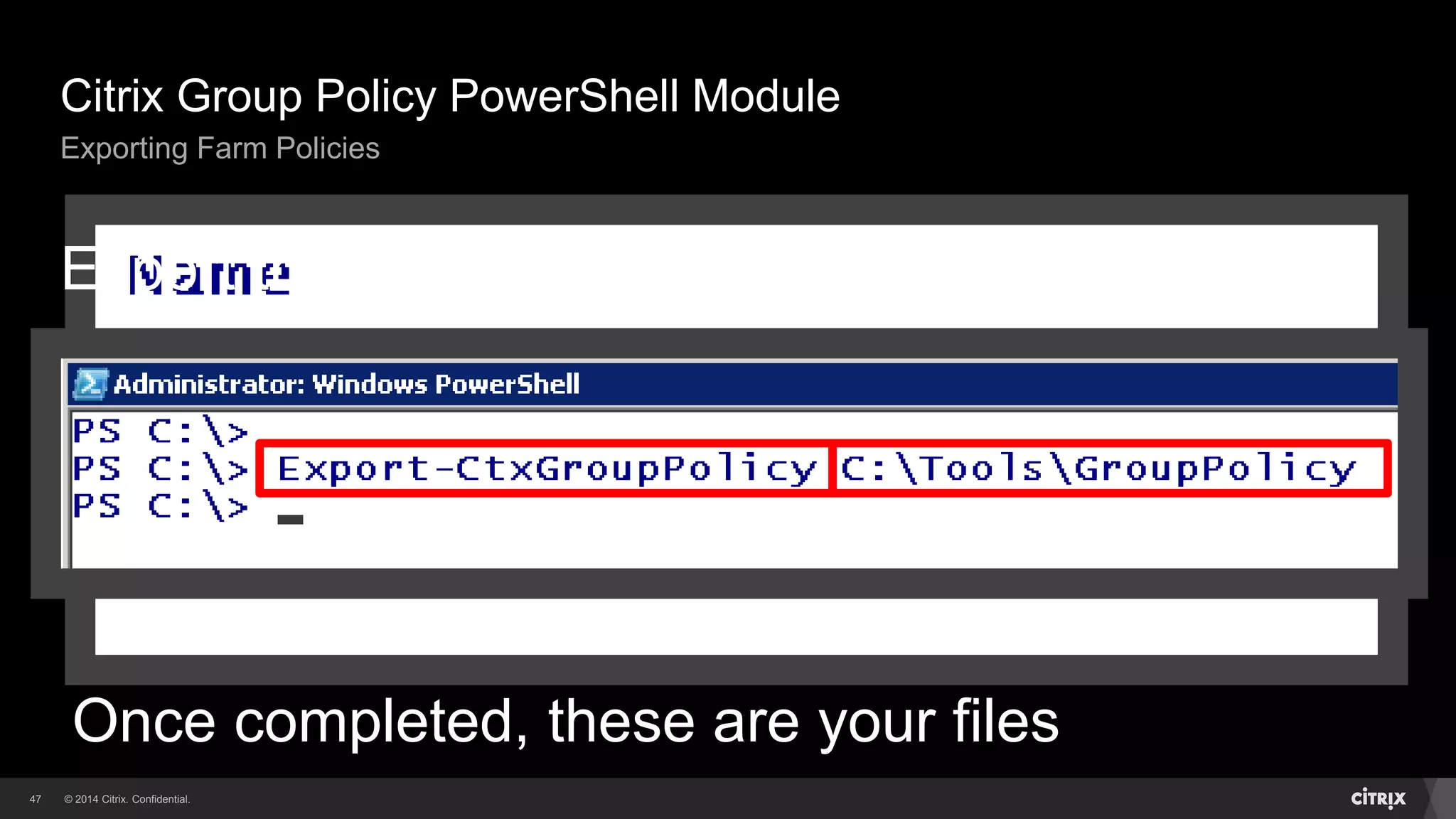
Exporting Farm Policies
GET-COMMAND output
© 2014 Citrix. Confidential.47
Citrix Group Policy PowerShell Module
Exporting Farm Policies
Once completed, these are your files
Export the policies
© 2014 Citrix. Confidential.48
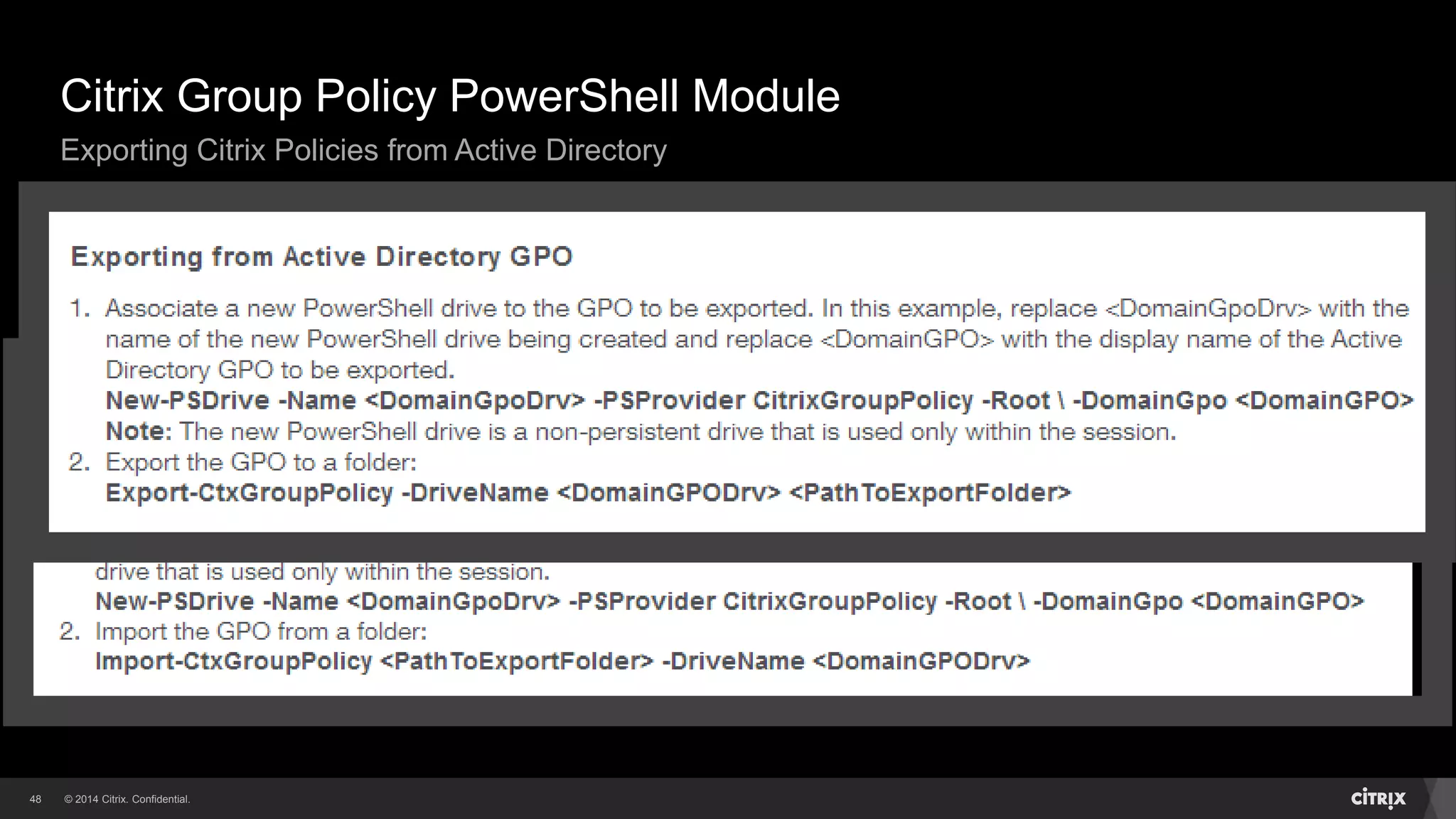
Use the same PowerShell Module and cmdlets
Connect to Active Directory GPO via New-PSDrive cmdlet
See CTX140039 for the details
Citrix Group Policy PowerShell Module
Exporting Citrix Policies from Active Directory
© 2014 Citrix. Confidential.49
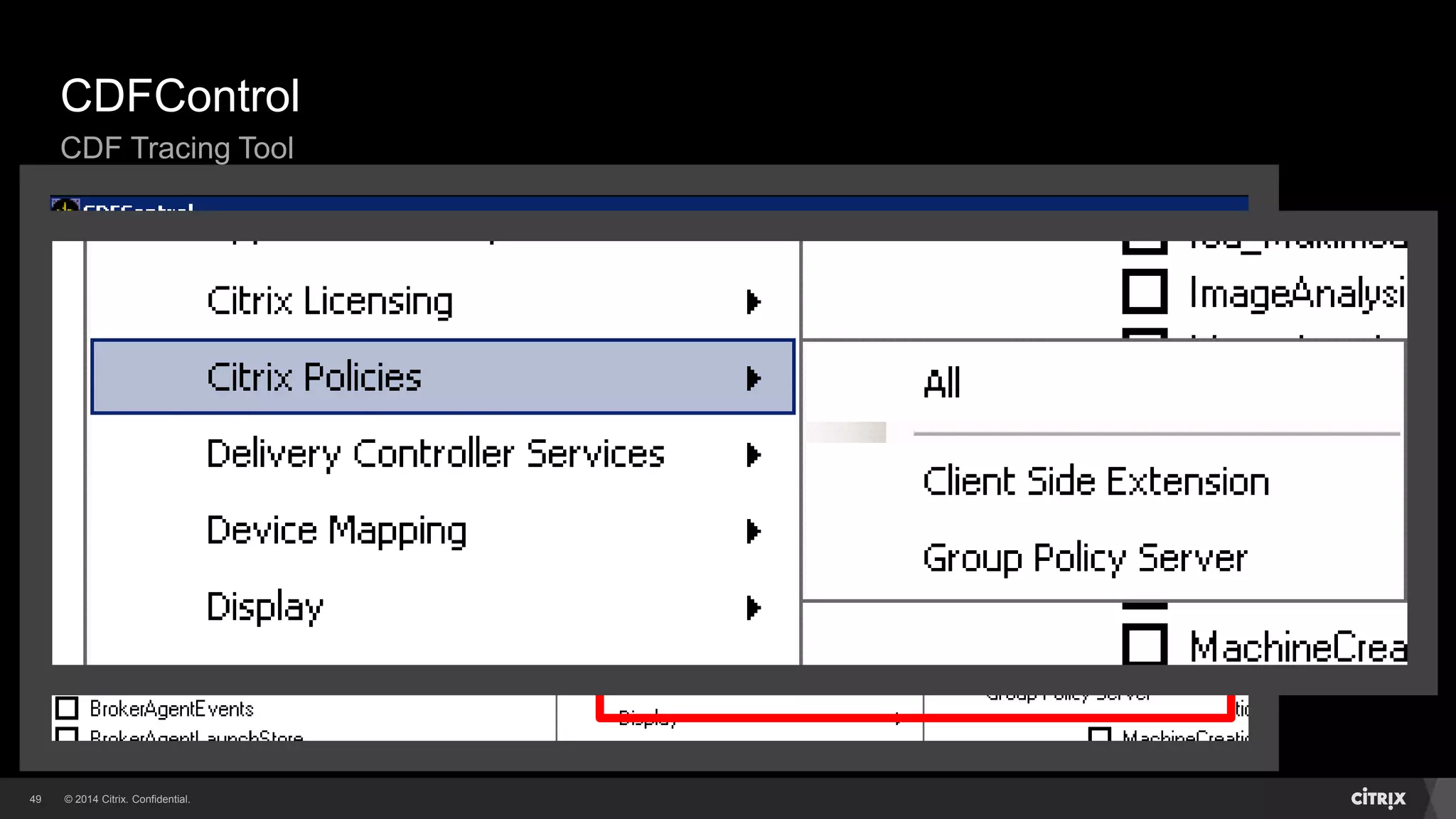
CDFControl
CDF Tracing Tool
© 2014 Citrix. Confidential.50
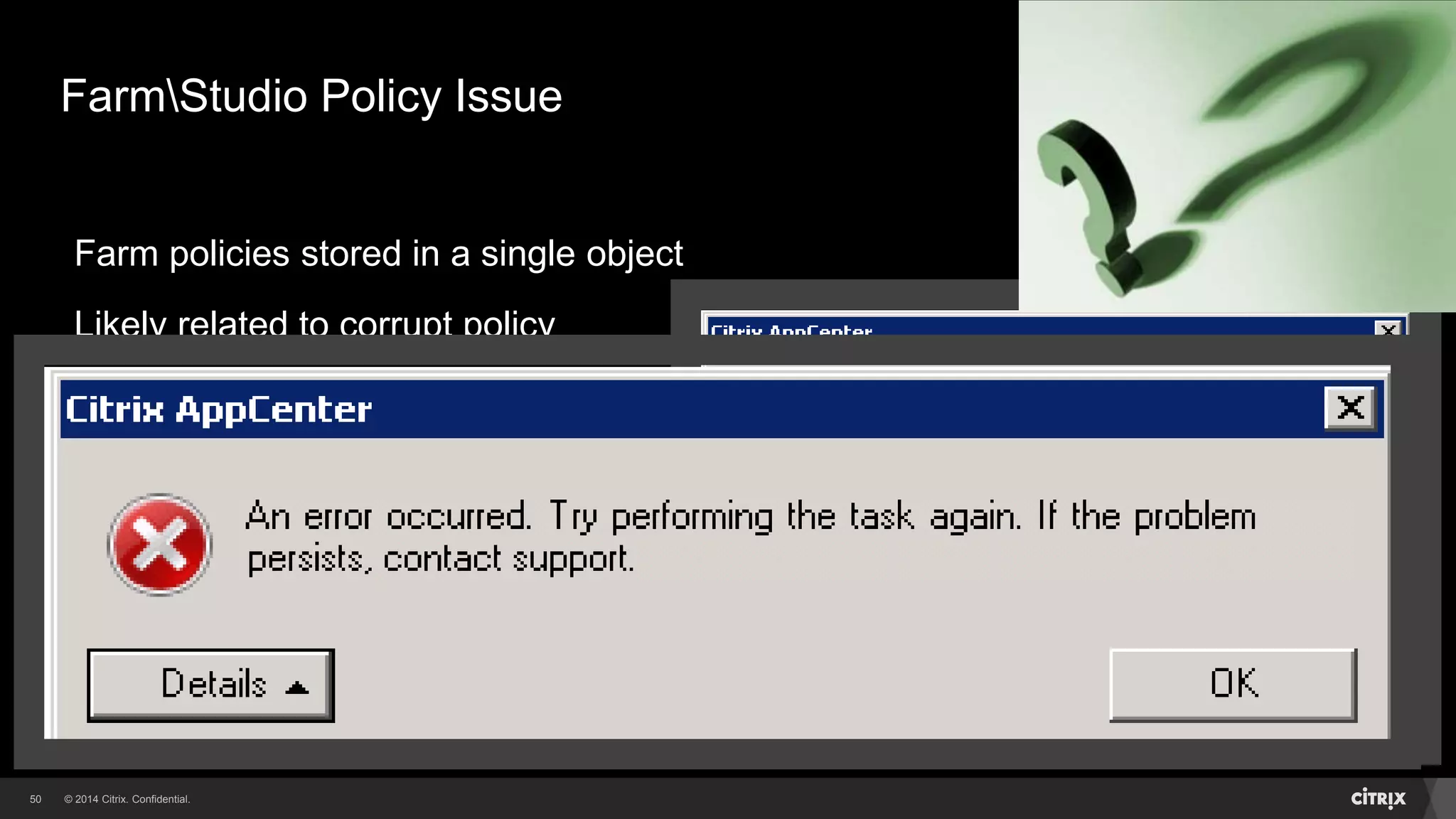
FarmStudio Policy Issue
Farm policies stored in a single object
Likely related to corrupt policy
Error seen when accessing policies
Don’t restore datastoredatabase
Contact Citrix Technical Support
Maintain an updated policy export!!
© 2014 Citrix. Confidential.51
WMI Related Issues
Reconnect Issues
If using WMI Filters on AD GPO’s, might see reconnect issues
• Citrix policies not applying for reconnected sessions
• LoginsReconnects taking long time to occur (does the issue resolve itself after some time?)
Enable Microsoft Group Policy logging:
• HKLMSOFTWAREMicrosoftWindows NTCurrentVersionDiagnostics
"GPSvcDebugLevel"=dword:00030002
Log file will be in:
• %WINDIR%debugusermodegpsvc.log
• If you see FilterCheck: Evaluate returned error. hr=0x80041069, AD is timing out on WMI call
Look in Event Viewer as well for WMI errors
© 2014 Citrix. Confidential.52
Takeaways
Architecture and files related to Citrix Group Policy
How Citrix policies apply during user login (computer too)
Recommended practices
Troubleshooting methods and tools
Documenting and backing up your policies is important!!
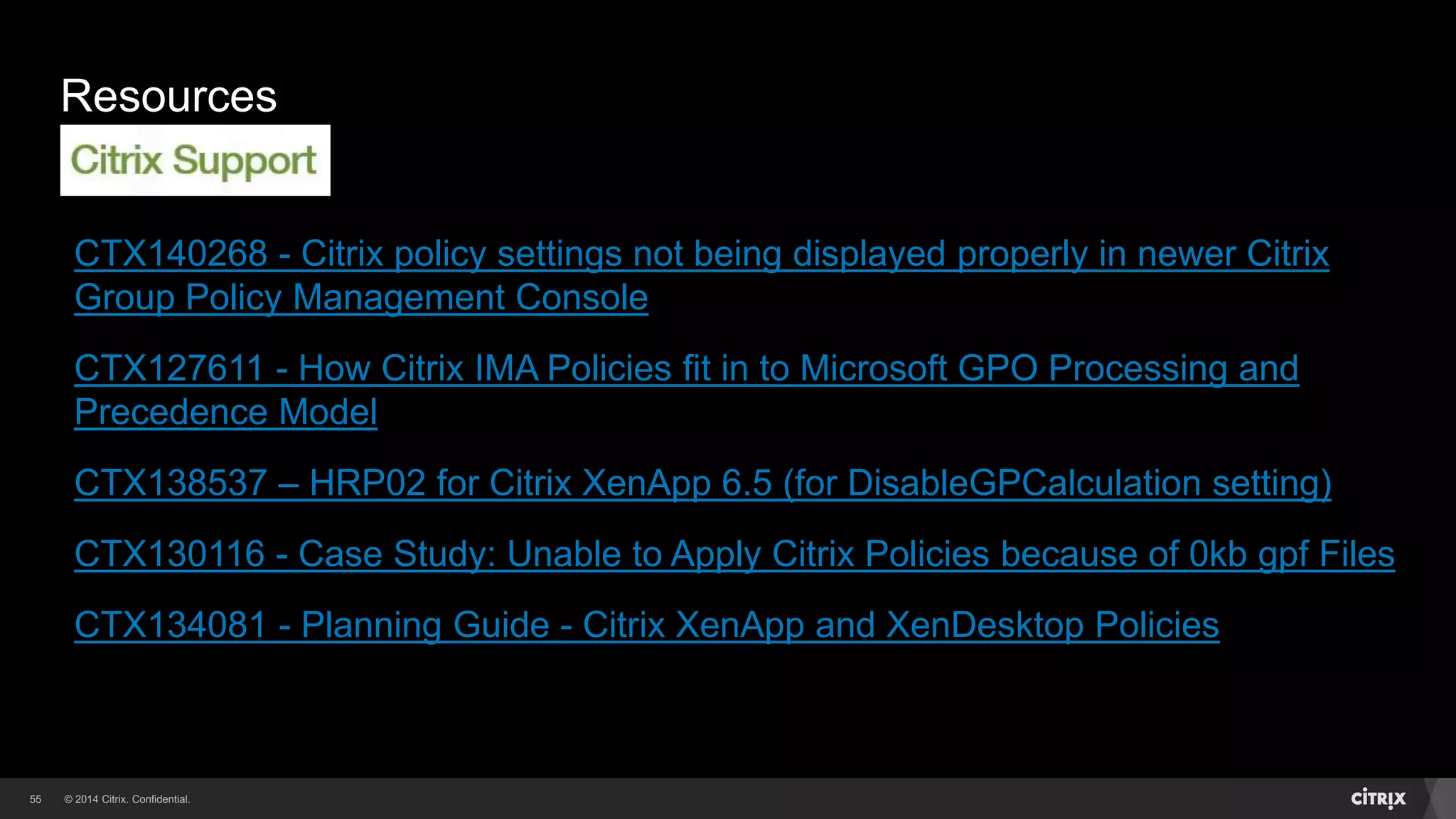
Resources
Links related to Citrix Group Policy
53
© 2014 Citrix. Confidential.54
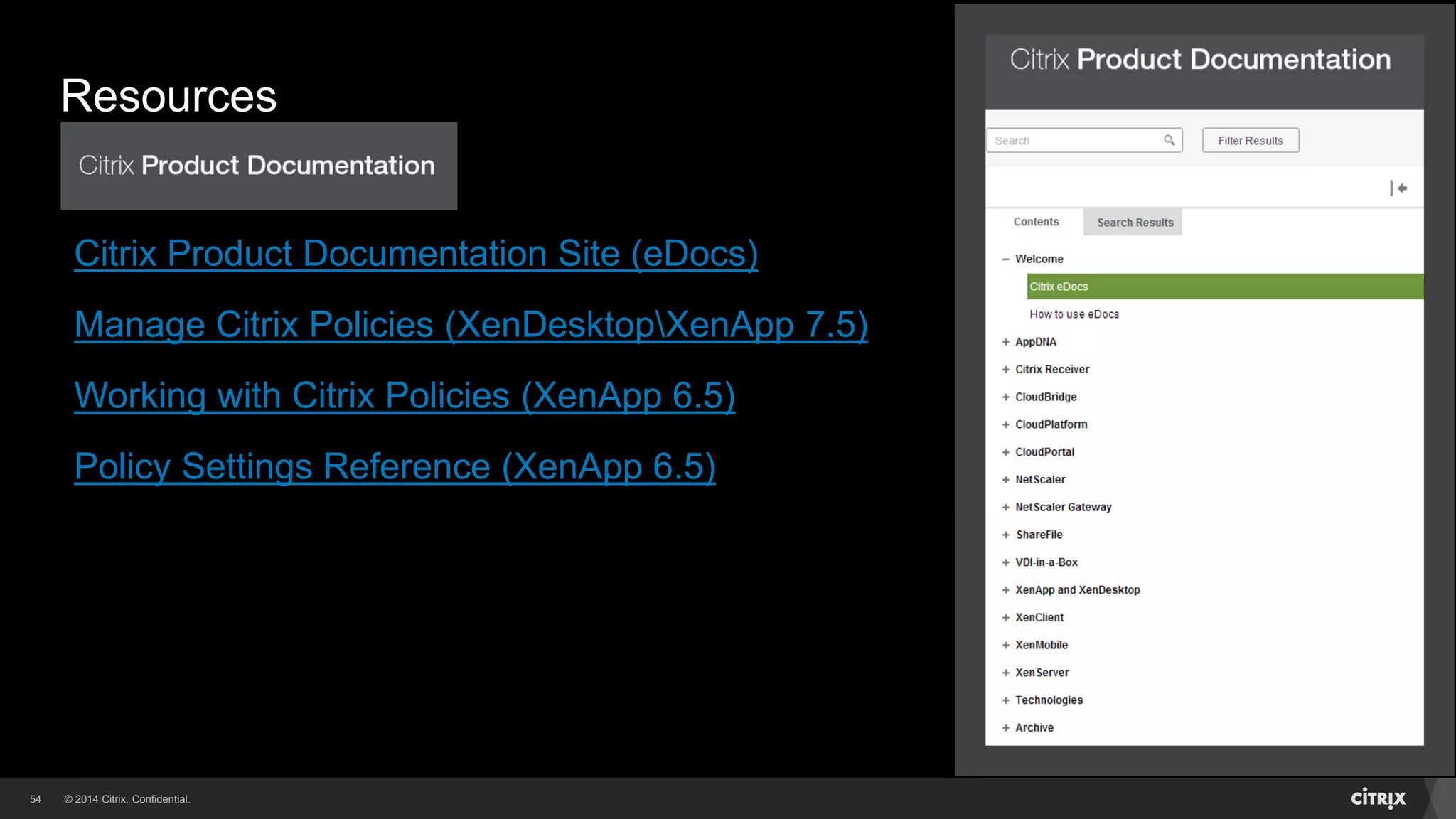
Resources
Citrix Documentation Links
Citrix Product Documentation Site (eDocs)
Manage Citrix Policies (XenDesktopXenApp 7.5)
Working with Citrix Policies (XenApp 6.5)
Policy Settings Reference (XenApp 6.5)
© 2014 Citrix. Confidential.55
Resources
CTX140268 - Citrix policy settings not being displayed properly in newer Citrix
Group Policy Management Console
CTX127611 - How Citrix IMA Policies fit in to Microsoft GPO Processing and
Precedence Model
CTX138537 – HRP02 for Citrix XenApp 6.5 (for DisableGPCalculation setting)
CTX130116 - Case Study: Unable to Apply Citrix Policies because of 0kb gpf Files
CTX134081 - Planning Guide - Citrix XenApp and XenDesktop Policies
© 2014 Citrix. Confidential.56
Resources
Group Policy Tools
CTX140267 - Updated Citrix Group Policy PowerShell Module
CTX138533 - Citrix Policy Reporter - RSOP CtxCseUtil Tool
CTX140039 - How to Import and Export Policies in XenApp 6.x
CTX111961 – CDFControl
CTX130147 – Citrix Scout
MS TechNet – Group Policy Cmdlets for PowerShell
MS TechNet Blog – Enabling Group Policy Logging using RSAT
Questions and Wrap-Up
© 2014 Citrix. Confidential.58
Questions?
© 2014 Citrix. Confidential.59
Before you leave…
Conference surveys are available online at www.citrixsynergy.com starting
Thursday, May 8 at 9:00 a.m.
• Provide your feedback by 6:00 p.m. that day to be entered to win one of many prizes
Download presentations starting Monday, May 19 from the My Event Planning tool
© 2014 Citrix. Confidential.60
WORK BETTER. LIVE BETTER.

Citrix TechEdge 2014 - Citrix Group Policy Troubleshooting for XenApp and XenDesktop

  • 1.
    Citrix Group PolicyTroubleshooting for XenApp and XenDesktop Rick Berry, Senior Escalation Engineer Citrix Synergy, May 2014 SYN406
  • 2.
    © 2014 Citrix.Confidential.2 Tweet about this session with hashtag #syn406 and #citrixsynergy
  • 3.
    Citrix Group PolicyArchitecture Overview of Citrix Group Policy and Components
  • 4.
    © 2014 Citrix.Confidential.4 Citrix Group Policy Architecture Policy Application Terminology Local Group Policies • Local GPO containing Computer and User settings Citrix Farm Policies • Also known as IMA farm policies (XenApp) • Set via AppCenterDSC (XenApp 6.x) or Studio (XenDesktopXenApp 7.5) • Stored in the farm datastoredatabase Active Directory Policies • Set via Site, Domain or OU GPO’s • Stored in Active Directory • Allows combining of Citrix and Microsoft Policies
  • 5.
    © 2014 Citrix.Confidential.5 Local Policies Citrix FarmIMA Polices Active Directory Site GPO Active Directory Domain GPO Active Directory OU GPO Citrix Group Policy Architecture Processing and Precedence for RSOP Processing Precedence RSOP will have CDM = Enabled CDM = Disabled
  • 6.
    © 2014 Citrix.Confidential.6 Citrix Group Policy Architecture Citrix Group Policy Management Console Citrix GPMC - A connector into the Microsoft GPMC Management of Citrix group policies via AppCenterStudio or GPMC Allows Citrix policy modelingcomparison Can be installed for standalone use Core binaries are in: • %PROGRAMFILES% and %PROGRAMFILES(x86)% • Under CitrixGroup PolicyManagement
  • 7.
    © 2014 Citrix.Confidential.7 Citrix Group Policy Architecture Citrix Group Policy Client Side Extension Also known as Citrix CSE (CitrixCseClient.dll) Loaded via Microsoft Winlogon process Generates policy requests (ComputerUser) Retrieves values to determine policy filter calculation Forwards policy requests to Citrix Caching Service Core binaries are in: • %PROGRAMFILES% and %PROGRAMFILES(x86)% • Under CitrixGroup PolicyClient-Side Extension
  • 8.
    © 2014 Citrix.Confidential.8 Citrix Group Policy Architecture Citrix Group Policy Caching Service Citrix Group Policy Engine service (CitrixCseEngine), part of Citrix CSE Performs the Citrix policy calculation and writes settings to the registry Caches Group Policy files between calculations to avoid excessive network traffic GPO (ADFarm) Local Cache: • %PROGRAMDATA%CitrixCseCache Also caches per-computer and per-user data files
  • 9.
    © 2014 Citrix.Confidential.9 Citrix Group Policy Architecture Data Files - Resultant Set of Policy (RSOP) Per-Computer and Per-User resultant Citrix policy settings end up in RSOP.gpf These binary files are cached in: • Per-Computer → %PROGRAMDATA%CitrixCseCache • Per-User → %PROGRAMDATA%CitrixCseCache<SessionID> Files are used to create policy registry settings under: • Per-Computer → HKLMSoftwarePoliciesCitrix • Per-User → HKLMSoftwarePoliciesCitrix<SessionID>User
  • 10.
    © 2014 Citrix.Confidential.10 Citrix Group Policy Architecture Data Files – Rollback We needed a way to remove RSOP settings Mechanism creates a Rollback.gpf file Contains instructions to remove existing RSOP settings These binary files are cached in: • Per-Computer → %PROGRAMDATA%CitrixCseCache • Per-User → %PROGRAMDATA%CitrixCseCache<SessionID>
  • 11.
    © 2014 Citrix.Confidential.11 Citrix Group Policy Architecture Citrix Policy Filters Allows granular control of Citrix policies Filters policy settings based on certain criteria Different options based on the policy category Can’t be applied to the default Unfiltered policy
  • 12.
    © 2014 Citrix.Confidential.12 Policy Filters Computer Policies
  • 13.
    © 2014 Citrix.Confidential.13 Policy Filters User Policies Additional filter types For User Policies
  • 14.
    © 2014 Citrix.Confidential.14 Citrix Group Policy Architecture Unfiltered Policy and Templates There’s a default Unfiltered policy (contains no settings) Unfiltered policy settings apply to all objects Can be disabled if not needed (set to lowest priority) There are pre-configured policy Templates in place Templates grouped by end user connectivity (WAN, LAN) Policies created can be saved as templates
  • 15.
    © 2014 Citrix.Confidential.15 Policy Management XenApp 6.x - XenDesktop 5.x Separate Computer and User Policy Nodes
  • 16.
    © 2014 Citrix.Confidential.16 Policy Management XenApp 7.5 – XenDesktop 7.x Single Policy Node
  • 17.
    © 2014 Citrix.Confidential.17 Citrix Group Policy Architecture Citrix Policy Update Intervals For Citrix farm policies setup via AppCenterStudio: • Citrix policies for Computer and Users (logged in) refresh every 90 minutes For Citrix Policies set via AD GPO: • Leverage AD refresh interval (default is 90 minutes +- a random offset of 0-30 minutes) • What is set via AD GPO For either method: • Computer Policies update at machine startup • User Policies will also be updated during a reconnect to an active or disconnected session • Policies can be updated manually by running: gpupdate /force
  • 18.
    © 2014 Citrix.Confidential.18 User Policy Application (Similar for Computer) WinLogon Client Side Extensions Microsoft CSE Citrix CSE AD GPO Local GPO Resultant Policy RSOP.GPF Local server Registry Farm or Studio GPO Citrix CSE HKLMSoftwarePolicesCitrix (For Server) -or- HKLMSoftwarePolicesCitrix<SessionID>User
  • 19.
    © 2014 Citrix.Confidential.19 Policy Application Details Load existing Rollback.gpf Rollback.gpf Registry %PROGRAMDATA%CitrixGroupPolicy -or- %PROGRAMDATA%CitrixGroupPolicy<SessionID> Apply RSOP RSOP.gpf Delete Cached GPF files RSOP.gpf Rollback.gpf Registry Cache new files RSOP.gpf Rollback.gpf Set time in LastUpdate Under Events Registry Area All Done!Rollback.gpf
  • 20.
    Recommended Practices -Tips Based on Citrix Support cases 20
  • 21.
    © 2014 Citrix.Confidential.21 Recommended Practices Architecture While supported, using both AD and FarmStudio Citrix policies may cause confusion when troubleshooting issues • Try to use one type or the other depending upon requirements Using WMI filters on AD GPO’s containing Citrix policies may cause issues during reconnects (due to WMIAD timeouts) • Use WMI filters sparingly • Possible mitigation: using DisableGPCalculation setting
  • 22.
    © 2014 Citrix.Confidential.22 Recommended Practices Document Policies For Farm (AppCenterStudio) applied policies: • Written documentspreadsheet (Scout can provide as well) For Active Directory applied policies: • Use the GPMC Save Report option on your AD GPO For either of the above: • CtxCseUtil – RSOP reporting tool • Export using Citrix Group Policy PowerShell module
  • 23.
    © 2014 Citrix.Confidential.23 Recommended Practices What Not To Do! To prevent Citrix Group Policy consistency issues, don’t manually manipulateremove any of the Citrix Group Policy data files on your own This includes filesfolders or reg entries under: • %PROGRAMDATA%CitrixGroupPolicy<SessionID> • %PROGRAMDATA%CitrixGroupPolicy • HKLMSoftwarePoliciesCitrix<SessionID> • HKLMSoftwarePoliciesCitrix Might be needed for certain fixes (LA5051)
  • 24.
  • 25.
    © 2014 Citrix.Confidential.25 Troubleshooting Citrix Group Policy Recommended Approach Know your BaselineCollect the Details Determine Versions Policy Cache GPF Files RSOP Registry Settings Connection Information Additional Data Points
  • 26.
    © 2014 Citrix.Confidential.26 Troubleshooting Citrix Group Policy Baseline and Collect Details – The Four W’s Make sure you can answer the following: Who is seeing the issue? What issue are they seeing? Tokyo Chicago Miami
  • 27.
    © 2014 Citrix.Confidential.27 Troubleshooting Citrix Group Policy Baseline and Collect Details – The Four W’s Make sure you can answer the following: Who is seeing the issue? What issue are they seeing? When are they seeing the issue? Where are they seeing the issue? New Session? Reconnecting? Smooth Roaming? All of the Above?
  • 28.
    © 2014 Citrix.Confidential.28 Troubleshooting Citrix Group Policy Determine Versions What version am I at??
  • 29.
    © 2014 Citrix.Confidential.29 Troubleshooting Citrix Group Policy Determine CSE Version Look in the component directory Check CitrixCseEngine.exe
  • 30.
    © 2014 Citrix.Confidential.30 Troubleshooting Citrix Group Policy Determine GPMC Version
  • 31.
    © 2014 Citrix.Confidential.31 Product Versions - Reference XenApp – Baseline (Updated) Version Citrix GPMC Citrix CSE 6.0 1.0 1.0 6.5 1.5 (1.7) 1.5 (1.7) 7.5 2.2 2.1
  • 32.
    © 2014 Citrix.Confidential.32 Product Versions - Reference XenDesktop – Baseline (Updated) Version Citrix GPMC Citrix CSE 5.5, 5.6 1.5 (1.7) 1.5 (1.7) 7.1 2.1 2.1 7.5 2.2 2.1
  • 33.
    © 2014 Citrix.Confidential.33 Policy Cache Active Directory Policies Seeing {GUID} in the filename = AD GPO The 0 here denotes User policy settings The 1 here denotes a Computer policy
  • 34.
    © 2014 Citrix.Confidential.34 Policy Cache Active Directory Policies We have a match!! We have a match!!
  • 35.
    © 2014 Citrix.Confidential.35 Policy Cache FarmStudio Policies Lack of {GUID} = Farm policies
  • 36.
    © 2014 Citrix.Confidential.36 GPF files Per-Computer files Per-User files SessionID = 2
  • 37.
    © 2014 Citrix.Confidential.37 RSOP Registry Settings Per-Computer (HKLMSoftwarePoliciesCitrix)
  • 38.
    © 2014 Citrix.Confidential.38 RSOP Registry Settings Per-User (HKLMSoftwarePoliciesCitrix<SessionID>)
  • 39.
    © 2014 Citrix.Confidential.39 Connection Information
  • 40.
    © 2014 Citrix.Confidential.40 Connection Details HKLMSoftwareCitrixICASession
  • 41.
    © 2014 Citrix.Confidential.41 Troubleshooting Tools - CtxCseUtil Citrix RSOP Report Tool Creates resultant set of policies report containing user settings, computer or both Can be run locally or remotely against a server or VDA Converts RSOP.gpf to HTML report End user has to have logged in at some point End user doesn’t have to be actively logged in
  • 42.
    © 2014 Citrix.Confidential.42 Troubleshooting Tools - CtxCseUtil Common Errors Solution: Run WinRm QuickConfig Typical error when first run…
  • 43.
    © 2014 Citrix.Confidential.43 Troubleshooting Tools - CtxCseUtil CtxCseUtil - Common Errors Help Message.docx Possible using Local Administrator Account?
  • 44.
    © 2014 Citrix.Confidential.44 Once run, resultant report is: CitrixRsopResult.html Resultant Report - CitrixRsopResult.html Troubleshooting Tools - CtxCseUtil
  • 45.
    © 2014 Citrix.Confidential.45 Citrix Group Policy PowerShell Module Citrix.GroupPolicy.Commands.psm1 Module containing cmdlets for Citrix Policies • Local, Farm or Active Directory Needs to be imported via PowerShell prompt Contains cmdlets to: • Set or Get Citrix policy settings • Export or Import Citrix policy objects Policy Details ImportedExported: • Policy Settings • Configuration Details • Filters
  • 46.
    © 2014 Citrix.Confidential.46 Citrix Group Policy PowerShell Module Exporting Farm Policies GET-COMMAND output
  • 47.
    © 2014 Citrix.Confidential.47 Citrix Group Policy PowerShell Module Exporting Farm Policies Once completed, these are your files Export the policies
  • 48.
    © 2014 Citrix.Confidential.48 Use the same PowerShell Module and cmdlets Connect to Active Directory GPO via New-PSDrive cmdlet See CTX140039 for the details Citrix Group Policy PowerShell Module Exporting Citrix Policies from Active Directory
  • 49.
    © 2014 Citrix.Confidential.49 CDFControl CDF Tracing Tool
  • 50.
    © 2014 Citrix.Confidential.50 FarmStudio Policy Issue Farm policies stored in a single object Likely related to corrupt policy Error seen when accessing policies Don’t restore datastoredatabase Contact Citrix Technical Support Maintain an updated policy export!!
  • 51.
    © 2014 Citrix.Confidential.51 WMI Related Issues Reconnect Issues If using WMI Filters on AD GPO’s, might see reconnect issues • Citrix policies not applying for reconnected sessions • LoginsReconnects taking long time to occur (does the issue resolve itself after some time?) Enable Microsoft Group Policy logging: • HKLMSOFTWAREMicrosoftWindows NTCurrentVersionDiagnostics "GPSvcDebugLevel"=dword:00030002 Log file will be in: • %WINDIR%debugusermodegpsvc.log • If you see FilterCheck: Evaluate returned error. hr=0x80041069, AD is timing out on WMI call Look in Event Viewer as well for WMI errors
  • 52.
    © 2014 Citrix.Confidential.52 Takeaways Architecture and files related to Citrix Group Policy How Citrix policies apply during user login (computer too) Recommended practices Troubleshooting methods and tools Documenting and backing up your policies is important!!
  • 53.
    Resources Links related toCitrix Group Policy 53
  • 54.
    © 2014 Citrix.Confidential.54 Resources Citrix Documentation Links Citrix Product Documentation Site (eDocs) Manage Citrix Policies (XenDesktopXenApp 7.5) Working with Citrix Policies (XenApp 6.5) Policy Settings Reference (XenApp 6.5)
  • 55.
    © 2014 Citrix.Confidential.55 Resources CTX140268 - Citrix policy settings not being displayed properly in newer Citrix Group Policy Management Console CTX127611 - How Citrix IMA Policies fit in to Microsoft GPO Processing and Precedence Model CTX138537 – HRP02 for Citrix XenApp 6.5 (for DisableGPCalculation setting) CTX130116 - Case Study: Unable to Apply Citrix Policies because of 0kb gpf Files CTX134081 - Planning Guide - Citrix XenApp and XenDesktop Policies
  • 56.
    © 2014 Citrix.Confidential.56 Resources Group Policy Tools CTX140267 - Updated Citrix Group Policy PowerShell Module CTX138533 - Citrix Policy Reporter - RSOP CtxCseUtil Tool CTX140039 - How to Import and Export Policies in XenApp 6.x CTX111961 – CDFControl CTX130147 – Citrix Scout MS TechNet – Group Policy Cmdlets for PowerShell MS TechNet Blog – Enabling Group Policy Logging using RSAT
  • 57.
  • 58.
    © 2014 Citrix.Confidential.58 Questions?
  • 59.
    © 2014 Citrix.Confidential.59 Before you leave… Conference surveys are available online at www.citrixsynergy.com starting Thursday, May 8 at 9:00 a.m. • Provide your feedback by 6:00 p.m. that day to be entered to win one of many prizes Download presentations starting Monday, May 19 from the My Event Planning tool
  • 60.
    © 2014 Citrix.Confidential.60 WORK BETTER. LIVE BETTER.

Editor's Notes

  • #18 Here are some details surrounding policy refresh intervals, there are some differences to be aware of For policies setup in StudioAppCenter The Computer and logged in User policies will refresh every 90 minutes For AD GPO’s The refresh interval is typically every 90 minutes plus or minus a random offset This update interval can also be set via AD GPO at the domain level For either method Computer policies will update at machine startup User policies will refresh during login or reconnection to an active or disconnected session You can also manually update the policies by issuing gpupdate /force (this is helpful when you modify policies and want them to refresh quicker)
  • #19 Now that we’ve reviewed the components and files involved in Citrix Group Policy, I want to tie this altogether for you by showing you how Citrix Group Policies are applied when a user logs in. NOTE, this process is similar for when a computer starts up. Here we have an end user ready to log in <PAUSE><PAUSE> What, this isn’t your end user, lucky Ok, here’s your happy end user logging in Once the user logs in, the Microsoft Winlogon process starts up Then it loads the available Client Side Extensions This includes not only the Microsoft policy extension, the Citrix one as well From this point I’ll focus on the Citrix CSE Citrix CSE starts to process the policies and the local GPO’s are processed first Then CSE process the Farm policies Then lastly CSE processes the Active Directory policies Now the precedence order is just the opposite of our processing order (so Active Directory policies l take precedence over Farm policies and so on), using this precedence order and any policy filters involved, a resultant set of policies file (RSOP.GPF) is created This file is then used to make the actual policy settings in the registry (the registry location is based on whether we dealing with Computer or User policies) Let’s take a closer look at this final stage of Citrix Group Policy processing, since there’s a lot more going on here and understanding this critical stage can help you significantly when troubleshooting
  • #20 The Rollback.GPF file is loaded from the cache (keep in mind this is the file containing instructions to remove or undo the existing RSOP settings) We then apply the new RSOP policy settings, this results in the registry being updated We then remove the previous cached GPF files Then we copy the new RSOP.gpf file to the cache and create a new Rollback.gpf file for the existing session which is cached as well The newer Rollback.gpf file will then be used the next time the User logs in (or Computer starts up) Then the LastUpdate value is updated in the registry for the Computer or Session At this point, we’re done