#engageug
Domino Policies Deep Dive
Martijn de Jong
!1
#engageug
Who Am I
• M.Sc. Electrical Engineering at the University of Delft, The Netherlands
• Psychology & Ergonomics at the University of Stellenbosch, South Africa
• Advanced Certified IBM Lotus® Notes® & Domino® 8.5 Application
Developer & System Administrator and a Certified Lotus Instructor
!2
Martijn de Jong
mdejong@ilionx.com
twitter.com/martdj
nl.linkedin.com/in/martdj
www.socialsoftwareblog.info
#engageug
Company profile
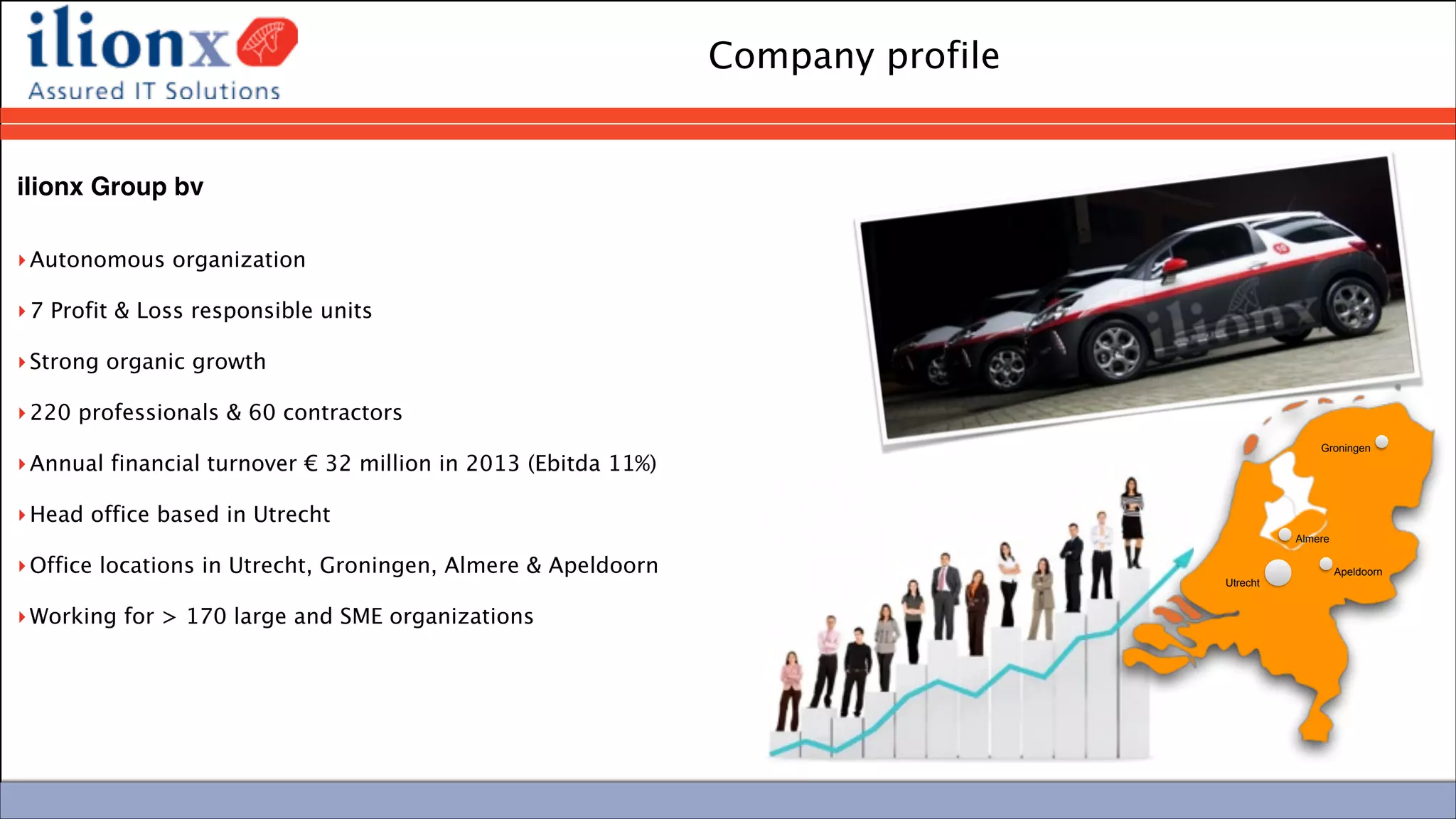
ilionx Group bv

‣Autonomous organization
‣7 Profit & Loss responsible units
‣Strong organic growth
‣220 professionals & 60 contractors
‣Annual financial turnover € 32 million in 2013 (Ebitda 11%)
‣Head office based in Utrecht
‣Office locations in Utrecht, Groningen, Almere & Apeldoorn 
‣Working for > 170 large and SME organizations
Groningen
Almere
Utrecht
Apeldoorn
#engageug
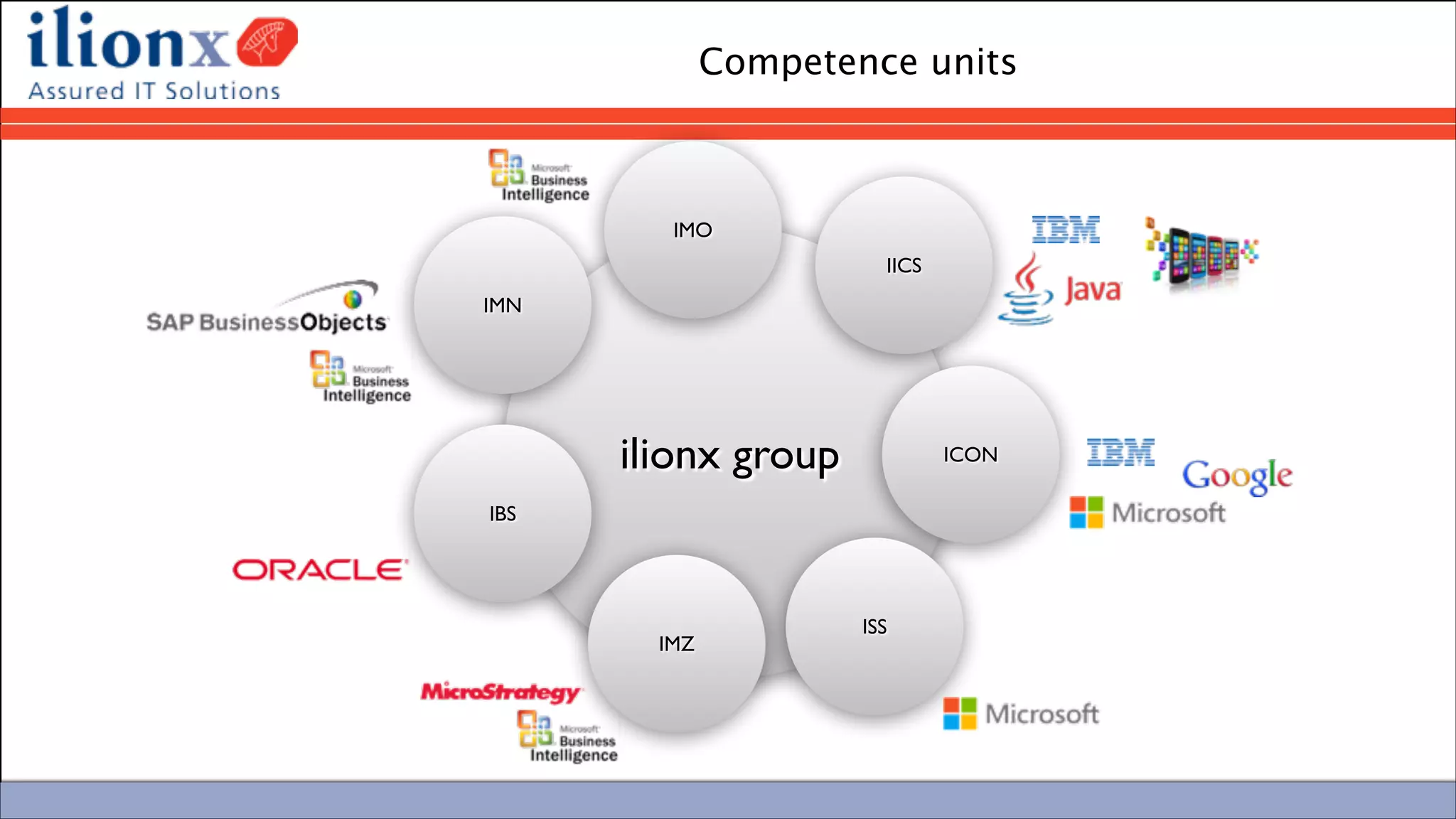
Competence units
ilionx group
IMN
IMO
IICS
ICON
IMZ
IBS
ISS
#engageug
Skills in IBM Collaboration
ilionx group
IMN
IMO
IICS
ICON
IMZ
IBS
ISS
‣ Centre of excellence IBM Collaboration	

‣ Experience in wide range of environments	

‣ Infrastructure & Development	

‣ Consultancy, Maintenance, Development

‣ 30 CLP certified professionals	

‣ IBM Development partner	

‣ IBM Partner since 2002
#engageug
This session is not about…
• What policies are
• What you can do with policies
!
• I assume you already know…
!6
#engageug
Agenda
• Types of policies
• Policy settings
• Policy precedence
• Where are policies implemented
• How are policies implemented
• Expand your policies
• Policy troubleshooting
• Policy References
!7
#engageug
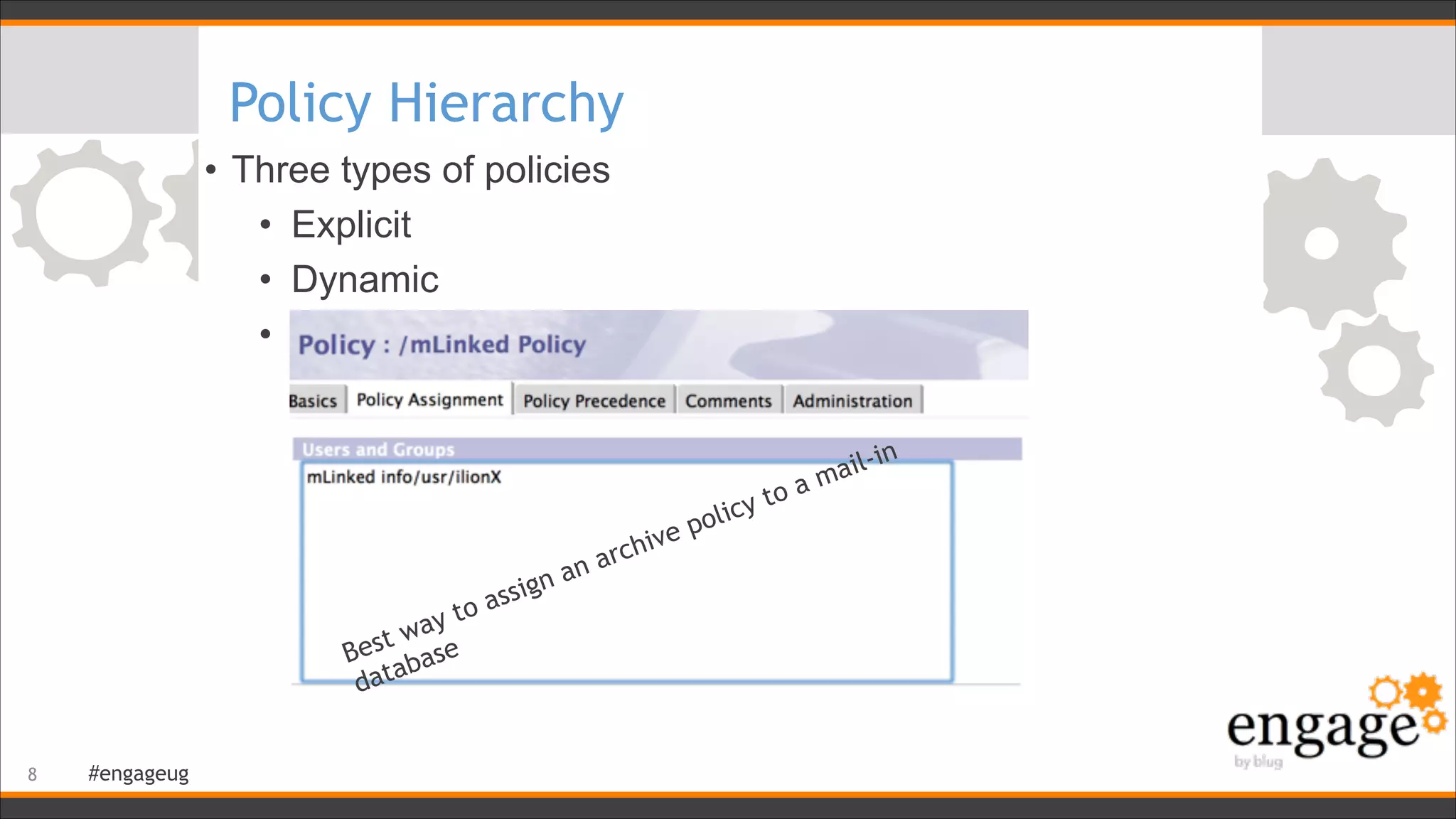
Policy Hierarchy
• Three types of policies
• Explicit
• Dynamic
• Organizational
!8
Best way to assign an archive policy to a mail-in
database
#engageug
Policy / Policy Settings
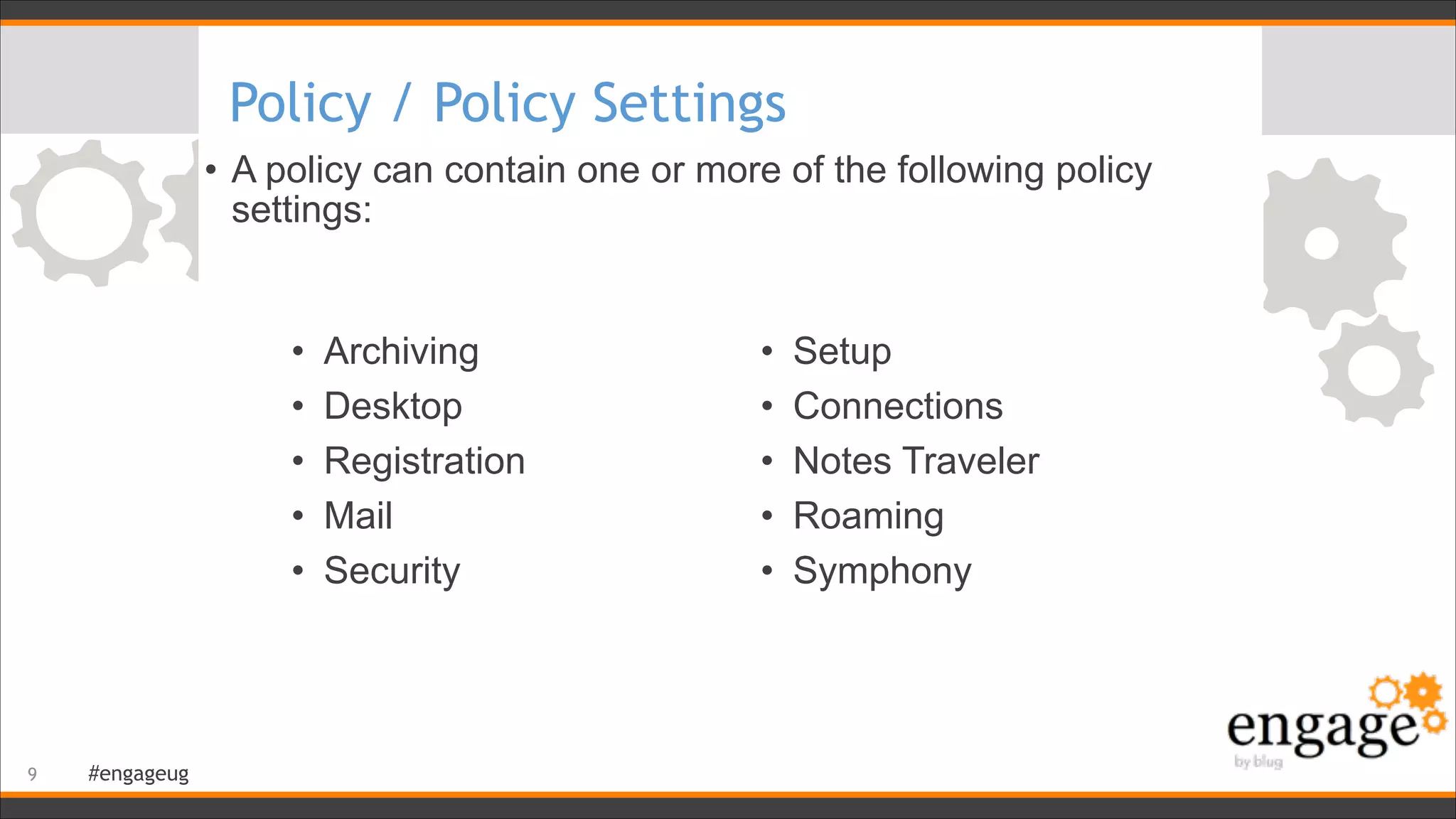
• A policy can contain one or more of the following policy
settings:
!9
• Archiving
• Desktop
• Registration
• Mail
• Security
• Setup
• Connections
• Notes Traveler
• Roaming
• Symphony
#engageug
Policy / Policy Settings / Criteria
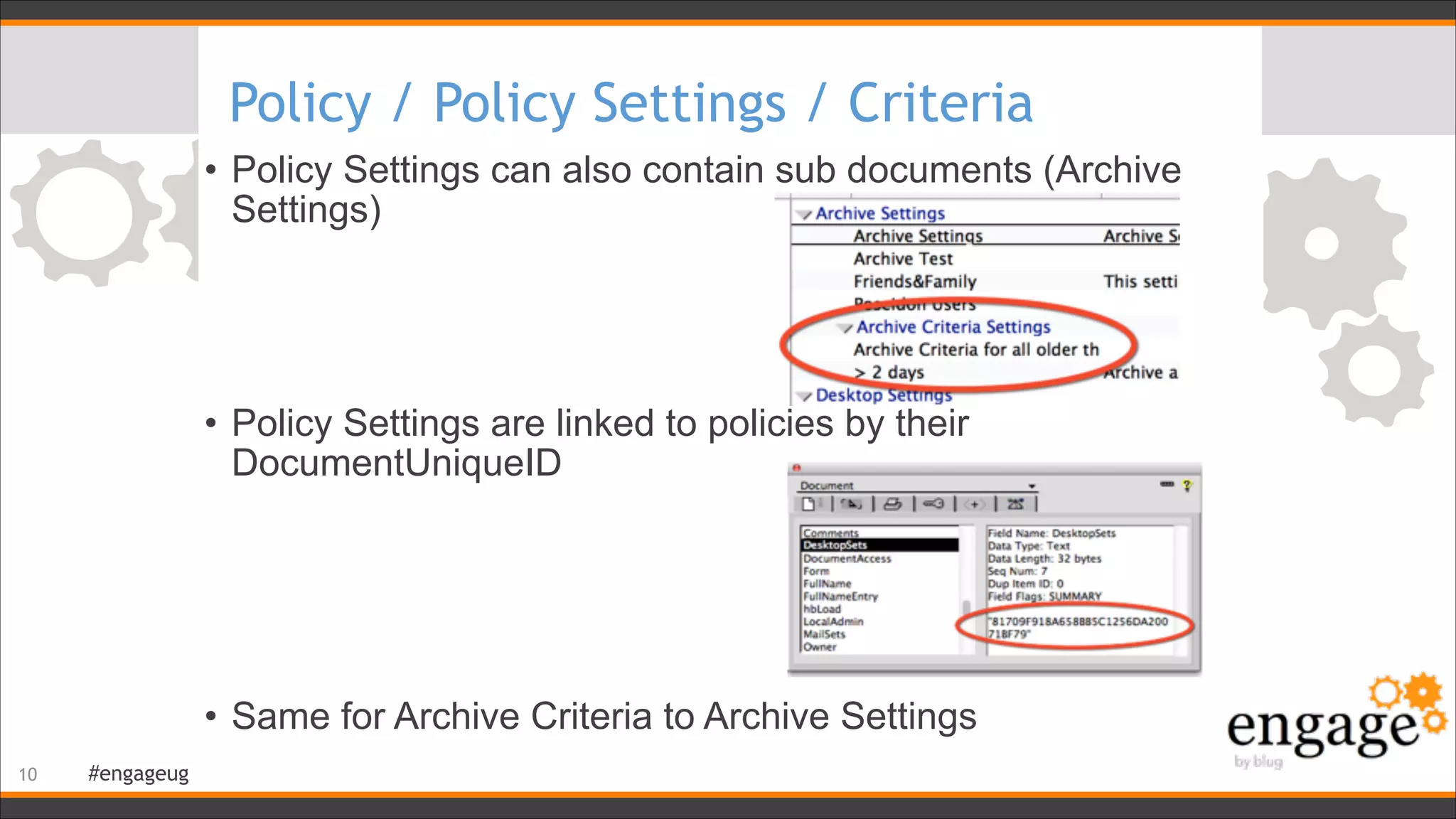
• Policy Settings can also contain sub documents (Archive
Settings)


• Policy Settings are linked to policies by their
DocumentUniqueID


• Same for Archive Criteria to Archive Settings
!10
#engageug
Tease your co-administrator
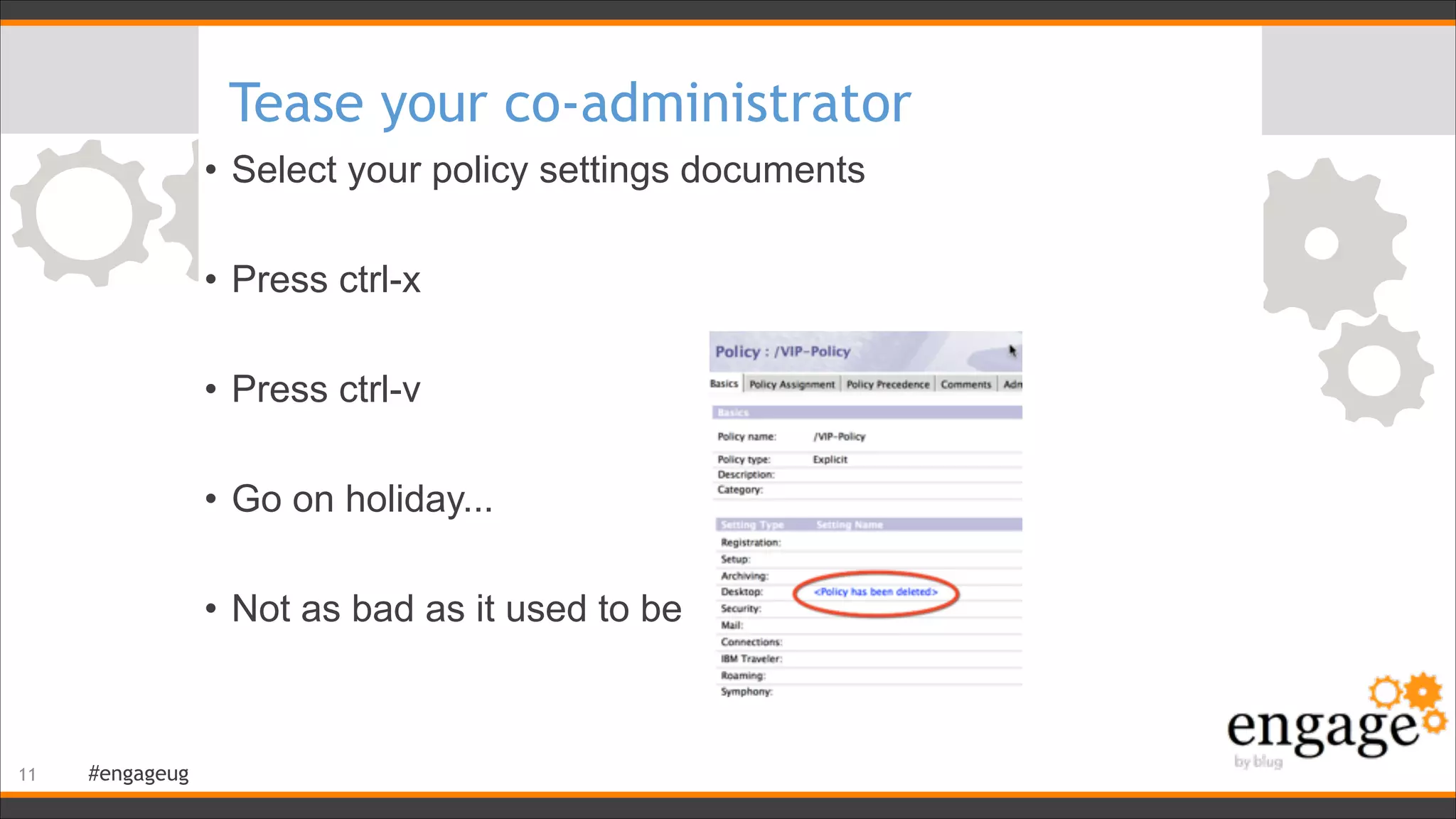
• Select your policy settings documents
!
• Press ctrl-x
!
• Press ctrl-v
!
• Go on holiday...
!
• Not as bad as it used to be
!11
#engageug
Inheritance
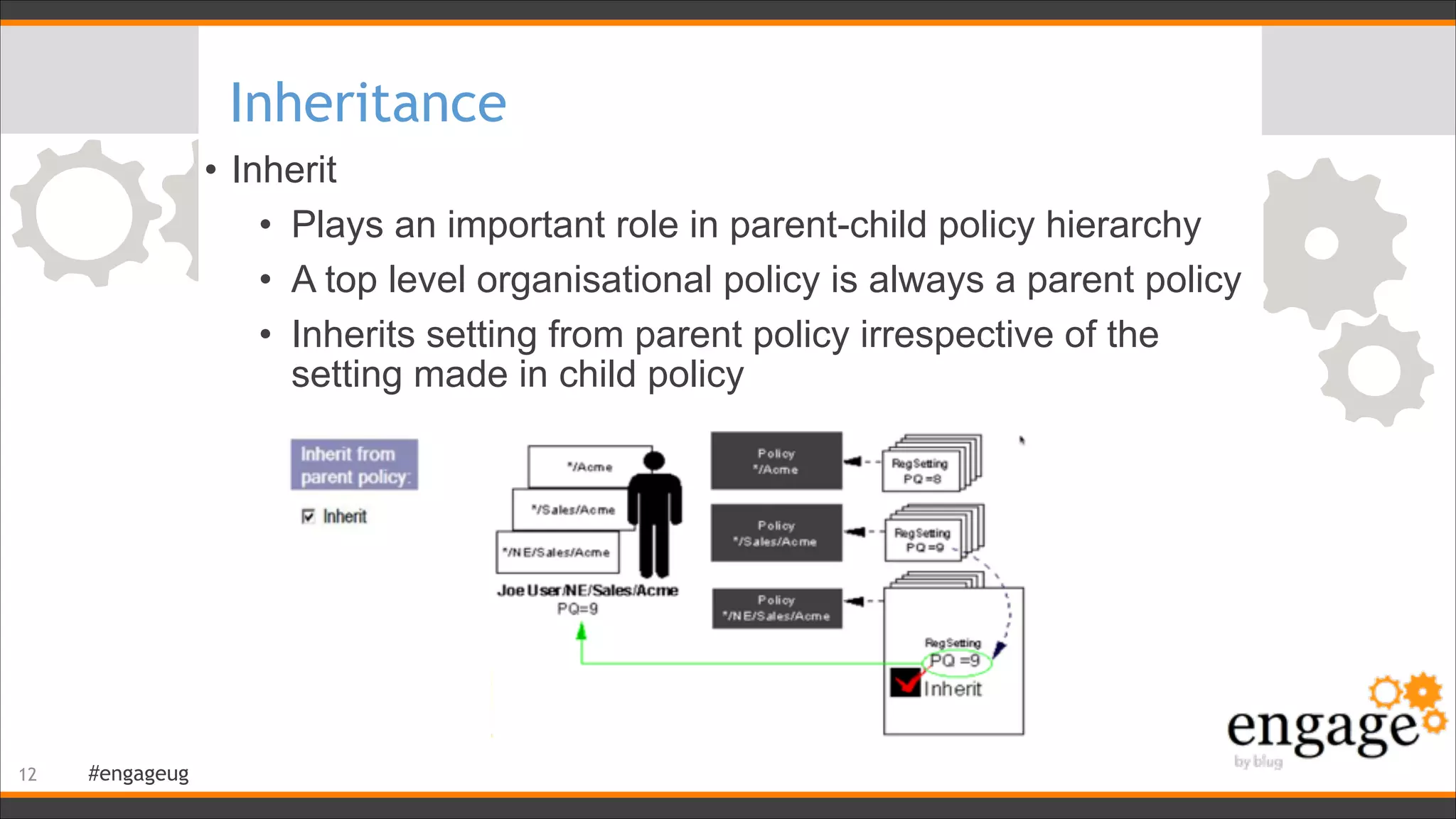
• Inherit
• Plays an important role in parent-child policy hierarchy
• A top level organisational policy is always a parent policy
• Inherits setting from parent policy irrespective of the
setting made in child policy
!12
#engageug
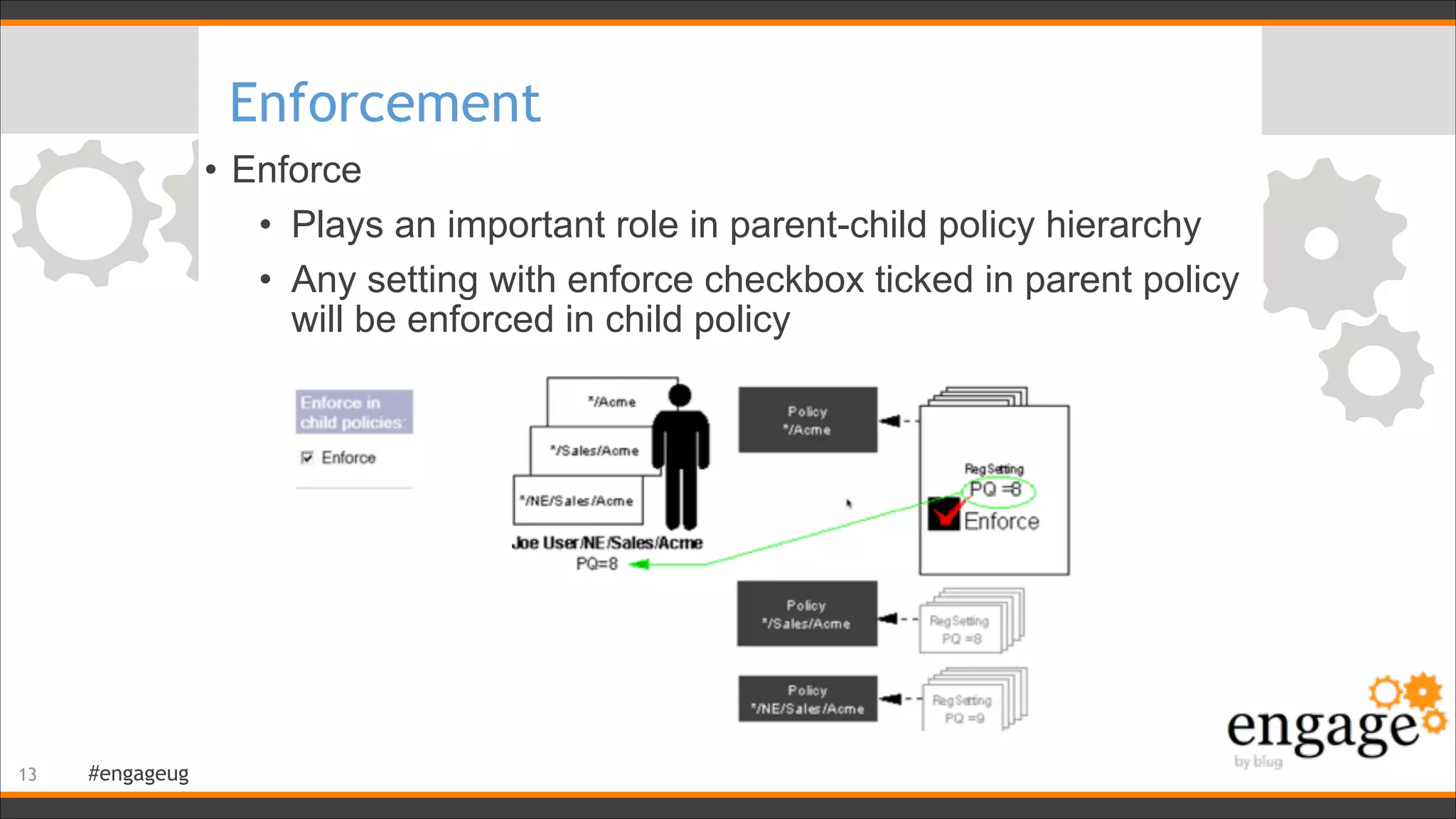
Enforcement
• Enforce
• Plays an important role in parent-child policy hierarchy
• Any setting with enforce checkbox ticked in parent policy
will be enforced in child policy
!13
#engageug
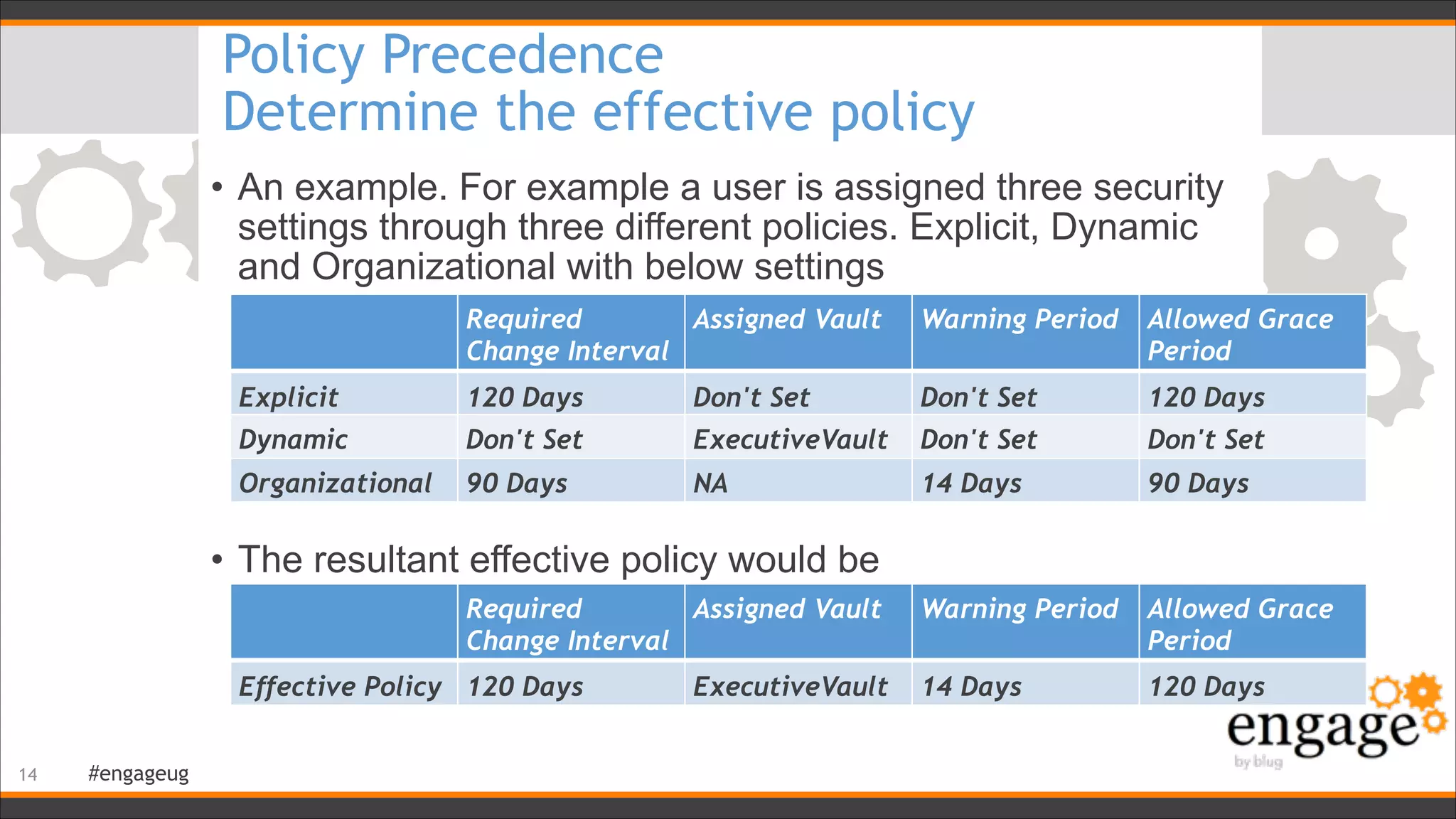
Policy Precedence
Determine the effective policy
• An example. For example a user is assigned three security
settings through three different policies. Explicit, Dynamic
and Organizational with below settings


• The resultant effective policy would be

!14
Required
Change Interval
Assigned Vault Warning Period Allowed Grace
Period
Explicit 120 Days Don't Set Don't Set 120 Days
Dynamic Don't Set ExecutiveVault Don't Set Don't Set
Organizational 90 Days NA 14 Days 90 Days
Required
Change Interval
Assigned Vault Warning Period Allowed Grace
Period
Effective Policy 120 Days ExecutiveVault 14 Days 120 Days
#engageug
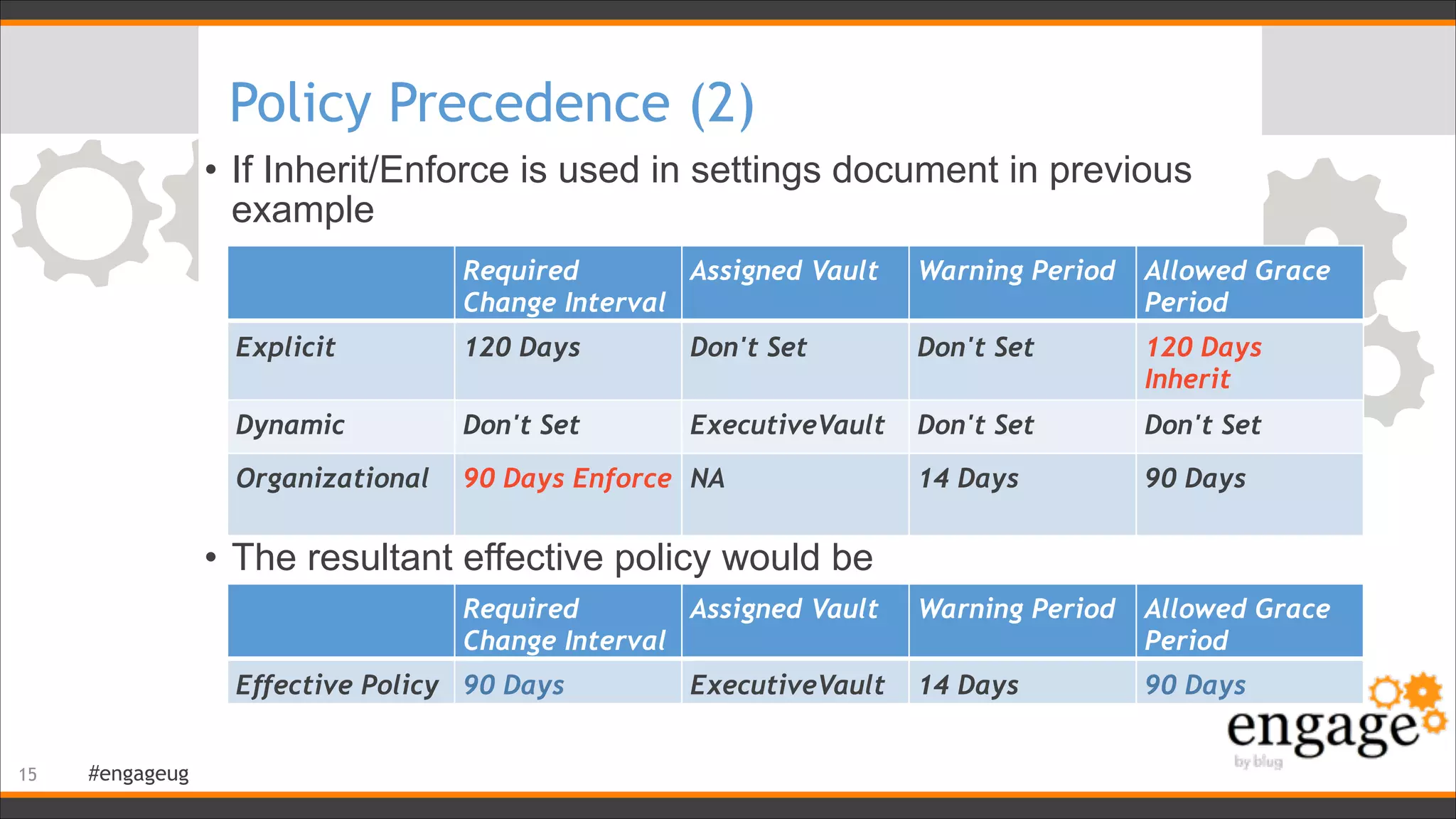
Policy Precedence (2)
• If Inherit/Enforce is used in settings document in previous
example


!
• The resultant effective policy would be

!15
Required
Change Interval
Assigned Vault Warning Period Allowed Grace
Period
Explicit 120 Days Don't Set Don't Set 120 Days
Inherit
Dynamic Don't Set ExecutiveVault Don't Set Don't Set
Organizational 90 Days Enforce NA 14 Days 90 Days
Required
Change Interval
Assigned Vault Warning Period Allowed Grace
Period
Effective Policy 90 Days ExecutiveVault 14 Days 90 Days
#engageug
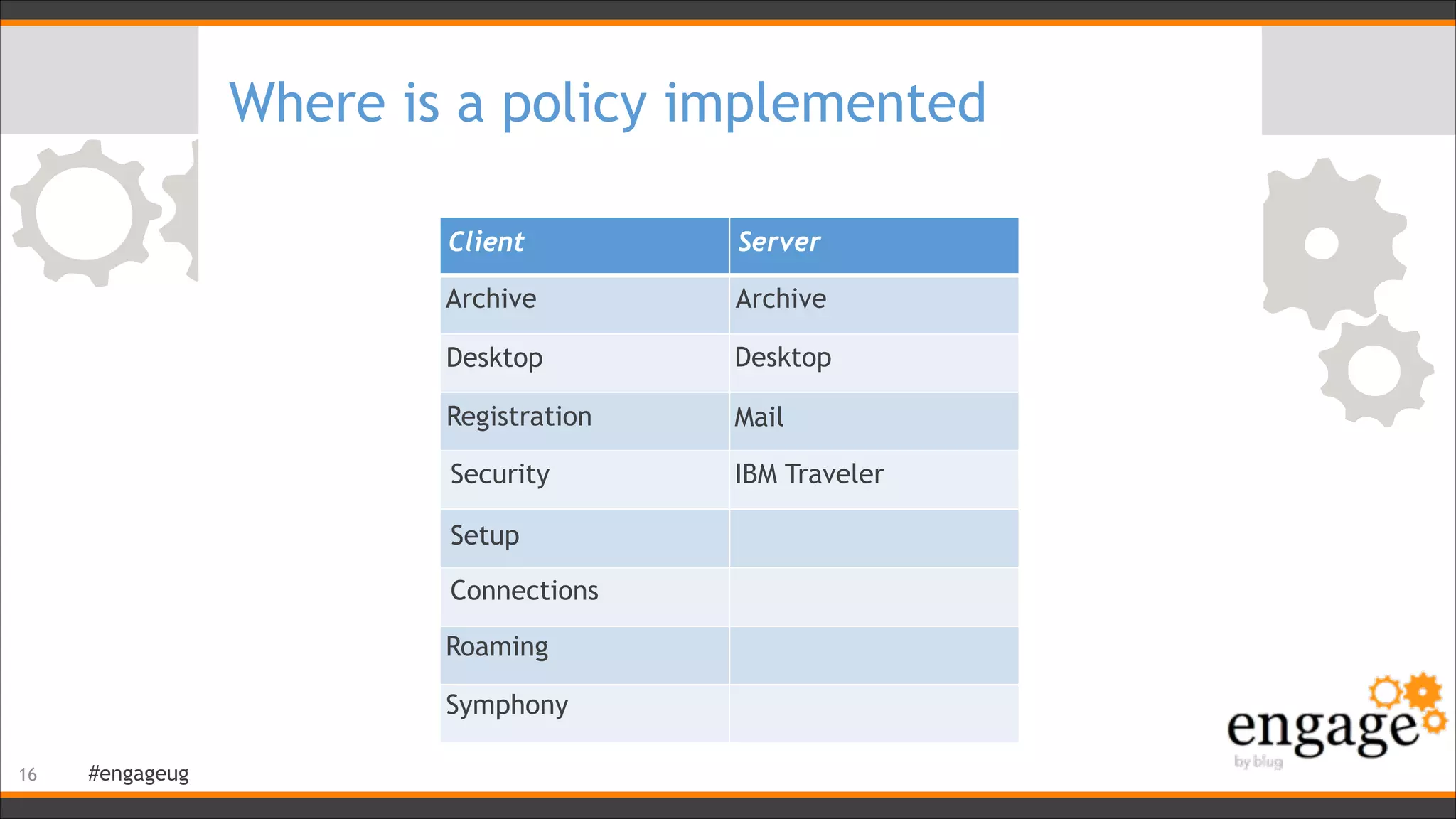
Where is a policy implemented
!16
Client Server
Desktop
MailRegistration
Archive
Connections
Setup
Security IBM Traveler
Symphony
Roaming
Archive
Desktop
#engageug
Server-side policies
• Server-side policies all interact with the mail file
• calendarprofile, inotesprofile
• Changes are implemented by AdminP
• tell adminp process mailpolicy
• tell adminp process traveler
• AdminP process to write policies to calendar/inotes profile
runs by default every 12 hours
• Setting in Server’s notes.ini to change it:
ADMINP_POLL_INTERVAL=x 

(x is the number of minutes)
• Server based native archiving is done by Compact -A.
Ignores archive profile. Uses archive policy
!17
#engageug
Client-side policies
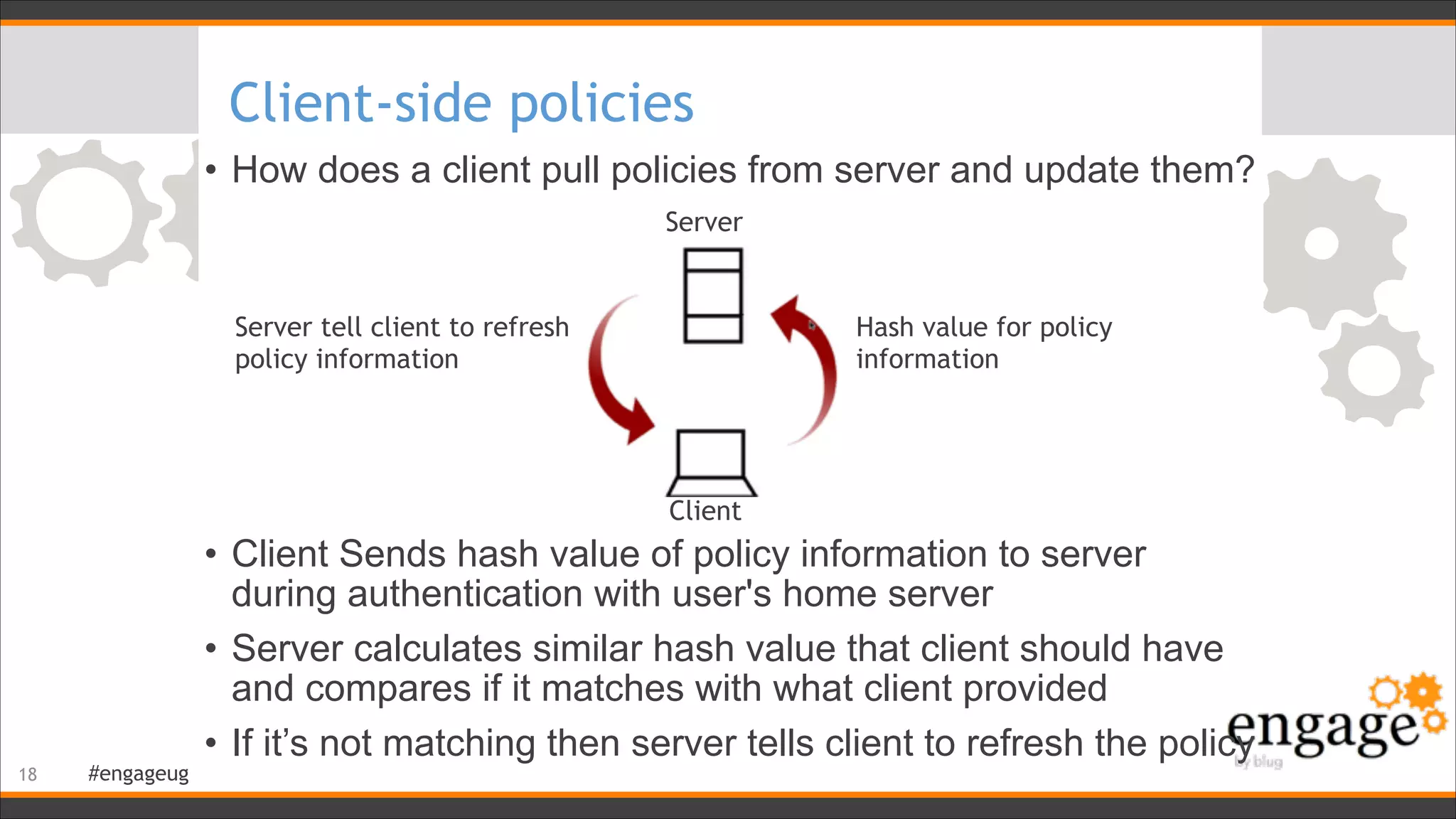
• How does a client pull policies from server and update them?
!
!
!
!
!
!
• Client Sends hash value of policy information to server
during authentication with user's home server
• Server calculates similar hash value that client should have
and compares if it matches with what client provided
• If it’s not matching then server tells client to refresh the policy
!18
Server
Client
Server tell client to refresh
policy information
Hash value for policy
information
#engageug
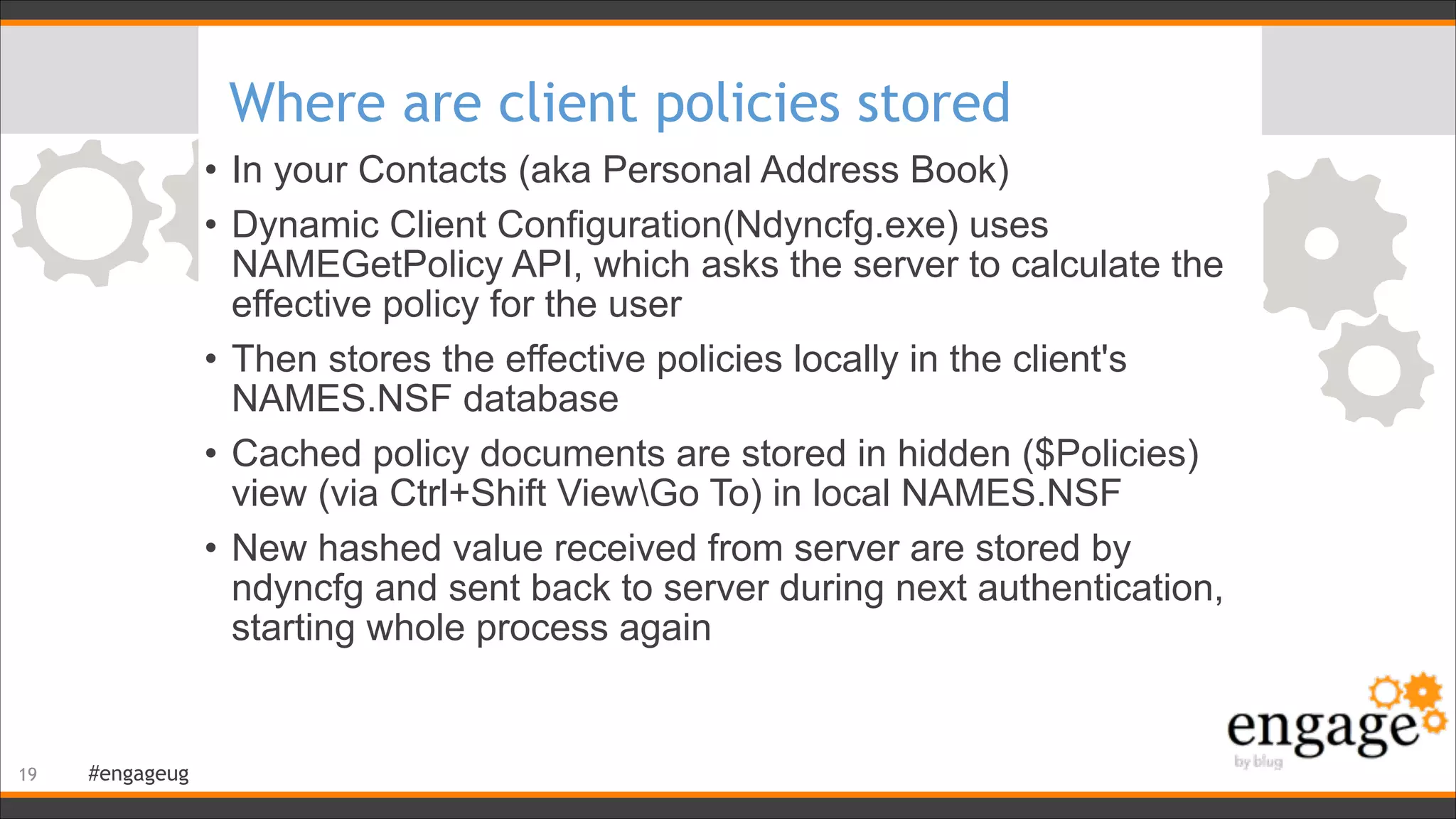
Where are client policies stored
• In your Contacts (aka Personal Address Book)
• Dynamic Client Configuration(Ndyncfg.exe) uses
NAMEGetPolicy API, which asks the server to calculate the
effective policy for the user
• Then stores the effective policies locally in the client's
NAMES.NSF database
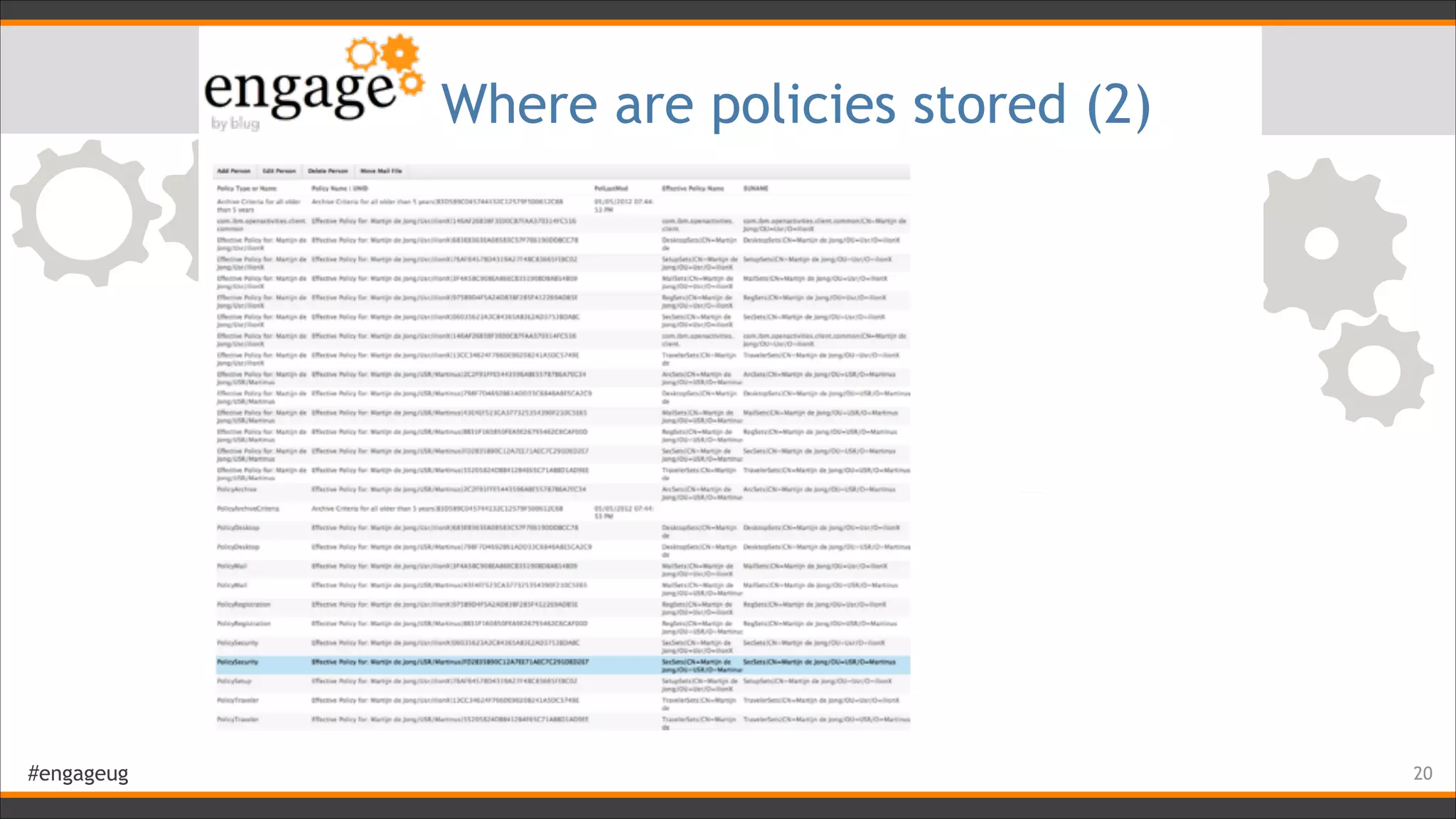
• Cached policy documents are stored in hidden ($Policies)
view (via Ctrl+Shift ViewGo To) in local NAMES.NSF
• New hashed value received from server are stored by
ndyncfg and sent back to server during next authentication,
starting whole process again
!19
#engageug
Where are policies stored (2)
!20
#engageug
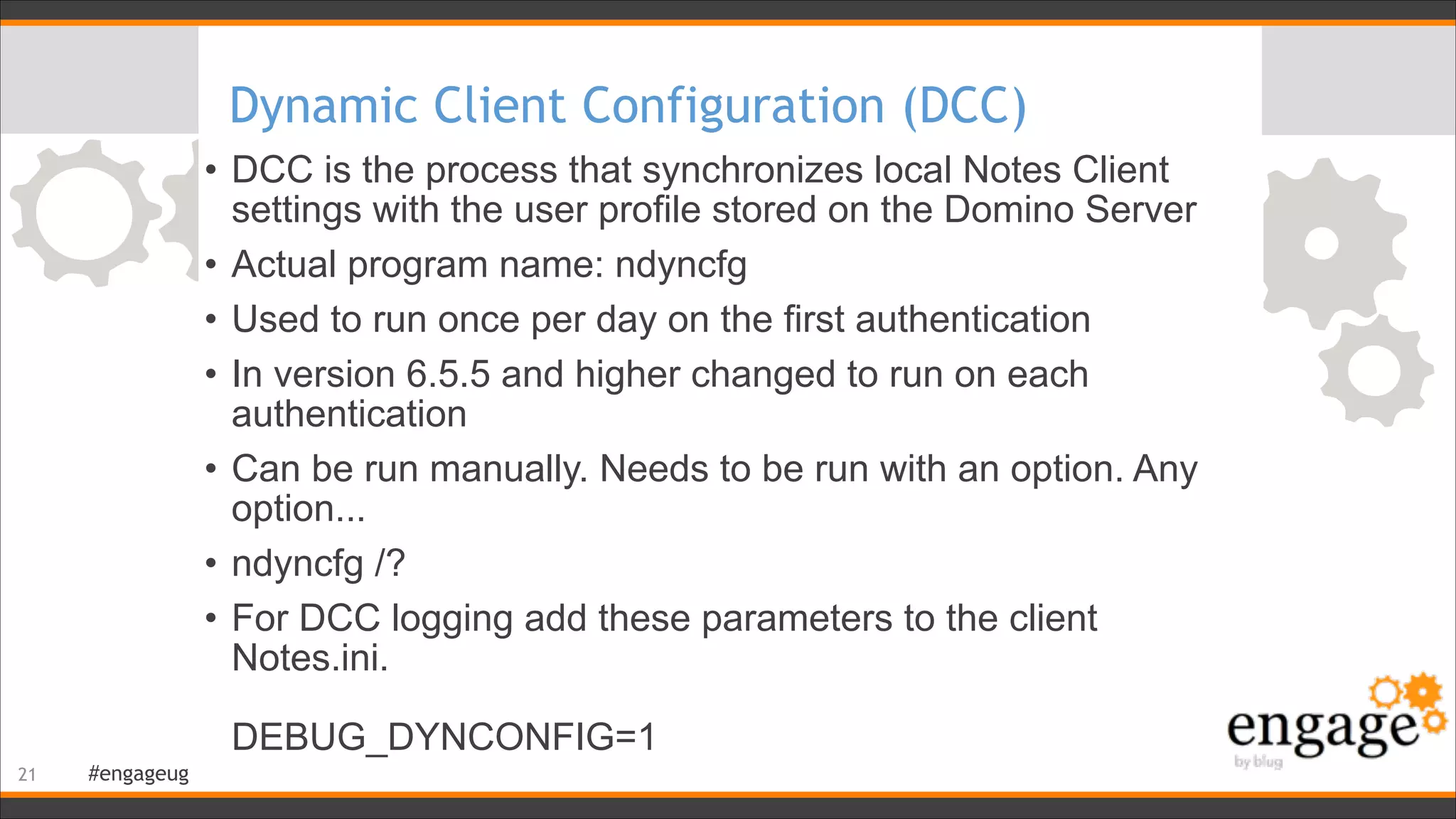
Dynamic Client Configuration (DCC)
• DCC is the process that synchronizes local Notes Client
settings with the user profile stored on the Domino Server
• Actual program name: ndyncfg
• Used to run once per day on the first authentication
• In version 6.5.5 and higher changed to run on each
authentication
• Can be run manually. Needs to be run with an option. Any
option...
• ndyncfg /?
• For DCC logging add these parameters to the client
Notes.ini. 


DEBUG_DYNCONFIG=1

!21
#engageug
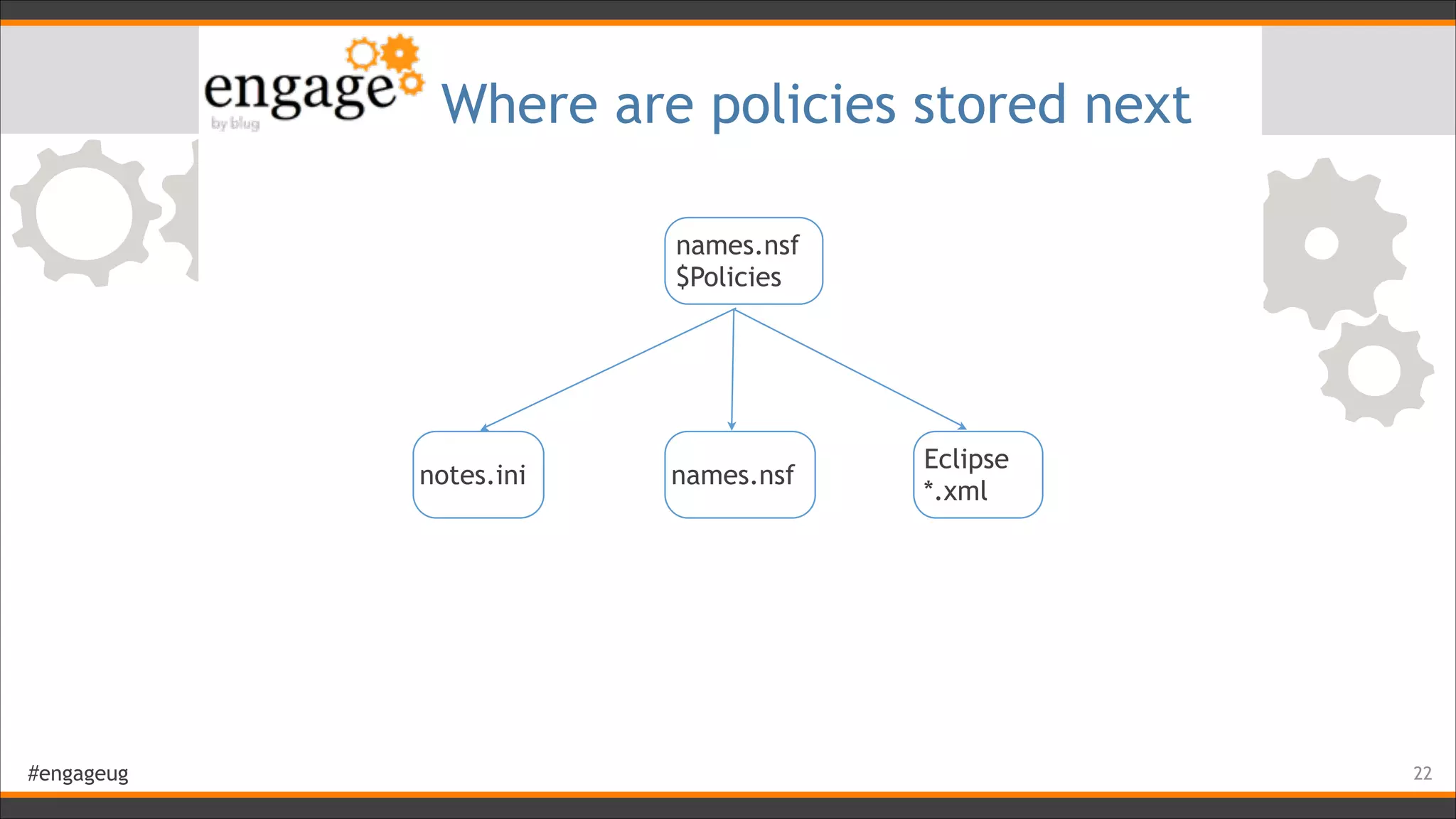
Where are policies stored next
!22
names.nsf
$Policies
notes.ini names.nsf
Eclipse
*.xml
#engageug
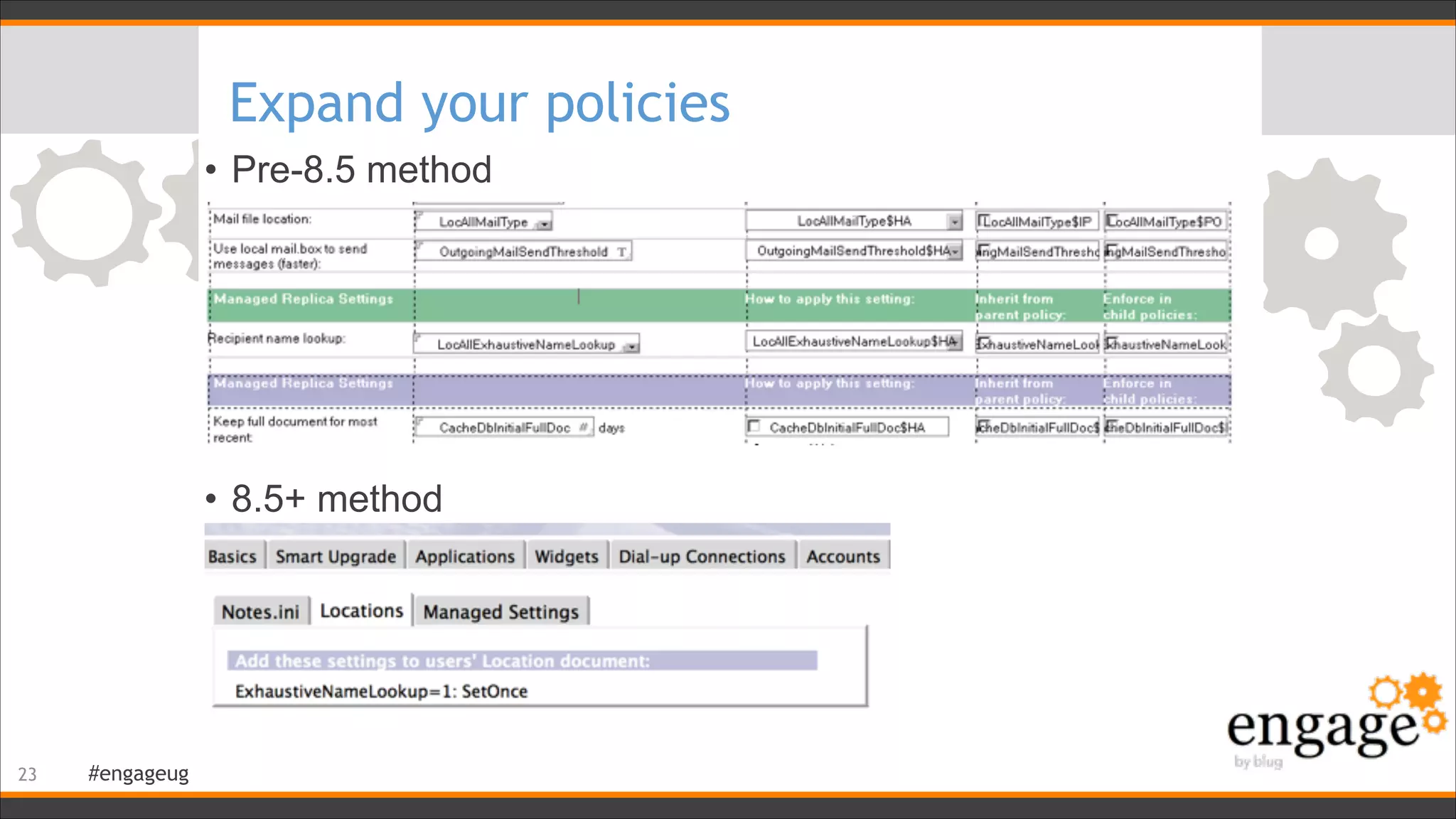
Expand your policies
• Pre-8.5 method
!
!
!
!
!
• 8.5+ method
!23
#engageug
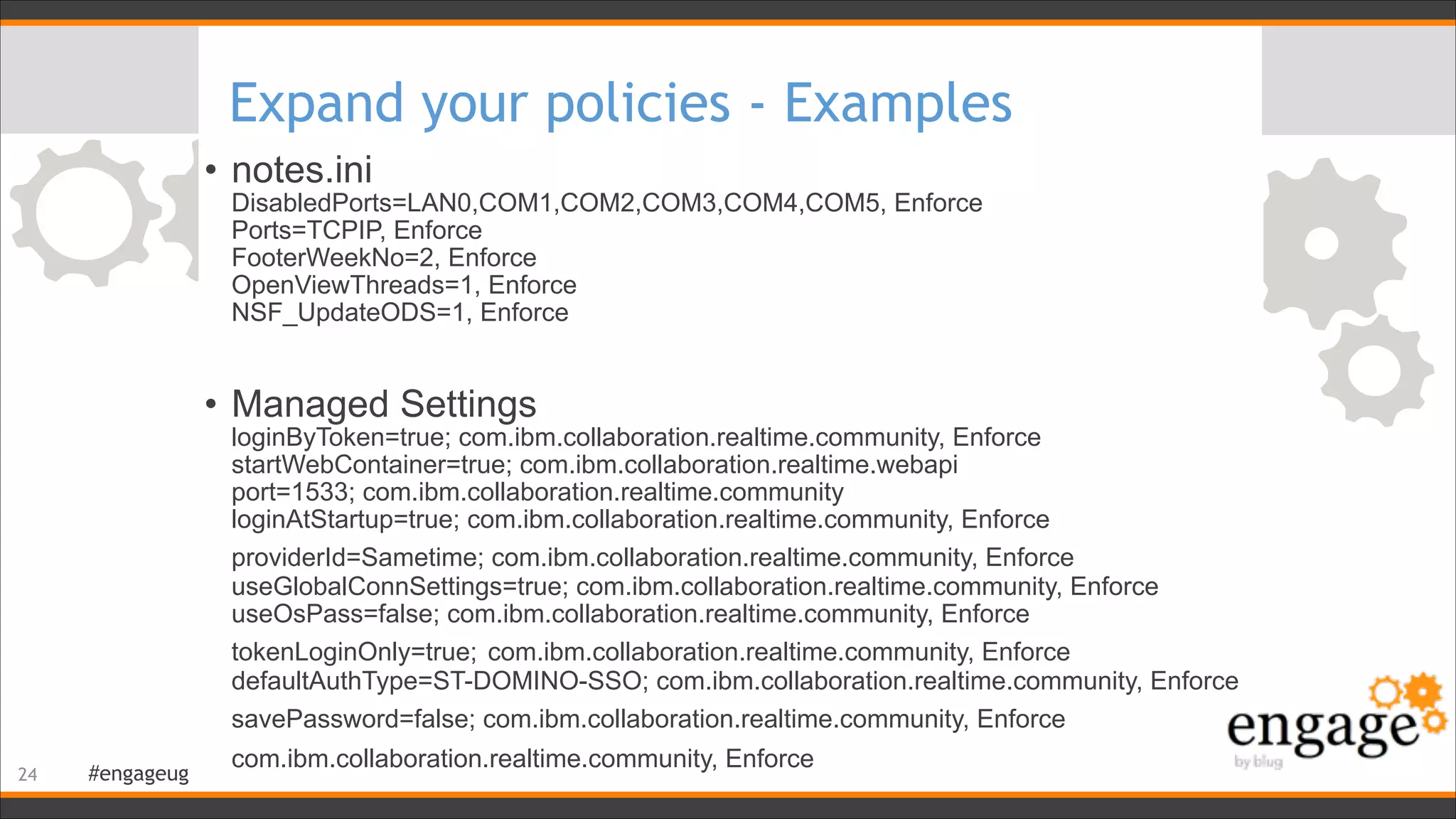
Expand your policies - Examples
• notes.ini

DisabledPorts=LAN0,COM1,COM2,COM3,COM4,COM5, Enforce

Ports=TCPIP, Enforce

FooterWeekNo=2, Enforce

OpenViewThreads=1, Enforce

NSF_UpdateODS=1, Enforce
!
• Managed Settings

loginByToken=true; com.ibm.collaboration.realtime.community, Enforce

startWebContainer=true; com.ibm.collaboration.realtime.webapi

port=1533; com.ibm.collaboration.realtime.community

loginAtStartup=true; com.ibm.collaboration.realtime.community, Enforce

providerId=Sametime; com.ibm.collaboration.realtime.community, Enforce

useGlobalConnSettings=true; com.ibm.collaboration.realtime.community, Enforce

useOsPass=false; com.ibm.collaboration.realtime.community, Enforce

tokenLoginOnly=true; com.ibm.collaboration.realtime.community, Enforce

defaultAuthType=ST-DOMINO-SSO; com.ibm.collaboration.realtime.community, Enforce

savePassword=false; com.ibm.collaboration.realtime.community, Enforce

com.ibm.collaboration.realtime.community, Enforce
!24
#engageug
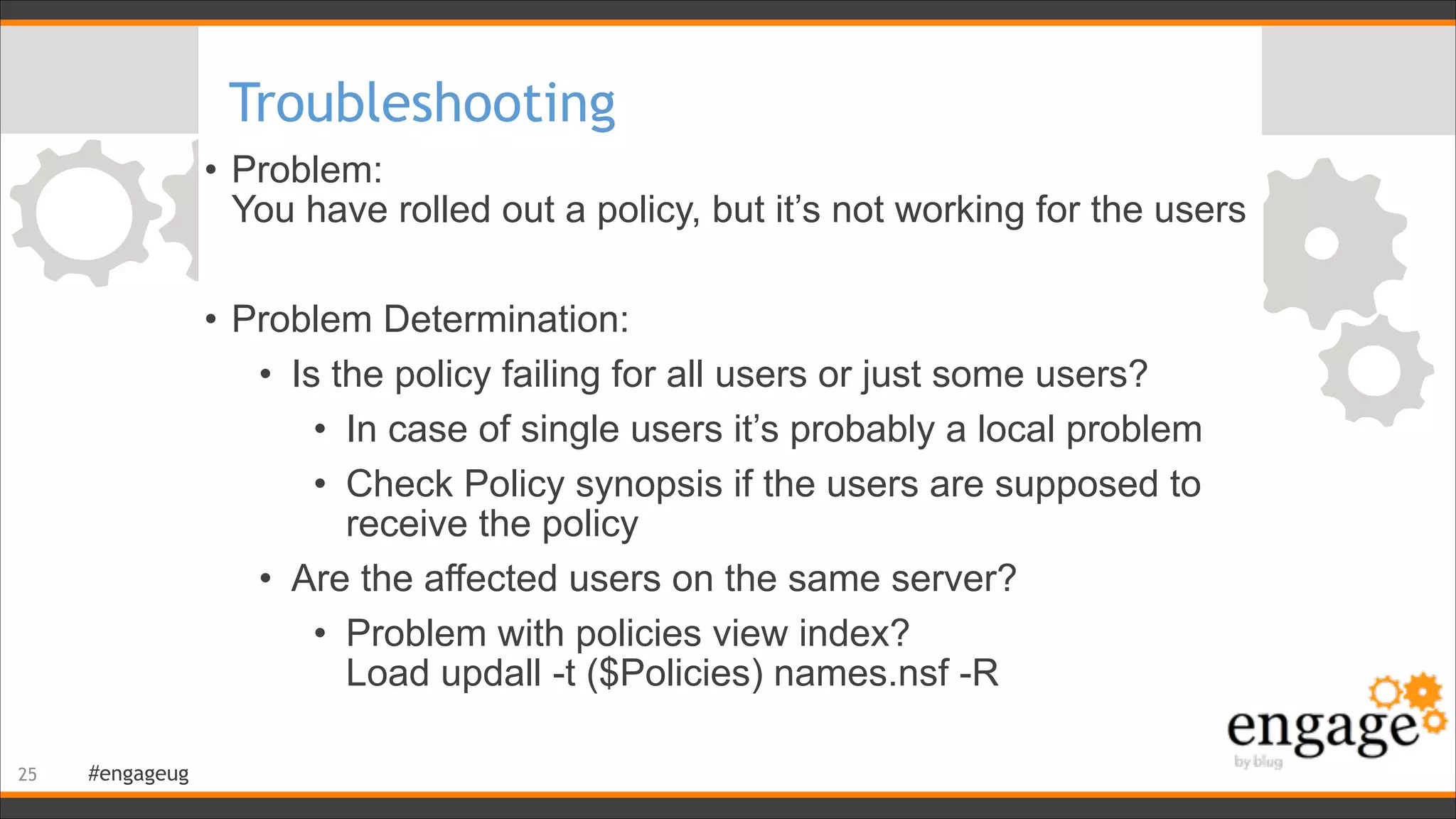
Troubleshooting
• Problem: 

You have rolled out a policy, but it’s not working for the users
!
• Problem Determination:
• Is the policy failing for all users or just some users?
• In case of single users it’s probably a local problem
• Check Policy synopsis if the users are supposed to
receive the policy
• Are the affected users on the same server?
• Problem with policies view index? 

Load updall -t ($Policies) names.nsf -R
!25
#engageug
Policy Synopsis
!26
#engageug
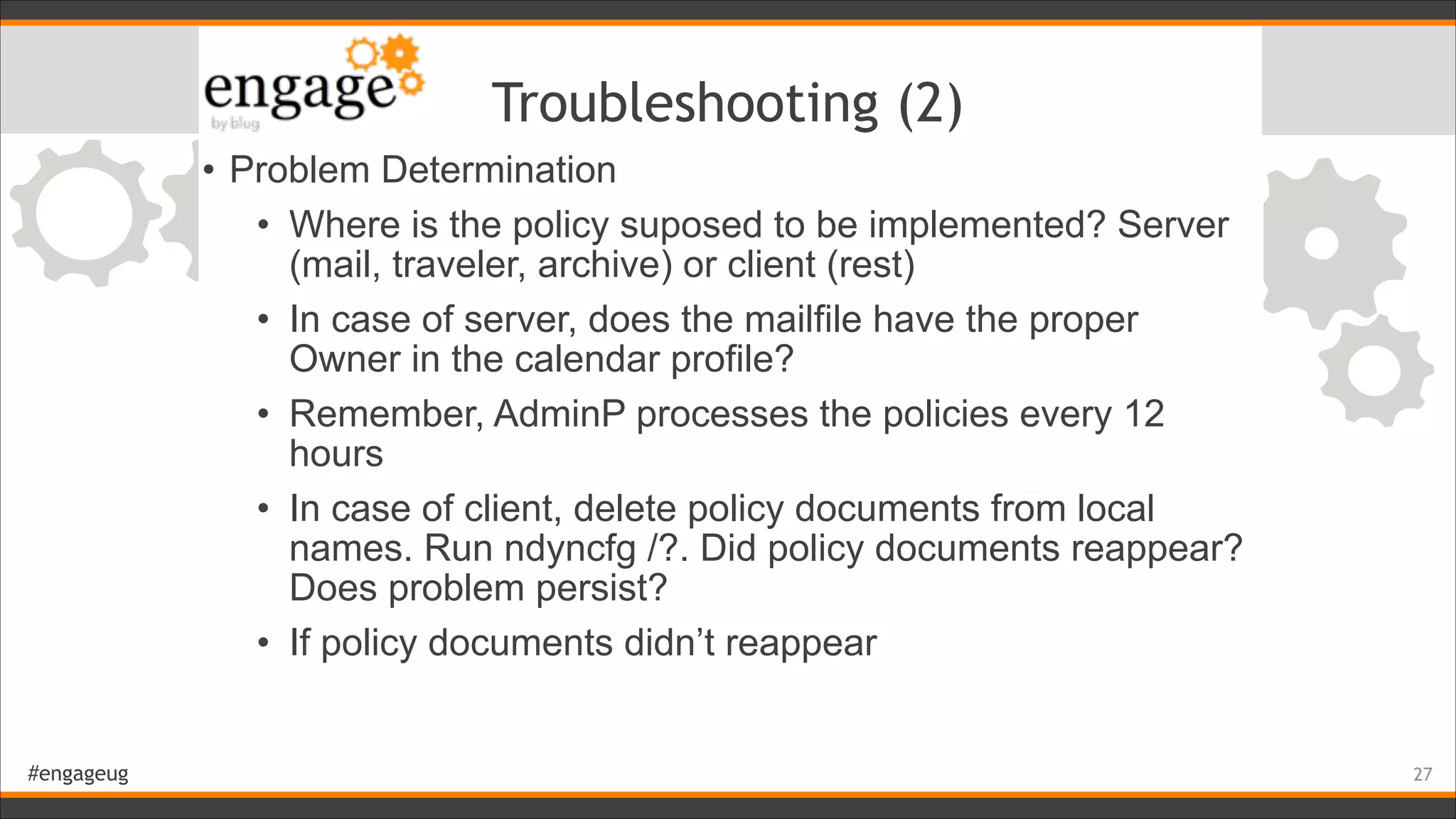
Troubleshooting (2)
• Problem Determination
• Where is the policy suposed to be implemented? Server
(mail, traveler, archive) or client (rest)
• In case of server, does the mailfile have the proper
Owner in the calendar profile?
• Remember, AdminP processes the policies every 12
hours
• In case of client, delete policy documents from local
names. Run ndyncfg /?. Did policy documents reappear?
Does problem persist?
• If policy documents didn’t reappear
!27
#engageug
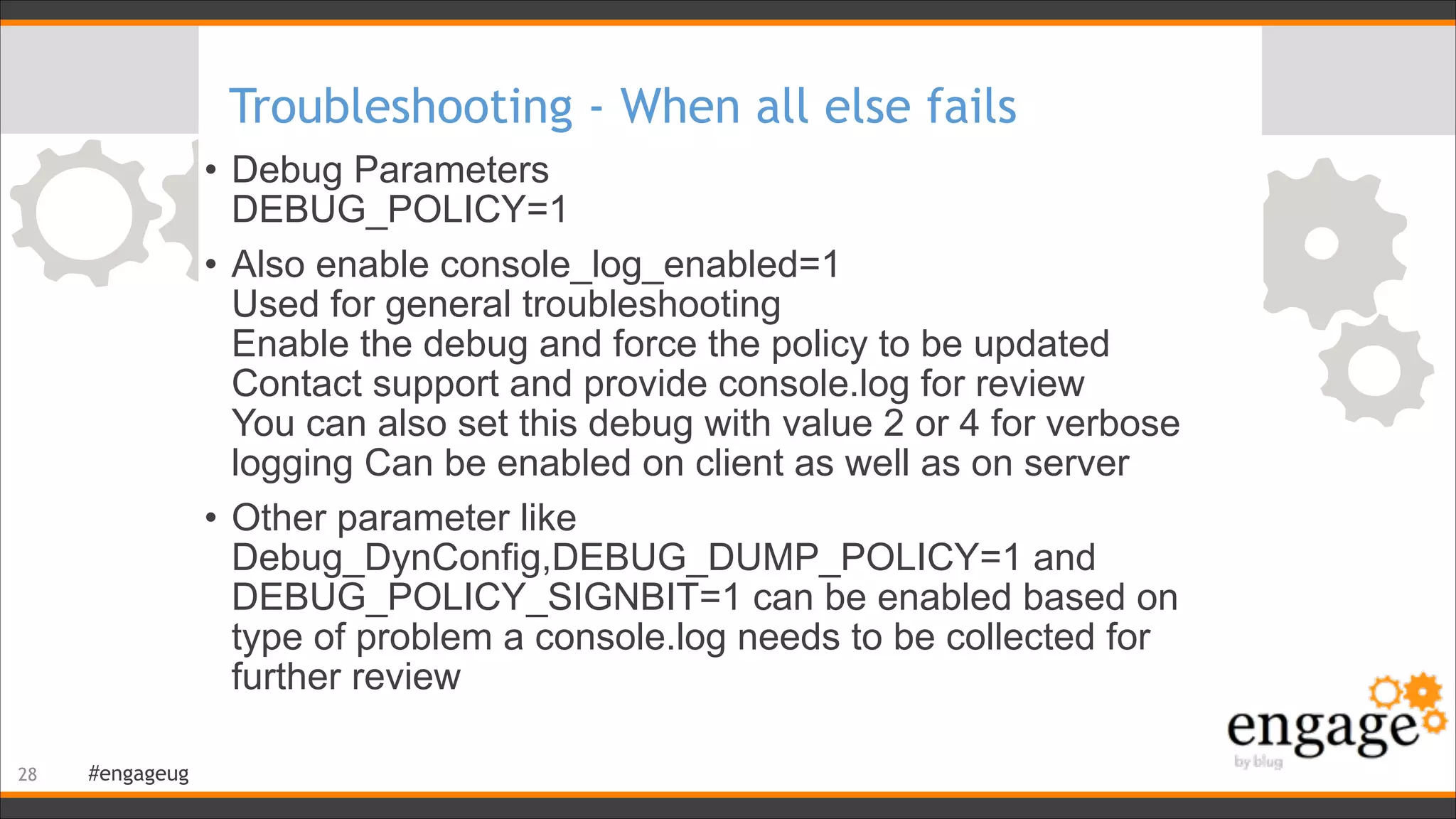
Troubleshooting - When all else fails
• Debug Parameters

DEBUG_POLICY=1
• Also enable console_log_enabled=1

Used for general troubleshooting

Enable the debug and force the policy to be updated

Contact support and provide console.log for review

You can also set this debug with value 2 or 4 for verbose
logging Can be enabled on client as well as on server
• Other parameter like
Debug_DynConfig,DEBUG_DUMP_POLICY=1 and
DEBUG_POLICY_SIGNBIT=1 can be enabled based on
type of problem a console.log needs to be collected for
further review
!28
#engageug
References
• Open Mic Webcast: Troubleshooting Policies on a Domino Server

http://www-01.ibm.com/support/docview.wss?uid=swg27036076
• Open Mic Webcast: What’s new in Policies for Domino 9.0

http://www-01.ibm.com/support/docview.wss?uid=swg27039462
• Troubleshooting Domino policies and settings documents

https://www-304.ibm.com/support/docview.wss?uid=swg27010353
• Wiki articles on Domino Policies

http://www-10.lotus.com/ldd/dominowiki.nsf/xpViewCategories.xsp?lookupName=Domino%20policies
• Domino Policy Precedence Explained

http://www-10.lotus.com/ldd/dominowiki.nsf/dx/domino-policy-precedence-explained
• When will a Domino policy take effect

http://www-10.lotus.com/ldd/dominowiki.nsf/dx/when-will-a-domino-policy-change-take-effect
• How Dynamic group policies can reduce your overhead

http://www-10.lotus.com/ldd/dominowiki.nsf/dx/how-the-new-dynamic-group-policies-can-reduce-your-
administration-overhead
• Domino Policy Flow Chart

http://www-10.lotus.com/ldd/dominowiki.nsf/dx/Notes__Domino_Policy_Flow_Chart
!29
#engageug
Questions?
!30

Domino policies deep dive

  • 1.
    #engageug Domino Policies DeepDive Martijn de Jong !1
  • 2.
    #engageug Who Am I •M.Sc. Electrical Engineering at the University of Delft, The Netherlands • Psychology & Ergonomics at the University of Stellenbosch, South Africa • Advanced Certified IBM Lotus® Notes® & Domino® 8.5 Application Developer & System Administrator and a Certified Lotus Instructor !2 Martijn de Jong mdejong@ilionx.com twitter.com/martdj nl.linkedin.com/in/martdj www.socialsoftwareblog.info
  • 3.
    #engageug Company profile ilionx Groupbv
 ‣Autonomous organization ‣7 Profit & Loss responsible units ‣Strong organic growth ‣220 professionals & 60 contractors ‣Annual financial turnover € 32 million in 2013 (Ebitda 11%) ‣Head office based in Utrecht ‣Office locations in Utrecht, Groningen, Almere & Apeldoorn ‣Working for > 170 large and SME organizations Groningen Almere Utrecht Apeldoorn
  • 4.
  • 5.
    #engageug Skills in IBMCollaboration ilionx group IMN IMO IICS ICON IMZ IBS ISS ‣ Centre of excellence IBM Collaboration ‣ Experience in wide range of environments ‣ Infrastructure & Development ‣ Consultancy, Maintenance, Development
 ‣ 30 CLP certified professionals ‣ IBM Development partner ‣ IBM Partner since 2002
  • 6.
    #engageug This session isnot about… • What policies are • What you can do with policies ! • I assume you already know… !6
  • 7.
    #engageug Agenda • Types ofpolicies • Policy settings • Policy precedence • Where are policies implemented • How are policies implemented • Expand your policies • Policy troubleshooting • Policy References !7
  • 8.
    #engageug Policy Hierarchy • Threetypes of policies • Explicit • Dynamic • Organizational !8 Best way to assign an archive policy to a mail-in database
  • 9.
    #engageug Policy / PolicySettings • A policy can contain one or more of the following policy settings: !9 • Archiving • Desktop • Registration • Mail • Security • Setup • Connections • Notes Traveler • Roaming • Symphony
  • 10.
    #engageug Policy / PolicySettings / Criteria • Policy Settings can also contain sub documents (Archive Settings)


 • Policy Settings are linked to policies by their DocumentUniqueID


 • Same for Archive Criteria to Archive Settings !10
  • 11.
    #engageug Tease your co-administrator •Select your policy settings documents ! • Press ctrl-x ! • Press ctrl-v ! • Go on holiday... ! • Not as bad as it used to be !11
  • 12.
    #engageug Inheritance • Inherit • Playsan important role in parent-child policy hierarchy • A top level organisational policy is always a parent policy • Inherits setting from parent policy irrespective of the setting made in child policy !12
  • 13.
    #engageug Enforcement • Enforce • Playsan important role in parent-child policy hierarchy • Any setting with enforce checkbox ticked in parent policy will be enforced in child policy !13
  • 14.
    #engageug Policy Precedence Determine theeffective policy • An example. For example a user is assigned three security settings through three different policies. Explicit, Dynamic and Organizational with below settings


 • The resultant effective policy would be
 !14 Required Change Interval Assigned Vault Warning Period Allowed Grace Period Explicit 120 Days Don't Set Don't Set 120 Days Dynamic Don't Set ExecutiveVault Don't Set Don't Set Organizational 90 Days NA 14 Days 90 Days Required Change Interval Assigned Vault Warning Period Allowed Grace Period Effective Policy 120 Days ExecutiveVault 14 Days 120 Days
  • 15.
    #engageug Policy Precedence (2) •If Inherit/Enforce is used in settings document in previous example


 ! • The resultant effective policy would be
 !15 Required Change Interval Assigned Vault Warning Period Allowed Grace Period Explicit 120 Days Don't Set Don't Set 120 Days Inherit Dynamic Don't Set ExecutiveVault Don't Set Don't Set Organizational 90 Days Enforce NA 14 Days 90 Days Required Change Interval Assigned Vault Warning Period Allowed Grace Period Effective Policy 90 Days ExecutiveVault 14 Days 90 Days
  • 16.
    #engageug Where is apolicy implemented !16 Client Server Desktop MailRegistration Archive Connections Setup Security IBM Traveler Symphony Roaming Archive Desktop
  • 17.
    #engageug Server-side policies • Server-sidepolicies all interact with the mail file • calendarprofile, inotesprofile • Changes are implemented by AdminP • tell adminp process mailpolicy • tell adminp process traveler • AdminP process to write policies to calendar/inotes profile runs by default every 12 hours • Setting in Server’s notes.ini to change it: ADMINP_POLL_INTERVAL=x 
 (x is the number of minutes) • Server based native archiving is done by Compact -A. Ignores archive profile. Uses archive policy !17
  • 18.
    #engageug Client-side policies • Howdoes a client pull policies from server and update them? ! ! ! ! ! ! • Client Sends hash value of policy information to server during authentication with user's home server • Server calculates similar hash value that client should have and compares if it matches with what client provided • If it’s not matching then server tells client to refresh the policy !18 Server Client Server tell client to refresh policy information Hash value for policy information
  • 19.
    #engageug Where are clientpolicies stored • In your Contacts (aka Personal Address Book) • Dynamic Client Configuration(Ndyncfg.exe) uses NAMEGetPolicy API, which asks the server to calculate the effective policy for the user • Then stores the effective policies locally in the client's NAMES.NSF database • Cached policy documents are stored in hidden ($Policies) view (via Ctrl+Shift ViewGo To) in local NAMES.NSF • New hashed value received from server are stored by ndyncfg and sent back to server during next authentication, starting whole process again !19
  • 20.
  • 21.
    #engageug Dynamic Client Configuration(DCC) • DCC is the process that synchronizes local Notes Client settings with the user profile stored on the Domino Server • Actual program name: ndyncfg • Used to run once per day on the first authentication • In version 6.5.5 and higher changed to run on each authentication • Can be run manually. Needs to be run with an option. Any option... • ndyncfg /? • For DCC logging add these parameters to the client Notes.ini. 
 
 DEBUG_DYNCONFIG=1
 !21
  • 22.
    #engageug Where are policiesstored next !22 names.nsf $Policies notes.ini names.nsf Eclipse *.xml
  • 23.
    #engageug Expand your policies •Pre-8.5 method ! ! ! ! ! • 8.5+ method !23
  • 24.
    #engageug Expand your policies- Examples • notes.ini
 DisabledPorts=LAN0,COM1,COM2,COM3,COM4,COM5, Enforce
 Ports=TCPIP, Enforce
 FooterWeekNo=2, Enforce
 OpenViewThreads=1, Enforce
 NSF_UpdateODS=1, Enforce ! • Managed Settings
 loginByToken=true; com.ibm.collaboration.realtime.community, Enforce
 startWebContainer=true; com.ibm.collaboration.realtime.webapi
 port=1533; com.ibm.collaboration.realtime.community
 loginAtStartup=true; com.ibm.collaboration.realtime.community, Enforce
 providerId=Sametime; com.ibm.collaboration.realtime.community, Enforce
 useGlobalConnSettings=true; com.ibm.collaboration.realtime.community, Enforce
 useOsPass=false; com.ibm.collaboration.realtime.community, Enforce
 tokenLoginOnly=true; com.ibm.collaboration.realtime.community, Enforce
 defaultAuthType=ST-DOMINO-SSO; com.ibm.collaboration.realtime.community, Enforce
 savePassword=false; com.ibm.collaboration.realtime.community, Enforce
 com.ibm.collaboration.realtime.community, Enforce !24
  • 25.
    #engageug Troubleshooting • Problem: 
 Youhave rolled out a policy, but it’s not working for the users ! • Problem Determination: • Is the policy failing for all users or just some users? • In case of single users it’s probably a local problem • Check Policy synopsis if the users are supposed to receive the policy • Are the affected users on the same server? • Problem with policies view index? 
 Load updall -t ($Policies) names.nsf -R !25
  • 26.
  • 27.
    #engageug Troubleshooting (2) • ProblemDetermination • Where is the policy suposed to be implemented? Server (mail, traveler, archive) or client (rest) • In case of server, does the mailfile have the proper Owner in the calendar profile? • Remember, AdminP processes the policies every 12 hours • In case of client, delete policy documents from local names. Run ndyncfg /?. Did policy documents reappear? Does problem persist? • If policy documents didn’t reappear !27
  • 28.
    #engageug Troubleshooting - Whenall else fails • Debug Parameters
 DEBUG_POLICY=1 • Also enable console_log_enabled=1
 Used for general troubleshooting
 Enable the debug and force the policy to be updated
 Contact support and provide console.log for review
 You can also set this debug with value 2 or 4 for verbose logging Can be enabled on client as well as on server • Other parameter like Debug_DynConfig,DEBUG_DUMP_POLICY=1 and DEBUG_POLICY_SIGNBIT=1 can be enabled based on type of problem a console.log needs to be collected for further review !28
  • 29.
    #engageug References • Open MicWebcast: Troubleshooting Policies on a Domino Server
 http://www-01.ibm.com/support/docview.wss?uid=swg27036076 • Open Mic Webcast: What’s new in Policies for Domino 9.0
 http://www-01.ibm.com/support/docview.wss?uid=swg27039462 • Troubleshooting Domino policies and settings documents
 https://www-304.ibm.com/support/docview.wss?uid=swg27010353 • Wiki articles on Domino Policies
 http://www-10.lotus.com/ldd/dominowiki.nsf/xpViewCategories.xsp?lookupName=Domino%20policies • Domino Policy Precedence Explained
 http://www-10.lotus.com/ldd/dominowiki.nsf/dx/domino-policy-precedence-explained • When will a Domino policy take effect
 http://www-10.lotus.com/ldd/dominowiki.nsf/dx/when-will-a-domino-policy-change-take-effect • How Dynamic group policies can reduce your overhead
 http://www-10.lotus.com/ldd/dominowiki.nsf/dx/how-the-new-dynamic-group-policies-can-reduce-your- administration-overhead • Domino Policy Flow Chart
 http://www-10.lotus.com/ldd/dominowiki.nsf/dx/Notes__Domino_Policy_Flow_Chart !29
  • 30.