eAcademy.ps Internet of Things
Course: Internet of Things (IoT)
eAcademy.ps Internet of Things
Course: Internet of Things (IoT)
2
Notes:
• This course is heavily based on the Cisco Networking
Academy course: IoT Fundamentals: Connecting Things
version 2.01. It is recommended to enroll in this course
to gain full access to online materials.
• Parts of this content is copyrighted by Cisco.
• Main changes from original course:
• Removed the business canvas model
• Added a project instead of the hackathon.
eAcademy.ps Internet of Things
Session 3
Sensors, Actuators, and Microcontrollers
Course: Internet of Things (IoT)
eAcademy.ps Internet of Things
• 3.1 Introduction to Electronics
• 3.2 Microcontrollers: The SparkFun Inventors Kit
• 3.3 Packet Tracer 7.x and the IoT
• 3.4 Summary
4
Session Outline
Sensors, Actuators, and Microcontrollers
eAcademy.ps Internet of Things
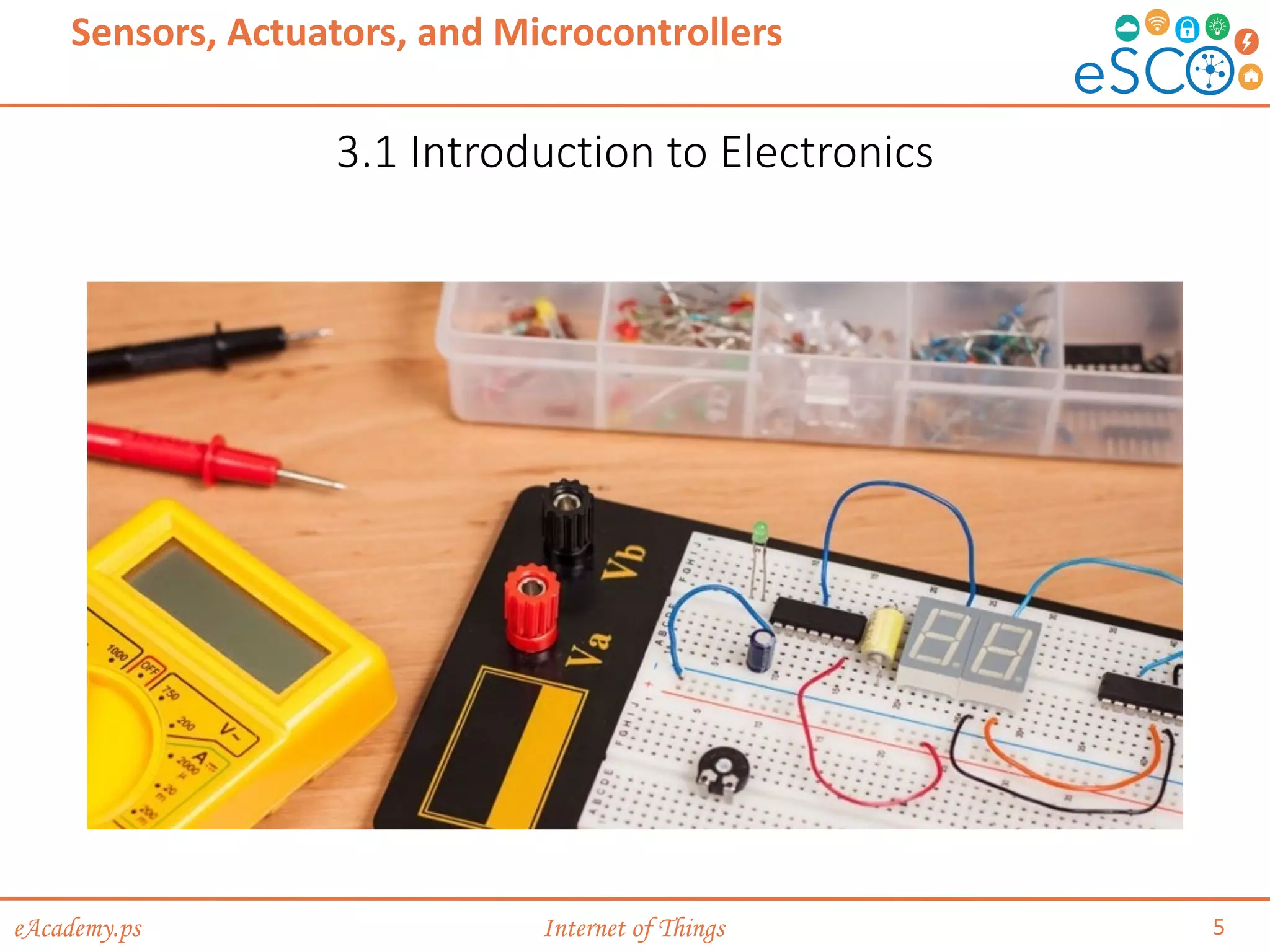
3.1 Introduction to Electronics
5
Sensors, Actuators, and Microcontrollers
eAcademy.ps Internet of Things
Basic Electronic Terminology & Concepts
6
Sensors, Actuators, and Microcontrollers
Introduction to Electronics
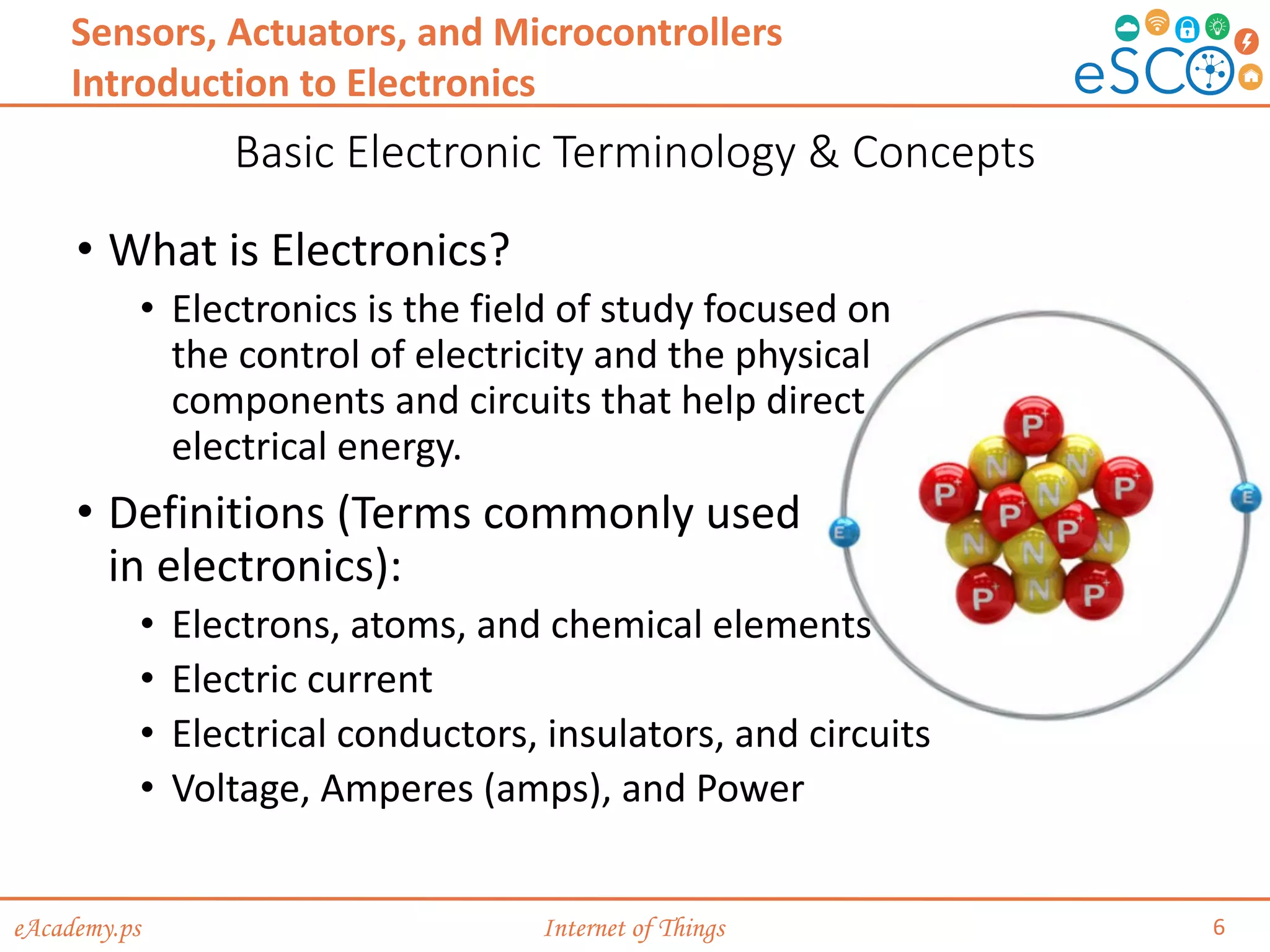
• What is Electronics?
• Electronics is the field of study focused on
the control of electricity and the physical
components and circuits that help direct
electrical energy.
• Definitions (Terms commonly used
in electronics):
• Electrons, atoms, and chemical elements
• Electric current
• Electrical conductors, insulators, and circuits
• Voltage, Amperes (amps), and Power
eAcademy.ps Internet of Things
Basic Electronic Terminology & Concepts (Cont.)
7
Sensors, Actuators, and Microcontrollers
Introduction to Electronics
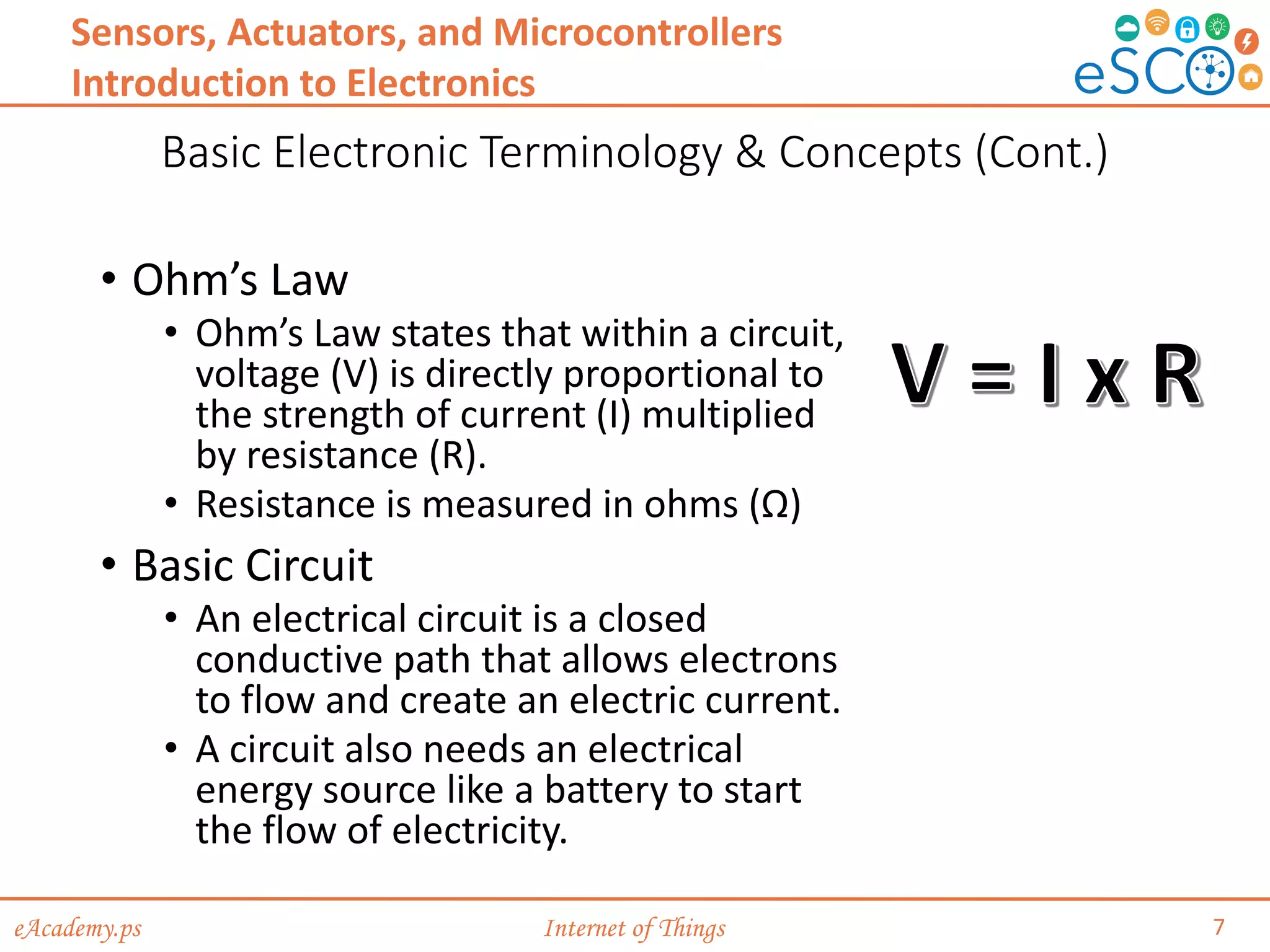
• Ohm’s Law
• Ohm’s Law states that within a circuit,
voltage (V) is directly proportional to
the strength of current (I) multiplied
by resistance (R).
• Resistance is measured in ohms (Ω)
• Basic Circuit
• An electrical circuit is a closed
conductive path that allows electrons
to flow and create an electric current.
• A circuit also needs an electrical
energy source like a battery to start
the flow of electricity.
eAcademy.ps Internet of Things
Basic Electronic Terminology & Concepts (Cont.)
8
Sensors, Actuators, and Microcontrollers
Introduction to Electronics
• Basic Circuit (Cont.)
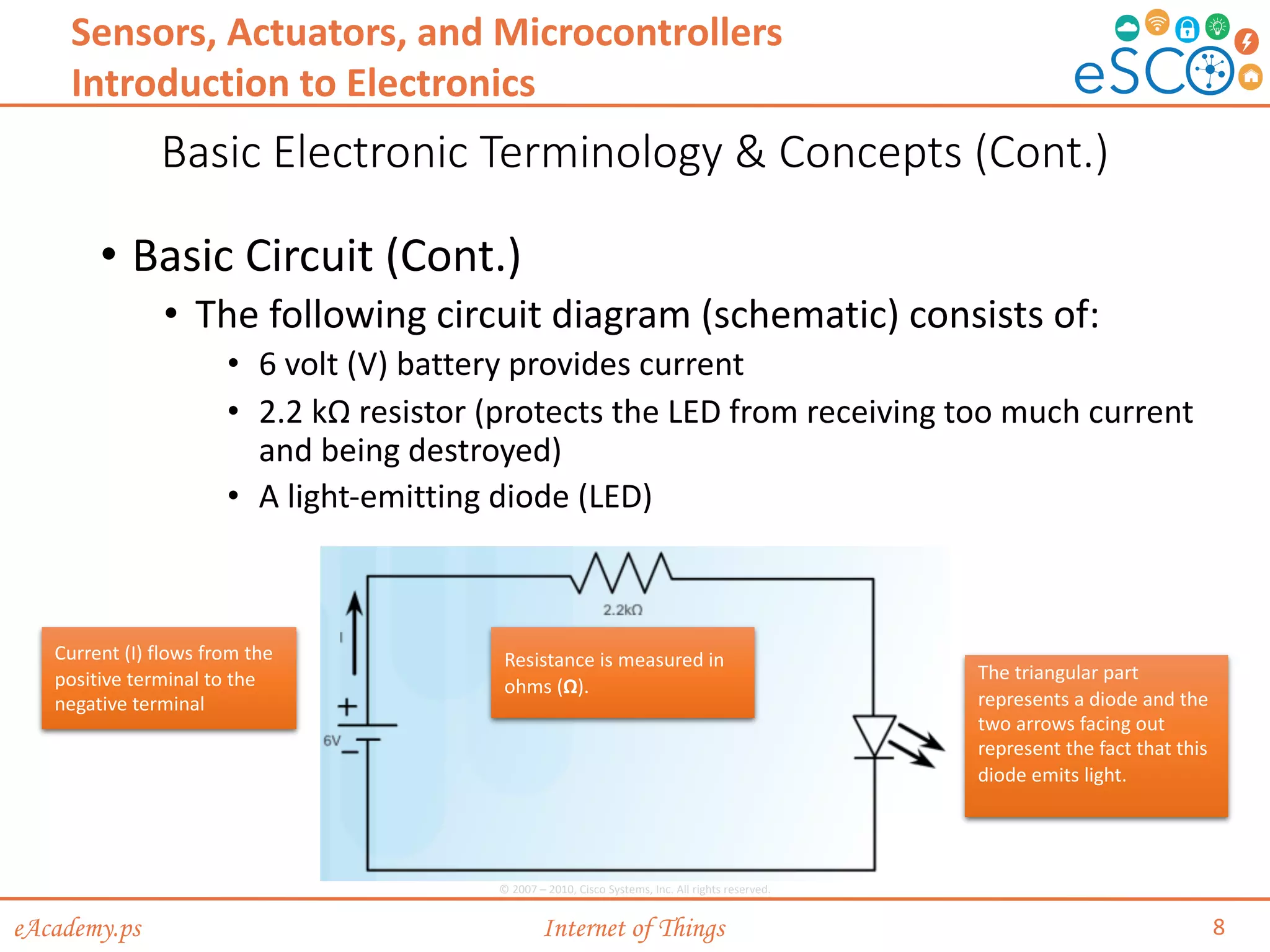
• The following circuit diagram (schematic) consists of:
• 6 volt (V) battery provides current
• 2.2 kΩ resistor (protects the LED from receiving too much current
and being destroyed)
• A light-emitting diode (LED)
Current (I) flows from the
positive terminal to the
negative terminal
Resistance is measured in
ohms (Ω).
The triangular part
represents a diode and the
two arrows facing out
represent the fact that this
diode emits light.
© 2007 – 2010, Cisco Systems, Inc. All rights reserved.
eAcademy.ps Internet of Things
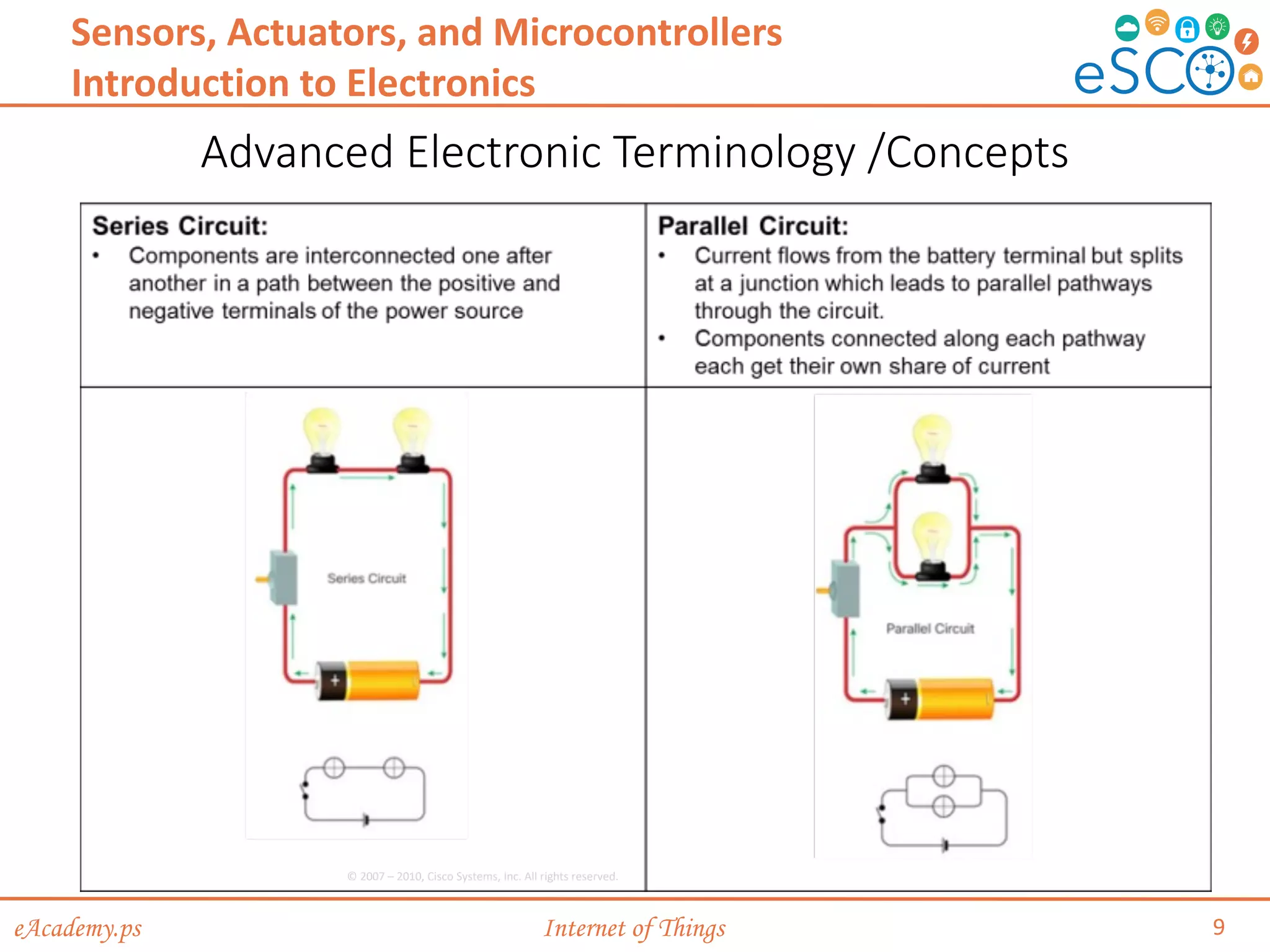
Advanced Electronic Terminology /Concepts
9
Sensors, Actuators, and Microcontrollers
Introduction to Electronics
© 2007 – 2010, Cisco Systems, Inc. All rights reserved.
eAcademy.ps Internet of Things
Advanced Electronic Terminology /Concepts (Cont.)
10
Sensors, Actuators, and Microcontrollers
Introduction to Electronics
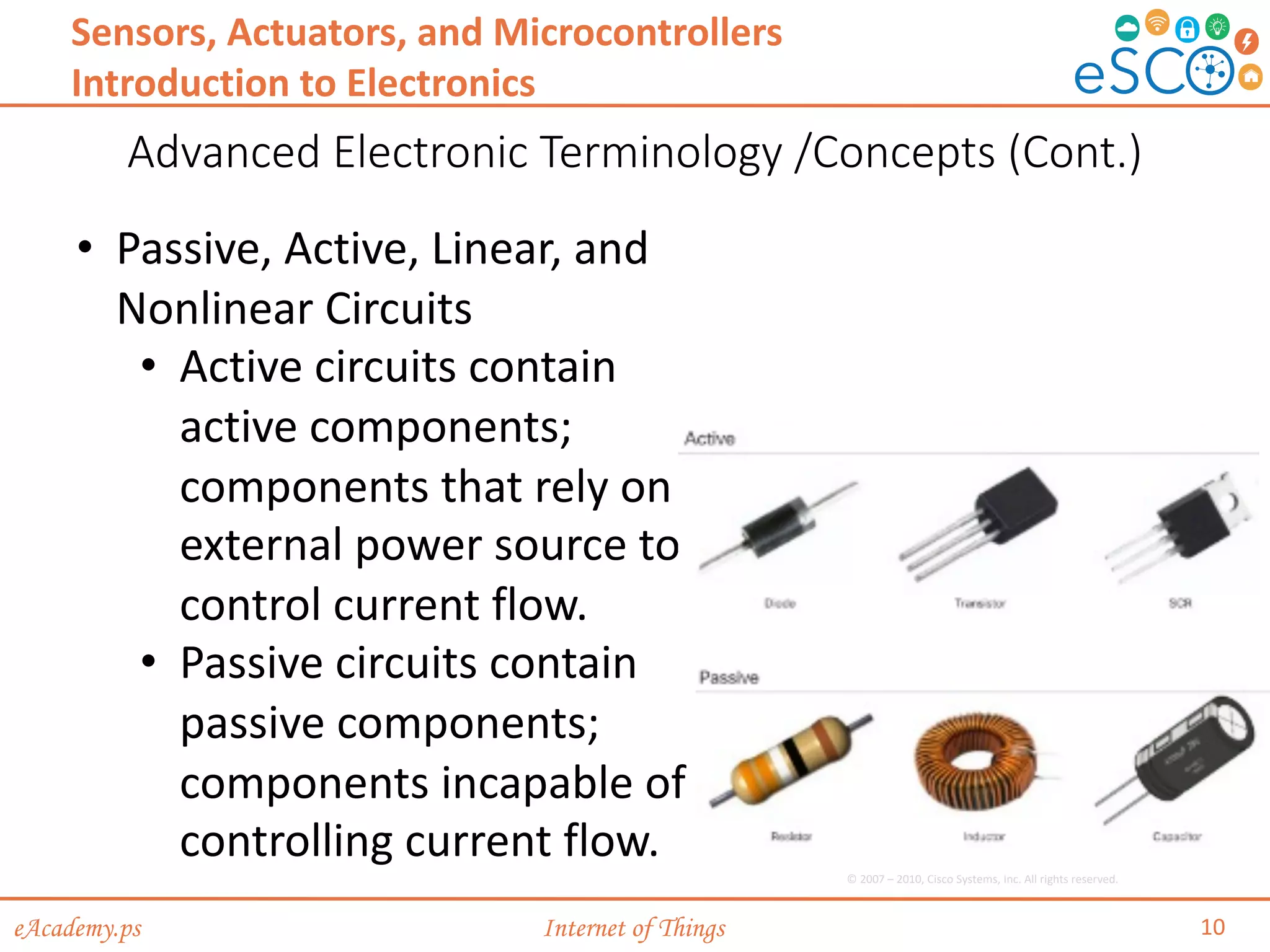
• Passive, Active, Linear, and
Nonlinear Circuits
• Active circuits contain
active components;
components that rely on
external power source to
control current flow.
• Passive circuits contain
passive components;
components incapable of
controlling current flow.
© 2007 – 2010, Cisco Systems, Inc. All rights reserved.
eAcademy.ps Internet of Things
Advanced Electronic Terminology /Concepts (Cont.)
11
Sensors, Actuators, and Microcontrollers
Introduction to Electronics
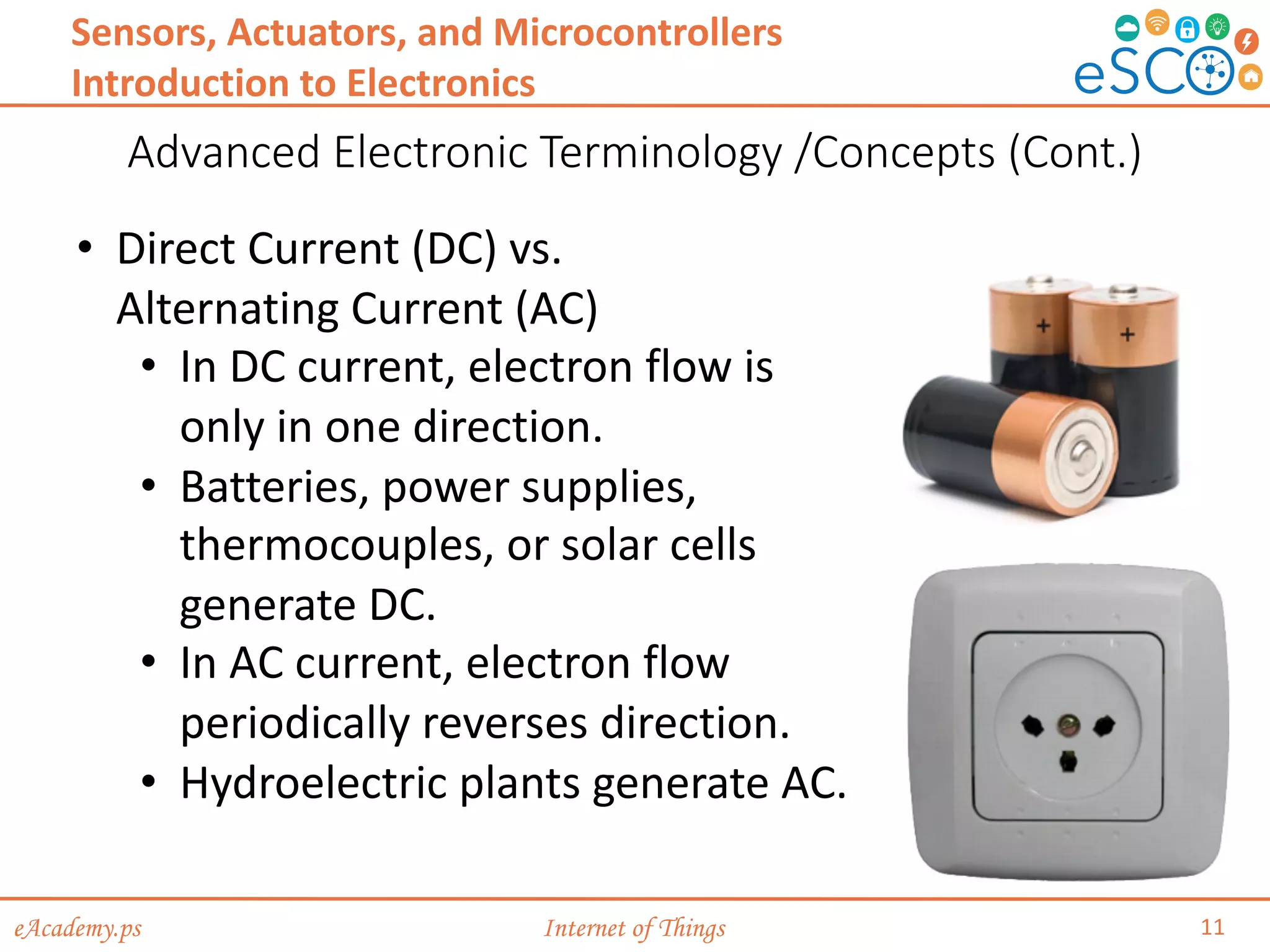
• Direct Current (DC) vs.
Alternating Current (AC)
• In DC current, electron flow is
only in one direction.
• Batteries, power supplies,
thermocouples, or solar cells
generate DC.
• In AC current, electron flow
periodically reverses direction.
• Hydroelectric plants generate AC.
eAcademy.ps Internet of Things
Advanced Electronic Terminology /Concepts (Cont.)
12
Sensors, Actuators, and Microcontrollers
Introduction to Electronics
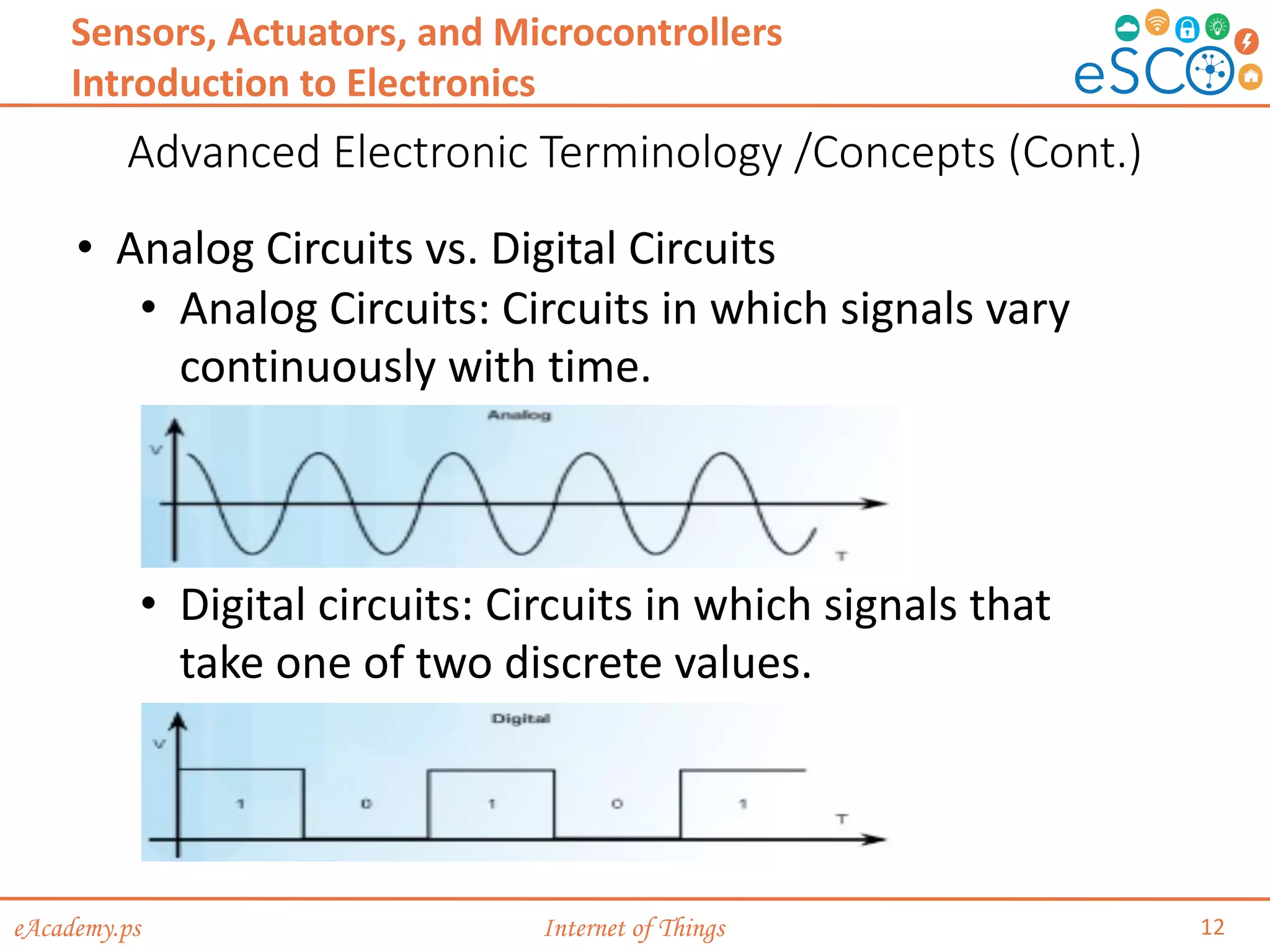
• Analog Circuits vs. Digital Circuits
• Analog Circuits: Circuits in which signals vary
continuously with time.
• Digital circuits: Circuits in which signals that
take one of two discrete values.
eAcademy.ps Internet of Things
Advanced Electronic Terminology /Concepts (Cont.)
13
Sensors, Actuators, and Microcontrollers
Introduction to Electronics
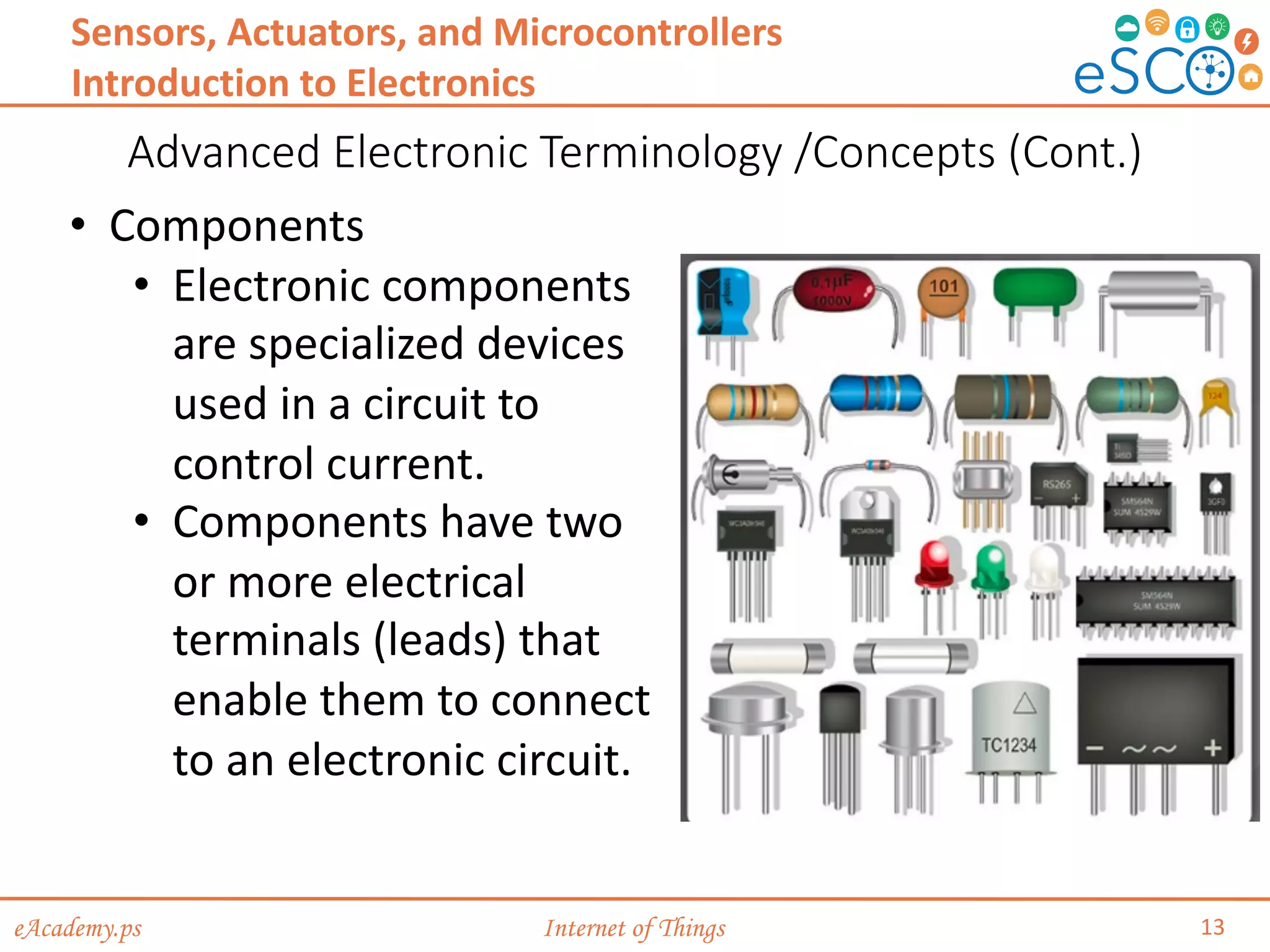
• Components
• Electronic components
are specialized devices
used in a circuit to
control current.
• Components have two
or more electrical
terminals (leads) that
enable them to connect
to an electronic circuit.
eAcademy.ps Internet of Things
Advanced Electronic Terminology /Concepts (Cont.)
14
Sensors, Actuators, and Microcontrollers
Introduction to Electronics
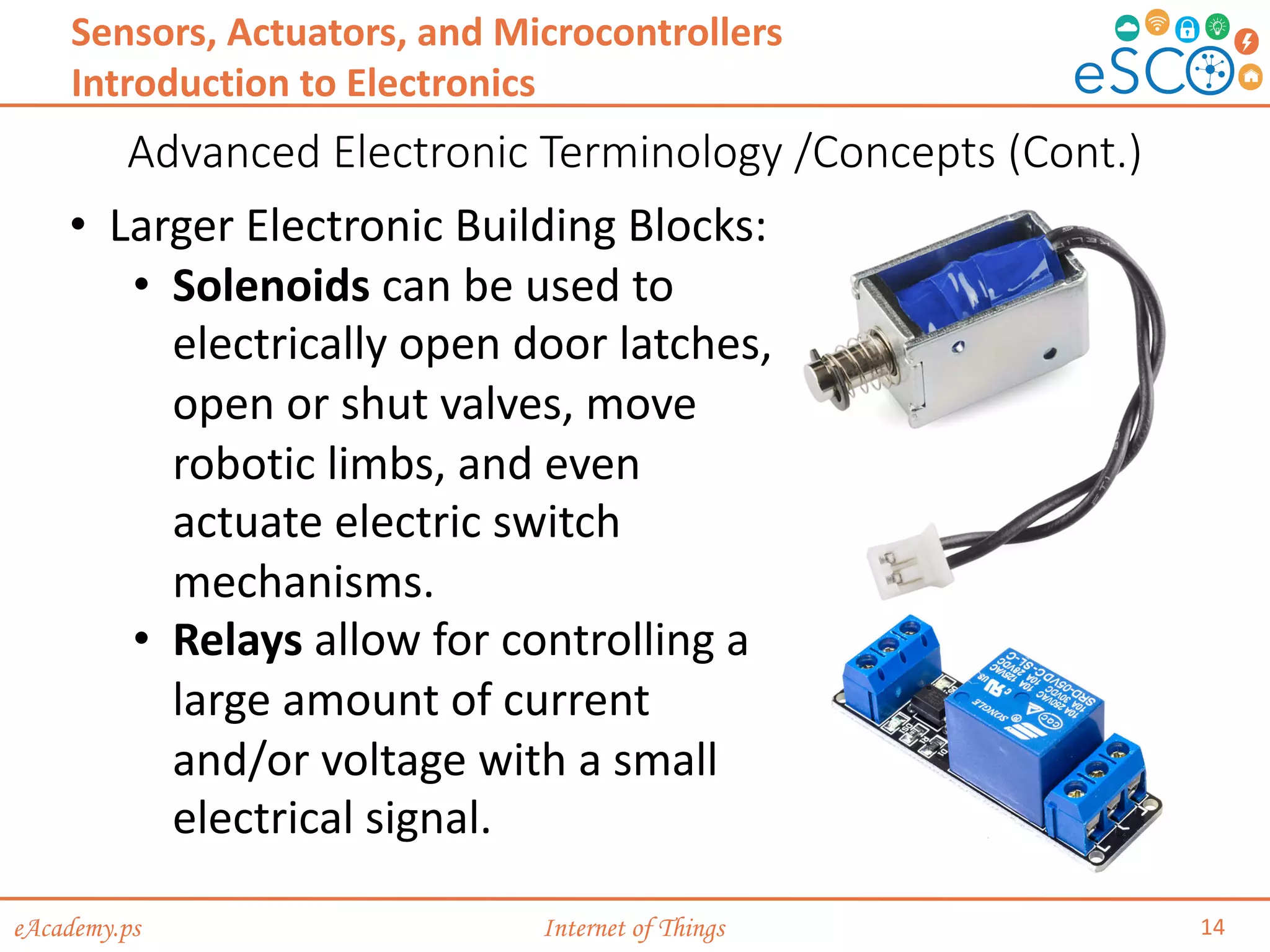
• Larger Electronic Building Blocks:
• Solenoids can be used to
electrically open door latches,
open or shut valves, move
robotic limbs, and even
actuate electric switch
mechanisms.
• Relays allow for controlling a
large amount of current
and/or voltage with a small
electrical signal.
eAcademy.ps Internet of Things
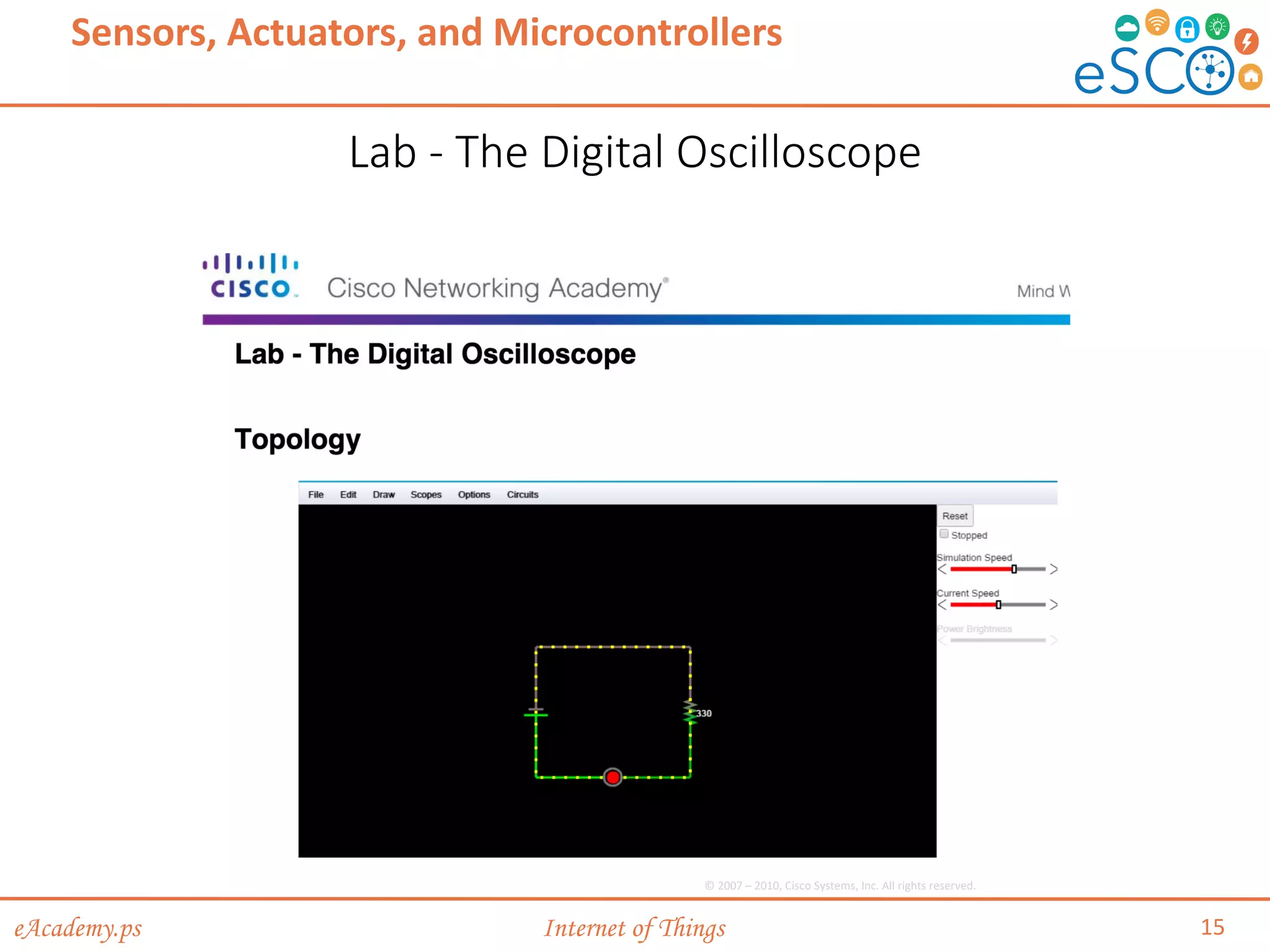
Lab - The Digital Oscilloscope
15
Sensors, Actuators, and Microcontrollers
© 2007 – 2010, Cisco Systems, Inc. All rights reserved.
eAcademy.ps Internet of Things
From Schematic Diagram to Breadboard to Soldered PCB
16
Sensors, Actuators, and Microcontrollers
Introduction to Electronics
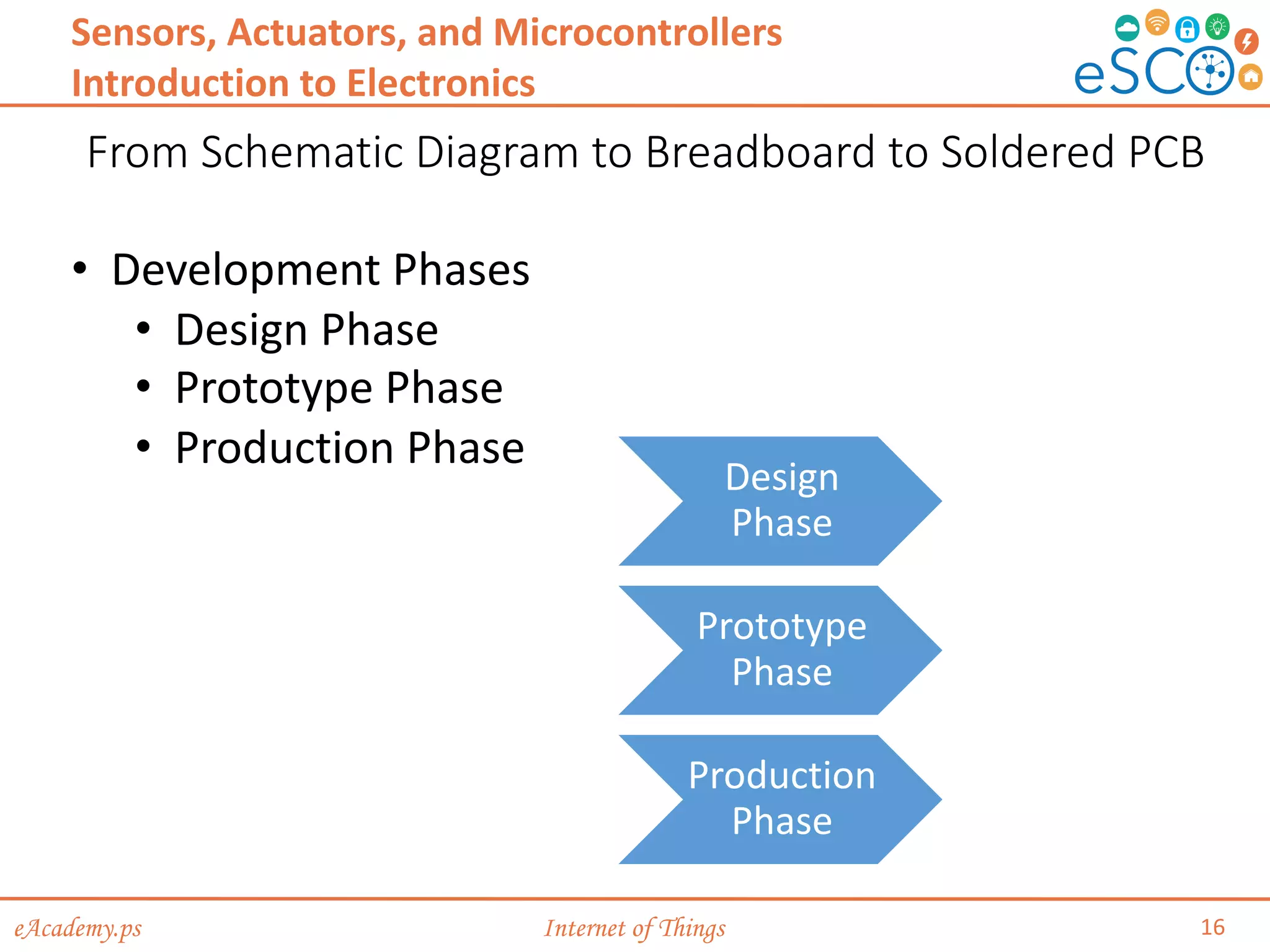
• Development Phases
• Design Phase
• Prototype Phase
• Production Phase
Design
Phase
Prototype
Phase
Production
Phase
eAcademy.ps Internet of Things
From Schematic Diagram to Breadboard to Soldered PCB
17
Sensors, Actuators, and Microcontrollers
Introduction to Electronics
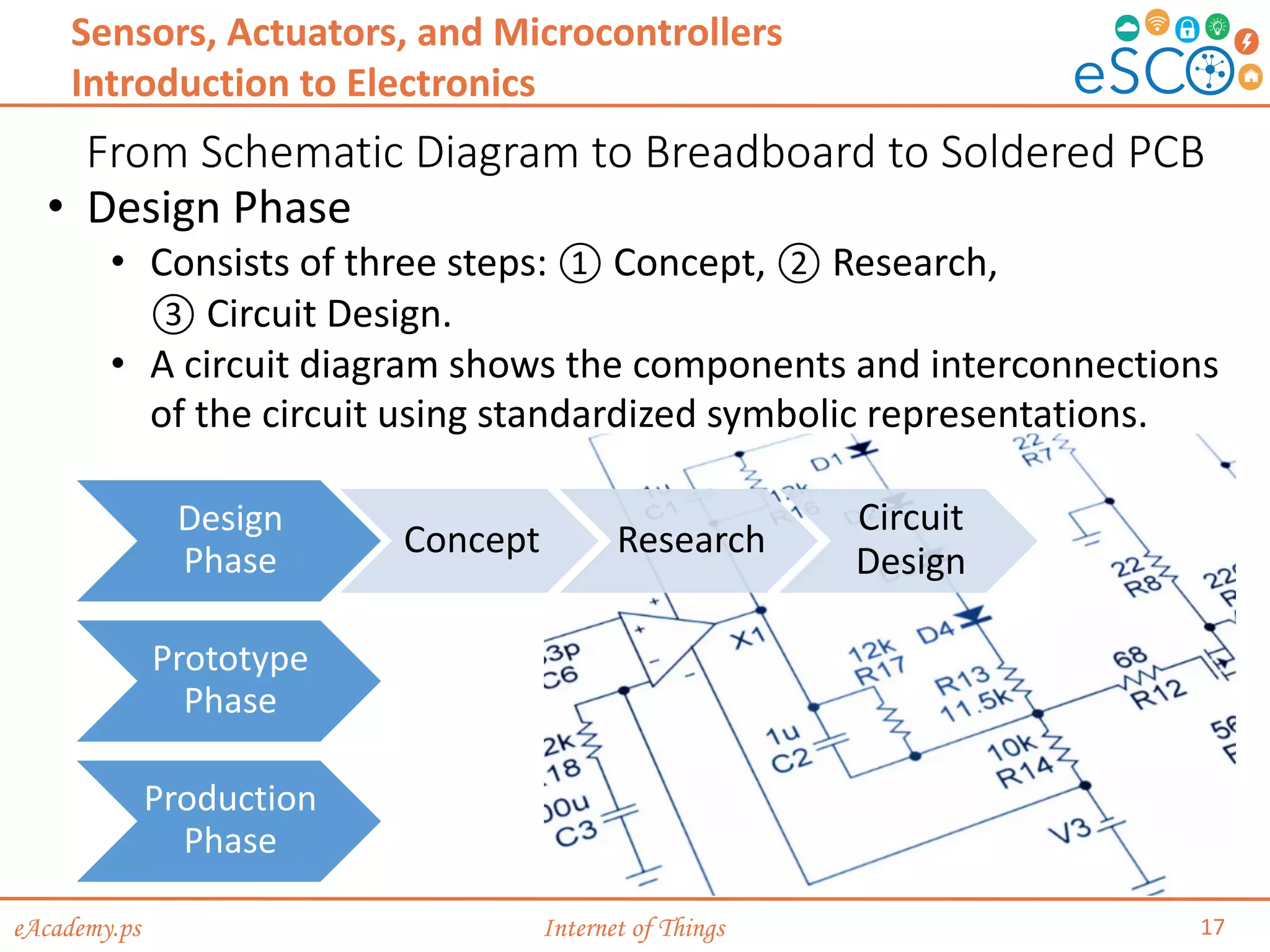
• Design Phase
• Consists of three steps: ① Concept, ② Research,
③ Circuit Design.
• A circuit diagram shows the components and interconnections
of the circuit using standardized symbolic representations.
Design
Phase
Concept Research
Circuit
Design
Prototype
Phase
Production
Phase
eAcademy.ps Internet of Things
From Schematic Diagram to Breadboard to Soldered PCB
18
Sensors, Actuators, and Microcontrollers
Introduction to Electronics
Design
Phase
Prototype
Phase
Hardware,
Mechanical, and
Software
Development
PCB layout Build prototypes Product Testing
Production
Phase
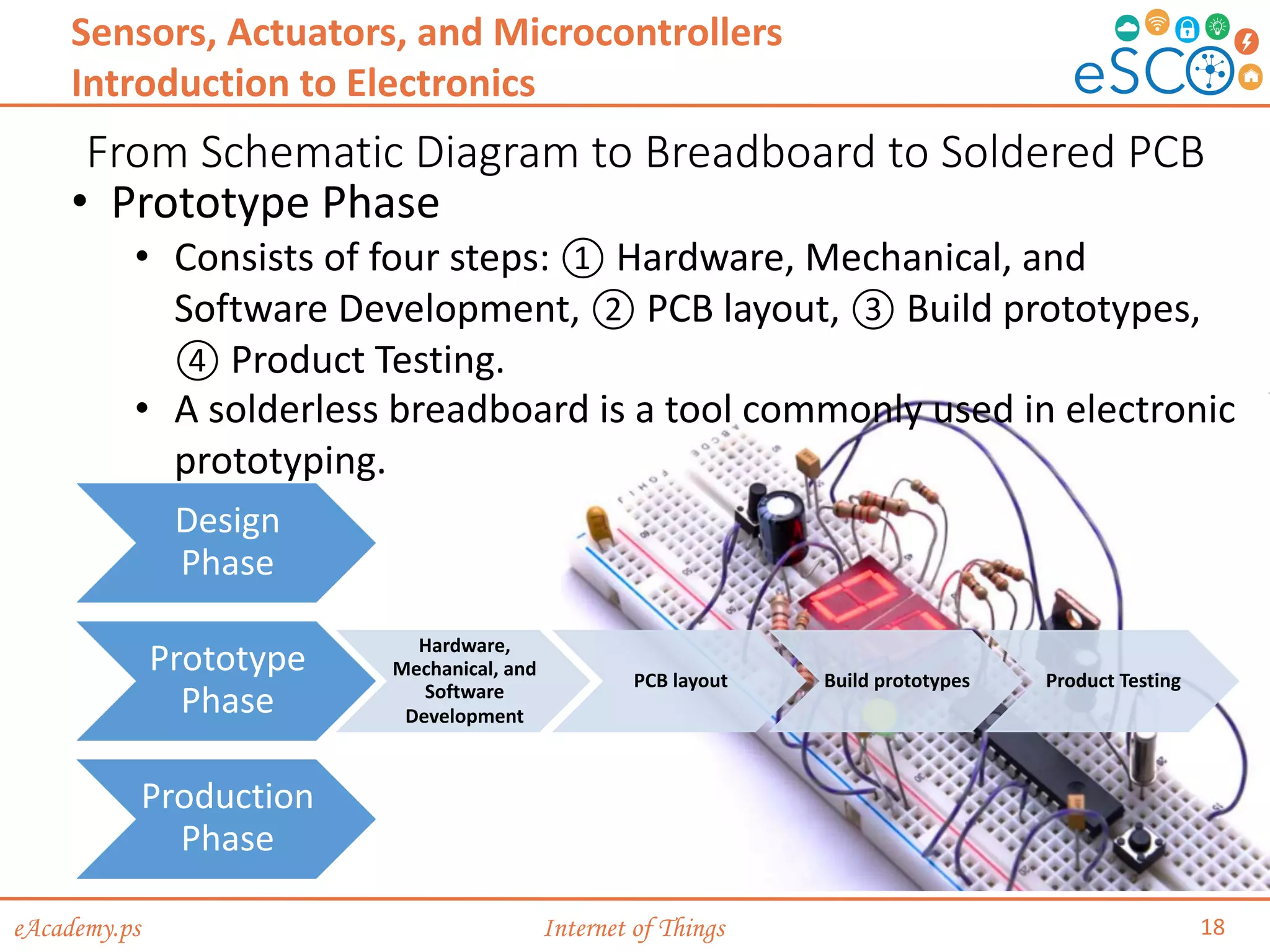
• Prototype Phase
• Consists of four steps: ① Hardware, Mechanical, and
Software Development, ② PCB layout, ③ Build prototypes,
④ Product Testing.
• A solderless breadboard is a tool commonly used in electronic
prototyping.
eAcademy.ps Internet of Things
From Schematic Diagram to Breadboard to Soldered PCB
19
Sensors, Actuators, and Microcontrollers
Introduction to Electronics
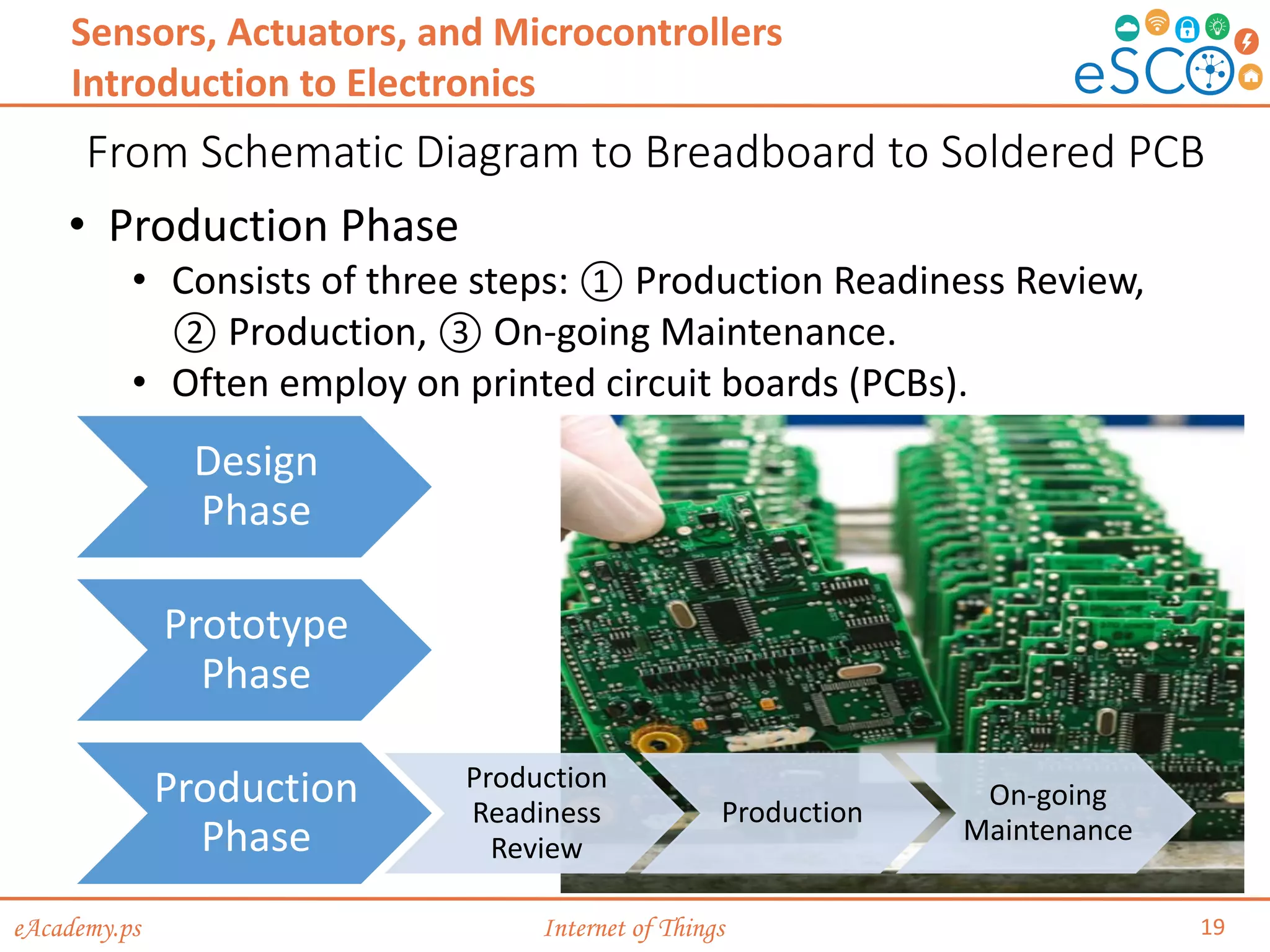
• Production Phase
• Consists of three steps: ① Production Readiness Review,
② Production, ③ On-going Maintenance.
• Often employ on printed circuit boards (PCBs).
Design
Phase
Prototype
Phase
Production
Phase
Production
Readiness
Review
Production
On-going
Maintenance
eAcademy.ps Internet of Things
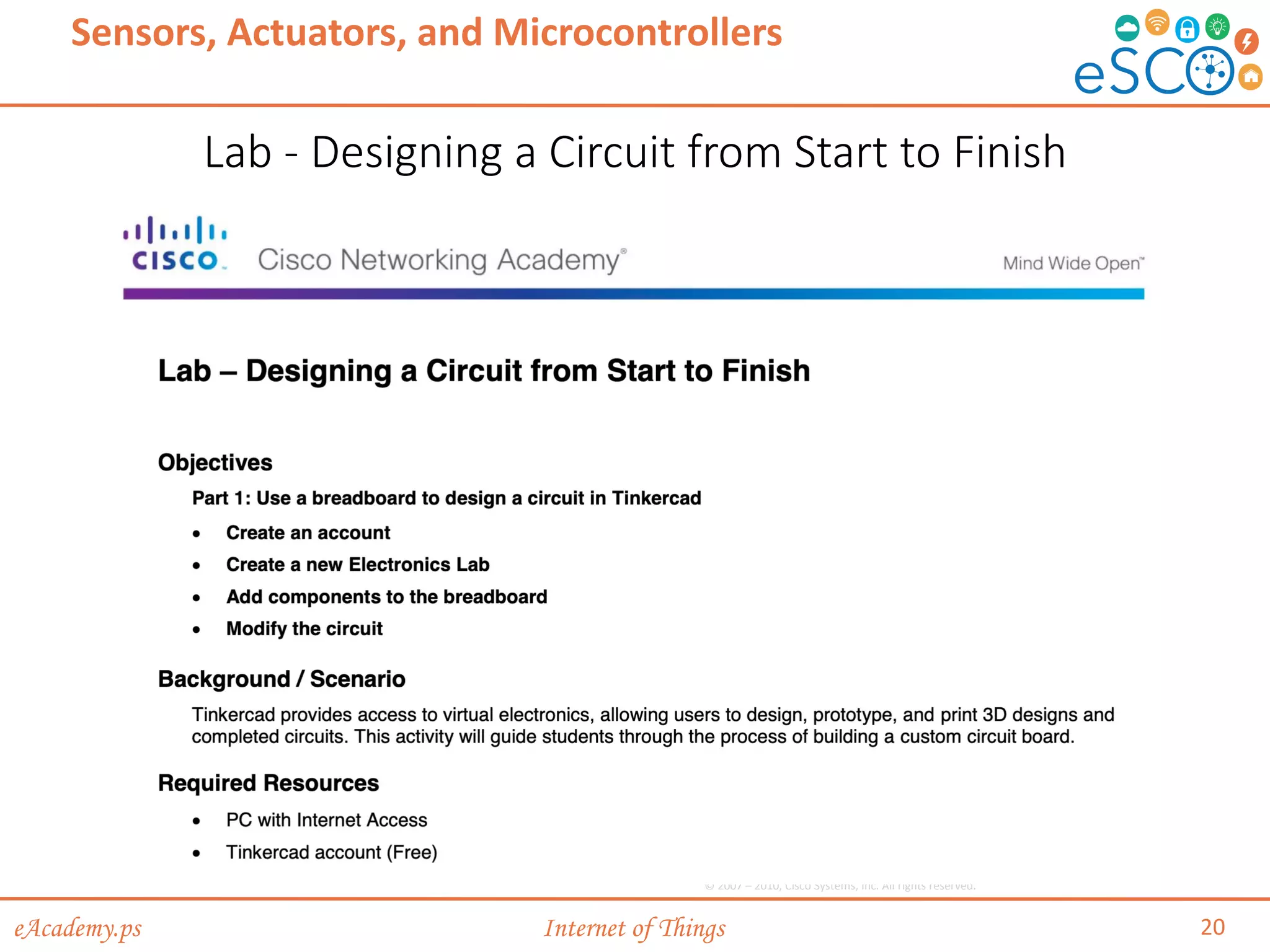
Lab - Designing a Circuit from Start to Finish
20
Sensors, Actuators, and Microcontrollers
© 2007 – 2010, Cisco Systems, Inc. All rights reserved.
eAcademy.ps Internet of Things
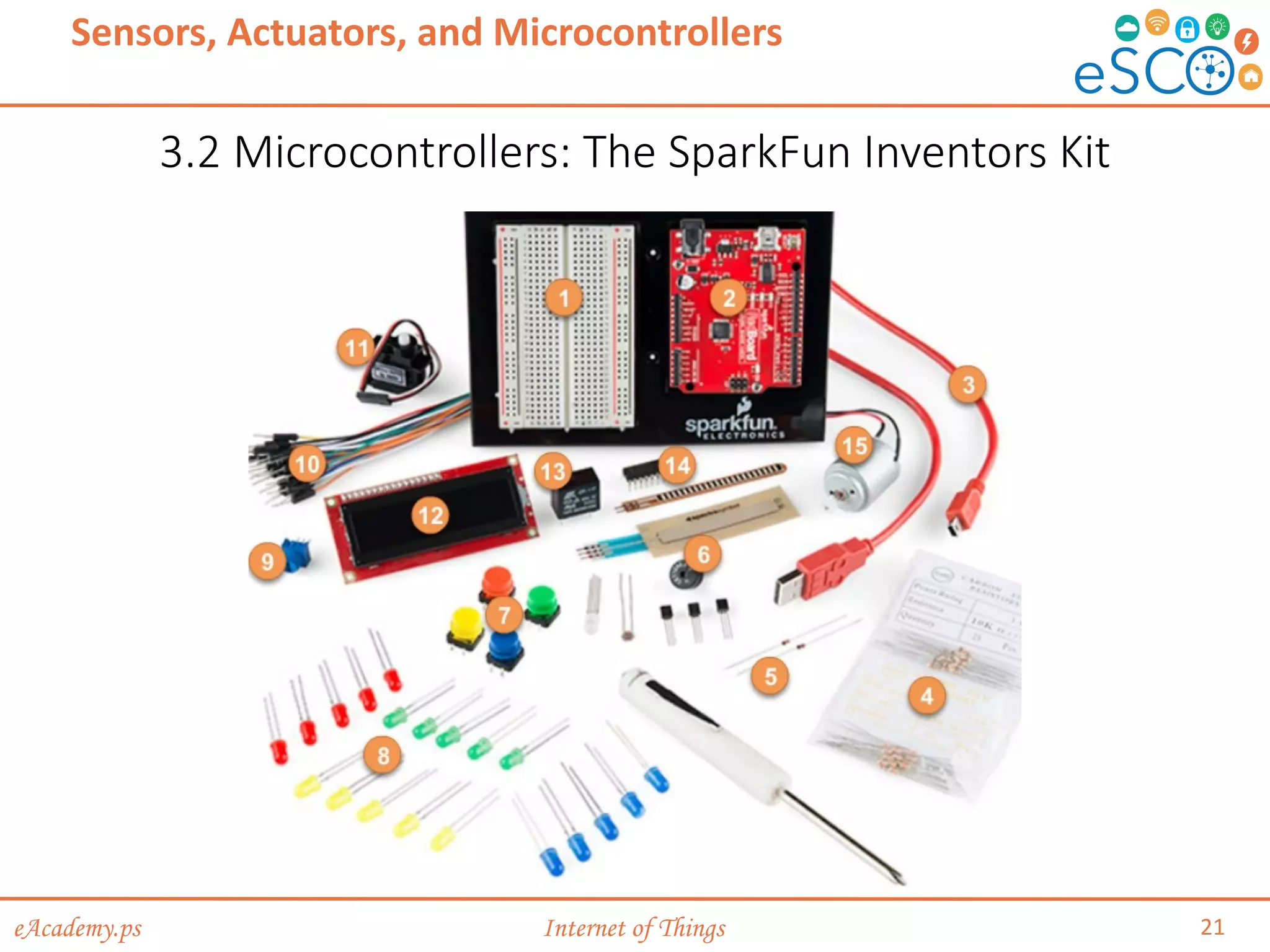
3.2 Microcontrollers: The SparkFun Inventors Kit
21
Sensors, Actuators, and Microcontrollers
eAcademy.ps Internet of Things
Introduction to the SparkFun Inventor’s Kit (SIK)
22
Sensors, Actuators, and Microcontrollers
Microcontrollers: The SparkFun Inventors Kit
• This is a starter kit for building circuits and includes:
• Solderless breadboard
• SparkFun RedBoard (Arduino-like board)
• Various resistors, diodes, LEDs, sensors and actuators
• Connecting wires (jumper wires, mini-B cable, …)
eAcademy.ps Internet of Things
Sensing the Environment
23
Sensors, Actuators, and Microcontrollers
Microcontrollers: The SparkFun Inventors Kit
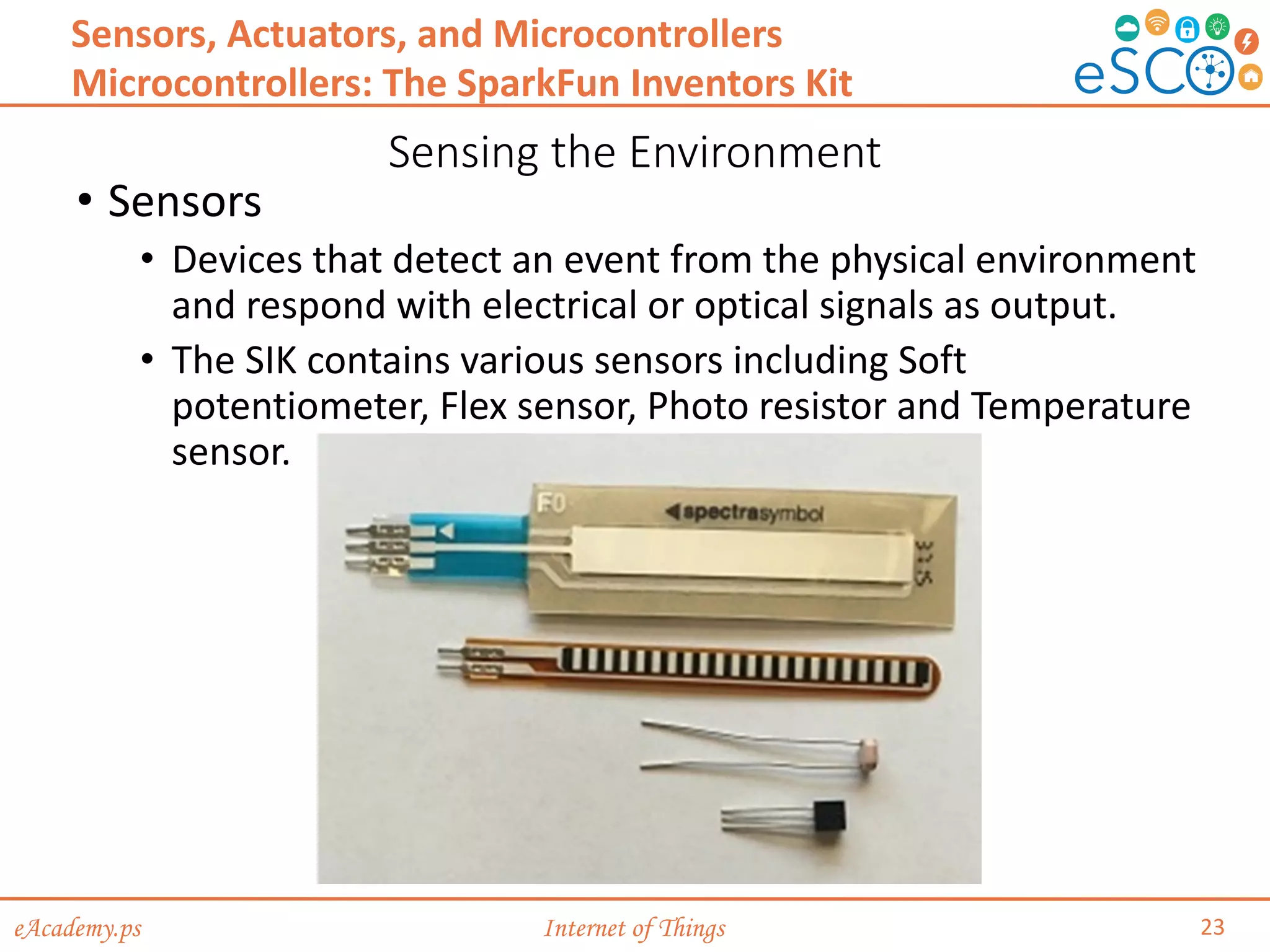
• Sensors
• Devices that detect an event from the physical environment
and respond with electrical or optical signals as output.
• The SIK contains various sensors including Soft
potentiometer, Flex sensor, Photo resistor and Temperature
sensor.
eAcademy.ps Internet of Things
Making it Happen
24
Sensors, Actuators, and Microcontrollers
Microcontrollers: The SparkFun Inventors Kit
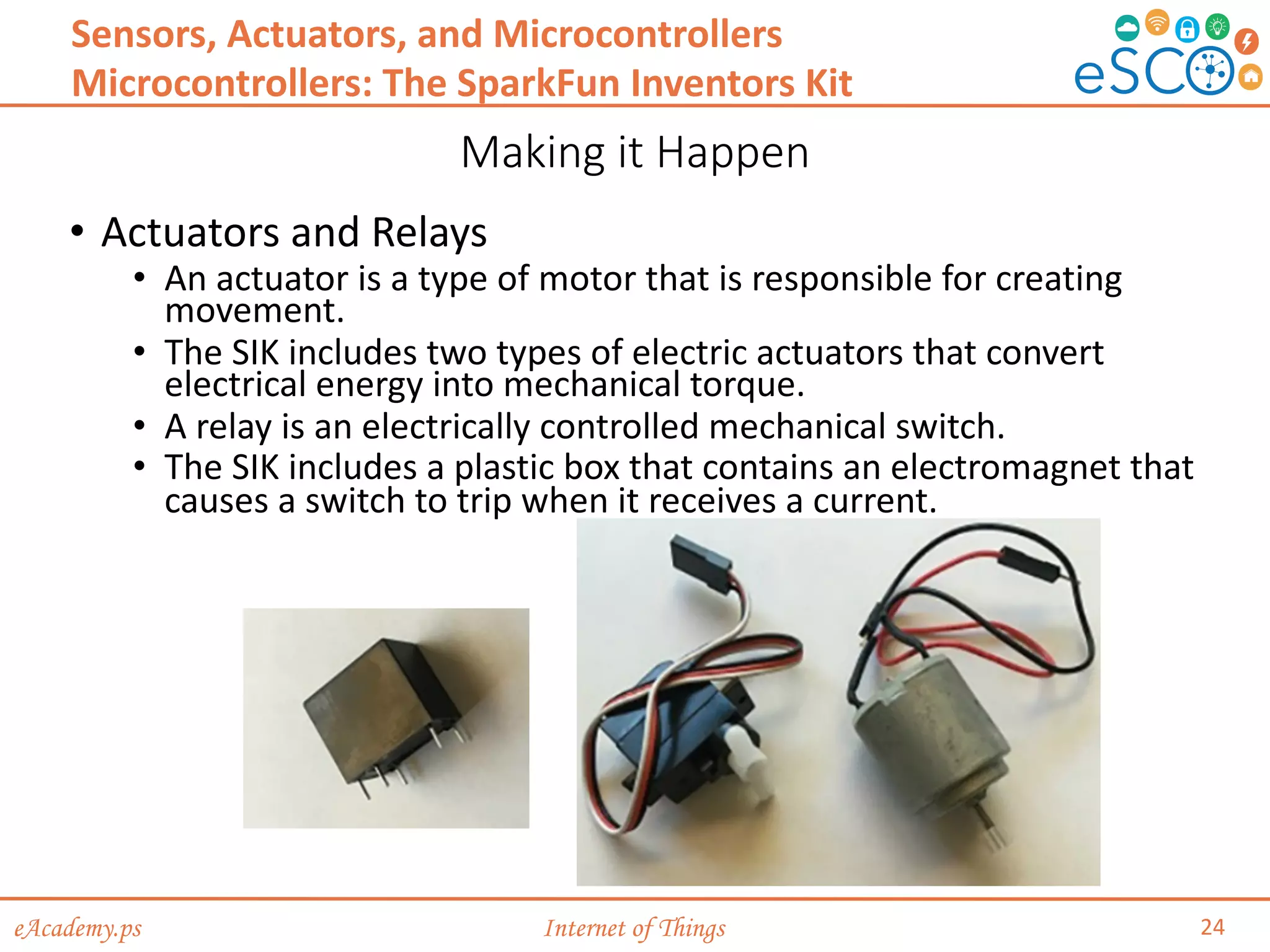
• Actuators and Relays
• An actuator is a type of motor that is responsible for creating
movement.
• The SIK includes two types of electric actuators that convert
electrical energy into mechanical torque.
• A relay is an electrically controlled mechanical switch.
• The SIK includes a plastic box that contains an electromagnet that
causes a switch to trip when it receives a current.
eAcademy.ps Internet of Things
Arduino Microcontroller
25
Sensors, Actuators, and Microcontrollers
Microcontrollers: The SparkFun Inventors Kit
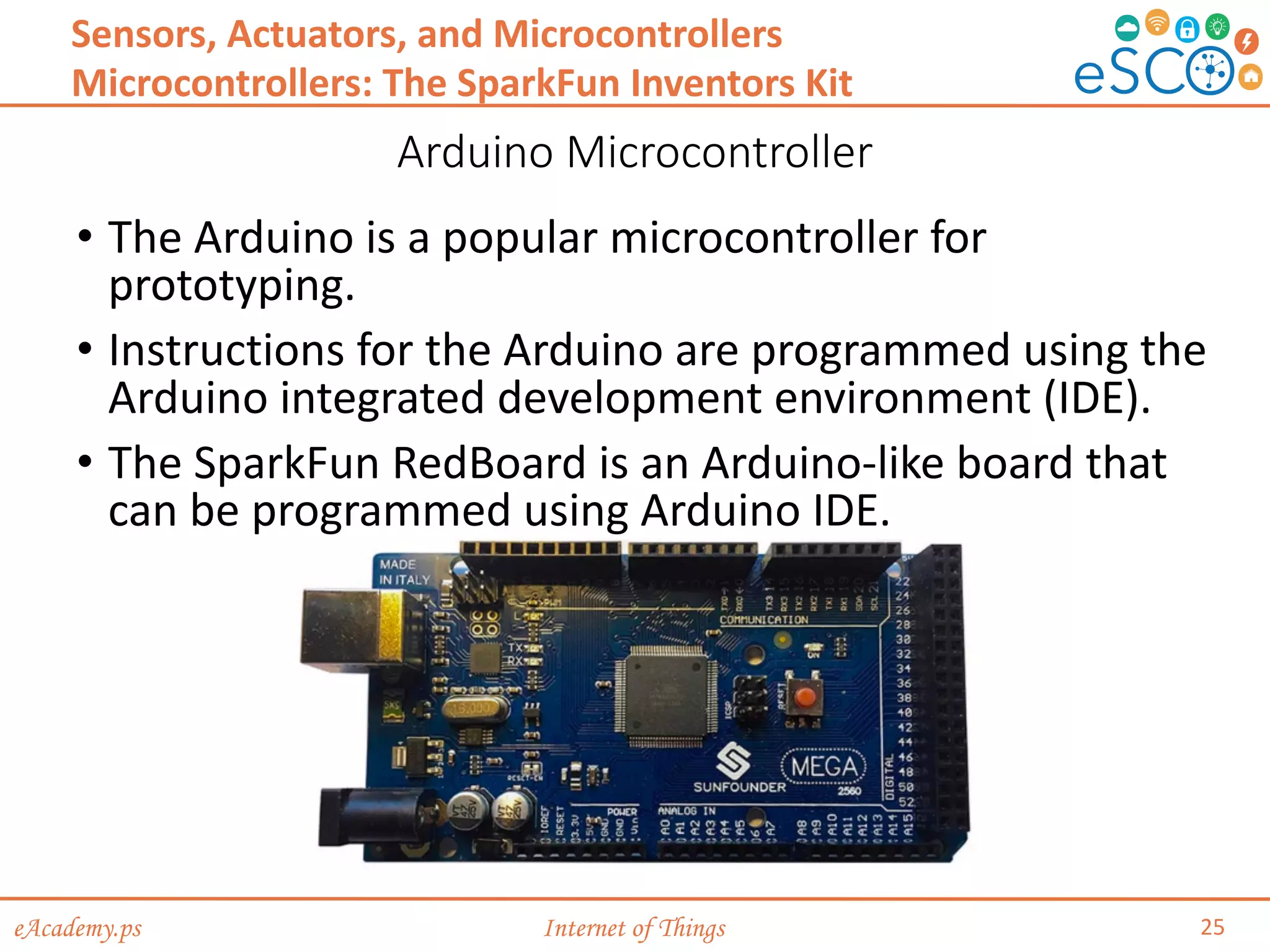
• The Arduino is a popular microcontroller for
prototyping.
• Instructions for the Arduino are programmed using the
Arduino integrated development environment (IDE).
• The SparkFun RedBoard is an Arduino-like board that
can be programmed using Arduino IDE.
eAcademy.ps Internet of Things
Simple Circuits
26
Sensors, Actuators, and Microcontrollers
Microcontrollers: The SparkFun Inventors Kit
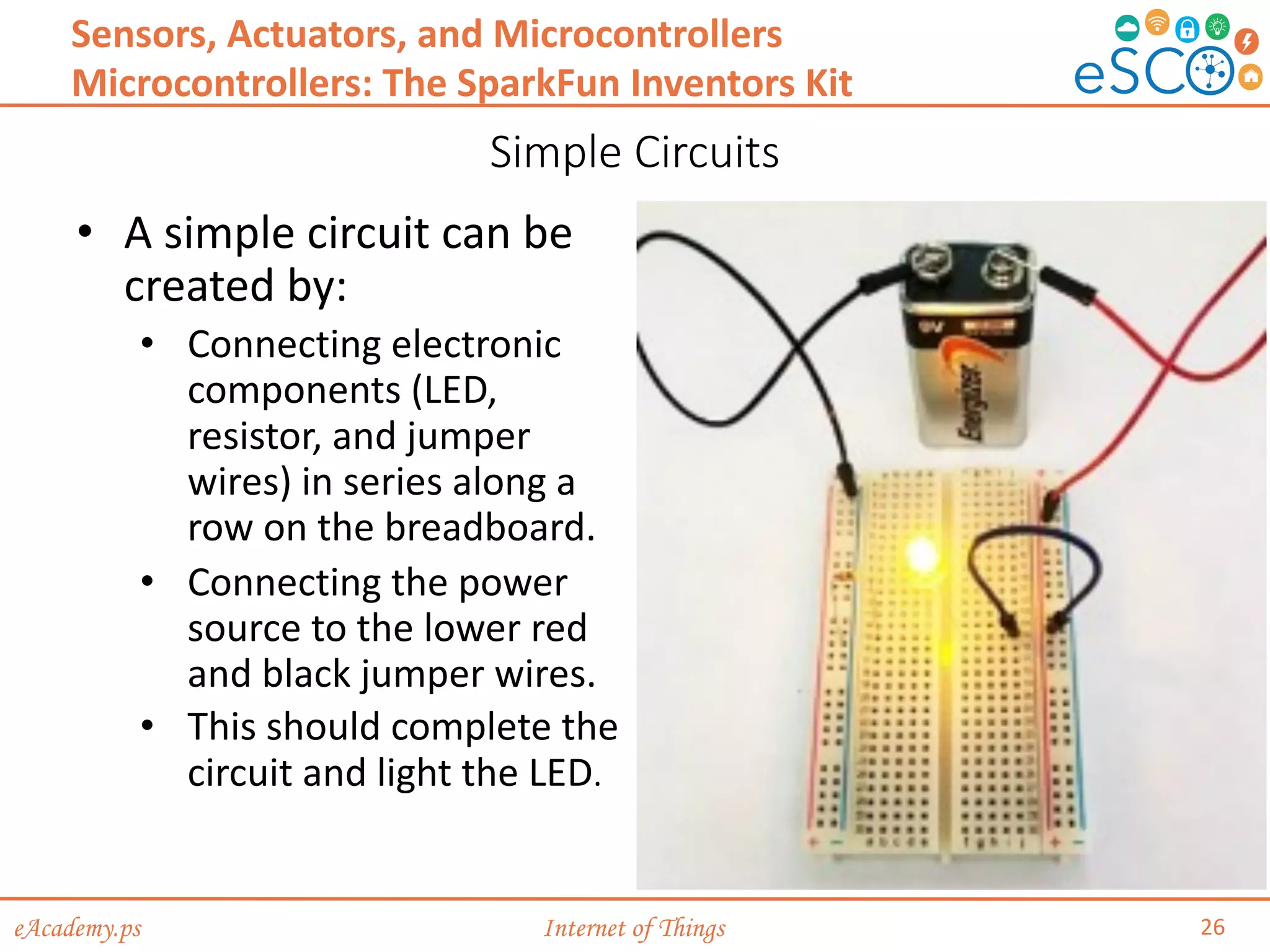
• A simple circuit can be
created by:
• Connecting electronic
components (LED,
resistor, and jumper
wires) in series along a
row on the breadboard.
• Connecting the power
source to the lower red
and black jumper wires.
• This should complete the
circuit and light the LED.
eAcademy.ps Internet of Things
The Arduino IDE
27
Sensors, Actuators, and Microcontrollers
Microcontrollers: The SparkFun Inventors Kit
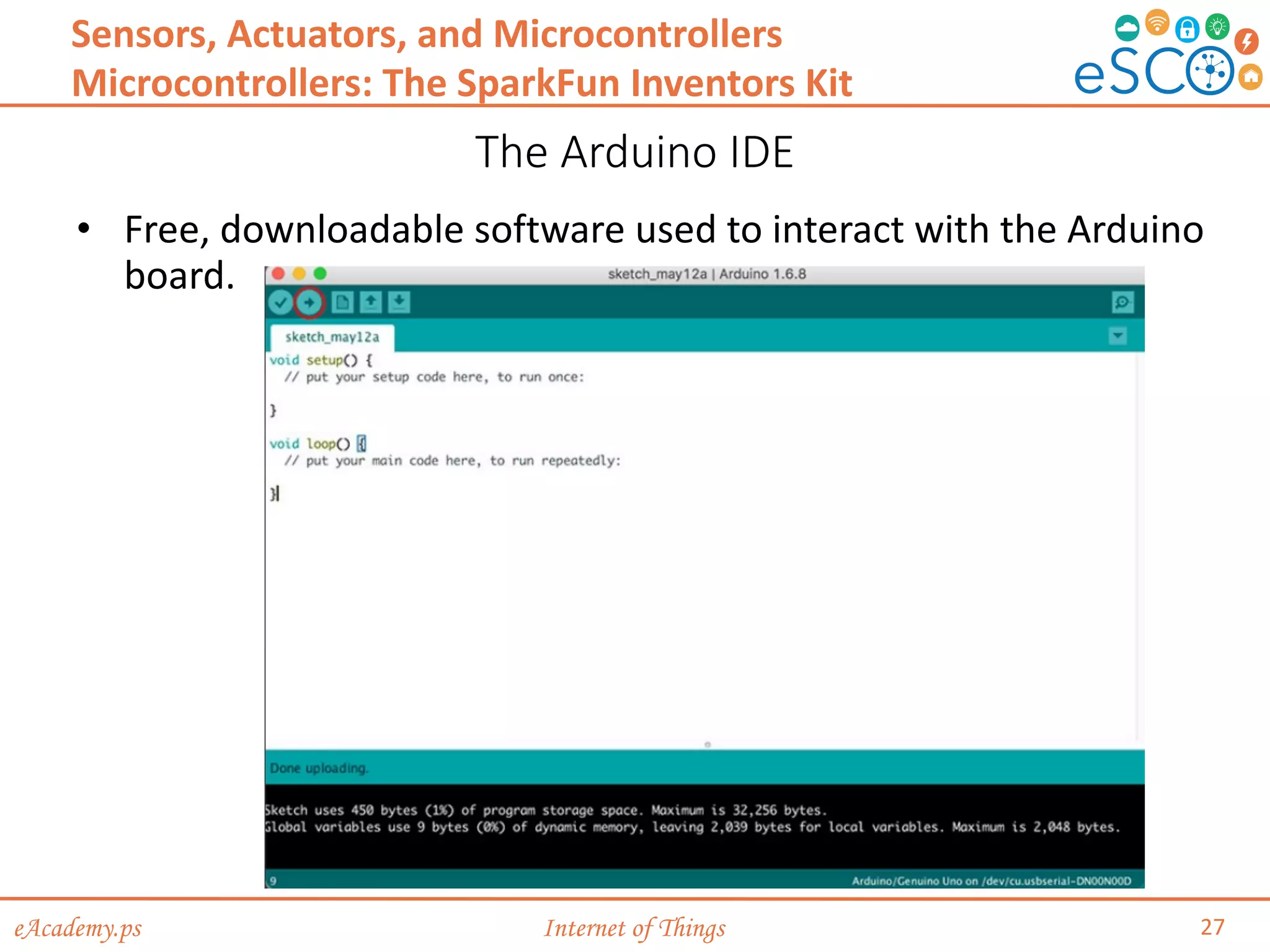
• Free, downloadable software used to interact with the Arduino
board.
eAcademy.ps Internet of Things
The Arduino IDE (Cont.)
28
Sensors, Actuators, and Microcontrollers
Microcontrollers: The SparkFun Inventors Kit
• Writing code
• Programs written using the Arduino IDE are called sketches and are
saved with the file extension of .ino.
• Arduino sketch keywords can be divided in three main category types:
structures, values (variables and constants), and functions.
• Keywords used include void, setup(), loop() function, and more.
• Testing
• To test and verify the sketch code, click on the checkmark toolbar icon.
• The IDE compiles the code and checks for syntax errors.
• To upload the sketch to the Arduino and test the code, click on the
second toolbar icon (ð)
eAcademy.ps Internet of Things
3.3 Packet Tracer 7.x and the IoT
29
Sensors, Actuators, and Microcontrollers
eAcademy.ps Internet of Things
How Everything Connects in PT
30
Sensors, Actuators, and Microcontrollers
Packet Tracer 7.x and the IoT
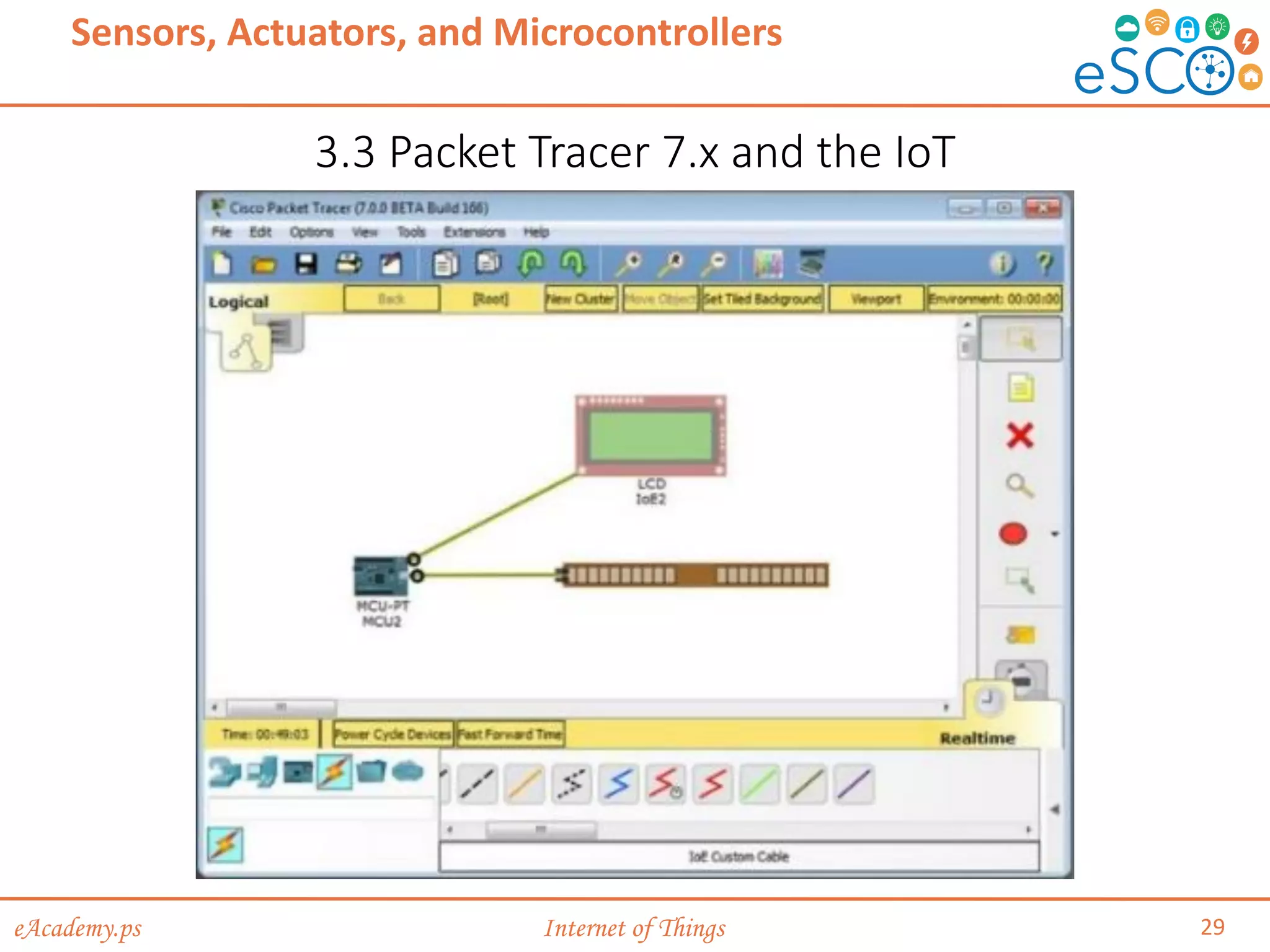
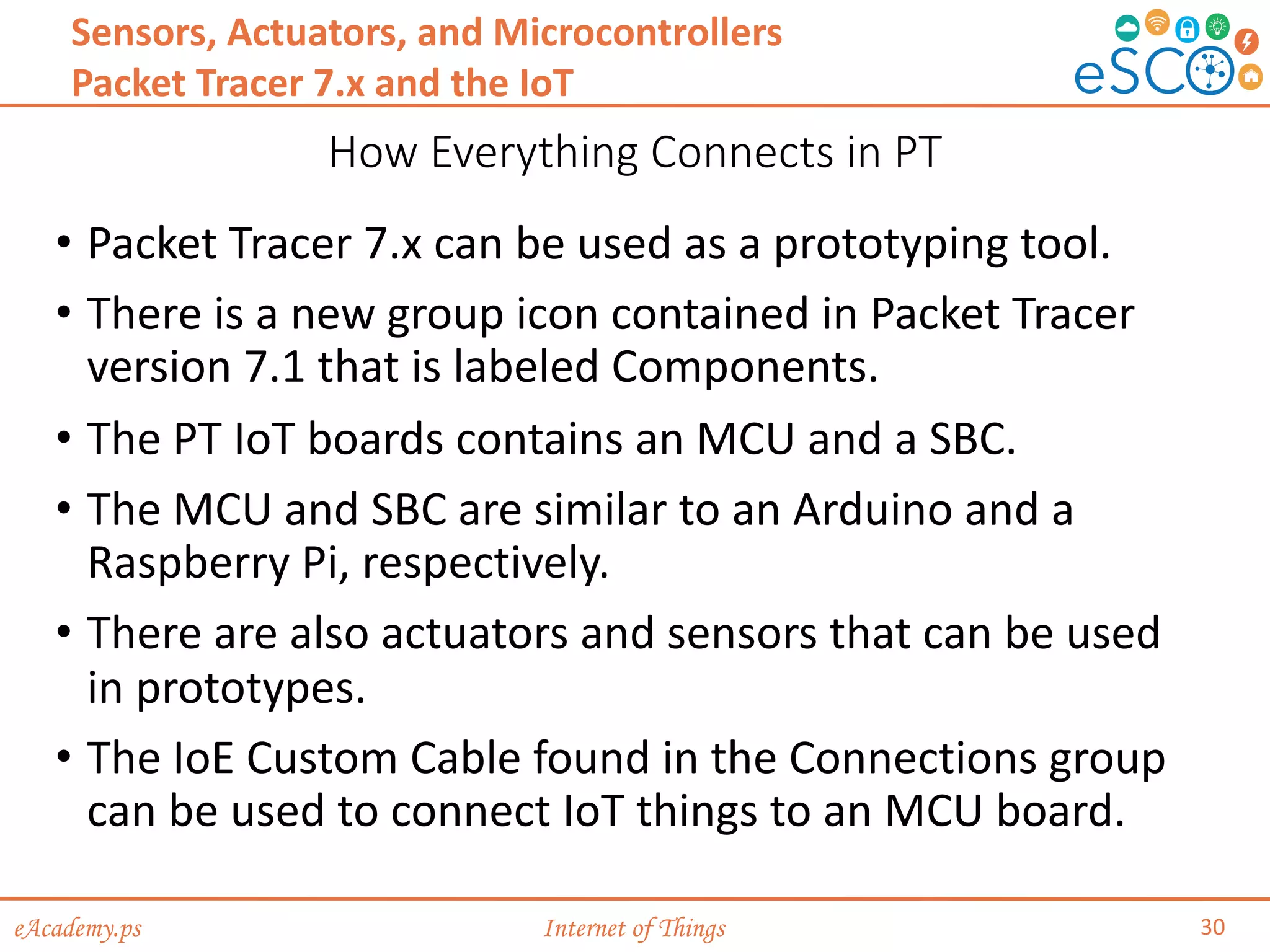
• Packet Tracer 7.x can be used as a prototyping tool.
• There is a new group icon contained in Packet Tracer
version 7.1 that is labeled Components.
• The PT IoT boards contains an MCU and a SBC.
• The MCU and SBC are similar to an Arduino and a
Raspberry Pi, respectively.
• There are also actuators and sensors that can be used
in prototypes.
• The IoE Custom Cable found in the Connections group
can be used to connect IoT things to an MCU board.
eAcademy.ps Internet of Things
3.4 Summary
31
Sensors, Actuators, and Microcontrollers
• Electronics is an important part of the IoT.
• IoT devices are often built from scratch; therefore,
understanding electronics concepts, components and
terminology is critical. It is also important for an IoT
professional to be able to read and create electronics
schematics.
• The SparkFun kit contains a number of devices and parts to
help a beginner to get started with electronics and
microcontrollers. It also introduces important concepts such
as electronic circuits and how to program Arduino
microcontrollers. Working with the kit, a beginner can also
learn how to program sensors to monitor the environment.
Actuators and relays are often used to influence the
environment or create action.
• Students can use Cisco Packet Tracer 7.x as a tool for
modeling and prototyping IoT systems.
eAcademy.ps Internet of Things
Activities
• Lab - The Digital Oscilloscope
• Lab - Designing a Circuit from Start to Finish
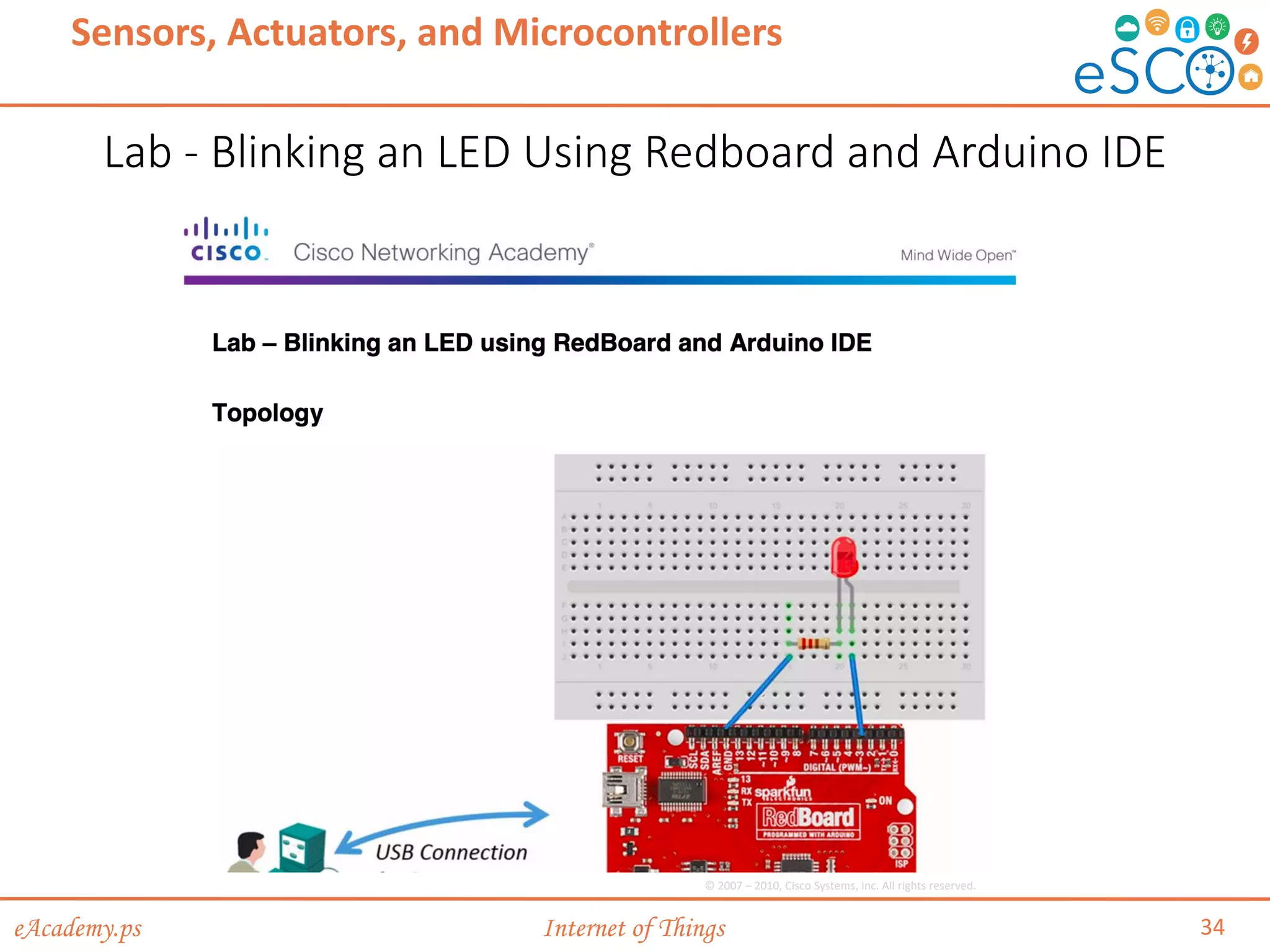
• Lab - Blinking an LED Using Redboard and Arduino IDE
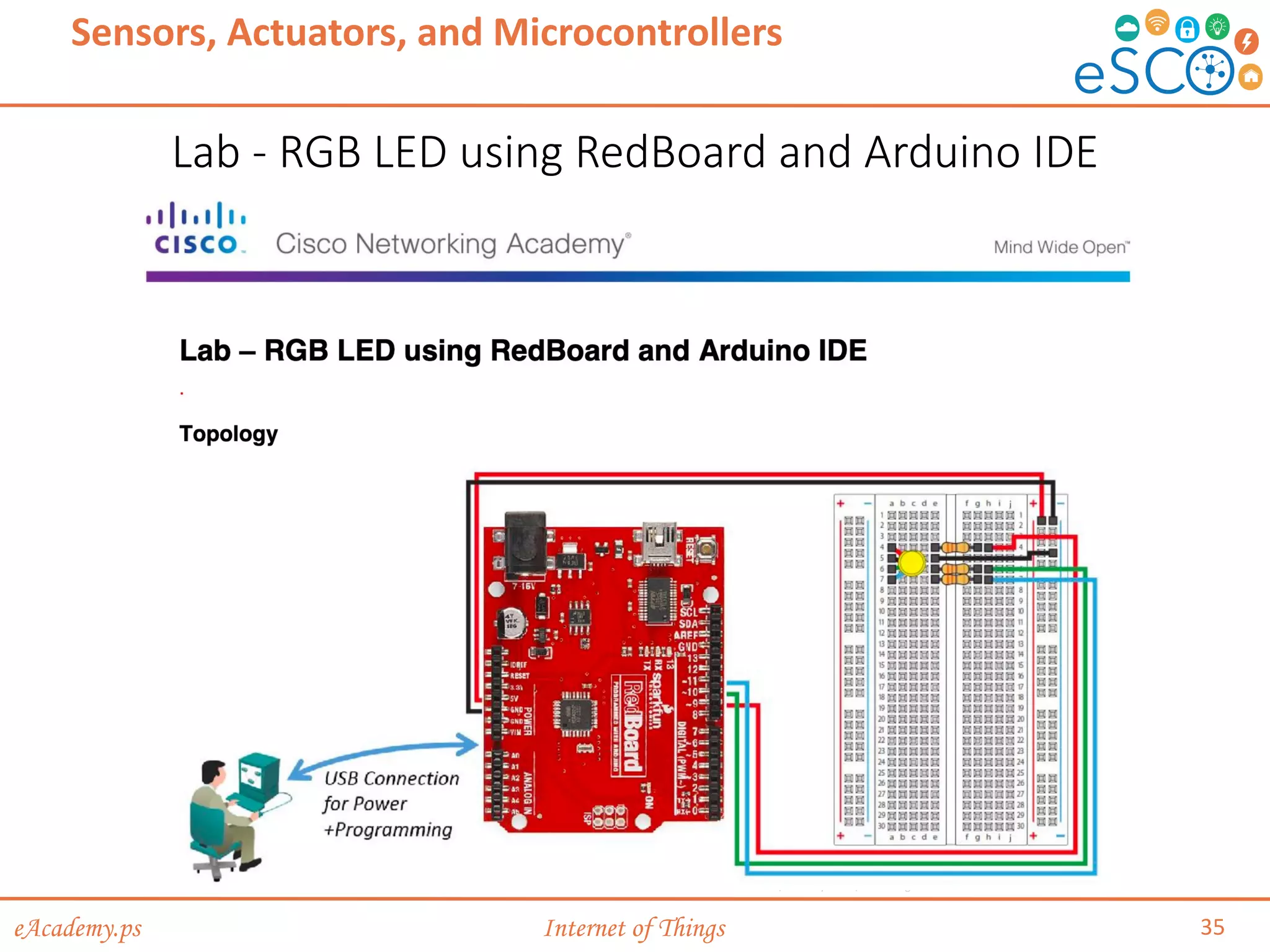
• Lab - RGB LED using RedBoard and Arduino IDE
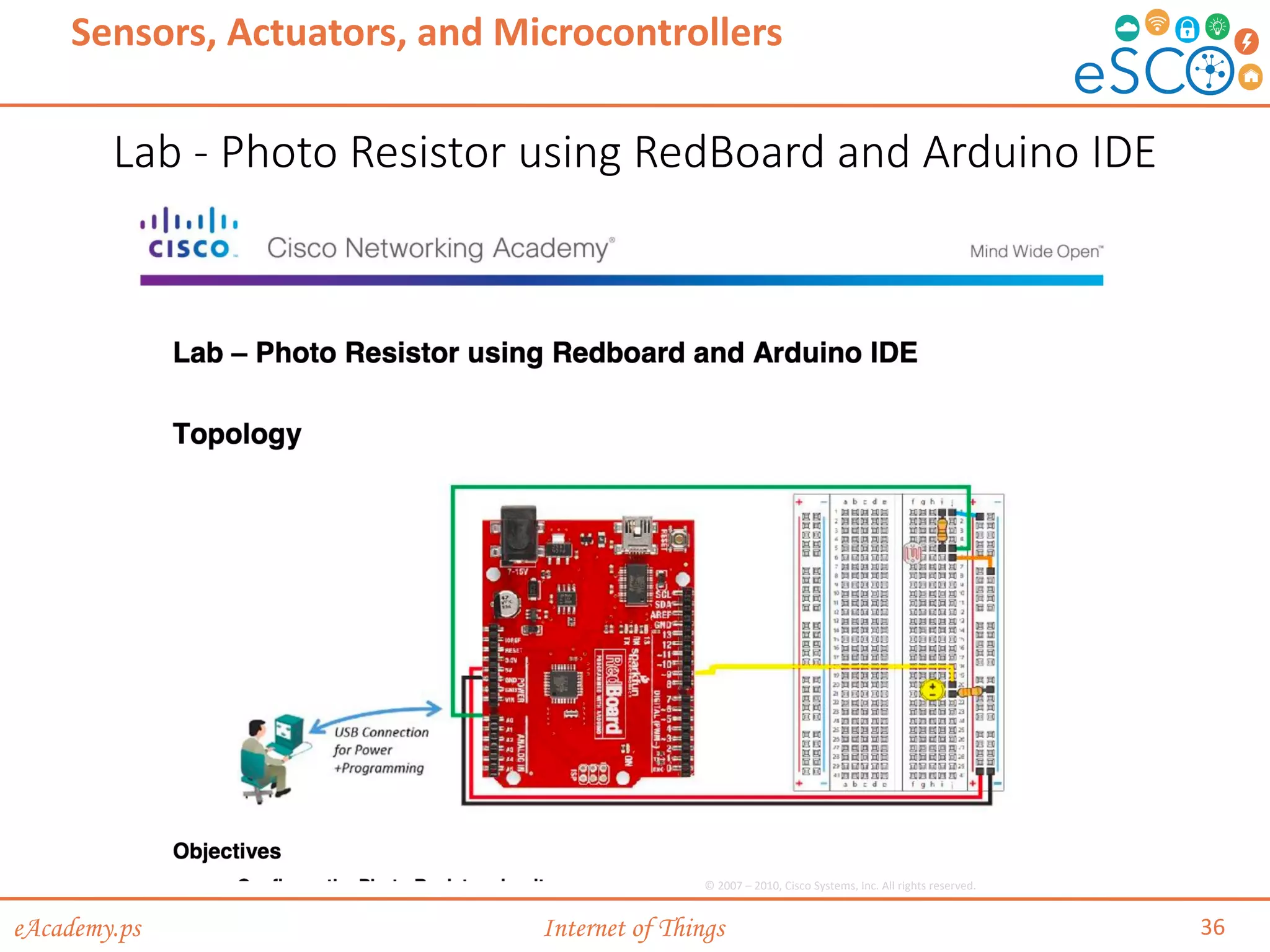
• Lab - Photo Resistor using RedBoard and Arduino IDE
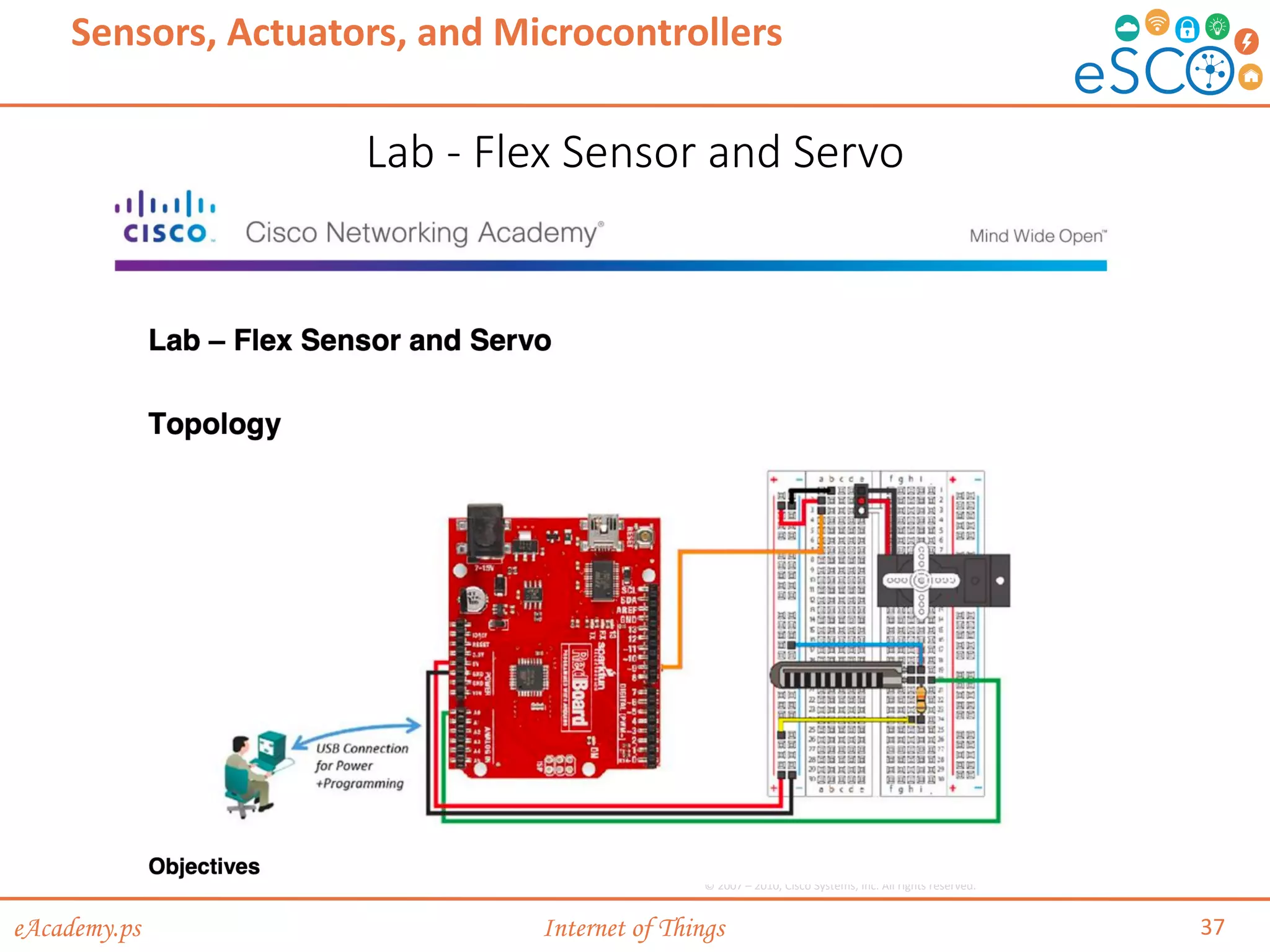
• Lab - Flex Sensor and Servo
• Lab - Relays
• Packet Tracer - Simulating IoT Devices
32
Sensors, Actuators, and Microcontrollers
eAcademy.ps Internet of Things
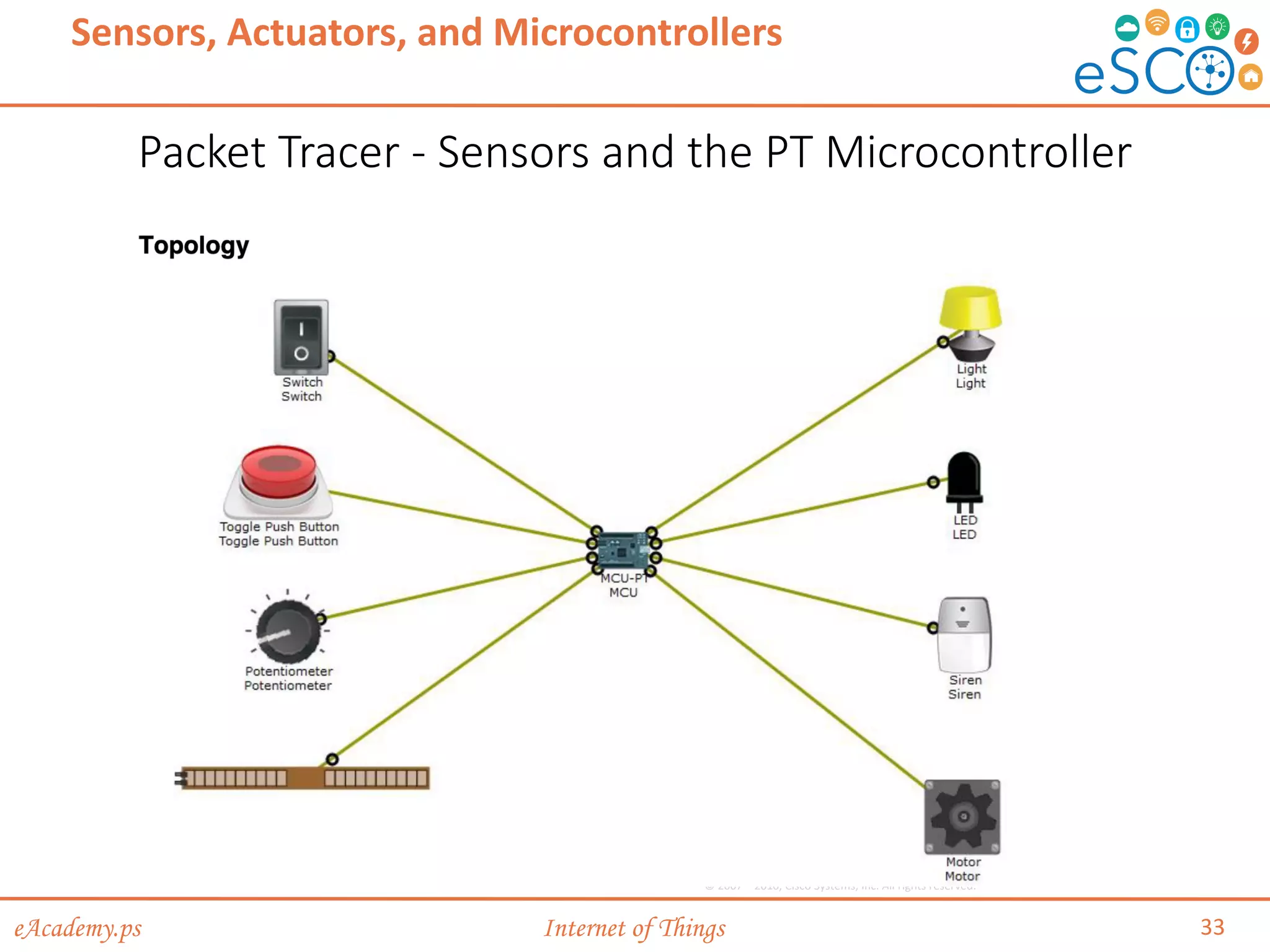
Packet Tracer - Sensors and the PT Microcontroller
33
Sensors, Actuators, and Microcontrollers
© 2007 – 2010, Cisco Systems, Inc. All rights reserved.
eAcademy.ps Internet of Things
Lab - Blinking an LED Using Redboard and Arduino IDE
34
Sensors, Actuators, and Microcontrollers
© 2007 – 2010, Cisco Systems, Inc. All rights reserved.
eAcademy.ps Internet of Things
Lab - RGB LED using RedBoard and Arduino IDE
35
Sensors, Actuators, and Microcontrollers
© 2007 – 2010, Cisco Systems, Inc. All rights reserved.
eAcademy.ps Internet of Things
Lab - Photo Resistor using RedBoard and Arduino IDE
36
Sensors, Actuators, and Microcontrollers
© 2007 – 2010, Cisco Systems, Inc. All rights reserved.
eAcademy.ps Internet of Things
Lab - Flex Sensor and Servo
37
Sensors, Actuators, and Microcontrollers
© 2007 – 2010, Cisco Systems, Inc. All rights reserved.
eAcademy.ps Internet of Things
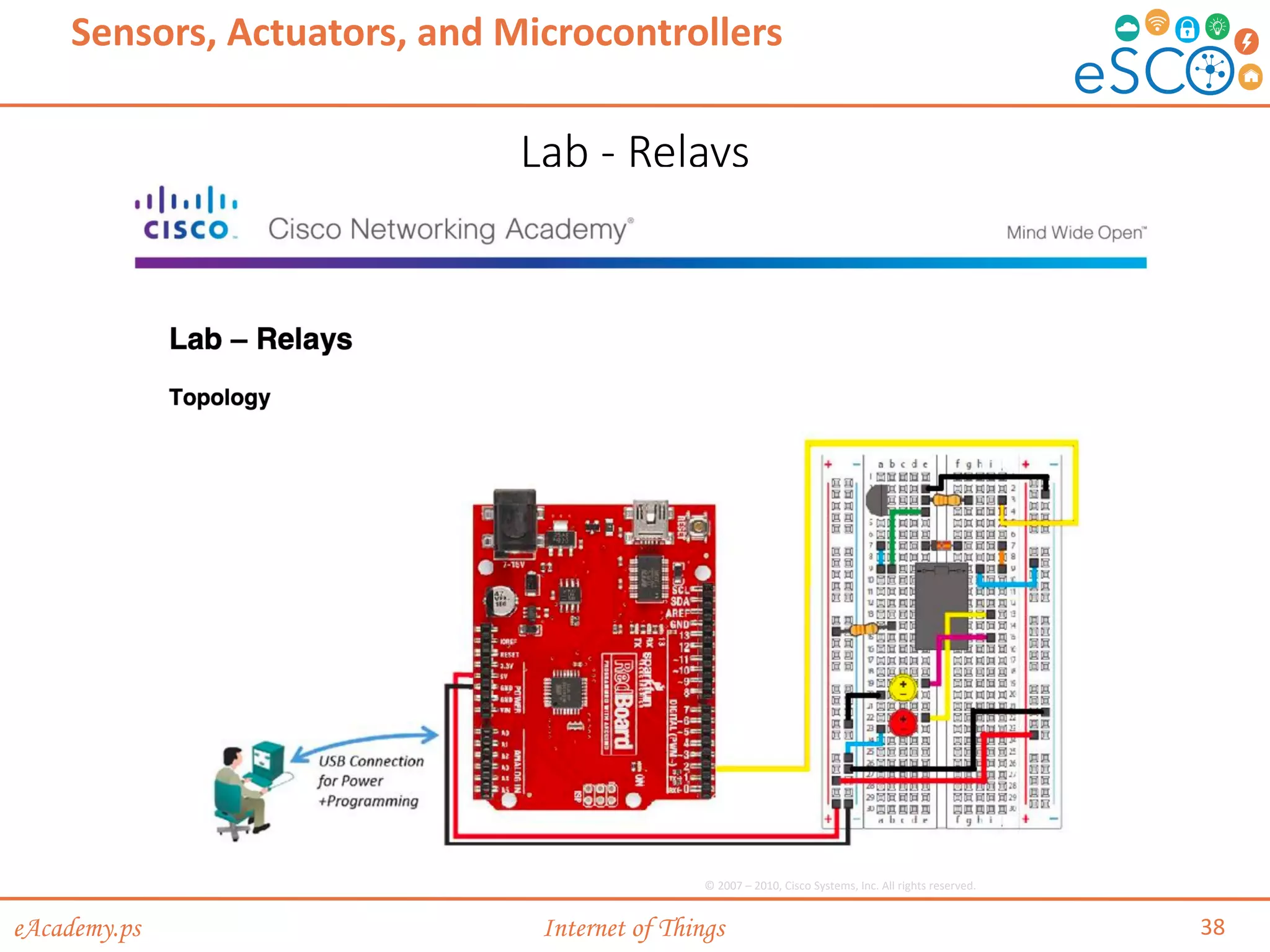
Lab - Relays
38
Sensors, Actuators, and Microcontrollers
© 2007 – 2010, Cisco Systems, Inc. All rights reserved.
eAcademy.ps Internet of Things
References
1. Cisco Networking Academy course: IoT Fundamentals:
Connecting Things version 2.01, Chapter 2.
2. SparkFun Inventor's Kit - V3.2 -
https://www.sparkfun.com/products/retired/12060
40
Sensors, Actuators, and Microcontrollers
eAcademy.ps Internet of Things
Thank you
41
Sensors, Actuators, and Microcontrollers

chp3-Sensors, Actuators, and Microcontroller

  • 1.
    eAcademy.ps Internet ofThings Course: Internet of Things (IoT)
  • 2.
    eAcademy.ps Internet ofThings Course: Internet of Things (IoT) 2 Notes: • This course is heavily based on the Cisco Networking Academy course: IoT Fundamentals: Connecting Things version 2.01. It is recommended to enroll in this course to gain full access to online materials. • Parts of this content is copyrighted by Cisco. • Main changes from original course: • Removed the business canvas model • Added a project instead of the hackathon.
  • 3.
    eAcademy.ps Internet ofThings Session 3 Sensors, Actuators, and Microcontrollers Course: Internet of Things (IoT)
  • 4.
    eAcademy.ps Internet ofThings • 3.1 Introduction to Electronics • 3.2 Microcontrollers: The SparkFun Inventors Kit • 3.3 Packet Tracer 7.x and the IoT • 3.4 Summary 4 Session Outline Sensors, Actuators, and Microcontrollers
  • 5.
    eAcademy.ps Internet ofThings 3.1 Introduction to Electronics 5 Sensors, Actuators, and Microcontrollers
  • 6.
    eAcademy.ps Internet ofThings Basic Electronic Terminology & Concepts 6 Sensors, Actuators, and Microcontrollers Introduction to Electronics • What is Electronics? • Electronics is the field of study focused on the control of electricity and the physical components and circuits that help direct electrical energy. • Definitions (Terms commonly used in electronics): • Electrons, atoms, and chemical elements • Electric current • Electrical conductors, insulators, and circuits • Voltage, Amperes (amps), and Power
  • 7.
    eAcademy.ps Internet ofThings Basic Electronic Terminology & Concepts (Cont.) 7 Sensors, Actuators, and Microcontrollers Introduction to Electronics • Ohm’s Law • Ohm’s Law states that within a circuit, voltage (V) is directly proportional to the strength of current (I) multiplied by resistance (R). • Resistance is measured in ohms (Ω) • Basic Circuit • An electrical circuit is a closed conductive path that allows electrons to flow and create an electric current. • A circuit also needs an electrical energy source like a battery to start the flow of electricity.
  • 8.
    eAcademy.ps Internet ofThings Basic Electronic Terminology & Concepts (Cont.) 8 Sensors, Actuators, and Microcontrollers Introduction to Electronics • Basic Circuit (Cont.) • The following circuit diagram (schematic) consists of: • 6 volt (V) battery provides current • 2.2 kΩ resistor (protects the LED from receiving too much current and being destroyed) • A light-emitting diode (LED) Current (I) flows from the positive terminal to the negative terminal Resistance is measured in ohms (Ω). The triangular part represents a diode and the two arrows facing out represent the fact that this diode emits light. © 2007 – 2010, Cisco Systems, Inc. All rights reserved.
  • 9.
    eAcademy.ps Internet ofThings Advanced Electronic Terminology /Concepts 9 Sensors, Actuators, and Microcontrollers Introduction to Electronics © 2007 – 2010, Cisco Systems, Inc. All rights reserved.
  • 10.
    eAcademy.ps Internet ofThings Advanced Electronic Terminology /Concepts (Cont.) 10 Sensors, Actuators, and Microcontrollers Introduction to Electronics • Passive, Active, Linear, and Nonlinear Circuits • Active circuits contain active components; components that rely on external power source to control current flow. • Passive circuits contain passive components; components incapable of controlling current flow. © 2007 – 2010, Cisco Systems, Inc. All rights reserved.
  • 11.
    eAcademy.ps Internet ofThings Advanced Electronic Terminology /Concepts (Cont.) 11 Sensors, Actuators, and Microcontrollers Introduction to Electronics • Direct Current (DC) vs. Alternating Current (AC) • In DC current, electron flow is only in one direction. • Batteries, power supplies, thermocouples, or solar cells generate DC. • In AC current, electron flow periodically reverses direction. • Hydroelectric plants generate AC.
  • 12.
    eAcademy.ps Internet ofThings Advanced Electronic Terminology /Concepts (Cont.) 12 Sensors, Actuators, and Microcontrollers Introduction to Electronics • Analog Circuits vs. Digital Circuits • Analog Circuits: Circuits in which signals vary continuously with time. • Digital circuits: Circuits in which signals that take one of two discrete values.
  • 13.
    eAcademy.ps Internet ofThings Advanced Electronic Terminology /Concepts (Cont.) 13 Sensors, Actuators, and Microcontrollers Introduction to Electronics • Components • Electronic components are specialized devices used in a circuit to control current. • Components have two or more electrical terminals (leads) that enable them to connect to an electronic circuit.
  • 14.
    eAcademy.ps Internet ofThings Advanced Electronic Terminology /Concepts (Cont.) 14 Sensors, Actuators, and Microcontrollers Introduction to Electronics • Larger Electronic Building Blocks: • Solenoids can be used to electrically open door latches, open or shut valves, move robotic limbs, and even actuate electric switch mechanisms. • Relays allow for controlling a large amount of current and/or voltage with a small electrical signal.
  • 15.
    eAcademy.ps Internet ofThings Lab - The Digital Oscilloscope 15 Sensors, Actuators, and Microcontrollers © 2007 – 2010, Cisco Systems, Inc. All rights reserved.
  • 16.
    eAcademy.ps Internet ofThings From Schematic Diagram to Breadboard to Soldered PCB 16 Sensors, Actuators, and Microcontrollers Introduction to Electronics • Development Phases • Design Phase • Prototype Phase • Production Phase Design Phase Prototype Phase Production Phase
  • 17.
    eAcademy.ps Internet ofThings From Schematic Diagram to Breadboard to Soldered PCB 17 Sensors, Actuators, and Microcontrollers Introduction to Electronics • Design Phase • Consists of three steps: ① Concept, ② Research, ③ Circuit Design. • A circuit diagram shows the components and interconnections of the circuit using standardized symbolic representations. Design Phase Concept Research Circuit Design Prototype Phase Production Phase
  • 18.
    eAcademy.ps Internet ofThings From Schematic Diagram to Breadboard to Soldered PCB 18 Sensors, Actuators, and Microcontrollers Introduction to Electronics Design Phase Prototype Phase Hardware, Mechanical, and Software Development PCB layout Build prototypes Product Testing Production Phase • Prototype Phase • Consists of four steps: ① Hardware, Mechanical, and Software Development, ② PCB layout, ③ Build prototypes, ④ Product Testing. • A solderless breadboard is a tool commonly used in electronic prototyping.
  • 19.
    eAcademy.ps Internet ofThings From Schematic Diagram to Breadboard to Soldered PCB 19 Sensors, Actuators, and Microcontrollers Introduction to Electronics • Production Phase • Consists of three steps: ① Production Readiness Review, ② Production, ③ On-going Maintenance. • Often employ on printed circuit boards (PCBs). Design Phase Prototype Phase Production Phase Production Readiness Review Production On-going Maintenance
  • 20.
    eAcademy.ps Internet ofThings Lab - Designing a Circuit from Start to Finish 20 Sensors, Actuators, and Microcontrollers © 2007 – 2010, Cisco Systems, Inc. All rights reserved.
  • 21.
    eAcademy.ps Internet ofThings 3.2 Microcontrollers: The SparkFun Inventors Kit 21 Sensors, Actuators, and Microcontrollers
  • 22.
    eAcademy.ps Internet ofThings Introduction to the SparkFun Inventor’s Kit (SIK) 22 Sensors, Actuators, and Microcontrollers Microcontrollers: The SparkFun Inventors Kit • This is a starter kit for building circuits and includes: • Solderless breadboard • SparkFun RedBoard (Arduino-like board) • Various resistors, diodes, LEDs, sensors and actuators • Connecting wires (jumper wires, mini-B cable, …)
  • 23.
    eAcademy.ps Internet ofThings Sensing the Environment 23 Sensors, Actuators, and Microcontrollers Microcontrollers: The SparkFun Inventors Kit • Sensors • Devices that detect an event from the physical environment and respond with electrical or optical signals as output. • The SIK contains various sensors including Soft potentiometer, Flex sensor, Photo resistor and Temperature sensor.
  • 24.
    eAcademy.ps Internet ofThings Making it Happen 24 Sensors, Actuators, and Microcontrollers Microcontrollers: The SparkFun Inventors Kit • Actuators and Relays • An actuator is a type of motor that is responsible for creating movement. • The SIK includes two types of electric actuators that convert electrical energy into mechanical torque. • A relay is an electrically controlled mechanical switch. • The SIK includes a plastic box that contains an electromagnet that causes a switch to trip when it receives a current.
  • 25.
    eAcademy.ps Internet ofThings Arduino Microcontroller 25 Sensors, Actuators, and Microcontrollers Microcontrollers: The SparkFun Inventors Kit • The Arduino is a popular microcontroller for prototyping. • Instructions for the Arduino are programmed using the Arduino integrated development environment (IDE). • The SparkFun RedBoard is an Arduino-like board that can be programmed using Arduino IDE.
  • 26.
    eAcademy.ps Internet ofThings Simple Circuits 26 Sensors, Actuators, and Microcontrollers Microcontrollers: The SparkFun Inventors Kit • A simple circuit can be created by: • Connecting electronic components (LED, resistor, and jumper wires) in series along a row on the breadboard. • Connecting the power source to the lower red and black jumper wires. • This should complete the circuit and light the LED.
  • 27.
    eAcademy.ps Internet ofThings The Arduino IDE 27 Sensors, Actuators, and Microcontrollers Microcontrollers: The SparkFun Inventors Kit • Free, downloadable software used to interact with the Arduino board.
  • 28.
    eAcademy.ps Internet ofThings The Arduino IDE (Cont.) 28 Sensors, Actuators, and Microcontrollers Microcontrollers: The SparkFun Inventors Kit • Writing code • Programs written using the Arduino IDE are called sketches and are saved with the file extension of .ino. • Arduino sketch keywords can be divided in three main category types: structures, values (variables and constants), and functions. • Keywords used include void, setup(), loop() function, and more. • Testing • To test and verify the sketch code, click on the checkmark toolbar icon. • The IDE compiles the code and checks for syntax errors. • To upload the sketch to the Arduino and test the code, click on the second toolbar icon (ð)
  • 29.
    eAcademy.ps Internet ofThings 3.3 Packet Tracer 7.x and the IoT 29 Sensors, Actuators, and Microcontrollers
  • 30.
    eAcademy.ps Internet ofThings How Everything Connects in PT 30 Sensors, Actuators, and Microcontrollers Packet Tracer 7.x and the IoT • Packet Tracer 7.x can be used as a prototyping tool. • There is a new group icon contained in Packet Tracer version 7.1 that is labeled Components. • The PT IoT boards contains an MCU and a SBC. • The MCU and SBC are similar to an Arduino and a Raspberry Pi, respectively. • There are also actuators and sensors that can be used in prototypes. • The IoE Custom Cable found in the Connections group can be used to connect IoT things to an MCU board.
  • 31.
    eAcademy.ps Internet ofThings 3.4 Summary 31 Sensors, Actuators, and Microcontrollers • Electronics is an important part of the IoT. • IoT devices are often built from scratch; therefore, understanding electronics concepts, components and terminology is critical. It is also important for an IoT professional to be able to read and create electronics schematics. • The SparkFun kit contains a number of devices and parts to help a beginner to get started with electronics and microcontrollers. It also introduces important concepts such as electronic circuits and how to program Arduino microcontrollers. Working with the kit, a beginner can also learn how to program sensors to monitor the environment. Actuators and relays are often used to influence the environment or create action. • Students can use Cisco Packet Tracer 7.x as a tool for modeling and prototyping IoT systems.
  • 32.
    eAcademy.ps Internet ofThings Activities • Lab - The Digital Oscilloscope • Lab - Designing a Circuit from Start to Finish • Lab - Blinking an LED Using Redboard and Arduino IDE • Lab - RGB LED using RedBoard and Arduino IDE • Lab - Photo Resistor using RedBoard and Arduino IDE • Lab - Flex Sensor and Servo • Lab - Relays • Packet Tracer - Simulating IoT Devices 32 Sensors, Actuators, and Microcontrollers
  • 33.
    eAcademy.ps Internet ofThings Packet Tracer - Sensors and the PT Microcontroller 33 Sensors, Actuators, and Microcontrollers © 2007 – 2010, Cisco Systems, Inc. All rights reserved.
  • 34.
    eAcademy.ps Internet ofThings Lab - Blinking an LED Using Redboard and Arduino IDE 34 Sensors, Actuators, and Microcontrollers © 2007 – 2010, Cisco Systems, Inc. All rights reserved.
  • 35.
    eAcademy.ps Internet ofThings Lab - RGB LED using RedBoard and Arduino IDE 35 Sensors, Actuators, and Microcontrollers © 2007 – 2010, Cisco Systems, Inc. All rights reserved.
  • 36.
    eAcademy.ps Internet ofThings Lab - Photo Resistor using RedBoard and Arduino IDE 36 Sensors, Actuators, and Microcontrollers © 2007 – 2010, Cisco Systems, Inc. All rights reserved.
  • 37.
    eAcademy.ps Internet ofThings Lab - Flex Sensor and Servo 37 Sensors, Actuators, and Microcontrollers © 2007 – 2010, Cisco Systems, Inc. All rights reserved.
  • 38.
    eAcademy.ps Internet ofThings Lab - Relays 38 Sensors, Actuators, and Microcontrollers © 2007 – 2010, Cisco Systems, Inc. All rights reserved.
  • 39.
    eAcademy.ps Internet ofThings References 1. Cisco Networking Academy course: IoT Fundamentals: Connecting Things version 2.01, Chapter 2. 2. SparkFun Inventor's Kit - V3.2 - https://www.sparkfun.com/products/retired/12060 40 Sensors, Actuators, and Microcontrollers
  • 40.
    eAcademy.ps Internet ofThings Thank you 41 Sensors, Actuators, and Microcontrollers