Presented By
Sindhu VL
 The choice flow control dynamically routes
messages based on message payload or
properties. It adds conditional programming to a
flow, similar to an if/then/elsecode block.
 A choice flow control uses expressions to
evaluate the content of a message, then it
routes the message to one of the routing
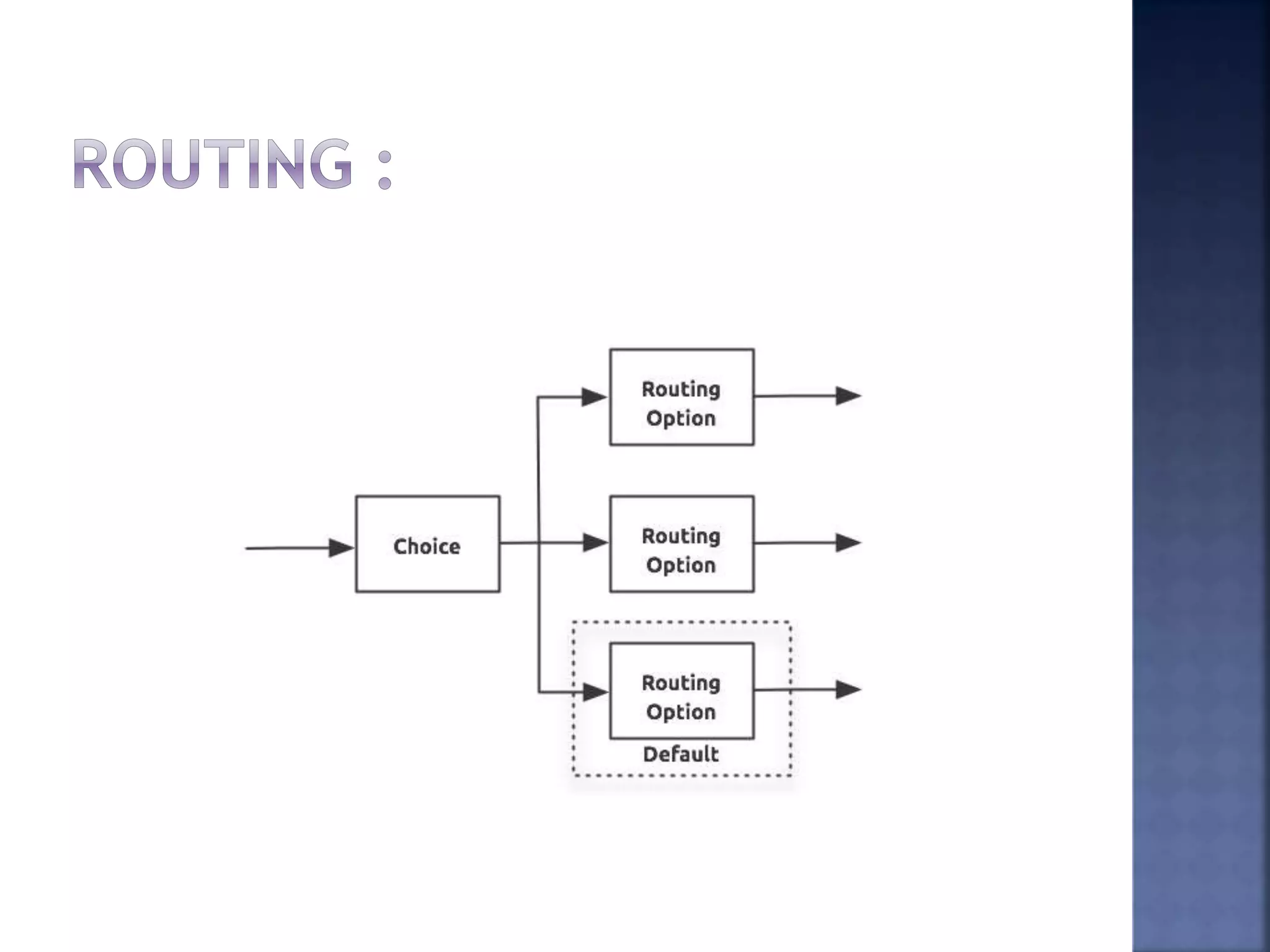
options within its scope (see image below). It
directs messages to the first routing option in
the scope that matches the routing
configurations (evaluates to true). If none of
expressions evaluate to true, the choice flow
control directs the message to the default (else)
route.
 To configure the choice flow control, you
need to determine the following message
routing details:
 Content the choice flow router should
evaluate to determine routing
 Number of routing options with which to
supply the choice flow control
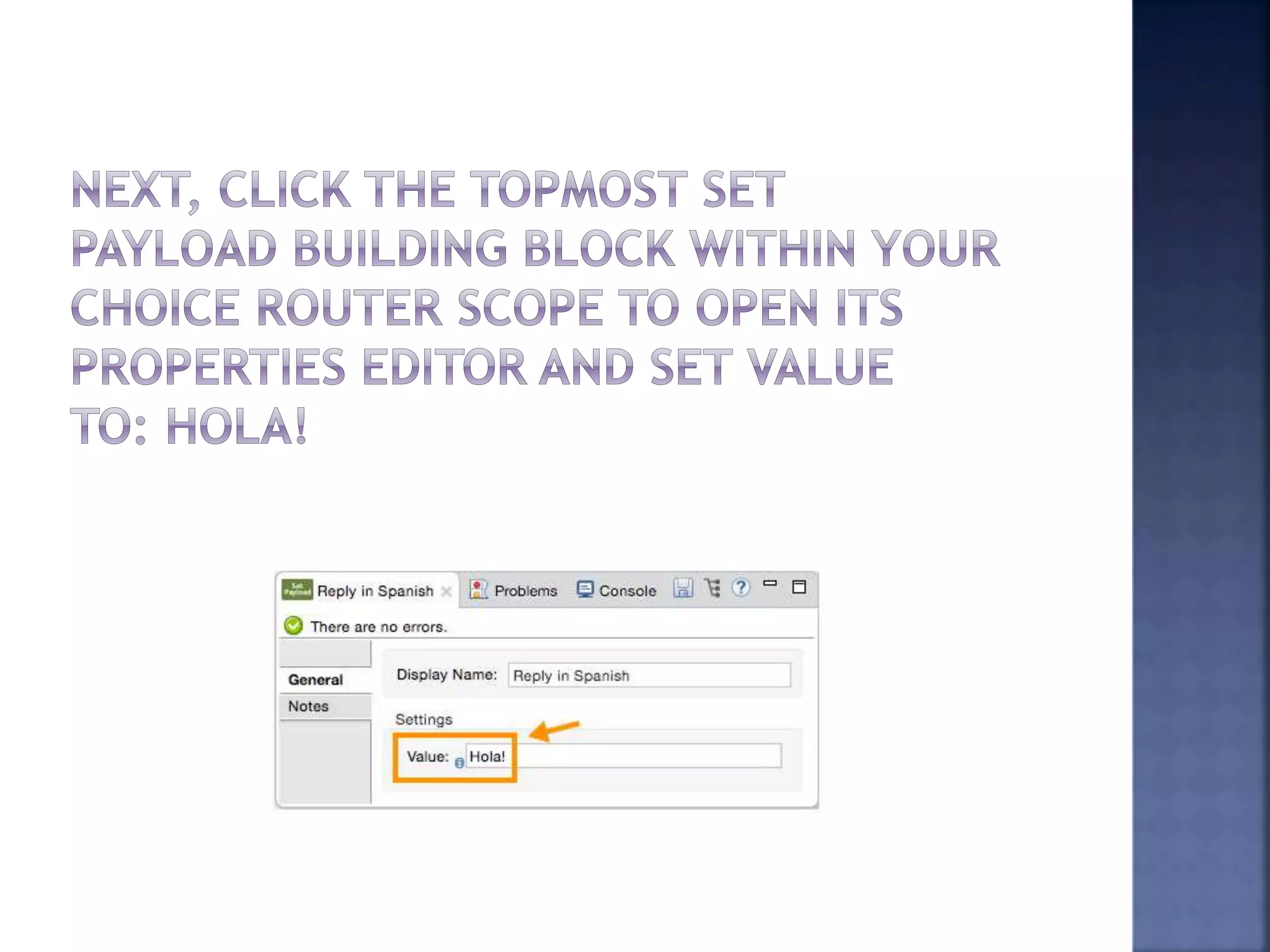
 What processing Mule should perform for
each routing option
 Default routing option
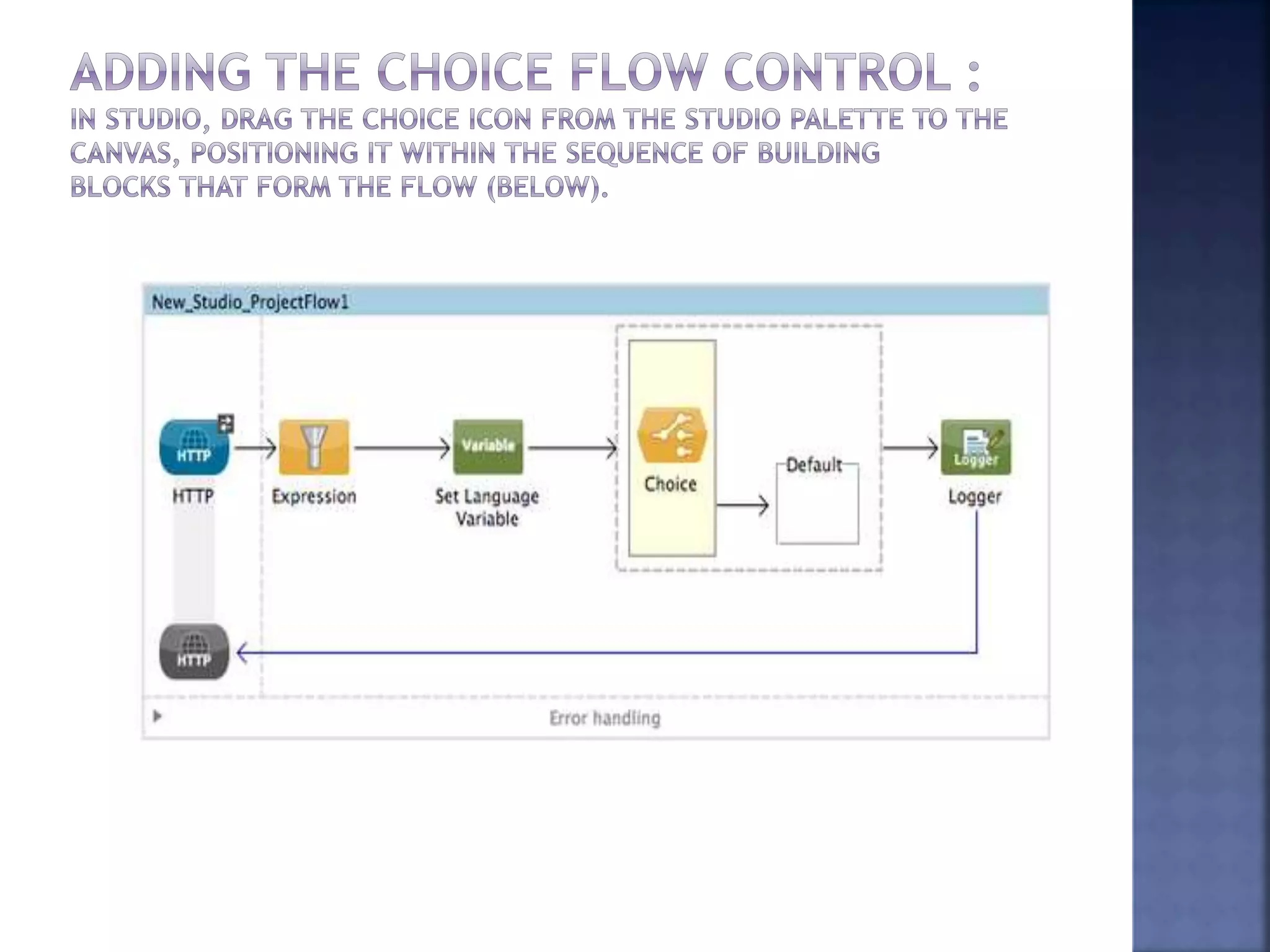
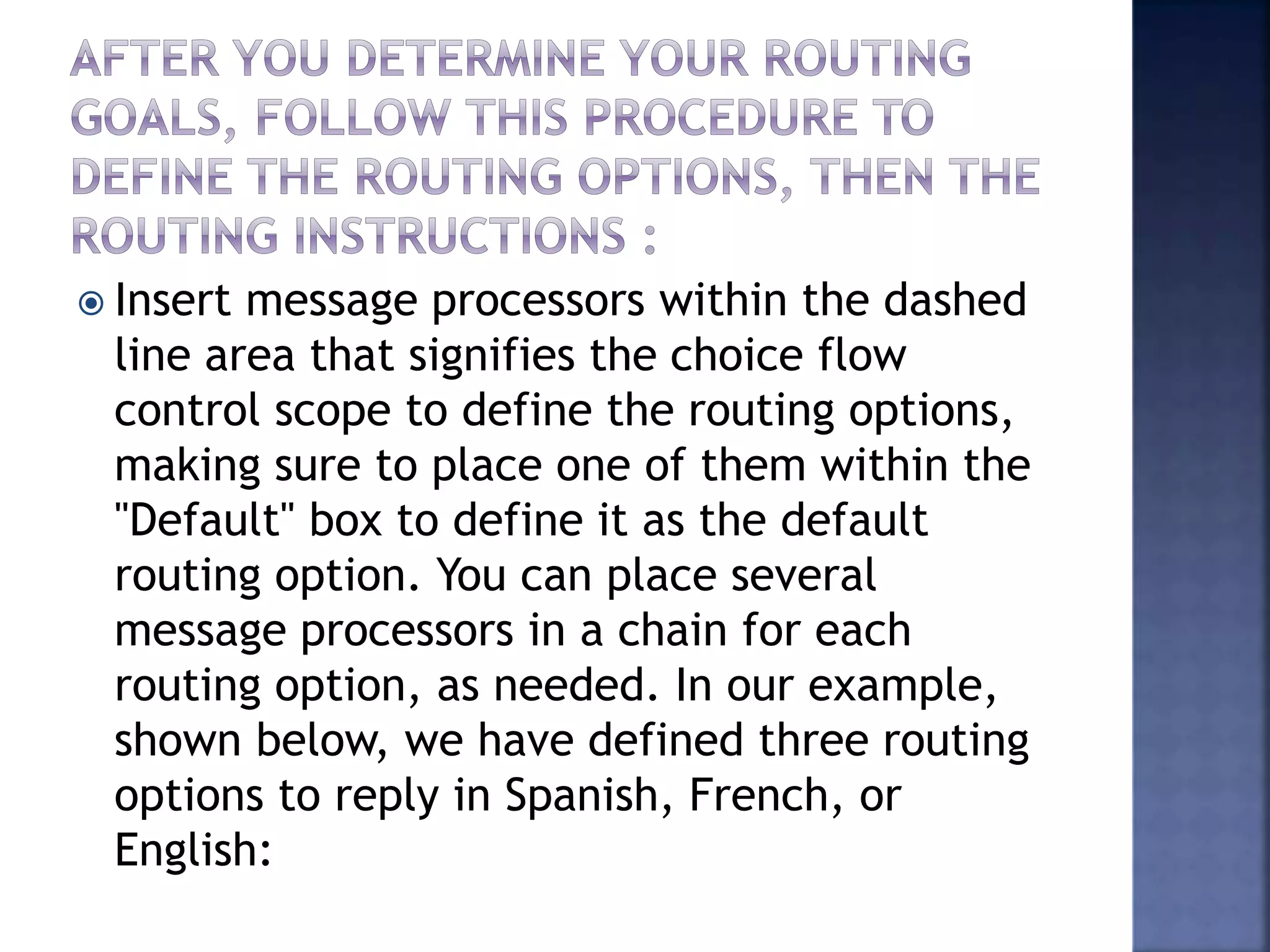
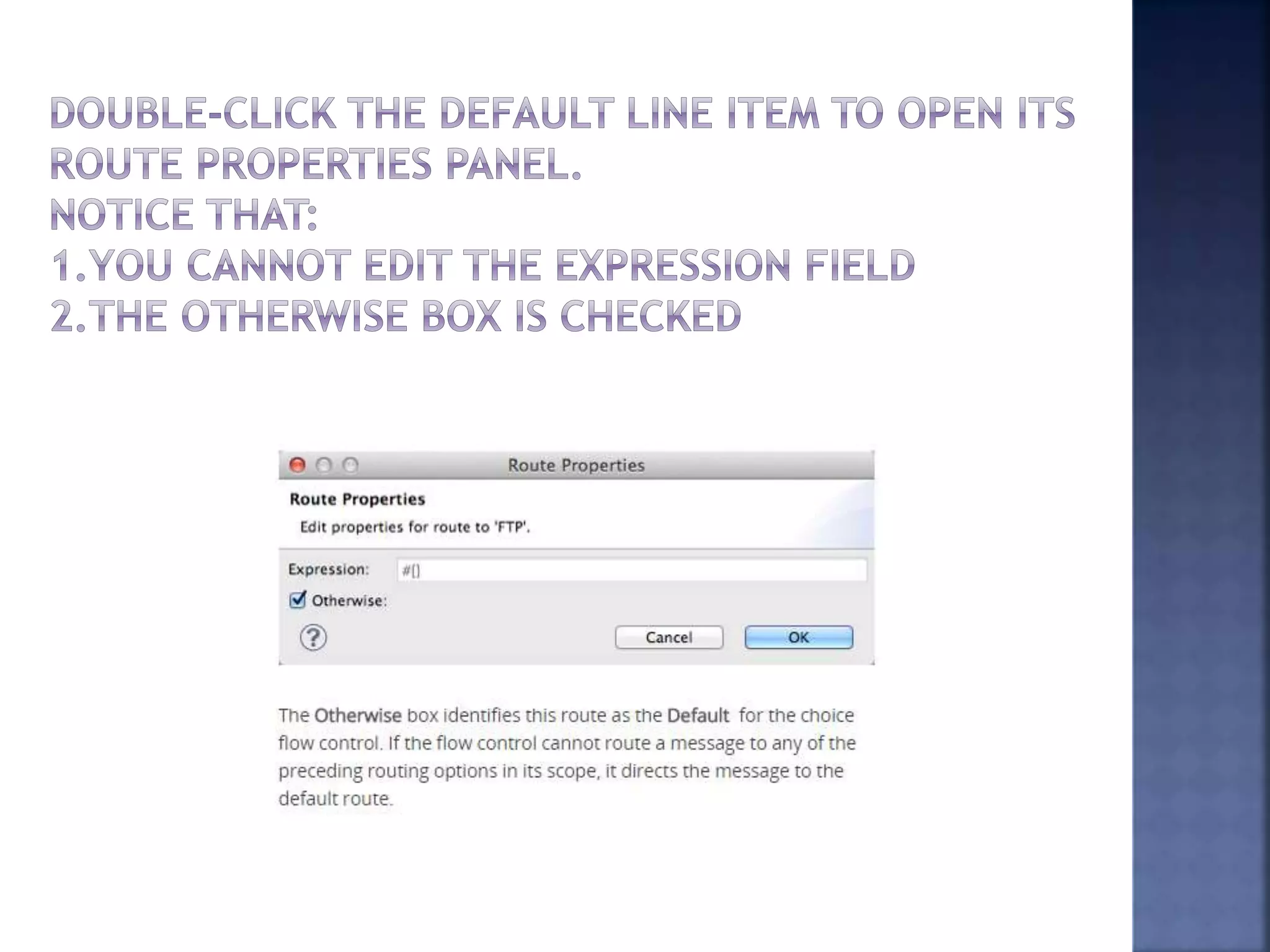
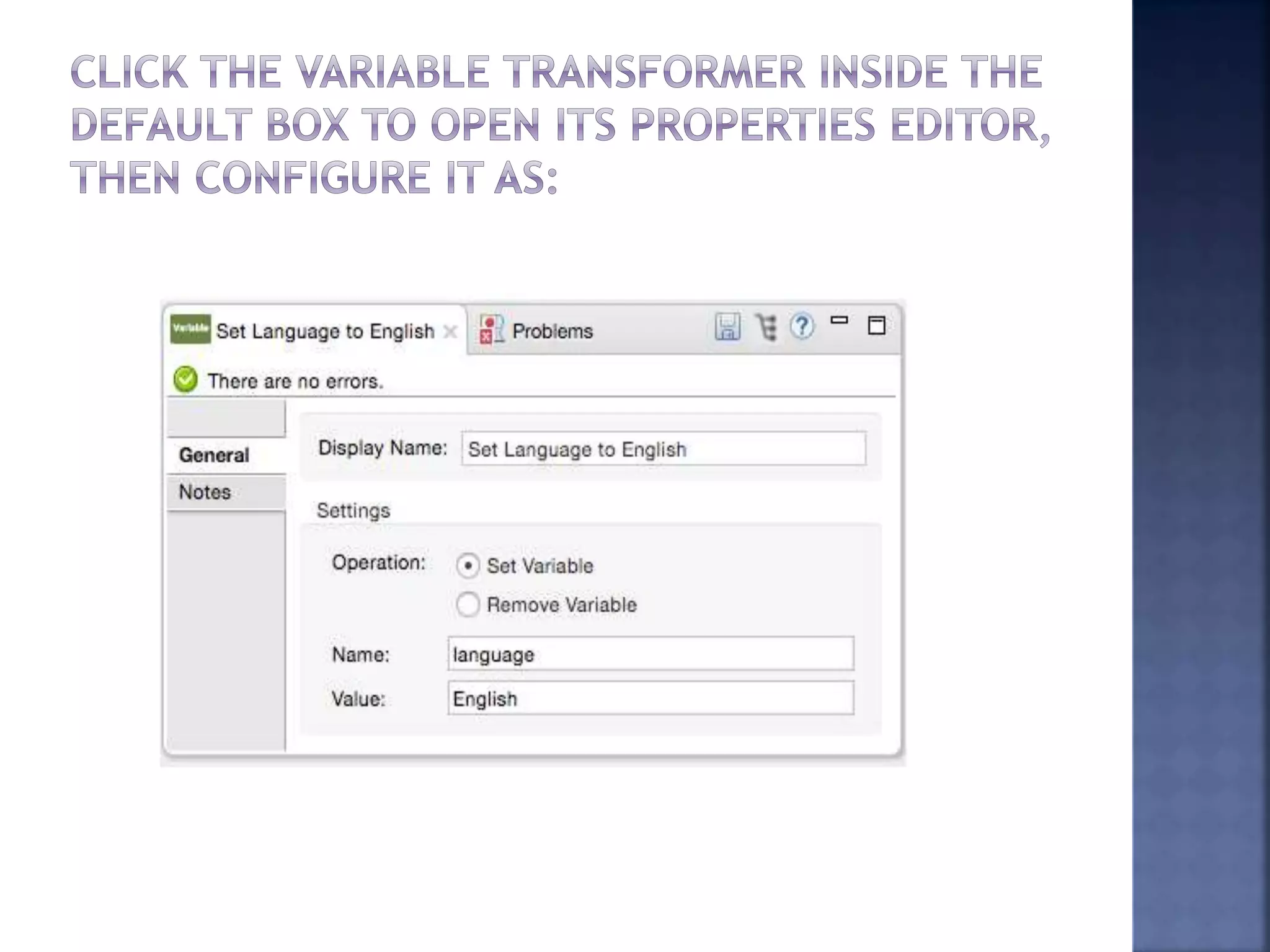
 Insert message processors within the dashed
line area that signifies the choice flow
control scope to define the routing options,
making sure to place one of them within the
"Default" box to define it as the default
routing option. You can place several
message processors in a chain for each
routing option, as needed. In our example,
shown below, we have defined three routing
options to reply in Spanish, French, or
English:
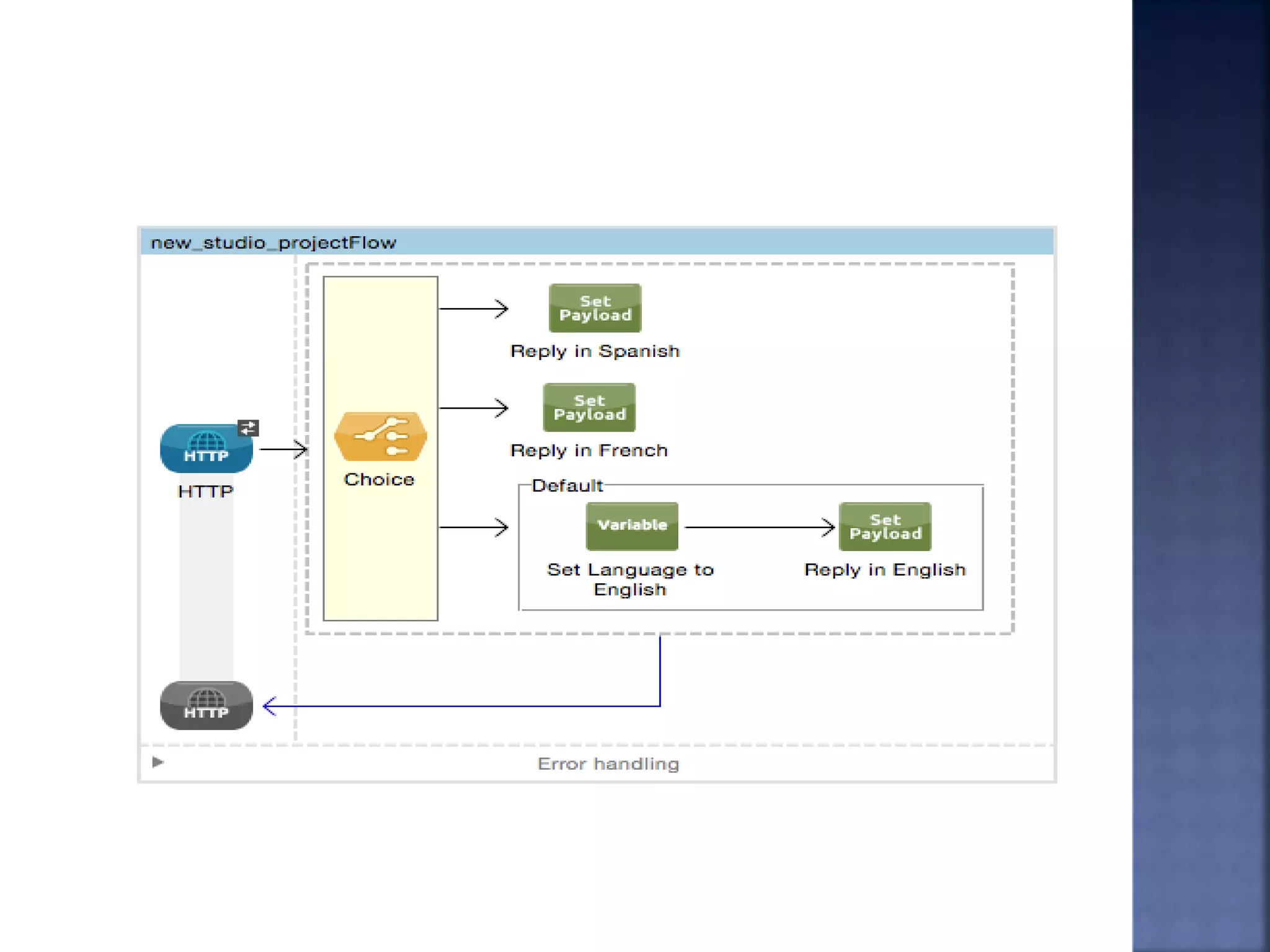
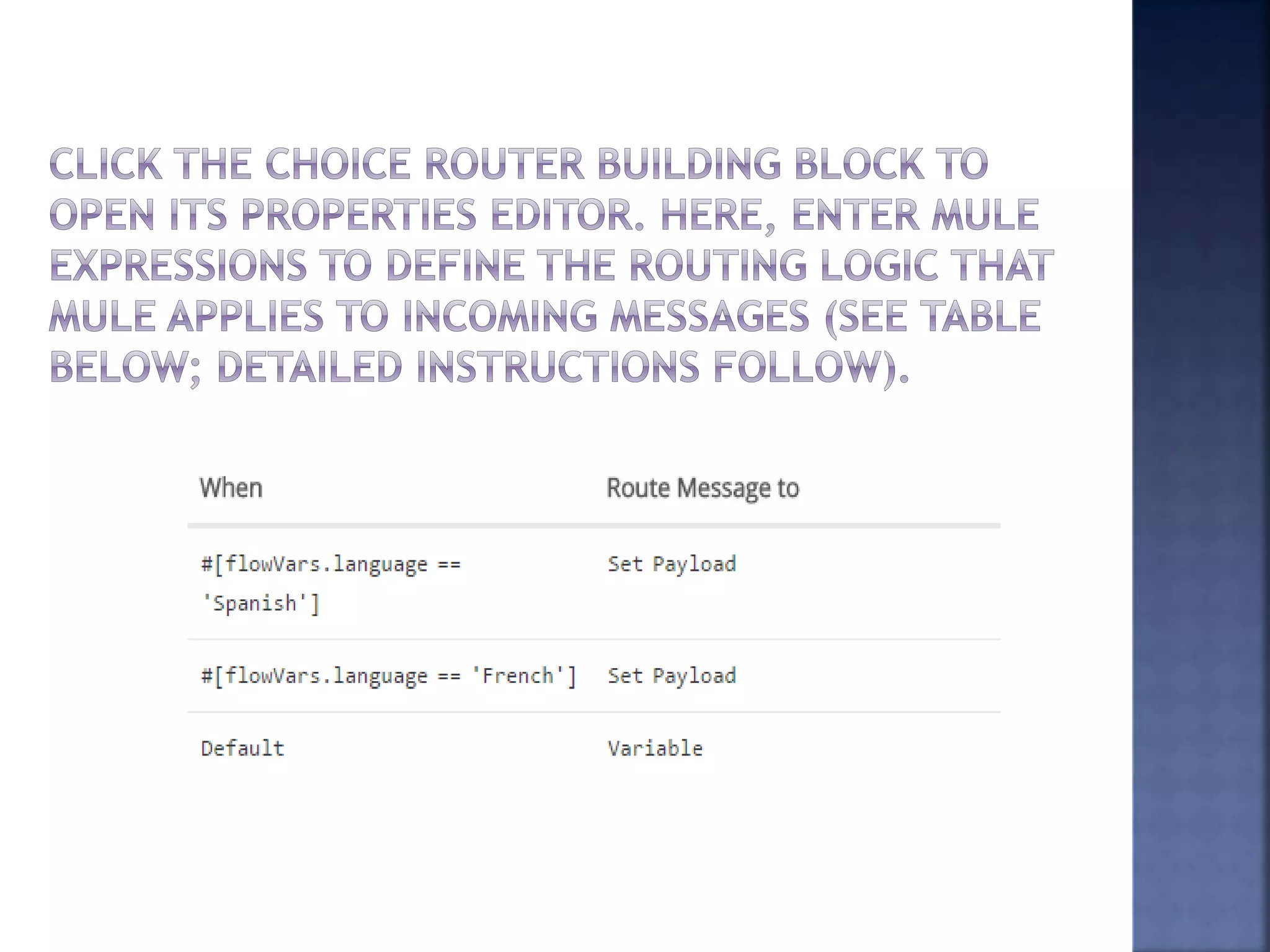
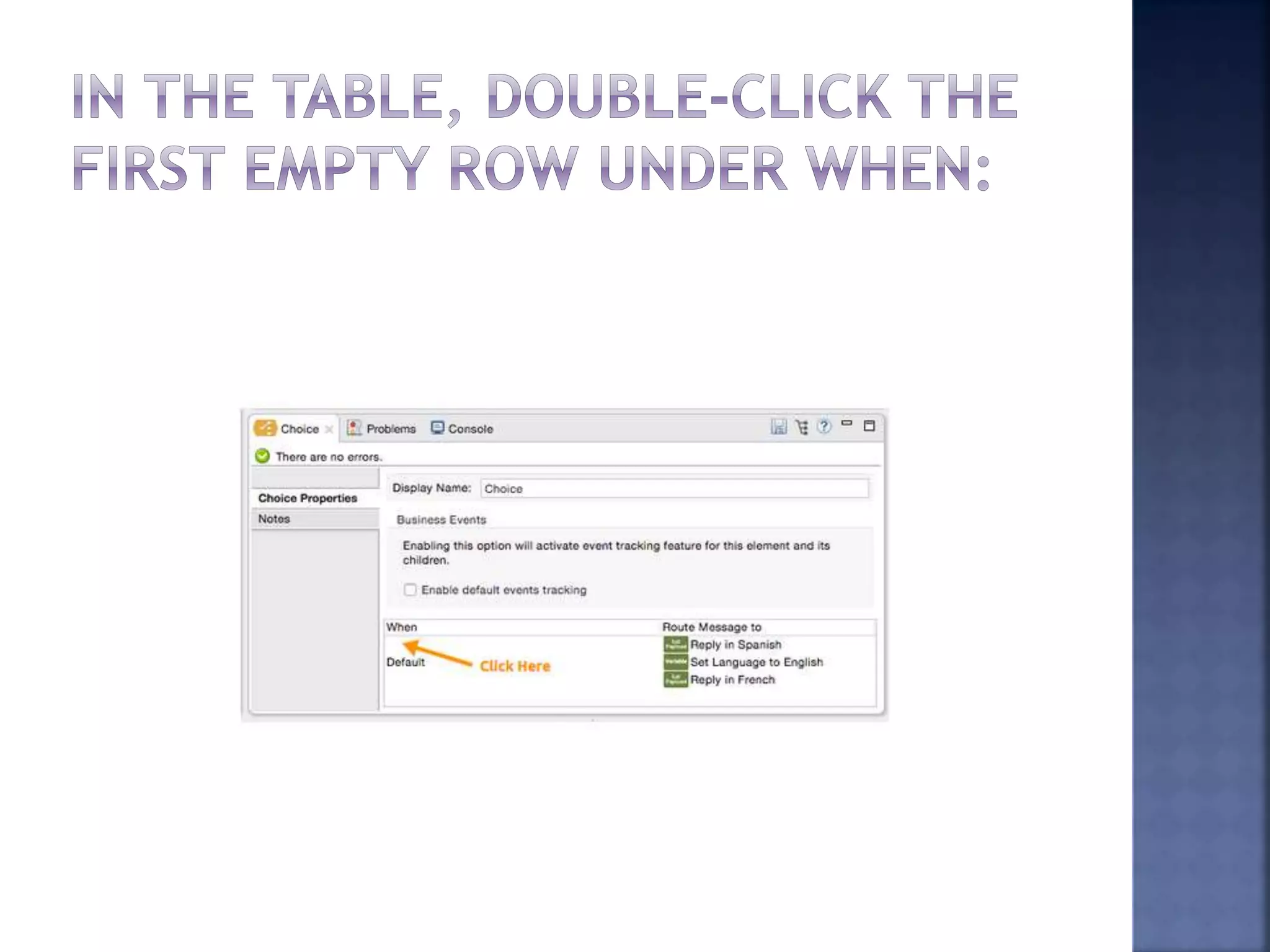
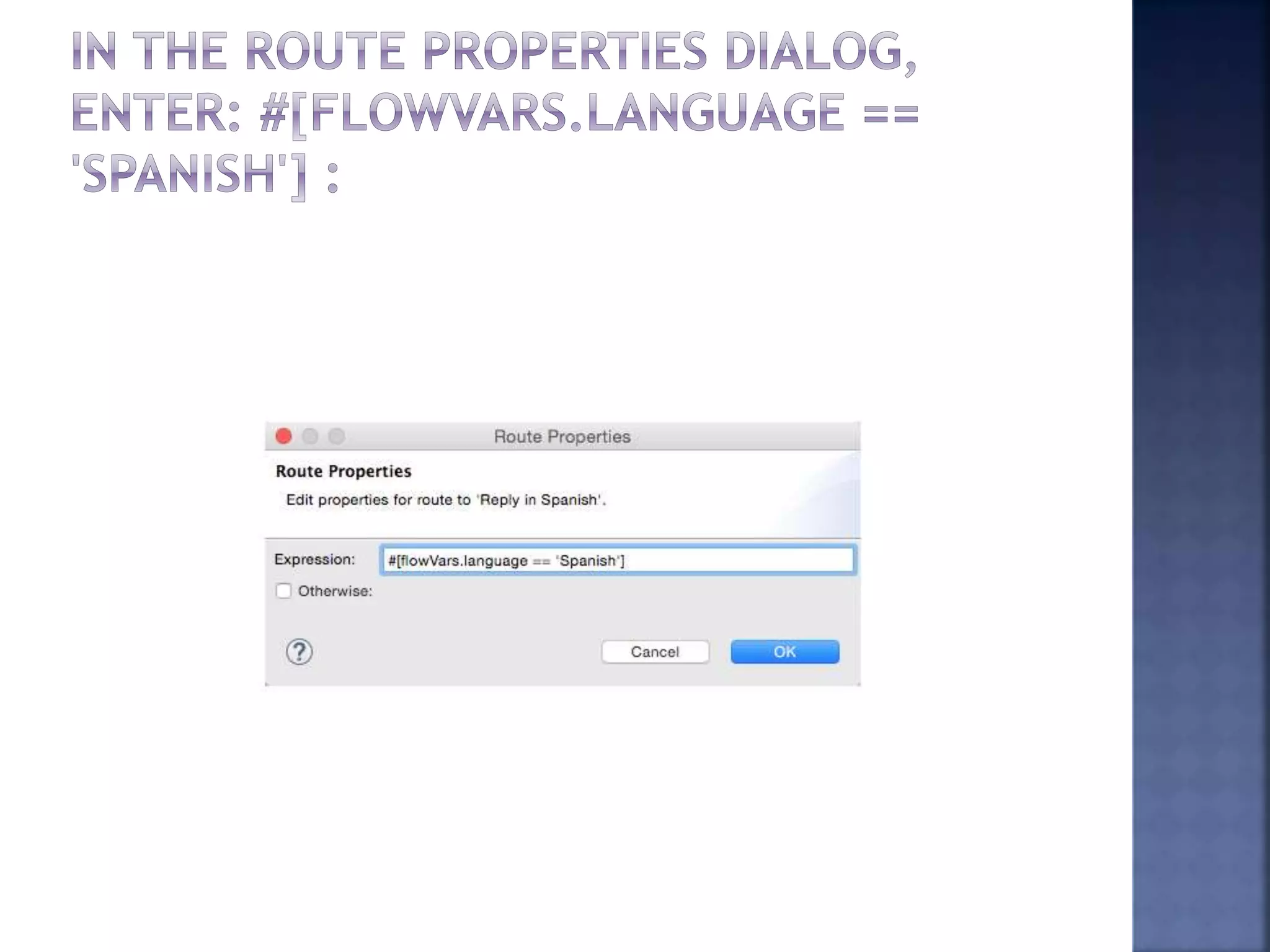
 Click OK. This expression tells Mule to look for a
flow variable calledlanguage on the incoming
message and check whether it equals Spanish. If
this expression evaluates to true, Mule routes the
message to the message processor in that path.
 Click the next empty row, and
enter: #[flowVars.language == 'French']
 Just as in the previous row, this expression tells
Mule to look for a flow variable called language on
the incoming message. This time, the expression
indicates Mule should check
whether language equals French. If this expression
evaluates to true, Mule routes the message to the
message processor in that path.
 Click OK to save the routing configurations.
ThankYou!!!!!!

Choice router mule

  • 1.
  • 2.
     The choiceflow control dynamically routes messages based on message payload or properties. It adds conditional programming to a flow, similar to an if/then/elsecode block.  A choice flow control uses expressions to evaluate the content of a message, then it routes the message to one of the routing options within its scope (see image below). It directs messages to the first routing option in the scope that matches the routing configurations (evaluates to true). If none of expressions evaluate to true, the choice flow control directs the message to the default (else) route.
  • 5.
     To configurethe choice flow control, you need to determine the following message routing details:  Content the choice flow router should evaluate to determine routing  Number of routing options with which to supply the choice flow control  What processing Mule should perform for each routing option  Default routing option
  • 6.
     Insert messageprocessors within the dashed line area that signifies the choice flow control scope to define the routing options, making sure to place one of them within the "Default" box to define it as the default routing option. You can place several message processors in a chain for each routing option, as needed. In our example, shown below, we have defined three routing options to reply in Spanish, French, or English:
  • 11.
     Click OK.This expression tells Mule to look for a flow variable calledlanguage on the incoming message and check whether it equals Spanish. If this expression evaluates to true, Mule routes the message to the message processor in that path.  Click the next empty row, and enter: #[flowVars.language == 'French']  Just as in the previous row, this expression tells Mule to look for a flow variable called language on the incoming message. This time, the expression indicates Mule should check whether language equals French. If this expression evaluates to true, Mule routes the message to the message processor in that path.  Click OK to save the routing configurations.
  • 16.