Downloaded 51 times

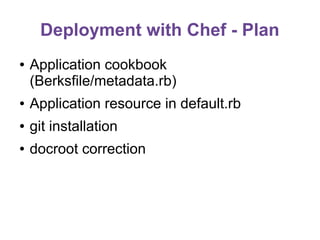
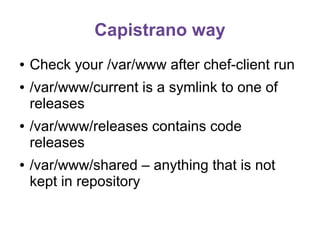
![Example of solution
webserver/attributes/default.rb:
default['apache']['docroot_dir'] = "/var/www/current"
webserver/recipes/default.rb:
package "git"
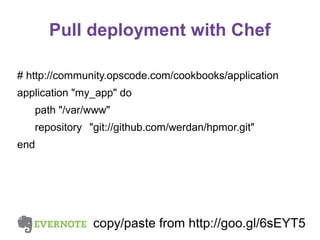
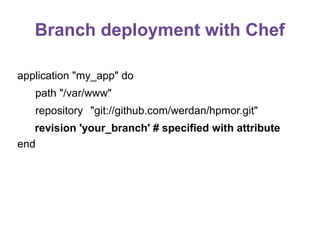
application "my_app" do
path "/var/www"
repository "https://github.com/werdan/hpmor.git"
end](https://image.slidesharecdn.com/chefday4-131211100722-phpapp01/85/Chef-training-Day4-7-320.jpg)
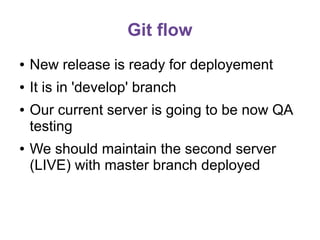
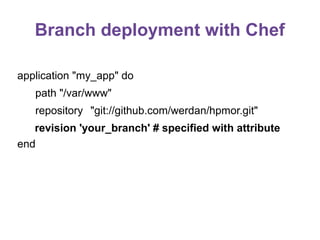
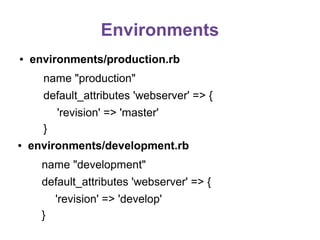
![Environments
LIVE server
run_list: role[node]
recipes: recipe[webserver]
git_branch: master
DEV server
run_list: role[node]
recipes: recipe[webserver]
git_branch: develop](https://image.slidesharecdn.com/chefday4-131211100722-phpapp01/85/Chef-training-Day4-10-320.jpg)
![Default attribute value
●
webserver/attributes/default.rb
default['webserver']['revision'] = 'master'](https://image.slidesharecdn.com/chefday4-131211100722-phpapp01/85/Chef-training-Day4-13-320.jpg)
![Environments
LIVE server
run_list: role[node]
recipes: recipe[webserver]
templates: no patch
DEV server
run_list: role[node]
recipes: recipe[webserver]
templates: with patch!](https://image.slidesharecdn.com/chefday4-131211100722-phpapp01/85/Chef-training-Day4-19-320.jpg)
![Vagrant provision
chef-repo/Vagrantfile
Vagrant.configure("2") do |config|
config.vm.hostname = "webserver"
config.vm.box = "webserver"
config.vm.box_url =
"http://grahamc.com/vagrant/ubuntu-12.04-omnibus-chef.box"
config.vm.network :public_network
config.berkshelf.berksfile_path = "Berksfile"
config.berkshelf.enabled = true
config.vm.provision :chef_solo do |chef|
chef.run_list = [
]
chef.data_bags_path = "data_bags"
chef.roles_path = "roles"
chef.add_role("node")
chef.environments_path = "environments"
chef.environment = 'production'
end
end](https://image.slidesharecdn.com/chefday4-131211100722-phpapp01/85/Chef-training-Day4-24-320.jpg)
![Vagrant provision - chef-solo
●
No API (no databag search , for instance)
●
No cookbook version pin in environment
●
No persistent attributes (normal[..][..])](https://image.slidesharecdn.com/chefday4-131211100722-phpapp01/85/Chef-training-Day4-25-320.jpg)
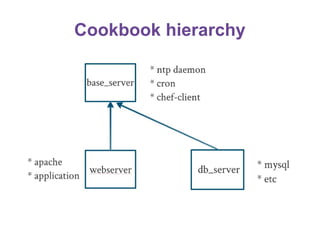
![base_server
●
●
●
Create new cookbook with Berks
cd cookbooks
berks cookbook base_server
Add base_server to Berskfile
Include dependences on
apt, ntp, chef-client, cron, openssh
●
Include base_server to role[node] run_list](https://image.slidesharecdn.com/chefday4-131211100722-phpapp01/85/Chef-training-Day4-27-320.jpg)
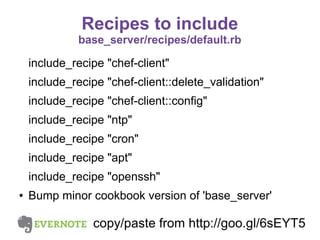
![base_server configuration
default[:openssh][:server][:password_authentication] = 'no'
default[:openssh][:server][:allow_agent_forwarding] = 'yes'
default[:openssh][:server][:allow_tcp_forwarding] = 'no'
default[:openssh][:server][:use_dns] = 'no'
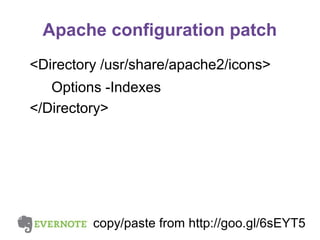
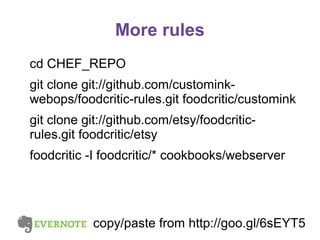
copy/paste from http://goo.gl/6sEYT5](https://image.slidesharecdn.com/chefday4-131211100722-phpapp01/85/Chef-training-Day4-29-320.jpg)
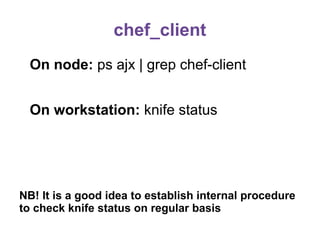
![chef_restart
include_recipe "cron"
cron "Chef: Node-specific cronjobs: chef-client-restart" do
minute "#{node[:chef_restart_minute] ||= rand(59)}"
hour "#{node[:chef_restart_hour] ||= rand(23)}"
day "*"
month "*"
weekday "*"
command "ps ax | grep -q [c]hef-client &&
sleep $(( $RANDOM % 1800 )) &&
invoke-rc.d chef-client restart >/dev/null 2>&1"
user "root"
end](https://image.slidesharecdn.com/chefday4-131211100722-phpapp01/85/Chef-training-Day4-31-320.jpg)
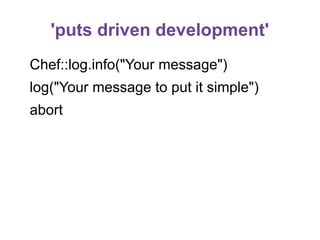
![Debugging with Chef
sudo chef-client -ldebug -Fdoc
sudo chef-client --why-run
sudo chef-client -o recipe['apache2::mod_dav']](https://image.slidesharecdn.com/chefday4-131211100722-phpapp01/85/Chef-training-Day4-35-320.jpg)
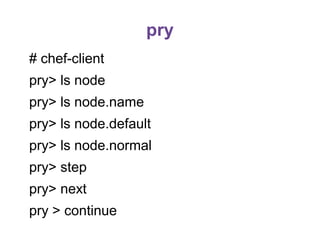
![chef-shell
# chef-shell -z
chef> run_chef
chef> chef_run.skip_back 40
chef> chef_run.step
chef> node['apache']['dir']](https://image.slidesharecdn.com/chefday4-131211100722-phpapp01/85/Chef-training-Day4-37-320.jpg)

The document outlines various practices and configurations for deploying applications using Chef, including strategies for pull deployment versus push deployment, handling environments, and utilizing resources like Berkshelf and Vagrant. It emphasizes the importance of maintaining stable live servers while handling branching and version control through Git, alongside configurations for server setups. Additionally, it discusses tools for debugging and testing Chef code, emphasizing best practices for both development and production environments.


