Chef 0.8, Knife & EC2
      The Bleeding Edge
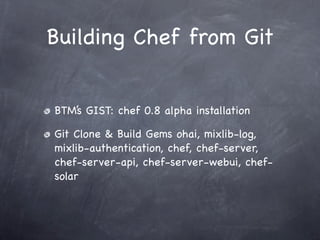
Building Chef from Git


BTM’s GIST: chef 0.8 alpha installation

Git Clone & Build Gems ohai, mixlib-log,
mixlib-authentication, chef, chef-server,
chef-server-api, chef-server-webui, chef-
solar
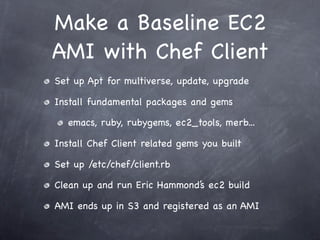
Make a Baseline EC2
AMI with Chef Client
Set up Apt for multiverse, update, upgrade

Install fundamental packages and gems

   emacs, ruby, rubygems, ec2_tools, merb...

Install Chef Client related gems you built

Set up /etc/chef/client.rb

Clean up and run Eric Hammond’s ec2 build

AMI ends up in S3 and registered as an AMI
Generic client.rb
require 'ohai'
                                                        unless File.exists?("/etc/chef/client.pem")
require 'json'
                                                         File.open("/etc/chef/validation.pem", "w") do |f|
                                                           f.print(chef_cong["validation_key"])
o = Ohai::System.new
                                                         end
o.all_plugins
                                                        end
chef_cong = JSON.parse(o[:ec2][:userdata])
if chef_cong.kind_of?(Array)
                                                        if chef_cong.has_key?("attributes")
  chef_cong = chef_cong[o[:ec2][:ami_launch_index]]
                                                          File.open("/etc/chef/client-cong.json", "w") do |f|
end
                                                            f.print(JSON.pretty_generate(chef_cong["attributes"]))
                                                          end
log_level       :info
                                                          json_attribs "/etc/chef/client-cong.json"
log_location     "/var/log/chef/client.rb"
                                                        end
chef_server_url chef_cong["chef_server"]
registration_url chef_cong["chef_server"]
                                                        validation_key "/etc/chef/validation.pem"
openid_url        chef_cong["chef_server"]
                                                        validation_client_name
template_url      chef_cong["chef_server"]
                                                        chef_cong["validation_client_name"]
remotele_url chef_cong["chef_server"]
search_url        chef_cong["chef_server"]
                                                        Mixlib::Log::Formatter.show_time = true
role_url        chef_cong["chef_server"]
client_url      chef_cong["chef_server"]

node_name        o[:ec2][:instance_id]
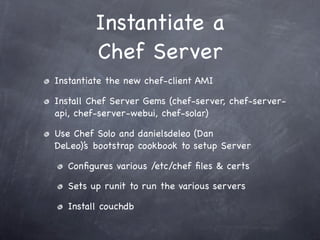
Instantiate a
         Chef Server
Instantiate the new chef-client AMI

Install Chef Server Gems (chef-server, chef-server-
api, chef-server-webui, chef-solar)

Use Chef Solo and danielsdeleo (Dan
DeLeo)’s bootstrap cookbook to setup Server

  Congures various /etc/chef les & certs

  Sets up runit to run the various servers

  Install couchdb
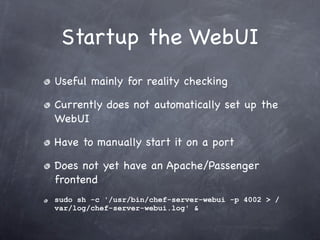
Startup the WebUI
Useful mainly for reality checking

Currently does not automatically set up the
WebUI

Have to manually start it on a port

Does not yet have an Apache/Passenger
frontend
sudo sh -c '/usr/bin/chef-server-webui -p 4002 > /
var/log/chef-server-webui.log' &
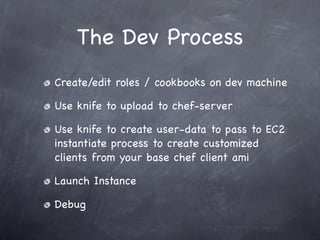
The Dev Process
Create/edit roles / cookbooks on dev machine

Use knife to upload to chef-server

Use knife to create user-data to pass to EC2
instantiate process to create customized
clients from your base chef client ami

Launch Instance

Debug
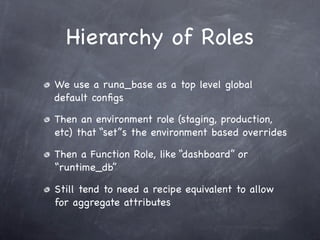
Hierarchy of Roles
We use a runa_base as a top level global
default congs

Then an environment role (staging, production,
etc) that “set”s the environment based overrides

Then a Function Role, like “dashboard” or
“runtime_db”

Still tend to need a recipe equivalent to allow
for aggregate attributes
Base Role
name "runa_base"                             Uses Json style
description "top level attributes"

recipes "users::env", "users::homes", "sudo", "emacs",
"git", "runa_base"

recipe
default_attributes(
  "runa" => {
    "home_base_dir"    => "/home",
    "mnt_point" => "/mnt",
    "bin_dir" => "/usr/local/bin",
    "upstart_event_dir" => "/etc/init",
    "summarizer" => {"namespaces" => ['lotus','tesla']},
    "target_user" => 'root',
    "target_group"=> 'root',
    "aws_access_key" => "secret",
    "aws_secret_access_key" => "secret",
    "availability_zone" => "us-west-1a"
  }
)
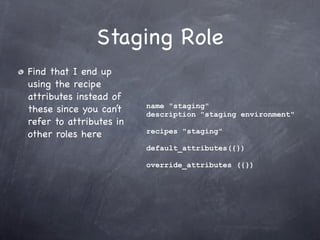
Staging Role
Find that I end up
using the recipe
attributes instead of
                         name "staging"
these since you can’t    description "staging environment"
refer to attributes in
                         recipes "staging"
other roles here
                         default_attributes({})

                         override_attributes ({})
Staging Recipes
     Here we can access
     the runa hash from
     the runa_base role


set[:runa_dashboard][:environment]     = "staging"
set[:runa_dashboard][:aws_access_key] = runa[:aws_access_key]
set[:runa_dashboard][:aws_secret_access_key] =
runa[:aws_secret_access_key]

set[:runa_dashboard][:availability_zone] = "us-west-1a"
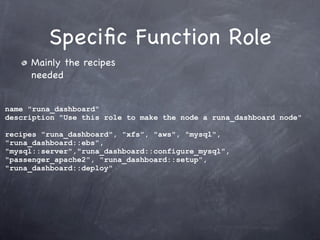
Specic Function Role
     Mainly the recipes
     needed


name "runa_dashboard"
description "Use this role to make the node a runa_dashboard node"

recipes "runa_dashboard", "xfs", "aws", "mysql",
"runa_dashboard::ebs",
"mysql::server","runa_dashboard::configure_mysql",
"passenger_apache2", "runa_dashboard::setup",
"runa_dashboard::deploy"
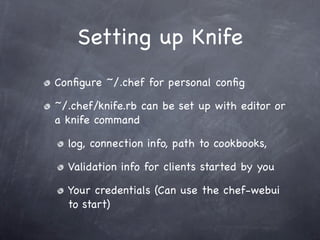
Setting up Knife
Congure ~/.chef for personal cong

~/.chef/knife.rb can be set up with editor or
a knife command

  log, connection info, path to cookbooks,

  Validation info for clients started by you

  Your credentials (Can use the chef-webui
  to start)
Knife Cong File

log_level        :info
log_location     STDOUT
node_name        'rberger'
client_key       '/Users/rberger/.chef/rberger.pem'
chef_server_url 'http://chef-server-staging.runa.com:4000/'
cache_type       'BasicFile'
cache_options( :path => '/Users/rberger/.chef/checksums' )
cookbook_path [ '/Users/rberger/work/runa/runa_repo/
cookbooks', '/Users/rberger/work/runa/runa_repo/site-
cookbooks' ]
validation_client_name "validator"
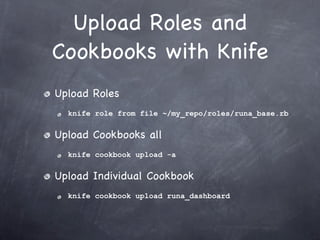
Upload Roles and
Cookbooks with Knife
Upload Roles
  knife role from file ~/my_repo/roles/runa_base.rb


Upload Cookbooks all
  knife cookbook upload -a


Upload Individual Cookbook
  knife cookbook upload runa_dashboard
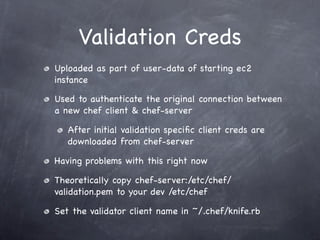
Validation Creds
Uploaded as part of user-data of starting ec2
instance

Used to authenticate the original connection between
a new chef client & chef-server

   After initial validation specic client creds are
   downloaded from chef-server

Having problems with this right now

Theoretically copy chef-server:/etc/chef/
validation.pem to your dev /etc/chef

Set the validator client name in ~/.chef/knife.rb
Starting a Specic
              Client on EC2
     Use Knife to generate user-data
        knife ec2 instance data “role[runa_base” 
        “role[staging]” “ role[runa_dashboard]”
{
  "attributes": {
     "run_list": [
       "role[runa_base]",
       "role[staging]",
       "role[runa_dashboard]"
     ]
  },
  "validation_key": "-----BEGIN RSA PRIVATE KEY-----
nMIIEowIBAAKCAQEAu9fKFLJz+JPSw5kWiRA6ywV1/omB73Juw9UyS/...
-----END CERTIFICATE-----n",
  "validation_client_name": "validator",
  "chef_server": "http://chef-server-staging.runa.com:4000/"
}
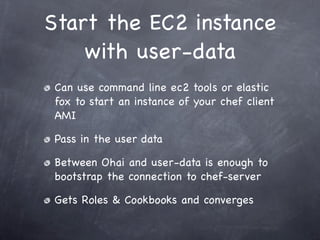
Start the EC2 instance
    with user-data
Can use command line ec2 tools or elastic
fox to start an instance of your chef client
AMI

Pass in the user data

Between Ohai and user-data is enough to
bootstrap the connection to chef-server

Gets Roles & Cookbooks and converges
Debugging
ssh to client

ps and syslog to see if basic chef-client start

Chef-client log for chef debug (like Ruby)

Run chef-client in standalone in debug mode

Can also see whats up on the chef-server in /etc/sv/
chef-server/log/main/current

Ask questions on #chef-hacking

Fix bugs back in dev, knife upload, run chef-client, rince,
repeat

Chef 0.8, Knife and Amazon EC2

  • 1.
    Chef 0.8, Knife& EC2 The Bleeding Edge
  • 2.
    Building Chef fromGit BTM’s GIST: chef 0.8 alpha installation Git Clone & Build Gems ohai, mixlib-log, mixlib-authentication, chef, chef-server, chef-server-api, chef-server-webui, chef- solar
  • 3.
    Make a BaselineEC2 AMI with Chef Client Set up Apt for multiverse, update, upgrade Install fundamental packages and gems emacs, ruby, rubygems, ec2_tools, merb... Install Chef Client related gems you built Set up /etc/chef/client.rb Clean up and run Eric Hammond’s ec2 build AMI ends up in S3 and registered as an AMI
  • 4.
    Generic client.rb require 'ohai' unless File.exists?("/etc/chef/client.pem") require 'json' File.open("/etc/chef/validation.pem", "w") do |f| f.print(chef_cong["validation_key"]) o = Ohai::System.new end o.all_plugins end chef_cong = JSON.parse(o[:ec2][:userdata]) if chef_cong.kind_of?(Array) if chef_cong.has_key?("attributes") chef_cong = chef_cong[o[:ec2][:ami_launch_index]] File.open("/etc/chef/client-cong.json", "w") do |f| end f.print(JSON.pretty_generate(chef_cong["attributes"])) end log_level :info json_attribs "/etc/chef/client-cong.json" log_location "/var/log/chef/client.rb" end chef_server_url chef_cong["chef_server"] registration_url chef_cong["chef_server"] validation_key "/etc/chef/validation.pem" openid_url chef_cong["chef_server"] validation_client_name template_url chef_cong["chef_server"] chef_cong["validation_client_name"] remotele_url chef_cong["chef_server"] search_url chef_cong["chef_server"] Mixlib::Log::Formatter.show_time = true role_url chef_cong["chef_server"] client_url chef_cong["chef_server"] node_name o[:ec2][:instance_id]
  • 5.
    Instantiate a Chef Server Instantiate the new chef-client AMI Install Chef Server Gems (chef-server, chef-server- api, chef-server-webui, chef-solar) Use Chef Solo and danielsdeleo (Dan DeLeo)’s bootstrap cookbook to setup Server Configures various /etc/chef files & certs Sets up runit to run the various servers Install couchdb
  • 6.
    Startup the WebUI Usefulmainly for reality checking Currently does not automatically set up the WebUI Have to manually start it on a port Does not yet have an Apache/Passenger frontend sudo sh -c '/usr/bin/chef-server-webui -p 4002 > / var/log/chef-server-webui.log' &
  • 7.
    The Dev Process Create/editroles / cookbooks on dev machine Use knife to upload to chef-server Use knife to create user-data to pass to EC2 instantiate process to create customized clients from your base chef client ami Launch Instance Debug
  • 8.
    Hierarchy of Roles Weuse a runa_base as a top level global default configs Then an environment role (staging, production, etc) that “set”s the environment based overrides Then a Function Role, like “dashboard” or “runtime_db” Still tend to need a recipe equivalent to allow for aggregate attributes
  • 9.
    Base Role name "runa_base" Uses Json style description "top level attributes" recipes "users::env", "users::homes", "sudo", "emacs", "git", "runa_base" recipe default_attributes( "runa" => { "home_base_dir" => "/home", "mnt_point" => "/mnt", "bin_dir" => "/usr/local/bin", "upstart_event_dir" => "/etc/init", "summarizer" => {"namespaces" => ['lotus','tesla']}, "target_user" => 'root', "target_group"=> 'root', "aws_access_key" => "secret", "aws_secret_access_key" => "secret", "availability_zone" => "us-west-1a" } )
  • 10.
    Staging Role Find thatI end up using the recipe attributes instead of name "staging" these since you can’t description "staging environment" refer to attributes in recipes "staging" other roles here default_attributes({}) override_attributes ({})
  • 11.
    Staging Recipes Here we can access the runa hash from the runa_base role set[:runa_dashboard][:environment] = "staging" set[:runa_dashboard][:aws_access_key] = runa[:aws_access_key] set[:runa_dashboard][:aws_secret_access_key] = runa[:aws_secret_access_key] set[:runa_dashboard][:availability_zone] = "us-west-1a"
  • 12.
    Specic Function Role Mainly the recipes needed name "runa_dashboard" description "Use this role to make the node a runa_dashboard node" recipes "runa_dashboard", "xfs", "aws", "mysql", "runa_dashboard::ebs", "mysql::server","runa_dashboard::configure_mysql", "passenger_apache2", "runa_dashboard::setup", "runa_dashboard::deploy"
  • 13.
    Setting up Knife Congure~/.chef for personal cong ~/.chef/knife.rb can be set up with editor or a knife command log, connection info, path to cookbooks, Validation info for clients started by you Your credentials (Can use the chef-webui to start)
  • 14.
    Knife Cong File log_level :info log_location STDOUT node_name 'rberger' client_key '/Users/rberger/.chef/rberger.pem' chef_server_url 'http://chef-server-staging.runa.com:4000/' cache_type 'BasicFile' cache_options( :path => '/Users/rberger/.chef/checksums' ) cookbook_path [ '/Users/rberger/work/runa/runa_repo/ cookbooks', '/Users/rberger/work/runa/runa_repo/site- cookbooks' ] validation_client_name "validator"
  • 15.
    Upload Roles and Cookbookswith Knife Upload Roles knife role from file ~/my_repo/roles/runa_base.rb Upload Cookbooks all knife cookbook upload -a Upload Individual Cookbook knife cookbook upload runa_dashboard
  • 16.
    Validation Creds Uploaded aspart of user-data of starting ec2 instance Used to authenticate the original connection between a new chef client & chef-server After initial validation specic client creds are downloaded from chef-server Having problems with this right now Theoretically copy chef-server:/etc/chef/ validation.pem to your dev /etc/chef Set the validator client name in ~/.chef/knife.rb
  • 17.
    Starting a Specific Client on EC2 Use Knife to generate user-data knife ec2 instance data “role[runa_base” “role[staging]” “ role[runa_dashboard]” { "attributes": { "run_list": [ "role[runa_base]", "role[staging]", "role[runa_dashboard]" ] }, "validation_key": "-----BEGIN RSA PRIVATE KEY----- nMIIEowIBAAKCAQEAu9fKFLJz+JPSw5kWiRA6ywV1/omB73Juw9UyS/... -----END CERTIFICATE-----n", "validation_client_name": "validator", "chef_server": "http://chef-server-staging.runa.com:4000/" }
  • 18.
    Start the EC2instance with user-data Can use command line ec2 tools or elastic fox to start an instance of your chef client AMI Pass in the user data Between Ohai and user-data is enough to bootstrap the connection to chef-server Gets Roles & Cookbooks and converges
  • 19.
    Debugging ssh to client psand syslog to see if basic chef-client start Chef-client log for chef debug (like Ruby) Run chef-client in standalone in debug mode Can also see whats up on the chef-server in /etc/sv/ chef-server/log/main/current Ask questions on #chef-hacking Fix bugs back in dev, knife upload, run chef-client, rince, repeat