Force.com Apex Advanced 
Sujit Kumar 
Zenolocity LLC © 2012 - 2024
Overview 
• Aggregate SOQL Features 
• Additional SOQL Features 
• SOSL 
• Transaction Processing 
• Managed Sharing 
• Send & Receive Email 
• Dynamic Apex 
• Patterns and Matchers 
• Custom Settings in Apex 
• System class and methods
Aggregate Functions 
• AVG, COUNT, COUNT_DISTINCT, MIN, MAX, 
SUM. 
• AVG, SUM : Operate on Numeric Fields only. 
• COUNT, COUNT_DISTINCT, MIN, MAX: 
Numeric, Date, String fields. 
• All queries containing aggregate functions 
return a special Apex object called 
AggregateResult, except the no-argument 
form of COUNT, which returns an integer.
Examples 
• Returns Integer or AggregateResult object. 
• Default field names expr0 for the first field, expr1 
for 2nd field, and so on. 
Integer i = [ SELECT COUNT() FROM Timecard__c ]; 
System.debug(i); 
AggregateResult r = [ SELECT 
SUM(Total_Hours__c) Total 
FROM Timecard__c ]; 
System.debug(r.get('Total'));
Grouping Records With Subtotals 
• Two forms of grouping produce subtotals and 
grand totals for the record groupings specified 
in the query. 
• GROUP BY ROLLUP 
• GROUP BY CUBE: causes all possible 
combinations of grouped fields to receive 
subtotals. 
• These replace the GROUP BY syntax and 
support up to 3 grouped fields.
Example of Group By ROLLUP 
for (AggregateResult r : [ SELECT Project__r.Status__c, 
Resource__r.Region__c, 
SUM(Total_Hours__c) hours, COUNT(Id) recs, 
GROUPING(Project__r.Status__c) status, 
GROUPING(Resource__r.Region__c) region 
FROM Timecard__c 
GROUP BY ROLLUP(Project__r.Status__c, Resource__r.Region__c) 
ORDER BY GROUPING(Project__r.Status__c), 
GROUPING(Resource__r.Region__c) ]) 
{ 
System.debug(LoggingLevel.INFO, 
r.get('Status__c') + ' ' + r.get('Region__c') + ' ' + 
r.get('region') + ' ' + r.get('status') + ' ' + 
r.get('hours') + ' ' + r.get('recs')); 
}
Output from example 
16:04:43.207|USER_DEBUG|[7]|INFO|GreenWest 0 0 230.0 6 
16:04:43.207|USER_DEBUG|[7]|INFO|Green Central 0 0 152.0 4 
16:04:43.207|USER_DEBUG|[7]|INFO|Yellow Central 0 0 109.0 3 
16:04:43.207|USER_DEBUG|[7]|INFO|Green null 1 0 382.0 10 
16:04:43.207|USER_DEBUG|[7]|INFO|Yellow null 1 0 109.0 3 
16:04:43.207|USER_DEBUG|[7]|INFO|null null 1 1 491.0 13
SOQL Outer and Inner Joins 
• A SOQL statement consists of a single base object, 
specified using the FROM keyword. 
• All fields in the base object can be retrieved in the 
query, as well as fields from parent and child objects 
depending on their distance away from the base 
object. 
• Force.com takes care of joining related objects 
together to retrieve the requested fields. 
• These implicit joins are always outer joins. An outer 
join returns all records from the base object, including 
records that do not refer to a related object. 
• Adding a where clause makes it an Inner Join.
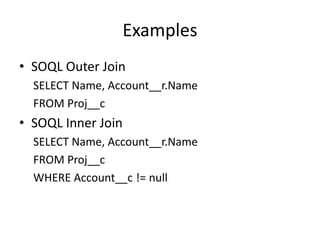
Examples 
• SOQL Outer Join 
SELECT Name, Account__r.Name 
FROM Proj__c 
• SOQL Inner Join 
SELECT Name, Account__r.Name 
FROM Proj__c 
WHERE Account__c != null
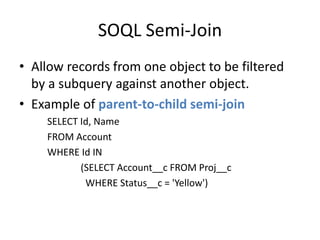
SOQL Semi-Join 
• Allow records from one object to be filtered 
by a subquery against another object. 
• Example of parent-to-child semi-join 
SELECT Id, Name 
FROM Account 
WHERE Id IN 
(SELECT Account__c FROM Proj__c 
WHERE Status__c = 'Yellow')
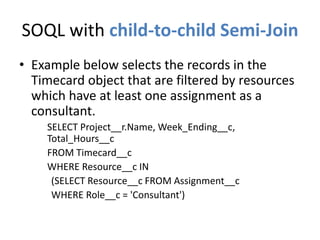
SOQL with child-to-child Semi-Join 
• Example below selects the records in the 
Timecard object that are filtered by resources 
which have at least one assignment as a 
consultant. 
SELECT Project__r.Name, Week_Ending__c, 
Total_Hours__c 
FROM Timecard__c 
WHERE Resource__c IN 
(SELECT Resource__c FROM Assignment__c 
WHERE Role__c = 'Consultant')
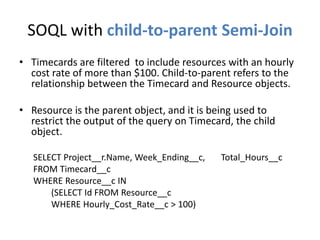
SOQL with child-to-parent Semi-Join 
• Timecards are filtered to include resources with an hourly 
cost rate of more than $100. Child-to-parent refers to the 
relationship between the Timecard and Resource objects. 
• Resource is the parent object, and it is being used to 
restrict the output of the query on Timecard, the child 
object. 
SELECT Project__r.Name, Week_Ending__c, Total_Hours__c 
FROM Timecard__c 
WHERE Resource__c IN 
(SELECT Id FROM Resource__c 
WHERE Hourly_Cost_Rate__c > 100)
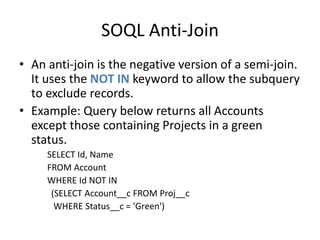
SOQL Anti-Join 
• An anti-join is the negative version of a semi-join. 
It uses the NOT IN keyword to allow the subquery 
to exclude records. 
• Example: Query below returns all Accounts 
except those containing Projects in a green 
status. 
SELECT Id, Name 
FROM Account 
WHERE Id NOT IN 
(SELECT Account__c FROM Proj__c 
WHERE Status__c = 'Green')
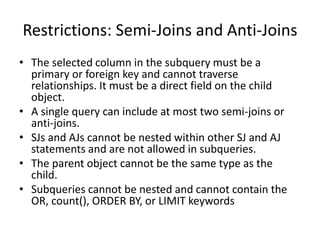
Restrictions: Semi-Joins and Anti-Joins 
• The selected column in the subquery must be a 
primary or foreign key and cannot traverse 
relationships. It must be a direct field on the child 
object. 
• A single query can include at most two semi-joins or 
anti-joins. 
• SJs and AJs cannot be nested within other SJ and AJ 
statements and are not allowed in subqueries. 
• The parent object cannot be the same type as the 
child. 
• Subqueries cannot be nested and cannot contain the 
OR, count(), ORDER BY, or LIMIT keywords
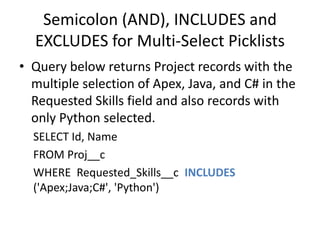
Semicolon (AND), INCLUDES and 
EXCLUDES for Multi-Select Picklists 
• Query below returns Project records with the 
multiple selection of Apex, Java, and C# in the 
Requested Skills field and also records with 
only Python selected. 
SELECT Id, Name 
FROM Proj__c 
WHERE Requested_Skills__c INCLUDES 
('Apex;Java;C#', 'Python')
SOSL Overview 
• SOSL query specifies search terms and scope. 
• The search terms are a list of string literals and 
can include wildcards. 
• The search scope is fields containing string 
data from one or more objects. This excludes 
Number, Date, and Checkbox fields from being 
searched with SOSL.
SOSL Details 
• Syntax: FIND ’query’ IN search group RETURNING field 
specification LIMIT record limit 
• Apostrophes around query are required. 
• Limited to 20 SOSL queries returning a maximum of 
200 rows per query. 
• Query: one or more words or phrases to search on. 
Can use * or ?. Enclose a search term in quotation 
marks to perform an exact match on multiple words. 
Use the logical operators AND, OR, and AND NOT to 
combine search terms and parentheses to control the 
order in which they’re evaluated. Searches are case-insensitive.
SOSL Details (contd…) 
• Search Group: indicates types of fields to search in each 
object. Valid values are ALL FIELDS (all string fields), NAME 
FIELDS, EMAIL FIELDS, PHONE FIELDS. Default is ALL FIELDS. 
• Field Specification: comma separated list of objects to 
include in the search results. Optionally, you can specify 
additional fields to return by enclosing them in 
parentheses. You can also specify conditional filters using 
the same syntax as the SOQL WHERE clause, set the sort 
order with the ORDER BY keyword, and use the LIMIT 
keyword to limit the number of records returned per 
object. 
• Record Limit: Optional, defaults to 200.
SOSL in Apex 
List<List<SObject>> result = [ 
FIND 'Chicago' 
RETURNING Proj__c(Name), Resource__c(Name) 
]; 
List<Proj__c> projects = (List<Proj__c>)result[0]; 
for (Proj__c project : projects) { 
System.debug('Project: ' + project.Name); 
} 
List<Resource__c> resources = (List<Resource__c>)result[1]; 
for (Resource__c resource : resources) { 
System.debug('Resource: ' + resource.Name); 
}
Transaction Processing 
• Database DML Methods – Add support for 
partial success of a batch. 
• Savepoint - Returning to a savepoint rolls back 
all DML statements executed since the 
creation of the savepoint. 
• Record Locking – provides exclusive write to 
update.
Implicit Transactions in Apex 
• All database operations in Apex are transactional. 
• Every trigger runs in a transaction. If there is an 
uncaught exception in a trigger, all DML 
operations are rolled back. 
• If multiple triggers fire for a single database 
operation, all triggers succeed or fail as a group. 
• DML statements accept a single record or batch 
of records. When operating on a batch, they 
succeed or fail on the entire group of records.
DML Database Methods 
• Allow batch DML operations to fail on 
individual records without impacting the 
entire batch. To do this, they do not throw 
exceptions to indicate error. 
• Instead they return an array of result objects, 
one per input record. These result objects 
contain a flag indicating success or failure, and 
error details in the event of failure.
Database DML Methods 
• A DML database method exists for each of the 
DML statements – insert, update, upsert, delete. 
• Each method takes an optional Boolean 
parameter called opt_allOrNone to specify batch 
behavior. The default value is true, indicating that 
the behavior is “all or none.” 
• This makes the method identical to a DML 
statement, with one failed record causing the 
failure of all records and a DmlException. 
• But if the opt_allOrNone parameter is false, 
partial success is allowed.
Database Savepoint Usage 
void printRecordCount() { 
System.debug([ SELECT COUNT() FROM Resource__c ] + ' records'); 
} 
printRecordCount(); 
Savepoint sp = Database.setSavepoint(); 
delete [ SELECT Id FROM Resource__c ]; 
printRecordCount(); 
Database.rollback(sp); 
printRecordCount();
Record Locking 
• Write locks on records. 
• Use the keyword “for update”. 
• Prevents dirty writes. 
• You cannot use the ORDER BY keyword with FOR 
UPDATE. Query results are automatically ordered 
by Id field. 
Resource__c tim = [ SELECT Id, Hourly_Cost_Rate__c 
FROM Resource__c 
WHERE Name = 'Tim Barr' LIMIT 1 
FOR UPDATE ]; 
tim.Hourly_Cost_Rate__c += 20; 
update tim;
DML Statement Guidelines 
• Max of 200 sObject records in a single method. 
• Operate on only 1 type of sObject at a time. 
• Non-null value for all required fields. 
• Id for current sObject record cannot be modified 
but related IDs can. 
• Upsert can contain 2 separate calls, update & 
insert. 
• Merging works for only 3 records at a time. 
• Merging is Only for Leads, Contacts and Accounts. 
• Commit is implicit, Rollback is explicit.
Database.DMLOptions object 
• Lets you add extra info during a transaction 
like: 
Truncation behavior 
Trigger assignment rules. 
Trigger email notification based on certain events.
Emails – Sending 
• SingleEmailMessage : up to 10 receivers. 
• SingleEmailMessage With Template : unique IDs 
of Contact or Lead objects must be used instead 
of strings to provide the receivers’ email 
addresses. Cannot be used to for internal user 
email addresses. Substitute fields from receiver’s 
record or optional related object. Up to 10 
receivers. Email Templates can be created from 
VF pages. 
• MassEmailMessage : up to 250 receivers.
Messaging.sendEmail Method 
• Transactional - just like DML methods. 
• Can send single email or mass emails. 
• Plain text or Html formats supported. 
• Governor Limits – total 10 invocations per 
context. 
• Single or Mass emails sent from Apex count 
against the daily mass limit. 
MASS_MAIL_LIMIT_EXCEEDED error code if 
limit exceeded.
Limits 
• Max of 1000 emails to external email 
addresses. No limit for internal email 
addresses. 
• Number of external email addresses varies by 
edition (250-Prof, 500-Ent, 1000-unlimited).
Apex Email Services 
• Inbound Email Integration. 
• Classes part of the Messaging namespace. 
• Total messages processed per day = Number 
of user licenses x 1000. 
• Email service addresses from sandbox cannot 
be copied to prod org. 
• Can restrict the domains from which we can 
receive emails.
Inbound Email Objects 
• Write an Apex class that implements a specific interface 
(Messaging.InboundEmailHandler) and method 
(handleInboundEmail). 
• Provides your code access to the 
envelope: InboundEnvelope and 
content: InboundEmail of inbound emails, including body, subject, 
fromAddress, toAddress, binaryAttachments, textAttachments. 
• The return value of this method is an InboundEmailResult object. 
• To indicate processing failure, set the success field of this object to 
false. Any explanatory message set in the message field is returned 
to the sender as an email response.
Inbound Email Processing 
• Create an Email Service using the native user 
interface – service name, apex class, accept 
attachments setting, sending server 
authentication protocols, etc. 
• An Email Service is associated with one or 
more Force.com-issued email addresses that 
serve as the gateways to the Apex class. 
• When email arrives at the email address, your 
Apex class is invoked to process it.
Inbound Email Processing 
• No access to system log in the context of an 
inbound email handler class. Create custom 
objects to log any exceptions or debug 
statements. 
• Request set of incoming emails from the UI 
within a certain date range. Notification sent 
when request is processed. 
• Processing of emails by the email service 
handler can be seen in the Debug logs.
Other Features 
• Apex managed sharing: Rules governing record sharing 
can be controlled in Apex code. 
• Dynamic Apex: Although Apex features strongly typed 
database objects and queries, you can also write code that 
uses database resources dynamically. This carries with it 
the risk of runtime errors but opens up new possibilities of 
dynamic behavior to your applications. The SObject is a 
typeless database object. It allows you to interact with 
database records without declaring them as a specific type. 
• Custom Settings in Apex: You can read and write custom 
settings from Apex like any database object, but without 
the governor limits.
Dynamic Apex 
• Dynamic Apex - no hardcoding of names of fields and objects. 
Schema Describe - similar to metadata API. 
• Dynamic SOQL - no hardcoding of query. 
• Dynamic SOSL 
• Dynamic DML - create sObject dynamically using newSObject 
method on an SObjectType token. Then insert that new object into 
the database. 
Example: 
Account A = new Account(); 
Schema.sObjectType tokenA = A.getSObjectType(); 
Account B = (Account) tokenA.newSObject();
Patterns and Matchers 
• Similar to Java. 
• Reuse requires compilation of the pattern. 
Pattern myPat = Pattern.compile('a*b'); 
Matcher myMatcher = myPat.matcher('aaaab'); 
myMatcher.matches(); 
• Single Invocation: 
Pattern.matches('a*b', 'aaaaab');
System Class 
• abortJob 
• assert, assertEquals, assertNotEquals 
• currentPageReference 
• Debug 
Set the logging level: 
System.debug (Logginglevel.ERROR); 
• getApplicationReadWrite (returns the read write mode set for an 
org during SF.com upgrades and downtimes) 
• isBatch, isFuture, isScheduled 
• now (datetime as GMT), today (date in user’s tz) 
• runAs 
• schedule 
• submit
System.schedule(…) 
• After you implement a class with 
the Schedulable interface, use 
the System.Schedule method to execute it. 
• The scheduler runs as system: all classes are 
executed, whether the user has permission to 
execute the class or not. 
• Example: 
proschedule p = new proschedule(); 
// secs mts HH24 day mon day_of_week optional_yr 
String sch = '0 0 8 13 2 ?'; 
System.schedule('One Time Pro', sch, p);
Library Classes 
• UserInfo - most methods are getter methods like 
getUserId(), getUserName(), 
getOrgId(), getOrgName() 
getDefaultCurrency() 
getLocale() 
getSessionID() 
• Math - abs(), min(...), rand() returns double between 0.0 and 1.0 
• clone() method returns a shallow copy of any SO or CO. 
• Limits class returns the values of governor limits. 
• Two versions for each method. 
Examples: 
Limits.getDMLRows() – amount used in the current context 
Limits.getLimitDMLRows() - amount available in the current context 
• Useful to print using System.debug() for debugging purpose.

SFDC Advanced Apex

  • 1.
    Force.com Apex Advanced Sujit Kumar Zenolocity LLC © 2012 - 2024
  • 2.
    Overview • AggregateSOQL Features • Additional SOQL Features • SOSL • Transaction Processing • Managed Sharing • Send & Receive Email • Dynamic Apex • Patterns and Matchers • Custom Settings in Apex • System class and methods
  • 3.
    Aggregate Functions •AVG, COUNT, COUNT_DISTINCT, MIN, MAX, SUM. • AVG, SUM : Operate on Numeric Fields only. • COUNT, COUNT_DISTINCT, MIN, MAX: Numeric, Date, String fields. • All queries containing aggregate functions return a special Apex object called AggregateResult, except the no-argument form of COUNT, which returns an integer.
  • 4.
    Examples • ReturnsInteger or AggregateResult object. • Default field names expr0 for the first field, expr1 for 2nd field, and so on. Integer i = [ SELECT COUNT() FROM Timecard__c ]; System.debug(i); AggregateResult r = [ SELECT SUM(Total_Hours__c) Total FROM Timecard__c ]; System.debug(r.get('Total'));
  • 5.
    Grouping Records WithSubtotals • Two forms of grouping produce subtotals and grand totals for the record groupings specified in the query. • GROUP BY ROLLUP • GROUP BY CUBE: causes all possible combinations of grouped fields to receive subtotals. • These replace the GROUP BY syntax and support up to 3 grouped fields.
  • 6.
    Example of GroupBy ROLLUP for (AggregateResult r : [ SELECT Project__r.Status__c, Resource__r.Region__c, SUM(Total_Hours__c) hours, COUNT(Id) recs, GROUPING(Project__r.Status__c) status, GROUPING(Resource__r.Region__c) region FROM Timecard__c GROUP BY ROLLUP(Project__r.Status__c, Resource__r.Region__c) ORDER BY GROUPING(Project__r.Status__c), GROUPING(Resource__r.Region__c) ]) { System.debug(LoggingLevel.INFO, r.get('Status__c') + ' ' + r.get('Region__c') + ' ' + r.get('region') + ' ' + r.get('status') + ' ' + r.get('hours') + ' ' + r.get('recs')); }
  • 7.
    Output from example 16:04:43.207|USER_DEBUG|[7]|INFO|GreenWest 0 0 230.0 6 16:04:43.207|USER_DEBUG|[7]|INFO|Green Central 0 0 152.0 4 16:04:43.207|USER_DEBUG|[7]|INFO|Yellow Central 0 0 109.0 3 16:04:43.207|USER_DEBUG|[7]|INFO|Green null 1 0 382.0 10 16:04:43.207|USER_DEBUG|[7]|INFO|Yellow null 1 0 109.0 3 16:04:43.207|USER_DEBUG|[7]|INFO|null null 1 1 491.0 13
  • 8.
    SOQL Outer andInner Joins • A SOQL statement consists of a single base object, specified using the FROM keyword. • All fields in the base object can be retrieved in the query, as well as fields from parent and child objects depending on their distance away from the base object. • Force.com takes care of joining related objects together to retrieve the requested fields. • These implicit joins are always outer joins. An outer join returns all records from the base object, including records that do not refer to a related object. • Adding a where clause makes it an Inner Join.
  • 9.
    Examples • SOQLOuter Join SELECT Name, Account__r.Name FROM Proj__c • SOQL Inner Join SELECT Name, Account__r.Name FROM Proj__c WHERE Account__c != null
  • 10.
    SOQL Semi-Join •Allow records from one object to be filtered by a subquery against another object. • Example of parent-to-child semi-join SELECT Id, Name FROM Account WHERE Id IN (SELECT Account__c FROM Proj__c WHERE Status__c = 'Yellow')
  • 11.
    SOQL with child-to-childSemi-Join • Example below selects the records in the Timecard object that are filtered by resources which have at least one assignment as a consultant. SELECT Project__r.Name, Week_Ending__c, Total_Hours__c FROM Timecard__c WHERE Resource__c IN (SELECT Resource__c FROM Assignment__c WHERE Role__c = 'Consultant')
  • 12.
    SOQL with child-to-parentSemi-Join • Timecards are filtered to include resources with an hourly cost rate of more than $100. Child-to-parent refers to the relationship between the Timecard and Resource objects. • Resource is the parent object, and it is being used to restrict the output of the query on Timecard, the child object. SELECT Project__r.Name, Week_Ending__c, Total_Hours__c FROM Timecard__c WHERE Resource__c IN (SELECT Id FROM Resource__c WHERE Hourly_Cost_Rate__c > 100)
  • 13.
    SOQL Anti-Join •An anti-join is the negative version of a semi-join. It uses the NOT IN keyword to allow the subquery to exclude records. • Example: Query below returns all Accounts except those containing Projects in a green status. SELECT Id, Name FROM Account WHERE Id NOT IN (SELECT Account__c FROM Proj__c WHERE Status__c = 'Green')
  • 14.
    Restrictions: Semi-Joins andAnti-Joins • The selected column in the subquery must be a primary or foreign key and cannot traverse relationships. It must be a direct field on the child object. • A single query can include at most two semi-joins or anti-joins. • SJs and AJs cannot be nested within other SJ and AJ statements and are not allowed in subqueries. • The parent object cannot be the same type as the child. • Subqueries cannot be nested and cannot contain the OR, count(), ORDER BY, or LIMIT keywords
  • 15.
    Semicolon (AND), INCLUDESand EXCLUDES for Multi-Select Picklists • Query below returns Project records with the multiple selection of Apex, Java, and C# in the Requested Skills field and also records with only Python selected. SELECT Id, Name FROM Proj__c WHERE Requested_Skills__c INCLUDES ('Apex;Java;C#', 'Python')
  • 16.
    SOSL Overview •SOSL query specifies search terms and scope. • The search terms are a list of string literals and can include wildcards. • The search scope is fields containing string data from one or more objects. This excludes Number, Date, and Checkbox fields from being searched with SOSL.
  • 17.
    SOSL Details •Syntax: FIND ’query’ IN search group RETURNING field specification LIMIT record limit • Apostrophes around query are required. • Limited to 20 SOSL queries returning a maximum of 200 rows per query. • Query: one or more words or phrases to search on. Can use * or ?. Enclose a search term in quotation marks to perform an exact match on multiple words. Use the logical operators AND, OR, and AND NOT to combine search terms and parentheses to control the order in which they’re evaluated. Searches are case-insensitive.
  • 18.
    SOSL Details (contd…) • Search Group: indicates types of fields to search in each object. Valid values are ALL FIELDS (all string fields), NAME FIELDS, EMAIL FIELDS, PHONE FIELDS. Default is ALL FIELDS. • Field Specification: comma separated list of objects to include in the search results. Optionally, you can specify additional fields to return by enclosing them in parentheses. You can also specify conditional filters using the same syntax as the SOQL WHERE clause, set the sort order with the ORDER BY keyword, and use the LIMIT keyword to limit the number of records returned per object. • Record Limit: Optional, defaults to 200.
  • 19.
    SOSL in Apex List<List<SObject>> result = [ FIND 'Chicago' RETURNING Proj__c(Name), Resource__c(Name) ]; List<Proj__c> projects = (List<Proj__c>)result[0]; for (Proj__c project : projects) { System.debug('Project: ' + project.Name); } List<Resource__c> resources = (List<Resource__c>)result[1]; for (Resource__c resource : resources) { System.debug('Resource: ' + resource.Name); }
  • 20.
    Transaction Processing •Database DML Methods – Add support for partial success of a batch. • Savepoint - Returning to a savepoint rolls back all DML statements executed since the creation of the savepoint. • Record Locking – provides exclusive write to update.
  • 21.
    Implicit Transactions inApex • All database operations in Apex are transactional. • Every trigger runs in a transaction. If there is an uncaught exception in a trigger, all DML operations are rolled back. • If multiple triggers fire for a single database operation, all triggers succeed or fail as a group. • DML statements accept a single record or batch of records. When operating on a batch, they succeed or fail on the entire group of records.
  • 22.
    DML Database Methods • Allow batch DML operations to fail on individual records without impacting the entire batch. To do this, they do not throw exceptions to indicate error. • Instead they return an array of result objects, one per input record. These result objects contain a flag indicating success or failure, and error details in the event of failure.
  • 23.
    Database DML Methods • A DML database method exists for each of the DML statements – insert, update, upsert, delete. • Each method takes an optional Boolean parameter called opt_allOrNone to specify batch behavior. The default value is true, indicating that the behavior is “all or none.” • This makes the method identical to a DML statement, with one failed record causing the failure of all records and a DmlException. • But if the opt_allOrNone parameter is false, partial success is allowed.
  • 24.
    Database Savepoint Usage void printRecordCount() { System.debug([ SELECT COUNT() FROM Resource__c ] + ' records'); } printRecordCount(); Savepoint sp = Database.setSavepoint(); delete [ SELECT Id FROM Resource__c ]; printRecordCount(); Database.rollback(sp); printRecordCount();
  • 25.
    Record Locking •Write locks on records. • Use the keyword “for update”. • Prevents dirty writes. • You cannot use the ORDER BY keyword with FOR UPDATE. Query results are automatically ordered by Id field. Resource__c tim = [ SELECT Id, Hourly_Cost_Rate__c FROM Resource__c WHERE Name = 'Tim Barr' LIMIT 1 FOR UPDATE ]; tim.Hourly_Cost_Rate__c += 20; update tim;
  • 26.
    DML Statement Guidelines • Max of 200 sObject records in a single method. • Operate on only 1 type of sObject at a time. • Non-null value for all required fields. • Id for current sObject record cannot be modified but related IDs can. • Upsert can contain 2 separate calls, update & insert. • Merging works for only 3 records at a time. • Merging is Only for Leads, Contacts and Accounts. • Commit is implicit, Rollback is explicit.
  • 27.
    Database.DMLOptions object •Lets you add extra info during a transaction like: Truncation behavior Trigger assignment rules. Trigger email notification based on certain events.
  • 28.
    Emails – Sending • SingleEmailMessage : up to 10 receivers. • SingleEmailMessage With Template : unique IDs of Contact or Lead objects must be used instead of strings to provide the receivers’ email addresses. Cannot be used to for internal user email addresses. Substitute fields from receiver’s record or optional related object. Up to 10 receivers. Email Templates can be created from VF pages. • MassEmailMessage : up to 250 receivers.
  • 29.
    Messaging.sendEmail Method •Transactional - just like DML methods. • Can send single email or mass emails. • Plain text or Html formats supported. • Governor Limits – total 10 invocations per context. • Single or Mass emails sent from Apex count against the daily mass limit. MASS_MAIL_LIMIT_EXCEEDED error code if limit exceeded.
  • 30.
    Limits • Maxof 1000 emails to external email addresses. No limit for internal email addresses. • Number of external email addresses varies by edition (250-Prof, 500-Ent, 1000-unlimited).
  • 31.
    Apex Email Services • Inbound Email Integration. • Classes part of the Messaging namespace. • Total messages processed per day = Number of user licenses x 1000. • Email service addresses from sandbox cannot be copied to prod org. • Can restrict the domains from which we can receive emails.
  • 32.
    Inbound Email Objects • Write an Apex class that implements a specific interface (Messaging.InboundEmailHandler) and method (handleInboundEmail). • Provides your code access to the envelope: InboundEnvelope and content: InboundEmail of inbound emails, including body, subject, fromAddress, toAddress, binaryAttachments, textAttachments. • The return value of this method is an InboundEmailResult object. • To indicate processing failure, set the success field of this object to false. Any explanatory message set in the message field is returned to the sender as an email response.
  • 33.
    Inbound Email Processing • Create an Email Service using the native user interface – service name, apex class, accept attachments setting, sending server authentication protocols, etc. • An Email Service is associated with one or more Force.com-issued email addresses that serve as the gateways to the Apex class. • When email arrives at the email address, your Apex class is invoked to process it.
  • 34.
    Inbound Email Processing • No access to system log in the context of an inbound email handler class. Create custom objects to log any exceptions or debug statements. • Request set of incoming emails from the UI within a certain date range. Notification sent when request is processed. • Processing of emails by the email service handler can be seen in the Debug logs.
  • 35.
    Other Features •Apex managed sharing: Rules governing record sharing can be controlled in Apex code. • Dynamic Apex: Although Apex features strongly typed database objects and queries, you can also write code that uses database resources dynamically. This carries with it the risk of runtime errors but opens up new possibilities of dynamic behavior to your applications. The SObject is a typeless database object. It allows you to interact with database records without declaring them as a specific type. • Custom Settings in Apex: You can read and write custom settings from Apex like any database object, but without the governor limits.
  • 36.
    Dynamic Apex •Dynamic Apex - no hardcoding of names of fields and objects. Schema Describe - similar to metadata API. • Dynamic SOQL - no hardcoding of query. • Dynamic SOSL • Dynamic DML - create sObject dynamically using newSObject method on an SObjectType token. Then insert that new object into the database. Example: Account A = new Account(); Schema.sObjectType tokenA = A.getSObjectType(); Account B = (Account) tokenA.newSObject();
  • 37.
    Patterns and Matchers • Similar to Java. • Reuse requires compilation of the pattern. Pattern myPat = Pattern.compile('a*b'); Matcher myMatcher = myPat.matcher('aaaab'); myMatcher.matches(); • Single Invocation: Pattern.matches('a*b', 'aaaaab');
  • 38.
    System Class •abortJob • assert, assertEquals, assertNotEquals • currentPageReference • Debug Set the logging level: System.debug (Logginglevel.ERROR); • getApplicationReadWrite (returns the read write mode set for an org during SF.com upgrades and downtimes) • isBatch, isFuture, isScheduled • now (datetime as GMT), today (date in user’s tz) • runAs • schedule • submit
  • 39.
    System.schedule(…) • Afteryou implement a class with the Schedulable interface, use the System.Schedule method to execute it. • The scheduler runs as system: all classes are executed, whether the user has permission to execute the class or not. • Example: proschedule p = new proschedule(); // secs mts HH24 day mon day_of_week optional_yr String sch = '0 0 8 13 2 ?'; System.schedule('One Time Pro', sch, p);
  • 40.
    Library Classes •UserInfo - most methods are getter methods like getUserId(), getUserName(), getOrgId(), getOrgName() getDefaultCurrency() getLocale() getSessionID() • Math - abs(), min(...), rand() returns double between 0.0 and 1.0 • clone() method returns a shallow copy of any SO or CO. • Limits class returns the values of governor limits. • Two versions for each method. Examples: Limits.getDMLRows() – amount used in the current context Limits.getLimitDMLRows() - amount available in the current context • Useful to print using System.debug() for debugging purpose.