Social Applications 
Sujit Kumar 
Zenolocity LLC © 2012 - 2024
Chatter Overview 
• Brings users together socially along with the 
records from Force.com database that are 
relevant to them. 
• Concepts and Terms 
• Data Model 
• Add Chatter to custom VF User Interfaces
Chatter Concepts 
• Posts and Comments 
• Follow and Unfollow 
• Feed 
• Group 
• Chatter Profile 
• Digest 
• Feed-tracked Change
Posts and Comments 
• A post is a public message associated with a record in the database. 
• A comment is also a public message, but related to an individual 
post rather than a database record, like a footnote to the post. 
• Viewable by anyone in the org who has access to the parent record. 
• The body of posts and comments can contain text, searchable 
topics (words prefaced with #), references to users in your 
organization (using the @ character), and links to web pages. 
• Posts and comments are full-text searchable from the standard 
Force.com search interface. 
• Posts and comments can also contain any type of file, like 
attachments in email messages. 
• Individual posts can be “liked” by users, helping to measure and 
track the popularity of content.
Chatter Concepts 
• Follow and Unfollow - refer to the social 
relationship between a user and a DB record. 
• Interests - set of records followed by a user. 
• Feed : history of social activity for a DB record 
with the most recent appearing first. 
• Chatter Group is a gathering place for users to 
collaborate on any subject. 
• Chatter Profile
Digest 
• Daily or weekly emailed summary of the 
Chatter feeds followed by a user. 
• Daily digest contains up to 25 of the most 
recent posts, and the weekly digest has 50. 
• Both include latest 3 comments for each post. 
• Convenient way to keep track of social activity 
without logging into Salesforce.
Feed-tracked change 
• After an administrator configures an object 
and field as feed-tracked, a system-generated 
Chatter post is created to notify users when 
the field’s value changes. 
• The feed-tracked change Chatter posts serve 
as a public audit trail, and cannot be deleted. 
• Never included in chatter search results.
Chatter Configuration 
• Administrators: Users with admin permissions 
can enable and disable Chatter for the entire org. 
Can also decide which database objects can 
contain Chatter and which fields on those objects 
have feed-tracked changes. 
• Groups: can provide a meaningful set of Chatter 
topics for your company. Similar to Facebook 
groups. 
• Users: can control email digests and notifications 
of Chatter-related events, such as new posts or 
new users following them.
Chatter Data Model 
• Dynamic: Objects in Chatter schema can appear 
and disappear based on the Chatter 
configuration. For example, when Chatter is 
disabled in an organization, the Chatter objects 
are completely hidden, as if they never existed. 
• Objects containing Chatter posts are dynamically 
created when Chatter is enabled for a custom 
object. 
• Relationship Rich: links social and business data 
• No updates allowed on chatter objects.
Chatter Posts 
• Chatter enabled parent object has 0 or many 
posts. 
• <Object> 0 ---------> M <Object>Feed 
• Example: 
• if Chatter is enabled on the Proj__c custom 
object, then an object named Proj__Feed exists, 
the object used to store posts related to Projects. 
If Chatter is later disabled for Proj__c, the 
Proj__Feed object is removed from the 
Force.com database.
5 Types of Chatter Posts 
• Text – text post 
• URL – link post 
• File – content post, file attached to a post 
• Field Change – tracked change, generated by 
Force.com itself and cannot be created by 
users or programs. 
• Status Update – user status update
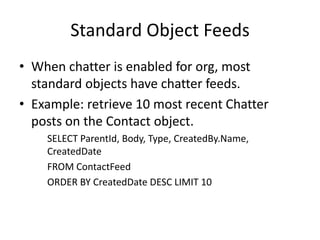
Standard Object Feeds 
• When chatter is enabled for org, most 
standard objects have chatter feeds. 
• Example: retrieve 10 most recent Chatter 
posts on the Contact object. 
SELECT ParentId, Body, Type, CreatedBy.Name, 
CreatedDate 
FROM ContactFeed 
ORDER BY CreatedDate DESC LIMIT 10
Create & Delete Chatter Posts 
• Create a post - can use the same code to create posts regardless of object type. 
• Delete a post – code to delete posts is object specific and NOT generic. 
// Create a post 
public Id post(Id recordId, String text) { 
FeedItem post = new FeedItem(ParentId = recordId, Body = text); 
insert post; 
return post.Id; 
} 
// Delete a post 
public void deleteContactPost(Id postId) { 
ContactFeed post = [ SELECT Id FROM ContactFeed 
WHERE FeedPostId = :postId ]; 
delete post; 
}
Custom Object Feeds 
• Similar to standard objects with 2 differences. 
• Naming scheme is slightly different. 
Example: Proj__c custom object has chatter 
object called Proj__Feed. 
• A feed object does not exist until Chatter is 
enabled on the custom object.
UserFeed and UserProfileFeed 
• Separate feeds (UF, UPF) exist for the Chatter user profile as well as 
the standard User object. 
• UF – field tracked changes on your User object plus posts by other 
users on your profile. Cannot query another user’s UF. 
Example: SELECT ParentId, FeedPostId, Type, CreatedById, 
CreatedDate FROM UserFeed 
• UPF – superset of UF. Includes chatter from other objects followed 
by the user. Can view the UPF from the perspective of any user by 
specifying his UserId using the WITH keyword. 
Example: SELECT ParentId, FeedPostId, Type, CreatedById, 
CreatedDate FROM UserProfileFeed WITH UserId = 
'00580000001opOPAAY'
Home Tab Feed 
• Home tab aggregates all the posts and 
comments you follow in one place. 
• The Chatter appearing on the Home tab is also 
accessible via API using the NewsFeed object. 
• Queries on NewsFeed are limited in scope to 
the user running the query. 
SELECT ParentId, Body, Type, CreatedBy.Name, 
CreatedDate FROM NewsFeed
Chatter Comments 
• 1 object has 0 or more posts. 
• 1 post has 0 or more comments. 
• The <Object>Feed is a junction object 
between <Object> and the FeedComment 
object. 
• Comment data is stored in a single, large 
object called FeedComment that cannot be 
queried directly.
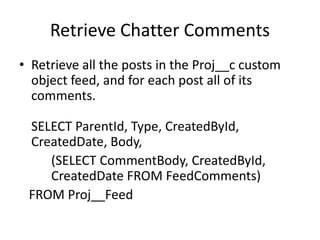
Retrieve Chatter Comments 
• Retrieve all the posts in the Proj__c custom 
object feed, and for each post all of its 
comments. 
SELECT ParentId, Type, CreatedById, 
CreatedDate, Body, 
(SELECT CommentBody, CreatedById, 
CreatedDate FROM FeedComments) 
FROM Proj__Feed
Create and Delete Chatter Comments 
// Create Comment 
public Id comment(Id postId, String text) { 
FeedComment comment = new FeedComment( 
FeedItemId = postId, CommentBody = text); 
insert comment; 
return comment.Id; 
} 
• You cannot update a FeedComment record, but you can delete it. 
// Delete comment 
public void deleteComment(Id postId, Id commentId) { 
Proj__Feed post = [ SELECT Id, 
(SELECT Id from FeedComments WHERE Id = :commentId) 
FROM Proj__Feed WHERE FeedPostId = :postId ]; 
delete post.FeedComments[0]; 
}
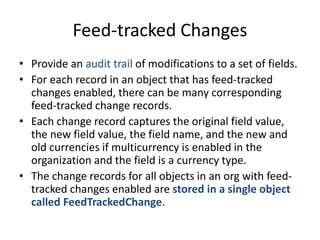
Feed-tracked Changes 
• Provide an audit trail of modifications to a set of fields. 
• For each record in an object that has feed-tracked 
changes enabled, there can be many corresponding 
feed-tracked change records. 
• Each change record captures the original field value, 
the new field value, the field name, and the new and 
old currencies if multicurrency is enabled in the 
organization and the field is a currency type. 
• The change records for all objects in an org with feed-tracked 
changes enabled are stored in a single object 
called FeedTrackedChange.
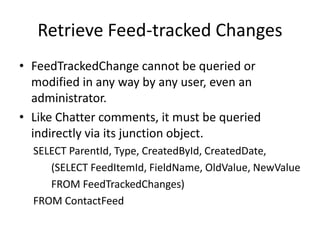
Retrieve Feed-tracked Changes 
• FeedTrackedChange cannot be queried or 
modified in any way by any user, even an 
administrator. 
• Like Chatter comments, it must be queried 
indirectly via its junction object. 
SELECT ParentId, Type, CreatedById, CreatedDate, 
(SELECT FeedItemId, FieldName, OldValue, NewValue 
FROM FeedTrackedChanges) 
FROM ContactFeed
Follow and Unfollow a Record 
// Follow a record 
public Id follow(Id recordId, Id userId) { 
EntitySubscription e = 
new EntitySubscription( 
ParentId = recordId, 
SubscriberId = userId); 
insert e; 
return e.Id; 
} 
// Unfollow a record 
public void unfollow(Id subscriptionId) { 
delete [ SELECT Id FROM EntitySubscription 
WHERE Id = :subscriptionId ]; 
}
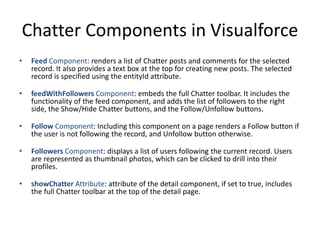
Chatter Components in Visualforce 
• Feed Component: renders a list of Chatter posts and comments for the selected 
record. It also provides a text box at the top for creating new posts. The selected 
record is specified using the entityId attribute. 
• feedWithFollowers Component: embeds the full Chatter toolbar. It includes the 
functionality of the feed component, and adds the list of followers to the right 
side, the Show/Hide Chatter buttons, and the Follow/Unfollow buttons. 
• Follow Component: Including this component on a page renders a Follow button if 
the user is not following the record, and Unfollow button otherwise. 
• Followers Component: displays a list of users following the current record. Users 
are represented as thumbnail photos, which can be clicked to drill into their 
profiles. 
• showChatter Attribute: attribute of the detail component, if set to true, includes 
the full Chatter toolbar at the top of the detail page.
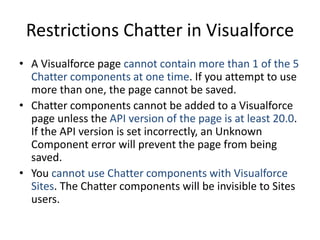
Restrictions Chatter in Visualforce 
• A Visualforce page cannot contain more than 1 of the 5 
Chatter components at one time. If you attempt to use 
more than one, the page cannot be saved. 
• Chatter components cannot be added to a Visualforce 
page unless the API version of the page is at least 20.0. 
If the API version is set incorrectly, an Unknown 
Component error will prevent the page from being 
saved. 
• You cannot use Chatter components with Visualforce 
Sites. The Chatter components will be invisible to Sites 
users.
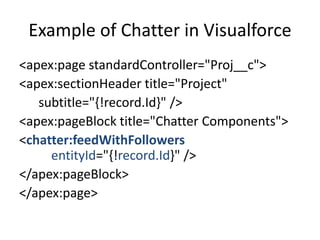
Example of Chatter in Visualforce 
<apex:page standardController="Proj__c"> 
<apex:sectionHeader title="Project" 
subtitle="{!record.Id}" /> 
<apex:pageBlock title="Chatter Components"> 
<chatter:feedWithFollowers 
entityId="{!record.Id}" /> 
</apex:pageBlock> 
</apex:page>

SFDC Social Applications

  • 1.
    Social Applications SujitKumar Zenolocity LLC © 2012 - 2024
  • 2.
    Chatter Overview •Brings users together socially along with the records from Force.com database that are relevant to them. • Concepts and Terms • Data Model • Add Chatter to custom VF User Interfaces
  • 3.
    Chatter Concepts •Posts and Comments • Follow and Unfollow • Feed • Group • Chatter Profile • Digest • Feed-tracked Change
  • 4.
    Posts and Comments • A post is a public message associated with a record in the database. • A comment is also a public message, but related to an individual post rather than a database record, like a footnote to the post. • Viewable by anyone in the org who has access to the parent record. • The body of posts and comments can contain text, searchable topics (words prefaced with #), references to users in your organization (using the @ character), and links to web pages. • Posts and comments are full-text searchable from the standard Force.com search interface. • Posts and comments can also contain any type of file, like attachments in email messages. • Individual posts can be “liked” by users, helping to measure and track the popularity of content.
  • 5.
    Chatter Concepts •Follow and Unfollow - refer to the social relationship between a user and a DB record. • Interests - set of records followed by a user. • Feed : history of social activity for a DB record with the most recent appearing first. • Chatter Group is a gathering place for users to collaborate on any subject. • Chatter Profile
  • 6.
    Digest • Dailyor weekly emailed summary of the Chatter feeds followed by a user. • Daily digest contains up to 25 of the most recent posts, and the weekly digest has 50. • Both include latest 3 comments for each post. • Convenient way to keep track of social activity without logging into Salesforce.
  • 7.
    Feed-tracked change •After an administrator configures an object and field as feed-tracked, a system-generated Chatter post is created to notify users when the field’s value changes. • The feed-tracked change Chatter posts serve as a public audit trail, and cannot be deleted. • Never included in chatter search results.
  • 8.
    Chatter Configuration •Administrators: Users with admin permissions can enable and disable Chatter for the entire org. Can also decide which database objects can contain Chatter and which fields on those objects have feed-tracked changes. • Groups: can provide a meaningful set of Chatter topics for your company. Similar to Facebook groups. • Users: can control email digests and notifications of Chatter-related events, such as new posts or new users following them.
  • 9.
    Chatter Data Model • Dynamic: Objects in Chatter schema can appear and disappear based on the Chatter configuration. For example, when Chatter is disabled in an organization, the Chatter objects are completely hidden, as if they never existed. • Objects containing Chatter posts are dynamically created when Chatter is enabled for a custom object. • Relationship Rich: links social and business data • No updates allowed on chatter objects.
  • 10.
    Chatter Posts •Chatter enabled parent object has 0 or many posts. • <Object> 0 ---------> M <Object>Feed • Example: • if Chatter is enabled on the Proj__c custom object, then an object named Proj__Feed exists, the object used to store posts related to Projects. If Chatter is later disabled for Proj__c, the Proj__Feed object is removed from the Force.com database.
  • 11.
    5 Types ofChatter Posts • Text – text post • URL – link post • File – content post, file attached to a post • Field Change – tracked change, generated by Force.com itself and cannot be created by users or programs. • Status Update – user status update
  • 12.
    Standard Object Feeds • When chatter is enabled for org, most standard objects have chatter feeds. • Example: retrieve 10 most recent Chatter posts on the Contact object. SELECT ParentId, Body, Type, CreatedBy.Name, CreatedDate FROM ContactFeed ORDER BY CreatedDate DESC LIMIT 10
  • 13.
    Create & DeleteChatter Posts • Create a post - can use the same code to create posts regardless of object type. • Delete a post – code to delete posts is object specific and NOT generic. // Create a post public Id post(Id recordId, String text) { FeedItem post = new FeedItem(ParentId = recordId, Body = text); insert post; return post.Id; } // Delete a post public void deleteContactPost(Id postId) { ContactFeed post = [ SELECT Id FROM ContactFeed WHERE FeedPostId = :postId ]; delete post; }
  • 14.
    Custom Object Feeds • Similar to standard objects with 2 differences. • Naming scheme is slightly different. Example: Proj__c custom object has chatter object called Proj__Feed. • A feed object does not exist until Chatter is enabled on the custom object.
  • 15.
    UserFeed and UserProfileFeed • Separate feeds (UF, UPF) exist for the Chatter user profile as well as the standard User object. • UF – field tracked changes on your User object plus posts by other users on your profile. Cannot query another user’s UF. Example: SELECT ParentId, FeedPostId, Type, CreatedById, CreatedDate FROM UserFeed • UPF – superset of UF. Includes chatter from other objects followed by the user. Can view the UPF from the perspective of any user by specifying his UserId using the WITH keyword. Example: SELECT ParentId, FeedPostId, Type, CreatedById, CreatedDate FROM UserProfileFeed WITH UserId = '00580000001opOPAAY'
  • 16.
    Home Tab Feed • Home tab aggregates all the posts and comments you follow in one place. • The Chatter appearing on the Home tab is also accessible via API using the NewsFeed object. • Queries on NewsFeed are limited in scope to the user running the query. SELECT ParentId, Body, Type, CreatedBy.Name, CreatedDate FROM NewsFeed
  • 17.
    Chatter Comments •1 object has 0 or more posts. • 1 post has 0 or more comments. • The <Object>Feed is a junction object between <Object> and the FeedComment object. • Comment data is stored in a single, large object called FeedComment that cannot be queried directly.
  • 18.
    Retrieve Chatter Comments • Retrieve all the posts in the Proj__c custom object feed, and for each post all of its comments. SELECT ParentId, Type, CreatedById, CreatedDate, Body, (SELECT CommentBody, CreatedById, CreatedDate FROM FeedComments) FROM Proj__Feed
  • 19.
    Create and DeleteChatter Comments // Create Comment public Id comment(Id postId, String text) { FeedComment comment = new FeedComment( FeedItemId = postId, CommentBody = text); insert comment; return comment.Id; } • You cannot update a FeedComment record, but you can delete it. // Delete comment public void deleteComment(Id postId, Id commentId) { Proj__Feed post = [ SELECT Id, (SELECT Id from FeedComments WHERE Id = :commentId) FROM Proj__Feed WHERE FeedPostId = :postId ]; delete post.FeedComments[0]; }
  • 20.
    Feed-tracked Changes •Provide an audit trail of modifications to a set of fields. • For each record in an object that has feed-tracked changes enabled, there can be many corresponding feed-tracked change records. • Each change record captures the original field value, the new field value, the field name, and the new and old currencies if multicurrency is enabled in the organization and the field is a currency type. • The change records for all objects in an org with feed-tracked changes enabled are stored in a single object called FeedTrackedChange.
  • 21.
    Retrieve Feed-tracked Changes • FeedTrackedChange cannot be queried or modified in any way by any user, even an administrator. • Like Chatter comments, it must be queried indirectly via its junction object. SELECT ParentId, Type, CreatedById, CreatedDate, (SELECT FeedItemId, FieldName, OldValue, NewValue FROM FeedTrackedChanges) FROM ContactFeed
  • 22.
    Follow and Unfollowa Record // Follow a record public Id follow(Id recordId, Id userId) { EntitySubscription e = new EntitySubscription( ParentId = recordId, SubscriberId = userId); insert e; return e.Id; } // Unfollow a record public void unfollow(Id subscriptionId) { delete [ SELECT Id FROM EntitySubscription WHERE Id = :subscriptionId ]; }
  • 23.
    Chatter Components inVisualforce • Feed Component: renders a list of Chatter posts and comments for the selected record. It also provides a text box at the top for creating new posts. The selected record is specified using the entityId attribute. • feedWithFollowers Component: embeds the full Chatter toolbar. It includes the functionality of the feed component, and adds the list of followers to the right side, the Show/Hide Chatter buttons, and the Follow/Unfollow buttons. • Follow Component: Including this component on a page renders a Follow button if the user is not following the record, and Unfollow button otherwise. • Followers Component: displays a list of users following the current record. Users are represented as thumbnail photos, which can be clicked to drill into their profiles. • showChatter Attribute: attribute of the detail component, if set to true, includes the full Chatter toolbar at the top of the detail page.
  • 24.
    Restrictions Chatter inVisualforce • A Visualforce page cannot contain more than 1 of the 5 Chatter components at one time. If you attempt to use more than one, the page cannot be saved. • Chatter components cannot be added to a Visualforce page unless the API version of the page is at least 20.0. If the API version is set incorrectly, an Unknown Component error will prevent the page from being saved. • You cannot use Chatter components with Visualforce Sites. The Chatter components will be invisible to Sites users.
  • 25.
    Example of Chatterin Visualforce <apex:page standardController="Proj__c"> <apex:sectionHeader title="Project" subtitle="{!record.Id}" /> <apex:pageBlock title="Chatter Components"> <chatter:feedWithFollowers entityId="{!record.Id}" /> </apex:pageBlock> </apex:page>