

Force.com Batch Apex 
Sujit Kumar 
Zenolocity LLC © 2012 - 2024
Overview 
• Concepts 
• Batchable Interface 
• Guidelines 
• Example Apex Batch Job 
• Execution and Monitoring 
• Stateful Batch Apex 
• Iterable Batch 
• Limitations 
• Testing and Scheduling
Concepts 
• Large, data-intensive processing. 
• Scope: set of records Batch Apex works on. One to 50 
million records. Scope is usually expressed as a SOQL 
statement, which is contained in a Query Locator, a system 
object that is exempt from the normal governor limits on 
SOQL. 
• Batch Job: Asynchronous, run in background. UI to list, 
monitor and cancel batch jobs. 
• Transactions: Units of work running the same code within a 
batch job, subject to governor limits. Up to 200 records. 
The scope is split into several transactions, each committed 
to the database independently. Stateless. Parallel or serial. 
• 5 Active Batch Jobs per Org.
Batchable Interface 
• start() - return a QueryLocator or an Iterable that 
describes the scope of the batch job. 
• execute() – splits the records from the previous step 
into several transactions, each of which operates on up 
to 200 records. 
• The records are provided in the scope argument of the 
execute method. 
• Each invocation of execute is a separate transaction. 
• If an uncaught exception is in a transaction, no further 
transactions are processed and the entire batch job is 
stopped.
Transactions in Batch Job 
• Transactions that complete successfully are never 
rolled back. 
• If an error in a transaction stops the batch, the 
transactions executed up to that point remain in 
the database. 
• Cannot use savepoints to achieve a single 
pseudo-transaction across the entire batch job. 
• If you must achieve job-wide rollback, this can be 
implemented in the form of a compensating 
batch job that reverses the actions of the failed 
job.
Batchable (contd…) 
• finish() - Invoked once at the end of a batch 
job. 
• The job ends when all transactions in the 
scope have been processed successfully, or if 
processing has failed. 
• Regardless of success or failure, finish is 
always called. 
• No code required in the finish method.
Batch Apex Class 
• Must implement the Database.Batchable 
interface. Parameterized interface, so needs a 
type name. Use SObject for batches with a 
QueryLocator scope, or any database object 
type for an Iterable scope. 
• The class must be global, hence methods must 
be global as well.
Batchable Context 
• The BatchableContext object argument in all 
three methods contains a method called getJobId 
to get unique ID of the current batch job. 
• jobID can be used to look up additional 
information about the batch job in the standard 
database object AsyncApexJob. 
• You can also pass this identifier to the 
System.abortJob method to stop processing of 
the batch job.
Guidelines 
• Single DB Object – source data from a single 
DB object, no web services, 
• Simple scope of work – single SOQL typically. 
• Minimal shared state – each unit of work is 
independent. 
• Limited transactionality – rollback requires 
custom code. 
• Not time critical – no guarantee on when it is 
executed and how long it will run.
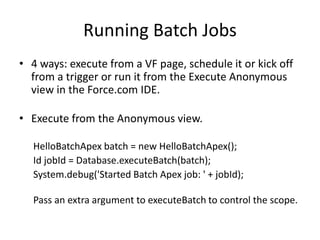
Running Batch Jobs 
• 4 ways: execute from a VF page, schedule it or kick off 
from a trigger or run it from the Execute Anonymous 
view in the Force.com IDE. 
• Execute from the Anonymous view. 
HelloBatchApex batch = new HelloBatchApex(); 
Id jobId = Database.executeBatch(batch); 
System.debug('Started Batch Apex job: ' + jobId); 
Pass an extra argument to executeBatch to control the scope.
Job States 
• Queued 
• Processing 
• Aborted 
• Successful
4 Different Logs in Debug Logs 
• Results of evaluating the code in the Execute 
Anonymous view. 
• Invocation of the start method to prepare the 
dataset for the batch. 
• Results of running the execute method, where 
the batch job performs its work on the subsets of 
the data. 
• All the transactions have been processed, so the 
finish method is called to allow post-processing 
to occur.
Stateful Batch 
• Batch Apex is stateless by default. That means for 
each run of the execute method, you receive a 
fresh copy of your object. All fields of the class , 
both static and instance are initialized. 
• If your batch process needs information that is 
shared across transactions, one approach is to 
make the Batch Apex class itself stateful by 
implementing the Stateful interface. 
• This instructs Force.com to preserve the values of 
your static and instance variables between 
transactions.
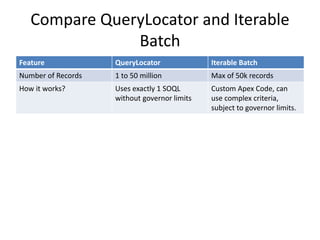
Compare QueryLocator and Iterable 
Batch 
Feature QueryLocator Iterable Batch 
Number of Records 1 to 50 million Max of 50k records 
How it works? Uses exactly 1 SOQL 
without governor limits 
Custom Apex Code, can 
use complex criteria, 
subject to governor limits.
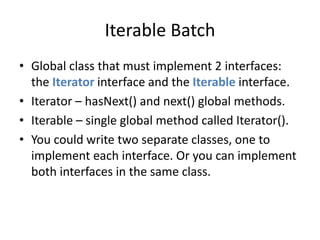
Iterable Batch 
• Global class that must implement 2 interfaces: 
the Iterator interface and the Iterable interface. 
• Iterator – hasNext() and next() global methods. 
• Iterable – single global method called Iterator(). 
• You could write two separate classes, one to 
implement each interface. Or you can implement 
both interfaces in the same class.
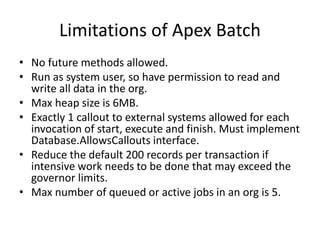
Limitations of Apex Batch 
• No future methods allowed. 
• Run as system user, so have permission to read and 
write all data in the org. 
• Max heap size is 6MB. 
• Exactly 1 callout to external systems allowed for each 
invocation of start, execute and finish. Must implement 
Database.AllowsCallouts interface. 
• Reduce the default 200 records per transaction if 
intensive work needs to be done that may exceed the 
governor limits. 
• Max number of queued or active jobs in an org is 5.
Testing Batch Apex 
• Batch Apex can be tested like any Apex code, although 
you are limited to a single transaction’s worth of data 
(one invocation of the execute method). 
• A batch job started within a test runs synchronously, 
and does not count against the organization’s limit of 5 
batch jobs. 
public static testmethod void testBatch() { 
Test.startTest(); 
HelloBatchApex batch = new HelloBatchApex(); 
ID jobId = Database.executeBatch(batch); 
Test.stopTest(); 
}
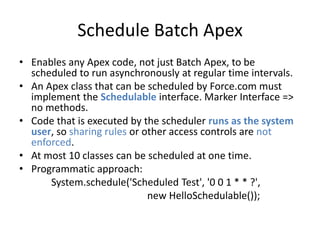
Schedule Batch Apex 
• Enables any Apex code, not just Batch Apex, to be 
scheduled to run asynchronously at regular time intervals. 
• An Apex class that can be scheduled by Force.com must 
implement the Schedulable interface. Marker Interface => 
no methods. 
• Code that is executed by the scheduler runs as the system 
user, so sharing rules or other access controls are not 
enforced. 
• At most 10 classes can be scheduled at one time. 
• Programmatic approach: 
System.schedule('Scheduled Test', '0 0 1 * * ?', 
new HelloSchedulable());
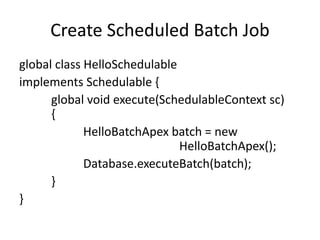
Create Scheduled Batch Job 
global class HelloSchedulable 
implements Schedulable { 
global void execute(SchedulableContext sc) 
{ 
HelloBatchApex batch = new 
HelloBatchApex(); 
Database.executeBatch(batch); 
} 
}

SFDC Batch Apex

  • 1.
    Force.com Batch Apex Sujit Kumar Zenolocity LLC © 2012 - 2024
  • 2.
    Overview • Concepts • Batchable Interface • Guidelines • Example Apex Batch Job • Execution and Monitoring • Stateful Batch Apex • Iterable Batch • Limitations • Testing and Scheduling
  • 3.
    Concepts • Large,data-intensive processing. • Scope: set of records Batch Apex works on. One to 50 million records. Scope is usually expressed as a SOQL statement, which is contained in a Query Locator, a system object that is exempt from the normal governor limits on SOQL. • Batch Job: Asynchronous, run in background. UI to list, monitor and cancel batch jobs. • Transactions: Units of work running the same code within a batch job, subject to governor limits. Up to 200 records. The scope is split into several transactions, each committed to the database independently. Stateless. Parallel or serial. • 5 Active Batch Jobs per Org.
  • 4.
    Batchable Interface •start() - return a QueryLocator or an Iterable that describes the scope of the batch job. • execute() – splits the records from the previous step into several transactions, each of which operates on up to 200 records. • The records are provided in the scope argument of the execute method. • Each invocation of execute is a separate transaction. • If an uncaught exception is in a transaction, no further transactions are processed and the entire batch job is stopped.
  • 5.
    Transactions in BatchJob • Transactions that complete successfully are never rolled back. • If an error in a transaction stops the batch, the transactions executed up to that point remain in the database. • Cannot use savepoints to achieve a single pseudo-transaction across the entire batch job. • If you must achieve job-wide rollback, this can be implemented in the form of a compensating batch job that reverses the actions of the failed job.
  • 6.
    Batchable (contd…) •finish() - Invoked once at the end of a batch job. • The job ends when all transactions in the scope have been processed successfully, or if processing has failed. • Regardless of success or failure, finish is always called. • No code required in the finish method.
  • 7.
    Batch Apex Class • Must implement the Database.Batchable interface. Parameterized interface, so needs a type name. Use SObject for batches with a QueryLocator scope, or any database object type for an Iterable scope. • The class must be global, hence methods must be global as well.
  • 8.
    Batchable Context •The BatchableContext object argument in all three methods contains a method called getJobId to get unique ID of the current batch job. • jobID can be used to look up additional information about the batch job in the standard database object AsyncApexJob. • You can also pass this identifier to the System.abortJob method to stop processing of the batch job.
  • 9.
    Guidelines • SingleDB Object – source data from a single DB object, no web services, • Simple scope of work – single SOQL typically. • Minimal shared state – each unit of work is independent. • Limited transactionality – rollback requires custom code. • Not time critical – no guarantee on when it is executed and how long it will run.
  • 10.
    Running Batch Jobs • 4 ways: execute from a VF page, schedule it or kick off from a trigger or run it from the Execute Anonymous view in the Force.com IDE. • Execute from the Anonymous view. HelloBatchApex batch = new HelloBatchApex(); Id jobId = Database.executeBatch(batch); System.debug('Started Batch Apex job: ' + jobId); Pass an extra argument to executeBatch to control the scope.
  • 11.
    Job States •Queued • Processing • Aborted • Successful
  • 12.
    4 Different Logsin Debug Logs • Results of evaluating the code in the Execute Anonymous view. • Invocation of the start method to prepare the dataset for the batch. • Results of running the execute method, where the batch job performs its work on the subsets of the data. • All the transactions have been processed, so the finish method is called to allow post-processing to occur.
  • 13.
    Stateful Batch •Batch Apex is stateless by default. That means for each run of the execute method, you receive a fresh copy of your object. All fields of the class , both static and instance are initialized. • If your batch process needs information that is shared across transactions, one approach is to make the Batch Apex class itself stateful by implementing the Stateful interface. • This instructs Force.com to preserve the values of your static and instance variables between transactions.
  • 14.
    Compare QueryLocator andIterable Batch Feature QueryLocator Iterable Batch Number of Records 1 to 50 million Max of 50k records How it works? Uses exactly 1 SOQL without governor limits Custom Apex Code, can use complex criteria, subject to governor limits.
  • 15.
    Iterable Batch •Global class that must implement 2 interfaces: the Iterator interface and the Iterable interface. • Iterator – hasNext() and next() global methods. • Iterable – single global method called Iterator(). • You could write two separate classes, one to implement each interface. Or you can implement both interfaces in the same class.
  • 16.
    Limitations of ApexBatch • No future methods allowed. • Run as system user, so have permission to read and write all data in the org. • Max heap size is 6MB. • Exactly 1 callout to external systems allowed for each invocation of start, execute and finish. Must implement Database.AllowsCallouts interface. • Reduce the default 200 records per transaction if intensive work needs to be done that may exceed the governor limits. • Max number of queued or active jobs in an org is 5.
  • 17.
    Testing Batch Apex • Batch Apex can be tested like any Apex code, although you are limited to a single transaction’s worth of data (one invocation of the execute method). • A batch job started within a test runs synchronously, and does not count against the organization’s limit of 5 batch jobs. public static testmethod void testBatch() { Test.startTest(); HelloBatchApex batch = new HelloBatchApex(); ID jobId = Database.executeBatch(batch); Test.stopTest(); }
  • 18.
    Schedule Batch Apex • Enables any Apex code, not just Batch Apex, to be scheduled to run asynchronously at regular time intervals. • An Apex class that can be scheduled by Force.com must implement the Schedulable interface. Marker Interface => no methods. • Code that is executed by the scheduler runs as the system user, so sharing rules or other access controls are not enforced. • At most 10 classes can be scheduled at one time. • Programmatic approach: System.schedule('Scheduled Test', '0 0 1 * * ?', new HelloSchedulable());
  • 19.
    Create Scheduled BatchJob global class HelloSchedulable implements Schedulable { global void execute(SchedulableContext sc) { HelloBatchApex batch = new HelloBatchApex(); Database.executeBatch(batch); } }