Performance Tuning for Visualforce
and Apex
John Tan, salesforce.com, @johntansfdc
Thomas Harris, salesforce.com
Safe Harbor
Safe harbor statement under the Private Securities Litigation Reform Act of 1995:
This presentation may contain forward-looking statements that involve risks, uncertainties, and assumptions. If any such uncertainties
materialize or if any of the assumptions proves incorrect, the results of salesforce.com, inc. could differ materially from the results
expressed or implied by the forward-looking statements we make. All statements other than statements of historical fact could be
deemed forward-looking, including any projections of product or service availability, subscriber growth, earnings, revenues, or other
financial items and any statements regarding strategies or plans of management for future operations, statements of belief, any
statements concerning new, planned, or upgraded services or technology developments and customer contracts or use of our services.
The risks and uncertainties referred to above include – but are not limited to – risks associated with developing and delivering new
functionality for our service, new products and services, our new business model, our past operating losses, possible fluctuations in our
operating results and rate of growth, interruptions or delays in our Web hosting, breach of our security measures, the outcome of any
litigation, risks associated with completed and any possible mergers and acquisitions, the immature market in which we operate, our
relatively limited operating history, our ability to expand, retain, and motivate our employees and manage our growth, new releases of our
service and successful customer deployment, our limited history reselling non-salesforce.com products, and utilization and selling to
larger enterprise customers. Further information on potential factors that could affect the financial results of salesforce.com, inc. is
included in our annual report on Form 10-K for the most recent fiscal year and in our quarterly report on Form 10-Q for the most recent
fiscal quarter. These documents and others containing important disclosures are available on the SEC Filings section of the Investor
Information section of our Web site.
Any unreleased services or features referenced in this or other presentations, press releases or public statements are not currently
available and may not be delivered on time or at all. Customers who purchase our services should make the purchase decisions
based upon features that are currently available. Salesforce.com, inc. assumes no obligation and does not intend to update these
forward-looking statements.
Your company uses
Salesforce/Force.com …
You are a developer or
architect…
Your Visualforce pages and Apex
classes are slower than you’d
like…
You need to find and fix the
issues…
Agenda
1. Record lock contention
2. Building efficient queries
3. Batch Apex
4. Visualforce
5. Apex and CPU limit
6. Debugging Tips and Tricks
John C. Tan
Lead Member of Technical Staff
Customer Centric Engineering
@johntansfdc
Thomas Harris
Lead Member of Technical Staff
Customer Centric Engineering
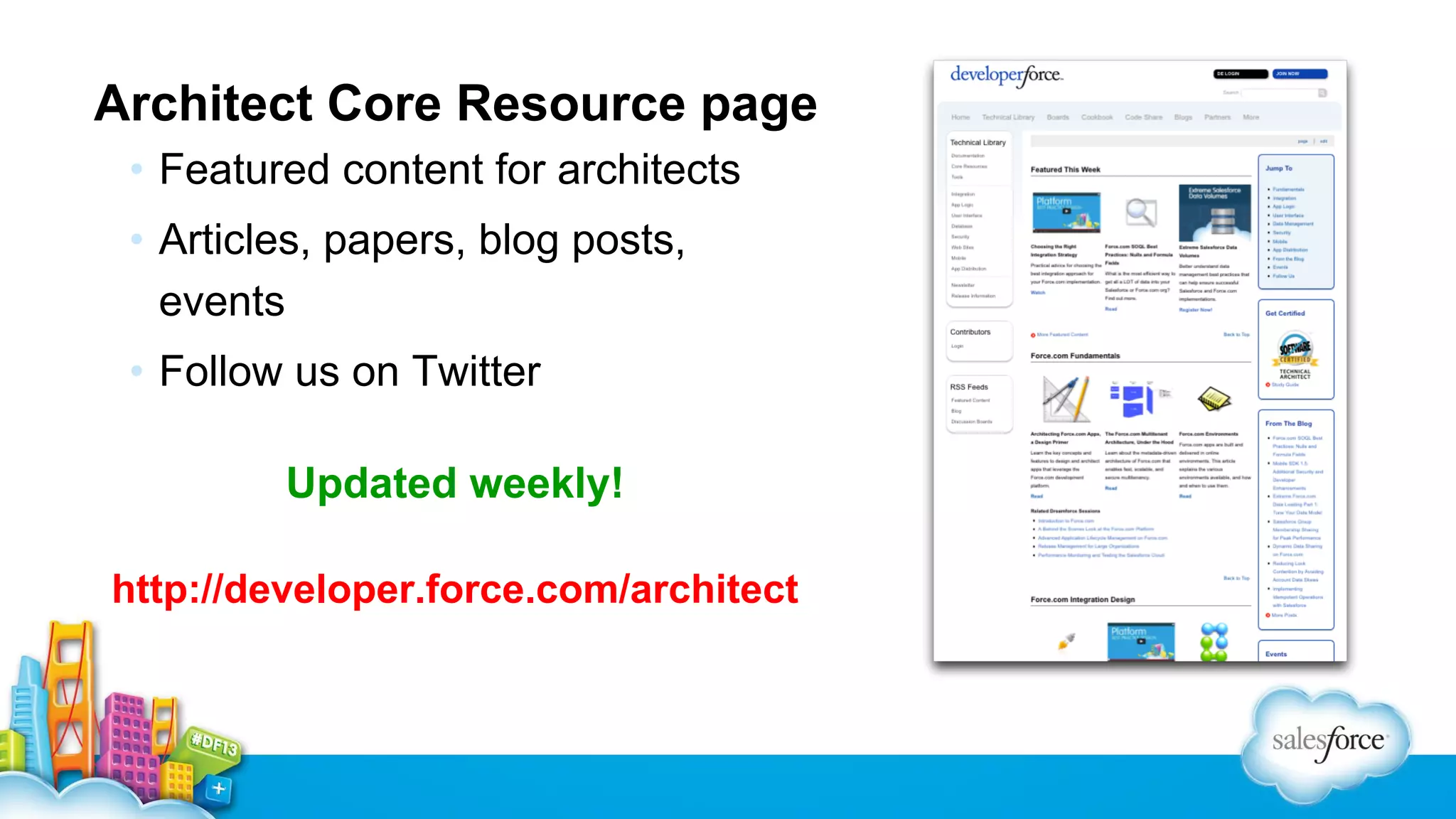
Architect Core Resource page
• Featured content for architects
• Articles, papers, blog posts,
events
• Follow us on Twitter
Updated weekly!
http://developer.force.com/architect
Build On A Solid Foundation
1. Data model & queries
2. Then tune Apex
3. Then tune Visualforce
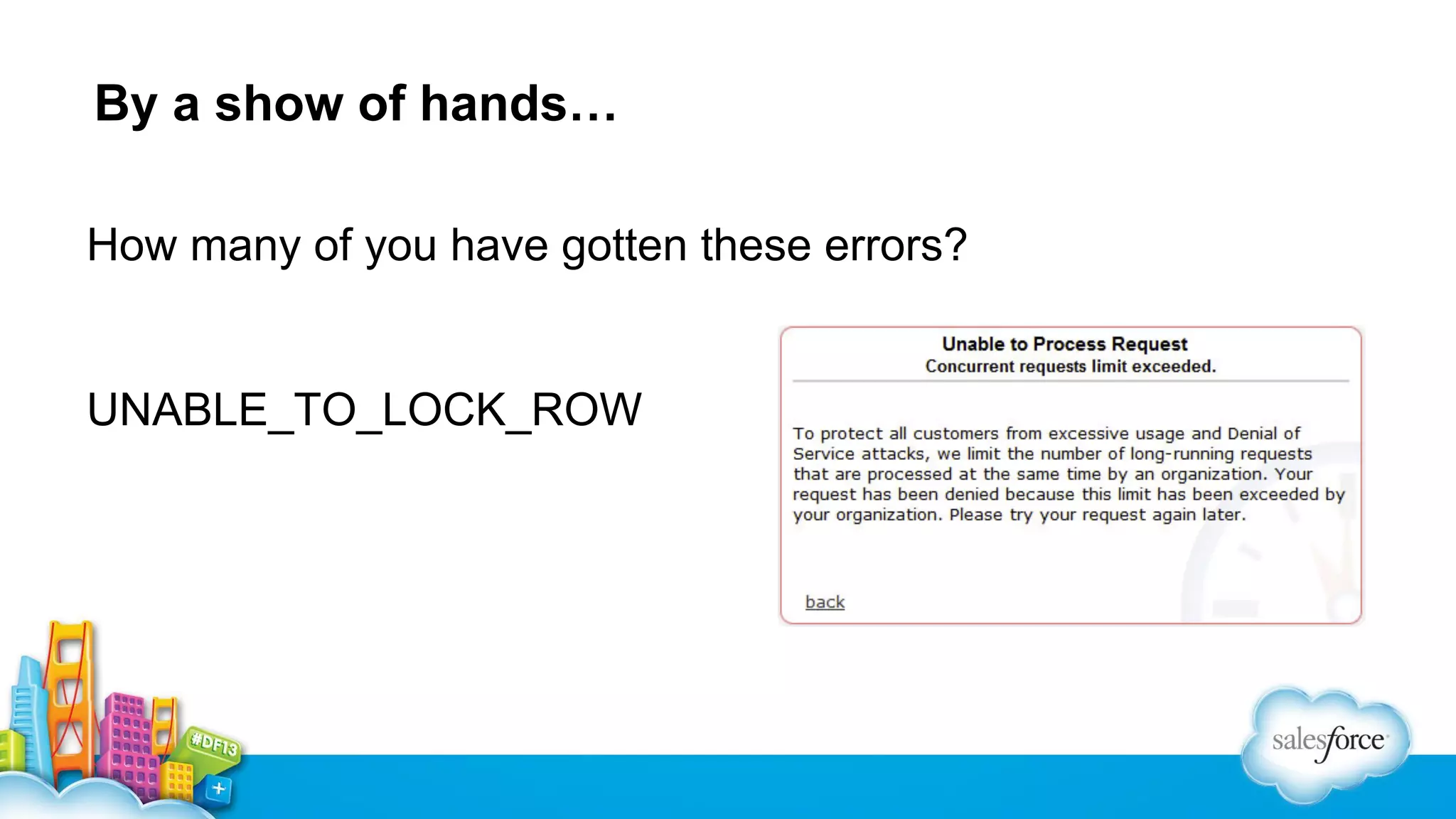
By a show of hands…
How many of you have gotten these errors?

UNABLE_TO_LOCK_ROW
Record Lock Contention / Data
Skew
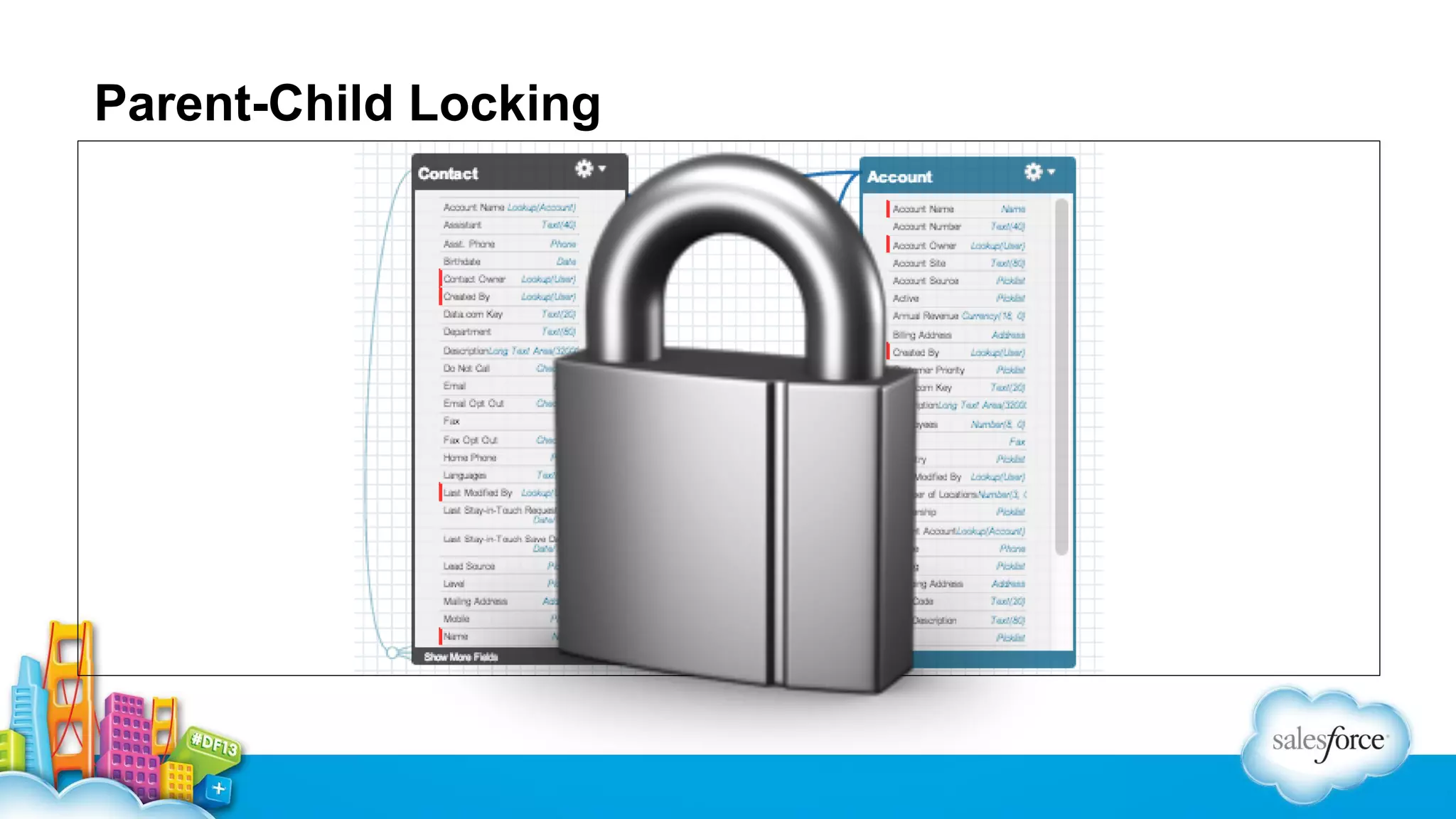
Parent-Child Locking
▪ Insert of Contact requires locking the parent Account.
▪ Insert or Update of Event requires locking both the parent Contact and the parent
Account.
▪ Insert or Update of Task requires locking both the parent Contact and parent Account,
if the Task is marked as complete.
▪ Insert of Case requires locking the parent Contact and parent Account.
▪ In objects that are part of a master/detail relationship, inserts require locking the
master. Updates will also lock the master if a roll-up summary is present.
▪ In objects that are part of a lookup relationship where the lookup is set to Clear on
delete, inserts require locking the target lookup record. Updates will lock the target
lookup record if the value of target changes.
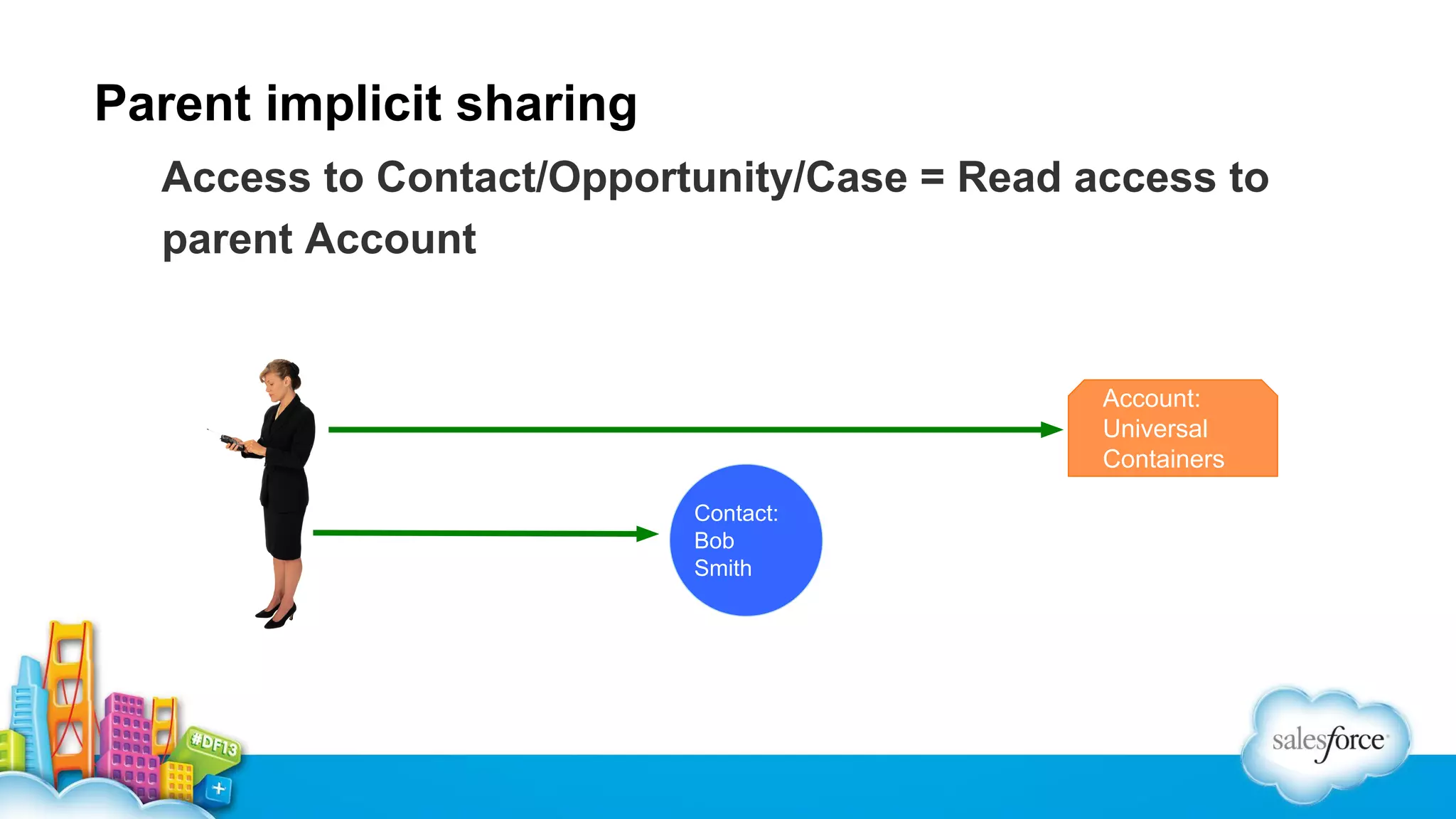
Parent implicit sharing
Access to Contact/Opportunity/Case = Read access to
parent Account

Account:
Universal
Containers
Contact:
Bob
Smith
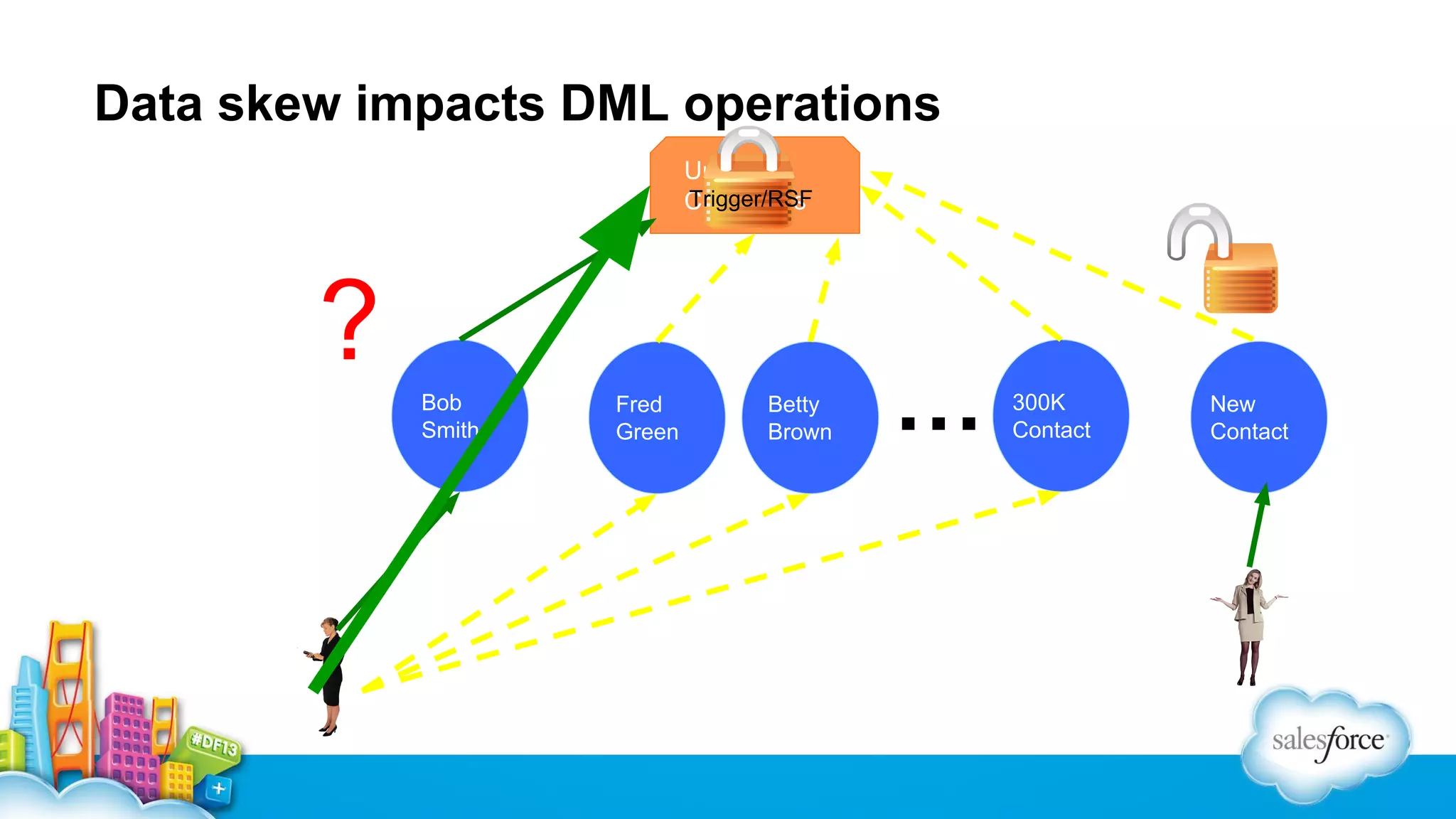
Data skew impacts DML operations
Universal
Trigger/RSF
Containers

?
Bob
Smith

Fred
Green

Betty
Brown

…

300K
Contact

New
Contact
Result Of Longer Sharing Calculations
▪ DML operations run longer
▪ Concurrent Request Limit errors
▪ UNABLE_TO_LOCK_ROW errors
Key Takeaways
✓ Prevent parent-child data skews
✓ 10K or less children
✓ Public read/write sharing model = No sharing calculations
Building Efficient Queries
What is the Force.com query optimizer?
Generates the most efficient query based on:
▪ Statistics
▪ Indexes / Skinny Tables
▪ Sharing
Best practice: One+ selective filter per query
Selective filters: Four components
1. Filters - add filters to reduce data
2. Operators - avoid 2 inefficient filter operators
3. Thresholds - filter meets selectivity threshold (efficient to
use index)
4. Index Creation - index the filter field
Fields that often make good filters
▪ Date fields
▪ Picklists
▪ Fields with wide and even distribution of values
Non-deterministic formula fields aren’t good filters
Can’t index
For example:
▪ References related object
▪ CASE(MyUser__r.UserType__c,1,”Gold”,”Silver”)
▪ Create separate field and use trigger to populate

Force.com SOQL Best Practices: Nulls and Formula Fields
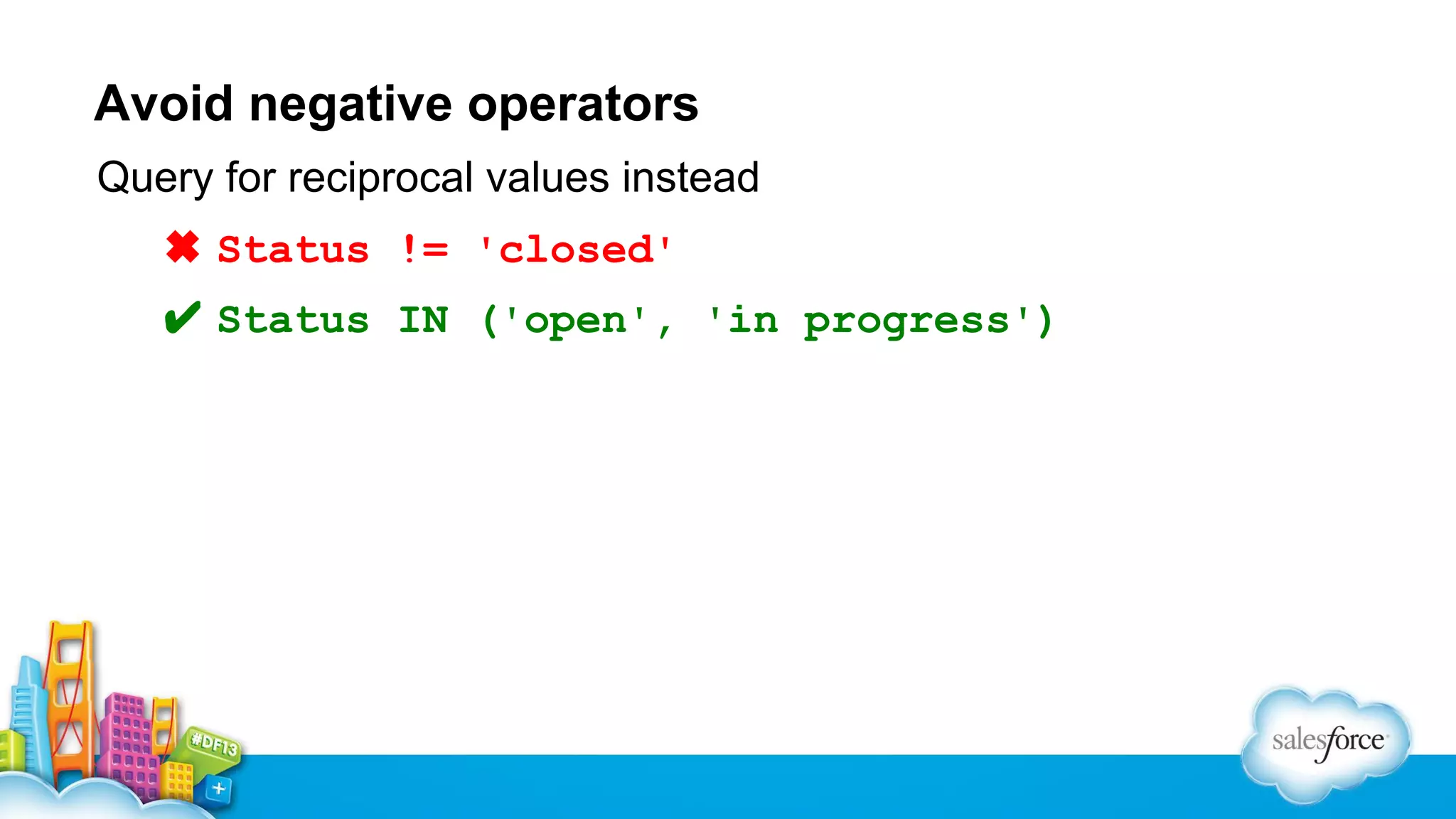
Avoid negative operators
Query for reciprocal values instead
✖ Status != 'closed'
✔ Status IN ('open', 'in progress')
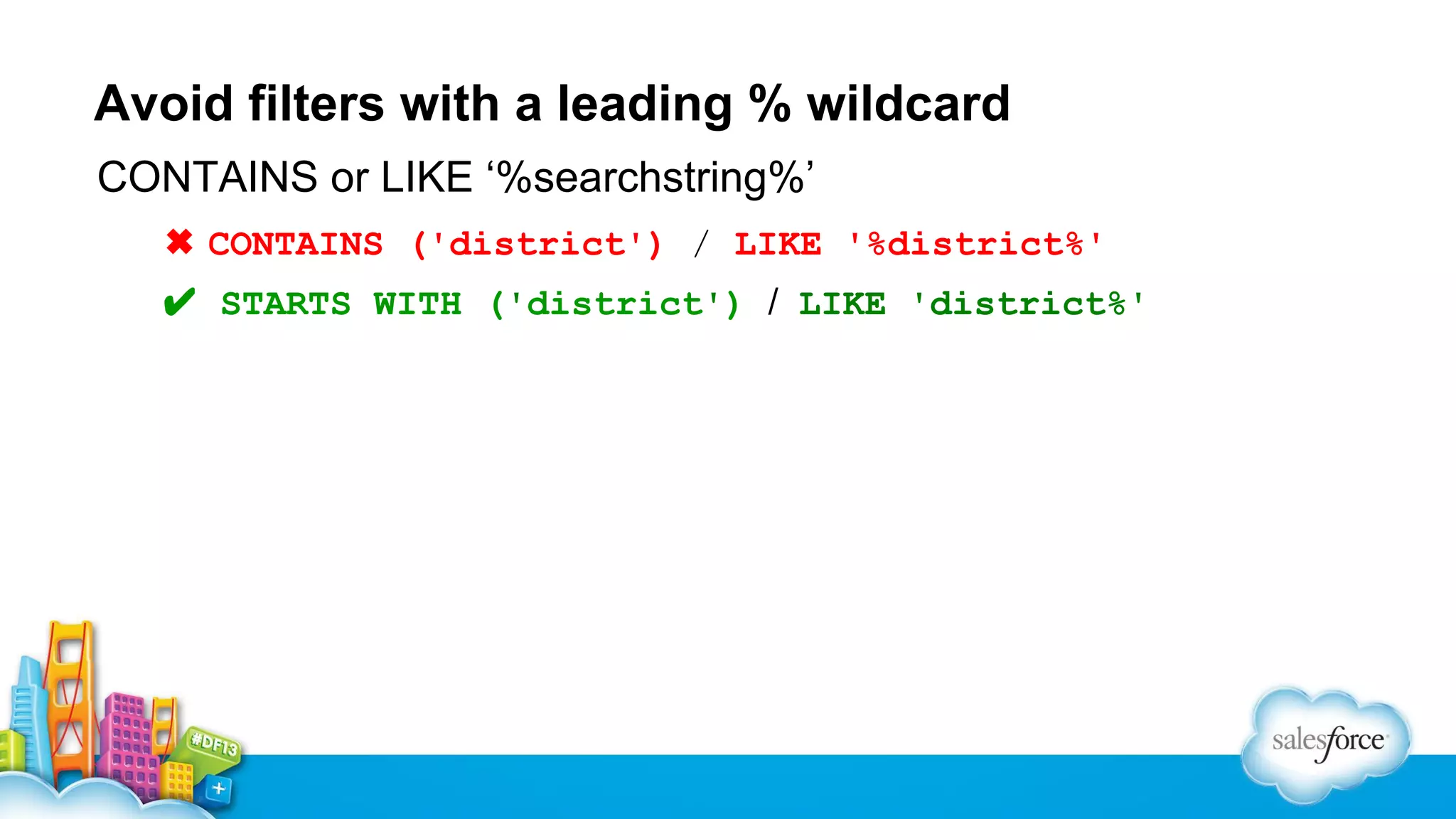
Avoid filters with a leading % wildcard
CONTAINS or LIKE ‘%searchstring%’
✖ CONTAINS ('district') / LIKE '%district%'
✔ STARTS WITH ('district') / LIKE 'district%'
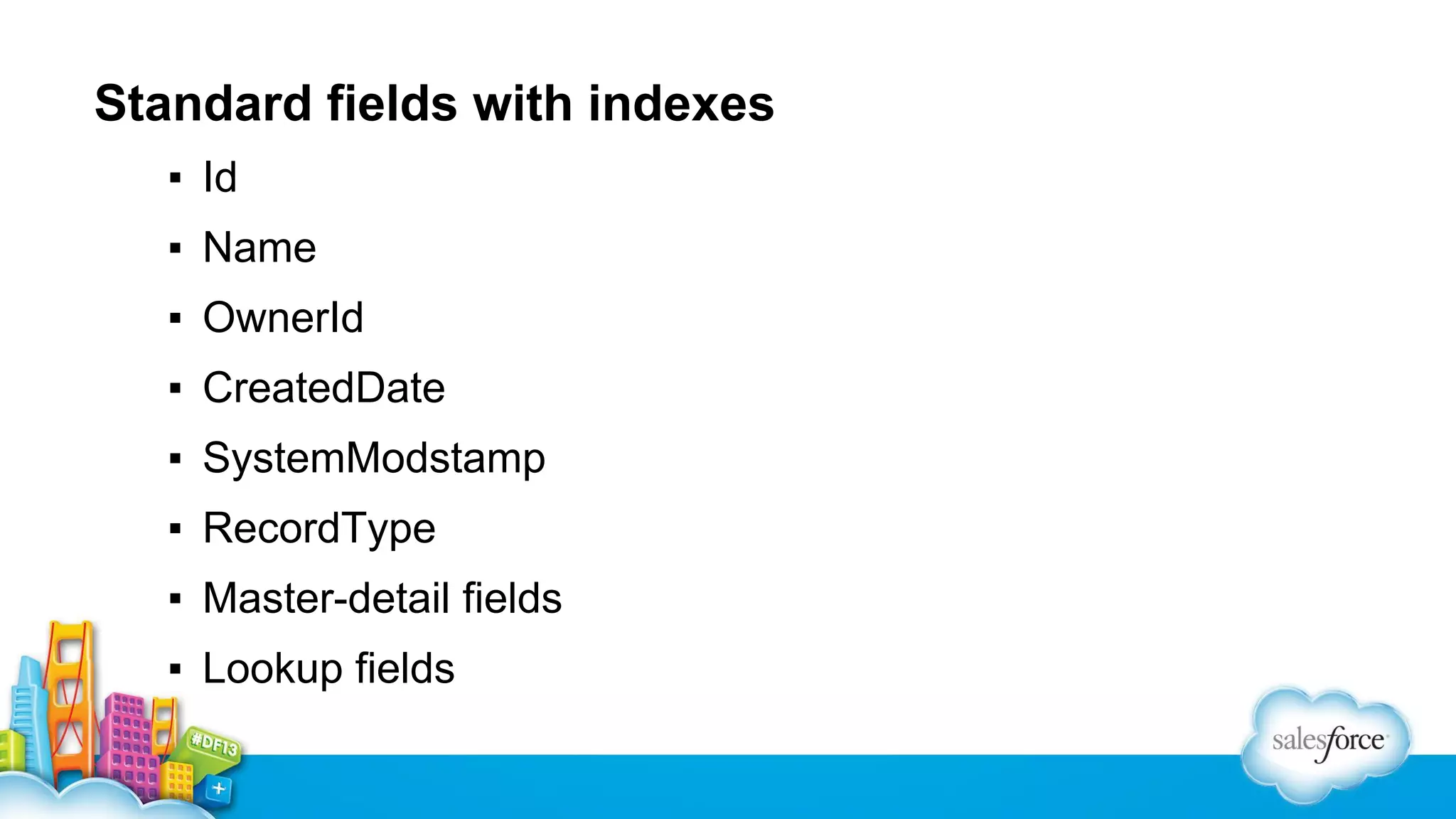
Standard fields with indexes
▪ Id
▪ Name
▪ OwnerId
▪ CreatedDate
▪ SystemModstamp
▪ RecordType
▪ Master-detail fields
▪ Lookup fields
Custom indexes
• Discover common filter conditions
• Determine selective fields in those conditions
• Request custom indexes
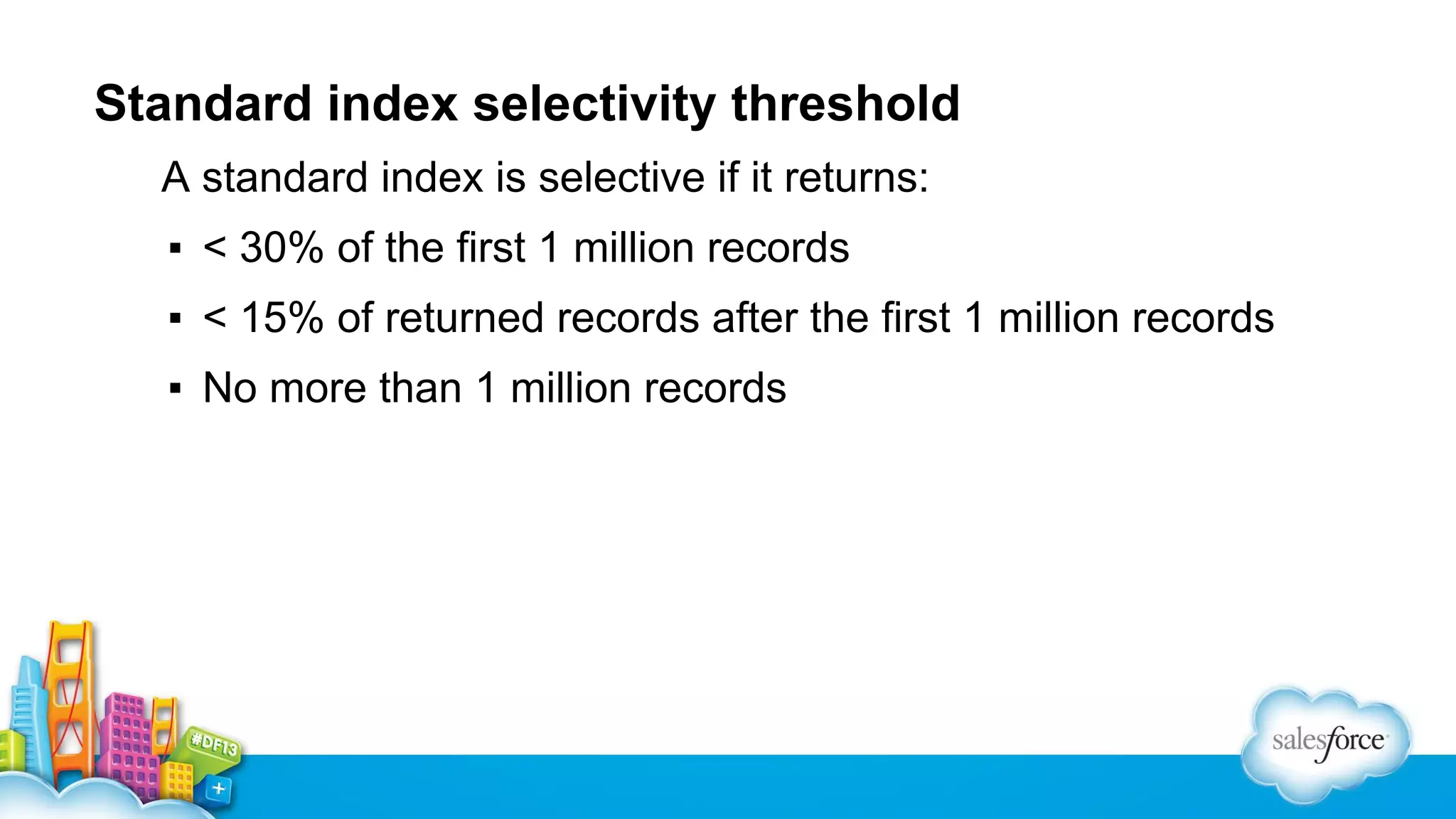
Standard index selectivity threshold
A standard index is selective if it returns:
▪ < 30% of the first 1 million records
▪ < 15% of returned records after the first 1 million records
▪ No more than 1 million records
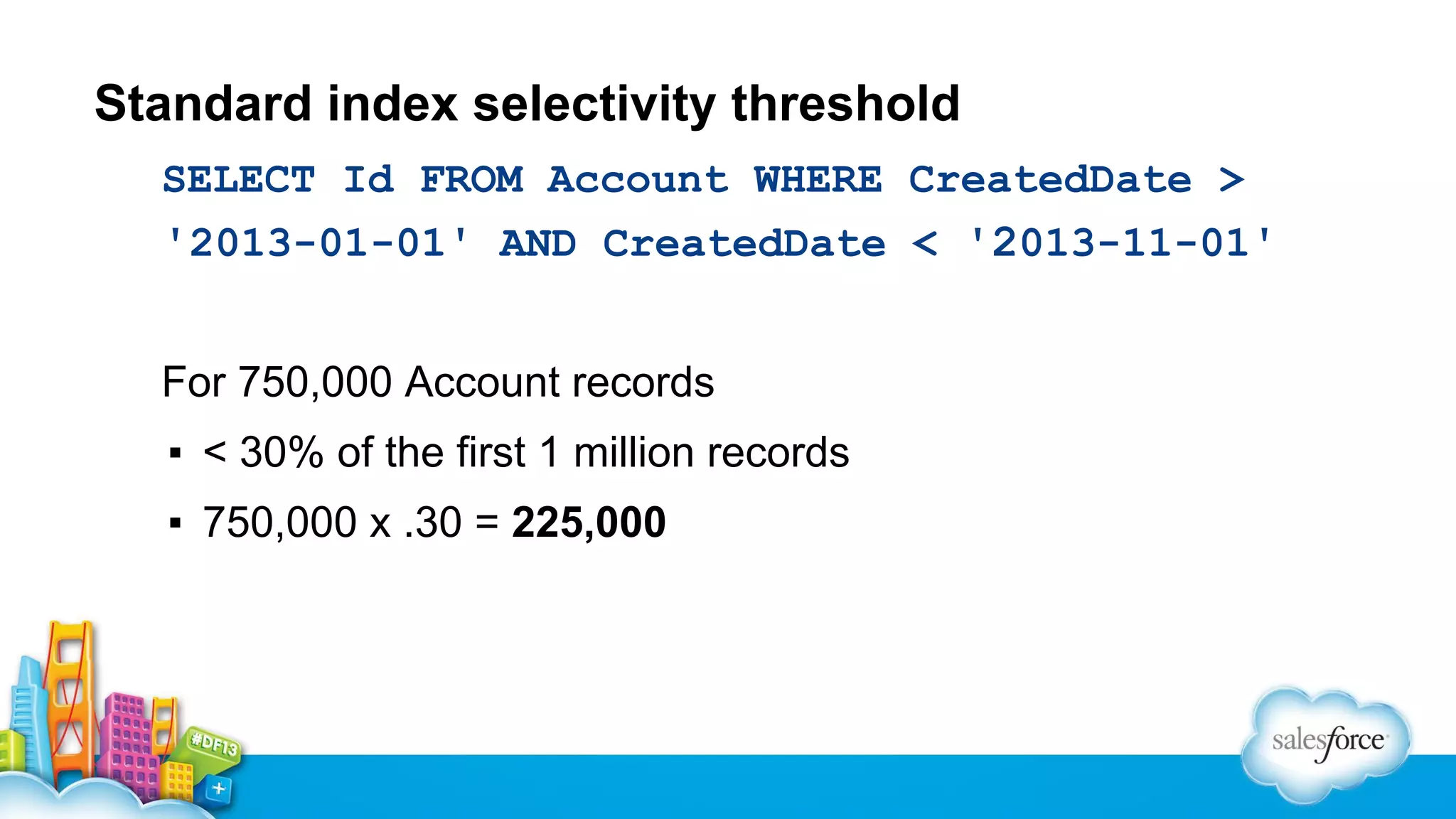
Standard index selectivity threshold
SELECT Id FROM Account WHERE CreatedDate >
'2013-01-01' AND CreatedDate < '2013-11-01'
For 750,000 Account records
▪ < 30% of the first 1 million records
▪ 750,000 x .30 = 225,000
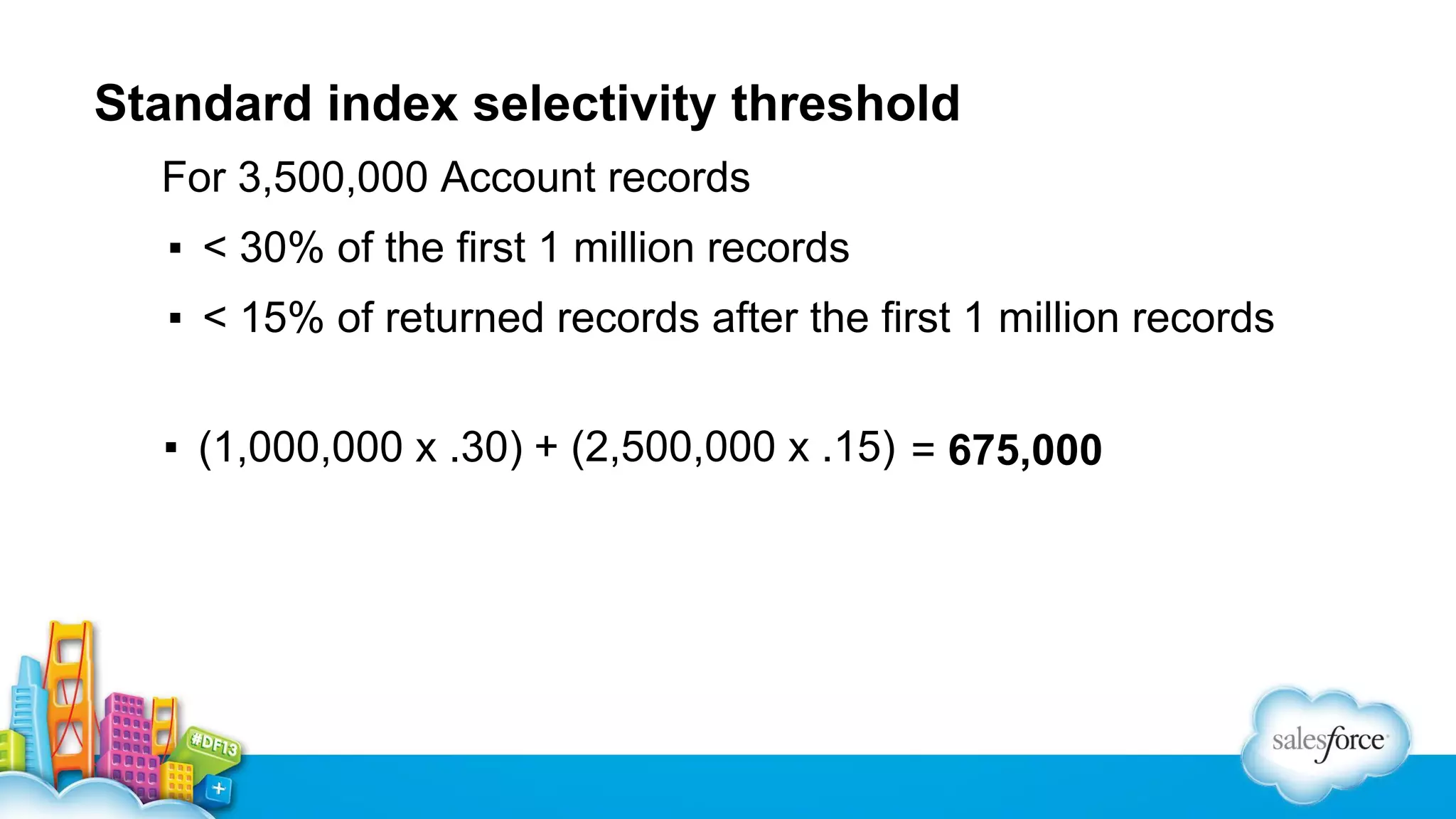
Standard index selectivity threshold
For 3,500,000 Account records
▪ < 30% of the first 1 million records
▪ < 15% of returned records after the first 1 million records
▪ (1,000,000 x .30) + (2,500,000 x .15) = 675,000
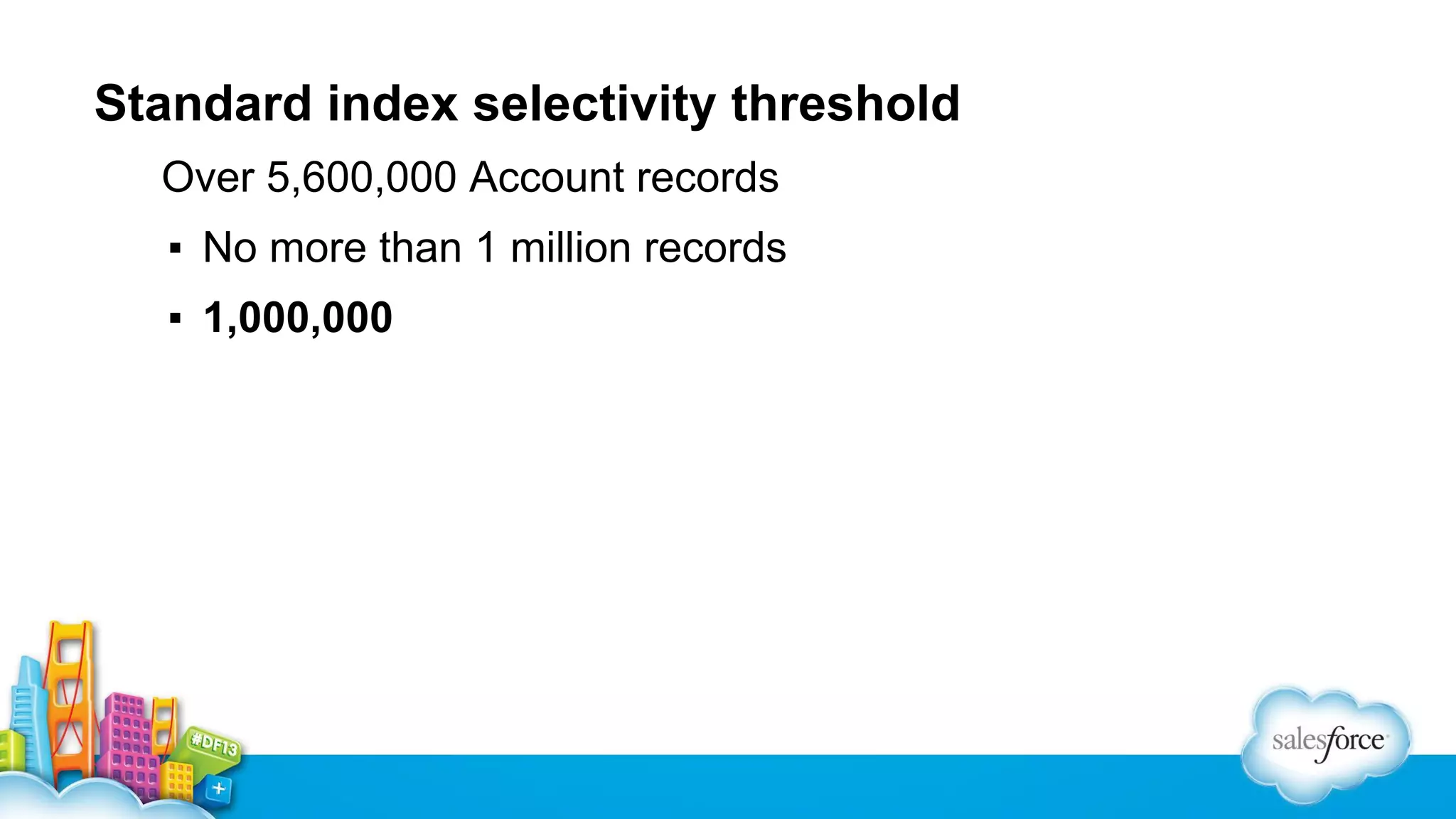
Standard index selectivity threshold
Over 5,600,000 Account records
▪ No more than 1 million records
▪ 1,000,000
Custom index selectivity threshold
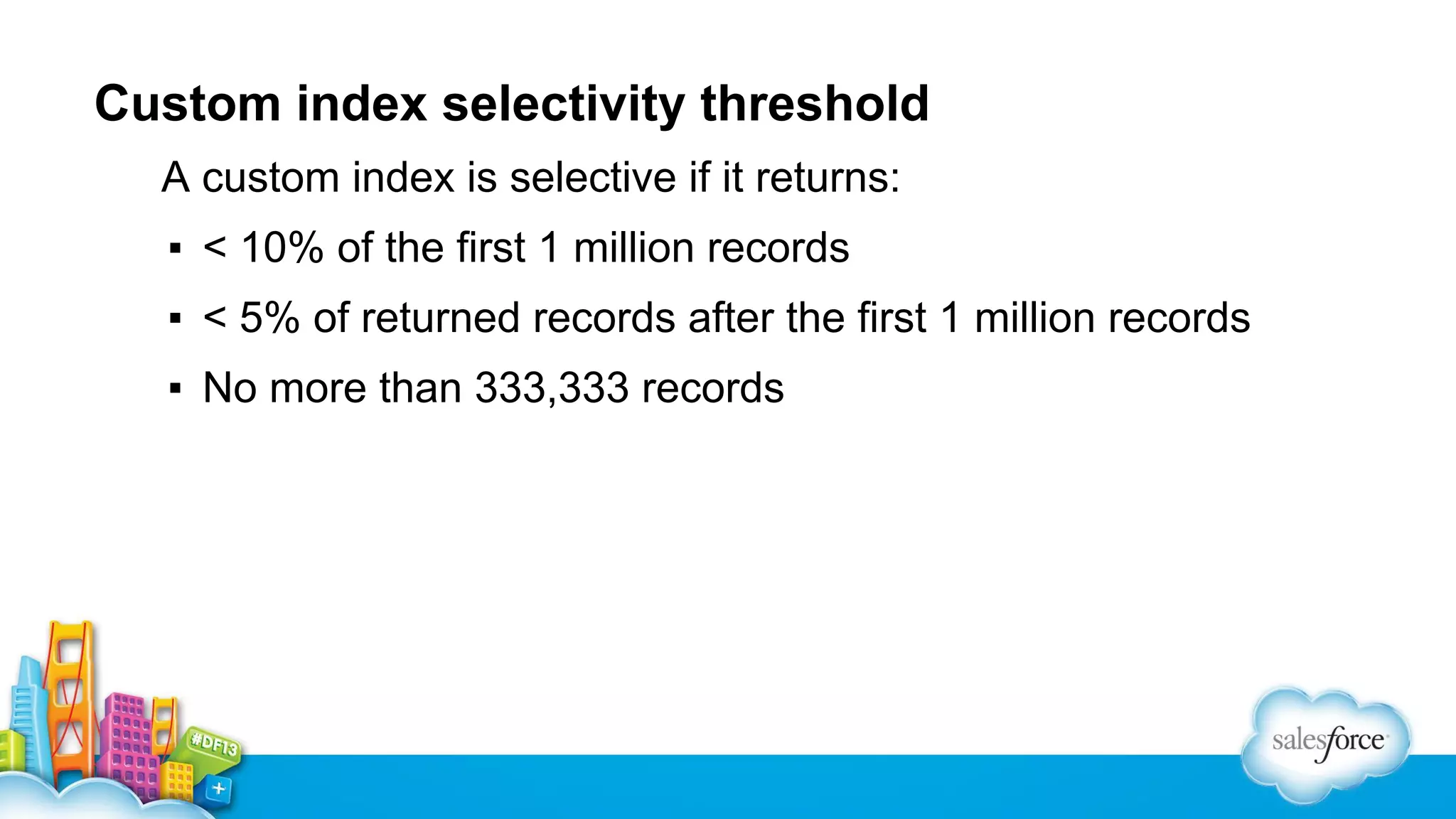
A custom index is selective if it returns:
▪ < 10% of the first 1 million records
▪ < 5% of returned records after the first 1 million records
▪ No more than 333,333 records
A filter condition is selective when …
… it uses an optimizable operator
… it meets the selectivity threshold
… selective fields have indexes
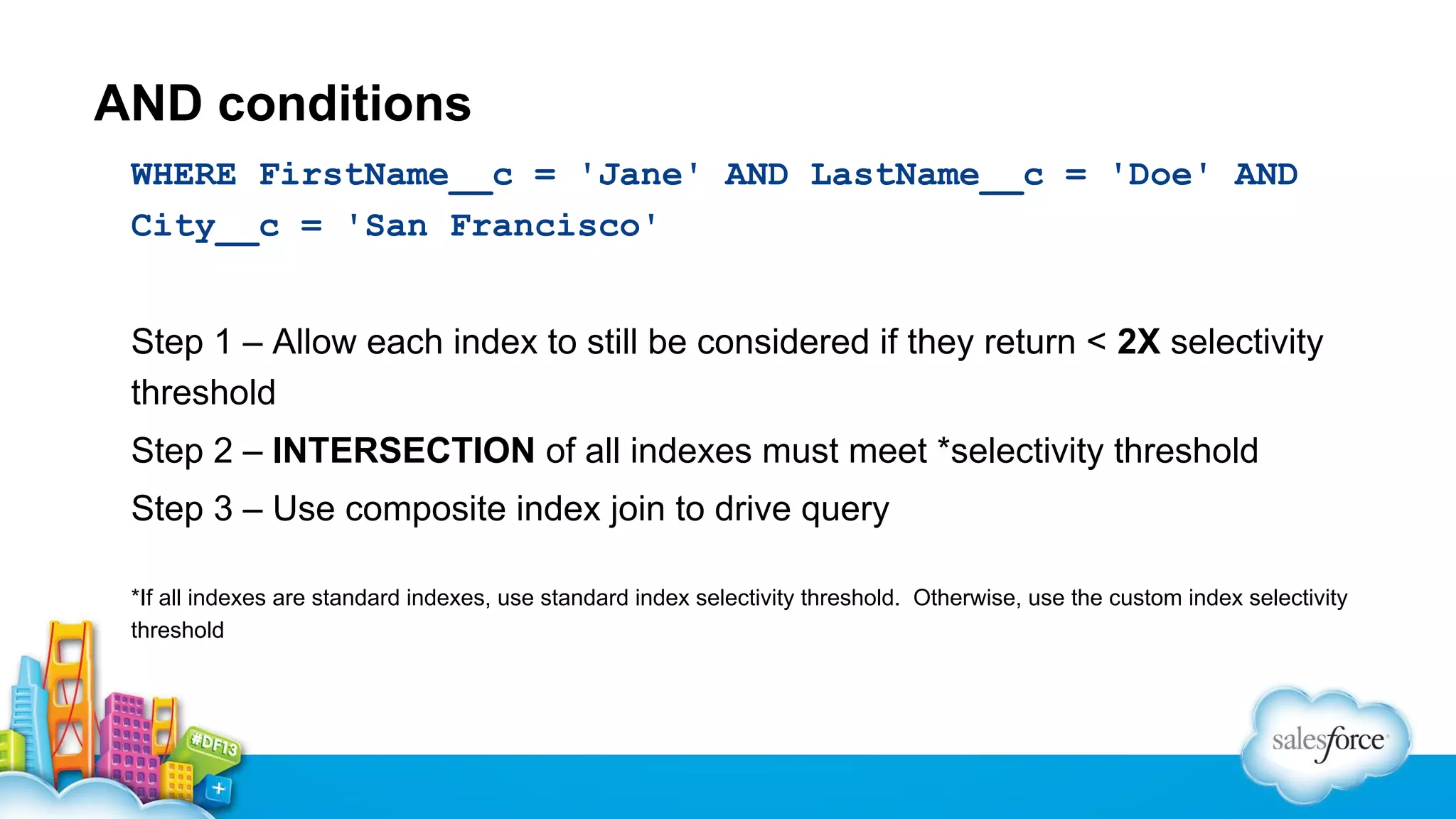
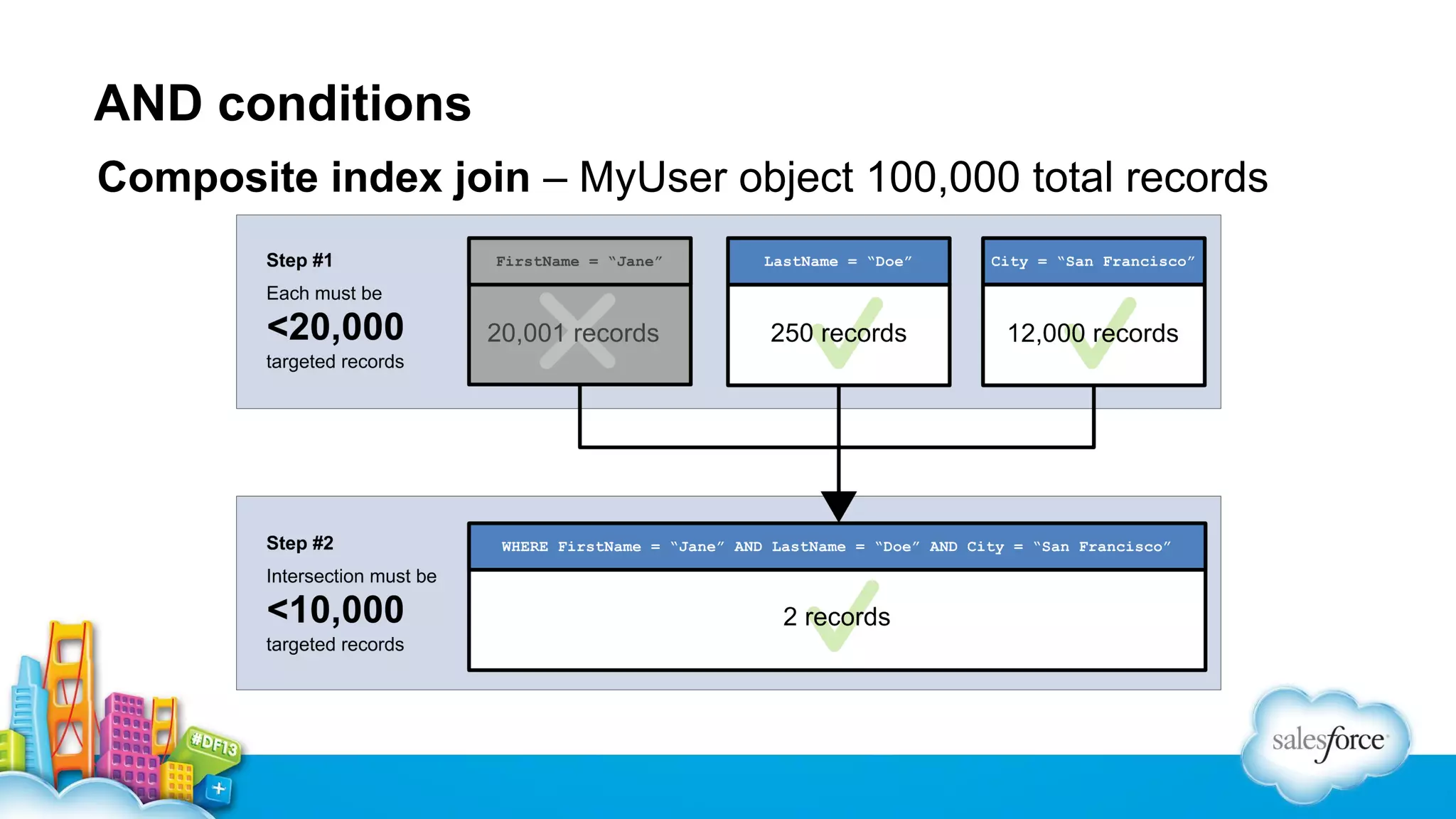
AND conditions
WHERE FirstName__c = 'Jane' AND LastName__c = 'Doe' AND
City__c = 'San Francisco'
Step 1 – Allow each index to still be considered if they return < 2X selectivity
threshold
Step 2 – INTERSECTION of all indexes must meet *selectivity threshold
Step 3 – Use composite index join to drive query
*If all indexes are standard indexes, use standard index selectivity threshold. Otherwise, use the custom index selectivity
threshold
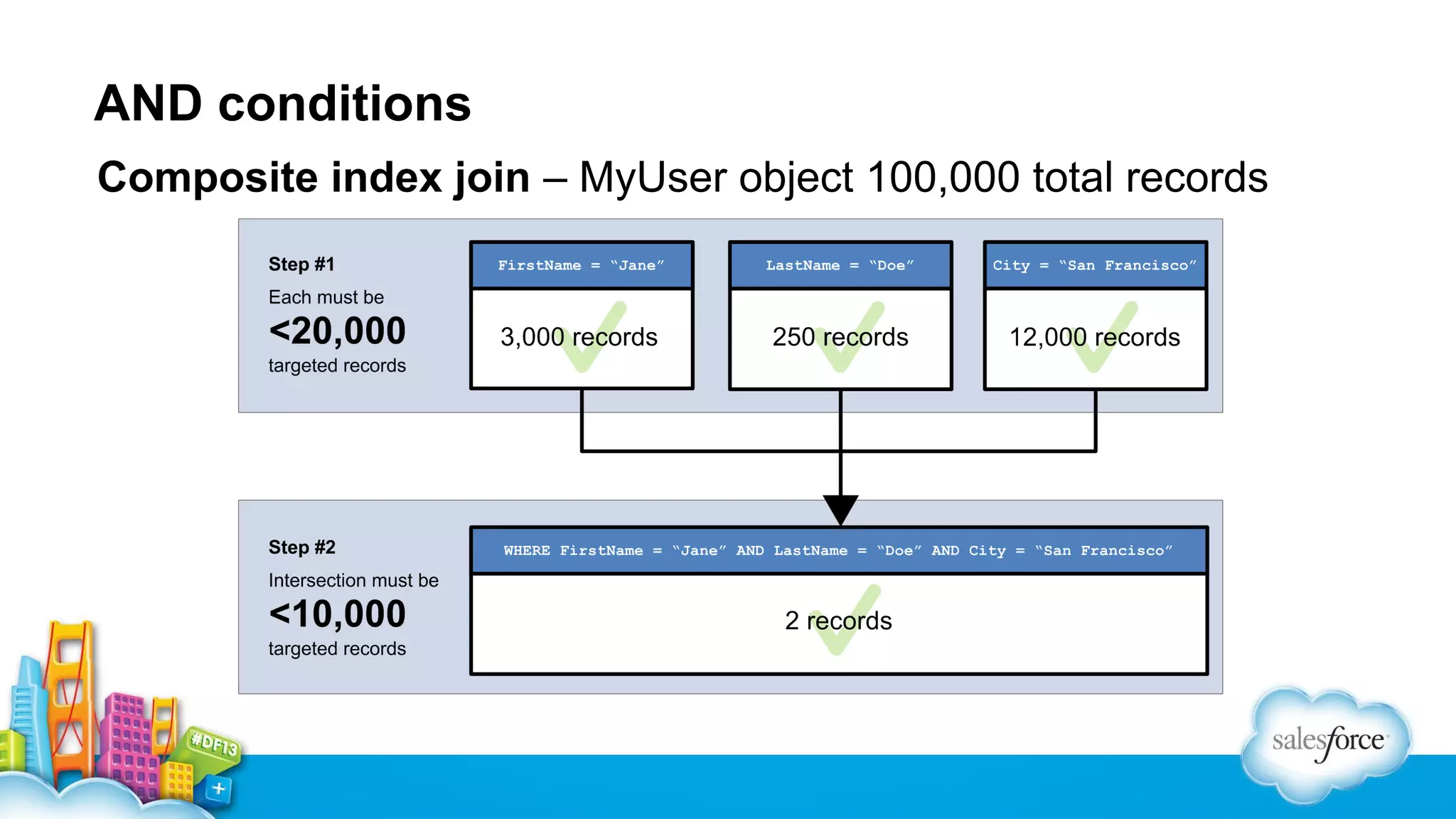
AND conditions
Composite index join – MyUser object 100,000 total records
AND conditions
Composite index join – MyUser object 100,000 total records
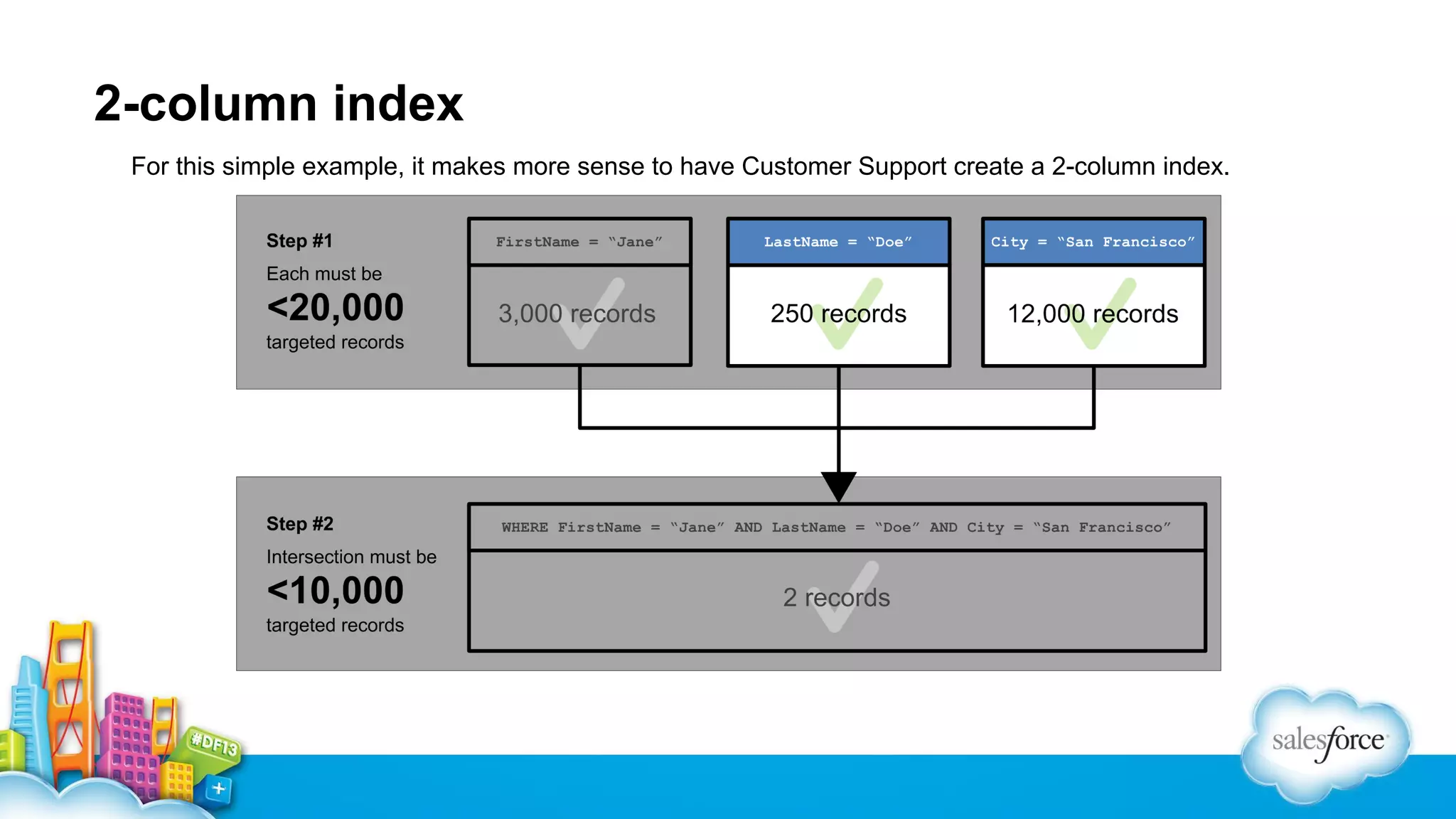
2-column index
For this simple example, it makes more sense to have Customer Support create a 2-column index.
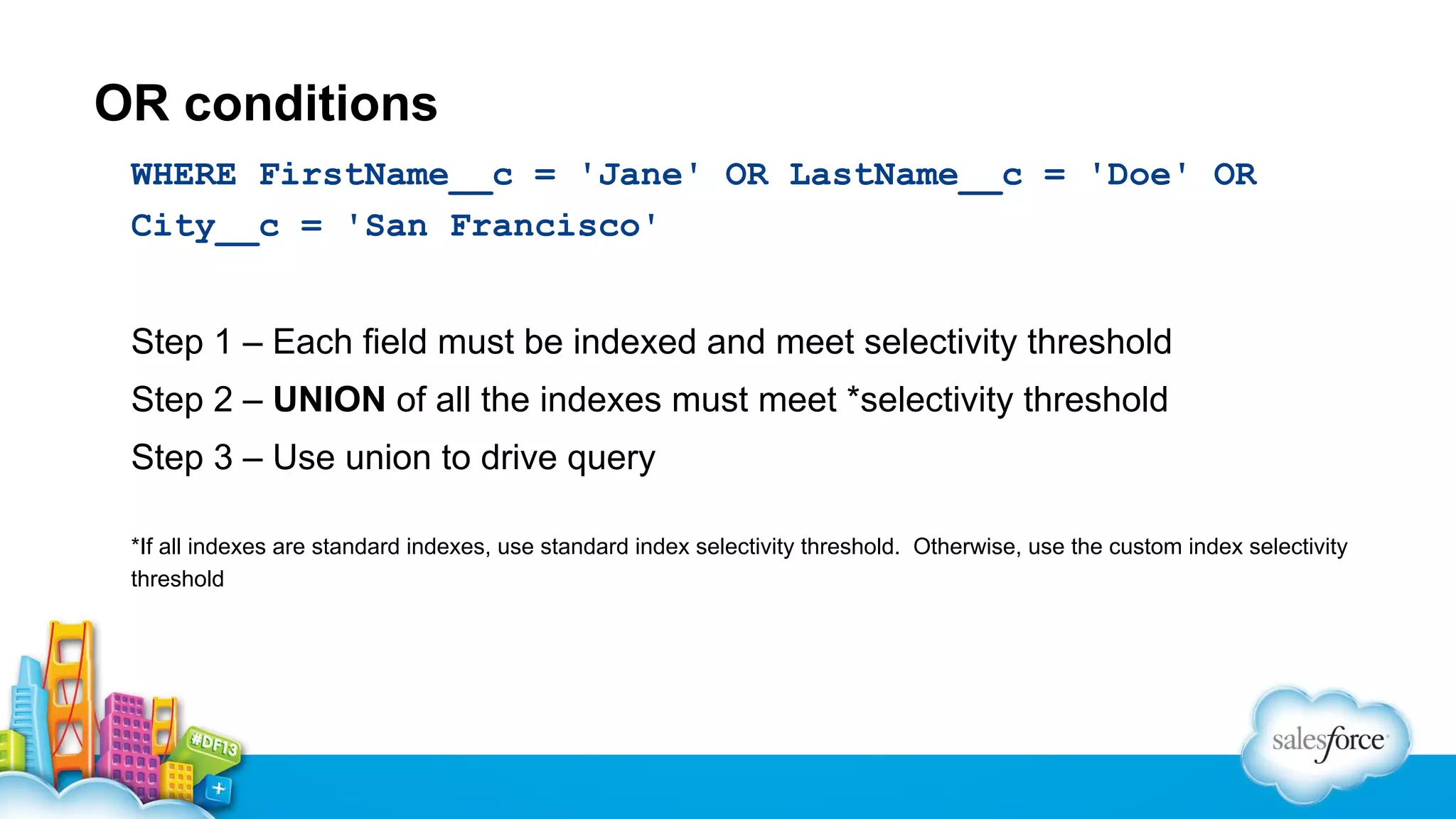
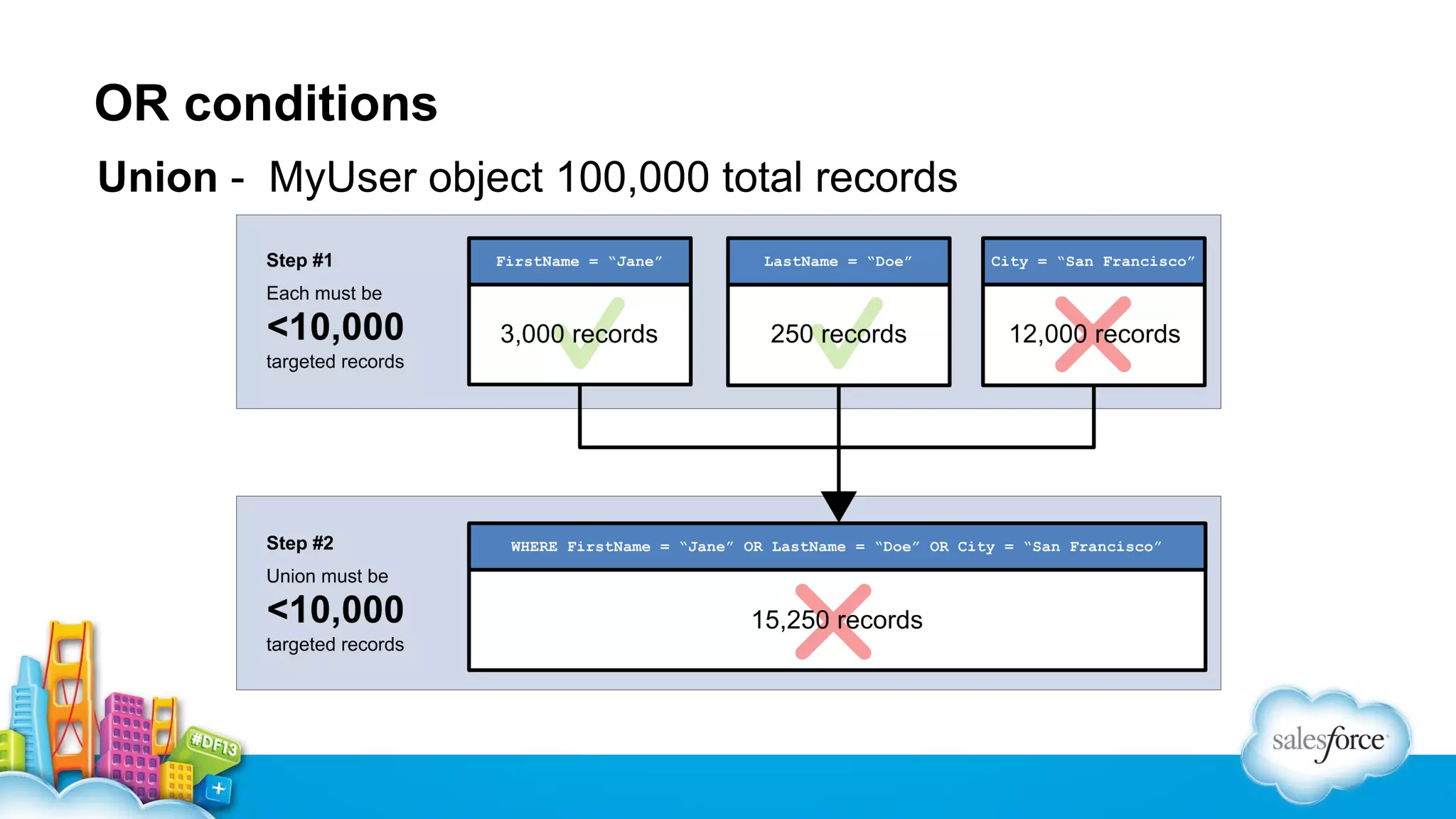
OR conditions
WHERE FirstName__c = 'Jane' OR LastName__c = 'Doe' OR
City__c = 'San Francisco'
Step 1 – Each field must be indexed and meet selectivity threshold
Step 2 – UNION of all the indexes must meet *selectivity threshold
Step 3 – Use union to drive query
*If all indexes are standard indexes, use standard index selectivity threshold. Otherwise, use the custom index selectivity
threshold
OR conditions
Union - MyUser object 100,000 total records
Tell me more…
Webinar: Inside the Force.com Query Optimizer
Key takeaways
✓ Queries should contain at least one selective filter
✓ A filter is selective if…
✓ the field is indexed
✓ the filter does not use an inefficient operator
✓ the filter meets the selectivity theshold
Batch Apex
Batch Apex
▪ The most common performance issue in Batch Apex is poor
performing queries in the start() method.
▪ Make sure you are using a selective filter in the start method.
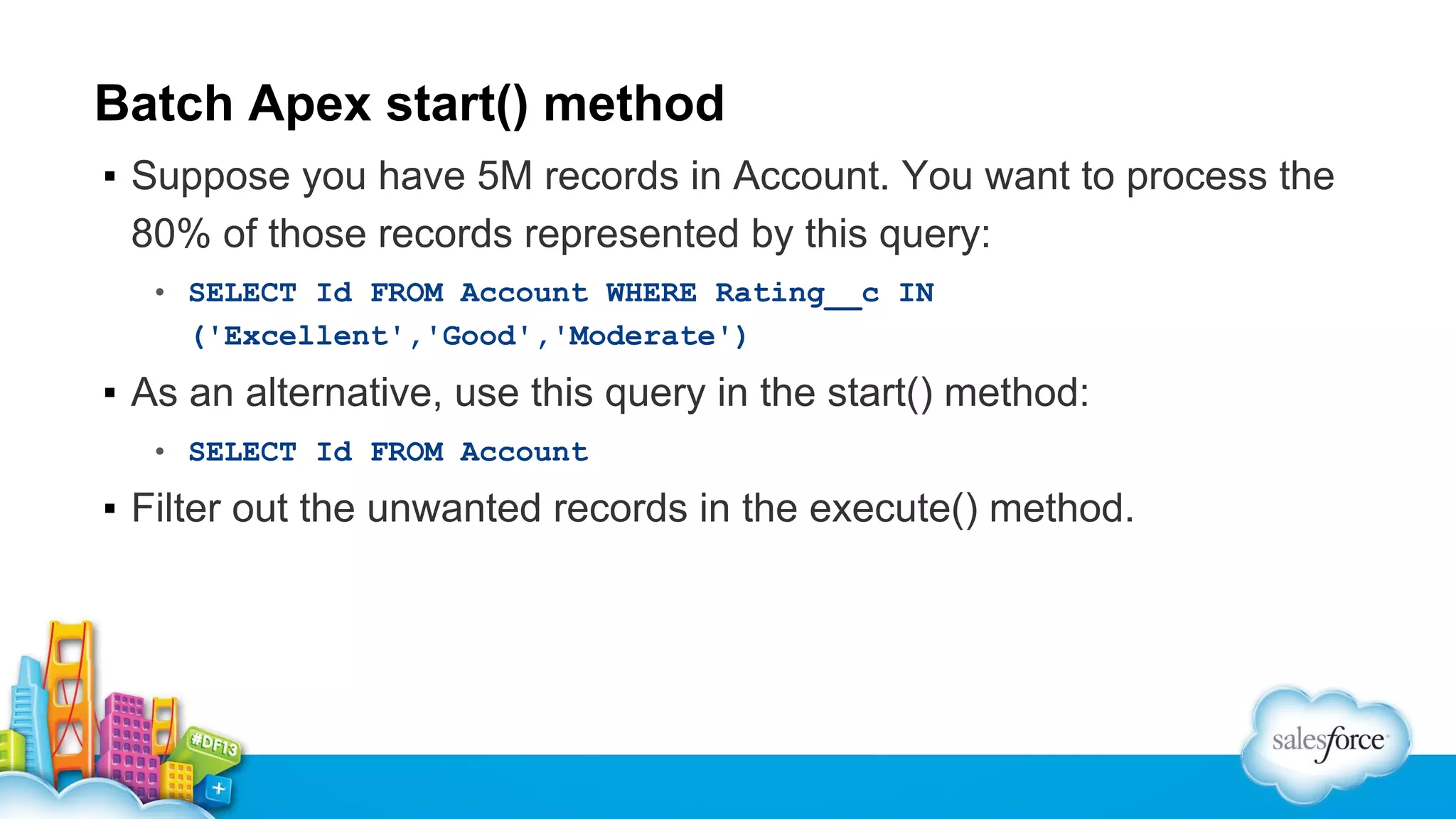
Batch Apex start() method
▪ Suppose you have 5M records in Account. You want to process the
80% of those records represented by this query:
• SELECT Id FROM Account WHERE Rating__c IN
('Excellent','Good','Moderate')

▪ As an alternative, use this query in the start() method:
• SELECT Id FROM Account

▪ Filter out the unwanted records in the execute() method.
Batch Apex start() method example
global Database.QueryLocator<SObject> start(Database.BatchableContext bc) {
return Database.getQueryLocator('SELECT Id FROM Account');
}
global void execute(Database.BatchableContext bc, List<Account> scope) {
List<Account> actualScope = [SELECT Id, Name, Description FROM Account
WHERE Rating__c IN
('Excellent','Good','Moderate’)
AND Id IN :scope];
for(Account acc : actualScope) { /* do something */ }
}
Visualforce
Visualforce
▪ In general, follow SOQL and Apex best practices.
▪ Visualforce-specific issues tend to be caused by complex pages with
large numbers of components, which in turn have a very large view
state.
Visualforce
▪ Techniques to reduce view state overhead:
• Filter and paginate results.
• Use the transient keyword
• Simplify the component hierarchy on the page.
• Use Javascript Remoting.
Apex and CPU Limits
Apex CPU Limits
▪ In Winter ‘14 Apex now has a CPU time limit rather than a
script statement limit.
▪ In general existing Apex code will be well under this limit.
▪ There are two main pitfalls to avoid that can use up large
amounts of CPU time with a low number of script
statements.
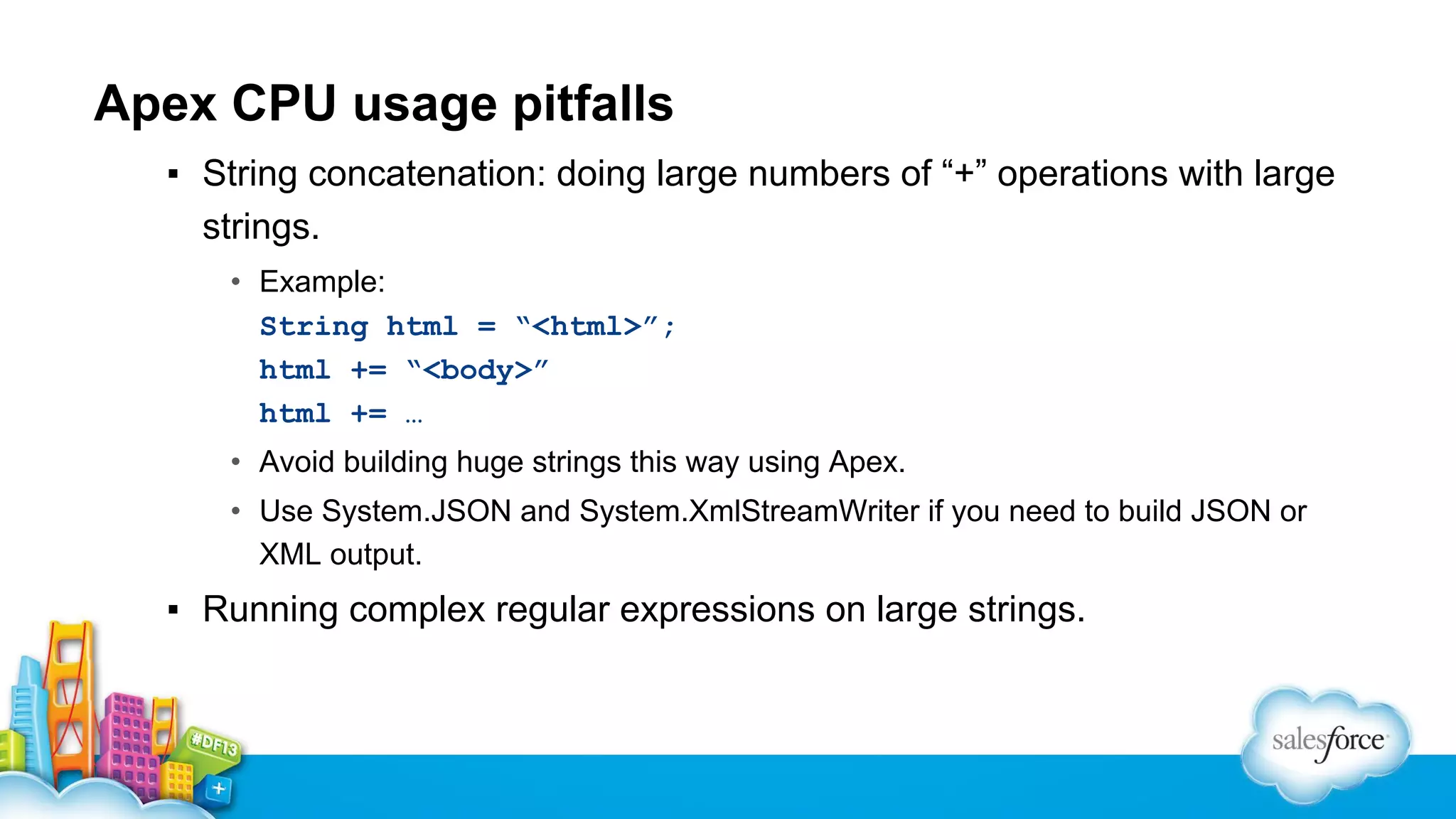
Apex CPU usage pitfalls
▪ String concatenation: doing large numbers of “+” operations with large
strings.
• Example:
String html = “<html>”;
html += “<body>”
html += …
• Avoid building huge strings this way using Apex.
• Use System.JSON and System.XmlStreamWriter if you need to build JSON or
XML output.

▪ Running complex regular expressions on large strings.
Debugging Tips and Tricks
Troubleshooting Methodology
▪ In general it’s a good idea to measure performance in the
browser first.
• Chrome Developer Tools is excellent for this.

▪ Once you know the problem is on the server-side, use the
Developer Console to dig in further.
• Check the usual suspects first:
– SOQL
– Callouts
Apex Debug Levels
▪ When troubleshooting performance issues, the default log
levels can generate a lot of noise.
▪ Set the log levels for everything to INFO initially, raise as
necessary.
• Go to Debug > Change Log Levels in the Developer Console to do this.
Working With Support
▪ Support can help with SOQL performance issues and can
create 1-column and 2-column custom indexes.
• Open a case and specify the organization ID, user ID, SOQL and bind
variables.

▪ For record locking issues, specify the organization ID, time
frame where the issue happened, and the IDs of affected
records if possible.
Summary
Key Takeaways
✓ Prevent parent-child data skews
✓ Queries should contain at least one selective filter
✓ Most common issue is performance of the start() method
SOQL
✓ Reduce view state in your Visualforce pages
We want to hear
from YOU!
Please take a moment to complete our
session survey
Surveys can be found in the “My Agenda”
portion of the Dreamforce app
Performance Tuning for Visualforce and Apex

Performance Tuning for Visualforce and Apex

  • 1.
    Performance Tuning forVisualforce and Apex John Tan, salesforce.com, @johntansfdc Thomas Harris, salesforce.com
  • 2.
    Safe Harbor Safe harborstatement under the Private Securities Litigation Reform Act of 1995: This presentation may contain forward-looking statements that involve risks, uncertainties, and assumptions. If any such uncertainties materialize or if any of the assumptions proves incorrect, the results of salesforce.com, inc. could differ materially from the results expressed or implied by the forward-looking statements we make. All statements other than statements of historical fact could be deemed forward-looking, including any projections of product or service availability, subscriber growth, earnings, revenues, or other financial items and any statements regarding strategies or plans of management for future operations, statements of belief, any statements concerning new, planned, or upgraded services or technology developments and customer contracts or use of our services. The risks and uncertainties referred to above include – but are not limited to – risks associated with developing and delivering new functionality for our service, new products and services, our new business model, our past operating losses, possible fluctuations in our operating results and rate of growth, interruptions or delays in our Web hosting, breach of our security measures, the outcome of any litigation, risks associated with completed and any possible mergers and acquisitions, the immature market in which we operate, our relatively limited operating history, our ability to expand, retain, and motivate our employees and manage our growth, new releases of our service and successful customer deployment, our limited history reselling non-salesforce.com products, and utilization and selling to larger enterprise customers. Further information on potential factors that could affect the financial results of salesforce.com, inc. is included in our annual report on Form 10-K for the most recent fiscal year and in our quarterly report on Form 10-Q for the most recent fiscal quarter. These documents and others containing important disclosures are available on the SEC Filings section of the Investor Information section of our Web site. Any unreleased services or features referenced in this or other presentations, press releases or public statements are not currently available and may not be delivered on time or at all. Customers who purchase our services should make the purchase decisions based upon features that are currently available. Salesforce.com, inc. assumes no obligation and does not intend to update these forward-looking statements.
  • 3.
  • 4.
    You are adeveloper or architect…
  • 5.
    Your Visualforce pagesand Apex classes are slower than you’d like…
  • 6.
    You need tofind and fix the issues…
  • 7.
    Agenda 1. Record lockcontention 2. Building efficient queries 3. Batch Apex 4. Visualforce 5. Apex and CPU limit 6. Debugging Tips and Tricks
  • 8.
    John C. Tan LeadMember of Technical Staff Customer Centric Engineering @johntansfdc
  • 9.
    Thomas Harris Lead Memberof Technical Staff Customer Centric Engineering
  • 10.
    Architect Core Resourcepage • Featured content for architects • Articles, papers, blog posts, events • Follow us on Twitter Updated weekly! http://developer.force.com/architect
  • 11.
    Build On ASolid Foundation 1. Data model & queries 2. Then tune Apex 3. Then tune Visualforce
  • 12.
    By a showof hands… How many of you have gotten these errors? UNABLE_TO_LOCK_ROW
  • 13.
  • 14.
  • 15.
    Parent-Child Locking ▪ Insertof Contact requires locking the parent Account. ▪ Insert or Update of Event requires locking both the parent Contact and the parent Account. ▪ Insert or Update of Task requires locking both the parent Contact and parent Account, if the Task is marked as complete. ▪ Insert of Case requires locking the parent Contact and parent Account. ▪ In objects that are part of a master/detail relationship, inserts require locking the master. Updates will also lock the master if a roll-up summary is present. ▪ In objects that are part of a lookup relationship where the lookup is set to Clear on delete, inserts require locking the target lookup record. Updates will lock the target lookup record if the value of target changes.
  • 16.
    Parent implicit sharing Accessto Contact/Opportunity/Case = Read access to parent Account Account: Universal Containers Contact: Bob Smith
  • 17.
    Data skew impactsDML operations Universal Trigger/RSF Containers ? Bob Smith Fred Green Betty Brown … 300K Contact New Contact
  • 18.
    Result Of LongerSharing Calculations ▪ DML operations run longer ▪ Concurrent Request Limit errors ▪ UNABLE_TO_LOCK_ROW errors
  • 19.
    Key Takeaways ✓ Preventparent-child data skews ✓ 10K or less children ✓ Public read/write sharing model = No sharing calculations
  • 20.
  • 21.
    What is theForce.com query optimizer? Generates the most efficient query based on: ▪ Statistics ▪ Indexes / Skinny Tables ▪ Sharing
  • 22.
    Best practice: One+selective filter per query
  • 23.
    Selective filters: Fourcomponents 1. Filters - add filters to reduce data 2. Operators - avoid 2 inefficient filter operators 3. Thresholds - filter meets selectivity threshold (efficient to use index) 4. Index Creation - index the filter field
  • 24.
    Fields that oftenmake good filters ▪ Date fields ▪ Picklists ▪ Fields with wide and even distribution of values
  • 25.
    Non-deterministic formula fieldsaren’t good filters Can’t index For example: ▪ References related object ▪ CASE(MyUser__r.UserType__c,1,”Gold”,”Silver”) ▪ Create separate field and use trigger to populate Force.com SOQL Best Practices: Nulls and Formula Fields
  • 26.
    Avoid negative operators Queryfor reciprocal values instead ✖ Status != 'closed' ✔ Status IN ('open', 'in progress')
  • 27.
    Avoid filters witha leading % wildcard CONTAINS or LIKE ‘%searchstring%’ ✖ CONTAINS ('district') / LIKE '%district%' ✔ STARTS WITH ('district') / LIKE 'district%'
  • 28.
    Standard fields withindexes ▪ Id ▪ Name ▪ OwnerId ▪ CreatedDate ▪ SystemModstamp ▪ RecordType ▪ Master-detail fields ▪ Lookup fields
  • 29.
    Custom indexes • Discovercommon filter conditions • Determine selective fields in those conditions • Request custom indexes
  • 30.
    Standard index selectivitythreshold A standard index is selective if it returns: ▪ < 30% of the first 1 million records ▪ < 15% of returned records after the first 1 million records ▪ No more than 1 million records
  • 31.
    Standard index selectivitythreshold SELECT Id FROM Account WHERE CreatedDate > '2013-01-01' AND CreatedDate < '2013-11-01' For 750,000 Account records ▪ < 30% of the first 1 million records ▪ 750,000 x .30 = 225,000
  • 32.
    Standard index selectivitythreshold For 3,500,000 Account records ▪ < 30% of the first 1 million records ▪ < 15% of returned records after the first 1 million records ▪ (1,000,000 x .30) + (2,500,000 x .15) = 675,000
  • 33.
    Standard index selectivitythreshold Over 5,600,000 Account records ▪ No more than 1 million records ▪ 1,000,000
  • 34.
    Custom index selectivitythreshold A custom index is selective if it returns: ▪ < 10% of the first 1 million records ▪ < 5% of returned records after the first 1 million records ▪ No more than 333,333 records
  • 35.
    A filter conditionis selective when … … it uses an optimizable operator … it meets the selectivity threshold … selective fields have indexes
  • 36.
    AND conditions WHERE FirstName__c= 'Jane' AND LastName__c = 'Doe' AND City__c = 'San Francisco' Step 1 – Allow each index to still be considered if they return < 2X selectivity threshold Step 2 – INTERSECTION of all indexes must meet *selectivity threshold Step 3 – Use composite index join to drive query *If all indexes are standard indexes, use standard index selectivity threshold. Otherwise, use the custom index selectivity threshold
  • 37.
    AND conditions Composite indexjoin – MyUser object 100,000 total records
  • 38.
    AND conditions Composite indexjoin – MyUser object 100,000 total records
  • 39.
    2-column index For thissimple example, it makes more sense to have Customer Support create a 2-column index.
  • 40.
    OR conditions WHERE FirstName__c= 'Jane' OR LastName__c = 'Doe' OR City__c = 'San Francisco' Step 1 – Each field must be indexed and meet selectivity threshold Step 2 – UNION of all the indexes must meet *selectivity threshold Step 3 – Use union to drive query *If all indexes are standard indexes, use standard index selectivity threshold. Otherwise, use the custom index selectivity threshold
  • 41.
    OR conditions Union -MyUser object 100,000 total records
  • 42.
    Tell me more… Webinar:Inside the Force.com Query Optimizer
  • 43.
    Key takeaways ✓ Queriesshould contain at least one selective filter ✓ A filter is selective if… ✓ the field is indexed ✓ the filter does not use an inefficient operator ✓ the filter meets the selectivity theshold
  • 44.
  • 45.
    Batch Apex ▪ Themost common performance issue in Batch Apex is poor performing queries in the start() method. ▪ Make sure you are using a selective filter in the start method.
  • 46.
    Batch Apex start()method ▪ Suppose you have 5M records in Account. You want to process the 80% of those records represented by this query: • SELECT Id FROM Account WHERE Rating__c IN ('Excellent','Good','Moderate') ▪ As an alternative, use this query in the start() method: • SELECT Id FROM Account ▪ Filter out the unwanted records in the execute() method.
  • 47.
    Batch Apex start()method example global Database.QueryLocator<SObject> start(Database.BatchableContext bc) { return Database.getQueryLocator('SELECT Id FROM Account'); } global void execute(Database.BatchableContext bc, List<Account> scope) { List<Account> actualScope = [SELECT Id, Name, Description FROM Account WHERE Rating__c IN ('Excellent','Good','Moderate’) AND Id IN :scope]; for(Account acc : actualScope) { /* do something */ } }
  • 48.
  • 49.
    Visualforce ▪ In general,follow SOQL and Apex best practices. ▪ Visualforce-specific issues tend to be caused by complex pages with large numbers of components, which in turn have a very large view state.
  • 50.
    Visualforce ▪ Techniques toreduce view state overhead: • Filter and paginate results. • Use the transient keyword • Simplify the component hierarchy on the page. • Use Javascript Remoting.
  • 51.
  • 52.
    Apex CPU Limits ▪In Winter ‘14 Apex now has a CPU time limit rather than a script statement limit. ▪ In general existing Apex code will be well under this limit. ▪ There are two main pitfalls to avoid that can use up large amounts of CPU time with a low number of script statements.
  • 53.
    Apex CPU usagepitfalls ▪ String concatenation: doing large numbers of “+” operations with large strings. • Example: String html = “<html>”; html += “<body>” html += … • Avoid building huge strings this way using Apex. • Use System.JSON and System.XmlStreamWriter if you need to build JSON or XML output. ▪ Running complex regular expressions on large strings.
  • 54.
  • 55.
    Troubleshooting Methodology ▪ Ingeneral it’s a good idea to measure performance in the browser first. • Chrome Developer Tools is excellent for this. ▪ Once you know the problem is on the server-side, use the Developer Console to dig in further. • Check the usual suspects first: – SOQL – Callouts
  • 56.
    Apex Debug Levels ▪When troubleshooting performance issues, the default log levels can generate a lot of noise. ▪ Set the log levels for everything to INFO initially, raise as necessary. • Go to Debug > Change Log Levels in the Developer Console to do this.
  • 57.
    Working With Support ▪Support can help with SOQL performance issues and can create 1-column and 2-column custom indexes. • Open a case and specify the organization ID, user ID, SOQL and bind variables. ▪ For record locking issues, specify the organization ID, time frame where the issue happened, and the IDs of affected records if possible.
  • 58.
  • 59.
    Key Takeaways ✓ Preventparent-child data skews ✓ Queries should contain at least one selective filter ✓ Most common issue is performance of the start() method SOQL ✓ Reduce view state in your Visualforce pages
  • 60.
    We want tohear from YOU! Please take a moment to complete our session survey Surveys can be found in the “My Agenda” portion of the Dreamforce app