This document discusses Salesforce querying languages SOQL and SOSL. It begins with an overview of the Salesforce data model including standard and custom objects, fields, and relationships. It then covers SOQL, explaining how it is similar to but customized from SQL for querying Salesforce data by objects, fields, filters, ordering, and limits. It also discusses accessing variables in SOQL and querying related records. Finally, it provides an overview of SOSL for searching across objects and fields and returning results.
SOQL & SOSL
Apexfor Admins
Obidjon K., Einstein Product Specialist, leocordius@gmail.com
2020. 10
2.
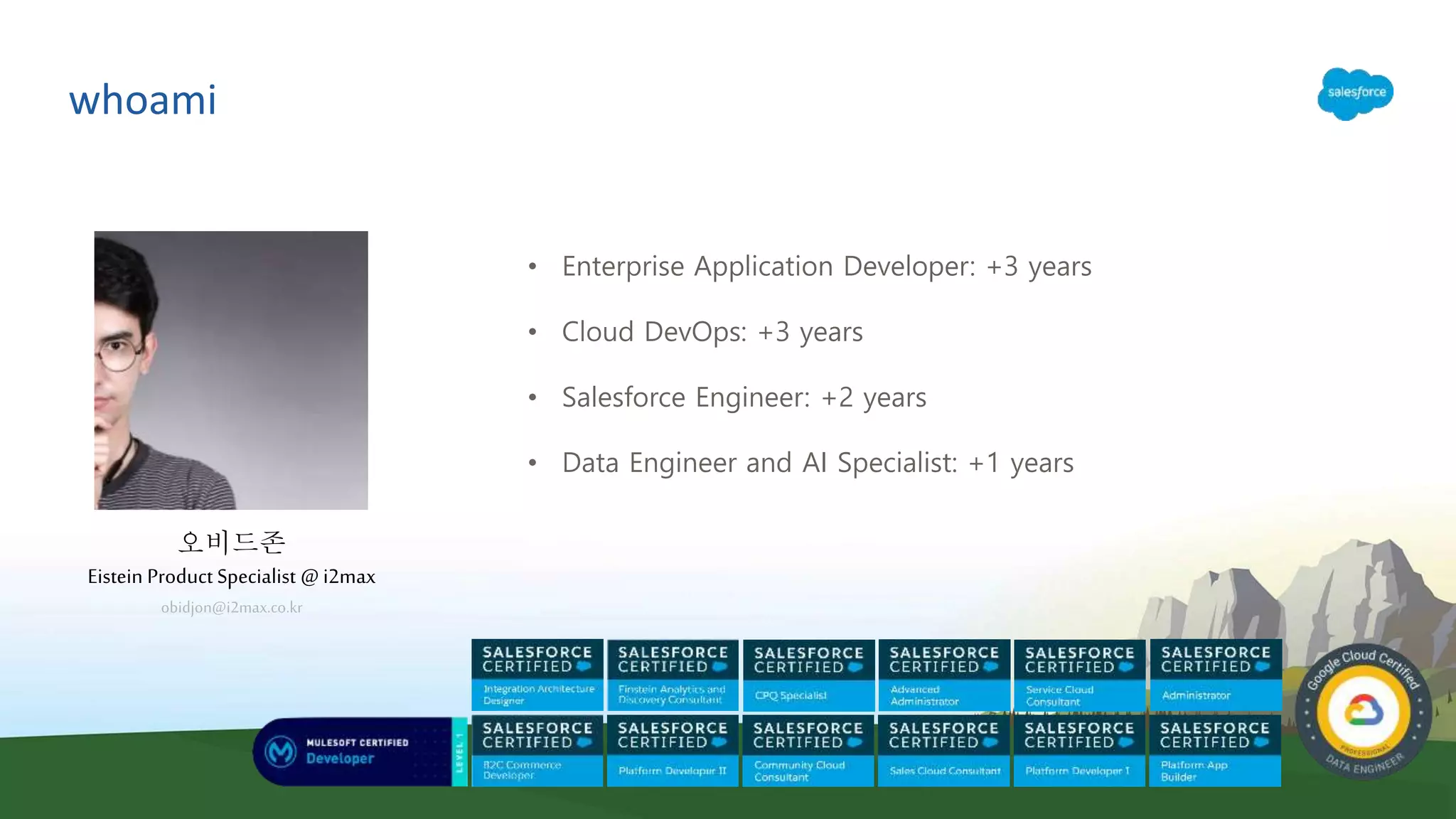
whoami
• Enterprise ApplicationDeveloper: +3 years
• Cloud DevOps: +3 years
• Salesforce Engineer: +2 years
• Data Engineer and AI Specialist: +1 years
오비드존
Eistein Product Specialist @i2max
obidjon@i2max.co.kr
Understanding the DataModel
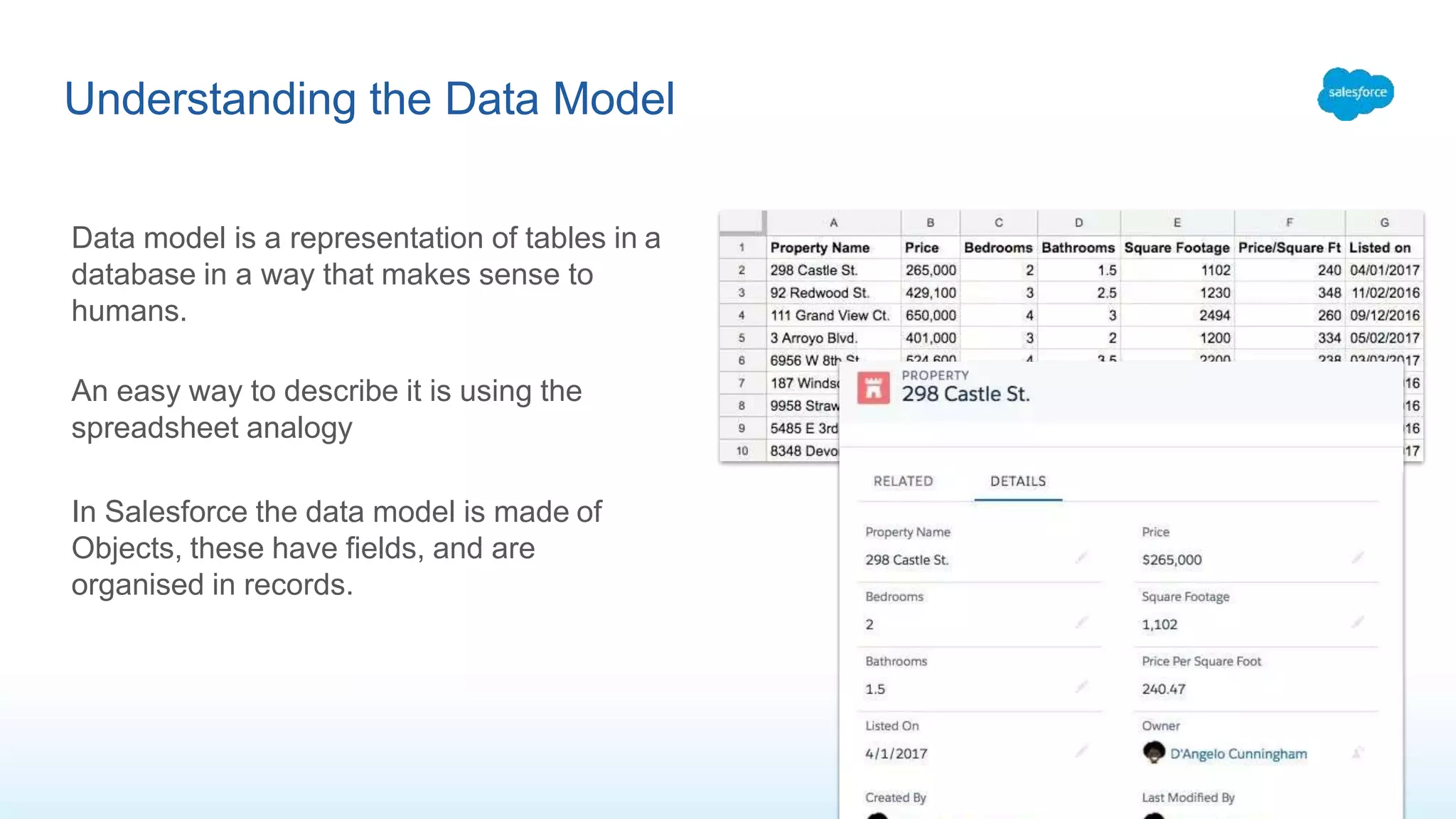
Data model is a representation of tables in a
database in a way that makes sense to
humans.
An easy way to describe it is using the
spreadsheet analogy
In Salesforce the data model is made of
Objects, these have fields, and are
organised in records.
6.
Standard and CustomObjects, Custom Settings, CMT
There are many types of data store models
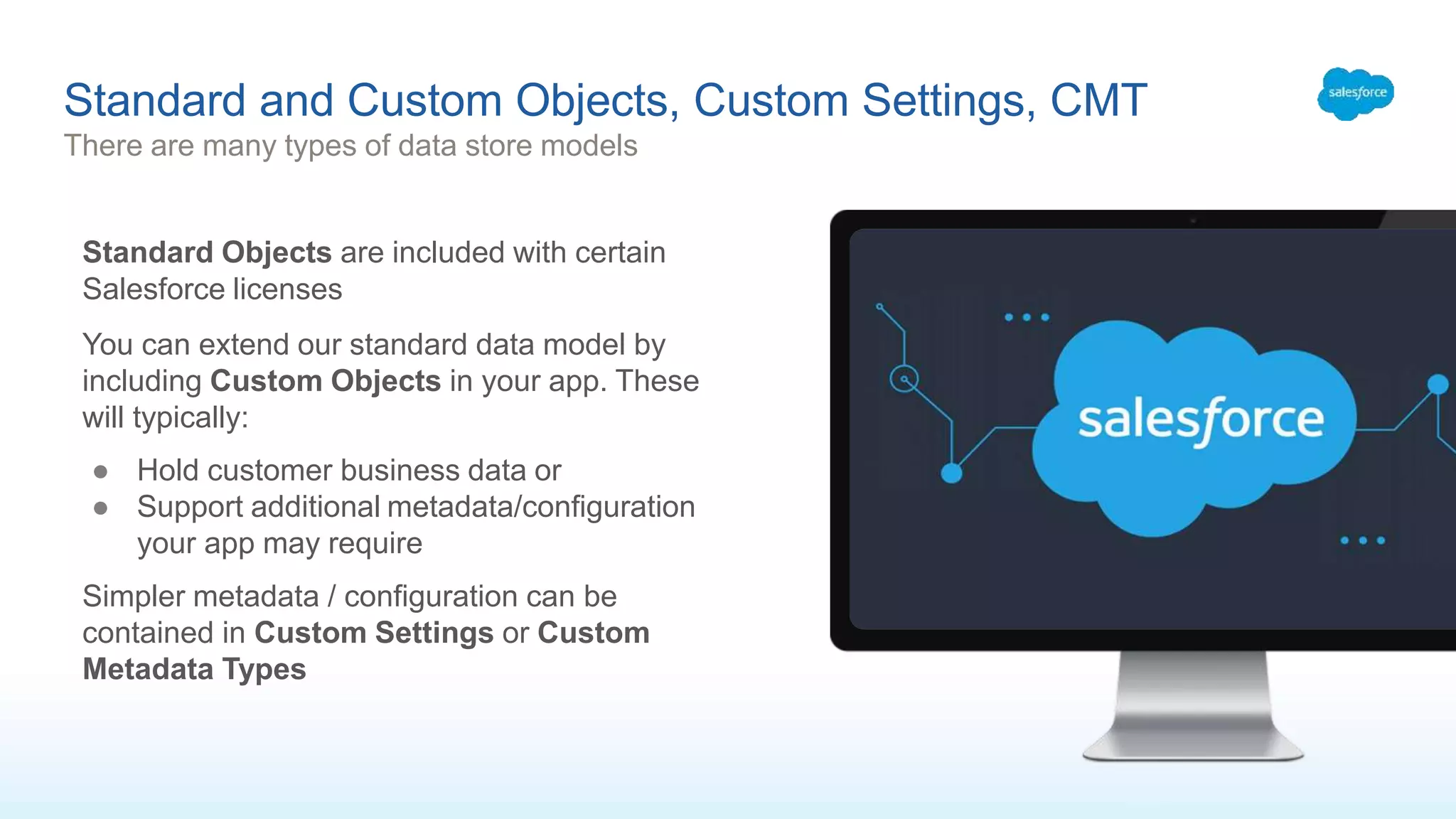
Standard Objects are included with certain
Salesforce licenses
You can extend our standard data model by
including Custom Objects in your app. These
will typically:
● Hold customer business data or
● Support additional metadata/configuration
your app may require
Simpler metadata / configuration can be
contained in Custom Settings or Custom
Metadata Types
7.
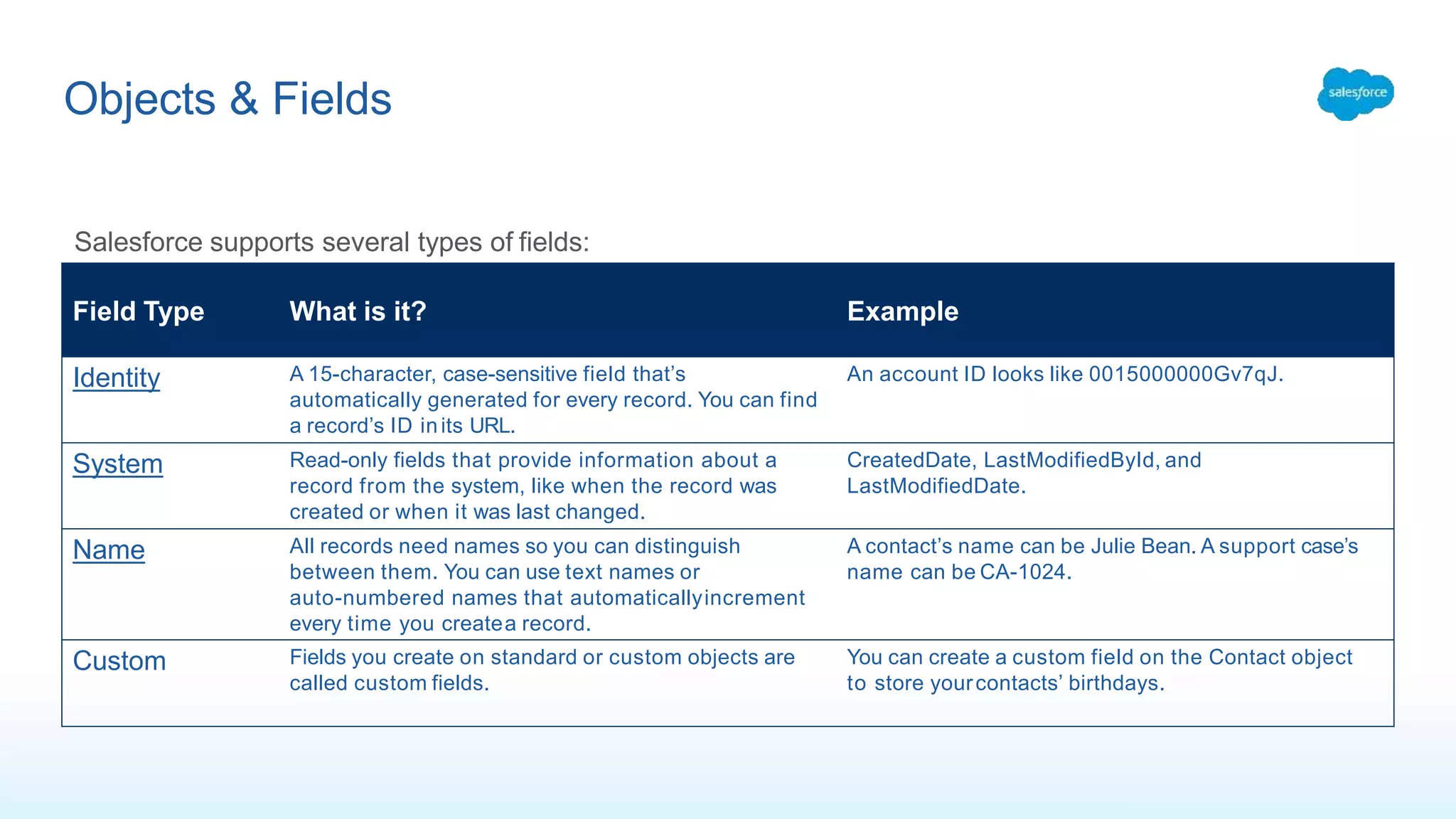
Objects & Fields
FieldType What is it? Example
Identity A 15-character, case-sensitive field that’s
automatically generated for every record. You can find
a record’s ID inits URL.
An account ID looks like 0015000000Gv7qJ.
System Read-only fields that provide information about a
record from the system, like when the record was
created or when it was last changed.
CreatedDate, LastModifiedById, and
LastModifiedDate.
Name All records need names so you can distinguish
between them. You can use text names or
auto-numbered names that automaticallyincrement
every time you createa record.
A contact’s name can be Julie Bean. A support case’s
name can be CA-1024.
Custom Fields you create on standard or custom objects are
called custom fields.
You can create a custom field on the Contact object
to store yourcontacts’ birthdays.
Salesforce supports several types of fields:
8.
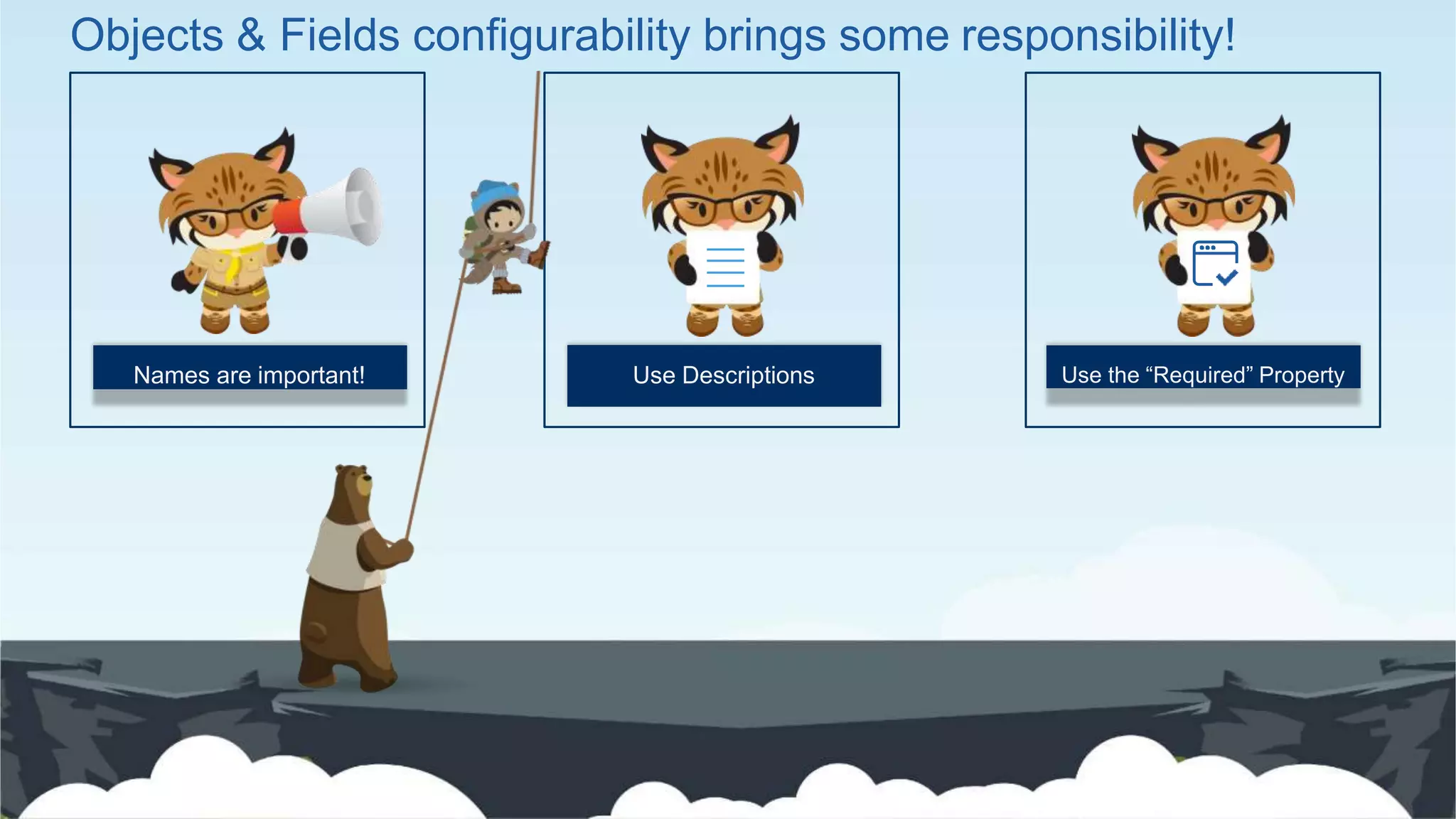
Use Descriptions Usethe “Required” PropertyNames are important!
Objects & Fields configurability brings some responsibility!
9.
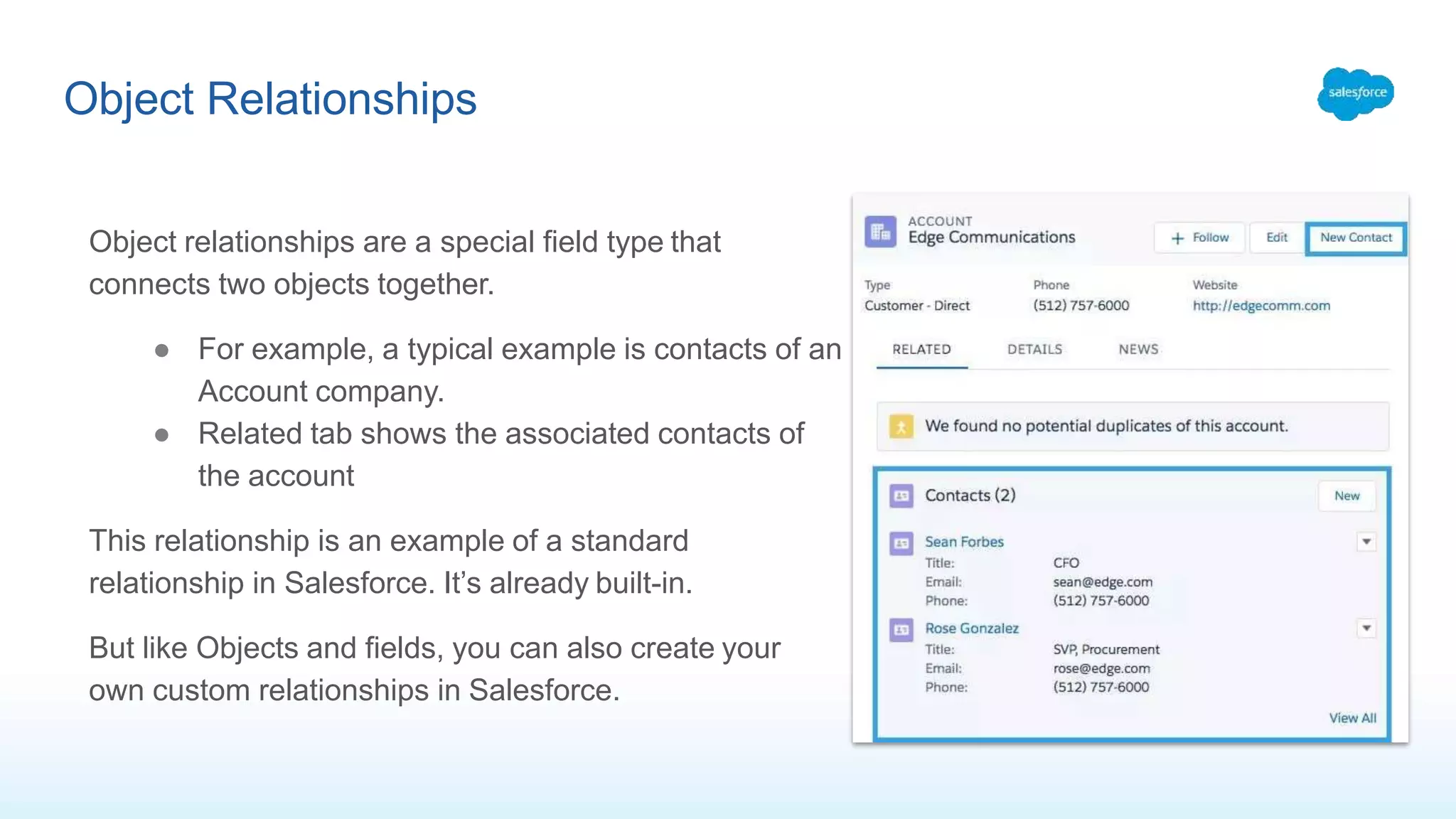
Object Relationships
Object relationshipsare a special field type that
connects two objects together.
● For example, a typical example is contacts of an
Account company.
● Related tab shows the associated contacts of
the account
This relationship is an example of a standard
relationship in Salesforce. It’s already built-in.
But like Objects and fields, you can also create your
own custom relationships in Salesforce.
10.
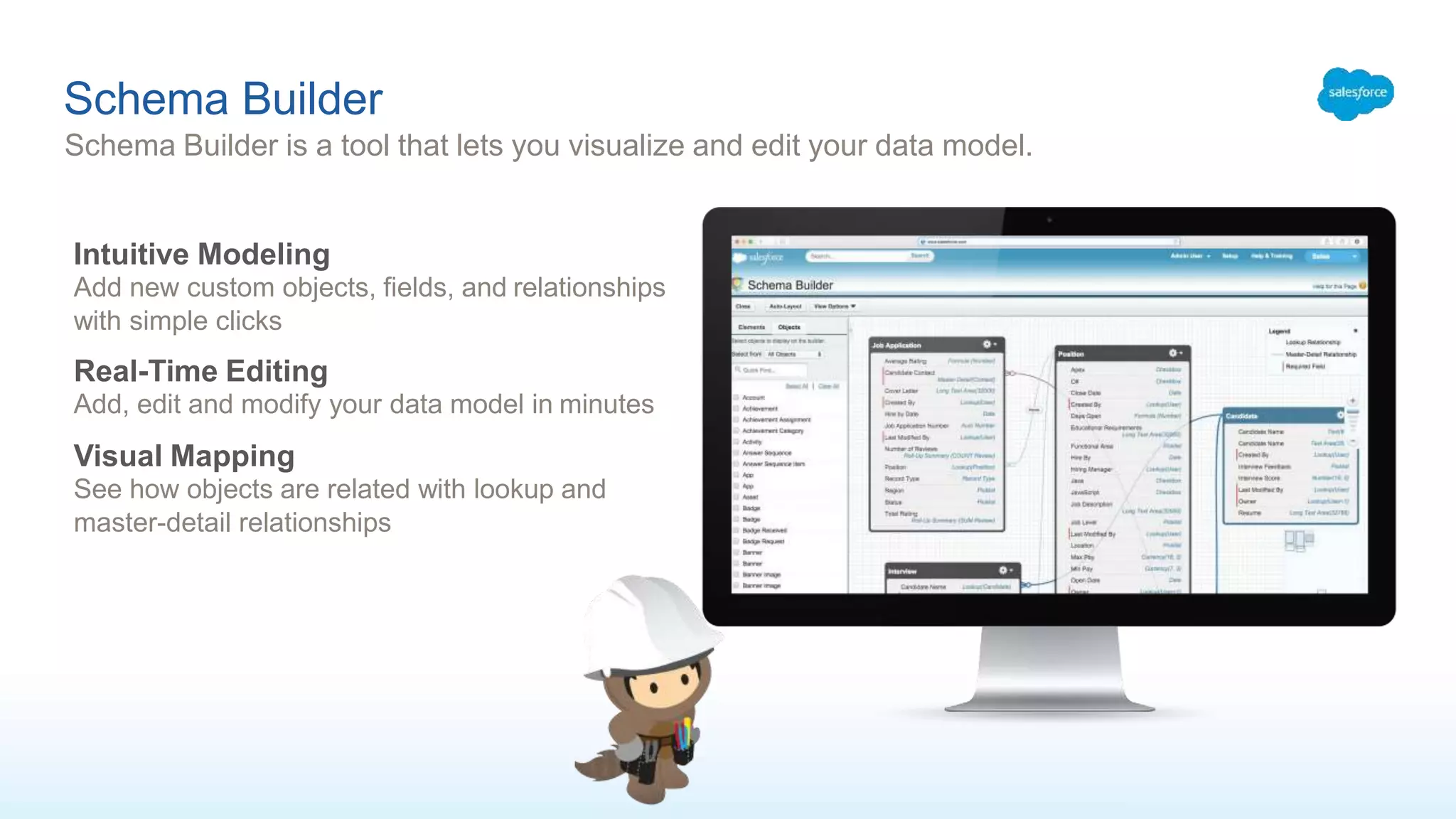
Schema Builder
Schema Builderis a tool that lets you visualize and edit your data model.
Intuitive Modeling
Add new custom objects, fields, and relationships
with simple clicks
Real-Time Editing
Add, edit and modify your data model in minutes
Visual Mapping
See how objects are related with lookup and
master-detail relationships
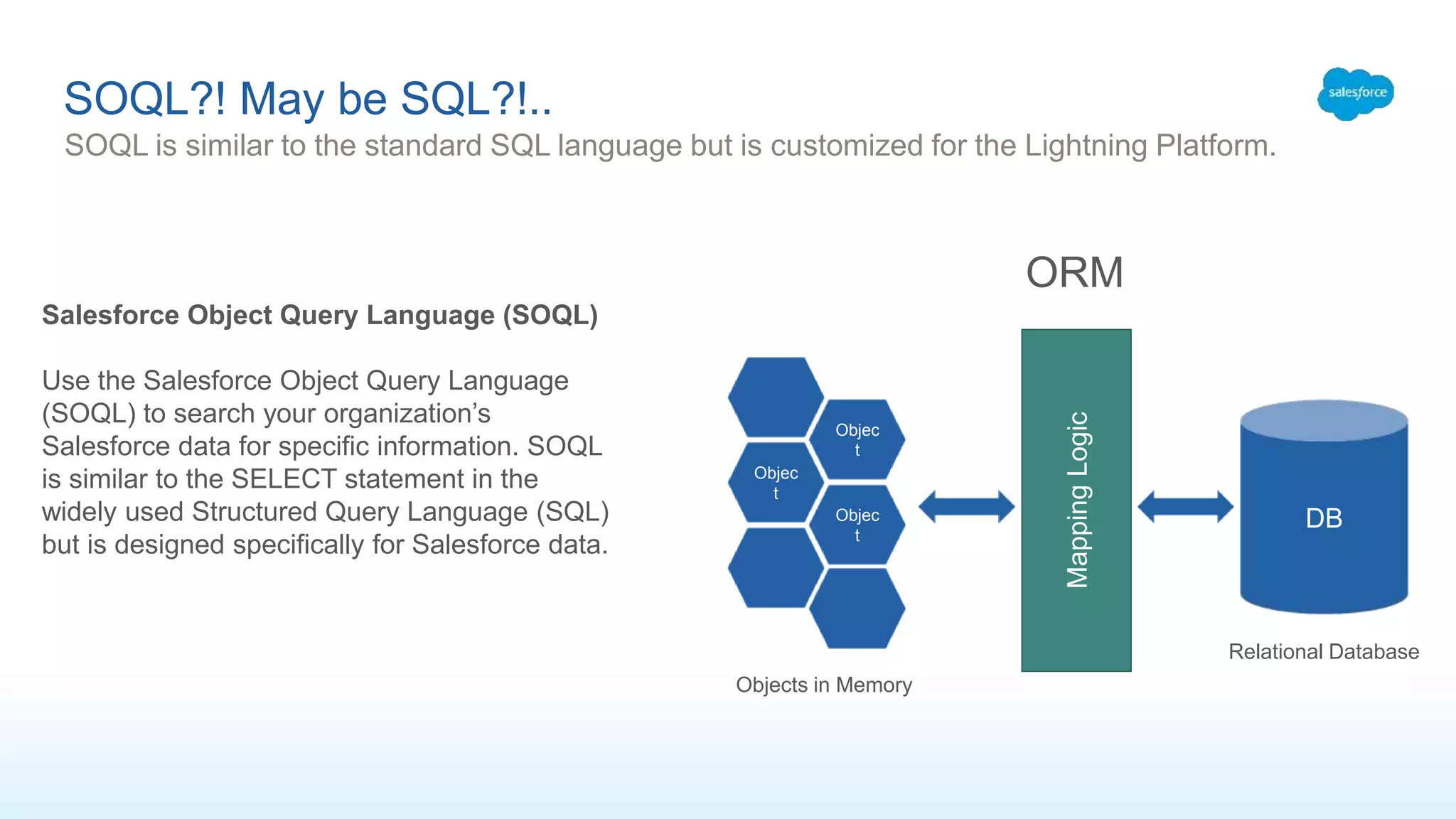
SOQL?! May beSQL?!..
SOQL is similar to the standard SQL language but is customized for the Lightning Platform.
Salesforce Object Query Language (SOQL)
Use the Salesforce Object Query Language
(SOQL) to search your organization’s
Salesforce data for specific information. SOQL
is similar to the SELECT statement in the
widely used Structured Query Language (SQL)
but is designed specifically for Salesforce data.
DB
MappingLogic
Objec
t
Objec
t
Objec
t
Relational Database
Objects in Memory
ORM
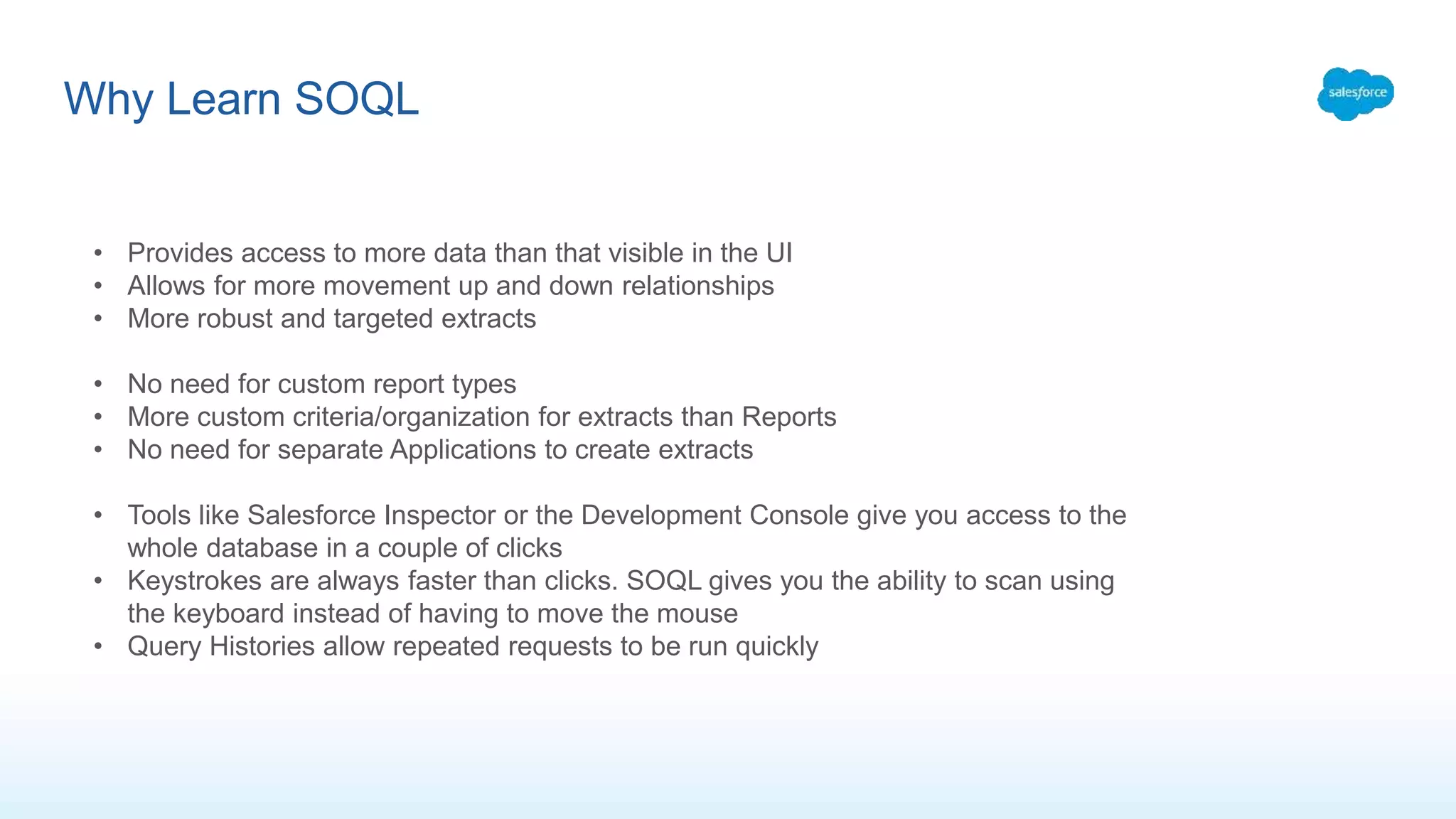
Why Learn SOQL
•Provides access to more data than that visible in the UI
• Allows for more movement up and down relationships
• More robust and targeted extracts
• No need for custom report types
• More custom criteria/organization for extracts than Reports
• No need for separate Applications to create extracts
• Tools like Salesforce Inspector or the Development Console give you access to the
whole database in a couple of clicks
• Keystrokes are always faster than clicks. SOQL gives you the ability to scan using
the keyboard instead of having to move the mouse
• Query Histories allow repeated requests to be run quickly
15.
SOQL
The Developer Consoleprovides the Query Editor console, which enables you to run your
SOQL queries and view results.
SELECT fields FROM ObjectName [WHERE Condition]
SELECT Name, Phone FROM Account
User Account Contact Opportunity
ID Name Country Phone Revenue CreatedDate
00190AlgjAAC ACME Chem. Finland 05-124301324 8670000000 2002-10-06T
00190AlgjAAD ABC Tech. Germany 07-123414 8185000000 2002-10-06T
00190AlgjAAE Wayne Enter. Spain 03-1235641 5640000000 2002-10-06T
00190AlgjAAF Stark Enter. USA 1-1321234 17365000000 2002-10-06T
00190AlgjAA
G
Apple Inc. USA 1-13425234 68747000000 2002-10-06T
00190AlgjAAH Alphabet USA 1-65634425 89970000000 2002-10-06T
00190AlgjAAI Amazon USA 1-23234643 95839000000 2002-10-06T
16.
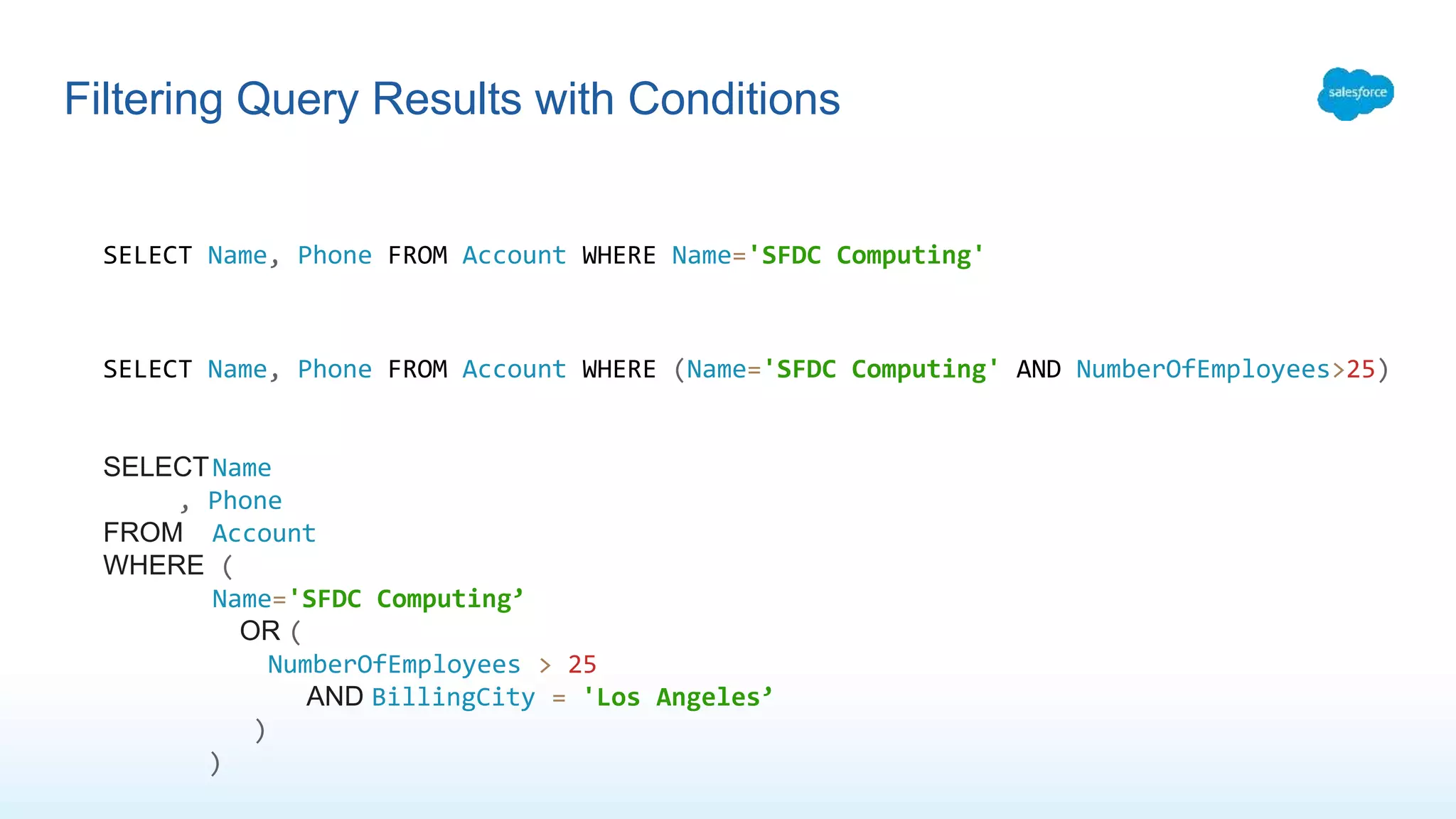
Filtering Query Resultswith Conditions
SELECT Name, Phone FROM Account WHERE Name='SFDC Computing'
SELECT Name, Phone FROM Account WHERE (Name='SFDC Computing' AND NumberOfEmployees>25)
SELECTName
, Phone
FROM Account
WHERE (
Name='SFDC Computing’
OR (
NumberOfEmployees > 25
AND BillingCity = 'Los Angeles’
)
)
17.
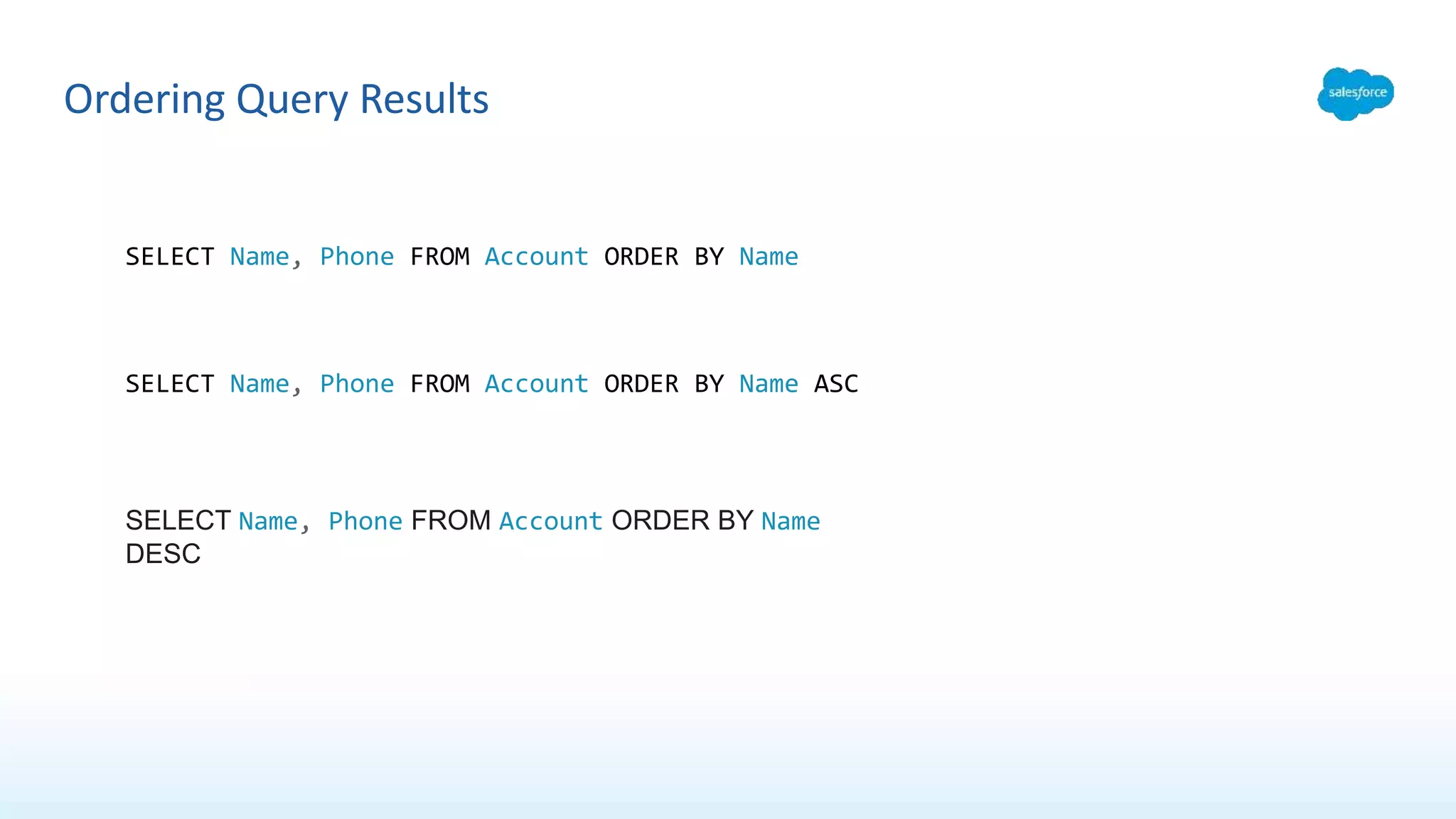
Ordering Query Results
SELECTName, Phone FROM Account ORDER BY Name
SELECT Name, Phone FROM Account ORDER BY Name ASC
SELECT Name, Phone FROM Account ORDER BY Name
DESC
18.
Limiting the Numberof Records Returned
Account oneAccountOnly = [SELECT Name, Phone FROM Account LIMIT 1];
Account[] accts = [SELECT Name,Phone FROM Account WHERE (Name='SFDC Computing'
AND NumberOfEmployees>25) ORDER BY Name LIMIT 10];
19.
Accessing Variables inSOQL Queries
SOQL statements in Apex can reference Apex code variables and expressions if they are
preceded by a colon (:). The use of a local variable within a SOQL statement is called a bind.
String targetDepartment = 'Wingo’;
Contact[] techContacts = [SELECT FirstName,LastName FROM Contact WHERE
Department=:targetDepartment];
20.
Querying Related Records
SELECTName, (SELECT LastName FROM Contacts) FROM Account WHERE Name = 'SFDC
Computing'
Account[] acctsWithContacts = [SELECT Name,
(SELECT FirstName,LastName FROM Contacts)
FROM Account WHERE Name = 'SFDC Computing’];
// Get child records
Contact[] cts = acctsWithContacts[0].Contacts;
System.debug('Name of first associated contact: ' + cts[0].FirstName +
', ' + cts[0].LastName);

![SOQL
The Developer Console provides the Query Editor console, which enables you to run your
SOQL queries and view results.
SELECT fields FROM ObjectName [WHERE Condition]
SELECT Name, Phone FROM Account
User Account Contact Opportunity
ID Name Country Phone Revenue CreatedDate
00190AlgjAAC ACME Chem. Finland 05-124301324 8670000000 2002-10-06T
00190AlgjAAD ABC Tech. Germany 07-123414 8185000000 2002-10-06T
00190AlgjAAE Wayne Enter. Spain 03-1235641 5640000000 2002-10-06T
00190AlgjAAF Stark Enter. USA 1-1321234 17365000000 2002-10-06T
00190AlgjAA
G
Apple Inc. USA 1-13425234 68747000000 2002-10-06T
00190AlgjAAH Alphabet USA 1-65634425 89970000000 2002-10-06T
00190AlgjAAI Amazon USA 1-23234643 95839000000 2002-10-06T](https://image.slidesharecdn.com/soql-sosl-201102215759/75/SOQL-SOSL-for-Admins-15-2048.jpg)
![Limiting the Number of Records Returned
Account oneAccountOnly = [SELECT Name, Phone FROM Account LIMIT 1];
Account[] accts = [SELECT Name,Phone FROM Account WHERE (Name='SFDC Computing'
AND NumberOfEmployees>25) ORDER BY Name LIMIT 10];](https://image.slidesharecdn.com/soql-sosl-201102215759/75/SOQL-SOSL-for-Admins-18-2048.jpg)
![Accessing Variables in SOQL Queries
SOQL statements in Apex can reference Apex code variables and expressions if they are
preceded by a colon (:). The use of a local variable within a SOQL statement is called a bind.
String targetDepartment = 'Wingo’;
Contact[] techContacts = [SELECT FirstName,LastName FROM Contact WHERE
Department=:targetDepartment];](https://image.slidesharecdn.com/soql-sosl-201102215759/75/SOQL-SOSL-for-Admins-19-2048.jpg)
![Querying Related Records
SELECT Name, (SELECT LastName FROM Contacts) FROM Account WHERE Name = 'SFDC
Computing'
Account[] acctsWithContacts = [SELECT Name,
(SELECT FirstName,LastName FROM Contacts)
FROM Account WHERE Name = 'SFDC Computing’];
// Get child records
Contact[] cts = acctsWithContacts[0].Contacts;
System.debug('Name of first associated contact: ' + cts[0].FirstName +
', ' + cts[0].LastName);](https://image.slidesharecdn.com/soql-sosl-201102215759/75/SOQL-SOSL-for-Admins-20-2048.jpg)

![SOSL
FIND 'SearchQuery' [IN SearchGroup] [RETURNING ObjectsAndFields]
List<List<SObject>> searchList = [FIND 'SFDC' IN ALL FIELDS RETURNING
Account(Name), Contact(FirstName,LastName)];
FIND {Wingo} IN ALL FIELDS RETURNING Account(Name),
Contact(FirstName,LastName,Department)](https://image.slidesharecdn.com/soql-sosl-201102215759/75/SOQL-SOSL-for-Admins-22-2048.jpg)