1
Chapter Five
Relational Algebra
2
What is an “Algebra”
 Mathematical system consisting of:
 Operands --- variables or values
from which new values can be
constructed.
 Operators --- symbols denoting
procedures that construct new values
from given values.
3
Base relation and views
 Base relation
 A named relation corresponding to an entity in
conceptual schema, whose tuples are physically
stored in the database
 View
 is derived from base relations
 a relation that does not necessarily exist in its own
right, but may be dynamically derived from one or
more base relations.
 is the dynamic result of one or more relational
operations operating on the base relations to
produce another relation.
 is produced upon request by a particular user, at the
time of request
 provides a powerful and flexible security mechanism
by hiding parts of the db from certain users;
 permits users to access data in a way that is
customized to their needs, so that some data can be
seen by different users in different ways.
4
Relational Algebra
 An algebra whose operands are relations
or variables that represent relations.
 A theoretical language with operations
that work on one or more relations to
define another relation without changing
the original relations
 The output from one operation can
become the input to another operation
(nesting is possible)
 Operators are designed to do the most
common things that we need to do with
relations in a database.
 The result is an algebra that can be used as a
query language for relations.
5
Core Relational Algebra
 Selection: picking certain rows.
 Projection: picking certain columns.
 Union, intersection, and difference.
 Usual set operations, but require both
operands have the same relation
schema.
 Renaming of relations and attributes.
 Products and joins: compositions of
relations.
6
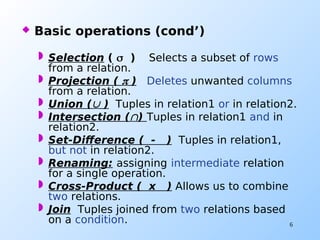
 Basic operations (cond’)
 Selection (  ) Selects a subset of rows
from a relation.
 Projection (  ) Deletes unwanted columns
from a relation.
 Union ( ) Tuples in relation1 or in relation2.
 Intersection () Tuples in relation1 and in
relation2.
 Set-Difference ( - ) Tuples in relation1,
but not in relation2.
 Renaming: assigning intermediate relation
for a single operation.
 Cross-Product ( x ) Allows us to combine
two relations.
 Join Tuples joined from two relations based
on a condition.
7
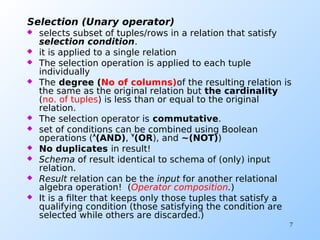
Selection (Unary operator)
 selects subset of tuples/rows in a relation that satisfy
selection condition.
 it is applied to a single relation
 The selection operation is applied to each tuple
individually
 The degree (No of columns)of the resulting relation is
the same as the original relation but the cardinality
(no. of tuples) is less than or equal to the original
relation.
 The selection operator is commutative.
 set of conditions can be combined using Boolean
operations ((AND)), (OR), and ~(NOT))
 No duplicates in result!
 Schema of result identical to schema of (only) input
relation.
 Result relation can be the input for another relational
algebra operation! (Operator composition.)
 It is a filter that keeps only those tuples that satisfy a
qualifying condition (those satisfying the condition are
selected while others are discarded.)
8
 R1 := SELECTC (R2)
 C is a condition that refers to
attributes of R2.
 R1 is all those tuples of R2 that satisfy
C.

SELECT is symbolized by 
9
SID Fname Lname Age
58 Abebe Worku 34
28 Almaz Bekele 55
Selection (Example 1)
<Selection Condition> <Relation Name>Selection Condition> <Selection Condition> <Relation Name>Relation Name>
Student
age > 40 (Student)
results SID Fname Lname Age
28 Almaz Bekele 55
10
Selection (Example 2)
Sells
boutique shoes Price
Almaz snicker 250.00
Almaz Boots 275.00
Rose red Snicker 250.00
Rose red Boots 250.00
AlmazMenu := SELECTboutique=“almaz”(Sells):
boutique shoes price
Almaz snicker 250.00
Almaz Boots 275.00
11
Projection (Unary operator)
 Selects certain attributes while discarding the other
from the base relation.
 it is applied to a single relation
 The PROJECT creates a vertical partitioning – one with
the needed columns (attributes) containing results of
the operation and other containing the discarded
Columns.
 Deletes attributes that are not in projection list.
 Schema of result contains exactly the fields in the
projection list, with the same names that they had in
the (only) input relation.
 Projection operator has to eliminate duplicates!
 If the Primary Key is in the projection list, then
duplication will not occur
 Duplication removal is necessary to insure that the
resulting table is also a relation.
 Attributes appear in the same order as they appear in
the list
12
Projection
 R1 := PROJL (R2)
 L is a list of attributes from the
schema of R2.
 R1 is constructed by looking at each
tuple of R2, extracting the attributes
on list L, in the order specified, and
creating from those components a
tuple for R1.
13
SID Fname Lname Age
58 Abebe Worku 34
28 Rahel Bekele 55
Projection (Example 1)
<Selection Condition> <Relation Name>list of attributes> <Selection Condition> <Relation Name>Relation Name>
Student
 fname,age (Student)
results
Fname Age
Abebe 34
Rahel 55
14
Projection (Example 2)
Sells
boutique shoes Price
Almaz snicker 250.00
Almaz Boots 275.00
Rose red Snicker 250.00
Rose red Boots 250.00
Prices := PROJshoes,price(Sells)
shoes price
snicker 250.00
Boots 275.00
Boots 250.00
15
 Commutative property does not
hold
 list 2 [ list 1 (R) ]≠  list 1 [ list 2 (R)]
 Prove by using examples
16
Set operations (Binary
operations)
(Union, Intersection, Set-Difference)
 Define relations that contain all
the tuples R or S or both R and S,
duplicates being eliminated.
 All the operations take two input
relations, which must be union
compatible:
 Same number of fields
 “Corresponding” fields have the same
type.
17
UNION Operation
 The result of this operation, denoted by R U S, is a
relation that includes all tuples that are either in R or in
S or in both R and S. Duplicate tuples are eliminated.
The two operands must be “type compatible”.
INTERSECTION Operation
 The result of this operation, denoted by R ∩ S, is a
relation that includes all tuples that are in both R and S.
The two operands must be "type compatible“
Set Difference (or MINUS) Operation
 The result of this operation, denoted by R - S, is a
relation that includes all tuples that are in R but not in S.
The two operands must be "type compatible”.
Type Compatibility
 The operand relations R1(A1, A2, ..., An) and R2(B1, B2, ...,
Bn) must have the same number of attributes, and the
domains of corresponding attributes must be compatible; that
is, Dom(Ai)=Dom(Bi) for i=1, 2, ..., n.
18
 S1  S2  occur in either S1 or S2
 S1  S2  occur in both S1 and S2
 S1 - S2  occur in S1 but not in S2
Work out
S1  S2
S1  S2
S1 - S2
Sid name sex age
23 Abebe M 21
32 Ayele M 15
59 Almaz F 35
Sid Name sex age
23 Abebe M 21
32 Ayele M 15
45 Worku M 25
68 Kelemua F 30
S1
S2
age <Selection Condition> <Relation Name> 30 (S1)
 Sid,age (S2)

age <Selection Condition> <Relation Name> 26 (
Sid,age (S2) )
19
EmpID SkillID Skill SkillLevel
12 2 SQL 5
16 5 C++ 6
28 2 SQL 10
25 6 VB6 8
65 2 SQL 9
24 8 Oracle 5
51 4 Prolog 8
94 3 Cisco 7
18 1 IP 4
13 7 Java 6
Skill
Get all values for Attribute Skill.
Select EmpId and skill where skill level is greater than 7
Select empid and skill where skill id = 2, skill level > 5
20
Rename Operation
 We may want to apply several relational
algebra operations one after the other.
The query could be written in two
different forms:
 Write the operations as a single relational
algebra expression by nesting the
operations.
 Apply one operation at a time and create
intermediate result relations. In the latter
case, we must give names to the relations
that hold the intermediate resultsRename
Operation
21
 A single algebraic expression:
(
empid, skill, Skill_Level) ((skillskill=”SQL” 
SkillLevel>5)(skill))
 Using an intermediate relation by the
Rename Operation:
Step1: Result1  (
(skillskill=”SQL”  SkillLevel>5)(skill)
Step2: Result  
(empid, Skill, Skill_Level)(Result1)
 Then Result will be equivalent with the
relation we get using the first
alternative.
22
Renaming (cond’)
 The RENAME operator also gives a
new schema to a relation.
 R1 := RENAMER1(A1,…,An)(R2) makes
R1 be a relation with attributes A1,
…,An and the same tuples as R2.
(s1(sid  identity), E)
rename sid to identity in relation
E and name the resulting schema
S1
23
Renaming (Example)
Bars( name, addr )
W’s Kazanchis
R’s Arat kilo
R( bar, addr )
W’s Kazanchis
R’s Arat kilo
R(bar, addr) := Bars  (R(name  bar), bars)
or
24
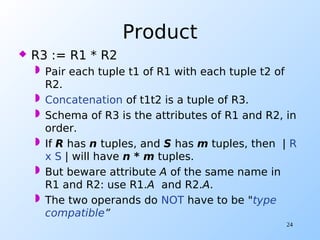
Product
 R3 := R1 * R2
 Pair each tuple t1 of R1 with each tuple t2 of
R2.
 Concatenation of t1t2 is a tuple of R3.
 Schema of R3 is the attributes of R1 and R2, in
order.
 If R has n tuples, and S has m tuples, then | R
x S | will have n * m tuples.
 But beware attribute A of the same name in
R1 and R2: use R1.A and R2.A.
 The two operands do NOT have to be "type
compatible”
25
Example: R3 := R1 * R2
R1( A, B )
1 2
3 4
R2( B, C )
5 6
7 8
9 10
R3( A, R1.B, R2.B, C )
1 2 5 6
1 2 7 8
1 2 9 10
3 4 5 6
3 4 7 8
3 4 9 10
However, we need only combinations of the
Cartesian product that satisfy certain conditions.
26
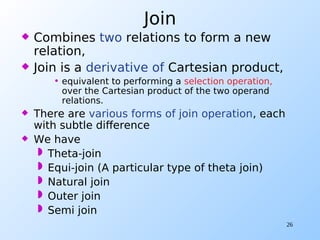
Join
 Combines two relations to form a new
relation,
 Join is a derivative of Cartesian product,
• equivalent to performing a selection operation,
over the Cartesian product of the two operand
relations.
 There are various forms of join operation, each
with subtle difference
 We have
 Theta-join
 Equi-join (A particular type of theta join)
 Natural join
 Outer join
 Semi join
27
Theta-Join
 Theta JOIN Operation is denoted by a
symbol.
 The theta join operation defines a relation that
contains tuples satisfying the predicate  from
the cartesian product of two relations.
R  S
 Where  is the logical operator used in
the join condition. It could be of the
form R.a  S.a
  Could be { <,  , >, , , = }
 R ( ) S Is equivalent to

( ) (R X S)
28
Equi-join
 A term given to the theta join, in case where
the predicate contains only equality sign.
R R.B=S.B S
 The degree of theta join and equi-join is the
sum of the degrees of the operand relations.
29
Sid name sex age
23 Abebe M 21
32 Ayele M 19
59 Almaz F 35
74 Kebede M 26
Sid CNo cname
23 Inst 202 DB
32 Inst 344 IR
59 Inst 633 Math
Student Registration
result := student student.sid=registration.sid registration
Sid.student name sex ag
e
Sid.registra
tion
Cno. cname
23 Abebe M 21 23 Inst
202
DB
32 Ayele M 19 32 Inst
344
IR
59 Almaz F 35 59 Inst
633
Math
Use the equivalent selection over the cartesian product
30
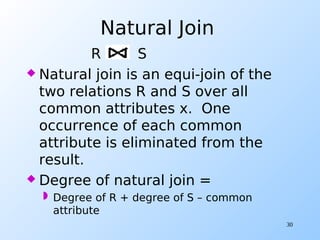
Natural Join
R S
 Natural join is an equi-join of the
two relations R and S over all
common attributes x. One
occurrence of each common
attribute is eliminated from the
result.
 Degree of natural join =
 Degree of R + degree of S – common
attribute
31
Outer join
 Often in joining two relations, there is no matching value
in the join columns. To display rows in the result that do
not have matching values in the join column, we use
outer join
 Advantage
• Information is preserved
• Preserves tuples that would have been lost by other
types of join
• Missing values in the second relation are set to null.
• Types of outer-join
– Left outer join
– Right outer join
– Full-outer join
 Outer join is a specified operator in
SQL
32
 The (left) outer join is a join in which tuples
from R that do not have matching values in
the common columns of S are also included in
the result relation. – missing values are set to
null
student (left-outerjoin) registration
 The (right) outer join is a join in which tuples
from S that do not have matching values in the
common columns of R are also included in the
result relation.
student (right-outerjoin) registration
 The (full) outer join is a join in which all tuples
from both operands are included.
33
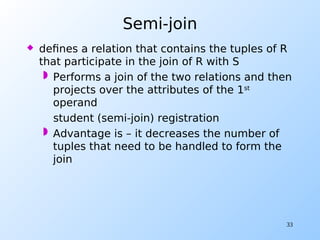
Semi-join
 defines a relation that contains the tuples of R
that participate in the join of R with S
 Performs a join of the two relations and then
projects over the attributes of the 1st
operand
student (semi-join) registration
 Advantage is – it decreases the number of
tuples that need to be handled to form the
join
34
Division
 Not supported as a primitive
operator, but useful for expressing
queries like:
 Find sailors who have reserved all
boats
 Find names of customers who have
accounts in all the branches
 Suppose R has two fields a and b,
S has only one field b, R/S contains
all tuples such that for every b
tuple in S, there is an ab tuple in R.
35
Examples of Division A/B
sno Pno
S1 P1
S1 P2
S1 P3
S1 P4
S2 P1
S2 P2
S3 P2
s4 P2
s4 p4
pno
P1
P2
p4
sno
S1
S2
S3
s4
pno
P2
p4
sno
s1
pn0
p2
sno
S1
s4
A
B1 B2
B3
A/B1
A/B2
A/B3
July 24, 2022 DB:Relational Algebra 36
- Summary …
… - Summary …
July 24, 2022 DB:Relational Algebra 37
… - Summary
Select 
Project 
Rename 
Union 
Difference –
Intersection 
Division 
Assignment 
Cartesian Product X
Join
Natural Join *
Left Outer Join
Right Outer Join
Full Outer Join
Aggregate Function g
July 24, 2022 DB:Relational Algebra 38
July 24, 2022
DB:Relational Algebra 39
Class Exercise
 The following Relations are used for the coming exercise.
 branch (branch-name, branch-city, assets)
 customer (customer-name, customer-street,
customer-only)
 account (account-number, branch-name, balance)
 loan (loan-number, branch-name, amount)
 depositor (customer-name, account-number)
 borrower (customer-name, loan-number)
July 24, 2022
DB:Relational Algebra 40
Based on the previous schema, answer the
Queries below:
1. Find all loans over $1200?
2. Find the loan number for each loan of an amount greater
than $1200
3. Find the names of all customers who have a loan, an
account, or both, from the bank
4. Find the names of all customers who have a loan and an
account at bank
5. Find the names of all customers who have a loan at the KFUPM
branch.
6. Find the largest account balance. Rename account relation
as d
July 24, 2022 DB:Relational Algebra 41
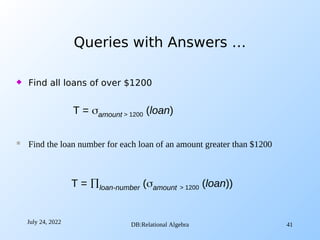
Queries with Answers …
 Find all loans of over $1200
T = amount > 1200 (loan)
T = loan-number (amount > 1200 (loan))
 Find the loan number for each loan of an amount greater than $1200
July 24, 2022 DB:Relational Algebra 42
Queries with Answers …
 Find the names of all customers who have a loan, an account,
or both, from the bank
T = customer-name (borrower)  customer-name (depositor)
T = customer-name (borrower)  customer-name (depositor)
 Find the names of all customers who have a loan and an account at bank
July 24, 2022 DB:Relational Algebra 43
Queries with Answers …
 Find the names of all customers who have a loan at the KFUPM
branch.
T = customer-name (branch-name = “KFUPM”
(borrower.loan-number = loan.loan-number(borrower * loan))) –
customer-name(depositor)
T = customer-name (branch-name=“KFUPM”
(borrower.loan-number = loan.loan-number(borrower * loan)))
 Find the of all customers who have a loan at the KFUPM branch but do not have an
account at any branch of the bank
July 24, 2022 DB:Relational Algebra 44
Queries with Answers …
 Find the names of all customers who have a loan at the KFUPM
branch.
 Query 2
T = customer-name(loan.loan-number = borrower.loan-number(
(branch-name = “KFUPM”(loan)) * borrower))
 Query 1
T = customer-name(branch-name = “KFUPM” (
borrower.loan-number = loan.loan-number(borrower * loan)))
July 24, 2022 DB:Relational Algebra 45
Queries with Answers …
 Find the largest account balance. Rename account relation
as d
T = balance(skillaccount) - account.balance
(account.balance < d.balance (account X d (skillaccount)))
July 24, 2022 DB:Relational Algebra 46
Queries with Answers …
 Find all customers who have an account from at least the “Dammam”
and the “Khobar” branches.
Query 2
T = customer-name, branch-name (depositor * account)
 temp(branch-name) ({(“Dammam”), (“Khobar”)})
Query 1
T= CN(BN=“Dammam”(depositor * account)) 
CN(BN=“Khobar”(depositor * account))
where CN denotes customer-name and BN denotes branch-name.
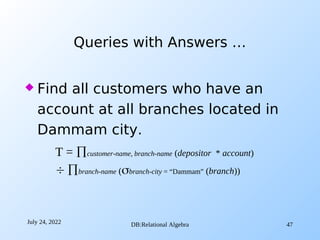
July 24, 2022 DB:Relational Algebra 47
 Find all customers who have an
account at all branches located in
Dammam city.
Queries with Answers …
T = customer-name, branch-name (depositor * account)
 branch-name (branch-city = “Dammam” (branch))

Chapter – 5 Relational Algebra.pdf

  • 1.
  • 2.
    2 What is an“Algebra”  Mathematical system consisting of:  Operands --- variables or values from which new values can be constructed.  Operators --- symbols denoting procedures that construct new values from given values.
  • 3.
    3 Base relation andviews  Base relation  A named relation corresponding to an entity in conceptual schema, whose tuples are physically stored in the database  View  is derived from base relations  a relation that does not necessarily exist in its own right, but may be dynamically derived from one or more base relations.  is the dynamic result of one or more relational operations operating on the base relations to produce another relation.  is produced upon request by a particular user, at the time of request  provides a powerful and flexible security mechanism by hiding parts of the db from certain users;  permits users to access data in a way that is customized to their needs, so that some data can be seen by different users in different ways.
  • 4.
    4 Relational Algebra  Analgebra whose operands are relations or variables that represent relations.  A theoretical language with operations that work on one or more relations to define another relation without changing the original relations  The output from one operation can become the input to another operation (nesting is possible)  Operators are designed to do the most common things that we need to do with relations in a database.  The result is an algebra that can be used as a query language for relations.
  • 5.
    5 Core Relational Algebra Selection: picking certain rows.  Projection: picking certain columns.  Union, intersection, and difference.  Usual set operations, but require both operands have the same relation schema.  Renaming of relations and attributes.  Products and joins: compositions of relations.
  • 6.
    6  Basic operations(cond’)  Selection (  ) Selects a subset of rows from a relation.  Projection (  ) Deletes unwanted columns from a relation.  Union ( ) Tuples in relation1 or in relation2.  Intersection () Tuples in relation1 and in relation2.  Set-Difference ( - ) Tuples in relation1, but not in relation2.  Renaming: assigning intermediate relation for a single operation.  Cross-Product ( x ) Allows us to combine two relations.  Join Tuples joined from two relations based on a condition.
  • 7.
    7 Selection (Unary operator) selects subset of tuples/rows in a relation that satisfy selection condition.  it is applied to a single relation  The selection operation is applied to each tuple individually  The degree (No of columns)of the resulting relation is the same as the original relation but the cardinality (no. of tuples) is less than or equal to the original relation.  The selection operator is commutative.  set of conditions can be combined using Boolean operations ((AND)), (OR), and ~(NOT))  No duplicates in result!  Schema of result identical to schema of (only) input relation.  Result relation can be the input for another relational algebra operation! (Operator composition.)  It is a filter that keeps only those tuples that satisfy a qualifying condition (those satisfying the condition are selected while others are discarded.)
  • 8.
    8  R1 :=SELECTC (R2)  C is a condition that refers to attributes of R2.  R1 is all those tuples of R2 that satisfy C.  SELECT is symbolized by 
  • 9.
    9 SID Fname LnameAge 58 Abebe Worku 34 28 Almaz Bekele 55 Selection (Example 1) <Selection Condition> <Relation Name>Selection Condition> <Selection Condition> <Relation Name>Relation Name> Student age > 40 (Student) results SID Fname Lname Age 28 Almaz Bekele 55
  • 10.
    10 Selection (Example 2) Sells boutiqueshoes Price Almaz snicker 250.00 Almaz Boots 275.00 Rose red Snicker 250.00 Rose red Boots 250.00 AlmazMenu := SELECTboutique=“almaz”(Sells): boutique shoes price Almaz snicker 250.00 Almaz Boots 275.00
  • 11.
    11 Projection (Unary operator) Selects certain attributes while discarding the other from the base relation.  it is applied to a single relation  The PROJECT creates a vertical partitioning – one with the needed columns (attributes) containing results of the operation and other containing the discarded Columns.  Deletes attributes that are not in projection list.  Schema of result contains exactly the fields in the projection list, with the same names that they had in the (only) input relation.  Projection operator has to eliminate duplicates!  If the Primary Key is in the projection list, then duplication will not occur  Duplication removal is necessary to insure that the resulting table is also a relation.  Attributes appear in the same order as they appear in the list
  • 12.
    12 Projection  R1 :=PROJL (R2)  L is a list of attributes from the schema of R2.  R1 is constructed by looking at each tuple of R2, extracting the attributes on list L, in the order specified, and creating from those components a tuple for R1.
  • 13.
    13 SID Fname LnameAge 58 Abebe Worku 34 28 Rahel Bekele 55 Projection (Example 1) <Selection Condition> <Relation Name>list of attributes> <Selection Condition> <Relation Name>Relation Name> Student  fname,age (Student) results Fname Age Abebe 34 Rahel 55
  • 14.
    14 Projection (Example 2) Sells boutiqueshoes Price Almaz snicker 250.00 Almaz Boots 275.00 Rose red Snicker 250.00 Rose red Boots 250.00 Prices := PROJshoes,price(Sells) shoes price snicker 250.00 Boots 275.00 Boots 250.00
  • 15.
    15  Commutative propertydoes not hold  list 2 [ list 1 (R) ]≠  list 1 [ list 2 (R)]  Prove by using examples
  • 16.
    16 Set operations (Binary operations) (Union,Intersection, Set-Difference)  Define relations that contain all the tuples R or S or both R and S, duplicates being eliminated.  All the operations take two input relations, which must be union compatible:  Same number of fields  “Corresponding” fields have the same type.
  • 17.
    17 UNION Operation  Theresult of this operation, denoted by R U S, is a relation that includes all tuples that are either in R or in S or in both R and S. Duplicate tuples are eliminated. The two operands must be “type compatible”. INTERSECTION Operation  The result of this operation, denoted by R ∩ S, is a relation that includes all tuples that are in both R and S. The two operands must be "type compatible“ Set Difference (or MINUS) Operation  The result of this operation, denoted by R - S, is a relation that includes all tuples that are in R but not in S. The two operands must be "type compatible”. Type Compatibility  The operand relations R1(A1, A2, ..., An) and R2(B1, B2, ..., Bn) must have the same number of attributes, and the domains of corresponding attributes must be compatible; that is, Dom(Ai)=Dom(Bi) for i=1, 2, ..., n.
  • 18.
    18  S1 S2  occur in either S1 or S2  S1  S2  occur in both S1 and S2  S1 - S2  occur in S1 but not in S2 Work out S1  S2 S1  S2 S1 - S2 Sid name sex age 23 Abebe M 21 32 Ayele M 15 59 Almaz F 35 Sid Name sex age 23 Abebe M 21 32 Ayele M 15 45 Worku M 25 68 Kelemua F 30 S1 S2 age <Selection Condition> <Relation Name> 30 (S1)  Sid,age (S2)  age <Selection Condition> <Relation Name> 26 ( Sid,age (S2) )
  • 19.
    19 EmpID SkillID SkillSkillLevel 12 2 SQL 5 16 5 C++ 6 28 2 SQL 10 25 6 VB6 8 65 2 SQL 9 24 8 Oracle 5 51 4 Prolog 8 94 3 Cisco 7 18 1 IP 4 13 7 Java 6 Skill Get all values for Attribute Skill. Select EmpId and skill where skill level is greater than 7 Select empid and skill where skill id = 2, skill level > 5
  • 20.
    20 Rename Operation  Wemay want to apply several relational algebra operations one after the other. The query could be written in two different forms:  Write the operations as a single relational algebra expression by nesting the operations.  Apply one operation at a time and create intermediate result relations. In the latter case, we must give names to the relations that hold the intermediate resultsRename Operation
  • 21.
    21  A singlealgebraic expression: ( empid, skill, Skill_Level) ((skillskill=”SQL”  SkillLevel>5)(skill))  Using an intermediate relation by the Rename Operation: Step1: Result1  ( (skillskill=”SQL”  SkillLevel>5)(skill) Step2: Result   (empid, Skill, Skill_Level)(Result1)  Then Result will be equivalent with the relation we get using the first alternative.
  • 22.
    22 Renaming (cond’)  TheRENAME operator also gives a new schema to a relation.  R1 := RENAMER1(A1,…,An)(R2) makes R1 be a relation with attributes A1, …,An and the same tuples as R2. (s1(sid  identity), E) rename sid to identity in relation E and name the resulting schema S1
  • 23.
    23 Renaming (Example) Bars( name,addr ) W’s Kazanchis R’s Arat kilo R( bar, addr ) W’s Kazanchis R’s Arat kilo R(bar, addr) := Bars  (R(name  bar), bars) or
  • 24.
    24 Product  R3 :=R1 * R2  Pair each tuple t1 of R1 with each tuple t2 of R2.  Concatenation of t1t2 is a tuple of R3.  Schema of R3 is the attributes of R1 and R2, in order.  If R has n tuples, and S has m tuples, then | R x S | will have n * m tuples.  But beware attribute A of the same name in R1 and R2: use R1.A and R2.A.  The two operands do NOT have to be "type compatible”
  • 25.
    25 Example: R3 :=R1 * R2 R1( A, B ) 1 2 3 4 R2( B, C ) 5 6 7 8 9 10 R3( A, R1.B, R2.B, C ) 1 2 5 6 1 2 7 8 1 2 9 10 3 4 5 6 3 4 7 8 3 4 9 10 However, we need only combinations of the Cartesian product that satisfy certain conditions.
  • 26.
    26 Join  Combines tworelations to form a new relation,  Join is a derivative of Cartesian product, • equivalent to performing a selection operation, over the Cartesian product of the two operand relations.  There are various forms of join operation, each with subtle difference  We have  Theta-join  Equi-join (A particular type of theta join)  Natural join  Outer join  Semi join
  • 27.
    27 Theta-Join  Theta JOINOperation is denoted by a symbol.  The theta join operation defines a relation that contains tuples satisfying the predicate  from the cartesian product of two relations. R  S  Where  is the logical operator used in the join condition. It could be of the form R.a  S.a   Could be { <,  , >, , , = }  R ( ) S Is equivalent to  ( ) (R X S)
  • 28.
    28 Equi-join  A termgiven to the theta join, in case where the predicate contains only equality sign. R R.B=S.B S  The degree of theta join and equi-join is the sum of the degrees of the operand relations.
  • 29.
    29 Sid name sexage 23 Abebe M 21 32 Ayele M 19 59 Almaz F 35 74 Kebede M 26 Sid CNo cname 23 Inst 202 DB 32 Inst 344 IR 59 Inst 633 Math Student Registration result := student student.sid=registration.sid registration Sid.student name sex ag e Sid.registra tion Cno. cname 23 Abebe M 21 23 Inst 202 DB 32 Ayele M 19 32 Inst 344 IR 59 Almaz F 35 59 Inst 633 Math Use the equivalent selection over the cartesian product
  • 30.
    30 Natural Join R S Natural join is an equi-join of the two relations R and S over all common attributes x. One occurrence of each common attribute is eliminated from the result.  Degree of natural join =  Degree of R + degree of S – common attribute
  • 31.
    31 Outer join  Oftenin joining two relations, there is no matching value in the join columns. To display rows in the result that do not have matching values in the join column, we use outer join  Advantage • Information is preserved • Preserves tuples that would have been lost by other types of join • Missing values in the second relation are set to null. • Types of outer-join – Left outer join – Right outer join – Full-outer join  Outer join is a specified operator in SQL
  • 32.
    32  The (left)outer join is a join in which tuples from R that do not have matching values in the common columns of S are also included in the result relation. – missing values are set to null student (left-outerjoin) registration  The (right) outer join is a join in which tuples from S that do not have matching values in the common columns of R are also included in the result relation. student (right-outerjoin) registration  The (full) outer join is a join in which all tuples from both operands are included.
  • 33.
    33 Semi-join  defines arelation that contains the tuples of R that participate in the join of R with S  Performs a join of the two relations and then projects over the attributes of the 1st operand student (semi-join) registration  Advantage is – it decreases the number of tuples that need to be handled to form the join
  • 34.
    34 Division  Not supportedas a primitive operator, but useful for expressing queries like:  Find sailors who have reserved all boats  Find names of customers who have accounts in all the branches  Suppose R has two fields a and b, S has only one field b, R/S contains all tuples such that for every b tuple in S, there is an ab tuple in R.
  • 35.
    35 Examples of DivisionA/B sno Pno S1 P1 S1 P2 S1 P3 S1 P4 S2 P1 S2 P2 S3 P2 s4 P2 s4 p4 pno P1 P2 p4 sno S1 S2 S3 s4 pno P2 p4 sno s1 pn0 p2 sno S1 s4 A B1 B2 B3 A/B1 A/B2 A/B3
  • 36.
    July 24, 2022DB:Relational Algebra 36 - Summary …
  • 37.
    … - Summary… July 24, 2022 DB:Relational Algebra 37
  • 38.
    … - Summary Select Project  Rename  Union  Difference – Intersection  Division  Assignment  Cartesian Product X Join Natural Join * Left Outer Join Right Outer Join Full Outer Join Aggregate Function g July 24, 2022 DB:Relational Algebra 38
  • 39.
    July 24, 2022 DB:RelationalAlgebra 39 Class Exercise  The following Relations are used for the coming exercise.  branch (branch-name, branch-city, assets)  customer (customer-name, customer-street, customer-only)  account (account-number, branch-name, balance)  loan (loan-number, branch-name, amount)  depositor (customer-name, account-number)  borrower (customer-name, loan-number)
  • 40.
    July 24, 2022 DB:RelationalAlgebra 40 Based on the previous schema, answer the Queries below: 1. Find all loans over $1200? 2. Find the loan number for each loan of an amount greater than $1200 3. Find the names of all customers who have a loan, an account, or both, from the bank 4. Find the names of all customers who have a loan and an account at bank 5. Find the names of all customers who have a loan at the KFUPM branch. 6. Find the largest account balance. Rename account relation as d
  • 41.
    July 24, 2022DB:Relational Algebra 41 Queries with Answers …  Find all loans of over $1200 T = amount > 1200 (loan) T = loan-number (amount > 1200 (loan))  Find the loan number for each loan of an amount greater than $1200
  • 42.
    July 24, 2022DB:Relational Algebra 42 Queries with Answers …  Find the names of all customers who have a loan, an account, or both, from the bank T = customer-name (borrower)  customer-name (depositor) T = customer-name (borrower)  customer-name (depositor)  Find the names of all customers who have a loan and an account at bank
  • 43.
    July 24, 2022DB:Relational Algebra 43 Queries with Answers …  Find the names of all customers who have a loan at the KFUPM branch. T = customer-name (branch-name = “KFUPM” (borrower.loan-number = loan.loan-number(borrower * loan))) – customer-name(depositor) T = customer-name (branch-name=“KFUPM” (borrower.loan-number = loan.loan-number(borrower * loan)))  Find the of all customers who have a loan at the KFUPM branch but do not have an account at any branch of the bank
  • 44.
    July 24, 2022DB:Relational Algebra 44 Queries with Answers …  Find the names of all customers who have a loan at the KFUPM branch.  Query 2 T = customer-name(loan.loan-number = borrower.loan-number( (branch-name = “KFUPM”(loan)) * borrower))  Query 1 T = customer-name(branch-name = “KFUPM” ( borrower.loan-number = loan.loan-number(borrower * loan)))
  • 45.
    July 24, 2022DB:Relational Algebra 45 Queries with Answers …  Find the largest account balance. Rename account relation as d T = balance(skillaccount) - account.balance (account.balance < d.balance (account X d (skillaccount)))
  • 46.
    July 24, 2022DB:Relational Algebra 46 Queries with Answers …  Find all customers who have an account from at least the “Dammam” and the “Khobar” branches. Query 2 T = customer-name, branch-name (depositor * account)  temp(branch-name) ({(“Dammam”), (“Khobar”)}) Query 1 T= CN(BN=“Dammam”(depositor * account))  CN(BN=“Khobar”(depositor * account)) where CN denotes customer-name and BN denotes branch-name.
  • 47.
    July 24, 2022DB:Relational Algebra 47  Find all customers who have an account at all branches located in Dammam city. Queries with Answers … T = customer-name, branch-name (depositor * account)  branch-name (branch-city = “Dammam” (branch))