Intro to Classes in
C++
Classes
Programmer-defined types
Made up of members
◦ Variables
◦ Functions – called methods when part of a class
◦ Constructors: Initialize the class
◦ Destructors: Clean up as the class is being removed/ deleted
Concept is the same as C#, Java, etc.
Where C-structs have only variables, C++ classes are complete objects with
methods plus data
Still use .h files for ‘defining’; Use .cpp or .cc files for implementation
Syntax, semantics and
concepts
Similarities:
- include files
- Basic if/ then/ else/ while control
structures
- Must still manage your own
memory (but now for objects as well
as data)
- Can actually write typical C code
(and not use C++ enhancements)
Differences:
- include (.h) files define the class structure only
- .cpp files implement the classes (sometimes .cc
files)
- new and delete (vs. malloc and free)
- Abstract classes as ‘templates’
- public/ private/ protected variables and methods
- constructors and destructors
- override and virtual methods
- inheritance and polymorphism
- ‘streams’ for I/O (e.g. ‘cout’ vs. ‘printf’)
- namespaces for scope
- iterators
[And g++ compiler in Linux]
While ‘C’ syntax can be used, C++ class and object syntax can be quite different
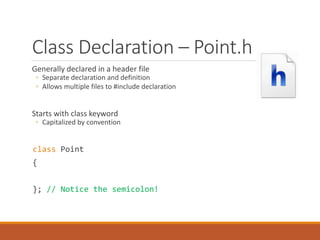
Class Declaration – Point.h
Generally declared in a header file
◦ Separate declaration and definition
◦ Allows multiple files to #include declaration
Starts with class keyword
◦ Capitalized by convention
class Point
{
}; // Notice the semicolon!
Class Access Specifiers
By default, all class members are private
Change with access specifiers
◦ public [visible to everyone]
◦ private [visible only to the original class]
◦ protected [visible to the original class and derived classes]
Usage is different from C# / Java
◦ Define sections with specified access
Access Specifier Example
class Point
{
public:
// All public members here
// As many as you want
private:
// All private members here
// As many as you want
int x;
int y;
};
Constructors
Code to be run when object is created
◦ Ideally gives all variables useful values
◦ “Constructs” the object
Called automatically when object is created
Can have zero parameters
◦ Default constructor
Can require parameters
Constructor Declaration
class Point
{
public:
Point(); // Default Constructor
Point(int x, int y); // Constructor
private:
int x; // Member variable
int y; // Member variable
};
Methods
Functions declared as class members
◦ “Member functions”
Methods have access to other class members
◦ Other methods
◦ Variables
Methods can use “this” keyword
◦ A pointer to this object
◦ More on pointers & objects soon
Method Example
class Point
{
public:
Point(); // Default Constructor
Point(int x, int y); // Constructor
int GetX(); // Method
int GetY(); // Method
private:
int x; // Member variable
int y; // Member variable
};
Class Implementation –
Point.cpp
Generally defined in a .cpp file
◦ #include associated header file
Should define code of all members
◦ Methods
◦ Constructors
◦ Destructors
No “class” keyword in .cpp file!
◦ Must use scope operator
Point.cpp - Example Part 1
#include “Point.h"
// Constructors – Notice class name before ::
Point::Point()
{
x = 0;
y = 0;
}
Point::Point(int x, int y)
{
// More on the “->” soon
this->x = x;
this->y = y;
}
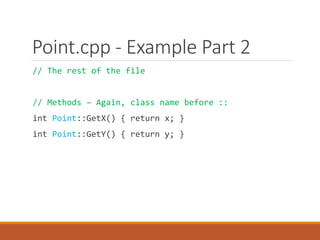
Point.cpp - Example Part 2
// The rest of the file
// Methods – Again, class name before ::
int Point::GetX() { return x; }
int Point::GetY() { return y; }
Remember this? - Memory Organization
◼ The call stack grows from the
top of memory down.
◼ Code is at the bottom of
memory.
◼ Global data follows the code.
◼ What's left – the "heap" - is
available for allocation.
Binary Code
Global
Variables
0
Function Call
Frames
sp
Available
for
allocation
The
Stack
The
Heap
When you declare a pointer
int *pInt;
It is pointing to NOTHING
You need to create a valid ‘chunk’ of
memory, and assign the pointer to that
valid memory
Similar in C++
The stack now holds local objects as
well as data
Dynamic alloation for objects (and data)
is from the heap
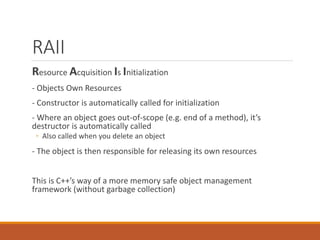
RAII
Resource Acquisition Is Initialization
- Objects Own Resources
- Constructor is automatically called for initialization
- Where an object goes out-of-scope (e.g. end of a method), it’s
destructor is automatically called
◦ Also called when you delete an object
- The object is then responsible for releasing its own resources
This is C++’s way of a more memory safe object management
framework (without garbage collection)
Lifecycle
//create the object
MyClass *pObject = new MyClass();
….
…
//Do stuff with the object (call methods etc)
…
…
delete pObject; //destroy the object
constructor
Object lifecycle
destructor
Instantiating Objects of a Class
Objects are instances of a class
Can be on the stack or the heap
◦ Just like arrays & other variables
Many syntax options for creating objects
For example …
class widget
{
private:
int* data;
public:
widget(const int size) { data = new int[size]; } // acquire
~widget() { delete[] data; } // release
void do_something() {}
};
void functionUsingWidget() {
widget w(1000000);
//lifetime automatically tied to enclosing scope
//constructs w, including the w.data member
w.do_something();
} // automatic destruction and deallocation for w and w.data
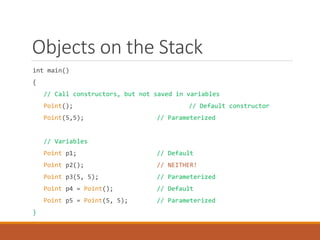
Objects on the Stack
int main()
{
// Call constructors, but not saved in variables
Point(); // Default constructor
Point(5,5); // Parameterized
// Variables
Point p1; // Default
Point p2(); // NEITHER!
Point p3(5, 5); // Parameterized
Point p4 = Point(); // Default
Point p5 = Point(5, 5); // Parameterized
}
What’s Wrong With This?
What’s wrong with this line:
Point p2();
Looks like it should call default constructor
Technically a function declaration
◦ A function named p2, which returns a Point
◦ Yes, even though it’s in the main!
Objects on the Heap
// Remember: new returns a pointer!
int main()
{
// Call default constructor
Point* p6 = new Point;
Point* p7 = new Point();
// Call parameterized constructor
Point* p8 = new Point(5,5);
}
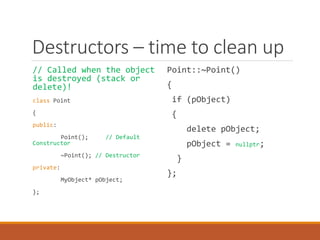
Destructors – time to clean up
// Called when the object
is destroyed (stack or
delete)!
class Point
{
public:
Point(); // Default
Constructor
~Point(); // Destructor
private:
MyObject* pObject;
};
Point::~Point()
{
if (pObject)
{
delete pObject;
pObject = nullptr;
}
};
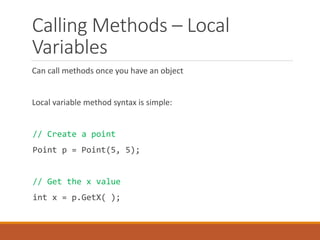
Calling Methods – Local
Variables
Can call methods once you have an object
Local variable method syntax is simple:
// Create a point
Point p = Point(5, 5);
// Get the x value
int x = p.GetX( );
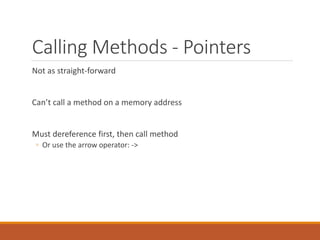
Calling Methods - Pointers
Not as straight-forward
Can’t call a method on a memory address
Must dereference first, then call method
◦ Or use the arrow operator: ->
Calling Methods - Pointers
// Create a new Point, get a pointer to it
Point* p = new Point(5, 5);
// Dereference and call
int x = (*p).GetX( );
// Or use “->” syntax
// Essentially “dereference and call”
int y = p->GetY( );
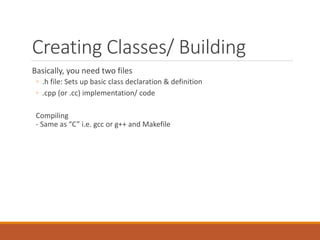
Creating Classes/ Building
Basically, you need two files
◦ .h file: Sets up basic class declaration & definition
◦ .cpp (or .cc) implementation/ code
Compiling
- Same as “C” i.e. gcc or g++ and Makefile

00-intro-to-classes.pdf

  • 1.
  • 2.
    Classes Programmer-defined types Made upof members ◦ Variables ◦ Functions – called methods when part of a class ◦ Constructors: Initialize the class ◦ Destructors: Clean up as the class is being removed/ deleted Concept is the same as C#, Java, etc. Where C-structs have only variables, C++ classes are complete objects with methods plus data Still use .h files for ‘defining’; Use .cpp or .cc files for implementation
  • 3.
    Syntax, semantics and concepts Similarities: -include files - Basic if/ then/ else/ while control structures - Must still manage your own memory (but now for objects as well as data) - Can actually write typical C code (and not use C++ enhancements) Differences: - include (.h) files define the class structure only - .cpp files implement the classes (sometimes .cc files) - new and delete (vs. malloc and free) - Abstract classes as ‘templates’ - public/ private/ protected variables and methods - constructors and destructors - override and virtual methods - inheritance and polymorphism - ‘streams’ for I/O (e.g. ‘cout’ vs. ‘printf’) - namespaces for scope - iterators [And g++ compiler in Linux] While ‘C’ syntax can be used, C++ class and object syntax can be quite different
  • 4.
    Class Declaration –Point.h Generally declared in a header file ◦ Separate declaration and definition ◦ Allows multiple files to #include declaration Starts with class keyword ◦ Capitalized by convention class Point { }; // Notice the semicolon!
  • 5.
    Class Access Specifiers Bydefault, all class members are private Change with access specifiers ◦ public [visible to everyone] ◦ private [visible only to the original class] ◦ protected [visible to the original class and derived classes] Usage is different from C# / Java ◦ Define sections with specified access
  • 6.
    Access Specifier Example classPoint { public: // All public members here // As many as you want private: // All private members here // As many as you want int x; int y; };
  • 7.
    Constructors Code to berun when object is created ◦ Ideally gives all variables useful values ◦ “Constructs” the object Called automatically when object is created Can have zero parameters ◦ Default constructor Can require parameters
  • 8.
    Constructor Declaration class Point { public: Point();// Default Constructor Point(int x, int y); // Constructor private: int x; // Member variable int y; // Member variable };
  • 9.
    Methods Functions declared asclass members ◦ “Member functions” Methods have access to other class members ◦ Other methods ◦ Variables Methods can use “this” keyword ◦ A pointer to this object ◦ More on pointers & objects soon
  • 10.
    Method Example class Point { public: Point();// Default Constructor Point(int x, int y); // Constructor int GetX(); // Method int GetY(); // Method private: int x; // Member variable int y; // Member variable };
  • 11.
    Class Implementation – Point.cpp Generallydefined in a .cpp file ◦ #include associated header file Should define code of all members ◦ Methods ◦ Constructors ◦ Destructors No “class” keyword in .cpp file! ◦ Must use scope operator
  • 12.
    Point.cpp - ExamplePart 1 #include “Point.h" // Constructors – Notice class name before :: Point::Point() { x = 0; y = 0; } Point::Point(int x, int y) { // More on the “->” soon this->x = x; this->y = y; }
  • 13.
    Point.cpp - ExamplePart 2 // The rest of the file // Methods – Again, class name before :: int Point::GetX() { return x; } int Point::GetY() { return y; }
  • 14.
    Remember this? -Memory Organization ◼ The call stack grows from the top of memory down. ◼ Code is at the bottom of memory. ◼ Global data follows the code. ◼ What's left – the "heap" - is available for allocation. Binary Code Global Variables 0 Function Call Frames sp Available for allocation The Stack The Heap When you declare a pointer int *pInt; It is pointing to NOTHING You need to create a valid ‘chunk’ of memory, and assign the pointer to that valid memory Similar in C++ The stack now holds local objects as well as data Dynamic alloation for objects (and data) is from the heap
  • 15.
    RAII Resource Acquisition IsInitialization - Objects Own Resources - Constructor is automatically called for initialization - Where an object goes out-of-scope (e.g. end of a method), it’s destructor is automatically called ◦ Also called when you delete an object - The object is then responsible for releasing its own resources This is C++’s way of a more memory safe object management framework (without garbage collection)
  • 16.
    Lifecycle //create the object MyClass*pObject = new MyClass(); …. … //Do stuff with the object (call methods etc) … … delete pObject; //destroy the object constructor Object lifecycle destructor
  • 17.
    Instantiating Objects ofa Class Objects are instances of a class Can be on the stack or the heap ◦ Just like arrays & other variables Many syntax options for creating objects
  • 18.
    For example … classwidget { private: int* data; public: widget(const int size) { data = new int[size]; } // acquire ~widget() { delete[] data; } // release void do_something() {} }; void functionUsingWidget() { widget w(1000000); //lifetime automatically tied to enclosing scope //constructs w, including the w.data member w.do_something(); } // automatic destruction and deallocation for w and w.data
  • 19.
    Objects on theStack int main() { // Call constructors, but not saved in variables Point(); // Default constructor Point(5,5); // Parameterized // Variables Point p1; // Default Point p2(); // NEITHER! Point p3(5, 5); // Parameterized Point p4 = Point(); // Default Point p5 = Point(5, 5); // Parameterized }
  • 20.
    What’s Wrong WithThis? What’s wrong with this line: Point p2(); Looks like it should call default constructor Technically a function declaration ◦ A function named p2, which returns a Point ◦ Yes, even though it’s in the main!
  • 21.
    Objects on theHeap // Remember: new returns a pointer! int main() { // Call default constructor Point* p6 = new Point; Point* p7 = new Point(); // Call parameterized constructor Point* p8 = new Point(5,5); }
  • 22.
    Destructors – timeto clean up // Called when the object is destroyed (stack or delete)! class Point { public: Point(); // Default Constructor ~Point(); // Destructor private: MyObject* pObject; }; Point::~Point() { if (pObject) { delete pObject; pObject = nullptr; } };
  • 23.
    Calling Methods –Local Variables Can call methods once you have an object Local variable method syntax is simple: // Create a point Point p = Point(5, 5); // Get the x value int x = p.GetX( );
  • 24.
    Calling Methods -Pointers Not as straight-forward Can’t call a method on a memory address Must dereference first, then call method ◦ Or use the arrow operator: ->
  • 25.
    Calling Methods -Pointers // Create a new Point, get a pointer to it Point* p = new Point(5, 5); // Dereference and call int x = (*p).GetX( ); // Or use “->” syntax // Essentially “dereference and call” int y = p->GetY( );
  • 26.
    Creating Classes/ Building Basically,you need two files ◦ .h file: Sets up basic class declaration & definition ◦ .cpp (or .cc) implementation/ code Compiling - Same as “C” i.e. gcc or g++ and Makefile