Chapter 5
ហោ សូ ហនឿនASP.NET (Master Page) 1
Introduction
ហោ សូ ហនឿនASP.NET (Master Page)2
 Master pages are an easy way to provide a template that can
be used by any number of ASP.NET pages in your
application.
 In working with master pages, you create a master file that is
the template referenced by a subpage or content page.
 Master pages use a .master file extension, whereas content
pages use the .aspx file extension you’re used to; but content
pages are declared as such within the file’s Page directive.
 You can place anything you want to be included as part of the
template in the .master file.
 This can include the header, navigation, and footer sections
used across the Web Application.
 The content page then contains all the page content except
for the master page’s elements. At runtime, the ASP.NET
engine combines these elements into a single page for the
end user.
Consideration for a Master Page
ហោ សូ ហនឿនASP.NET (Master Page)3
 The website’s name on the top of the page
 A navigation breadcrumb at the top of the page
 A navigation TreeView on the left of the page,
showing the site’s structure
 A copyright statement and a series of links
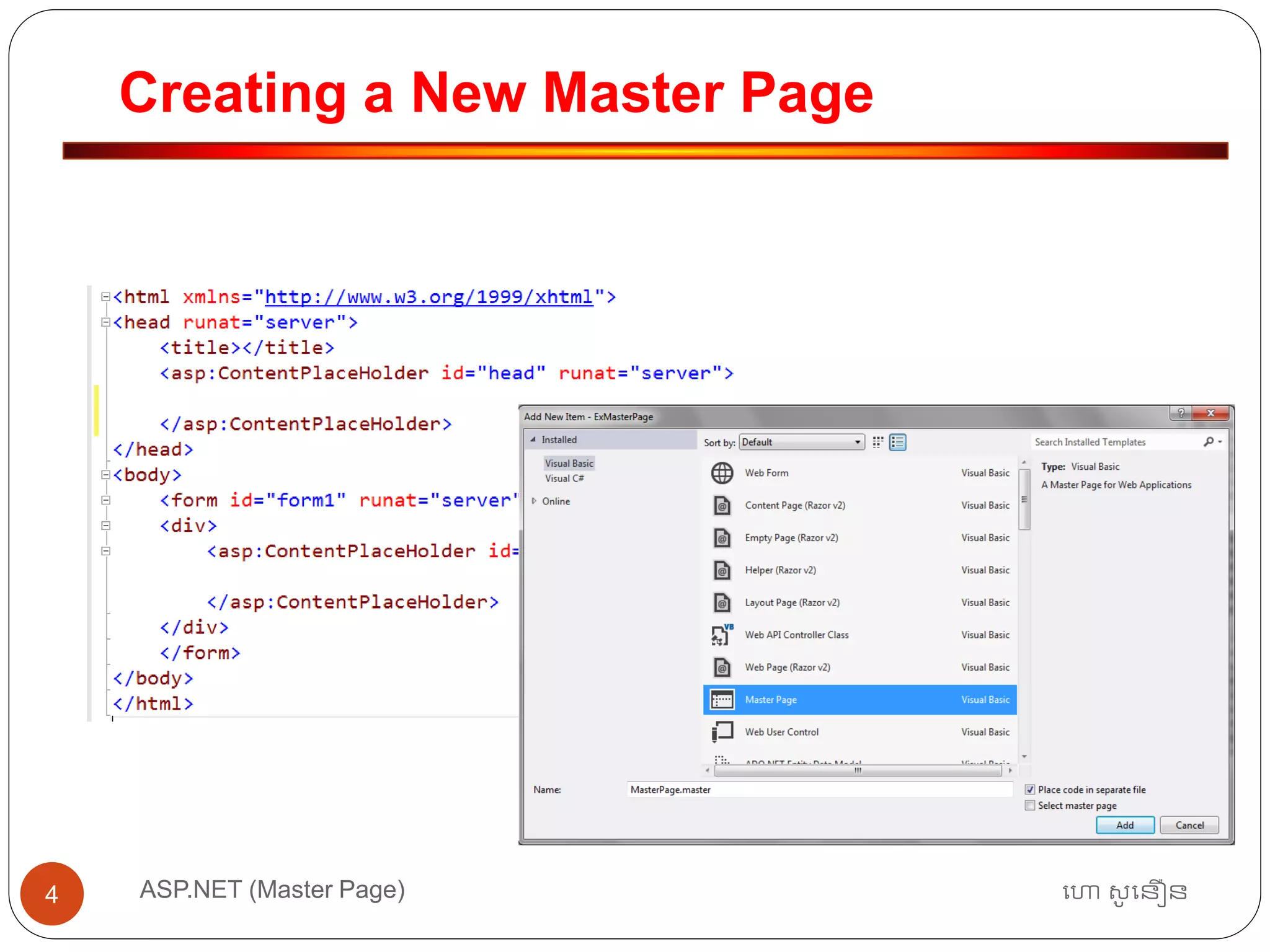
Creating a New Master Page
ហោ សូ ហនឿនASP.NET (Master Page)4
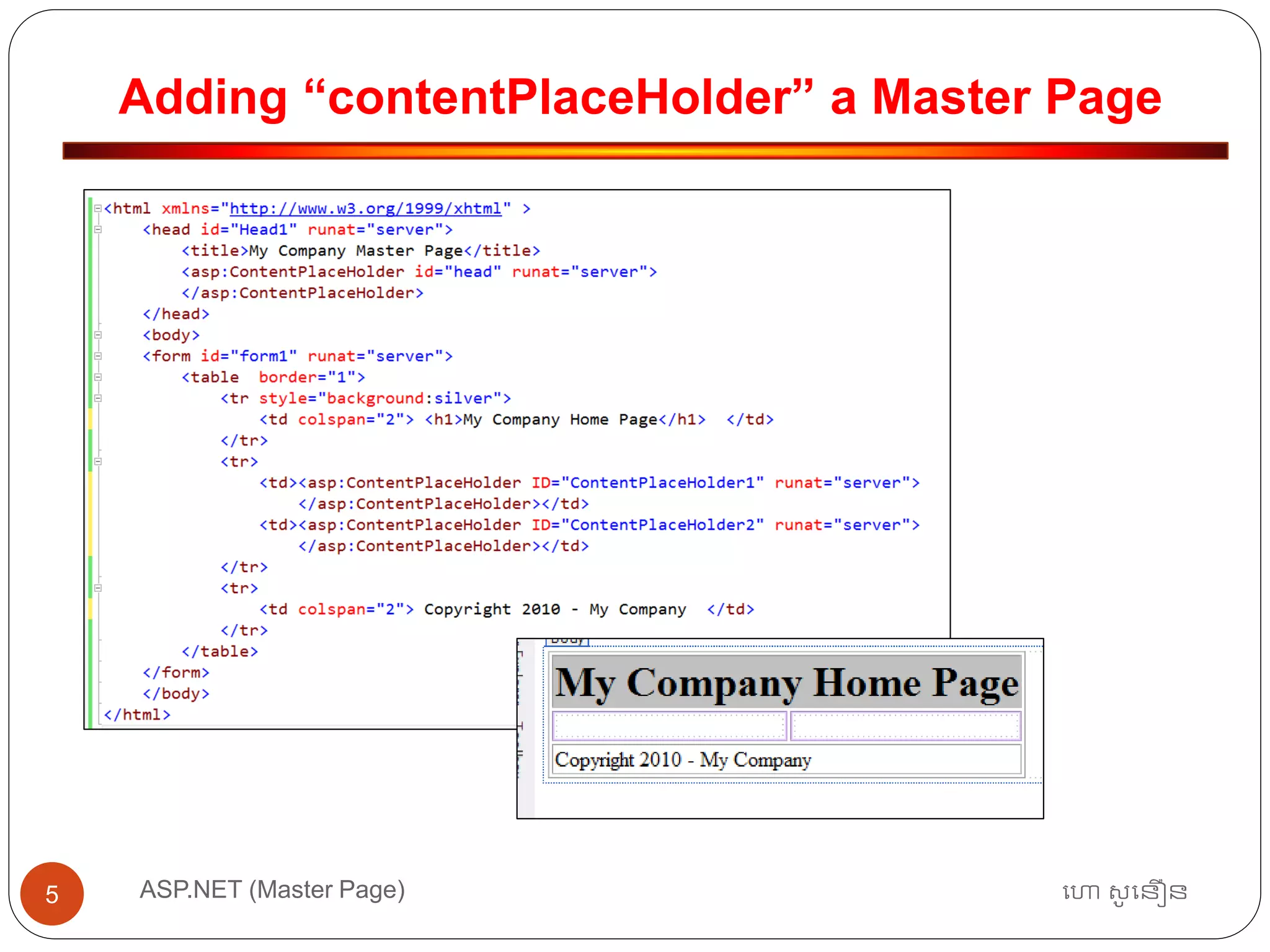
Adding “contentPlaceHolder” a Master Page
ហោ សូ ហនឿនASP.NET (Master Page)5
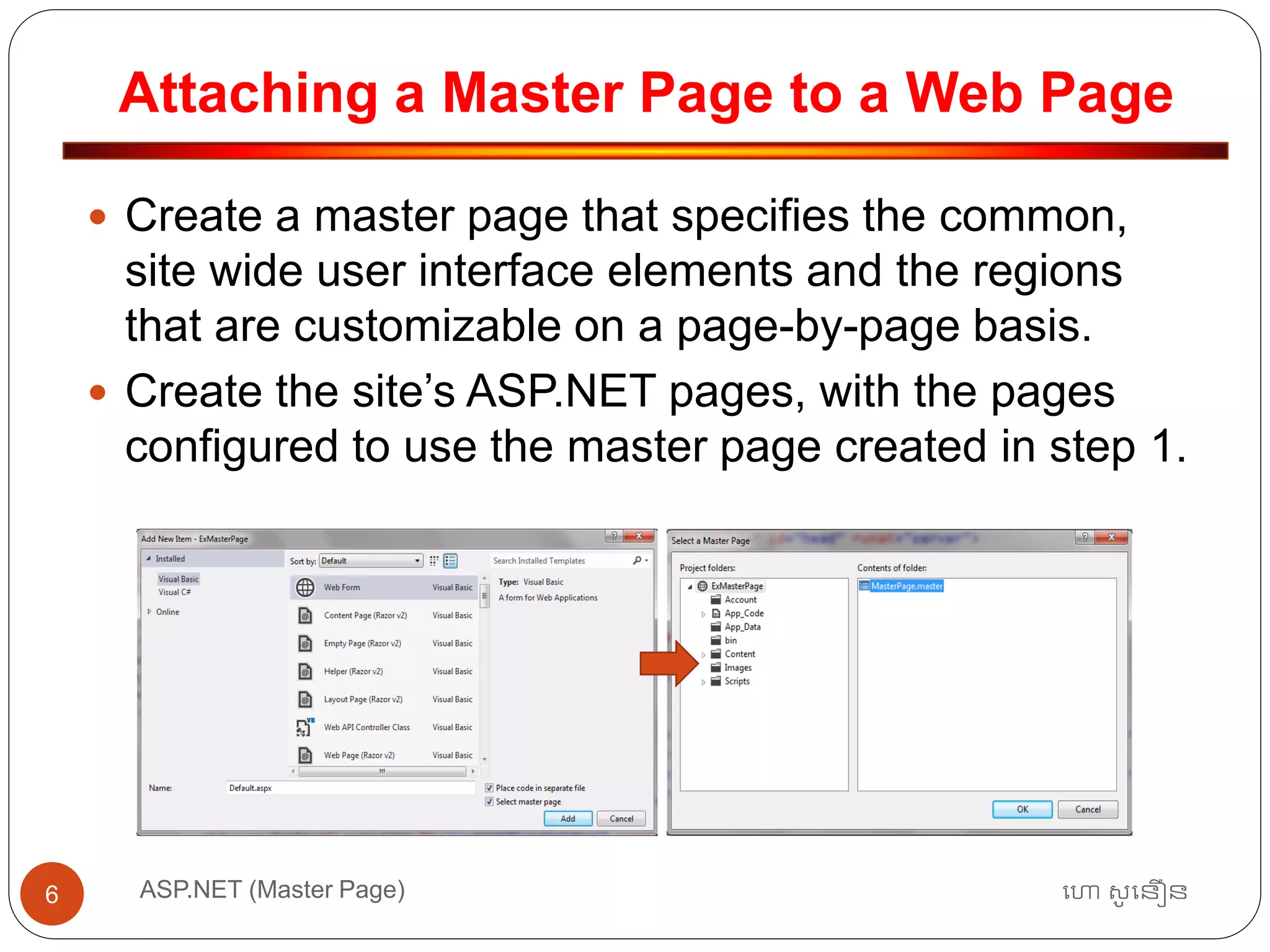
Attaching a Master Page to a Web Page
ហោ សូ ហនឿនASP.NET (Master Page)6
 Create a master page that specifies the common,
site wide user interface elements and the regions
that are customizable on a page-by-page basis.
 Create the site’s ASP.NET pages, with the pages
configured to use the master page created in step 1.
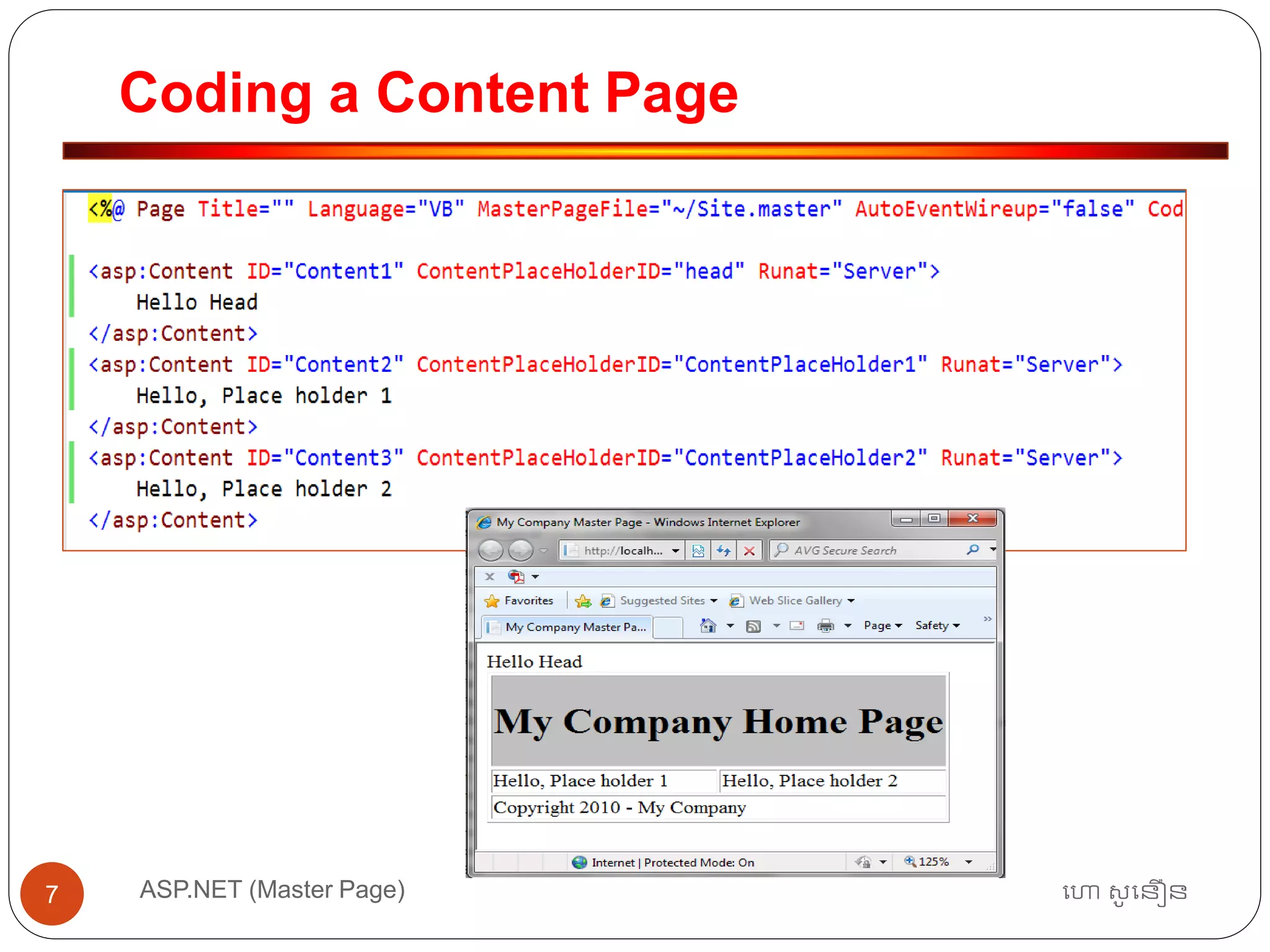
Coding a Content Page
ហោ សូ ហនឿនASP.NET (Master Page)7
Master Page
ហោ សូ ហនឿនASP.NET (Master Page)8
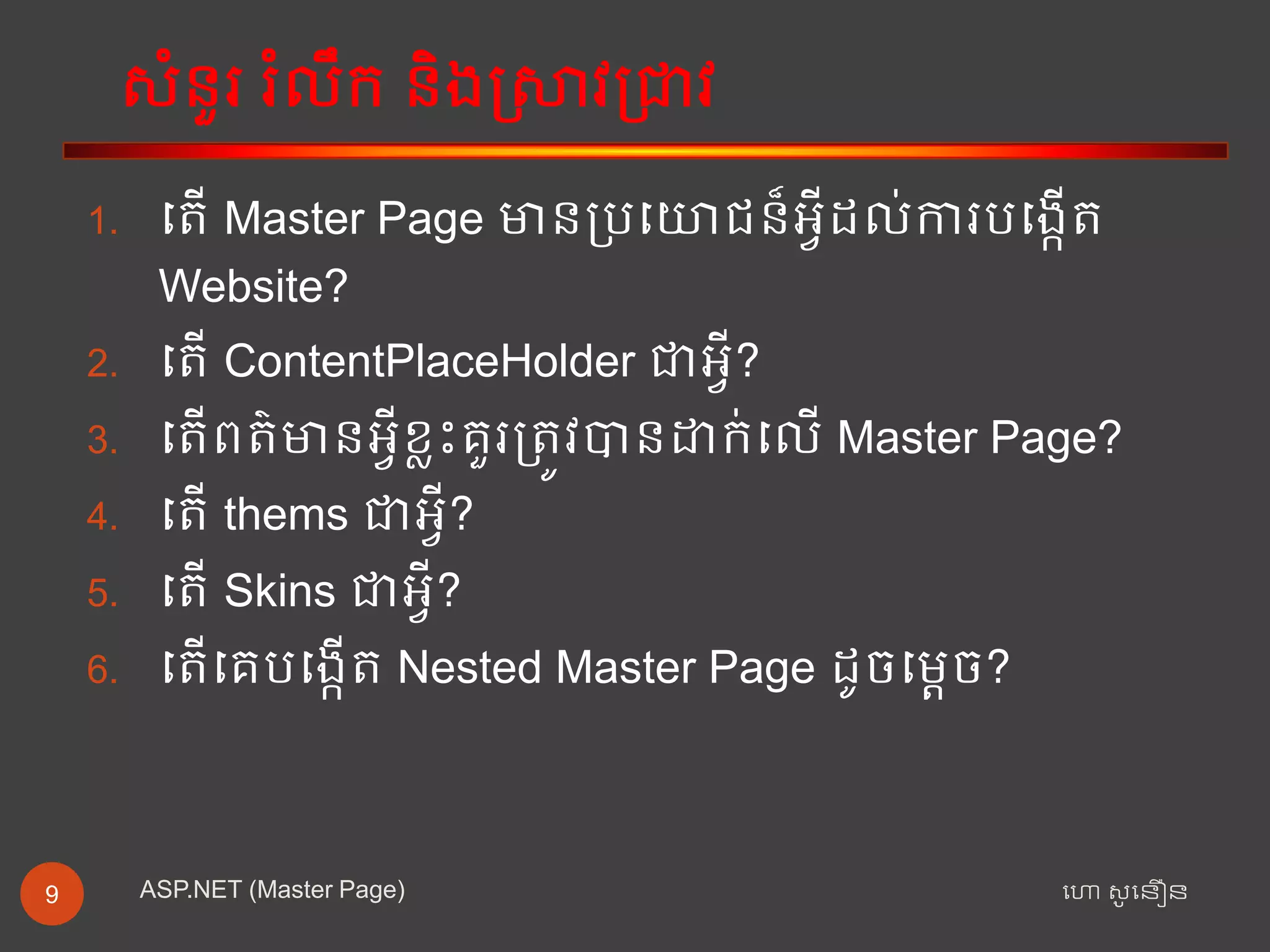
សំនួរ រំលឹក និងស្រាវជ្រាវ
ហោ សូ ហនឿនASP.NET (Master Page)9
1. ត ើ Master Page មានជ្ររតោជន៏អ្វីដល់ការរតងកើ
Website?
2. ត ើ ContentPlaceHolder ាអ្វី?
3. ត ើព ៌មានអ្វីខ្លះគួរជ្រ ូវបានដាក់តលើ Master Page?
4. ត ើ thems ាអ្វី?
5. ត ើ Skins ាអ្វី?
6. ត ើតគរតងកើ Nested Master Page ដូចតតេច?

Chapter 5 (master page)

  • 1.
    Chapter 5 ហោ សូហនឿនASP.NET (Master Page) 1
  • 2.
    Introduction ហោ សូ ហនឿនASP.NET(Master Page)2  Master pages are an easy way to provide a template that can be used by any number of ASP.NET pages in your application.  In working with master pages, you create a master file that is the template referenced by a subpage or content page.  Master pages use a .master file extension, whereas content pages use the .aspx file extension you’re used to; but content pages are declared as such within the file’s Page directive.  You can place anything you want to be included as part of the template in the .master file.  This can include the header, navigation, and footer sections used across the Web Application.  The content page then contains all the page content except for the master page’s elements. At runtime, the ASP.NET engine combines these elements into a single page for the end user.
  • 3.
    Consideration for aMaster Page ហោ សូ ហនឿនASP.NET (Master Page)3  The website’s name on the top of the page  A navigation breadcrumb at the top of the page  A navigation TreeView on the left of the page, showing the site’s structure  A copyright statement and a series of links
  • 4.
    Creating a NewMaster Page ហោ សូ ហនឿនASP.NET (Master Page)4
  • 5.
    Adding “contentPlaceHolder” aMaster Page ហោ សូ ហនឿនASP.NET (Master Page)5
  • 6.
    Attaching a MasterPage to a Web Page ហោ សូ ហនឿនASP.NET (Master Page)6  Create a master page that specifies the common, site wide user interface elements and the regions that are customizable on a page-by-page basis.  Create the site’s ASP.NET pages, with the pages configured to use the master page created in step 1.
  • 7.
    Coding a ContentPage ហោ សូ ហនឿនASP.NET (Master Page)7
  • 8.
    Master Page ហោ សូហនឿនASP.NET (Master Page)8
  • 9.
    សំនួរ រំលឹក និងស្រាវជ្រាវ ហោសូ ហនឿនASP.NET (Master Page)9 1. ត ើ Master Page មានជ្ររតោជន៏អ្វីដល់ការរតងកើ Website? 2. ត ើ ContentPlaceHolder ាអ្វី? 3. ត ើព ៌មានអ្វីខ្លះគួរជ្រ ូវបានដាក់តលើ Master Page? 4. ត ើ thems ាអ្វី? 5. ត ើ Skins ាអ្វី? 6. ត ើតគរតងកើ Nested Master Page ដូចតតេច?