Chapter 2
ហោ សូ ហនឿន Web Server Controls 1
Web Form Controls
 Controls ត្រូវបានបត្រើសត្ារ់ប ៀរចំ interface សត្ារ់
Web application មួយ។
 ASP.NET ផ្តល់ឲ្យបយើងនូវសំណំ នន standard controls
បៅក្នង Toolbox រស់ Visual Studio ដែលអាចត្រូវបាន
បត្រើសត្ារ់កា ប ៀរចំ Web pages។
 ត្ររ់ standard/Web server controls អាស្សួយបៅបលើ
WebControl class។
ហោ សូ ហនឿនWeb Server Controls
2
Basic Property
Name
 ជា property សត្ារ់
ក្ំណរ់ប្ម ោះឲ្យ control។
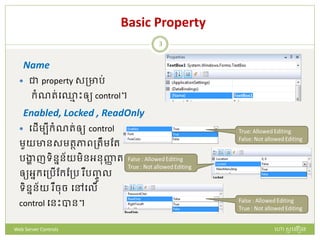
Enabled, Locked , ReadOnly
 បែើមបីក្ំណរ់ឲ្យ control
មួយានសមរថភាពត្រឹមដរ
រង្ហា ញទិននន័យមិនអនញ្ញា រ
ឲ្យអនក្បត្រើដក្ដត្រ ឺរញ្ចូ ល
ទិននន័យ ឺចច បៅបលើ
control បនោះបាន។
ហោ សូ ហនឿនWeb Server Controls
3
Basic Property
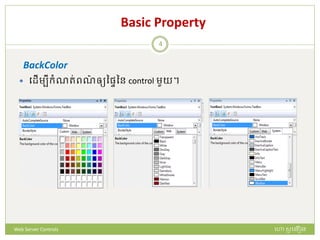
BackColor
 បែើមបីក្ំណរ់ពណ៌ ឲ្យនផ្ៃនន control មួយ។
ហោ សូ ហនឿនWeb Server Controls
4
Basic Property
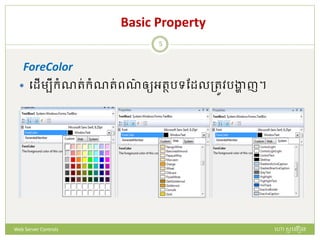
ForeColor
 បែើមបីក្ំណរ់ក្ំណរ់ពណ៌ ឲ្យអរថរទដែលត្រូវរង្ហា ញ។
ហោ សូ ហនឿនWeb Server Controls
5
Basic Property
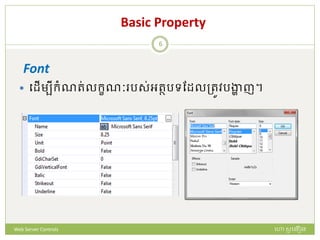
Font
 បែើមបីក្ំណរ់លក្ខណៈ រស់អរថរទដែលត្រូវរង្ហា ញ។
ហោ សូ ហនឿនWeb Server Controls
6
Label Control
 ជា Web server control ដែលត្រូវបានបត្រើសត្ារ់កា
រង្ហា ញ អក្ស ឃ្លា ឺអរថរទ ជាត្របេទ static text បៅ
បលើ Web page.
 Label control ានទត្មង់ក្ូែែូចខាងបត្កាម៖
<asp:Label ID=“…” runat=“Server”/>
<asp:Label ID=“…” runat=“Server”>
…………………………..
</asp:Label>
ហោ សូ ហនឿនWeb Server Controls
7
Example Using Labels Controls
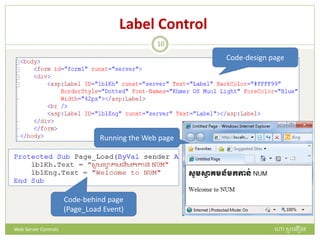
 ឧទាហ ណ៏ ខាងបត្កាម បយើងាន Label ពី
 មួយសត្ារ់រង្ហា ញឃ្លា ជាភាសាដមម
 មួយបទៀរសត្ារ់រង្ហា ញឃ្លា ជាភាសាអង់បរាស
 បៅបពល Form Load
 បែើមបីប ោះស្សាយរញ្ញា បនោះ
 របងកើរ web page មួយ ក្់ប្ម ោះថា “LabelExample”
 ស បស ក្ូែ បៅបលើ .aspx code page ឺ ទាញយក្ Label control ពី
ToolBox មក្ ក្់បលើ .aspx design page.
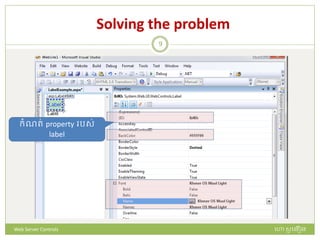
 ក្ំណរ់ property ឲ្យ label ទាំងពី
 ចងបត្កាយស បស ក្ូែឲ្យ page load evetns
ហោ សូ ហនឿនWeb Server Controls
8
Solving the problem
ក្ំណរ់ property រស់
label
ហោ សូ ហនឿនWeb Server Controls
9
Label Control
Code-design page
Code-behind page
(Page_Load Event)
Running the Web page
ហោ សូ ហនឿនWeb Server Controls
10
The TextBox Control
 TextBox រឺជា input control ដែលអនញ្ញា រឲ្យអនក្បត្រើ
អាចរញ្ចូ លទិននន័យបាន។
 បែើមបី ក្់រញ្ចូ ល TextBox បៅបលើ web page បយើងអាច
បត្រើ tag ែូចខាងបត្កាម:
<asp:TextBox ID=“…” runat=“Server”>
…………………………….
</asp:TextBox>
ហោ សូ ហនឿនWeb Server Controls
11
The TextBox Property
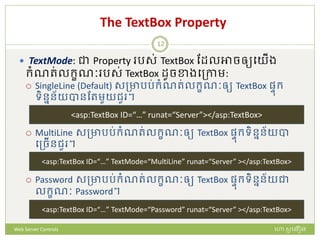
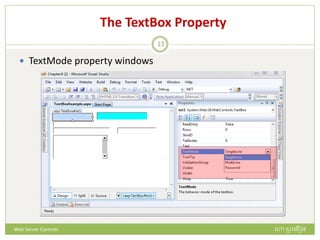
 TextMode: ជា Property រស់ TextBox ដែលអាចឲ្យបយើង
ក្ំណរ់លក្ខណៈ រស់ TextBox ែូចខាងបត្កាម:
 SingleLine (Default) សត្ាររ់ក្ំណរ់លក្ខណៈឲ្យ TextBox ផ្ៃក្
ទិននន័យបានដរមួយជួ ។
 MultiLine សត្ាររ់ក្ំណរ់លក្ខណៈឲ្យ TextBox ផ្ៃក្ទិននន័យបា
បត្ចើនជួ ។
 Password សត្ាររ់ក្ំណរ់លក្ខណៈឲ្យ TextBox ផ្ៃក្ទិននន័យជា
លក្ខណៈ Password។
<asp:TextBox ID=“…” TextMode=“MultiLine” runat=“Server” ></asp:TextBox>
<asp:TextBox ID=“…” TextMode=“Password” runat=“Server” ></asp:TextBox>
<asp:TextBox ID=“…” runat=“Server”></asp:TextBox>
ហោ សូ ហនឿនWeb Server Controls
12
The TextBox Property
 TextMode property windows
ហោ សូ ហនឿនWeb Server Controls
13
The TextBox Property
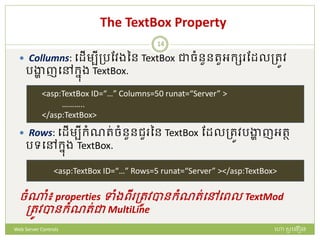
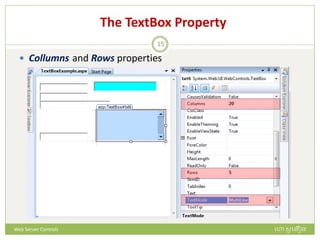
 Collumns: បែើមបីត្រដវងនន TextBox ជាចំនួនរួអក្ស ដែលត្រូវ
រង្ហា ញបៅក្នង TextBox.
 Rows: បែើមបីក្ំណរ់ចំនួនជួ នន TextBox ដែលត្រូវរង្ហា ញអរថ
រទបៅក្នង TextBox.
ចំណំ៖ properties ទាំងពី ត្រូវបានក្ំណរ់បៅបពល TextMod
ត្រូវបានក្ំណរ់ជា MultiLine
<asp:TextBox ID=“…” Columns=50 runat=“Server” >
………..
</asp:TextBox>
<asp:TextBox ID=“…” Rows=5 runat=“Server” ></asp:TextBox>
ហោ សូ ហនឿនWeb Server Controls
14
The TextBox Property
 Collumns and Rows properties
ហោ សូ ហនឿនWeb Server Controls
15
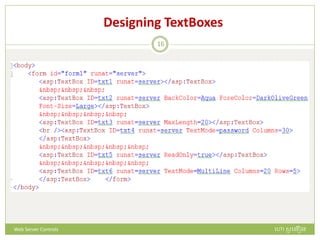
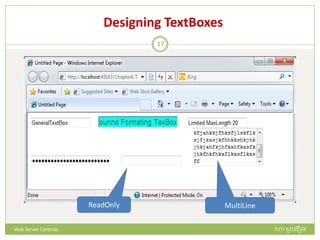
Designing TextBoxes
ហោ សូ ហនឿនWeb Server Controls
16
Designing TextBoxes
ReadOnly MultiLine
ហោ សូ ហនឿនWeb Server Controls
17
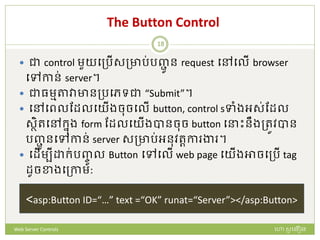
The Button Control
 ជា control មួយបត្រើសត្ារ់រញ្ជូ ន request បៅបលើ browser
បៅកាន់ server។
 ជាធមមតាវាានត្របេទជា “Submit”។
 បៅបពលដែលបយើងចចបលើ button, control sទាំងអស់ដែល
សថិរបៅក្នង form ដែលបយើងបានចច button ប ោះនឹងត្រូវបាន
រញ្ជូ នបៅកាន់ server សត្ារ់អនវរតកា ង្ហ ។
 បែើមបី ក្់រញ្ចូ ល Button បៅបលើ web page បយើងអាចបត្រើ tag
ែូចខាងបត្កាម:
<asp:Button ID=“…” text =“OK” runat=“Server”></asp:Button>
ហោ សូ ហនឿនWeb Server Controls
18
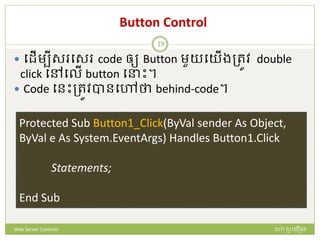
Button Control
 បែើមបីស បស code ឲ្យ Button មួយបយើងត្រូវ double
click បៅបលើ button ប ោះ។
 Code បនោះត្រូវបានបៅថា behind-code។
Protected Sub Button1_Click(ByVal sender As Object,
ByVal e As System.EventArgs) Handles Button1.Click
Statements;
End Sub
ហោ សូ ហនឿនWeb Server Controls
19
The DropDownList Control
 DropDownList រឺជាលក្ខណៈនន TextBox ដែលានទិននន័យ
ស្សារ់សត្ារ់ឲ្យអនក្បត្រើបត្ជើសប ើស។
 បែើមបី ក្់រញ្ចូ ល Button បៅបលើ web page បយើងអាចបត្រើ tag
ែូចខាងបត្កាម:
<asp:DropDownList ID=“Name" runat="server">
………………..
………………..
</asp:DropDownList>
ហោ សូ ហនឿនWeb Server Controls
20
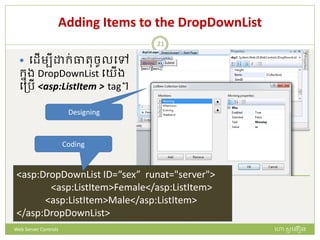
Adding Items to the DropDownList
 បែើមបី ក្់ធារចូលបៅ
ក្នង DropDownList បយើង
បត្រើ <asp:ListItem > tag។
<asp:DropDownList ID=“sex” runat="server">
<asp:ListItem>Female</asp:ListItem>
<asp:ListItem>Male</asp:ListItem>
</asp:DropDownList>
Designing
Coding
ហោ សូ ហនឿនWeb Server Controls
21
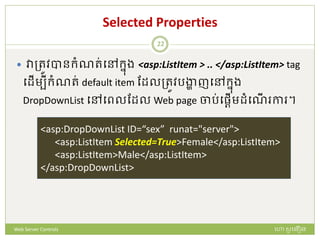
Selected Properties
 វាត្រូវបានក្ំណរ់បៅក្នង <asp:ListItem > .. </asp:ListItem> tag
បែើមបីក្ំណរ់ default item ដែលត្រូវរង្ហា ញបៅក្នង
DropDownList បៅបពលដែល Web page ចារ់បផ្តើមែំបណើ កា ។
<asp:DropDownList ID=“sex” runat="server">
<asp:ListItem Selected=True>Female</asp:ListItem>
<asp:ListItem>Male</asp:ListItem>
</asp:DropDownList>
ហោ សូ ហនឿនWeb Server Controls
22
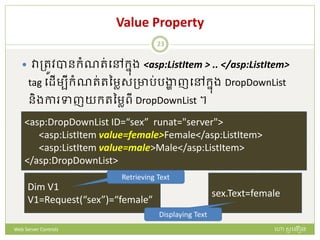
Value Property
 វាត្រូវបានក្ំណរ់បៅក្នង <asp:ListItem > .. </asp:ListItem>
tag បែើមបីក្ំណរ់រនមាសត្ារ់រង្ហា ញបៅក្នង DropDownList
និងកា ទាញយក្រនមាពី DropDownList ។
<asp:DropDownList ID=“sex” runat="server">
<asp:ListItem value=female>Female</asp:ListItem>
<asp:ListItem value=male>Male</asp:ListItem>
</asp:DropDownList>
Dim V1
V1=Request(“sex”)=“female”
sex.Text=female
Retrieving Text
Displaying Text
ហោ សូ ហនឿនWeb Server Controls
23
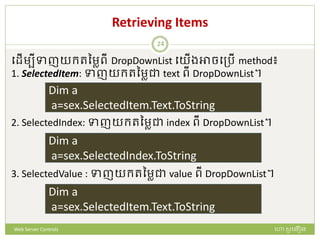
Retrieving Items
បែើមបីទាញយក្រនមាពី DropDownList បយើងអាចបត្រើ method៖
1. SelectedItem: ទាញយក្រនមាជា text ពី DropDownList។
2. SelectedIndex: ទាញយក្រនមាជា index ពី DropDownList។
3. SelectedValue : ទាញយក្រនមាជា value ពី DropDownList។
Dim a
a=sex.SelectedItem.Text.ToString
Dim a
a=sex.SelectedIndex.ToString
Dim a
a=sex.SelectedItem.Text.ToString
ហោ សូ ហនឿនWeb Server Controls
24
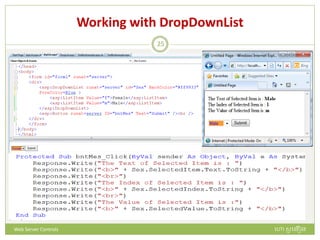
Working with DropDownList
ហោ សូ ហនឿនWeb Server Controls
25
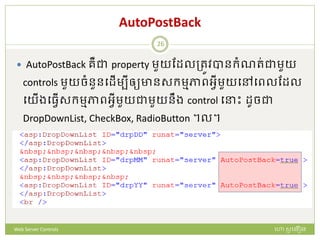
AutoPostBack
 AutoPostBack រឺជា property មួយដែលត្រូវបានក្ំណរ់ជាមួយ
controls មួយចំនួនបែើមបីឲ្យានសក្មមភាពអវីមួយបៅបពលដែល
បយើងបធវើសក្មមភាពអវីមួយជាមួយនឹង control ប ោះ ែូចជា
DropDownList, CheckBox, RadioButton ។ល។
ហោ សូ ហនឿនWeb Server Controls
26
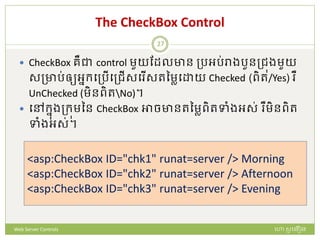
The CheckBox Control
 CheckBox រឺជា control មួយដែលាន ត្រអរ់រាងរួនត្ជុងមួយ
សត្ារ់ឲ្យអនក្បត្រើបត្ជើសប ើសរនមាប យ Checked (ពិរ/Yes) ឺ
UnChecked (មិនពិរNo)។
 បៅក្នងត្ក្ុមនន CheckBox អាចានរនមាពិរទាំងអស់ ឺមិនពិរ
ទាំងអស់។
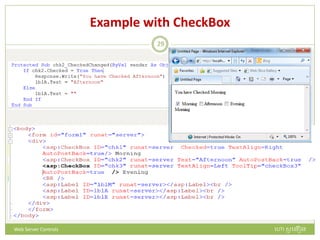
<asp:CheckBox ID="chk1" runat=server /> Morning
<asp:CheckBox ID="chk2" runat=server /> Afternoon
<asp:CheckBox ID="chk3" runat=server /> Evening
ហោ សូ ហនឿនWeb Server Controls
27
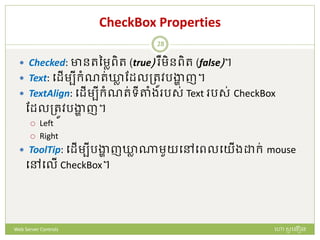
CheckBox Properties
 Checked: ានរនមាពិរ (true) ឺមិនពិរ (false)។
 Text: បែើមបីក្ំណរ់ឃ្លា ដែលត្រូវរង្ហា ញ។
 TextAlign: បែើមបីក្ំណរ់ទីតាំង រស់ Text រស់ CheckBox
ដែលត្រូវរង្ហា ញ។
 Left
 Right
 ToolTip: បែើមបីរង្ហា ញឃ្លា ណមួយបៅបពលបយើង ក្់ mouse
បៅបលើ CheckBox។
ហោ សូ ហនឿនWeb Server Controls
28
Example with CheckBox
ហោ សូ ហនឿនWeb Server Controls
29
The CheckBoxList Control
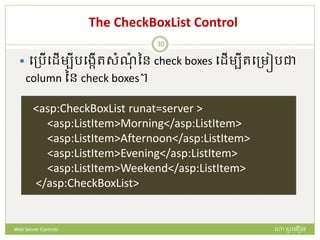
 បត្រើបែើមបីរបងកើរសំណំ នន check boxes បែើមបីរបត្មៀរជា
column នន check boxes។
<asp:CheckBoxList runat=server >
<asp:ListItem>Morning</asp:ListItem>
<asp:ListItem>Afternoon</asp:ListItem>
<asp:ListItem>Evening</asp:ListItem>
<asp:ListItem>Weekend</asp:ListItem>
</asp:CheckBoxList>
ហោ សូ ហនឿនWeb Server Controls
30
CheckBoxList Prpoerties
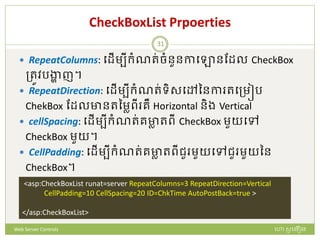
 RepeatColumns: បែើមបីក្ំណរ់ចំនួនកាបោនដែល CheckBox
ត្រូវរង្ហា ញ។
 RepeatDirection: បែើមបីក្ំណរ់ទិសបៅននកា របត្មៀរ
ChekBox ដែលានរនមាពី រឺ Horizontal និង Vertical
 cellSpacing: បែើមបីក្ំណរ់រាា រពី CheckBox មួយបៅ
CheckBox មួយ។
 CellPadding: បែើមបីក្ំណរ់រាា រពីជួ មួយបៅជួ មួយនន
CheckBox។
<asp:CheckBoxList runat=server RepeatColumns=3 RepeatDirection=Vertical
CellPadding=10 CellSpacing=20 ID=ChkTime AutoPostBack=true >
</asp:CheckBoxList>
ហោ សូ ហនឿនWeb Server Controls
31
SelectIndexChanged Event
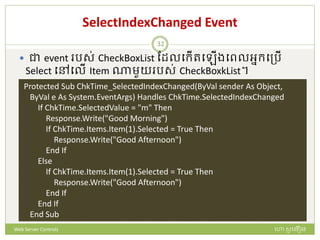
 ជា event រស់ CheckBoxList ដែលបក្ើរប ើងបពលអនក្បត្រើ
Select បៅបលើ Item ណមួយ រស់ CheckBoxkList។
Protected Sub ChkTime_SelectedIndexChanged(ByVal sender As Object,
ByVal e As System.EventArgs) Handles ChkTime.SelectedIndexChanged
If ChkTime.SelectedValue = "m" Then
Response.Write("Good Morning")
If ChkTime.Items.Item(1).Selected = True Then
Response.Write("Good Afternoon")
End If
Else
If ChkTime.Items.Item(1).Selected = True Then
Response.Write("Good Afternoon")
End If
End If
End Sub
ហោ សូ ហនឿនWeb Server Controls
32
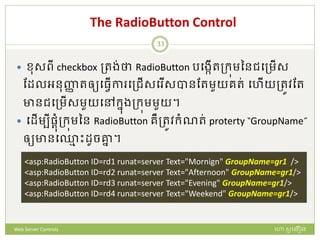
The RadioButton Control
 មសពី checkbox ត្រង់ថា RadioButton របងកើរត្ក្ុមននជបត្មើស
ដែលអនញ្ញា រឲ្យបធវើកា បត្ជើសប ើសបានដរមួយររ់ បហើយត្រូវដរ
ានជបត្មើសមួយបៅក្នងត្ក្ុមមួយ។
 បែើមបីផ្តំត្ក្ុមនន RadioButton រឺត្រូវក្ំណរ់ proterty “GroupName”
ឲ្យានប្ម ោះែូចគ្នន ។
<asp:RadioButton ID=rd1 runat=server Text="Mornign" GroupName=gr1 />
<asp:RadioButton ID=rd2 runat=server Text="Afternoon" GroupName=gr1/>
<asp:RadioButton ID=rd3 runat=server Text="Evening" GroupName=gr1/>
<asp:RadioButton ID=rd4 runat=server Text="Weekend" GroupName=gr1/>
ហោ សូ ហនឿនWeb Server Controls
33
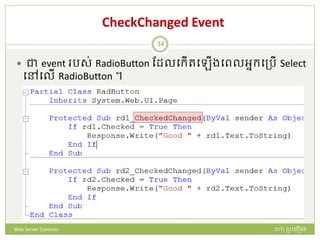
CheckChanged Event
 ជា event រស់ RadioButton ដែលបក្ើរប ើងបពលអនក្បត្រើ Select
បៅបលើ RadioButton ។
ហោ សូ ហនឿនWeb Server Controls
34
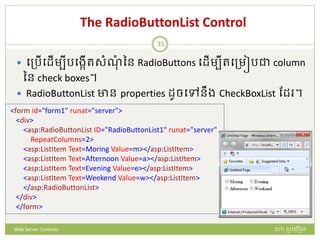
The RadioButtonList Control
 បត្រើបែើមបីរបងកើរសំណំ នន RadioButtons បែើមបីរបត្មៀរជា column
នន check boxes។
 RadioButtonList ាន properties ែូចបៅនឹង CheckBoxList ដែ ។
<form id="form1" runat="server">
<div>
<asp:RadioButtonList ID="RadioButtonList1" runat="server"
RepeatColumns=2>
<asp:ListItem Text=Moring Value=m></asp:ListItem>
<asp:ListItem Text=Afternoon Value=a></asp:ListItem>
<asp:ListItem Text=Evening Value=e></asp:ListItem>
<asp:ListItem Text=Weekend Value=w></asp:ListItem>
</asp:RadioButtonList>
</div>
</form>
ហោ សូ ហនឿនWeb Server Controls
35
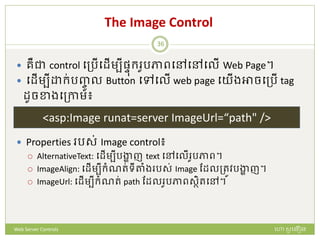
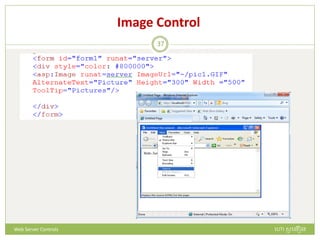
The Image Control
 រឺជា control បត្រើបែើមបីផ្ៃក្ ូរភាពបៅបៅបលើ Web Page។
 បែើមបី ក្់រញ្ចូ ល Button បៅបលើ web page បយើងអាចបត្រើ tag
ែូចខាងបត្កាម៖
 Properties រស់ Image control៖
 AlternativeText: បែើមបីរង្ហា ញ text បៅបលើ ូរភាព។
 ImageAlign: បែើមបីក្ំណរ់ទីតាំង រស់ Image ដែលត្រូវរង្ហា ញ។
 ImageUrl: បែើមបីក្ំណរ់ path ដែល ូរភាពសថិរបៅ។
<asp:Image runat=server ImageUrl=“path" />
ហោ សូ ហនឿនWeb Server Controls
36
Image Control
ហោ សូ ហនឿនWeb Server Controls
37
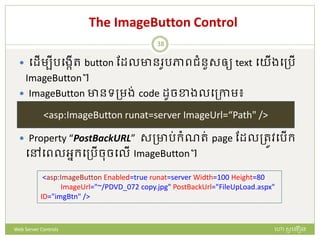
The ImageButton Control
 បែើមបីរបងកើរ button ដែលាន ូរភាពជំនួសឲ្យ text បយើងបត្រើ
ImageButton។
 ImageButton ានទត្មង់ code ែូចខាងលបត្កាម៖
 Property “PostBackURL” សត្ារ់ក្ំណរ់ page ដែលត្រូវបរើក្
បៅបពលអនក្បត្រើចចបលើ ImageButton។
<asp:ImageButton runat=server ImageUrl=“Path" />
<asp:ImageButton Enabled=true runat=server Width=100 Height=80
ImageUrl="~/PDVD_072 copy.jpg" PostBackUrl="FileUpLoad.aspx"
ID="imgBtn" />
ហោ សូ ហនឿនWeb Server Controls
38
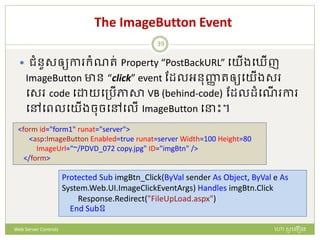
The ImageButton Event
 ជំនួសឲ្យកា ក្ំណរ់ Property “PostBackURL” បយើងប ើញ
ImageButton ាន “click” event ដែលអនញ្ញា រឲ្យបយើងស
បស code ប យបត្រើភាសា VB (behind-code) ដែលែំបណើ កា
បៅបពលបយើងចចបៅបលើ ImageButton ប ោះ។
<form id="form1" runat="server">
<asp:ImageButton Enabled=true runat=server Width=100 Height=80
ImageUrl="~/PDVD_072 copy.jpg" ID="imgBtn" />
</form>
Protected Sub imgBtn_Click(ByVal sender As Object, ByVal e As
System.Web.UI.ImageClickEventArgs) Handles imgBtn.Click
Response.Redirect("FileUpLoad.aspx")
End Subឧ
ហោ សូ ហនឿនWeb Server Controls
39
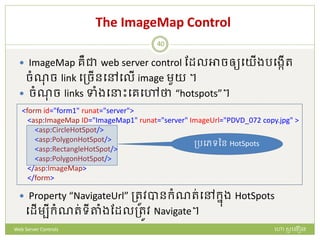
The ImageMap Control
 ImageMap រឺជា web server control ដែលអាចឲ្យបយើងរបងកើរ
ចំណច link បត្ចើនបៅបលើ image មួយ ។
 ចំណច links ទាំងប ោះបរបៅថា “hotspots”។
 Property “NavigateUrl” ត្រូវបានក្ំណរ់បៅក្នង HotSpots
បែើមបីក្ំណរ់ទីតាំងដែលត្រូវ Navigate។
<form id="form1" runat="server">
<asp:ImageMap ID="ImageMap1" runat="server" ImageUrl="PDVD_072 copy.jpg" >
<asp:CircleHotSpot/>
<asp:PolygonHotSpot/>
<asp:RectangleHotSpot/>
<asp:PolygonHotSpot/>
</asp:ImageMap>
</form>
ត្របេទនន HotSpots
ហោ សូ ហនឿនWeb Server Controls
40
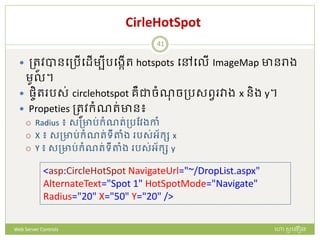
CirleHotSpot
 ត្រូវបានបត្រើបែើមបីរបងកើរ hotspots បៅបលើ ImageMap ានរាង
មូល។
 ផ្ចិរ រស់ circlehotspot រឺជាចំណចត្រសពវ វាង x និង y។
 Propeties ត្រូវក្ំណរ់ាន៖
 Radius ៖ សត្ារ់ក្ំណរ់ត្រដវងកាំ
 X ៖ សត្ារ់ក្ំណរ់ទីតាំង រស់អ័ក្ស x
 Y ៖ សត្ារ់ក្ំណរ់ទីតាំង រស់អ័ក្ស y
<asp:CircleHotSpot NavigateUrl="~/DropList.aspx"
AlternateText="Spot 1" HotSpotMode="Navigate"
Radius="20" X="50" Y="20" />
ហោ សូ ហនឿនWeb Server Controls
41
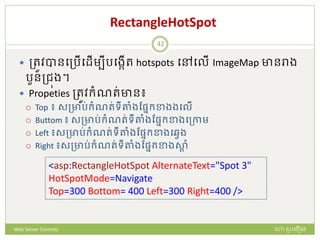
RectangleHotSpot
 ត្រូវបានបត្រើបែើមបីរបងកើរ hotspots បៅបលើ ImageMap ានរាង
រួនត្ជុង។
 Propeties ត្រូវក្ំណរ់ាន៖
 Top ៖ សត្ារ់ក្ំណរ់ទីតាំងដផ្នក្ខាងងបលើ
 Buttom ៖ សត្ារ់ក្ំណរ់ទីតាំងដផ្នក្ខាងបត្កាម
 Left ៖សត្ារ់ក្ំណរ់ទីតាំងដផ្នក្ខាងបវវង
 Right ៖សត្ារ់ក្ំណរ់ទីតាំងដផ្នក្ខាងសាត ំ
<asp:RectangleHotSpot AlternateText="Spot 3"
HotSpotMode=Navigate
Top=300 Bottom= 400 Left=300 Right=400 />
ហោ សូ ហនឿនWeb Server Controls
42
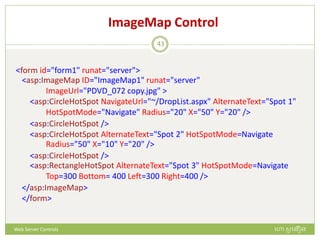
ImageMap Control
<form id="form1" runat="server">
<asp:ImageMap ID="ImageMap1" runat="server"
ImageUrl="PDVD_072 copy.jpg" >
<asp:CircleHotSpot NavigateUrl="~/DropList.aspx" AlternateText="Spot 1"
HotSpotMode="Navigate" Radius="20" X="50" Y="20" />
<asp:CircleHotSpot />
<asp:CircleHotSpot AlternateText="Spot 2" HotSpotMode=Navigate
Radius="50" X="10" Y="20" />
<asp:CircleHotSpot />
<asp:RectangleHotSpot AlternateText="Spot 3" HotSpotMode=Navigate
Top=300 Bottom= 400 Left=300 Right=400 />
</asp:ImageMap>
</form>
ហោ សូ ហនឿនWeb Server Controls
43
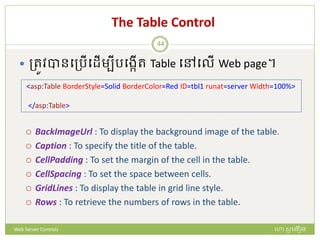
The Table Control
 ត្រូវបានបត្រើបែើមបីរបងកើរ Table បៅបលើ Web page។
 BackImageUrl : To display the background image of the table.
 Caption : To specify the title of the table.
 CellPadding : To set the margin of the cell in the table.
 CellSpacing : To set the space between cells.
 GridLines : To display the table in grid line style.
 Rows : To retrieve the numbers of rows in the table.
<asp:Table BorderStyle=Solid BorderColor=Red ID=tbl1 runat=server Width=100%>
</asp:Table>
ហោ សូ ហនឿនWeb Server Controls
44
Creating Tables
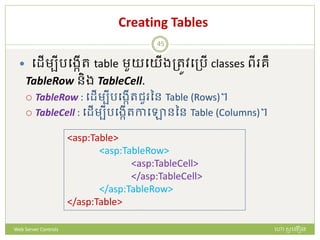
 បែើមបីរបងកើរ table មួយបយើងត្រូវបត្រើ classes ពី រឺ
TableRow និង TableCell.
 TableRow : បែើមបីរបងកើរជួ នន Table (Rows)។
 TableCell : បែើមបីរបងកើរកាបោននន Table (Columns)។
<asp:Table>
<asp:TableRow>
<asp:TableCell>
</asp:TableCell>
</asp:TableRow>
</asp:Table>
ហោ សូ ហនឿនWeb Server Controls
45
Creating Tables
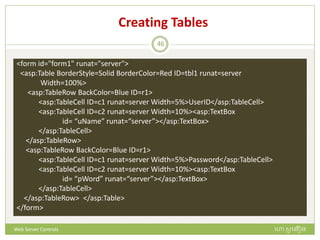
<form id="form1" runat="server">
<asp:Table BorderStyle=Solid BorderColor=Red ID=tbl1 runat=server
Width=100%>
<asp:TableRow BackColor=Blue ID=r1>
<asp:TableCell ID=c1 runat=server Width=5%>UserID</asp:TableCell>
<asp:TableCell ID=c2 runat=server Width=10%><asp:TextBox
id= “uName” runat=“server”></asp:TextBox>
</asp:TableCell>
</asp:TableRow>
<asp:TableRow BackColor=Blue ID=r1>
<asp:TableCell ID=c1 runat=server Width=5%>Password</asp:TableCell>
<asp:TableCell ID=c2 runat=server Width=10%><asp:TextBox
id= “pWord” runat=“server”></asp:TextBox>
</asp:TableCell>
</asp:TableRow> </asp:Table>
</form>
ហោ សូ ហនឿនWeb Server Controls
46
Formatting Tables
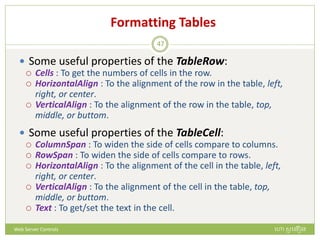
 Some useful properties of the TableRow:
 Cells : To get the numbers of cells in the row.
 HorizontalAlign : To the alignment of the row in the table, left,
right, or center.
 VerticalAlign : To the alignment of the row in the table, top,
middle, or buttom.
 Some useful properties of the TableCell:
 ColumnSpan : To widen the side of cells compare to columns.
 RowSpan : To widen the side of cells compare to rows.
 HorizontalAlign : To the alignment of the cell in the table, left,
right, or center.
 VerticalAlign : To the alignment of the cell in the table, top,
middle, or buttom.
 Text : To get/set the text in the cell.
ហោ សូ ហនឿនWeb Server Controls
47
The Calendar Control
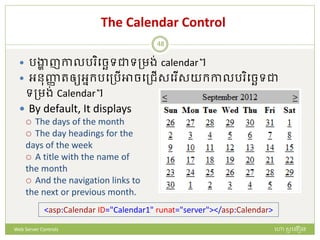
 រង្ហា ញកាលរ ិបចេទជាទត្មង់ calendar។
 អនញ្ញា រឲ្យអនក្របត្រើអាចបត្ជើសប ើសយក្កាលរ ិបចេទជា
ទត្មង់ Calendar។
 By default, It displays
 The days of the month
 The day headings for the
days of the week
 A title with the name of
the month
 And the navigation links to
the next or previous month.
<asp:Calendar ID="Calendar1" runat="server"></asp:Calendar>
ហោ សូ ហនឿនWeb Server Controls
48
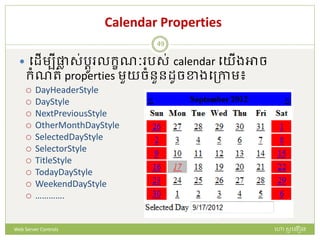
Calendar Properties
 បែើមបីផ្លា ស់រតូ លក្ខណៈ រស់ calendar បយើងអាច
ក្ំណរ់ properties មួយចំនួនែូចខាងបត្កាម៖
 DayHeaderStyle
 DayStyle
 NextPreviousStyle
 OtherMonthDayStyle
 SelectedDayStyle
 SelectorStyle
 TitleStyle
 TodayDayStyle
 WeekendDayStyle
 ………….
ហោ សូ ហនឿនWeb Server Controls
49
Calendar Control
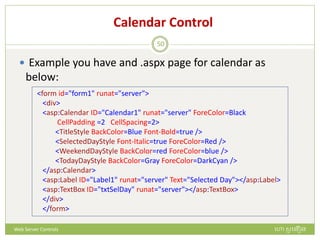
 Example you have and .aspx page for calendar as
below:
<form id="form1" runat="server">
<div>
<asp:Calendar ID="Calendar1" runat="server" ForeColor=Black
CellPadding =2 CellSpacing=2>
<TitleStyle BackColor=Blue Font-Bold=true />
<SelectedDayStyle Font-Italic=true ForeColor=Red />
<WeekendDayStyle BackColor=red ForeColor=blue />
<TodayDayStyle BackColor=Gray ForeColor=DarkCyan />
</asp:Calendar>
<asp:Label ID="Label1" runat="server" Text="Selected Day"></asp:Label>
<asp:TextBox ID="txtSelDay" runat="server"></asp:TextBox>
</div>
</form>
ហោ សូ ហនឿនWeb Server Controls
50
Calendar Event
 Then you can write the behind code (VB Code) for the
calendar as below:
Protected Sub Page_Load(ByVal sender As Object, ByVal e As System.EventArgs)
Handles Me.Load
'Calendar1.SelectedDate = DateAndTime.Now
Calendar1.SelectedDate = DateAndTime.DateString
txtSelDay.Text = Calendar1.SelectedDate()
End Sub
Protected Sub Calendar1_SelectionChanged(ByVal sender As Object, ByVal e As
System.EventArgs) Handles Calendar1.SelectionChanged
txtSelDay.Text = Calendar1.SelectedDate()
End Sub
End Class
ហោ សូ ហនឿនWeb Server Controls
51
HyperLink Control
 It is used to create a link to another Web page.
 With the “HyperLink” control, you can create:
 A text link (Using “Text” property)
 Or an image link. (Using “ImageUrl” property)
 In the “HyperLink” control you may need to set the
properties such as:
 ImageUrl : To display the image that will be a Link.
 NavigateUrl : To specify where the Link will navigate to.
 Target : The set which frame or window the navigated page will be
displayed.
 Text : To set the text to be display as a Link.
ហោ សូ ហនឿនWeb Server Controls
52
HyperLink Control
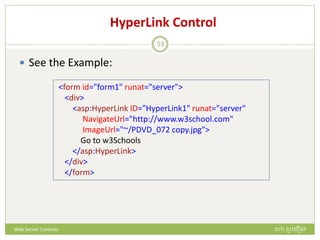
 See the Example:
<form id="form1" runat="server">
<div>
<asp:HyperLink ID="HyperLink1" runat="server"
NavigateUrl="http://www.w3school.com"
ImageUrl="~/PDVD_072 copy.jpg">
Go to w3Schools
</asp:HyperLink>
</div>
</form>
ហោ សូ ហនឿនWeb Server Controls
53
FileUpload Control
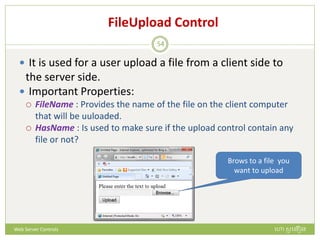
 It is used for a user upload a file from a client side to
the server side.
 Important Properties:
 FileName : Provides the name of the file on the client computer
that will be uuloaded.
 HasName : Is used to make sure if the upload control contain any
file or not?
Brows to a file you
want to upload
ហោ សូ ហនឿនWeb Server Controls
54
FileUpload Control
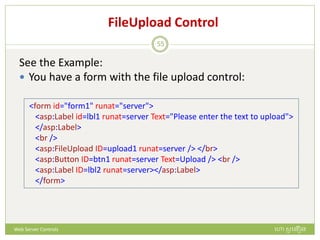
See the Example:
 You have a form with the file upload control:
<form id="form1" runat="server">
<asp:Label id=lbl1 runat=server Text="Please enter the text to upload">
</asp:Label>
<br />
<asp:FileUpload ID=upload1 runat=server /> </br>
<asp:Button ID=btn1 runat=server Text=Upload /> <br />
<asp:Label ID=lbl2 runat=server></asp:Label>
</form>
ហោ សូ ហនឿនWeb Server Controls
55
FileUpload Control
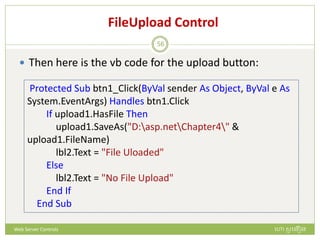
 Then here is the vb code for the upload button:
Protected Sub btn1_Click(ByVal sender As Object, ByVal e As
System.EventArgs) Handles btn1.Click
If upload1.HasFile Then
upload1.SaveAs("D:asp.netChapter4" &
upload1.FileName)
lbl2.Text = "File Uloaded"
Else
lbl2.Text = "No File Upload"
End If
End Sub
ហោ សូ ហនឿនWeb Server Controls
56
Chapter 2: Web Form Controls
End!
ហោ សូ ហនឿនWeb Server Controls
57

Chapter 2 (web servercontrol)

  • 1.
    Chapter 2 ហោ សូហនឿន Web Server Controls 1
  • 2.
    Web Form Controls Controls ត្រូវបានបត្រើសត្ារ់ប ៀរចំ interface សត្ារ់ Web application មួយ។  ASP.NET ផ្តល់ឲ្យបយើងនូវសំណំ នន standard controls បៅក្នង Toolbox រស់ Visual Studio ដែលអាចត្រូវបាន បត្រើសត្ារ់កា ប ៀរចំ Web pages។  ត្ររ់ standard/Web server controls អាស្សួយបៅបលើ WebControl class។ ហោ សូ ហនឿនWeb Server Controls 2
  • 3.
    Basic Property Name  ជាproperty សត្ារ់ ក្ំណរ់ប្ម ោះឲ្យ control។ Enabled, Locked , ReadOnly  បែើមបីក្ំណរ់ឲ្យ control មួយានសមរថភាពត្រឹមដរ រង្ហា ញទិននន័យមិនអនញ្ញា រ ឲ្យអនក្បត្រើដក្ដត្រ ឺរញ្ចូ ល ទិននន័យ ឺចច បៅបលើ control បនោះបាន។ ហោ សូ ហនឿនWeb Server Controls 3
  • 4.
    Basic Property BackColor  បែើមបីក្ំណរ់ពណ៌ឲ្យនផ្ៃនន control មួយ។ ហោ សូ ហនឿនWeb Server Controls 4
  • 5.
    Basic Property ForeColor  បែើមបីក្ំណរ់ក្ំណរ់ពណ៌ឲ្យអរថរទដែលត្រូវរង្ហា ញ។ ហោ សូ ហនឿនWeb Server Controls 5
  • 6.
    Basic Property Font  បែើមបីក្ំណរ់លក្ខណៈរស់អរថរទដែលត្រូវរង្ហា ញ។ ហោ សូ ហនឿនWeb Server Controls 6
  • 7.
    Label Control  ជាWeb server control ដែលត្រូវបានបត្រើសត្ារ់កា រង្ហា ញ អក្ស ឃ្លា ឺអរថរទ ជាត្របេទ static text បៅ បលើ Web page.  Label control ានទត្មង់ក្ូែែូចខាងបត្កាម៖ <asp:Label ID=“…” runat=“Server”/> <asp:Label ID=“…” runat=“Server”> ………………………….. </asp:Label> ហោ សូ ហនឿនWeb Server Controls 7
  • 8.
    Example Using LabelsControls  ឧទាហ ណ៏ ខាងបត្កាម បយើងាន Label ពី  មួយសត្ារ់រង្ហា ញឃ្លា ជាភាសាដមម  មួយបទៀរសត្ារ់រង្ហា ញឃ្លា ជាភាសាអង់បរាស  បៅបពល Form Load  បែើមបីប ោះស្សាយរញ្ញា បនោះ  របងកើរ web page មួយ ក្់ប្ម ោះថា “LabelExample”  ស បស ក្ូែ បៅបលើ .aspx code page ឺ ទាញយក្ Label control ពី ToolBox មក្ ក្់បលើ .aspx design page.  ក្ំណរ់ property ឲ្យ label ទាំងពី  ចងបត្កាយស បស ក្ូែឲ្យ page load evetns ហោ សូ ហនឿនWeb Server Controls 8
  • 9.
    Solving the problem ក្ំណរ់property រស់ label ហោ សូ ហនឿនWeb Server Controls 9
  • 10.
    Label Control Code-design page Code-behindpage (Page_Load Event) Running the Web page ហោ សូ ហនឿនWeb Server Controls 10
  • 11.
    The TextBox Control TextBox រឺជា input control ដែលអនញ្ញា រឲ្យអនក្បត្រើ អាចរញ្ចូ លទិននន័យបាន។  បែើមបី ក្់រញ្ចូ ល TextBox បៅបលើ web page បយើងអាច បត្រើ tag ែូចខាងបត្កាម: <asp:TextBox ID=“…” runat=“Server”> ……………………………. </asp:TextBox> ហោ សូ ហនឿនWeb Server Controls 11
  • 12.
    The TextBox Property TextMode: ជា Property រស់ TextBox ដែលអាចឲ្យបយើង ក្ំណរ់លក្ខណៈ រស់ TextBox ែូចខាងបត្កាម:  SingleLine (Default) សត្ាររ់ក្ំណរ់លក្ខណៈឲ្យ TextBox ផ្ៃក្ ទិននន័យបានដរមួយជួ ។  MultiLine សត្ាររ់ក្ំណរ់លក្ខណៈឲ្យ TextBox ផ្ៃក្ទិននន័យបា បត្ចើនជួ ។  Password សត្ាររ់ក្ំណរ់លក្ខណៈឲ្យ TextBox ផ្ៃក្ទិននន័យជា លក្ខណៈ Password។ <asp:TextBox ID=“…” TextMode=“MultiLine” runat=“Server” ></asp:TextBox> <asp:TextBox ID=“…” TextMode=“Password” runat=“Server” ></asp:TextBox> <asp:TextBox ID=“…” runat=“Server”></asp:TextBox> ហោ សូ ហនឿនWeb Server Controls 12
  • 13.
    The TextBox Property TextMode property windows ហោ សូ ហនឿនWeb Server Controls 13
  • 14.
    The TextBox Property Collumns: បែើមបីត្រដវងនន TextBox ជាចំនួនរួអក្ស ដែលត្រូវ រង្ហា ញបៅក្នង TextBox.  Rows: បែើមបីក្ំណរ់ចំនួនជួ នន TextBox ដែលត្រូវរង្ហា ញអរថ រទបៅក្នង TextBox. ចំណំ៖ properties ទាំងពី ត្រូវបានក្ំណរ់បៅបពល TextMod ត្រូវបានក្ំណរ់ជា MultiLine <asp:TextBox ID=“…” Columns=50 runat=“Server” > ……….. </asp:TextBox> <asp:TextBox ID=“…” Rows=5 runat=“Server” ></asp:TextBox> ហោ សូ ហនឿនWeb Server Controls 14
  • 15.
    The TextBox Property Collumns and Rows properties ហោ សូ ហនឿនWeb Server Controls 15
  • 16.
    Designing TextBoxes ហោ សូហនឿនWeb Server Controls 16
  • 17.
    Designing TextBoxes ReadOnly MultiLine ហោសូ ហនឿនWeb Server Controls 17
  • 18.
    The Button Control ជា control មួយបត្រើសត្ារ់រញ្ជូ ន request បៅបលើ browser បៅកាន់ server។  ជាធមមតាវាានត្របេទជា “Submit”។  បៅបពលដែលបយើងចចបលើ button, control sទាំងអស់ដែល សថិរបៅក្នង form ដែលបយើងបានចច button ប ោះនឹងត្រូវបាន រញ្ជូ នបៅកាន់ server សត្ារ់អនវរតកា ង្ហ ។  បែើមបី ក្់រញ្ចូ ល Button បៅបលើ web page បយើងអាចបត្រើ tag ែូចខាងបត្កាម: <asp:Button ID=“…” text =“OK” runat=“Server”></asp:Button> ហោ សូ ហនឿនWeb Server Controls 18
  • 19.
    Button Control  បែើមបីសបស code ឲ្យ Button មួយបយើងត្រូវ double click បៅបលើ button ប ោះ។  Code បនោះត្រូវបានបៅថា behind-code។ Protected Sub Button1_Click(ByVal sender As Object, ByVal e As System.EventArgs) Handles Button1.Click Statements; End Sub ហោ សូ ហនឿនWeb Server Controls 19
  • 20.
    The DropDownList Control DropDownList រឺជាលក្ខណៈនន TextBox ដែលានទិននន័យ ស្សារ់សត្ារ់ឲ្យអនក្បត្រើបត្ជើសប ើស។  បែើមបី ក្់រញ្ចូ ល Button បៅបលើ web page បយើងអាចបត្រើ tag ែូចខាងបត្កាម: <asp:DropDownList ID=“Name" runat="server"> ……………….. ……………….. </asp:DropDownList> ហោ សូ ហនឿនWeb Server Controls 20
  • 21.
    Adding Items tothe DropDownList  បែើមបី ក្់ធារចូលបៅ ក្នង DropDownList បយើង បត្រើ <asp:ListItem > tag។ <asp:DropDownList ID=“sex” runat="server"> <asp:ListItem>Female</asp:ListItem> <asp:ListItem>Male</asp:ListItem> </asp:DropDownList> Designing Coding ហោ សូ ហនឿនWeb Server Controls 21
  • 22.
    Selected Properties  វាត្រូវបានក្ំណរ់បៅក្នង<asp:ListItem > .. </asp:ListItem> tag បែើមបីក្ំណរ់ default item ដែលត្រូវរង្ហា ញបៅក្នង DropDownList បៅបពលដែល Web page ចារ់បផ្តើមែំបណើ កា ។ <asp:DropDownList ID=“sex” runat="server"> <asp:ListItem Selected=True>Female</asp:ListItem> <asp:ListItem>Male</asp:ListItem> </asp:DropDownList> ហោ សូ ហនឿនWeb Server Controls 22
  • 23.
    Value Property  វាត្រូវបានក្ំណរ់បៅក្នង<asp:ListItem > .. </asp:ListItem> tag បែើមបីក្ំណរ់រនមាសត្ារ់រង្ហា ញបៅក្នង DropDownList និងកា ទាញយក្រនមាពី DropDownList ។ <asp:DropDownList ID=“sex” runat="server"> <asp:ListItem value=female>Female</asp:ListItem> <asp:ListItem value=male>Male</asp:ListItem> </asp:DropDownList> Dim V1 V1=Request(“sex”)=“female” sex.Text=female Retrieving Text Displaying Text ហោ សូ ហនឿនWeb Server Controls 23
  • 24.
    Retrieving Items បែើមបីទាញយក្រនមាពី DropDownListបយើងអាចបត្រើ method៖ 1. SelectedItem: ទាញយក្រនមាជា text ពី DropDownList។ 2. SelectedIndex: ទាញយក្រនមាជា index ពី DropDownList។ 3. SelectedValue : ទាញយក្រនមាជា value ពី DropDownList។ Dim a a=sex.SelectedItem.Text.ToString Dim a a=sex.SelectedIndex.ToString Dim a a=sex.SelectedItem.Text.ToString ហោ សូ ហនឿនWeb Server Controls 24
  • 25.
    Working with DropDownList ហោសូ ហនឿនWeb Server Controls 25
  • 26.
    AutoPostBack  AutoPostBack រឺជាproperty មួយដែលត្រូវបានក្ំណរ់ជាមួយ controls មួយចំនួនបែើមបីឲ្យានសក្មមភាពអវីមួយបៅបពលដែល បយើងបធវើសក្មមភាពអវីមួយជាមួយនឹង control ប ោះ ែូចជា DropDownList, CheckBox, RadioButton ។ល។ ហោ សូ ហនឿនWeb Server Controls 26
  • 27.
    The CheckBox Control CheckBox រឺជា control មួយដែលាន ត្រអរ់រាងរួនត្ជុងមួយ សត្ារ់ឲ្យអនក្បត្រើបត្ជើសប ើសរនមាប យ Checked (ពិរ/Yes) ឺ UnChecked (មិនពិរNo)។  បៅក្នងត្ក្ុមនន CheckBox អាចានរនមាពិរទាំងអស់ ឺមិនពិរ ទាំងអស់។ <asp:CheckBox ID="chk1" runat=server /> Morning <asp:CheckBox ID="chk2" runat=server /> Afternoon <asp:CheckBox ID="chk3" runat=server /> Evening ហោ សូ ហនឿនWeb Server Controls 27
  • 28.
    CheckBox Properties  Checked:ានរនមាពិរ (true) ឺមិនពិរ (false)។  Text: បែើមបីក្ំណរ់ឃ្លា ដែលត្រូវរង្ហា ញ។  TextAlign: បែើមបីក្ំណរ់ទីតាំង រស់ Text រស់ CheckBox ដែលត្រូវរង្ហា ញ។  Left  Right  ToolTip: បែើមបីរង្ហា ញឃ្លា ណមួយបៅបពលបយើង ក្់ mouse បៅបលើ CheckBox។ ហោ សូ ហនឿនWeb Server Controls 28
  • 29.
    Example with CheckBox ហោសូ ហនឿនWeb Server Controls 29
  • 30.
    The CheckBoxList Control បត្រើបែើមបីរបងកើរសំណំ នន check boxes បែើមបីរបត្មៀរជា column នន check boxes។ <asp:CheckBoxList runat=server > <asp:ListItem>Morning</asp:ListItem> <asp:ListItem>Afternoon</asp:ListItem> <asp:ListItem>Evening</asp:ListItem> <asp:ListItem>Weekend</asp:ListItem> </asp:CheckBoxList> ហោ សូ ហនឿនWeb Server Controls 30
  • 31.
    CheckBoxList Prpoerties  RepeatColumns:បែើមបីក្ំណរ់ចំនួនកាបោនដែល CheckBox ត្រូវរង្ហា ញ។  RepeatDirection: បែើមបីក្ំណរ់ទិសបៅននកា របត្មៀរ ChekBox ដែលានរនមាពី រឺ Horizontal និង Vertical  cellSpacing: បែើមបីក្ំណរ់រាា រពី CheckBox មួយបៅ CheckBox មួយ។  CellPadding: បែើមបីក្ំណរ់រាា រពីជួ មួយបៅជួ មួយនន CheckBox។ <asp:CheckBoxList runat=server RepeatColumns=3 RepeatDirection=Vertical CellPadding=10 CellSpacing=20 ID=ChkTime AutoPostBack=true > </asp:CheckBoxList> ហោ សូ ហនឿនWeb Server Controls 31
  • 32.
    SelectIndexChanged Event  ជាevent រស់ CheckBoxList ដែលបក្ើរប ើងបពលអនក្បត្រើ Select បៅបលើ Item ណមួយ រស់ CheckBoxkList។ Protected Sub ChkTime_SelectedIndexChanged(ByVal sender As Object, ByVal e As System.EventArgs) Handles ChkTime.SelectedIndexChanged If ChkTime.SelectedValue = "m" Then Response.Write("Good Morning") If ChkTime.Items.Item(1).Selected = True Then Response.Write("Good Afternoon") End If Else If ChkTime.Items.Item(1).Selected = True Then Response.Write("Good Afternoon") End If End If End Sub ហោ សូ ហនឿនWeb Server Controls 32
  • 33.
    The RadioButton Control មសពី checkbox ត្រង់ថា RadioButton របងកើរត្ក្ុមននជបត្មើស ដែលអនញ្ញា រឲ្យបធវើកា បត្ជើសប ើសបានដរមួយររ់ បហើយត្រូវដរ ានជបត្មើសមួយបៅក្នងត្ក្ុមមួយ។  បែើមបីផ្តំត្ក្ុមនន RadioButton រឺត្រូវក្ំណរ់ proterty “GroupName” ឲ្យានប្ម ោះែូចគ្នន ។ <asp:RadioButton ID=rd1 runat=server Text="Mornign" GroupName=gr1 /> <asp:RadioButton ID=rd2 runat=server Text="Afternoon" GroupName=gr1/> <asp:RadioButton ID=rd3 runat=server Text="Evening" GroupName=gr1/> <asp:RadioButton ID=rd4 runat=server Text="Weekend" GroupName=gr1/> ហោ សូ ហនឿនWeb Server Controls 33
  • 34.
    CheckChanged Event  ជាevent រស់ RadioButton ដែលបក្ើរប ើងបពលអនក្បត្រើ Select បៅបលើ RadioButton ។ ហោ សូ ហនឿនWeb Server Controls 34
  • 35.
    The RadioButtonList Control បត្រើបែើមបីរបងកើរសំណំ នន RadioButtons បែើមបីរបត្មៀរជា column នន check boxes។  RadioButtonList ាន properties ែូចបៅនឹង CheckBoxList ដែ ។ <form id="form1" runat="server"> <div> <asp:RadioButtonList ID="RadioButtonList1" runat="server" RepeatColumns=2> <asp:ListItem Text=Moring Value=m></asp:ListItem> <asp:ListItem Text=Afternoon Value=a></asp:ListItem> <asp:ListItem Text=Evening Value=e></asp:ListItem> <asp:ListItem Text=Weekend Value=w></asp:ListItem> </asp:RadioButtonList> </div> </form> ហោ សូ ហនឿនWeb Server Controls 35
  • 36.
    The Image Control រឺជា control បត្រើបែើមបីផ្ៃក្ ូរភាពបៅបៅបលើ Web Page។  បែើមបី ក្់រញ្ចូ ល Button បៅបលើ web page បយើងអាចបត្រើ tag ែូចខាងបត្កាម៖  Properties រស់ Image control៖  AlternativeText: បែើមបីរង្ហា ញ text បៅបលើ ូរភាព។  ImageAlign: បែើមបីក្ំណរ់ទីតាំង រស់ Image ដែលត្រូវរង្ហា ញ។  ImageUrl: បែើមបីក្ំណរ់ path ដែល ូរភាពសថិរបៅ។ <asp:Image runat=server ImageUrl=“path" /> ហោ សូ ហនឿនWeb Server Controls 36
  • 37.
    Image Control ហោ សូហនឿនWeb Server Controls 37
  • 38.
    The ImageButton Control បែើមបីរបងកើរ button ដែលាន ូរភាពជំនួសឲ្យ text បយើងបត្រើ ImageButton។  ImageButton ានទត្មង់ code ែូចខាងលបត្កាម៖  Property “PostBackURL” សត្ារ់ក្ំណរ់ page ដែលត្រូវបរើក្ បៅបពលអនក្បត្រើចចបលើ ImageButton។ <asp:ImageButton runat=server ImageUrl=“Path" /> <asp:ImageButton Enabled=true runat=server Width=100 Height=80 ImageUrl="~/PDVD_072 copy.jpg" PostBackUrl="FileUpLoad.aspx" ID="imgBtn" /> ហោ សូ ហនឿនWeb Server Controls 38
  • 39.
    The ImageButton Event ជំនួសឲ្យកា ក្ំណរ់ Property “PostBackURL” បយើងប ើញ ImageButton ាន “click” event ដែលអនញ្ញា រឲ្យបយើងស បស code ប យបត្រើភាសា VB (behind-code) ដែលែំបណើ កា បៅបពលបយើងចចបៅបលើ ImageButton ប ោះ។ <form id="form1" runat="server"> <asp:ImageButton Enabled=true runat=server Width=100 Height=80 ImageUrl="~/PDVD_072 copy.jpg" ID="imgBtn" /> </form> Protected Sub imgBtn_Click(ByVal sender As Object, ByVal e As System.Web.UI.ImageClickEventArgs) Handles imgBtn.Click Response.Redirect("FileUpLoad.aspx") End Subឧ ហោ សូ ហនឿនWeb Server Controls 39
  • 40.
    The ImageMap Control ImageMap រឺជា web server control ដែលអាចឲ្យបយើងរបងកើរ ចំណច link បត្ចើនបៅបលើ image មួយ ។  ចំណច links ទាំងប ោះបរបៅថា “hotspots”។  Property “NavigateUrl” ត្រូវបានក្ំណរ់បៅក្នង HotSpots បែើមបីក្ំណរ់ទីតាំងដែលត្រូវ Navigate។ <form id="form1" runat="server"> <asp:ImageMap ID="ImageMap1" runat="server" ImageUrl="PDVD_072 copy.jpg" > <asp:CircleHotSpot/> <asp:PolygonHotSpot/> <asp:RectangleHotSpot/> <asp:PolygonHotSpot/> </asp:ImageMap> </form> ត្របេទនន HotSpots ហោ សូ ហនឿនWeb Server Controls 40
  • 41.
    CirleHotSpot  ត្រូវបានបត្រើបែើមបីរបងកើរ hotspotsបៅបលើ ImageMap ានរាង មូល។  ផ្ចិរ រស់ circlehotspot រឺជាចំណចត្រសពវ វាង x និង y។  Propeties ត្រូវក្ំណរ់ាន៖  Radius ៖ សត្ារ់ក្ំណរ់ត្រដវងកាំ  X ៖ សត្ារ់ក្ំណរ់ទីតាំង រស់អ័ក្ស x  Y ៖ សត្ារ់ក្ំណរ់ទីតាំង រស់អ័ក្ស y <asp:CircleHotSpot NavigateUrl="~/DropList.aspx" AlternateText="Spot 1" HotSpotMode="Navigate" Radius="20" X="50" Y="20" /> ហោ សូ ហនឿនWeb Server Controls 41
  • 42.
    RectangleHotSpot  ត្រូវបានបត្រើបែើមបីរបងកើរ hotspotsបៅបលើ ImageMap ានរាង រួនត្ជុង។  Propeties ត្រូវក្ំណរ់ាន៖  Top ៖ សត្ារ់ក្ំណរ់ទីតាំងដផ្នក្ខាងងបលើ  Buttom ៖ សត្ារ់ក្ំណរ់ទីតាំងដផ្នក្ខាងបត្កាម  Left ៖សត្ារ់ក្ំណរ់ទីតាំងដផ្នក្ខាងបវវង  Right ៖សត្ារ់ក្ំណរ់ទីតាំងដផ្នក្ខាងសាត ំ <asp:RectangleHotSpot AlternateText="Spot 3" HotSpotMode=Navigate Top=300 Bottom= 400 Left=300 Right=400 /> ហោ សូ ហនឿនWeb Server Controls 42
  • 43.
    ImageMap Control <form id="form1"runat="server"> <asp:ImageMap ID="ImageMap1" runat="server" ImageUrl="PDVD_072 copy.jpg" > <asp:CircleHotSpot NavigateUrl="~/DropList.aspx" AlternateText="Spot 1" HotSpotMode="Navigate" Radius="20" X="50" Y="20" /> <asp:CircleHotSpot /> <asp:CircleHotSpot AlternateText="Spot 2" HotSpotMode=Navigate Radius="50" X="10" Y="20" /> <asp:CircleHotSpot /> <asp:RectangleHotSpot AlternateText="Spot 3" HotSpotMode=Navigate Top=300 Bottom= 400 Left=300 Right=400 /> </asp:ImageMap> </form> ហោ សូ ហនឿនWeb Server Controls 43
  • 44.
    The Table Control ត្រូវបានបត្រើបែើមបីរបងកើរ Table បៅបលើ Web page។  BackImageUrl : To display the background image of the table.  Caption : To specify the title of the table.  CellPadding : To set the margin of the cell in the table.  CellSpacing : To set the space between cells.  GridLines : To display the table in grid line style.  Rows : To retrieve the numbers of rows in the table. <asp:Table BorderStyle=Solid BorderColor=Red ID=tbl1 runat=server Width=100%> </asp:Table> ហោ សូ ហនឿនWeb Server Controls 44
  • 45.
    Creating Tables  បែើមបីរបងកើរtable មួយបយើងត្រូវបត្រើ classes ពី រឺ TableRow និង TableCell.  TableRow : បែើមបីរបងកើរជួ នន Table (Rows)។  TableCell : បែើមបីរបងកើរកាបោននន Table (Columns)។ <asp:Table> <asp:TableRow> <asp:TableCell> </asp:TableCell> </asp:TableRow> </asp:Table> ហោ សូ ហនឿនWeb Server Controls 45
  • 46.
    Creating Tables <form id="form1"runat="server"> <asp:Table BorderStyle=Solid BorderColor=Red ID=tbl1 runat=server Width=100%> <asp:TableRow BackColor=Blue ID=r1> <asp:TableCell ID=c1 runat=server Width=5%>UserID</asp:TableCell> <asp:TableCell ID=c2 runat=server Width=10%><asp:TextBox id= “uName” runat=“server”></asp:TextBox> </asp:TableCell> </asp:TableRow> <asp:TableRow BackColor=Blue ID=r1> <asp:TableCell ID=c1 runat=server Width=5%>Password</asp:TableCell> <asp:TableCell ID=c2 runat=server Width=10%><asp:TextBox id= “pWord” runat=“server”></asp:TextBox> </asp:TableCell> </asp:TableRow> </asp:Table> </form> ហោ សូ ហនឿនWeb Server Controls 46
  • 47.
    Formatting Tables  Someuseful properties of the TableRow:  Cells : To get the numbers of cells in the row.  HorizontalAlign : To the alignment of the row in the table, left, right, or center.  VerticalAlign : To the alignment of the row in the table, top, middle, or buttom.  Some useful properties of the TableCell:  ColumnSpan : To widen the side of cells compare to columns.  RowSpan : To widen the side of cells compare to rows.  HorizontalAlign : To the alignment of the cell in the table, left, right, or center.  VerticalAlign : To the alignment of the cell in the table, top, middle, or buttom.  Text : To get/set the text in the cell. ហោ សូ ហនឿនWeb Server Controls 47
  • 48.
    The Calendar Control រង្ហា ញកាលរ ិបចេទជាទត្មង់ calendar។  អនញ្ញា រឲ្យអនក្របត្រើអាចបត្ជើសប ើសយក្កាលរ ិបចេទជា ទត្មង់ Calendar។  By default, It displays  The days of the month  The day headings for the days of the week  A title with the name of the month  And the navigation links to the next or previous month. <asp:Calendar ID="Calendar1" runat="server"></asp:Calendar> ហោ សូ ហនឿនWeb Server Controls 48
  • 49.
    Calendar Properties  បែើមបីផ្លាស់រតូ លក្ខណៈ រស់ calendar បយើងអាច ក្ំណរ់ properties មួយចំនួនែូចខាងបត្កាម៖  DayHeaderStyle  DayStyle  NextPreviousStyle  OtherMonthDayStyle  SelectedDayStyle  SelectorStyle  TitleStyle  TodayDayStyle  WeekendDayStyle  …………. ហោ សូ ហនឿនWeb Server Controls 49
  • 50.
    Calendar Control  Exampleyou have and .aspx page for calendar as below: <form id="form1" runat="server"> <div> <asp:Calendar ID="Calendar1" runat="server" ForeColor=Black CellPadding =2 CellSpacing=2> <TitleStyle BackColor=Blue Font-Bold=true /> <SelectedDayStyle Font-Italic=true ForeColor=Red /> <WeekendDayStyle BackColor=red ForeColor=blue /> <TodayDayStyle BackColor=Gray ForeColor=DarkCyan /> </asp:Calendar> <asp:Label ID="Label1" runat="server" Text="Selected Day"></asp:Label> <asp:TextBox ID="txtSelDay" runat="server"></asp:TextBox> </div> </form> ហោ សូ ហនឿនWeb Server Controls 50
  • 51.
    Calendar Event  Thenyou can write the behind code (VB Code) for the calendar as below: Protected Sub Page_Load(ByVal sender As Object, ByVal e As System.EventArgs) Handles Me.Load 'Calendar1.SelectedDate = DateAndTime.Now Calendar1.SelectedDate = DateAndTime.DateString txtSelDay.Text = Calendar1.SelectedDate() End Sub Protected Sub Calendar1_SelectionChanged(ByVal sender As Object, ByVal e As System.EventArgs) Handles Calendar1.SelectionChanged txtSelDay.Text = Calendar1.SelectedDate() End Sub End Class ហោ សូ ហនឿនWeb Server Controls 51
  • 52.
    HyperLink Control  Itis used to create a link to another Web page.  With the “HyperLink” control, you can create:  A text link (Using “Text” property)  Or an image link. (Using “ImageUrl” property)  In the “HyperLink” control you may need to set the properties such as:  ImageUrl : To display the image that will be a Link.  NavigateUrl : To specify where the Link will navigate to.  Target : The set which frame or window the navigated page will be displayed.  Text : To set the text to be display as a Link. ហោ សូ ហនឿនWeb Server Controls 52
  • 53.
    HyperLink Control  Seethe Example: <form id="form1" runat="server"> <div> <asp:HyperLink ID="HyperLink1" runat="server" NavigateUrl="http://www.w3school.com" ImageUrl="~/PDVD_072 copy.jpg"> Go to w3Schools </asp:HyperLink> </div> </form> ហោ សូ ហនឿនWeb Server Controls 53
  • 54.
    FileUpload Control  Itis used for a user upload a file from a client side to the server side.  Important Properties:  FileName : Provides the name of the file on the client computer that will be uuloaded.  HasName : Is used to make sure if the upload control contain any file or not? Brows to a file you want to upload ហោ សូ ហនឿនWeb Server Controls 54
  • 55.
    FileUpload Control See theExample:  You have a form with the file upload control: <form id="form1" runat="server"> <asp:Label id=lbl1 runat=server Text="Please enter the text to upload"> </asp:Label> <br /> <asp:FileUpload ID=upload1 runat=server /> </br> <asp:Button ID=btn1 runat=server Text=Upload /> <br /> <asp:Label ID=lbl2 runat=server></asp:Label> </form> ហោ សូ ហនឿនWeb Server Controls 55
  • 56.
    FileUpload Control  Thenhere is the vb code for the upload button: Protected Sub btn1_Click(ByVal sender As Object, ByVal e As System.EventArgs) Handles btn1.Click If upload1.HasFile Then upload1.SaveAs("D:asp.netChapter4" & upload1.FileName) lbl2.Text = "File Uloaded" Else lbl2.Text = "No File Upload" End If End Sub ហោ សូ ហនឿនWeb Server Controls 56
  • 57.
    Chapter 2: WebForm Controls End! ហោ សូ ហនឿនWeb Server Controls 57