
 A theme is a collection of property setting
that allow you to define the look of pages and
controls in web application.
 We can apply theme in one or more pages in
web application.
 Only one theme can be applied to each page .
You cannot apply multiple themes to a page
 Themes are made up of a set of elements :
skins,cascading style sheets(CSS),images etc.
 Themes are defined in special directories in
your website.
 A global theme is a theme that you can apply
to all the web sites on a server.
 Global themes allow you to define an overall
look for your domain when you maintain
multiple web sites on the same server.
 The content of a theme is the same whether
the theme is defined as a page theme or as a
global theme.
 To style them with CSS alone, you'll have to
set loads of properties on each one: DayStyle
and TitleStyle and NextPrevStyle and on and
on...
 Using a theme will allow you to set all of
those properties just once, and have it apply
to every control or page.
 In the Solution Explorer, right-click on the
web site name and point to Add ASP.NET and
click Themes.
 Visual Studio will create a App_Themes folder
automatically.
 Create a subfolder of the App_Themes folder
and name it accordingly.
 Add Skins, Cascading Style
Sheets, and Images as needed.
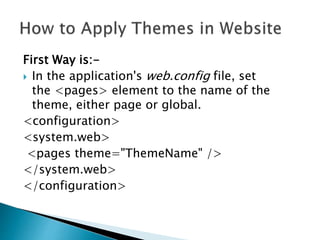
First Way is:-
 In the application's web.config file, set
the <pages> element to the name of the
theme, either page or global.
<configuration>
<system.web>
<pages theme="ThemeName" />
</system.web>
</configuration>
 Set a style sheet theme to be subordinate to
the local control properties, and set
the styleSheetThemeattribute instead.
<configuration>
<system.web>
<pages styleSheetTheme="ThemeName" />
</system.web>
</configuration>
 Set the Theme or StyleSheetTheme attribute
of the @Page directive to the name of the the
<%@ Page Theme="ThemeName" %>
<%@ Page StyleSheetTheme="ThemeName"
%> me.
Thank You
For More Info:-
Email:-dodiyanihar8460@gmail.com

Themes

  • 2.
     A themeis a collection of property setting that allow you to define the look of pages and controls in web application.  We can apply theme in one or more pages in web application.  Only one theme can be applied to each page . You cannot apply multiple themes to a page
  • 3.
     Themes aremade up of a set of elements : skins,cascading style sheets(CSS),images etc.  Themes are defined in special directories in your website.
  • 4.
     A globaltheme is a theme that you can apply to all the web sites on a server.  Global themes allow you to define an overall look for your domain when you maintain multiple web sites on the same server.  The content of a theme is the same whether the theme is defined as a page theme or as a global theme.
  • 5.
     To stylethem with CSS alone, you'll have to set loads of properties on each one: DayStyle and TitleStyle and NextPrevStyle and on and on...  Using a theme will allow you to set all of those properties just once, and have it apply to every control or page.
  • 6.
     In theSolution Explorer, right-click on the web site name and point to Add ASP.NET and click Themes.  Visual Studio will create a App_Themes folder automatically.  Create a subfolder of the App_Themes folder and name it accordingly.  Add Skins, Cascading Style Sheets, and Images as needed.
  • 7.
    First Way is:- In the application's web.config file, set the <pages> element to the name of the theme, either page or global. <configuration> <system.web> <pages theme="ThemeName" /> </system.web> </configuration>
  • 8.
     Set astyle sheet theme to be subordinate to the local control properties, and set the styleSheetThemeattribute instead. <configuration> <system.web> <pages styleSheetTheme="ThemeName" /> </system.web> </configuration>
  • 9.
     Set theTheme or StyleSheetTheme attribute of the @Page directive to the name of the the <%@ Page Theme="ThemeName" %> <%@ Page StyleSheetTheme="ThemeName" %> me.
  • 10.
    Thank You For MoreInfo:- Email:-dodiyanihar8460@gmail.com