Amrit Kaur Decision Making in C++
1
Chapter 2: Conditional Constructs and Decision Making
Decision making determines the sequence in which program will execute instructions. To
control the flow of a program Conditional Constructs are used. The allow selective execution
of statements depending on the value of expression
2.1 if....else construct
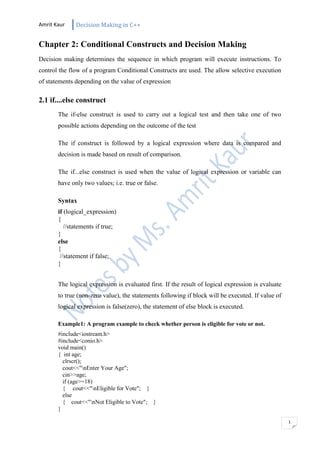
The if-else construct is used to carry out a logical test and then take one of two
possible actions depending on the outcome of the test
The if construct is followed by a logical expression where data is compared and
decision is made based on result of comparison.
The if...else construct is used when the value of logical expression or variable can
have only two values; i.e. true or false.
Syntax
if (logical_expression)
{
//statements if true;
}
else
{
//statement if false;
}
The logical expression is evaluated first. If the result of logical expression is evaluate
to true (non-zero value), the statements following if block will be executed. If value of
logical expression is false(zero), the statement of else block is executed.
Example1: A program example to check whether person is eligible for vote or not.
#include<iostream.h>
#include<conio.h>
void main()
{ int age;
clrscr();
cout<<"nEnter Your Age";
cin>>age;
if (age>=18)
{ cout<<"nEligible for Vote"; }
else
{ cout<<"nNot Eligible to Vote"; }
}
Amrit Kaur Decision Making in C++
2
Nested if...else construct
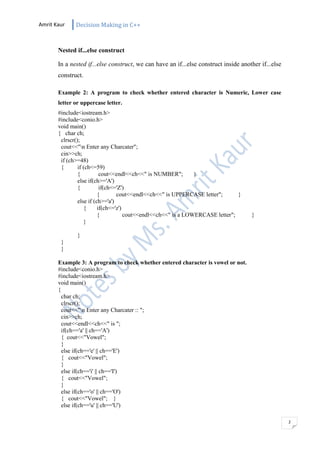
In a nested if...else construct, we can have an if...else construct inside another if...else
construct.
Example 2: A program to check whether entered character is Numeric, Lower case
letter or uppercase letter.
#include<iostream.h>
#include<conio.h>
void main()
{ char ch;
clrscr();
cout<<"n Enter any Charcater";
cin>>ch;
if (ch>=48)
{ if (ch<=59)
{ cout<<endl<<ch<<" is NUMBER"; }
else if(ch>='A')
{ if(ch<='Z')
{ cout<<endl<<ch<<" is UPPERCASE letter"; }
else if (ch>='a')
{ if(ch<='z')
{ cout<<endl<<ch<<" is a LOWERCASE letter"; }
}
}
}
}
Example 3: A program to check whether entered character is vowel or not.
#include<conio.h>
#include<iostream.h>
void main()
{
char ch;
clrscr();
cout<<"n Enter any Charcater :: ";
cin>>ch;
cout<<endl<<ch<<" is ";
if(ch=='a' || ch=='A')
{ cout<<"Vowel";
}
else if(ch=='e' || ch=='E')
{ cout<<"Vowel";
}
else if(ch=='i' || ch=='I')
{ cout<<"Vowel";
}
else if(ch=='o' || ch=='O')
{ cout<<"Vowel"; }
else if(ch=='u' || ch=='U')
Amrit Kaur Decision Making in C++
3
{ cout<<"Vowel"; }
else
{ cout<<"Not Vowel"; }
}
2.2 The switch...case construct
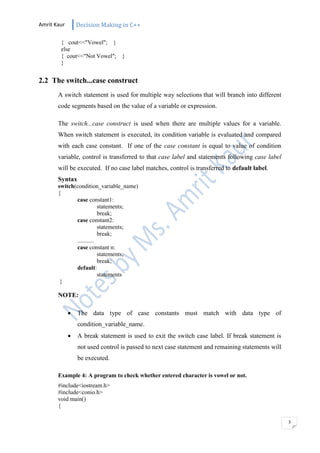
A switch statement is used for multiple way selections that will branch into different
code segments based on the value of a variable or expression.
The switch...case construct is used when there are multiple values for a variable.
When switch statement is executed, its condition variable is evaluated and compared
with each case constant. If one of the case constant is equal to value of condition
variable, control is transferred to that case label and statements following case label
will be executed. If no case label matches, control is transferred to default label.
Syntax
switch(condition_variable_name)
{
case constant1:
statements;
break;
case constant2:
statements;
break;
...........
case constant n:
statements;
break;
default:
statements
}
NOTE:
 The data type of case constants must match with data type of
condition_variable_name.
 A break statement is used to exit the switch case label. If break statement is
not used control is passed to next case statement and remaining statements will
be executed.
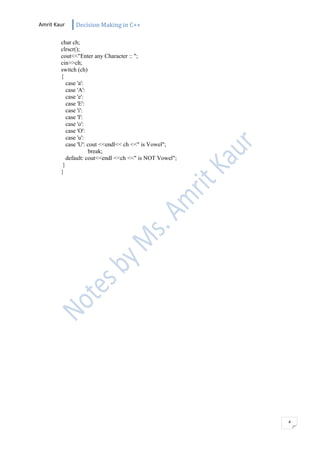
Example 4: A program to check whether entered character is vowel or not.
#include<iostream.h>
#include<conio.h>
void main()
{
Amrit Kaur Decision Making in C++
4
char ch;
clrscr();
cout<<"Enter any Character :: ";
cin>>ch;
switch (ch)
{
case 'a':
case 'A':
case 'e':
case 'E':
case 'i':
case 'I':
case 'o':
case 'O':
case 'u':
case 'U': cout <<endl<< ch <<" is Vowel";
break;
default: cout<<endl <<ch <<" is NOT Vowel";
}
}

Chapter 2: Conditional Construct in C++

  • 1.
    Amrit Kaur DecisionMaking in C++ 1 Chapter 2: Conditional Constructs and Decision Making Decision making determines the sequence in which program will execute instructions. To control the flow of a program Conditional Constructs are used. The allow selective execution of statements depending on the value of expression 2.1 if....else construct The if-else construct is used to carry out a logical test and then take one of two possible actions depending on the outcome of the test The if construct is followed by a logical expression where data is compared and decision is made based on result of comparison. The if...else construct is used when the value of logical expression or variable can have only two values; i.e. true or false. Syntax if (logical_expression) { //statements if true; } else { //statement if false; } The logical expression is evaluated first. If the result of logical expression is evaluate to true (non-zero value), the statements following if block will be executed. If value of logical expression is false(zero), the statement of else block is executed. Example1: A program example to check whether person is eligible for vote or not. #include<iostream.h> #include<conio.h> void main() { int age; clrscr(); cout<<"nEnter Your Age"; cin>>age; if (age>=18) { cout<<"nEligible for Vote"; } else { cout<<"nNot Eligible to Vote"; } }
  • 2.
    Amrit Kaur DecisionMaking in C++ 2 Nested if...else construct In a nested if...else construct, we can have an if...else construct inside another if...else construct. Example 2: A program to check whether entered character is Numeric, Lower case letter or uppercase letter. #include<iostream.h> #include<conio.h> void main() { char ch; clrscr(); cout<<"n Enter any Charcater"; cin>>ch; if (ch>=48) { if (ch<=59) { cout<<endl<<ch<<" is NUMBER"; } else if(ch>='A') { if(ch<='Z') { cout<<endl<<ch<<" is UPPERCASE letter"; } else if (ch>='a') { if(ch<='z') { cout<<endl<<ch<<" is a LOWERCASE letter"; } } } } } Example 3: A program to check whether entered character is vowel or not. #include<conio.h> #include<iostream.h> void main() { char ch; clrscr(); cout<<"n Enter any Charcater :: "; cin>>ch; cout<<endl<<ch<<" is "; if(ch=='a' || ch=='A') { cout<<"Vowel"; } else if(ch=='e' || ch=='E') { cout<<"Vowel"; } else if(ch=='i' || ch=='I') { cout<<"Vowel"; } else if(ch=='o' || ch=='O') { cout<<"Vowel"; } else if(ch=='u' || ch=='U')
  • 3.
    Amrit Kaur DecisionMaking in C++ 3 { cout<<"Vowel"; } else { cout<<"Not Vowel"; } } 2.2 The switch...case construct A switch statement is used for multiple way selections that will branch into different code segments based on the value of a variable or expression. The switch...case construct is used when there are multiple values for a variable. When switch statement is executed, its condition variable is evaluated and compared with each case constant. If one of the case constant is equal to value of condition variable, control is transferred to that case label and statements following case label will be executed. If no case label matches, control is transferred to default label. Syntax switch(condition_variable_name) { case constant1: statements; break; case constant2: statements; break; ........... case constant n: statements; break; default: statements } NOTE:  The data type of case constants must match with data type of condition_variable_name.  A break statement is used to exit the switch case label. If break statement is not used control is passed to next case statement and remaining statements will be executed. Example 4: A program to check whether entered character is vowel or not. #include<iostream.h> #include<conio.h> void main() {
  • 4.
    Amrit Kaur DecisionMaking in C++ 4 char ch; clrscr(); cout<<"Enter any Character :: "; cin>>ch; switch (ch) { case 'a': case 'A': case 'e': case 'E': case 'i': case 'I': case 'o': case 'O': case 'u': case 'U': cout <<endl<< ch <<" is Vowel"; break; default: cout<<endl <<ch <<" is NOT Vowel"; } }