Chapter 5  Protection of Information Assets 2007   CISA   Review Course
Chapter Overview Importance of Information Security Management Logical Access Exposures and Controls Network Infrastructure Security Auditing Information Security Management Framework  Auditing Network Infrastructure Security Environmental Exposures and Controls Physical Access Exposures and Controls Mobile Computing.
Chapter  Objective Ensure that the CISA candidate… “ understands and can provide assurance that the security architecture (policies, standards, procedures and controls) ensures the confidentiality, integrity and availability of information assets. ”
Chapter 5  Summary According to the CISA Certification Board, this content area will represent approximately 31% of the CISA examination.  (approximately 62 questions)
5.1. Importance of Information Security Management
5.1. Importance of Information Security Management Security objectives to meet organization’s business  requirements include  :  Ensure the continued availability of their information systems. Ensure the integrity of the information stored on their computer systems. Preserve the confidentiality of sensitive data. Ensure conformity to applicable laws, regulations and standards. Ensure adherence to trust and obligation in relation to any information relating to an identified or identifiable individual Preserve the confidentiality of sensitive data in store and in transit.
5.1. Importance of Information Security Management 5.1.1.  Key Elements of Information Security Management  Senior management commitment and support  Policies and procedures Organization Security awareness and education Monitoring and compliance Incident handling and response 5.1. Importance of Information Security Management
5.1.2. Information Security Management Roles and Responsibilities IS security steering committee Executive management Security advisory group Chief Privacy Officer (CPO) Chief security officer (CSO) Process owners Information assets owners and data owners Users External parties  Security specialists/advisors IT developers IS auditors 5.1. Importance of Information Security Management
5.1. Importance of Information Security Management 5.1.3. Information Asset Inventories Clear identification of asset Location Security/risk classification Asset group Owner
5.1.4. Classification of Information Assets Who has access rights and to what? The level of access to be granted Who is responsible for determining the access rights and access levels? What approvals are needed for access? 5.1. Importance of Information Security Management
5.1.5.  System Access Permissions Logically or physically based Need-to-know basis Four IT layers of security provided for networks Access to information resources Access Capabilities Reviews of access authorization 5.1. Importance of Information Security Management
5.1. Importance of Information Security Management 5.1.6. Mandatory and Discretionary Access Controls - Mandatory Enforces corporate security policy Compares sensitivity of information resources Discretionary - Enforces data-owner-defined sharing of information resources.
5.1.7. Privacy Management Issues and the Role of IS Auditors - The goals of a privacy impact assessment  Pinpoint the nature of personally identifiable information associated with business processes Document the collection, use, disclosure and destruction of personally identifiable information Ensure that accountability for privacy issues exists Be the foundation for informed policy, operations and system design decisions based on an understanding of privacy risk and the options available for mitigating that risk . 5.1. Importance of Information Security Management
5.1.8. Critical success factors to information security management Information Security Policy  Senior management commitment and support on security training  Security Awareness Training Professional Risk-based Approach 5.1. Importance of Information Security Management
5.1.9. Information security and External Parties Identification of Risks Related to External Parties   Addressing Security When Dealing With Customers Addressing Security in Third-party Agreements   5.1. Importance of Information Security Management
5.1.10.  HUMAN RESOURCES SECURITY AND THIRD PARTIES   Screening  Terms and Conditions of Employment   During Employment   Termination or Change of Employment   Removal of Access Rights 5.1. Importance of Information Security Management
5.1.11. Computer crime issues and exposures Threats to business include the following: Financial loss Legal repercussions Loss of credibility or competitive edge Blackmail/industrial espionage   Disclosure of confidential, sensitive or embarrassing information Sabotage   5.1. Importance of Information Security Management
5.1.11. Computer crime issues and exposures (Cont.) Computer crime vs. computer abuse “ Crime” depending on  statistics of the jurisdiction Civil offense vs. criminal offence When should a crime be suspected? 5.1. Importance of Information Security Management
5.1.11. Computer crime issues and exposures (Cont.)  Possible perpetrators include: Hackers Script Kiddies Crackers Employees  (authorized or unauthorized) IS personnel End users Former employees Interested or educated outsiders Part-time and temporary personnel Third parties Accidental ignorant 5.1. Importance of Information Security Management
5.2. Logical Access Exposures  and Controls
Logical access controls are the primary means of managing and protecting resources to reduce risks to a level acceptable to an organization. 5.2. Logical Access Exposures  and Controls
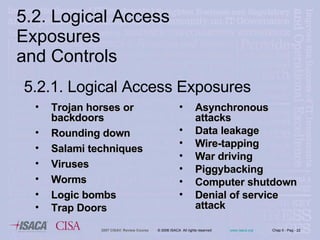
5.2. Logical Access Exposures  and Controls Trojan horses or backdoors  Rounding down Salami techniques Viruses  Worms Logic bombs Trap Doors Asynchronous attacks Data leakage Wire-tapping War driving Piggybacking Computer shutdown Denial of service attack 5.2.1.  Logical Access Exposures
5.2.2. Familiarization with the organization's IT environment These layers are:  the network operating system platform database and application layers 5.2. Logical Access Exposures  and Controls
5.2.3. Paths of Logical Access General points of entry Network connectivity Remote access Operator console Online workstations or terminals 5.2. Logical Access Exposures  and Controls
5.2.4. Logical Access Control Software Prevents unauthorized access and  modification to an organization’s sensitive data and use of system critical functions  5.2. Logical Access Exposures  and Controls
5.2.4. Logical access control software functionality General operating systems access control functions include: User identification and authentication mechanisms  Restricted logon IDs  Rules for access to specific information resources  Create individual accountability and auditability Create or change user profiles  Log events  Log user activities  Report capabilities  5.2. Logical Access Exposures  and Controls
5.2.4. Logical Access Control Software  -  Database and/or application-level access control  functions include:  Create or change data files and database profiles  Verify user authorization at the application and transaction levels Verify user authorization within the application Verify user authorization at the field level for changes within a database Verify subsystem authorization for the user at the file level Log database/data communications access activities for monitoring access violations 5.2. Logical Access Exposures  and Controls
5.2.5. Identification and Authentication Logon-ids and passwords Features of passwords Password syntax (format) rules Token devices- one time passwords Biometric Management of Biometrics  5.2. Logical Access Exposures  and Controls
5.2.5. Identification and Authentication Single sign-on (SSO) SSO is the process for the consolidating all organization platform-based administration, authentication and authorization functions into a single centralized administrative function. A single sign-on product that interfaces with:  client-server and distributed systems  mainframe systems  network security including remote access mechanisms 5.2. Logical Access Exposures  and Controls
5.2.5. Identification and Authentication Single sign-on (SSO) advantages  Multiple  passwords are no longer required, therefore, whereby a user may be more inclined and motivated to select a stronger password It improves an administrator’s ability to manage users’ accounts and authorizations to all associates systems It reduces administrative overhead in resetting forgotten passwords over multiple platforms and applications It reduces the time taken by users to log into multiple applications and platforms 5.2. Logical Access Exposures  and Controls
5.2.5. Identification and Authentication Single sign-on (SSO) disadvantages include: Support for all major operating system environments is difficult The costs associated with SSO development can be significant when considering the nature and extent of interface development and maintenance that may be necessary The centralized nature of SSO presents the possibility of a single point of failure and total compromise of an organization’s information assets 5.2. Logical Access Exposures  and Controls
5.2.6. Social Engineering Is the human side of breaking into a corporate network.  The best means of defense for social engineering is an ongoing security awareness program, wherein all employees are educated about the risks involved in attacks. 5.2. Logical Access Exposures  and Controls
5.2. Logical Access Exposures  and Controls Phishing This normally takes the form of an e-mail, though it may be a personal or telephone  approach, pretending to be an authorized  person or organization legitimately requesting information. 5.2.6. Social Engineering
5.2.7. Authorization Issues Typical access restrictions at the file level include:  Read, inquiry or copy only  Write, create, update or delete only  Execute only  A combination of the above  5.2. Logical Access Exposures  and Controls
5.2.7. Authorization Issues Access control lists refer to: Users (including groups, machines, processes)  who have been given permission to use a  particular system resource The types of access permitted  5.2. Logical Access Exposures  and Controls
5.2.7. Authorization Issues Logical access security administration Centralized environment Decentralized environment 5.2. Logical Access Exposures  and Controls
5.2.7. Authorization Issues -  Advantages of conducting security in a decentralized environment  The security administration is on-site at the  distributed location Security issues are resolved in a more timely manner Security controls are monitored on a more frequent  basis 5.2. Logical Access Exposures  and Controls
5.2.7. Authorization Issues -  Risks associated with distributed responsibility for security administration Local standards might be implemented rather than those required Levels of security management might be below chat can be maintained by central administration. Unavailability of management checks and audits.  5.2. Logical Access Exposures  and Controls
5.2.7. Authorization Issues   Remote access security Today’s organizations require remote access connectivity to their information resources for different types of users such as employees, vendors, consultants, business partners and customer representatives. In providing this capability, a variety of methods and procedures are available to satisfy an organization’s business need for this level of access.   5.2. Logical Access Exposures  and Controls
5.2.7. Authorization Issues Remote access security risks include: Denial of service  Malicious third parties Misconfigured communications software Misconfigured devices on the corporate computing  infrastructure Host systems not secured appropriately Physical security issues over remote users’ computers 5.2. Logical Access Exposures  and Controls
5.2.7. Authorization Issues Remote access security controls include: Policy and standards Proper authorizations Identification and authentication mechanisms Encryption tools and techniques, such as the use of VPN System and network management 5.2. Logical Access Exposures  and Controls
5.2. Logical Access Exposures  and Controls 5.2.7. Authorization   Issues Remote access using personal digital assistants (PDAs). -  Control issues to address include: Compliance Approval  Standard PDA applications Due care Awareness training PDA applications Synchronization Encryption Virus detection and control Device registration Camera use
5.2. Logical Access Exposures  and Controls 5.2.7. Authorization Issues Access issues with mobile technology These devices should be strictly controlled both by policy and by denial of use. Possible actions include: Banning all use of transportable drives in the security policy Where no authorized used of USB ports exists, disabling use with a logon script which removes them form the system directory If they are considered necessary for business use, encrypting all data transported or saved by these devices
5.2. Logical Access Exposures  and Controls 5.2.7. Authorization Issues Audit logging in monitoring system access provides management an audit trail to monitor activities of a suspicious nature, such as a hacker attempting brute force attacks on a privileged logon ID
5.2. Logical Access Exposures  and Controls 5.2.7. Authorization Issues Audit logging in monitoring system access - Access rights to system logs A periodic review of system-generated logs can detect security problems, including attempts to exceed access authority or gain system access during unusual   hours.
5.2. Logical Access Exposures  and Controls 5.2.7. Authorization Issues Audit logging in monitoring system access - Tools for audit trails (logs) analysis Audit reduction tools Trends/variance-detection tools Attack signature-detection tools
5.2. Logical Access Exposures  and Controls 5.2.7. Authorization Issues Audit logging in monitoring system access Cost consideration Audit concerns Patterns or trends that indicate abuse of access privileges, such as concentration on a sensitive application Violations (such as attempting computer file access that is not authorized) and/or use of incorrect passwords effectiveness of IDs and IPs and management of detected and prevented intrusion
5.2. Logical Access Exposures  and Controls 5.2.7. Authorization Issues Restrict and monitor access to computer  features that bypass cost consideration Generally, only system software  programmers should have access to: Bypass label processing (BLP) System exits Special system logon IDs
5.2. Logical Access Exposures  and Controls 5.2.7. Authorization Issues Naming conventions for logical access controls Are structures used to govern user access to  the system and user authority to access/use  computer resources, such as files, programs  and terminals.
5.2. Logical Access Exposures  and Controls 5.2.8. Storing, Retrieving, Transporting and  Disposing of Confidential Information -  Management should define and implement procedures to prevent access to, or loss of, sensitive information and software from computers, disks, and other equipment or media when they are stored, disposed of or transferred to another user.
Which of the following  BEST  provides access control to payroll data being processed on a local server?  A.  Logging of access to personal information B.  Separate password for sensitive  transactions C.  Software restricts access rules to  authorized staff D.  System access restricted to business  hours Chapter 5 Question 1
A utility is available to update critical tables in case of data inconsistency. This utility can be executed at the OS prompt or as one of menu options in an application. The  BEST  control to mitigate the risk of unauthorized manipulation of data is to: A. delete the utility software and install it as and when required. B. provide access to the utility on a need-to-use basis. C. provide access to the utility to user management. D. define access so that the utility can be executed only in the menu option. Chapter 5 Question 5
An organization is proposing to install a single sign-on facility giving access to all systems. The organization should be aware that: A. maximum unauthorized access would be possible if a password is disclosed. B. user access rights would be restricted by the additional security parameters. C. the security administrator’s workload would increase. D. user access rights would be increased . Chapter 5 Question 6
5.3. Network Infrastructure  Security
5.3.1. LAN Security Local area networks facilitate the storage and retrieval of programs and data used by a group of people. LAN software and practices also need to provide for the security of these programs and data.  LAN risk and issues  Dial-up access controls 5.3. Network Infrastructure Security
5.3.2. Client-Server Security   Control techniques in place Securing access to data or application Use of network monitoring devices Data encryption techniques Authentication systems Use of application level access control programs 5.3. Network Infrastructure  Security
5.3.2. Client/Server  Security Client/server  risks and issues Access controls may be weak in a client-server environment. Change control and change management procedures. The loss of network availability may have a serious impact on the business or service. Obsolescence of the network components The use of modems to connect the network to other networks 5.3. Network Infrastructure  Security
5.3.2. Client/Server  Security Client/server  risks and issues The connection of the network to public switched telephone networks  may be weak Changes to systems or data Access to confidential data and data modification may be unauthorized Application code and data may not be located on a single machine enclosed in a secure computer room, as with mainframe computing 5.3. Network Infrastructure  Security
5.3.3. Wireless Security Threats and Risk  Mitigation Threats categorization : Errors and omissions Fraud and theft committed by authorized or unauthorized users of the system Employee sabotage Loss of physical and infrastructure support Malicious hackers Industrial espionage Malicious code Foreign government espionage Threats to personal privacy 5.3. Network Infrastructure  Security
5.3.3. Wireless Security Threats and Risk  Mitigation Security requirements Authenticity Nonrepudiation Accountability Network availability 5.3. Network Infrastructure  Security
5.3.4. Internet Threats and Security Network Security Threats Passive attacks Network analysis Eavesdropping Traffic analysis Active attacks Brute-force attack Masquerading Packet replay Phishing Message modification Unauthorized access through the Internet or web-based services Denial of service Dial-in penetration attacks E-mail bombing and spamming E-mail spoofing 5.3. Network Infrastructure  Security
5.3.4. Internet Threats and Security Threat impact Loss of income Increased cost of recovery Increased cost of retrospectively securing systems Loss of information  Loss of trade secrets Damage to reputation Legal and regulatory noncompliance Failure to meet contractual commitments Legal action by customers for loss of confidential data  5.3. Network Infrastructure  Security
5.3.4. Internet Threats and Security Causal factors for internet attacks Availability of tools and techniques on the Internet Lack of security awareness and training Exploitation of security vulnerabilities Inadequate security over firewalls Internet security controls 5.3. Network Infrastructure  Security
Firewall Security Systems Firewall general features Firewall types Router packet filtering Application firewall systems Stateful inspection 5.3. Network Infrastructure  Security 5.3.4. Internet Threats and Security
Firewall Security Systems Examples of firewall implementations Screened-host firewall Dual-homed firewall Demilitarized zone (DMZ) 5.3. Network Infrastructure  Security 5.3.4. Internet Threats and Security
Firewall Security Systems Firewall issues A false sense of security The circumvention of firewall Misconfigured firewalls What constitutes a firewall Monitoring activities may not occur on a regular basis Firewall policies  5.3. Network Infrastructure  Security 5.3.4. Internet Threats and Security
5.3. Network Infrastructure  Security Firewall Security Systems Firewall Platforms Using hardware or software appliances versus normal servers 5.3.4. Internet Threats and Security
Intrusion Detection Systems (IDS) An IDS works in conjunction with routers and firewalls by monitoring network usage anomalies. Network-based IDSs Host-based IDSs 5.3. Network Infrastructure  Security 5.3.4. Internet Threats and Security
Intrusion Detection Systems (IDS) Components: Sensors that are responsible for collecting data Analyzers that receive inputo from sensors and determine intrusive activity An administration console A user interface 5.3. Network Infrastructure  Security 5.3.4. Internet Threats and Security
Intrusion Detection Systems (IDS) Types include: Signature-based Statistical-based Neural networks 5.3. Network Infrastructure  Security 5.3.4. Internet Threats and Security
Intrusion Detection Systems (IDS) Features: Intrusion detection Gathering evidence on intrusive activity Automated response Security monitoring Interface with system tolls Security policy management 5.3. Network Infrastructure  Security 5.3.4. Internet Threats and Security
Intrusion Detection Systems (IDS) Limitations: Weaknesses in the policy definition Application-level vulnerabilities Backdoors into applications Weaknesses in identification and authentication schemes 5.3. Network Infrastructure  Security 5.3.4. Internet Threats and Security
5.3. Network Infrastructure  Security Honeypots and Honeynets High interaction – Give hackers a real environment to attack Low interaction – Emulate production environments 5.3.4. Internet Threats and Security
5.3.5. Encryption Key elements of encryption systems Encryption algorithm Encryption key  Key length Private key cryptographic systems Public key cryptographic systems 5.3. Network Infrastructure  Security
5.3.5. Encryption (Continued) Elliptical curve cryptosystem (ECC) Quantum cryptography Advanced Encryption Standard (AES) Digital signatures 5.3. Network Infrastructure  Security
5.3.5. Encryption (Continued) Digital signatures Data integrity Authentication Nonrepudiation Replay protection 5.3. Network Infrastructure  Security
5.3.   Network Infrastructure  Security Digital Envelope   Used to send encrypted information and the relevant key along with it. The message to be sent, can be encrypted by using either: Asymmetric key Symmetric key 5.3.5. Encryption (Continued)
5.3.5. Encryption (Continued) Public key infrastructure Digital certificates Certificate authority (CA) Registration authority (RA) Certificate revocation list (CRL) Certification practice statement (CPS) 5.3. Network Infrastructure  Security
5.3.5. Encryption (Continued) Use of encryption in OSI protocols Secure sockets layer (SSL) Secure Hypertext Transfer Protocol (S/HTTP) IP security SSH Secure multipurpose Internet mail extensions (S/MIME) Secure electronic transactions (SET) 5.3. Network Infrastructure  Security
5.3. Network Infrastructure  Security Encryption risks and password protection Viruses Virus and worm controls Technical controls Anti-virus software implementation strategies 5.3.5. Encryption (Continued )
5.3. Network Infrastructure  Security Virus and Worm Controls   Management Procedural Controls   Technical controls Anti-virus software implementation strategies 5.3.6. Viruses
5.3. Network Infrastructure  Security 5.3.7. VOICE-OVER IP -  Advantages Unlike traditional telephony VoIP innovation progresses at market rates  Lower costs per call, or even free calls, especially for long-distance calls Lower infrastructure costs. Once IP infrastructure is installed, no or little additional telephony infrastructure is needed .
5.3. Network Infrastructure  Security 5.3.7. VOICE-OVER IP -  VoIP Security Issues Inherent poor security  The current Internet architecture does not provide the same physical wire security as the phone lines. The key to securing VoIP  security mechanisms such as those deployed in data networks (e.g., firewalls, encryption) to emulate the security level currently used by PSTN network users .
5.3. Network Infrastructure  Security 5.3.8. Private Branch Exchange  ( PBX   ) Attributes PBX Risks and Audit
Which of the following is the  MOST  effective anti-virus control?:  A.  Scanning e-mail attachments on the  mail server. B.  Restoring systems from clean copies. C.  Disabling floppy drives. D.  An online anti-virus scan with up-to- date virus definitions. Chapter 5 Question 2
An IS auditor has just completed a review of an organization that has a mainframe and a client-server environment where all production data reside. Which of the following weaknesses would be considered the  MOST  serious? A. The security officer also serves as the database administrator. B. Password controls are not administered over the client-server environment. C. There is no business continuity plan for the mainframe system’s noncritical applications. D. Most local area networks do not back up file-server-fixed disks regularly . Chapter 5 Question 4
A B-to-C e-commerce web site as part of its information security program wants to monitor, detect and prevent hacking activities and alert the system administrator when suspicious activities occur. Which of the following infrastructure components could be used for this purpose? A. Intrusion detection systems B. Firewalls C. Routers D. Asymmetric encryption Chapter 5 Question 7
Which of the following  BEST  determines whether complete encryption and authentication protocols for protecting information while being transmitted exist? A. A digital signature with RSA has been implemented. B. Work is being done in tunnel mode with the nested services of AH and ESP. C. Digital certificates with RSA are being used. D. Work is being done in transport mode with the nested services of AH and ESP. . Chapter 5 Question 8
Which of the following concerns about the security of an electronic message would be addressed by digital signatures? A. Unauthorized reading B. Theft C. Unauthorized copying D. Alteration Chapter 5 Question 9
Which of the following would be  MOST  appropriate to ensure the confidentiality of transactions initiated via the Internet? A. Digital signature B. Data Encryption Standard (DES) C. Virtual private network (VPN) D. Public key encryption Chapter 5 Question 10
5.4. Auditing Information Security  Framework
5.4.1. AUDITING INFORMATION SECURITY FRAMEWORK Review written policies, procedures and standards Logical access security policies Formal security awareness and training Data ownership (data classification scheme) Data owners 5.4. AUDITING INFORMATION SECURITY FRAMEWORK
5.4.1. Auditing Information Security Management (Cont.)  Data custodians Security administrator New IT Users Data users Documented authorizations Terminated employee access Access standards Security Baselines Access Standards 5.4. AUDITING INFORMATION SECURITY FRAMEWORK
5.4.2. Auditing Logical Access Familiarization with the organization's IT environment Documenting the access paths Interviewing systems personnel Reviewing reports from access control software Reviewing application systems operations manual 5.4. AUDITING INFORMATION SECURITY FRAMEWORK
5.4.3. Techniques for Testing Security Use of terminal cards and keys Terminal identification Logon-ids and passwords Controls over production resources Logging and reporting of computer access violations 5.4. AUDITING INFORMATION SECURITY FRAMEWORK
5.4.3. Techniques for Testing Security   (Continued) Follow-up access violations Investigation of computer crime Protection of Evidence Identification of methods of bypassing security and compensating controls Review access controls and password administration 5.4. AUDITING INFORMATION SECURITY FRAMEWORK
5.4.4.  INVESTIGATION  TECHNIQUES Investigation of Computer Crime Protection of Evidence and Chain of Custody 5.4. AUDITING INFORMATION SECURITY FRAMEWORK
An IS auditor reviewing the log of failed logon attempts would be  MOST  concerned if which of the following accounts was targeted? A. Network administrator B. System administrator C. Data administrator D. Database administrator Chapter 5 Question 3
5.5. Auditing Network Infrastructure Security
5.5.1. Auditing Remote Access Auditing Internet “Points of Presence” Network penetration tests Full network assessment reviews LAN networks assessments Development and authorization of network changes Unauthorized changes 5.5. Auditing Network Infrastructure Security
5.5. Auditing Network Infrastructure Security 5.5.1. Auditing Remote Access Computer Forensics   “ It is the process of identifying, preserving, analyzing and presenting digital evidence in a manner that is legally acceptable in any legal proceedings”.
5.6. Environmental Exposures and Controls
5.6.1. Environmental Issues and Exposures   Environmental exposures are due primarily to naturally occurring events, such as lightning storms, earthquakes, volcanic eruptions, hurricanes, tornados and other types of extreme weather conditions. 5.6. Environmental Exposures and Controls
5.6.1. Environmental Issues and Exposures Power failures can be grouped into distinct categories Total failure (blackout) Severely reduced voltage (brownout) Sags, spikes and surges Electromagnetic interference (EMI) 5.6. Environmental Exposures and Controls
5.6.2. Controls for Environmental Exposures Alarm control panels Water detectors Handheld fire extinguishers Manual fire alarms Smoke detectors Fire suppression systems Strategically locating the computer room 5.6. Environmental Exposures and Controls
5.6.2. Controls for Environmental Exposures (cont.) Regular inspection by fire department Fireproof walls, floors and ceilings surrounding the computer room Electrical surge protectors Uninterruptible power supply/generator Emergency power-off switch Power leads from two substations 5.6. Environmental Exposures and Controls
5.6.2. Controls for Environmental Exposures (cont.) Wiring placed in electrical panels and conduit Prohibiting against eating, drinking and smoking within the information processing facility Fire resistant office materials Documented and tested emergency evacuation plans 5.6. Environmental Exposures and Controls
5.6.3. Auditing Environmental Controls Water and smoke detectors Handheld fire extinguishers Fire suppression systems Regular inspection by fire department Fireproof walls, floors and ceilings surrounding the computer room Electrical surge protectors 5.6. Environmental Exposures and Controls
5.6.3. Auditing Environmental Controls (cont.) Power leads from two substations Fully documented and tested business continuity plan Wiring placed in electrical panels and conduit UPS/generator Documented and tested emergency evacuation plans Humidity/temperature control 5.6. Environmental Exposures and Controls
5.7. Physical Access Exposures  and Controls
5.7.1. Physical Access Issues and Exposures Physical access exposures Unauthorized entry Damage, vandalism or theft to equipment or documents Copying or viewing of sensitive ore copyrighted information Alteration of sensitive equipment and information Public disclosure of sensitive information Abuse of data processing resources Blackmail Embezzlement 5.7. Physical Access Exposures and Controls
5.7.1. Physical Access Issues and Exposures Possible perpetrators Disgruntled On strike Threatened by disciplinary action or dismissal Addicted to a substance or gambling Experiencing financial or emotional problems Notified of their termination 5.7. Physical Access Exposures and Controls
5.7.2. Physical Access Controls Bolting door locks Combination door locks (cipher locks) Electronic door locks Biometric door locks Manual logging Electronic logging 5.7. Physical Access Exposures and Controls
5.7.2. Physical Access Controls (continued) Identification badges (photo IDs) Video cameras Security guards Controlled visitor access Bonded personnel Deadman doors 5.7. Physical Access Exposures and Controls
5.7.2. Physical Access Controls (continued) Not advertising the location of sensitive facilities Computer workstation locks Controlled single entry point Alarm system Secured report/document distribution cart 5.7. Physical Access Exposures and Controls
5.7.3. Auditing Physical Access Touring the information processing facility  (IPF) Testing of physical safeguards 5.7. Physical Access Exposures and Controls
5.8. Mobile  Computing
5.9. Case Study
CASE STUDY SCENARIO Management is currently considering ways in which to enhance the physical security and protection of its data center. The IS auditor has been asked to assist in this process by evaluating the current environment and making recommendations for improvement. The data center consists of 15,000 square feet (1,395 square meters) of raised flooring on the ground floor of the corporate headquarters building.  Chapter 5 CASE STUDY
CASE STUDY SCENARIO  (Cond…) A total of 22 operations personnel require regular access. Currently, access to the data center is obtained using a proximity card, which is assigned to each authorized individual. There are three entrances to the data center, each of which utilizes a card reader and has a camera monitoring the entrance. These cameras feed their signals to a monitor at the building reception desk, which cycles through these images along with views from other cameras inside and outside the building.  Chapter 5 CASE STUDY
CASE STUDY SCENARIO  (Cont…) Two of the doors to the data center also have key locks that bypass the electronic system so that a proximity card is not required for entry. Use of proximity cards is written to an electronic log. This log is retained for 45 days. During the review, the IS auditor noted that 64 proximity cards are currently active and issued to various personnel. The data center has no exterior windows, although one wall is glass and overlooks the entry foyer and reception area for the building. Chapter 5 CASE STUDY
5.10. Practice Questions
CASE STUDY QUESTIONS 1. Which of the following risks would be mitigated by supplementing the proximity card system with a biometric scanner to provide two-factor authentication? A. Piggybacking or tailgating B. Sharing access cards C. Failure to log access D. Copying of keys Chapter 5 CASE STUDY
CASE STUDY QUESTIONS 2. Which of the following access mechanisms would present the greatest difficulty in terms of user acceptance? A. Hand geometry recognition B. Fingerprints C. Retina scanning D. Voice recognition Chapter 5 CASE STUDY
5.11. Answers to Practice Questions
5.12. Suggested Resources for Reference
Group Discussion Chapter 5 Recap

Chap5 2007 Cisa Review Course

  • 1.
    Chapter 5 Protection of Information Assets 2007 CISA  Review Course
  • 2.
    Chapter Overview Importanceof Information Security Management Logical Access Exposures and Controls Network Infrastructure Security Auditing Information Security Management Framework Auditing Network Infrastructure Security Environmental Exposures and Controls Physical Access Exposures and Controls Mobile Computing.
  • 3.
    Chapter ObjectiveEnsure that the CISA candidate… “ understands and can provide assurance that the security architecture (policies, standards, procedures and controls) ensures the confidentiality, integrity and availability of information assets. ”
  • 4.
    Chapter 5 Summary According to the CISA Certification Board, this content area will represent approximately 31% of the CISA examination. (approximately 62 questions)
  • 5.
    5.1. Importance ofInformation Security Management
  • 6.
    5.1. Importance ofInformation Security Management Security objectives to meet organization’s business requirements include : Ensure the continued availability of their information systems. Ensure the integrity of the information stored on their computer systems. Preserve the confidentiality of sensitive data. Ensure conformity to applicable laws, regulations and standards. Ensure adherence to trust and obligation in relation to any information relating to an identified or identifiable individual Preserve the confidentiality of sensitive data in store and in transit.
  • 7.
    5.1. Importance ofInformation Security Management 5.1.1. Key Elements of Information Security Management Senior management commitment and support Policies and procedures Organization Security awareness and education Monitoring and compliance Incident handling and response 5.1. Importance of Information Security Management
  • 8.
    5.1.2. Information SecurityManagement Roles and Responsibilities IS security steering committee Executive management Security advisory group Chief Privacy Officer (CPO) Chief security officer (CSO) Process owners Information assets owners and data owners Users External parties Security specialists/advisors IT developers IS auditors 5.1. Importance of Information Security Management
  • 9.
    5.1. Importance ofInformation Security Management 5.1.3. Information Asset Inventories Clear identification of asset Location Security/risk classification Asset group Owner
  • 10.
    5.1.4. Classification ofInformation Assets Who has access rights and to what? The level of access to be granted Who is responsible for determining the access rights and access levels? What approvals are needed for access? 5.1. Importance of Information Security Management
  • 11.
    5.1.5. SystemAccess Permissions Logically or physically based Need-to-know basis Four IT layers of security provided for networks Access to information resources Access Capabilities Reviews of access authorization 5.1. Importance of Information Security Management
  • 12.
    5.1. Importance ofInformation Security Management 5.1.6. Mandatory and Discretionary Access Controls - Mandatory Enforces corporate security policy Compares sensitivity of information resources Discretionary - Enforces data-owner-defined sharing of information resources.
  • 13.
    5.1.7. Privacy ManagementIssues and the Role of IS Auditors - The goals of a privacy impact assessment Pinpoint the nature of personally identifiable information associated with business processes Document the collection, use, disclosure and destruction of personally identifiable information Ensure that accountability for privacy issues exists Be the foundation for informed policy, operations and system design decisions based on an understanding of privacy risk and the options available for mitigating that risk . 5.1. Importance of Information Security Management
  • 14.
    5.1.8. Critical successfactors to information security management Information Security Policy Senior management commitment and support on security training Security Awareness Training Professional Risk-based Approach 5.1. Importance of Information Security Management
  • 15.
    5.1.9. Information securityand External Parties Identification of Risks Related to External Parties Addressing Security When Dealing With Customers Addressing Security in Third-party Agreements 5.1. Importance of Information Security Management
  • 16.
    5.1.10. HUMANRESOURCES SECURITY AND THIRD PARTIES Screening Terms and Conditions of Employment During Employment Termination or Change of Employment Removal of Access Rights 5.1. Importance of Information Security Management
  • 17.
    5.1.11. Computer crimeissues and exposures Threats to business include the following: Financial loss Legal repercussions Loss of credibility or competitive edge Blackmail/industrial espionage Disclosure of confidential, sensitive or embarrassing information Sabotage 5.1. Importance of Information Security Management
  • 18.
    5.1.11. Computer crimeissues and exposures (Cont.) Computer crime vs. computer abuse “ Crime” depending on statistics of the jurisdiction Civil offense vs. criminal offence When should a crime be suspected? 5.1. Importance of Information Security Management
  • 19.
    5.1.11. Computer crimeissues and exposures (Cont.) Possible perpetrators include: Hackers Script Kiddies Crackers Employees (authorized or unauthorized) IS personnel End users Former employees Interested or educated outsiders Part-time and temporary personnel Third parties Accidental ignorant 5.1. Importance of Information Security Management
  • 20.
    5.2. Logical AccessExposures and Controls
  • 21.
    Logical access controlsare the primary means of managing and protecting resources to reduce risks to a level acceptable to an organization. 5.2. Logical Access Exposures and Controls
  • 22.
    5.2. Logical AccessExposures and Controls Trojan horses or backdoors Rounding down Salami techniques Viruses Worms Logic bombs Trap Doors Asynchronous attacks Data leakage Wire-tapping War driving Piggybacking Computer shutdown Denial of service attack 5.2.1. Logical Access Exposures
  • 23.
    5.2.2. Familiarization withthe organization's IT environment These layers are: the network operating system platform database and application layers 5.2. Logical Access Exposures and Controls
  • 24.
    5.2.3. Paths ofLogical Access General points of entry Network connectivity Remote access Operator console Online workstations or terminals 5.2. Logical Access Exposures and Controls
  • 25.
    5.2.4. Logical AccessControl Software Prevents unauthorized access and modification to an organization’s sensitive data and use of system critical functions 5.2. Logical Access Exposures and Controls
  • 26.
    5.2.4. Logical accesscontrol software functionality General operating systems access control functions include: User identification and authentication mechanisms Restricted logon IDs Rules for access to specific information resources Create individual accountability and auditability Create or change user profiles Log events Log user activities Report capabilities 5.2. Logical Access Exposures and Controls
  • 27.
    5.2.4. Logical AccessControl Software - Database and/or application-level access control functions include: Create or change data files and database profiles Verify user authorization at the application and transaction levels Verify user authorization within the application Verify user authorization at the field level for changes within a database Verify subsystem authorization for the user at the file level Log database/data communications access activities for monitoring access violations 5.2. Logical Access Exposures and Controls
  • 28.
    5.2.5. Identification andAuthentication Logon-ids and passwords Features of passwords Password syntax (format) rules Token devices- one time passwords Biometric Management of Biometrics 5.2. Logical Access Exposures and Controls
  • 29.
    5.2.5. Identification andAuthentication Single sign-on (SSO) SSO is the process for the consolidating all organization platform-based administration, authentication and authorization functions into a single centralized administrative function. A single sign-on product that interfaces with: client-server and distributed systems mainframe systems network security including remote access mechanisms 5.2. Logical Access Exposures and Controls
  • 30.
    5.2.5. Identification andAuthentication Single sign-on (SSO) advantages Multiple passwords are no longer required, therefore, whereby a user may be more inclined and motivated to select a stronger password It improves an administrator’s ability to manage users’ accounts and authorizations to all associates systems It reduces administrative overhead in resetting forgotten passwords over multiple platforms and applications It reduces the time taken by users to log into multiple applications and platforms 5.2. Logical Access Exposures and Controls
  • 31.
    5.2.5. Identification andAuthentication Single sign-on (SSO) disadvantages include: Support for all major operating system environments is difficult The costs associated with SSO development can be significant when considering the nature and extent of interface development and maintenance that may be necessary The centralized nature of SSO presents the possibility of a single point of failure and total compromise of an organization’s information assets 5.2. Logical Access Exposures and Controls
  • 32.
    5.2.6. Social EngineeringIs the human side of breaking into a corporate network. The best means of defense for social engineering is an ongoing security awareness program, wherein all employees are educated about the risks involved in attacks. 5.2. Logical Access Exposures and Controls
  • 33.
    5.2. Logical AccessExposures and Controls Phishing This normally takes the form of an e-mail, though it may be a personal or telephone approach, pretending to be an authorized person or organization legitimately requesting information. 5.2.6. Social Engineering
  • 34.
    5.2.7. Authorization IssuesTypical access restrictions at the file level include: Read, inquiry or copy only Write, create, update or delete only Execute only A combination of the above 5.2. Logical Access Exposures and Controls
  • 35.
    5.2.7. Authorization IssuesAccess control lists refer to: Users (including groups, machines, processes) who have been given permission to use a particular system resource The types of access permitted 5.2. Logical Access Exposures and Controls
  • 36.
    5.2.7. Authorization IssuesLogical access security administration Centralized environment Decentralized environment 5.2. Logical Access Exposures and Controls
  • 37.
    5.2.7. Authorization Issues- Advantages of conducting security in a decentralized environment The security administration is on-site at the distributed location Security issues are resolved in a more timely manner Security controls are monitored on a more frequent basis 5.2. Logical Access Exposures and Controls
  • 38.
    5.2.7. Authorization Issues- Risks associated with distributed responsibility for security administration Local standards might be implemented rather than those required Levels of security management might be below chat can be maintained by central administration. Unavailability of management checks and audits. 5.2. Logical Access Exposures and Controls
  • 39.
    5.2.7. Authorization Issues Remote access security Today’s organizations require remote access connectivity to their information resources for different types of users such as employees, vendors, consultants, business partners and customer representatives. In providing this capability, a variety of methods and procedures are available to satisfy an organization’s business need for this level of access. 5.2. Logical Access Exposures and Controls
  • 40.
    5.2.7. Authorization IssuesRemote access security risks include: Denial of service Malicious third parties Misconfigured communications software Misconfigured devices on the corporate computing infrastructure Host systems not secured appropriately Physical security issues over remote users’ computers 5.2. Logical Access Exposures and Controls
  • 41.
    5.2.7. Authorization IssuesRemote access security controls include: Policy and standards Proper authorizations Identification and authentication mechanisms Encryption tools and techniques, such as the use of VPN System and network management 5.2. Logical Access Exposures and Controls
  • 42.
    5.2. Logical AccessExposures and Controls 5.2.7. Authorization Issues Remote access using personal digital assistants (PDAs). - Control issues to address include: Compliance Approval Standard PDA applications Due care Awareness training PDA applications Synchronization Encryption Virus detection and control Device registration Camera use
  • 43.
    5.2. Logical AccessExposures and Controls 5.2.7. Authorization Issues Access issues with mobile technology These devices should be strictly controlled both by policy and by denial of use. Possible actions include: Banning all use of transportable drives in the security policy Where no authorized used of USB ports exists, disabling use with a logon script which removes them form the system directory If they are considered necessary for business use, encrypting all data transported or saved by these devices
  • 44.
    5.2. Logical AccessExposures and Controls 5.2.7. Authorization Issues Audit logging in monitoring system access provides management an audit trail to monitor activities of a suspicious nature, such as a hacker attempting brute force attacks on a privileged logon ID
  • 45.
    5.2. Logical AccessExposures and Controls 5.2.7. Authorization Issues Audit logging in monitoring system access - Access rights to system logs A periodic review of system-generated logs can detect security problems, including attempts to exceed access authority or gain system access during unusual hours.
  • 46.
    5.2. Logical AccessExposures and Controls 5.2.7. Authorization Issues Audit logging in monitoring system access - Tools for audit trails (logs) analysis Audit reduction tools Trends/variance-detection tools Attack signature-detection tools
  • 47.
    5.2. Logical AccessExposures and Controls 5.2.7. Authorization Issues Audit logging in monitoring system access Cost consideration Audit concerns Patterns or trends that indicate abuse of access privileges, such as concentration on a sensitive application Violations (such as attempting computer file access that is not authorized) and/or use of incorrect passwords effectiveness of IDs and IPs and management of detected and prevented intrusion
  • 48.
    5.2. Logical AccessExposures and Controls 5.2.7. Authorization Issues Restrict and monitor access to computer features that bypass cost consideration Generally, only system software programmers should have access to: Bypass label processing (BLP) System exits Special system logon IDs
  • 49.
    5.2. Logical AccessExposures and Controls 5.2.7. Authorization Issues Naming conventions for logical access controls Are structures used to govern user access to the system and user authority to access/use computer resources, such as files, programs and terminals.
  • 50.
    5.2. Logical AccessExposures and Controls 5.2.8. Storing, Retrieving, Transporting and Disposing of Confidential Information - Management should define and implement procedures to prevent access to, or loss of, sensitive information and software from computers, disks, and other equipment or media when they are stored, disposed of or transferred to another user.
  • 51.
    Which of thefollowing BEST provides access control to payroll data being processed on a local server? A. Logging of access to personal information B. Separate password for sensitive transactions C. Software restricts access rules to authorized staff D. System access restricted to business hours Chapter 5 Question 1
  • 52.
    A utility isavailable to update critical tables in case of data inconsistency. This utility can be executed at the OS prompt or as one of menu options in an application. The BEST control to mitigate the risk of unauthorized manipulation of data is to: A. delete the utility software and install it as and when required. B. provide access to the utility on a need-to-use basis. C. provide access to the utility to user management. D. define access so that the utility can be executed only in the menu option. Chapter 5 Question 5
  • 53.
    An organization isproposing to install a single sign-on facility giving access to all systems. The organization should be aware that: A. maximum unauthorized access would be possible if a password is disclosed. B. user access rights would be restricted by the additional security parameters. C. the security administrator’s workload would increase. D. user access rights would be increased . Chapter 5 Question 6
  • 54.
  • 55.
    5.3.1. LAN SecurityLocal area networks facilitate the storage and retrieval of programs and data used by a group of people. LAN software and practices also need to provide for the security of these programs and data. LAN risk and issues Dial-up access controls 5.3. Network Infrastructure Security
  • 56.
    5.3.2. Client-Server Security Control techniques in place Securing access to data or application Use of network monitoring devices Data encryption techniques Authentication systems Use of application level access control programs 5.3. Network Infrastructure Security
  • 57.
    5.3.2. Client/Server Security Client/server risks and issues Access controls may be weak in a client-server environment. Change control and change management procedures. The loss of network availability may have a serious impact on the business or service. Obsolescence of the network components The use of modems to connect the network to other networks 5.3. Network Infrastructure Security
  • 58.
    5.3.2. Client/Server Security Client/server risks and issues The connection of the network to public switched telephone networks may be weak Changes to systems or data Access to confidential data and data modification may be unauthorized Application code and data may not be located on a single machine enclosed in a secure computer room, as with mainframe computing 5.3. Network Infrastructure Security
  • 59.
    5.3.3. Wireless SecurityThreats and Risk Mitigation Threats categorization : Errors and omissions Fraud and theft committed by authorized or unauthorized users of the system Employee sabotage Loss of physical and infrastructure support Malicious hackers Industrial espionage Malicious code Foreign government espionage Threats to personal privacy 5.3. Network Infrastructure Security
  • 60.
    5.3.3. Wireless SecurityThreats and Risk Mitigation Security requirements Authenticity Nonrepudiation Accountability Network availability 5.3. Network Infrastructure Security
  • 61.
    5.3.4. Internet Threatsand Security Network Security Threats Passive attacks Network analysis Eavesdropping Traffic analysis Active attacks Brute-force attack Masquerading Packet replay Phishing Message modification Unauthorized access through the Internet or web-based services Denial of service Dial-in penetration attacks E-mail bombing and spamming E-mail spoofing 5.3. Network Infrastructure Security
  • 62.
    5.3.4. Internet Threatsand Security Threat impact Loss of income Increased cost of recovery Increased cost of retrospectively securing systems Loss of information Loss of trade secrets Damage to reputation Legal and regulatory noncompliance Failure to meet contractual commitments Legal action by customers for loss of confidential data 5.3. Network Infrastructure Security
  • 63.
    5.3.4. Internet Threatsand Security Causal factors for internet attacks Availability of tools and techniques on the Internet Lack of security awareness and training Exploitation of security vulnerabilities Inadequate security over firewalls Internet security controls 5.3. Network Infrastructure Security
  • 64.
    Firewall Security SystemsFirewall general features Firewall types Router packet filtering Application firewall systems Stateful inspection 5.3. Network Infrastructure Security 5.3.4. Internet Threats and Security
  • 65.
    Firewall Security SystemsExamples of firewall implementations Screened-host firewall Dual-homed firewall Demilitarized zone (DMZ) 5.3. Network Infrastructure Security 5.3.4. Internet Threats and Security
  • 66.
    Firewall Security SystemsFirewall issues A false sense of security The circumvention of firewall Misconfigured firewalls What constitutes a firewall Monitoring activities may not occur on a regular basis Firewall policies 5.3. Network Infrastructure Security 5.3.4. Internet Threats and Security
  • 67.
    5.3. Network Infrastructure Security Firewall Security Systems Firewall Platforms Using hardware or software appliances versus normal servers 5.3.4. Internet Threats and Security
  • 68.
    Intrusion Detection Systems(IDS) An IDS works in conjunction with routers and firewalls by monitoring network usage anomalies. Network-based IDSs Host-based IDSs 5.3. Network Infrastructure Security 5.3.4. Internet Threats and Security
  • 69.
    Intrusion Detection Systems(IDS) Components: Sensors that are responsible for collecting data Analyzers that receive inputo from sensors and determine intrusive activity An administration console A user interface 5.3. Network Infrastructure Security 5.3.4. Internet Threats and Security
  • 70.
    Intrusion Detection Systems(IDS) Types include: Signature-based Statistical-based Neural networks 5.3. Network Infrastructure Security 5.3.4. Internet Threats and Security
  • 71.
    Intrusion Detection Systems(IDS) Features: Intrusion detection Gathering evidence on intrusive activity Automated response Security monitoring Interface with system tolls Security policy management 5.3. Network Infrastructure Security 5.3.4. Internet Threats and Security
  • 72.
    Intrusion Detection Systems(IDS) Limitations: Weaknesses in the policy definition Application-level vulnerabilities Backdoors into applications Weaknesses in identification and authentication schemes 5.3. Network Infrastructure Security 5.3.4. Internet Threats and Security
  • 73.
    5.3. Network Infrastructure Security Honeypots and Honeynets High interaction – Give hackers a real environment to attack Low interaction – Emulate production environments 5.3.4. Internet Threats and Security
  • 74.
    5.3.5. Encryption Keyelements of encryption systems Encryption algorithm Encryption key Key length Private key cryptographic systems Public key cryptographic systems 5.3. Network Infrastructure Security
  • 75.
    5.3.5. Encryption (Continued)Elliptical curve cryptosystem (ECC) Quantum cryptography Advanced Encryption Standard (AES) Digital signatures 5.3. Network Infrastructure Security
  • 76.
    5.3.5. Encryption (Continued)Digital signatures Data integrity Authentication Nonrepudiation Replay protection 5.3. Network Infrastructure Security
  • 77.
    5.3. Network Infrastructure Security Digital Envelope Used to send encrypted information and the relevant key along with it. The message to be sent, can be encrypted by using either: Asymmetric key Symmetric key 5.3.5. Encryption (Continued)
  • 78.
    5.3.5. Encryption (Continued)Public key infrastructure Digital certificates Certificate authority (CA) Registration authority (RA) Certificate revocation list (CRL) Certification practice statement (CPS) 5.3. Network Infrastructure Security
  • 79.
    5.3.5. Encryption (Continued)Use of encryption in OSI protocols Secure sockets layer (SSL) Secure Hypertext Transfer Protocol (S/HTTP) IP security SSH Secure multipurpose Internet mail extensions (S/MIME) Secure electronic transactions (SET) 5.3. Network Infrastructure Security
  • 80.
    5.3. Network Infrastructure Security Encryption risks and password protection Viruses Virus and worm controls Technical controls Anti-virus software implementation strategies 5.3.5. Encryption (Continued )
  • 81.
    5.3. Network Infrastructure Security Virus and Worm Controls Management Procedural Controls Technical controls Anti-virus software implementation strategies 5.3.6. Viruses
  • 82.
    5.3. Network Infrastructure Security 5.3.7. VOICE-OVER IP - Advantages Unlike traditional telephony VoIP innovation progresses at market rates Lower costs per call, or even free calls, especially for long-distance calls Lower infrastructure costs. Once IP infrastructure is installed, no or little additional telephony infrastructure is needed .
  • 83.
    5.3. Network Infrastructure Security 5.3.7. VOICE-OVER IP - VoIP Security Issues Inherent poor security The current Internet architecture does not provide the same physical wire security as the phone lines. The key to securing VoIP security mechanisms such as those deployed in data networks (e.g., firewalls, encryption) to emulate the security level currently used by PSTN network users .
  • 84.
    5.3. Network Infrastructure Security 5.3.8. Private Branch Exchange ( PBX ) Attributes PBX Risks and Audit
  • 85.
    Which of thefollowing is the MOST effective anti-virus control?: A. Scanning e-mail attachments on the mail server. B. Restoring systems from clean copies. C. Disabling floppy drives. D. An online anti-virus scan with up-to- date virus definitions. Chapter 5 Question 2
  • 86.
    An IS auditorhas just completed a review of an organization that has a mainframe and a client-server environment where all production data reside. Which of the following weaknesses would be considered the MOST serious? A. The security officer also serves as the database administrator. B. Password controls are not administered over the client-server environment. C. There is no business continuity plan for the mainframe system’s noncritical applications. D. Most local area networks do not back up file-server-fixed disks regularly . Chapter 5 Question 4
  • 87.
    A B-to-C e-commerceweb site as part of its information security program wants to monitor, detect and prevent hacking activities and alert the system administrator when suspicious activities occur. Which of the following infrastructure components could be used for this purpose? A. Intrusion detection systems B. Firewalls C. Routers D. Asymmetric encryption Chapter 5 Question 7
  • 88.
    Which of thefollowing BEST determines whether complete encryption and authentication protocols for protecting information while being transmitted exist? A. A digital signature with RSA has been implemented. B. Work is being done in tunnel mode with the nested services of AH and ESP. C. Digital certificates with RSA are being used. D. Work is being done in transport mode with the nested services of AH and ESP. . Chapter 5 Question 8
  • 89.
    Which of thefollowing concerns about the security of an electronic message would be addressed by digital signatures? A. Unauthorized reading B. Theft C. Unauthorized copying D. Alteration Chapter 5 Question 9
  • 90.
    Which of thefollowing would be MOST appropriate to ensure the confidentiality of transactions initiated via the Internet? A. Digital signature B. Data Encryption Standard (DES) C. Virtual private network (VPN) D. Public key encryption Chapter 5 Question 10
  • 91.
    5.4. Auditing InformationSecurity Framework
  • 92.
    5.4.1. AUDITING INFORMATIONSECURITY FRAMEWORK Review written policies, procedures and standards Logical access security policies Formal security awareness and training Data ownership (data classification scheme) Data owners 5.4. AUDITING INFORMATION SECURITY FRAMEWORK
  • 93.
    5.4.1. Auditing InformationSecurity Management (Cont.) Data custodians Security administrator New IT Users Data users Documented authorizations Terminated employee access Access standards Security Baselines Access Standards 5.4. AUDITING INFORMATION SECURITY FRAMEWORK
  • 94.
    5.4.2. Auditing LogicalAccess Familiarization with the organization's IT environment Documenting the access paths Interviewing systems personnel Reviewing reports from access control software Reviewing application systems operations manual 5.4. AUDITING INFORMATION SECURITY FRAMEWORK
  • 95.
    5.4.3. Techniques forTesting Security Use of terminal cards and keys Terminal identification Logon-ids and passwords Controls over production resources Logging and reporting of computer access violations 5.4. AUDITING INFORMATION SECURITY FRAMEWORK
  • 96.
    5.4.3. Techniques forTesting Security (Continued) Follow-up access violations Investigation of computer crime Protection of Evidence Identification of methods of bypassing security and compensating controls Review access controls and password administration 5.4. AUDITING INFORMATION SECURITY FRAMEWORK
  • 97.
    5.4.4. INVESTIGATION TECHNIQUES Investigation of Computer Crime Protection of Evidence and Chain of Custody 5.4. AUDITING INFORMATION SECURITY FRAMEWORK
  • 98.
    An IS auditorreviewing the log of failed logon attempts would be MOST concerned if which of the following accounts was targeted? A. Network administrator B. System administrator C. Data administrator D. Database administrator Chapter 5 Question 3
  • 99.
    5.5. Auditing NetworkInfrastructure Security
  • 100.
    5.5.1. Auditing RemoteAccess Auditing Internet “Points of Presence” Network penetration tests Full network assessment reviews LAN networks assessments Development and authorization of network changes Unauthorized changes 5.5. Auditing Network Infrastructure Security
  • 101.
    5.5. Auditing NetworkInfrastructure Security 5.5.1. Auditing Remote Access Computer Forensics “ It is the process of identifying, preserving, analyzing and presenting digital evidence in a manner that is legally acceptable in any legal proceedings”.
  • 102.
  • 103.
    5.6.1. Environmental Issuesand Exposures Environmental exposures are due primarily to naturally occurring events, such as lightning storms, earthquakes, volcanic eruptions, hurricanes, tornados and other types of extreme weather conditions. 5.6. Environmental Exposures and Controls
  • 104.
    5.6.1. Environmental Issuesand Exposures Power failures can be grouped into distinct categories Total failure (blackout) Severely reduced voltage (brownout) Sags, spikes and surges Electromagnetic interference (EMI) 5.6. Environmental Exposures and Controls
  • 105.
    5.6.2. Controls forEnvironmental Exposures Alarm control panels Water detectors Handheld fire extinguishers Manual fire alarms Smoke detectors Fire suppression systems Strategically locating the computer room 5.6. Environmental Exposures and Controls
  • 106.
    5.6.2. Controls forEnvironmental Exposures (cont.) Regular inspection by fire department Fireproof walls, floors and ceilings surrounding the computer room Electrical surge protectors Uninterruptible power supply/generator Emergency power-off switch Power leads from two substations 5.6. Environmental Exposures and Controls
  • 107.
    5.6.2. Controls forEnvironmental Exposures (cont.) Wiring placed in electrical panels and conduit Prohibiting against eating, drinking and smoking within the information processing facility Fire resistant office materials Documented and tested emergency evacuation plans 5.6. Environmental Exposures and Controls
  • 108.
    5.6.3. Auditing EnvironmentalControls Water and smoke detectors Handheld fire extinguishers Fire suppression systems Regular inspection by fire department Fireproof walls, floors and ceilings surrounding the computer room Electrical surge protectors 5.6. Environmental Exposures and Controls
  • 109.
    5.6.3. Auditing EnvironmentalControls (cont.) Power leads from two substations Fully documented and tested business continuity plan Wiring placed in electrical panels and conduit UPS/generator Documented and tested emergency evacuation plans Humidity/temperature control 5.6. Environmental Exposures and Controls
  • 110.
    5.7. Physical AccessExposures and Controls
  • 111.
    5.7.1. Physical AccessIssues and Exposures Physical access exposures Unauthorized entry Damage, vandalism or theft to equipment or documents Copying or viewing of sensitive ore copyrighted information Alteration of sensitive equipment and information Public disclosure of sensitive information Abuse of data processing resources Blackmail Embezzlement 5.7. Physical Access Exposures and Controls
  • 112.
    5.7.1. Physical AccessIssues and Exposures Possible perpetrators Disgruntled On strike Threatened by disciplinary action or dismissal Addicted to a substance or gambling Experiencing financial or emotional problems Notified of their termination 5.7. Physical Access Exposures and Controls
  • 113.
    5.7.2. Physical AccessControls Bolting door locks Combination door locks (cipher locks) Electronic door locks Biometric door locks Manual logging Electronic logging 5.7. Physical Access Exposures and Controls
  • 114.
    5.7.2. Physical AccessControls (continued) Identification badges (photo IDs) Video cameras Security guards Controlled visitor access Bonded personnel Deadman doors 5.7. Physical Access Exposures and Controls
  • 115.
    5.7.2. Physical AccessControls (continued) Not advertising the location of sensitive facilities Computer workstation locks Controlled single entry point Alarm system Secured report/document distribution cart 5.7. Physical Access Exposures and Controls
  • 116.
    5.7.3. Auditing PhysicalAccess Touring the information processing facility (IPF) Testing of physical safeguards 5.7. Physical Access Exposures and Controls
  • 117.
    5.8. Mobile Computing
  • 118.
  • 119.
    CASE STUDY SCENARIOManagement is currently considering ways in which to enhance the physical security and protection of its data center. The IS auditor has been asked to assist in this process by evaluating the current environment and making recommendations for improvement. The data center consists of 15,000 square feet (1,395 square meters) of raised flooring on the ground floor of the corporate headquarters building. Chapter 5 CASE STUDY
  • 120.
    CASE STUDY SCENARIO (Cond…) A total of 22 operations personnel require regular access. Currently, access to the data center is obtained using a proximity card, which is assigned to each authorized individual. There are three entrances to the data center, each of which utilizes a card reader and has a camera monitoring the entrance. These cameras feed their signals to a monitor at the building reception desk, which cycles through these images along with views from other cameras inside and outside the building. Chapter 5 CASE STUDY
  • 121.
    CASE STUDY SCENARIO (Cont…) Two of the doors to the data center also have key locks that bypass the electronic system so that a proximity card is not required for entry. Use of proximity cards is written to an electronic log. This log is retained for 45 days. During the review, the IS auditor noted that 64 proximity cards are currently active and issued to various personnel. The data center has no exterior windows, although one wall is glass and overlooks the entry foyer and reception area for the building. Chapter 5 CASE STUDY
  • 122.
  • 123.
    CASE STUDY QUESTIONS1. Which of the following risks would be mitigated by supplementing the proximity card system with a biometric scanner to provide two-factor authentication? A. Piggybacking or tailgating B. Sharing access cards C. Failure to log access D. Copying of keys Chapter 5 CASE STUDY
  • 124.
    CASE STUDY QUESTIONS2. Which of the following access mechanisms would present the greatest difficulty in terms of user acceptance? A. Hand geometry recognition B. Fingerprints C. Retina scanning D. Voice recognition Chapter 5 CASE STUDY
  • 125.
    5.11. Answers toPractice Questions
  • 126.
  • 127.

Editor's Notes

  • #2 Title slide for Chapter 5