A First Book of ANSI C Fourth Edition Chapter 3 Processing and Interactive Input
Objectives Assignment Mathematical Library Functions Interactive Input Formatted Output
Objectives (continued) Symbolic Constants Case Study: Interactive Input Common Programming and Compiler Errors
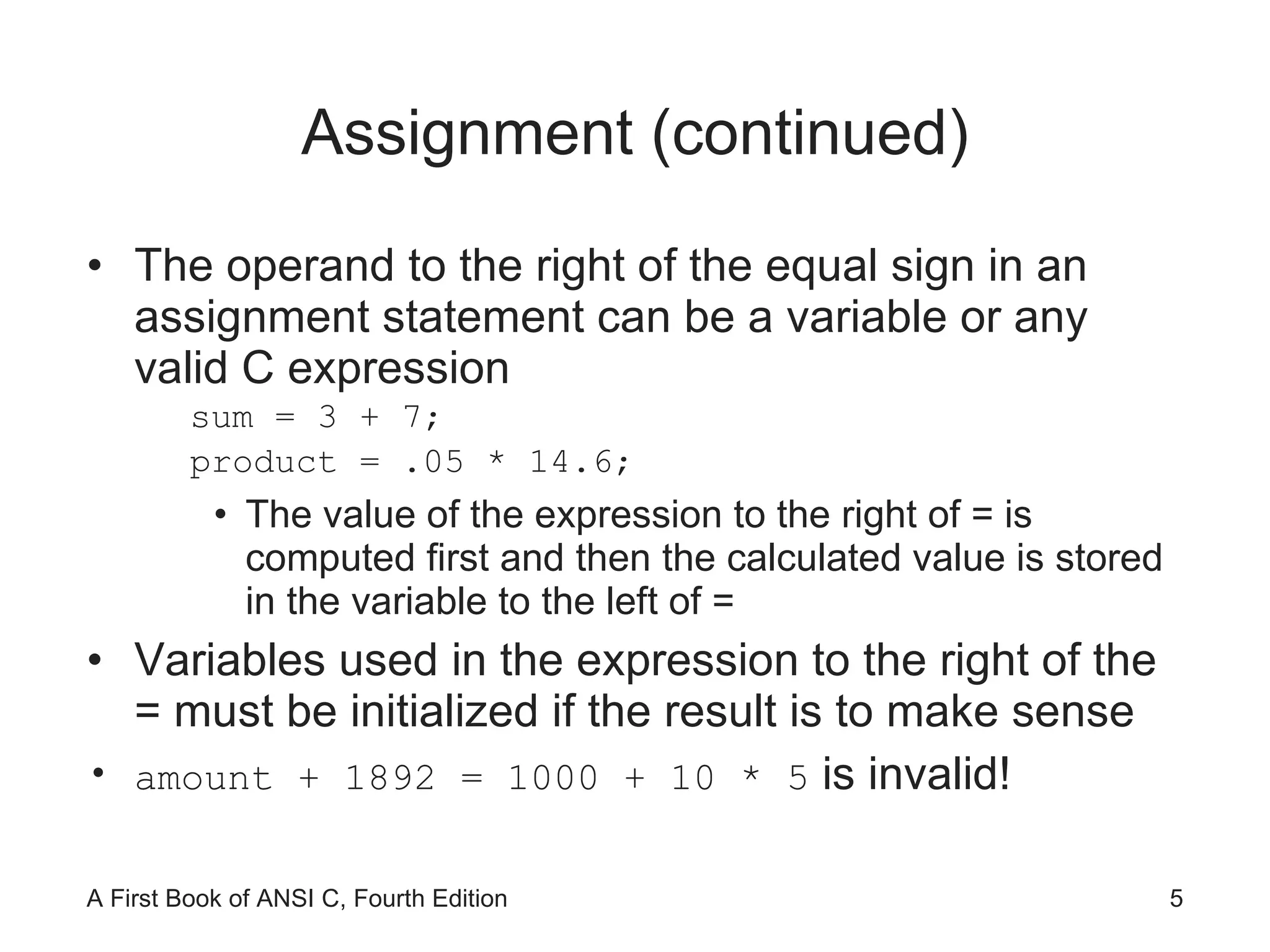
Assignment The general syntax for an assignment statement is variable = operand; The operand to the right of the assignment operator (=) can be a constant, a variable, or an expression The equal sign in C does not have the same meaning as an equal sign in algebra length=25;  is read “length is assigned the value 25” Subsequent assignment statements can be used to change the value assigned to a variable length = 3.7; length = 6.28;
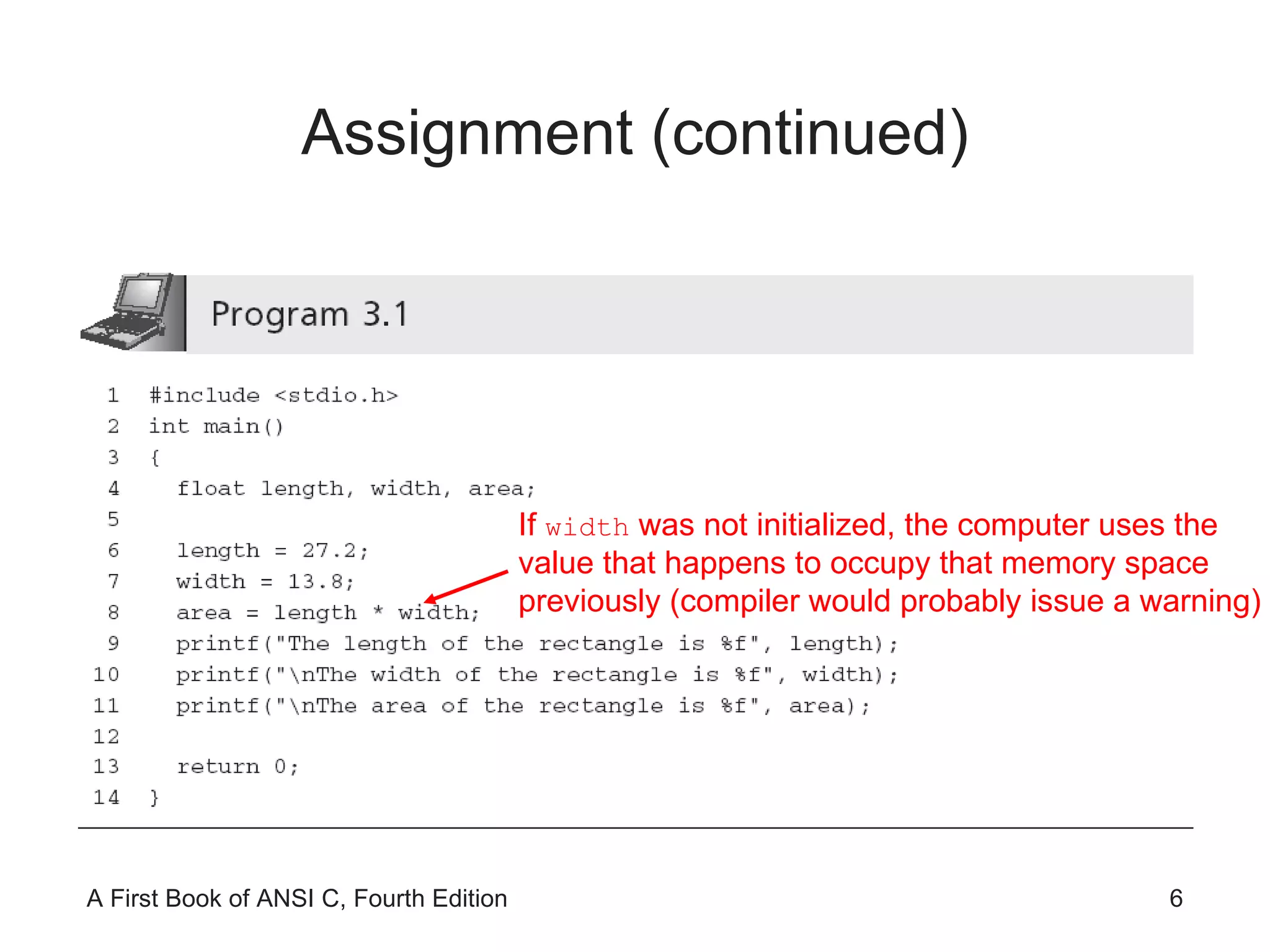
Assignment (continued) The operand to the right of the equal sign in an assignment statement can be a variable or any valid C expression sum = 3 + 7; product = .05 * 14.6; The value of the expression to the right of = is computed first and then the calculated value is stored in the variable to the left of = Variables used in the expression to the right of the = must be initialized if the result is to make sense  amount + 1892 = 1000 + 10 * 5  is invalid!
Assignment (continued) If  width  was not initialized, the computer uses the value that happens to occupy that memory space previously (compiler would probably issue a warning)
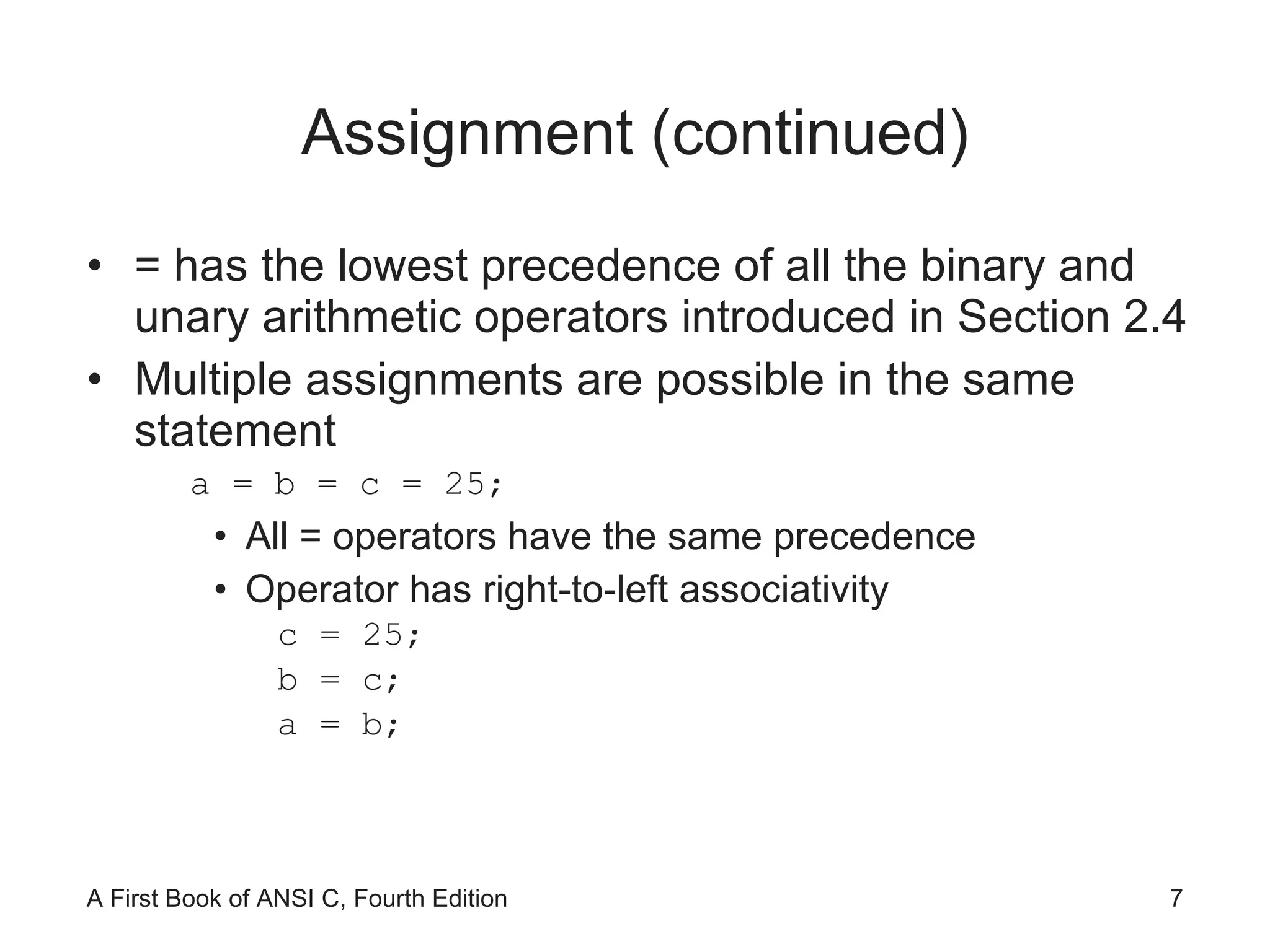
Assignment (continued) = has the lowest precedence of all the binary and unary arithmetic operators introduced in Section 2.4 Multiple assignments are possible in the same statement a = b = c = 25; All = operators have the same precedence Operator has right-to-left associativity c = 25; b = c; a = b;
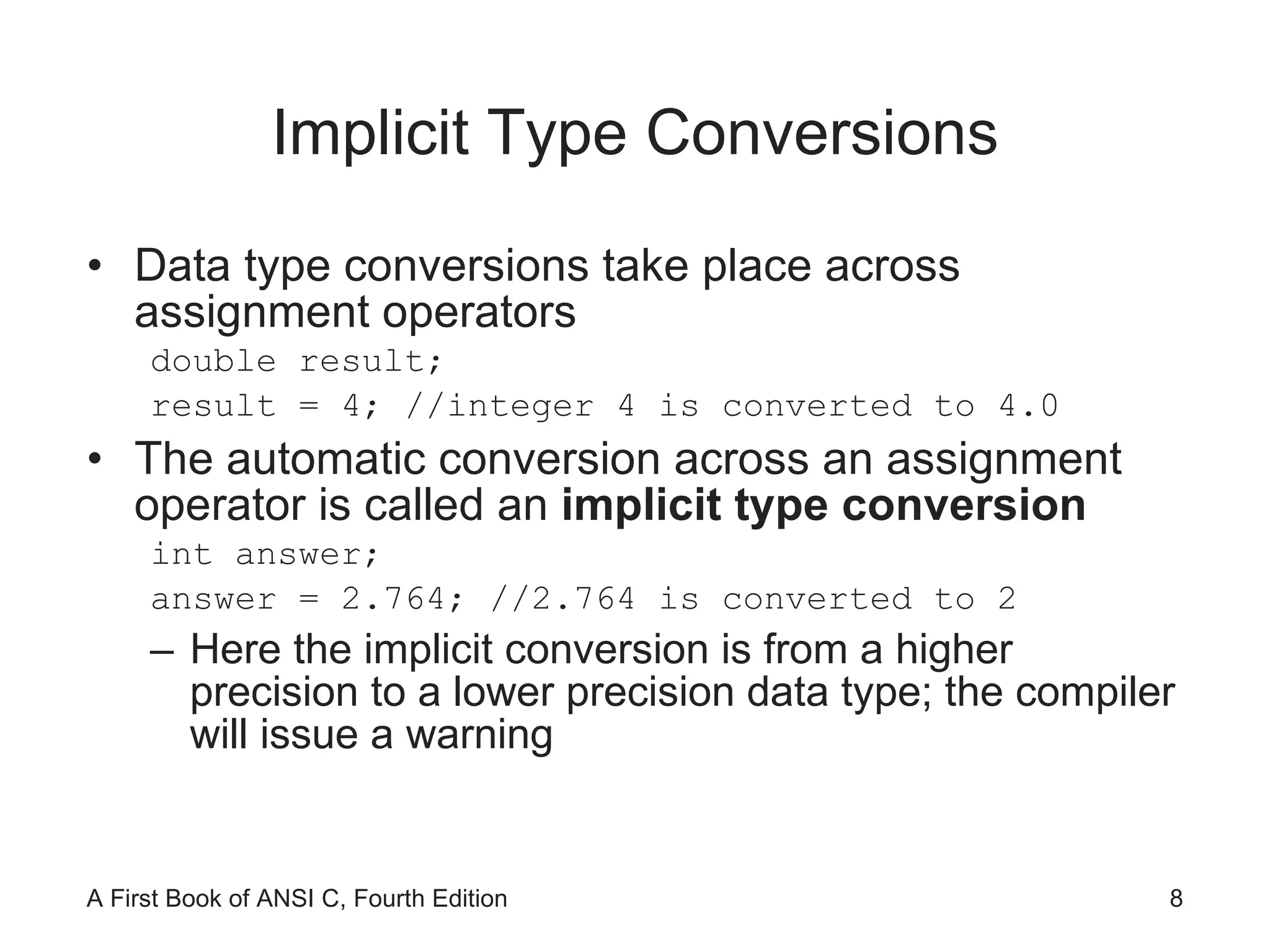
Implicit Type Conversions Data type conversions take place across assignment operators double result; result = 4; //integer 4 is converted to 4.0 The automatic conversion across an assignment operator is called an  implicit type conversion int answer; answer = 2.764; //2.764 is converted to 2 Here the implicit conversion is from a higher precision to a lower precision data type; the compiler will issue a warning
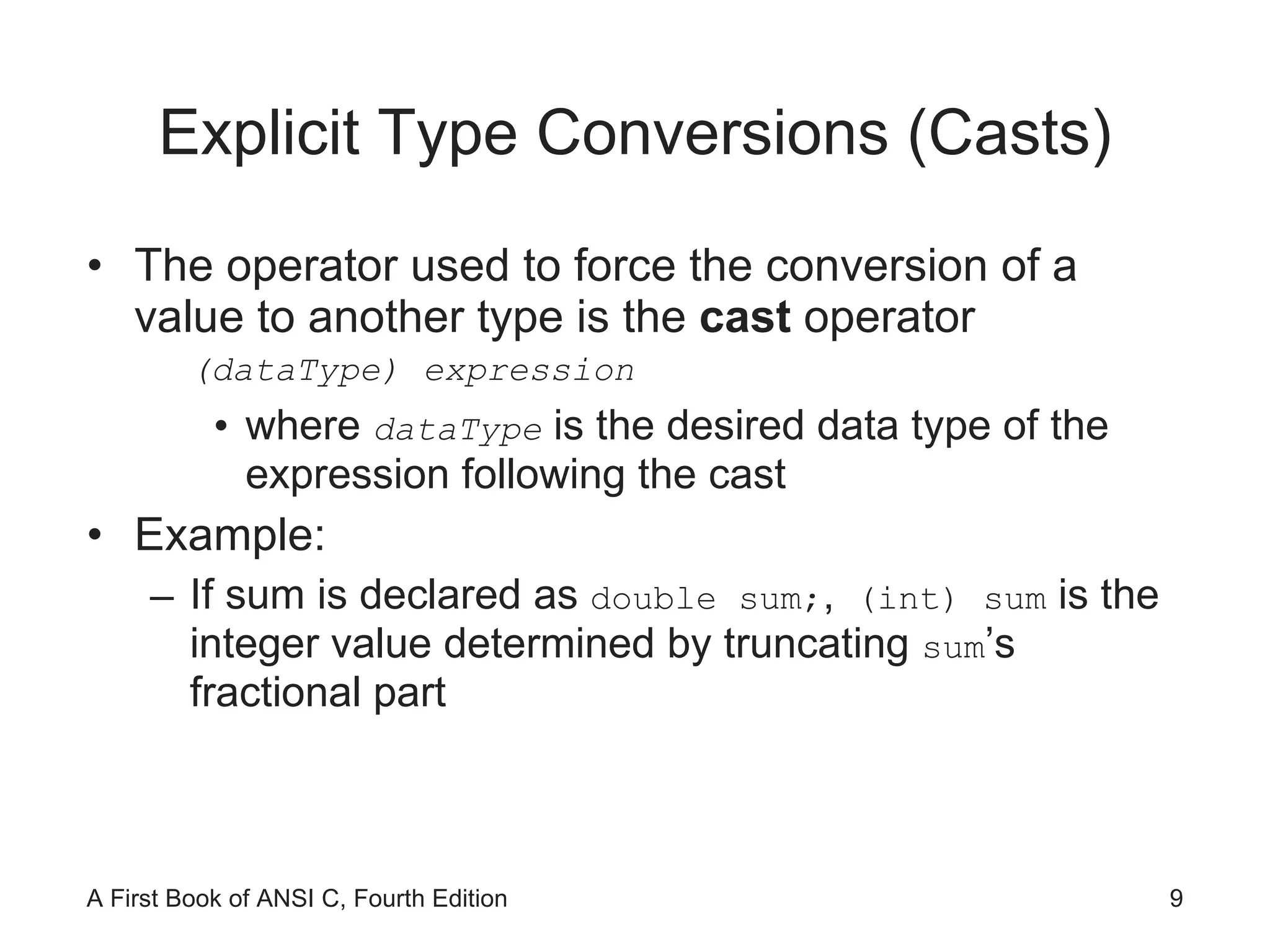
Explicit Type Conversions (Casts) The operator used to force the conversion of a value to another type is the  cast  operator (dataType) expression where  dataType   is the desired data type of the expression following the cast Example: If sum is declared as  double sum; ,  (int) sum  is the integer value determined by truncating  sum ’s fractional part
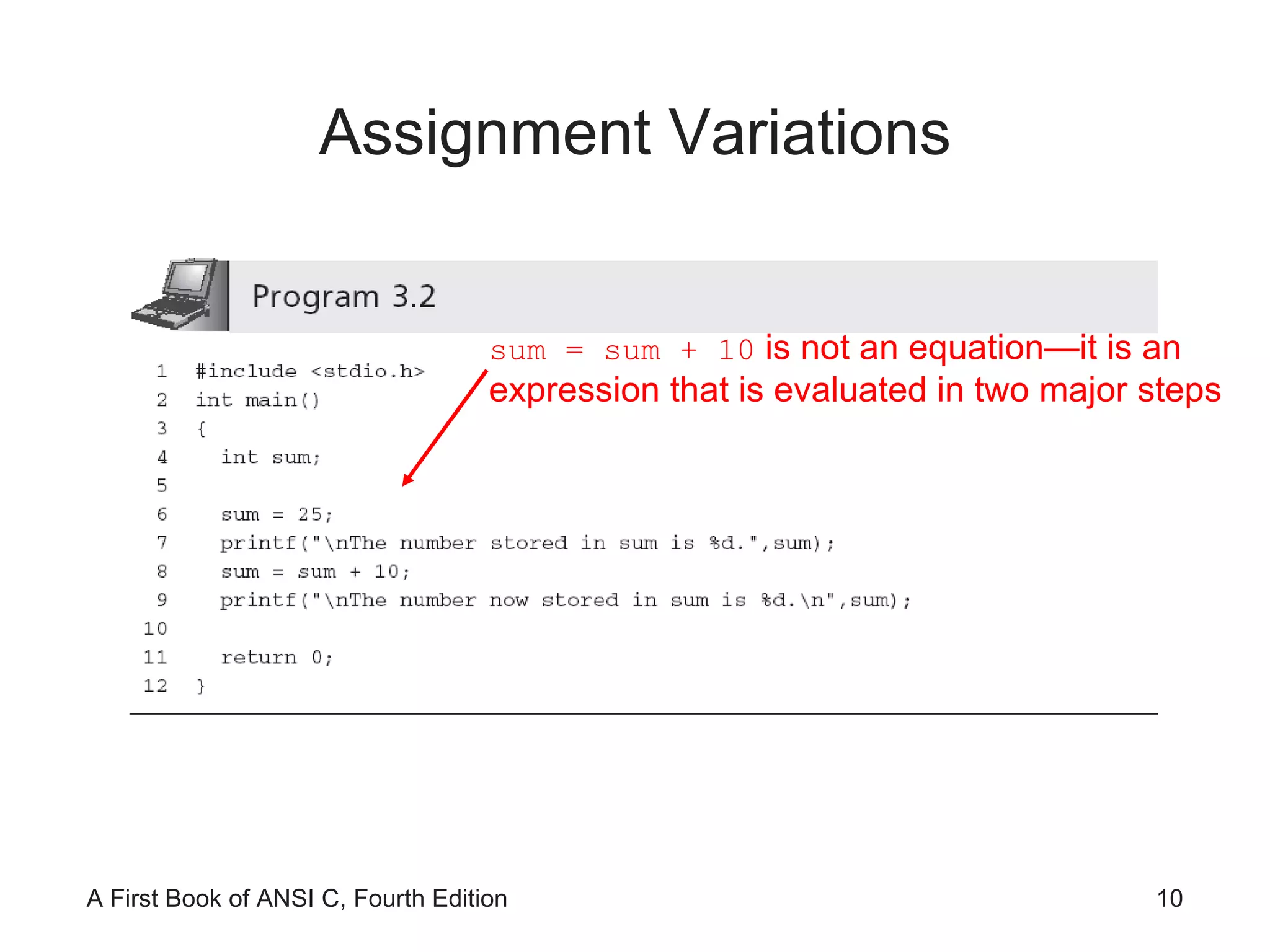
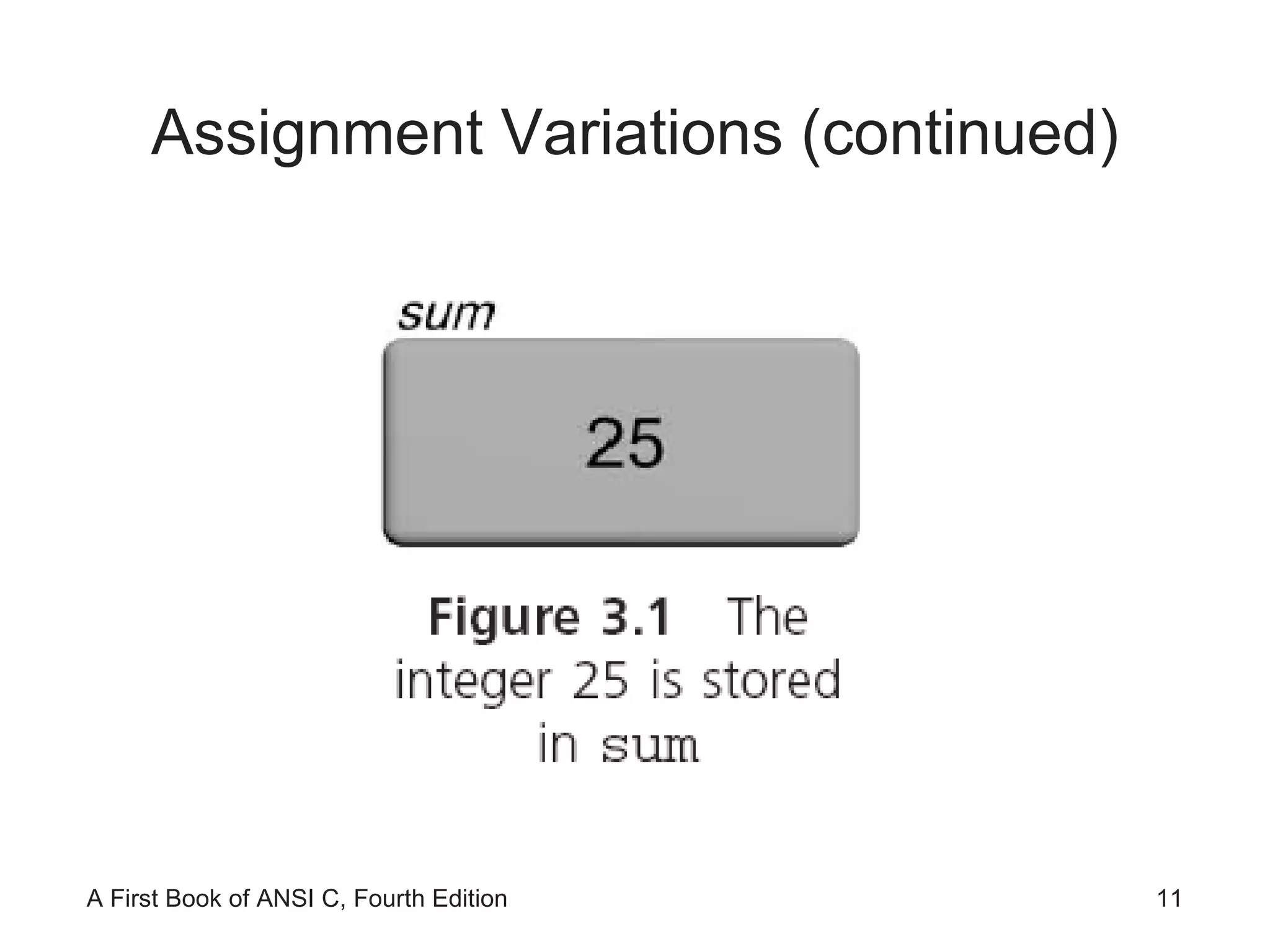
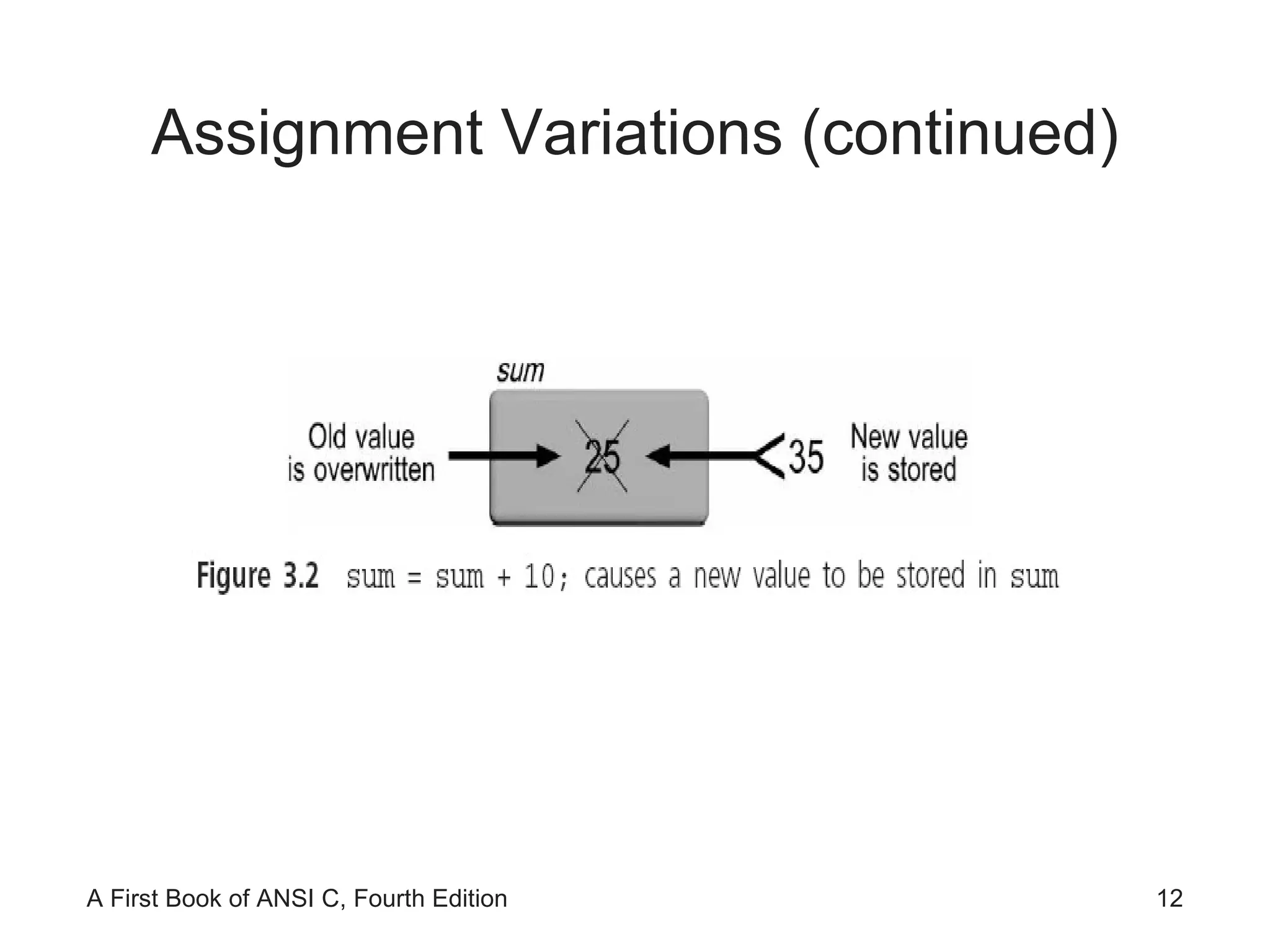
Assignment Variations sum = sum + 10  is not an equation—it is an expression that is evaluated in two major steps
Assignment Variations (continued)
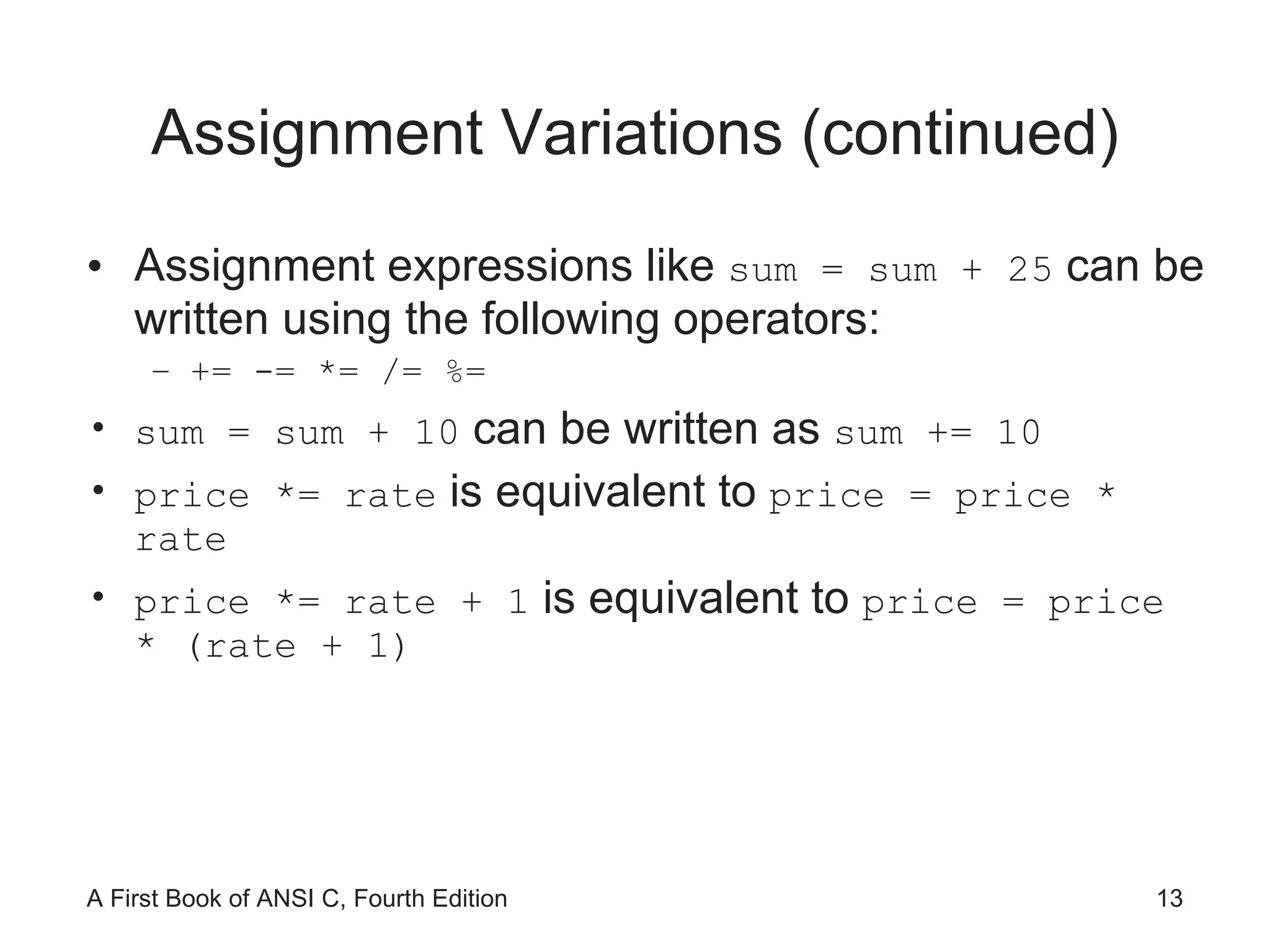
Assignment Variations (continued) Assignment expressions like  sum = sum + 25  can be written using the following operators: += -= *= /= %= sum = sum + 10  can be written as  sum += 10 price *= rate  is equivalent to  price = price * rate price *= rate + 1  is equivalent to  price = price * (rate + 1)
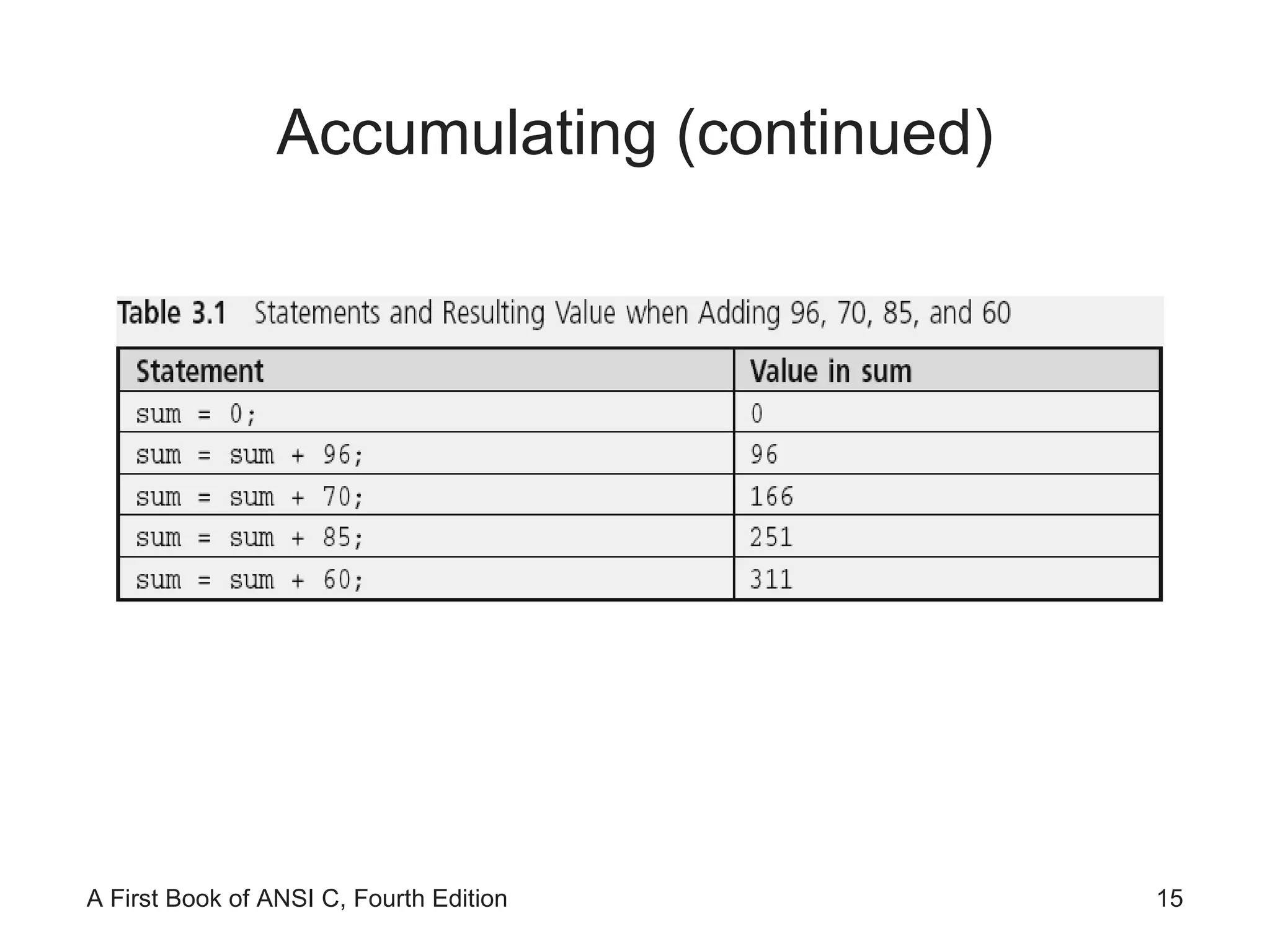
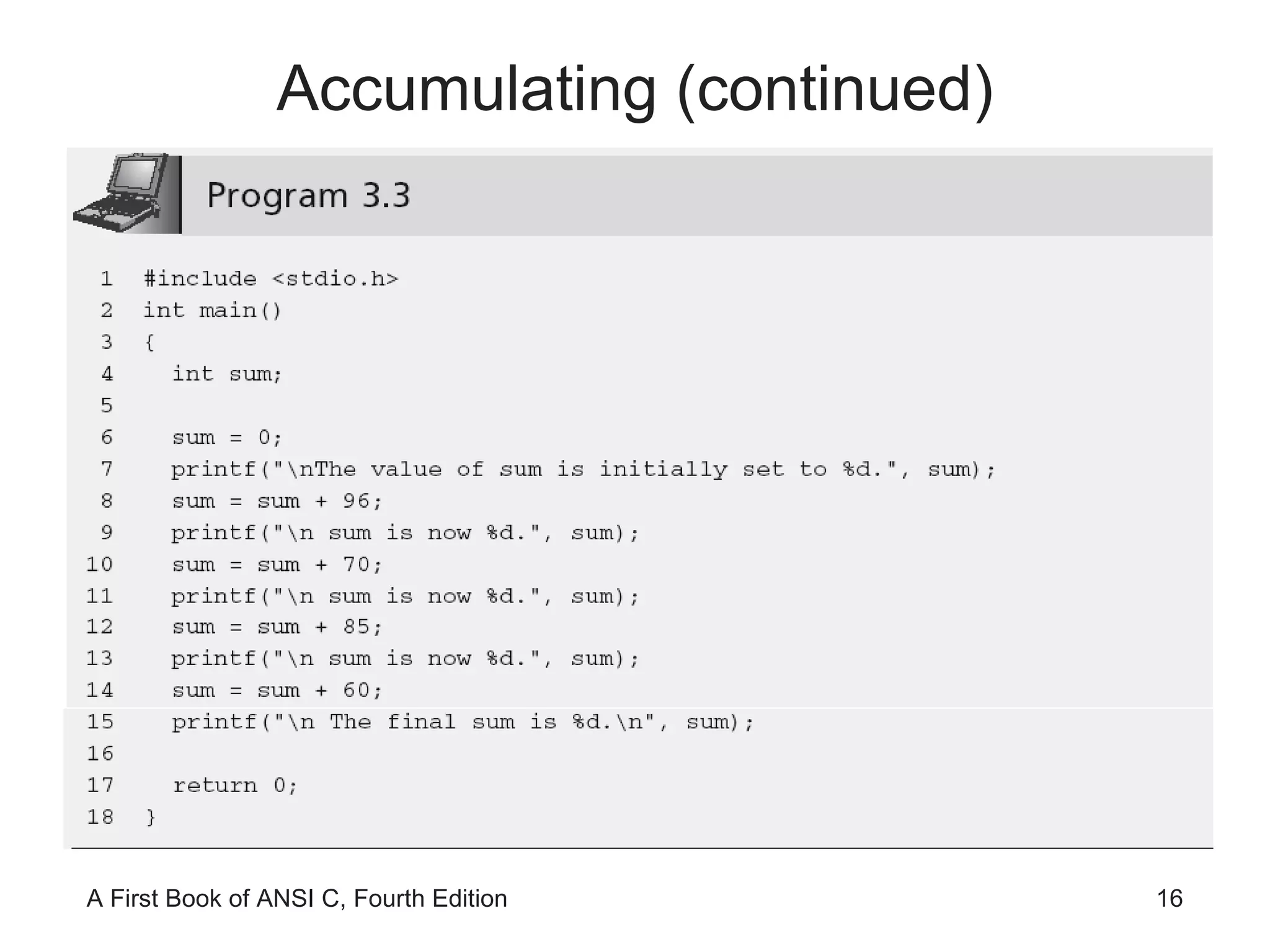
Accumulating The first statement initializes sum to 0 This removes any previously stored value in sum that would invalidate the final total A previously stored number, if it has not been initialized to a specific and known value, is frequently called a  garbage value
Accumulating (continued)
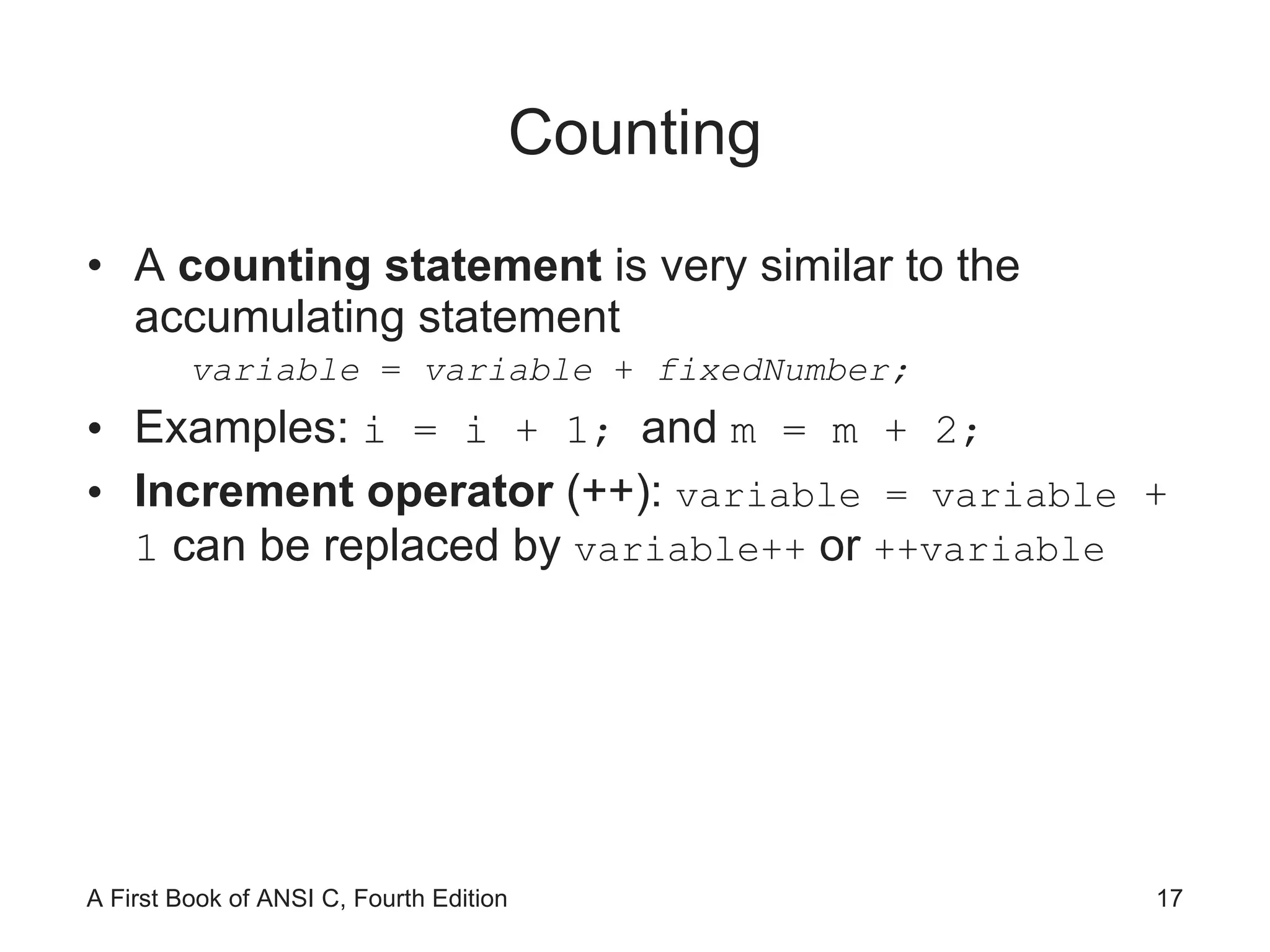
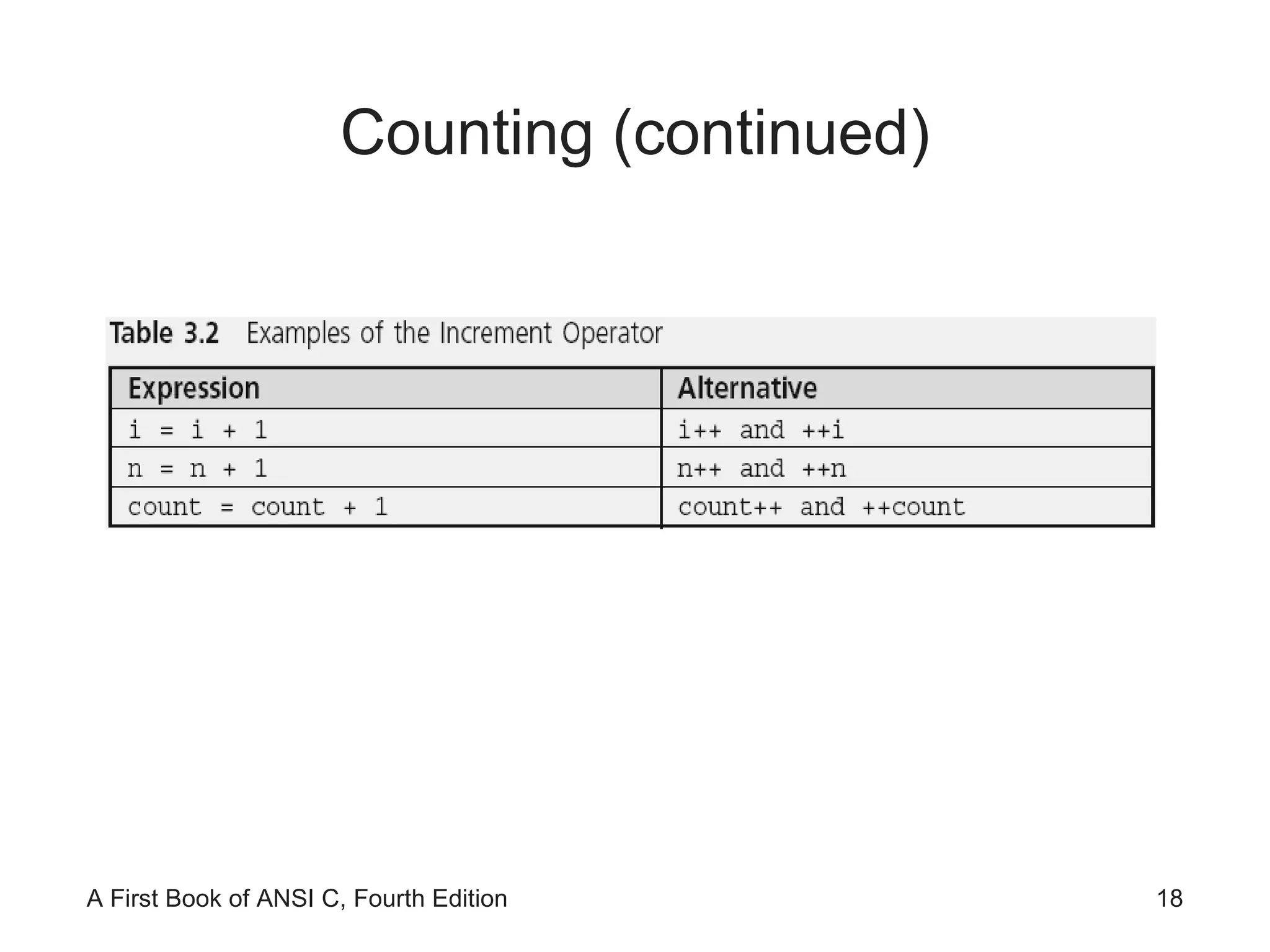
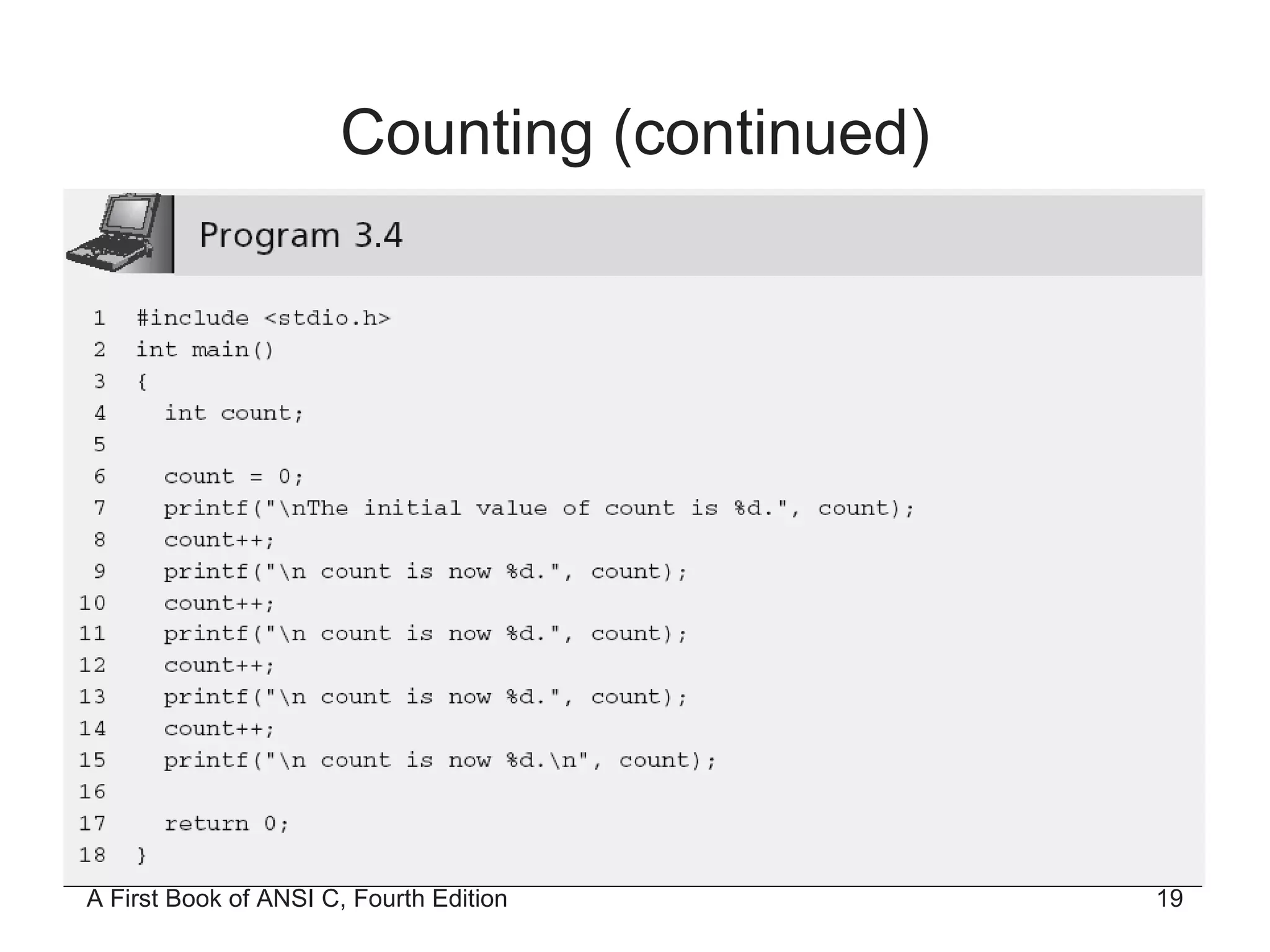
Counting A  counting statement  is very similar to the accumulating statement variable  =  variable  +  fixedNumber; Examples:  i = i + 1;  and  m = m + 2;  Increment operator  (++):  variable = variable  + 1  can be replaced by  variable++  or  ++variable
Counting (continued)
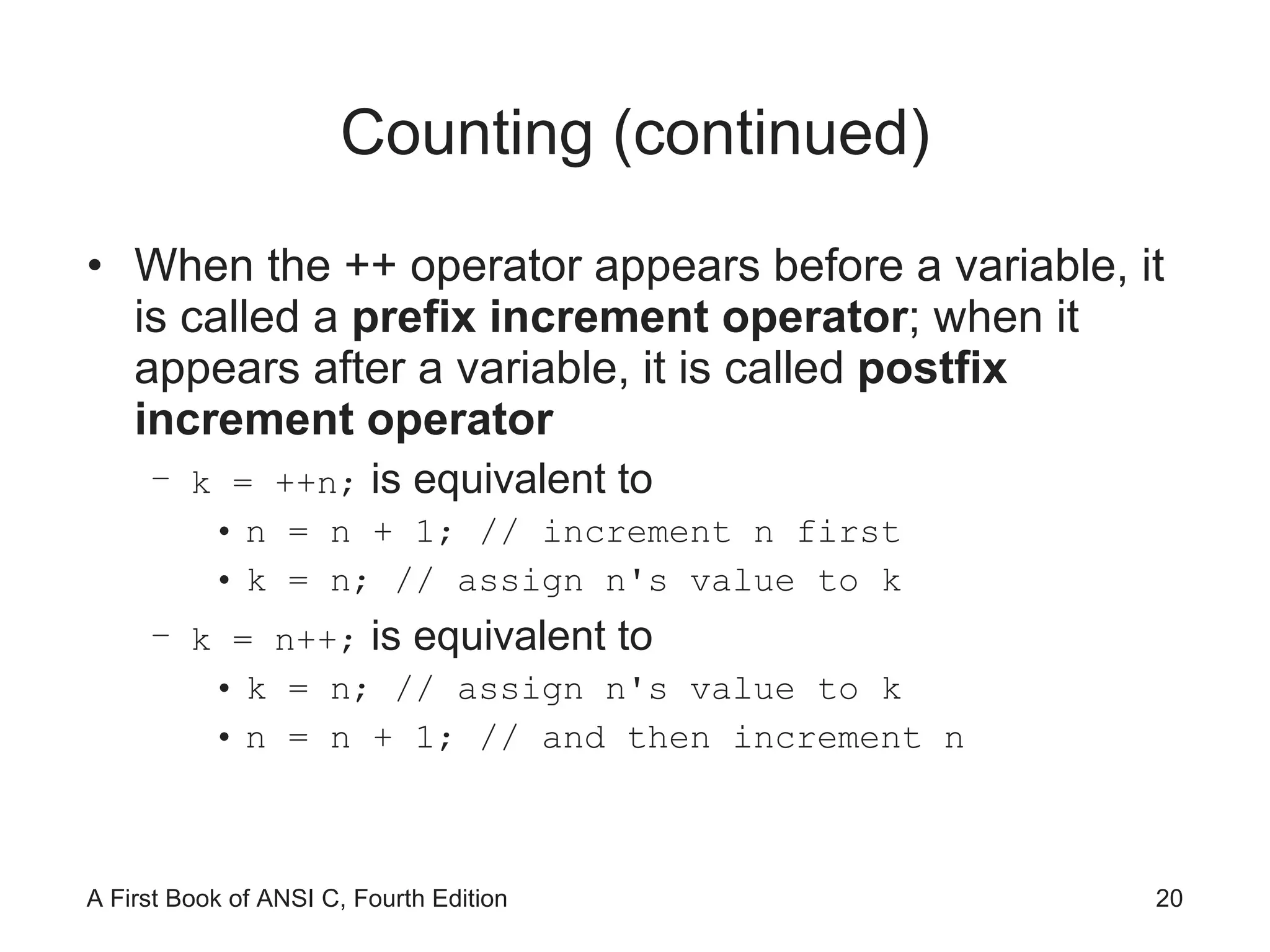
Counting (continued) When the ++ operator appears before a variable, it is called a  prefix increment operator ; when it appears after a variable, it is called  postfix increment operator k = ++n;  is equivalent to n = n + 1; // increment n first k = n; // assign n's value to k k = n++;  is equivalent to k = n; // assign n's value to k n = n + 1; // and then increment n
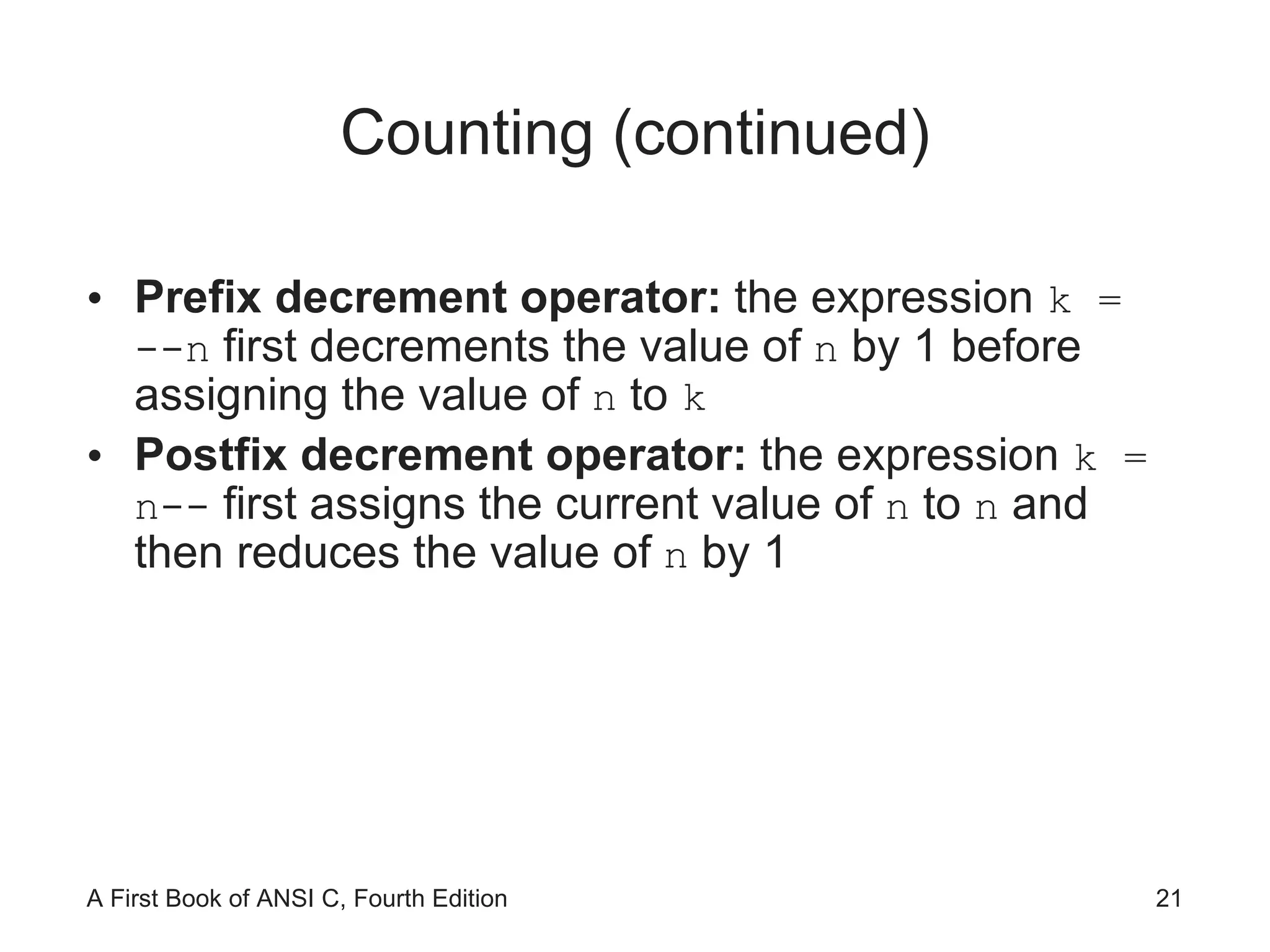
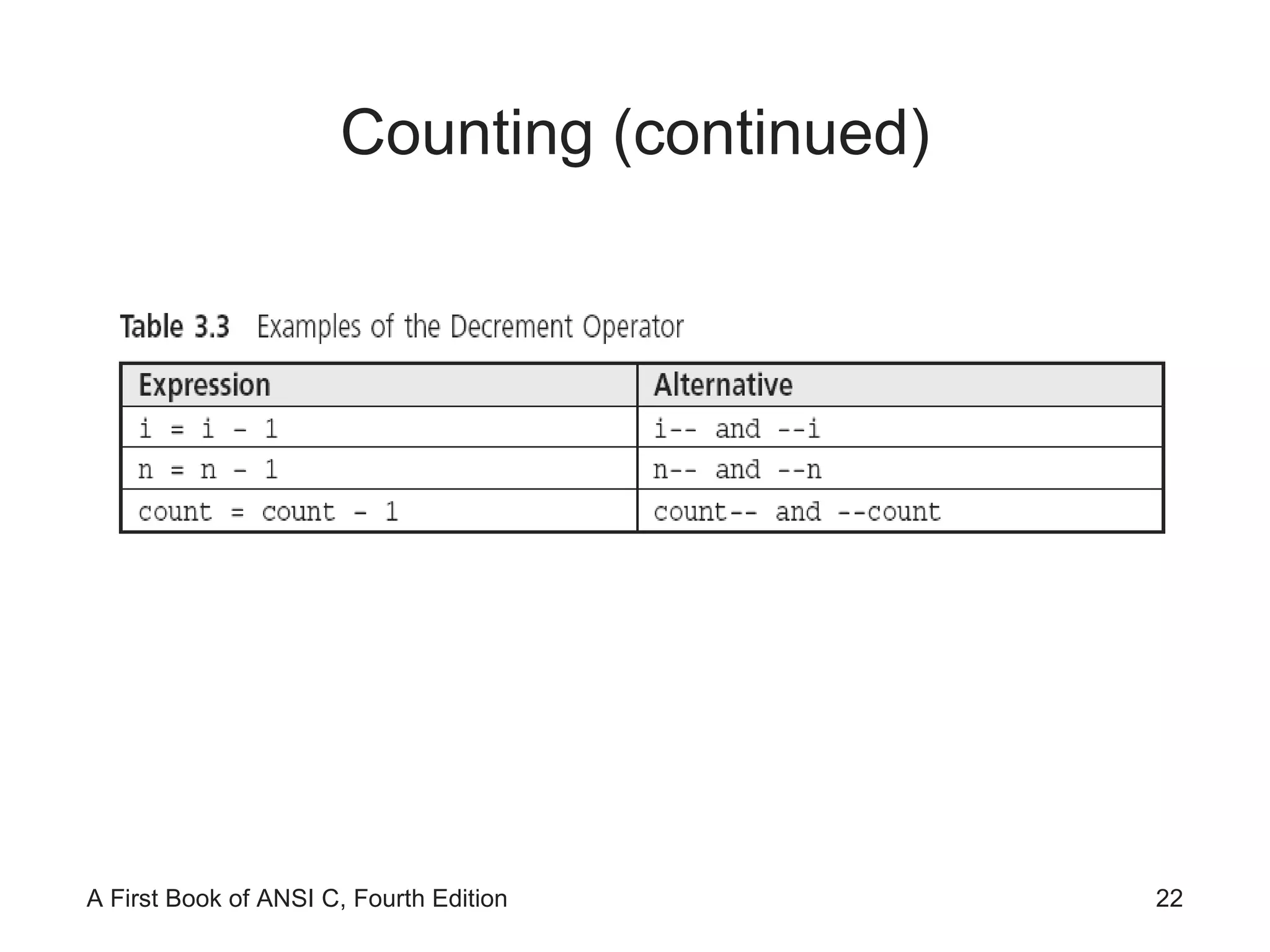
Counting (continued) Prefix decrement operator:  the expression  k = --n  first decrements the value of  n  by 1 before assigning the value of  n  to  k Postfix decrement operator:  the expression  k = n--  first assigns the current value of  n  to  n  and then reduces the value of  n  by 1
Counting (continued)
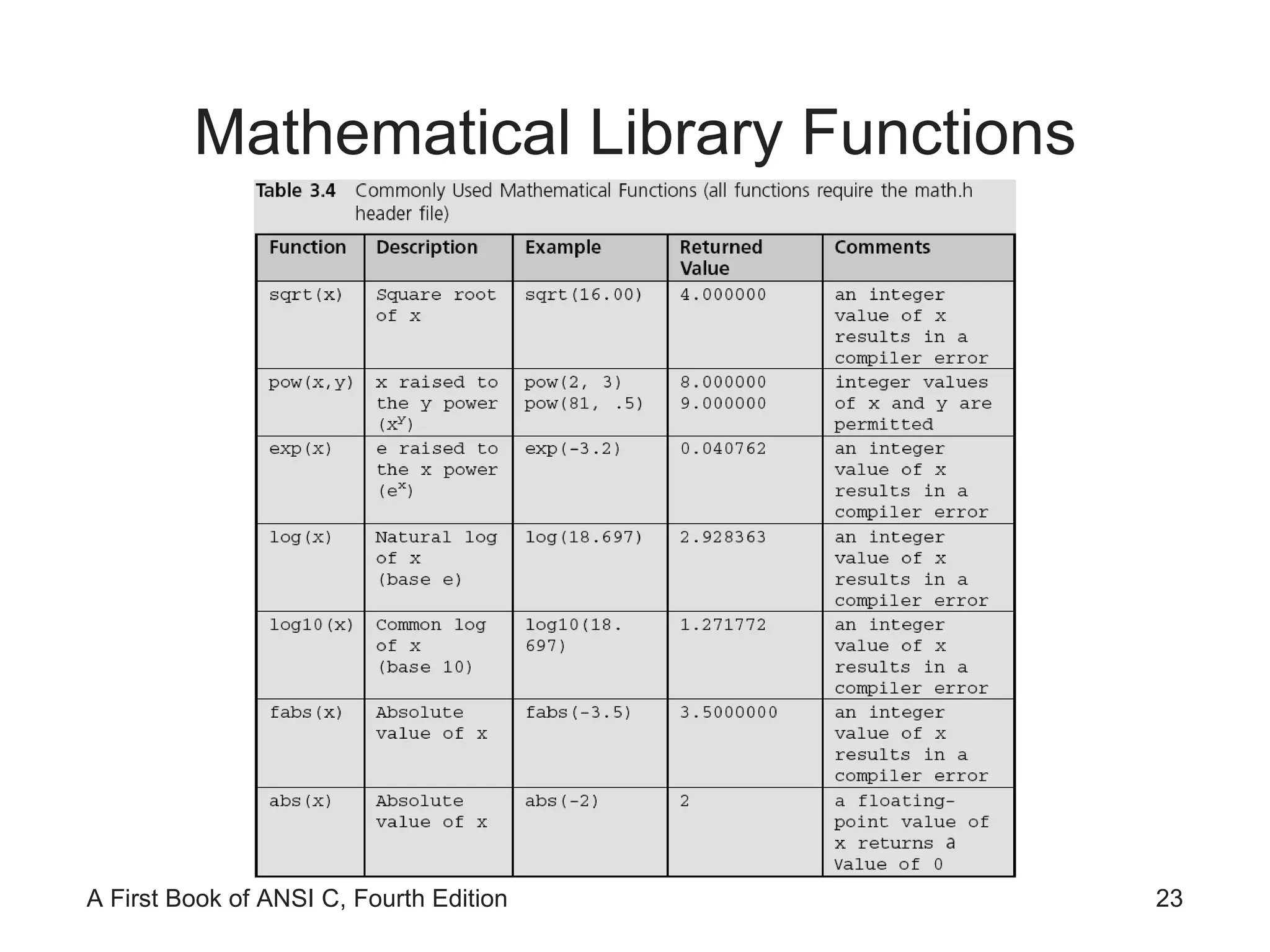
Mathematical Library Functions
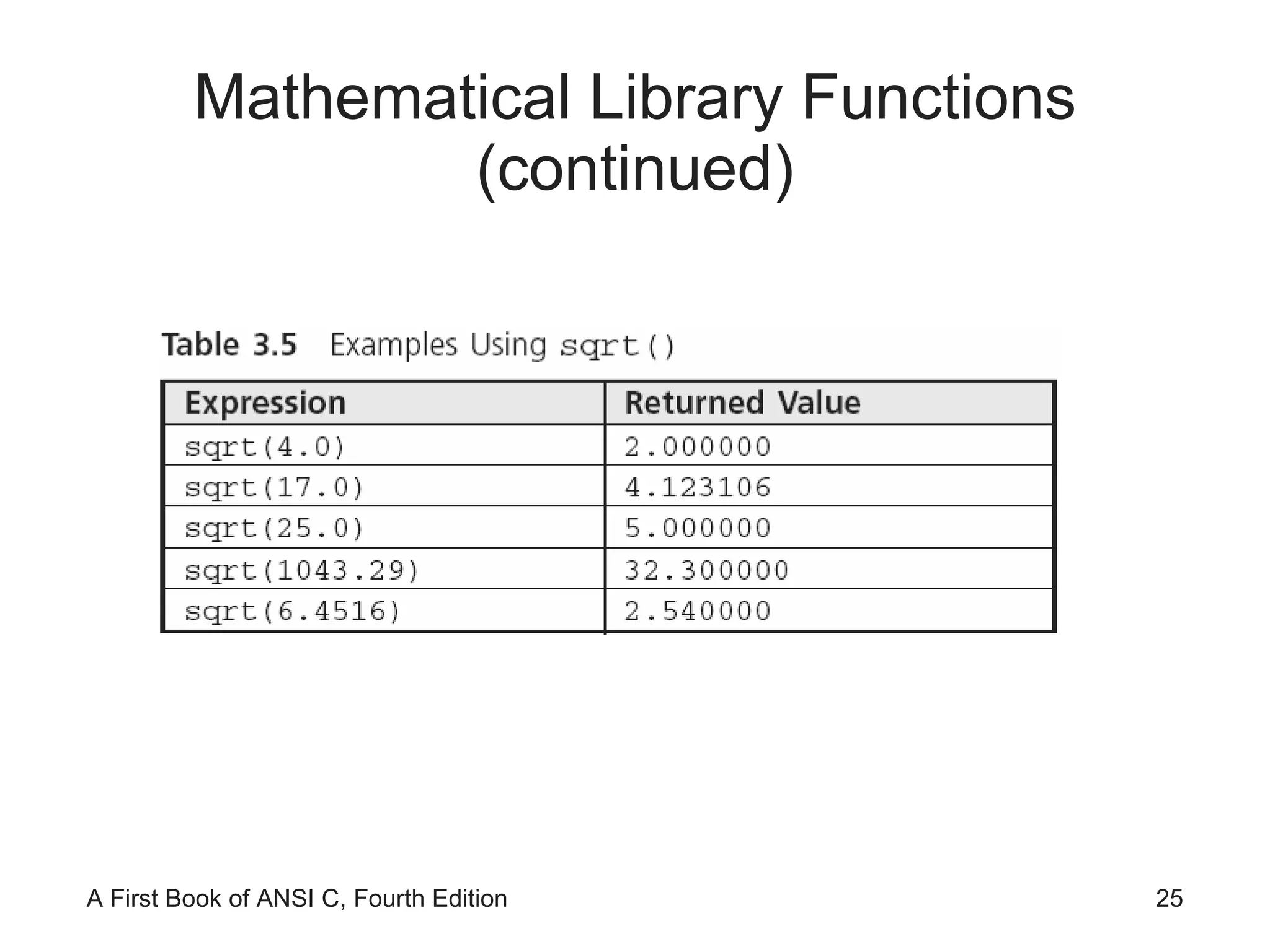
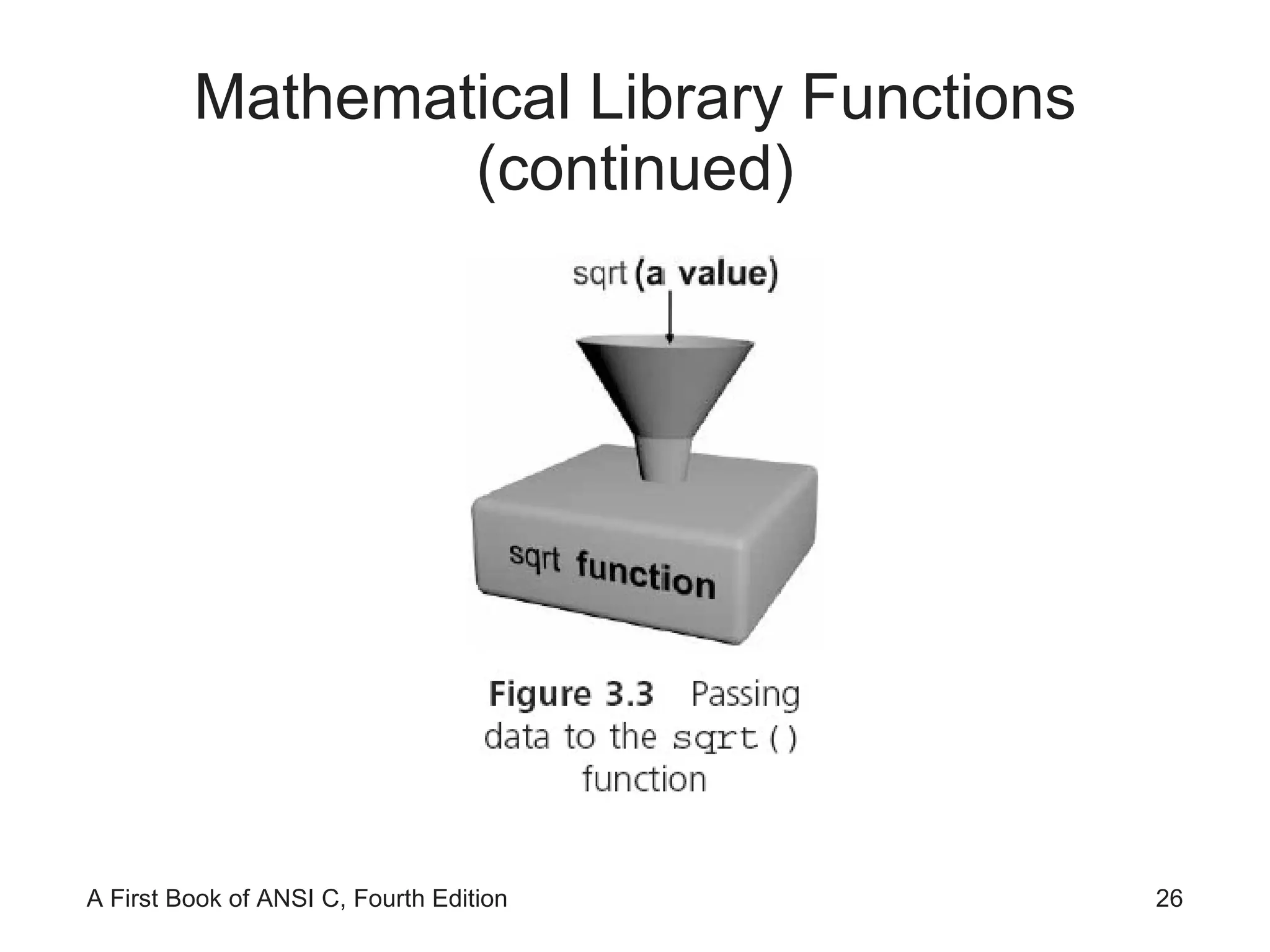
Mathematical Library Functions (continued) The argument to  sqrt  must be floating-point value; passing an integer value results in a compiler error Return value is double-precision Must include  #include <math.h>
Mathematical Library Functions (continued)
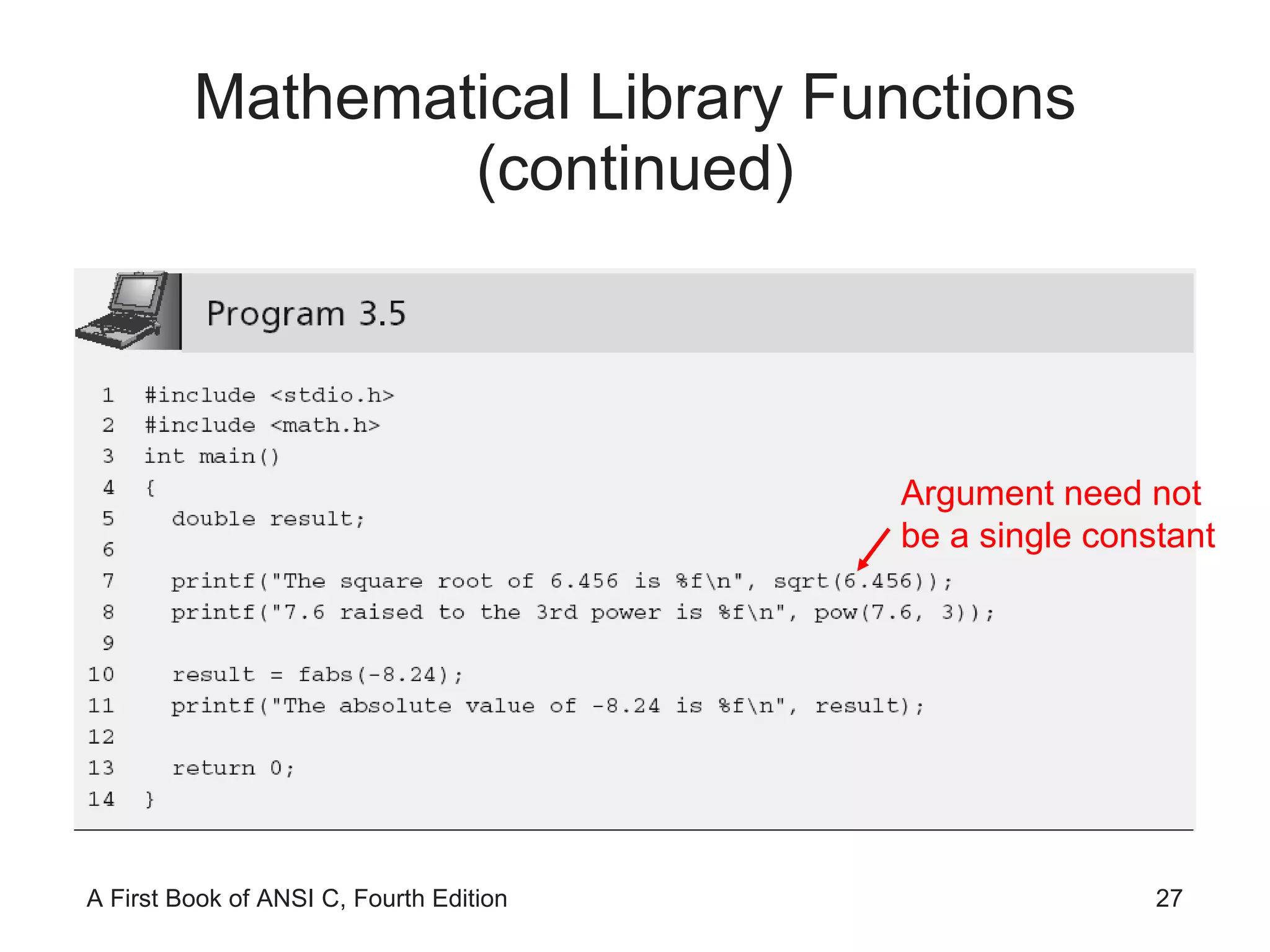
Mathematical Library Functions (continued) Argument need not be a single constant
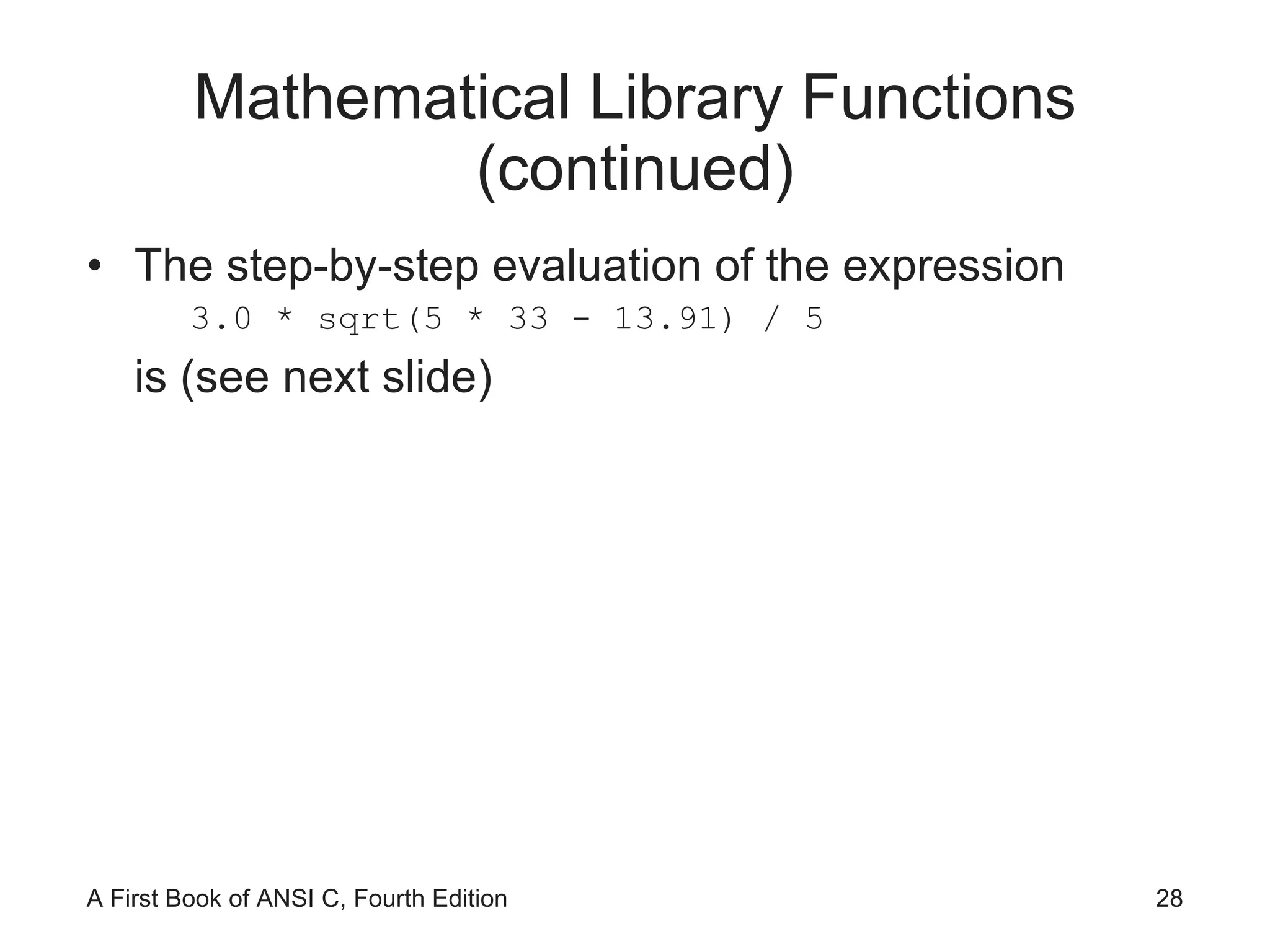
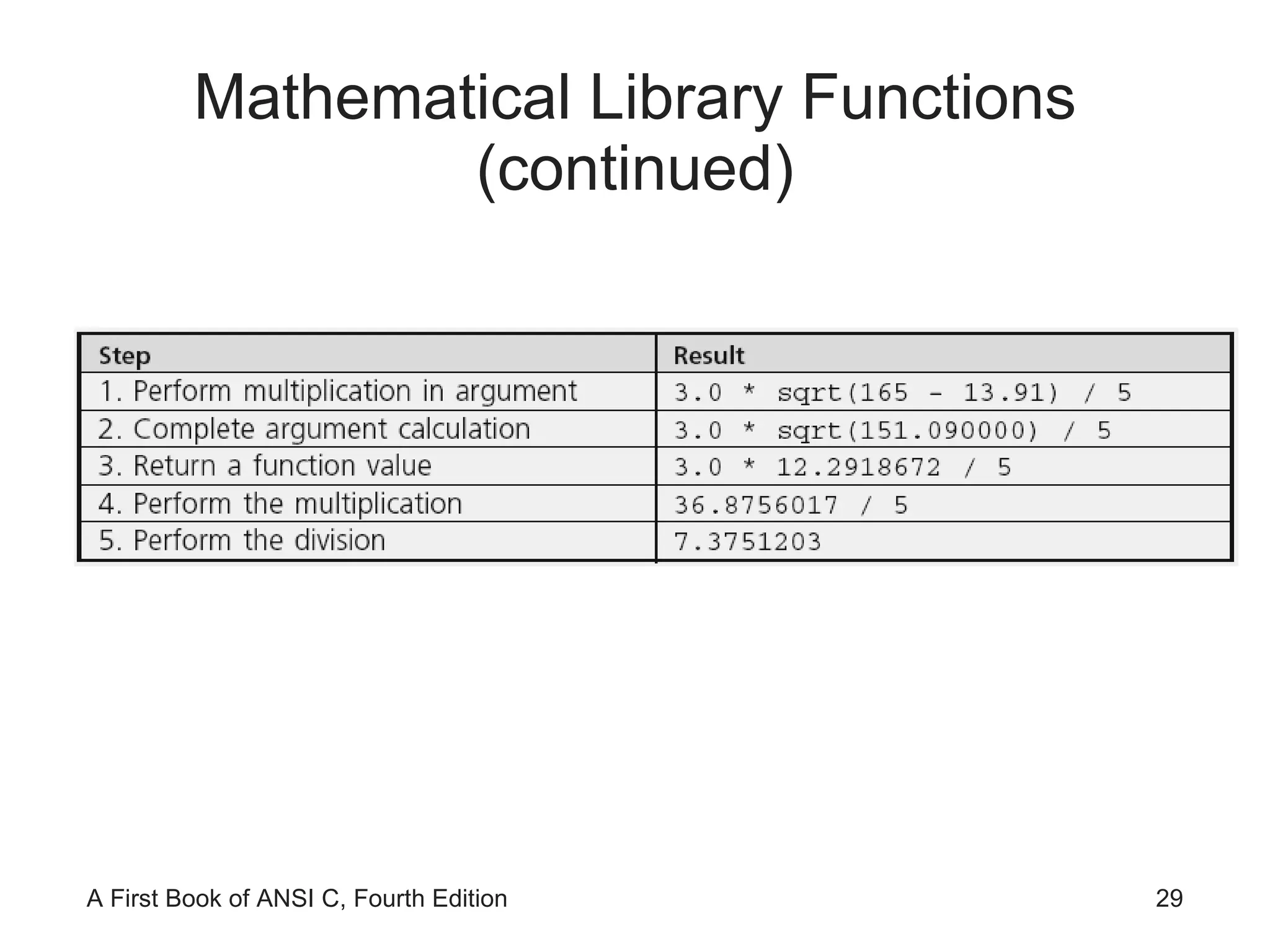
Mathematical Library Functions (continued) The step-by-step evaluation of the expression 3.0 * sqrt(5 * 33 - 13.91) / 5 is (see next slide)
Mathematical Library Functions (continued)
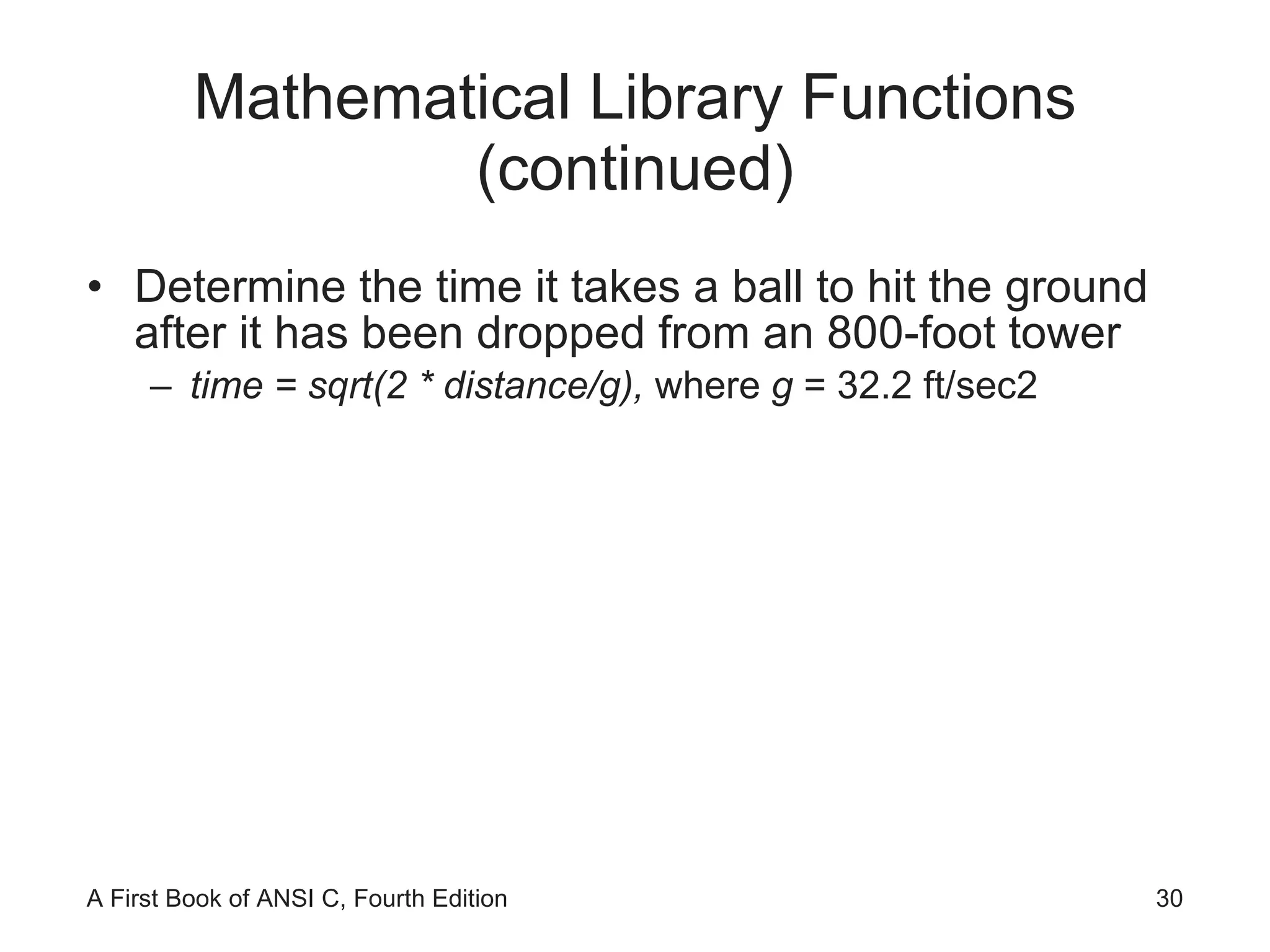
Mathematical Library Functions (continued) Determine the time it takes a ball to hit the ground after it has been dropped from an 800-foot tower time = sqrt(2 * distance/g),  where  g  = 32.2 ft/sec2
Mathematical Library Functions (continued)
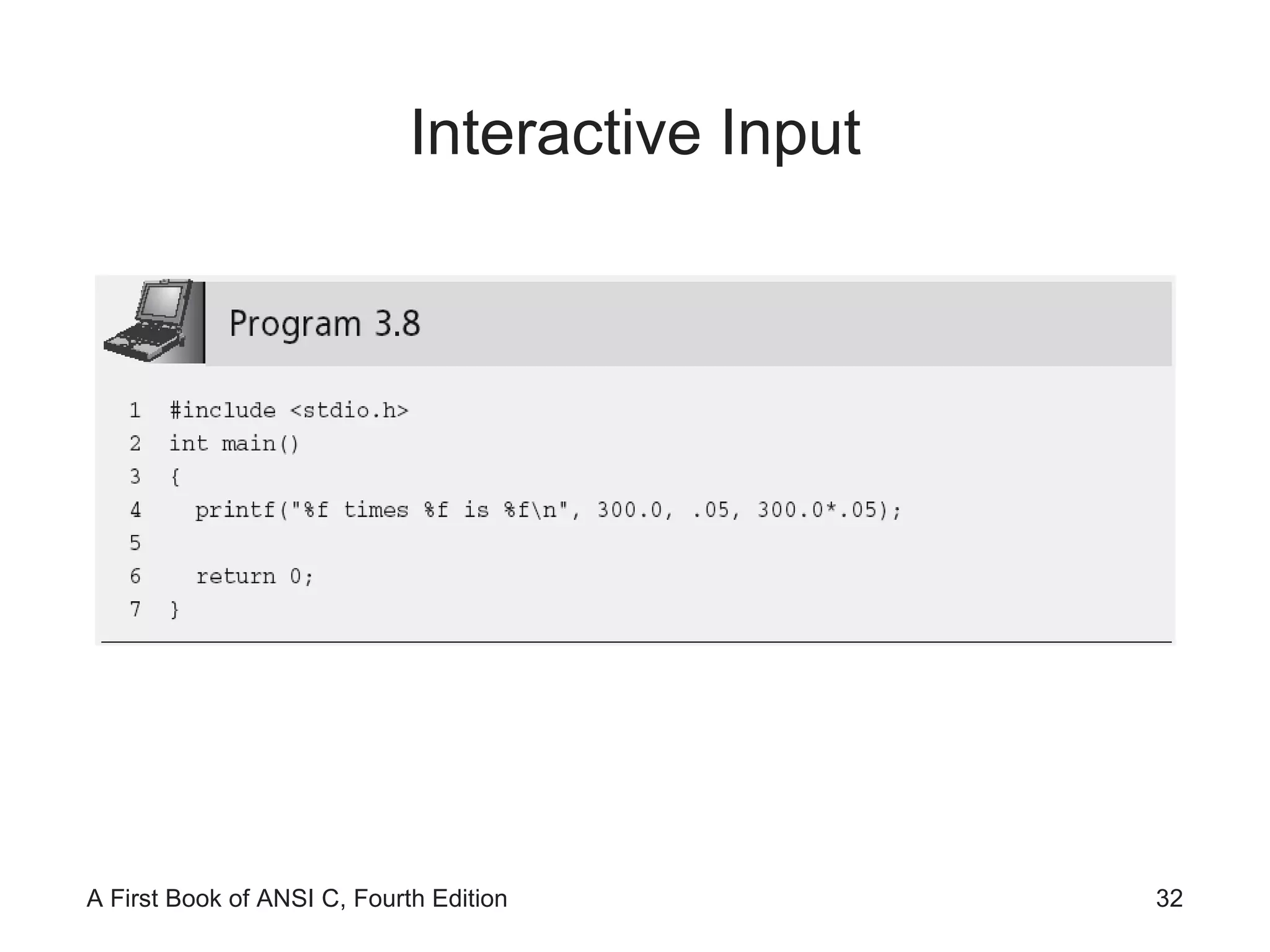
Interactive Input
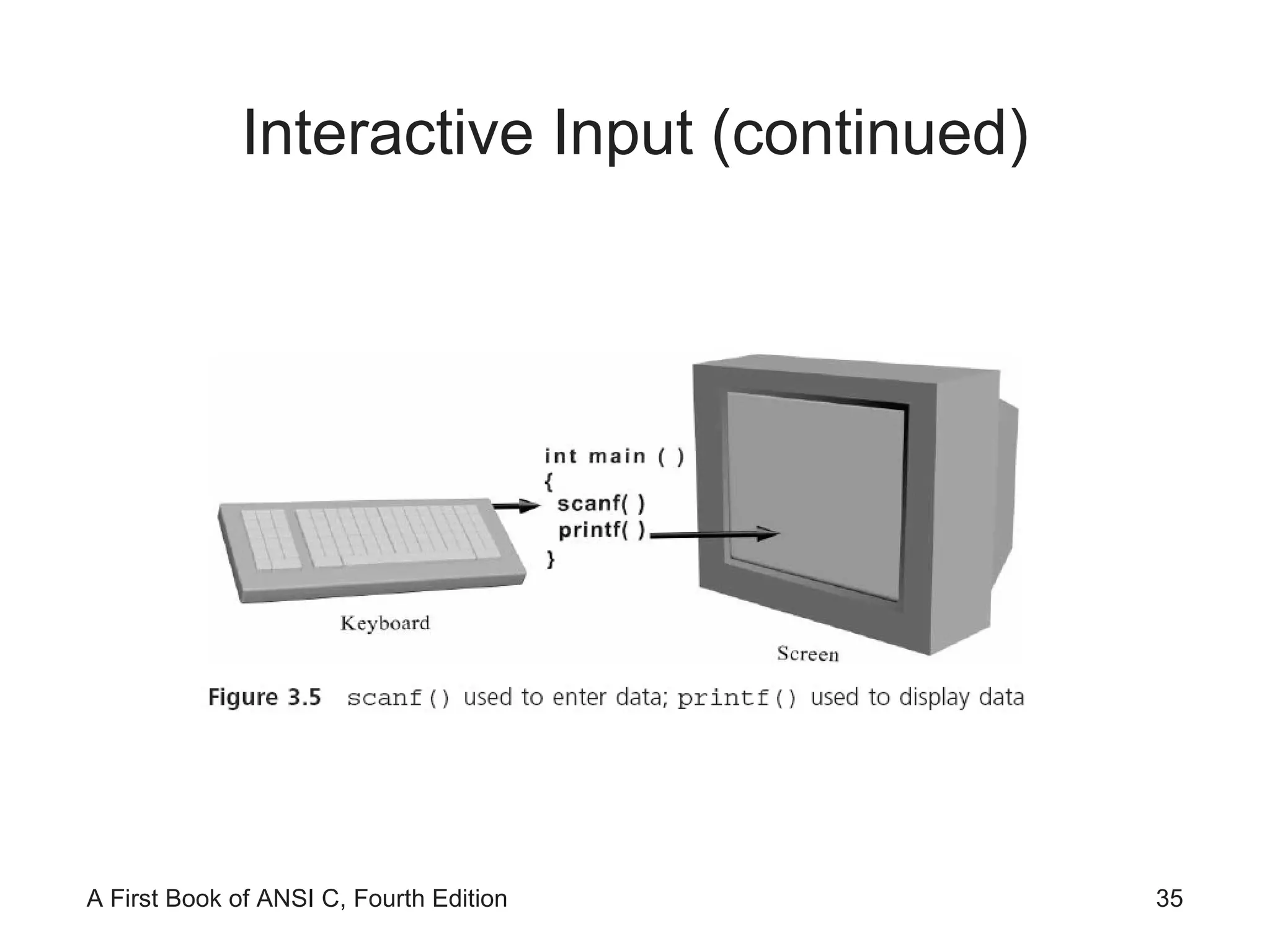
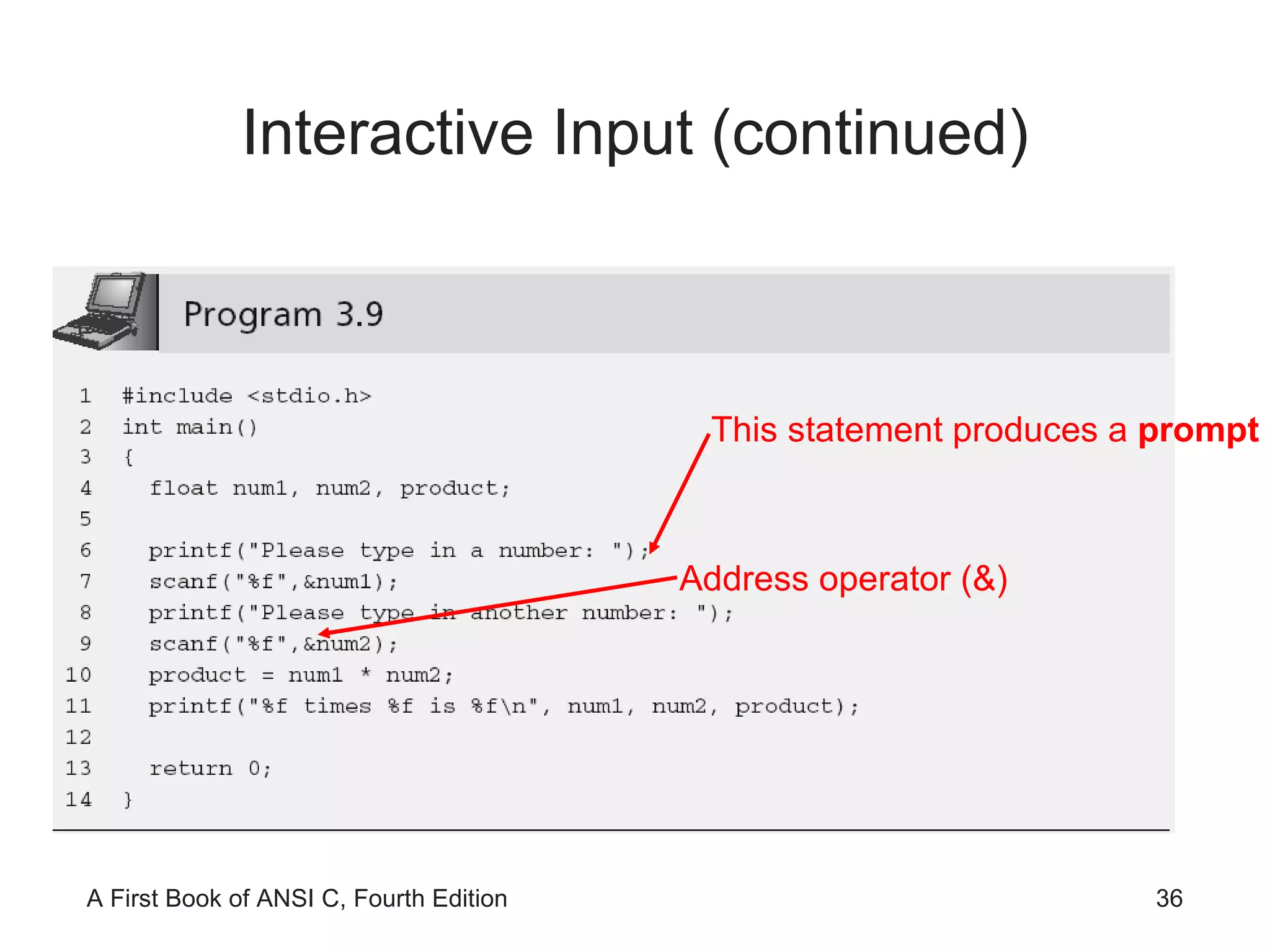
Interactive Input (continued) This program must be rewritten to multiply different numbers scanf()  is used to enter data into a program while it is executing; the value is stored in a variable It requires a control string as the first argument inside the function name parentheses
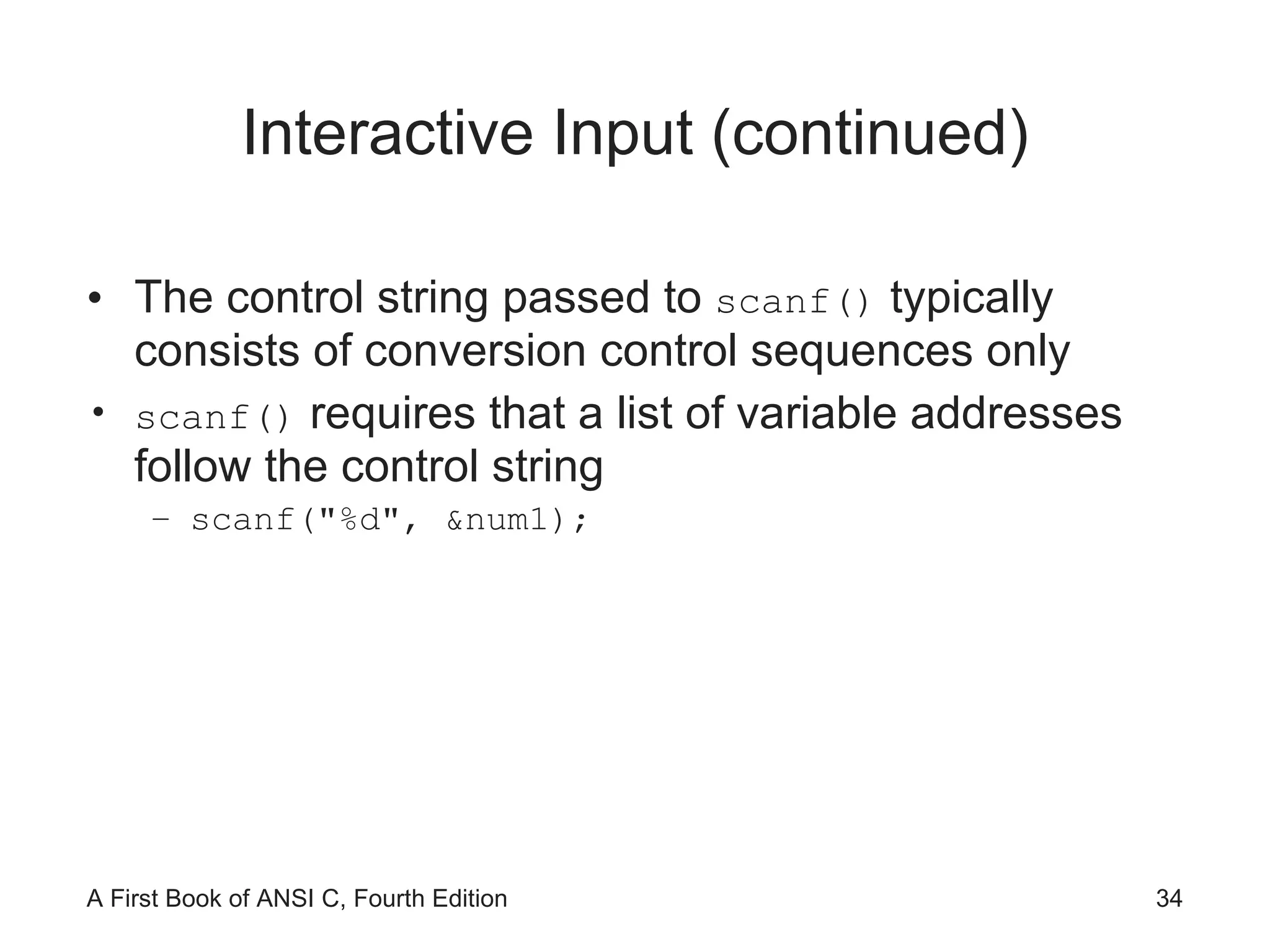
Interactive Input (continued) The control string passed to  scanf()  typically consists of conversion control sequences only scanf()  requires that a list of variable addresses follow the control string scanf(&quot;%d&quot;, &num1);
Interactive Input (continued)
Interactive Input (continued) This statement produces a  prompt Address operator (&)
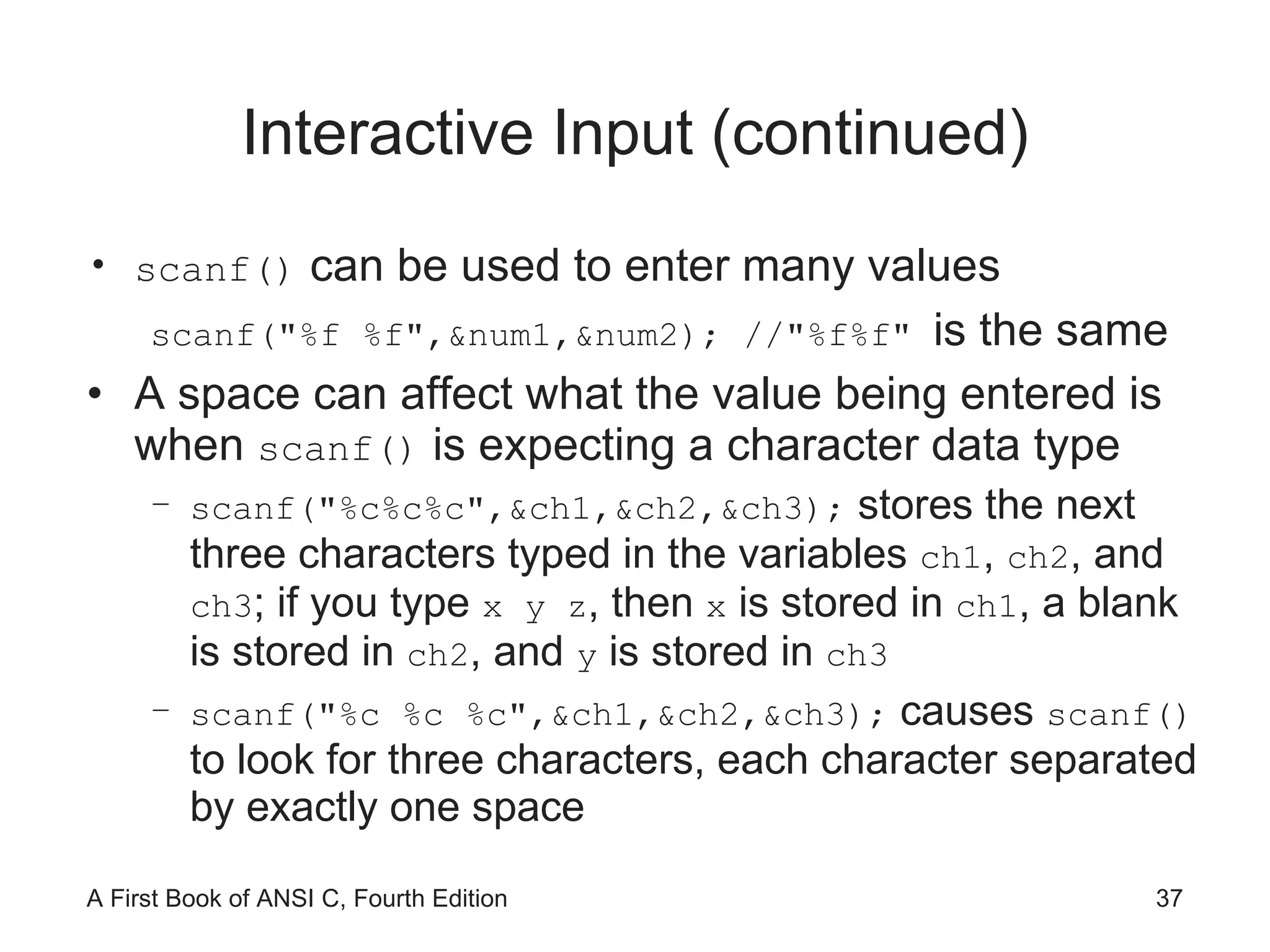
Interactive Input (continued) scanf()  can be used to enter many values scanf(&quot;%f %f&quot;,&num1,&num2); //&quot;%f%f&quot;  is the same A space can affect what the value being entered is when  scanf()  is expecting a character data type scanf(&quot;%c%c%c&quot;,&ch1,&ch2,&ch3);  stores the next three characters typed in the variables  ch1 ,  ch2 , and  ch3 ; if you type  x y z , then  x  is stored in  ch1 , a blank is stored in  ch2 , and  y  is stored in  ch3 scanf(&quot;%c %c %c&quot;,&ch1,&ch2,&ch3);  causes  scanf()  to look for three characters, each character separated by exactly one space
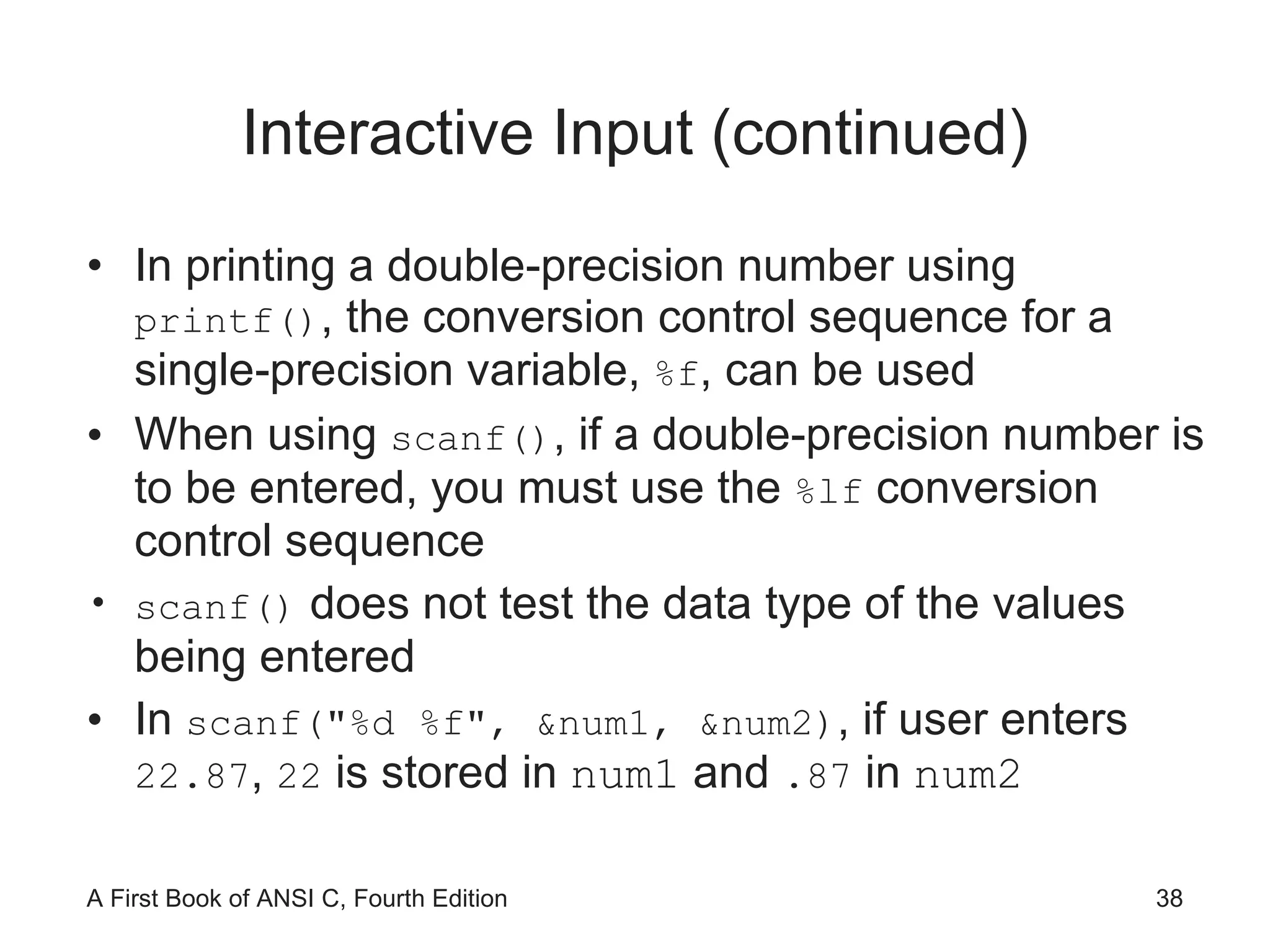
Interactive Input (continued) In printing a double-precision number using  printf() , the conversion control sequence for a single-precision variable,  %f , can be used When using  scanf() , if a double-precision number is to be entered, you must use the  %lf  conversion control sequence scanf()  does not test the data type of the values being entered In  scanf(&quot;%d %f&quot;, &num1, &num2) , if user enters  22.87 ,  22  is stored in  num1  and  .87  in  num2
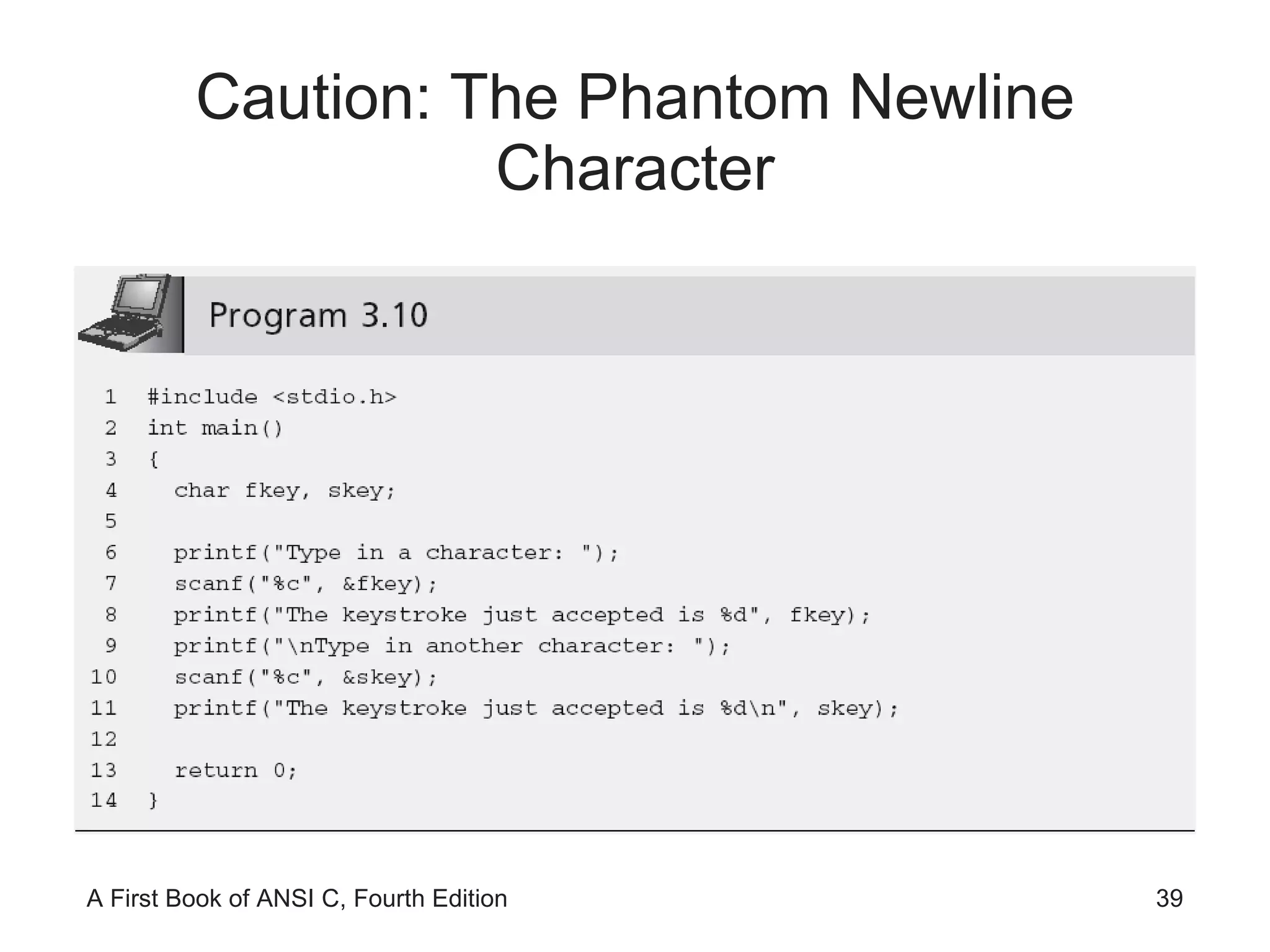
Caution: The Phantom Newline Character
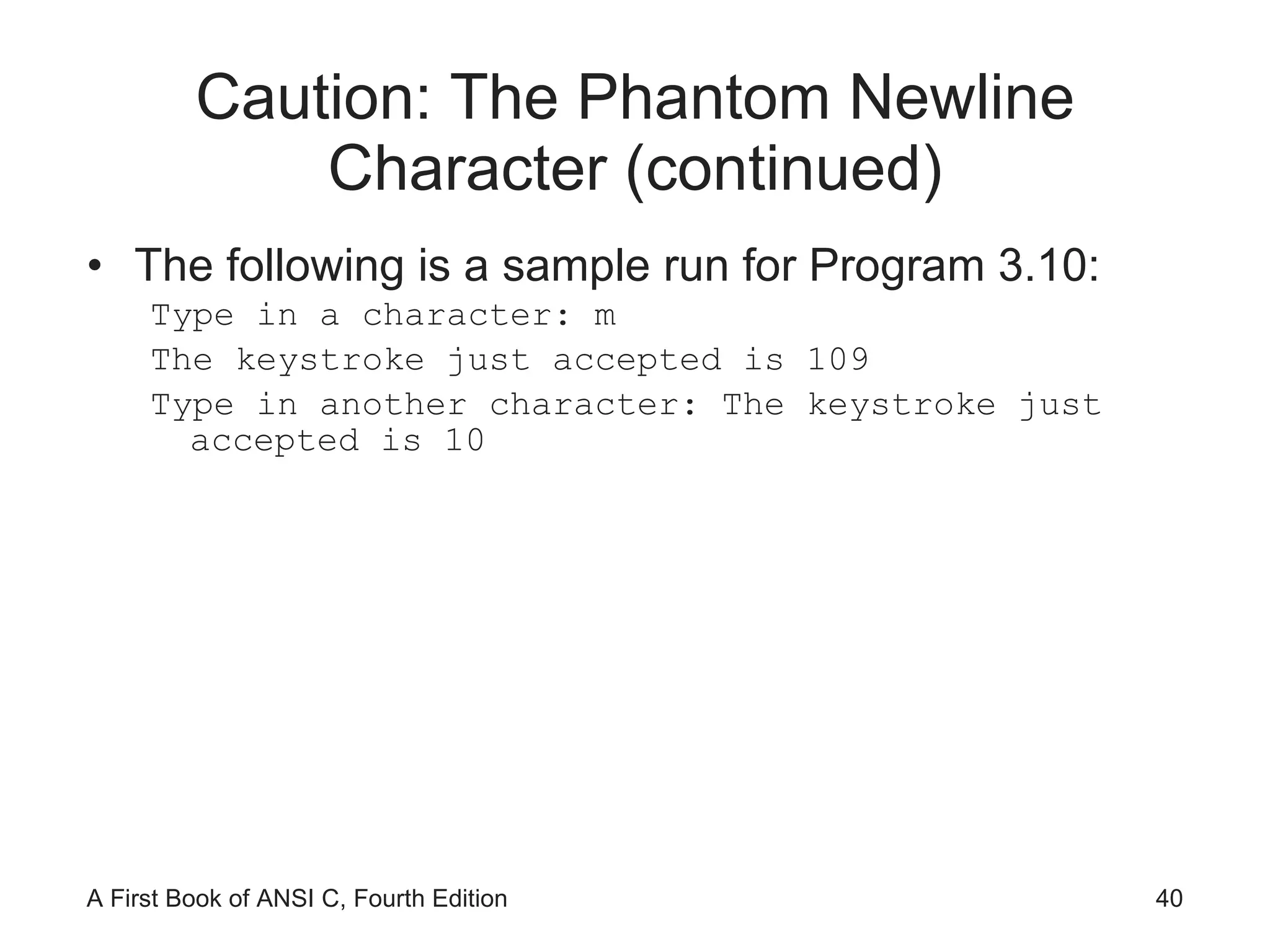
Caution: The Phantom Newline Character (continued) The following is a sample run for Program 3.10: Type in a character: m The keystroke just accepted is 109 Type in another character: The keystroke just accepted is 10
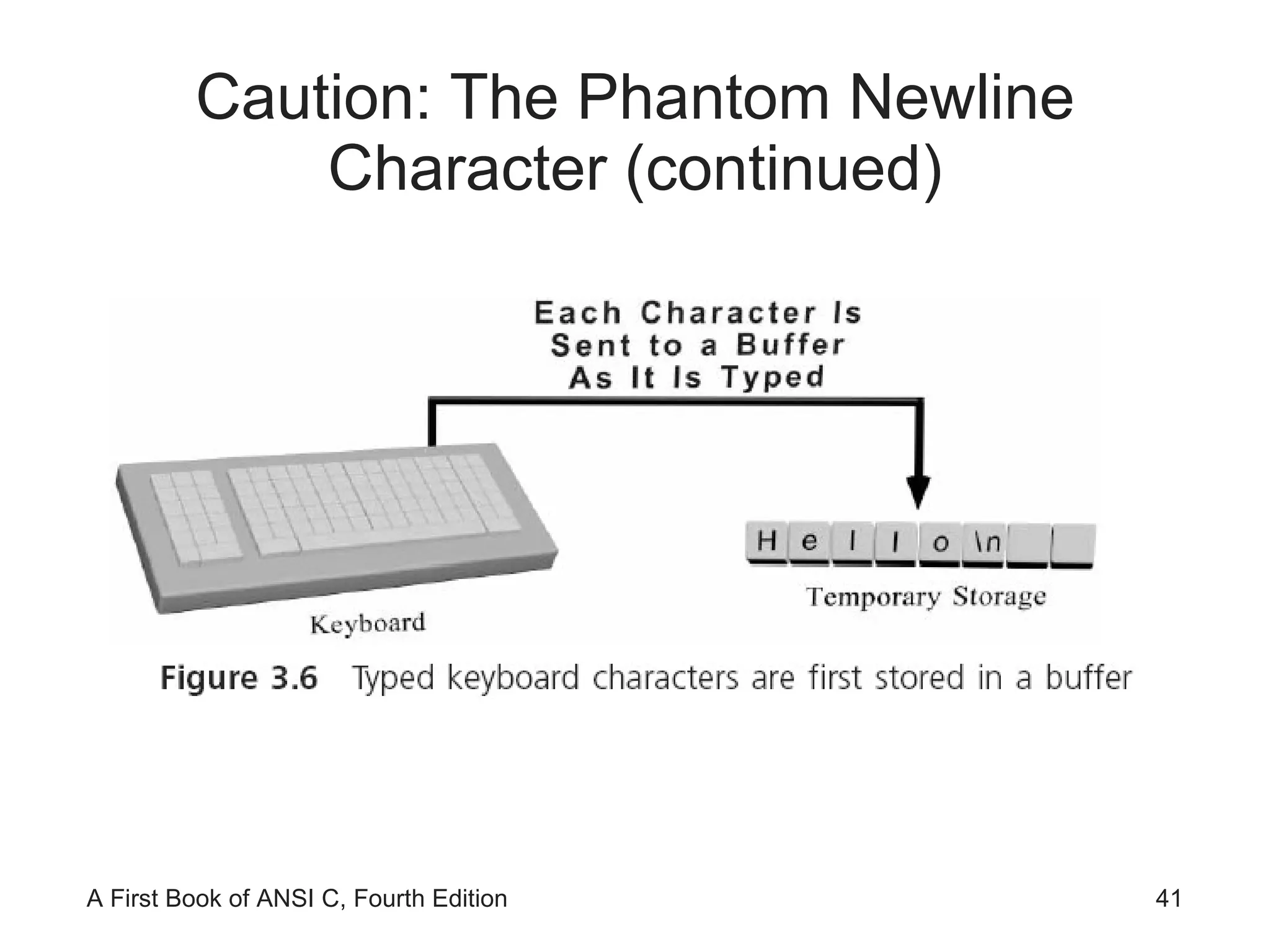
Caution: The Phantom Newline Character (continued)
A First Look at User-Input Validation
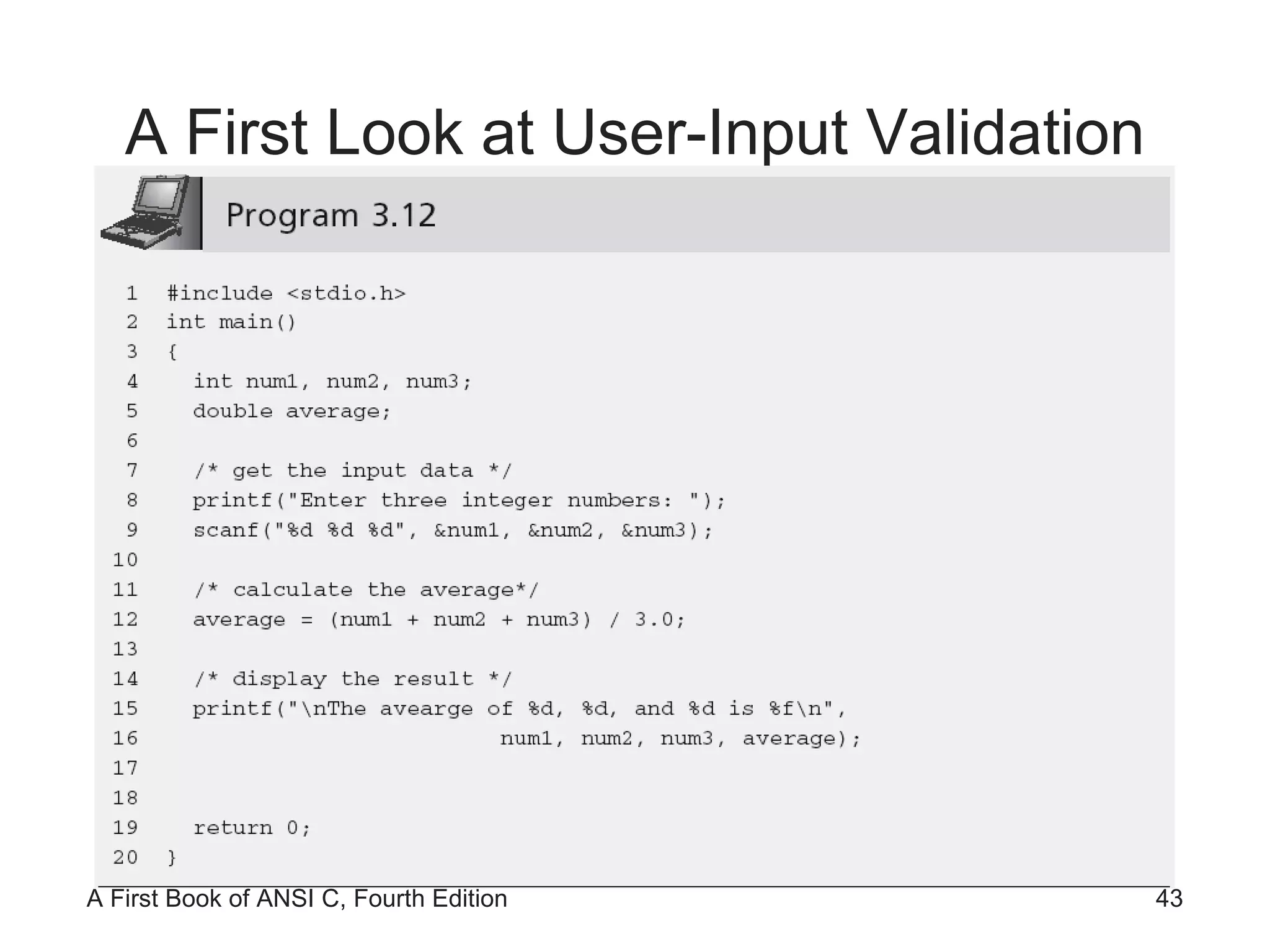
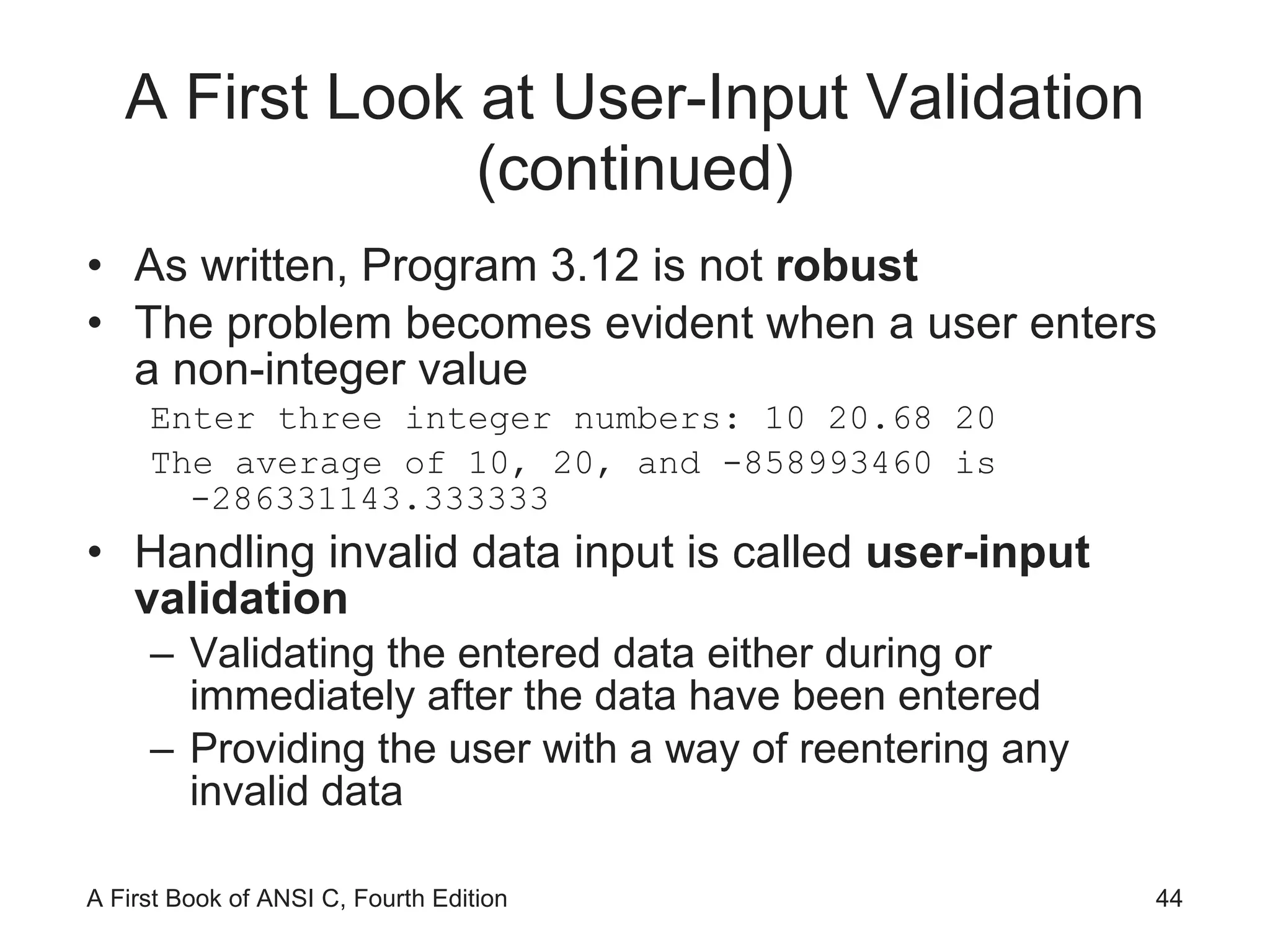
A First Look at User-Input Validation (continued) As written, Program 3.12 is not  robust The problem becomes evident when a user enters a non-integer value Enter three integer numbers: 10 20.68 20 The average of 10, 20, and -858993460 is -286331143.333333 Handling invalid data input is called  user-input validation Validating the entered data either during or immediately after the data have been entered Providing the user with a way of reentering any invalid data
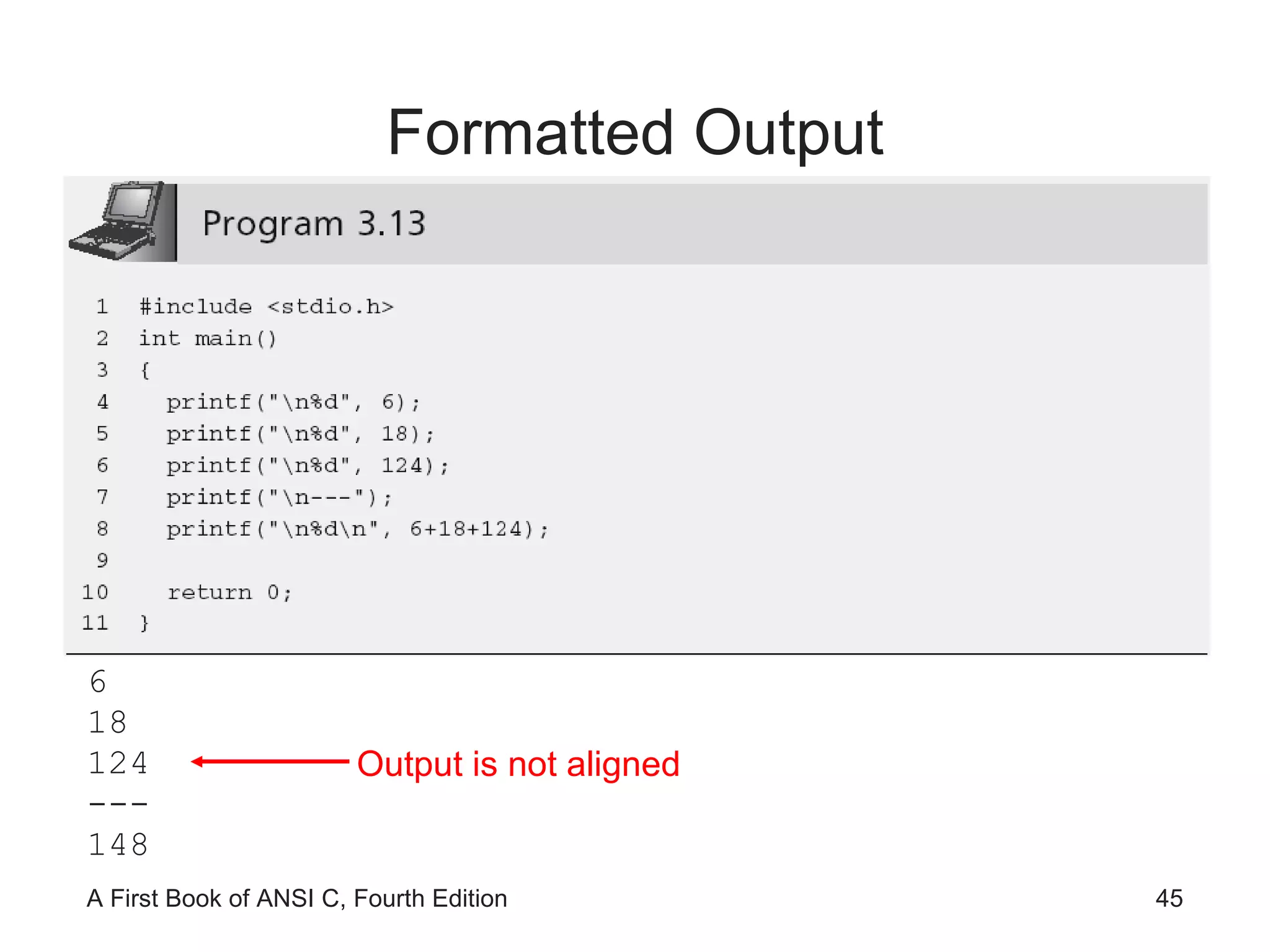
Formatted Output 6 18 124 --- 148 Output is not aligned
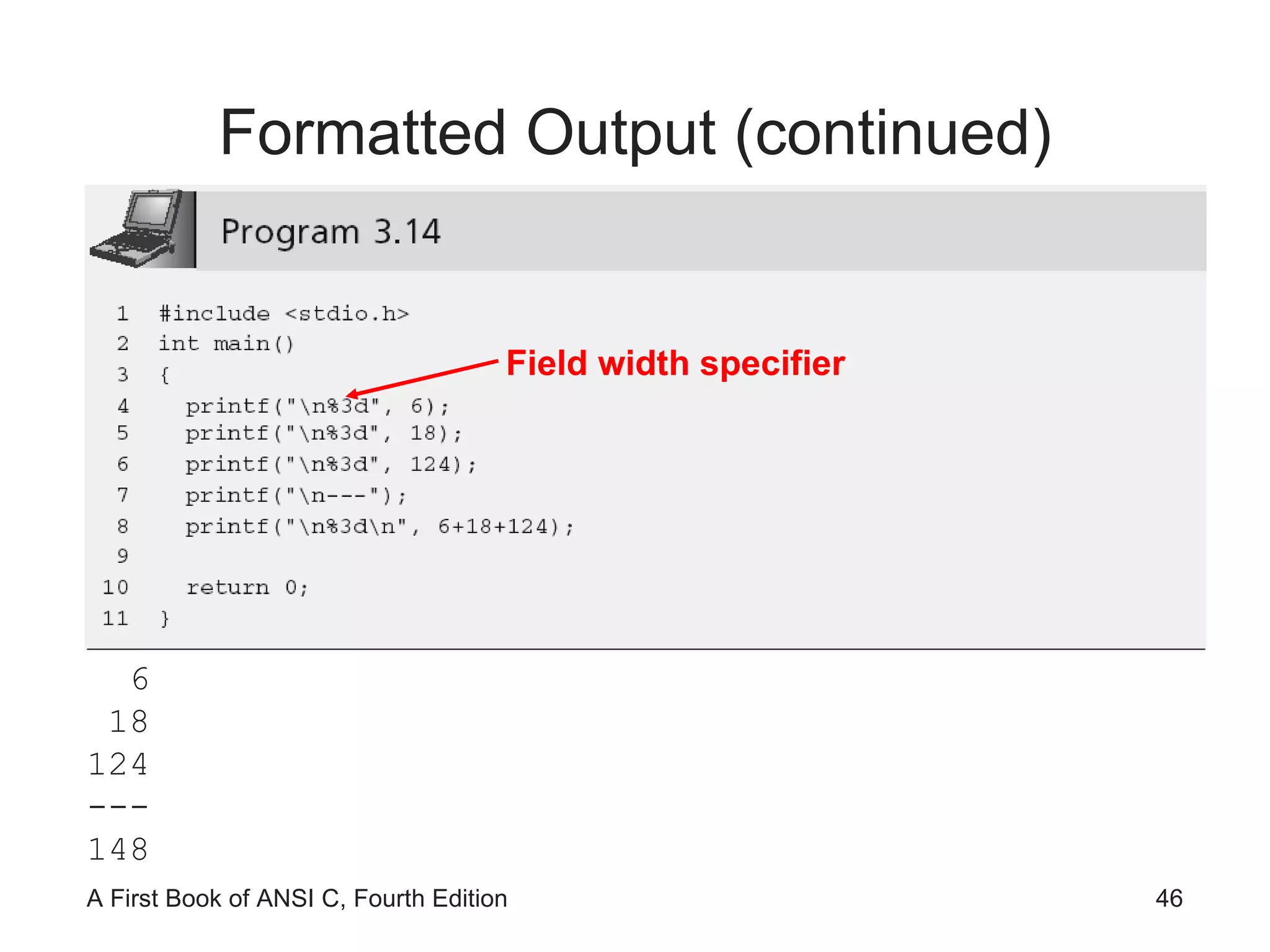
Formatted Output (continued) 6 18 124 --- 148 Field width specifier
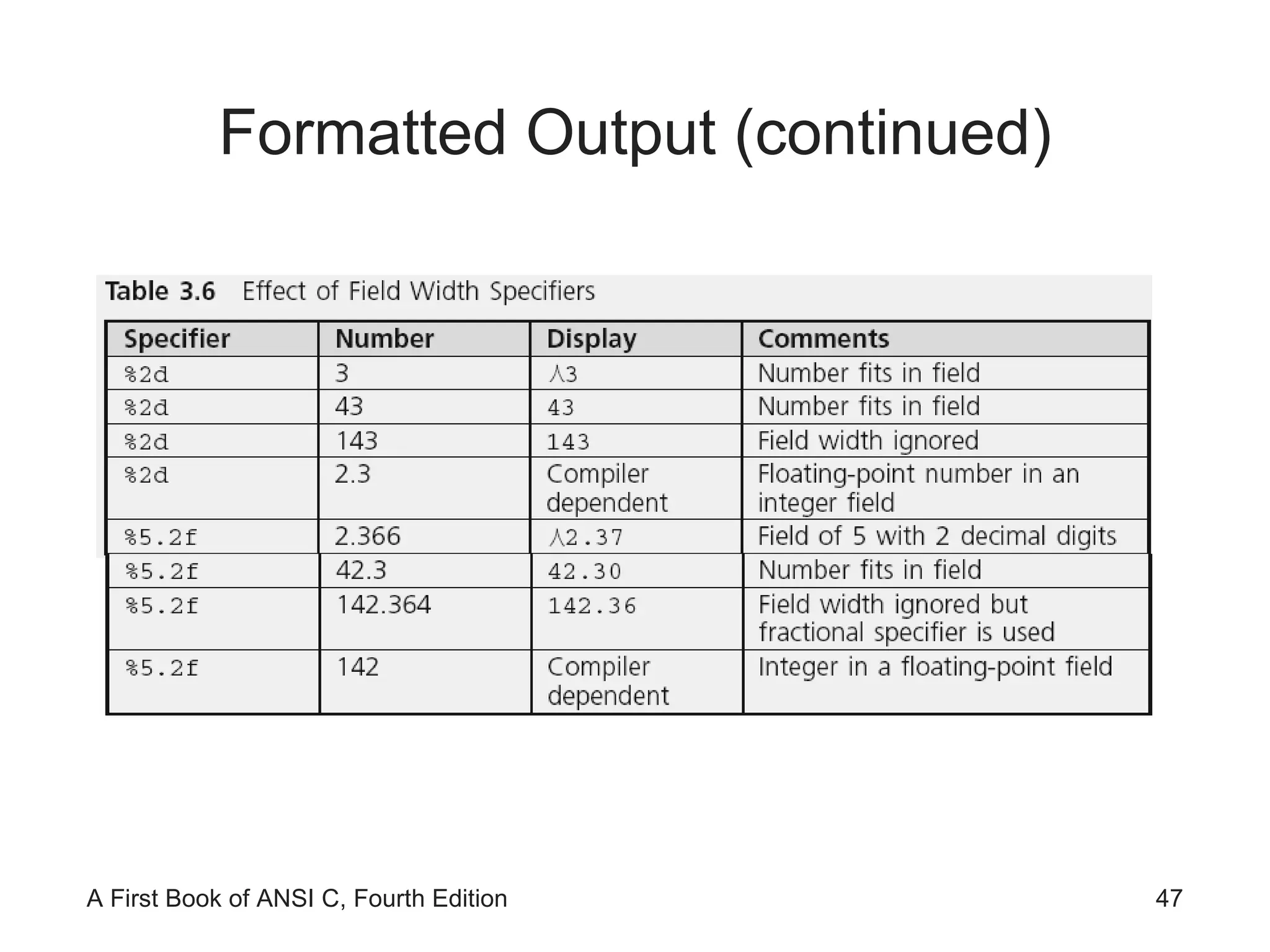
Formatted Output (continued)
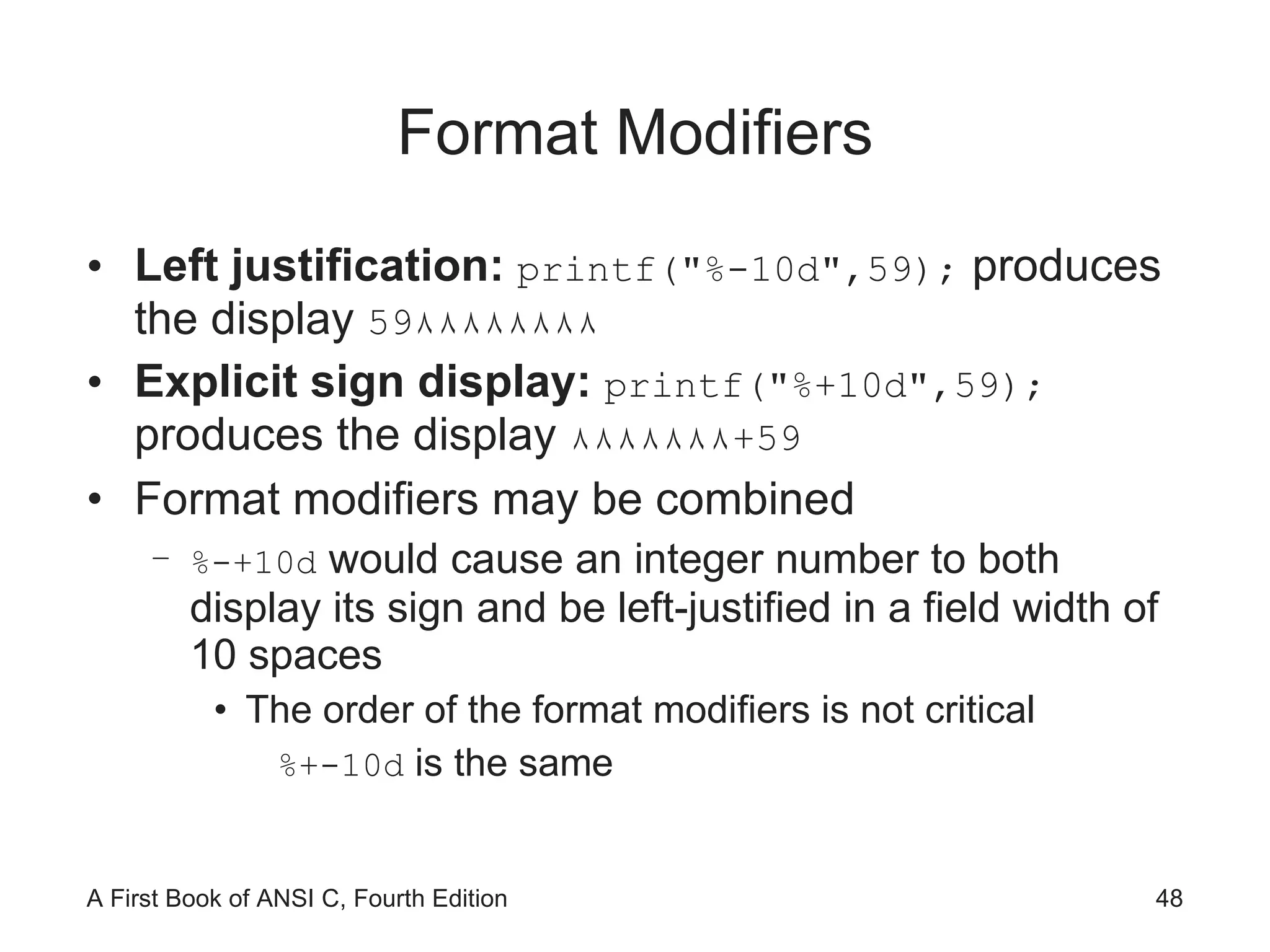
Format Modifiers Left justification:  printf(&quot;%-10d&quot;,59);  produces the display  59 ٨٨٨٨٨٨٨٨ Explicit sign display:  printf(&quot;%+10d&quot;,59);  produces the display  ٨٨٨٨٨٨٨ + 59 Format modifiers may be combined %-+10d  would cause an integer number to both display its sign and be left-justified in a field width of 10 spaces The order of the format modifiers is not critical %+-10d  is the same
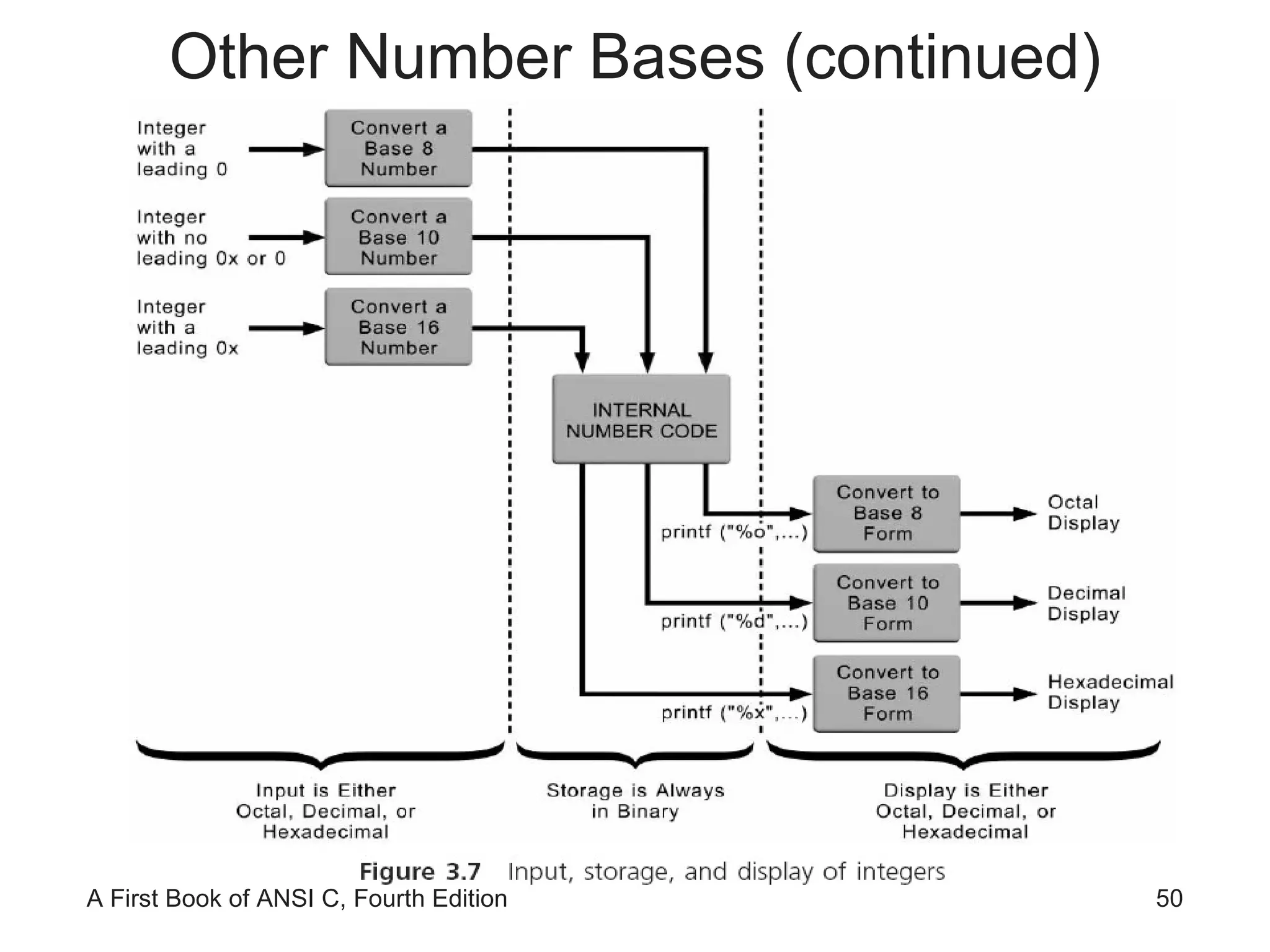
Other Number Bases [Optional] The decimal (base 10) value of 15 is 15. The octal (base 8) value of 15 is 17. The hexadecimal (base 16) value of 15 is f.
Other Number Bases (continued)
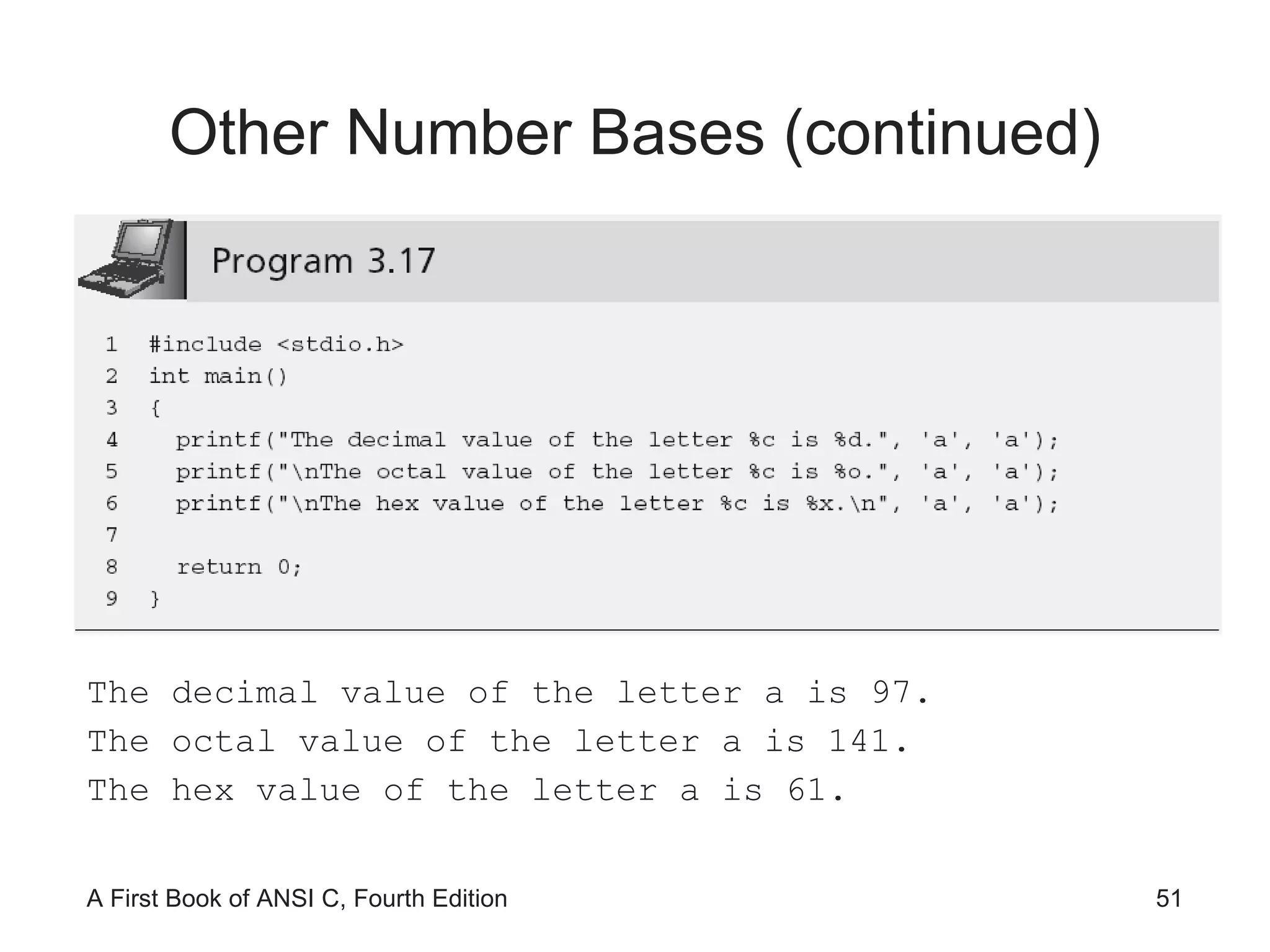
Other Number Bases (continued) The decimal value of the letter a is 97. The octal value of the letter a is 141. The hex value of the letter a is 61.
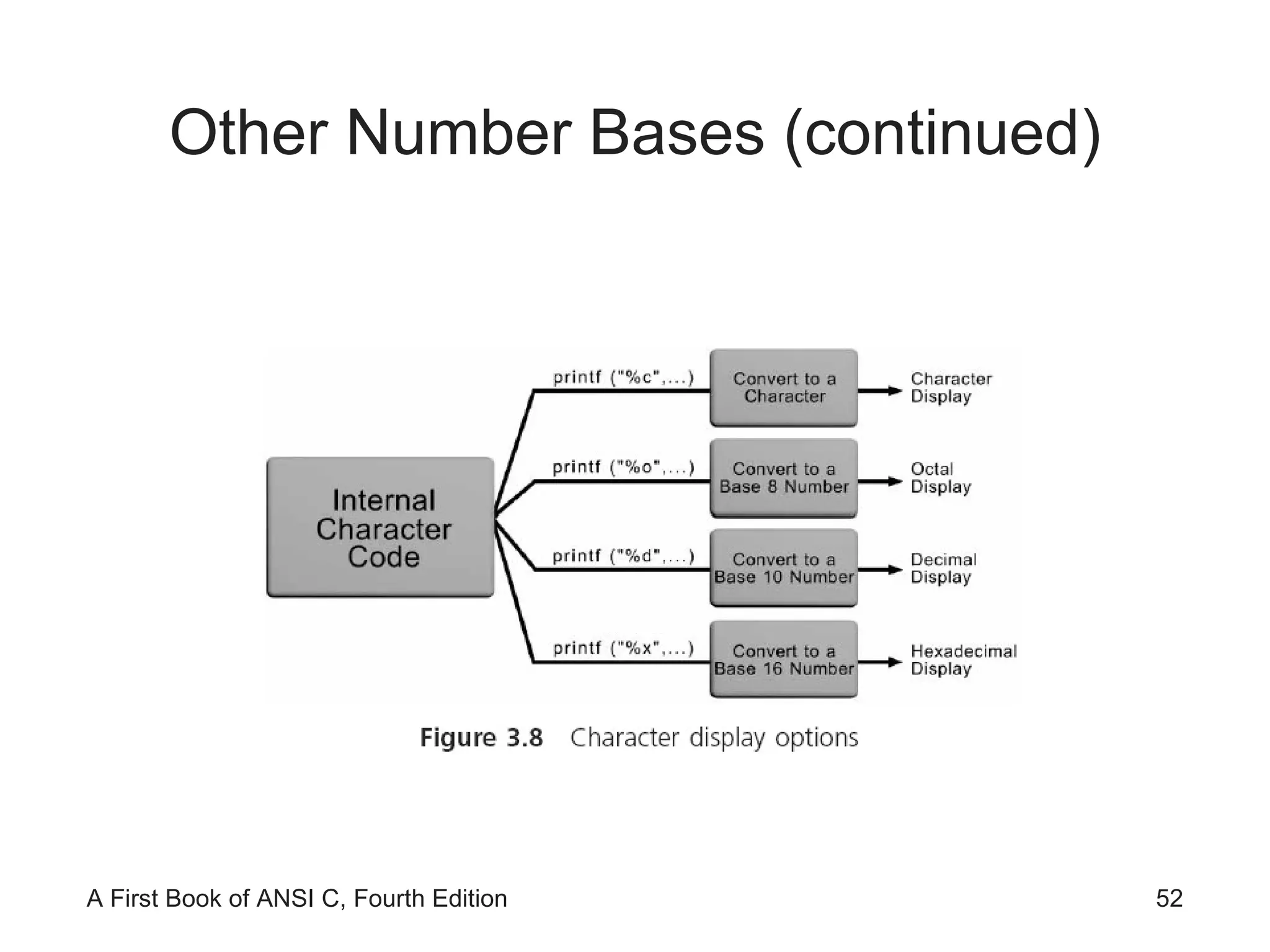
Other Number Bases (continued)
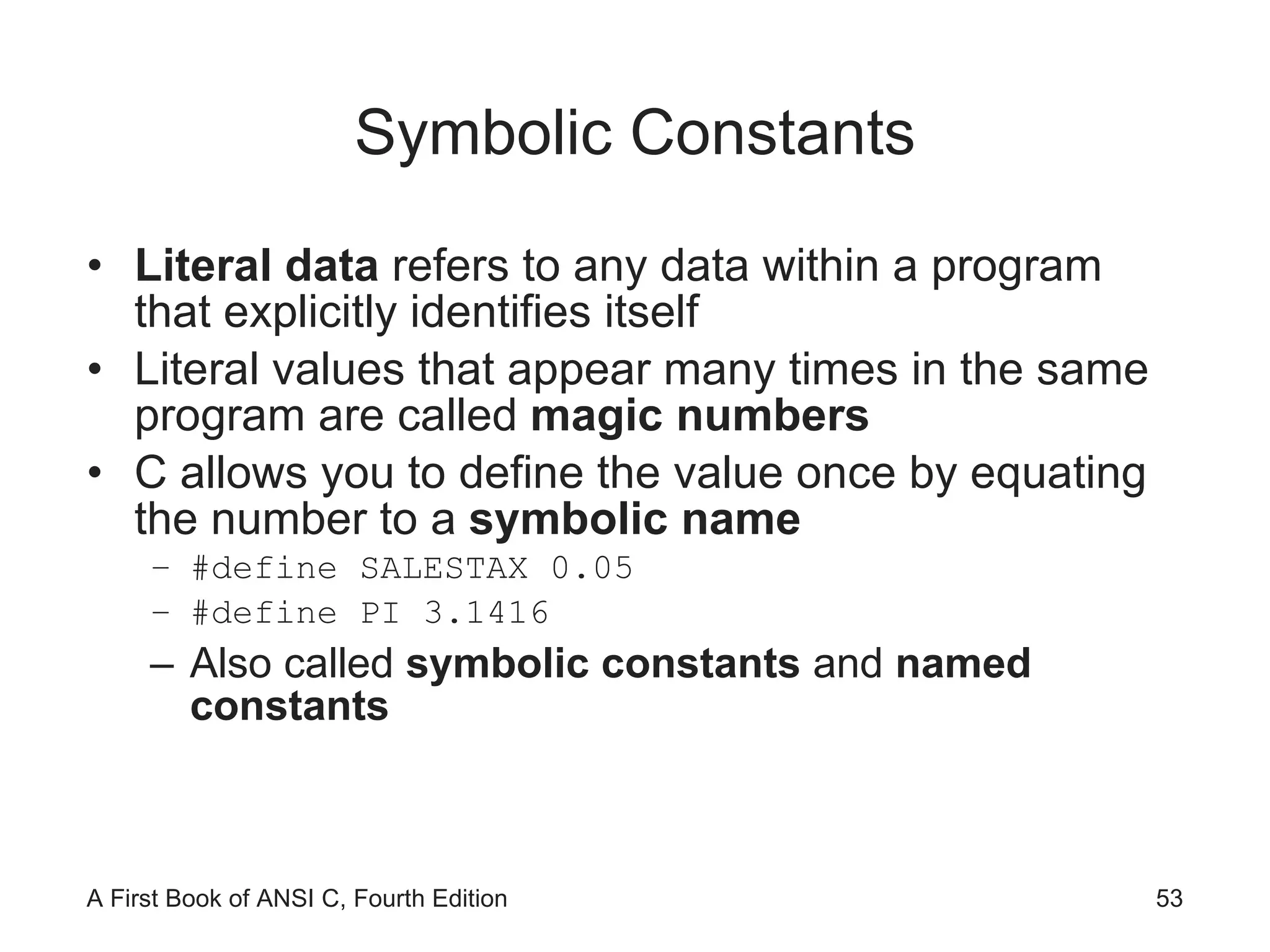
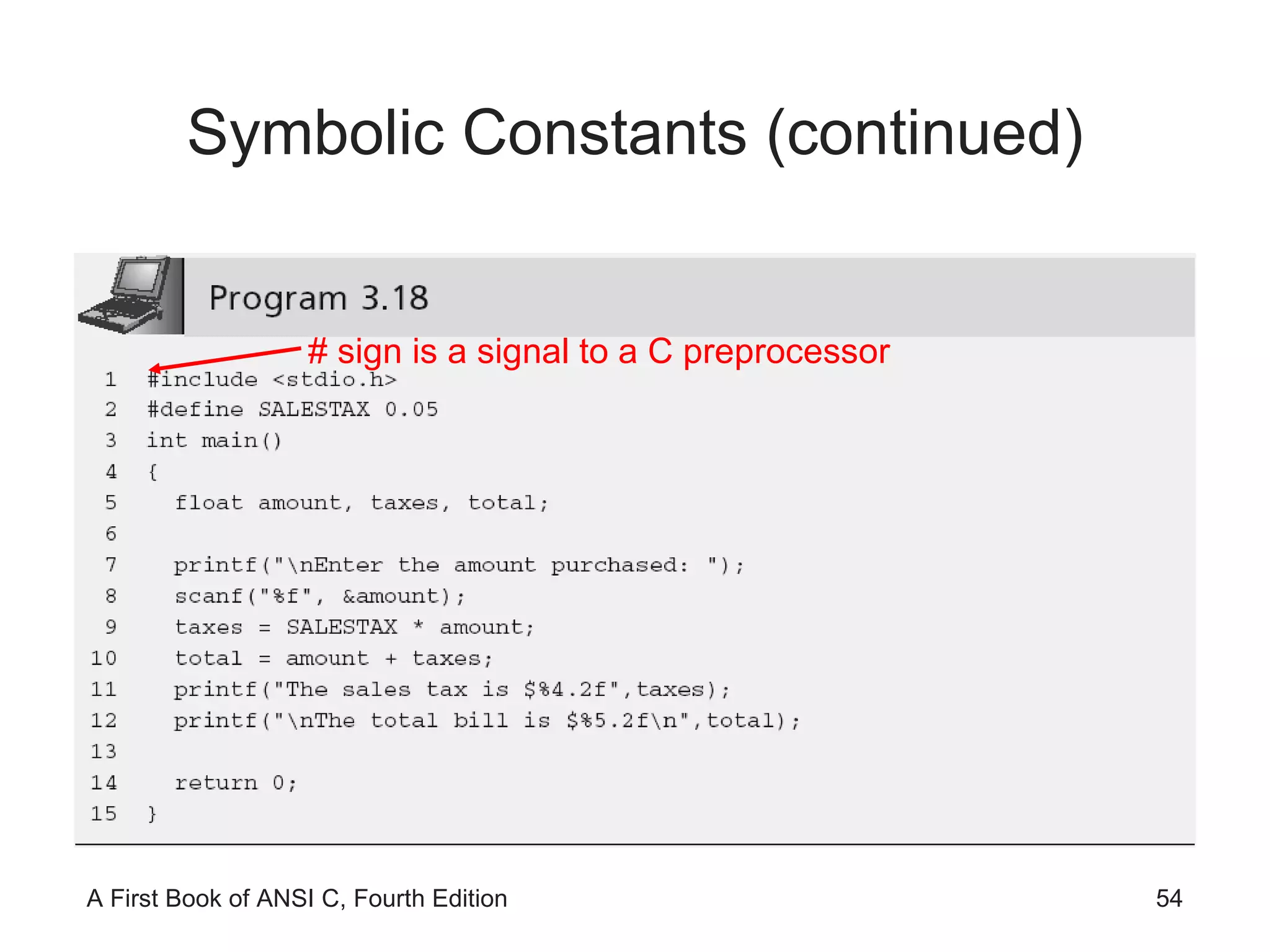
Symbolic Constants Literal data  refers to any data within a program that explicitly identifies itself Literal values that appear many times in the same program are called  magic numbers C allows you to define the value once by equating the number to a  symbolic name #define SALESTAX 0.05 #define PI 3.1416 Also called  symbolic constants  and  named constants
Symbolic Constants (continued) # sign is a signal to a C preprocessor
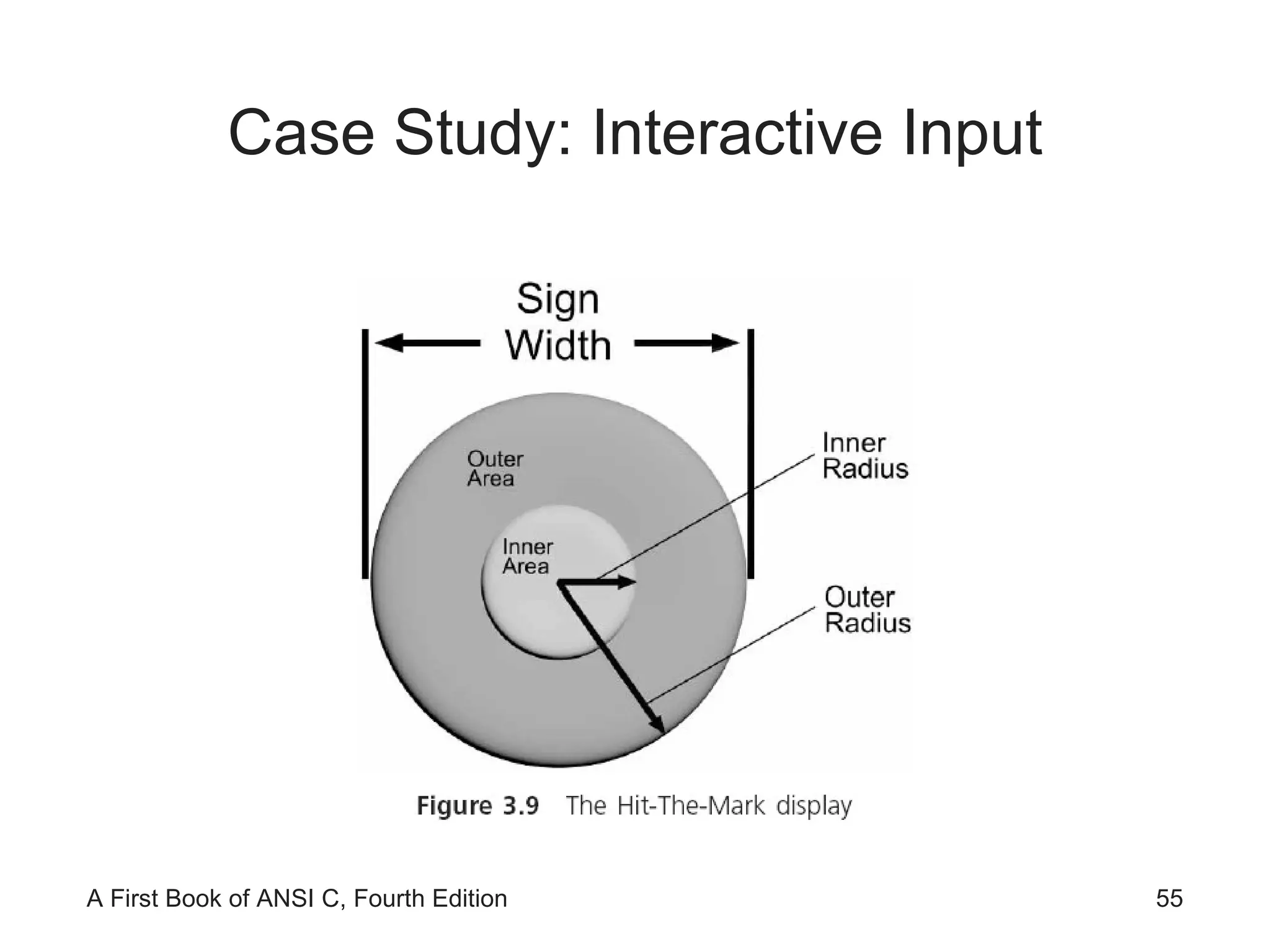
Case Study: Interactive Input
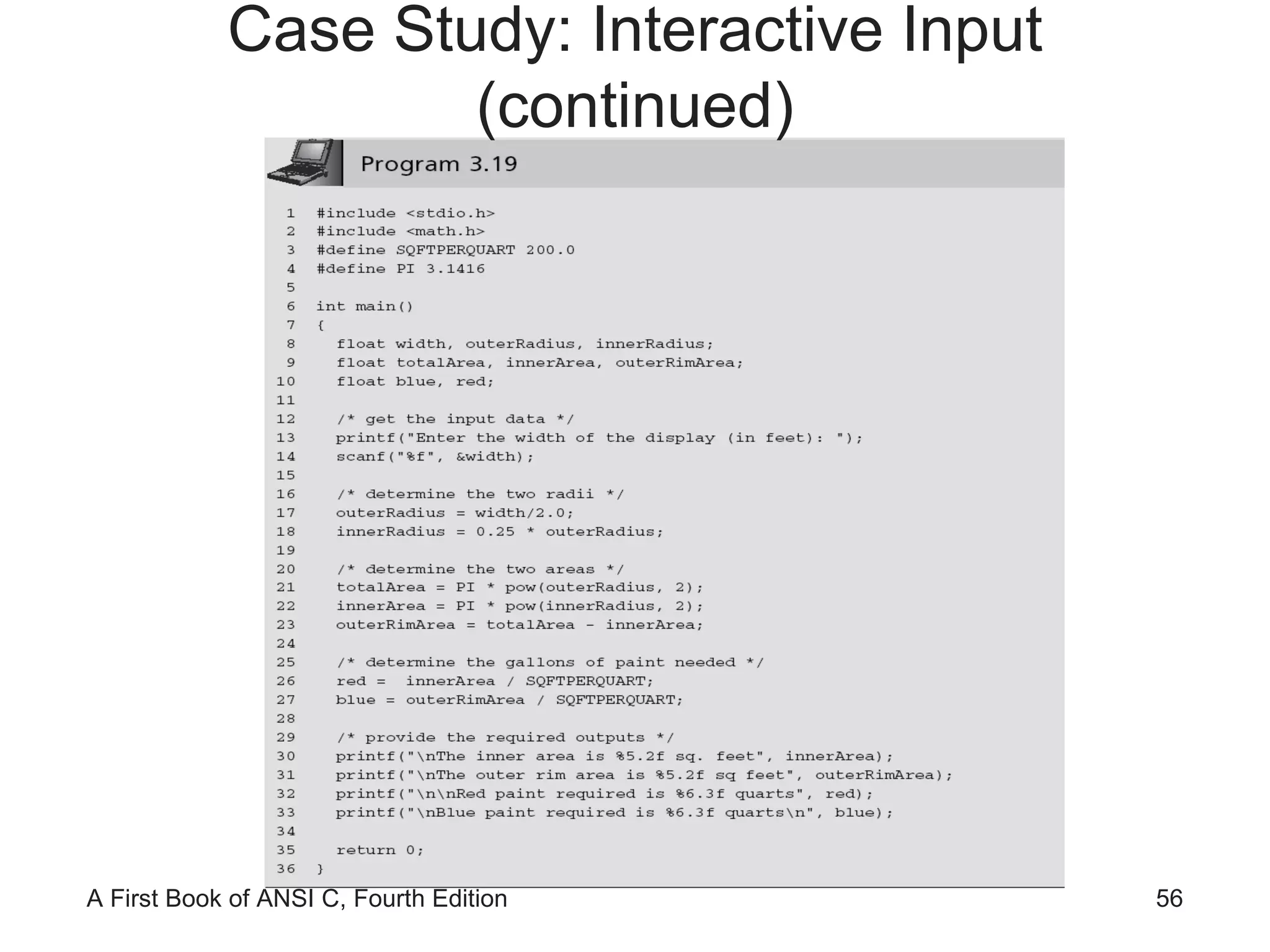
Case Study: Interactive Input (continued)
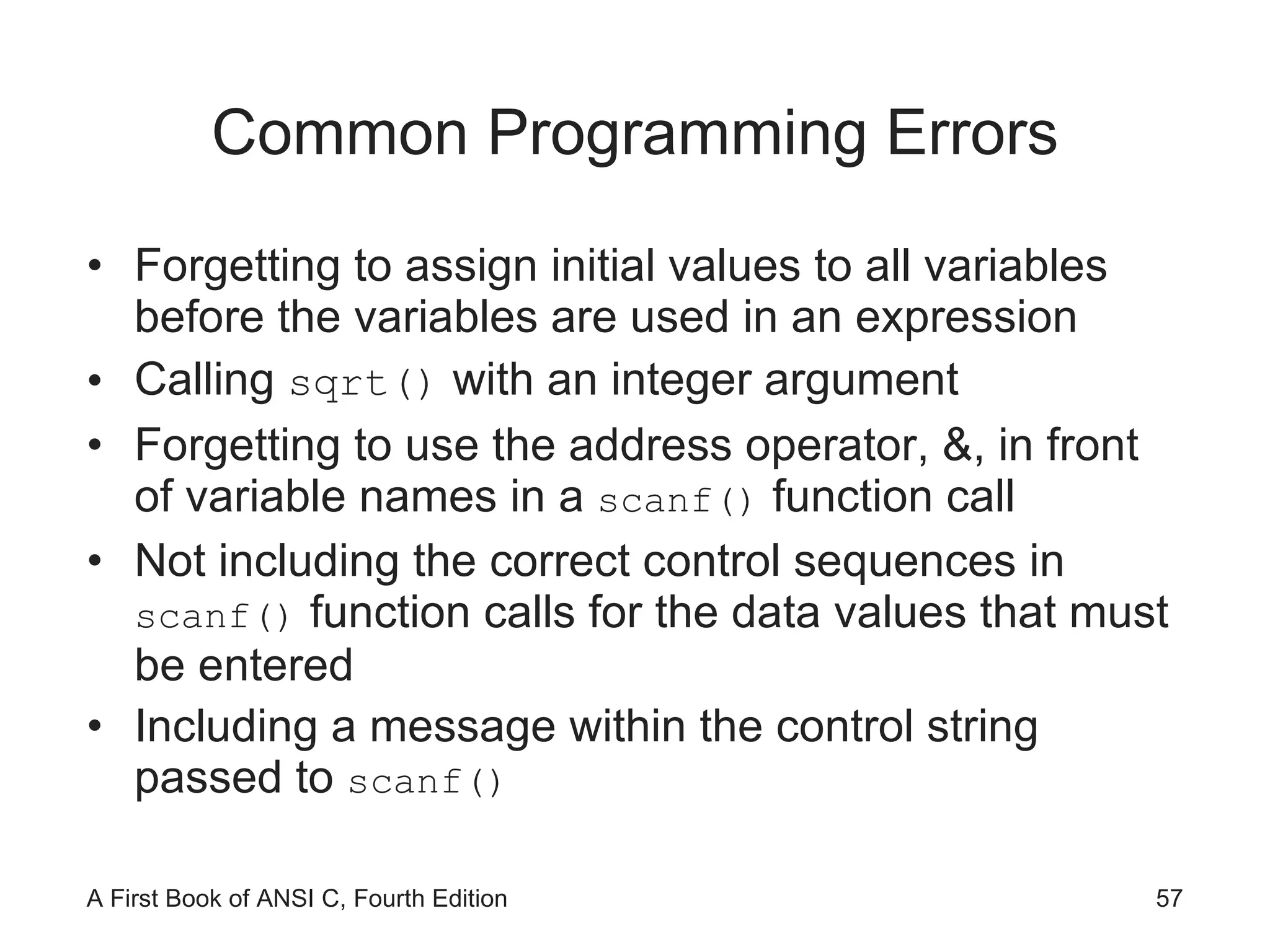
Common Programming Errors Forgetting to assign initial values to all variables before the variables are used in an expression Calling  sqrt()  with an integer argument Forgetting to use the address operator, &, in front of variable names in a  scanf()  function call Not including the correct control sequences in  scanf()  function calls for the data values that must be entered Including a message within the control string passed to  scanf()
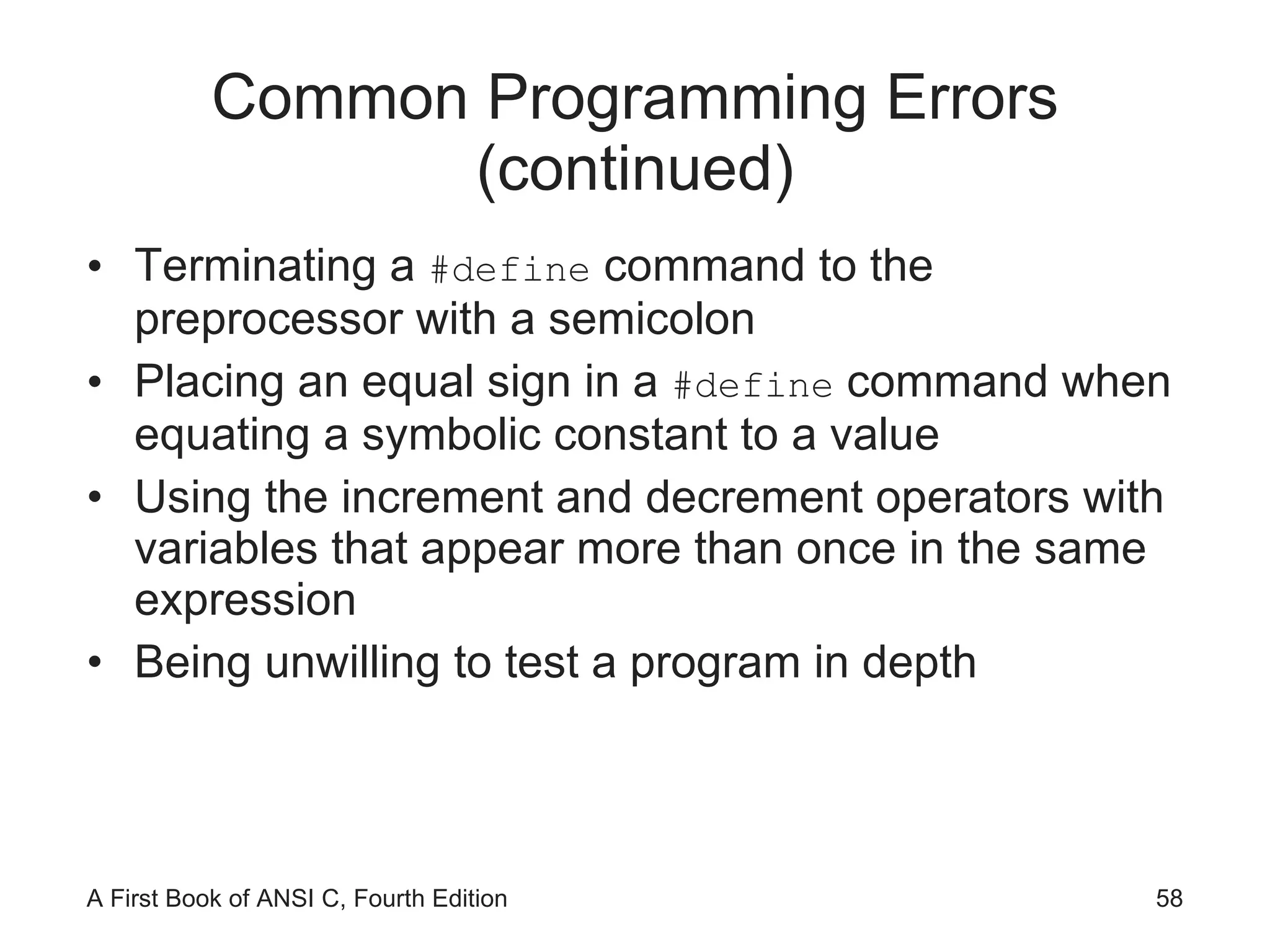
Common Programming Errors (continued) Terminating a  #define  command to the preprocessor with a semicolon Placing an equal sign in a  #define  command when equating a symbolic constant to a value Using the increment and decrement operators with variables that appear more than once in the same expression Being unwilling to test a program in depth
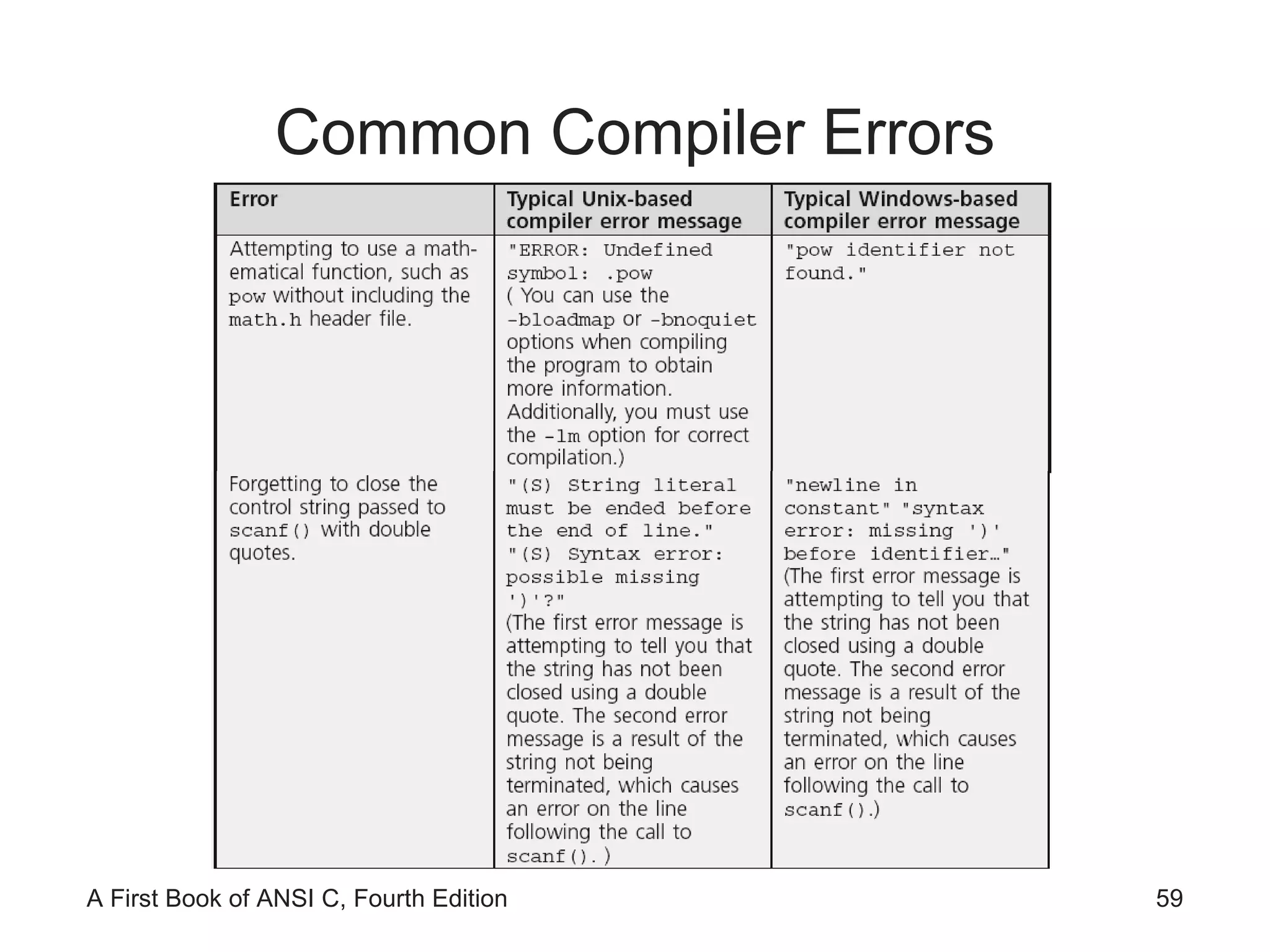
Common Compiler Errors
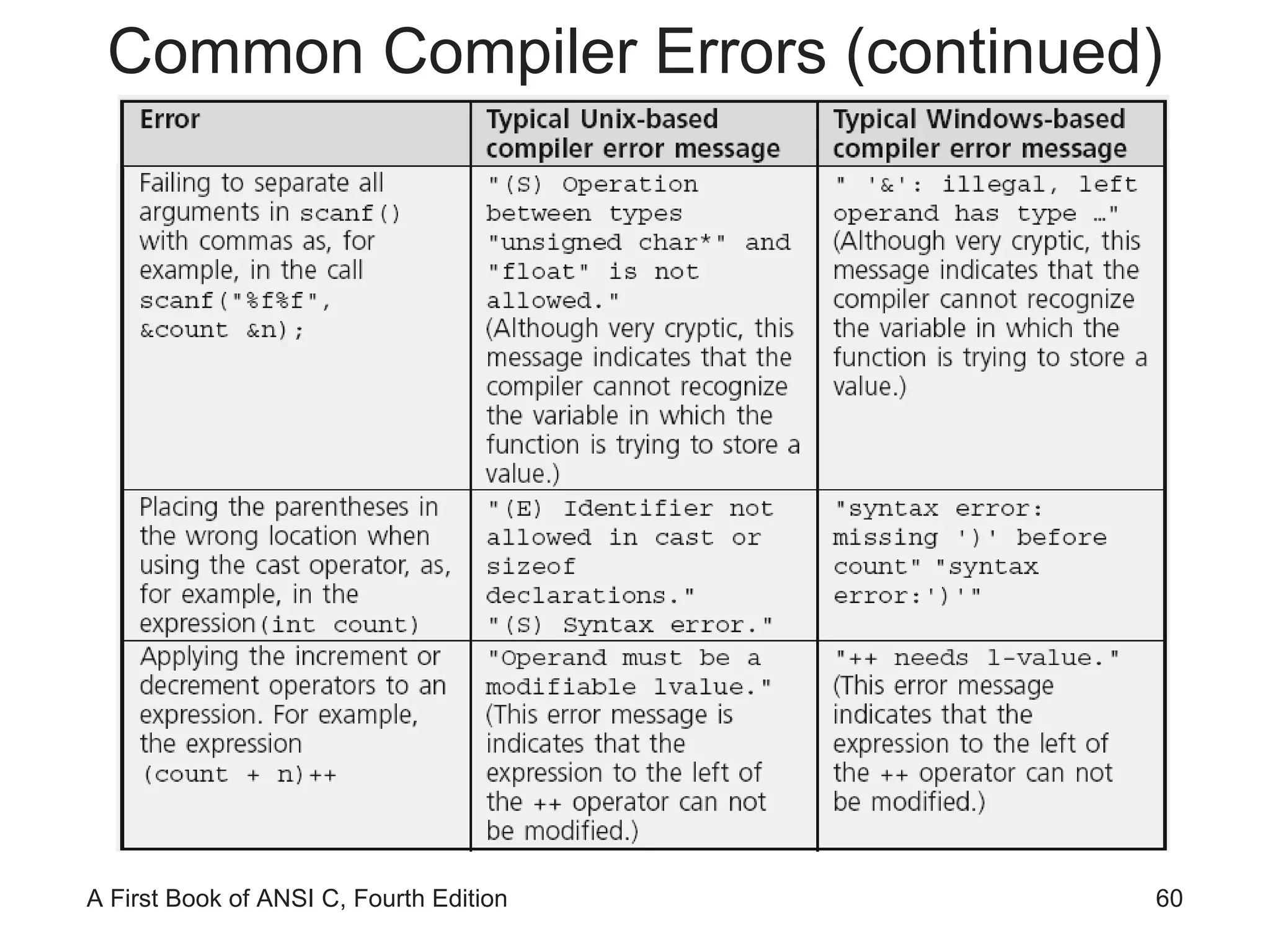
Common Compiler Errors (continued)
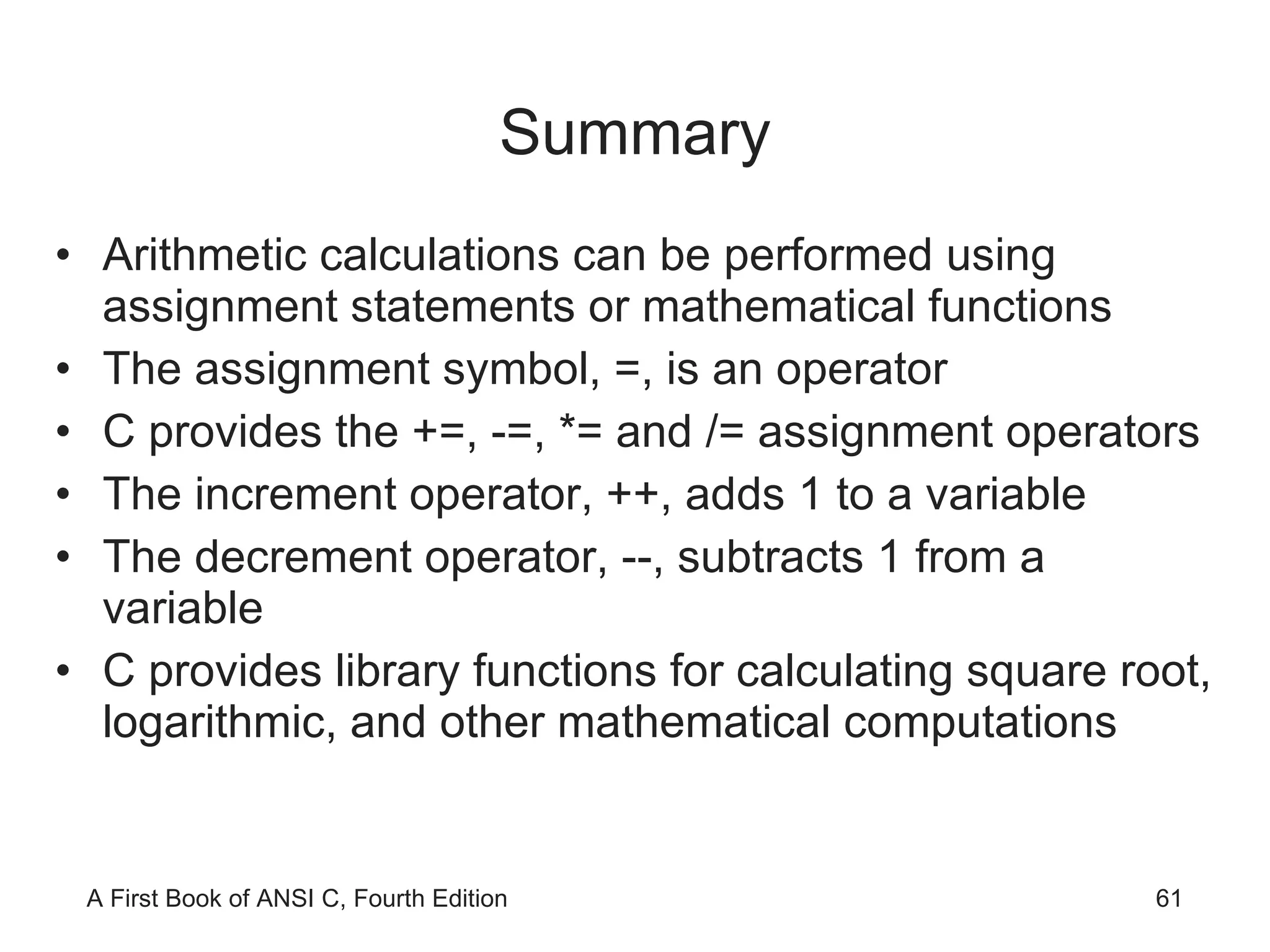
Summary Arithmetic calculations can be performed using assignment statements or mathematical functions The assignment symbol, =, is an operator C provides the +=, -=, *= and /= assignment operators The increment operator, ++, adds 1 to a variable The decrement operator, --, subtracts 1 from a variable C provides library functions for calculating square root, logarithmic, and other mathematical computations
Summary (continued) Mathematical functions may be included within larger expressions scanf()  is a standard library function used for data input When a  scanf()  function is encountered, the program temporarily suspends further statement execution until sufficient data has been entered for the number of variable addresses contained in the  scanf()  function call
Summary (continued) It is good programming practice to display a message, prior to a  scanf()  function call, that alerts the user as to the type and number of data items to be entered Field width specifiers can be included with conversion control sequences to explicitly specify the format of displayed fields Each compiled C program is automatically passed through a preprocessor Expressions can be made equivalent to a single identifier using the preprocessor  #define  command

Ch03

  • 1.
    A First Bookof ANSI C Fourth Edition Chapter 3 Processing and Interactive Input
  • 2.
    Objectives Assignment MathematicalLibrary Functions Interactive Input Formatted Output
  • 3.
    Objectives (continued) SymbolicConstants Case Study: Interactive Input Common Programming and Compiler Errors
  • 4.
    Assignment The generalsyntax for an assignment statement is variable = operand; The operand to the right of the assignment operator (=) can be a constant, a variable, or an expression The equal sign in C does not have the same meaning as an equal sign in algebra length=25; is read “length is assigned the value 25” Subsequent assignment statements can be used to change the value assigned to a variable length = 3.7; length = 6.28;
  • 5.
    Assignment (continued) Theoperand to the right of the equal sign in an assignment statement can be a variable or any valid C expression sum = 3 + 7; product = .05 * 14.6; The value of the expression to the right of = is computed first and then the calculated value is stored in the variable to the left of = Variables used in the expression to the right of the = must be initialized if the result is to make sense amount + 1892 = 1000 + 10 * 5 is invalid!
  • 6.
    Assignment (continued) If width was not initialized, the computer uses the value that happens to occupy that memory space previously (compiler would probably issue a warning)
  • 7.
    Assignment (continued) =has the lowest precedence of all the binary and unary arithmetic operators introduced in Section 2.4 Multiple assignments are possible in the same statement a = b = c = 25; All = operators have the same precedence Operator has right-to-left associativity c = 25; b = c; a = b;
  • 8.
    Implicit Type ConversionsData type conversions take place across assignment operators double result; result = 4; //integer 4 is converted to 4.0 The automatic conversion across an assignment operator is called an implicit type conversion int answer; answer = 2.764; //2.764 is converted to 2 Here the implicit conversion is from a higher precision to a lower precision data type; the compiler will issue a warning
  • 9.
    Explicit Type Conversions(Casts) The operator used to force the conversion of a value to another type is the cast operator (dataType) expression where dataType is the desired data type of the expression following the cast Example: If sum is declared as double sum; , (int) sum is the integer value determined by truncating sum ’s fractional part
  • 10.
    Assignment Variations sum= sum + 10 is not an equation—it is an expression that is evaluated in two major steps
  • 11.
  • 12.
  • 13.
    Assignment Variations (continued)Assignment expressions like sum = sum + 25 can be written using the following operators: += -= *= /= %= sum = sum + 10 can be written as sum += 10 price *= rate is equivalent to price = price * rate price *= rate + 1 is equivalent to price = price * (rate + 1)
  • 14.
    Accumulating The firststatement initializes sum to 0 This removes any previously stored value in sum that would invalidate the final total A previously stored number, if it has not been initialized to a specific and known value, is frequently called a garbage value
  • 15.
  • 16.
  • 17.
    Counting A counting statement is very similar to the accumulating statement variable = variable + fixedNumber; Examples: i = i + 1; and m = m + 2; Increment operator (++): variable = variable + 1 can be replaced by variable++ or ++variable
  • 18.
  • 19.
  • 20.
    Counting (continued) Whenthe ++ operator appears before a variable, it is called a prefix increment operator ; when it appears after a variable, it is called postfix increment operator k = ++n; is equivalent to n = n + 1; // increment n first k = n; // assign n's value to k k = n++; is equivalent to k = n; // assign n's value to k n = n + 1; // and then increment n
  • 21.
    Counting (continued) Prefixdecrement operator: the expression k = --n first decrements the value of n by 1 before assigning the value of n to k Postfix decrement operator: the expression k = n-- first assigns the current value of n to n and then reduces the value of n by 1
  • 22.
  • 23.
  • 24.
    Mathematical Library Functions(continued) The argument to sqrt must be floating-point value; passing an integer value results in a compiler error Return value is double-precision Must include #include <math.h>
  • 25.
  • 26.
  • 27.
    Mathematical Library Functions(continued) Argument need not be a single constant
  • 28.
    Mathematical Library Functions(continued) The step-by-step evaluation of the expression 3.0 * sqrt(5 * 33 - 13.91) / 5 is (see next slide)
  • 29.
  • 30.
    Mathematical Library Functions(continued) Determine the time it takes a ball to hit the ground after it has been dropped from an 800-foot tower time = sqrt(2 * distance/g), where g = 32.2 ft/sec2
  • 31.
  • 32.
  • 33.
    Interactive Input (continued)This program must be rewritten to multiply different numbers scanf() is used to enter data into a program while it is executing; the value is stored in a variable It requires a control string as the first argument inside the function name parentheses
  • 34.
    Interactive Input (continued)The control string passed to scanf() typically consists of conversion control sequences only scanf() requires that a list of variable addresses follow the control string scanf(&quot;%d&quot;, &num1);
  • 35.
  • 36.
    Interactive Input (continued)This statement produces a prompt Address operator (&)
  • 37.
    Interactive Input (continued)scanf() can be used to enter many values scanf(&quot;%f %f&quot;,&num1,&num2); //&quot;%f%f&quot; is the same A space can affect what the value being entered is when scanf() is expecting a character data type scanf(&quot;%c%c%c&quot;,&ch1,&ch2,&ch3); stores the next three characters typed in the variables ch1 , ch2 , and ch3 ; if you type x y z , then x is stored in ch1 , a blank is stored in ch2 , and y is stored in ch3 scanf(&quot;%c %c %c&quot;,&ch1,&ch2,&ch3); causes scanf() to look for three characters, each character separated by exactly one space
  • 38.
    Interactive Input (continued)In printing a double-precision number using printf() , the conversion control sequence for a single-precision variable, %f , can be used When using scanf() , if a double-precision number is to be entered, you must use the %lf conversion control sequence scanf() does not test the data type of the values being entered In scanf(&quot;%d %f&quot;, &num1, &num2) , if user enters 22.87 , 22 is stored in num1 and .87 in num2
  • 39.
    Caution: The PhantomNewline Character
  • 40.
    Caution: The PhantomNewline Character (continued) The following is a sample run for Program 3.10: Type in a character: m The keystroke just accepted is 109 Type in another character: The keystroke just accepted is 10
  • 41.
    Caution: The PhantomNewline Character (continued)
  • 42.
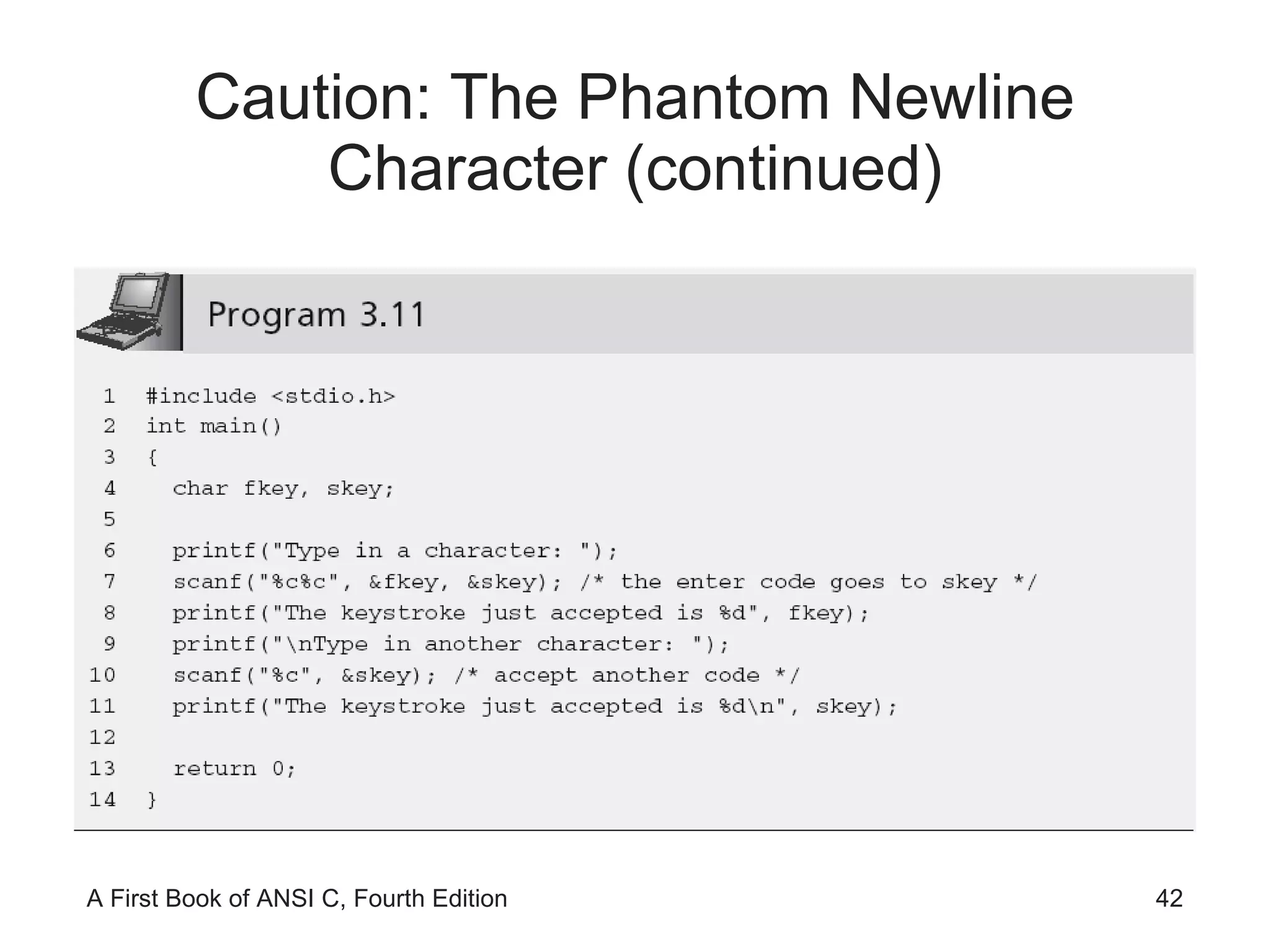
    Caution: The PhantomNewline Character (continued)
  • 43.
    A First Lookat User-Input Validation
  • 44.
    A First Lookat User-Input Validation (continued) As written, Program 3.12 is not robust The problem becomes evident when a user enters a non-integer value Enter three integer numbers: 10 20.68 20 The average of 10, 20, and -858993460 is -286331143.333333 Handling invalid data input is called user-input validation Validating the entered data either during or immediately after the data have been entered Providing the user with a way of reentering any invalid data
  • 45.
    Formatted Output 618 124 --- 148 Output is not aligned
  • 46.
    Formatted Output (continued)6 18 124 --- 148 Field width specifier
  • 47.
  • 48.
    Format Modifiers Leftjustification: printf(&quot;%-10d&quot;,59); produces the display 59 ٨٨٨٨٨٨٨٨ Explicit sign display: printf(&quot;%+10d&quot;,59); produces the display ٨٨٨٨٨٨٨ + 59 Format modifiers may be combined %-+10d would cause an integer number to both display its sign and be left-justified in a field width of 10 spaces The order of the format modifiers is not critical %+-10d is the same
  • 49.
    Other Number Bases[Optional] The decimal (base 10) value of 15 is 15. The octal (base 8) value of 15 is 17. The hexadecimal (base 16) value of 15 is f.
  • 50.
    Other Number Bases(continued)
  • 51.
    Other Number Bases(continued) The decimal value of the letter a is 97. The octal value of the letter a is 141. The hex value of the letter a is 61.
  • 52.
    Other Number Bases(continued)
  • 53.
    Symbolic Constants Literaldata refers to any data within a program that explicitly identifies itself Literal values that appear many times in the same program are called magic numbers C allows you to define the value once by equating the number to a symbolic name #define SALESTAX 0.05 #define PI 3.1416 Also called symbolic constants and named constants
  • 54.
    Symbolic Constants (continued)# sign is a signal to a C preprocessor
  • 55.
  • 56.
    Case Study: InteractiveInput (continued)
  • 57.
    Common Programming ErrorsForgetting to assign initial values to all variables before the variables are used in an expression Calling sqrt() with an integer argument Forgetting to use the address operator, &, in front of variable names in a scanf() function call Not including the correct control sequences in scanf() function calls for the data values that must be entered Including a message within the control string passed to scanf()
  • 58.
    Common Programming Errors(continued) Terminating a #define command to the preprocessor with a semicolon Placing an equal sign in a #define command when equating a symbolic constant to a value Using the increment and decrement operators with variables that appear more than once in the same expression Being unwilling to test a program in depth
  • 59.
  • 60.
  • 61.
    Summary Arithmetic calculationscan be performed using assignment statements or mathematical functions The assignment symbol, =, is an operator C provides the +=, -=, *= and /= assignment operators The increment operator, ++, adds 1 to a variable The decrement operator, --, subtracts 1 from a variable C provides library functions for calculating square root, logarithmic, and other mathematical computations
  • 62.
    Summary (continued) Mathematicalfunctions may be included within larger expressions scanf() is a standard library function used for data input When a scanf() function is encountered, the program temporarily suspends further statement execution until sufficient data has been entered for the number of variable addresses contained in the scanf() function call
  • 63.
    Summary (continued) Itis good programming practice to display a message, prior to a scanf() function call, that alerts the user as to the type and number of data items to be entered Field width specifiers can be included with conversion control sequences to explicitly specify the format of displayed fields Each compiled C program is automatically passed through a preprocessor Expressions can be made equivalent to a single identifier using the preprocessor #define command