Computer Project Work Getting started with C++ Guided by:-   Prepared by:- M. Ravi Kiran (sir)   K. Durga Prasad T.G.T computer.   X1 class M.P.C.Computers
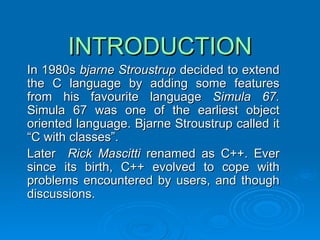
In 1980s  bjarne Stroustrup  decided to extend the C language by adding some features from his favourite language  Simula 67.  Simula 67 was one of the earliest object oriented language. Bjarne Stroustrup called it “C with classes”. Later  Rick Mascitti  renamed as C++. Ever since its birth, C++ evolved to cope with problems encountered by users, and though discussions. INTRODUCTION
C++ CHARACTER SET Character set is a set of valid characters that a language can recognise. A character represents any letter, digit, or any other sign. Letters  A-Z,  a-z Digits  0-9 Special Symbols   Space + - * / ^ \ ( ) [ ]  { } = != < > . ‘ “ $  , ; : % ! & ? _(underscore) # <= >= @ White Spaces   Blank spaces, Horizontal tab, Carriage return, New line, Form feed. Other Characters   C++ can process any of the 256 ASCII  characters as data or as literals.
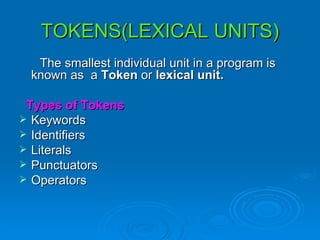
TOKENS(LEXICAL UNITS) The smallest individual unit in a   program is known as   a  Token  or  lexical unit. Types of Tokens Keywords Identifiers Literals Punctuators Operators
KEYWORDS Keywords are the words that convey a special meaning to the language compiler. These are reserved for special purpose and must not be used as normal identifier names.
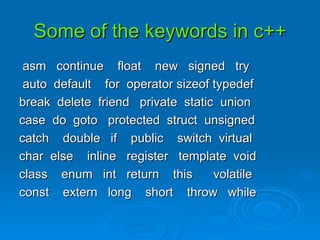
Some of the keywords in c++ asm  continue  float  new  signed  try auto  default  for  operator sizeof typedef break  delete  friend  private  static  union case  do  goto  protected  struct  unsigned catch  double  if  public  switch  virtual char  else  inline  register  template  void class  enum  int  return  this  volatile const  extern  long  short  throw  while
Identifiers Identifiers are names of the program given by user. Rules to write identifiers Do not start with digits. No special symbols are used except _(underscore). No spaces are used. Examples:- myfile ,  date9_2_7_6
Literals Literals (constants) are data items that never change their value during a program run. Types of Literals: Integer constant Floating constants Character constant String literal
Integer constant Integer constants  are whole numbers without any fractional part. Three  types of Integer constants Decimal Integer constant Octal Integer constant Hexadecimal Integer constant
Decimal Integer constant An integer constant consisting of a sequence of digits is taken to  be decimal integer constant unless it begins with 0 (digit zero). Example:-  1296,  5642,  12,  +69,-  23,etc.,
Octal Integer constant A sequence of digits starting with0(digit zero) is taken to be an octal integer. Example:-123,  456, etc.,
Hexadecimal Integer constant A sequence of digits preceded by 0x or 0X is taken to be an hexadecimal integer. Example:-4B6,  A43,etc.,
Floating Constants Floating constants are also called as  Real constants Real constants   are numbers having fractional parts. These may be written in one of the two forms called  fractional form  or the  exponent form. Examples:-2.0, 3.5, 8.6, etc.,
Character constants A  Character constant  is one character enclosed in single quotes, as in ‘z’.  Examples:-  ‘a’,  ‘b’, etc.,
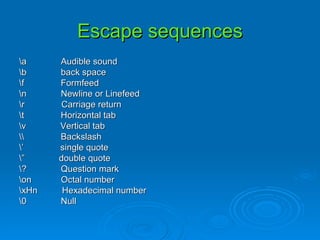
Escape sequences \a  Audible sound \b  back space \f  Formfeed \n  Newline or Linefeed \r  Carriage return \t  Horizontal tab \v  Vertical tab \\  Backslash \’  single quote \”  double quote \?  Question mark \on  Octal number \xHn  Hexadecimal number \0  Null
String Literals Multiple character  constants are treated as string literals. Examples:-”a” , “ade”, etc.,
Punctuators The following characters are used as punctuators. [ ]  ( )  { }  ,  ;  :  *  …  =  # Brackets  [ ] opening and closing brackets indicate single and multidimensional array subscripts. Parenthesis  ( )  these indicate function calls and function parameters.
Braces  {  }  these indicates the start and end of a compound statement. Comma  ,  it is used as separator in a function argument list. Semicolon  ;  it is used as statement terminator. Collon  :  it indicates a labeled statement. Asterisk  *  it is used for pointer declaration.
Ellipsis  …  Ellipsis (...) are used in the formal argument lists of the function prototype to indicate a variable number of argument. Equal to sign  =  It is used for variable initialisation and an assignment operator in expressions. Pound sign   #   this sign is used for preprocessor directive.
Operators Operators are tokens that trigger some computation when applied to variables and other objects in an expression. Types of operators Unary operators Binary operators Ternary operators
Unary operators Unary operators are those operators that require one operator to operate upon. Examples :-  +45, 5, -636,etc.,
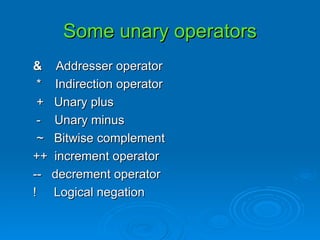
Some unary operators &  Addresser operator *  Indirection operator +  Unary plus -  Unary minus ~  Bitwise complement ++  increment operator --  decrement operator !  Logical negation
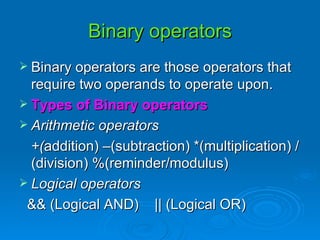
Binary operators Binary operators are those operators that require two operands to operate upon. Types of Binary operators Arithmetic operators +( addition) –(subtraction) *(multiplication) /(division) %(reminder/modulus) Logical operators && (Logical AND)  || (Logical OR)
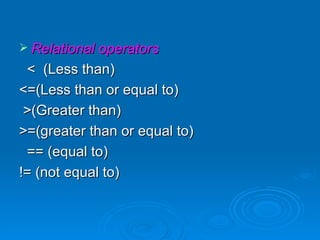
Relational operators <  (Less than) <=(Less than or equal to) >(Greater than) >=(greater than or equal to) == (equal to) != (not equal to)
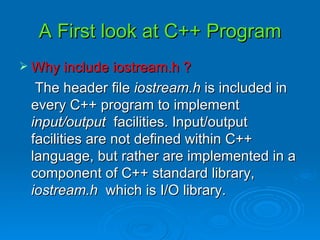
A First look at C++ Program Why include iostream.h ? The header file  iostream.h  is included in every C++ program to implement  input/output  facilities. Input/output facilities are not defined within C++ language, but rather are implemented in a component of C++ standard library,  iostream.h  which is I/O library.
Predefined streams in I/O Library A stream is simply a sequence of bytes. The predefined stream objects for input, output, error as follows: Cin  cin stands for console input. Cout   cout stands for console output. Cerr  cerr stands for console error.
Comments in a C++ Program Comments are pieces of codes that the compiler discards or ignores or simply does not execute. Types of comments: Single line comments Multiline or block comments
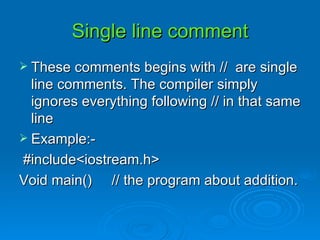
These comments begins with //  are single line comments. The compiler simply ignores everything following // in that same line Example:- #include<iostream.h> Void main()  // the program about addition.  Single line comment
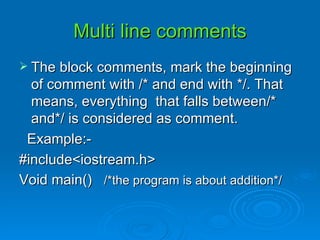
Multi line comments The block comments, mark the beginning of comment with /* and end with */. That means, everything  that falls between/* and*/ is considered as comment. Example:- #include<iostream.h> Void main()  /*the program is about addition*/
Using I/O operators Output operator   “ << “ The output operator (“<<“), also called  stream insertion operator  is used to direct a value top standard output. Input operator  “ >> ” The input operator(“>>“), also known as  stream extraction operator  is used to read a value from standard input.
Variable A  variable  refers to a storage area whose contents can vary during processing. Cascading of I/O operators The multiple use of input or output operators(“>>”or”<<“) in one statement is called cascading of I/O operators.
Role of compiler A part of the compiler’s job is to analyze the program code for ‘correctness’. If the meaning of the program is correct, then a compiler can not detect errors. Types of errors: Syntax Errors Semantic Errors Type Errors Run-time Errors Logical Errors
Syntax Errors   are occurred when rules of the program is misused  i.e.,  when grammatical rule of C++ is violated. Ex:- int a, b  (semicolon missing)  Semantic Errors   are occur when statements not meaningful. Ex:-  x*y=z; Type Errors   are occurred when the data types are misused. Ex:-int  a;  a=123.56;
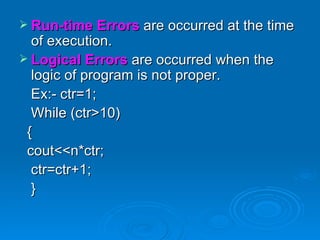
Run-time Errors  are occurred at the time of execution. Logical Errors   are occurred when the logic of program is not proper. Ex:- ctr=1; While (ctr>10) { cout<<n*ctr; ctr=ctr+1; }
Thank You Thank You Thank You Thank You Thank You Thank You Thank You Thank You

Getting started with c++

  • 1.
    Computer Project WorkGetting started with C++ Guided by:- Prepared by:- M. Ravi Kiran (sir) K. Durga Prasad T.G.T computer. X1 class M.P.C.Computers
  • 2.
    In 1980s bjarne Stroustrup decided to extend the C language by adding some features from his favourite language Simula 67. Simula 67 was one of the earliest object oriented language. Bjarne Stroustrup called it “C with classes”. Later Rick Mascitti renamed as C++. Ever since its birth, C++ evolved to cope with problems encountered by users, and though discussions. INTRODUCTION
  • 3.
    C++ CHARACTER SETCharacter set is a set of valid characters that a language can recognise. A character represents any letter, digit, or any other sign. Letters A-Z, a-z Digits 0-9 Special Symbols Space + - * / ^ \ ( ) [ ] { } = != < > . ‘ “ $ , ; : % ! & ? _(underscore) # <= >= @ White Spaces Blank spaces, Horizontal tab, Carriage return, New line, Form feed. Other Characters C++ can process any of the 256 ASCII characters as data or as literals.
  • 4.
    TOKENS(LEXICAL UNITS) Thesmallest individual unit in a program is known as a Token or lexical unit. Types of Tokens Keywords Identifiers Literals Punctuators Operators
  • 5.
    KEYWORDS Keywords arethe words that convey a special meaning to the language compiler. These are reserved for special purpose and must not be used as normal identifier names.
  • 6.
    Some of thekeywords in c++ asm continue float new signed try auto default for operator sizeof typedef break delete friend private static union case do goto protected struct unsigned catch double if public switch virtual char else inline register template void class enum int return this volatile const extern long short throw while
  • 7.
    Identifiers Identifiers arenames of the program given by user. Rules to write identifiers Do not start with digits. No special symbols are used except _(underscore). No spaces are used. Examples:- myfile , date9_2_7_6
  • 8.
    Literals Literals (constants)are data items that never change their value during a program run. Types of Literals: Integer constant Floating constants Character constant String literal
  • 9.
    Integer constant Integerconstants are whole numbers without any fractional part. Three types of Integer constants Decimal Integer constant Octal Integer constant Hexadecimal Integer constant
  • 10.
    Decimal Integer constantAn integer constant consisting of a sequence of digits is taken to be decimal integer constant unless it begins with 0 (digit zero). Example:- 1296, 5642, 12, +69,- 23,etc.,
  • 11.
    Octal Integer constantA sequence of digits starting with0(digit zero) is taken to be an octal integer. Example:-123, 456, etc.,
  • 12.
    Hexadecimal Integer constantA sequence of digits preceded by 0x or 0X is taken to be an hexadecimal integer. Example:-4B6, A43,etc.,
  • 13.
    Floating Constants Floatingconstants are also called as Real constants Real constants are numbers having fractional parts. These may be written in one of the two forms called fractional form or the exponent form. Examples:-2.0, 3.5, 8.6, etc.,
  • 14.
    Character constants A Character constant is one character enclosed in single quotes, as in ‘z’. Examples:- ‘a’, ‘b’, etc.,
  • 15.
    Escape sequences \a Audible sound \b back space \f Formfeed \n Newline or Linefeed \r Carriage return \t Horizontal tab \v Vertical tab \\ Backslash \’ single quote \” double quote \? Question mark \on Octal number \xHn Hexadecimal number \0 Null
  • 16.
    String Literals Multiplecharacter constants are treated as string literals. Examples:-”a” , “ade”, etc.,
  • 17.
    Punctuators The followingcharacters are used as punctuators. [ ] ( ) { } , ; : * … = # Brackets [ ] opening and closing brackets indicate single and multidimensional array subscripts. Parenthesis ( ) these indicate function calls and function parameters.
  • 18.
    Braces { } these indicates the start and end of a compound statement. Comma , it is used as separator in a function argument list. Semicolon ; it is used as statement terminator. Collon : it indicates a labeled statement. Asterisk * it is used for pointer declaration.
  • 19.
    Ellipsis … Ellipsis (...) are used in the formal argument lists of the function prototype to indicate a variable number of argument. Equal to sign = It is used for variable initialisation and an assignment operator in expressions. Pound sign # this sign is used for preprocessor directive.
  • 20.
    Operators Operators aretokens that trigger some computation when applied to variables and other objects in an expression. Types of operators Unary operators Binary operators Ternary operators
  • 21.
    Unary operators Unaryoperators are those operators that require one operator to operate upon. Examples :- +45, 5, -636,etc.,
  • 22.
    Some unary operators& Addresser operator * Indirection operator + Unary plus - Unary minus ~ Bitwise complement ++ increment operator -- decrement operator ! Logical negation
  • 23.
    Binary operators Binaryoperators are those operators that require two operands to operate upon. Types of Binary operators Arithmetic operators +( addition) –(subtraction) *(multiplication) /(division) %(reminder/modulus) Logical operators && (Logical AND) || (Logical OR)
  • 24.
    Relational operators < (Less than) <=(Less than or equal to) >(Greater than) >=(greater than or equal to) == (equal to) != (not equal to)
  • 25.
    A First lookat C++ Program Why include iostream.h ? The header file iostream.h is included in every C++ program to implement input/output facilities. Input/output facilities are not defined within C++ language, but rather are implemented in a component of C++ standard library, iostream.h which is I/O library.
  • 26.
    Predefined streams inI/O Library A stream is simply a sequence of bytes. The predefined stream objects for input, output, error as follows: Cin cin stands for console input. Cout cout stands for console output. Cerr cerr stands for console error.
  • 27.
    Comments in aC++ Program Comments are pieces of codes that the compiler discards or ignores or simply does not execute. Types of comments: Single line comments Multiline or block comments
  • 28.
    These comments beginswith // are single line comments. The compiler simply ignores everything following // in that same line Example:- #include<iostream.h> Void main() // the program about addition. Single line comment
  • 29.
    Multi line commentsThe block comments, mark the beginning of comment with /* and end with */. That means, everything that falls between/* and*/ is considered as comment. Example:- #include<iostream.h> Void main() /*the program is about addition*/
  • 30.
    Using I/O operatorsOutput operator “ << “ The output operator (“<<“), also called stream insertion operator is used to direct a value top standard output. Input operator “ >> ” The input operator(“>>“), also known as stream extraction operator is used to read a value from standard input.
  • 31.
    Variable A variable refers to a storage area whose contents can vary during processing. Cascading of I/O operators The multiple use of input or output operators(“>>”or”<<“) in one statement is called cascading of I/O operators.
  • 32.
    Role of compilerA part of the compiler’s job is to analyze the program code for ‘correctness’. If the meaning of the program is correct, then a compiler can not detect errors. Types of errors: Syntax Errors Semantic Errors Type Errors Run-time Errors Logical Errors
  • 33.
    Syntax Errors are occurred when rules of the program is misused i.e., when grammatical rule of C++ is violated. Ex:- int a, b (semicolon missing) Semantic Errors are occur when statements not meaningful. Ex:- x*y=z; Type Errors are occurred when the data types are misused. Ex:-int a; a=123.56;
  • 34.
    Run-time Errors are occurred at the time of execution. Logical Errors are occurred when the logic of program is not proper. Ex:- ctr=1; While (ctr>10) { cout<<n*ctr; ctr=ctr+1; }
  • 35.
    Thank You ThankYou Thank You Thank You Thank You Thank You Thank You Thank You