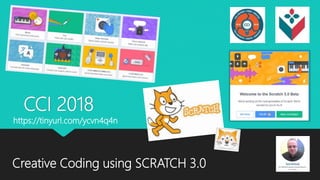
CCI 2018
Creative Coding using SCRATCH 3.0
https://tinyurl.com/ycvn4q4n
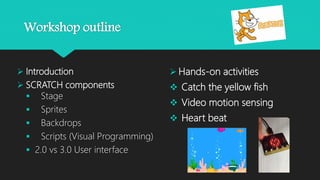
 Introduction
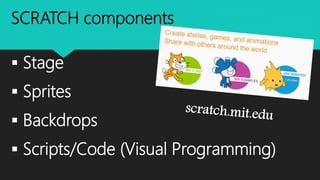
 SCRATCH components
 Stage
 Sprites
 Backdrops
 Scripts (Visual Programming)
 2.0 vs 3.0 User interface
Workshop outline
 Hands-on activities
 Catch the yellow fish
 Video motion sensing
 Heart beat
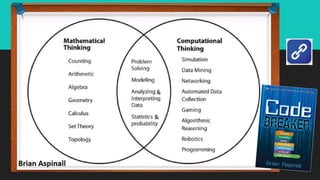
Why teach coding ?
it’s important for youth to learn to code for a few reasons:
1. Coding is a superpower. Learning to code let’s kids build -- not just consume the technology
around them like video games, websites, robots and more.
2. Coding helps kids develop new ways of thinking. Learning to code helps kids develop other
crucial and transferable skills -- like computational thinking -- allowing them to tackle problems,
outside the realm of coding, in new and innovative ways.
3. Coding helps kids understand the world around them better. If we teach biology and
mathematics in order to understand the world around them, then knowing the basics of how
computers communicate and how to engage with them should be a given.
4. Coding can help change the world. Empower kids to use technology as a creative tool to build
solutions for problems or challenges people face everyday.
5. Coding is fun! We want kids to experience the satisfaction and thrill of building something of
their very own.
http://www.canadalearningcode.ca/week/teacher-training.html
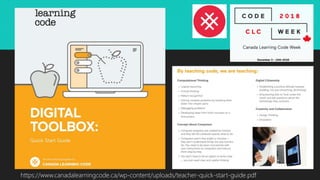
https://www.canadalearningcode.ca/wp-content/uploads/teacher-quick-start-guide.pdf
en.scratch-wiki.info/wiki/Scratch_2.0
en.scratch-wiki.info/wiki/Scratch_3.0
SCRATCH components
 Stage
 Sprites
 Backdrops
 Scripts/Code (Visual Programming)
Stage
This is where you can
preview what your
code does. You can
add backdrops to your
stage. You can ‘Start’
and ‘Stop’ the preview
at any time using the
green flag or red stop
symbol at the top of
the stage.
Sprites
Each object in Scratch
is called a Sprite. You
can add sprites by
choosing from the
library, painting your
own, uploading an
image or taking a
picture from webcam.
The Stage
(480x360 dots)
X=+240 max X=-240 min
Y=+180 max Y=-180 min
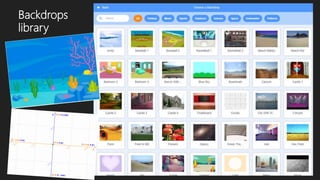
Backdrops
A backdrop is one of the many
possible frames, or backgrounds, of
the stage. It is located in the
background library. The background
can change its appearance at all
times. They can be named, edited,
created and deleted, but the scene
must always have at least a
backdrop. The backdrops are edited
in the same way as the sprites. They
are in the Basics tab of the Stage.
Backgrounds can also be
downloaded as an image file.
12
Scripts/Code
Scripts are commands. This is
how the magic happens.
Students will use scripts to
instruct their Sprite to do what
they want it to do. From
moving forward, to saying
‘Hello’, scripts are arranged in
a logical sequence to
‘program’ the sprite. We’ll
cover each of these in more
detail as you work through
challenges.
Scratch 2.0
Scratch 3.0
NEW
Sprites
library
Backdrops
library
Tutorials
Extensions
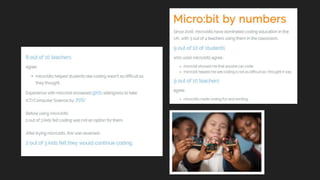
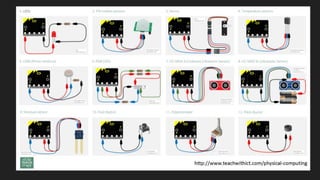
micro:bit
kidscodejeunesse.org/microbit.html
Activity 2
Video motion sensing
Activity 1
Catch the yellow fish
Activity 3
Heart beat
Activity 1
Catch the yellow fish
Activity 2
Video motion sensing
Activity 3
Heart beat
Cci 2018 creative coding tami belhadj

Cci 2018 creative coding tami belhadj

  • 1.
    CCI 2018 Creative Codingusing SCRATCH 3.0 https://tinyurl.com/ycvn4q4n
  • 2.
     Introduction  SCRATCHcomponents  Stage  Sprites  Backdrops  Scripts (Visual Programming)  2.0 vs 3.0 User interface Workshop outline  Hands-on activities  Catch the yellow fish  Video motion sensing  Heart beat
  • 3.
    Why teach coding? it’s important for youth to learn to code for a few reasons: 1. Coding is a superpower. Learning to code let’s kids build -- not just consume the technology around them like video games, websites, robots and more. 2. Coding helps kids develop new ways of thinking. Learning to code helps kids develop other crucial and transferable skills -- like computational thinking -- allowing them to tackle problems, outside the realm of coding, in new and innovative ways. 3. Coding helps kids understand the world around them better. If we teach biology and mathematics in order to understand the world around them, then knowing the basics of how computers communicate and how to engage with them should be a given. 4. Coding can help change the world. Empower kids to use technology as a creative tool to build solutions for problems or challenges people face everyday. 5. Coding is fun! We want kids to experience the satisfaction and thrill of building something of their very own. http://www.canadalearningcode.ca/week/teacher-training.html
  • 4.
  • 6.
  • 7.
  • 8.
    SCRATCH components  Stage Sprites  Backdrops  Scripts/Code (Visual Programming)
  • 9.
    Stage This is whereyou can preview what your code does. You can add backdrops to your stage. You can ‘Start’ and ‘Stop’ the preview at any time using the green flag or red stop symbol at the top of the stage.
  • 10.
    Sprites Each object inScratch is called a Sprite. You can add sprites by choosing from the library, painting your own, uploading an image or taking a picture from webcam. The Stage (480x360 dots) X=+240 max X=-240 min Y=+180 max Y=-180 min
  • 11.
    Backdrops A backdrop isone of the many possible frames, or backgrounds, of the stage. It is located in the background library. The background can change its appearance at all times. They can be named, edited, created and deleted, but the scene must always have at least a backdrop. The backdrops are edited in the same way as the sprites. They are in the Basics tab of the Stage. Backgrounds can also be downloaded as an image file.
  • 12.
    12 Scripts/Code Scripts are commands.This is how the magic happens. Students will use scripts to instruct their Sprite to do what they want it to do. From moving forward, to saying ‘Hello’, scripts are arranged in a logical sequence to ‘program’ the sprite. We’ll cover each of these in more detail as you work through challenges.
  • 13.
  • 14.
  • 15.
  • 16.
  • 17.
  • 18.
  • 20.
  • 21.
  • 24.
    Activity 2 Video motionsensing Activity 1 Catch the yellow fish Activity 3 Heart beat
  • 25.
  • 26.
  • 27.