Getting curious:
Finding information for your projects
http://unihub.mdx.ac.uk/your-study/library-and-it-support
CCE2060 Oct 2016
In this workshop we will look at..
•Being curious
•Keywords
•Search tips
•Resources
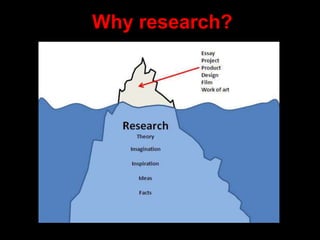
Why research?
project AND management (narrow search)
USA OR America (broaden search)
comput* (broaden search eg. Computer, computers, computerisation, computation)
“human computer interaction” (phrase search)
+Ideo or “IDEO” (exact match)
Define: “data mining” (definition)
-Amazon (exclude words)
Cork NOT Ireland (exclude words)
Smarter searching
The following search tips can all be used when searching the Internet to make your
search results more specific:
http://libguides.mdx.ac.uk/computing/SearchTips
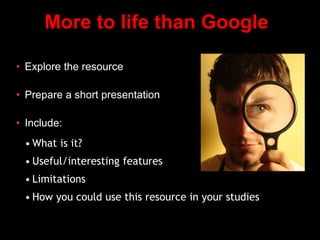
More to life than Google
• Explore the resource
• Prepare a short presentation
• Include:
• What is it?
• Useful/interesting features
• Limitations
• How you could use this resource in your studies
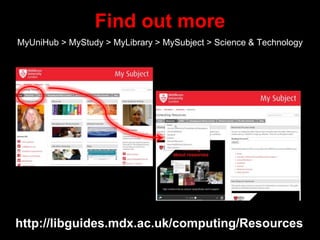
Find out more
MyUniHub > MyStudy > MyLibrary > MySubject > Science & Technology
http://libguides.mdx.ac.uk/computing/Resources
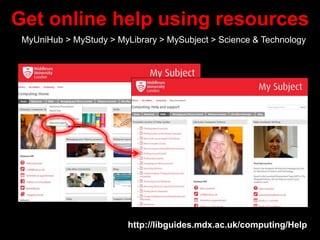
Get online help using resources
MyUniHub > MyStudy > MyLibrary > MySubject > Science & Technology
http://libguides.mdx.ac.uk/computing/Help
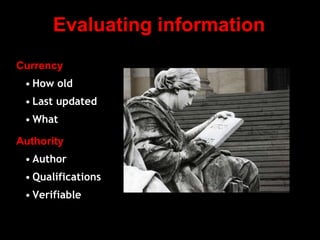
Evaluating information
Currency
• How old
• Last updated
• What
Authority
• Author
• Qualifications
• Verifiable
Need further help?
Your Librarian is:
Vanessa Hill v.hill@mdx.ac.uk

CCE2060 Oct 2016

  • 1.
    Getting curious: Finding informationfor your projects http://unihub.mdx.ac.uk/your-study/library-and-it-support CCE2060 Oct 2016
  • 2.
    In this workshopwe will look at.. •Being curious •Keywords •Search tips •Resources
  • 3.
  • 5.
    project AND management(narrow search) USA OR America (broaden search) comput* (broaden search eg. Computer, computers, computerisation, computation) “human computer interaction” (phrase search) +Ideo or “IDEO” (exact match) Define: “data mining” (definition) -Amazon (exclude words) Cork NOT Ireland (exclude words) Smarter searching The following search tips can all be used when searching the Internet to make your search results more specific: http://libguides.mdx.ac.uk/computing/SearchTips
  • 16.
    More to lifethan Google • Explore the resource • Prepare a short presentation • Include: • What is it? • Useful/interesting features • Limitations • How you could use this resource in your studies
  • 17.
    Find out more MyUniHub> MyStudy > MyLibrary > MySubject > Science & Technology http://libguides.mdx.ac.uk/computing/Resources
  • 18.
    Get online helpusing resources MyUniHub > MyStudy > MyLibrary > MySubject > Science & Technology http://libguides.mdx.ac.uk/computing/Help
  • 20.
    Evaluating information Currency • Howold • Last updated • What Authority • Author • Qualifications • Verifiable
  • 21.
    Need further help? YourLibrarian is: Vanessa Hill v.hill@mdx.ac.uk

Editor's Notes

  • #2 Welcome Intros Lots of group work etc
  • #3  Why you should be curious about your subject are eg. Students who use a wider range of quality resources in their work get higher marks Thinking about the words you need to use in order to find the information you want Search tips to help you search the internet better Resources available to you from the library and open access.
  • #4 Your finished piece of work is just the tip of the iceberg. Below it is should be loads of research ie. looking at theory and facts, being inspired, getting ideas, stimulating your imagination etc. Research at Uni of Huddersfield shows that students who use library resources get better degrees. We’re going to start off with an exercise to get you thinking about keywords.
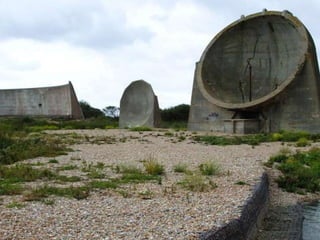
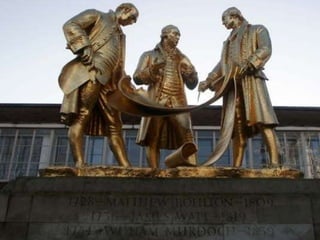
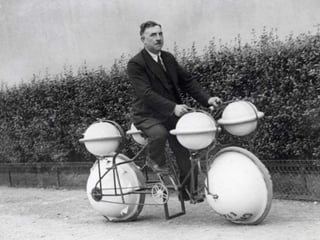
  • #5 We’re going to start off with an exercise to get you thinking about keywords. Hand out worksheets to small groups: What is it? Words you can use to describe it....think big, detail etc Start to research the image/topic on the Internet: List 3 interesting/surprising facts about the image/topic Describe how you found these facts Feedback after. As we’re going to use Google, ask how students streamline their search. Show next slide after discussion.
  • #17 Divide students into groups and give each group a resource card. Ask them to follow the instructions on the screen and let them use the demo computer to present their findings to the rest of the class. Resources in bold should always be used before the others. Summon Library Catalogue Cite them right IEEE Xplore Lynda.com Computing library subject guide Google Scholar British Standards Online Ted Talks
  • #18 More information about the range of resources available on the Library Subject Guide.
  • #19 Lots of useful online guides eg. How to find books How to find information for your project Accessing journal databases etc
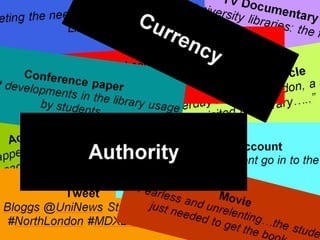
  • #20 Divide class into groups. Hand out pack of cards. Students have two headings ‘Authority’ and ‘Currency’ (black cards). Plus a double set of information sources. They should put the cards in order of which offer the most currency and authority. Discuss.
  • #21 Currency How old: How old is the information? Does it need to be up-to-date? Last updated: When was the information last updated? What: Do you know what was updated. Think Wikipedia. There is often an explanation of what has been updated in new edition of a book. Authority Author: Do you know who the author is? Qualifications: What is the author’s knowledge base? Verifiable: Can the information be supported? Another witness or further info from a different source. Is there any peer review?