Managing
your Library Account
Study https://unihub.mdx.ac.uk/study/library
• Can be viewed online
• See a list of the items (books etc) that you have on loan
• Find out when the items are due for return to the Library*
• Renew items that you have on loan*
• See a list of the books you have requested and if they are
ready for collection
• See what library charges (if any) you owe.
* Your library books will be automatically renewed for 20
weeks unless an item is requested by another user.
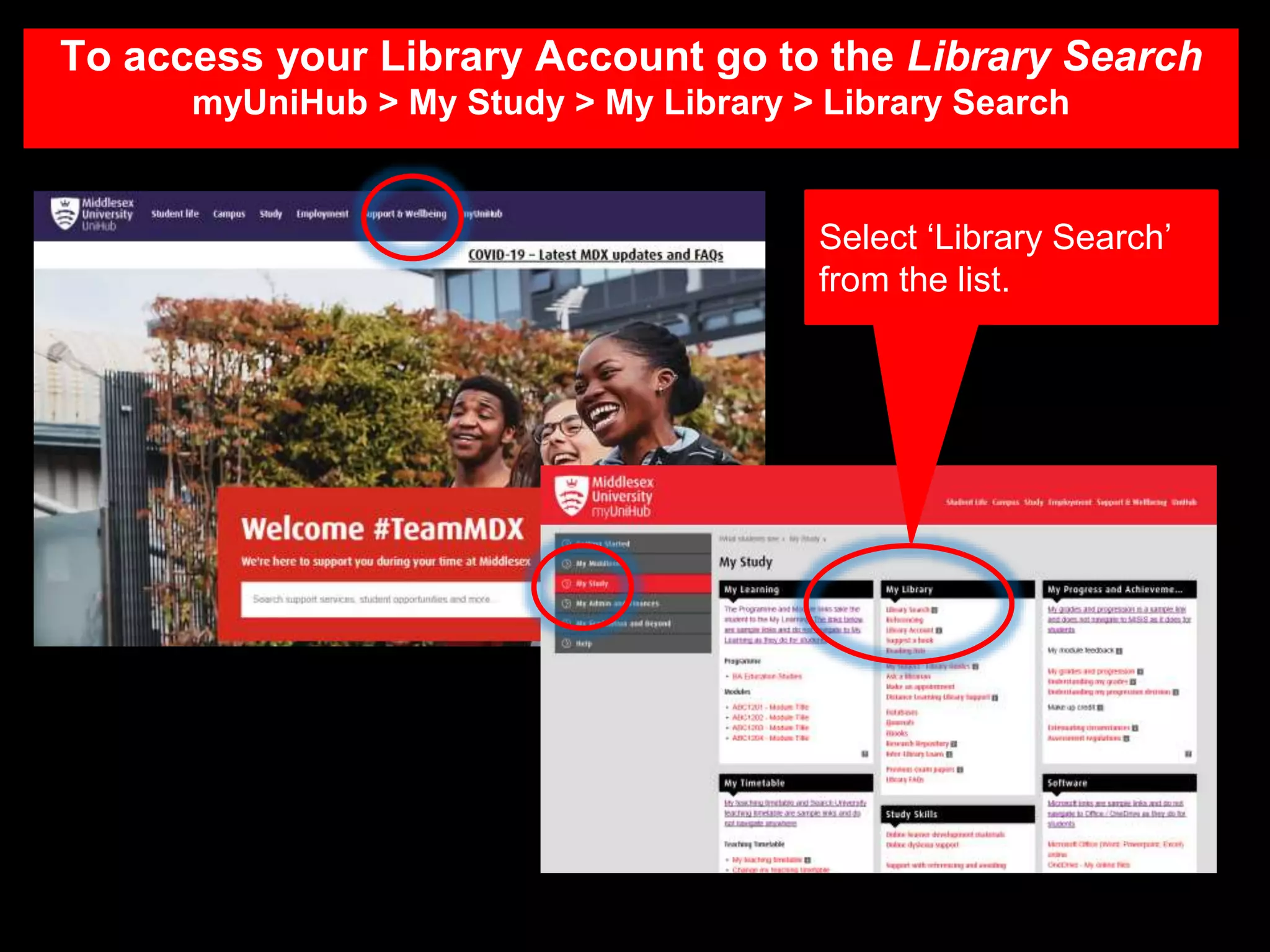
Select ‘Library Search’
from the list.
To access your Library Account go to the Library Search
myUniHub > My Study > My Library > Library Search
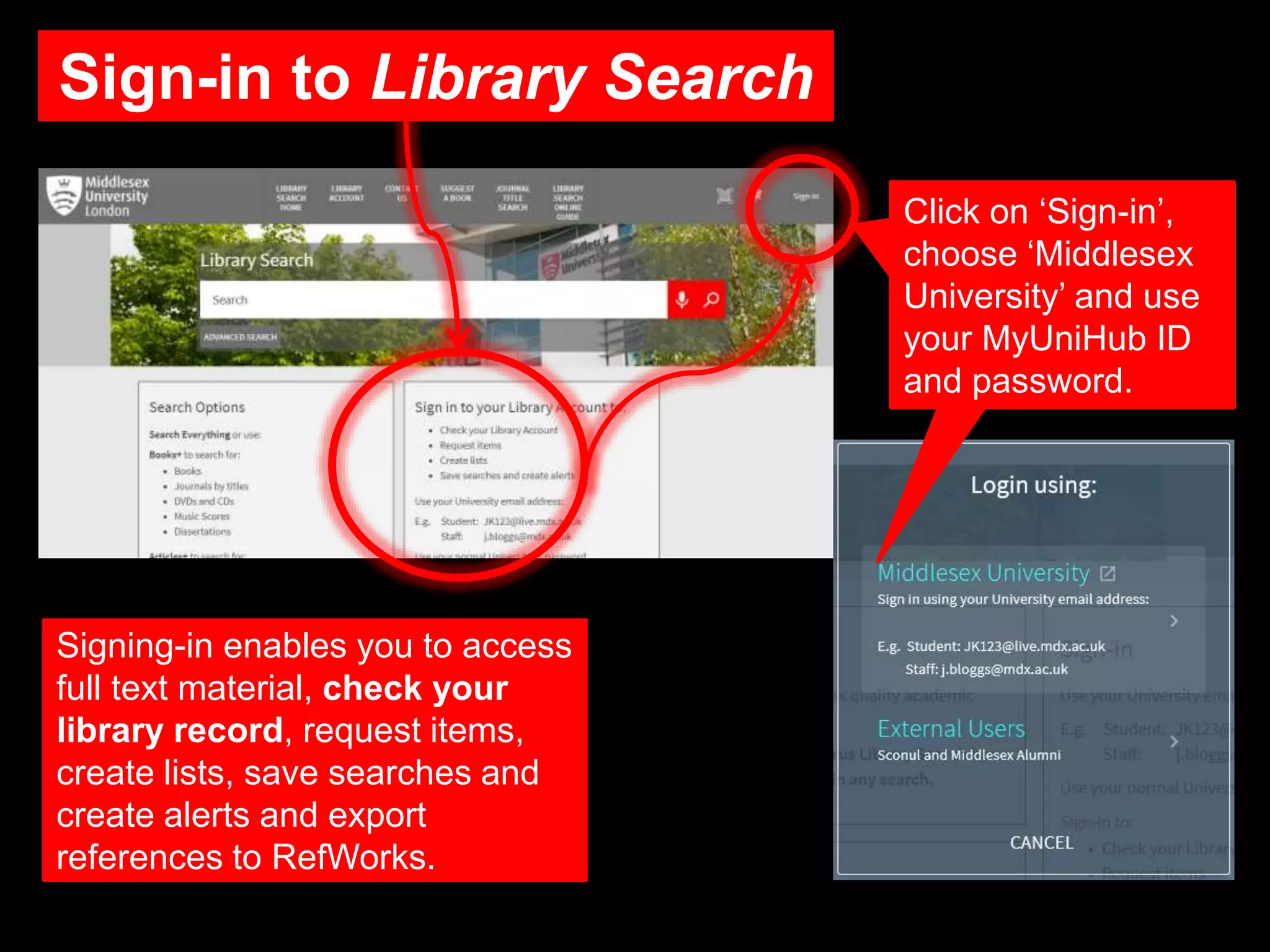
Sign-in to Library Search
Signing-in enables you to access
full text material, check your
library record, request items,
create lists, save searches and
create alerts and export
references to RefWorks.
Click on ‘Sign-in’,
choose ‘Middlesex
University’ and use
your MyUniHub ID
and password.
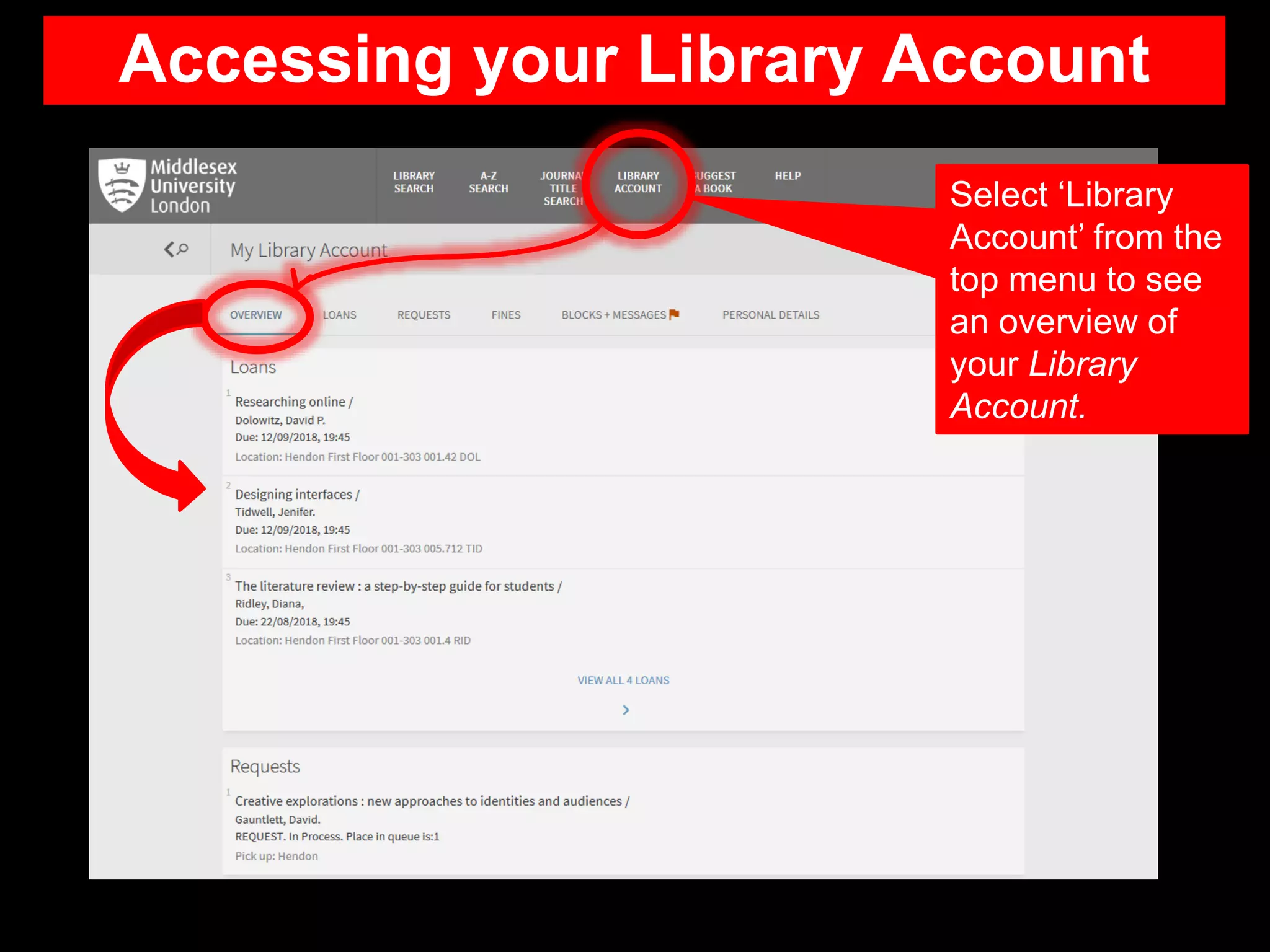
Accessing your Library Account
Select ‘Library
Account’ from the
top menu to see
an overview of
your Library
Account.
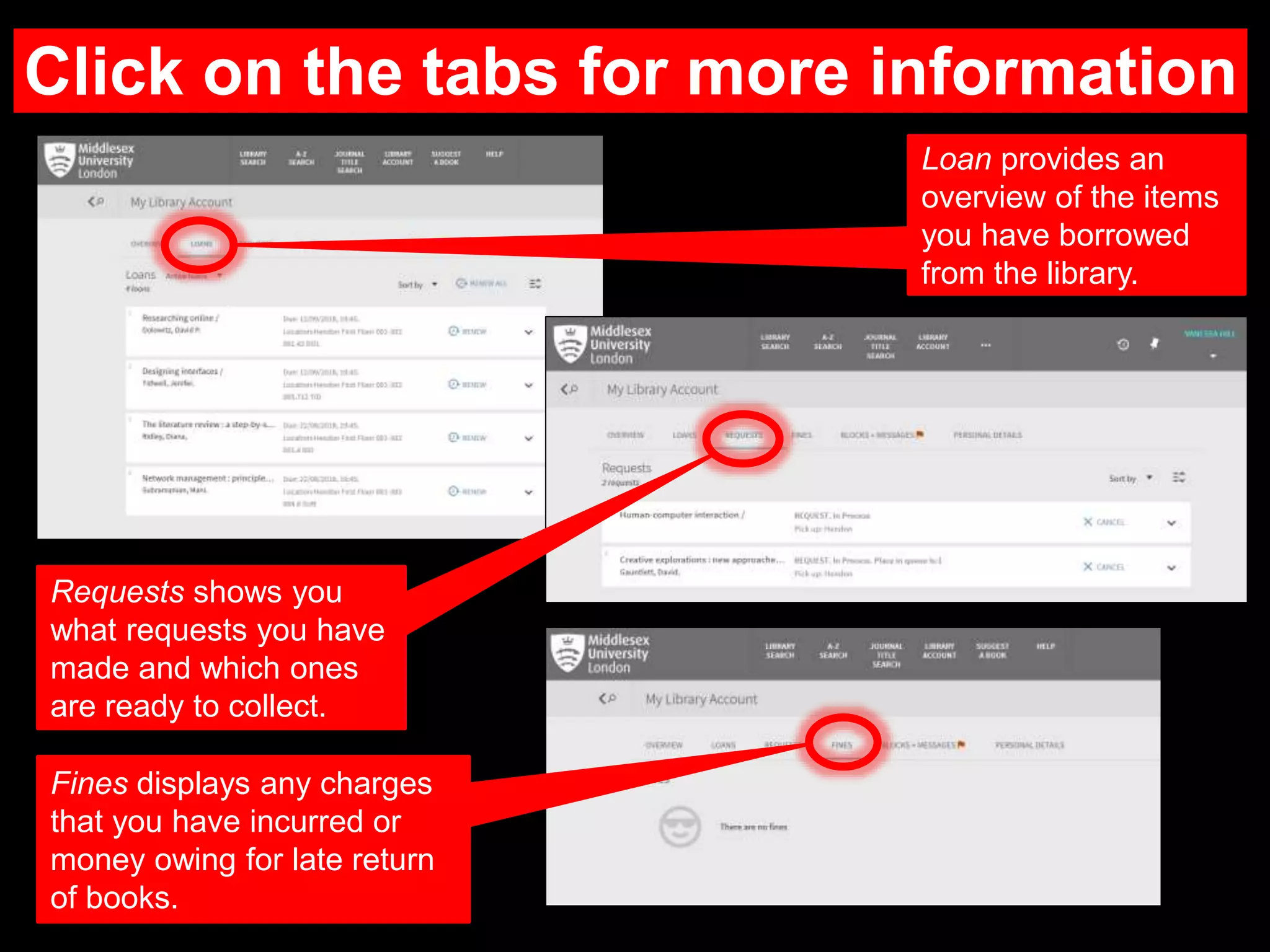
Click on the tabs for more information
Loan provides an
overview of the items
you have borrowed
from the library.
Requests shows you
what requests you have
made and which ones
are ready to collect.
Fines displays any charges
that you have incurred or
money owing for late return
of books.
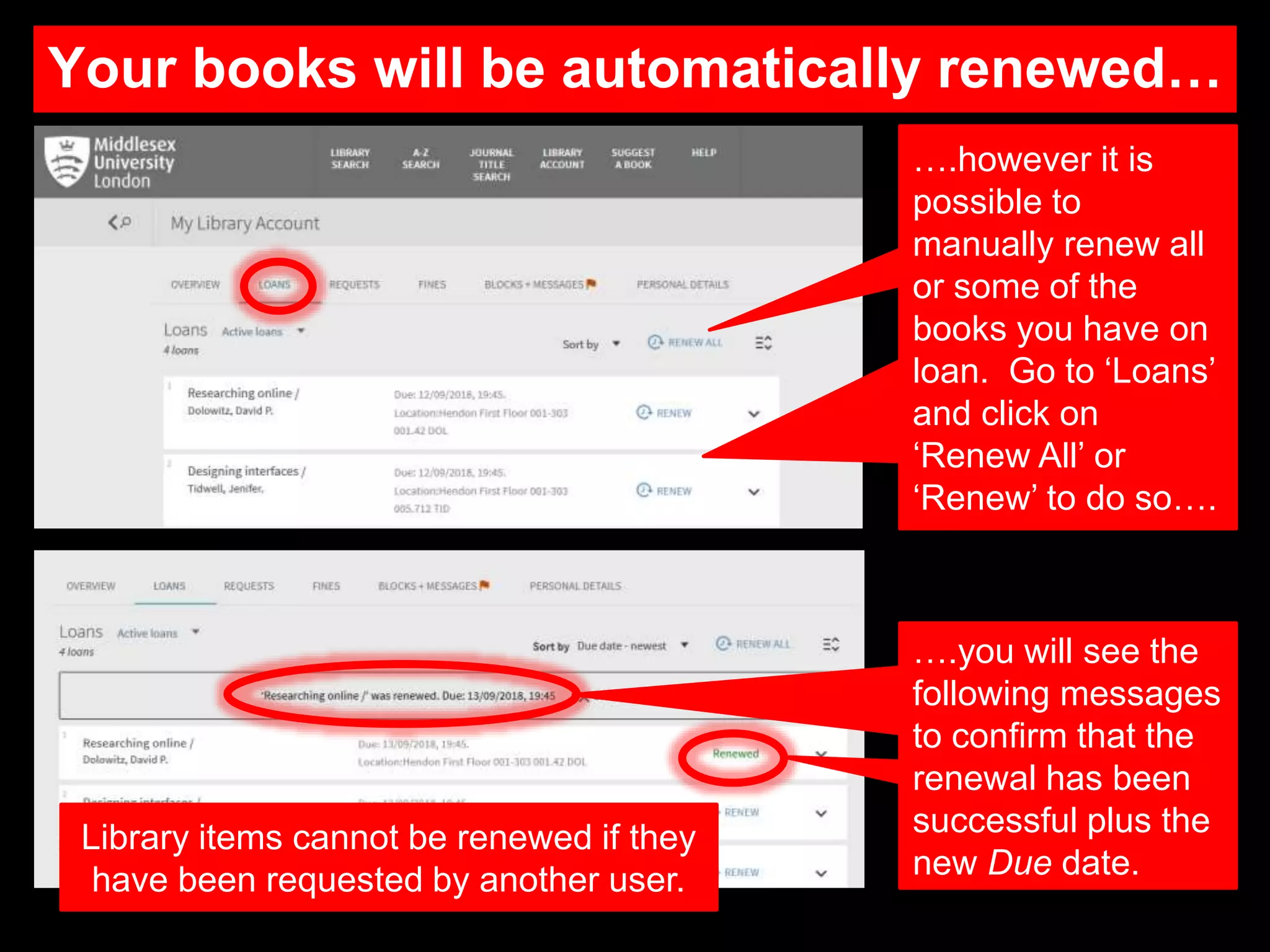
Your books will be automatically renewed…
….however it is
possible to
manually renew all
or some of the
books you have on
loan. Go to ‘Loans’
and click on
‘Renew All’ or
‘Renew’ to do so….
….you will see the
following messages
to confirm that the
renewal has been
successful plus the
new Due date.
Library items cannot be renewed if they
have been requested by another user.
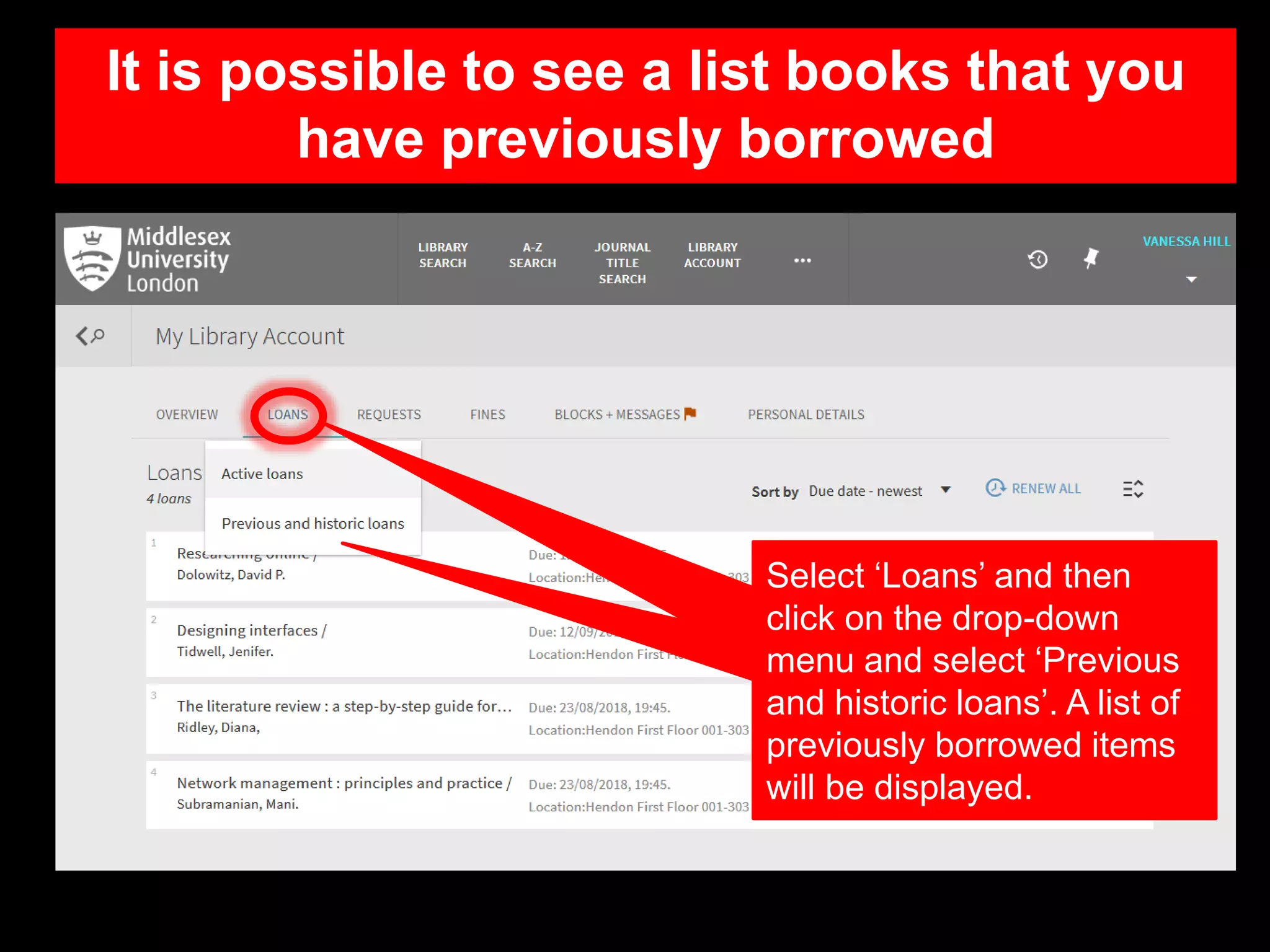
It is possible to see a list books that you
have previously borrowed
Select ‘Loans’ and then
click on the drop-down
menu and select ‘Previous
and historic loans’. A list of
previously borrowed items
will be displayed.
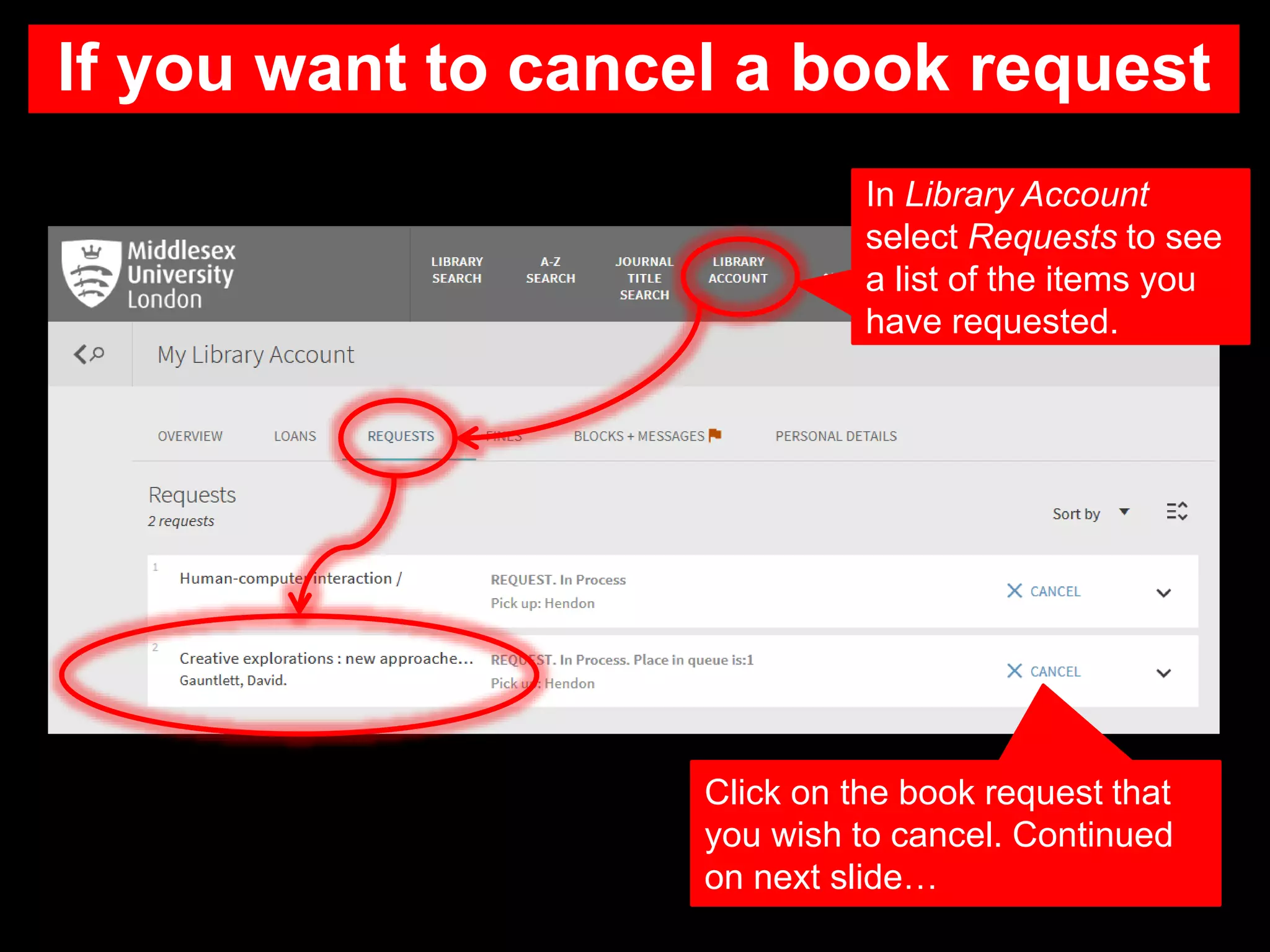
If you want to cancel a book request
Click on the book request that
you wish to cancel. Continued
on next slide…
In Library Account
select Requests to see
a list of the items you
have requested.
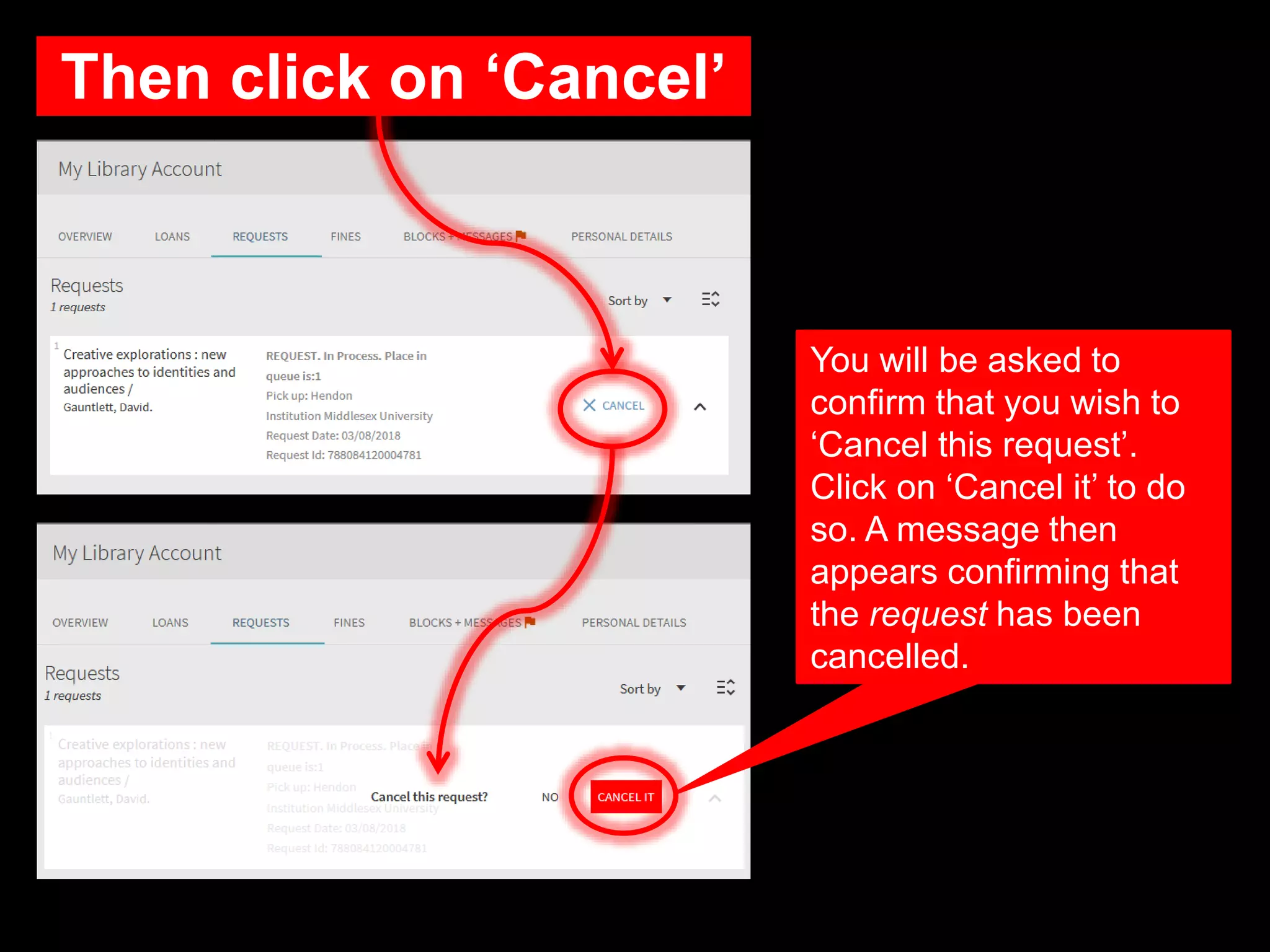
Then click on ‘Cancel’
You will be asked to
confirm that you wish to
‘Cancel this request’.
Click on ‘Cancel it’ to do
so. A message then
appears confirming that
the request has been
cancelled.
Need further help?
Contact your Librarian (Select ‘Chat’ or ‘Ask A Librarian’)
http://libguides.mdx.ac.uk/
Troubleshooting: Accessing full text off campus
http://libguides.mdx.ac.uk/accessingelectronicresources

Managing your library account

  • 1.
    Managing your Library Account Studyhttps://unihub.mdx.ac.uk/study/library
  • 2.
    • Can beviewed online • See a list of the items (books etc) that you have on loan • Find out when the items are due for return to the Library* • Renew items that you have on loan* • See a list of the books you have requested and if they are ready for collection • See what library charges (if any) you owe. * Your library books will be automatically renewed for 20 weeks unless an item is requested by another user.
  • 3.
    Select ‘Library Search’ fromthe list. To access your Library Account go to the Library Search myUniHub > My Study > My Library > Library Search
  • 4.
    Sign-in to LibrarySearch Signing-in enables you to access full text material, check your library record, request items, create lists, save searches and create alerts and export references to RefWorks. Click on ‘Sign-in’, choose ‘Middlesex University’ and use your MyUniHub ID and password.
  • 5.
    Accessing your LibraryAccount Select ‘Library Account’ from the top menu to see an overview of your Library Account.
  • 6.
    Click on thetabs for more information Loan provides an overview of the items you have borrowed from the library. Requests shows you what requests you have made and which ones are ready to collect. Fines displays any charges that you have incurred or money owing for late return of books.
  • 7.
    Your books willbe automatically renewed… ….however it is possible to manually renew all or some of the books you have on loan. Go to ‘Loans’ and click on ‘Renew All’ or ‘Renew’ to do so…. ….you will see the following messages to confirm that the renewal has been successful plus the new Due date. Library items cannot be renewed if they have been requested by another user.
  • 8.
    It is possibleto see a list books that you have previously borrowed Select ‘Loans’ and then click on the drop-down menu and select ‘Previous and historic loans’. A list of previously borrowed items will be displayed.
  • 9.
    If you wantto cancel a book request Click on the book request that you wish to cancel. Continued on next slide… In Library Account select Requests to see a list of the items you have requested.
  • 10.
    Then click on‘Cancel’ You will be asked to confirm that you wish to ‘Cancel this request’. Click on ‘Cancel it’ to do so. A message then appears confirming that the request has been cancelled.
  • 11.
    Need further help? Contactyour Librarian (Select ‘Chat’ or ‘Ask A Librarian’) http://libguides.mdx.ac.uk/ Troubleshooting: Accessing full text off campus http://libguides.mdx.ac.uk/accessingelectronicresources

Editor's Notes

  • #12 If you need further help, please contact your librarian. Go to http://libguides.mdx.ac.uk/ and choose either chat, if the service is available, or Ask a Librarian to raise a ticket. If you are having problems accessing the full text of any item off campus, please see our troubleshooting guide at http://libguides.mdx.ac.uk/accessingelectronicresources.