Amazon Elastic Compute Cloud
(EC2)
BY AKASH BADONE
Several Historical Trends
 Shared Utility Computing
 1960s – MULTICS – Concept of a Shared Computing Utility
 1970s – IBM Mainframes – rent by the CPU-hour. (Fast/slow switch.)
 Data Center Co-location
 1990s-2000s – Rent machines for months/years, keep them close to the network access point and
pay a flat rate. Avoid running your own building with utilities!
 Pay as You Go
 Early 2000s - Submit jobs to a remote service provider where they run on the raw hardware. Sun
Cloud ($1/CPU-hour, Solaris +SGE) IBM Deep Capacity Computing on Demand (50 cents/hour)
 Virtualization
 1960s – OS-VM, VM-360 – Used to split mainframes into logical partitions.
 1998 – VMWare – First practical implementation on X86, but at significant performance hit.
 2003 – Xen para virtualization provides much perf, but kernel must assist.
 Late 2000s – Intel and AMD add hardware support for virtualization.
Amazon’s Elastic Compute Cloud (EC2)
 Amazon web services for computing
 EC2
 Elastic Map Reduce (EMR).
 Data storage solutions (DynamoDB, RDS, S3 or EBS).
 Hope to use multiple features for storing input/output files and perform
intensive computations.
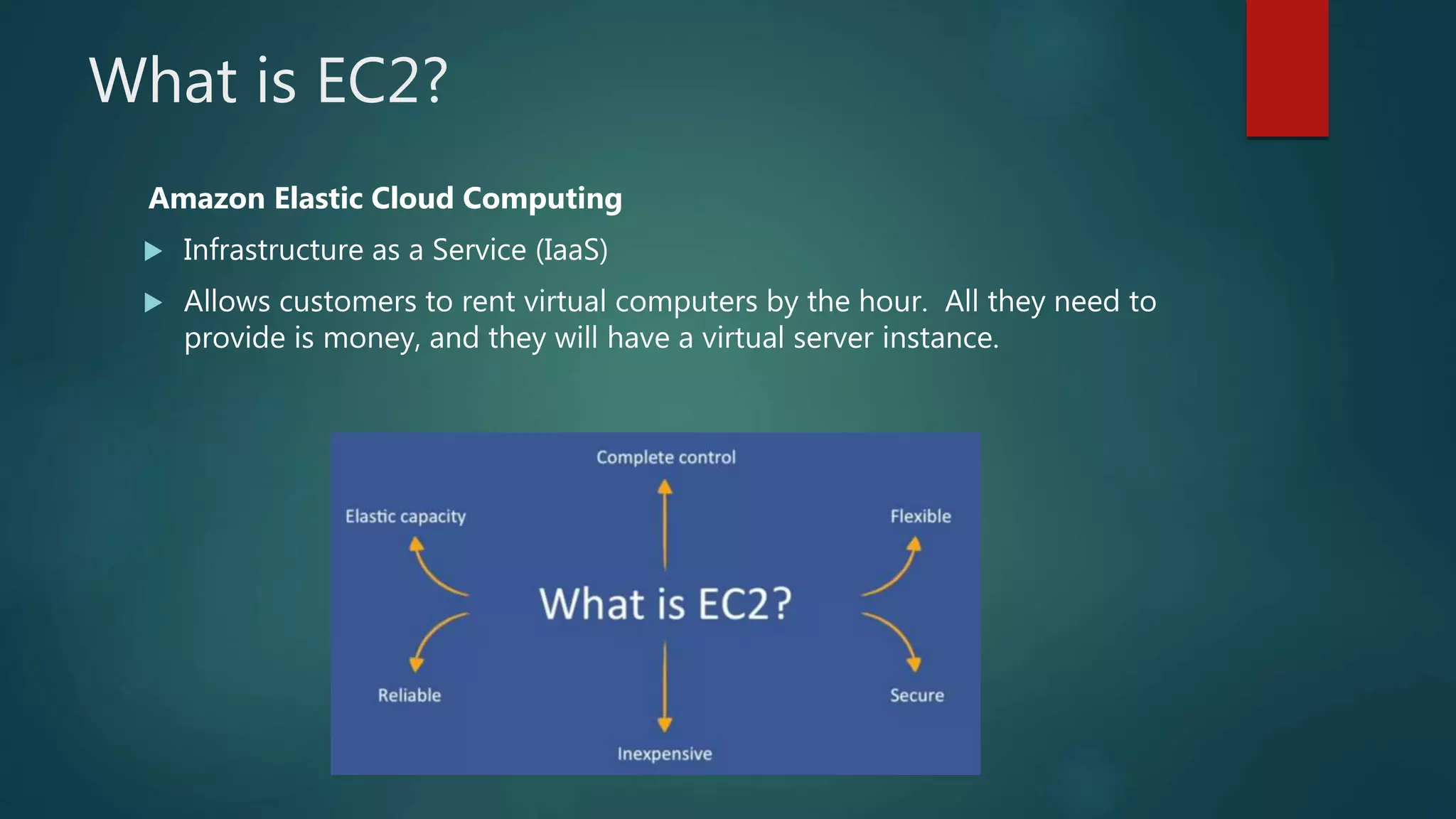
What is EC2?
Amazon Elastic Cloud Computing
 Infrastructure as a Service (IaaS)
 Allows customers to rent virtual computers by the hour. All they need to
provide is money, and they will have a virtual server instance.
Getting Started with Amazon EC2
 Step 1: Sign up for Amazon EC2
 Step 2: Create a key pair
 Step 3: Launch an Amazon EC2 instance
 Step 4: Connect to the instance
 Step 5: Customize the instance
 Step 6: Terminate instance and delete the volume created
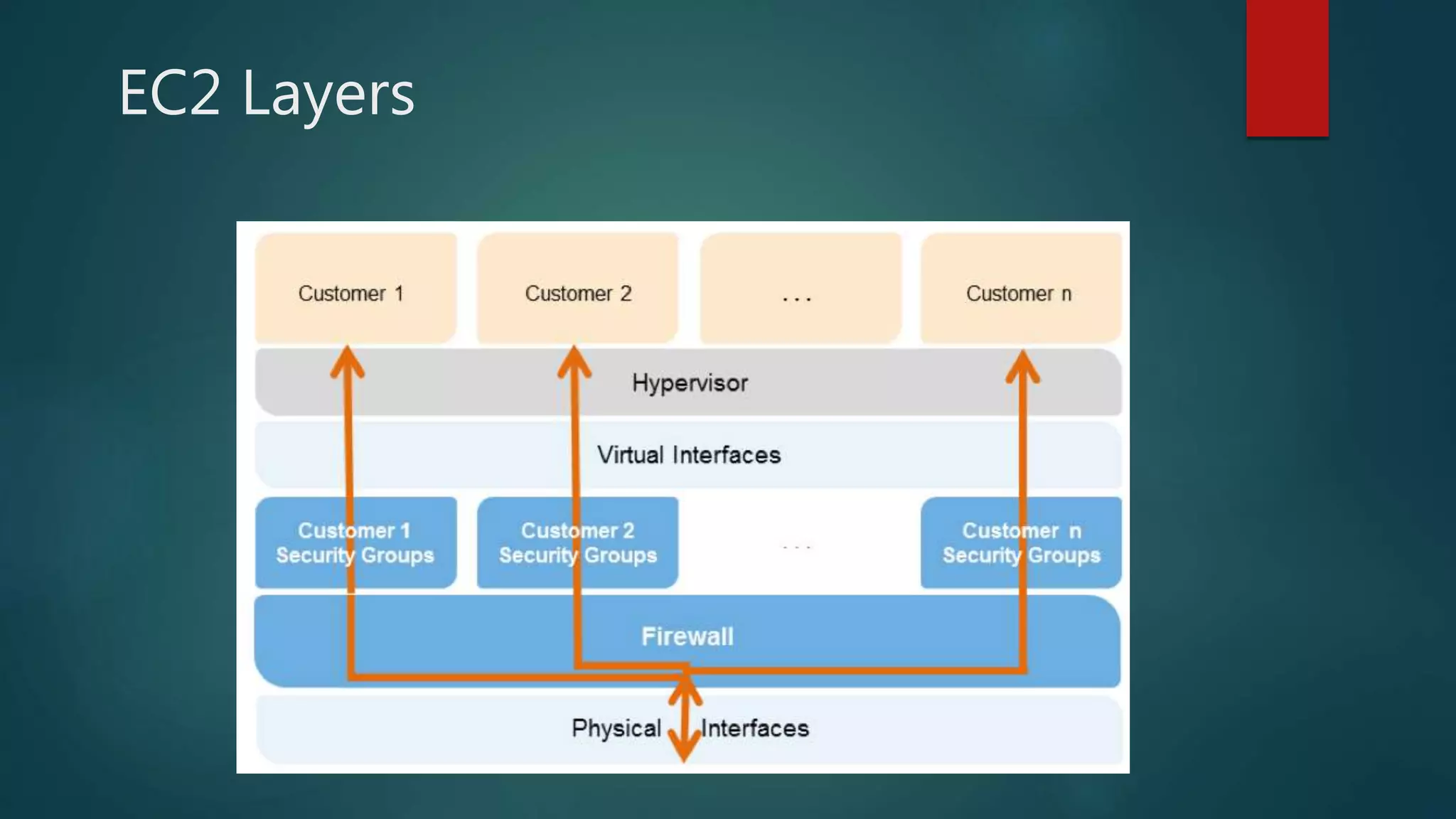
EC2 Layers
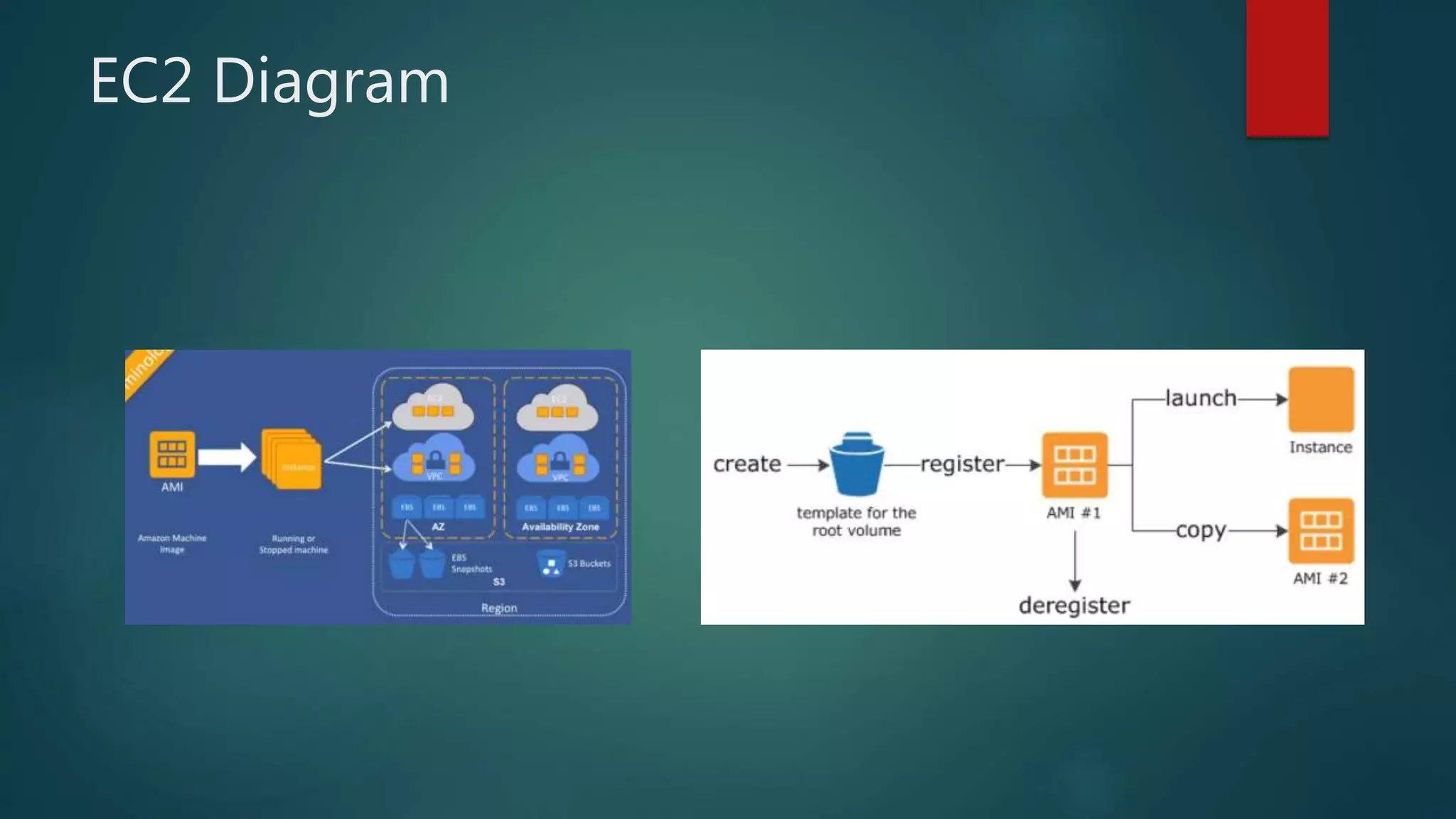
EC2 Diagram
Types of Instances
 Free Tier
 Use AWS instances for up to 12 months (minimal performance)
 On-Demand
 Setup and tear down whenever you need to
 Reserved
 Pay up front for servers with contracts
 Spot
 Bid for unused capacity, but no control over when it’s terminated
EC2 instances
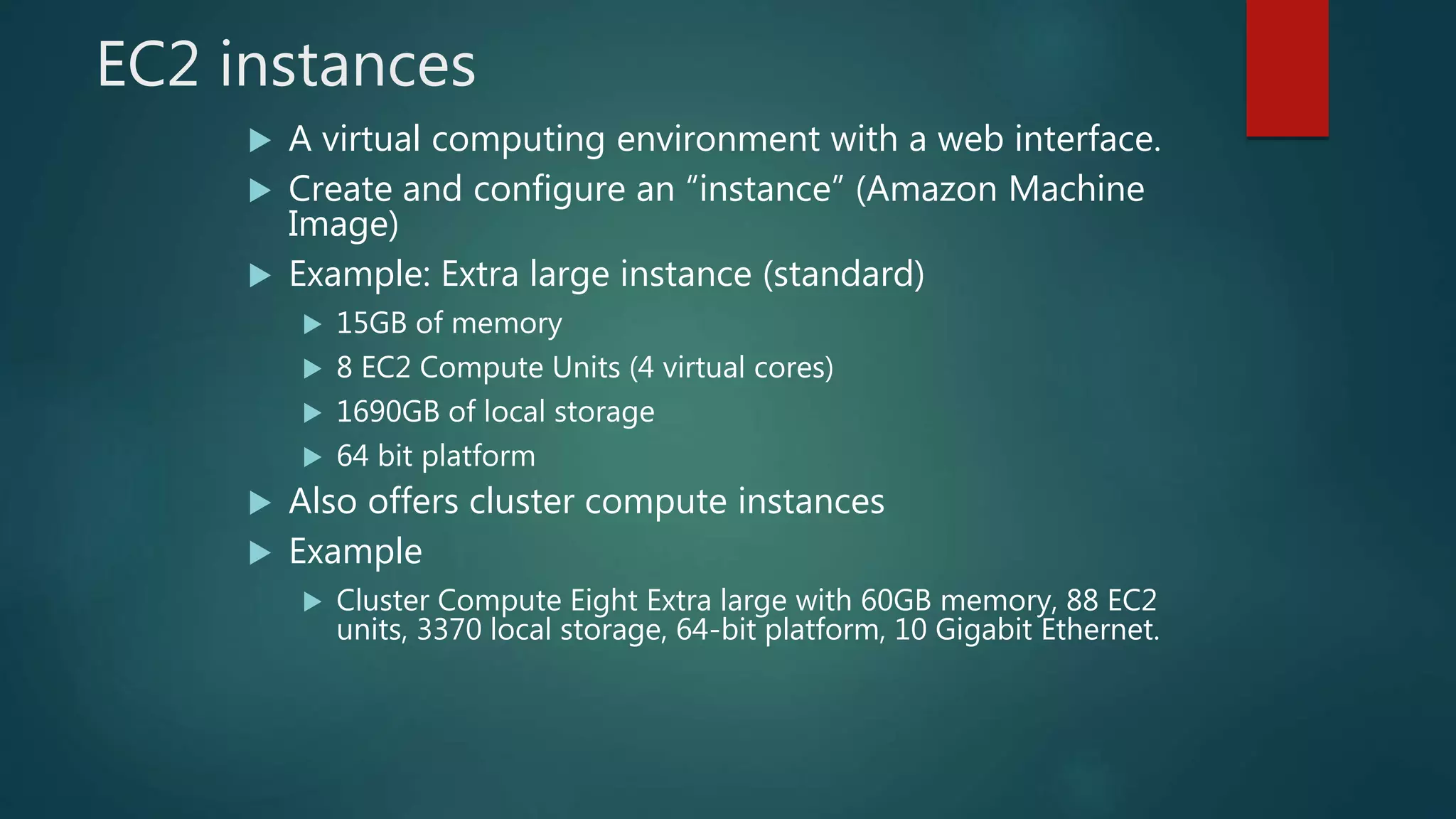
 A virtual computing environment with a web interface.
 Create and configure an “instance” (Amazon Machine
Image)
 Example: Extra large instance (standard)
 15GB of memory
 8 EC2 Compute Units (4 virtual cores)
 1690GB of local storage
 64 bit platform
 Also offers cluster compute instances
 Example
 Cluster Compute Eight Extra large with 60GB memory, 88 EC2
units, 3370 local storage, 64-bit platform, 10 Gigabit Ethernet.
EC2 Instances
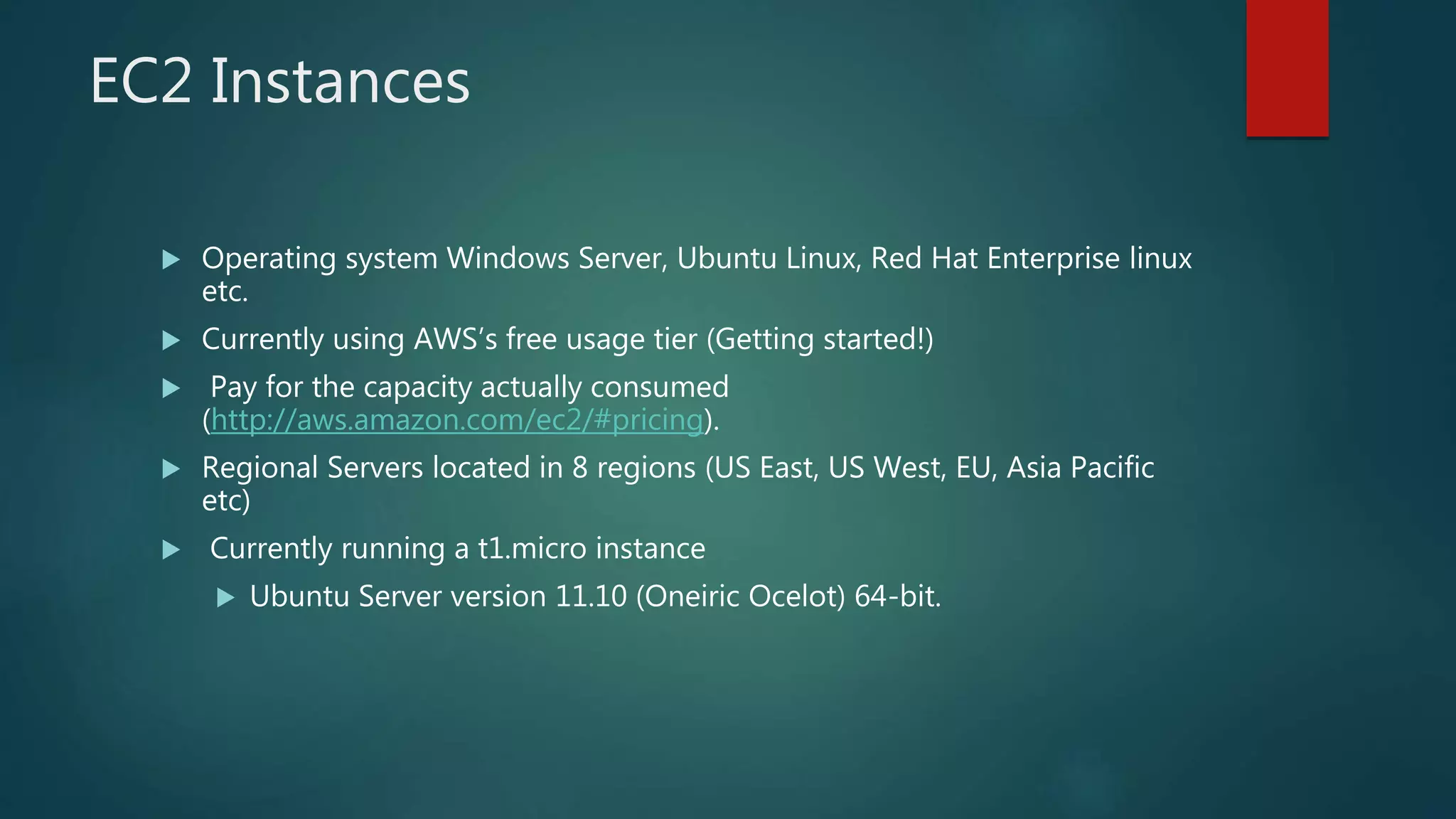
 Operating system Windows Server, Ubuntu Linux, Red Hat Enterprise linux
etc.
 Currently using AWS’s free usage tier (Getting started!)
 Pay for the capacity actually consumed
(http://aws.amazon.com/ec2/#pricing).
 Regional Servers located in 8 regions (US East, US West, EU, Asia Pacific
etc)
 Currently running a t1.micro instance
 Ubuntu Server version 11.10 (Oneiric Ocelot) 64-bit.
Amazon AWS
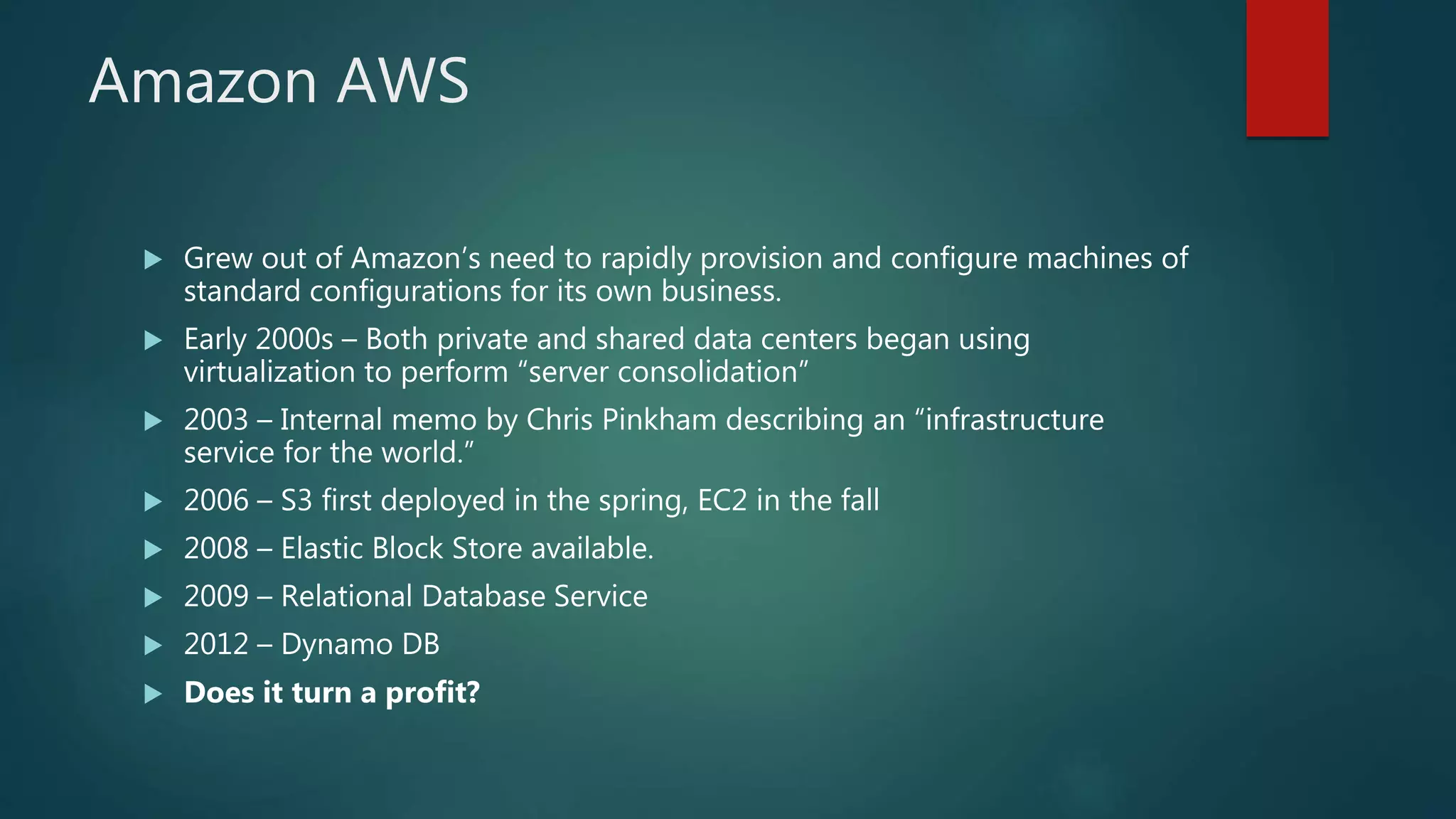
 Grew out of Amazon’s need to rapidly provision and configure machines of
standard configurations for its own business.
 Early 2000s – Both private and shared data centers began using
virtualization to perform “server consolidation”
 2003 – Internal memo by Chris Pinkham describing an “infrastructure
service for the world.”
 2006 – S3 first deployed in the spring, EC2 in the fall
 2008 – Elastic Block Store available.
 2009 – Relational Database Service
 2012 – Dynamo DB
 Does it turn a profit?
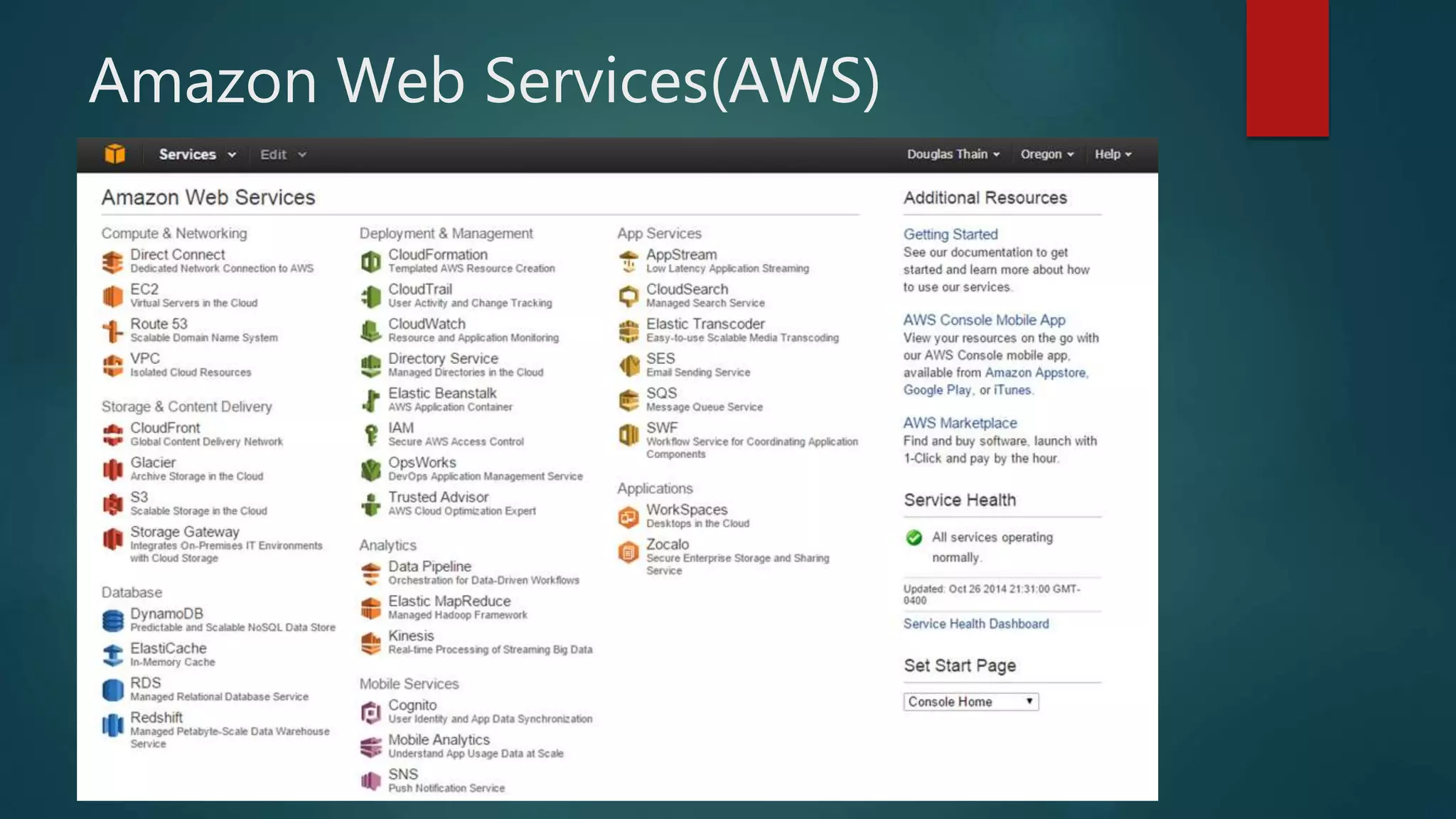
Amazon Web Services(AWS)
Virtualization
 Paravirtual
 Paravirtual AMIs boot with a special boot loader called PV-GRUB, which starts
the boot cycle and then chain loads the kernel specified in the menu.lst file on
your image
 Hardware Virtual Machine
 Unlike PV guests, HVM guests can take advantage of hardware extensions that
provide fast access to the underlying hardware on the host system
 Allows user to run an operating system directly on top of a virtual machine
without any modification, as if it were run on the bare-metal hardware.
Virtualization Specifications
 Xen Hypervisor for virtualization
 Provides services that allow multiple computer operation systems to execute on
the same computer hardware
 Hardware specifications are tailored to the needs of the use
 Storage, Computing, Memory, Graphics
 Why did Amazon choose Xen?
XEN Hypervisor
 Basic abstraction layer of software that sits directly on the hardware below
any operating systems.
 Responsible for CPU scheduling and memory partitioning of the various
virtual machines running on the hardware device.
 Controls the execution of virtual machines as they share the common
processing environment.
 No knowledge of networking, external storage devices, video, or any other
common I/O functions found on a computing system.
Storage
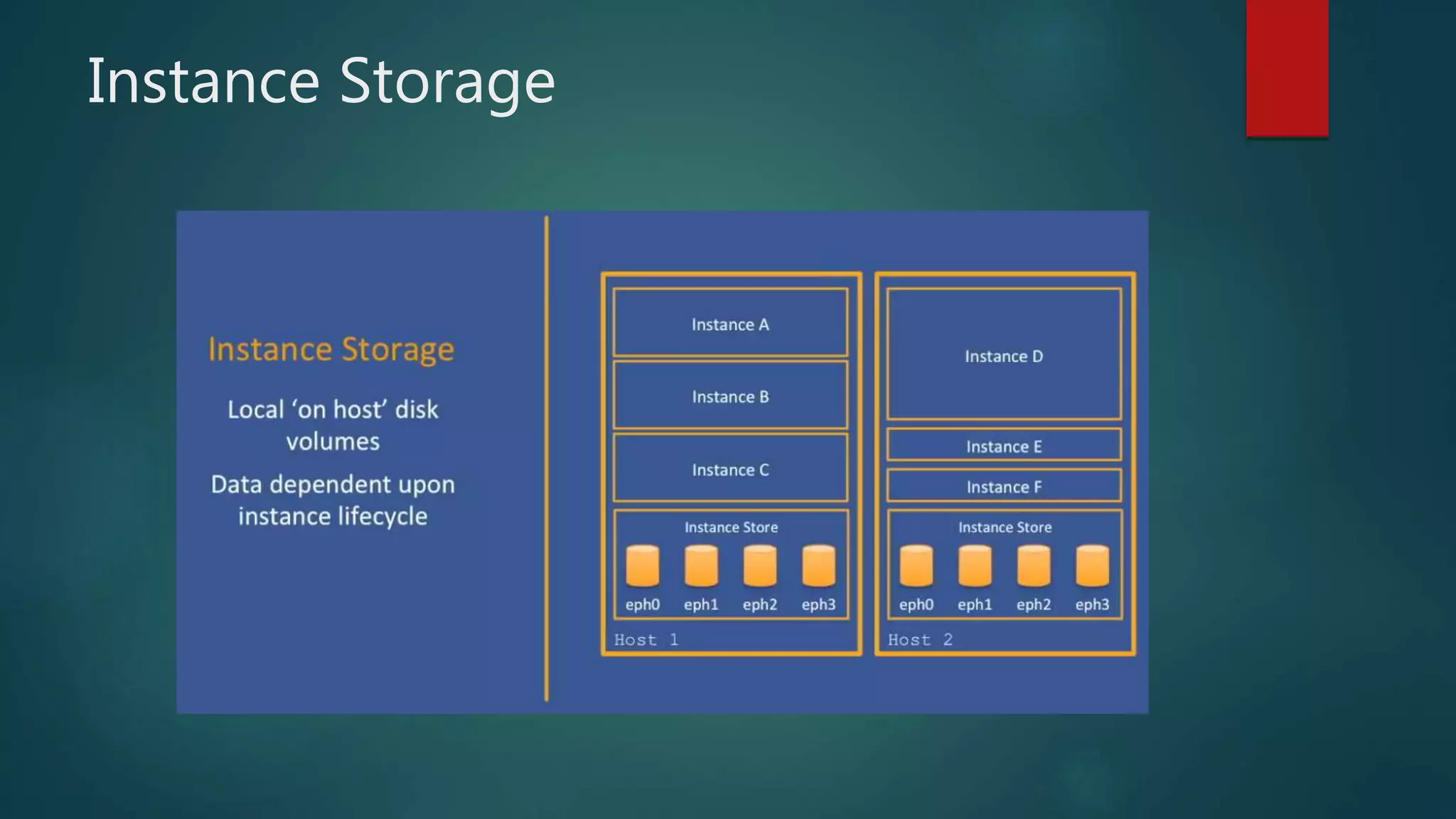
 Amazon EC2 uses two different kinds of storage. One is local storage,
known as Instance Storage, which is non-persistent and data will be lost
after an instance terminates. The other kind is persistent, network-based
storage called Elastic Block Store(EBS), which can be attached to running
instances or also used as a persistent boot medium.
 Instance Storage
 EBS
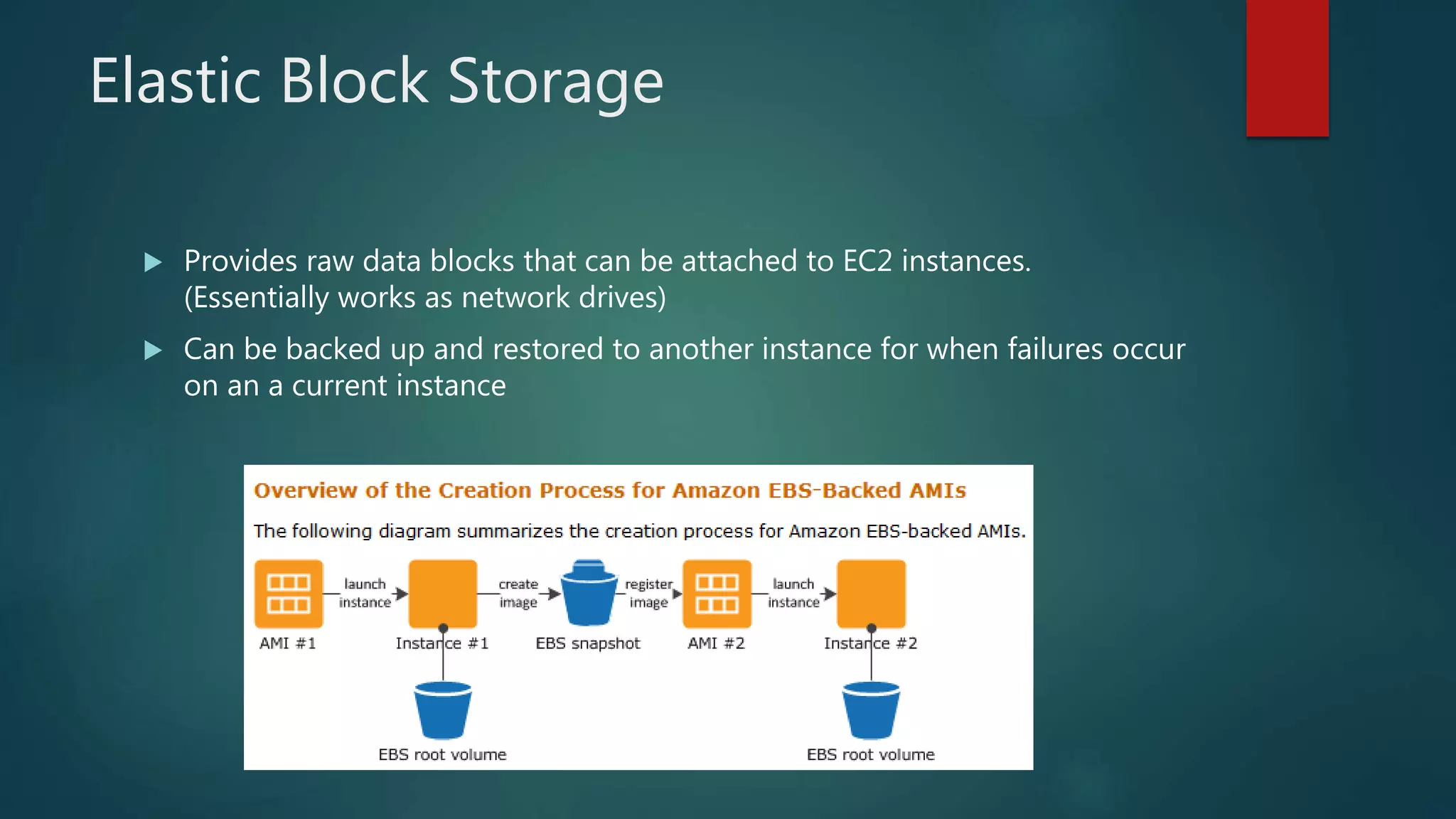
Elastic Block Storage
 Provides raw data blocks that can be attached to EC2 instances.
(Essentially works as network drives)
 Can be backed up and restored to another instance for when failures occur
on an a current instance
Instance Storage
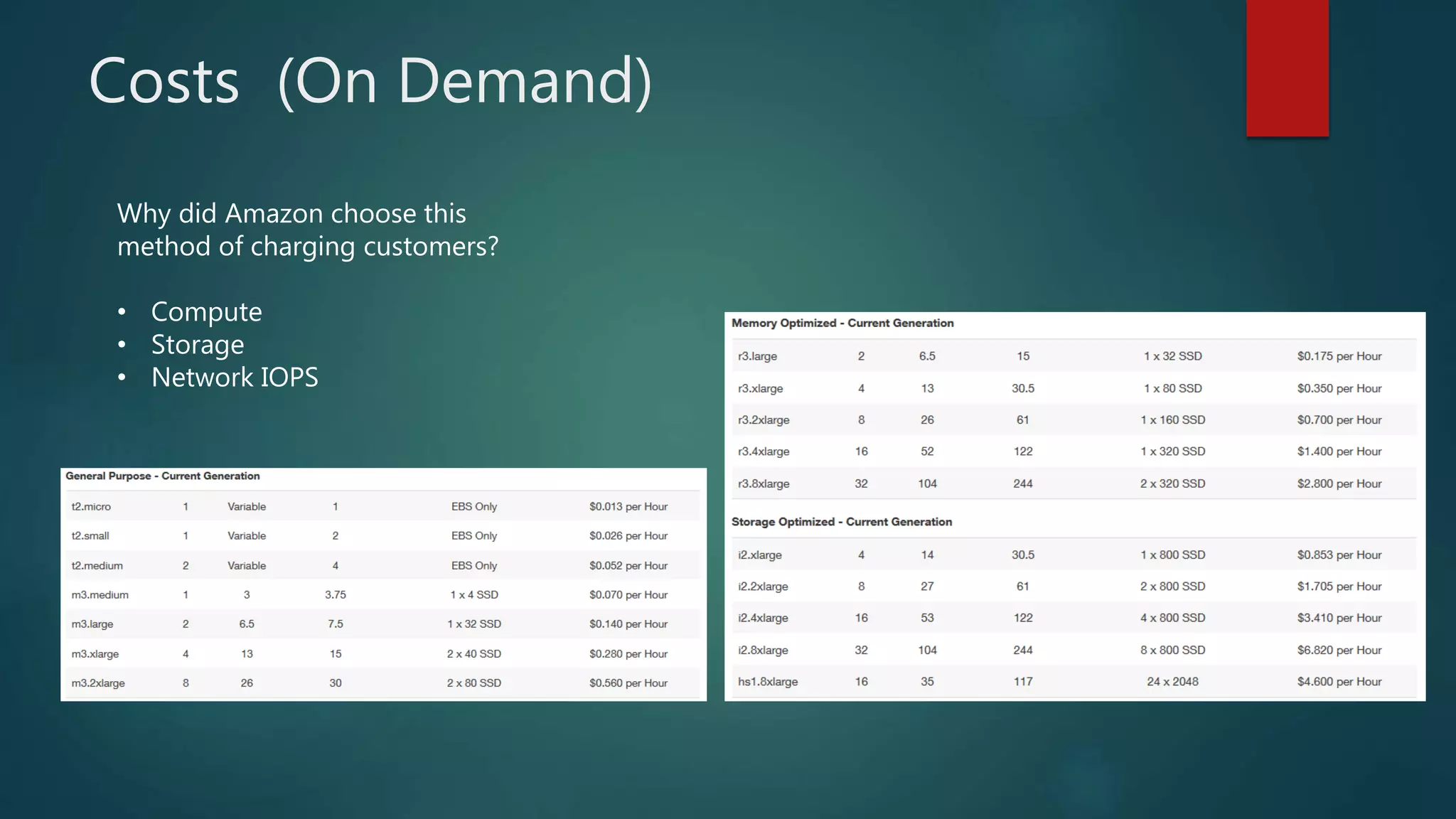
Costs (On Demand)
Why did Amazon choose this
method of charging customers?
• Compute
• Storage
• Network IOPS

Case study of amazon EC2 by Akash Badone

  • 1.
    Amazon Elastic ComputeCloud (EC2) BY AKASH BADONE
  • 2.
    Several Historical Trends Shared Utility Computing  1960s – MULTICS – Concept of a Shared Computing Utility  1970s – IBM Mainframes – rent by the CPU-hour. (Fast/slow switch.)  Data Center Co-location  1990s-2000s – Rent machines for months/years, keep them close to the network access point and pay a flat rate. Avoid running your own building with utilities!  Pay as You Go  Early 2000s - Submit jobs to a remote service provider where they run on the raw hardware. Sun Cloud ($1/CPU-hour, Solaris +SGE) IBM Deep Capacity Computing on Demand (50 cents/hour)  Virtualization  1960s – OS-VM, VM-360 – Used to split mainframes into logical partitions.  1998 – VMWare – First practical implementation on X86, but at significant performance hit.  2003 – Xen para virtualization provides much perf, but kernel must assist.  Late 2000s – Intel and AMD add hardware support for virtualization.
  • 3.
    Amazon’s Elastic ComputeCloud (EC2)  Amazon web services for computing  EC2  Elastic Map Reduce (EMR).  Data storage solutions (DynamoDB, RDS, S3 or EBS).  Hope to use multiple features for storing input/output files and perform intensive computations.
  • 4.
    What is EC2? AmazonElastic Cloud Computing  Infrastructure as a Service (IaaS)  Allows customers to rent virtual computers by the hour. All they need to provide is money, and they will have a virtual server instance.
  • 5.
    Getting Started withAmazon EC2  Step 1: Sign up for Amazon EC2  Step 2: Create a key pair  Step 3: Launch an Amazon EC2 instance  Step 4: Connect to the instance  Step 5: Customize the instance  Step 6: Terminate instance and delete the volume created
  • 6.
  • 7.
  • 8.
    Types of Instances Free Tier  Use AWS instances for up to 12 months (minimal performance)  On-Demand  Setup and tear down whenever you need to  Reserved  Pay up front for servers with contracts  Spot  Bid for unused capacity, but no control over when it’s terminated
  • 9.
    EC2 instances  Avirtual computing environment with a web interface.  Create and configure an “instance” (Amazon Machine Image)  Example: Extra large instance (standard)  15GB of memory  8 EC2 Compute Units (4 virtual cores)  1690GB of local storage  64 bit platform  Also offers cluster compute instances  Example  Cluster Compute Eight Extra large with 60GB memory, 88 EC2 units, 3370 local storage, 64-bit platform, 10 Gigabit Ethernet.
  • 10.
    EC2 Instances  Operatingsystem Windows Server, Ubuntu Linux, Red Hat Enterprise linux etc.  Currently using AWS’s free usage tier (Getting started!)  Pay for the capacity actually consumed (http://aws.amazon.com/ec2/#pricing).  Regional Servers located in 8 regions (US East, US West, EU, Asia Pacific etc)  Currently running a t1.micro instance  Ubuntu Server version 11.10 (Oneiric Ocelot) 64-bit.
  • 11.
    Amazon AWS  Grewout of Amazon’s need to rapidly provision and configure machines of standard configurations for its own business.  Early 2000s – Both private and shared data centers began using virtualization to perform “server consolidation”  2003 – Internal memo by Chris Pinkham describing an “infrastructure service for the world.”  2006 – S3 first deployed in the spring, EC2 in the fall  2008 – Elastic Block Store available.  2009 – Relational Database Service  2012 – Dynamo DB  Does it turn a profit?
  • 12.
  • 13.
    Virtualization  Paravirtual  ParavirtualAMIs boot with a special boot loader called PV-GRUB, which starts the boot cycle and then chain loads the kernel specified in the menu.lst file on your image  Hardware Virtual Machine  Unlike PV guests, HVM guests can take advantage of hardware extensions that provide fast access to the underlying hardware on the host system  Allows user to run an operating system directly on top of a virtual machine without any modification, as if it were run on the bare-metal hardware.
  • 14.
    Virtualization Specifications  XenHypervisor for virtualization  Provides services that allow multiple computer operation systems to execute on the same computer hardware  Hardware specifications are tailored to the needs of the use  Storage, Computing, Memory, Graphics  Why did Amazon choose Xen?
  • 15.
    XEN Hypervisor  Basicabstraction layer of software that sits directly on the hardware below any operating systems.  Responsible for CPU scheduling and memory partitioning of the various virtual machines running on the hardware device.  Controls the execution of virtual machines as they share the common processing environment.  No knowledge of networking, external storage devices, video, or any other common I/O functions found on a computing system.
  • 16.
    Storage  Amazon EC2uses two different kinds of storage. One is local storage, known as Instance Storage, which is non-persistent and data will be lost after an instance terminates. The other kind is persistent, network-based storage called Elastic Block Store(EBS), which can be attached to running instances or also used as a persistent boot medium.  Instance Storage  EBS
  • 17.
    Elastic Block Storage Provides raw data blocks that can be attached to EC2 instances. (Essentially works as network drives)  Can be backed up and restored to another instance for when failures occur on an a current instance
  • 18.
  • 19.
    Costs (On Demand) Whydid Amazon choose this method of charging customers? • Compute • Storage • Network IOPS