By: Vijayta Vinayak Solutions
CSS Introduction C ascading  S tyle  S heet is  a feature being added to HTML that gives both Web site developers and users more control over how pages are displayed. With CSS, designers and users can create style sheets that define how different elements, such as headers and links, appear. These style sheets can then be applied to any Web page.  The term  cascading  derives from the fact that multiple style sheets can be applied to the same Web page. Vinayak Solutions
Use of Style Sheets separate structure from appearance create consistent appearance ease of maintenance increase accessibility  apply additional effects  reduce use of non-standard tags reduce web page file size Vinayak Solutions
Consistent Appearance & Ease of Maintenance Create one style sheet Use link tag to use  for several web pages Make changes in one file Vinayak Solutions
Increase Accessibility User can override your style sheet You can create different style sheets for alternative devices Vinayak Solutions
Apply Additional Effects Add hover effect to links Remove underlines on links Add horizontal rule to headings Use instead of a table for a border Control paragraph, line, letter spacing Use instead of tables for layout Vinayak Solutions
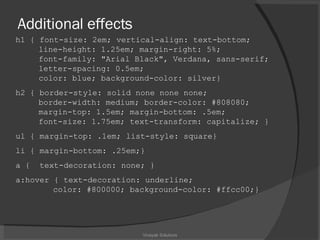
Additional effects h1 { font-size: 2em; vertical-align: text-bottom;    line-height: 1.25em; margin-right: 5%;    font-family: "Arial Black", Verdana, sans-serif;   letter-spacing: 0.5em;    color: blue; background-color: silver} h2 { border-style: solid none none none;   border-width: medium; border-color: #808080;   margin-top: 1.5em; margin-bottom: .5em;   font-size: 1.75em; text-transform: capitalize; } ul { margin-top: .1em; list-style: square} li { margin-bottom: .25em;} a {  text-decoration: none; } a:hover { text-decoration: underline;    color: #800000; background-color: #ffcc00;} Vinayak Solutions
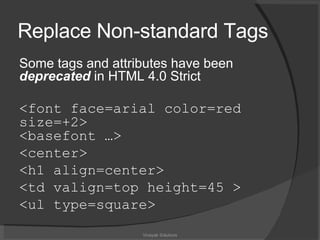
Replace Non-standard Tags Some tags and attributes have been  deprecated  in HTML 4.0 Strict <font face=arial color=red size=+2> <basefont …> <center> <h1 align=center> <td valign=top height=45 > <ul type=square> Vinayak Solutions
Reduce Web Page File Size Every keystroke counts! Smaller files load more quickly Save disk space Vinayak Solutions
Keep it in mind when using CSS Older browsers either dont understand it, or understand it badly (incompatibilities) In some instances current browsers sometimes interpret the style differently thus resulting in different results. Vinayak Solutions
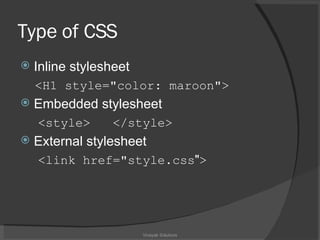
Type of CSS Inline stylesheet <H1 style= &quot; color: maroon &quot; > Embedded stylesheet <style>  </style> External stylesheet <link  href=&quot;style.css &quot; > Vinayak Solutions
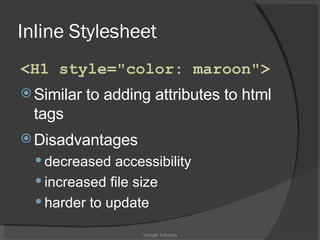
Inline Stylesheet <H1 style= &quot; color: maroon &quot; > Similar to adding attributes to html tags Disadvantages decreased accessibility increased file size harder to update Vinayak Solutions
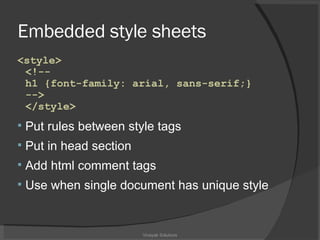
Embedded style sheets <style>  <!-- h1 {font-family: arial, sans-serif;}  -->  </style> Put rules between style tags Put in head section Add html comment tags Use when single document has unique style  Vinayak Solutions
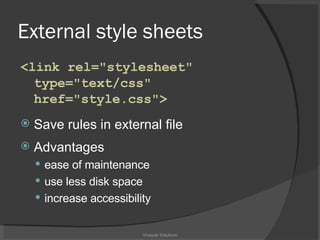
External style sheets <link rel=&quot;stylesheet&quot;   type=&quot;text/css&quot;  href= &quot; style.css&quot; > Save rules in external file Advantages ease of maintenance use less disk space  increase accessibility Vinayak Solutions
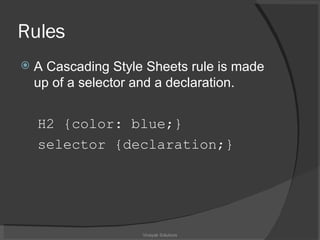
Rules A Cascading Style Sheets rule is made up of a selector and a declaration. H2 {color: blue;}  selector {declaration;} Vinayak Solutions
Declaration The declaration is the part of the rule inside the curly braces. It specifies what a style effect will be.  For example, &quot;color: blue&quot;. Vinayak Solutions
CSS selectors Selectors are one of the most important aspects of CSS as they are used to &quot;select&quot; elements on an HTML page so that they can be styled. Type selectors Class selectors ID selectors Vinayak Solutions
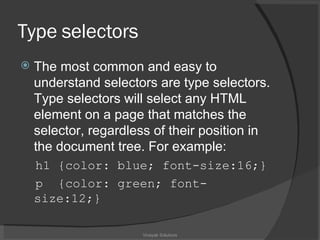
Type  selectors The most common and easy to understand selectors are type selectors. Type selectors will select any HTML element on a page that matches the selector, regardless of their position in the document tree. For example: h1 {color: blue; font-size:16;} p  {color: green; font-size:12;} Vinayak Solutions
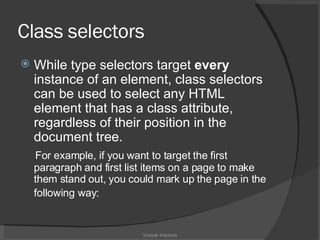
Class  selectors While type selectors target  every  instance of an element, class selectors can be used to select any HTML element that has a class attribute, regardless of their position in the document tree.  For example, if you want to target the first paragraph and first list items on a page to make them stand out, you could mark up the page in the following way:   Vinayak Solutions
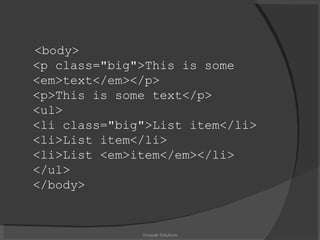
<body> <p class=&quot;big&quot;>This is some <em>text</em></p> <p>This is some text</p> <ul> <li class=&quot;big&quot;>List item</li> <li>List item</li> <li>List <em>item</em></li> </ul> </body> Vinayak Solutions
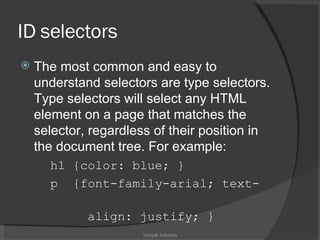
ID  selectors The most common and easy to understand selectors are type selectors. Type selectors will select any HTML element on a page that matches the selector, regardless of their position in the document tree. For example: h1 {color: blue; } p  {font-family-arial; text-  align: justify; } Vinayak Solutions
Browser Support Older (before CSS): NN3, Lynx Broken: IE3, IE4, NN4 Compliant: Mozilla and Netscape 6 Opera 5 and 6 recent versions of Internet Explorer Vinayak Solutions
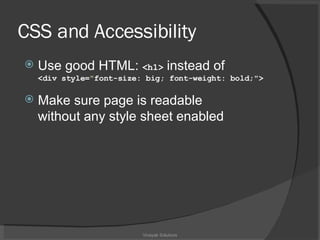
CSS and Accessibility Use good HTML:  <h1>  instead of  <div style= &quot; font-size: big; font-weight: bold;&quot;> Make sure page is readable  without any style sheet enabled Vinayak Solutions
Vinayak Solutions

Cascading Style Sheet

  • 1.
  • 2.
    CSS Introduction Cascading S tyle S heet is a feature being added to HTML that gives both Web site developers and users more control over how pages are displayed. With CSS, designers and users can create style sheets that define how different elements, such as headers and links, appear. These style sheets can then be applied to any Web page. The term cascading derives from the fact that multiple style sheets can be applied to the same Web page. Vinayak Solutions
  • 3.
    Use of StyleSheets separate structure from appearance create consistent appearance ease of maintenance increase accessibility apply additional effects reduce use of non-standard tags reduce web page file size Vinayak Solutions
  • 4.
    Consistent Appearance &Ease of Maintenance Create one style sheet Use link tag to use for several web pages Make changes in one file Vinayak Solutions
  • 5.
    Consistent Appearance &Ease of Maintenance Create one style sheet Use link tag to use for several web pages Make changes in one file Vinayak Solutions
  • 6.
    Increase Accessibility Usercan override your style sheet You can create different style sheets for alternative devices Vinayak Solutions
  • 7.
    Apply Additional EffectsAdd hover effect to links Remove underlines on links Add horizontal rule to headings Use instead of a table for a border Control paragraph, line, letter spacing Use instead of tables for layout Vinayak Solutions
  • 8.
    Additional effects h1{ font-size: 2em; vertical-align: text-bottom; line-height: 1.25em; margin-right: 5%; font-family: &quot;Arial Black&quot;, Verdana, sans-serif; letter-spacing: 0.5em; color: blue; background-color: silver} h2 { border-style: solid none none none; border-width: medium; border-color: #808080; margin-top: 1.5em; margin-bottom: .5em; font-size: 1.75em; text-transform: capitalize; } ul { margin-top: .1em; list-style: square} li { margin-bottom: .25em;} a { text-decoration: none; } a:hover { text-decoration: underline; color: #800000; background-color: #ffcc00;} Vinayak Solutions
  • 9.
    Replace Non-standard TagsSome tags and attributes have been deprecated in HTML 4.0 Strict <font face=arial color=red size=+2> <basefont …> <center> <h1 align=center> <td valign=top height=45 > <ul type=square> Vinayak Solutions
  • 10.
    Reduce Web PageFile Size Every keystroke counts! Smaller files load more quickly Save disk space Vinayak Solutions
  • 11.
    Keep it inmind when using CSS Older browsers either dont understand it, or understand it badly (incompatibilities) In some instances current browsers sometimes interpret the style differently thus resulting in different results. Vinayak Solutions
  • 12.
    Type of CSSInline stylesheet <H1 style= &quot; color: maroon &quot; > Embedded stylesheet <style> </style> External stylesheet <link href=&quot;style.css &quot; > Vinayak Solutions
  • 13.
    Inline Stylesheet <H1style= &quot; color: maroon &quot; > Similar to adding attributes to html tags Disadvantages decreased accessibility increased file size harder to update Vinayak Solutions
  • 14.
    Embedded style sheets<style> <!-- h1 {font-family: arial, sans-serif;} --> </style> Put rules between style tags Put in head section Add html comment tags Use when single document has unique style Vinayak Solutions
  • 15.
    External style sheets<link rel=&quot;stylesheet&quot; type=&quot;text/css&quot; href= &quot; style.css&quot; > Save rules in external file Advantages ease of maintenance use less disk space increase accessibility Vinayak Solutions
  • 16.
    Rules A CascadingStyle Sheets rule is made up of a selector and a declaration. H2 {color: blue;} selector {declaration;} Vinayak Solutions
  • 17.
    Declaration The declarationis the part of the rule inside the curly braces. It specifies what a style effect will be. For example, &quot;color: blue&quot;. Vinayak Solutions
  • 18.
    CSS selectors Selectorsare one of the most important aspects of CSS as they are used to &quot;select&quot; elements on an HTML page so that they can be styled. Type selectors Class selectors ID selectors Vinayak Solutions
  • 19.
    Type selectorsThe most common and easy to understand selectors are type selectors. Type selectors will select any HTML element on a page that matches the selector, regardless of their position in the document tree. For example: h1 {color: blue; font-size:16;} p {color: green; font-size:12;} Vinayak Solutions
  • 20.
    Class selectorsWhile type selectors target every instance of an element, class selectors can be used to select any HTML element that has a class attribute, regardless of their position in the document tree. For example, if you want to target the first paragraph and first list items on a page to make them stand out, you could mark up the page in the following way: Vinayak Solutions
  • 21.
    <body> <p class=&quot;big&quot;>Thisis some <em>text</em></p> <p>This is some text</p> <ul> <li class=&quot;big&quot;>List item</li> <li>List item</li> <li>List <em>item</em></li> </ul> </body> Vinayak Solutions
  • 22.
    ID selectorsThe most common and easy to understand selectors are type selectors. Type selectors will select any HTML element on a page that matches the selector, regardless of their position in the document tree. For example: h1 {color: blue; } p {font-family-arial; text- align: justify; } Vinayak Solutions
  • 23.
    Browser Support Older(before CSS): NN3, Lynx Broken: IE3, IE4, NN4 Compliant: Mozilla and Netscape 6 Opera 5 and 6 recent versions of Internet Explorer Vinayak Solutions
  • 24.
    CSS and AccessibilityUse good HTML: <h1> instead of <div style= &quot; font-size: big; font-weight: bold;&quot;> Make sure page is readable without any style sheet enabled Vinayak Solutions
  • 25.