

Cache memory
principles
by Amit kumar
BIT ALLAHABAD
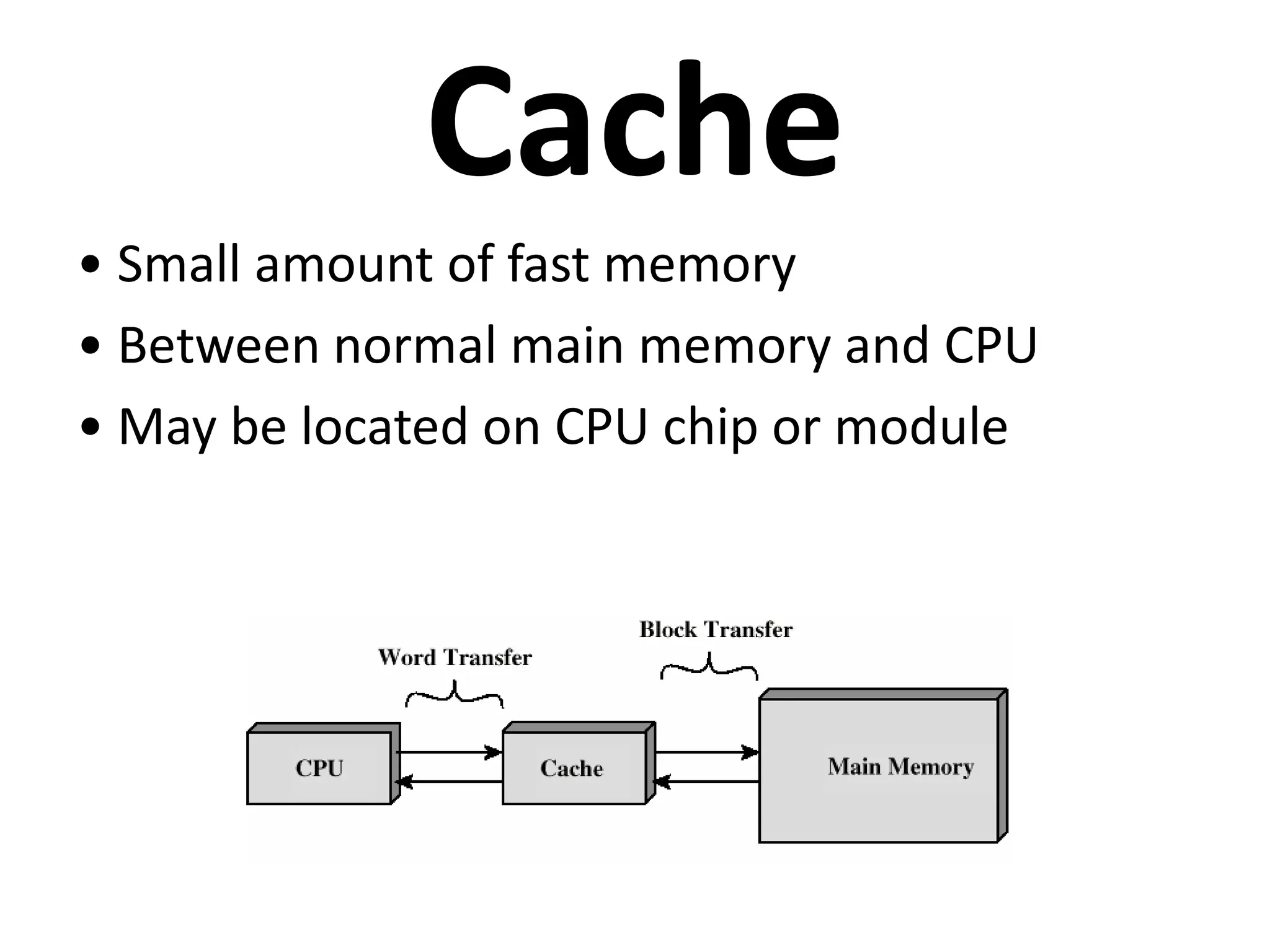
Cache
• Small amount of fast memory
• Between normal main memory and CPU
• May be located on CPU chip or module
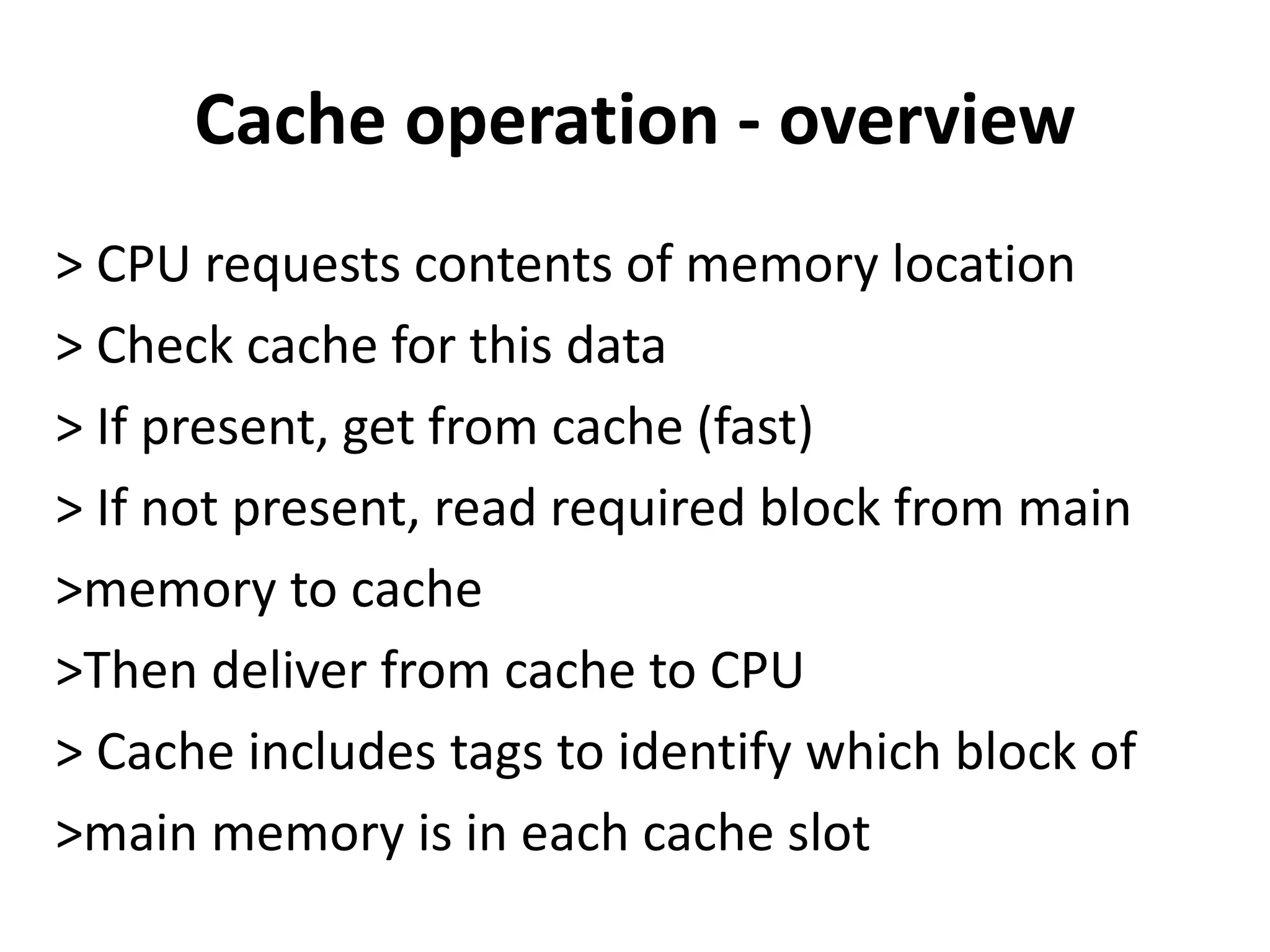
Cache operation - overview
> CPU requests contents of memory location
> Check cache for this data
> If present, get from cache (fast)
> If not present, read required block from main
>memory to cache
>Then deliver from cache to CPU
> Cache includes tags to identify which block of
>main memory is in each cache slot
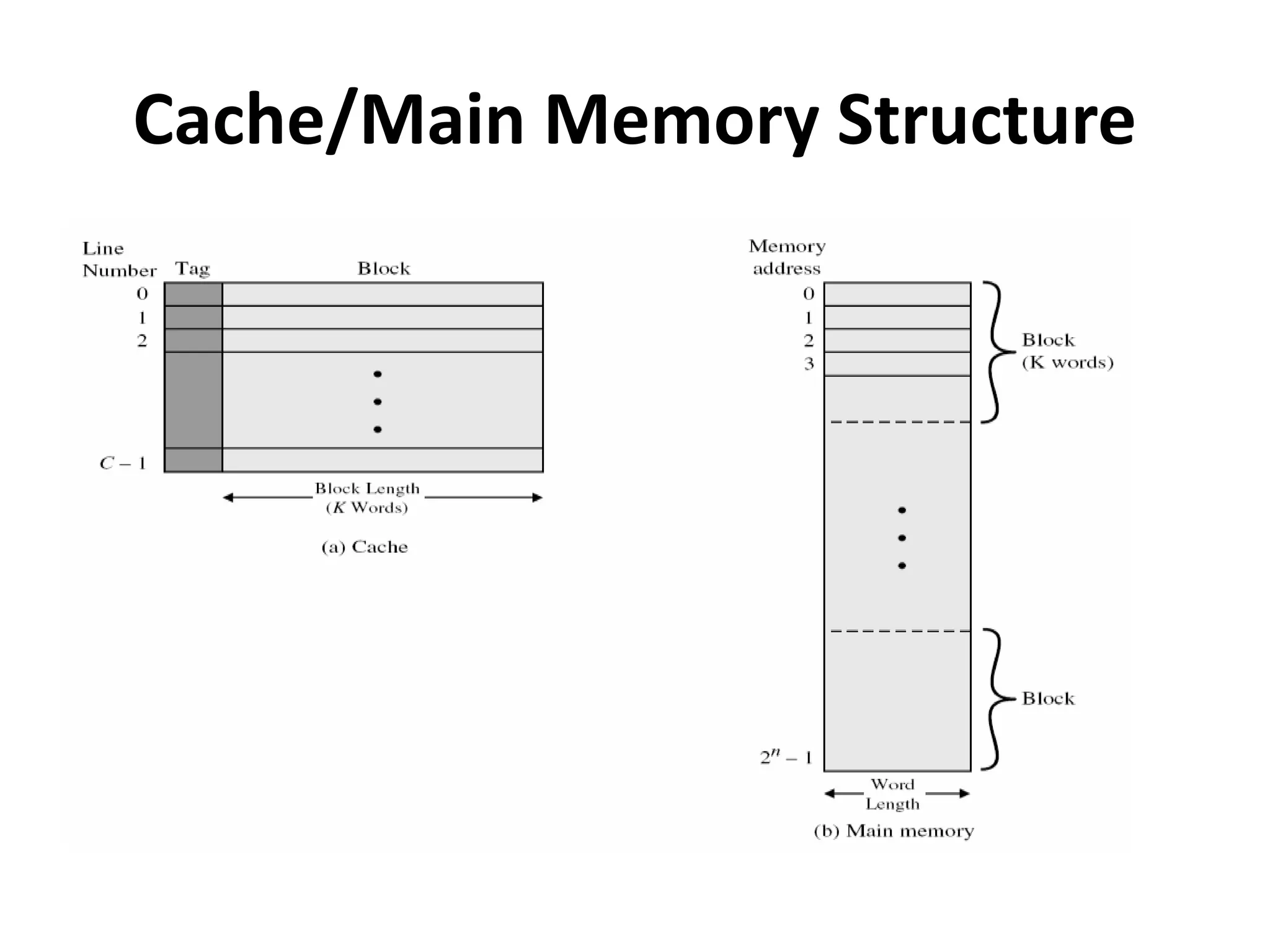
Cache/Main Memory Structure
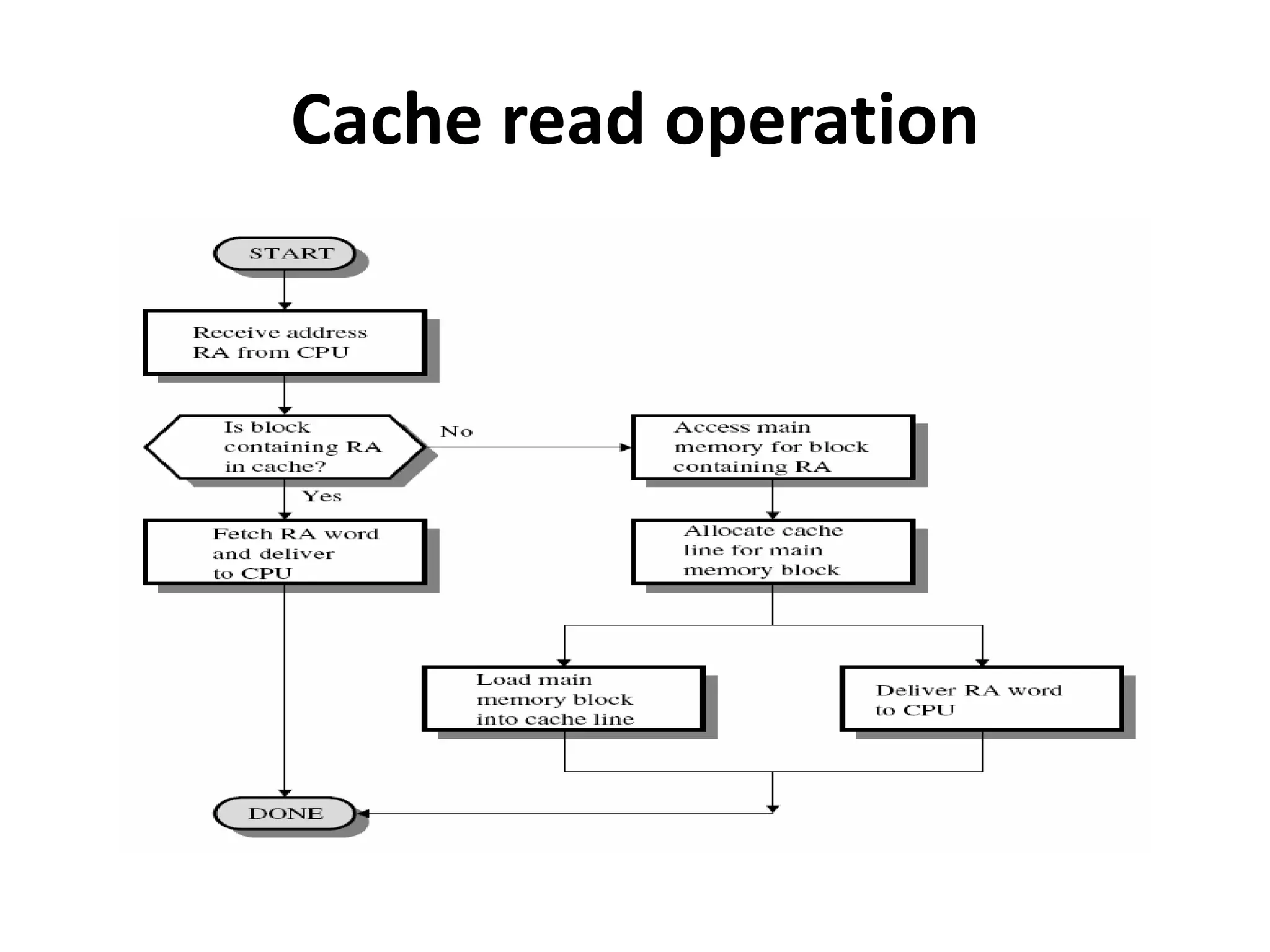
Cache read operation
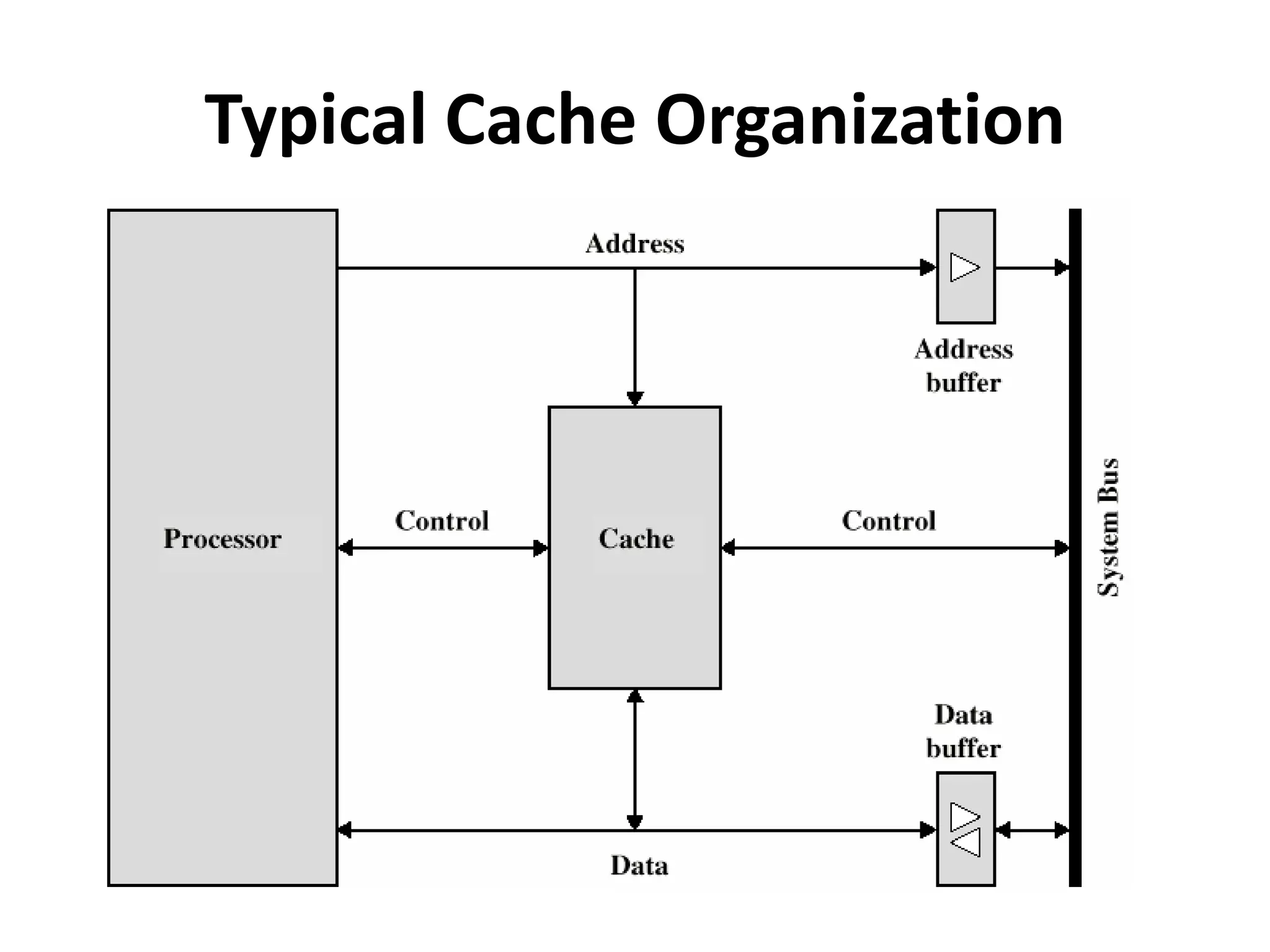
Typical Cache Organization
Cache Design
> Size
> Mapping Function
> Replacement Algorithm
> Write Policy
> Line Size
> Number of Caches
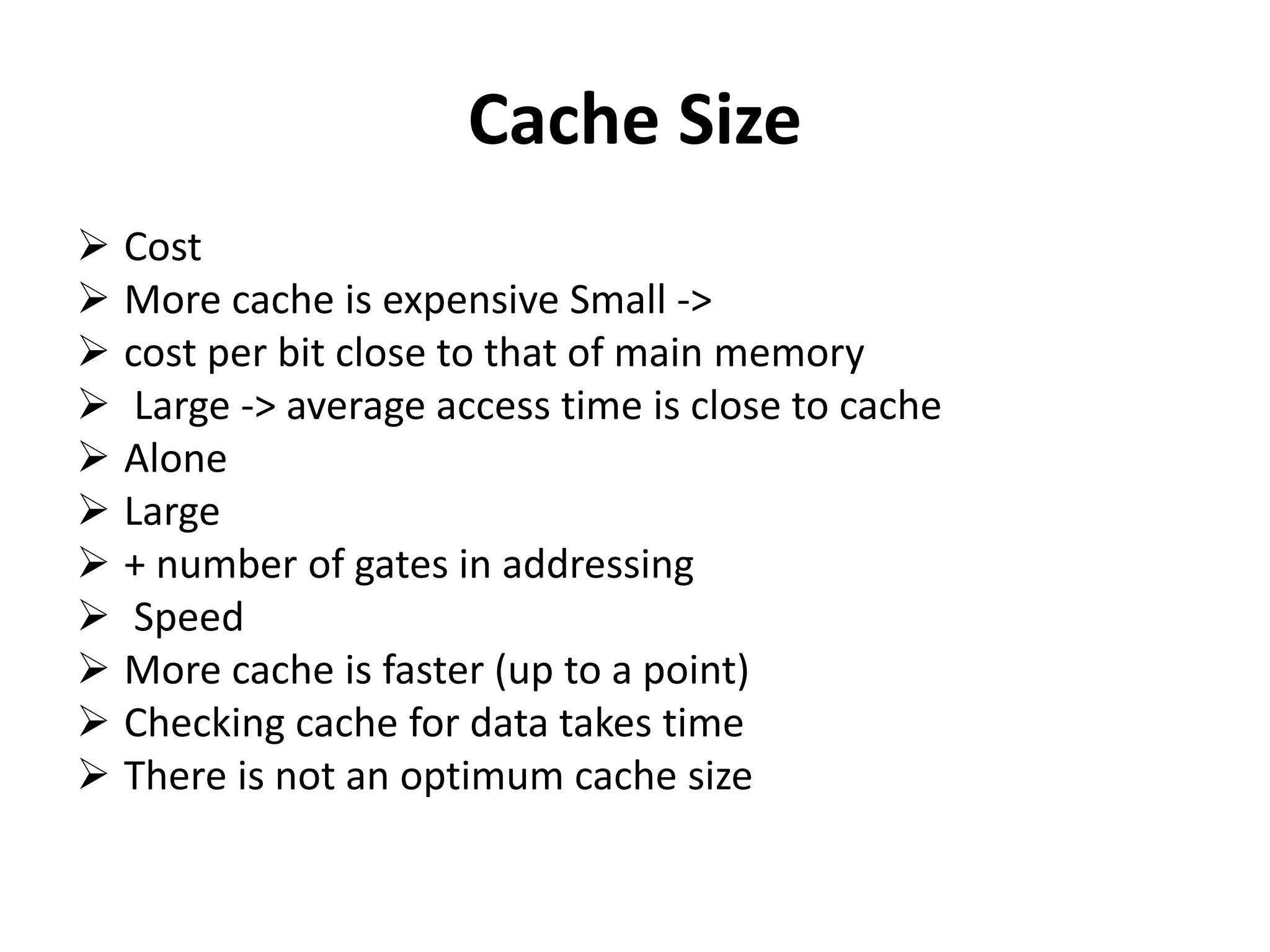
Cache Size
 Cost
 More cache is expensive Small ->
 cost per bit close to that of main memory
 Large -> average access time is close to cache
 Alone
 Large
 + number of gates in addressing
 Speed
 More cache is faster (up to a point)
 Checking cache for data takes time
 There is not an optimum cache size
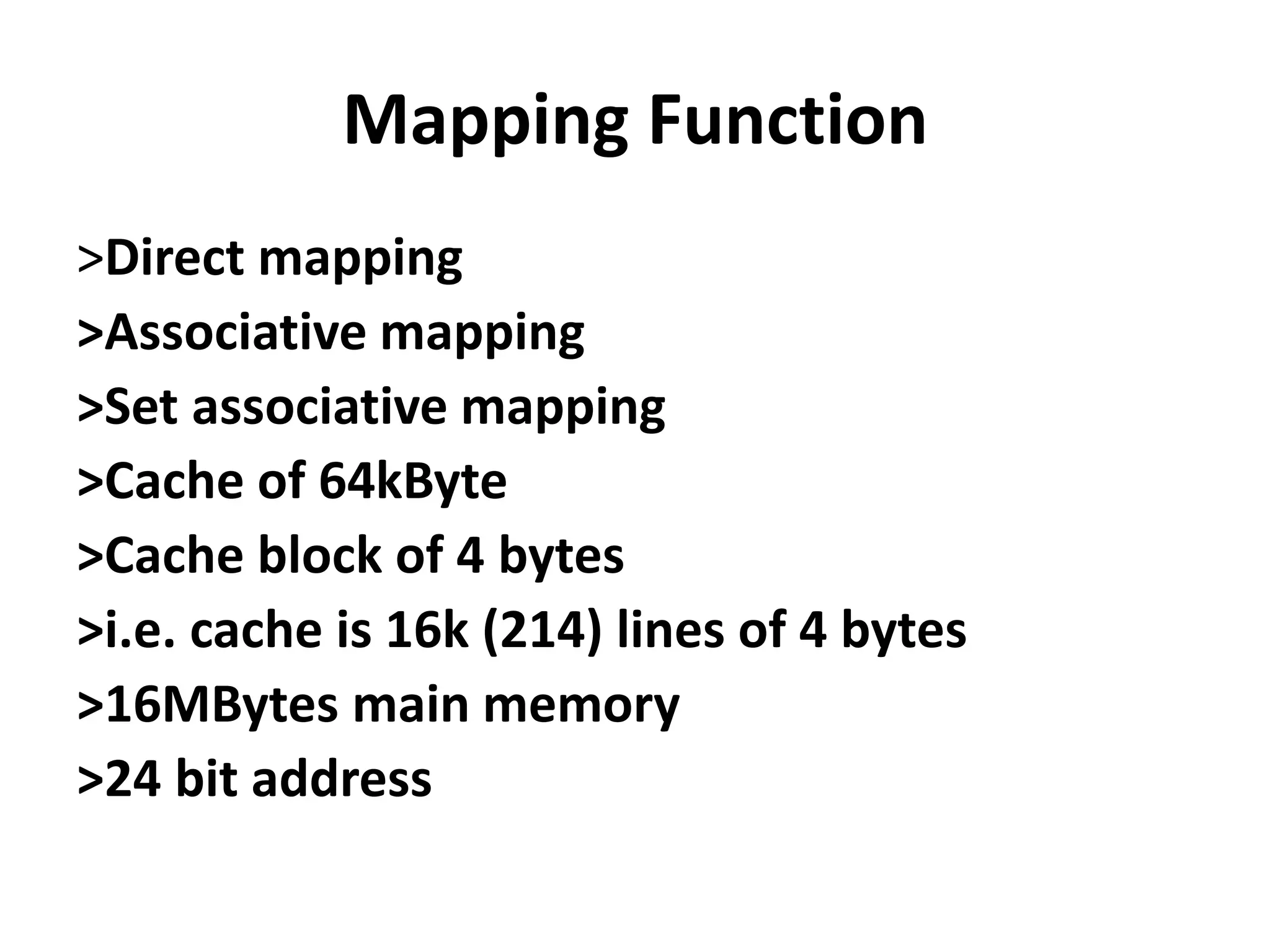
Mapping Function
>Direct mapping
>Associative mapping
>Set associative mapping
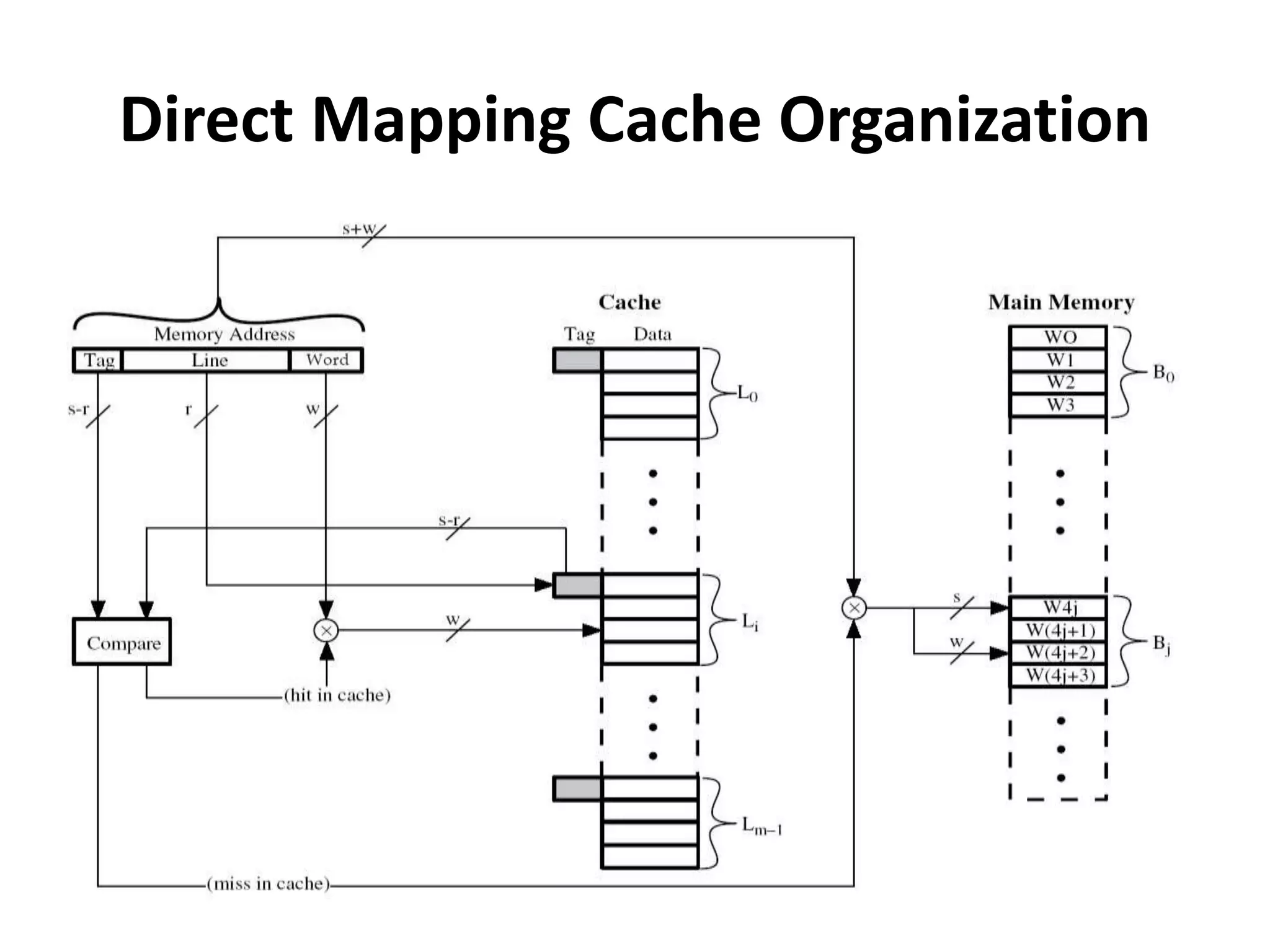
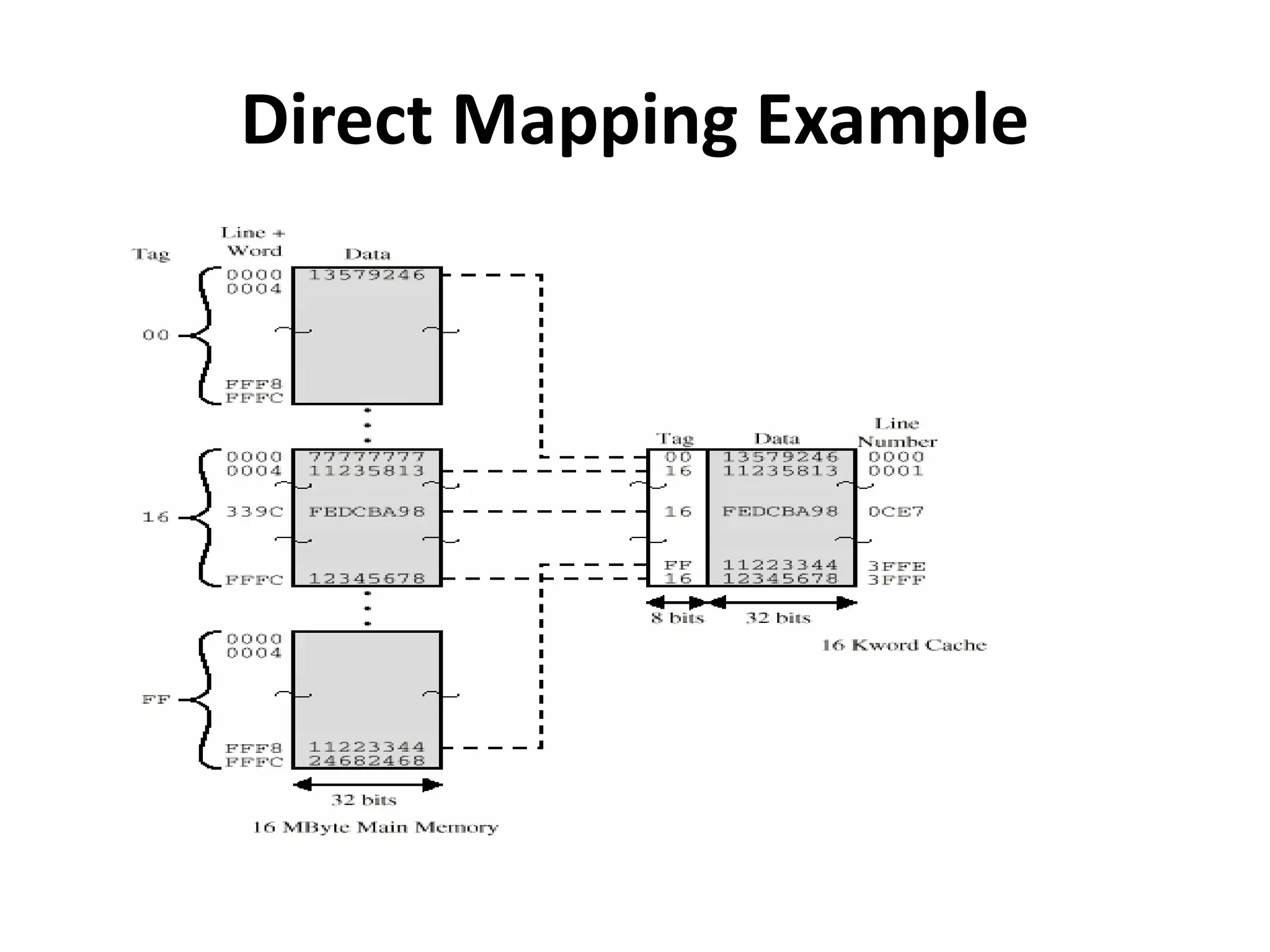
>Cache of 64kByte
>Cache block of 4 bytes
>i.e. cache is 16k (214) lines of 4 bytes
>16MBytes main memory
>24 bit address
Direct Mapping Cache Organization
Direct Mapping Example
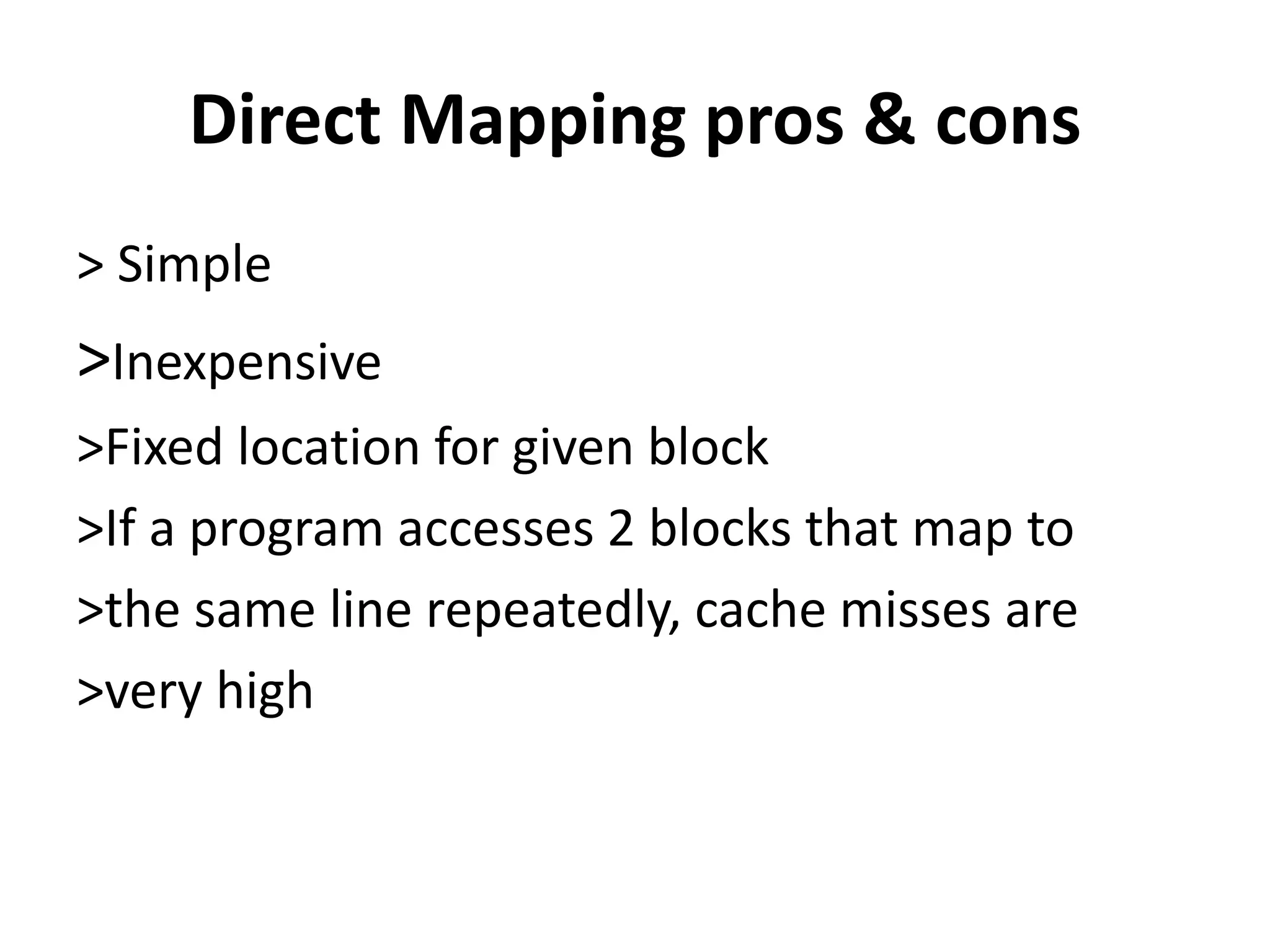
Direct Mapping pros & cons
> Simple
>Inexpensive
>Fixed location for given block
>If a program accesses 2 blocks that map to
>the same line repeatedly, cache misses are
>very high
Number of Caches
>Originally: single cache
> Most recently: multiple caches
> Multilevel Caches
> Unified versus Split Caches
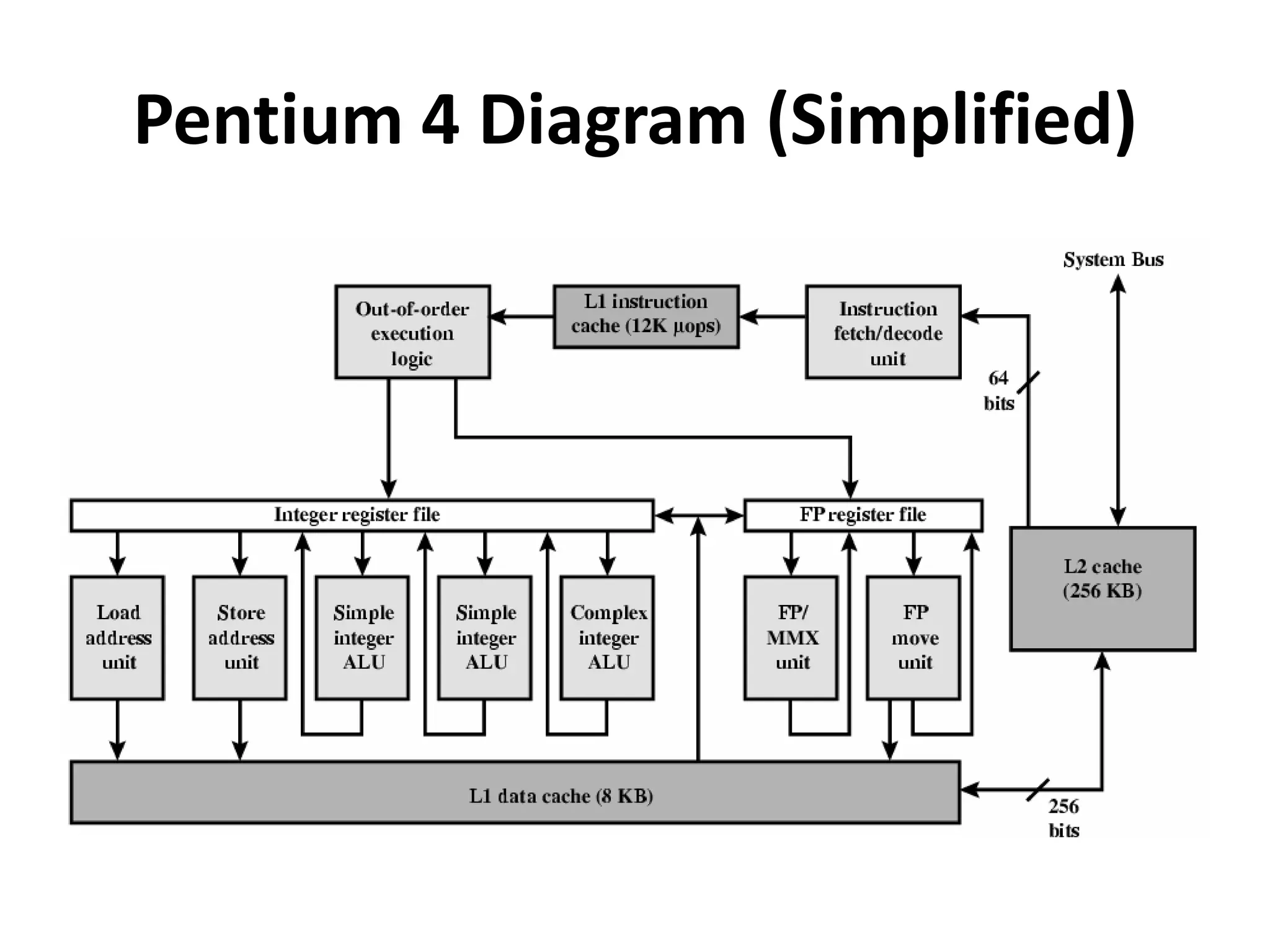
Pentium 4 Cache
>80386 – no on chip cache
> 80486 – 8k using 16 byte lines and four way set associative organization
>Pentium (all versions) – two on chip L1 caches
>Data & instructions
>Pentium 4 – L1 caches
>8k bytes
>64 byte lines
> four way set associative
>L2 cache
>Feeding both L1 caches
>256k
>128 byte lines
>8 way set associative
Pentium 4 Diagram (Simplified)
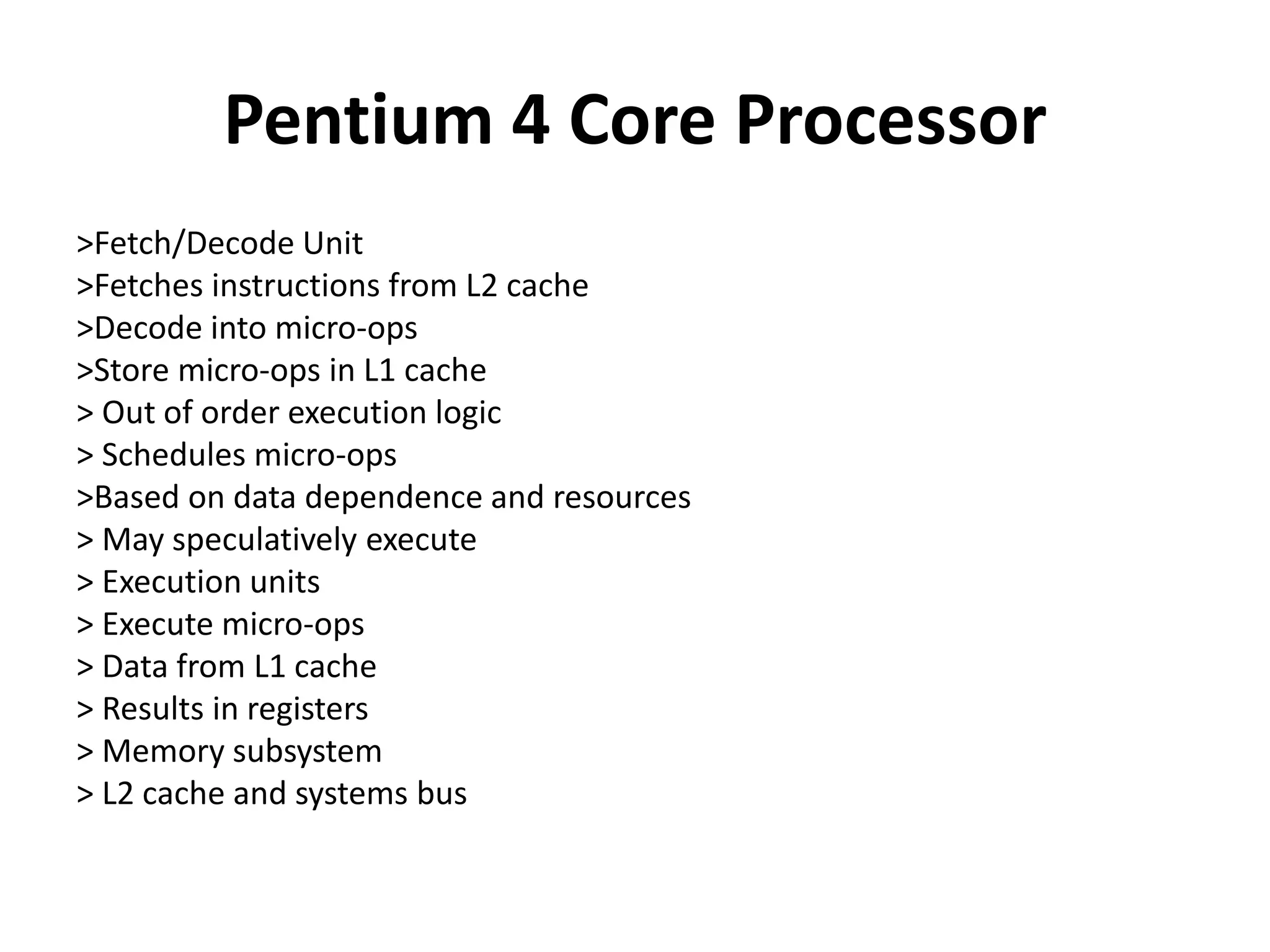
Pentium 4 Core Processor
>Fetch/Decode Unit
>Fetches instructions from L2 cache
>Decode into micro-ops
>Store micro-ops in L1 cache
> Out of order execution logic
> Schedules micro-ops
>Based on data dependence and resources
> May speculatively execute
> Execution units
> Execute micro-ops
> Data from L1 cache
> Results in registers
> Memory subsystem
> L2 cache and systems bus
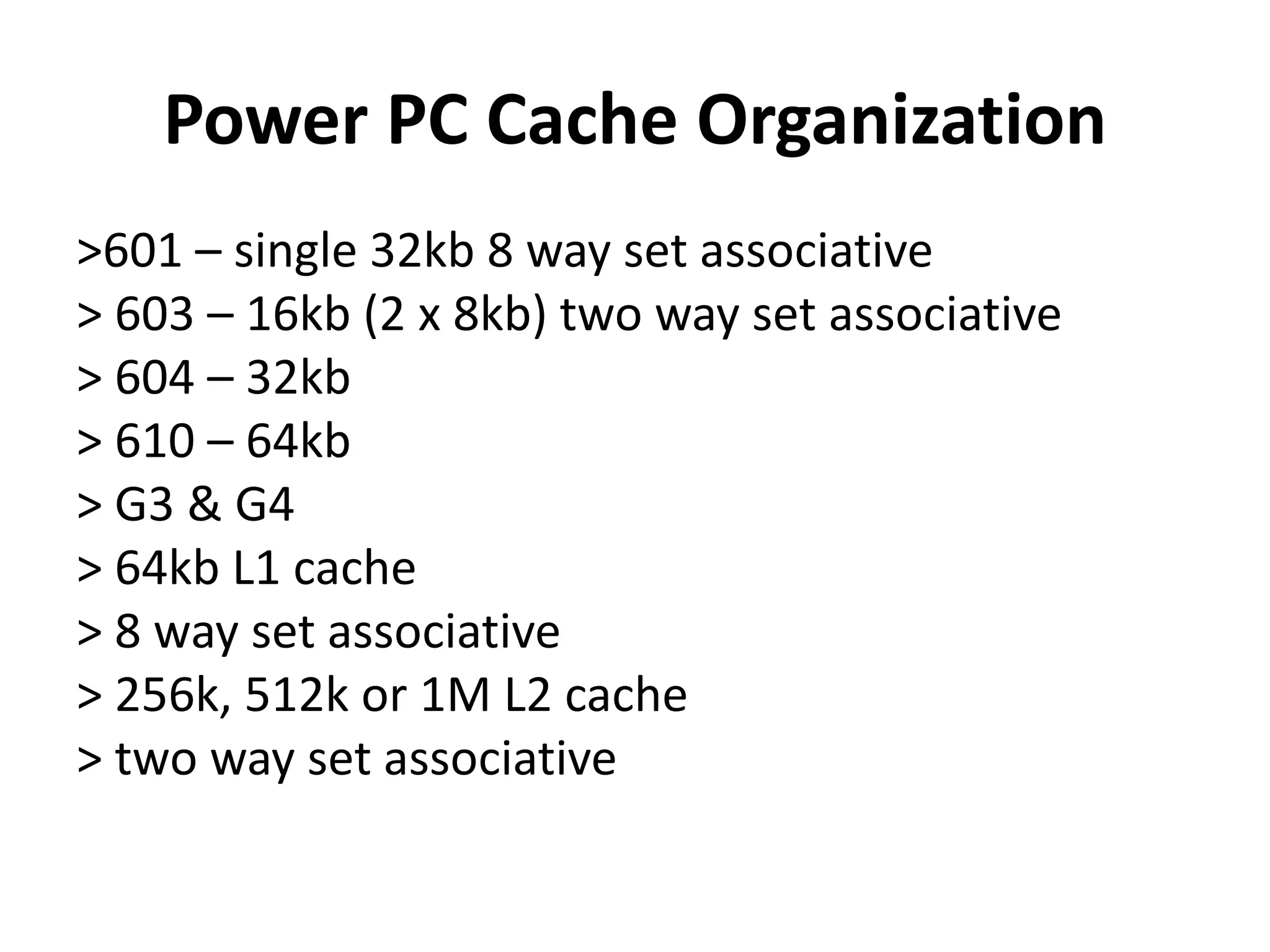
Power PC Cache Organization
>601 – single 32kb 8 way set associative
> 603 – 16kb (2 x 8kb) two way set associative
> 604 – 32kb
> 610 – 64kb
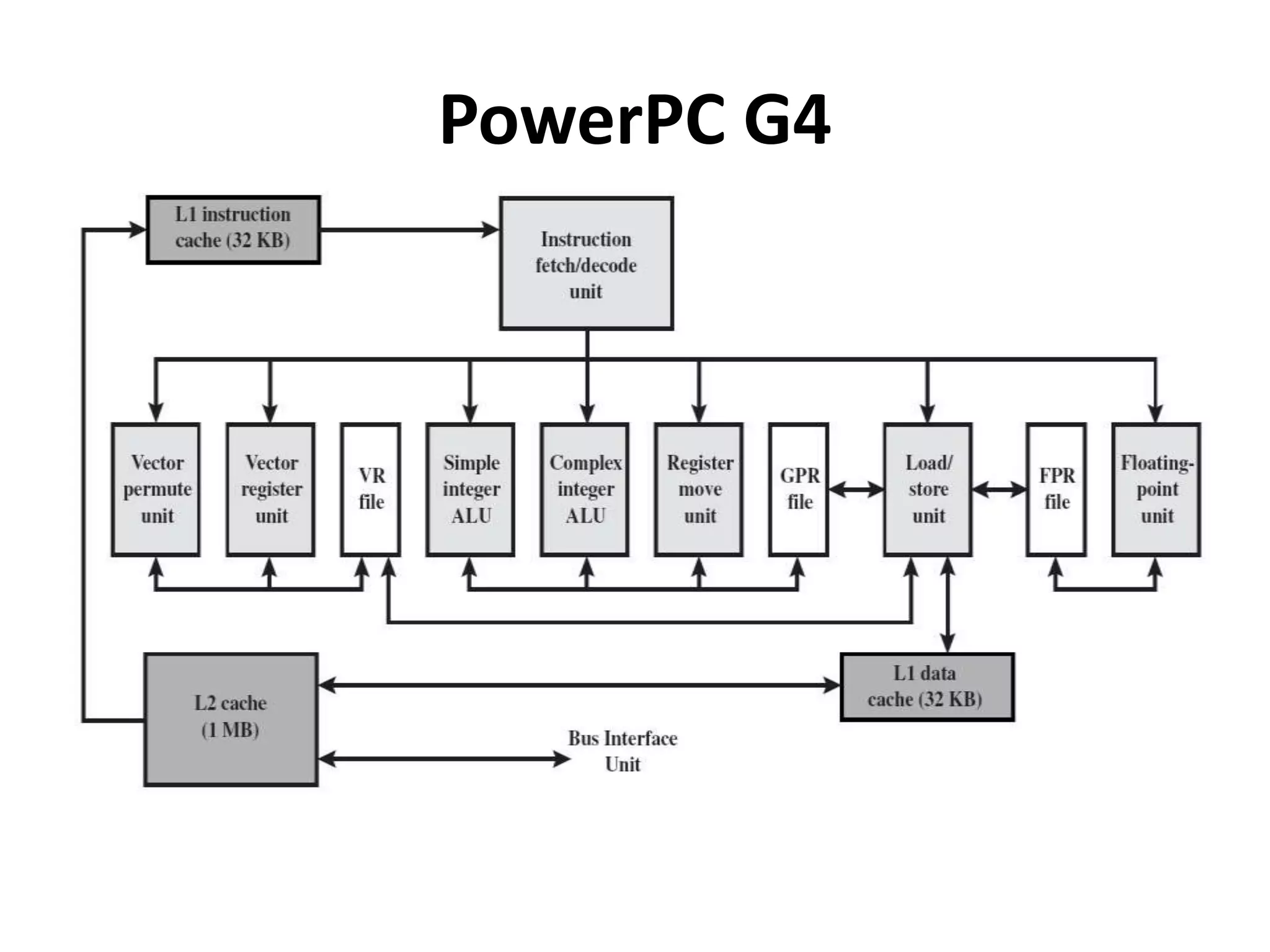
> G3 & G4
> 64kb L1 cache
> 8 way set associative
> 256k, 512k or 1M L2 cache
> two way set associative
PowerPC G4
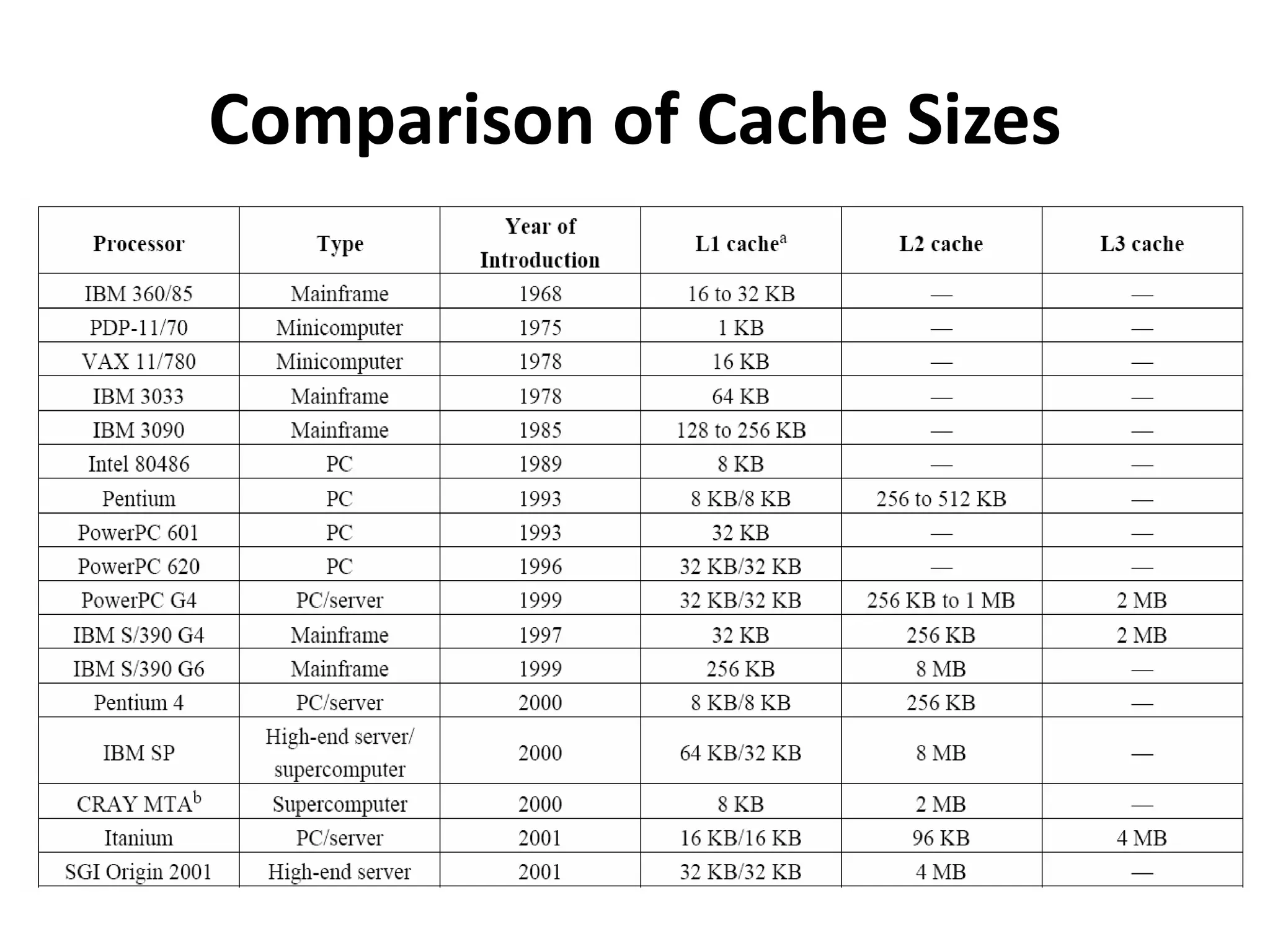
Comparison of Cache Sizes
THANK YOU
Like and share….

Cache memory principles

  • 1.
  • 2.
    Cache • Small amountof fast memory • Between normal main memory and CPU • May be located on CPU chip or module
  • 3.
    Cache operation -overview > CPU requests contents of memory location > Check cache for this data > If present, get from cache (fast) > If not present, read required block from main >memory to cache >Then deliver from cache to CPU > Cache includes tags to identify which block of >main memory is in each cache slot
  • 4.
  • 5.
  • 6.
  • 7.
    Cache Design > Size >Mapping Function > Replacement Algorithm > Write Policy > Line Size > Number of Caches
  • 8.
    Cache Size  Cost More cache is expensive Small ->  cost per bit close to that of main memory  Large -> average access time is close to cache  Alone  Large  + number of gates in addressing  Speed  More cache is faster (up to a point)  Checking cache for data takes time  There is not an optimum cache size
  • 9.
    Mapping Function >Direct mapping >Associativemapping >Set associative mapping >Cache of 64kByte >Cache block of 4 bytes >i.e. cache is 16k (214) lines of 4 bytes >16MBytes main memory >24 bit address
  • 10.
  • 11.
  • 12.
    Direct Mapping pros& cons > Simple >Inexpensive >Fixed location for given block >If a program accesses 2 blocks that map to >the same line repeatedly, cache misses are >very high
  • 13.
    Number of Caches >Originally:single cache > Most recently: multiple caches > Multilevel Caches > Unified versus Split Caches
  • 14.
    Pentium 4 Cache >80386– no on chip cache > 80486 – 8k using 16 byte lines and four way set associative organization >Pentium (all versions) – two on chip L1 caches >Data & instructions >Pentium 4 – L1 caches >8k bytes >64 byte lines > four way set associative >L2 cache >Feeding both L1 caches >256k >128 byte lines >8 way set associative
  • 15.
    Pentium 4 Diagram(Simplified)
  • 16.
    Pentium 4 CoreProcessor >Fetch/Decode Unit >Fetches instructions from L2 cache >Decode into micro-ops >Store micro-ops in L1 cache > Out of order execution logic > Schedules micro-ops >Based on data dependence and resources > May speculatively execute > Execution units > Execute micro-ops > Data from L1 cache > Results in registers > Memory subsystem > L2 cache and systems bus
  • 17.
    Power PC CacheOrganization >601 – single 32kb 8 way set associative > 603 – 16kb (2 x 8kb) two way set associative > 604 – 32kb > 610 – 64kb > G3 & G4 > 64kb L1 cache > 8 way set associative > 256k, 512k or 1M L2 cache > two way set associative
  • 18.
  • 19.
  • 20.