Chapter 9C# .NET strings
What will we be learning?string variable and its methodstrimcontainremove and replacesubstring
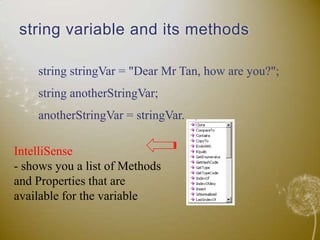
string variable and its methodsstring stringVar = "Dear Mr Tan, how are you?";string anotherStringVar;anotherStringVar = stringVar.IntelliSense- shows you a list of Methods and Properties that are available for the variable
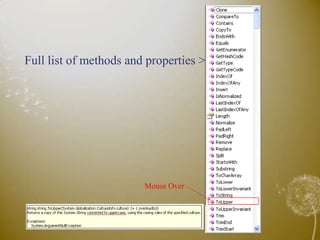
Full list of methods and properties >Mouse Over
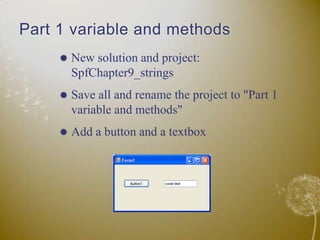
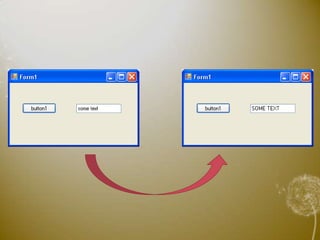
Part 1 variable and methodsNew solution and project: SpfChapter9_stringsSave all and rename the project to "Part 1 variable and methods"Add a button and a textbox
Add codes into button click method:
Length property of string variableThis property return the number of characters in a stringIt also counts the blank spacesEg: stringVar.Length;Note that you don't need any round brackets, because it's a property not a method
trim methodTo trim unwanted characters from the string – used often to trim blank spaces at the start and the endTrim(): both at the start and the end
TrimEnd(): at the end
TrimStart(): at the startContinue from previous projectAdd another button and textboxAdd codes into the button click method
3 blank spaces at the start and the end
Continue …
Trim()TrimEnd()
null => blank spaceTrim()  same as   Trim(null)TrimStart()  same as   TrimStart(null)TrimEnd()   same as    TrimEnd(null)
Trim other character
Trim more than one characters
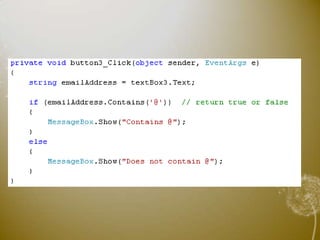
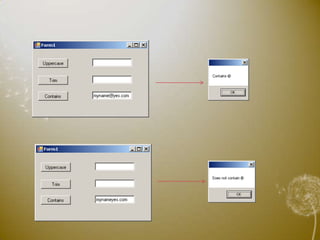
Contains method
Replace methodSpell checker:Replace "mistak" with "mistake"Replace "teh" with "the"::
Continue
Add codes into button click method:
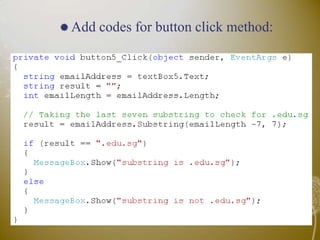
Substring methodintstartIndex => starting position to extract the substring(start from 0)int length => length of the substring
ContinueAdd a button and textbox
Add codes for button click method:

C# Strings