The C# LanguageC# Language Basics
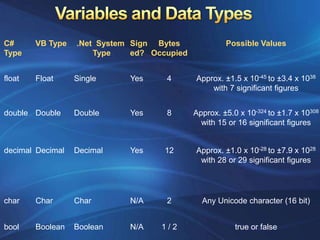
Variables and Data Types
Array, ArrayList, Enumerations
Operator & Math Functions
Type Conversions
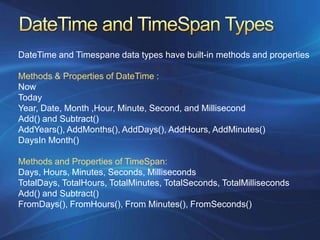
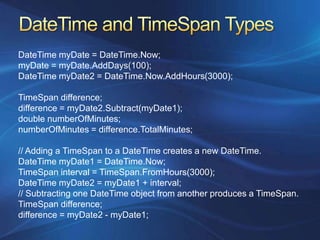
The DateTime and TimeSpan Types
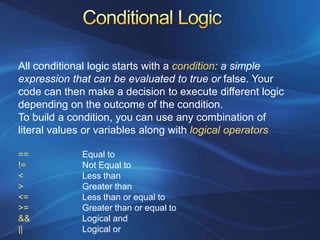
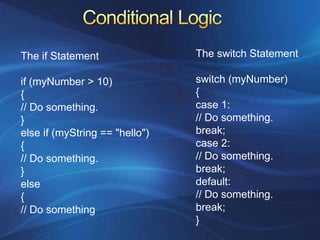
Conditional Logic
Loops
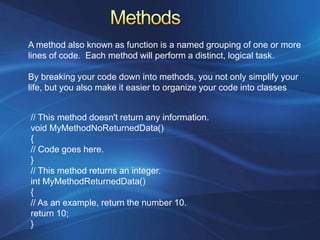
Methods & Method Overloading
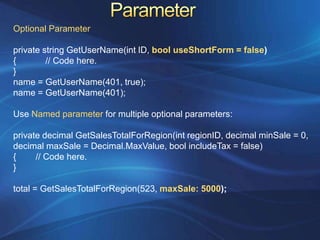
Parameters (Optional & Named)
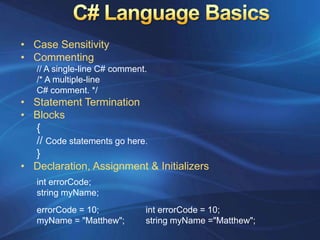
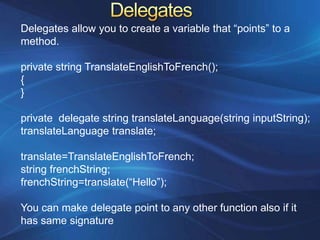
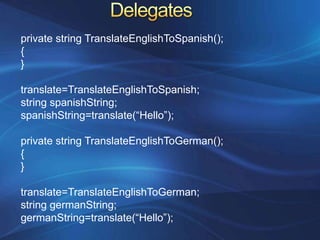
Delegates          C# Language BasicsCase Sensitivity
Commenting// A single-line C# comment./* A multiple-lineC# comment. */Statement Termination
Blocks{// Code statements go here.}Declaration, Assignment &InitializersinterrorCode;string myName;
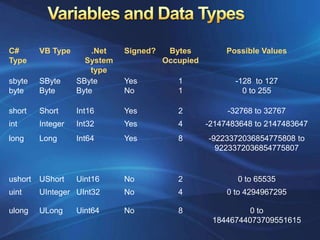
Variables and Data Types
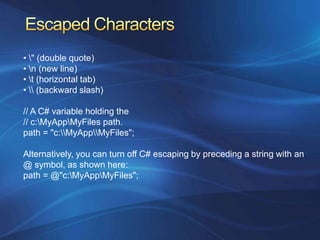
Escaped Characters• \" (double quote)• \n (new line)• \t (horizontal tab)• \\ (backward slash)// A C# variable holding the// c:\MyApp\MyFiles path.path = "c:\\MyApp\\MyFiles";Alternatively, you can turn off C# escaping by preceding a string with an @ symbol, as shown here:path = @"c:\MyApp\MyFiles";
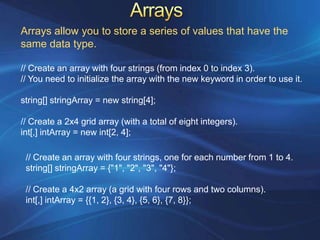
ArraysArrays allow you to store a series of values that have the same data type.// Create an array with four strings (from index 0 to index 3).// You need to initialize the array with the new keyword in order to use it.string[] stringArray = new string[4];// Create a 2x4 grid array (with a total of eight integers).int[,] intArray = new int[2, 4];// Create an array with four strings, one for each number from 1 to 4.string[] stringArray = {"1", "2", "3", "4"};// Create a 4x2 array (a grid with four rows and two columns).int[,] intArray = {{1, 2}, {3, 4}, {5, 6}, {7, 8}};
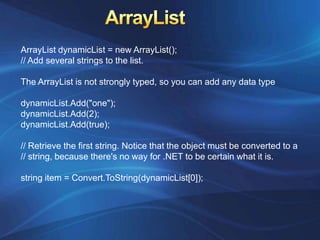
ArrayListArrayListdynamicList = new ArrayList();// Add several strings to the list.The ArrayList is not strongly typed, so you can add any data typedynamicList.Add("one");dynamicList.Add(2);dynamicList.Add(true);// Retrieve the first string. Notice that the object must be converted to a// string, because there's no way for .NET to be certain what it is.string item = Convert.ToString(dynamicList[0]);
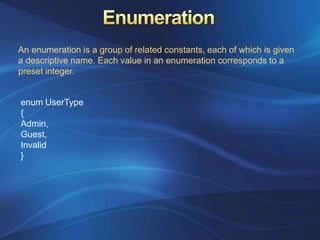
EnumerationAn enumeration is a group of related constants, each of which is given a descriptive name. Each value in an enumeration corresponds to a preset integer.enumUserType{Admin,Guest,Invalid}
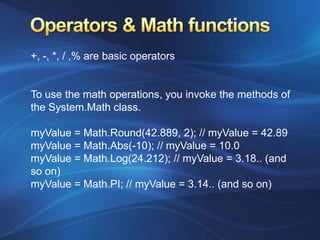
Operators & Math functions+, -, *, / ,% are basic operatorsTo use the math operations, you invoke the methods of the System.Math class. myValue = Math.Round(42.889, 2); // myValue = 42.89myValue = Math.Abs(-10); // myValue = 10.0myValue = Math.Log(24.212); // myValue = 3.18.. (and so on)myValue = Math.PI; // myValue = 3.14.. (and so on)
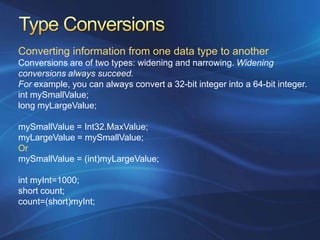
Type ConversionsConverting information from one data type to anotherConversions are of two types: widening and narrowing. Widening conversions always succeed. For example, you can always convert a 32-bit integer into a 64-bit integer.intmySmallValue;long myLargeValue;mySmallValue= Int32.MaxValue;myLargeValue = mySmallValue;Or mySmallValue = (int)myLargeValue;intmyInt=1000;short count;count=(short)myInt;
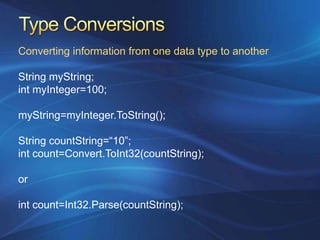
Type ConversionsConverting information from one data type to anotherString myString;intmyInteger=100;myString=myInteger.ToString();String countString=“10”;int count=Convert.ToInt32(countString);orint count=Int32.Parse(countString);
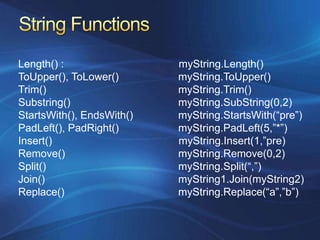
String FunctionsLength() :                                       myString.Length()ToUpper(), ToLower()		myString.ToUpper()		  Trim()					myString.Trim()Substring()				myString.SubString(0,2)StartsWith(), EndsWith()		myString.StartsWith(“pre”)PadLeft(), PadRight()		myString.PadLeft(5,”*”)Insert()                                           myString.Insert(1,”pre)Remove()				myString.Remove(0,2)Split()					myString.Split(“,”)Join()					myString1.Join(myString2)Replace()				myString.Replace(“a”,”b”)

Chapter 2

  • 1.
    The C# LanguageC#Language Basics
  • 2.
  • 3.
  • 4.
  • 5.
  • 6.
    The DateTime andTimeSpan Types
  • 7.
  • 8.
  • 9.
    Methods & MethodOverloading
  • 10.
  • 11.
    Delegates C# Language BasicsCase Sensitivity
  • 12.
    Commenting// A single-lineC# comment./* A multiple-lineC# comment. */Statement Termination
  • 13.
    Blocks{// Code statementsgo here.}Declaration, Assignment &InitializersinterrorCode;string myName;
  • 14.
  • 15.
  • 16.
    Escaped Characters• \"(double quote)• \n (new line)• \t (horizontal tab)• \\ (backward slash)// A C# variable holding the// c:\MyApp\MyFiles path.path = "c:\\MyApp\\MyFiles";Alternatively, you can turn off C# escaping by preceding a string with an @ symbol, as shown here:path = @"c:\MyApp\MyFiles";
  • 17.
    ArraysArrays allow youto store a series of values that have the same data type.// Create an array with four strings (from index 0 to index 3).// You need to initialize the array with the new keyword in order to use it.string[] stringArray = new string[4];// Create a 2x4 grid array (with a total of eight integers).int[,] intArray = new int[2, 4];// Create an array with four strings, one for each number from 1 to 4.string[] stringArray = {"1", "2", "3", "4"};// Create a 4x2 array (a grid with four rows and two columns).int[,] intArray = {{1, 2}, {3, 4}, {5, 6}, {7, 8}};
  • 18.
    ArrayListArrayListdynamicList = newArrayList();// Add several strings to the list.The ArrayList is not strongly typed, so you can add any data typedynamicList.Add("one");dynamicList.Add(2);dynamicList.Add(true);// Retrieve the first string. Notice that the object must be converted to a// string, because there's no way for .NET to be certain what it is.string item = Convert.ToString(dynamicList[0]);
  • 19.
    EnumerationAn enumeration isa group of related constants, each of which is given a descriptive name. Each value in an enumeration corresponds to a preset integer.enumUserType{Admin,Guest,Invalid}
  • 20.
    Operators & Mathfunctions+, -, *, / ,% are basic operatorsTo use the math operations, you invoke the methods of the System.Math class. myValue = Math.Round(42.889, 2); // myValue = 42.89myValue = Math.Abs(-10); // myValue = 10.0myValue = Math.Log(24.212); // myValue = 3.18.. (and so on)myValue = Math.PI; // myValue = 3.14.. (and so on)
  • 21.
    Type ConversionsConverting informationfrom one data type to anotherConversions are of two types: widening and narrowing. Widening conversions always succeed. For example, you can always convert a 32-bit integer into a 64-bit integer.intmySmallValue;long myLargeValue;mySmallValue= Int32.MaxValue;myLargeValue = mySmallValue;Or mySmallValue = (int)myLargeValue;intmyInt=1000;short count;count=(short)myInt;
  • 22.
    Type ConversionsConverting informationfrom one data type to anotherString myString;intmyInteger=100;myString=myInteger.ToString();String countString=“10”;int count=Convert.ToInt32(countString);orint count=Int32.Parse(countString);
  • 23.
    String FunctionsLength() : myString.Length()ToUpper(), ToLower() myString.ToUpper() Trim() myString.Trim()Substring() myString.SubString(0,2)StartsWith(), EndsWith() myString.StartsWith(“pre”)PadLeft(), PadRight() myString.PadLeft(5,”*”)Insert() myString.Insert(1,”pre)Remove() myString.Remove(0,2)Split() myString.Split(“,”)Join() myString1.Join(myString2)Replace() myString.Replace(“a”,”b”)