See Sharp
A C# programming tutorial


Prepared By: JM Ramos
Hello World – A quick glance of this
tutorial
   •   Introduction to C#.net
   •   Introduction to SQL
   •   The OLEDB Library
   •   Setting up your connection string
   •   Creating the connection Class
   •   Create Read Update Delete
       (CRUD)
What’s with C#

   • The Language of choice in the
     .NET Framework
   • Comes with a clear syntax, derived
     from C/C++
   • Ease with learning the language
   • C# is a “Type Safe Language”
What can you do with C#

   • Windows Applications
   • Web Applications (ASP.NET)
   • Web Services (WCF)
Structured Query Language (SQL)

   • A language use for manipulating
     and retrieving records in a RDBMS
   • Based on Relational Algebra tuple
     relational calculus, its scope
     includes data insert, query, update
     and delete, schema creation and
     modification, and data access
     control.
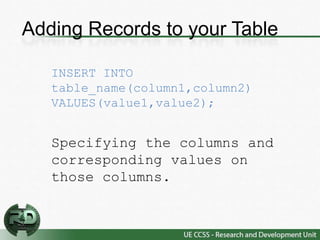
Adding Records to your Table

   INSERT INTO
   table_name(column1,column2)
   VALUES(value1,value2);


   Specifying the columns and
   corresponding values on
   those columns.
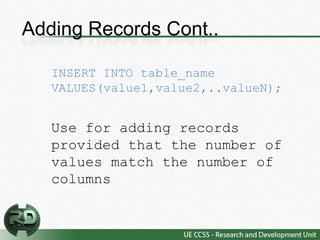
Adding Records Cont..

   INSERT INTO table_name
   VALUES(value1,value2,..valueN);


   Use for adding records
   provided that the number of
   values match the number of
   columns
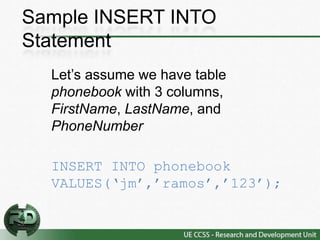
Sample INSERT INTO
Statement
  Let’s assume we have table
  phonebook with 3 columns,
  FirstName, LastName, and
  PhoneNumber

  INSERT INTO phonebook
  VALUES(‘jm’,’ramos’,’123’);
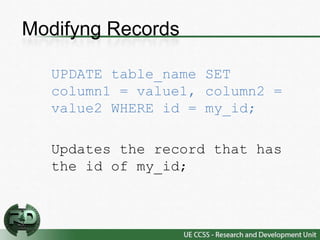
Modifyng Records

  UPDATE table_name SET
  column1 = value1, column2 =
  value2 WHERE id = my_id;

  Updates the record that has
  the id of my_id;
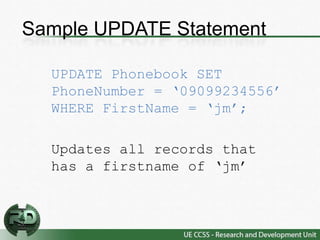
Sample UPDATE Statement

  UPDATE Phonebook SET
  PhoneNumber = ‘09099234556’
  WHERE FirstName = ‘jm’;

  Updates all records that
  has a firstname of ‘jm’
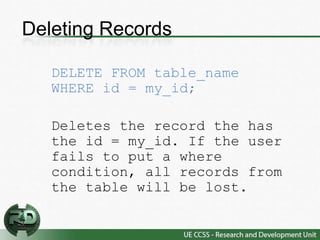
Deleting Records

   DELETE FROM table_name
   WHERE id = my_id;

   Deletes the record the has
   the id = my_id. If the user
   fails to put a where
   condition, all records from
   the table will be lost.
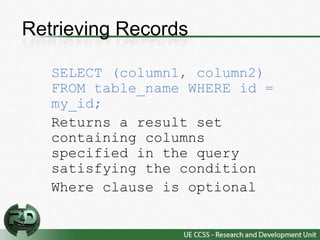
Retrieving Records

   SELECT (column1, column2)
   FROM table_name WHERE id =
   my_id;
   Returns a result set
   containing columns
   specified in the query
   satisfying the condition
   Where clause is optional
Enough with the Crap. Coding na!

   • :DDDDD
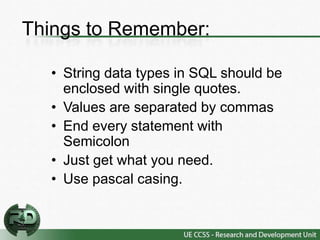
Things to Remember:

  • String data types in SQL should be
    enclosed with single quotes.
  • Values are separated by commas
  • End every statement with
    Semicolon
  • Just get what you need.
  • Use pascal casing.
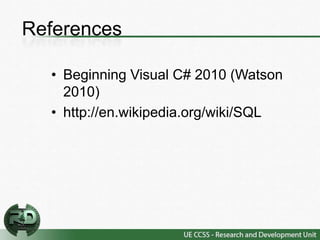
References

  • Beginning Visual C# 2010 (Watson
    2010)
  • http://en.wikipedia.org/wiki/SQL

C# Tutorial

  • 1.
    See Sharp A C#programming tutorial Prepared By: JM Ramos
  • 2.
    Hello World –A quick glance of this tutorial • Introduction to C#.net • Introduction to SQL • The OLEDB Library • Setting up your connection string • Creating the connection Class • Create Read Update Delete (CRUD)
  • 3.
    What’s with C# • The Language of choice in the .NET Framework • Comes with a clear syntax, derived from C/C++ • Ease with learning the language • C# is a “Type Safe Language”
  • 4.
    What can youdo with C# • Windows Applications • Web Applications (ASP.NET) • Web Services (WCF)
  • 5.
    Structured Query Language(SQL) • A language use for manipulating and retrieving records in a RDBMS • Based on Relational Algebra tuple relational calculus, its scope includes data insert, query, update and delete, schema creation and modification, and data access control.
  • 6.
    Adding Records toyour Table INSERT INTO table_name(column1,column2) VALUES(value1,value2); Specifying the columns and corresponding values on those columns.
  • 7.
    Adding Records Cont.. INSERT INTO table_name VALUES(value1,value2,..valueN); Use for adding records provided that the number of values match the number of columns
  • 8.
    Sample INSERT INTO Statement Let’s assume we have table phonebook with 3 columns, FirstName, LastName, and PhoneNumber INSERT INTO phonebook VALUES(‘jm’,’ramos’,’123’);
  • 9.
    Modifyng Records UPDATE table_name SET column1 = value1, column2 = value2 WHERE id = my_id; Updates the record that has the id of my_id;
  • 10.
    Sample UPDATE Statement UPDATE Phonebook SET PhoneNumber = ‘09099234556’ WHERE FirstName = ‘jm’; Updates all records that has a firstname of ‘jm’
  • 11.
    Deleting Records DELETE FROM table_name WHERE id = my_id; Deletes the record the has the id = my_id. If the user fails to put a where condition, all records from the table will be lost.
  • 12.
    Retrieving Records SELECT (column1, column2) FROM table_name WHERE id = my_id; Returns a result set containing columns specified in the query satisfying the condition Where clause is optional
  • 13.
    Enough with theCrap. Coding na! • :DDDDD
  • 14.
    Things to Remember: • String data types in SQL should be enclosed with single quotes. • Values are separated by commas • End every statement with Semicolon • Just get what you need. • Use pascal casing.
  • 15.
    References •Beginning Visual C# 2010 (Watson 2010) • http://en.wikipedia.org/wiki/SQL